Matthew Lang avatar

Matthew Lang

Family guy and web developer

First Paragraph - Dust

Dust rained in the halls of Mechanical; it shivered free from the violence of the digging. Wires overhead swung gently in their harnesses. Pipes rattled. And from the generator room, staccato bangs filled the air, bounced off the walls, and brought to mind a time when unbalanced machines spun dangerously.

‐ Dust by Hugh Howey

I’m loving this series of books.

Last year, I relocated my office to the back of our home with a south-facing window. I now use light themes more frequently when the sun is bright during the day. The Noctis set of themes for VS Code is ideal if you’re looking for light and dark themes in a single extension. Recommended.

Less-than estimation

Chris Done’s estimation method is brilliant because it allows for flexibility and grows with the complexity of what you are estimating.

I call it “less than estimation” because if a given piece of work is obviously under an hour, your estimate is <hour. If it’s not obvious, you bump it up to <day. If it doesn’t obviously fit within a day, bump it up to a <week. If you’re not sure it’ll fit into a week, my experience says that it could take even three weeks, so bump it up to <month.

Less-Than Estimation

This should also work well with your preferred task manager if it allows you to use tags to add meta-data to tasks.

I’m ending the week on a high with my wife’s birthday today. My wife is off to yoga this morning, and then we’ll spend a couple of hours in the garden, preparing it for the good weather. Finally, I’ll be cooking the birthday girl’s requested dinner, which is one of her favourites, chicken pie.

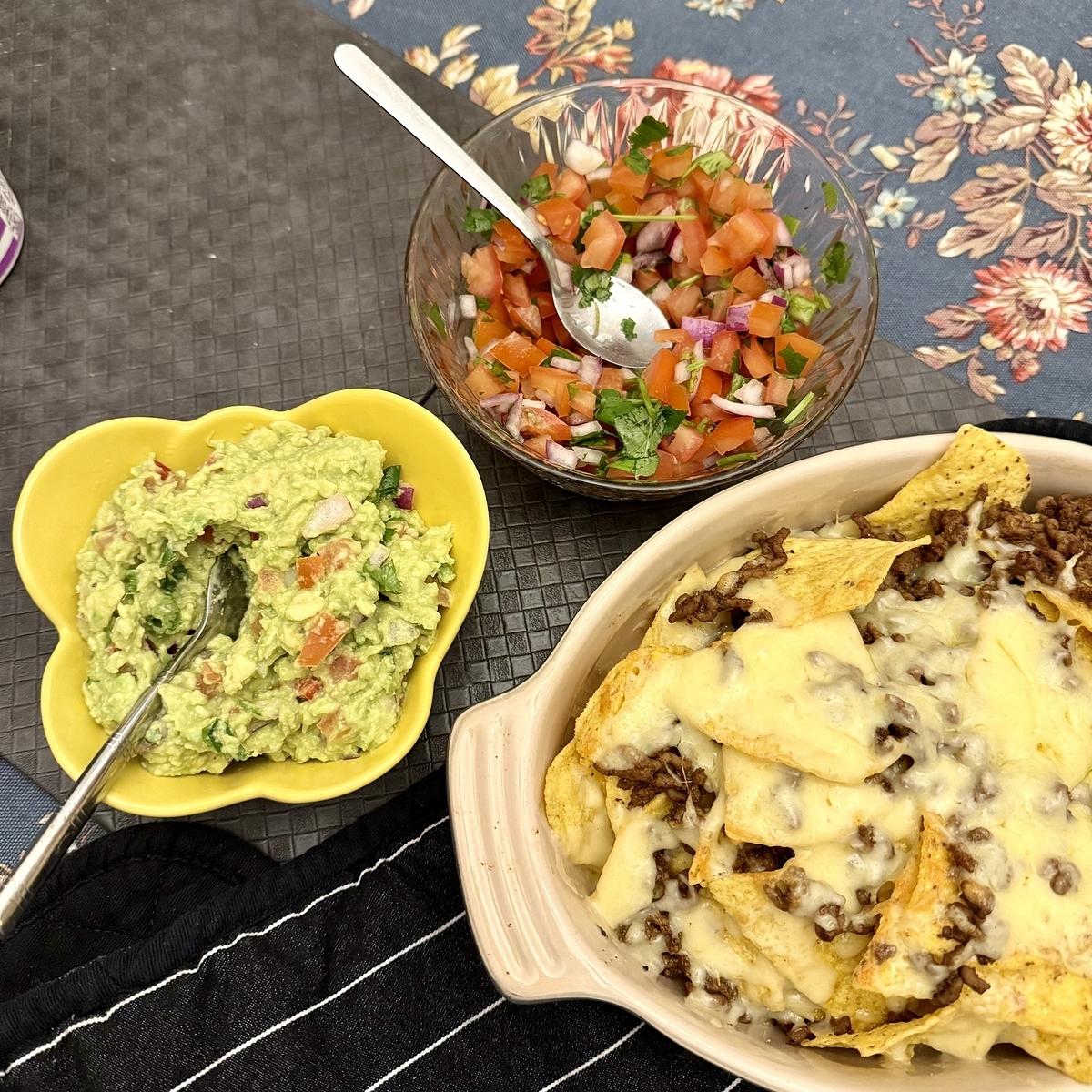
The wee guy wanted nachos for dinner. Combine that with some salsa and guacamole, and that’s a pretty good dinner. Definitely one of my favourites.

A dish of cheesy nachos with ground beef is accompanied by bowls of guacamole and fresh salsa on a textured placemat.

I didn’t think they would follow Jurassic World Dominion with another movie in the franchise, but hey, dinosaurs! I’d be lying if I said I wasn’t interested in seeing this.

I see Paper Apps at the top of Hacker News (snapshot courtesy of the HN snapshot tool). I’m sure this has been posted to Hacker News before, but I’m glad to see it surface again.

As much as I love paper and pen, web versions of these apps would be good, but I can see the appeal of the notepads.

Building my own technology radar with SVG

When I was freelancing, one of the things I did regularly was read the ThoughtWorks Technology Radar. It’s a snapshot of the different technologies that ThoughtWorks is considering and using. As a freelancer, I found it a good read as it provided a glimpse of what was happening in the web development industry. Once I started working full-time again, I stopped reading it and didn’t revisit it for a few years.

My current role is senior software engineer, but I am working towards the next role up from this one. This involves expanding my role in several ways, including learning and adopting new technologies and processes. One way I thought I could do this was to set up my own technology radar. ThoughtWorks does offer a means to run your own technology radar, but I wanted my own technology radar to be more straightforward.

Armed with my new knowledge of using SVG over the last couple of years, I decided to start building a technology radar of my own.

My technology radar comprises two layers of quadrants, the smaller quadrants on top of the bigger ones, to achieve the effect of having an outer trial quadrant and an inner adopt quadrant. I used the path element to do this.

<path d="M 10 45 A 40 40 0 0 1 45 10 L 45 25 A 30 30 0 0 0 25 45 Z" fill="#e3f2fd" stroke="#2196f3" stroke-width="0.5"/>
<path d="M 20 45 A 25 25 0 0 1 45 20 L 45 45 Z" fill="#e8f5e9" stroke="#4caf50" stroke-width="0.5"/>

The tokens representing the different individual items are simply circles and text elements nested under a group tag so that I can group all the items together.

<g transform="translate(40, 35)">
  <title>TDD</title>
  <circle cx="0" cy="0" r="2" fill="#4caf50"/>
  <text font-weight="bold" x="0" y="0.5" font-size="1.5" text-anchor="middle" fill="#fff" font-family="Arial, sans-serif">2</text>
</g>

I added a title tag to each token to achieve a hover effect with a text description of the token.

Finally, I added labels to the middle of the quadrant to indicate the two sections and each corner to indicate the type of technologies grouped in that quadrant.

I haven’t figured out how to programmatically group tokens in each quadrant with code, so for the moment, I am using SVG Viewer to place tokens in each quadrant by hand.

I have published a GitHub Gist of the technology radar with blank tokens filled in for one of the quadrants. Feel free to fork this technology radar for your own needs.

You can find my own technology radar here. I’ll be updating it as the year progresses.

First Paragraph - 12 Rules for Life

If you are like most people, you don’t often think about lobsters—unless you’re eating one. However, these interesting and delicious crustaceans are very much worth considering. Their nervous systems are comparatively simple, with large, easily observable neurons, the magic cells of the brain. Because of this, scientists have been able to map the neural circuitry of lobsters very accurately. This has helped us understand the structure and function of the brain and behaviour of more complex animals, including human beings. Lobsters have more in common with you than you might think (particularly when you are feeling crabby—ha ha).

— 12 Rules for Life by Jordan B. Peterson

First non-fiction book of the year. Just reading a chapter a month.