Matthew Lang avatar

Meta

Posts about this blog: how it's built, themed, and maintained.

My /photo page

After reading about Robert Birming’s photo page, I decided to add one to my own blog, with one change. My own photo page turned out pretty well. Here’s what I did.

Adding a new page in Jekyll is straightforward. It’s just a static page after all. Rendering a single photo in Jekyll wasn’t the challenge, though. I wanted to include archives of all the photos I will eventually share on this page, so I needed a way to build an image archive.

Jekyll is a static site generator, so it doesn’t have a database to query for archive photos. I needed another Jekyll-friendly database. Enter the photos.yml file.

This file contains the URLs for each photo’s full-sized and thumbnail versions, the caption, the alt text and the date the photo was taken. Each uploaded photo is added to the top of this file and acts as the source for the photo page and the archive.

I now needed a means to update this. I have my own publishing app, Postpress, that updates my Jekyll site. It’s a Rails application that lets me publish articles, upload images, and manage a few other data collections on my website. I already could upload images for my posts, so the photo upload uses the same process but saves to a separate photos folder.

I then collect the uploaded photo URLs, caption, date and LLM-generated alt text (which I always review), and add these to the top of the photos.yml file on my blog. Postpress commits these changes and pushes them back to my source code management host, where a new build of the website is triggered.

The resulting photos.yml file will look something like this:

---
- url: https://notarealhost.com/photos/2026/10/golf-course-full.jpg
  thumbnail: https://notarealhost.com/photos/2026/10/golf-course-thumb.jpg
  alt: A golf course putting green with a white flag pin, lush fairway, scattered trees, and a partly cloudy blue sky.
  caption: "Another view of the golf course. I wish I was more organised. I would have brought my clubs and played."
  date: 2026-10-10
- url: https://notarealhost.com/photos/2026/10/nuphy-keyboard-full.jpg
  thumbnail: https://notarealhost.com/photos/2026/10/nuphy-keyboard-thumb.jpg
  alt: Close-up of a mechanical keyboard's upper-right corner featuring dark gray, white, and teal keycaps with an RGB light strip.
  caption: I switched back to the original keycaps on my Nuphy Air75 keyboard. I quite like the default keycaps.
  date: 2026-10-09

I have a handful of layouts and views, plus a plugin that aggregates all the data for the photo pages, letting you drill down into the archives by year and navigate back. As the photos.yml is located in the _data folder in Jekyll, I can reference these photos by using site.data.photos.
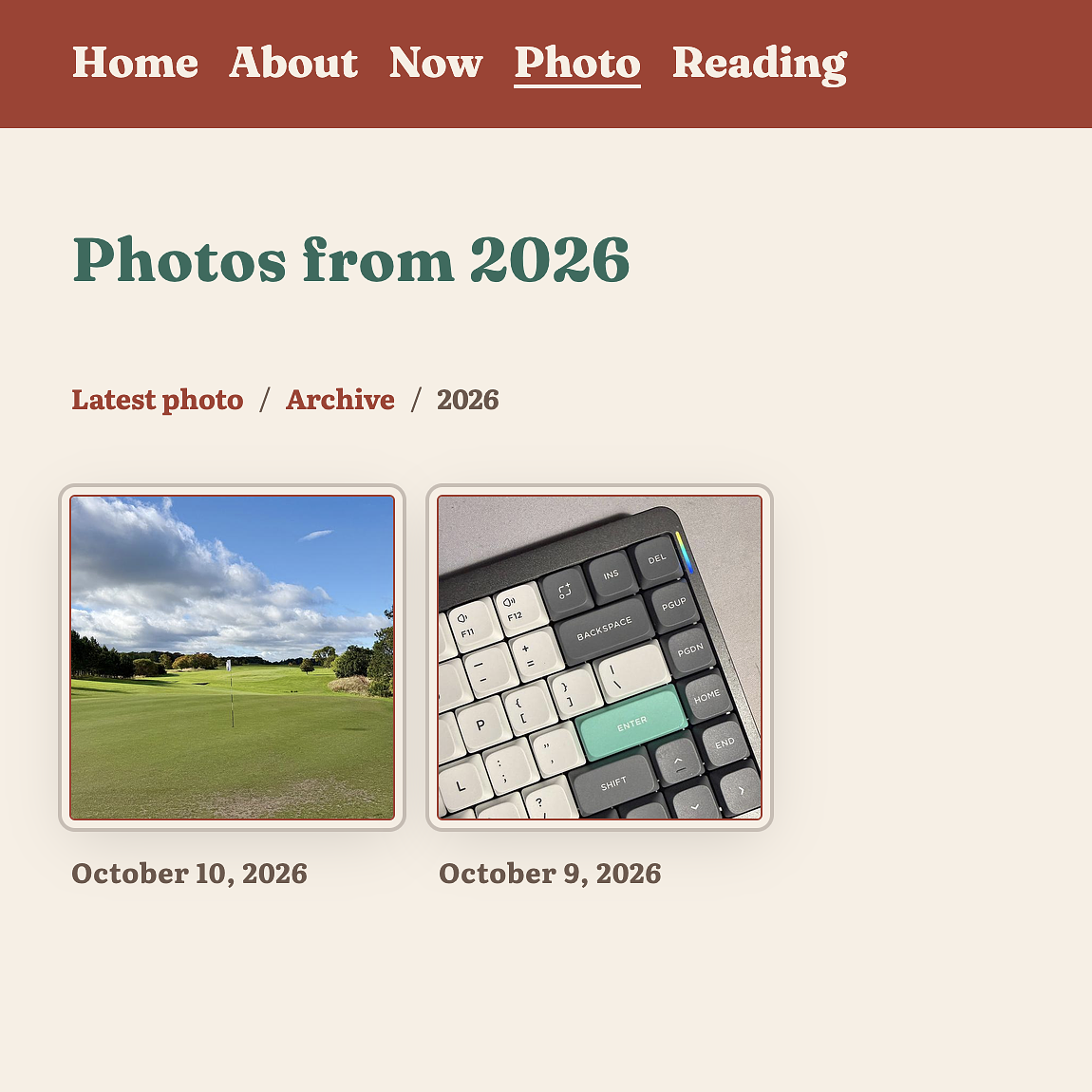
A photo archive page from 2026 showing two thumbnail images: a golf course on October 10 and a mechanical keyboard on October 9.

Here are the files I needed to build this.

  • photo.md - The photo page itself, which will grab the first photo from the site.data.photos collection.
  • photo/archive.html - The archive page showing a photo for each year I have posted.
  • photo-year.html - The page that displays all the photos for a year.
  • photo_archive.rb - A plugin that generates a page for each year.

This took a bit of time today, but it was time well spent. I like to think of this as my own personal Instagram baked into my blog, without the hassle of actually having to post to Instagram.
Starting a week off work tomorrow to take Drew to an all-day golf coaching session at Castle Park Golf Club. I’ll be pitching up in the clubhouse all day. Expect a few posts tomorrow, and maybe a few blog changes.

I’m trying to work out a way of keeping some of my notes in Obisidian in sync with a section of my blog. There is a benefit to doing this, but the content is slightly different for each. For the moment, I’ll manually pull Obsidian files into my blog, but in the future I hope to automate this.

Not feeling great tonight, so I watched a couple of episodes of Lioness (season 2) with Jen, then spent a half hour adding themes to my blog. Currently sporting the Maple & Rust palette, with the colours on the colophon page. Each time the theme changes, the colophon page will update as well.

New blog theme

Despite telling myself I would only update my website theme once a year, tonight I decided to throw that rule out the window and give it a new look.

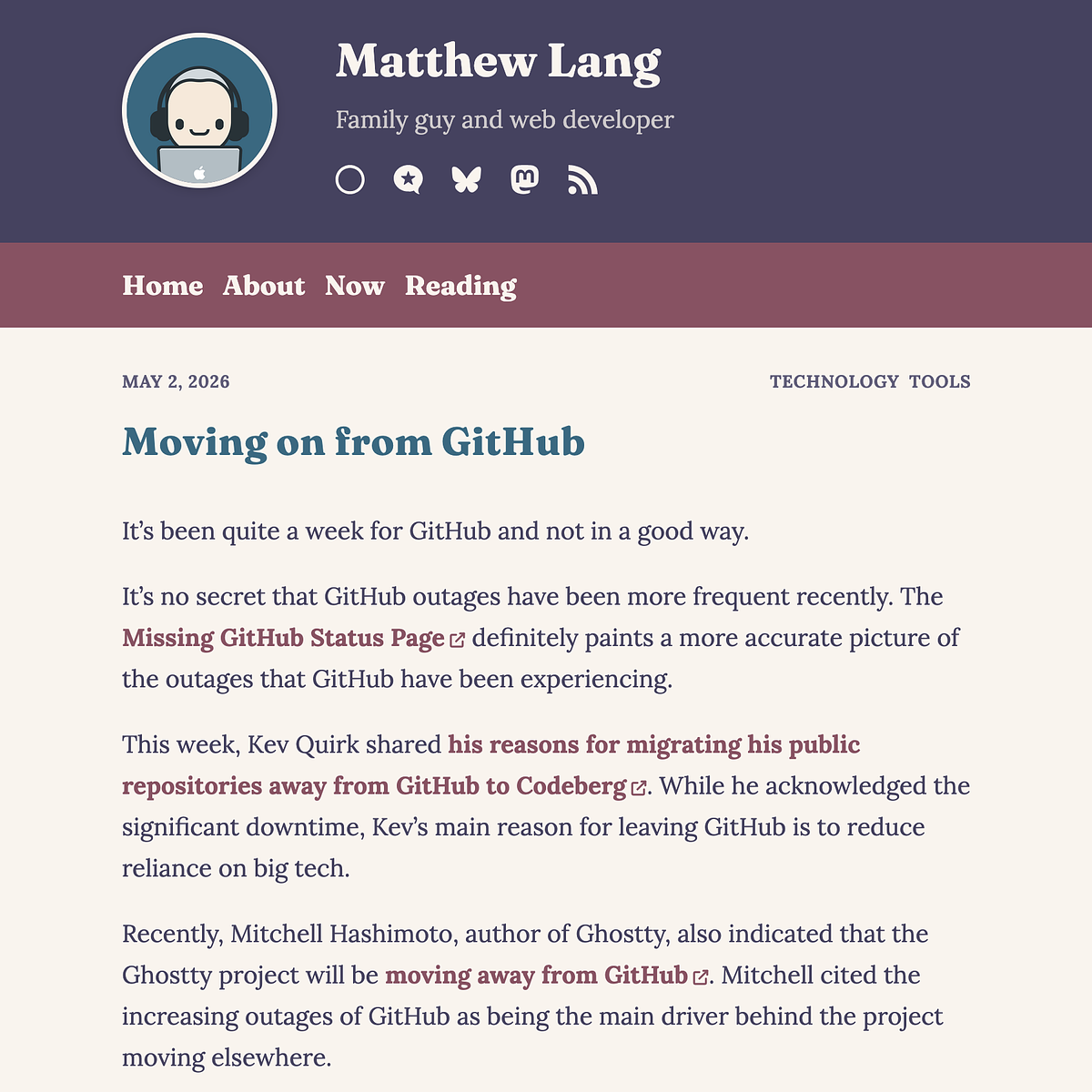
Blog post by Matthew Lang titled "Moving on from GitHub" dated May 2, 2026, discussing GitHub outages and migrations to alternatives.

Gone are the hand-drawn-style dividers and the Kagi-inspired black, white, and gold theme, to be replaced by a Rosepine theme featuring earthy tones. Very apt now that we are coming into summer here in the UK.

I have made a bit more use of a card design for the website’s images, blogroll and reading pages.

For fonts, I am using Lora for body text and Fraunces for headings. I quite like to split my font selection this way.

To make future changes to the colour scheme, I have set up five CSS variables that represent the theme’s main colours. Any other colours are derived from these five variables using the color-mix function.

I definitely scratched an itch with this one, as I felt the previous theme was too stark and lacked some warmth. I’ve found it in this colour selection and by changing the fonts the website uses.

I’ve started keeping a section on my website called the den, for things I look up often. There are just a couple of pages here so far, but I expect it will grow gradually. It’s not in the website’s main navigation bar for a good reason, but I may share it here from time to time.

A change to my blog

After a few years of being on the Micro.blog platform, it’s time to host my own blog again. I’ve thoroughly enjoyed hosting my blog on Micro.blog, but I want to have more control over what my blog does for me.

Having my blog on Jekyll wasn’t enough, though. I needed to be able to blog from my phone if needed. So, over the last couple of days, I have been building a Rails app that helps me to do what Micro.blog offers. I’ve tried to do this in the past and failed miserably, but this time I’ve added enough knowledge to know what I need.

The Rails application handles two important steps that I need to continue blogging about when I have my phone.

Uploading and hosting images

The first is the uploading and hosting of images. I previously included all images in the blog itself when I last ran my blog using Jekyll. As expected, it led to some seriously long build times for Jekyll.

The new application allows me to upload and serve all the images for my blog. Each image is saved in different sizes, and I’m using an LLM to generate alt text as it’s uploaded.

This allows me to manage uploads separately from the blog itself and keeps the blog’s build time fast.

Posting on the go

The second is creating posts on the go. I previously did this using GitHub’s web interface, pasting the post directly into my repo. Not exactly straightforward, and it worked to an extent, but it became more of a chore than anything else.

The new application allows me to compose posts on a much friendlier web page. I can save the post as a draft and come back to it later. When it is ready to publish, it commits the post directly to my blog’s repository on SourceHut, where I have a build script to deploy the code to my server after each commit.

What I’ll miss

Yes, features are missing from my setup, like cross-posting, bookmarks, and bookshelves, and over time, I might replace them with my own take on these features. For the moment, though, I’m quite happy knowing that my blog is back to being something I have full control over, and I have more of a say in how it’s built and displayed.

And yes, this means I have parked the three-column theme I was building for Micro.blog. I doubt I will finish it. Apologies if you have been looking forward to it.

I will still be keeping my blog pointed at the Micro.blog community and I wish nothing but success for the platform. It’s a great community, and I hope it continues to grow.

I have a collection of posts in my blog’s archives that mostly contain links with a single image and a comment. A lot of the links for these posts are now returning 404s. I’m tempted to just bring all the images together in a single Micro.blog collection and remove the posts.

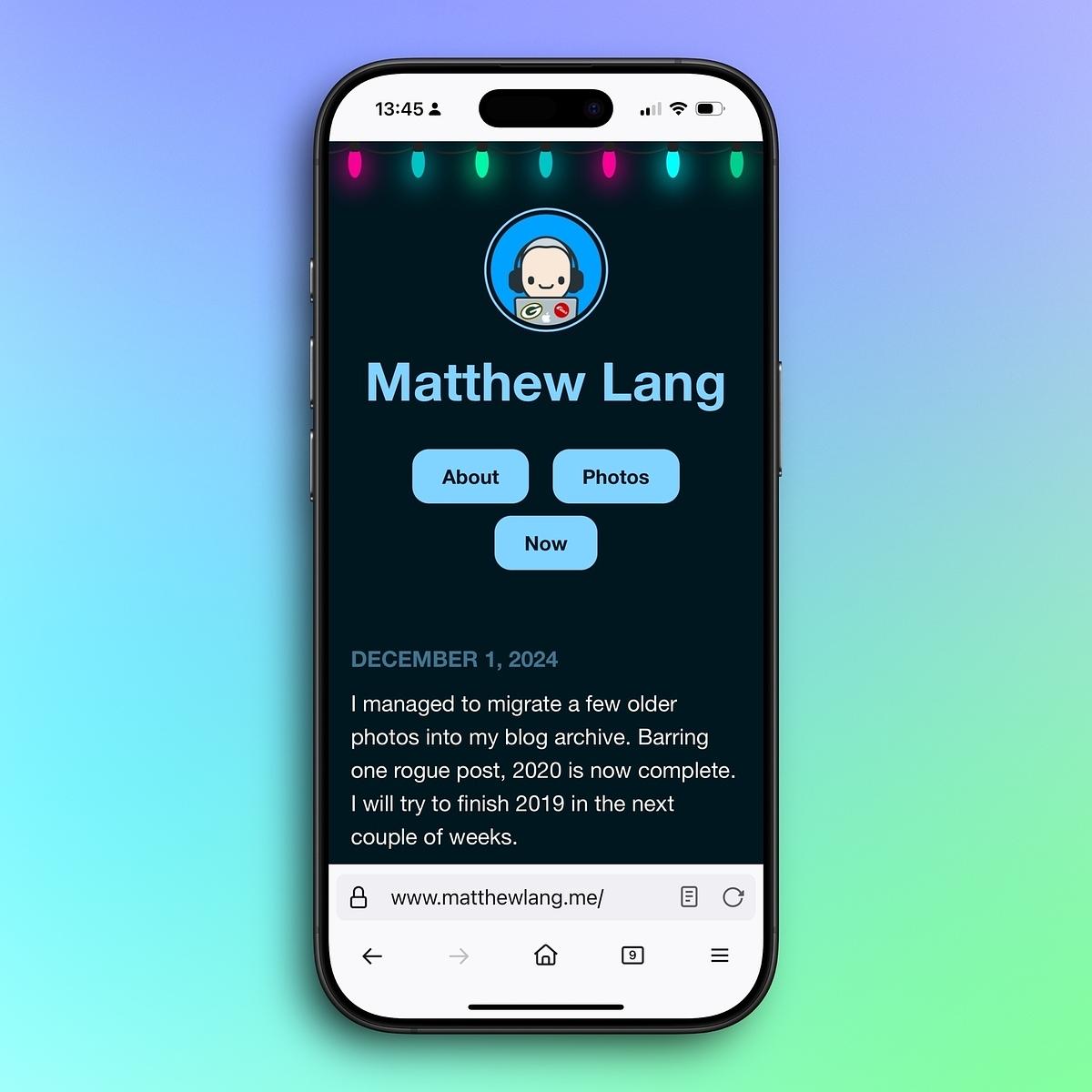
I finally sorted out a dark version of my blog.

It’s not adjustable with the system theme yet, but I liked it so much that I’ve left it on as the default.

Thanks to Toby on CodePen for sharing the Christmas lights!

A smartphone displays a website with the name "Matthew Lang," featuring links for "About" and "Photos," set against a colorful gradient background.

I managed to migrate a few older photos into my blog archive. Barring one rogue post, 2020 is now complete. I will try to finish 2019 in the next couple of weeks.

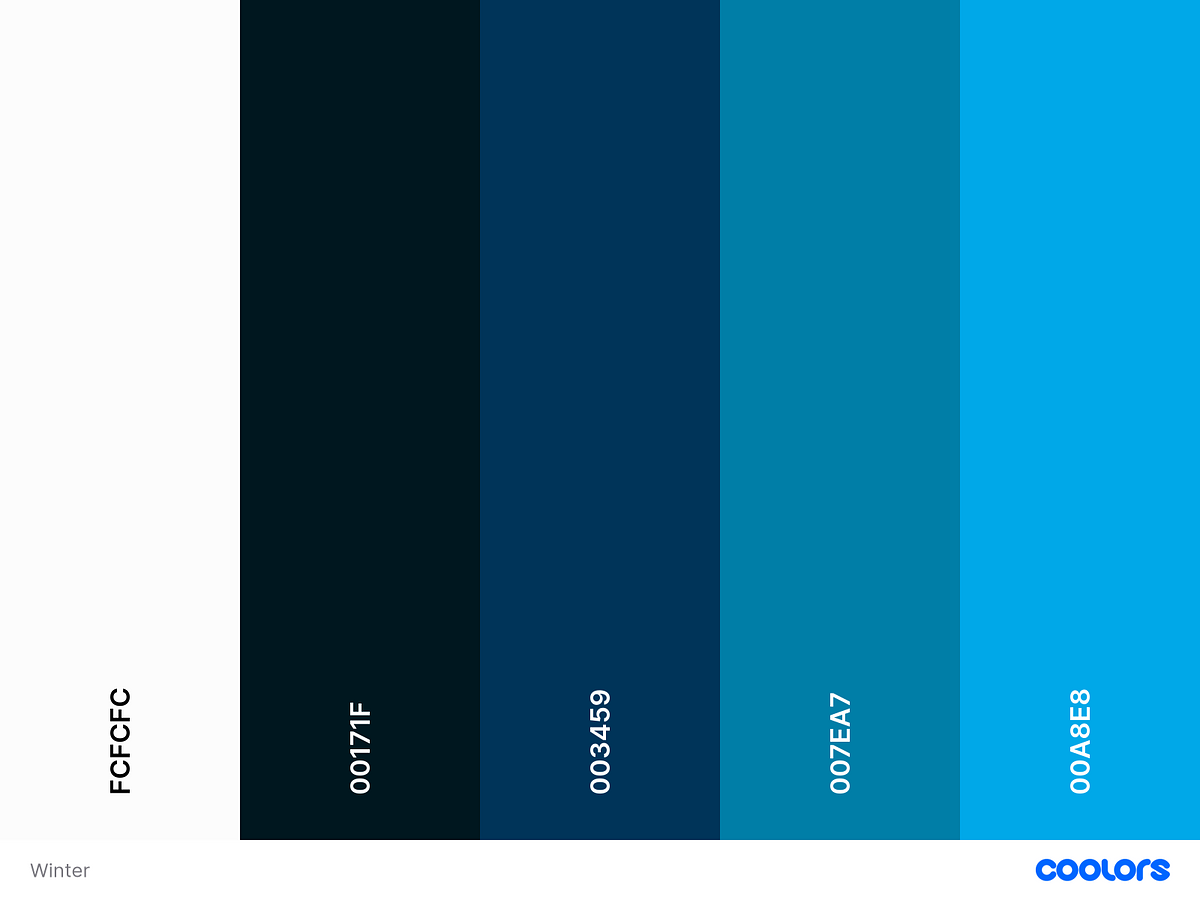
Updated my blog with a new colour scheme. Winter blues is the theme for the next few months.

Going to start blogging again

I’m going to start blogging again.

Not the titleless posts I have been posting for the last couple of years, but the longer posts that need a title. The posts need to be split up into sections. The posts that have a call-to-action. The posts might just be rambling for the sake of it. The posts that venture an opinion. The posts that tell you something you already know. The posts that tell you something you don’t know. The posts that I will deem not worthy of publishing, but I do it anyway.

It’s not a ground-breaking start, but it’s a start.

I’m tempted to go all in with Micro.blog again. It has enough features for me to consider ditching my own website, as well as a few new themes that are both nice to look at and customisable.

Last night, I started adding a blog to my website. Managed to get a couple of test posts rendered.

It’s nothing fancy, just a bunch of markdown files picked up by Rails and rendered as HTML using RedCarpet and Tailwind Typography. Will polish it up tonight and start adding the RSS feed.

Finally, I resolved a wee build issue with my custom theme changes here on Micro.blog. Switching the Hugo version down to 0.91 did the trick. Regular posting can commence again!

Trying something new here, all short and social posts will now come from social.matthewlang.me. Separating the social posts into their own domain will allow me to do something else with my own website. Don’t know what yet, but it means I can post a bit more in the way of short posts and photos.

Not quite fully on DigitalOcean

Over the last few weeks, I’ve been migrating several Rails applications to Hatchbox. I’ve still got a couple of applications to go. Still, one last thing I wanted to do was migrate my blog over to DigitalOcean’s Apps platform.

I’ve been using Render to host my blog for the last few months. While it’s free, and I have been okay with using it, I’ve wanted to minimize my digital footprint of the services I use. Over the weekend, I spent almost eight hours trying to get my blog to compile and run on DigitalOcean.

Sadly, my blog wouldn’t compile due to the Tailwind integration I am using. An error with the Jekyll PostCSS gem kept breaking the building of the website. I’m still digging into the actual issue, but it is getting parked until I have more time to look into it.

Spent most of the afternoon finalising some changes for my Rails app for posting to my Jekyll blog. It needs a few more tweaks before I open source the application, but it now allows me to log in on multiple devices, which means you might see more of my posts soon.

I am trying out something new this morning. I built a small Rails app that streamlines the posting process to my blog. It automates most of the process and only requires the post content itself. If it’s working, you should see this post!

Almost finished the new site design. Deployed some changes this morning to make it easier to read on mobile devices. There are still a few snagging points that will be resolved over the next few days, but I’m really pleased with the end result.

Updated my website to be more a stream of posts now than categorised content. I’m pleased with the results and the change to something that now acts more like a weblog. What it should have been really from the start.

This is the second in my build updates for 2022.

Last month I mentioned my intention to look at BlitzJS. After a few hours of wrestling with a small application, I wondered if it would be better to spend some time refreshing my React knowledge first (it’s been a while since I used this) and then re-visiting BlitzJS. So I decided to park this for something else.

I wrote and maintained my own blogging CMS using Ruby on Rails for a couple of years. It was simple, and it had several excellent features like posts grouped by dates and supported posts without titles. There were a couple of downsides to the application, though.

Running even a small Rails application isn’t cheap, and while I can afford to host the app, it was money that I thought I could spend elsewhere. I looked to alternatives, but I couldn’t find anything with a significantly cheaper CMS to host. I started then to look towards a static site.

With some experience in using Jekyll, I started migrating all my posts both on the Rails application and in Micro.blog to my own Jekyll blog. I’m running the site on Render using one of their cheap static site plans, and I’m pleased with the result.

The added benefit of this is that I now have complete control over my blog, both in content and hosting. My content for the website is just a bunch of files. Posts use Markdown and are effectively just plain old text files. My images are stored in a folder that is served as part of the website. I find this much easier to control than digging into the database for a CMS.

As for hosting, I loved having my blog hosted on Micro.blog, but I did find it limiting in some ways. I would still recommend it for most people, but for me, self-hosting everything was the way to go.

One final benefit of using Jekyll is that I can still use Tailwind CSS to style the website and play about with it a bit more. You can see an example of this on my now page, where I have created a book component to show the progress of the books I am reading. I’ll be expanding on these over the year as I read more books.

It’s been a while since I made any changes with my writing prompt generator Writeabout, but it’s seen a flurry of activity over the last few weeks.

  • Writeabout is now running on Rails 7 and Ruby 3.1. I’ve been keen to move away from Webpacker and embrace Rails’ new JavaScript options with Rails 7.
  • I’m using the latest version of Tailwind. I love Tailwind. I find it easier to build web pages using Tailwind’s classes.
  • I replaced the dark/light theme with a better recommendation using the suggestion from the Tailwind docs. This behaviour is still bundled in a Stimulus controller, but I’m pleased with the result.
  • Self-hosted font. I used to use Google Fonts to serve this website’s font, but I’m keen to reduce outside dependencies where I can, so I switched to self-hosting the font for Writeabout.

I’m still not done with Writeabout, though. As a small application, it provides me with an excellent place to try new things. Over the rest of the year, I plan to add the following two significant changes.

The first is an admin screen built on Hotwire. I’ve done some things with Hotwire, but nothing major. It would let me manage the prompts for the website and provide some information on API requests.

The second change will be an iOS app using React Native. Yes, I know React Native lets you build apps for both iOS and Android, but I’ll initially just be making a Writeabout app that supports iOS. If there’s not too much legwork to get it working in Android, I will also support that.

Update: Writeabout was retired in Autumn 2026.

Plans for the blog

With the basics of my blog now in place, I can focus on other parts of the blog that I would like to build.

I’ve been writing notes for an aggregator of sorts that would subscribe to content streams. These content streams can then be shown on my blog. RSS would be the initial type of stream that I would offer as these are open and simple to integrate into the blog. Other types of content streams may follow if I decided to incorporate them into my blog. This aggregator will then be displayed on its own page or on my blog’s sidebar if I choose to put it there.

One of the great blogging platforms that I miss the most is Posterous. The idea of this blogging platform was simple yet highly effective. Instead of writing your posts in a password-protected section of your blog, you write your posts with email and mail them to your blog. Starting small by being able to email posts without titles would be a good start. Posts with titles and attachments would then follow.

Cross-posting to Twitter is definitely something that I want to include in the blog. It’s more the shorter posts that I would post on Twitter, but not all of them. I think for this a simple checkbox would be sufficient.

Building my blog using Rails has been a great way of making something that I can experiment with more. It’s also something that I can create at my own pace. The blog is still using the CDN version of TailwindCSS, WebPacker hasn’t been set up, and no there aren’t any tests.

This isn’t a business system or a product, though, so I can afford to do these things in my own time. It just feels good to be writing code in Rails that I don’t need to worry about too much and can do in my own time.

A new blog, of sorts

In the last few months, I’ve been fairly quiet on the blog front. Just like everything else that went wrong in 2020, I could blame it on the global pandemic, but that’s not why I stopped blogging.

I started blogging on Micro.blog while it was in the Kickstarter phase. I liked the idea of not only having a new blogging platform, but one that focused back on RSS feeds. Now though, I feel like I have outgrown Micro.blog. It’s has a nice collection of features and themes, but I’m looking for more from my blog. I want it to do more than just display posts and pages. I’d like it to handle long-form articles that fall outside of the chronological order of the blog, handle bookmarks, and track other places where I am active on the web.

To get started, I decided to start moving some content over from my Micro.blog so that it’s now hosted here on my main domain. I’ve been putting everything together using my own blogging engine, which does just enough to display posts in chronological order, supports an RSS feed, and has an admin section to manage posts.

I’ve still got a lot to do in terms of development, but the main thing I’m taking from this is that I am working with Ruby on Rails again. It’s been a long time since I worked with Rails in a full-time capacity, and I do miss it. Rolling my own blog engine gives me the chance to get myself familiar with Ruby on Rails and try out a few different ideas.

Goodbye mattisms.dev

After a few weeks of not posting to my dev blog, I’ve decided that over the weekend I will delete this blog.

I don’t see the long term value in having this resource on a seperate domain or in collating the links for this blog. Instead of posting to a blog, I’m going to start collecting web development and Rails guides and resources on a number of pages on my personal website.

Don’t worry folks, I’ll keep posting here and any major changes in this web development content will be shared here as well.

Blogs, blogs, blogs

Over the holidays I mentioned that I was writing a blog post that I would publish this week. Well, after a delay thanks to the flu, I finally hit the publish button on my return to using my main domain. My first post, about my focus for 2020, is a return to building up some long form content that I want to reside on that domain.

Is this the end of my time on Micro.blog?

Definitely not. Micro.blog is a wonderful blogging platform that I will keep on using. This blog on Micro.blog will be my social feed to the net. It’s the one place that I will post to daily. Short posts, photos and links will continue to pour out from here.

So what’s the point of the new site?

For a while I’ve been trying to find a way of supporting short and long content. I’ve tried mixing these two lengths of posts over the years and it’s never sat well with me each time I have tried it.

Now that Micro.blog is my daily social feed, I can now focus on pushing longer posts through my main site again.

A change of seasons means a change of colour for my blog. I’ve been doing this since I started using the Hyde theme on Micro.blog. Just a small way in which I can refresh the look of my blog without too much fuss.

Themeable seasons

One thing I’ve been doing over the last couple of years is switching colours on my blogs and social media profiles according to the seasons.

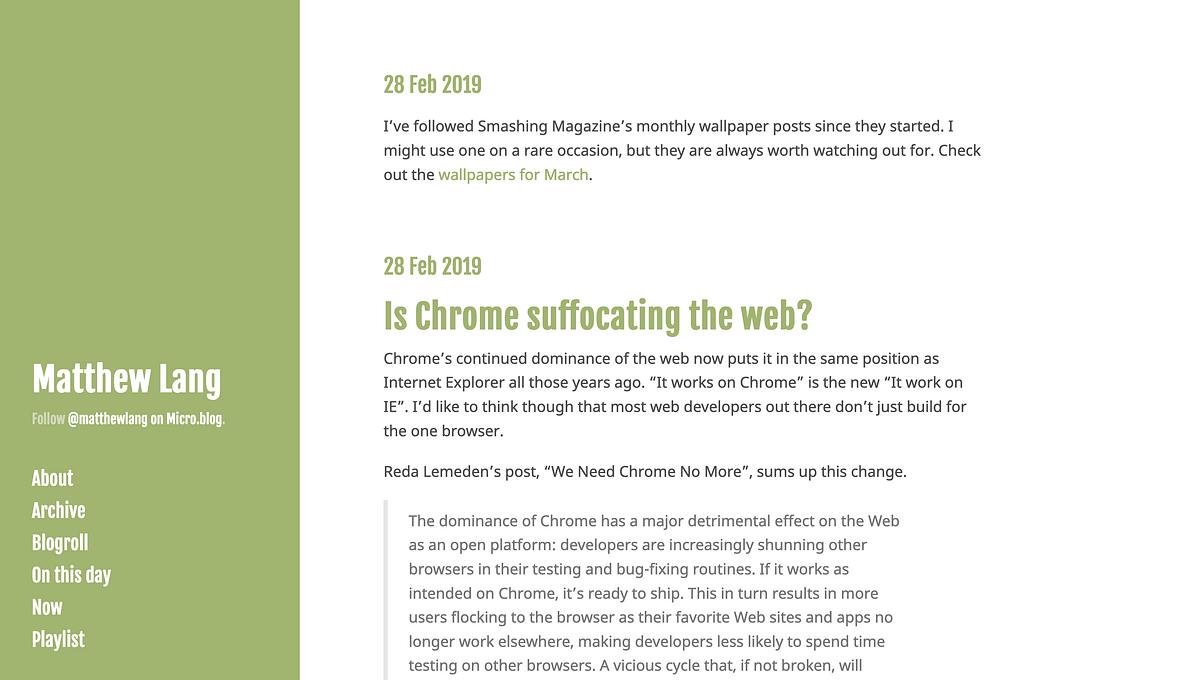
Technically it’s spring in the UK although with the weather it certainly doesn’t look like it. Never mind, I’m still switching to green to mark the start of spring.

Move to Jekyll complete

Last night I finally pulled the trigger and moved my Ghost hosted blog to Jekyll. While the cost of running a managed blog was the most significant influence on the decision, there were other factors as well.

Easier writing

Ghost had been a promising idea when it started a few years back. A blog where the focus is on the act of writing. And it started well. The two-pane design with the plain text on the left and the rendered post on the right was great and allow you to see the post in real-time. In a recent change though, the Ghost decided that using a single pane with a WYSIWYG writing pane was more beneficial. The old two-pane environment was still there but just hidden away.

I’ve been looking to do more with my iPad Pro. I’m already using it for remote development work and a fair amount of writing, reading and listening. Unfortunately, a down-side of Ghost’s new writing pane made using the iPad Pro impossible. Characters were rendered twice with each keystroke, and I was unable to even copy and paste a blog post from another app such as Bear or Ulysses. In a recent update to Ghost this bug is fixed, but such a breaking change made me question why I was reliant on a product that prevented me from writing.

With Jekyll I can write anywhere with any app that I use daily. I can even write the post straight into my GitHub repo through my browser and save the changes which will automatically publish to my blog. The only thing that will stop me writing and publishing is whether I’ll have a connection to the Internet and in this day and age, that’s becoming such a rarity.

More control

With a move to Jekyll, I’m also able to make changes to the layout of my blog in a much easier way than if I was using Ghost. With Ghost, you need a local working environment first to make your theme changes. Setting up a local environment is reasonably straightforward, but keeping it up and running is not as simple as Jekyll. With just a single command I can have my blog up and running on my browser, and I can make any changes I need to the layout. There’s a small number of dependencies to getting my blog running, and it only requires some flat files for content.

I’ve also got more control over the photos I use on my blog and where I host them. I can either include the images in my blog directly or upload them to another hosting service like Amazon S3 where they’re still in their original format and I can export them if I need too.

Tried and trusted

My days of being wowed by-products such as Ghost are probably over. Tried and trusted products that are simple to manage and let you own your data are two significant factors for me. Ghost looked to be simple, to begin with, but even now there’s still a large number of features that many other bloggers take for granted from their chosen CMS. I’ve tried Jekyll in the past, and now I wonder why I didn’t stick with it.

Data is always a significant factor with me. The export facility of Ghost is excellent, and they were able to allow me to download all the images for my blog through a separate link as well, but I don’t think that’s enough. A single zip file containing all data including images would make things so much easier.

Manton Reece has an idea for this, and it looks promising, but getting the more prominent companies to adopt this is another matter.

With Jekyll though, I can always trust in the fact that my data is there in the purest form needed and that’s in plain text files.

Considering some blog changes

I’m considering a few changes in the way I blog.

Micro.blog for personal stuff, quotes, snippets, links and the like.

Ghost for longer posts on working, ideas, products and writing.

It should be noted that Micro.blog was the trigger for this whole thing. A streamlined way of publishing small or large updates and then syndicating them through to other social networks and blogs. Damn it’s good at that.

I’ve started to think that my Ghost blog should be more of a professional site than anything else. I think that’s what it’s lacking. Longer posts that I’ve taken the time to write.

Curtis McHale’s blog is a great example of a professional site used for such a purpose.

My blogging habits have changed. From posts that are a mix of personal and work on the one blog, to using two blogs for a mix of both. Now I’m seeing that one blog is more for personal stuff and the other is for things I’m working on and working towards. The work stuff, the professional stuff. The boundaries aren’t clear on this at the moment though, but I think they should be.

@patrickrhone has a similar setup. A professional site and a personal micro-blog.

I’m 90% sold on the idea. The thought of moving more content around isn’t appealing though. It would be worth it in the end though. Right?

RSS Update

It’s been a while since I’ve posted any updates on my blogging habits and where you can find me. Now is as good a time as any to update these.

Here’s the short version for those who just want the links.

Here’s the extended version if you’re interested.

Main blog

This blog continues to run but will focus solely on long-form posts now. It will also remain my central site where people can find me and get in touch.

There have been many changes over the years on this blog. I started doing smaller micro-posts a while back, but lately, I felt that perhaps this blog was not the right place for these posts. More on where you can find the new home for these posts later.

This blog will now only feature daily posts that sit around the 500-word mark and will become more of a regular logging blog. Expect posts on the topics of bootstrapping products, productivity, writing and a few other minor topics. The goal isn’t to be a blog only on a single subject, but instead, focus on topics that I enjoy writing about and am interested in. A public journal might be the aptest description for the blog now.

Microblog

Last year I started using another blog for shorter posts. I mostly use it for links, quotes, thoughts and the like.

I’m using a new blogging platform for this called Micro.blog. It’s a micro-blogging platform that allows you to not only easily run your own blog, but also has timelines where you can follow other Micro-bloggers and converse with them using replies, much like Twitter does.

As painful as Twitter is with it’s muddled timelines, I do still find it of some value. Micro.blog allows me to syndicate my content to Twitter without the added pain of having to post the content myself or get sucked into continually checking my timeline.

Another great feature of Micro.blog is that it posts your whole post as a tweet if it fits within Twitter’s 280 character limit. Otherwise it will post a link to your blog post on Twitter. You get the best of both worlds.

I’ll continue to post to my micro-blog at least a few times a day over the course of 2018.

Programming blog

My programming blog is seeing some changes over the next few weeks. The focus is on more content and I’m gradually getting there.

The DigitalBothy blog was largely ignored last year, but I’ve got plans for groups of content over the next six months and I’ve got a few posts lined up already for January. With a bit of work I hope to keep a head of my scheduled posts on this by a couple of months to give myself some breathing space.


So there you have it. A complete RSS update for all my digital homes on the Internet. Subscribe to whatever takes your fancy.

I’m still finding my feet with consistent blogging but there may be something to what Patrick Rhone is doing with his Rhoneisms.

My personal site is just that. Personal. I don’t blog for the traffic, the page views, or as part of some grand plan to build the next big thing in tech. This is my site and shouldn’t be constrained to schedules and plans. I have other sites that do that.

This site should just be a steady stream of thoughts, links and images. The first two I’ve been quite active on posting but there’s been a lack of image content here. I’m hoping to rectify that soon with my own take on Patrick’s Rhoneisms.

New Daring release

I released a new version of the Ghost theme I use for this blog last night.

In an effort to kickstart the blogging habit again, I looked at my blog and ways that I think it could be improved in terms of readability.

Improved readability

The previous version of Daring had a default font size that was far too small. Even on my MacBook Pro at 1280px wide the font size difficult to read. I’ve bumped the default size up to help.

I’ve also made the width of the content area slightly wider and reduced the padding of the content area. I’m trying to use as much width as I can without pushing the sidebar column and the content column too close together.

More themed elements

I’ve also included a number of themed elements for the blog. The bar at the top is nothing more than a bit of decoration on the page and there is additional styling for submit buttons you might have on a contact form.

This is just another step towards producing a quality Ghost theme for people that don’t want to use huge banners and images for their blogs.


After a week of considering closing this blog and starting afresh elsewhere I’ve decided against this move. I’m trying to kick-start the blogging habit for October and so this week is a spell of light blogging to get me started. Expect more frequent writing here from now on!

It’s been a joy to use Ghost for blogging over the last few months. Managed hosting, simple interface and makes your blog pleasant to read.

For about two years now I’ve been a user of the static blogging engine Jekyll. In that time I’ve enjoyed the simplicity of it. You generate your site offline and upload it when you’re ready to publish. For developers this is straight forward to do and but it also provides lots of possibilities for tweaking the publishing workflow. Jekyll has a library of supporting plugins that provide different behaviours and tweaks and allow content to be embedded more easily.

For all that Jekyll has though in terms of features, I’m struggling with it as a publishing tool and lately I’ve found it to be more of a block in the publishing process rather than a benefit. So, what to do?

For a while now I’ve been considering switching to a less developer focused blogging platform. A static web site generator like Jekyll is great performance wise but switching to a blogging engine that included a back-end CMS would provide more in terms of benefits.

Drafting and scheduling posts are two features that immediately spring to mind. I suppose there’s also the built-in editing of live posts that platforms like Wordpress and Ghost provide.

After trying out a number of blogging platforms over the last two weeks I’ve decided to switch to Ghost. Built-in Markdown support is a big factor in my decision to switch. With all of my posts in Markdown, porting everything over to Ghost should be fairly easy to do. Also it has just enough other features to cater to my other requirements. Tagging, code injection for JavaScript, themes and the ability to export my content should I ever decide to move again.

Lastly there’s the whole argument about your presence on the internet and the breaking of urls by moving to a new blogging platform. Well the solution is simple. The old site will continue to remain up and running for the foreseeable future while I port the content I need to the new site. This also allows me to start blogging again from a new domain. This site will now be my corner of the Internet from here on in. If you’re an RSS subscriber you start subscribing from here.

The new site also gives me another benefit. The chance to review a few of my previous post types. Fixie Friday will return to its weekly slot rather than being fortnightly. Link posts will also remain and will be limited to one or two per day. I’ve decided to discontinue the Snippet posts for the moment. If you’re looking to find out what I’m doing on a day to day basis then you can follow me on Twitter. Lastly my daily posts will become a weekly post rather than a daily post. Posting on a daily schedule was a challenge but it also forced me to sometimes publish less than ideal content.

I’m looking forward to moving my content over to Ghost and blogging again. I hope you’ve updated your RSS feeds to follow me at my new digs. Should be fun.

Medium Adds Custom Domains

Medium’s recent announcement that they will start allowing people to use their own domain names for their Medium blogs will be welcome to many, but is it enough to make me switch to using Medium for my blog?

Medium has attracted it’s fair share of critics over the last couple of years including myself. A blogging platform where all the content is listed under the one domain. A constraint maybe, but this might be overlooked by the fact that the actual content of the posts on Medium can stand up on their own when the quality of writing resonates with a particular audience.

Despite my gripes with Medium as a blogging platform, I have read and bookmarked a number of well written posts on Medium. I’ve no problem with the content that people produce, it’s more Medium’s one size fits all approach to listing all posts under one domain and wrapped in one look.

I have owned my own domain name for almost ten years now. Along with a design, while not exclusively unique to my blog but definitely more unique than Medium’s design, I can’t see how I could switch to using to Medium as a replacement for my blog. Being able to switch to your own domain is great, but that alone isn’t enough for me. Personalising your blog with a look that sets it apart from others is why I continue to enjoy using Octopress. I’m free to adapt and change my blog to whatever I see fit.

At the end of the day I can’t say that Medium is a bad choice of publishing platform. It’s not my idea of a good publishing platform but my needs and requirements are different from others. It is a good sign though that Medium is moving ahead with plans to allow users to host content on their own domains.

Hosted Service or Custom Solution?

In the early days of the Internet, hosting your own website was reserved for those in the know, but over time it’s become easy for anyone to build and host a website. With it though, comes that initial question. Do you use a hosted service or roll your own solution?

Over the years I tried lots of different hosted services. When I first started blogging a few years ago, I jumped from Tumblr to Posterous to Github Pages and then finally settled on Octopress. In recent weeks I’ve once again been assessing if Octopress is sufficient for my needs. It’s got me thinking about the decision to use a hosted service like Wordpress or to use my own version of Octopress that has served me well over the last year.

The Hosted Service

The benefits of using a hosted service are immediately clear. Sign up and your done. As soon as that form is submitted you’re ready to go. It’s hard not to argue with this instant benefit. For most people this is the only way. Maybe they’re not willing to delve into servers and software or perhaps it’s a time issue.

For a smaller group of people though, they have the knowledge to roll their own solution, so what makes them chose a service?

I choose services based on a number of factors but mostly it’s the benefit I can get from being able to use them on a day to day basis.

Services like Todoist and Trello take the pain out of my task and project management by allowing me to move between devices without having to synchronise data between them. There’s a number of other minor benefits but the big benefits is accessibility.

I don’t run my own servers as I know it would take up too much of my time to learn how to configure these correctly and ensure they are secure and running smoothly so I look towards services like Cloud 66 and Heroku to ensure my clients sites run without any major impact.

These are just a couple of examples of how hosted services are beneficial but there are drawbacks.

One of the big issues I have with hosted services is my ability to get my data in and out of that service. It’s probably the one single feature of any hosted service that ultimately makea me sign up or not. As a hosted service I respect that my data must be located elsewhere for that service to be effective, but I must be able to import my data and extract it in a simple way. This is still a issue with some services, but it is getting better. Sadly though, the services themselves decide on the format of the data and with so many out there, getting them to all agree on the one format is never going to happen.

The Custom Solution

The benefit of a custom solution is just that. It’s your own solution.

Hosted services offer a product or service pre-boxed and used by hundreds of people, but they can only be made to fit your needs to a certain point. What usually happens then is you have a service that fits your needs most of the time, just not all of the time.

This is where custom solutions excel. They are solutions tailored specificically to your own requirements. The drawback though is that such solutions need maintanance, and in my experience, a little more effort to ensure they run smoothly.

So what about my blog then? Well as nice as a hosted service would be, I do prefer to have that element of control over how it looks and what it does. Yes, I might have to jump through a few more hoops to publish content, but it gives me more control in that process. I think I’ll be staying with the custom solution for the moment.

Many of you will notice that my daily posts have tailed off somewhat in the last few weeks. Despite recent attempts to scale back on the frequency of posts, I’m still not finding that sweet spot that lets me write and publish. I had it last year, but this year it seems to have vanished.

I’ve got a holiday starting next week for two weeks. It’s a clean break and a chance to kickstart the writing process again. I’m hoping to come back with a list of ideas, drafts in progress and hopefully by then I’ll have published a few more posts to get me back on track again.

Let’s see where it goes. See you on the other side.

The Limits of Automation

The other day I experienced the limits of what automation can deliver and realized that not all tasks are best done in an automated fashion. Some tasks need that manual touch to get done properly.

At the start of the I got back on the writing bandwagon and published another of my muddled thoughts a couple of days ago. Being a lazy guy, I have App.net’s Broadcast setup that takes my daily posts from the RSS feed and publishes them to App.net and to my email subscribers. One of the reasons I done this is that I would ordinarily forget to do it.

This morning I had the realization that I might just be missing an opportunity here. Automating this sharing process from blog to you the reader is all well and good, but what if at an earlier point I could let you decide whether you want to read this post or not?

A couple of weeks ago I started adding a summary to the beginning of each post. In it I try and condense the gist of the post into a couple of lines. If it’s not for you, you can move on, if you’re interested then you keep on reading.

There was another couple of places though where I could be doing this, and that’s in the original broadcast message and the post to my timeline on App.net. I turned off the automatic posting and sharing of my blog and instead opted to use the intro to the blog post as a brief description on the broadcast. The post which was originally sent to my timeline, doesn’t include the intro and it uses a shortened URL which I don’t want. So as well as using the intro on the new broadcast, I’ll rewrite the intro as a condensed version for posting to my timeline on App.net. I’ll do both of these tasks myself rather than relying on the automation tools to do it for me.

Automation is great for when it’s mundane tasks that can be repeated over and over without interruption, but when we want to tailor that task each time it happens, we need to step in and do the work ourselves. It’s not a bad thing either. Now I get the chance to tweak the broadcast and post in the hopes that I can encourage you to keep reading as well as reaching out to more people.

My Blog Plans for 2014

Last year was a great year for me in terms of blogging. I managed to write posts for most week days with just a few weeks off, I kept my Fixie Friday posts going and last but not least, I used my blog to share links. Mission accomplished I would say for 2013 but what about 2014?

Next year poses some challenges. I want to keep blogging but I also want to increase the quality of my posts without decreasing the frequency of my posts. I’ve been thinking about this over the last week during my stay in Canada.

In my review of last year, I certainly skimped on technical posts from my development work. Not that I want my blog to turn into a developer’s only blog, but I do want to write more technical posts about my work as a web developer. Maybe one a fortnight would suffice as a starter.

I also kept my posts rather brief with maybe just one post a fortnight being more than 500 words. I want to write one post a fortnight that is more than 750 words with the time taken to research and edit the piece before I hit the publish button. I rarely did any editing on my blog posts with just a skimp over it to check for spelling and grammar mistakes. That’s not a good habit to get into, so there will be more of an emphasis on editing everything I write, but in particular the longer blog posts.

To help with this commitment to better writing, my working week is going to be slightly different. I’ve reserved four days a week for client work with one day a week being reserved for my own work. This gives me a chance to get some writing done in the morning and also curate some content for the Netterpress newsletter while it’s in a trial phase.

I’m intentionally not over commiting to doing too much on my blog. I’ve got other areas where I also need to focus on, so these two changes I’ve highlighted above are a good place to start. I’ll review this after 3 months and see if it’s working for me. No reason that it shouldn’t, it is after just a small change to my blogging habits.

Time to regroup

The last few weeks have seen my writing tail off from the schedule I would have preferred to keep. It’s meant that I’ve resorted to writing posts on the day they are supposed to be published. Hardly ideal, but those are the breaks in life.

Right now seems like a good time to take a break for a few weeks over the holidays and regroup. I’ll still be posting links to here and maybe the odd written post once a week, but I’ll be relaxing my writing schedule until the start of next year.

See you all on the other side!

My blog archive goes as far back as 2009. A single post on a suggestion for Google Reader is all I can show for that year. In 2010, I wrote two posts, then in 2011 I wrote some more. My early blog posts might have lacked content and aim, but it was a start. It’s crossed my mind today that many of these posts are no longer relevant or readable and therefore could be deleted.

Should I delete any posts just because I thought they were inferior?

Absolutely not.

My blog archive is my digital timeline, it’s not a complete history, but I’m getting more and more consistent with my posts and I’m frequently writing from a reflective angle. My archive is me through the years. A scrapbook of my thoughts on various topics. I might not have liked what I wrote in the past but I leave it there as a reminder. When I compare what I am writing about today with what I wrote about in the past, it lets me see I am getting better at putting my thoughts into words.

Starting a re-design

After reading Matt Gemmell’s post on designing blogs for readers, I decided to assess my own blog for a re-design.

Here’s the parts of my blog I’m not that happy with at the moment:

  • I used another template for my site that was similar to the default Octopress theme. They’re fine themes to use but I’ve always wanted to design a theme that suits my requirements.
  • The side bar is a busy place. Perhaps too busy. While I do want to have extra information like links to other accounts and other information, I feel this information would be better suited at the bottom of the blog. This way the reader isn’t distracted during the reading of my post.
  • The fonts used in the current theme make it difficult to differentiate headings from paragraphs. Easy to fix, but I don’t want to put a band-aid on the current theme. I want to start from scratch.

With this information I’ve decided to put together a new layout for the site over the next few weeks. I’m putting a couple of products to the side for the moment. For the next few weeks I am really busy with client work, so I want a side project that doesn’t demand too much of my time. This will fit the bill nicely.

Combine my blogs?

For a while now I’ve been running an essay style blog and a tumble log. They’ve both got a fair number of subscribers, but one of the complications I have is that in moving my blog somewhere else is that I need to decide whether to bring both blogs over separately, combine them or just bring my essay style blog.

Combining the blogs might mean that I lose readers, but then the offset is that I am brining two audiences together and hopefully they will like the bringing together of content.

Maintaining separate blogs could be a pain, in fact it is a pain. I think I’d like to simply maintain the one blog for the moment.

Bringing my essay style blog over is the most appealing one but letting go of my tumble log might be a bit difficult to do. It’s quite personal to me as it contains topics and stuff that interests me personally. However it is only a blog after all.

Contemplating a blog move

Yes it’s that time again where I consider moving to another blog platform. Over the last few years I’ve tried Blogger, Wordpress, Tumblr, Posterous, Octopress and now I am currently on Squarespace.

The key benefit for me at the moment is that I can have two active blogs sitting on one site without having to separate them into different sub-domains. However I am wondering about merging my two blogs back into one so this isn’t a big influence on the decision. What I do want is ease of deployment and a bit more control over my blog.

In the last few weeks I have just about nailed the setup on my favourite text editor and it now doubles up as my main tool for writing in Markdown. Squarespace does support Markdown, but I wish I had an easier way of posting to my blog.

Octopress is calling again, it did have a nice easy way of publishing, but I like the ability to post from the web which Squarespace does allow.

Hmm, a tough decision.

To categorise or not?

I’ve been blogging on and off for the last few years, but more recently I’ve been publishing something just about every day. Whether it’s a little bit of writing or a nicely built fixie, I’m publishing something every day. When I started blogging, I was fanatical about categories. I categorised everything. Everything had it’ place. Now though, not so much.

My tumblelog has a number of categories in it, but these are because the posts I make here are themed. On certain days of the week, I’ll post something in a particular context, Fixie Fridays for example. Categories work for this example because it’s part of an ongoing series of posts.

Since the start of the year I have published a little bit of writing every week day. All of these posts have been filed under the same category, Personal. As the writing varies from day to day I find it hard to file it under a specific category. From tomorrow I am just going to stop categorising my writing. Why pigeon hole something when it won’t fit? It’s one of those small decisions that I can do without.