
I am really intrigued by Enkihost, a new host for Ruby applications by Albert Oliva. Pricing seems very competitive, but I haven’t run an application there yet, let alone five. It’s certainly cheaper than my current DigitalOcean and Hatchbox setup.
Web Development
Rails, Ruby, front-end work, and building things for the web.
Laurel: a weekend Hanami project
Over the weekend, I wanted to build something with Hanami. I wanted to build something with Hanami more as a learning exercise than anything else. I had a bookmark manager written in Rails that has been languishing on the side, so I thought I would build something a bit more functional using Hanami. I called it Laurel.
Bookmarks usually build up for me. I wanted to build a way to resurface bookmarks so they can be acted on. It’s something I didn’t have in the previous bookmark application. I also didn’t want to be distracted by using background processing. Any methods that calculate ranks or anything else like that will be handled during the request.
This isn’t my first Hanami project. I built a couple of smaller applications a couple of years ago, but I never kept them because they were just a way to see what Hanami can do.
Getting the project started was familiar. Typing bundle exec hanami new is almost the same as kicking off a new Rails project. Once I had a blank application set up, I started looking into the code. It has similarities to Rails, but also differences.
I’m not going to delve into the experience of using Hanami or compare it to Rails, but I enjoyed using it, and the developer experience is good.
As for the project’s goal, I eventually finished it on Sunday night. It includes the following features:
- Capture: add/edit, tag, import
- Curate: the digest page, Elo comparisons, evergreen marking, archiving, snoozing or ignoring bookmarks
- Decay: the HN-style ranking score
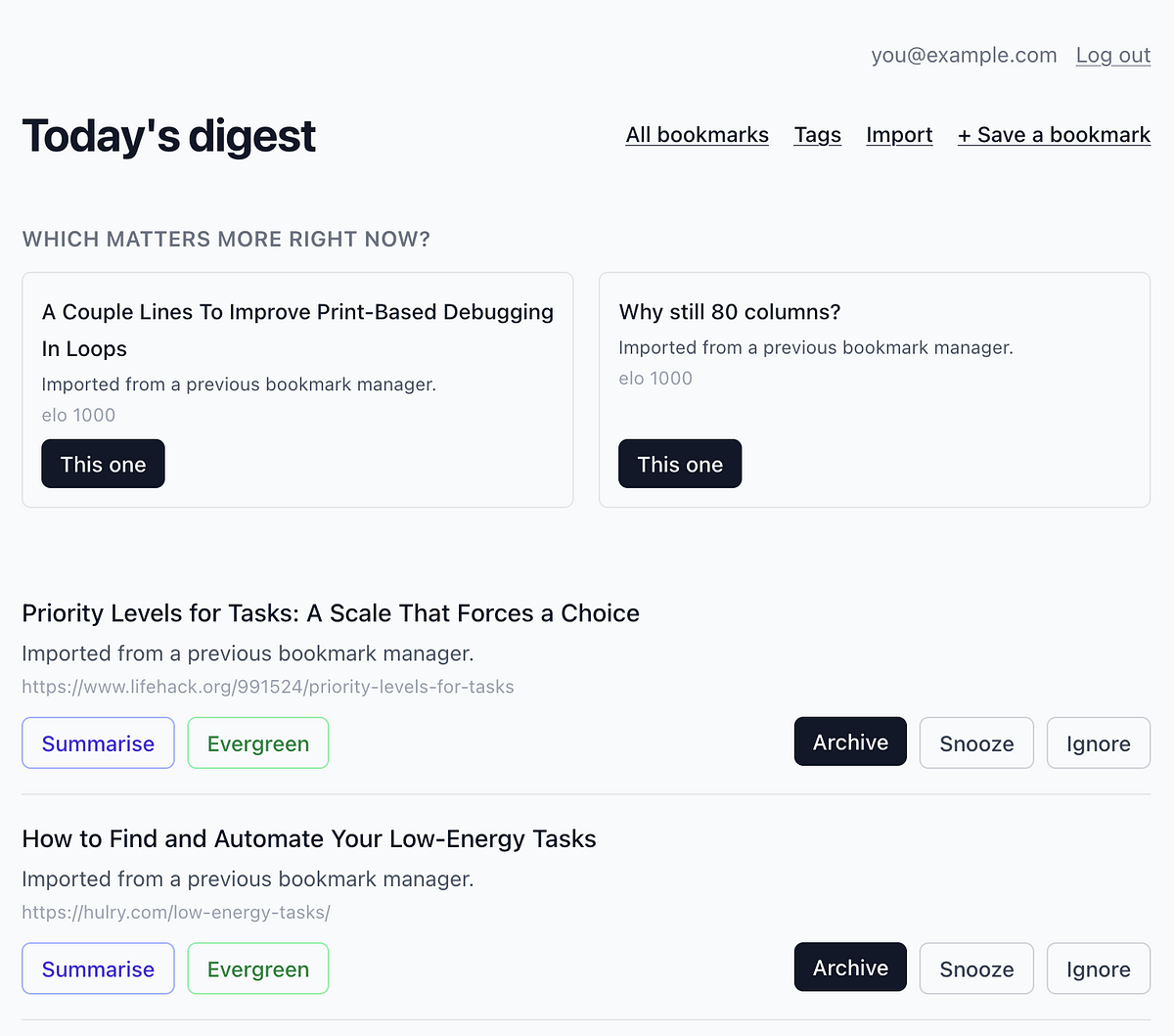
The digest page is the real workhorse of the application. Here you can decide which of the two bookmarks is more important and also action other bookmarks that appear on this page. Being able to action bookmarks over time with the archive, snooze or ignore buttons is more helpful to me and actively curates the collection.
The difficult part was deploying the application to Hatchbox. I originally had an error in the application that appeared only in the production environment, not the development environment. I eventually resolved this issue, but I still seem to have a deployment issue: it requires a restart after deployment, and I’m sure this is a mistake on my part when setting up the application.
I’m going to definitely keep using this, and over the next few weekends, I’ll be adding more features and hopefully resolving that deployment issue on Hatchbox as well.
I promised a write-up of my weekend project tonight, but between wrestling with Hatchbox and almost seeing the Packers crumble, I think I’ll pass for now. Project’s going well though — just hitting some snags deploying to production.
Bookmarks that come back
I started working on a new bookmark manager tonight using the Hanakai toolset. It comprises the Hanami framework, Dry validation library and the Rom persistence toolkit.
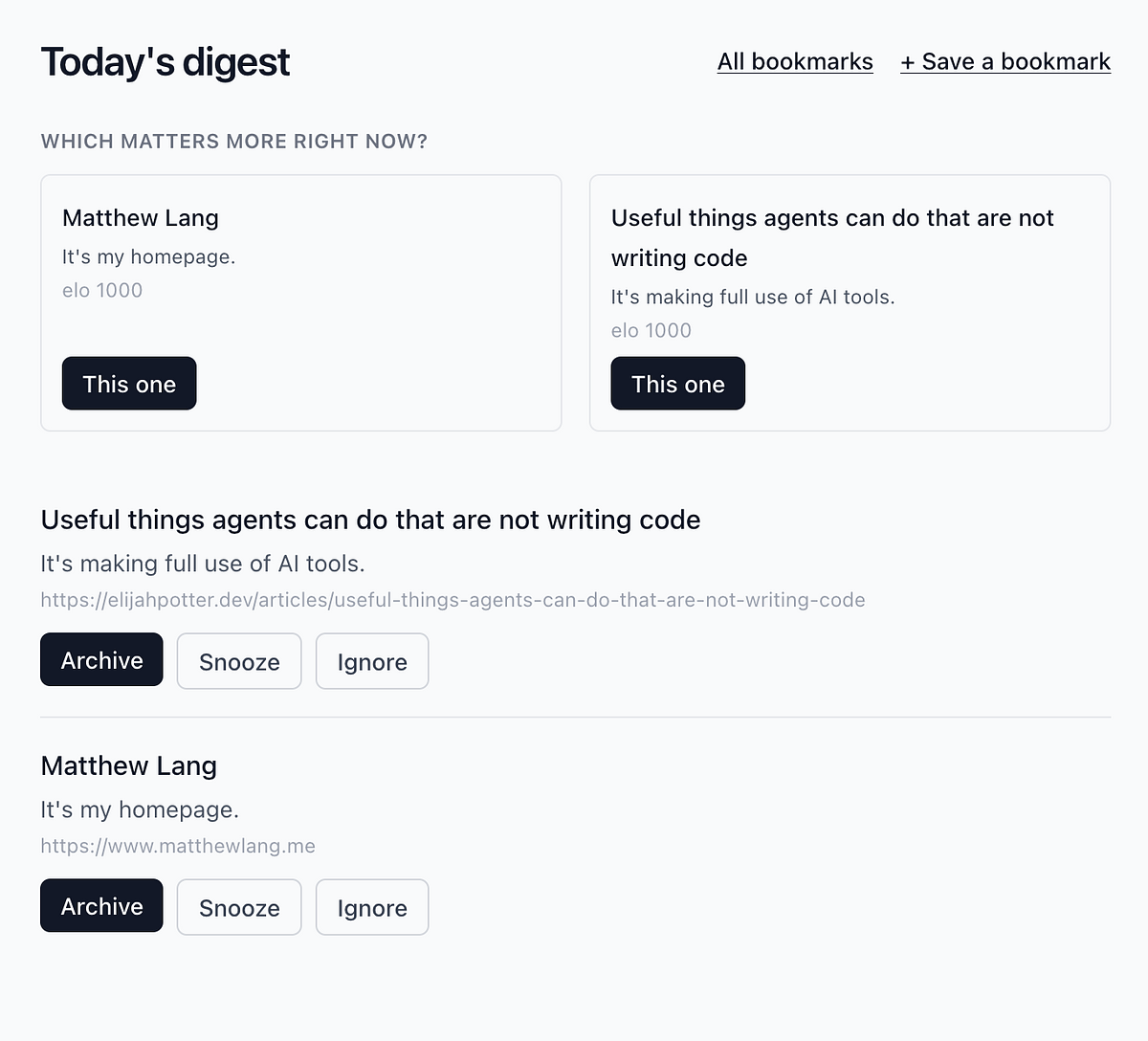
This little project has two goals. The first is to learn Hanakai. Ruby on Rails is a reliable web framework, and I’ve used it for over 15 years, but I want to try something different. The second is to try something different with a bookmark manager. Instead of just saving bookmarks and forgetting about them, I’m going to try to build a bookmark manager that resurfaces bookmarks over time. It will do this on a schedule and based on bookmarks that fit the criteria for being resurfaced. The idea is that, over time, you’ll weed out anything that isn’t relevant and be left with only the bookmarks that matter.
I initially envisioned this as an email workflow, but I’m going to keep it simple and display the decision in the web app. Email would have meant building the sending infrastructure, but I didn’t want to deal with that this weekend.
The fundamentals are already in place. I will be dipping in and out of this over the weekend with a view to having something to deploy on Sunday night. The final decision screen will be for me only, but I’ll follow this blog post with more information on how I got on.
Bookmarks with a twist
I’ve run my own bookmarking app for a few months now, and it has the same problem as every bookmark manager I’ve used. Nothing ever resurfaces. Save the bookmark, forget the bookmark.
That’s really two problems in one. First, bookmarks aren’t all the same. Some are evergreen and worth keeping forever. Others, like anything about a web framework, are stale within a year or two. I end up with two collections tangled into one. Second, managing bookmarks at scale is a chore. Bulk-editing helps — filter, select, update — but it doesn’t solve the deeper issue. I never revisit anything on purpose.
Over the weekend I sketched an app that tries to fix that with a daily email. Each one asks a simple question about these bookmarks. Which still matters? Whatever you pick gets a new lease of life. Whatever you skip goes back into the pool for another chance later. Miss a bookmark enough times in a row, and it’s archived for good — no more resurfacing, no more guilt.
I’ve also been itching for an excuse to build something real with the Hanakai toolset, and this feels like the right fit. I have no idea if it’ll become an actual product, but it’s a fun problem to build, and it should get me using my own bookmarks again.
I spent most of the night converting a Rails application to the Hanakai set of tools. The application itself is an authentication portal for other applications, so it doesn’t have much logic. It was a good learning exercise, though. After fixing a few deployment issues, it’s now up and running. Win!
At PinPerfect tonight with Drew. He’s practising his golf, while I am rewriting the Sourcehut integration for my PostPress application so that it works with GitLab instead. If you’re reading this post, then it is working!
After putting the Kagi Small Web badge on the bottom of my blog, I wanted to add more badges.
So, using the different avatars available to users of Dailymuse, I have added badges for each of the muses and generic one for Dailymuse.
Nice to work on something fun for a wee change.
I had hoped to try out Claude Design with a couple of Rails applications this morning. Disappointing start so far.
You can only link code from a GitHub profile, which I don’t use, or using a local folder through the browser, but you need Chrome or Edge to do that.
Guess I’ll need to wait a while.
Slightly overwhelmed by the number of admin libraries available for Ruby on Rails. Avo and Active Scaffold appear to be the most recently updated libraries in this category on Ruby Toolbox, which is great from a support perspective. Worth rolling my own, though?
Moving on from GitHub
It’s been quite a week for GitHub and not in a good way.
It’s no secret that GitHub outages have been more frequent recently. The Missing GitHub Status Page definitely paints a more accurate picture of the outages that GitHub have been experiencing.
This week, Kev Quirk shared his reasons for migrating his public repositories away from GitHub to Codeberg. While he acknowledged the significant downtime, Kev’s main reason for leaving GitHub is to reduce reliance on big tech.
Recently, Mitchell Hashimoto, author of Ghostty, also indicated that the Ghostty project will be moving away from GitHub. Mitchell cited the increasing outages of GitHub as being the main driver behind the project moving elsewhere.
My move away from GitHub stemmed from a sense of division between work and personal life. I use GitHub for work and for personal projects. Despite using separate laptops for work and personal, I actually have the same GitHub account for both. So while I changed my laptop, the GitHub account was still the same. GitHub was convenient, and that convenience blurred the line between work and personal. Eventually, I found myself tuning out more on my personal projects as I felt I was still in my work environment in GitHub. It was time to consider another place for my personal projects.
GitHub’s centralisation made it hard to consider leaving. Everything is already there. All the popular open source projects, lots of social features and thousands of developers that you can follow. I imagine it’s the Facebook for developers (even though I don’t have a Facebook account).
I started looking for an alternative platform to host my projects on and eventually settled on Sourcehut.
Yes, it lacks several features that are perhaps taken for granted in other platforms like GitLab and GitHub, but it was this minimalism that attracted me to the platform. It just had the essentials that I needed. Git hosting for my projects and the ability to track tickets for those projects. I can still manage my personal projects with ease, perhaps even easier now that I do everything through the terminal.
As for the social side of GitHub, I don’t feel I have missed out on anything by moving to SourceHut. I’m still keeping up to date with new open source projects and libraries through the different RSS feeds and newsletters I subscribe to. As for people, I subscribe to their blogs. If it’s important, they’ll write about it.
GitHub’s recent outages have sparked several conversations on websites like Hacker News and Lobsters. It would be easy to identify outages as the main reason people are moving away from GitHub, but clearly, it’s rarely the whole story.
Rather than using Sourcehut’s builds to deploy my changes to Dailymuse, I’ve replaced it with a bash script that I run locally. It triggers the release to Hatchbox and monitors it from my terminal. I’ve written bash scripts before, but nothing like this. Really happy with the way it turned out.
I have another opportunity to use Kamal to deploy and manage a Rails application. Definitely going to run with it this time. I struggled a bit the first time, but I am coming around to its benefits and the reduced cost.
I’m not on board with a fully automated agent-driven programming process. It might have its uses in certain scenarios, but as a solo developer, I have my own process. Research and write a detailed prompt, review and refine the results, and ship the final code when I am good and ready.
Cancelling my GitKraken.dev subscription this morning, as I no longer use it. What should be a straightforward process has turned into contacting support to stop them from trying to renew my subscription and cancel my account. You would think a dev support company would have this covered.
I can’t remember the last time I had a Rails codebase that was completely my own, and at the point where I could start implementing patterns and refactorings that actually improve an aspect of the application. Too many of my applications get forgotten about or thrown away. Not this one!
This morning, I watched Steve Schoger of TailwindCSS take an AI-generated landing page and refine it using Claude Code. Interesting watching how Steve used just the bare bones of Claude Code to achieve the final result. There were definitely some great tips in here worth checking out.
GitHub is down again (HN link). I’m so glad I took the time to move away from GitHub last year. I’m not confident that things will get any better once they have completed the move to Azure.
Building memory with my own tooling
I’ve been building a fair number of Rails applications using Claude Code recently. Here are a few things I have built in the last few weeks using agentic coding:
- An application to support my Jekyll blog - This application replaces the Micro.blog features that I lost when I cancelled my subscription. I can now blog with just my phone if needed.
- A bookmarking application - I’ve wanted this for a while, but it’s only been in the last few weeks that I’ve got round to this. It uses an algorithm to age bookmarks over time so I can keep an eye on the front page. If it falls off over time, then whatever. It beats the traditional bookmarking apps I have used in the past.
- A dashboard of my projects - I use a slimmed-down version of Shape Up for my projects, but the hill chart feature in Basecamp is something that I find really useful. I’ve been implementing a similar tool for my own process.
- An authentication portal for all of the above - This is a very recent addition, and while it’s not quite complete yet, it aims to remove the hindrance of having to remember different logins for different applications.
Agentic coding has made it much easier and quicker to iterate on personal applications. The productivity gains from this have been great, and the fact that these are just personal applications for me means I don’t need to worry too much about making the code understandable to others.
My recent adoption of SQLite3 as the database for these types of applications has made them much easier to manage and more cost-effective to run. As these applications are only for my use, I don’t need a dedicated database server; I can run the application on a server, and the SQLite database can sit in a shared folder for each application—a significant cost saver. Also, since each database is just a file, I can back up these files to another directory or copy them to my laptop as a backup.
What’s become clear from building these applications, though, is that I am trying to build some memory with these applications. The support application for my blog keeps me from losing the friction-free posting I had with Micro.blog. The bookmarking application provides an immediate picture of my recent bookmarks. The dashboard application provides context on where I am with my projects, and the authentication portal eliminates the need to remember multiple usernames and passwords. These applications not only help me on a technical level but also save me a lot of time by letting me avoid having to remember certain things.
Yes, these applications are built using agentic coding, tailored to what I need, and are most likely useless as open-source applications for others to use. Still, they work for me, and that’s enough—personal tools that fit my way of thinking, something that many SaaS applications can’t do.
Three hours later, and I’ve managed to deploy my first Rails application using Kamal. I’m not completely sold on it yet, but I can see the appeal. Now that I have something working and can refer to, over the next few weeks, I’ll aim to deploy a more complex Rails application.
I am having a go at deploying a Rails application with Kamal tonight. I’m at the point where I am wondering why it doesn’t work the first time as it does in the demo video on the Kamal website.
I am trying to determine other ways to measure in-app activity besides tracking email open rates for Dailymuse. Difficult to do for an email product, but I’d rather not go down the tracking-pixel road.
As much as I love using Hatchbox to manage the hosting of my Rails apps, I have an itch to look into Kamal again.
Just uploaded my own bookmarking app, Cairn. Uses an HN-like algorithm to age links from the board over time, but adds weights to different tags, so that combinations of tags for each bookmark produce different scores and should show the more important tags at the top. Will write more on this later.
Finding the balance with AI dev tools
As a relatively late adopter of AI tools, well, amongst software developers anyway, I am slowly coming round to the benefits of AI. Like most people, I started with the big-name AI tool, ChatGPT, but it didn’t take me long to discover Anthropic and their Claude and Claude Code tools.
Over the last six months, I’ve been a heavy user of Claude Code. It definitely provides serious productivity gains. Here are a few examples of where I have used Claude Code in the past few weeks.
- Upgrading a couple of Rails applications from 7.0 through to the latest 8.1 - The Rails upgrade process is fairly straightforward, and I’ve done quite a few upgrades over the years. Using Claude Code with this has sped up the upgrade process.
- Re-starting development on Dailymuse - work on this has been slow over the last couple of years, but the last few months have seen some big changes in my micro-product.
- Exploring Hugo and Jekyll themes - I had been working on a Hugo theme I planned to use on Micro.blog, but since moving to self-hosting, I have migrated this over to Jekyll.
- Built supporting tools for my blog - Self-hosting with Jekyll is easy, but I wanted to still have the option of hosting images and posting on the go as I used to with Micro.blog. I managed to build a number of these features to support my Jekyll blog over the course of a week.
The accelerated pace of development is probably the first thing software developers notice when using AI tools like Claude Code. You can build features and even applications at such a rapid pace, which is good, but it’s also been a red flag for me since I started using these tools.
With increased production rates, I am concerned about retaining the knowledge of what I am building. Will I know enough about the code base to support it in the future? When my code breaks, how will I know how to fix it?
I am exploring a few ways of ensuring that I know the code that I am shipping, including:
- Taking notes on code changes, especially in areas of the code base that are important and application or business-critical.
- Adding more comments to my code - this might serve the AI tools more than me, but having comments throughout the code does give me a quicker understanding of the code I am adding and where I am adding it to.
- Spending more time reviewing code — especially AI-generated code. What is this code doing? Do I understand it? Can I make this code better? Is this code even suitable?
There are other ways I can improve my retention of the codebase, and yes, AI tools can help with that. However, as good as the AI tools are, there still needs to be human understanding of the codebase to make the right decisions about future changes, and that begins with understanding the code and ensuring I retain enough knowledge about it.
A change to my blog
After a few years of being on the Micro.blog platform, it’s time to host my own blog again. I’ve thoroughly enjoyed hosting my blog on Micro.blog, but I want to have more control over what my blog does for me.
Having my blog on Jekyll wasn’t enough, though. I needed to be able to blog from my phone if needed. So, over the last couple of days, I have been building a Rails app that helps me to do what Micro.blog offers. I’ve tried to do this in the past and failed miserably, but this time I’ve added enough knowledge to know what I need.
The Rails application handles two important steps that I need to continue blogging about when I have my phone.
Uploading and hosting images
The first is the uploading and hosting of images. I previously included all images in the blog itself when I last ran my blog using Jekyll. As expected, it led to some seriously long build times for Jekyll.
The new application allows me to upload and serve all the images for my blog. Each image is saved in different sizes, and I’m using an LLM to generate alt text as it’s uploaded.
This allows me to manage uploads separately from the blog itself and keeps the blog’s build time fast.
Posting on the go
The second is creating posts on the go. I previously did this using GitHub’s web interface, pasting the post directly into my repo. Not exactly straightforward, and it worked to an extent, but it became more of a chore than anything else.
The new application allows me to compose posts on a much friendlier web page. I can save the post as a draft and come back to it later. When it is ready to publish, it commits the post directly to my blog’s repository on SourceHut, where I have a build script to deploy the code to my server after each commit.
What I’ll miss
Yes, features are missing from my setup, like cross-posting, bookmarks, and bookshelves, and over time, I might replace them with my own take on these features. For the moment, though, I’m quite happy knowing that my blog is back to being something I have full control over, and I have more of a say in how it’s built and displayed.
And yes, this means I have parked the three-column theme I was building for Micro.blog. I doubt I will finish it. Apologies if you have been looking forward to it.
I will still be keeping my blog pointed at the Micro.blog community and I wish nothing but success for the platform. It’s a great community, and I hope it continues to grow.
As great as SourceHut is, I wish there were an easier way of creating labels for ticket tracking. Importing a CSV seems like the most trivial way I could think of. If you were importing labels as a CSV, I imagine you would also want to export them as a CSV as well.
Annoying that one of SourceHut’s Pages’ limitations is their strict CSP header, which means that everything for your website needs to be self-hosted. That rules out using Tinylytics tracking for my portfolio site. I can always host it elsewhere, but I can live without the analytics for the moment.
Going to be using the website I am hosting on SourceHut as my portfolio website. It means I can keep my personal website and professional website separate.
Tinkering with build scripts on SourceHut
I’ve been messing about with builds on SourceHut for the last couple of days.
Yesterday, I got a build script working that triggers a deploy for a Rails application over at Hatchbox. It’s the last part of a release script I have put together that automates deployments for me. I can see myself using this in other Rails applications as well.
This morning, I got a build script working to build and deploy a Bridgetown site using SourceHut’s built-in static hosting. I could have had a Jekyll site running probably in half the time, but I was curious to see what Bridgetown offers for static sites. It involved a bit more in the build script, but the site is working now. No idea yet, what I will do with the site, but it’s good to know I can use Bridgetown.
Most importantly, I feel I have rediscovered an interest in my side projects over the past week. Between using Zed, Claude Code and SourceHut, I have been hacking away at various little scripts and ideas just to automate a few things and broaden my programming knowledge a bit and dare I say it, thoroughly enjoying it.
A re-designed Writeabout
Over the holidays, I gave my writing prompts website, Writeabout, a wee freshen up.
Previously, Writeabout was just a single page that displayed a random writing prompt on each page refresh. Simple, yes, but the design would not allow me to easily expand the website.
I started over with a simpler design. Display the most recent writing prompts in date order, with the added ability to explore other prompts through tags. A simple admin console on the backend lets me add and update writing prompts, and upload a batch of prompts so that future prompts are queued.
It might seem almost redundant to have a website with a collection of writing prompts that could easily be replaced by any popular AI tool. However, over time, my plan is to curate and build collections of writing prompts that retain an element of human touch in their creation.
Also, this new version of Writeabout uses Rails 8.1, my first venture into a Rails 8 codebase in production. It will also serve as a learning platform for me. I’ve already opted for a “no build” approach to Writeabout. So it’s out with Tailwind CSS and in with plain-old CSS and JavaScript.
Update: Writeabout was retired in Autumn 2026.
I finally managed to set up SourceHut as my preferred Git host for deploying Rails apps to Hatchbox. It means I can stop mirroring repos on GitHub. That also just leaves the Bothy theme on GitHub, but I’m hoping that in the future Micro.blog will allow other Git hosts to be used for plugins.
Making do with plain text files
After my recent decision to scale back on GitHub issues and pull requests, I’ve found some traction again with plain-text files.
In a couple of Rails applications, I have a docs folder where I store several Markdown documents that serve as guides for some of the code. To this, I have added three files, FEATURES.md, BUGS.md and PLANNING.md. The features and bug files are self-explanatory, but the planning file might need some explanation.
GitHub has a feature called milestones that lets you set an end date for a milestone. You can also add issues to a milestone. I always thought it was a nice feature that mimicked a sprint from agile methodologies like Scrum.
The planning file contains the sprints I have set out for the next six months, with each sprint listing the planned features and bugs I will work on. It gives a nice top-level view of what’s ahead and is easy to update.
I’m still in the early days of this plain-text switch from GitHub’s own features, but I’m already seeing benefits. The files live in the application’s codebase, so updating them is easy in a text editor. Having these files in the code base reduces the amount of context switching I need to do. Features and bugs can be planned in one pane, with any related code being open in a neighbouring pane, side by side.
Finally, the files are plain text, so they can be manipulated by any scripts. I am considering an auto-generated HTML file that provides an overview of the project’s status. It would include the number of open issues, a roadmap for the next few sprints, and any open bugs.
The planning tools that cloud-based products like GitHub and GitLab provide are fine, but are definitely overkill for what I need. Making do with plain text files isn’t a step down; it’s just an easier way for me to manage these projects with minimal overhead.
You probably don't need GitHub
All too often, I would start a new project on GitHub, only for it to gather dust. It’s one of the reasons I moved my personal projects to SourceHut: I don’t need the social interactions GitHub provides. I still have a couple of larger Rails applications that I host on GitHub, using a separate account.
A minor revelation struck me last night when I was trying to merge another pull request for one of these Rails applications. I probably don’t need to merge this pull request or any other pull request. Since I’m the only one with access to the repository, I can skip creating, monitoring, and merging pull requests and simply use git merge when I am ready to merge the branch into the main Git branch.
Why am I even using issues, projects and milestones in GitHub? Again, it’s just me on the repository, and I don’t need to collaborate in the sense that GitHub allows.
The only reason I am left with using GitHub is that the hosting provider my Rails application runs on uses Git to track changes and automatically deploys them to the server when changes are detected. I have it set up to use GitHub.
Suppose I can handle deploys on another Git service or even from my local laptop. In that case, I can switch away from GitHub for this account.
Still, when it’s just you and the repository, you probably don’t need several of GitHub’s features or even GitHub itself. Just a remote Git repo, and there’s plenty of other options out there.
I had no idea there was a standard for webhooks. Definitely a helpful resource for a web application I am building for aggregating webhooks from different sources.
Say hello to Hooknook
Yesterday, I mentioned that I had created a Slack account just to send webhooks to and that perhaps there was a better way of doing this. After a few hours, I have managed to put together a tool for consuming and monitoring webhooks.
Hooknook (working title) allows me to create channels and send webhooks to different channels. I’ve still got some details to sort out, but the basic application works. Users and channels are made through the Rails console at the moment, and a single endpoint accepts all webhooks coming in. It’s the absolute minimum I could do to get it to work, and now it’s happily accepting webhooks from my Hatchbox deploys.
I used Anthropic’s Claude to flesh out the structure of the application to begin with, and once I had it working, I used Claude again to add some TailwindCSS styling to the screens. These screens are definitely going to get a once-over again, as the purple is a bit garish, but my wife seems to like it, so it might stay, but be a bit more subtle.
It’s been a welcome change of pace to be able to build something in a short space of time, and even better to be able to use it.
Over the next couple of weeks, I plan to explore adding more functionality for Hooknook and being able to handle more webhooks from different sources, including GitHub.
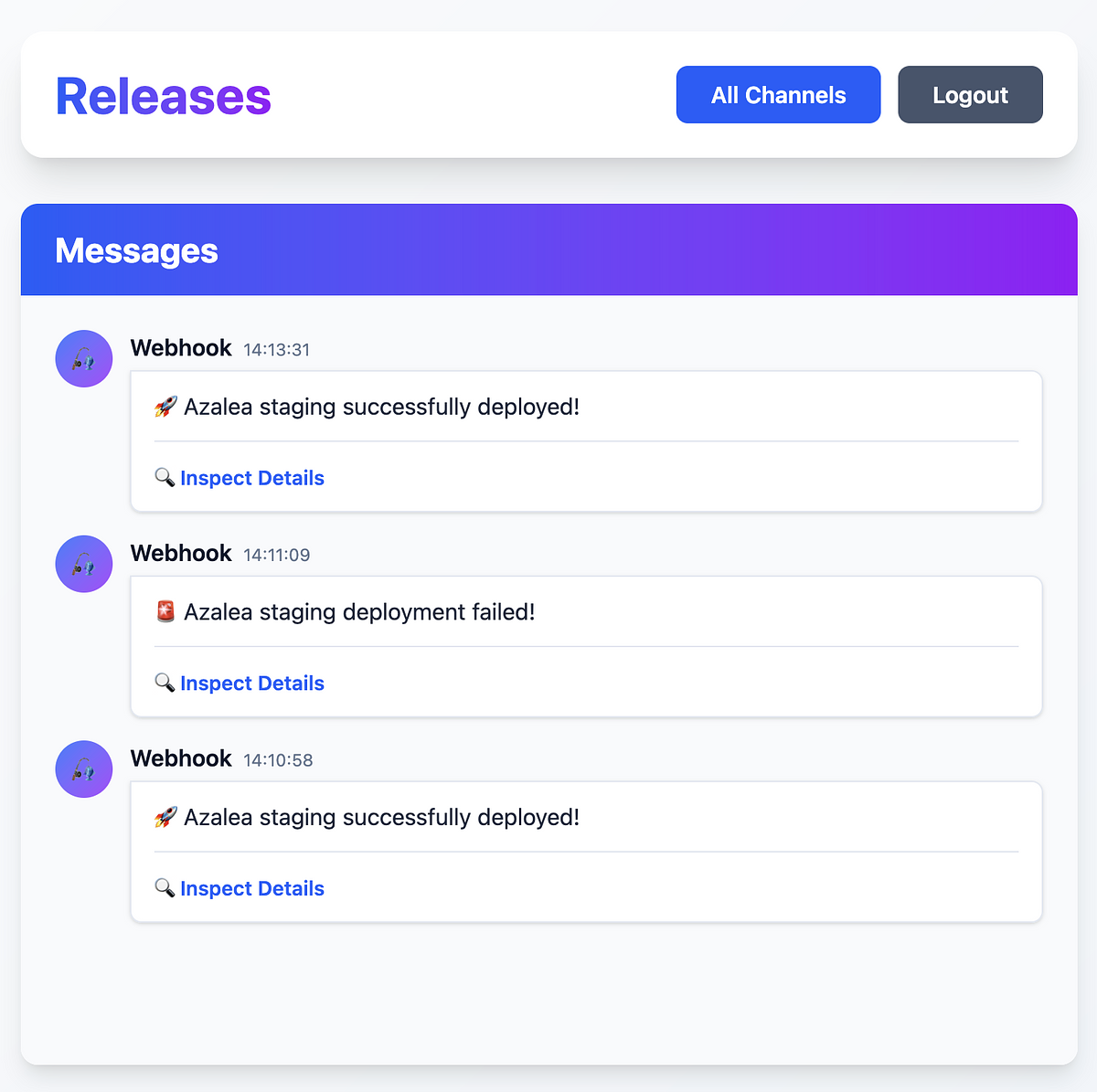
I setup a Slack account just so I had a place to ping some web hooks too. I don’t need the whole chat and channels thing, but Slack is great for integrating stuff like this.
Wondering now if I should just roll my own version of this. Just a channel that receives web hooks that I need.
I started building my own MVC framework using Ruby this week. It’s intended to be a fun project to explore how a framework works internally and to see how far I can get building something that can power a few small web applications.
A double win to start the week. My ticket at work passed QA, and Annie Mueller is currently on the front page of Hacker News with her post on reading a developer’s tutorial.
Note to self, next time I need something named in my code, I’ll ask Annie. So many great names in there! 😂
Used this JSON sorter to finally tame my rather large VS Code config for work. I can now find related settings once again.
Learning with React and single-page HTML applications
As part of my plan to learn React, I’ve been building single-page HTML applications that use local storage to persist any information between sessions. As a start, I built a roulette wheel for our team at work to determine who goes first during stand-up each morning.
I have since moved on and created applications for a technical log, a start page, and I have a few other ideas brewing. The persistence to local storage in the browser is common between all the applications, but I’m trying to build different ways to interact with these applications so that I can learn more about React.
Next week, I hope to develop a replacement for the Excel spreadsheet we use to track our OKR goals at work. The Excel spreadsheet is functional and certainly doesn’t win any prizes for looks. I thought this would be a good learning project to tackle in React, as the formulas we use would enable the page to be more dynamic.
I’ve been trying to find a cheap way to host an HTML page with a bit of React on it that can be deployed just by uploading it with an existing service I use. The React didn’t play too well with Micro.blog’s single page feature. I have a DigitalOcean account, so I uploaded it there for the moment.
What to build vs how to build
There’s a difference between what to build and how to build. I hadn’t given it much thought until today, when I started to realise that I could improve the time it takes me to make an image template for a product of mine by automating the creation of the different classes and modules needed for each image template.
I spent an hour tonight working on a script that generates all the necessary code I needed. In addition to creating each code file, it also generated the absolute minimum amount of code required for each file to run successfully.
When building products, I’ve always prioritised what to build over how to make, but I need to start splitting my time more evenly between the two. Spending time on one can have some profound benefits for the other.
Prototype finished for my Micro.blog theme
I’m pretty happy with the Hugo copy of my own Micro.blog theme I’ve been working on for the last couple of days. It will have a few customisation options for colour scheme and fonts.
I’ve been trying to clone the blank theme when creating this new theme in Micro.blog, but it appears to be using the Sumo theme from my current blog instead of pulling the blank theme from GitHub.
Hopefully by the weekend, I’ll have a working version for others to use.
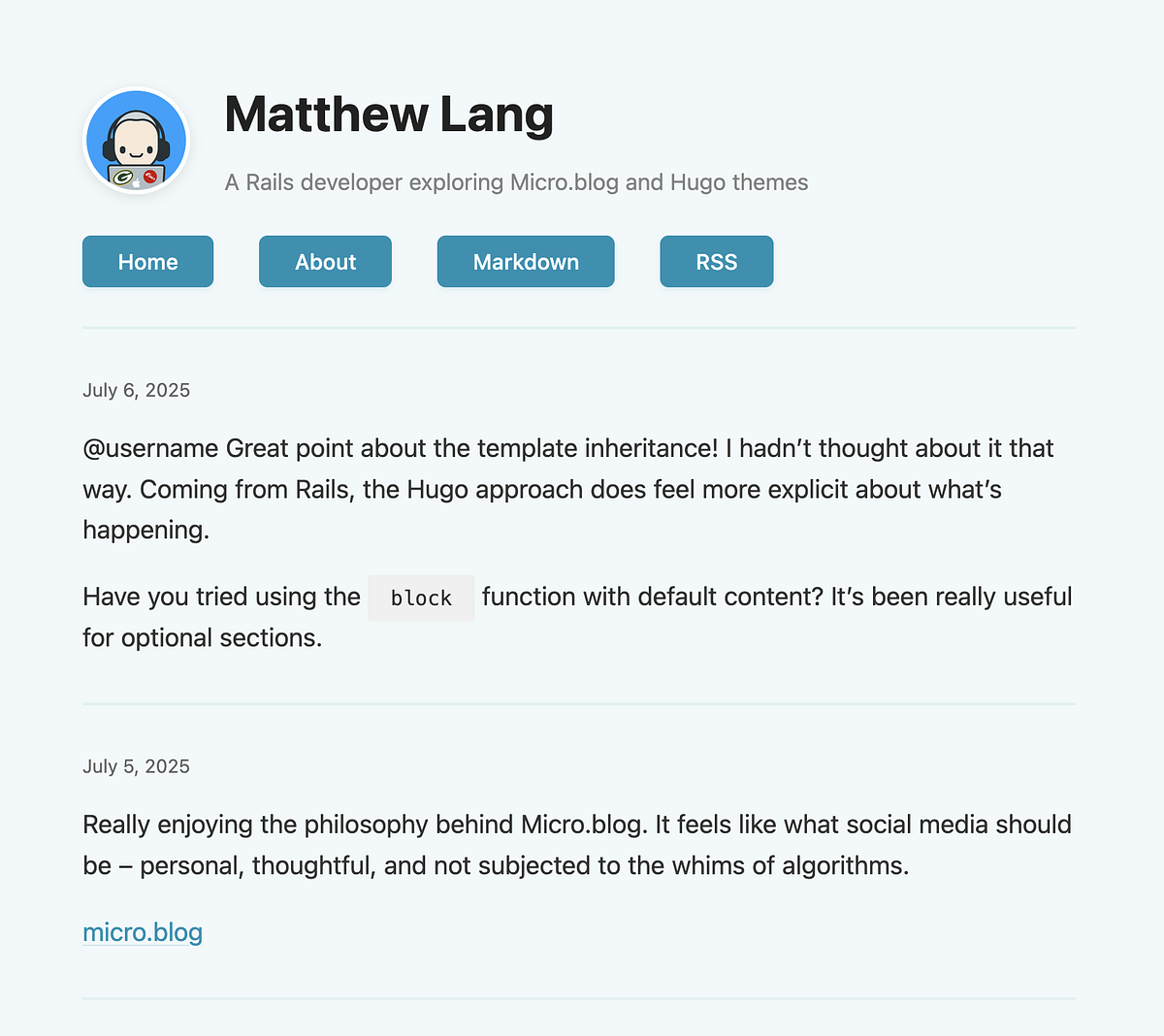
A first pass at my own Micro.blog theme. I have more CSS than I actually wanted, but making it readable with just enough CSS was the goal for today. I now need to determine what to add or edit to enable it to work with Micro.blog, so I can upload it.
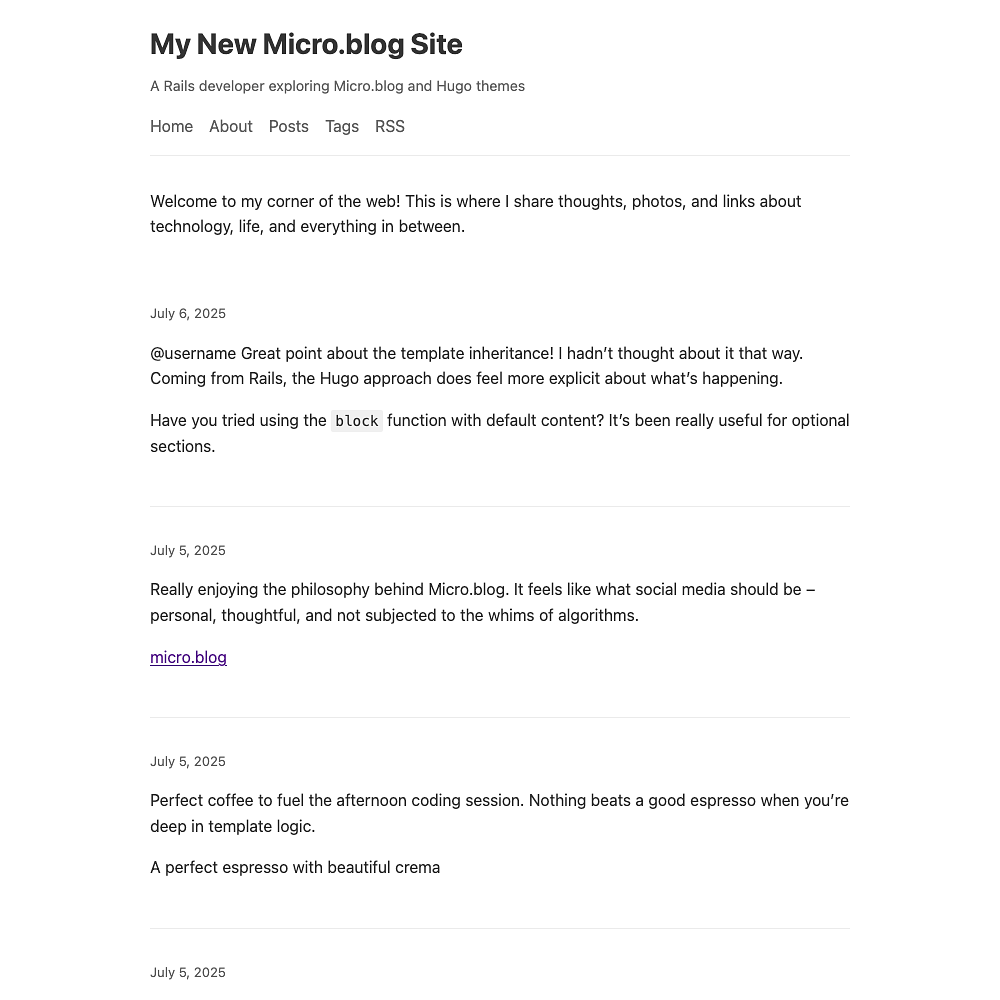
First steps with my new Micro.blog theme
In my foolish quest to build my own Micro.blog theme, I spent some of the evening learning about Hugo and how its theming works. It is not dissimilar to Jekyll in many respects, and I think I have enough to start working on my own theme.
Initially, I’m going with a really basic theme—no colours, frameworks, or complex layouts—just a single column with basic text elements. This will allow me to see what the minimum I can get away with for my theme is. That’s the easy part.
The hard part—it’s definitely not one of my strengths—is putting together a design for a second theme. Web design is not my strong point.
I want to make something that isn’t wildly unique, but has enough to stand out from the rest of the Micro.blog themes. I might let this one simmer away for a few days and check out a few other blogs I like and see what can be done.
This weekend though, the plan is just to have a basic working theme.
Learning through development tools
Today, during a major debugging session with a Rails application, I wanted to condense what was in the logs between two consecutive requests to understand what was happening. It was too much to read through everything. I just needed to scan through all these requests and flag whether they were successful or not.
So today, rather than scribbling down another Ruby script, which would have been easy, I started a log analyser using Rust. It’s early days for the script, but it already compiles a list of endpoints, which is a good start.
It’s a reminder to myself that there are plenty of development tools and aids I can build using a variety of languages and frameworks. And if I only use that tool a few times, that’s okay, too. At least I will have learned something.
I updated my Rails app’s start script to launch Docker containers for PostgreSQL and Redis. I also added a kill script to stop them when I’m done coding. I hope this helps my struggling laptop battery by properly shutting down services.
It’s a quiet morning with some code and coffee. I am working through an issue with a product of mine using forms, Rails, and Sidekiq. I’m happy to put the time into this over the weekend, as it’s a core part of the product and will be reused heavily in the future.
Zed, the free and open-source text editor, has announced the addition of a debugger to its text editor.
📷 day 10 - rail

I found myself locked out of a recent GitLab free account I created for a specific purpose. Frustratingly, I have yet to be informed why my account was closed, and there has been no communication from GitLab. I’ve since recreated everything in GitHub. To be locked out without any communication is poor.
Web development like it's 2009
I am in favour of Simon Willison’s “no build frontend” web development approach.
If you’ve found web development frustrating over the past 5-10 years, here’s something that has worked great for me: give yourself permission to avoid any form of frontend build system (so no npm / React / TypeScript / JSX / Babel / Vite / Tailwind etc) and code in HTML and JavaScript like it’s 2009.
I’ve been building Writeabout in Sinatra, and I’ve reached the point where I need to add a bit of JavaScript to allow the changing of the light, dark, and system themes. I already have these implemented in the original Rails code as Stimulus controllers, but I’m sure it won’t be too much work to rewrite them as plain old JavaScript.
I don’t have a favourable opinion of frontend web development. I’ve always found it unnecessarily complicated and constantly changing, but rarely for the better. For the last few years, I’ve used TailwindCSS because its build step in Rails applications is minimal—the productivity gains outweigh the added complexity. Beyond small learning projects, I’ve resisted adopting anything like React or TypeScript.
I love blog posts like this. It’s about the benefits of a pen and a notebook for software developers.
That post led to another post by the author about how they take notes at work as a software developer and a few others I have read.
Definitely a blog worth subscribing to.
That’s the 2nd time in a matter of weeks I’ve used a YAML file as a data source instead of going to straight to creating a table in the database.
The YAML file bridges that gap nicely of not needing the database quite yet, but we do need to store some structured data.
That’s pretty much most of my repositories moved from GitHub to sourcehut.
Writeabout is still on GitHub but is undergoing a Sinatra rewrite. Once that’s complete, I’ll mark the one on GitHub as archived and publicise the new one on Sourcehut.
More of my projects will gradually appear on sourcehut.
Update: Writeabout was retired in Autumn 2026.
Finding the Right Git Platform for Personal Projects
I migrated one of my two GitHub accounts to GitLab a few weeks ago. The move itself had nothing to do with missing features or pricing. It was primarily to try out something else that wasn’t GitHub.
At my job, I spend most of my days on GitHub. When working on my little projects, stepping back into GitHub feels like I am back at work again. With the lines blurring between work and personal coding, I started to think that when I spent time coding on my projects, it still felt like “work”.
So, for one GitHub account, I migrated that account to GitLab. It’s been a great move, and despite being on GitLab’s free tier, I can still match feature for feature what I was paying GitHub for. And when it comes to working with that account, I don’t feel like I am back at my desk.
After the move, I considered moving my other private repositories to GitLab, but GitLab would be more than I needed. It has many great tools for maintaining code bases, but I don’t need them for smaller projects.
I needed something other than GitHub or GitLab.
Enter SourceHut, created by Drew DeVault. SourceHut is a collection of open-source development tools that are a good alternative to GitHub and GitLab.
I’ve been considering using SourceHut for a while, but I have only started seriously considering it in the last couple of weeks.
Today, I created my account and initialised a single repository to get me started. A much more straightforward and basic user interface is strange, but it works. I have become accustomed to the feature-rich user interfaces of GitHub and GitLab. While SourceHut lacks many of the features found in the two bigger platforms, the simplicity of the SourceHut user interface makes it refreshing to use, with just the essentials.
Over the next few weeks, I will migrate more repositories, and then I can demote my GitHub account to be used only for work.
I’ve been having quite a positive experience with Claude.ai inside the Zed text editor. More verbose than Copilot, but definitely better results than ChatGPT and Copilot.
I’ve been using the Claude 3.7 Sonnet LLM within Zed and the results have been pretty good. Claude is a lot more verbose than my previous experience with Copilot and a few times has recognised issues around my code that I didn’t see initially.
Good GitLab features for devs building on the side
Over the weekend, I spent time getting my GitLab account, working with a single repository, and migrating the CI script from GitHub to GitLab.
The biggest issue was the CI script, and why shouldn’t it be? There’s rarely a “one script fits all” regarding CI scripts. When I started this project, I had issues getting the CI script working in GitHub. After a few pushes on the one branch, I eventually got there. Migrating this script to GitLab’s CI ways was more straightforward than I thought, but I still had a few issues I managed to resolve.
In addition to all the usual source code management goodies that GitLab offers, a few stood out.
Private repositories are available on GitLab’s free tier. Having used GitLab in the past, I already knew this, but it’s refreshing to see that GitLab is sticking with offering this feature on a free tier.
Feature flags are available on GitLab’s free tier. They are a means of configuring how your code behaves by using toggles and checks to ensure that it only carries out certain functionality. I have a number of feature flags in my application, but they are all based on a YML file in the source code. I will be migrating these to GitLab, though, so that I can toggle them without having to deploy any changes to the YML file that controls them.
Error tracking is available on GitLab’s free tier. Previously, I used Sentry for this, but GitLab also uses Sentry under the hood for their own error tracking feature. Yes, I can probably get more information by having a dedicated Sentry account, but at the moment, I am just checking to see if users raise any errors in the application.
For developers building on the side, these features on GitLab’s free tier are of great value and definitely swing my vote from GitHub to GitLab. Over the next few weeks, I hope to migrate the feature flags over, use more of GitLab’s platform, and see what it can help me with.
My initial experience with Kamal hasn’t been great. At the start of the year, I spent a few days at best with it, but I kept running into issues, which eventually got forgotten. I’m restarting again with Kamal, as I feel it could be of real benefit in hosting my own apps.
Trying to stop making daily trips between VS Code and GitHub and handle pull request work within VS Code when I can.
Building my own technology radar with SVG
When I was freelancing, one of the things I did regularly was read the ThoughtWorks Technology Radar. It’s a snapshot of the different technologies that ThoughtWorks is considering and using. As a freelancer, I found it a good read as it provided a glimpse of what was happening in the web development industry. Once I started working full-time again, I stopped reading it and didn’t revisit it for a few years.
My current role is senior software engineer, but I am working towards the next role up from this one. This involves expanding my role in several ways, including learning and adopting new technologies and processes. One way I thought I could do this was to set up my own technology radar. ThoughtWorks does offer a means to run your own technology radar, but I wanted my own technology radar to be more straightforward.
Armed with my new knowledge of using SVG over the last couple of years, I decided to start building a technology radar of my own.
My technology radar comprises two layers of quadrants, the smaller quadrants on top of the bigger ones, to achieve the effect of having an outer trial quadrant and an inner adopt quadrant. I used the path element to do this.
<path d="M 10 45 A 40 40 0 0 1 45 10 L 45 25 A 30 30 0 0 0 25 45 Z" fill="#e3f2fd" stroke="#2196f3" stroke-width="0.5"/>
<path d="M 20 45 A 25 25 0 0 1 45 20 L 45 45 Z" fill="#e8f5e9" stroke="#4caf50" stroke-width="0.5"/>
The tokens representing the different individual items are simply circles and text elements nested under a group tag so that I can group all the items together.
<g transform="translate(40, 35)">
  <title>TDD</title>
  <circle cx="0" cy="0" r="2" fill="#4caf50"/>
  <text font-weight="bold" x="0" y="0.5" font-size="1.5" text-anchor="middle" fill="#fff" font-family="Arial, sans-serif">2</text>
</g>
I added a title tag to each token to achieve a hover effect with a text description of the token.
Finally, I added labels to the middle of the quadrant to indicate the two sections and each corner to indicate the type of technologies grouped in that quadrant.
I haven’t figured out how to programmatically group tokens in each quadrant with code, so for the moment, I am using SVG Viewer to place tokens in each quadrant by hand.
I have published a GitHub Gist of the technology radar with blank tokens filled in for one of the quadrants. Feel free to fork this technology radar for your own needs.
You can find my own technology radar here. I’ll be updating it as the year progresses.
Update: The radar has since become my Learning Log, a simpler record of what I am trying, using and have dropped.
Side-projects have taken a back seat over the next couple of weeks with the run up to Christmas. Looking forward to getting back to these over the holidays.
Walking the path with TypeScript
This week, I spent most of my free time adding an NPC character to my ThreeJS game and have them walk towards me each time I move my own character.
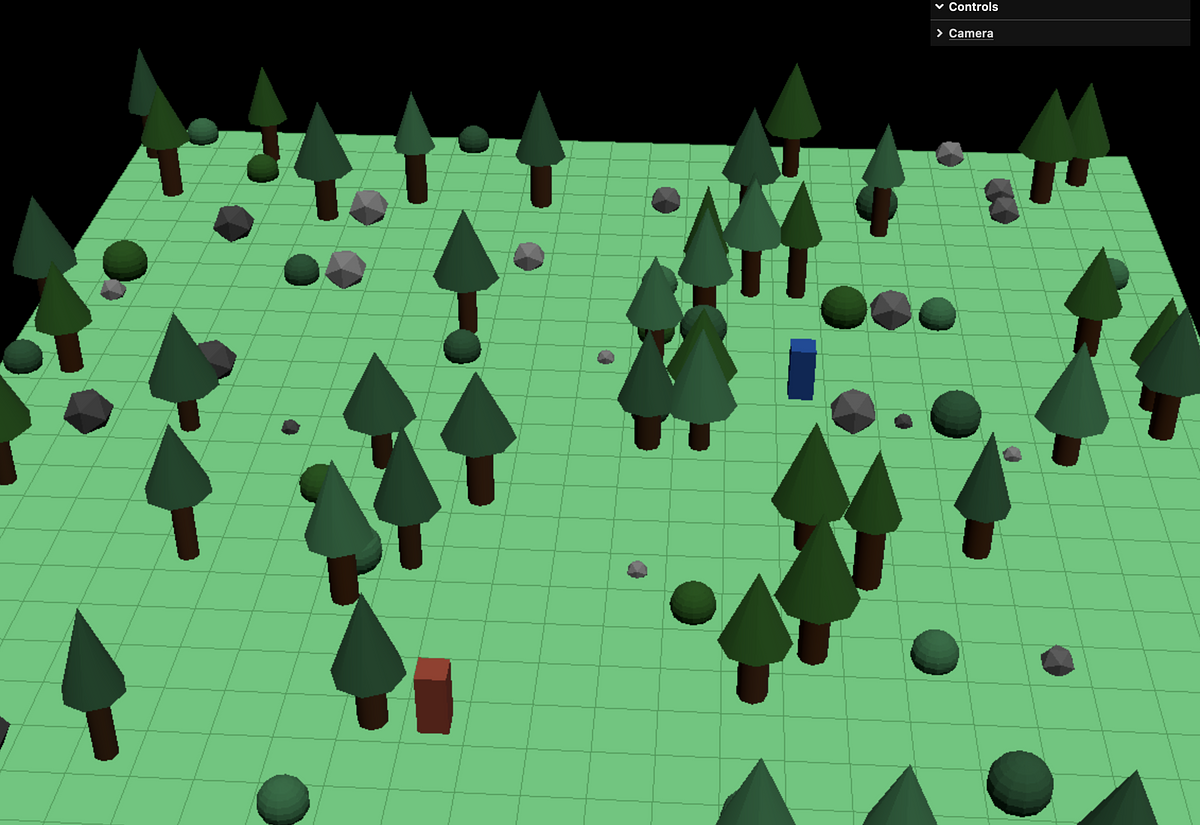
I’m using the A* algorithm. Each time I move my own character, the NPC finds the shortest path to my character using this algorithm and then moves one step to my character.
As I’m already using a two-dimensional array to represent the game’s board, using the algorithm on this array helped me get it working. What I wasn’t prepared for was the amount of code needed to implement the algorithm and move the NPC across the board. Still, I managed to learn a thing or two more about TypeScript.
What’s next for my game? I’m not sure yet. There are so many things that I could be doing, such as adding attributes for my characters, both PC and NPC characters, and adding more elements for the map, like ancient ruins. My youngest is also designing skins for the playing character and the NPC, so they’re more than just coloured rectangles on the board.
I had more fun with ThreeJS tonight. I increased the size of the board and added some trees and boulders to it. I am now at a point where I will focus more on building a representation of the board as an object to start moving my character around the board.

I continued to make some progress with ThreeJS and TypeScript tonight. I managed to draw a tiled board, move it around the screen with the mouse and be able to change my field of view with a slider.

A couple of web development projects for the winter
Now that the golf season is down to me and the boys only getting out at the weekend, I can start spending more time on a few side projects. There are so many things I would like to learn, but I figure just limiting myself to a couple won’t take up too much of my time.
So, from now to March, I’ll spend a few hours each week on the following.
- Learning more about Rails 8 and Kamal — Dailymuse and Writeabout will each get a bump to Rails 8. Only Writeabout, though, will get the Kamal) treatment to begin with. When I have gained enough knowledge about Kamal, I’ll also look to deploy Dailymuse with Kamal.
- Learn TypeScript and ThreeJS — A work colleague showed me a hobby project he is working on using ThreeJS. It’s the perfect excuse to learn TypeScript and build something for the web that isn’t just another web application.
Update: Writeabout was retired in Autumn 2026.
After chatting with a colleague at work about a little development project he’s been working on, I now find myself messing about with ThreeJS and TypeScript. I managed to get the ThreeJS demo code working to show a spinning cube. It’s a start. The next step is to get it working in TypeScript.
Settling into Stimulus once again
Over the last few days, I’ve been writing more JavaScript than usual. The reason? I am using Stimulus a lot more in one of my Rails projects.
Enhancing the functionality of my Rails application with some HTML markup and a JavaScript controller is good, as Stimulus has a small learning curve and integrates well with Rails.
As I add more Stimulus to the application, though, I am learning some of its best practices the hard way. One criticism I have of my own controllers is that they are very page-specific. That’s fine for now, as the application is relatively small. Still, I plan to break these controllers into more generic behaviours that can be re-used more easily across the application in the future.
GitHub Copilot is now available on github.com.
My first impressions are good. Summarising pull requests is a significant benefit. Unfortunately, Copilot could not diagnose the problem with a GitHub Actions workflow I was working on. It had issues accessing the correct action being run.
I was sad to read this morning that Pivotal Tracker, the project management tool for software teams, will be discontinued at the end of April next year.
It was the first project management tool I used as a web developer during my first permanent role using Ruby on Rails.
This week, I learned how to build my own reporter for Minitest and rolled my own feature flag manager. I love programming in Ruby!
I’m always hesitant about using AI tools while coding, but I have found one good use for AI while coding: naming things. I’m terrible at naming things.
This week, though, I’ve been using Copilot to see if I can improve on the names of the objects and methods I have. I’ve had good results so far.
Over the next few weeks, I’m going to break out of my comfort zone and build a new Rails application using the latest Rails 7.2 release, which uses a dev container for the development environment. I’m also going to look at using the Zed text editor instead of VS Code.
Coding by candlelight.

I have a second Github account that I wish to use with co-pilot in VS Code, but it seems that VS Code does not allow multiple accounts when using this extension. Considering a second text editor now as the only option to do this. Does anyone know if Nova has extensions for GitHub and co-pilot?
Spent the day updating a Bash script at work for one of our deployment processes. A nice change of pace from what I’ve been doing through the week, but also a great chance to learn something a bit different from the regular list of programming languages I use.
This post by Nikita Prokopov on JavaScript bloat in 2024 is interesting. Here are a few others that can be added to the list - Hey’s Imbox page (744 KB), Feedbin’s Unread page (1.67 MB), Basecamp’s logged-in home page (1.16 MB) and my own homepage (1.17 MB). Clearly, I can do better.
I have a couple of errands to run this morning, including holiday haircuts for myself and the boys. After that, it’s back home for some brunch. I’m also going to crack open the Dailymuse app to continue working on a new feature for it. Yeah, even on holiday, I’m still writing code.
Given the increasing use of portrait mode as dictated by mobile phone screens, I’m curious if I’ll ever get to the point in my web development career where I’ll have my desktop screens in portrait mode.
Last night, I started adding a blog to my website. Managed to get a couple of test posts rendered.
It’s nothing fancy, just a bunch of markdown files picked up by Rails and rendered as HTML using RedCarpet and Tailwind Typography. Will polish it up tonight and start adding the RSS feed.
There are so many new fonts to choose from!
GitHub released Monaspace, their family of fonts for coding. Victor Mono and Geist were also released.
I’m currently using Monaspace instead of my usual MonoLisa.
Code and coffee session working on my new website this morning was something of a success. Added new jobs to import starred Github repos and liked Instapaper articles to my bookmarks collection. I also added my Micro.blog posts to the homepage.
It’s been an absolute treat reading about @vincent’s progress building Tinylytics. Building in public is a great way of communicating progress and getting early feedback. Keep it going Vincent!
Docker Desktop is killing my Mac today. Multiple updates/restarts have failed and two re-installs of it are not working either. Going for a clean uninstall and install next.
Messing about with a new Rails 7.1 app this morning. My first time running with the import maps option for handling JavaScript.
Time to start thinking about migrating some Rails apps to 7.1.
📸 day 11 / retrospect #mbsept
In retrospect, I could have saved myself a bunch of work and named my models better when I built this Rails application.
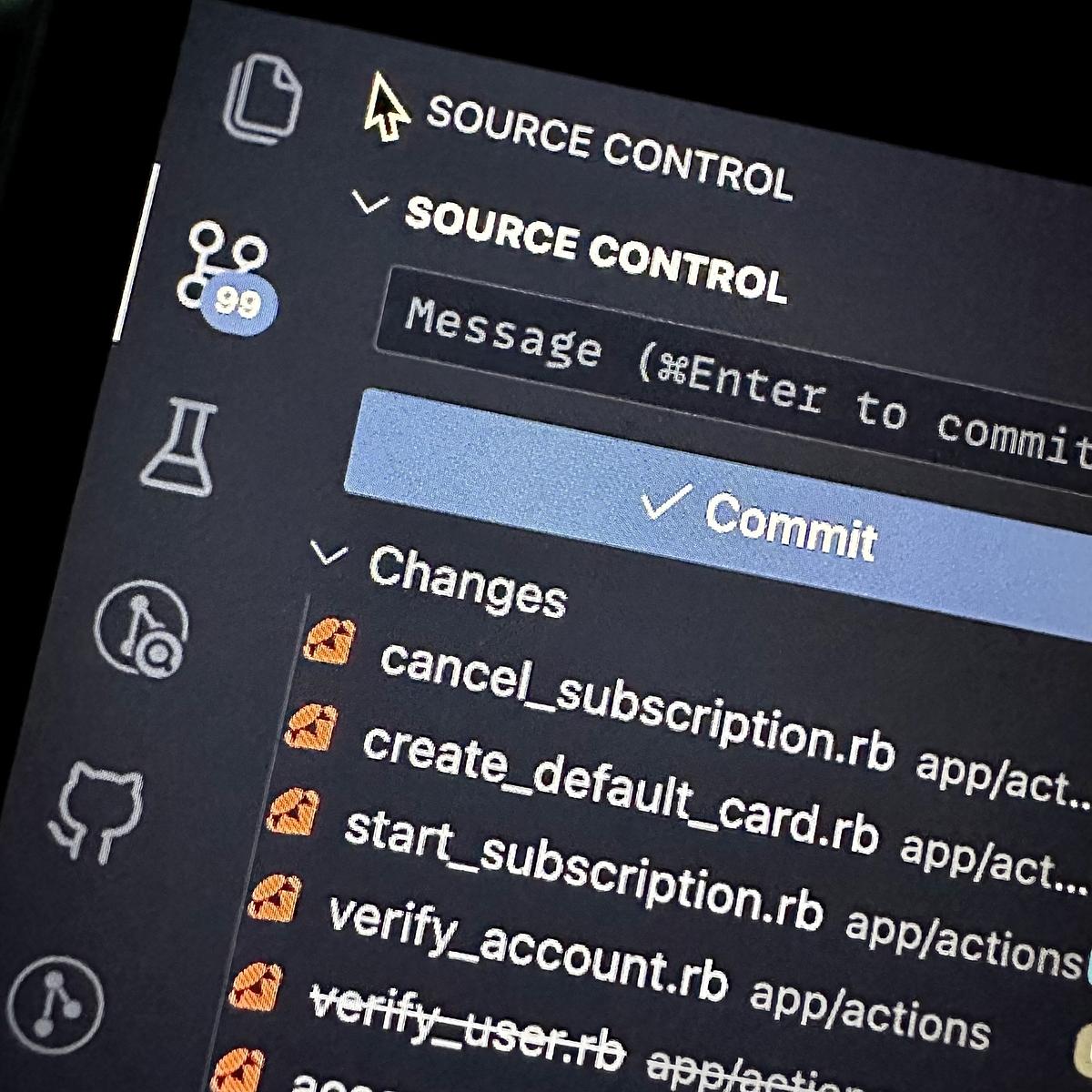
📸 day 9 / language #mbsept
A screenshot of some of my Ruby code. Still my preferred language of choice for web applications.

Seth Godin on summarizing text with ChatGPT. I do this quite a lot when squashing Git commit messages down. Write clear and concise messages for each commit, then let ChatGPT provide a summary. I also always do a quick edit of the final commit message just to be sure it’s accurate.
I have been wrestling with the Vips library for Ruby for most of the afternoon. I am trying to get multiple PNG files with alpha channels to layer on top of each other to produce a final image. So far, my only success has been combining a single PNG file with a JPG.
I am almost ready to migrate Dailymuse from Heroku to Hatchbox. Once migrated, Dailymuse will start receiving some much-needed updates on both the front and back end. The core feature will remain the same, but I will add a few additional features.
I’m curious about hosting my own Mastodon instance. More so to see what’s involved in running it and how it integrates with other instances.
What is the sign of a good developer’s blog? An RSS feed, of course! Good to see one on the 37signals development blog. Just two articles in, and I’m already hooked.
Not quite fully on DigitalOcean
Over the last few weeks, I’ve been migrating several Rails applications to Hatchbox. I’ve still got a couple of applications to go. Still, one last thing I wanted to do was migrate my blog over to DigitalOcean’s Apps platform.
I’ve been using Render to host my blog for the last few months. While it’s free, and I have been okay with using it, I’ve wanted to minimize my digital footprint of the services I use. Over the weekend, I spent almost eight hours trying to get my blog to compile and run on DigitalOcean.
Sadly, my blog wouldn’t compile due to the Tailwind integration I am using. An error with the Jekyll PostCSS gem kept breaking the building of the website. I’m still digging into the actual issue, but it is getting parked until I have more time to look into it.
Spent most of the afternoon finalising some changes for my Rails app for posting to my Jekyll blog. It needs a few more tweaks before I open source the application, but it now allows me to log in on multiple devices, which means you might see more of my posts soon.
I am trying out something new this morning. I built a small Rails app that streamlines the posting process to my blog. It automates most of the process and only requires the post content itself. If it’s working, you should see this post!
Enjoying web development once more
Tonight, I’ve been building HTML templates with Tailwind to integrate them into a CMS of sorts using Rails. Is it a product? No, it’s just me hacking about on a wee Rails app and trying to brush up my skills once more. The last time I genuinely enjoyed doing this was a good couple of years ago.
So what prompted this change?
Well, the main reason is that I’m enjoying my job now. It’s full-time, but I’m also fully remote, so cutting out the commute has been a big win. There’s something to be said about working from home. It definitely suits me better than being in an office. I don’t mind being in an office environment, but the distractions can put your focus off a bit, depending on where you work. Working from home means, I can get my head down and get on with the work.
I’m using Ruby on Rails again. It’s not the most recent version, but I’ll take working with any version of Rails over working with just about anything else at the moment.
While working remotely, I am in a close-knit team that regularly checks with each other throughout the day. Although being remote has its benefits, you do need some contact with others throughout the day. Although Slack isn’t the ideal medium for this as it is pretty distracting, being able to meet and discuss with your team members regularly throughout the day breaks up the day nicely.
As a result, I’m finding myself reaching for the laptop more at night and hacking on Rails or Laravel apps. Now, if you don’t mind, I need to finish this little bit of code before turning in for the night.
Up early, well for a Saturday at least, for a little code and coffee combo. Fixed a couple of wee bugs on my blog and now spending some time on a re-write of a previous project.
Setting up Hatchbox
I’m posting a short post tonight as I’ve been spending the evening setting up a Hatchbox account and migrating the first of a handful of Rails applications to it. The setup was straightforward, and after 45 minutes of tinkering, I got my Writeabout app running on it. I’ll try to move a couple more applications over tomorrow.
Update: Writeabout was retired in Autumn 2026.
Having another go
Over the last few weeks, I’ve been re-writing a small product that I spent sometime building before lockdown.
The product has been gathering dust since the start of lockdown. It does have a handful of customers and generally good feedback from those customers, but I wasn’t happy with my first pass at it. There were so many things that I would do differently if I could start it over again. So I decided to have another go at it.
I’ve made pretty good progress so far and will be able to launch it again in a few months.
I’ve been curious about the PHP framework Laravel over the last few weeks. I’ve just been reading the docs and watching a few screencasts. Just dipping my toe in at the moment.
Building a single page admin section
I’m currently following through the hotrails.dev tutorial series so that I can build an admin section for the Writeabout website.
For too long, I’ve just updated Writeabout’s prompts using the Rails console, which is fine. Using a web interface, though, would make it a bit easier for me to add prompts.
Update: Writeabout was retired in Autumn 2026.
A bug or a lack of understanding?
This morning I finally resovled an issue with a Rails application of mine.
After a couple of weeks, of getting an hour every other night to resovle this, I finally understood what the problem was and how it could be fixed. A bug? Not necessarily, it was more of a lack of understanding on my part. The issue is fixed now and I can now crack on with other elements of the application.
Signed up for the free plan on MDN Plus this morning. I’m not convinced that I need either of the paid plans yet, but I might change my mind after a few weeks of using it.
How I am using different tools and themes to seperate my work from my home.
It’s always good to use good tools for the job. In my case, I’m back to using a Macbook Pro and macOS as my development machine and operating system. It’s also great that I am working with Ruby and Rails once again.
The downside to using the tools is that they are the same tools I use to write web applications in my spare time. I enjoy hacking on ideas for web applications and using them for my own use, but I’ve noticed that the lines have started to blur when I use other tools.
Take for instance, source code management. I’m now using the same source code management tool for both work and my own projects. With source code management being a big part of my workday, I don’t enjoy using it the same way now for my own projects.
If I’m to continue enjoying hacking on my code after then, I want it to be an enjoyable experience. While I have no complaints about my job, it’s not a part of the day I want reminded of when it’s the evening or the weekend. I’ve been exploring different options for source code management over the last couple of weeks. I have decided to try out Gitlab for this over the next few months. It’s free, has similar processes to my current source code management tool, and integrates well with the hosting company I use for my web apps.
I’m also looking into other ways of using different tools or using the same tools differently. iTerm and Visual Studio Code are two tools that I use both at work and at home but finding alternatives to these is tricky when I use these tools really well. So instead of changing these tools to something else, I’m just changing how these tools look.
For iTerm, I have different looking terminals for work and home. It’s not much of a change, but the look definitely changes the dynamic of being at work and being at home.
I’ve also done the same with Visual Studio Code. I’m not going to look for a new text editor when I already use this quite proficiently. Instead, I am using the toggle extension in Visual Studio Code to change the theme and font settings for when I am at work and when I am home. A simple keyboard shortcut is now all it takes for me to change my interface from work to home.
Setting these boundaries between these contexts is essential as it creates a space for both. While I use many of the same tools, I do like to feel that I am in the correct mindset at the right time. That means using the appropriate tools for each and being able to distinguish between each. If the same tool has to be used for both, then a simple change of how that tool looks is all it takes for me to determine which context I am in.
It seems that Heroku is no longer the go to place for deploying Rails applications. I’m having some success with Render for my Rails and static websites.
Today I finally got round to going through the Making VS Code Awesome book by Caleb Porzio. Let’s just say I am now a happier developer for reading it!
How I used localStorage to implement a daily checklist
One thing I have wanted to do for a long-time is to have a single checklist for the day that I can check items off for and then reset it for the next day. It doesn’t sound too difficult to do, but it never works entirely the way I would like it to in the various task manager apps I have used.
Many task manager apps re-create the tasks as they are crossed off the list. Now, that sounds fine for a single task, but when you have a bunch of tasks that you want to do daily, it can start to look slightly chaotic depending on the app. You may end up with tasks not completed from the day before, tasks completed for today, and some already completed for tomorrow.
I would like my list of tasks to stay completed for the day but not re-create the tasks for the following day. When the next day does come around, I would simply like to reset the checklist to start over again. I suppose the behaviour here is not to re-create the tasks but reset the list into a state so that it can be used again.
I created a page on my website that I can visit that contains a list of tasks with checkbox input elements that, when checked, are saved in the browser’s localStorage. There’s also a button there that, when clicked, resets all checkbox input elements back to unchecked. This allows me to start the list all over again.
After a couple of passes, I finally have it working now.
I’ve started getting into the habit of reading source code again. It’s been too long since I have done this, and actually did wonders for my confidence. When the code you write isn’t that far from other people’s code, you know you are on the right track.
I was looking for a new font for this website and came across IBM’s Plex Sans. I’m very happy with the end result.
I need to use checklists more often
This morning I put the final touches on a Rails application that I planned to move from DigitalOcean to Render whilst upgrading it from Rails 6 to Rails 7. The actual change of platforms wasn’t too much of a problem, but the upgrade to Rails 7, and the third one that I have done, still presented me with a few issues. These problems were not too difficult to fix, and after an hour or minor tweaks, I managed to get the application up and running on Rails 7.
With this being the third Rails 7 upgrade I have done, I’m gradually building up a checklist that uses the Rails document as a base and includes a few other steps when it comes to moving away from Webpacker as well. This checklist will prove invaluable for another couple of Rails 7 upgrades that I plan to do over the next couple of weeks.
With a checklist, you know where you are and the steps you need to take. It allows me to do these upgrades in sections as well, so that I can do a few steps, take a break and then pick up where I left off, knowing what the last step was and what the next step will be. It’s a wonder I don’t use checklists a bit more. I know a few tasks are coming up over the next few months where a couple of checklists will be invaluable once again.
More checklists, please.
Progress update for my side-projects
At the start of the year, I chose “build” as my word for the year. The single word strategy is the idea that you choose a word that will direct what you do for the year. Having not done this for a couple of years I wanted to go back to doing this so that I could at least focus on something for the year.
It’s mid-way through January and now seems as good as any to review what I’ve been building over the last two weeks and what I will be building in the near future.
My Twitter List Banner Maker (a mouthful I know) is now public on my GitHub profile. It’s far from complete but it’s working and with a few tweaks here and there can be used by others for their own lists. While building this I did learn a couple of things. Mainly, authentication with the new Twitter API, and also I improved my knowledge of RMagick by learning how to merge images together to change how they look.
In the background, there’s also a number of other things I’ve been building up.
- I am continuing to post to my blog during the weekdays to build an audience up again. I’m not looking to build an audience of thousands, just more people that like what I am writing.
- I am building a single document that will act as my playbook if you like for the day. A template for the day if you like. It’s been working well for me but it still needs some refining.
Looking ahead, over the next few weeks I am going to start building an application using the Blitz.js framework. A fellow developer from Glasgow put me onto this framework a week ago and I’m intrigued by the comparison to Rails but also that it’s a JavaScript framework and that’s one language that I am keen to build up my knowledge of in 2022.
The application won’t be too complex, a single-page application with a form that does validation and uses an external resource to look up information based on the data provided by the form. It was the simplest idea I could think of at the time and could be done within the next few weeks.
I’ll also continue to tweak the Twitter List Banner Maker so that it formats avatar images into a layout that is determined by the number of members on the list.
That’s enough for this month’s update. The next one will drop in mid-February.
Trying to promote myself a bit more on Github
I’ve been looking at my GitHub profile over the last couple of days. It seems like a graveyard of half-finished or throwaway projects that do not show my best work.
While I’m not in the freelance market and not looking for any roles soon, I would like my GitHub profile to reflect some of my better work. There are a few things I am going to do from now on to achieve this.
I have a backlog of projects that I’ve used for exploring different parts of Ruby, Rails and JavaScript. These primarily reside on my laptop and be shared for others to use with a bit of a polish. These projects are not, by any means, world-changing ideas. They are just projects that I used to try something out.
What I plan to do, is publish one project/application a month on my GitHub account. I will provide some instructions on running the application and any updates that I may do on it in the future.
I also have several other repositories on GitHub that are quite frankly just sitting there doing nothing, and they’re not worth much, so I’ll delete these from my account. There’s not much sense in having on my account if they’re not doing anything.
This month I’ll be wrapping up and publishing a ruby script that generates an image for your Twitter lists. I’ve been trying to get my head around the Twitter API over the last week and the different authentication methods needed to access other endpoints. After working this out on Wednesday night, I’m now making good progress with this script. I may try this out as a web application later in the year. I’m not sure yet.
That’s the plan anyway for my GitHub profile.
I'm trying to improve my Twitter lists by making the list header more useful.
I’ve been trying to re-organise my Twitter following into a few different lists, but I wanted to see at a glance who’s on that list, so I put together a Ruby script that gets the profile pic for each user on a list and creates an image from it.
I finally got something working that offers a little bit of flexibility when putting the profile pics on the image. It looks pretty good, but it could still do with some improvements. At the moment, I have to pass in an array of the list member’s usernames for it to work.
Ideally, you would supply the list id on Twitter, and the script would look up the list members on its own. Still, I’m happy with the end result from tonight’s coding session.
You can see the end result on my All things analog Twitter list.
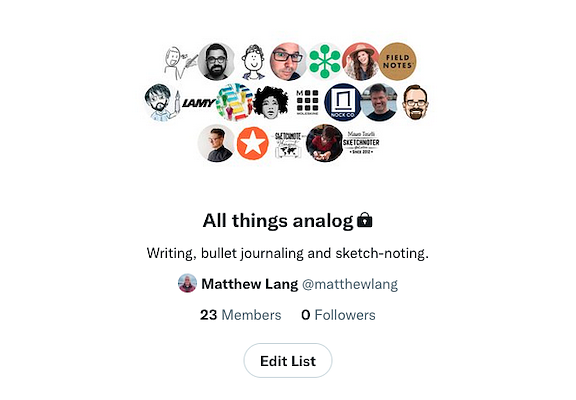
Upgrading my development environment to use the latest stable versions of Ruby and Rails. It’s been a while since I have last done this.
Messing around with microStudio this morning. I thought this might be something for my youngest son to tinker around with over the holidays.
I created up a Rails 7 app last night using the esbuild and Tailwind options. This is definitely a step in the right direction for Rails. Modern tooling for a stable framework. Love it!
Build paths first
Michael Wade explains the sidewalk rule and why we should build paths first.
Keeping things simple and action-oriented is difficult and yet if that orientation is not present from the start, it may be too late. Territory may already have been seized and boundaries drawn.
In a recent project, I took the advice of another team when setting up a new project and categorising the work involved based on a template this team used. In doing so, I complicated the project before it even began. I should have built paths first before building sidewalks.
As nice as the Jumpstart Rails application is and all the feature it includes, I’m finding the new annual pricing a little on the expensive side. I think I may start building my own template and use that for new applications.
A productive Saturday
It was one of those Saturdays where everything through the day just fell into place.
A code and coffee session early this morning yielded another milestone met. I managed to close off another couple of widgets for my CMS product. There’s just one more to go to switch out the old widgets for my new ones that offer better flexibility when it comes to putting pages together.
It was then off to the hardware store to get a few things for the garden. We missed out on a few things last year as we left it too late to get a couple of things, so we were quicker off the mark this year.
Back home, I spent a couple of hours getting the back garden into some shape for the summer. The next few Saturday’s are going to be similar as we get a few more things done, but the hope is that we put in the work now, to enjoy the fruits of our labour when the sunshine and good weather really kicks in.
It not often a Saturday just falls into place like this, but its been great having a productive day. I can kick back a bit tomorrow knowing I’ve got a few things done today.
The not so fun weekend of debugging code problems
It’s been a while since I last posted here. I’ve been getting my head down and working on my CMS product, which has left not much time for blogging.
Over the last few weeks, I’ve been putting in place a feature that should allow for more flexible page designs so that customers can use a series of widgets to build up pages. It’s a three-level form with a page with many sections on it, and each section has a single widget. The thinking is that the sections can be re-ordered regardless of what type of widget it holds. It hasn’t been without its issues, though. It took several attempts to get this overall widget design with the page in place.
Thankfully, that part of the feature is done, but I’m still working out some issues with this.
The main issue is when I add a new section and widget to the page, it clears any input elements that I have changed on any other sections widgets on that same page. The merry-go-round of possible sources of the problem includes the usual areas when things like this go wrong on the front-end—namely Turbolinks and Javascript.
The biggest problem just now is that of time, though. I don’t get much more than a couple of hours at a time working on this, and when I do, I feel that I am problem-solving the same things over and over again. It’s just as well that we’re still in a national lockdown here in Scotland because it does afford me some extra time to work on this.
Hopefully, I can make progress with it this week.
Reminiscing of days with Sublime Text
Over the weekend, I decided to re-install Sublime Text to see If there have been any substantial updates to it. I haven’t used it in a few years now since moving to VS Code.
The text editor remains snappy and fast as I navigated through a large codebase and made a few changes. Sublime Text was never a slouch when it comes to performance. It was always fast for me, even on larger codebases.
Intrigued, I turned to Sublime Text’s package control to see if there were packages there for Ruby and Rails and general web development. While I don’t really need these, there are nice to have in the text editor. What I found was quite disappointing.
Most of the packages that I have used in the past on Sublime Text have not seen much in terms of updates, with a few packages listed as missing. Clearly, VS Code has impacted the number of actively maintained packages as developers migrated from Sublime Text to VS Code when it first hit the scenes.
Although I’m pretty much baked into the VS Code ecosystem thanks to its huge library of extensions, I wouldn’t be against going back to Sublime Text. Maybe one day I will. For the moment, I’ll leave it on my Macbook and see what I get from it as a wee change to VS Code.
It's been a code and coffee morning
I’m trying to build a bit more flexibility into a Rails application by adding the ability to have multiple widgets on the one page.
From a presentation perspective, the problem looks easy. Any number of widgets for a page can be modelled to be presented as a complete web page. It doesn’t matter how the data is put together, e.g. flat files, canned models, hard-coded HTML.
What complicates the problem is how the user creates and manipulates these widgets to their needs. I’ve seen enough back-end interfaces for various products to know it can be done. The Mailbrew interface, which has similar functionality, is how I want this feature to work.
Instead of sitting at the text editor and blindly coding my way out of this, I’ve been using my iPad to sketch out a few ideas of how widgets of different shapes will relate to the page, and how a page will assemble these widgets. The problem is starting to unravel now.
Might be time for another coffee.
Spent a couple of hours tonight swapping in a TailwindUI component into a Rails app of mine. I can see me swapping more of the TailwindUI components to replace my own over the next few weeks.
Pulled the trigger on a license for Tailwind UI. I’ve already been using the free components, but weighing up the cost of the license for what you get back in terms of components is worth it in my book.
Plans for the blog
With the basics of my blog now in place, I can focus on other parts of the blog that I would like to build.
I’ve been writing notes for an aggregator of sorts that would subscribe to content streams. These content streams can then be shown on my blog. RSS would be the initial type of stream that I would offer as these are open and simple to integrate into the blog. Other types of content streams may follow if I decided to incorporate them into my blog. This aggregator will then be displayed on its own page or on my blog’s sidebar if I choose to put it there.
One of the great blogging platforms that I miss the most is Posterous. The idea of this blogging platform was simple yet highly effective. Instead of writing your posts in a password-protected section of your blog, you write your posts with email and mail them to your blog. Starting small by being able to email posts without titles would be a good start. Posts with titles and attachments would then follow.
Cross-posting to Twitter is definitely something that I want to include in the blog. It’s more the shorter posts that I would post on Twitter, but not all of them. I think for this a simple checkbox would be sufficient.
Building my blog using Rails has been a great way of making something that I can experiment with more. It’s also something that I can create at my own pace. The blog is still using the CDN version of TailwindCSS, WebPacker hasn’t been set up, and no there aren’t any tests.
This isn’t a business system or a product, though, so I can afford to do these things in my own time. It just feels good to be writing code in Rails that I don’t need to worry about too much and can do in my own time.
A new blog, of sorts
In the last few months, I’ve been fairly quiet on the blog front. Just like everything else that went wrong in 2020, I could blame it on the global pandemic, but that’s not why I stopped blogging.
I started blogging on Micro.blog while it was in the Kickstarter phase. I liked the idea of not only having a new blogging platform, but one that focused back on RSS feeds. Now though, I feel like I have outgrown Micro.blog. It’s has a nice collection of features and themes, but I’m looking for more from my blog. I want it to do more than just display posts and pages. I’d like it to handle long-form articles that fall outside of the chronological order of the blog, handle bookmarks, and track other places where I am active on the web.
To get started, I decided to start moving some content over from my Micro.blog so that it’s now hosted here on my main domain. I’ve been putting everything together using my own blogging engine, which does just enough to display posts in chronological order, supports an RSS feed, and has an admin section to manage posts.
I’ve still got a lot to do in terms of development, but the main thing I’m taking from this is that I am working with Ruby on Rails again. It’s been a long time since I worked with Rails in a full-time capacity, and I do miss it. Rolling my own blog engine gives me the chance to get myself familiar with Ruby on Rails and try out a few different ideas.
I’ve been trying to get some traction going on a few web applications over the last couple of months. It’s just not been happening. Countless distractions and lack of motivation has been difficult to get past. Going to give it another go though over the next six weeks.
The last double shot from Mike
Sad to see that Mike Gunderloy is bowing out from software development and the Internet. He was one of the first Ruby developers that I followed on Twitter and through there I subscribed to his blog, A Fresh Cup, where he posted his Double Shot posts.
Looking back, I’m also not super-happy with how the industry has evolved. There was a time when I could believe and hope that software was making the world a better place. Looking around, I’m not so sure any more. Money and power have seized pretty much everything related to software, and the rising tide of surveillance, manipulation, and generally rapacious behavior appears to be getting worse all the time. It’s become harder and harder to find any industry niche that I feel comfortable in working any longer. My sincere blessings to those of you who are still fighting the good fight, but as I said, I’m tired.
I can understand his reasons for bowing out from the world of software development. I’ve been feeling the itch to leave as well, but I still think I have a few years left before I completely think about trying something else for a career.
My patience for software development over the last couple of years has grown to the point where I would love to throw in the towel with it. A defeatist attitude perhaps, but it’s a feeling that I’ve been unable to shake off in the last few months.
Project options
Over the last few days I’ve been assessing a number of projects that I have in the works.
The problem with each of these projects is that their largely untested product ideas that have stagnated for too long and will require more time to get back on track than I can afford. Most of these projects are getting killed. I can’t afford the time to explore them further. The remaining couple of projects will be re-written and released as open source so that others can run them on their own.
Today’s plan was to get in a round of golf with my son, my dad and my uncle at my dad’s golf club. I’ve been looking forward to it for a couple of weeks. As always though, the weather has scuppered these plans.
Taking the day to instead work on my product for a few hours.
Despite switching to TailwindCSS, I still style components similar to Bootstrap. I’m still starting out on the journey of TailwindCSS, though, and I think in time, I’ll start to find ways to get away from this styling.
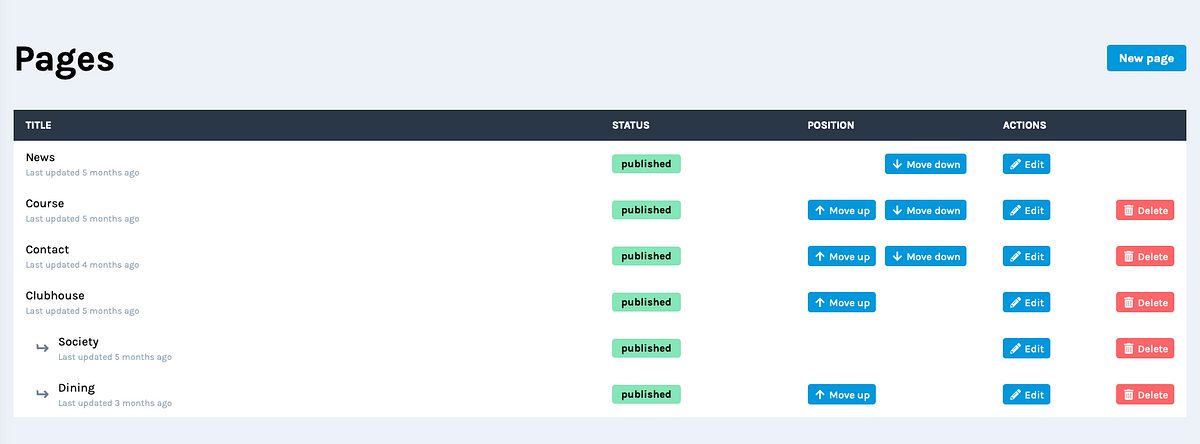
Is it time to go out on your own?
In a post-Covid world, maybe the time has come to go out on your own. Keep it simple initially: just you, no start-up capital and a desire to be beholden to nobody. Except you, of course.
Since the lockdown started, it’s clear to me that striking out on my own again is the best way to go.
The over due pull request
I have a pull request that’s been sitting in Github for about two weeks now. It’s for a Rails app and the pull request includes some breaking changes. I’ve done my best to limit these breaking changes but there are some parts of the application that I need to update after the deploy.
I haven’t scheduled this into my day as I know it’s going to take a chunk out of my day so I’ve just let it lie there for the last two weeks.
I can’t put it off any longer. I’ve scheduled it in for this afternoon. I just need to get it done.
I’ve been trying to build a series of themes using the Tailwind CSS framework. Creating the different components of each theme is simple to do, but bring these components together has been more challenging. My design eye for these things isn’t great.
Goodbye mattisms.dev
After a few weeks of not posting to my dev blog, I’ve decided that over the weekend I will delete this blog.
I don’t see the long term value in having this resource on a seperate domain or in collating the links for this blog. Instead of posting to a blog, I’m going to start collecting web development and Rails guides and resources on a number of pages on my personal website.
Don’t worry folks, I’ll keep posting here and any major changes in this web development content will be shared here as well.
I’ve been really enjoying using Tailwind CSS over the last few days. I’m finally getting my head around it. The thing about it I like the most though is the ability to go from basic HTML to styled components in a relative short period of time.
Despite the many things that Visual Studio can do, I find it very uncomfortable to use when writing code. My preferred coding font just doesn’t render as nicely as it does in Microsoft’s open source text editor, Visual Studio Code.
I wonder if there will come a time when Microsoft recommend their open source text editor over their proprietary IDE?
There hasn’t been much that has dazzled me since recently picking up C#. I must admit though, I do like using C#’s query expressions. Pretty powerful stuff when used with classes.
I need to ship Rails app updates more often
On Sunday night, I migrated a couple of Rails apps to Ruby 2.7, including Writeabout. Last night, I did the same with another Rails app. By the end of the week, I hope to have Markcase moved over to Ruby 2.7 and Dailymuse upgraded to Ruby 2.7 and Rails 6.0.
Upgrading apps is a pain if they’re left alone for too long. I’ve left Dailymuse alone for such a long time that it’s still sitting on Rails 5. Markcase is on Rails 6 but requires a wee bit of maintenance regarding Webpack.
I’ve learned that leaving apps for such a long time between updates is not the best thing to do. Even upgrading an app regularly through its patch versions is better than just leaving them sitting gathering dust.
I’m going to add a back-end admin plugin to Writeabout to make the adding and updating of writing prompts easier.
I intended to have an admin API endpoint to manage the prompts, but for a short term fix, I’m going with the admin plugin route.
Last night I added a fav icon, a touch icon and Twitter card handling for Writeabout.
On the face of it, one could argue this is purely a vanity change. It was actually a test run to see what’s the minimum icon changes I need for a web app.
Baby steps with StimulusJS
Last night I needed a much needed break from the usual Rails coding, so I worked through an example on the StimulusJS website so that I could add a “copy to clipboard” button for the displayed writing prompt on Writeabout.
For me, this is the ideal level of integration I need with JavaScript. A framework that does some of the heavy lifting on the user-interface without me having to re-write the whole front-end.
The end result is nice, but I don’t like the way the elements on the page move up and down when the copy button has been pressed. I’ve added a little div section with an indicator that the button has been pressed. It disappears after a few seconds, but it moves the elements on the page up and down when it changes its display state. I’ll fix it another day, but the first pass at this functionality is still good.
Update: Writeabout was retired in Autumn 2026.
The Ruby cost at Basecamp
David Heinemeier Hansson breaks down the cost of the operations at Basecamp with a spotlight on the cost of running a Ruby on Rails product.
Working with Ruby and Rails is a luxury, yes. Not every company pay their developers as well as we do at Basecamp, so maybe the rates would look a little different there. Maybe some companies are far more compute intensive to run their apps. But for most SaaS companies, they’re in exactly the same ballpark as we are. The slice of the total operations budget spent running the programming language and web framework that powers the app is a small minority of the overall cost.
For years I’ve heard arguments that Ruby on Rails is too expensive to run, but I’ve never seen costs for anything as big as this. And to be honest, I was surprised that this was all it was.
Sure, every SAAS product is different in what it does, how it’s built and how it’s run. But, the fact is that Ruby on Rails is an ideal web framework for most SAAS products and has been for years.
I’ve watched the JavaScript hype train trundle on now for a couple of years and I can’t see any clear advantage of it over Ruby on Rails or any other non-JavaScript framework for that fact. And I think developers are starting to realise this.
Given the choice between Rails and any other framework for an application, I will keep going with Rails. It doesn’t have the big hype around it that it did ten years ago, but it’s still proving to be a developer-friendly and therefore business-friendly framework to build your SAAS product with.
I’ve been using a similar form of this Gitmoji for a couple of weeks now. It’s good because you can identify commits a lot easier in your history.
I sat down last night and managed to get three-quarters of the way through a feature for a Rails app.
This morning I realised there was an easier way to delivering the feature. I trashed my original idea and wrote the full feature on the train in ten minutes.
This happens so many times in programming.
Pretty productive morning already.
Read a chapter from my book using the Kindle app and pushed a code change up to a Rails application using Textastic and Working Copy.
All from my iPhone.
I’m really impressed with Fathom’s website and analytics app. The landing page to sign up to analytics dashboard is one of the most fluent and easy to do sign up processes I’ve ever had to do.
Adaptive product naming
A favourite saying of mine is Phil Karlton’s quote about hard things to do in computer science.
There are only two hard things in Computer Science: cache invalidation and naming things.
— Phil Karlton
I can’t say that cache invalidation has given me major issues in the past but naming things has always been a challenge. If I was to take this beyond the realms of programming though, I would say that naming anything is a difficult thing to do.
My portfolio of web applications include DailyMuse, Markcase and WriteAbout. I find it hard to get away from the compound naming theme. It’s just a way of naming things that I stick with. It’s easy to do, but it feels like it lacks imagination. I would love to come up wth alternatives that don’t follow this convention but everything I have come up with didn’t feel like a good fit.
The other thing I don’t like about compounded product names is deciding whether to upper-case the second word or leave it as lower-case. GitHub’s branding is clear that they favour upper-casing the second word, but there are examples of other brand names that are made of two words that just user a lower-case word for the second word. Take Feedbin for example.
For my bookmarking service, Markcase, I choose to use the lower-cased form instead of MarkCase, and I have to say I prefer it.
I’m working on something that is bigger than anything I’ve worked on in the past. I’d like it to become my full-time gig eventually so it’s quite important to get the naming of it right. I do have a name for it, but I’m torn between whether to use the upper-case form or the lower-case for.
I am edging towards the lower-case form. It reads easier and looks better in the different styles that I have for it.
I find all aspects of branding and marketing quite a challenge. I’m creative to an extent, but I’m definitely not well-versed enough to launch a huge marketing campaign. To get my product off the ground though, I’m taking little steps in executing it and learning as I go. I might not always get it right to begin with, but adapting the product and the marketing as I go, is better than not doing anything at all.
Last day of my two month focus on basic functionality for my Rails product. For December and January the goal is to refine these basic features and also integrate social media into the application.
The themes I’m building for my Rails product are hardly fantastic to begin with, but they are improving with each iteration. The goal isn’t to have themes with the best design, it’s to simply be better than what’s already out there for my target market. I’m close to doing that.
Even though the Ruby programming language is no longer flying high as the most popular language for web applications, it’s rich community of people and gems remains strong.
Going to mix up my learning goals for 2020 by focusing on Go and React. Picking a couple of technologies that are popular and quite different. Hopefully Go will provide an alternative as Ruby for the command line and who can argue with React’s popularity.
A cup of tea, some Ruby code and having a little hum along to Bloc Party. I like these kind of Friday nights.
I’ve been giving a second look at React over the last few weeks.
What I like about React is that it’s widely adopted and has a large community. I still need to find some time to build something with it though. I have enough tutorials to get me started which is good.
Tonight’s goal is to build a better image upload experience in my Rails application. I’ve never really bothered too much about adding drag and drop to my applications, but for image uploads is a much better experience than using a file picker.
Cold start to the morning. Boys are Taekwondo while I sit in the cafe with a little code and coffee combo.
I’m resurrecting PenMuse, or something like it
A while back, I started a little Rails app that would generate random writing prompts. After a few months, I decided to kill it. To be honest, I’m not entirely sure why I killed it. I just remember one day deciding that it wasn’t gaining any traction, so I decided to pull the plug on it. Now though I’m not so sure that killing it was such a good idea.
If I was making the application all over again, then there are a few things that I would do differently.
I would open-source it
The main reason I would be open-sourcing the application is so that I can provide a working Rails application on my Github profile. That old chestnut about your Github being your profile isn’t something that I put a lot of stock into. Still, it would be helpful if I have something on there that is working, live and provides a small sample of my work.
I would enforce some constraints
The last time I did PenMuse it ran away from me. I got hung up about too many things about the application that I ended up overthinking what should be a simple application. This time I would keep it simple.
There won’t be an admin section for it, and I would simply connect directly to the database to add new prompts. I would keep the application as minimal as possible, to begin with. One model, one controller, one page. At least I’ll do it this way, to start with.
I would track interest in it
I’m not a big fan of using analytics, but that was back in the day when Google Analytics was the only real option. Now though, there are plenty of great options out there, and a few are even GDPR friendly.
One such analytics service that I have been wanting to try is Fathom. I have earmarked for another application, but I thought PenMuse would be a good starting point to get myself familiar with Fathom.
So there we have it. PenMuse is back! Although not right now, I still need to build it! And it’s not going to have the same name, but more on that later.
I want to stick with Ruby on Rails as my goto web development tool for the foreseeable future. It’s open source, frequently updated, and has a great community. Job opportunities have definitely tailed off though.
In building a product for a specific market, I’ve discovered that the admin interface doesn’t need to be anything fancy. Feedback from beta users is that they like the basic screens.
Gathering Ruby and Rails coding ideas
I’ve been collecting a few ideas for Ruby and Rails apps to try a few things out.
In the past I’ve ended up simply building some form of task manager or blog engine. In order to explore some of the other parts of Rails though, I’m need to try and build something a bit different.
Here’s what I have so far.
- A live updating leaderboard for an event. The idea behind this is to explore ActionCable again. I haven’t used this in a project for a couple of years. It would be good to get familiar with it again.
- A command line tool for generating images with text. I had a template I used last year for creating images for the golf club’s junior section for competition announcements. Rather than using the existing template I have with Pixelmator, it would be good if I could generate the same image using the command line. A nice way of exploring what Ruby can do with a good image library.
- A Microblogging client. This would simply be a client for posting message instead of being able to read posts. The idea here is to see if I can deploy a Rails app with something like Vue.js or React built in.
The idea is to build out each of these over the next few months to understand a bit more about the different parts of Ruby, Ruby on Rails and JavaScript frameworks that I can use with them.
Started job hunting again. Key requirement for future roles is finding a role in which I can work with Ruby. Remote would be a bonus, but yeah, it definitely has to be Ruby.
Not a fan of the new programming font from Microsoft. It’s really wide. Wider than anything I’ve ever used. I’ll stick with Iosevka.
Keeping it simple
In my development work I usually find that the simple way works best and is also easier to maintain. However, the web development industry is still insistent on progress and not always for the better.
This comparison between AirPods and the headphone jack by Bastian Allgeier is a great way to describe the issue.
Modern web dev tools and services are like AirPods. It’s fantastic to get rid of the cable. The experience is far better 95% of the times. But they also have connection issues from time to time, they are massively over-engineered, expensive and you can easily loose them.
Bluetooth headphones are likely the future. But I still have more love for a set of standard headphone with a regular cable and headphone jack that has been working reliably for decades.
— Simplicity (II) by Bastian Allgeier
It’s why I use Rails as my go to framework for new projects. Sure it’s not as simple as editing files on a server but it’s as simple as a tool you can get for building web apps.
I’ve started using Bear to write up features for a product.
Instead of going straight a user story and coding, I’m spending a bit more time writing about the feature, and it’s risks and benefits.
It’s working well so far.
Personal projects do make you a better developer.
My focus just now is on a larger project though. It still affords me much of the same benefits, just less of an opportunity to try new things. I’m okay with that though for the sake of getting it off the ground.
A product decision over some code and coffee
For the last few months, I’ve been building a content management system aimed at a particular industry.
I’m close to finishing the first working version of the product. There are still a few things to do, like account management and theme options, but these are trivial things that will not present any problems.
While reviewing the CMS source code this morning, I spotted a way that I can refactor a part of the CMS. The change involves simplifying the different content from multiple types of content to a single base content model that I can base other content on. This is a significant structural change to the product. It involves changes in how the CMS presents and manages the content.
If I spend the time making the change now, it would be much easier to handle any created content and migrations of data in the future.
If I schedule the switch for later on after the release, I’ll always know that I have this change in the structure to make and will be presented with an increasing problem of migrating data.
Thinking on it, I like the idea of taking the hit now and getting this right before the product gets released. I’m just wondering now why I didn’t see this before when I was modeling the content for the CMS.
Playing with the Dark Sky API and the Bootstrap card component
As part of a side-project I’m working on, I’ve been trying to build an informative weather widget that gives current and forecasted stats for the next few hours.
I’m using the card component from Bootstrap to structure the widget. The card component is excellent for this, as it allows me to structure the widget but will enable it to have different styles for different websites. I’m surprised by just how much I’ve been using the card component, as it’s quite versatile.
Dark Sky provides all the weather stats that I need. I have a background worker that fetches the stats from the Dark Sky API and saves it to the database. I can then query the database for the stats as well as cache the widget for a short period.
The Dark Sky API is excellent as the forecast request gives you minute by minute forecasted weather for the hour, as well as hourly and daily forecasts for the next seven days.
The Dark Sky API also includes descriptions for icons that you can use. These standard descriptions can then be used to map to whatever icon you want. I’m using Font Awesome for my weather widget’s icons. I have a helper method in my application that maps the icon description from the Dark Sky API to the correct Font Awesome icon.
So far I’m pretty happy with the results.

Coffee on my desk, pen and paper ready, text editor open.
This morning’s goal is to get my head round Webpacker in Rails 6.0 and Font Awesome installed through Yarn/Webpacker.
A few pieces of the Webpack puzzle are starting to fall into place now. Got a few notes so that I don’t trip up on the same steps in the future.
Looking forward to my new development role with the NHS National Services Scotland in a few weeks. Time to brush up on the .NET knowledge again.
iTerm’s new status bar with configurable Python components should mean no more faffing about with Powerline in Vim.
Powerline is useful, but it can be a pain to configure and it takes up too much screen space as well.
Not content with being an already great free service, Unsplash now has collections for education.
Great to see Rails 6 will be shipping with multi environment credentials.
Spent the last couple of nights trying to resolve a MapKitJS and Turbolinks issue I was having. It was actually two issues rolled into one. Last night I finally managed to resolve both issues. Yay for patience and perseverance. 🙌
Looks like view components are coming to Ruby on Rails. This is going to be a great addition to the framework.
Where have all the good programming and development blogs gone? Maybe I’m not looking hard enough, but I struggle to find good programming blogs to follow that post on a regular basis.
I think I’ve arrived as a Javascript developer. I wrote this Ruby code last night.
this.latitidue.present? && this.longitude.present?
🤦♂️
Found the perfect accompanying domain to go with this one, mattisms.dev. Expect web development posts on Ruby on Rails and other programming languages to start appearing soon.
I’ve been trying to solve a problem for a software product that’s been at the back of my mind for the last few weeks. This morning I sat down with a coffee, tried a few things out and eventually worked out the solution. Feels good when you overcome a hurdle like this.
Service outages can be a good thing
Feedbin was down again this morning, but thankfully it’s back up and running now. This is the first time that I remember Feedbin having a prolonged service outage ever since I started using it when it was first launched.
The thing about service outages though, is that despite their interruption to your day, they can be an indicator of how effective the service provider is at dealing with it. For a service like Feedbin, it shouldn’t cause too much of an impact on a person’s day. It’s a consumer product, but what if you are a service provider for other businesses and organisations?
I remember Gitlab’s database outage a couple of years ago. They had a severe disruption to their service, but they dealt with it in the best way possible. By being transparent with the world and letting everyone know what went wrong, what they’re doing to fix it and finally a retrospective of what they have learnt from it.
Basecamp also had a severe outage not that long ago. Again, they handled it in the same way Gitlab did. By being transparent and learning from the disruption so that it doesn’t happen again. If you really want a deep dive in Basecamp’s service interruption they did a whole podcast episode on it.
Platform interruptions are mostly just a nuisance. As a consumer of both free and paid for platforms, I know that these outages are not that important and eventually, the platform in question will be up and running again. But for the service provider, they’re a great indicator of how good they are at getting back on their feet, and more importantly, how informed they’ll keep everyone during the process.
So even if a service provider does have a significant outage, it’s how they handle it that will be a factor on whether I sign up for it or not.
Technical debt explained
Although I understand what technical debt is, I often find it difficult to explain it to others in simple terms. From now on though, I’ll just reference Martin Fowler’s brilliant explaination.
What most appeals to me about the debt metaphor is how it frames how I think about how to deal with this cruft. I could take five days to clean up the modular structure, removing that cruft, metaphorically paying off the principal. If I only do it for this one feature, that’s no gain, as I’d take nine days instead of six. But if I have two more similar features coming up, then I’ll end up faster by removing the cruft first.
Pete Corey’s Minimum Viable Phoenix is a great starting point for those looking to learn the Phoenix web framework.
Interesting programming problem I solved this morning. Rewrite a regex expression so that it doesn’t use any escape characters that would break the Yaml file it is being saved in.
Also, added Regex101 to my list of great online tools for web development.
Starting to think I might just have enough features in place for a new landing page for Markcase.
Essential career advice for software developers
Scott Hanselman nails it with his advice for a young university student attending the Microsoft BUILD conference.
For the young person I spoke to, yes .NET Core may be a little different from .NET Framework, and they might both be different from Ruby or JavaScript, but strings are strings, loops are loops, memory is memory, disk I/O is what it is, and we all share the same networks. Processes and threads, ports, TCP/IP, and DNS - understanding the basic building blocks are important.
It’s all just building blocks. Whatever the language or framework is, the building blocks are still the same. Great advice for those just starting their careers in software development, but also a reminder for the older or more experienced software developers who are struggling with the ever changing landscape of programming.
I don’t use GitLab, but the way the company is run and managed is really refreshing. Everyone remote, and the company is transparent with just about everything.
Search arrives in Markcase
Last night I shipped the ability to search your bookmarks in Markcase. With over 1800 bookmarks in my collection, finding anything was beginning to get a bit frustrating.
The search query will match any term in a bookmark’s title, description or URL and will only search through your own bookmarks.
I want to be able to search over URLs as well, but the results for your search may yield more results than you would like depending on the term. URLs can be quite lengthy and therefore can be included in the search results when you might not expect them to be there. For now, I am going to leave searching over URLs in. I haven’t used it enough to see whether it will be useful in the long term or not.
The next step is the importing and exporting of bookmarks. I’ve put this off long enough, but it’s the next best feature to implement to entice a few more subscribers to the service.
Once importing and exporting is in place, then it’s on to billing. I’ve always said that Markcase will be a paid service, but for just now I’m happy to let people use it for free. I’m hoping to have billing in place by the summer which will then let me focus on performance and usability improvements for a few months.
Last night I shipped a little search improvement to Markcase and tonight a change to another Rails app.
Feels good to be working with Rails, even if it is for a couple of side-projects.
Related bookmarks for Markcase
I’ve been making quiet and steady progress with Markcase over the last couple of weeks. Just minor changes here and there.
One of the bigger changes is the addition of individual pages for each bookmark so that you can see related bookmarks. These are accessible by clicking on the bookmark’s timestamp.
At the moment it only returns a handful of bookmarks from the same domain, but I am going to add more sections to this page to include related bookmarks by tag and date.
Back to Vim
In the last couple of weeks, I’ve been slowly getting back into using Vim as my default text editor.
Even though VS Code is really popular with developers at the moment, I’m not a big fan of using Electron-based apps. Also, VS Code’s popularity has been killing off some packages that I use on Sublime Text, which effectively kills that off as well. I did try to move back to Sublime Text, but I’m not finding it anymore productive than VS Code. Which brings me to Vim.
After many attempts at moving to Vim, I can still remember the keyboard shortcuts for many commands on Vim, so I haven’t been at a total loss in getting started again.
Almost there with registrations for Markcase. I’ll start will limited registrations to begin with and then scale it from there. I’m in no hurry.
Another great episode from the Rework podcast this morning. This episode features Aja Hammerly, a developer advocate at Google. Aja talks about the drawbacks of tech interviews and how they can be improved.
After a few hours of wrestling with Vue, I finally have unit tests in place for a few components. A win for today, but I am still not convinced of JavaScript as a one stop shop programming language for web applications.
Monoliths make getting started easier
An advantage of a monolith code base that can go overlooked is the minimal entry barrier to getting up and running for junior developers or new members of the team.
Setting up a basic database and my application with a background process was a pretty defined process. I’d have the readme on Github, and often in an hour or maybe a few I’d be up and running when I started on a new project. Onboarding a new engineering, at least for an initial environment would be done in the first day. As we ventured into micro-services onboarding time skyrocketed. Yes, we have docker and orchestration such as K8s these days to help, but the time from start to up and running a K8s cluster just to onboard a new engineer is orders of magnitude larger than we saw a few years ago. For many junior engineers this is a burden that really is unnecessary complexity.
— Give me back my monolith by Craig Kerstiens
Even those in senior roles may struggle to hold in their head an entire stack composed of micro-services. Sure it becomes familiar over time, but it’s another learning curve that can be unnecessary. It’s why I love working in monoliths.
They are a one-stop stack that contains everything or at least most of the components that we need to know about. An engineer can get up and running in a matter of hours. Why make it more difficult to onboard engineers?
Maybe the hype-cycle for micro-services is finally passing.
Focus this week for Markcase is to add a registration screen that is only open until the number of accounts reaches a certain limit. The idea here is to allow a limited number of registrations without having to worry about scaling. Much easier than me handling invitations.
Web Design 3.0
A very detailed post over at NicePage about the changes in web design, the gap between site builders and designers and how you can design for the new 3.0 era.
My design skills as a web developer are definitely lacking, but I can do enough to get by and make a functional user-interface. I prefer to use Bootstrap, but I’ve also been using the Vuetify framework recently as well.
I think Bootstrap gets a lot of bad press for being the popular framework out there, and sure there are a lot of designs that look similar, but there are alternatives out there. The Themes For App site provides free themes based on Bootstrap and looking at them, you couldn’t say for definite that they are built using Bootstrap. They make good use of whitespace and visuals and lean towards NicePage’s 3.0 trend.
Another Bootstrap based theme I’ve been looking at is Material Kit. Take the Bootstrap framework and wrap it in a design influenced by Google’s Material Design.
I’m glad to see there is a new trend in web design. It keeps everyone in the industry on their toes and ensures that there is something else to work towards. It’s not for everyone, and I love minimal plain text designs just as much. It’s good though that we can have this choice as users of the internet.
Say hello to Markcase
I’ve been working on a little side-project for the last few weeks, and now I’m ready to reveal it in a soft opening kind of way. Say hi to my bookmarking app, Markcase.
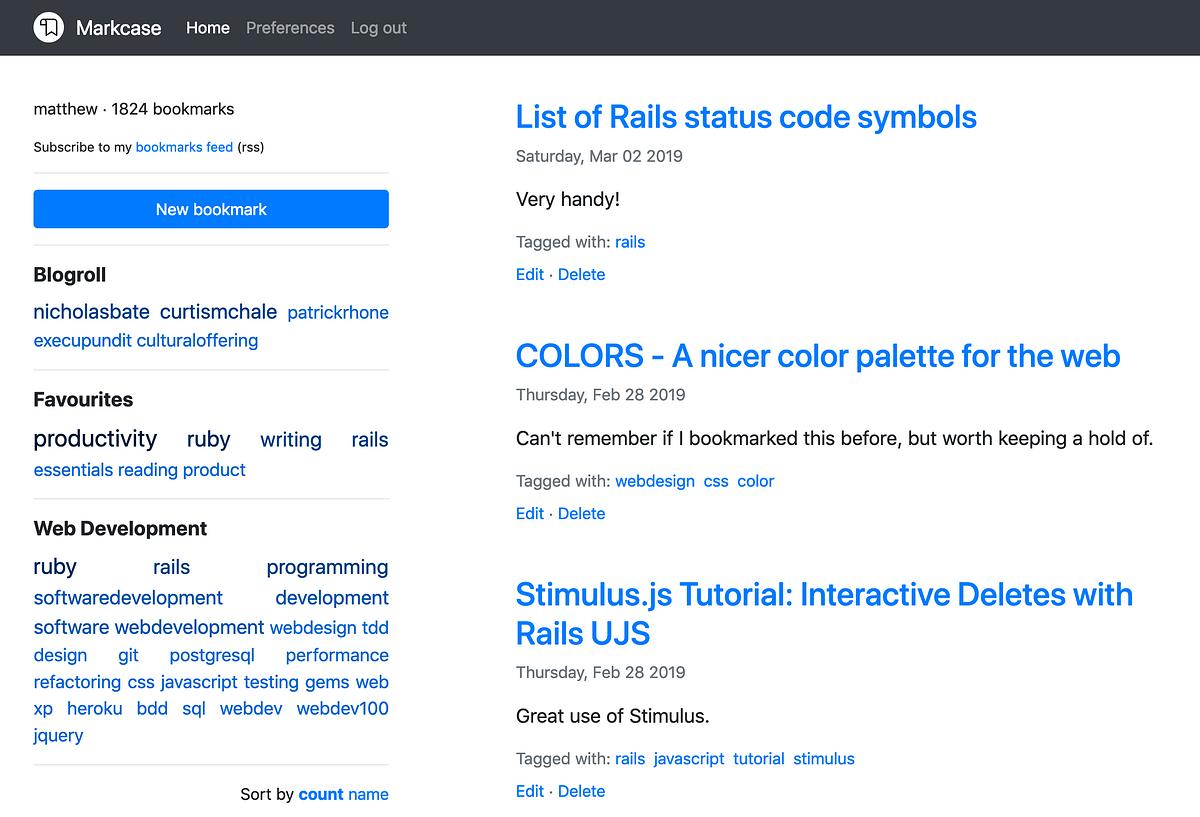
I’ve been an ardent user of bookmarking apps right from the early days of Delicious. Since then I’ve been back and forward to Pinboard a few times and tried Pocket a couple of times. They’re all excellent apps for bookmarking, and they all have their pros and cons.
Delicious is now under the control of Pinboard, and Pinboard itself has been very quiet on the development front. It does what it promises, but after I struggled for a few weeks with bundle issues, I decided to close my account.
I like Pocket for its visual appearance, and it negates the need for a read-it-later service as well, but the last time I tried it, I found it challenging to organise all 1800 of my bookmarks.
I decided to roll my own bookmarking app. After a few weeks, I had a single-user version of Markcase up and running. A few weeks on and now I have Markcase running as a multi-user service. It’s still very early days for it, but I’m definitely keen to take it forward. There’s still lots of work to do, but it’s ready to go as a service for saving bookmarks and organising them.
It’s still in a state of beta though, but I would be interested in hearing from anyone who wants to give it a try. While in this beta phase, accounts will be given out as free, but once we leave the beta stage, accounts will be charged an annual fee for using Markcase. If you don’t feel like using Markcase beyond this point, then you can delete your account.
At the moment, you can log in, change some of your account details, save bookmarks with tags, organise them with tag bundles and use a private RSS feed for your bookmarks. I expect to add many features over the coming months including importing and exporting of bookmarks and integration with other apps and services.
As for native applications, Markcase is a web app first. It will work on mobile devices, without having to install an app. I will be providing an API in the future for those who want to build their own native app for Markcase, but it’s not something that I will be interested in doing for at least a year, maybe longer.
If you’re interested in taking Markcase for a spin, then please reply to this post on Micro.blog or email me at matthew [at] matthewlang [dot] net. I’ll be setting up account requests as and when they come in. It might not be right away as this step is manual at the moment. I will be adding a sign-up page after the beta has finished.
Markcase was previously called Commonmarks, but that was far too similar to Markdown specification of a same name. A name change was definitely needed.
For those looking to learn web development, then I would highly recommend Thoughtbot’s Upcase site as a place to begin. And just for some added value, Thoughtbot are also making all their e-books free as well.
First beta user setup on my bookmarking app, Markcase. I still have a list of bugs and features I want to deliver sooner than later, but I expect to start looking for more beta testers towards the weekend.
I’ve followed Smashing Magazine’s monthly wallpaper posts since they started. I might use one on a rare occasion, but they are always worth watching out for. Check out the wallpapers for March.
Is Chrome suffocating the web?
Chrome’s continued dominance of the web now puts it in the same position as Internet Explorer all those years ago. “It works on Chrome” is the new “It work on IE”. I’d like to think though that most web developers out there don’t just build for the one browser.
Reda Lemeden’s post, “We Need Chrome No More”, sums up this change.
The dominance of Chrome has a major detrimental effect on the Web as an open platform: developers are increasingly shunning other browsers in their testing and bug-fixing routines. If it works as intended on Chrome, it’s ready to ship. This in turn results in more users flocking to the browser as their favorite Web sites and apps no longer work elsewhere, making developers less likely to spend time testing on other browsers. A vicious cycle that, if not broken, will result in most other browsers disappearing in the oblivion of irrelevance. And that’s exactly how you suffocate the open Web.
While I can see Reda’s point, I don’t think that the developer’s building for the one browser is as big a problem. I’ll be honest, it’s been a while since I visited a website that only worked in Chrome.
For me, the problem isn’t so much that Chrome is the most popular browser, it’s the organisation behind the browser and how they integrate features into that browser that support how they use data and ads to make profits.
Switching to another browser is one answer to this problem, but perhaps there’s also another answer.
For Google to change as an organisation.
That sounds like a pipedream, and even looking back at that sentence, it just seems ridiculous. I’ll leave it though because even the most ridiculous of ideas can still happen.
80 characters per line is still worth sticking to
Even though we have bigger screens with more pixels available to use to view, Nick Janetakis makes a strong point for sticking to 80 characters per line when coding. And he even supported his argument up with a few screenshots as well.
1080p is still one of the most popular resolutions for monitors and it just so happens that with most code editors you can comfortably fit 2 code windows at 80 characters side by side, and even have room for a sidebar if you like that sort of thing.
— 80 Characters per Line Is a Standard Worth Sticking to Even Today
Well worth a read if coding is your thing.
I mostly stick to 80 characters per line when programming. I say mostly as it’s more a guideline than a rule for me. I find it easy to adhere to this guideline when working with Ruby and other programming languages, but where it falls apart for me is when I am writing HTML. In some cases, I just can’t get a line under the 80 characters.
There are things I can do get around this. I can extract segments of HTML into partials (I am using Rails anyway), but is this valid reason for doing so?
I’m not sure, but in most cases, separating out this HTML would definitely help project organisation, allowing me to work in a more component-based way with my HTML. I might just have to give this a try tonight.
Hard to believe the Ruby language is 26 years old now. It’s definitely a programming languge that I never get tired off. My only regret is I didn’t pick up this language sooner in my career.
Code and coffee combo this morning. Working on some changes to my bookmarking app to allow for a multi-account deploy. Almost there with it. Also there’s been another name change. Last one I promise!
I'll keep building for the web
When it comes to building ideas for applications, I will always choose the web first. It’s what I can I do best and it is where I can ship those ideas more efficiently. I can go from that first line of code to a shippable idea in hours. After that, I can just iterate on that idea when I want to.
There’s another benefit to building for the web though. You have access to a bigger market.
At a startup, engineering resources are scarce. It’s expensive to spread your engineering expertise across different platforms, so it’s better to focus on one in the beginning. Building for the web means that users on mobile, desktop, Chromebooks (which have become the most popular EDU hardware in the US), and any other internet-connected device can use your service, whereas a native app is specific to iOS or Android.
I’ve toyed with learning Apple’s programming language, Swift. My goal is to learn how to build iOS apps. It’s not that I have some Candy Crush busting idea that will net me millions, it’s just something I would like to learn.
Even if I had the knowledge to build a native app in the same time that it would take build a web app, I think I would still go with making a web app. Native apps serve their purpose, but I think we’re seeing more viable alternatives through web apps.
Just realised that my bookmarking web app Commonmarks shares the same name as CommonMark, the strongly defined Markdown format. Time for another name change me thinks. I’m open to suggestions. 😉
Dark to light
After years of using Solarized Dark as my preferred colour theme for coding, I’m starting to find that I’m now preferring a lighter themes for when I’m writing code. Solarized Light for Sublime Text and Bluloco Light for VS Code.
Solarized Dark is still my preferred color theme for the terminal though.
The web industry debate rages on
The debate about the use of Javascript in the web industry and the role of the front-end developer continues after Chris Coyier’s post, The Great Divide and now a follow-up from Rachel Andrews.
There is something remarkable about the fact that, with everything we have created in the past 20 years or so, I can still take a complete beginner and teach them to build a simple webpage with HTML and CSS, in a day. We don’t need to talk about tools or frameworks, learn how to make a pull request or drag vast amounts of code onto our computer via npm to make that start. We just need a text editor and a few hours. This is how we make things show up on a webpage.
— HTML, CSS and our vanishing industry entry points by Rachel Andrews
Rachel’s post reminds us though that while Javascript frameworks might be all the rage at the moment, we’re neglecting the foundations of the web, HTML and CSS. And how they can still be used to educate those new to the process of creating websites.
Maybe as an industry, we should still be focusing on these fundamentals. Not just for those new to the industry, but for everyone in the industry.
Commonmarks now deployable to Heroku
Over the last couple of days, I put the finishing touches to the Commonmarks application so that others can deploy it easily to Heroku. The reason I went down this route is that self-hosting Commonmarks is a something I want people to be able to do, but I’m not at the stage yet where Commonmarks can be quickly deployed to any SAAS platform or even your own server. Going down the Heroku route was a short term solution.
If you take a look at the top of the README file on the Commonmarks Github repository you’ll see a Deploy To Heroku button that you can use to deploy. You’ll need a Heroku account to do this. The add-ons needed for the application to run are free including the dynos required to run the application. I’ve been running Commonmarks on a free dyno for over a month now without any problem.
This brings me to the next step. I’m now working on Commonmarks as a hosted bookmarking product that anyone can sign up for if they don’t want to run their own version of Commonmarks. I appreciate there are people on both sides of the fences, but there are probably more people who want to go with the hosted option than the self-hosted option. I’m not looking to have this running for another couple of weeks, and I’ll be initially opening up with a small beta to get feedback.
Updates will follow.
Commonmarks update
Just a little Commonmarks update for those interested. I’m working on the password reset over the next few days. By then I should have a working single-account version that people can deploy with a Heroku button.
After that I am going to then focus on a multi-account option for those who don’t want to host it themselves. The timeline for this is a couple of weeks, but I will have a limited set of invites for those interested. I’ll make the announcement on Micro.blog first.
With my day job taking me down the JavaScript route on a daily basis, it’s good to break out the text editor at night and write some Ruby code for Commonmarks. It might just be a simple Ruby on Rails bookmarking app but hopefully in time I can build a few more interesting features for it.
For those interested, I’m still working on a startup screen and Heroku deploy button for Commonmarks. I’ll post an update when I’ve finished these additions.
Considering Commonmarks as a SAAS product
Over the last few days there has been some interest in my bookmarking web app that I’ve been working on.
Why another bookmarking solution though?
I used Pinboard and Pocket for a while, but I was never comfortable with either of them. Pinboard hasn’t seen much change in the last two years and Pocket is more akin to Instapaper (which I already use) than it is to Pinboard. I also wanted to work on something that I could pin to my GitHub repo as an example of work.
Features are light at the moment, with just the ability to add, edit and delete bookmarks as well as the ability to group tags into bundles. A basic web application, but it works. I’m using it on a subdomain of my own site .
I’ve had replies from people who are interested in a hosted solution rather than having to roll their own. I initially pushed back against the idea of starting a SAAS product. There’s a lot to do to make this happen as the open source version is for a single account only. There’s also all the other parts of a SAAS product to consider such as billing and privacy now that GDPR is a requirement. Also, my first attempt at a SAAS product is still ticking over but hardly a success in terms of revenue.
However, with growing interest, I am going to entertain the idea of making Commonmarks into a SAAS product. I won’t be abandoning the open source version, but the way ahead might lie in using the same model as Feedbin. They are an RSS reader service, but the source code is open source. I’m wondering if this would work for Commonmarks as a product as well?
There is a lot of other things to consider as well for this such as hosting, pricing and support. I won’t be entirely excluding the idea though until I can at least gauge some interest in the product.
The next step looks like it might be to set up a page to allow people to register their interest.
The new world order of JavaScript
There’s no denying that JavaScript is an excellent language for the web, especially the front-end of any web application. Without it, we can’t enjoy a user experience that challenges native applications.
However, I am not convinced that JavaScript is a language that is suitable for all parts of an application’s stack, all the time. There are benefits to using JavaScript depending on the requirements, but it feels like JavaScript is becoming the go-to language for everything.
Heydon Pickering’s post is an excellent read about this issue and full stack development and how this role is changing with the larger set of JavaScript tools and frameworks available, but it’s his point about separation of concerns that resonated with me:
We need to revisit the separation of concerns principle. We simple can’t afford for people to have to know everything just to do something. It’s good that we conceptualize designs in terms of self-contained components now, but that can be a mental model without being a technology-specific land-grab.
— Reluctant Gatekeeping: The Problem With Full Stack by Heydon Pickering
It wasn’t that long ago when front-end developers and designers worked with back-end developers on applications. There was a separation of the two roles and their focus, and each side had the knowledge to carry out their role. Front-end developers would work on HTML, CSS and JavaScript, crafting functional yet beautiful user-interfaces. Back-end developers would work on business logic and background processing.
With the rise of JavaScript though, we’re seeing a convergence of tooling onto a single language, and the roles of front-end, back-end and full stack developers becoming less about knowing the respective field and more about knowing JavaScript.
The new world of web applications is moving to JavaScript, and that’s great for the web as a platform. We can now build applications that rival that of native apps using a single language.
However, when faced with programming language choices in the stack, should developers be quick to default to JavaScript?
8 years using Ruby on Rails and today I just used the after_find callback for the first time. Every day is a school day.
I probably need to start thinking about imports now for Commonmarks. Pinboard and Pocket are probably the two exports that I need to focus on.
I am hoping to add RSS feeds to Commonmarks today so that I can hook up my bookmarks to Micro.blog. The plan is to have a public feed that the owner can control as well as a private feed that the owner can use themselves.
Say hi to Commonmarks
My own bookmarking app is up and running.
It’s nothing fancy in terms of how bookmarking apps usually work, but I wanted this to look and act more like a blog than a collection of bookmarks. I opted for paginating results on the right with a sidebar on the left. In time the sidebar will include more filtering options.
I’ve had a couple of stabs at my own bookmarking apps over the years, but this one feels more right than wrong. The code is still rough around the edges, but I’m happy to open source it now on Github.
And the name? Well, think of it as a commonplace book for your bookmarks.
Update: Commonmarks has been renamed to Markcase and is still under active development. I’m hoping to open it up for registrations in spring 2020. Source code is available on Github.
Plugging the web development knowledge gaps
Dan Abromov’s Things I don’t know as of 2018, is a refreshing take on the knowledge gaps of software developers. Even though Dan is the creator and maintainer of a widely used package used with React, his list of knowledge gaps in web development is quite an eye-opener. And he made them public too!
I’ve worked alongside a lot of great developers, and I’ve been amazed at both their spread of knowledge on web development but also their gaps. I rarely pay attention to the knowledge gaps though. It’s easy to be amazed at the breadth of one person’s knowledge and not focus on a person’s knowledge gaps. Perhaps they just didn’t get round to that gap, and focusing on their knowledge gaps feels wrong, but should that be the case?
As I’m approaching 20 years working in software development, I’m starting to know the excellent job descriptions from the bad ones. Merely listing a long list of tech experience that you would like in a candidate is a poor way of getting the right one. In my view, the best candidate can come in and use their soft skills to learn and get up to speed in a few months regardless of their experience. I think it comes down to the fact that more organisations want their candidates to hit the ground running from day one. No training or onboarding, just another cog in the big development machine.
Given the number of languages, frameworks and other techs in web development, it’s a near impossible task to keep up with everything, but I’m taking two things away from Dan’s post.
- There’s no harm in not being up to speed with everything that a full stack web developer should do. Sure, I can deploy an app using Cloud66, Heroku and Dokku, but I can’t say the same for Docker and Kubernetes. I can deploy web applications, but only on the technology that I have chosen to learn.
- I’m considering changing my job description to be more specific. Sure I can be a jack of all trades, and know a bit of everything in the web development stack, but I’m sure I would be better off describing myself as a backend web developer instead and focusing on the technologies around that.
With these points in mind, I’m renewing my focus on Ruby on Rails as well as adding to this the knowledge that I need for the gaps around it.
It’s good to know though that I am not alone in not understanding a few topics that have been popular in the last couple of years.
Trying to keep pace with most of the topics in the web development world is a task in itself, but there’s enough work to keep me marketable as a backend web developer even if I do focus on a single core skill.
Got my own bookmarking app up and running on Heroku last night using Rails. It’s a simple affair with just the ability to add and edit bookmarks and navigate bookmarks by tags. I’ll be looking to open source it on Github over the holidays, once I’ve tidied up a few things.
I’m still not convinced that JavaScript is the way forward for web applications.
At the rate of change in the JS community though, I’m sure it’s only a matter of time before they all go running back to SSR web applications. 😂
Spinning up another little greenfield Rails project. I was tempted to try another framework/language out for this, but I just want to get it done. So Rails it is then!
Putting the finishing touches on a new website I’ll be lauching during the week. Great to be using Jekyll and Netlify for this.
The recruitment game in software development is similar to what Michael Wade posted today. The difference in my case is that I just want a developer role where I write code.
Lately, I have been seeing web development articles with intriguing headlines that have me clicking with anticipation to read them. The article itself though usually ends up being a hastily written post that barely covers what I expected from the headline.
Just learned that serverless computing isn’t about doing away with servers, it’s about hiding the servers you use for your platform.
That’s probably the ultimate example of the problem of naming things in computing.
Programming win?
Bloody typical.
I just spent a couple of hours adding a new field to a Rails application, built up the logic to use the new application, did a refactoring to clean it up and now realise that I don’t need the new field. I just need a small change in the application with an already existing field.
I don’t know whether to be happy that I don’t need the new field or annoyed in that I didn’t see how I could have done this without having to add the new field.
Either way, it’s a win, right?
Building back out from self-doubt
Jonathon Snook has been sharing a few thoughts on imposter syndrome and what he’s doing to overcome it.
It seems that every once in a while I go through this same phase of self-doubt, but it’s never been as bad as it was a couple of months ago. Giving up on freelancing and returning to a full-time job required a series of significant changes that added to this phase.
I was no longer working for myself. I would be working for an employer and therefore also working with and for other people. When you’re freelancing, there’s an element of being a lone wolf. It’s not entirely isolating, but you don’t need to worry so much about other people. You deliver what the client wants. Working for an employer is different. You have to align yourself with the companies goals and those that you are working with.
Working from home for some years means that I was fortunate enough to find my own routine that worked for me. From the comfort of my house, I could play the music I wanted, take breaks when I wanted, plan my day how I wanted. Working for an employer means being in the office at certain times, aligning your work day with others, making yourself available when others require your time.
Adding to these were some routine changes at home and facing the possibility of a frequent commute. The whole experience led me to question whether I could do the job I was applying for. Not only that, but I was examining the worth of some side-projects I was working on as well as a career change that I am considering for the future. It’s was similar to Jonathon’s stage where at the point of execution, you freeze up.
Every time I get to the point of execution on anything, I start to freeze up. I hit a wall every time I want to put myself out there.
— Uneasy by Jonathon Snook
After a few months in full-time work, however, I’m starting to find that I can do the job although given it’s a new role, there are a few weeks of finding your feet.
Not only that, but I’m also reading more, writing more, coding more outside of work. I’m doing these things as they help me build myself back up out of a period of self-doubt. I’m now at the point where I am finding myself enjoying side-projects and returning to a stage where I can see myself executing again.
Just write the damn code
One of my big downfalls, when I start work on something, is wondering if I am going in the right direction with it technically.
Web development is always changing. It is getting better though. Javascript frameworks are starting to settle down, and fall in line with the regular releases of non-Javascript frameworks like Ruby on Rails and Django.
For the last few weeks, I’ve been reading about Javascript frameworks like Vue and React and what they can offer for web applications. I’ll be honest and say that I’m still not sold on the idea of creating single-page applications with these frameworks, but I can see where they become a benefit for complex web pages.
Then there are things like CSS frameworks, deployment options, containers and a whole ream of other things to consider for the right stack for the application. It’s then that I find myself in a state of “decision limbo”.
Ideally, I would use Rails and a CSS framework and start from there, however, I’m always questioning what should be considered as an alternative.
While reading Nick Janetakis’ article on growing into microservices, I happened across this little nugget of wisdom.
You get better by writing a lot of code with absolute and total intent to replace almost everything you write with better code once you start experiencing real problems first hand.
Microservices Are Something You Grow Into, Not Begin With by Nick Janetakis
I needn’t worry about the implications of my technical decisions until I come across some real technical problems. When I do come across those problems, I should only look at the options available to me then.
In other words, just write damn code Matthew.
On a final note, Nick Janetakis’ article is an excellent guide to those starting new development projects and looking to use microservices. In a nutshell, don’t.
Weighing up single-page applications
With a new full-time role, I’m in the process of getting my head around some of the technology choices I’ll be working with and the benefits and drawbacks of each option.
One of those choices is building single-page applications (SPA) with a JavaScript framework for the front-end. I can see why this choice was made, but I’m now weighing up whether it is worth considering for my own projects. With that in mind, I’ve been doing a lot of reading about single-page applications.
I liked Jim Newbury’s article on single-page applications and his point about understanding what you are building.
We ask “What framework should we use for this whole app?” for new products up front, when we don’t even understand what we’re building yet. It’s far less wasteful to ask “What technical approach best supports this user need?” on a case-by-case basis as we learn more about those user needs during incremental product design and development.
— Create your own dysfunctional single-page app in five easy steps by Jim Newbury
Sure your team might be well versed in building single-page applications, but it’s not the best fit for all types of applications. It’s all about finding the right tool for the job.
Ruby on Rails is a good starting point for most of the projects that I work on, but I know it’s not a good fit for other types of projects. For other projects I know I would need to use another set of development tools.
I understand the benefits of using single-page applications, but it’s not a style of application that will yield immediate benefits in my own, smaller projects. I’ll stick with the tried and tested multiple-page application monoliths for now.
How many companies are this transparent when it comes to making mistakes?
Fewer than I would like to say, but hats off to Basecamp for owning up and being accountable.
Still contemplating the portfolio career
Six years ago I wrote a snippet about a portfolio career. This is still the end goal for my career.
Splitting my time into smaller part-time roles would be a great way of still keeping my programming skills but also being able to explore other roles in different industries. I have an idea for that other role, but it requires a few other things to be done before I can realistically make it happen.
I’m of the mind that web development has become overly complicated. Or maybe I just don’t have the patience for it anymore.
Ruby falling out of fashion?
Ruby is falling again on the TIOBE index.
It’s not a cause for alarm, but I will continue to look at alternatives to Ruby for the long term. Microsoft’s .NET is still something I would like to come back to and there are more opportunities for it as well.
While not directly related, I also did notice that Thoughtbot have made their learning platform, Upcase, free for all. An attempt to get more developers to use Ruby?
Got me a new prompt in the form of Spaceship ZSH. Git, Ruby and Docker info all in the one prompt. Nice!
Staying productive with side projects
I’m in the process of moving back to full-time employment, but the step away from being self-employed doesn’t mean that I am abandoning any of the side projects that I have been working on. I’m putting a few ideas together for DailyMuse, and there’s another more significant project that is a work in progress. Working on these in my spare time can be difficult especially when I have to consider other important things in life.
In the last few weeks though, I’ve been making smaller sprints for my side project, and instead of scheduling big blocks of time, I’m picking up the work when I want to work on it.
Zach Holman’s post on staying productive as a solo founder puts it in a better way.
There’s something to be said for focus, of course, but life’s too short to constantly throw yourself at the wall day in and day out. If you really believe in your product and think that generally, it’s something that can get you stoked, then taking a break for a while is usually worth it, and is more productive in the long run. It’ll draw you back in again in the future; don’t worry about it too much.
— Staying Productive as a Solo Founder by Zach Holman
As a programmer I know I’ll always have the itch to be building stuff on the side. From experience, I’ve learnt that working on side projects when I want to is a much more effective way of working on them than consistently plugging away at them and getting depressed about them.
I’m becoming more interested in Google’s Material Design for my web applications.
The Materialize framework looks like it will be starting point thanks to the Materialize SASS gem.
VS Code continues to impress me. Not just in terms of functionality, but also in the consistent updating and improvement of the application. Monthly updates are becoming something I look forward to now.
Great post by Julia Evans about what a senior engineer does.
I’ve been giving this a lot of thought recently as I move toward full-time emoloyment again. While a few things do crossover from my time as an freelancer, I do see it as a different role.
The new Action Text framework for Ruby on Rails looks great. Easier management of rich content for applications and seperation of that same content from the models which is nice.
Just starting to get the benefits of Docker. It’s been a long time jumping on board with this, but better late than never. Also, the Docker extension for Visual Studio Code is a great help for seeing the status of containers and images.
I love how Code allows you to create splits with a simple drag of the mouse.
Sure I could learn the keyboard shortcuts to do the same thing, but using the mouse does force me to slow down for a minute.
Done an npm install for a HTML theme and found the resulting node_modules directory contains 700+ libraries. Is that normal for a single theme?
Winding down
I’m winding down my freelancing business over the next few weeks to take on a permanent role. It’s been fun over the last six years, but I think I prefer the stability of regular hours and pay.
I haven’t given up on going solo though, I’m still considering running my own business in the future. It will have less of an emphasis on the selling of services though and more of an emphasis on selling a product.
Two weeks straight using Visual Studio Code and I have to say, I am definitely won over this time. Performance has been consistent and the extensions available are much better than other communities. Built-in terminal is quite nifty too!
Is 120 the new 80?
Did I miss the heated and crazy developer debate that the new accepted line length is 120 characters?
Joking aside, I’d like to know if anyone else has changed their coding standards to allow for a bigger line length because of changes in source code management tools.
For a long time I’ve used 80 characters as a guideline as opposed to a set rule. Sometimes I’ll go over this but most of the time I don’t.
With bigger displays everywhere though, it appears that developers are switching to a larger line length when it comes to their coding standards.
Took a few attempts but just managed to get GitLab’s CI and automated deployment working for a Rails app. Now to apply it to my other projects. 🙌
Moving a few sites over from Heroku to Netlify. Having one of those moments when I wonder why I didn’t make this move earlier.
App rot
Link rot is a problem on the Internet. When you find something great on the Internet, you bookmark the URL for later, and then you find out later that the URL no longer exists. It’s not so much of a problem if you have a copy of the web page you bookmarked, or you use something like Pinboard or Pocket’s premium plan or even the Wayback Machine. For many people though, I’ll bet that they have a few seconds of disappoint and then find alternatives to that same article.
This is what is called link rot. When a web page becomes permanently unavailable. The problem can stem from the web page’s URL being changed, whole websites being moved or closed down.
The same can be said for applications whether they are native or web-based.
The development of whole web applications that we use daily can stop. The application might still run and function correctly, but the ongoing development of the service has ground to a stop that it seems that the web application is no longer being worked on.
I’m guilty of this app rot as much as any web application owner.
While DailyMuse is still running, development on it has ground to a halt. I will resume work on it at some point, but to the careful observer, it might look like the application has stagnated and it isn’t clear if the web application is being worked on.
iOS apps have the advantage of including a version history in the App Store. I’m sure there’s a corresponding version history for Android apps as well.
What about web applications though? How do we see the version history for those?
Well, a version history page seems the obvious choice, however, not all web applications have such a page and there’s no standard for this either.
As a web app developer though, I am going to put more effort into making my web applications more transparent in when they are being updated and making it easy for others to see these changes. How I’ll do this I don’t know yet, but it will consist of a web page of some sort.
The MDN web docs is becoming a daily visit in my quest to just understand and write plain-old JS instead of jQuery.
My working day is often plagued by those little decisions that I never get round to resolving. This morning’s decision is one that I never seem to find the answer to:
Hyphens or underscores for CSS id and class selectors?
After a couple of weeks of heads down work for a client, I decided last night to find some solace in some simple work and clean up the @penmuse website.
I’ve removed the fixed sidebar and opted for a centred two-column design that keeps the site simple to use.
Still not happy with layout of PenMuse. I’m thinking of moving to a fixed-width container as opposed to a full-width container.
Started using collections in Jekyll. Pretty powerful stuff.
Tower 3 beta installed.
A familiar front-end but a little bit more fresh than Tower 2. Not had a chance to use much of new features yet, but first impressions are good.
I’ve been wrestling with VS Code for the last few weeks but I just can’t get that efficiency hit that I get when using Sublime Text.
Features for PenMuse for April
The automated delivery of daily writing prompts from my PenMuse website is stable enough now that I want to consider expanding on it.
Cross-posting to Twitter
I’d like to start cross-posting now from PenMuse’s Micro.blog account to a PenMuse Twitter account.
Cross-posting from Micro.blog to Twitter is the most straightforward and easy way of doing it. It’s nothing more than another way for people to get a daily writing prompt.
The drawback to this is that I’m not exactly the greatest Twitter fan although I do think it’s the lesser evil of the social media platforms.
While I am moving away from Twitter, it doesn’t seem right to set up an account there when I won’t be really using.
The benefit though is that I’m not doing this for myself, I’m doing it for others. Others who don’t use RSS feeds, Micro.blog or visit websites that often. Maybe they just want to use Twitter.
A random afternoon prompt
Each morning the newest writing prompt is published through the site’s main RSS and JSON feeds. I’d like to add another feed that publishes a random feed for the afternoon.
There is one problem with this though. Some of the writing prompts in the collection are seasonal, so I would need to exclude these off until at some point they could be considered based on the time of year.
Staying within the constraints
PenMuse is just a playground app. It’s place where I can experiment with a few coding ideas and techniques and see them working in a product environment. I also don’t spend more than a couple of hours a week on such a app.
To do this the playground app has a few constraints on it.
- It needs to be free.
- It needs to be something people will use.
- It needs to only take up a couple of hours of my time a week.
These constraints take out of my hands decisions that would stop me using PenMuse what it is for. A place to experiment with some Rails code.
These two new features aren’t going to give me any problems coding wise, but it’s going to put PenMuse in more places.
Also these features are still small enough that I can do them within the confines of a couple of hours a week.
A Ruby on Rails ERP book?
I’ve been re-reading this post on how to build an ERP sytem from scratch.
I’ll be honest and say that a 250 word post on the topic doesn’t even begin to scratch the surface. Such a topic is worthy of at least 5,000 words in order for the reader to actually takeaway something of substance about building their own ERP system from nothing.
Off the top of my head there’s the following:
- Methodology - Do you go with agile or a big upfront design? You might think I would advocate an agile approach but there are benefits and drawbacks to both.
- Architecture - How should the application be laid out? A brief outline of the system can save months of moving code about later on down the line.
- Application and database hosting - Should we host the application ourselves or use IAAS or PAAS? Self-hosting is big cost but IAAS and PAAS mean you have to sacrifice some control of the application.
- Performance - How do we scale such an application from a handful of customers to hundreds of customers? Performance is critical in an ERP application. Handling vast amounts of data between transactions mean you have to ensure that users aren’t kept waiting.
- Error handling - How do we handle errors to allow support staff to diagnose bugs efficiently? It’s not enough to report the errors, support staff of the system need tools to replicate and report errors.
- Code libraries - Should we use external code libraries or write our own? I’ve learned the hard way that some features are better implemented without an external code dependency.
- User-interface - Do we use a pre-built theme for the application or build our own? A pre-built theme will add the final polish but there will be constraints in what you can do with it.
This is just an outline but I think even just one of these items is a post in itself. Looking at this list, there could be at least 10,000 words here across seven different posts.
I may outline more of these over the course of the next few weeks.
I think I have gathered enough knowledge on this topic to put at least a few posts together.
I used to work for a company that specialised in installation and configuration of Microsoft’s own ERP software, Dynamics NAV and I’m currently working with a client to build a cash management and stock control system.
With this experience I think there’s definitely more to say on the topic of ERP systems and modern technology stacks, especially when it comes to how they can be built with Ruby on Rails.
At the moment I’m just thinking out loud about this but my micro-blog seemed like a good place to put this down / out.
Version control for project management
Did a stupid thing today and deleted a checklist from Trello that I was using. As far as I am aware, there’s no way of undeleting it and also no backup of the Trello board to speak of.
Perhaps it’s not only the source code that’s a valuable asset of a project. The supporting project management material that drives the development should be at least backed up or even under version control as well.
🎵Got the Master and Commander soundtrack playing while I catch up on some Rails work for a client tonight.
Using Stimulus in PenMuse
It’s been a while since I dabbled in a bit of JavaScript. It’s not that I don’t like programming in JavaScript, it is growing on me, it’s just I’ve never found a real use case for it in a web application. The thing about JavaScript though is that there are so many great frameworks available that mean you often don’t have to write any of the curly bracket stuff.
Vue.js has been on my radar for a while but what has really grabbed my interest has been the release of Stimulus.
For a lot of web applications I work on, I don’t want to re-write a whole view for a particular framework, I just want to enhance a part of that view. Both the above mentioned frameworks do this, but I decided to try and use Stimulus with a web application of my own just for fun.
The copy to clipboard is a nice example to start from in the Stimulus handbook and so I started with this basic example by adding a copy to clipboard button when displaying a writing prompt in PenMuse. Not only was it good to broaden my reach beyond the Rails code that I am used to writing, I also got to experiment with WebPacker as well.

The final results are good and there was a few hiccups along the way in trying to copy the prompt from an input element that didn’t interfere with the user interface.
I did at one point create an input elemement on the fly to copy the prompt from when the button was pressed, but it jerked the screen up and down on tablet devices as it was copying the prompt. Horrible.
I decided to settle on using an input group so that you can partially see the prompt being copied. It’s not ideal, but it’s working and it doesn’t mess with the screen in anyway on different devices.
I’ve still got some adjustments to make for smaller devices like stacking the buttons on the home page so that they appear as a column but that will come later in the week.
I could really do with a col-md-1.5 class about now. #webdevwoes
Feels good to be starting another Rails project. I’m hoping this one runs for a while, but I really need to spend more time on throwaway Rails projects and learning more about things like ActionCable and Turbolinks.
Despite a few attempts this week and last week at using VS Code, I keep coming back to Sublime Text. I think if I had a severe problem with using ST then I would make the switch, but as it stands, it just works.
If it ain’t broke, why fix it?
That painful moment when you realise that the reason your JavaScript isn’t working is because is you have a typo in your elements id attribute.
Move to Jekyll complete
Last night I finally pulled the trigger and moved my Ghost hosted blog to Jekyll. While the cost of running a managed blog was the most significant influence on the decision, there were other factors as well.
Easier writing
Ghost had been a promising idea when it started a few years back. A blog where the focus is on the act of writing. And it started well. The two-pane design with the plain text on the left and the rendered post on the right was great and allow you to see the post in real-time. In a recent change though, the Ghost decided that using a single pane with a WYSIWYG writing pane was more beneficial. The old two-pane environment was still there but just hidden away.
I’ve been looking to do more with my iPad Pro. I’m already using it for remote development work and a fair amount of writing, reading and listening. Unfortunately, a down-side of Ghost’s new writing pane made using the iPad Pro impossible. Characters were rendered twice with each keystroke, and I was unable to even copy and paste a blog post from another app such as Bear or Ulysses. In a recent update to Ghost this bug is fixed, but such a breaking change made me question why I was reliant on a product that prevented me from writing.
With Jekyll I can write anywhere with any app that I use daily. I can even write the post straight into my GitHub repo through my browser and save the changes which will automatically publish to my blog. The only thing that will stop me writing and publishing is whether I’ll have a connection to the Internet and in this day and age, that’s becoming such a rarity.
More control
With a move to Jekyll, I’m also able to make changes to the layout of my blog in a much easier way than if I was using Ghost. With Ghost, you need a local working environment first to make your theme changes. Setting up a local environment is reasonably straightforward, but keeping it up and running is not as simple as Jekyll. With just a single command I can have my blog up and running on my browser, and I can make any changes I need to the layout. There’s a small number of dependencies to getting my blog running, and it only requires some flat files for content.
I’ve also got more control over the photos I use on my blog and where I host them. I can either include the images in my blog directly or upload them to another hosting service like Amazon S3 where they’re still in their original format and I can export them if I need too.
Tried and trusted
My days of being wowed by-products such as Ghost are probably over. Tried and trusted products that are simple to manage and let you own your data are two significant factors for me. Ghost looked to be simple, to begin with, but even now there’s still a large number of features that many other bloggers take for granted from their chosen CMS. I’ve tried Jekyll in the past, and now I wonder why I didn’t stick with it.
Data is always a significant factor with me. The export facility of Ghost is excellent, and they were able to allow me to download all the images for my blog through a separate link as well, but I don’t think that’s enough. A single zip file containing all data including images would make things so much easier.
Manton Reece has an idea for this, and it looks promising, but getting the more prominent companies to adopt this is another matter.
With Jekyll though, I can always trust in the fact that my data is there in the purest form needed and that’s in plain text files.
Finally got my freelance website moved over from Ghost to Jekyll. 👍
Looks like I’ve for a few updates to do over the weekend. Bootstrap 4 is here!
Atom still trying to play catchup with the likes of Sublime Text. I can’t see it ever happening.
This bug on Ghost is driving me round the bend. Every character you type in is registered as two keystrokes so ‘t’ becomes ‘tt’ and pasting from the clipboard doesn’t work either. Why am I using Ghost again? 🤔
There’s been a change to Sublime Text in the last release that stops the command palette selecting the last command being selected when you open it again.
It’s been driving me nuts. Roll on build 3157.
Version bump for my Daring theme for Ghost so that it works with Ghost’s 1.0.0 release.
Also hat tip to Ghost for their theme scanner that let’s you know when a theme has issues.
Discovered that I am a lousy open source software maintainer. Two pull-requests for my Daring theme sitting in the repo without me knowing. Doh!
4 spaces for indentation on JS looks weird.
As a freelancer I’m wondering if a newsletter is worth putting into place. Another thing to maintain and run. Why can’t I just rely on a blog with a contact form?
Hello PenMuse
I’m always on the lookout for something different to write about, but some days the nudge just isn’t there. I started using my daily themes as writing topics but this can be somewhat repetitive, and it still falls on me to narrow down the theme to a topic that I can write about.
I started looking for writing prompts that fell into the category of my daily themes, but this was another challenge in itself. Frequently it involved digging through the thousands of writing prompts available online across different websites. What the problem with these is that they not usually organised in a way that makes them easy to search through.
I needed a daily random writing prompt but one that was geared towards my daily themes for the day. So I started making one. Here’s how it looks so far.

The idea is simple. It displays a random writing prompt. If you don’t like it, you can generate another one. As a nice tie-in with DailyMuse and my preference towards analogue writing tools, I’ve called it PenMuse.
Product playground
PenMuse serves a dual-purpose for me. While it does take the guesswork out of what you are going to write about, it also helps a much more significant purpose. It’s a product playground.
The idea of this that you have a small service or product that you can use to flex your development skills. While this application doesn’t have the complexity of a more significant Rails application, it does allow me to try things out on a smaller scale and it’s proved to be helpful already. I’m going to re-design the DailyMuse website with a similar theme.
Plans for the future
There are a few things still missing that I hope to add shortly.
- Allow people to suggest a writing prompt and give them accreditation when it is displayed.
- Document the API for other developers to use.
- Allow people to link to individual writing prompts.
- Create a weekly PenMuse email that emails you the week’s writing prompts ahead of schedule.
One thing that I could do with help on though is writing prompts. There are thousands of writing prompts online, but I don’t want to copy these into PenMuse without thought. I want to curate these prompts so that they are easy to find and share.
What do you like to write about? What prompts would you like to see on PenMuse?
Contact me with your suggestions.
Bootstrap 4’s Flexbox support is great. I can see me using it a lot more with new projects and clients.
Back to GitHub
A few months ago I started a GitLab account out of curiosity. I wanted to see if there was anything that GitLab offered that GitHub didn’t.
In the last two weeks though, I’ve been moving my repositories back over to GitHub from GitLab.
There’s nothing wrong with GitLab, it’s an excellent source code management platform, and it has many great features. However, GitLab just didn’t make the grade that GitHub has set when it comes to source code management and hosting.
Heroku integration
Heroku’s pipeline integration is an excellent feature for managing the deployment process, but the only dependency for this to work is that you need to use GitHub for your source code management.
GitLab does offer their continuous integration tool, but it’s highly dependent on some different configurations and settings, all of which I don’t have the inclination to read up about or even research. To be honest, I would love to use GitLab’s tools, but the problem with them is that they require too much fussing.
GitHub, on the other hand, does one thing well and that’s host your source code for you. Sure you can also do pull requests, code reviews and many other great things but this is all nice to have besides being able to have one place to manage and host your source code.
Issue management
I have to say that GitLab’s issue management tools are very much on par with GitHub but where GitHub excels is their project, milestone and issue integration with pull requests. I find GitLab’s way of handling pull requests complex. I tried using them for a few months, but the whole process just didn’t feel as straightforward as GitHub’s.
Maybe it’s a familiarity with GitHub that stopped me from getting on with GitLab’s issue management tools. I’ve been using GitHub with some clients, and I have to say that managing their pull requests is a simple process.
A bigger community
There’s no doubt that GitHub has the more prominent community and despite attempts by others to create communities elsewhere it just isn’t possible to do so. It’s a bit like building another Twitter. There has been plenty of attempts, but nothing compare’s to Twitter when it comes to micro-blogging.
It would be nice if all GitHub, GitLab and Bitbucket could integrate with each other seeing as they all support using Git, but then what would be the incentive to pick one?
I’ve been hesitant about the number of businesses and organisations the use GitHub for their source code management, but as long as GitHub continues to support them and the rest of the GitHub community with great features and integration with others tools, then I don’t see a problem in sticking with GitHub.
More features for GitHub please
There’s no doubt that GitHub is a much bigger and better-suited source code management tool for me. I’ve used Bitbucket in the past, but even it can’t compare to the ease with which I can use GitHub. It’s time to hang up my projects on the GitHub website and start creating more projects there for people to see.
That doesn’t mean though that GitHub has all the features that I need. I would like to see a few more options and features on GitHub though.
A repository template for labels and project columns would be a good thing. I’ve managed to replicate the labels I used for my Trello boards in GitHub issues as labels.
Another thing I would like to see is the assignment of labels to issues as I move them across project columns.
I would like to see the addition of an avatar for repositories. GitLab is on to a winner with their avatars for repositories.
I would also love to see greater management of repositories. Being able to group repositories into folders would make my job a lot easier and would also let me create a showcase folder where I could highlight all my best work.
Between GitHub, GitLab and Bitbucket there’s plenty of options for developers of all types for their source code management and hosting. For me though, GitHub ticks all the rights boxes.
I think I have a rogue plug-in for Sublime Text. I’ve been getting errors all morning. Switching to Atom for the rest of the day.
I wish Github’s Pull Request filters would persist in between changes.
Hyper terminal emulator, good but not great
A week running Hyper as my terminal has been mostly without incident, but I’ll be switching back to Terminal.
Hyper is a good replacement for Terminal or iTerm but it’s not a great replacement and doesn’t bring anything extra that I didn’t already have.
Also, I would rather rely on scripts and dot files for my terminal configuration rather than relying on Hyper’s plugins.
Nice. You can now click the labels on a Trello card and it will show the text for the labels on all cards.
Running Hyper this week instead of Terminal just to see what all the fuss is about.
Trying to put together the parts for a monthly newsletter aimed at both Rails developers and Rails product owners/team leaders. We’ll see how it goes.
Just discovered the attribute_was method in Rails.
Everyday is a school day. #til
Part of my web development toolbox for years. Saying Goodbye to Firebug
Levelling up advice for programmers
One of many nuggets of advice for programmers who feel they are lagging behind.
The goal is become aware of the range of technologies available, and get a superficial understanding of theirs strengths (“React has a bigger community, but skimming the Vue tutorial was easier”, for example). This process can therefore be done over the course of a few hours, at most a day or two, during your work day in-between scheduled tasks.
— Your technical skills are obsolete: now what? by Itamar Turner-Trauring
I would love to be able to pin cards at the top of each list in Trello. Just saying.
Less is more with Slack
Half of these ideas on making Slack less of a time suck are terrible suggestions. Just because you can make todo lists in a Slack, doesn’t mean that you should. Less is more with Slack. Use it for what it’s good at. Messaging. Anything else is a distraction.
My web development setup for the iPad Pro
While it was my intention to write about my web development workflow on my iPad Pro at a later date, one of my readers got in touch asking about how I use the iPad Pro in this capacity. Rather than hold off I thought it would be a good time to elaborate a bit on my workflow when using the iPad Pro for web development. What follows is still under review and isn’t my first attempt at using an iPad Pro for web development.
My first iteration on using the iPad Pro involved the Blink app and setting up a remote development environment on a DigitalOcean server. This took a while to setup but even then I found that using Vim as my text editor on a touch device didn’t work for me. So it was back to the drawing board and what follows is a second pass at putting together a web development environment for the iPad Pro. It certainly isn’t final but it’s working for me now.
Another point to consider is that this web development environment is tailored towards Ruby on Rails development. A similar setup will work for other languages and frameworks providing you can run your development environment locally in iOS or on a platform like Heroku or Engine Yard.
Remote services
I’m using a number of remote services not because I need too just to be able to work on an iPad Pro, but because they’re already part of my workflow on the desktop and I can use them on the iPad Pro as well.
Github
I’m using Github for source code management for a number of reasons like client familiarity, Heroku integration and a few other reasons. The main reason I’m using Github though is that it’s tried and tested. You can’t argue with that.
I’ve tried a number of source code management services like Gitlab and Bitbucket. While there are benefits and drawbacks to each service, Github is my preferred source code management service.
Heroku
Heroku has been my go to hosting platform for Rails applications for a long time now. I’ve tried other platforms and while they might be good fits for particular clients with specific needs I’ve found that Heroku has everything that I need for hosting most Rails applications.
I’ve already mentioned that github is good for Heroku in that it’s baked into the pipeline service that Heroku offers. Automated deploys are a great thing and using this in conjunction with Heroku’s CI tool is one less thing for me to configure.
Client side apps
With our remote services in place it’s time to focus on the client side apps. Apps that focus on developer productivity have largely revolved around other things that developers do like project management, issue tracking and documentation but there are more text editor apps becoming available on iOS and I’m confident that there will be even more apps like this overtime.
Working Copy
I’m using Working Copy as my local Git client. I’ve been using this for a few months now. It’s easy to setup and it works well in iOS 11 with split view and the drag and drop functionality. Working Copy also integrates well with GitHub, Bitbucket and Gitlab. So I’m not tied to using one particular Git source code hosting service.
Text Editors
And now the essential bit of kit for any developers toolbox, the text editor. I’m running two text editors at the moment with the hope of selecting just one of these when I’ve given each of them a thorough test.
Textastic
I’ve used Textastic in the past but only as a means to edit text files remotely. Using it now as a text editor means that it needs to tie in with Git, have the essential settings I need for editing source code and perhaps the most important feature of all, a nice colour scheme!

So far I’m pleased with its feature set and there’s been little in the way of blocks when it comes to workflow. Once I had Working Copy setup to track my Github repos, I was able to drag a branch into Textastic and start working. Changes to files are marked in Working Copy so that you can commit your changes as you normally would.
Textastic doesn’t have all the preferences of a desktop text editor like Sublime Text but the essentials are there. Editor themes, font selection and size, and tab size and type. There’s also find and replace and symbol listing which is handy for larger source code files.
Textastic is working well for me but the one thing that I would like to see a easier management of the files I’m working with. A command pallete like Sublime Text would be a nice addition.
GoCoEdit
GoCoEdit is a new addition to the test. While Textastic I have history with, GoCoEdit is fairly new and I’m still finding my feet with it. It shares many of the same features as Textastic though, so it’s easy to get started.

Like Textastic, you can drag and drop a repository from Working Copy into the app to get started working. Changes to files are marked in Working Copy for you to commit.
Editor themes, font selection and size and tab size and type are supported as well. There’s also find and replace functionality as well. I’ve also found that in GoCoEdit there is a command pallete with limited functionality. You can manipulate text, find and replace text and save a file using this but there’s not much else you can do with it.
I must admit, I do prefer working with GoCoEdit over Textastic. Saying that though there isn’t much between them and both are more than capable of being all-day text editors if you find you have to work on your iPad Pro for the full day.
There are many things missing from these editors that would be taken for granted in a desktop text editor like Sublime Text but apps like this are still relatively limited in what they can do on a iPad. The most essential features are there though.
Adapting
If there’s one thing I’ve learned from all this is that if you’re going to use an iPad Pro for web development or any other form of work then expect to adapt to a new range of apps. Sure you’re preferred apps might be available on iOS but the interface does require you to adapt to the new environment.
Thankfully iOS is getting there with better features like the split view and drag and drop. Features that we’ve taken for granted in desktop operating systems for years but are only starting to see in operating systems like iOS.
My web development workflow has required some changes for the iPad Pro but it’s nothing drastic and a bit of learning on a new device isn’t a bad thing.
Thanks to Curtis McHale for reaching out to ask about this and giving me that much needed nudge to write.
Features I would love to see in Safari iOS
I’ve been using an iPad Pro as a web development device for a few months now. Overall I’ve been surprised at the ability of the device to handle this type of work. Apps like Working Copy, Textastic and GoCoEdit have certainly helped as has the split view on iOS and more recently the ability to drag and drop between apps.
One drawback amongst all this though is the browser I use. Safari has been my browser of choice for iOS for a long time. I’ve had brief dealings with Google Chrome and Firefox, but they’ve never lasted in terms of use. I keep coming back to Safari.
As browser’s go, there’s little to fault about Safari on all the devices it supports. It works well on my iPhone and the smaller iPads I’ve used over the years. With the iPad Pro though, it feels that Safari is short-changing me.
Pinned tabs
Right okay. Pinned tabs aren’t on everybody’s list of priority features for a browser but I’ve been using them for so long on other browsers it seems that they’ve been around forever. That’s not true in the case of Safari for macOS though. Pinned tabs have only been around for a couple of years with Safari which seems like a very short amount of time given that they have been available in other browsers for years.
So why pinned tabs on Safari for iOS?
Well, largely it’s an organisational thing. There’s a number of tabs that I keep open through the day and pinning these tabs in the browser allows me to quickly jump to them through the day.
Given the screen space on the iPad Pro models and even on the iPad Mini models, I’m surprised that the pinning of tabs hasn’t already been done.
Web inspector
I was surprised to find that the Web Inspector on Safari for iOS is only available when you connect your iPad to another Apple computer.

Now while a web inspector is probably a big ask on a device that probably wasn’t intended to be a web development device, I think it’s a fair request. People are turning to the iPad Pro and looking for a device that replaces their laptop or even their desktop. The inability to run the Web Inspector without connecting the iPad Pro to a MacBook or iMac doesn’t exactly
However, while you might not be able to use the Web Inspector for Safari iOS without connecting to another Mac, there is an app called Web Tools that replicates this need feature rather nicely.
Support for pinned extensions
I toyed with the idea of calling these starred extensions but pinned extensions might be a better idea, but first I have to explain what this is.
At the top right of the Safari app on the iPad is the share button. This button allows you to share the current URL with a number of other apps on your iPad or iPhone. I use it a number of times every day, mostly for sharing links to my Instapaper, Pinboard and Bear apps. I also use it quite a lot for opening 1Password. The share button on the iPad Pro is a quick and convenient way for me to share a link. It’s also one more press on the screen than I care to do.
If you take a look at the Safari interface on my iPad Pro, you’ll notice that there is some whitespace on either side of the address bar. What if this space could be utilised in a better way rather than just leaving it blank. What if (and only if your screen size can support it) you could pin a couple of your favourite share extensions to the Safari toolbar?
By pinning your share extensions to either the left or right of the address bar, you’re putting your share extensions in a more convenient place.
There are obvious restrictions to this like screen size and even the orientation of the device which governs how much space you have, but surely the developers at Apple could make this happen?
The expectations of a Pro device
When you name your device as ‘Pro’ there is a certain level of expectation of it. I must admit I eye-rolled when I first heard that the new iPad would be called an iPad Pro, but as I heard more about it and watched the first couple of iterations of the device, I could see where Apple was going with this.
To support this new family of devices I think that there needs to another level up of apps that are targeted at the Pro line of devices only or at least variations of the apps that support Pro features.
These apps might be specialised and target a specific market of people, but given that the iPad Pro is already being seen as a viable option to a laptop and even a desktop, I think it’s important for Apple to offer that extra bit of functionality that users may look for in an app.
These features that I’m looking for in Safari for iOS might not be a priority for the Safari team or even on the list of new features for Safari, but I’m sure that if Apple is looking to push the iPad Pro device to more professionals then there should be some distinction between the normal apps for iOS and those for Pro devices.
Had that moment in a software project yesterday when you realise you should have named something with ‘x’ instead of ‘y’. #epicrefactoring
Currently having a geek out frenzy on ligatures in Sublime Text.
I often struggle with content ideas for my freelancing blog. I should look towards my expertise more than anything else.
It doesn’t matter how narrow your expertise is. If you know better than anyone how to parse New York City subway schedules, I want you to write about it. If you’ve taught your cat to care for a Tamagotchi, I definitely want you to write about it.
— Write an excellent programming blog by A. Jesse Jiryu Davis
Micro might just be the text editor that brings me back to full-time terminal use! On a related note, when are we going to get a proper Terminal app for iOS?
The death of web analytics?
It’s been a long time since I stopped using Google Analytics to track the activity on my websites. In its place, I went with a product called Gauges.
On its own Gauges is fine but there hasn’t been any new major features for a while now. Sure I pay money for the serivce to continue but it would be nice to see something new in the way of features. It’s got me questioning though whether Gauges or even web analytics is still necessary.
Do I need web analytics?
I honestly think the answer to this question is no. Well, let me expand on that answer. I don’t need web analytics. I can’t speak for others, but let me explain using each of my different websites as examples.
Personal blog
For my personal blog, web analytics is nothing more than a vanity feature. I don’t need to see what people are reading on my blog, I don’t need to tailor content based on what people like or searching for.
My blog is an outlet for my writing, the topics that I am interested in writing about.
Whether people read it or not is not my main concern.
I write because I want to write. I don’t need web analytics here.
DigitalBothy blog
For my freelancing blog things get a bit trickier.
Sure it would be nice to see what people are reading and what is proving to be most popular but my freelancing blog isn’t just about giving people something to read. It’s about advertising my knowledge of web development.
My blog is also the first step in acquiring potential clients. If a potential client likes what I am writing about and they have a need for a web developer like myself, then what next?
At the moment they can contact me through a form but there needs to be more than just a contact form. I need to be able to contact them back on a regular basis and let them know what’s changing in the world of web development. This is where an email list comes in to play.
Despite listening to podcasts and reading many newsletters telling me for years that I need an emailing list for my business, I don’t have an emailing list for my business. Crazy I know.
With an email list though I can start to build a way of contacting potential clients and convert them to paying clients through a funnel of more specialised content that is only available through that email list.
Instead of using web analytics and learning nothing about my potential clients, I can use an email list to contact them directly and see what interests them in terms of clicked content within each email campaign.
My freelancing blog is the first step in acquiring a client. While it might be helpful to see which content is proving popular at this step, I don’t think that it warrants having web analytics. I’d rather see metrics of what people are clicking through to in the email campaigns that I send out.
DailyMuse
For DailyMuse, web analytics is not something that I want to measure.
Sure it’s nice that people visit DailyMuse and perhaps even sign up for an account, but the key metric here is whether people use DailyMuse on a daily basis and that means measuring when people login, how many people are signing up for the paid plan and how many people are receiving emails per day or week.
I’ve already got a minimal dashboard for this cobbled together from user data in DailyMuse, so again, web analytics isn’t necessary here.
There are also other plugins and solutions that offer user analytics for products like DailyMuse. This is more interesting because I get to see what user’s are doing in my product. I’m not at that level yet and so what I have at the moment will suffice for the time being.
Do I need web analytics then?
So perhaps I don’t need web analytics then.
Others might make the case that regardless of the type of website I am running, web analytics is better to have than not at all, but I think I can live without it.
I’ve justified in each case why I don’t need web analytics and what I would use instead. I think in each case it’s fair to say that I have alternatives in place that work for me and my own needs.
Web analytics isn’t dead then, but I think it has been superseded by other analytic products that offer customers more. It’s probably good to have in place if the content of your website is the only way of measuring activity on your website, but even then I would recommend that such a website have an email list as well.
I’ve used web analytics for a number of years but I think I’ve used it for so long that I’ve become complacent with it. It’s not the type of activity I need to be looking at. I need to be looking at different forms of activity for different sites and that perhaps is the most important lesson in all this.
There’s also the fact that Twitter already offers a sizeable amount of analytics that makes social media interaction much easier to see. If you share your website’s content on Twitter, then it’s worth looking at your account’s analytics dashboard on to see the traffic through your account’s recent tweets.
For me though, I’m going to stop using web analytics over the course of this week and instead focus on getting my analytics from elsewhere.
The combination of Working Copy and Textastic on iOS 11 now allows me to do more web development work from my iPad Pro. Still hoping though that there will be more apps available that will make the process more streamline.
Trello’s new native app is just another Electron app, but I’ll still take it instead of having another browser tab to look for.
Started composing a support email to @manton about the custom CSS changes for my micro-blog site as it was taking a while. I was just about to hit send and then I noticed the changes finally went through. Disaster avoided!
Electron does take some flak for being a performance hog but the appeal of being able to deliver the same app experience to multiple platforms is too big to ignore.
About time I looked at something a little different than the usual web application framework.
Pro colour schemes
If you see me bashing away at text editor then you’ll know that I’m a die hard Solarized fan. In the last few weeks though I’ve been using the Dracula colour scheme as well just for a little change.
Colour schemes for text editors and other software tools are a personal choice. There are benefits to the carefully thought out schemes like Solarized where you get a balanced set of colours that works in most conditions. That works for me. For other people though, they might just use a set of colours because they like the colours in the scheme. Everyone is different and has their owns reasons for what they like working with.
Over the weekend I read about a new colour scheme called Monokai Pro, which is based on the popular Monokai colours and it’s availability as a colour scheme for Sublime Text 3. I installed the package and spent some time with it over the weekend. What’s interesting about this colour scheme is that while the package is freely available for Sublime Text 3 to evaluate, it does require a license to use. The license is 10 euros to buy.
I debated with paying the license fee for what is essentially a list of colours, but when you look beyond that you see that the Monokai Pro colour scheme has a lot more to it than a colour scheme for your code.

The colour scheme changes the interface of Sublime Text as well and there are a number of settings that allow you to customise how different parts of the Sublime Text user-interface look. A very professional finish.
In the end I decided that it was worth the money to buy a license for the package and bought one on Monday.
The most interesting part of this though is not the colour scheme itself but what it is. Yes it’s a package for Sublime Text that people can install, yes it’s a list of colours that you can change your interface too but other than that it’s also a product, a micro-product if you like. And it’s not the first product that I have seen that is marketed towards text editors like Sublime Text 3. A few years back I bought a license for the GitGutter package for Sublime Text and I’ve been using it ever since.
Just goes to show that products come in all shapes and sizes and shouldn’t be discounted because of their feature-set or size when compared with similar “free offerings”.
Loving the new Monokai Pro colour scheme for Sublime Text 3!
Bought a license for Monokai Pro this morning. Small change to ensure that a great theme keeps going for my text editor.
Hello TextExpander ... again
A while back, I read with disgruntlement about the change that Smile were introducing to their TextExpander product. It was the introduction of a cloud syncing change to their product which required a monthly subscription.
I wasn’t too keen on the idea. The reason I wasn’t too chuffed with the idea is that I only ever used TextExpander on my MacBook Pro and nowhere else. I decided to look for an alternative. I switched to aText and never looked back. Until now.
Last week I purchased an iPad Pro. I’ve spent the first couple of days getting the various apps I needed setup. Then I started working on getting together a usable development environment so that I could do everything on my iPad Pro that I can do on my MacBook Pro. Aside from some of the terminal hackery that I can do on my MacBook, I can do just about everything else on my iPad including web development work for clients.
With my new tablet of choice I started doing administration work last week. An invoice was outstanding so I started the process of gathering the work I did for the week and writing the invoice and email for the client. Invoice done, I moved to the email. After a couple of attempts at trying to generate my email template I then realised that I wasn’t using my Macbook Pro which is why the auto-expanding snippet I use for this particular email didn’t work. It was time to re-assess the auto-expanding snippet tool of choice.
So what’s a familiar auto-expanding tool that let’s me use a single library of snippets across multiple devices? Well, TextExpander of course!
Is the subscription price for this worth it now?
I think so.
Hello Ghost 1.0
It’s been a long time coming, but it’s finally here. A couple of weeks ago the first major update to the publishing platform Ghost was released.
I was on holiday at the time so I decided to leave upgrading until I got home. It’s been a few days now since I got back but this morning I decided to upgrade the two sites I have running on Ghost, this one and my DigitalBothy website. The upgrade process itself was straight-forward. Warnings were provided to indicate deprecated helpers in the themes for each site, but aside from that I didn’t have any trouble upgrading.
The new UI is a welcome change and includes a number of beneficial changes but perhaps the most important change is the editor itself. Gone is the side by side editing and preview panes (although you can still use this if you need to) and instead there’s a single pane for writing that is editable and displays your writing in a better format. Bigger, bold text for headings, links highlighted and many other improvements.
This is a welcome update to the publishing platform and I look forward to spending more time writing for my blog than I have done recently.
Exploring alternatives to GitHub
I’ve been a user of GitHub for a long time now. Ever since I started my career in Ruby on Rails I’ve had a GitHub account.
I’m looking again at alternatives to GitHub mainly out of curiosity. There’s been some improvements to GitHub over the last few years and new features are gradually coming out but there are other options out there.
I did move some private repos to BitBucket a few years ago, but due to the lack of any extra features I moved these repos back. BitBucket just didn’t have anything of added value that would keep me using it.
I tried GitLab a few months ago but I didn’t really give it a fair go. I spent a couple of weeks using but I didn’t really dig into it too much. I created my account there again to give it a try. I’ve been using it now for a week and I’ve moved a number of private repos over from GitHub. The nice thing is that as well as my repo GitLab has moved over my issue list for each repo. Another thing I don’t have to worry about moving it across.
It’s still early days to make a final decision on this but I’ve been impressed with not only what GitLab does at the moment, but the pace in which they are releasing new features.
The best thing and worst thing about GitHub is its community size. A lot of developers use only GitHub for source code hosting and although some people might see this as a good thing, it’s like saying that Facebook is the only social network platform out there. Yes, there are a lot of people using GitHub but there are alternatives to it and I’m always willing to explore the alternatives to any development tool that I use.
Once I’ve spent another few months using GitLab I’ll probably have a final decision on where I’ll be hosting the bulk of source code. I won’t be closing down my GitHub account if I do decide to use GitLab for hosting my source code. I still need a GitHub account for client work, but that’s all it will be used for.
Slack: Necessary evil?
I’ve been using Slack for a few years now. I use it more for work than anything else. I am part of a number of different client teams and it’s through these that we do most of the day to day communication. I have to be honest it has become something of a necessary evil to have, but it is an easy way to stay in contact with clients. For clients that have only a handful of employees then I recommend that we just stay in touch with phone calls, emails and of course whatever project management tool that works best for the client.
Benjamin Pollack’s post about his issues with Slack are good points and with more people turning to apps like Slack, it’s worth remembering that Slack isn’t a great tool and should only be used if there is a genuine need for it other than, “Hey I need this right now!”.
Perhaps the greatest argument against using Slack isn’t the filtering of communications or the notifications.
It’s the version of Markdown that Slack uses for it’s messages. It’s just not Markdown.
5. Its version of Markdown is just broken
I’m going to use up an entire heading purely to say that making *foo* be bold and _foo_ be italic is covered in Leviticus 64:128 and explicitly punishable by stoning until death.
— Why I Hate Slack and You Should Too by Benjamin Pollack
What grieves me more is that there isn’t a week goes by where I don’t end up sending a message formatted incorrectly because Slack has it’s own version of Markdown.
Slack isn’t a necessary evil but teams should consider Benjamin’s points before deciding if Slack is worth using.
Give me email and a phone any day of the week.
Cracking open Vim again
It’s been a while since I took another stab at learning Vim. If you don’t know what Vim is then all you need to know is that it’s a major geek out text editor. Savvy?
Each time I’ve tried to learn Vim though I’ve started with an existing Vim configuration file. Getting up and running from a blank file just never appealed to me. The problem starting with another person’s configuration though is that while everything is there that you need, there’s a huge number of commands and shortcuts configured that in the beginning seems a rather daunting task to remember.
This time I’ve started with a blank slate so that every time I need to customise something in Vim I make the change in my configuration file to fix the problem and move on. Needless to say it’s taken me a while to get the configuration file to a point where I would be happy doing client work with Vim as opposed to Sublime Text.
The surprising result though is that while I might be working a little slower than if I had been using Sublime Text, I’m actually learning more about Vim than I ever did before.
I’ll report back in 3 months with an update to see if using Vim has stuck this time. I’m optimistic that it will this time, although I have been caved in the past.
Got a DigitalOcean server setup with multiple Jekyll sites. I forgot how great and simple static websites are.
Playing the “waiting on DNS” game. Sigh.
Small solutions to big problems
It’s often the case with me that I look for a big solution to what I perceive to be big problems rather than the small solution.
The client upgrade
Take for example an upgrade I’m doing for a client. There’s a number of steps that I always take when it comes to upgrading web applications for clients, but in this case the steps didn’t go as planned.
For a few hours I was banging my head against a wall because of an obscure error. Stepping back I decided to go through the application in more detail. After just a few minutes I finally found the problem and made the change to ensure the upgrade process was working. The error itself was a bit of a red herring, but the obscurity of it had me thinking that I had to do something more to get move forward with the upgrade.
The change to get the upgrade was to update an obsolete library to the latest version and then the client’s application was working again. I’ve updated my notes for further upgrades I do for clients so that the same thing doesn’t happen again.
The same thing happened with Ethan last week.
The golf swing
Last week, Ethan had an playing lesson with the club pro, Andy. For a couple of weeks now, Ethan’s game has been slipping. It was frustrating to watch as I don’t know what to look for in his swing when things go wrong other that what he has learned in the past from his coaching. Heading out to the first tee, Ethan got setup, did the usual pre-shot routine and then Andy chipped in with a little nugget of wisdom, “Stand back further”.
The change was instantaneous. The drive went right up the middle of the fairway. Through the lesson the recurring theme in Ethan’s swing was that he stood too close to the ball and needed to go back a few inches in order to get the ball going in the direction that he wanted. Whether it was a driver off the tee, a hybrid or iron from the fairway or even a wedge leading up to the green, Andy’s advice was always the same, stand back further from the ball.
The small (and effective) solutions
Ethan’s focus now is to start including a small check in his pre-shot routine that ensures he’s the right distance from the ball. Checking the distance between his belt buckle and the end of his club and making sure he can fit a hand span between them is enough to ensure that he’s the right distance from the ball.
In both cases the problem was significant, and yet the solution to each problem was the smallest change imaginable. I wouldn’t have thought for one second that an out of date library could have had such an effect on upgrading a web application. I also wouldn’t have thought that such a small change in Ethan’s swing would have such an effect on the resulting shot.
What this has taught me though is that the smaller solutions should be the ones that we look towards first. Using tried and tested approaches and notes on previous upgrades, I’ve managed to stream line the upgrade process for a clients web application so that in most cases it takes days rather than weeks. Eliminating the small problems ensures that I’m always working towards a functioning upgrade.
It doesn’t always work this way though. Every client upgrade is different and there are exceptions to the rule, although there shouldn’t be that many. Most of my clients have similar technology environments when it comes to their web applications so upgrades should fall into the timeline of taking a few days, a week at most. Any number of issues can stall an upgrade and due the technicalities of it, it’s not always the case that a simple solution can move it forward.
Keep notes on those solutions
It also doesn’t hurt to document your experiences. They’re all different but from the notes that I have built I have a process in place that eliminates most the of the problems I encounter when it comes to upgrading client’s web applications.
As for Ethan’s golf swing, he’s determined to use the time over the summer to practice more. Ethan has a full summer of lessons, competitions and medals to play for so that he can keep working towards lowering his handicap. To do that he’ll need to remember the small fixes that can have such a positive effect on his swing and resulting shot. He’s keeping a notebook of his yardage and his lessons so that he has something to go back to and review.
Never under-estimate the simplicity of a problem. Fixed a Rails 5 upgrade by updating the web-console gem to the latest version.
A spreadsheet will do
Over the weekend I closed my Highrise account.
In case your not familiar with the name, Highrise is a CRM product for small businesses. It started life as part of the 37signals range of products, but has since branched out onto it’s own.
The initial pull to using a CRM tool like Highrise is that I wanted to a tool that allowed me to store important emails from clients as well as track projects and work I was chasing with prospective clients. Highrise has great email integration that allows you to forward emails from clients to Highrise and it will store them for you. It also allows you to track deals which in my case represented prospective work with clients and creating proposals to win work.
I should mention that while Highrise is a great product, my decision to cancel my account with it isn’t anything to do with the performance and features of Highrise. It is a great product and under the right circumstances it is worth looking at if you need a CRM for your small business.
My main reason for moving away from Highrise was more to do with how I wasn’t using it to it’s full potential.
In the time that I’ve had to use Highrise, I’ve used the deals section rarely. It’s nothing to do with Highrise, it’s just that in the time that I have been freelancing, most correspondence takes place over email and I’ve rarely had to pitch for work. Most prospective clients like to discuss the work that they would like me to do and discuss my background and experience. After a few emails, most of these prospective clients then decide to exchange contracts to begin the work. I’ve rarely had to pitch for work and so the deals feature of Highrise has been left untouched.
The email integration with Highrise on the other hand though was used on a daily basis. Client emails went straight to Highrise as well as my replies to them. Although I used this feature daily, there were only a handful of different clients to deal with at anyone time so while the archiving of these emails in Highrise was nice to have, most of the emails involved discussions before work began. My email provider already offers a large amount of space to store emails and they’re filed away in a folder. I was starting to wonder if I needed Highrise to manage the storage of emails.
Finally there was the managing of contacts. Yes I do have all my clients contact details, but I rarely have to refer to them. I speak with clients daily when working with them, I use email to send weekly updates and invoices and for all other daily correspondence with clients I recommend Slack. All my clients details are saved on the appropriate devices I need to have them on and aside from that there’s no other special requirement to managing this data.
It was starting to look like I didn’t need Highrise at all.
After deliberating for a few days I finally decided to export all my data from Highrise and delete my account. Without a CRM though I needed something else. All my client details are already stored in my address book but I needed something else that acted as a more detailed version of their details and allowed me to find and filter contacts based on information I have recorded against each of them.
The answer lay in a document type that I rarely use. The spreadsheet.
After getting the contact columns in the spreadsheet in the right order, I imported the contact details in and started adding the necessary changes I need so that I could filter those contacts.
Right, so the spreadsheet doesn’t have all the bells and whistles of Highrise, but for the moment it will do. I’ve got all my contacts in one place. I can filter them based on the next date with which I need to contact them for a catch up and there’s enough flexibility in Numbers in that I can add more information if I need for each client.
If my client base was to increase over the next 12 months and work started to change on a monthly basis then I would definitely consider Highrise again. It is a great product, but I couldn’t justify it’s use as a simple address book and email archive.
For the moment though, the spreadsheet is enough for me.
More client work today and enabling the daily themes for DailyMuse users today. First new feature for that in a long time!
Client work lined up for today and some product work on DailyMuse. It’s been neglected in the last few weeks but I’m hoping to give it more time over the next few months.
Coffee & Code
The blogroll has been chirping about coffee shops. First it was Future Lawyer:
First, some of us refuse to pay 3 to 5 dollars for a cup of coffee, so we don’t spend a lot of time in Starbucks. But, we do have lunch at Panera Bread, and we don’t use the public WiFi there either. At least, we don’t use it without first tunneling through a VPN.
— Why Lawyers Should Never Use Starbucks WiFi by Future Lawyer
Then Cultural Offering.
I freely admit that I dislike Starbucks. On the few of occasions I have been in the chain - airports, a meeting or two, and when an employee needed to throw up (seemed the perfect spot) - I found myself wanting to tell the students to try the library and the adults to try a tie and a home office.
— The shoes bother me the most by Cultural Offering
Then Execupundit.
I like Starbucks. It is a convenient and comfortable meeting spot. I ignore the computer users who are tapping away at, no doubt, the next War and Peace. The Americano is a nice watered-down version of their strong coffee. When ordering I still use small, medium, and large rather than their menu lingo. That immediately signals “out of touch” to the staff and thus is desirable.
— The Starbucks Experience: In But Not Of by Execupundit
I’m fortunate enough to have a coffee shop in town that isn’t Starbucks, has plenty of seating and has some damn good coffee for those mornings when I need it to make the code flow.
And yes I also say small, medium or large.
Chain of thought
Lately I’ve been thinking a lot about marketing.
While making my afternoon coffee I was running some editing changes through my head on a post I’m writing. And then it struck me.
If you’re not writing, you’re not marketing.
I’ve struggled with marketing my freelancing business in the past, but I certainly could start making a step in the right direction by writing more for my freelancing business.
Looking for an agile friendly project management tool. Team have outgrown Trello. Looking at Jira and PivotalTracker. Any others I missed?
Installed .NET Core and Visual Studio Code. What could go wrong?
Cool netbooks?
I would love to see a return of some great quality and slim netbooks.
I’m in the middle of assessing a new iMac to replace my MacBook Pro which means I still need a device that I can take to client’s to do the odd bit of on site programming. Unfortunately the iPad Pro is a lousy programming device, which leaves a gap for an affordable netbook that I can run Linux on and take to clients.
For a long time I’ve wrestled with a number of different terminal apps and tools in the hope of improving my productivity at the command line. Initially I used iTerm2, a terminal emulator for macOS, as my preferred terminal app. Then I also started using tmux, a terminal multiplexer, on top of that. Then came along Vim, the open source text editor, and I started using that as well.
This was the first time in a long time that I had started using all three again. The benefit of using this combination of tools is that I could run both my command line and text editor within a single app and very rarely have to switch away from it.
One huge pain point I couldn’t get round though was the simple act of copying and pasting text between Vim and other apps. Despite a number of attempts to get it working I’ve decided to call it a day on this trio of tools.
- Vim is a great text editor, but to be honest I’m faster coding with Sublime Text or even Atom for that fact. Yes, I use the mouse and yes I want to have features and plugins that don’t require me to mess about with command line.
- tmux is great for managing different command line sessions within a single terminal emulator but I don’t think it’s a necessity. Lately I’ve been doing away with split panes and using multiple tabs.
- Which brings me to iTerm2. As great an application as it is, there’s nothing that it offers that I can’t get from Apple’s own terminal emulator, Terminal.
So I stopped using Vim, tmux and iTerm2 and fell back to using Terminal and Sublime Text.
I’ve went full circle from starting with the basics, adding more tools to the stack, before reducing the tools I need for the terminal right down to the absolute basics. One app for the terminal and one app for editing source code.
I can see the case for using tools like tmux and Vim. Maybe you spend most of your day in a terminal as a system administrator and you’re faster with Vim. Maybe you need to manage multiple servers on a daily basis so splitting panes in tmux suits your line of work. I get it. I understand why these tools exist and why you would use them.
Sometimes though scaling back is just as much a benefit.
I’ve been wrestling with Macvim (and Vim), Tmux and trying to copy and paste for a few days. Any tips would be greatly appreciated.
Sketching some ideas
Finally broke out the other stack of Field Notes notebooks I got with my Black Ice editions. Dedicating a notebook to sketching ideas for web based products like themes and web sites. First port of a call though is a new landing page for DigitalBothy.

Just discovered the “caret_” settings in Sublime Text. Bumping up the width for eyes to see it better.
Always good to discover a Ruby gem in a book from a couple of years ago and the gem is still actively maintained.
One of the best things you can do as a member of a dev team is to simply talk to each other on a regular basis.
Level up
There comes a point in your career when you can no longer coast along just punching in and out and doing a day’s work. Nobody tell’s when that time will come. It can be in the first few days of your job or after years of working for yourself.
When that time comes to level up, you can do two things.
- Ignore the opportunity and keep coasting along doing the same thing you do every day. Eventually though the opportunity will reveal itself again.
- Use the opportunity to level up and start making improvements in your career and your prospects.
While I’ve been doing client work for five days a week for the last two years, the chance to level up has presented itself on a number of occasions. Each time though I’ve used the excuse that I don’t have the time to make improvements or start learning something new, and while that is a poor excuse, it’s what I did.
I’m paying the price for it now though. I’m still busy working for clients and next year’s schedule is looking great. I can’t always bank on having the same clients though in the next five years. They may no longer be using the web frameworks that I specialise in, they be looking for alternatives that I am not well versed in. They might even want to take a look at something completely new.
When clients want to level up, you need to be ready to level up with them. Whether it’s technology, tools or processes, you need to be able to have enough knowledge to level up with them. To make this transition as easy as possible it helps if you can be the one that levels up first. Then your party of clients can follow.
So when the opportunity presents itself to learn something new, do yourself a favour. Don’t ignore it.
Worked with Dynamics NAV for a few years building and maintaining ERP applications for clients.
Now I’m using some of that knowledge to build a “light” ERP application with Ruby on Rails.
Never underestimate the benefits of your past software development experience.
It doesn’t get said enough. @dnsimple’s service and support are amazing.
Trello to JIRA. What’s the advantages from a client (product owner) perspective?
What started as an ordering application for a client is slowly turning into a full-blown ERP Rails application. Quite a challenge.
#notagitcommand git stash poop
The ultimate fail. A web design company with a web address but no website.
Chasing bugs in my code due to my many different typos of the word ‘denomination’.
Gap in the Themes Market?
Over the last few weeks I’ve been looking at themes for Wordpress and Ghost.
Now it’s easy to say that Wordpress has a clear advantage over Ghost. It’s a CMS that’s used by millions of people all over the world. Wordpress has been around since the early days of the Internet and it’s still the goto CMS for many people and rightly so. It’s extensible, stable and has thousands of themes available for it.
The Wordpress marketplace for themes is huge. There are thousands of themes available for all different types of sites. From minimal themes for bloggers to highly customisable themes for organisation sites. There’s something for everyone.
Ghost is still relatively new when compared to Wordpress and while it is more specifically a blogging platform as opposed to a CMS like Wordpress, it’s still gathering a steady number of fans.
The Ghost marketplace for themes isn’t so big but that doesn’t mean there should be a shortage of themes.
There are a number of themes available but there’s two problems I see with most of the themes available for Ghost:
- Image heavy themes - It seems that most themes for Ghost see having images as a neccessity in their theme. While looking for a theme for my own blog I found it difficult to find a theme that didn’t feature a full width banner and images for every post. Their themes probably do allow imageless posts but they never show that in their previews.
- Out of date themes - Ghost is on version 0.11 but many of themes available are falling behind in terms of compatibility.
It seems there’s a gap in the market for Ghost themes that don’t need images everywhere and stay compatible with the latest versions of Ghost.
The number of people using Ghost isn’t in the same realms as Wordpress but I do find it much easier to use as a blogging platform. Ghost as a product is generating revenue and with an open source option available, there’s definitely a growing number of people using it.
With the right marketing a designer/developer could do well with a number of themes that focus on minimal blogging rather than images.
New Daring release
I released a new version of the Ghost theme I use for this blog last night.

In an effort to kickstart the blogging habit again, I looked at my blog and ways that I think it could be improved in terms of readability.
Improved readability
The previous version of Daring had a default font size that was far too small. Even on my MacBook Pro at 1280px wide the font size difficult to read. I’ve bumped the default size up to help.
I’ve also made the width of the content area slightly wider and reduced the padding of the content area. I’m trying to use as much width as I can without pushing the sidebar column and the content column too close together.
More themed elements
I’ve also included a number of themed elements for the blog. The bar at the top is nothing more than a bit of decoration on the page and there is additional styling for submit buttons you might have on a contact form.
This is just another step towards producing a quality Ghost theme for people that don’t want to use huge banners and images for their blogs.
After a week of considering closing this blog and starting afresh elsewhere I’ve decided against this move. I’m trying to kick-start the blogging habit for October and so this week is a spell of light blogging to get me started. Expect more frequent writing here from now on!
A designer/developer could make a nice sideline income from Ghost themes by just keeping them up to date with Ghost releases.
Tabs in Sublime Text 3 are a nice welcome though. Shame the ST3 update wiped my custom icon 😬
Wordpress hosting recommendations please? Dreamhost? Siteground?
Also what themes are y’all using?
Can anyone recommend good examples of Ruby on Rails open source applications with good READMEs and docs etc?
Safari beachballing on the Github site again. Appears to be a recurring issue.
Looks like I’ll be dusting off my Rspec-fu in the next couple of weeks. Been a good few years since I last used it.
Is an Aeron still the developers chair of choice?
Just discovered the in? method in Rails.
Building a page of local and remote freelance designers and developers. I would rather refer work to someone else than just turning it down.
Started work this week on a Rails app I last worked on a few years ago. #learningdeveloper
Second thing I noticed is how I would have written the poor code now with all the experience I’ve picked up. #learningdeveloper
Nothing marks your learning progression with a programming language than reviewing older code you wrote. #learningdeveloper #end
Forgot how great the sunspot gem is for interacting with the Solr search engine. Great DSL and actively maintained.
First thing I noticed was all the instances of poor code I had written. Bad design, object naming, syntax use etc. #learningdeveloper
Safari beach balling when I open up a client’s repo on Github. It’s gonna be one of them days.
My Web Development Tools - 2016 Edition
The world is going gaga for mobile apps. They are seen as the most accessible form of software and the market for them has moved at a considerable pace. The only problem with mobile applications is that only the bigger companies can usually afford to have their apps available on each of the different mobile platforms. This isn’t a problem for the web though.
For me the web is still the most accessible and reliable platform for applications there is. Using just a single interface (your browser) you can access millions of products and services. Here are a few I use every day to help with my web development work.
Github
Despite a flutter with BitBucket it’s hard to move away from Github. Their product is delivering features on a steady basis and just about every developer has a profile there. The Github community is growing and with more organisations making Github the home for their projects it has become the goto place for sharing code and projects.
Trello
For project management with clients, I like to use accessible and visual tools. Trello fits the bill in both respects. Their Kanban style boards are great for getting an over view of a project and the ability to include checklists, attachments and comments makes it a great collaboration platform for myself and my clients.
Heroku
In the last year I’ve reduced the number of SAAS platforms I’m using down to just Heroku. Gone is my Linode and Cloud66 accounts and replaced with Heroku. For my own projects it’s the ideal platform. I always recommend it to clients who are just starting out with a new project. I’ve moved a number of my own Rails applications to here and now use it exclusively for all my web app hosting needs.
Highrise
My CRM of choice. For a long time I got by on just using an address book, but in time I started to see the need for something more sophisticated than an address book. I needed a tool to record emails with clients, their details and important projects.
I use Highrise on a daily basis and find that it’s ability to send emails to Highrise means that I’m not only collecting my clients information there but also important emails communicating between myself and my clients.
Freeagent
Finally there’s FreeAgent. Still the best invoicing and time tracking solution for freelancers and although I’ve been using it for over three years now, I’m still learning more about it everyday. I’m not using it to it’s full potential at the moment but I am hoping to make better use of it as the year goes on.
My Desktop Development Tools - 2016 Edition
Desktop apps are my main tools when it comes to web development. A browser, a terminal and an editor. That’s the absolute minimum applications that I would need to do a days work but there are a few more desktop apps that I also use to help get a good days work done.
iTerm2
My terminal of choice hasn’t changed but what has changed is that I’m now back to using iTerm built-in pane management rather than using tmux. Most days I tend to just have two terminals open side-by-side and that’s all I need. Tmux is a great option if you need more control over your terminals AND you run an editor like Vim but for me it was overkill.
Sublime Text 3
The last time I wrote a post like this Vim was my goto editor for coding. Despite sticking with it for over a year and I eventually switched back to using Sublime Text. I also had a brief spell as well with Atom but I prefer using Sublime Text. It’s what I’m most comfortable with.
Safari
I also switched browsers and moved back to using Safari for browsing and as my preferred browser for building and testing Rails applications. Open source it isn’t, but it’s a solid browser and the ability to sync tabs between different devices is a feature I use frequently. I still use Firefox but more as a secondary browser.
Dash
Not an essential tool but something I’ve come to rely on heavily over the last year. Dash is a document browser and code snippet manager. I don’t use the code snipper manager but the ability to lookup the docs for the different frameworks and programming languages I use makes my day a lot easier. It also negates the need to do frequent searches online.
1Password
Probably my most valuable piece of software. Secure, easy to use and makes handling your passwords a lot easier. I’m also using 1Password for families to allow my wife and son to handle their own passwords. So far it’s working well.
Slack
Last year I was a big HipChat user, but the pull to Slack and it’s growing set of features was difficult to ignore. Starting with a couple of clients, I gradually made the migration across and now use Slack exclusively as my online meeting point with clients.
My Hardware Development Tools - 2016 Edition
For this week I’m going to focus on the different development tools I use and why I chose them. Today we’re going to look ay my hardware line up. It hasn’t changed since the last time I wrote about this in 2015.
MacBook Pro
I’m using the same MacBook Pro I bought in 2014. The only issue I’ve had in the last year is that I stupidly left it plugged in all the time. Over time the battery gradually degraded in performance and got to the point where I was only getting an hour or two out of it. An appointment at the Genius Bar and was able to get a replacement battery for my MacBook. Now my battery performance is back to a level where I can safely work away from my desk for longer.
The MacBook itself is still fast and responsive. The screen is probably the feature I like the most about it. The crystal-clear Retina screen is easy on the eye and makes reading articles and code easier with no blurring of pixels.
Dell U2414H Monitor
My Dell monitor is still clear and crisp and is my main screen for the day when I’m working. It’s not as clear as the Retina screen on my MacBook but it’s close enough that I can use it all day for coding.
Logitech K811
I love this keyboard. With it’s backlit keys and ability to switch to multiple devices I’m happy to keep this going for the foreseeable future.
If you’re thinking of buying one or are having problems with battery life then I suggest you turn off the backlit keys during the hours of the day where you can see the keys using natural light. I used to have the backlit keys on all day, and it drains the battery on the keyboard quickly.
I don’t see this version of the keyboard on the British Logitech website but it is still available on Amazon. There’s a new model, the K870 that has rounded keys. Not sure if it’s any better than the K811 but the multiple device support is there with a docking bay for your phone and tablet. Not sure I’m sold on the rounded keys though.
Mighty Mouse
Finally there’s the Mighty Mouse. I’ve persevered with this for over two years now and the problem of frequently disconnecting from my MacBook is still there. If anyone has any recommendations for alternatives to the Mighty Mouse then I would love to hear from you.
Seagate Backup Drive
I’m still using this Seagate drive for Time Machine backups. I haven’t had to do a restore from it for sometime so I think it might be due for replacement. I’m not sure on the lifespan of hard drives but I would like to move to something a little less bulky and faster. Perhaps an SSD drive would be a nice addition to my backup process.
Anymore Changes?
My hardware selection doesn’t get changed that often. I know developers that change their equipment on a yearly basis but if it works, why change it? I did consider the move to a MacBook Air in the past but the MacBook models have changed again and I don’t see me making the move to a MacBook or MacBook Air. It might be another year or two before I consider changing my laptop again for another MacBook Pro, but until that day I’m happy with what I have.
Picky date time pickers. The bane of web devs everywhere.
Anyone using one of those Gigabyte boxes for web development? Looking to build a linux box for mostly web development.
Is Your Product Easy to Duplicate?
For many software developers, rolling your own version of a product is a tempting thing to do. You might want to add your own feature to the product or you might think that having more control over your data is important.
I recently questioned the value of FormKeep, a product that I was using. FormKeep allows you to create forms for any website and persist the information from the form without the need for your own database.
This isn’t a problem for a CMS like Wordpress as it already uses a database for persisting data. In the last few years though static websites have become popular. The simple action of generating the website for each change makes them ideal for people that have websites that require little maintenance. There is one drawback though. With the website being static, it can’t process information and store it anywhere. Static websites are a collection of files served by a web server with no backend database. So how do you add a form to your website?
For a while there’s been a number of products that allow you to embed a contact form in any page on your website, but the problem with this is that the embedded form is typically different in terms of style to the rest of your website and it can look out of place.
FormKeep does away with this drawback by providing just the endpoint that a form will submit too. The obvious benefit is that your form will still share the same look and feel as the rest of your website. Given the popularity of static websites, FormKeep definitely fills a need.
The trouble with FormKeep though is that while I do have a number of contact forms on different websites, there was always a niggle at the back of my mind that I was paying significantly more for a product that I could build on my own.
I’ve tried this in the past with a number of products and it doesn’t always work out. I created my own bookmarking site that included many of the feature that Pinboard offers, but there was still a number of features that I didn’t build. For the money though, it’s hard to argue with Pinboard’s pricing. $11 per year for hosting your bookmarks with a further $25 per year to keep copies of the original URL for each bookmark in your account. I could blow through twice that in a year for similar hosting on Heroku. Eventually I learned my lesson and gave up. I re-opened my Pinboard account the following day.
Building my own FormKeep was simpler than building my own Pinboard though. All I needed was an endpoint that accepted form parameters and saved them to a database. I set aside a few hours one day and quickly had my own version of FormKeep up and running. It’s running on Heroku at a cost of $7 per month. Compare that to FormKeep’s $29 per month and already there’s a significant saving. I might not have the clean UI that FormKeep has but the UI I have works for me.
In this case rolling my own solution worked to my advantage. I still have the same functionality that I had in the past with FormKeep and I’ve made a significant reduction in my expenses for the year now with my own solution now requiring just $7 per month.
Rolling your own solution doesn’t always work. Products might have years of features behind them that you just can’t replicate with a few hours of work. Sure you could have the most important feature up and running but what else needs to be added before you can safely say that your own solution will fit all your needs?
In the case of FormKeep it’s still a fairly small product and can be duplicated. And that’s where I think products need to be wary.
I was a long time user of FormKeep and in that time it’s feature set didn’t change much. Don’t get me wrong though, FormKeep definitely is valuable to people that don’t have the knowledge to run their own endpoint for capturing forms. For a user like myself though, FormKeep doesn’t offer anything that can’t be duplicated in a few hours of coding and that’s something you should consider if your building your own product.
If your product has a small feature-set that can be easily duplicated in a few hours then is it providing value?
Any recommendations on hosting docs for an open source Rails application? Github pages? Read the docs etc
Last day of client work before downing tools for four weeks. A good time to get away I think.
Installed Elixir and Phoenix, created an application (does nothing atm) and deployed to Heroku. Think I’ve found myself a new web framework.
Job or Project?
Give me a project any day of the week.
Projects are open-ended, chosen and ours. Working on a project opens the door to possibility. Projects are about better, about new frontiers, about making change happen. When in doubt, dare.
Your job vs your project by Seth Godin
People would find workarounds by including spaces, symbols or other text just to pad it out.
300 issues of Ruby Weekly. Well done @peterc and the @cooperpress team in reaching this milestone. Here’s to another 300!
Fight from Failure
Great advice for programmers and anyone building a product.
In this mindset, each day your task is to fight from failure to success. You no longer are so willing to compromise, or to sweep seemingly small challenges under the rug.
Instead, you aggressively seek out challenges and problems, and attempt to eliminate them in order to salvage the already failing project.
— Failing on Day One by Thoughtbot
Why I Stopped Using Atom
Some months ago I’d decided to use Atom as my go to text editor for day to day programming. I had been hearing good things about Atom for a while and the popularity of its packages means that I could easily switch to Atom with no major interruption in my workflow. There was one thing I wasn’t counting on though.
Atom is slow. Not slow that it makes a huge impact on my day but slow enough that it leaves me hanging for a few seconds after certain operations. Even opening a project can have a lag of a few seconds.
Coming from Sublime Text this was a huge disappointment. Sublime Text has always been a fast text editor. Even the indexing of files within the project you are working on is fast. Opening files, creating panes, finding and replacing, all lightning quick. And much faster than Atom.
Speed isn’t a major factor when you’ve done a single days coding but adding all those little seconds up over a period of a year and you’ll have a significant amount of time.
Forget LinkedIn
Some suggestions for alternatives to the workplace social network.
Finding Value in Twitter as a Freelancer
Yesterday I wrote about the value of Twitter on a personal level. While I don’t place much value on my personal Twitter account, I have found that having a seperate social media presence can let me split my time online and have that time spent in a more focused way.
I operate as a sole trader in the UK which means I trade as a business under my own name. It also means that I can use a trading name for my freelancing work. The added benefit to this is that I can give myself a corner of the web dedicated to that aspect of my life. I could publish technical articles under my own name and on my own personal blog but as I already blog on a frequent basis on other topics then I would end up two different audiences on the one blog. To keep them separate I decided to start a separate blog for my web development writing.
This year I decided to apply the same tactic on Twitter and so I created a new account (@digitalbothy) for my freelancing business. The idea behind this is to act as a social media funnel for the web development blog I mentioned above to be able to found on at least one social media network. As I’m already on Twitter it made sense to start there.
There’s another benefit to this. Lately I’ve been trying to limit the amount of people I follow on Twitter, but it seems that no matter what I do I end up with more people on the list that I would like. Fear of missing out syndrome is hard though, and even though I unfollowed most of the occasional tweeters there’s too many people to follow.
Instead of cramming all these people under one account, why not bump the web developers, freelancers and other people that mainly tweet about this topic over to my Digitalbothy account? So that’s what I did. I started following most people related to web development and programming from my freelancing account and unfollowed them on my personal account.
Having two accounts running side by side isn’t much harder to manage than having two lists under the same account. In fact I would say that it’s probably easier.
Tweetbot’s multi-column feature on OS X means that I can see both timelines through the day when I’m working. As a rule I don’t check my freelancing account out with my usual business hours. If I’m checking Tweetbot on my phone it only has my personal account on it which removes the temptation to check on work related topics when I’m not at home.
I might not place much value on my own personal account, but at least now I have a place for the work aspect of my life online and it’s another way that I can be found by prospective clients.
Ten Years of Hanselminutes
Well done Scott Hanselman on reaching double-digits with his technology podcast, Hanselminutes.
Do I know any people who are good with SQL Server Reporting Services?
Converse, Connect & Value
Required reading for anyone looking to harness social media as a tool to connect your product with customers.
Conversations spark the success of products and ideas, helping them garner new fans and break into different markets.
— The Social Media Skinny by Steven Pressfield
Still Freelancing at 60?
I love this post from Adrian about what he’s learnt from his time as a developer and where he sees himself going next.
Take conscious decisions in your life. Be aware of your actions and their effect. Do not blush or be embarrased for changing your opinions. Say “I’m sorry” when required. Listen. Do not be a hotshot. Have integrity and self-respect.
— Being a Developer After 40 by Adrian Kosmaczewski
The big four-o for me is just around the corner. I can’t freelance for another twenty years, or can I?
One eye on a Rails app I moved to Heroku from Cloud66. For my needs, Heroku’s managed platform is ideal.
Business Advice by Derek Sivers
Derek Siver’s latest post is the best business advice anyone needs before they start.
First you find real people whose problem you can solve. You listen deeply to find their dream scenario. You make sure they’re happy to pay you enough.
Don’t announce anything. Don’t choose a name. Don’t make a website. Don’t build a system. You need to be free to completely change or ditch your idea.
Then you get your first paying customer. Provide a one-on-one personal service.
Then you get another paying customer. Prove a real demand.
Then, as late as possible, you officially start your business.
— Don’t start a business until people are asking you to by Derek Sivers
For a moment there I thought I was reading the blog of Nicholas Bate. Similar styles of writing. Straight to the point.
Also started using Sidekiq for processing background jobs like emails. Another tool added to the web dev toolbox.
Recommendations please for good blogs around the following topics: Web Development, Agile practices, Ruby, Rust and writing.
Cheers!
Rails app migration from Cloud66 to Heroku done. Time for bed now.
SQL Server Mgmt Studio could really do with Sublime Text’s “Goto Anything” feature. Navigating the tree with hundreds of objects is torture.
It’s good to be shipping. #thewebdevlife
A tablet that runs Ubuntu is now available for pre-order.
I’ve toyed with the idea of adding a tablet to my list of development tools for when I’m out and about, but the lack of a terminal app and web development tools for iOS means that the iPad isn’t an option for me.
I’ve also considered a Chromebook, but the inability to completely remove the ChromeOS has put me off it.
I’m definitely curious from a developer’s perspective about this new Ubuntu tablet. It could fill the niche of a portable web development tool.
The Beginning of Markdown
John Gruber’s early notes on the beginning of Markdown.

Just another idea in a notebook.
via The Cramped
With current trends towards front end frameworks and micro-services, it’s refreshing to see advice that goes against these trends in software development. Applies to more than just software development as well you know.
When starting an application your goal should be to ship a MVP (minimum viable product) as fast as reasonably possible while still maintaining quality. To help make that successful you need to be minimal. Evaluate if you really need to start with a front-end framework or if you can get by with static HTML and JavaScript where needed. Build a monolith instead of starting with microservices to avoid the unnecessary overhead that affects development, infrastructure, and team productivity. In every situation you encounter, ask yourself if what you’re trying to do is really necessary.
— Start Simple by Thoughtbot
I love the possibilities that “rails new” brings. So many things we can build.
To watch a demo of a reporting server tool being used to embed a report I have to sign in to the website to watch the video. Why?
ISVs that invoke insane levels of protection on the demoing of their products are closing the door on potential customers everyday.
Are ISVs like this so paranoid about their product that they have to restrict access to videos that demo the features of their product?
Thanks to @dnsimple and @cloud66 for making SSL upgrades simple to do. Took me just a few minutes to upgrade this morning.
I’ve been using Sublime Text 3 all week as my text editor. Is it just me or is the speed difference really noticeable over Atom?
Did I miss the memo? Where’s the Mandrill addon for @heroku?
I’ve been reading George Leonard’s book, Mastery after seeing it recommended by fellow blogger Nicholas Bate. The book has been a real eye-opener in terms of the difference between what I perceived mastery to be and what mastery is.
I like this highlight from the book explains what mastery is:
The people we know as masters don’t devote themselves to their skill just to get better at it. The truth is, they love to practice — and because of this they do get better at it.
Take my own career for example, the web developer. I’ve tried so many times in the past to pick up different languages and experiment with other frameworks, but each time I’ve rarely got passed the basic steps of a simple application. It’s all well and good learning something new, but have I gained the level of knowledge and experience that I should have as a web developer before moving onto mastering other languages and frameworks?
I’ll be honest, no. In no area of the stack of tools and technology that a typical web developer uses have I amassed a level of familiarity and knowledge that a master of web developer would have. Am I knowledgable and confident with these tools? Yes, but there’s still places where I can improve.
So I’m changing focus. Gone are the plans to try out different languages and frameworks and in are the day to day practicing of the tools that I need to make a living. A relational database (PostgreSQL), a dynamic language (Ruby), a web framework (Ruby on Rails), and there’s JavaScript, HTML and CSS. Not only that but there are also skills that I use daily like agile practices and writing that need work. I don’t need to master all of these but I am going to focus on a handful over the rest of the year.
I love writing software, but rather than focusing on practicing other languages and frameworks as possibilities for future work, I should focus on practicing with the development tools I enjoy using now. Ruby on Rails has been around for ten years, who’s to say it won’t be around for another ten years.
And thanks for the book recommendation NB!
Do I Need LinkedIn as a Freelancer?
LinkedIn. The social network for the workplace.
I have something of a lax attitude towards it. I don’t share much on it and I rarely search for connections on it. I’ve even closed my account there, and then a couple of years later I setup my account again. Since then its use for me has gradually tapered off to the point where I’m once again considering deleting my account again.
As a freelancer though I wonder if I’m committing career suicide. I’ve looked at a number of other web development freelancers in the UK market and they don’t always have a LinkedIn profile. They certainly have their own website under their own name or a company name and usually a Twitter account too, but they don’t always have a LinkedIn profile. I can only speculate on the reasons for this, but I’d like to think they’re great in their field and don’t need to use LinkedIn. There could be other reasons though.
So I have a LinkedIn account at the moment but is it essential to have?
Before I decide on whether I should remove it or not I want to talk about why I’m not convinced that LinkedIn is right for me.
No Content Value
I’m not getting any content value from it. Based on the people I follow, few of them post to LinkedIn on a frequent basis. Only a small number of people in my network share content on a frequent basis at LinkedIn but it’s the same content I can find elsewhere.
Part of this problem is that I see LinkedIn as a secondary social network. I see Twitter, Facebook and Google Plus and a few others as being primary social networks. They are the first sources I would go to find content. I don’t see LinkedIn as being in the same league as these.
This also puts it in the stack of networks that I would question sharing content too. As a secondary social network, I don’t share anything there. I already have outlets where people can read my content and conversely where I can read the content of others through Twitter, email and RSS.
So if there’s no content on LinkedIn, then I see little need for me to share anything myself.
False Leads
I’m not getting the right leads from it. I often get offers of work for the wrong jobs.
For a number of years I worked as a Dynamics NAV developer. They’re a rare breed and are hard to find but even harder to find as being available for hire.
In the last five years I have done about six months of work with Dynamics NAV. So it’s fair to say that I’m fairly rusty on the platform and probably out of touch with it. Yet I still get messages in LinkedIn to connect with recruitment consultants to see if I have any interest in Dynamics NAV jobs.
This isn’t LinkedIn’s fault directly, but the platform they have built has now become a marketplace for recruitment consultants to find people that almost match their client’s needs. Often a keyword match will suffice, but based on my recent experience and job title on LinkedIn, I wouldn’t imagine that a freelance web developer would be interested in Dynamics NAV work again.
Too Complicated
I’m not a fan of the LinkedIn user interface. It is a busy and complicated website. There’s calls to action everywhere you look. Completing your profile, sharing content, connecting with others. It sounds a lot like any other social network, except for LinkedIn their aim is for you to connect with others and build your network. This doesn’t translate too well in terms of their user interface and rather than putting the focus on expanding your network they now have calls to action for other features such as sharing content and replying to or actioning content others have posted.
I usually log into LinkedIn on a fortnightly basis. I do a five minute check on messages and invitations and then I’m done. I’m everything that LinkedIn doesn’t want in a user. And for that reason I limit my time in using it.
There Are Benefits
So we’ve looked at concerns I have with LinkedIn but it does have it’s benefits.
Seeing recommendations from others is a great way for clients to see your value. It could be easily done on your own branded site by asking clients for recommendations though.
Then there’s the skills and endorsements. Now I admit that this is only a mouse click that others do for you. It shouldn’t be any kind of benchmark to measure a freelancer’s skill set against, but at a quick glance it can be useful to see who has recommended you for what. However the real value in a freelancer is seeing that knowledge first hand and that’s why I think it’s more important to see a freelancer writing about their experience in their field rather than just relying on this skills and endorsements feature from LinkedIn.
Finally, it is useful to have a network of people that you have worked with and more importantly to have that network separate from other social media accounts you might have. Mixing business and pleasure rarely pays off so it’s nice to have a separate network in the form of LinkedIn.
So why not use LinkedIn then?
I don’t use LinkedIn for searching for initial contacts for two reasons.
- I find the invitations process to be too impersonal. Yes I have connections with others I have worked with but this is always with people that I have met in person or exchanged more than my fair share of phone calls or emails with. I don’t like the idea of blindly getting invitations to connect on LinkedIn so I don’t use them myself unless the person in question is someone I’ve met or someone I’ve chatted with on a frequent basis.
- LinkedIn isn’t where I post content so I wouldn’t refer potential customers to there to begin with. Instead I would refer potential customers to websites I have worked on and to my own website.
For these two reasons I skip using LinkedIn to find clients. I favour direct contact with people using details from their website. Sure it might be a more manual process than searching for clients on LinkedIn and then inviting each one to connect, but tailoring each phone call and email to each potential clients shows a bit more effort to get to know that potential client.
What’s the replacement to LinkedIn then?
So I’ve filled you in about my opinions on LinkedIn, but if I’m not using LinkedIn, then how do I network? How do I market myself? How do I reach people?
Glad you asked.
When it comes to my freelance business I don’t measure it in terms of the number of connections I have, I measure it by how much work I have planned in the next six months. If the schedule is full, the business is doing well, if not then I need to find more business. It’s simple. There are a number of other reasons as well, but for the overall view of the business it’s easy for me to assess my position by how much work I have planned in the near future.
If I was going to close my LinkedIn account then I would need to find suitable replacements for each of the features that LinkedIn has. I already have a number of these setup .
Profile and Content
Right, let’s get the obvious one out of the way. You need a website for your profile and marketable content.
That’s easy. Get yourself a domain and a blog.
For a long time I has a single blog under my own name, but it was difficult to separate personal and work posts. So at the end of last year I decided to start trading under the name of DigitalBothy. I have a site for it now and a number of posts there that features the type of work I do. It’s early days for it and I wish I did this from the start but better late than never.
I have plans to make an about and contact page there so that I can easily separate leads from other messages to this site. I do get the odd question about programming and other topics on my personal website and I’m glad to help out and reply when I can but for freelance work I like to have a separate website for this.
Last year I got more referrals and work through the contact form on my own personal website than I did through LinkedIn. My LinkedIn profile might have helped but the fact that most leads came through my own website is hard to ignore.
Contacts
I need to manage my contacts. I don’t use the term network here as networking is the action of contacting people. As a freelancer I need to do more than just contact people.
I use phone, email, RSS and social networks to keep abreast of potential clients and industry news. I use phone calls and emails to find out about the position of clients and potential clients and whether they would be in need of my services. I also use email, RSS and social networks to monitor potential clients to see if there are opportunities potentially available or if their situation changes e.g. any recent investments or changes in company direction.
I use Highrise to manage contact with my clients and leads. It’s a relatively new addition to my list of freelancing tools, but I have had a CRM in one form or another but the decision to move to Highrise is because it has a number of features that I benefit from.
I keep all client notes, emails and documents in a feature that Highrise calls a “case”. I have one for each client. Keeping everything together makes it easier to search for client details, deliverables in an email or a deadline that a client has mentioned.
Highrise also has great integration with email which means that I can redirect client emails to Highrise by just including the dropbox email for each client. I also use Mail to redirect incoming email from clients to Highrise as well.
This is where LinkedIn falls short for me as a tool for my freelance business. LinkedIn has the tools to create and grow your network but that’s where it ends. I could use LinkedIn’s own tools to message clients, but LinkedIn isn’t a true CRM or an easily accessible platform to find my content.
With my own tools I can start building my profile, marketing myself with content and make connections with clients and leads to help keep my freelance business ticking over. And it’s working well for me.
So do I need LinkedIn as a freelancer?
Probably not. It offers little to me in terms of value other than being a network tool, but networking involves more than just clicking buttons. True networking is face to face meetings, phone calls, emails and going to events. Sure it’s nice to sit behind a desk and search for potential clients on LinkedIn but the true value comes from searching for those potential clients out in the field and tailoring your introduction to each of them. It comes from marketing your valuable skills in the best way possible and with case studies to back it up.
Still I can’t help but think that closing my LinkedIn account is wrong to do, but only because it has become commonplace to have one. For many it is necessary to have one, but LinkedIn’s value to me is questionable.
I’m still on the fence about closing my LinkedIn account, but in the meantime I will be tailoring it towards what I do now as a freelancer and relying on it less in the future.
If I had more say in the decision with the client I would have chosen Sinatra instead of Rails for their project.
Don’t underestimate the power of a client who is easy to talk to and always helpful.
Everyone else in bed. Just me, the laptop and mountain of changes to do for a client. Best get started then.
Rails Concerns. So bloody useful.
Asking me to estimate on the spot isn’t an estimate. It’s a guess and not even a good one. You still want that “estimate”? #webdev
Yet again I’m toying with the idea of deleting my LinkedIn account. Is this career suicide for a freelance web developer?
Has Web Development Gone To Shit?
There was me thinking I was absolutely bonkers for not falling head over heels in love with the current trend towards towards JS web frameworks.
The web (specifically the Javascript/Node community) has created some of the most complicated, convoluted, over engineered tools ever conceived.
— The Sad State of Web Development by Drew Hamlett
I do like Drew’s advice for web applications that have one or two pages with a complex user-interface.
So my advice is to use Rails Django, Play Framework, or Phoenix to develop most of the app, because they help you with most of the boilerplate stuff, and bring in the flavor of the month on a page that needs it. So when the next flavor of the month comes out you’re entire app is not knee deep in the last flavor of the month. You can just re write that one page.
— The Sad State of Web Development by Drew Hamlett
Four Essentials for a Winning Proposal
Curtis McHale continues his look into winning proposals with a look at four essentials for any proposal.
Real business owners who want to take their business to the next level aren’t interested in airy-fairy notions of how your work will help their company. They want tangible, concrete evidence by which they can measure the success of a project.
— Defining Deliverables, Outcomes, Metrics and Values by Curtis McHale
Still the best blog for freelancers in my book. It’s an essential every day read for me.
What I'm Doing Now
 Photo by myself after an ice storm hit Toronto in 2013.
Aside from putting my family first and helping clients build great web products and services through DigitalBothy, here’s what I’m spending my time on:
- Documenting some API endpoints for PenMuse.
- Including only relevant writing prompts for the current time of year.
- A new re-design for DailyMuse.
Last Updated December 2017. Inspired by Derek Sivers.
Turning down client work again due to my availability. Can only be a good thing right?
A while a go I wrote about my move to Feedbin from Feedly and my reasons for the move. At the time I was still getting used to something other than Google’s great RSS reader. Feedly in itself was fine but it didn’t have the staying power I wanted. I had to login back in on different devices and there wasn’t much in the way of new features. So I moved to Feedbin and over two years later I’m still using it. Here’s why.
Features, Features, Features
Feedbin is under continual development and every few of months there’s a new feature released or small improvements made to the user-interface. It might seem like a lot of time in between releases, but from the start Feedbin already did everything that was essential. You could subscribe to RSS feeds and read them when you wanted too. Everything that has followed has been “nice to haves” and each one of them makes the experience of using Feedbin even better.
A Great Web Interface
From the start the Feedbin web interface was good. Overtime it’s been gradually tweaked and made better. Add to the mix a customisable interface with settings for fonts, text size and themes and you have a web interface that negates the need for any desktop RSS reader. Just use it in your browser.
Also the keyboard shortcuts allow you to move about your feeds without having to reach for the mouse. Even sharing articles to your favourite services like Instapaper and Pinboard is easy because you assign keyboard shortcuts to each of your share locations.
The Notifier App
Finally there’s the notifier app. Now maybe I’m alone in this but RSS feeds are a great way of monitoring and tracking services. Funneling these notifications into a single device means that you can stay on top of essential services for clients. As a freelance web developer I have clients that need to know when their websites are likely to face downtime.
To do this I keep a track of the different service they use by subscribing to their status page’s RSS feed. In the Feedbin notifier app I can then get notifications of these updates as and when they happen. If a client is likely to see downtime on their website I can give them a heads up on it and we can arrange suitable changes for them if needed.
Feedbin is still one of my essential tools as a web developer, both for consuming content and for keeping up to date with any urgent news. I highly recommend Feedbin if you’re in the market for a versatile RSS reader.
In the last month I’ve got a client using pull requests, review apps and AB testing. I wonder if I can get them to up my rate as well? 😜
Another bookmarklet for the list
Brett’s latest bookmarklet is great for programmer. Turns code blocks into plain text and make them ready for copying. Nice!
Nothing Scheduled, Nothing Gained
This blog has been gradually winding down in activity for the last few weeks. You’ve probably noticed. It’s been hard to watch as I used to be a frequent poster. Daily blog posts, links and other trivial things that might interest you the reader.
Truth of the matter is that client work has all but consumed my week. I’ve got two projects on at the moment and I’m splitting my time between them in fortnightly periods. The work is good and it looks like it will carry through to the new year which I’ve no complaints over.
The problem has been dividing my time so that I’m not always hunkered over my desk. My desk is where you’ll find me through the day, usually wrestling with some code, but sitting there outside of my client hours makes it difficult to ‘switch off’. Lately though, once the client work is finished you’ll usually find me playing with the kids until bedtime and then its television for an hour or two before the exhaustion kicks in.
A couple of years ago I had a good routine going. Writing in the morning, 3 periods of client work throughout the day, as well as time to work on new languages and frameworks and working on side-projects. I was getting things done. Not just that, but I was also getting out on the bike and keeping the weight off. Last time I was out on the bike was a few weeks ago with Ethan. I haven’t been out on the bike since.
Last night I took a look at the heat map on my Timepage app for December. Aside from the usual calendar functions, it shows your calendar as a heat map where you’re busy and not so busy. Almost nothing showed up. There’s a day where Ethan has golf coaching and a day for the Star Wars showing. Apart from that there was nothing. It seems I have lost sight of one of the fundamentals of any productivity system. Schedule it.
Client work has become such a big part of my day that I no longer plan for anything else getting done. Without the planning of the day most stuff falls through the cracks. It’s usually the little things like writing and side-projects. They’ve suffered the most.
Out of sight, out of mind. If you don’t see something often enough you tend to forget about it. Like my calendar. I didn’t plan for anything and therefore didn’t see the need to look at my calendar. Everyday was turning into the same work getting done so why bother scheduling anything?
I’ve just proven to myself that there’s nothing gained from an empty calendar. Time to change that.
Over at the bothy ...
… I’m breaking down the technical debt concept for product stakeholders.
I need a new analogy for software as a service for a client. Maybe airplanes. Would you fly on an airplane that was fixed with duct tape?
Recommendations for a OS X SQL Server client? Anything that helps me manage all the objects in the database, not just tables.
The previous staging environment was used to test different branches, but it became a block. Review apps were added to alleviate this.
The plan is to reserve the staging environment for pushes from the master branch. Once tested (again) it can then be pushed to production.
Half the battle of this has been helping the client decide how best to use multiple environments for the deployment process.
For the #sqlserver folks. Is there any advantages to using decimals as your primary key rather than an int? Just curious.
Developers can handle the multiple environments well enough with the command line, but its not for everyone.
Almost there with getting a client setup on @heroku’s pipeline feature. Review apps are set up. Just to decide on automatic deploys or not.
Suddenly, everything was dark, and I realized that I was in bed and it was time to face another day in my fledgling business where I had way too much to do and way too many people expecting me to deliver work.
— What you need to build your ideal week by Curtis McHale
My week feels a lot like this at the moment. 16 hour days with no room for anything but the occasional refuelling session and a few minutes with the kids before they go to bed. Hardly the life I had in mind when I started freelancing. Things need to start changing.
I could do with a suite of tests right about now.
I wanted to make a product and sell it directly to people who’d care about its quality. There’s an incredible connection possible when you align your financial motivations with the service of your users. It’s an entirely different category of work than if you’re simply trying to capture eyeballs and sell their attention, privacy, and dignity in bulk to the highest bidder.
I’m going to pull out another trite saying here: It feels like honest work. Simple, honest work. I make a good product, you pay me good money for it. We don’t even need big words like monetization strategy to describe that transaction because it is so plain and simple even my three year-old son can understand it.
— RECONSIDER by David Heinemeier Hansson
A nice reminder that honest work and a good product can be a way to succeed.
The Dreaded About Me Page
Two words that fill me with dread. About me.
I don’t mind writing about a lot of things, but one topic I find difficult to write about is myself. In the past I’ve written about decisions, tools and experiences but the one topic I rarely write about is writing about myself in order to sell myself. Yes, the dreaded about me page.
I’ve managed so far to do well with my self-employed freelance career but things stagnated a bit over the summer. In order to keep the business ticking over, I’ve started treating my freelance business as a separate entity to my own personal website. I’ve relaunched my DigitalBothy blog and I’m in the process of writing a number of technical posts to showcase my expertise. A platform for people to see what I can do. I’m also writing a new about me page for the blog to sell myself as a freelance developer.
Technical writing isn’t a problem. I’ve found my voice (or tone) for that style of writing. An idea, an outline, a draft, a number of edits, a final proof and I’m usually fairly happen with what I have written. When it comes to writing my about me page though, that’s where it becomes tricky. Writing my about me page or even a resume is not something that comes as a naturally as the technical writing.
As a person I’m quiet. I’ve always been that way. And it comes through when I’m writing my about me page. I tend to overlook and downplay the achievements in my career. I can’t afford to be that person. I’m hoping that these few paragraphs can prompt me to be a bit more vocal when it comes to selling myself.
I’m off to grab a coffee and have another stab at the about me page. Thanks for reading.
Four reasons in fact. Here’s an excerpt from the first reason, validate your expertise:
Someone once said to me that most of the value created in the new economy is through writing. I’m not sure that I entirely believe this but I believe the sentiment that in a knowledge-based business the outcomes of writing are product and value.
— Four Reasons to Write by Win Without Pitching
I’ve quietly relaunched my software development blog and plan on writing a couple of articles a month. I’m doing it not only because I like writing but to also test my knowledge and experience with my others in the software development industry.
groan Wasn’t the 400 lines of JavaScript I wrote for this project enough? Evidently not.
Interested in working with me?
Fill in your details below and I’ll get back to you within 24 hours.
Your name
Your email
Subject
Message
I’m a freelance Web Developer from the UK.
I build high quality web application solutions using Ruby on Rails and Sinatra.
In my time I’ve built web applications with the following tools and libraries: Cucumber, Rspec, Minitest, jQuery, Postgres, MySQL, RabbitMQ, Heroku, Cloud66, Engine Yard and AWS.
When I’m not working I’m spending time with my family, cycling, golfing and the odd spot of gaming (yes, I’ve still got the skills).
If you’re interested in working with me, you can send your details to me and I’ll get back in touch as soon as possible.
Some of My Work
DailyMuse
DailyMuse is a daily email that you curate using your own quotes, lists, links and anything else you find interesting. One of these items is sent to you at random everyday. DailyMuse is built with Ruby on Rails and uses Stripe for payment processing.
Journalong
Journalong (retired) was a free service that takes your journal entries and saves them to your Dropbox. Journal entries are written in plain text with a preference for Markdown. It was initially built using Ruby on Rails. Since retiring this product I’ve put together a smaller Sinatra version that is designed to be run from your own computer.
At a buck or few per app, how could it be otherwise? That type of pricing will work for Angry Birds and a handful of other games, but very poorly for most other types of software products. The scale you need, the sustained influx of new customers, well, it’s a place for mega stars, and people who think they can beat the odds at becoming just that.
That’s why I’ve been discouraging people from chasing dreams of a successful, sustainable software product business by pursuing paid apps. Far better be your odds at succeeding with a service where the app is simply a gateway, not the destination.
— Don’t Base Your Business on a Paid App by Signal v. Noise
Refreshing to hear an argument for web based subscription services that are proving be more financially stable and profitable than paid apps.
New Website for Caesura Letters
New website but always the same great content.
Always good to see a website I worked on go live.
Client Work is Enough
In the last few months I’ve made an interesting discovery. I’m crap at building and marketing products. Really bad in fact. From now I’ll just build stuff, give it away for free and keep plugging away at the client work. I’m happy with that.
Received a word document that a school wants to use as a web page. Feels like the late 90s all over again. #frontpageftw
Playing the DNS propagation waiting game.
Using Ruby on Rails with SQL Server. I didn’t think I would ever have to do work with SQL Server again but there you go.
On lighter news here’s a free business idea. A newsletter that aggregates all the best bits from your existing newsletters.
Started using Heroku’s new pipelines feature. No complaints so far with it. Also a much easier process of deploying between environments.
How to Ship Great Software
Pearls of wisdom from JavaScript laureate, Thomas Fuchs.
Don’t follow the hype
Use what works for you. If you’re productive in PHP, by all means, use PHP. Of course, sometimes technologies come along that actually measurably increase productivity or have other huge advantages, but it can’t be overstated how few and far between those are — perhaps one or two happen in a decade.
— How to actually ship software that actually works by Thomas Fuchs
I’m not adverse to trying out different programming languages, but the steady stream of new languages and frameworks that appear along with their evangelical users about why theirs is the next big thing is wearing.
I like Adam Keys advice on this.
Challenge and Eliminate
Don’t be afraid to challenge prospective clients with goals. Make them work to prove that they’re really the right clients for you. Be bold.
— Curtis McHale by Curtis McHale
Read on for the full background story.
Is Ruby on Rails Still Relevant?
It’s a question that I’m seeing on an increasing basis as I venture through the Internet. I’ve seen it appear on a few forum sites and it has appeared in a couple of newsletters that I subscribe to.
Before we answer the question, let’s take a brief look at the history of Rails. 10 years ago the first version of Ruby on Rails dropped. It caused a stir due to the ease with which web applications could be made. In that time it’s moved on through four major versions, had hundreds of releases and has been the collective work of hundreds of software developers who have devoted their free time to making Ruby on Rails what it is today.
Since then there’s been a search for the next killer web framework that will replace Ruby on Rails. 10 years on I’d say we’re still waiting. No other web framework has had the impact that Ruby on Rails has.
So is Ruby on Rails still relevant?
Definitely yes. While a lot of developers have adopted and then moved onto other languages and frameworks, there is still a large amount of developers that specialise in Ruby on Rails. The market for Ruby on Rails developers for full-time and contract work is still healthy. There’s also still a large amount of companies and organisations that need Ruby on Rails developers to maintain web applications and there’s still a demand for these developers with Greenfield projects as well.
It’s not as highly a sought after as it was maybe five years ago, but it’s still a relevant technology as well as a mature technology. It’s been tried and tested by many developers and it’s benefits for building web applications is well known now. Given that companies would rather not risk building an application in a new and unfamiliar technology, Ruby on Rails is now seen as a mature web framework that has grown up over the years.
Ruby on Rails will be relevant for at least the next five years and possibly the next ten years. From there, who knows. As long as it is a low-risk technology for clients, I’ll keep recommending Rails for projects that it is a good fit for.
Atom’s startup time is certainly a nuisance but if that’s my only critique of it then I can live with it.
Work begins on a couple of software products. I’m not getting too wrapped up in the finished product, it’s just too distracting.
I’ve been holding onto a few ideas for software products. There’s two in particular that I would like to start building but actually starting them is the problem. I keep looking at these ideas in from the point of a finished product. What I end up visualising is a finished and polished product that has seen at least a year of development. When I do this it ends up putting me off even writing that first line of code and what I’m simply left with is an idea.
The book Rework puts it nicely:
Until you actually start making something, your brilliant idea is just that, an idea. And everyone’s got one of those.
— Rework
Ideas are nice, but so is coffee, donuts and other forms of instant gratification. They’re within easy reach and quickly consumed. Ideas require time, in fact they can take a considerable length of time and that’s the part that puts me off.
Despite the many advances in software development frameworks, there’s only so much of an application that can be generated automatically, the real work lies in the taking the idea and making it into something that’s more than an idea. It doesn’t need to be a finished product, it can be a well executed feature of the product that provides some value. Once that’s built, it’s time to move onto delivering the next set of value and so on. It’s about breaking the idea down into manageable features that can be shipped on a regular schedule.
Right, I’ve put it off long enough. Time for a coffee and a few hours in front of my text editor. Let’s see where we can take these ideas.
Recruitment agency has sent me a role for a rail engineer. Nice to know that Ruby on Rails attracts roles outside of programming.
Another New Coding Font
No sooner do I get settled with Monoid when I hear of another coding font. This time it’s the code-generated Iosevka.
Half-way through my first Django project. Impressed with the features of the framework I’ve seen so far.
Monoid - Open Source Coding Font
Got me a new coding font.
Hello Atom!
About a year ago I made the jump to Vim. Having finally mastered enough of the keystrokes to muster through a single coding session, I made it my default text editor for programming. In the last couple of months though I’ve been using Atom for most of my programming. The reason for the move? Just for a change. Atom does have a number of niceties that encouraged the switch.
Good Looking
Vim is simple and productive but let’s be honest, it’s not exactly an eye-opener as development tools go. Sure you can cut and splice code like a keyboard armed ninja, but its look begins to get a little dull when you’re using the same development environment for most days of the week.
Atom, like Sublime Text is it’s own application and doesn’t run within your terminal. The plus side to this is that it isn’t restricted in the way the user-interface can give feedback to me through elements like auto-complete suggestions and notifications.
Atom is easier on the eye and maybe that’s a cop-out reason for making a change in your development tools, but my eyes start to strain staring at a two-pane terminal session for most of the day. Maybe it’s an age thing, but coding with Atom is much easier on the eyes than writing code within my terminal app.
Keyboard Friendly
Atom, just like every other development tool on the planet has a list of keyboard shortcuts that eliminate the need for a mouse. Not only that but there are some keyboard shortcuts from Vim that I can take with me to Atom. Also, like Sublime Text it includes a command palette to allow you to lookup and select the right command for the job.
Atom is keyboard friendly but more importantly for me, it’s familiar in that most of the keyboard shortcuts I use are either from Vim or similar to shortcuts that I previously used in Sublime Text.
Switching to Atom wasn’t prompted by it being a more productive editor, its growing community of packages or the fact that it’s made by Github. The reason for the switch was just for a change. Sure I’m just as productive with Atom as I was with Vim or Sublime Text but sometimes you just need a change of tools to keep things interesting. A simple change like this can stir things up for the next few months or even years. At least until they perfect a text editor in the browser.
Repeating the Basics
A tweet by Brian P. Hogan sums up brilliantly what I’ve been doing in the last two weeks to stay sharp.
Whether you’re playing scales, shooting free-throws, or writing a web page, repeating the basics keeps you ready to perform.
— Twitter by Brian P. Hogan
I’ve started using this practice in the last two weeks to help me stay sharp both mentally and physcially.
Mental Practice
In the last couple of weeks I’ve started learning Python. To do this effectively I needed a list of problems and solutions in Ruby that I could compare with Python. I didn’t have anything so I started building Ruby implementations of basic data structures like lists, queues and stacks.
The solutions themselves are not complicated but that practice of writing simple classes and tests is something I’ve been doing almost every day for the last two weeks. What I’m hoping to do is to have a repository of code examples that are easy enough to do in thirty minutes, but can be used a starting point for other programming languages.
So far, I’ve been implementing similar data structures in Python and so far I’ve found the learning process to be much easier than if I had simply just started reading a book in Python.
Physical Practice
They say you never forget how to ride a bike, what they do forget to tell you though is that your body usually forgets rather quickly how much effort is needed to ride a bike.
Over the last twenty years I’ve had gaps in my riding that has sometimes amounted to months. Technically, I’m good on the bike. Shifting weight between the wheels, getting the right gear in place for tricky climbs and maintaining balance on the bike for when things almost grind to a complete halt. These little tips and tricks have been amassed over years of riding bikes. They never leave you. What does leave you though is the rest time that your body needs in between intervals of high intensity cycling.
To combat this physical forgetfulness, I’ve started doing intervals at my local trails to help get my recovery time down. The basics of bike riding are often seen as having the technical chops to guide the bike fast through obstacles on the trail, but you need more than this to keep the momentum of the ride going. The intervals help by reducing the rest time your body needs through periods of high and low intensity riding. After a couple of interval sessions I’m already starting to see improvements.
Repeating the basics can be applied to any profession or activity. Taking the basics of the activity and practicing them regularly help ensure you never go rusty or get out of shape. It’s a small investment in time and effort to stay sharp but it’s an investment I’m willing to make for the benefits in the long term.
When we talk about tools that make us productive, we often refer to products and services that automate things for us. They do the leg work for a specific task while we move on with something else. While this is a nice idea in theory, too often than not, we find ourselves swept up by emails, messages, phone calls, social networks and other digital interruptions rather than moving on with that other task.
The best tools aren’t just tools that automate work for us (although they do help), they also let us do with the work without interruptions. These tools don’t rely on network connections, the Internet or any other digital highway to work. They just work, with or without an Internet connection. A few examples of tools spring to mind. For me tools like, Byword, Marked 2, Vim and Sublime Text are great tools for working offline, but being able to work offline aren’t the biggest selling feature.
As a software engineer I do a lot of reading of manuals, technical and programmming books. I also read a lot of programming language and framework documentation through the day. My memory isn’t as sharp as it used to be, so I might refer to the docs for a programming language or framework when I’m writing code. Most of these docs are available online. I’m not always online though. Which is why I love using Dash. It’s a document browser that allows to the documentation of various programming languages and frameworks offline. So whether I’m online or not, I can always be sure to get access to the documentation I need when I’m working.
There’s a huge number of apps now that try to keep us in a state of being permanently connected to the Internet, but it comes at a cost. Being online means being connected, being connected means being distracted and being distracted is how we fail do the work we intended to do. When it comes to being productive, look for tools that work offline. Turn off your wi-fi and get working. It’s surprising how much work you get done.
Offers of freelance work have been overflowing in the last couple of days. Good to see.
Say Hi to DigitalBothy
It’s early days but I’m starting a new blog with a focus on web development. DigitalBothy will be the home for all the technical stuff that I don’t want to post here. Great to have an outlet for this. I’ll be writing there on a weekly basis.
Programmers or developers? What’s the difference?
Obama's Stealth Startup
Great to see the US government using leading engineers from Silicon Valley to work on their digital infrastructure.
Lisa had just spent time on the upper management teams at Hulu and BET. She decides, reluctantly, that she’ll go take the meeting, which includes this guy named Mikey as well as this other guy named Todd, and turns out to be in the Roosevelt Room in the West Wing. Then President Obama opens the door and surprises everyone, and over the course of 45 minutes gives the sales pitch to beat all sales pitches. They need to come work for him. They will need to take a pay cut, the president announces. But he doesn’t care what it takes—he will personally call their bosses, their spouses, their kids to convince them. The crowd laughs. But he gravely responds: I am completely serious. He needs them to overhaul the government’s digital infrastructure now.
— Inside Obama’s Stealth Startup by Fast Company
Matt's Guide to Consulting
Not me, but my fellow Scot Matt Gemmell. His 15 minute guide to consulting is a wonderful guide to what consultants of any industry should aspire to. So good, I’ve added it to the playlist.
Good to see tmux have left the growing mess that is SourceForge.
Always Be Learning From Experiences
Learning tends to come from acquiring the knowledge of topics that we’re not familiar with. This is why as kids we all went to school. At a young age we have limited knowledge of how to read, write and count. Through years of education and study we eventually acquire enough knowledge to allow us to learn and understand each of these topics. We can specialise in this new found knowledge by going to college or university or moving into the workplace and getting a job.
What about what we already know?
There I was this morning setting up a new database for an application I’ve been working on for a client when I noticed that the application’s scripts to setup the database wouldn’t run due to a dependency on data in the database that was always assumed to be there. Simply put, I couldn’t create the database from these scripts.
So my knowledge of the application has changed and I have learned something new. What I have learned isn’t a new topic, just a tiny part of a topic I already know. My experience with the database scripts has taught me that basing the build process of the database on data that is already assumed to be there is wrong.
While we tend to seek out to learn from new topics, we forget that we can also learn from experiences. At time we might think that the knowledge we have is correct, but it’s only through experiences that we find out whether it is correct or not. In this case I have raised my concerns with the client about the build scripts for the database and proposed a solution to correct it in the future.
Always be learning. Whether it’s from new topics we know nothing of or by fine tuning the knowledge we have through experiences.
The Learning Benefit of a Side Project
As I move towards building up my GitHub profile with examples of work, I realised something about my side projects. They provided the perfect place to try new things and familiarise myself with new programming languages and frameworks.
Most web developers have probably at one time or another had a side project running alongside their day job. It could be an open source web application, a framework, a library or even a product or service that provides an extra bit of income. Regardless of what it is, having a side project is one of those things that web developers usually end up doing. It’s almost like a rite of passage.
Most developers are working on large applications in their day jobs. Some are more fortunate than others on the choice of technology they’re working with, but there will always be developers that are not using emerging technologies or languages at their day job. It just isn’t always feasible to do.
So what’s a developer to do?
Well, like most developers I usually turn to a book to pick up something new. I might read five or six development books in a year. Most of the time I won’t go beyond reading the book to exercise the knowledge that I’ve picked up. When I do though, I usually put together little scripts or programs to get familiar with the language that I’ve just read about. Beyond that I rarely do anything else.
The best place to exercise your new found knowledge thought is on a side project. When I hit on an idea for a side project, I’ll write a little spike for idea in Sinatra or Rails and see if it’s worth having around. If it is, I’ll keep it and use it for my own purposes. Rarely has anything made it past this point though.
With what I have been using on a daily basis though, I’m starting to tidy these bits of code up and put them on GitHub profile. I have one little side project called ClipPress that I run on a free Heroku instance. It’s just a single form that I can fill in a few details and it will create a post in my Jekyll blog on Dropbox. It then syncs back down to my MacBook where I can fix up the post and publish it.
A number of Javascript libraries like Ember, React and Backbone have recently caught my eye. In the past I haven’t gone beyond the basic demos with these, but having a side project like ClipPress means that I have a working environment to try out new things. I can plug in different JavaScript frameworks to see how they work. I can write the ClipPress application in a different language or framework just to see how they compare.
The benefit of a side project is that you have a working base to build upon. Building applications from scratch can be tedious work, and making something new for the sake of learning something else means that we might not see the end result in action. With a side project though you can build on the code base you have to see the results in a working environment.
Side projects are often cited as a way of generating extra revenue and they can be that if someone is willing to pay for it, but for most of us we just want to hack something together that removes a manual step we’ve had to do in the past. These side projects are a great place to try something new and learn from it.
Is the Web Defeated?
I hope not.
Technically, it’s simple. The web cannot emulate native perfectly, and it never will. Native apps talk directly to the operating system, while web apps talk to the browser, which talks to the OS. Thus there’s an extra layer web apps have to pass, and that makes them slightly slower and coarser than native apps. This problem is unsolvable.
— Web vs Native: Let’s Concede Defeat by Peter-Paul Koch
It’s not all bad though. Peter-Paul does go on to say how web apps can still compete against native apps.
GitHub is not My Resume
I’ve been searching through various contract opportunities over the last few weeks. Client work is slowing down and I have some availability over the next few months. Might be a good idea to look around then! One common feature of each ad is that most of them have included is this:
Include a link to your GitHub profile.
For the non-developers amongst you, GitHub is a web based source code repository service where developers and organisations can keep copies of the code they are working on and have worked on. To this end, it’s often referred to as a resume for developers. Not every developer has a GitHub account though (there are alternatives like BitBucket) and certainly not every developer has an active GitHub account.
Are recruiters (both agencies and companies) basing their candidate search on developers who have active GitHub accounts?
Does my GitHub account reflect the capabilities of myself as a developer?
I certainly hope not.
In the past I moved my repositories over to BitBucket to give it a try. I left my GitHub account open but there was little on it. Now, I’m back to using GitHub and I make use of it by keeping some projects I’m working on there. Most of them are private. They’re ideas that I would rather keep to myself. For little projects and other stuff, I throw them up on my GitHub account as public. Not as bragging rights to my capabilities as a developer but to share my code with other developers.
If most agencies were to look at my GitHub profile at the moment and make a decision based on that alone, they would skip right over my application. The problem is though that my GitHub profile is one facet of my career as a developer. I have a good history as a developer and a variety of experience. I have a couple of recommendations on LinkedIn and an up to date CV there. I’m running my second attempt at a product with DailyMuse after I killed the failed Journalong product.
I’m certainly not a developer that lives and breathes code. Once the work day is over, I might hit the trails on the mountain bike, take my son to the golf so he can practice, or just go for a walk with the family. And that’s just the tip of the iceberg. There’s so many other things I do outside of work that doesn’t involve writing code. Yes, I have a number of little side projects on the go. Most developers do, but they’re low on my priority list.
While my career is important, it’s also important to get the balance right between what you do for your career and what you do elsewhere. I do write code outside of work, but most of the time I’m doing other things like spending time with my family, riding one of my bikes or something else that isn’t writing code.
GitHub isn’t my resume though. It’s one aspect of my resume. It’s something to consider yes, but the real value in a software developer isn’t the amount of code they write. It’s in the way they approach problems, present solutions and communicate with others. And I think I do that rather well.
Wrote my first bit of Rack middleware yesterday for a Rails application. Not so hard to do once you know how it passes requests through.
Lots of People ...
… are willing to pay for your product or service. You’d be surprised just how many.
Giving Atom a spin. A number of great improvements since I last used it. Could it replace Sublime for me? We’ll see.
Time to Explore
I’ve been working with Ruby on Rails full-time now for close to 4 years. Two years as a full-time employee and two years as a freelancer. In that time I’ve worked with and built all manner of Rails applications. Content management systems, business support applications, healthcare service portals and my own little product, DailyMuse. It’s still my choice of web framework for new projects, but I feel that lately I’ve become too settled with Rails. Yes it’s a fine framework to work with and who could argue. It has a thriving community that offers great support and ensures the ongoing development of the framework, but there’s more than one web framework out there.
In the last few months I’ve been trying out the Rust systems programming language. It’s been a hit and a miss getting my head round the syntax but largely I feel that I am wasting my time with it. Why? Well Rust is still fairly new and at the time of writing this it’s just about to emerge from its 1.0 beta phase. Despite the immeninent release of the stable version of the language, I still think I arrived at the Rust party too early. I’ve never been an early adopter of technology. I like to sit on the fence longer than normal before making any decisions about investing in a language or a framework. I might re-visit Rust in six months time or even a year to see how popular it is and whether it’s worth investing my time in. So, putting Rust to the side has left a space for me to look at another language or framework.
Looking at the market today, there’s such a variety in the demand for different languages and frameworks. I’ve done .NET in the past and while I think there’s going to be a steady demand for it in the future, I do want to try something completely new. A language I’ve never used before. Enter Python.
Okay, it’s not completely different to Ruby. It has duck typing and It’s dynamic but it is also an established programming language. If I was going to learn a new language then it was going to be something that I could use in my career. Getting a Python contract with no experience might be tricky, but I’m prepared to tart up my Github page with a couple of projects done in Python that could add weight to my cause.
Also, if I’m going to pick a language that gives me extra tools to use then I want something that sits alongside it just like Ruby on Rails sits alongside Ruby. I not only want to learn a new programming language but a new web framework that is made with that programming language. Enter Django.
In the past I’ve tried to learn different programming languages and failed spectacularly but this feels different. Rather than picking an new cutting edge technology, I’ve picked an established programming language and an established web framework to go with it. They’re not completely different from Ruby and Rails, but that’s the idea. I’m a web developer, therefore it makes sense to learn another web framework. This might be a low risk investment, but that’s okay. There’s enough developers chasing the bleeding edge technology. How many are chasing established technology?
Recommended books for learning Python?
Focusing on Writing Code
I wrote this on Friday’s post:
Building and marketing products isn’t for me. I prefer to be neck deep in code rather than marketing tools.
I’ve been thinking about it a lot over the weekend.
The pursuit to build something that people will want to use and buy is what many people want. To take an idea, build it, and turn it into a successful product. Everytime I see an app (usually based on a simple idea) rocket to the top of the App Store charts I wonder, “Why didn’t I think of that?”.
The thing is though, this usually isn’t the first idea for that person. It might be their tenth or even twentieth attempt at making a successful product. Yes, it might be their first attempt, but I don’t think there’s ever been a single attempt at a product that’s went on to sell millions. There’s always been a few failed attempts before that one successful product happens.
Rather than continually change the idea of Journalong into something that works I simply let it trudge along based on it’s same initial idea. If I was really serious about making Journalong into something better I might have changed how it recorded entries, or changed it’s target market to a more focused group, or even open sourced it after the first three months of inactivity. It’s taken me a couple of years to finally admit defeat.
A continually pivoting product isn’t something I have a whole lot of time for. lame excuse you might say. I would disagree. The ongoing testing and validating of a product until it starts to gain the traction of paying clients isn’t what I want to do. I want to write software, but I also want to be paid for writing that software. I’m exploring a few options such as open sourcing a few ideas to see what happens, but for the moment I’ll be keeping the focus on writing code rather than building products.
Journalong has been limping along for a few months now. With almost no interest from myself in rolling out anymore features and a lack of activity from those users that have accounts there, I made the decision a few weeks ago that I would kill the Journalong service off completely and transform it into something else. There were two main factors that influenced this:
- Lack of Interest & Activity - Journalong started off well with and managed to accumulate over 100 users in the first couple of months. The next few months weren’t so great. A couple of users signed up to the service every month since then but in the last few months there has only been two sign ups. From those people that signed up, just a few accounts used Journalong on a monthly basis. Not exactly a busy service you could say.
- Being Free - In the beginning Journalong was free, then it was paid, then it became free again. If anything from this, I’ve learned that products and services like this should be paid right from the start. Yes, it can be a hassle coding the payment processing for a web site, but even just a basic monthly subscription should be there if you want the product to become a sustainable business. Once something has been free, it’s almost impossible to convince all users of the product or service that they should pay for it.
So that’s the reasons for killing Journalong as a service so what next for Journalong? Well I did want to remove myself from managing a dead service, but I think there’s still value to having a Markdown journal for your Dropbox. So, over the last couple of days I took the source code for Journalong apart and repackaged it as an open source Sinatra application that you can run on your own computer.
The great thing about this is that I can keep Journalong going at my own pace. Being open source I can make any changes I need or others need in my own time and accept changes from others.
Building and marketing products isn’t for me. I prefer to be neck deep in code rather than marketing tools.
Just a heads up that I’ll be available for freelance/contract Rails work from the 1st of June onwards. DM your details if you’re interested.
I keep pressing j and k to move up and down the emails in Mail. I’m well and truly a #vim user now.
Programmers Need a Plan B
Given I’m a couple of years from this milestone, it’s a worrying prospect to think that my chances of being hired will continue to decline.
The unfortunate truth is that unlike other forms of discrimination that are more arbitrary and capricious, age discrimination can often be a result of objective and sound business justifications. I’m not trying to justify it as an acceptable practice, but just trying to describe the pickle it puts the manager in trying to make a sound business decision without compromising the ethical and legal obligations of the company.
— Programmers: Before You Turn 40, Get a Plan B by John Fuex
I suppose though I’m already working towards a plan B with my freelancing career, but is that enough?
Journalong has fallen by the way side for some time now. Think it’s time to call it a day and focus on something else.
The hobby tier is a great stepping stone from the free tier to their new standard tier and well priced as well.
Might get my head blown off for this but I’m glad to see Heroku are scaling back on their free tier. They are a business after all.
I can understand people’s grievance with the limits on the free tier if they have side projects but is $7 per month really too much to pay?
Heroku’s decision to curb the free tier and introduce a hobby tier is a great move. Am I in the minority here?
Being Boring With Technology Choices
The nice thing about boringness (so constrained) is that the capabilities of these things are well understood. But more importantly, their failure modes are well understood.
— Choose Boring Technology by Dan McKinley
I’m always keeping an eye on the future for the next “best thing” in programming, but to be honest I’m finding it hard to justify picking up a new language on the basis that it might take off. Rails is seen as old hat now but it’s also tried and tested and perfectly suitable for building web applications and services. Yeah it’s not on the edge anymore but then I know what to do when something goes wrong.
Curtis McHale Knows Good Project Plans
A project plan should be built in partnership with your client. When they buy into the project plan you then start a scope and build a proposal/scope off of it.
— Components of a Good Project Plan by Curtis McHale
Quality stuff from Curtis.
Developers love details. Nuff said.
Always wary about pre-empting the need for a gem when using Rails. More inclined to leave using a gem until I absolutely need it.
Spent most of the day looking at Wordpress as a CMS for a local school. Like what I’ve seen so far.
Search for deeper understanding of approaches to programming that seem strange or incorrect to you. Don’t look for wrongness in what someone else is doing or what you’re thinking.
— Programming Advice for a Younger Me by Adam Keys
One of my biggest problems in my career has definitely been a lack of confidence in the code that I wrote.
40 rules for managing clients including this one:
Working weekends for clients: I’ll do it once if there’s a genuine emergency but, unless you pay me obscenely well for your inefficiency, I won’t do it twice. Lack of planning on your part does not constitute an emergency on my part.
— 40 essential rules for client management by Bad Language
I’ll be pinning this list up somewhere I can see it every day.
Deciding on a Pricing Strategy
I’ve been working on a new idea for a service for the last few weeks and I’m just about ready to take the wraps off it. While the core functionality of the service is happily working, I’ve been thinking a lot about the pricing strategy for it.
Freemium
I considered giving a basic level of functionality away for free, but the problem I have with this is that it is difficult to work out just what to include when you give a service away for free. Too much and you end up with more customers sitting pretty on the free service, too little and it’s hard to get customers just to sign up. There’s also a little bit more work involved in separating the free functionality from the premium functionality in a service. You have to ensure that the free tier of customers can use the application at the same time as paid customers who will have added features available to them.
Paid
Given that I prefer this pricing strategy for the services that I use, I found it strange that I didn’t sway towards this from the start. When you make a product or a service, you want people to use it and the easiest way to do that is to provide part of it for free. It’s certainly not the best strategy for getting lots of sign ups, but it is the easiest.
I hesitated on using a paid strategy to begin with because I wanted people to experience the service first in it’s entirety before deciding to pay for it. The only way to do this then is to give people a free trial period of the application in it’s entirety. No locked or restricted features, just a window of time to try the whole application before they decide whether it’s for them or not.
I’m Going Paid
And that’s what I am sticking with. A paid strategy with just a 30 day window to try out the application for free before the customer has to decide whether to subscribe to the service or not. I think it’s definitely the best strategy. Committing to a paid service or product means that you are more accountable for the success of it and therefore you are more likely to want to make it succeed.
I’ve had positive feedback on this already, but the only way to truly see if the service will be a success is by releasing it to the world and that will hopefully happen in the next couple of weeks. Stay tuned!
Alas, front-end design and web copy are really not my thing.
What is The Rails Way?
It’s a question I’ve been asking myself as I switch between different Rails applications for different clients. In my early days of working with Rails, I had a preferred selection of gems that I liked to use and that I stuck with for many Rails applications. After a few upgrade issues on a couple of applications I started to pay more attention to how I build applications with Rails. I questioned the gems that I was using and my testing practices. As I’ve gained more experience I’ve started to see that working closely to the Rails framework when building applications has some benefits that I previously overlooked.
What you’re about to read isn’t a silver bullet approach to building Rails applications. This is simply a guide to what I’ve find works for me.
Application Architecture
In the past most applications I worked on followed the old favourite of “fat model, skinny controller”. Most applications tightly followed the MVC pattern and very few classes or objects were located outside of these three folders of the application. It does work, otherwise Rails wouldn’t be as popular as it is, but following the MVC pattern did present one problem. Models became huge wells of code as they tried to contain the bulk of the application’s code. Now I try to follow some best practices when coding but I don’t strictly adhere to them, but you have to admit that a model with a 1000+ lines of code could probably be trimmed down a bit.
Since reading and watching a number of different ways in organising your Rails application, I’ve started to see the argument for extracting business logic into individual classes. You might be thinking of service objects or Hexagonal Rails when I say this. It’s the same idea. I’ve started to keep classes that contain business logic in the app folder, alongside the rest of the application’s objects. The reason for this is that I see the business logic as being part of the application, not a seperate layer or component of the application. I’m using Rails for my application, so I want to keep the business logic close to the rest of the application.
Gem Dependencies
Gems sure are handy. Just add to the Gemfile, install and your application has access to new functionality when it needs it. While adding gems is the easy way to add functionality to your application, you then have a dependency on that gem to stay maintained.
Before you even begin adding the gem to your Gemfile, ask yourself if it is truly necessary for your application?
In the past I would happily add a gem that I thought I needed, but now I take a different stance on it. If a gem provides just a small bit of functionality to the application, I take the time to spike a similar or better solution for the application on my own. The reason for this is that sometimes a gem won’t do everything you need it too. If it can provide everything you need then great, but if it only provide most of your needs, could you add the complete functionality that you need by yourself?
Building this functionality on your own isn’t always the best way to go, but if your application has specific requirements, then I say it’s definitely worth looking at. Rolling your own solution to your application’s requirements means that your solution could be a better fit for your application than anything else that’s out there. It also means that with your own solution, you are responsible for keeping it maintained. Lastly, it keeps your Gemfile lean and the dependencies for your Rails application lean. I don’t suggest you do this for everything, just the gems that you might question over their suitability for your application.
Testing
In the past I was a keen advocate of Cucumber and RSpec. That has changed over the last year. I’m finding that the testing tools that Rails provides are more than adequate for new Rails projects and sometimes better suited for smaller Rails projects.
Out of the box Rails provides Minitest through Ruby to write your tests and fixtures to organise the data you want to test against. Minitest is flexible in that you can write tests or specs depending on your preference, so I don’t have any issues there. Minitest in a new Rails application is straightforward and it doesn’t require any changes to your application’s setup to get it working. Why even bother changing?
The real benefit I’ve seen though is in doing testing the Rails way is by using fixtures. They do require some initial effort to put together, but they’re always there for subsequent tests runs and soon you’ll start re-using fixtures for different tests and rarely have to touch them.
Rails is a database backed web application framework. Now I’ve seen the arguments for isolating the database from your tests, but for a framework that persists its data to the database, I think it’s overkill to start stubbing out calls to the database and canning data using factories. This is why I like using fixtures. It’s real data you’re working with. A complete working set of test data.
Finally, an argument against using fixtures in the past was that tests took too long to run. I have to say that this is not a concern now. I have worked on a number of Rails projects using Minitest and fixtures and while their test and assertion counts run into the hundreds, I’ve yet to see a test suite take longer than 30 seconds. And even if your test suite is on the large side, it shouldn’t be a major concern as you should have your tests automated to run as you edit your code by using something like Guard or Spork.
So What is The Rails Way?
Since I’ve made a few changes in how I build Rails applications, I’m definitely a more productive developer and I’m able to build new features with minimal fuss. The Rails way for me is working with the tools that Rails provides and building an application as close to the application’s own models, controllers and views as you can. Simple patterns and designs are available to reduce complexity but aren’t always necessary. I don’t suggest you immediately think about re-writing your whole application to fit around these three suggestions, but bear them in mind for any future Rails projects that you have.
Short Term Contractor, Long Term Freelancer
Even before I started freelancing, I always got confused by the almost interchangeable career titles of freelancers and the jobs that were available to them. Contractor, consultant and freelancer. Are they specific to the type of work freelancers do?
When I started freelancing, I decided to market myself as a “Freelance Web Developer”. I had thought about the different titles I could use but I paid more attention to the technology field rather than the type of work I would be doing. I stuck with the title of freelancer as I simply thought it best described who I was. This was almost right, I wanted to freelance but what I wanted to start work on was contract work.
Starting Out As A Contractor
To begin with I was keen to look for roles where I could gain a bit more experience working as part of a remote development team. I wanted to work in remote teams to see how they continue to progress with projects. In the past I worked in teams that shared the same physical space and therefore communication with other team members was easy. How does this affect remote teams?
I also wanted to gain more experience in my preferred choice of technology stack. I had a number of roles working with Ruby on Rails, but I was definitely far from being an expert on the framework. A few gigs working in different teams would quickly identify areas where I might be short on knowledge. Thankfully this wasn’t a problem.
Armed with these two goals, I found out that contracting would be the best work for me. As a contractor I can market myself as a development resource to clients. They might be looking for that extra programmer needed to finish a project or they might need a developer with experience in a technology stack that they are lacking in. Whatever the reason, my primary role as a freelancer so far is as a contractor.
Long Term Focus As A Freelancer
I don’t want to be a contractor forever though. In time I would like to gradually move across to being more than just another “butt in a seat”.
Contracting is good because it means the decisions are largely removed from your hands. Your clients decide the work for you and you as the contractor fulfil your client’s needs. While this type of work does pay the bills and keeps my career going, I don’t believe that this should be my long term goal.
Doing the work is one thing, but advising the client in the way in which they can best achieve their aims is the work of the consultant. While I could market myself exclusively as a contractor, I would in fact like to be more than just another programmer in the team. I would like to be more of mix between contractor and consultant.
What’s The Next Step?
This is where I believe the term freelancer applies to the type of business I want to have. I love programming, and being able to work with a client’s team and help fill a gap is where I’m comfortable and productive. It shouldn’t be my only selling point though. To do this, I’m going to need a web site that focuses on business and freelancing and nothing more. It’s going to need material such as test cases and examples of work that back up my abilities as both a contractor and a consultant. I’ll see what I can come up with.
Doing a number of spikes with the Ionic framework this morning. Like what I’ve seen so far just by getting up and running.
Never thought I would be proficient with Vim on a day to day basis. It’s taken a number of attempts but I finally got there.
Kids & Technology
Last weekend our son came home with the school quarterly bulletin. As always we familiarised ourselves with everything that was coming up in the next few months, asked him what events he would like to go to and made sure there was nothing else that needed our attention. One last thing caught me wife’s eye though as she read through the bulletin. The school are looking for volunteers to help re-vamp their school website.
The next day I phoned the school to let them know I would be willing to help out. I got a call back a few minutes later with a date and time to speak to the assistant head teacher at the school who will be handling the website. All good so far.
The school’s website is okay as an information portal but it definitely falls short in terms of how it looks. Well, when the site says that the school kids contribute to the look and content of the site, you’re not exactly going to be expecting something that wins web design awards. Looking at other web sites in the area, and it’s clear that the school web site isn’t a primary concern for some schools. There is more an emphasis on getting the school children involved and that’s not a bad thing.
Today’s school children though are far different in terms of technology exposure than school children have been in the past. In the last ten years, mobile technology has become so engrained in day to day life that homes often have two or more mobile devices with kids often having their own tablet or even smartphone.
It got me wondering about the approach to take in getting the school children involved in the new school website. Is it better for them to know how to edit and update web pages by hand or will the kids be more interested in maintaining the school website through something like Wordpress?
I might be jumping the gun here a bit, but I’ve been keeping a list of questions like this to ask at my meeting with the school this week.
The main good thing to come out of this though is the chance to do something for an organisation in my local community. Yes, I’ll be doing the work for the school for free but with our oldest already a pupil there and our youngest due to start there in a few years, the chance to contribute something to their school can’t be a bad thing.
Learning with Rust
I’m always reading about other topics in software development. Over the last few years I’ve read about web design, JavaScript, Ruby, agile methodologies and practices, Go and even Objective-C. Reading books on these topics has provided some insight into their respective topics but with the exception of Ruby and agile methodologies I haven’t been able to take what I’ve read and use it in a practical exercise.
A couple of years ago I read about the Go language from Google. So I started reading a couple of books about it. Since then I haven’t written more than one hundred lines of code in Go. Was that time spent reading about Go a waste? I think so.
More recently the Rust language has peaked my interest but I haven’t started reading about it yet. I’ve been asking myself if there’s something I can work towards using Rust that will let me learn the language. Using Rust in a practical use hasn’t been something I’ve been able to come up with until a couple of days ago. There I was reading Hacker News over the weekend when I seen an article about writing a shell in C. Well, why not write it in Rust?
Building a shell in Rust should give me the chance to explore and learn the language but also give me the chance to try out something other than web development. I’ve been working with Ruby on Rails for over four years now and while I enjoy the work, I have been looking at a systems programming language to learn. We’ll see how it goes.
Benefits of Being an Indie Dev
Marco Arment provides a detailed breakdown of his sales figures for 2014 for his app Overcast. More interesting though is the benefits he mentions to being self-employed.
I can work in my nice home office, drink my fussy coffee, take a nap after lunch if I want to, and be present for my family as my kid grows up. That’s my definition of success.
— Overcast’s 2014 sales numbers by Marco Arment
Couldn’t agree more.
My Development Tools - 2015 Edition
I forgot to do this last year. It completely went out of my head.
Hardware
Not much has changed since I last wrote about this.
- MacBook Pro - I’m still using the same MacBook Pro I wrote about over a year ago. It has served me well in that time, but in hindsight I think I might have been better off with a MacBook Air. The retina is nice, but I do find the Pro rather bulky when I compare it to my Dad’s Air. With all the hype of a new 12” MacBook Air circulating about, I am keen to see what new products have in line for the MacBook range.
- Mighty Mouse - It’s a great mouse but one annoying thing about it is that it frequently disconnects itself and has to be re-connected. A minor annoyance.
- Logitech K811 - Last year I made the switch to the Logitech K811 keyboard. With a Mac Mini on the desk for the family and my MBP for work, switching between these two using the keyboard is simple.
- Dell UltraSharp U2414H Monitor - Treated myself to a new Dell monitor at the end of last year. The thing I love about is the thin bevel around the edge and the screen is crisp and clear. Also it’s adjustable in terms of height and angle. If I just had a bit more room on my desk, I would definitely stretch to having two of these sitting side by side.
- External Hard Drive - I’m still using a Seagate external drive for Time Machine backups but I am considering a bigger external NAS for this.
Hardware nice to haves
As I mentioned above, the only change I would make at the moment is to replace my Pro with an Air, but with so many rumours flying around about changes to the MacBook line up, I prepared to wait a few months to see what emerges. Other than that, all my hardware is reliable and working well.
Software
This is the software that I use every day. These are the essential applications I need to work. If I had nothing else in terms of software, then these applications would be all I would need.
- Mail - I still haven’t found the need to switch to anything else. It handles all my email needs and it’s baked into OSX as well.
- Firefox - No complaints with Firefox and probably now the longest I have went without switching browsers. For a while it was almost a yearly thing. Chrome to Firefox to Safari to Chrome … you get the idea. The tab groups is a particularly nice feature as I frequently have different tabs open for different clients and projects.
- Todoist - Another type of tool that I used to do a lot of switching on. I must have tried over 20 different task apps in my time, but Todoist is the one I’m most comfortable with and it’s baked into my workflow now. Can’t recommend this product enough, especially their premium subscription.
- iTerm2 - Still my preferred terminal emulator although I no longer use the pane splitting feature of it and defer to tmux for managing my panes.
- Vim - I did it, I finally made the jump to Vim and I have stuck with it. Despite a few minor annoyances that could be fixed in the config, I am definitely more productive as a programmer in Vim.
- Dropbox - I re-assessed Dropbox my need for Dropbox a while back wondering if iCloud might better suit me, but having my a seperate service handle syncing my essential files made more sense than relying on iCloud.
- Facetime - Facetime, in particular the audio only calls, has become my main way of chatting to clients. I only defer to Skype now when I need to have a group conversation.
- HipChat - It’s probably not a good thing to be able to have clients get in touch with you at any moment of the day, but HipChat has become valuable as a portal where I can check-in with clients during the day. Also most of my work is done on Heroku, and I have a number of deployment hooks in place that feed back to client’s rooms on HipChat. This way they get to see when code is deployed and ready to be tested as well as seeing notifications from commits I’m making on Github and Bitbucket.
- 1Password - Probably my most valuable piece of software. Secure, easy to use and does make handling your passwords a lot easier. Also found their iOS app to be useful as well.
While I do use the following software every day, these are more like nice to haves rather than essential. Still, they make me more productive every day, so I’m glad I have them.
- Alfred - Despite Apple’s changes to Spotlight in Mavericks I’m still sticking with Alfred as my preferred application launcher.
- Fantastical - Scheduling and calender management made easy. I also use this on my iPhone as well.
- RSS Notifier - I still use this as a mini RSS reader for service updates from the likes of Dropbox, Cloud66, Heroku, Linode and other tech services.
- Divvy - Great little application for managing your windows. Shortcut keys for common layout patterns have been commited to memory for a long time so it makes setting up different apps on my screen easy to do.
- CleanMyMac 2 - Broom was great for identifying huge files and folders on my MBP but this goes one further and routinely cleans out junk and reclaims a great amount of wasted space. Usually run once a month now just to keep my MBP in good shape.
The Web
A web developer’s playground. Just a small selection of the many services and products that I use online.
- DuckDuckGo - Still my preferred search engine and I’m also finding that I use the Google bang operator a lot less.
- Github - My preferred source code management tool for client work only.
- Bitbucket - A solid source code management tool for my private repos. It’s a shame that so many people are automatically are drawn to Github. Bitbucket works well, but it does lack a number of features that Github has.
- Heroku - I mostly work with Heroku when I am working with clients. I no longer use it for my own projects and products though.
- Linode (Referral link) - This blogs runs on a small Linode server. Yes it is costing me money each month, but Heroku’s scale of pricing from one dyno to two dynos is simply too expensive.
- Cloud 66 - Despite many attempts at getting a bare server up and running with all the software I would need for a Rails application, I always found the maintenance and deployment of servers too much of a pain. Cloud 66 have an interesting solution in that they analyse your application and configure a server of your choice with all the correct components you need. Deployments can be done from the command line or the Cloud 66 website. So far I have two production applications running on Cloud 66. I’m happy with the setup so far.
- LinkedIn - Jury is still out on it’s usefulness. I get the odd request now and again, but most leads have come directly from email.
- FreeAgent (Referral link) - Still the best invoicing and time tracking solution for people like myself. Works flawlessly and the FreeAgent team do a great job of keeping you notified with tips and suggestions through their Monday Motivator email.
- Instapaper - Still the best ‘read it later’ service there is. Left it for a few months but quickly returned after realising how great it is.
- Feedbin - My preferred RSS reader and still delivering new features. I am pleased to say that Feedbin is still going strong.
- Gauges - I haven’t reviewed this recently but I’ll probably still stick with it. Which reminds me, I have another service in the pipeline that could be using this.
Backups
I haven’t had any major backup disasters in the last year, but that doesn’t mean I can stop backing up my data.
- Time Machine - I had a minor run in with Time Machine a while back trying to get some files from a folder that had synced to iCloud. I stick with it for the moment but I’m wondering if I should look at alternatives.
- Backblaze - I started using this at the recommendation of Curtis McHale. Good to know that if the worst happens I can get a copy of my data sent to my home asap.
So that’s the tools round up for this year. I might do a progress report in the summer with any changes that happened since then. Glad to see that small paid services such as Instapaper and Feedbin are still going strong. Also good to see that I’m not constantly switching tools like I have done in the past. I seem to be reaching a state of ‘tools zen’ where I know what works for me and what doesn’t.
To TDD Or Not To TDD
Skipping the TDD cycle isn’t always a bad thing to do. After all, sometimes you just want to write code.
Over the holidays I had some free time. An idea has been in my head for most of the year, but I never got round to scheduling anytime to work on it. I decided now was the chance to throw something together to see if this idea was worth exploring. To change things up a bit I decided to not follow my usual practice of TDD. Some might call that laziness and that might have been a minor factor, after all it was the holidays and this was just me trying something out, but the major factor in skipping TDD was that I had the knowledge to build the application quickly. Over the course of a couple of days I put together the first attempt at implementing this idea.
Aside from a couple of typos and minor bugs, the application is working fine and doing its job. The bugs were just oversights made by myself during those two days and they were easy to fix once found. I’m not surprised by the this as it is a simple application comprising of some basic CRUD operations and a single Rake task. Once everything was looking good, I deployed the application so that I could see it running for a few days. After a week it was clear that all was in working order. I’ve shared the idea with a couple of people who have so far been positive about it.
Now being a good developer I mostly write tests before I write code. It’s the TDD way. This time though I skipped the tests in favour of getting something basic up and running. I had the knowledge and I ran with it. It was supposed to be just a prototype after all.
In the past I’ve stuck with using TDD when building even the smallest of products. At that point in my career however I was a less experienced developer. I was still figuring things out. The tests made sure that everything was working as I stumbled through different parts of the product. Now though, I have the knowledge and confidence to throw small web applications together without writing tests to in order to explore simple ideas for web applications.
Is it still a prototype then now that it has been shipped and is being used daily? Yes and no. The line between prototype and product is definitely blurred here. I would have to say that until the code itself was backed by a test suite, it’s still just a prototype, an idea. So why not trash the code I have at the moment and start again from scratch using TDD?
I could, but I already know what code I need to write. Do I really want to scrap the whole thing knowing that I’m just going to write similar code again? In an ideal world I would probably do this but I knew it would be a while before I got free time like this again. The next obvious step then would be to add tests to the prototype and gradually refactor this code into something more stable. Something ready for the masses.
TDD is still a great practice to follow when writing software, but I think there’s a time and a place for it. When writing software as part of your job, for a client, or as a contribution to an open source project, then yes, TDD should be used in these cases, especially if they are expected of you. However, when you are exploring code, ideas and simply playing around then I think it’s down to yourself to decide. And if you decided not to TDD, don’t sweat it.
TDD might be advantageous when learning a new language or framework but when you have the knowledge to build something quickly then why not. If it’s worth pursuing further then start writing tests for the code that you have before things start to get more complicated.
The Developer's Sketchbook
I’ve been thinking for a couple of week now about learning Rust, but something that’s been bugging me has been what to build with it. Rather than focusing on what to build first, I should really be focusing on learning Rust first.
This sketchbook of implemented ideas isn’t a paper book, but a collection of small programs. It could be as simple as a folder full of Python scripts or Erlang modules. It’s not about being right or wrong; many ideas won’t work out, and you’ll learn from them. It’s about exploring your interests on a smaller scale. It’s about playing with code. It’s about having fun. And you might just become an expert in the process.
— A Developer’s Sketchbook for the Twenty-First Century by James Hague
Goodbye Dr Dobb's
I haven’t been reading the Dr Dobb’s site for a while but back in my days as a .NET developer, it was a regular place to visit. Still, it’s a shame to see there won’t be any new content after the end of the year.
No amount of analysis and explanation can mask the deep, personal sadness I feel at writing about this decision. Like many of you, I grew up reading Dr. Dobb’s. For me, as I suspect it was for many of you, Dr. Dobb’s Journal was the lifeline to a thorough understanding of programming. I recall that when the magazine appeared in my mailbox, all other activity for the day came to a sudden stop and the remaining hours were spent blissfully poring over article after article, soaking in the information. I learned C from Allen Holub’s C Chest column, operating systems from the 18-part series on 386BSD, video programming from Michael Abrash’s Black Book, and data compression from Mark Nelson. And so on — each month brought new, enabling insights and explanations of often arcane topics.
— Farewell, Dr. Dobb’s by Dr Dobb’s
Custom Assertions with Minitest
In the last few weeks I’ve been working on a Rails 3 application for a client. The test suite doesn’t cover the whole application, so along with features being added for the client, I’ve been gradually expanding the test suite to cover the entire application.
The test suite itself uses Minitest and the test syntax. So far I’ve had an enjoyable experience in adding tests for each part of the application. This week though I faced an issue of duplication in my tests. The application includes a number of mailers. Each mailer has an erb and plain text template. In my first pass at testing this mailer I had some duplication going on with the different templates for each mailer.
assert_match(/Hi there #{person.first_name}/, mail.text_part.to_s)
assert_match(/Hi there #{person.first_name}/, mail.html_part.to_s)
This is just one of many lines in the tests that assert that the two mailer types include the right content. Wouldn’t it be nice to wrap these two assertions into one?
Minitest allows you to define your own assertions but up until this time I made do with Minitest and Rails’ own assertions. Turns out that adding your own assertions to Minitest is easily done. I included the following assertion in my test_helper file but you can include your own assertions in a seperate file if you want to and then include that in your test_helper file using require.
module Minitest::Assertions
  def assert_mail_match(expected, actual)
    ["text","html"].each do |mail_part|
      assert_match(expected, actual.send("#{mail_part}_part").to_s)
    end
  end
end
What we’re doing is adding a wrapper around Mintest’s assert_match method and pass in our expected value and the actual value. The method will iterate over the two mail parts in the mailer and assert that each format has the correct corresponding content.
We can now call the new assertion in our tests:
assert_mail_match(/Hi there #{person.first_name}/, mail)
Wrapping these two assertions into one makes sense. The template formats for the mailers is unlikely to change and the two different formats have the same content albeit with different formatting.
After a couple of years of using RSpec, Minitest has been a nice change to how I test the Rails applications I’m working on. Its syntax and single way of doing things means that I find it easier to write tests. Hopefully, I’ll be able to share more insights into using Minitest in the future.
Evolving: Freelance to Business Owner
Curtis McHale talks about his change from solo freelancer to business owner and why it’s necessary.
As their leader, it’s now your job to make sure your team members do their jobs well. Coders stay up-to-date on code and technology. Designers continue to hone their skills. And you’re responsible for knowing enough about your entire organization that you can have good conversations with your clients without sounding like an idiot. This is how you earn trust and credibility.
— Evolving into a Business Owner by Curtis McHale
I’m still comfortable with my solo freelance career, but I do know that in the future that next natural step is to lead.
Shared Tools, Shared Responsibility
When it comes to working with clients, there’s a shared responsibility to ensure that both parties are using the right tools to work together.
For the last few weeks I’ve become increasingly uncomfortable in how I work with a client. In the past we’ve used a particular collaboration tool to manage projects and communicate through, but in the last few weeks this tool has been abandoned in favour for development requests through a chat room. At first it was minor requests like tweaks to the UI and changes to the messages that were displayed to the user when a form was incorrect. Steadily though it’s increased to bigger changes and feature requests. Instant Messaging Driven Development if you wanted to put a label on it.
After explaining an issue in the code with the client I took the chance to talk to them about the increasing use of the chat room for requests rather than the collaboration tool that we originally used. I explained my worries about the trend towards this and the drawbacks that the client will inherit as a result of the continued use of the chat room for sending requests for software changes.
The issue was heard loud and clear from the client and for the next hour of the call we discussed plans to move back to the collaboration tool as well as guidelines for using the tool and what we can do to reinforce its place as the go to point for projects. It was a successful discussion.
When you and your client agree on a particular tool to use for collaborating on projects, then it is important that you stick to this. These tools are initially picked for a reason and that’s because both you and the client are happy to use the tool and it will serve both your needs. When either side of this arrangement doesn’t use the tool then that’s where things can go wrong.
Collaboration tools such as Trello, Basecamp and other tools are there to ease the burden of remote parties working together. Parties can share information, assign tasks, check overall progress and much more. Other tools for communicating like IM, phone, text and email are best at communicating but they’re a bad choice as collaboration tools.
Who’s to blame? Well, in this case both myself and the client. On one hand the client should be adhereing to the agreement of using the collaboration tool. On the other hand, I could have mentioned this to the client sooner rather than let it continue for the few weeks that it did. I admit I was hesistant about bringing this issue to the client, but they were understanding about my concerns and promised to start using the collaboration tool again.
The next time a client deviates from the collaboration tool we’ve chosen, I’ll politely remind them of our preferred place for such things. And yes, I would expect them to do the same to me.
Business Tools are the Exception to Simplifying
Despite my efforts to simplify my tools, there are some that I just need to keep using. They’re just too important.
Yesterday I wrote about simplifying the tools I use in an effort to minimize the amount of data that I push around. I was all of sudden concious of having data spread across different services and the number of tools I was using to do this. Some things though require specialist software, like your accounting and invoicing aspect of your business. You can’t simplify book-keeping and accounting without it having an impact on your business and career. Which is why the business critical software is the exception to simplifying the data and tools I use.
For a number of years I worked as an ERP developer for a company that provided development and consultancy services on a Microsoft ERP solution for small to medium size businesses. This one solution could meet most of the software requirements for your business. It has modules for accounting, inventory, customers, invoicing, purchasing and much more. That all encompassing ability run multiple aspects of a single business came at a cost though. It is a fairly complicated solution to run and maintain correctly. When used correctly though it becomes a critical part of the business.
My needs aren’t so great that I need a solution like this, but I still need software to help me run my business. I require help with invoicing, accounting, time-tracking and expenses. Tracking all of these on my own just wouldn’t make any sense. I have customers to invoice, projects to track, taxes to pay and more. I could do this on my own with a number of spreadsheets, an address book and some software cobbled together by myself, but that would require time to implement and it’s not a valuable use of my time.
I use FreeAgent for all the requirements I just mentioned. It works, it’s affordable and it doesn’t require a steep learning curve to use. It does require some time to find out how to use effectively as a business tool, but that’s why it’s so great. I can use the parts of FreeAgent that I need to begin with and then gradually start looking into other features it offers to help me run my business. It then becomes a business critical tool. I need it to run my business. It’s not complicated to use, but then it’s not also so simple that I can switch over to something else if I wanted too.
Business critical tools are the exception to the rule when it came to cutting back on the tools I use. The trade off between using something simpler would have a negative impact on my time. I would end up spending more time managing my business data than I would delivering value to clients. It’s not wise to cut corners when it comes to business critical tools.
Reading Redmine: Comments
Continuing my series on reading Redmine, we’ll take a look at commenting.
Next to tool choice, comments is another topic that can cause heated debates amongst developers. As a rule, I rarely comment my own code. I just don’t see the need to comment it. I try to be as expressive as possible in the code I write and although it usually is more verbose than other developers who I have worked beside, I know that by expressing my code, it becomes easier to read and understand.
Having worked on a number of different code bases for clients I’ve started to look at commenting in a different light. In the past I would rarely comment but now that I am working on code bases for different clients, it can be advantageous to comment your code. When I started reading the Redmine code I noticed a similar use of comments in the Redmine code to what I had in mind for commenting on my client’s code. Here’s what I found out.
Open Source License Everywhere
Having not worked on any major open source applications (yes I should rectify this), I was surprised to see the open source license located on each file within the Redmine source. Yes, within each file. Every model, controller, helper and almost all Ruby source files that I could see included a copy of the GNU General Public License (version 2).
My only critique against this is that if the license was to change then it could be something of a task to update the license on each file within the application, however in order to ensure that the license for Redmine is fully understood, then it does make sense to include the license in each source file.
The reason I have included this is that I do view the license as a sort of comment. It’s not code but it’s also not expressing the intent of the code in the typical way that a comment does. It does describe how the source code can be used so could be viewed as a comment.
Comments on Controller Methods
One thing that stood out from the source code was the use of comments on controller methods. This makes senses in the cases I seen, as some controller methods didn’t follow the traditional RESTful verbs and some required an explanation of the intent of the method. It was good to see that a single or double line comment was frequently used to explain the controller’s intent.
# Loads the default configuration</h1>
# (roles, trackers, statuses, workflow, enumerations)
def default_configuration
  # ...
end
This is good from a documentation point of view as it means that other developers working on the same method will immediately see what this method does. Most controller methods were fairly straight forward to read but there were a number that required just a single line to explain the method further.
Comments on Model Methods
Putting aside the argument of where the business logic in a Rails application should reside, let’s just assume that in Redmine’s case it is in the correct place, mostly within the ActiveRecord models. I say most as there is also a fair degree of code spread out into controller, helpers and in the lib folder too.
So if most of the business logic for Redmine resides within the ActiveRecord classes then where’s the documentation for each method? It was something I found unusual given that the controllers were documented well. From scanning the models it was clear that only about half the model methods were commented. It should be mentioned that there were a number of methods that didn’t require comments, but then there were a few places where a comment might have been advantageous.
To Comment or Not?
The Redmine source itself is a typical Rails applications without any architectural surprises. It shouldn’t surprise most developers familiar with Rails that it is indeed straight-forward to follow. Given my history with commenting in Rails applications, I was surprised to see such a wide use of commenting within Redmine but without using RDoc.
It has given me food for thought on commenting on the Rails applications that I working on at the moment including my own. I’ve always just viewed my code as code the I alone will read but that may not be the case. If someone else was to read it, what would they think? That’s an exercise for another day, but this look at commenting with Redmine has shown some good examples of where commenting can be an advantage.
Reading Redmine: Multiple Assertions Per Test
In an effort to brush up my development skills I’ve been reading the Redmine source code this week. I’ve been curious to find out about examples of Rails applications that use Minitest.
Ever since I suggested a move away from RSpec for projects with my clients, I’ve been curious about real world examples of using Test::Unit/Minitest to test a Rails application. It was clear from a search of Rails applications on Github that RSpec was the preferred choice for many applications. However, after reading an email newsletter from developer Eric Davis, the RedMine project sprung to mind so I decided to check it out. Sure enough, it was the sort of application I was looking for. A mature code base using Minitest as the test framework. A few interesting points stood out which I’ll cover over the next few weeks, but for today I’ll talk about Redmine’s multiple assertions per test.
I was always led to believe that tests ahould only contain one assertion per test. It was ingrained into me from reading countless books on TDD and hundreds of blog posts on the topic. The thing is I never questioned why this was so. It was clear from seeing the RSpec syntax why it was a benefit.
before do
  get :index
end

it "must respond with a success code" do
  assert_response :success
end

it "must render the index view" do
  assert_template :index
end

it "must assign the users journal" do
  assert_not_nil assigns(:journal)
end
If your test (or ‘spec’ in this case) has one assertion and it fails then you know exactly what went wrong. Multiple assertions in a single test have always been frowned upon.
When I started using MiniTest as the test framework for a couple of Rails applications of my own, I started to write multiple asserts per test.
def test_index
  get :index

  assert_response :success
  assert_template 'index'
  assert_not_nil assigns(:journal)
end
It was discomforting to do but only from the view point that I had believed for so long that multiple assertions per test was wrong. However when I read the Redmine source code I was pleased to see that not only was the application not using the RSpec, it was also using multiple assertions in a single test. After an hour of reading through other tests in the code base I could see why it was done. The layout of the tests in Redmine are flat. Often there’s just a single setup and teardown method and a list of tests. It makes it much easier to read.
RSpec has a number of advantages in that tests can be nested in different contexts and within each context you can define a before block to setup anything needed for the tests that follow. This can result in heavily indented code and with the practice of one assertion per test it can lead to a lot of tests relying on a number of different setup methods higher up in the test file. This can be difficult to read if a test file has a number of contexts within it.
It’s re-assuring to see that while many developers might point out the benefits or reasons why we do one assertion per test, it’s not a rule that is set in stone. You can include more than one assertion in a test, as long as it’s a reasonable number of assertions.
Is it worth writing seperate tests for each of these or is it better to simply bundle them into a single test?
I’ll leave that for you to decide. There’s no right or wrong answer in my eyes. If I was still using RSpec I probably would still write one assertion per test out of habit, but having a flat layout using Minitest does make it easier to read and having multiple assertions isn’t going to make it any harder for me to test my code and debug any problems.
How to Build a Popular Content Section for Octopress using Gauges
In this post I’m going to try and briefly describe how I built the popular content section working on my Octopress blog using data from Gauges.
I’m using Gauges as the traffic and analytics service for my blog. I have done for over a year now. It’s simple and very easy to use which is why I like it so much. One of the great things about it though is that it also provides an API for people who want to do more with the data that they have accumulated. One feature I wanted to include on my blog has been a link to what most people have been reading in the last few days. I thought that this would be extremely easy to add given that Gauges already has all the data that I need for it.
The Leaderboard
What we essentially want to build is a leaderboard comprising of the most popular articles sorted by the number of page views they have with the most popular article at the top. With this analogy in mind I just needed to populate the leaderboard with page titles, URLs and views for popular articles from my Gauges data.
In adding this feature to my Octopress blog, I started thinking about how I would interact with this feature. That was easy. A Rake task. Adding this as a Rake task means that I can add this to another Rake task that could pull in the popular content during the generate stage. For now though I run it as a separate Rake task on its own as I might generate the site a couple of times before publishing it.
Here’s how I envisioned this popular content section to run:
PopularContent.top_content(3)
So, all we’re doing here is passing in the number of days that we want to look back on but there’s a number of things that need to happen here:
- We need to connect to the Gauges API.
- We need to ask for the content stats we need.
- We need to calculate the most popular article over the time period that we pass in.
- We need to return the most popular article as an object with a title and a URL.
Get Connected
When we initialise this object we need to do two things:
- Connect to the Gauges API
- Create our leaderboard
This is done quite easily. When we initialise the TopContent class we pass in our Gauges ID and API key so that we can connect to our own data. In order to make this process even easier, we’re going to use the Gauges gem rather than working directly with the Gauges API.
Once this is done we create a blank array that will serve as our leaderboard for compiling the top viewed articles over the last few days.
def initialize(gauges_id, api_key, days = 3)
  @gauges_id = gauges_id
  @api_key = api_key
  @client = Gauges.new(token: api_key)
  @leaderboard = []
end
Building the Leaderboard
Gauges doesn’t group popular content data. Instead it serves the data you need on a date basis. So we need to ask for each date that falls in the date range we specified:
def build_popular_posts(days)
  end_date = Date.today
  start_date = end_date - days

  while start_date <= end_date do
    content = @client.content(@gauges_id, date: start_date)
    content["content"].each { |c| update_leaderboard(c["title"], c["views"], c["url"]) if valid_content_page?(c) }
    start_date  = 1
  end

  @leaderboard = @leaderboard.sort! { |x,y| y[:views] <=> x[:views] }
end
There’s a lot going on here, so let’s take it one step at a time. First of all we initialize some variables for our start and end date using the number of days variable that pass in.
end_date = Date.today
start_date = end_date - days
Next, we iterate over these dates beginning with the start date.
while start_date <= end_date do
  # ...
end
For each date we’re going to pull the data we need from Gauges. This is a list of top content for the date we are on.
content = @client.content(@gauges_id, date: start_date)
Next we update our leaderboard by iterating over the content that has been viewed for the current date.
content["content"].each { |c| update_leaderboard(c["title"], c["views"], c["url"]) if valid_content_page?(c) }
This is the point where we start accumulating page views for each page. The update_leaderboard method takes the page title, URL and number of views and uses them to create or update an existing entry on the leaderboard.
def update_leaderboard(title, views, url)
  position = @leaderboard.index { |a| a[:title] == title }
  if position
    @leaderboard[position][:views]  = views
  else
    @leaderboard << { title: title, views: views, url: url }
  end
end
Finally we sort the leaderboard according with the highest number of page views at the top.
@leaderboard = @leaderboard.sort! { |x,y| y[:views] <=> x[:views] }
Display the Results
Once this is done, it’s a simple matter of writing the popular content to a config file using the Rake task so that we can use it in the generating of our Octopress blog. Accessing these from an html file is straight forward enough if you’re familiar with working with Octopress layouts. I have the following code located in my post layout just after the post section:
<div class="related">
  <h2>Popular Posts</h2>
  <ul class="related-posts">
    <li>
      <h3><a href="{{ site.popular_post_first_url }}">{{ site.popular_post_first_title }}</a></h3>
    </li>
    <li>
      <h3><a href="{{ site.popular_post_second_url }}">{{ site.popular_post_second_title }}</a></h3>
    </li>
    <li>
      <h3><a href="{{ site.popular_post_third_url }}">{{ site.popular_post_third_title }}</a></h3>
    </li>
  </ul>
</div>
That’s it really.
If you look at the code, you’ll see a few other methods that are used to filter out data. I intentionally filter out the home page views and other pages that I don’t want to include in the list. This is done just by checking page titles or paths.
I’ve been running this code on my blog for quite a while now. Previously it only returned a single page URL and title, but I wanted to include a list of posts so I added methods to pull the second and third most popular posts.
The code itself is quite straight forward to read and follow. It might not use all the latest Ruby idioms and tricks that many Ruby developers know and love but for me it’s straight forward code that works.
The fully listed code to accompany this post can be found on Github.
Time and a Place for Client Work
There’s a time and a place for client work. Rushing out the door on a Saturday morning isn’t one of them.
Over the weekend I made mistake in some code I had changed for a client. After pushing the quick change to Github and then to the test environment for the client, I then realised the mistake I had made. With no time to correct the change, I decided to leave it until Monday morning. After seeing my mistake in all it’s glory this morning, I admitted my mistake to my client and then proceeded to fix the code correctly.
There’s no excuse for the mistake that I made but making the change on a Saturday morning when I was due to leave the house probably wasn’t the best time to do it. Also I didn’t read the message fully from my client that prompted the change. In my haste I missed the last sentence which would have changed the way I updated the code. A hard lesson learned.
Freelancing is definitely a learning experience and with each mistake you make you see the correct process you should be following. In this case it’s client work. It should be reserved exclusively for your typical working day. In my case it’s during the week at my normal office hours and only when I have at least 30 minutes to carry out the work and review it accordingly. The only exception should be for emergencies and when carrying out that work it should receive your complete focus.
It can be tempting to be the ever accommodating freelancer and provide help on your client’s every request and wish, but going down that path will only degrade the quality of your work. Your clients will come to expect fully working changes when they demand them regardless of the hour of the day. Responding in this way isn’t in the best interests for you or your client. Instead, defer fixes for client work for first thing the next morning or even before your main day begins if you have the time.
There’s a time and a place for client work. It’s during the agreed times that you already have with your client. Keep it that way to ensure your clients get the complete attention and focus they paid you for.
Decision Making with Spikes
Big decisions are often fraught with risk. Sometimes though the only way to make the right decision though is to test the options first.
For the last few months I’ve been working on a CMS application for a client that has been steadily growing in size. We both agree that there will come a time where we will need to make some decisions about the design of the application so that it remains easy enough to maintain and develop but also scales up with the client’s expected growth for the next few years.
It’s something we’ve both been putting off for some time now, but with more projects and clients appearing in the client’s pipeline, we’ve decided that now is the right time to start making these decisions.
The problem has always been though that if we make the wrong decision we end up too far down a path that we don’t want to be. Backtracking might not be an option and working towards a different solution is something that we don’t want to end up doing either.
The answer to this dilemma has been surprising simple. For each technical decision we have to make, we have a number of options that we can consider. Rather than analysing and committing to the most attractive option (in theory anyway), we have decided to take a day and implement that option in a single day to see where we get to. If by the end of the day, we’re still happy that we’ve made the right decision, then we continue on with this option. If we’re starting to have doubts, we abandon the option and try something else.
Software developers will recognise this concept as a spike. This is the idea that you carry out enough work to recognise the risks and knowledge that are associated with change in design or functionality. The spike gives the developer the chance to find out the risk and complexity involved in such a change. With the information, developers can provide better estimates for these changes or completely rule out a change.
The spike is a great way to ensure that you limit risk from a decision without committing to that decision. It will involve some time to determine if the option you are spiking is worth pursuing, there’s no getting around it. However it is better to invest some time in pursuing the right decision rather than blindly committing to the wrong decision is it not?
A Quick Guide to the Other Football Sport
Love American Football? Love writing code?
Here’s a quick run down of American Football related terms in the context of software development.
The First Draft Isn't Final
I watched DHH’s keynote from RailsConf 2014 and it re-iterated a few things for me but what stood out was the similarities between writers and programmers.
There’s been a lot of talk in the Rails community about architectures, design patterns and testing recently. DHH touched on this in his keynote but one thing I wanted to mention here was the idea of drafts.
When it comes to writing code, your first attempt is never your last. Unless you have all the knowledge and time under the sun to get it right first time, there’s always going to be scope to improve that code you just wrote.
I tell my clients when I think that a section of code could be improved by re-writing it. I’ll pick the smaller sections of code to re-write as they offer the greater awards for the smallest investment in time. This suits my clients as they usually want features over improved code, but if I can improve the code base in anyway, then I’ll aim for those bits of code that can be improved with just a small amount of time.
The same goes for writing. Your first draft is never your final piece. It might just flow from your pen but reading it back it might not sound as good as you first thought. Unfortunately re-writing my blog posts is something that I don’t usually do. I’m just so busy at the moment that the most I can do is a first draft, a read through to correct mistakes, a quick couple of improvements and then publish it. It’s hardly the process that I should be working towards.
Rather than worrying about the re-writing of these blog posts though, I’m looking at larger bits of writing that I have done. I have a first draft of my grass roots productivity series that I have compiled together for an e-book. I should make some time to go through this and re-write it. It’s been a while since I looked at it and perhaps the unfamiliarity of it might reveal the places where I could improve it.
I know now though that regardless of whether it’s source code for an application or words for a book, the first draft should never be your final attempt. Maybe there is more in common between writers and programmers than I first thought.
Compromise doesn’t always need to mean settling for second best. When working with clients, compromise can mean everyone taking away something of value.
Compromise is often a word used in a negative way to indicate when you settle for second best. In my time as a freelancer though I’ve come to find it to mean a positive result.
I speak to my clients alot when it comes to starting new projects. Last week I had a meeting regarding some technical decisions that the client and myself wanted to make before starting a new project. We couldn’t decide on which course of action to take. The client wanted to go one way, I wanted to go the other way. It should never be this way though. Allowing one side to completely dictate the decisions is bad for the relationship with your client.
When either side tries to remain in control, the other side invariably suffers. Not giving the client any control of their project can mean that they don’t get what they had in mind and will reflect on working with you as a bad experience. On the flip side, if the client is always in control, you end up doing work that isn’t enjoyable, challenging or in your best interests.
It’s About Balance
Your client has an objective, you have the knowledge to get your client to the objective, there must be a happy medium where the two of you can meet. This happy medium is called compromise. In the example of my client meeting, I discussed the options available to the client and we came to a decision that was a compromise on both sides but one the will benefit any long term work we do together. By compromising we came to a result that benefited both of us.
Not all meetings will go this way though and you might wonder if this is only achieveable through some utopian freelancing world where all clients pay on time, attend all meetings and respect you for the work you deliver. It’s not, the decision to work with clients is a decision you have to make as a freelancer. I don’t need to tell you that clients that compromise are better than clients that don’t yield control at all.
With compromise, both you and your client walk away with a positive result. It might not be what your client wants or what you want, but is it not better to walk away with a healthy working relationship with your client than to walk away with no client at all?
What is my Target Market?
Continuing with the book, Book Yourself Solid, I’ve identified what my ideal client is, but what’s my target market?
18 months ago if you asked me who my target market is then I would have to answer, “I haven’t a clue”. Fast forward to today and the answer is still pretty much the same. The reason for this is that I have two types of clients. My major clients are clients I work with in what I see as my target market, the healthcare sector, they’re organisations and businesses that require deliver software for the NHS, GP’s and other healthcare organisations in the UK. The minor clients are clients I do work for on a rare occasion. I might have provided a website or application for them and they never require much work to either fix or upgrade what they have. They usually require a single week’s work every six months or so.
I’ll be honest, I still don’t know for definite what my target market should be. I’m still getting a feel for the kind of work I want to do and whether there’s a long term future for me in that market. Ideally I would like to do consulting work for healthcare software providers or even straight to the healthcare businesses themselves, providing myself as a development consultant and resource, but I don’t want to do this forever. There’s two options I see ahead.
The first is looking into another target market. I have a few in mind but nothing concrete. The reason I am exploring other options is that while I have firm background in healthcare I also have some experience in other sectors. One area of work I did that was interesting was risk management solutions. I certainly wouldn’t be adverse to working in this market again.
The second is building a revenue stream from a number of products that will provide a steady income over the next few years. It has to be years as anything short lived like a book or a screencast is only going to generate so much revenue over a short time frame. If I went down this road I would need to continue releasing books or screencasts every six months and I’m not sure that this plan is for me. Something more long term like a software product or service would definitely be something worth looking at however, getting the right product is a challenge to begin with.
I know what my target market should be and maybe that’s enough for me to be going on with for the next few years. There’s no rules to say I have to stay with that market. If it doesn’t work out then I can always change.
With anything we create we take a risk of getting a bad review of comment. Dealing with this is just about facing a simple truth. There’s no pleasing everyone.
If you’re in the industry of creating content, products or services for people then chances are you’ve been faced with the dread that is a negative review. As creators we want to our little ideas grow and flourish and eventually make the world a better place for people. It doesn’t always happen that way and along the road to success you will encounter bad reviews and negative comments.
If you’re under the illusion that there’s no way you could have created something that anyone is going to think ill of then you’re wrong. With the billions of people on the planet now being more connected than ever before, we’ve created a soap box where anyone can join in. Unfortunately that means that anyone can share their views and opinions on anything, including your little bud of creation.
I recently had the unfortunate experience of reading about some negative comments about Journalong. I only happened to stumble on them after doing some research for other online markdown journals. The author of the comments was entitled to share his views on Journalong and unfortunately for me, he found Journalong not to his liking.
It was hard to read the comments. My little journaling application has been a side project for two years now, and while it hasn’t been a success financially, it has been an experience for me and I’ll continue working on it for as long as I keep journaling with it. Journalong hasn’t been high on the priority list for the last few months due to freelancing being a priority, but I know that it is far from perfect and there are definitely places where it could be improved. It’s a labour of love and it will continue to be.
Comments like this can be a confidence knock and it was for a few hours. That is until I realised that pleasing everyone wasn’t the goal of my creation. It was to create something for me to use. It was something that I wanted to use. I don’t have paying customers or a market to please and I think that’s why I let the comments slide. If Journalong was a product that generated revenue then yes, I would have paid more attention to the comments and perhaps even scheduled in immediate development time to rectify those issues.
With anything that we create, we take a risk of creating something that not everyone is going to find favourable. Even if we have tested the idea with a select group of people, it’s still nothing compared to the number of people that will see our idea across the world when it comes to releasing it into the wild. There’s definitely no pleasing everyone.
Do you vet your clients for suitablility before working with them? Maybe you should for happier freelance career.
I’ve started reading Book Yourself Solid as part of my daily reading. It’s time I started taking my career more seriously and invest some of my time in marketing and promoting myself. At first I didn’t know where to start but seeing as Curtis McHale has mentioned this book so often and his career is flying then it must be a good indication of its impact.
The first section of the book is about laying down the foundations to build upon. The first chapter is about trimming your clients down to only the clients that you want to work with. While my client list is fine at the moment, there may come a point in the future where I have a client that isn’t a good fit for me. Rather than letting myself be saddled with difficult or problematic clients in the future, I need to perfect my red velvet rope policy which is mentioned in the book. Your red velvet policy is a guideline to the ideal clients you want to work with. Before accepting any work from a new client I need to decide if they are the ideal client for me.
In Book Yourself Solid, Michael suggests you identify the types of clients that you don’t want. In doing this you end up with a list of traits of clients you do want. This is my ideal client in the three simplest terms that I could think of. They don’t cover all aspects of a great client but it’s a start.
My ideal client has interesting projects to work on
During those first few meetings between yourself and a prospective client you should get as much details on the type of work you would be doing with the client. It’s here that you can get a good sense of what projects they have. As a web developer it might be tempting to always take greenfield projects on but these don’t necessarily mean that they are great projects to work on. In the early days of any greenfield project there can be technical issues with untested technology such as programming languages and frameworks, dependency issues with hardware and even implementation problems if you are expected to lead a team of developers who have never used this particular technology before.
In Chad Fowler’s book, The Passionate Programmer he mentions the legacy technologist who is familiar with ageing frameworks and languages and is able to work with legacy projects without a problem. These people are essential as they can nurse projects through their final years before the software is upgraded or replaced. I know many developers who would quickly sidestep projects like this but having seen the importance of technology specialists in this field from my ERP days, it’s not only work that is essential but also interesting.
Legacy have their problems but what’s so interesting about them is the chances that are available to refactor them or gradually migrate them over to other applications. In my days as an ERP developer I not only maintained a number of legacy ERP systems I also has the chance to provide and support and knowledge on these legacy systems to clients. It was rewarding work helping out people with their problems and fine tuning the system so that the same problem couldn’t be replicated in the future or at least improved slightly.
My ideal client communicates often
Having worked on a number of projects with different clients, one of the best pieces of advice that I have had is that you should communicate with your client often. For me it’s every day. Not a day goes by where I don’t ask a question, drop them an IM, an email or even schedule a phone call to discuss something about the project. I used to hesistate in the past about doing this on a daily basis, but now I see it as acceptable behaviour. If I’m continually communicating with the client to clarify requirements on the project then I’m doing both of us a big favour. We’re making sure that both of us don’t get the end of the project and then think, “That’s not what we wanted.”.
However, the same goes the other way. Just like I communicate with my client frequently, I expect the same from them. If they have a question they should drop me a message or an email. If they want me to sit on a meeting, then tell me the date and time. If they want me to discuss further options then they should ask me too. I’m not a mind reader but I do try and pre-empt what the client wants. For the rest of the time I expect the client to ask questions when they need to, send me updates to the project and anything else that keeps me in the loop.
My ideal client pays on time
An obvious one for many freelancers but it’s one of the key points in ensuring you enjoy your career. I’ve wrestled with this in the past and I’ve had clients that have paid on time and clients that have paid late. It’s can be frustrating.
Lately though, more clients have come round to paying invoices on time. It’s such a boost to your confidence and productivity knowing that your work is valued and that you will be paid for it when you expect it.
I haven’t got to the stage where I have parted ways with a client over late invoices but it is something at the back of my mind that I do think about. I’m happy to report though that my client list all pay on time.
These are just three basic guidelines to the kind of clients that I want to work with. Ideally I would like to narrow this further by a specific market, but that’s for another day.
We’ve all been there. We’ve made a mistake in our career that has had serious repurcusions. We might have hit the wrong key, flicked the wrong switch, cut the wrong cable, sent the wrong document or even just looked the wrong way. Despite all the damage control there’s still going to be a degree of fallout from the mistake and it’s a mistake can be far reaching for lots of people to see.
I remember two such mistakes in my career. The first was when I was doing work experience at a local brewery and distillery for a large drinks manufacturer. On this particular day I was working in the IT department helping to organise some cables. I mistakenly pulled the wrong plug from the wall that was providing the power for over 10 workstations. As a result a lot of people were unhappy that morning. I put my hand to the mistake. There was no getting anyone work back who hadn’t saved it.
The second involved deleting data from a production database. While I was working on an application with my own local copy of the database, I was asked to connect to the production database to run a report. Forgetting that I hasn’t disconnected from the production database I ran a delete command on a table thinking it was my own development environment. It wasn’t. Before I released the key to execute the command, I realised my mistake. I called my team manager over right away and they arranged a back up of the production database to be made while I was still holding the key down. Once I let the keyboard go the data was deleted but promptly brough back using the backup we had taken minutes before.
These are two examples of the biggest mistakes that I have made during my career, thankfully on the scale of things it doesn’t get much bigger than that. Some mistakes though end up becoming local or even national news. I’ve been on the end of a few wrong electricity cables being cut by builders and such but thankfully nothing more serious than that.
Having recently seen a similar mistake being made, it’s easy for me to see now how people can let these mistakes worry them. However, it’s not the scale of the mistake in terms of visibility that should be the main concern. It’s the risk from the mistake. Will this mistake endanger anyone? Am I putting anyone’s life at risk? Unless you’re working in an already high risk environment then chances are your mistake won’t put anyone at risk. When you make a mistake you should remember this.
We all make minor mistakes on a frequent basis. We chide ourselves for them and then move on. It’s when the mistakes become grander in scale that we start to worry about their repurcusions. Over my career I’ve slowly learned that I’ll never make a mistake that puts anyone’s life at risk. At most, I’ll have lost some data which is why I now have back up strategies for my own data and all the applications that I work on.
In each of these cases I unecessarily worried for a few days about the making the mistake and the effort required to get back to normal by people affected by the mistake, but after a few days the worry was gone. Worry is a wasted energy when mistakes happen. Mistakes do happen and for the majority of us, the best thing to do is to take ownership and rectify the mistake as best you can.
Exploring Alternative User Interfaces for Journalong
I’m exploring alternative user interfaces to the standard web form for Journalong. In the quest for something simple, there’s an obvious answer.
The simplest user interface is no user interface was a common theme in web design about a year ago. It’s misleading right away because without any user interface how are we supposed to interact with our product? There’s a problem with this statement because there’s always a user interface, it can just take many forms. In building Journalong I’ve tried to keep to a simple user interface but what would be even simpler than this is a user interface that already exists elsewhere.
One of the most popular user interfaces has to be email. Lots of products and services provide interaction through email and it can be effective. All devices provide some form of email client and it’s easy to regardless of your experience with technology. When using to interact with other products and services you just need to know what information goes where in your email. With just a subject and a body this can be easy to remember.
This simpler interface is something I’m keen to explore using Journalong. Being able to write journal entries should be easy for anyone to do but the web user interface for it is something I find distracting. I’ve built a few forms around different ideas but nothing so far has offered the simplest method of using an alternative user interface like email.
Maybe I’m wrong and the best user interface to use isn’t email. There’s only way to find out and that’s trying it out for a few weeks with some users. The option to use a form will still be available, but I’m keen to see how people will choose between using email or the form. Either way, I’m off to brew some coffee and crack open my text editor. I’ve got some code to write.
Three Months With Linode
My blog has been hosted with Heroku for sometime. My requirements for my blog were not complicated. It’s a simple static site that is generated locally on my computer and then pushed to the server. My performance needs aren’t complicated as well but one thing that irked me on Heroku was the extra cost in going from one dyno to two dynos. A dyno is a computing unit they use to allow applications to scale from their free single dyno to hundreds should you require them. At just over $35US per month for two dynos, I felt that I just wasn’t getting value for money. Heroku does do a lot of the lifting for you when it comes to deploying and hosting but how much of it is necessary for what is a simple static site? After hearing good things about Linode I decided to make plans to move my blog away from Heroku.
At first I was slightly daunted by the fact that I would be setting up the server myself. I’ve never been a fan of system administration. If there’s easier ways of setting things up I’ll always opt for them but if i was going to move my blog I had to give the sysadmin part of it a chance. I spent a day setting up the server with Ubuntu 14.04 LTS and getting all the necessary dependencies installed. Thanks to some similar steps for a previous version of Ubuntu I was able to get the site up and running by the end of the day.
My blog runs on the Linode 2048 plan which is $20US per month. This isn’t the cheapest plan available but it does give me a fair size of memory for my site. I am able to downgrade the server to the new Linode 1024 plan, but I’m happy with my plan for the moment. The server is probably capable of hosting a few more other sites if needed but I don’t see that being necessary anytime soon although it is good to have the option there.
To this day I haven’t had to do much to the server. I’ve setup notifications when certain thresholds are reached in terms of size and there’s backups of the server taken on a daily basis. You know, just in case. It just runs. And that’s the beauty of services like Linode. Yes you could argue that Heroku just runs as well but the setup I have with Linode is just as simple as it was with Heroku. I still keep my blog in a Git repository on BitBucket just as a backup but all that’s needs to be done to update my site is run a Rake task. It probably could be simpler if I installed Dropbox on the server and let it continually update each hour through synchronisation, but I prefer to have a little bit of control when it comes to publishing, so the Rake task suits me fine.
After three months I couldn’t be happier with Linode’s service. Having a hosting solution that just works, requires little maintenance and is relatively cheap are all good benefits. I might even start hosting some Rails applications on them soon!
Chad Fowler’s book, The Passionate Programmer has a chapter entitled ‘Mind Reader’. In it Chad talks about a colleague who was always turning in work ahead of it being asked for.
That’s where Rao’s magic trick came in. He didn’t talk much in those conversations, but he was anything but disengaged. He was listening carefully. And, giving away his secret as no magician would, he later told me the trick was that he was only doing the things that I had already said I wanted. I had just said them in ways that were subtle enough that even I didn’t realize I had said them.
I think we both agree on the fact this is no trick. It’s better than that. It’s someone listening intently, capturing ideas and suggestions no matter how small they are.
Based on experience this is a task in itself. I’ve been in many a meeting where suggestions have been banded about, but never followed up. Then months later when the team did get some time to implement these ideas, they were almost forgotten and so needed another meeting just to remind everyone about them. Despite this happening several times, there was little motivation from the team to record each of these ideas, let alone try these ideas out on their own.
The other day I refactored a bit of code that was duplicated across the code base a number of times. It was one of those little jobs that had been mentioned in the past by the client but never written down on the board as something we would like to have. As I was already working on changes in a nearby section of the code, I decided to refactor out the duplication. It took me just over a half hour to do. Happy that it was working correctly, I pushed my changes up for testing and moved onto the next card. The client might not spot it right away, but it’s there. A small improvement to the code that just took me an extra half hour to do. A duplication removed that means that any changes to those parts of the code can now be done in one place rather than four.
My problem isn’t that I don’t listen, it’s that I don’t capture enough during those meetings and what I don’t capture I end up forgetting. I don’t record the small things in favour of the big picture and while many might see that as a good thing, the small things give us small wins that contribute to the bigger picture.
From now on I’m going to make a point of capturing more details during my meetings with the clients and keep a list of minor changes that have been recognized but not formally requested. As long as these changes are small, tested and don’t impact the code base in a negative way then I say it’s fair game to be implemented.
Mastery takes time
Yesterday I mentioned I was embarking on a last attempt to master a different text editor. If I’m to succeed at this, then one truth I must face is that this will take time, just like mastering any new skill does.
I always find that learning something new starts out to be fun. I have a clear goal in mind of what I want the end goal to be and with that in mind I start. Whether it’s a new programming language or an application, those first few days are where my positiveness is at a high. After a few days though, the stumbling blocks kick in. I don’t feel as productive as I did before. Even though I know I’m in unfamilair terroritory, I start to wonder if this is in fact the right time to be learning something new. A few days further on and I’ve only mastered a small subset of this new topic or skill. Questioning myself again, I throw in the towel and abandon the learning process. I’ve done this so many times in the past.
The recurring mistake I’ve made in the past is forgetting that learning takes time. Mastery takes even longer.
For the moment I’m content to simply learn Vim. This means getting to a stage where for most of my day I can write and manipulate code without resorting to looking up keyboard shortcuts. Finding files, finding text in files, managing files in different panes, navigating a file, search and replacing within a file and basic text manipulation represent groups of keyboard shortcuts that I need to learn in order to use Vim effectively. I’ve given myself a month to learn most of these shortcuts. After a month I should be able to assess what I can and can’t do in Vim. For all the things I can’t do, these will become the focus for the next month of using Vim. Repeating this process for six months will evenutally get me to the place where I want to be. To have mastered Vim.
Learning can take hours or days, but true mastery can take weeks, months, even years depending on what you want to master. This is the key to successful learning and mastery, you need to put the time in.
Another attempt
I’m trying it again. I’ve made a number of these attempts over the years with my longest attempt lasting just a couple of weeks. Now though I think the time is right for a final go. You’re probably wondering what the hell I’m talking about. My fellow programmers might have an idea.
I’m talking about making the transition to Vim as my preferred text editor for writing code.
For years now Sublime Text has been my only text editor. Its flexibility, plugins and stability make it such a great editor to use. It made my job easier since I first started using it and continues to do so. So why would I want to upset my workflow and change to something else? Curiosity. For a long time I’ve watched other developers wield Vim with such ease and fluency. I’m fluent with Sublime Text but there’s something about Vim that makes me think I could be more fluent.
I’ve tried to make the move permanent so many times over the last few years but it’s never successfully happened. The main problem with each attempt to use Vim has been the initial stumbling blocks that make an impact on your typical work day. Sublime Text has worked for me so well since I first started using it and switching to Vim will take a while but my patience always takes a battering and then I move back to Sublime Text.
This time it feels different though. After a couple of days using Vim I’m making headway with the basic actions of managing panes, buffers and basic text manipulation. I’m taking notes as I’m using it and I’m practing some of the shortcut keys that I discover each day. There’s still a few teething problems with the setup I have but I’m prepared to see it out for another month at least.
We’ll see how it goes.
Moving Swiftly on
With the release of the new Swift language for Mac developers, I am now interested in trying out app development for iOS and OS X. With thousands of apps out there though, is there room for new apps?
The App Store is five years old this year. Since it started its life as a platform for the distribution of apps to iOS devices, we’ve seen a few big hits in terms of well executed apps over the years. I don’t think there is one true killer app that has made the App Store what it is, but over time there has definitely been a number of niche apps that have been popular with a particular group of people.
People talk about the simple ideas that took the App Store by storm like Angry Birds, Flight Control and others. Yes, they seem simple ideas, but there is still a fair amount of work involved in building and shipping an app. I’m not expecting to publish a game changing app right away, but I do want to start building my experience in the world of app development.
At the start of the week Apple unveiled a new programming language for developers who want to build apps for iOS devices or Macs. It’s called Swift. As someone who has made a number of false starts on iOS development over the last couple of years, I welcome the new language. In the past I have looked at Objective-C which was the only true language to use to build iOS apps. When I seen its syntax I was always turned off by it. With time I could learn about the language, but just as I was starting out I always ended up trashing the idea. With the new Swift programming language though I think I’m ready now to start building apps for iOS and the Mac.
Now the tricky part. An idea. Are there any good ideas for apps left? I’ve been pondering on this for a couple of days now and it’s led me to a number of sources for ideas for new apps.
Make something easier
There are many apps out there that simply try to make something easier to do. I haven’t came across many that I thought did this well, but there are thousands that started out this way. The problem with starting an app from this view is that it’s only easier from your angle. Yes, there will be others that will share the same view, but will there be enough people who share your view to warrant building the easier app?
Make a better shop window
The Internet is a vast source of information and services. Everyday new services are added for people to use and many of them start with basic web sites to get going. When Twitter started, a developer in the UK seen an opportunity to make interacting with Twitter easier for people. The Twitter user interface was a single timeline that everyone followed, but seeing your messages or mentions meant changing screens. TweetDeck was born and it became an instant success with it’s better interface to using Twitter.
Making a better shop window to a particular service is hard work and is probably out of my reach in terms of skills. It means designing something better, and while I might be able to put together well crafted web page, the thought of trying to create a better interface for a particular service sounds like a rather daunting task.
It would also need to be a service that I use on a frequent basis, but seeing as most of the services I use already have good to excellent apps that let me interact with them, then the challenge to make a better interface is that much harder.
Scratch an itch
Perhaps the easiest source of making an app comes from scratching your own itch. If making thousands of dollars isn’t your end goal when making an app, then this is where to start. Building an app that serves a purpose for yourself and gives you the experience to build better apps in the future.
An iOS/OS X client for Journalong is something I’ve had in mind for a year now, but there’s always been obstacles in the way. Now with a growing interest in Swift, I might just have the motivation to start building something.
I’m never going to produce the next killer app, but perhaps shipping something that serves my own purpose first is enough of a step on the road to building more apps in the future.
For most of my career I’ve worked on a number of applications, systems, websites and other software projects. The majority of this software has been business critical software. When working on software like this, you have to keep in mind that you’re delivering value with the software and in turn the business. This might be a retailer, a service provider or some other business. While it’s easy to see the value you are providing, sometimes it’s hard to see the value that this company provides to others.
In the last couple of weeks though I’ve been working on a project for a client that has some real rewards and benefits. It’s a website that provides speech therapy exercises to kids. Parents login for their kids who in turn carry out a series of exercises assigned by their therapist. Once done, the kids fill out a little assessment form and their done. It’s clear to see that this will have some real long term benefits for those that will use the website.
Another reason I can see the benefits in this is that my nephew who is turning three this year, has had trouble in the past with his speech. Due to problems with his hearing, his speech didn’t come as it does with other kids his age. He ended up becoming more and more fustrated as a result of having difficulties in communicating with his family. After the problem with his hearing was identified and resolved, he was referred to a speech therapist and we’ve started to see real progress in his speech. It’s amazing to watch the results.
With my nephew in mind, it’s a real pleasure to work on software that will be used to benefits others. It’s such rewarding work.
Checklists are often skipped over as an aid to problem solving. They shouldn’t be. They provide a quick step plan to narrowing down a search or criteria to identify a problem.
This week was one of those week’s where I was caught out with a problem. In debugging an application, I couldn’t work out why the plugin I installed and setup wasn’t being called in a screen. Despite changing what I thought was the correct screen, nothing was happening. It turns out I was in fact updating the wrong screen. A simple mistake to make in most applications but here the application is slightly different.
This application I am referring to is in fact a content management system. It contains a number of different layouts depending on the type of site that you want. This means that there are hundreds of files that make up the user-interface to the application. There is a default file representing each particular screen and then there is a screen for each different type of site that can override the default screen if we need it. This means that there are hundreds of files representing the different screens in this application. Some are similar and as a result, ensuring you are updating the correct screen is important.
So where does the checklist fit in then? Well as I was debugging the application on a particular type of site, following through a number of steps would have ensured that I was in fact debugging the correct screen. Thinking of each item on the checklist as a way of narrowing down the problem allows you to eliminate easy to find problems, eventually narrowing down you scope to the actual problem you were having.
I’ve since started putting together a number of checklists for identifying such problems. I’ve done a number of debugging sessions like this where I missed a step in identifying the actual issue and instead spent a few hours going down the wrong path. It’s time that I don’t want to waste in the future. I’d rather identify the problem quickly, fix it and crack on with something else.
Moving to Linode
I’ve been reluctant to explore other services for hosting web applications, but with costs for even a small application on Heroku I’ve been considering other options.
Last week I successfully transferred the hosting of my blog from Heroku to Linode. Performance wise Heroku was ideal for this website and it handled the traffic well enough considering that I ran the site on one dyno. So if performance and uptime is satisfactory then why make the move?
I’ve got a number of other Rails applications that are sitting on Heroku. One is a production application, while the rest are simply prototypes and work in progresses. For the production application I’ve enabled a number of addons to ensure the application responds well to traffic but these addons come at a price. By the time I’ve added the minimum addons needed I’m looking at close to $100 dollars a month. That’s expensive for just a small application.
The beauty of Heroku is that it requires little maintenance. Need more dynos? Add them on. Need more worker processes? Add them on. Everything is easy to maintain through the Heroku web interface. That maintainability comes at a price though and it’s a price that I think is becoming too expensive. This is where the move to Linode comes in.
At $20 per month for their basic server it’s much more cheaper than keeping a two dynos running on Heroku. This is only half the story though. The other half to this puzzle is Cloud 66. It’s a fully configured application stack that sits on your Linode server. It’s geared towards Rails and other Ruby based applications so it fits my criteria nicely. The nice thing about Cloud 66 is that it handles the setup and maintenance of your application stack giving you the choice to setup servers with different cloud providers if you need to.
I’m still in the early days of using Cloud 66 and Linode but so far I’m liking what I’m seeing. The end goal is to move all my main Rails applications over to Linode and with some running using Cloud 66 and some just running on a bare server without Cloud 66. Heroku is a great service for hosting Rails applications but it’s price is far too expensive for me and when there’s cheaper alternatives out there that don’t require as too much maintenance.
The other benefit to this move is that I’m starting to learn more about the internals of hosting Rails applications again. I’ll use Cloud 66 for most applications, but I will aim to have a Linode server for small Rails applications that are just ideas. Learning how to host Rails applications without all the Heroku magic can only make me a better developer as it broadens my knowledge as a developer. That’s all I’m aiming to be, a better developer. And if this hosting move help me do that then I’m happy.
Complicated software looks like hard work, but does that make simple software easier. I would say no. In fact I think it’s harder to produce simpler software than complicated software.
At the weekend I got into a conversation with my Dad about complicated software. My Dad is a draughtsman. He puts together the drawings for piping installations such as refineries and oil rigs. He uses software on a daily basis for his piping designs, but it wasn’t always done this way. When he started in his career nearly 40 years ago there wasn’t a computer to be found near the desk of any draughtsman. Everything was done with pen and paper. Simple tools by today’s new tool of choice, CAD software.
Over the last couple of decades the mouse has replaced the pencil as the draughtsman’s main tool for work. In this time the market for CAD software has boomed and with it come some of the most complex software I have ever heard of. My Dad has made the gradual change to CAD over the years through a number of training programmes and plenty of on the job experience. His biggest bug bear though is the software. In his opinion it is too complicated.
For over a decade now I’ve heard many complaints against software being too complicated. Complicated software isn’t the root of the problem though. Software starts with people and what those people want. These are the initial requirements of software, what we expect it to do. Given enough time, and no constraints, any software product can go from simple and easy to use to bloated and complicated. In the past it was thought that a software product rich in features was the way to sell it. What happens over time though is that the product continually grows and grows as it caters to more and more requests until it becomes just too big and complicated to use. Those original features that made the software a hit have become bogged down by other quick hit features that only cater to a small subset of users.
We software developers are a bit older and wiser now though and we’ve learned a lot from those first days of commercial software. The main thing I think many software developers have learned is that it is okay to say no to a request. This is perhaps the hardest thing to do, we want our software to be used by many, but that doesn’t mean catering to every request. Saying no to nine features, but yes to one is our way of saying that we care about the software we produce. If a feature doesn’t fall within the general mantra of the software then we should say no to it. Yes, we might gain a few more users, but in turn we could end up annoying half of our existing users.
The thought of complicated software has made me re-assess the projects that I am working on and how they can be simplified for the people that use them on a daily basis. It’s also made me question requests from clients for changes to their products. I could simply take the money and add the new feature, but by questioning that feature I could be opening a new discussion with the client to find the exact source of the problem and deliver a solution that will simplify the software instead of complicating it.
On a day to day basis I’m providing a service to my clients based on the programming languages I use. In time though these programming languages will fall out of favour with clients and I’ll no longer be attractive as a freelance service. What can I do to change this?
My one year old son Drew is trouble. I thought my oldest son who is now seven was trouble, but he’s nothing compared to the mayhem that is his younger brother. Drew loves exploring round the house, hiding in corners and inevitably getting himself into trouble. If there’s something he wants within his reach, he’ll try and get it. Now I could move everything that he shouldn’t be touching out of his reach but that just isn’t possible in our house. We still have to live. So for the moment, we’ll put up with Drew’s antics until he is older to recognise right and wrong.
Watching him running around the house and raiding cupboards, drawers, my desk and anywhere else he can reach is nothing more than him exploring his environment. It’s healthy for him to do this. He’s a growing toddler. I wouldn’t expect anything less from him.
As I watch though I realise he’s doing something. In each case he’ll try and grab something he wants. When we tell him no, he runs off and tries to find something else. When we say he can have what he is trying to grab, his faces lights up as he’s found some new artefact that he hasn’t seen before. It’s exploring on a micro scale. It’s his way of testing the boundaries. He doesn’t know what is right and wrong and so he tries in his own way to see what he can and can’t get. It’s a hit and miss method for him.
As a freelancer I have a small number of services that I offer based on the trend of safe technology that is available in software development. I work with Ruby for a number of reasons. It’s become a popular language with many markets and their’s plenty of work out there for those looking for it. In a career where the technology landscape changes on a yearly basis , should I be banking on this safe language for the future?
Ruby was the last language that I invested anytime in. Back when I first read about it during my .NET days I was in fact reading about this new framework called Ruby on Rails. I think I first read about Rails in 2005 but it would be another three years before I decided to start learning about the Rails framework and in turn the Ruby language. Since then I’ve rarely invested any time in learning a new programming language other than the fringe languages and frameworks that are part of the Ruby and Rails communities.
The reason I haven’t done this since then is that I don’t want to waste time investing in a programming language that doesn’t start to become mainstream. Why be afraid of investing some time in a new programming language though? The technology world changes on such a fast pace that it’s impossible to predict when that next killer language will appear.
Just like my son though I need to start testing my own boundaries and explore the programming language world around me. It will be a hit and miss experiment for sure. Over time though, I should have invested enough time to familiarise my self with a number of different languages. It’s at this point I can then decide if any of these languages are right for me to consider as an extra service that I can offer to clients.
It’s been far too long a time not exploring another programming languages. It’s definitely time to test my boundaries and see what is happening out there. Sticking to a safe programming language is easy to do, but there will come a point in time where I will need to pick up a new programming language out of necessity rather than choice. It’s at this point where I would like to have the experience of already picking up new programming languages and reducing the friction in learning it.
Does Freelancing Offer More Flexibility?
Working as a freelancer doesn’t offer the flexibility that I first thought it would, but is that a bad thing?
I’ve been freelancing for over a year now. It’s been a great journey so far and long may it continue, but when people ask me if I have more flexibility in my hours, they react with surprise when I say no.
When I first wanted to freelance, one of the benefits that drew me to it was the fact that I would dictate my hours as I would see fit. I would work when it suited me the most. If I wanted to work in the morning then I would. I could take the afternoon off and then do more work in the evening. That’s not how it has worked out for me though.
I work four days a week doing client work. Typically my day runs from 9am to 5pm with maybe an hour or two extra done at night if needed. Sounds like your typical work day right? Well that’s largely in part due to the fact that is the hours that my clients work. They have typical work hours like most other people so it suits everyone if I work to the same hours as well.
The flexibility doesn’t then come from the hours that I work then, it comes from the fact that I work at home. I can do the school run in the morning and the afternoon as well as be home for deliveries coming to the house, giving trades people access for repairs and decorating when the need arises and because I am already at home, I can use my work hour more productively by running a few errands during my lunch break when I need to.
To a degree freelancing does offer me more flexibility. I work the days that I want to and take time off as needed, however it isn’t the flexible career that I first thought it was going to be. Yes it is flexible, but only in the fact that I can do a few more things extra in the day as I work from home. Work hours wise though, I’m not much better off than many others but that isn’t a bad thing. Keeping to a working day means that I’ve got time for the family when it comes to the evening and the weekend.
No More Netterpress For Me
Yesterday I decided to pull the plug on the Netterpress newsletter. Saying no to your own ideas is difficult to do. You want it to grow. You want it to succeed. It doesn’t always end up this way though. The journey to a successful product is hard work and needs a significant amount of effort. After working on Netterpress for over a month it was clear that it wasn’t something that was worth doing given the amount of money that was coming in from initial subscribers. This wasn’t the only problem though.
A Small Community
App.net is still a small community when compared to other well known social networks but it shouldn’t be pushed aside for its size though. There’s still a fair amount of daily interaction that goes on here and it is growing on a daily basis. It can’t be compared to the millions of users that other networks can and that restricts the number of potential customers that a premium newsletter like Netterpress can have.
I was buoyant about the newsletter when I first wrote about the idea, but when I unveiled the sign up page and price, the take up for it was low. The number of interested subscribers just wasn’t there. With a bigger network, there may have been more of an interest, but App.net being a small community means that there just isn’t enough people there interested in the newsletter.
Sourcing News & Content
I had a plan at the start which involved finding content to put in the newsletter from a number of sources. The first was to follow a number of developer accounts for apps on App.net and a few other accounts that would give me news on app updates and changes to App.net.
The problem with this is anyone else on App.net can follow these accounts and get the same news for free. I was counting on the fact that I would do the leg work in correlating the news and updates from a number of different accounts and present them in one easy to read list.
Another plan I had for finding content was the use of hashtags that people could include in their posts if they want a post with a link to feature in a newsletter. Unfortunately this idea wasn’t conveyed as well as I could have and was never used in the entire time that Netterpress ran.
The last strategy I used for finding content was the use of saved searches in the Felix app on my iPad. I setup a number of saved searches within the app and checked them on a daily basis. Some content for the newsletter came through this way but it wasn’t the flood of newsletter content that I was hoping for.
Most of the content for the newsletter came from spending a few minutes each day searching links in my own timeline and the timeline for the Netterpress account. It was time consuming and certainly wasn’t an efficient method.
Content Curation
One thing I took away from the experience of running the newsletter was that it is a time consuming task. I now have new found respect for those people that curate content for the benefit of others, whether they run a newsletter, a blog or even a magazine. Publishing a periodical for others to read is hard work and it needs a lot of time and thought.
You can get so far by automating the curation process but it still needs a final check to confirm that the final content is okay for the newsletter. Although I didn’t get the entire process automated, the curation process for one part of the newsletter was almost fully automated but it did need a last check before publishing the newsletter.
It’s Not The End
The newsletter itself is not dead however. Shortly after announcing the retirement of the newsletter, I received an email from another App.net member who wishes takeover the newsletter and publish it on a more irregular schedule for free. I’m in the process of migrating over the assets of Netterpres including the account the subscribers that have allowed their email address to be given to the new owner.
It’s good that the newsletter will in fact live on, but it wasn’t a viable product during it’s first run. This might change with a new owner and perhaps making it free for a while will get enough subscribers so that one day it could eventually pay for itself in some way.
I’m done with this idea though. It’s time to sit back for a few days and catch up on reading, writing and code. Another idea will come along soon and when it does, I will start the process of evaluating it as a product all over again.
I’m coming to the end of a project with a client. In the past I would have made sure the client was happy, closed the project off and collected the rest of my fee for the work. So would many freelancers. The work is done, you’re done. Right? Maybe not.
Over the last few months a number of projects have been started and finished with the same client. This has led to a familiarity that is great for day to day communication, but as a working team we have become complacent in the work we are doing and there is clearly room for improvement in how we work together to finish each project.
In an agile team, frequent retrospectives are used to find out what’s working for the team, what isn’t and areas where the team can improve. It’s a time of reflection. As part of a my pledge to deliver a professional service, I’m am now going to give a retrospective for each project that I finish with a client.
Essentially it’s a report of three areas. Developers will recognize the questions as they are the same questions asked when an agile team gets together for their own retrospective. So why not apply the same idea to client work as well?
1. Where did we go wrong?
Admitting where a project went wrong can be difficult for all concerned. It’s not a finger-pointing exercise though. If you think I’m picking at your faults, then you’re probably not the type of client I want to work with. We’re simply trying to isolate the problems areas so that we can change them for the better.
2. Where did we do well?
Highlighting where a project went well is important for any future work I do with a client. This is often over looked and we should never just think the work that is done on time and within budget is okay. If work is carried out within these constraints, then recognising that success is a great area to start for future projects. I want to build on a set of good practices that we both recognise so that future projects become easier to do.
3. Where could we improve?
We found out where we went wrong from the first question, but is there something we can do to fix this for future projects? If we are to continue working together, then it would benefit everyone if we could gradually improve on projects in the past. Less bumps on the road means projects can be finished to a higher quality, on schedule and with-in our agreed budget. Who doesn’t want to work like that?
I have a first retrospective coming up in the next couple of weeks, and I’ve already collected a number of different observations from the project where both myself and the client could improve. Not all clients will be happy to read the retrospective or even take any advice from it. That’s okay, it’s their choice. For those clients that want to improve on future projects when working with me, I’ll be more than happy to help them resolve problems from the retrospective and suggest recommendations for future projects with them.
The project doesn’t end with the last commit or deploy, it ends when I’ve exceeded the expectations of the client and helped them get the most from our time together working on a project.
For the last couple of days I’ve been trying to resolve a bug in an application I’m writing for a client. As I was testing and re-writing the component a first time, a thought jumped into my head, “I’ shouldn’t be doing it this way. It feels wrong”.
A second re-write later to the component backed by tests and my conclusions were correct, I was doing it wrong. It’s hard to explain if you’re not a developer, so I won’t go into the details, but it boils down to best practices. I initially implemented this component one way when I should have implemented it another way. It’s taken me a bit longer to get there, but get there I did.
Should I be hard on myself at the fact that I didn’t think of this initially? I don’t think so. It’s easy to be pointed in the right direction when you’re part of a team with a shared pool of knowledge. When you’re working on your own, you can’t be always switched on to the best practices for everything that you do. Practice it enough though and it will stick eventually.
Netterpress - A Retrospective
I’m four editions into my App.net newsletter and it has definitely been an eye-opener into running a regular publication. Don’t get me wrong, I’m enjoying the process of putting together each newsletter and finding content to include, but there is a few areas where I could improve the newsletter and the process of putting it together.
Better user recommendations
This is a new section which only appeared in the third edition. The idea is that I monitor the new accounts being created on App.net and poll for a few days before the newsletter goes out. I filter for possible spam accounts and only include accounts that have been marked as ‘human’.
On the weekend before the newsletter goes out I can then analyse the most active accounts for that week and pick out some recommendations for the subscribers of the newsletter.
There’s so many parts of this process that can be improved:
- Discount feed accounts - A lot of ‘human’ accounts are using tools like Twitterfeed to automate posting to their account. These are not the type of accounts I want to recommend.
- Filter for users that don’t have a bio - There’s not much use in recommending somebody if they don’t have their bio filled in telling people about themselves.
- Automate the user polling script - I manually kick off a couple of scripts to poll the App.net API. Ideally this should take care of itself and just run on an interval. Nothing to stop me doing that on my laptop, but I should probably schedule it to start during the day when I know my MBP won’t be in hibernation.
- Scripting the users list - I put together the list of recommended users in the format of Markdown (like the rest of the newsletter), although there shouldn’t be anything to stop me grabbing my list of recommended users and exporting it as a snippet of Markdown that can be included in the newsletter.
Conversation recommendations
I’m still undecided about this one, but another idea for App.net members was a service that reads back through your timeline for a given time period and weights conversations based on the number of replies, stars and reposts it gets. On a daily basis, subscribers would then get an email showing the most active conversations over that given time period.
I want to include this in the Netterpress newsletter, but on a per user basis it makes more sense to run it as a separate service. The idea could still be used in the newsletter, but instead of reading back on a specific user’s timeline, it could poll the trending conversations feed and use that to search for active conversations.
More automation
I’ve already talked about automation earlier, but where I also want to automate the newsletter is the finding of new content. It’s a manual job right now. I have included hashtags in the first two editions of the newsletter that people can use to tag their posts if it contains news that could be included in the newsletter, but the response to this has been limited.
Going well
So far the newsletter has shown me that putting a newsletter together involves a lot of work. It has been hard work balancing this with freelance work, but with more subscribers I could start blocking off more time during the day to getting an automated news discovery and publication process put together. It’s still early days for the newsletter though, and I’m only halfway through the trial run.
How to Keep a Programming Journal
Keeping a journal is great for anyone looking to record their thoughts and experiences but I have also been keeping a programming journal for some months now and I have found it to be a great resource to help me through the day.
I got the idea for a programming journal from my late Granpa. During his retirement years he spent a lot of time learning to code. He kept a number of notebooks where he would scribble notes or code from what he did that day. Sometimes he would even write the code in the notebook in his armchair before taking to his PC the next day to try it out. Sadly these notebooks were thrown out before I could get a hold of them, but I still remember watching him scribble away in his big armchair.
For my journal I’ve opted to use a plain text file written in Markdown. Pen and paper would be okay for daily reviews, but copying snippets of code and urls is just much easier to do on your computer rather than transferring it to paper.
Choose a journal tool
First we need to choose a journal. Use a tool you’re familiar with like Evernote, a plain text file or even pen and paper. Use whatever works best for you.
The reason I would encourage you to use a tool that you’re already familiar with is that it will help you make a habit of this. If you want to try something new then feel free to but I think using a tool you’re already familiar with makes it much easier to make this a daily habit.
What to journal?
There’s several things that I like to keep in my programming journal. The first is the date. It acts as a reference and let’s me review my past week or month in terms of work. I would say this is an essential element to your journal. Anything else that follows is optional but I find that a good mix of the following means I don’t miss anything.
1. Snippets
There are snippet managers that let you save snippets of code for future use but the one thing I find lacking with these tools is the context in which why I would want to re-use code. Storing the snippet in a journal means that I can provide a background to how I discovered the snippet and any benefits or drawbacks there are to using it.
2. Articles
Bookmarking these in your favourite bookmarking application is good for a reference point, but what did you learn from reading the article. Is this information going to be easy to find in your bookmarks again when you need to find it? Maybe, but I find that storing the programming articles that I read in my journal means that it’s easier to find them again.
3. Problems
Sometimes the best way to think through problems is to write about them. I’ve faced a number of difficult problems in code in my experience. Each time I’ve faced such a problem I write about it. I ask myself a few questions about the code and what needs to be done in order to maintain the code or write a new feature for it. Writing through such problems can often expose a chain of thought that might not have been immediately clear when you first faced the problem.
Such writing like this goes in the journal along with a summary indicating whether writing through the problem was successful or not.
4. Reviews
How many of you as programmers review your day? Did you record that big win you did today in refactoring that monster class into six separate service classes that are now fully tested and don’t break the single responsibility principle?
If not why not?
I’m not the most confident of people so when I’m staring at some code that’s holding me back, I find it useful to review my previous wins just to tell myself that yes I can overcome this problem. Sometimes just a review of what we did in the past is enough to get us in the right frame of mind to overcoming programming problems.
Do it daily
Perhaps the most important thing to remember about keeping a journal is to make sure that you fill it in daily. Don’t worry about holidays or weekends where you’re not working or programming. Missing days is fine.
I find that the easiest way to remember is that if I wrote any code that day, I record a journal entry on it. It doesn’t need to be an epic monologue to describe the two line change you made to an open source project. Keep your journal entry relative in size to the amount of code you wrote that day.
In the past I would have articles bookmarked in one place, notes on code saved in a commit and snippets stored in a snippet manager. That’s a lot of information spread out. Having it in one place makes it easy for me to review past experiences, search for snippets of code and find articles I have read. At the end of the week, I can pick out anything that requires a follow up.
It’s working well for me as a learning and review aide and thanks to my Granpa for the idea!
Quality and Time
I take pride in the work that I do as a web developer. I always try and deliver the best possible work that I can. If you’re a developer of any kind whether it’s systems, mobile, web or any other type of developer, one of your aims each day should be to deliver the best possible work you can. When we do this we take the time we need within our estimate to deliver the highest quality of code we can afford to.
Quality and time go hand in hand in this case and it doesn’t just apply to programming. It applies to everything that we do. If you want to do something right, take the time to do it well.
I come up against this on almost a daily basis with my oldest son. He rushes his homework and then asks me to check it for him. Untidy writing and stupid mistakes in his arithmetic are just two hallmark traits of his rush to finish his homework. At this point I rub out all his homework, even the stuff he got right, and ask him to do again. Before he begins his homework again I tell him that rushed homework is bad homework. If he wants to get it right in the future first time, then he needs to take the time to do it properly. As with all kids he doesn’t remember this advice from one day to the next and so he needs to be reminded of it daily. He’s getting better and it’s good to get him in into the habit of taking his time with his homework now before he starts high school.
A simply example of applying the right amount of quality and time to our work but it’s amazing how often I have come up against this in a professional working environment.
I’ve been in this position a few times where you are expected to deliver a specific piece of work within an allotted time. The time you’re given isn’t adequate for the amount of work needing done. In the past I would have cut corners. I would have written code without writing tests for it, tested it through the happy path and delivered it for it’s intended audience. Bear in mind that while I do this, my line manager at the time is aware of the short cuts taken and is okay with the end result. It’s reminiscent of the ‘live to fight another day’ mantra.
I don’t want to fight another day though, and a couple of years ago I remember spending weeks just putting out fire after fire. It was an unpleasant experience made worse by the fact that there was just no room for spending time to deliver quality work. At the time, the company had too much work and little resources to handle everything. So corners were cut and everyone suffered. It’s not a nice experience and it’s a difficult to recover from this.
I’m more aware now of the need for both quality and time when it comes to delivering your best work. I write tests for my code where I can, I take the time to refactor my code, I test it in a staging environment to check it is working as expected.
When it comes to your work, regardless of the what you do, don’t forget that time can have an effect on the quality of your work. It’s not a perfect world though and we don’t always get the time that we need. We’ve all been faced with the dilemma of delivering work within a tight amount of time, but rather than letting that be the norm, let that be the exception.
How to Run Cheaters with Pow
Brett Terpstra released a new version of his Cheaters cheat sheet system. Brett recommends two options to get this running. The first is using the Automator application in OSX and the second is using the Fluid app.
The one change I wanted to make was to make Cheaters run as a local Rack web application with Pow rather than from the already installed Apache instance. It’s easy to do.
1. Create a Gemfile
Create a Gemfile within the root of the Cheaters source and include the Rack gem:
gem 'rack'
Jump back to the command line and run the bundle command to install this gem.
2. Create the Rack App
Next create the Rack file that will serve all the pages and assets from the Cheaters source. I’ve used this same code for lots of Rack applications.
require 'rack'

$stdout.sync = true

use Rack::Static,
  :urls => ["/css", "/js", "/images", "/cheatsheets"],
  :root => "."

run lambda { |env|
[
  200,
  {
    'Content-Type'  => 'text/html',
    'Cache-Control' => 'public, max-age=86400'
  },
  File.open('index.html', File::RDONLY)
]}
Put this in the root of the Cheaters source.
3. Symlink Cheaters
Now I’m assuming that you have Pow installed already. With Pow installed, change to the pow directory and symlink your Cheaters directory:
cd ~/.pow && ln -s /path/to/cheaters
I also use an app called Anvil that gives me access to my running web applications in Pow from the menubar. This can also create the symlink for you if the terminal is too scary.
Done!
That’s it. Now if you visit [cheaters.dev](http://cheaters.dev), you’ll find the Cheaters page. The reason I prefer this is that I already have a number of application running locally that I like to use, so running it from the browser is fine with me.
Solutions with Code
As a freelance developer working for a client, I don’t have the luxury of daily stand ups to get the outline for a new feature I have to work on. I also don’t have the benefit of having another programmer sitting beside me or even in a remote location to talk about the feature further in a pair programming session. When you’re on your own, you need to find other ways to kickstart the development process of envisioning a feature of a system.
I generally have a rough idea of the feature, but sometimes even getting a rough idea can be difficult. It pays to talk to the customer or even the product owner to get all the details you need, but sometimes even after that you might still be unsure. Where I usually falter is that I understand the feature but seeing it in code or as a set of objects can be difficult.
One technique I’ve been using is writing the sample code of how I would eventually interact with the feature once it is shipped. This isn’t production code or code that’s even going to be run. It’s just me hammering out sample code on text file. The benefit of this technique is that I can identify simple objects such as classes and properties without too much code. It also lets me see if I’m starting to build dependencies on other objects. It might not be viewed as TDD friendly, but when you’re working on your own, anything that helps should be considered.
The code itself consists of creating a couple of instance objects and setting the attributes needed for each one until I’ve satisfied the need to have a set of objects that could be read from a database. There’s no fancy Rails code here, it’s just plain old Ruby. I don’t even bother to refactor it at all as I’m just looking to get an initial design from the code. Then I can start TDD’ing the feature with the my new found understanding.
I’ve no idea if this technique has a name or not, but it works well for me when I have problems envisioning the design for a feature.
One thing that I will need to focus on this year is increasing my client rosta for my freelancing business. With just a handful of clients at the moment, I definitely have enough work to keep me going for the foreseeable future, but what happens when the work for those clients dries up? At the moment I have enough savings to see me through a few months of absolutely zero work, but that’s not the fallback plan I had in mind.
Before I actually find clients though, I need to determine what value I can offer these clients, and that’s where I need to start work. Approaching clients is one thing, but unless I can sell something of value then I am definitely not going to appeal to anyone.
Technical Value
Looking back at the last year of work, it’s clear that my strengths now lie in the following stack for web development:
- Heroku for application hosting.
- Ruby on Rails as my chosen web development framework.
- Cucumber and RSpec as a testing stack I’m well versed in but I would actually prefer to be digging more into MiniTest, the test library that is now included in Ruby.
Selling this as a value though could be done with testimonials from my current customers, as well as showcasing some of the web sites that I have worked on over the last year.
The other option for displaying my value on this topic would be to write a book on one aspect of my development stack. I am leaning towards Heroku as a favoured choice having seen very little books in the past on Heroku. However Heroku is such a well documented service, would I be simply duplicating the docs that Heroku have? I would need to provide something more than the basic docs. Tips and strategies on getting more from Heroku while being able to keep costs down would be a good place to begin.
Knowledge Value
As for the my specialised field, I’ve been building web applications in the healthcare sector for the last 12 months. It’s a sector I’m very experienced in having previously worked in the NHS and also having worked for a software provider whose main customer was the NHS.
For a product idea, I am currently building a CMS targeted at GP surgeries in the UK. The proving ground for this product is going to be the GP surgery where my wife is the practice manager. While building the CMS for this practice, I’ll be able to get invaluable feedback from my wife who will be the administrator for the site.
Having this knowledge of the health sector would allow me to focus my attention on chasing clients similar to this. While many developers might have the technical skills that match mine, I will be the more valuable option for having the knowledge of the sector to help these clients.
I’m definitely not setting this in stone as the only two options for the year, but it’s a start. I’m putting an emphasis on these two forms of value, as I am trying to attract clients that are looking for either of these forms of value, but it would be ideal if they needed both.
Time for a Reboot
Alan Francis wrote a really great article at the start of December about how he wanted to get back to his Extreme Programming roots and start programming deliberately. If it’s too much for some of you then here’s a non-programmer translation.
Programming by coincidence is where programmers make assumptions on the code that they are writing. These assumptions lead to code that isn’t completely tested and could lead to problems in the application the code was written for. It’s like acting on automatic pilot.
I looked back at the last year of programming I did. I opened the project I had been working on for the most of last year and did a code review on it. In general the code was okay, there were tests to cover the core requirements, and I had refactored when I could, gradually trying to improve the code with each iteration. However there was still gaping holes in the code that I should have investigated further. These parts of the code are tested but they are not tested extensively for edge cases, and that’s where the bugs can happen.
When I was first introduced to agile methodologies in software development, I read the Extreme Programming website and another book, The Pragmatic Programmer. Both were excellent sources of information and let me taking my first steps in the agile world. Since then I’ve tried to improve my agile skills with every project I do.
After reviewing the code of the project in question, I couldn’t see evidence of an improvement from my time working on the codebase. I seen lots of features that I implemented, but not much else in terms of improvements in the making the code better. When I thought back, I was aware of the features I was implementing but I didn’t take the time to really think through the features and their impact on the code. It hasn’t cost me any late nights in terms of application crashes, but it’s not a road I want to go down.
So this year I’m focusing on a little bit of a reboot for my software development skills. Out goes the new programming languages, the new project ideas and the rest of the programming books I promised myself to read. Back in comes a collection of programming books that I haven’t read in over 10 years, but books that I know will get me back on the right path again.
The good habits and practices of great programmers haven’t changed much over the years and they probably won’t for the next few years. Programming languages and frameworks will come and go, but the ideals and skills that many programmers pursue are still the same as they were 10 years ago. Sometimes it just needs a little time to remember them and go over them again.
My First Year Freelancing
The start of next year will mark my one year anniversary as a freelance web developer. It’s been an amazing ride this last year. I can’t believe I’m still doing what I am doing. Working from home, flexible hours and of course working with Ruby on Rails are all great benefits but what’s it been really like?
Clients
As for the client roster I’m dealing with just a handful of clients at the moment. The clients I have I can a manage at the moment and I haven’t got to the stage where I would be looking for another developer to sub-contract work to. It has been at the back of my mind the last few days with the amount of work I have lined up for next year, but I’ll cross that bridge when I get to it.
I’ve managed to build a nice relationship with the clients I have at the moment. I would be the first to say that I’m not really a people person, but the feedback I’ve had from clients has been excellent. I think being in constant communication is key to building a great relationship with clients.
Work
The work itself has all been Ruby on Rails work. All the applications I am working on are 3.x applications but I have rolled out a couple of Rails 4 applications of my own just to see any differences so that I can prepare for any upgrades I may have to do in the near future.
I do all back end development work. I don’t do any design work or front end development at all. It’s amazing the number of people who think I do the design work. A designer I am not but I am looking to expand to doing some front end development work next year. It’s important to be not only providing value for clients but also providing options. If I can provide additional services that they would go to someone else for then that benefits
Adjustments
I’ve had to make a number of small adjustments to my daily work routine in order to survive working from home.
I keep to a 9 to 5 work day purely for the fact that it works well for not just me but everyone in the house as well. What’s the point in me working all evening and missing spending time with my family? However I do have to sometimes do work at night, maybe once a week. Things like invoicing and admin work I do at night so as not to split my time on client work during the day. It’s extra work that needs to be done.
Jen works half days on a Thursday and a Friday. When she comes home with our youngest son on those days, we have a chat about our day so far and have some lunch. Then I retreat back to the office to finish my work for the rest of the day. She understands the importance of me finishing my work for the day and I only get interrupted by Jen if something is really urgent.
An adjustment I’ve recently made is no client work on a Friday. I made this decision so that I could get some time to work on side projects and hopefully turn them into income streams. Client work is important but my freelance business will need to weather the ups and downs of demands for my work. In order to get through those hard times it makes sense to have other income streams from products.
Benefits
Working for myself is a real benefit to me at the moment. We have a young family with one at school and one at nursery. With myself and Jen both working child care has always been an issue. Up to last year though we were quite fortunate in our circumstances but if I continued working full-time we would definitely need to consider child care for both our kids, which at the time was an expense we were hoping to avoid.
Working for myself though means that I am able to be more flexible in my hours. I still do a 9 to 5 day most days, but having the option there to take my oldest son to school and pick him up means that we only pay child care for our youngest. I always catch up on work at night if I need to but it’s usually only an hour or two which leaves me time to spend with my family.
Drawbacks
I’m usually quite good working on my own, but I do miss the banter of working in a development team. Not just the chance to work with others but also the banter, the jokes and the other perks that come from being part of a team. That’s the only drawback to my freelance career so far. I can live with working on my own. The benefits far outweigh this one drawback.
A Great Year
It’s been a great year working for myself. It’s always been something I’ve wanted to do, but the opportunity just hasn’t been there in the past. Now that I’ve completed a year working solo, I’m prepared to put the work in to maintain my freelance career as long as I can. It just offers so many more benefits than a full-time position. I’m looking forward to writing another post like this at the end of next year. It’s going to be hard work but it’s going to be enjoyable hard work.
I’ve read quite a few articles about teaching kids how to program and write code. There’s the argument that the world has embraced technology to such an extent that it’s hard not to have your life touched by technology in some way. Some advocates of teaching kids to program say that it should be part of the school curriculum from a very early age.
I agree with teaching kids about technology and how to control it, but I believe this should only start at a point where reading and writing have been mastered. The point where kids can read basic instructions and write about their experiences.
I think my oldest son is at that point. So next year, I’m going to start teaching him how to write code. It won’t just be about writing code though, I aim to educate him about basic terminal commands, show him how computers work and how their used all over the world in different ways.
I’ll be blogging about it along the way, maybe one post a month, with a guide to what he has been working on. It should be fun, and it will be nice to get to spend time with him as well.
Use the Right Tool for the Job
When I started freelancing I used email to store lots of things my clients would send me. I would get emails with logins, scripts, web addresses and other important information. Where did I put it? In a folder of course in my email. There in lies the problem though. Email is for sending and receiving information. It’s where it excels. Where it doesn’t excel is in the storage and organisation of data.
Rather than be burdened with a tons of different folders I opted to have a folder for each of my clients. However, some clients generate a substantially greater amount of email than others do. With one particular client I get a handful of emails from them on a weekly basis. Over the last nine months I have accrued hundreds of emails from them, but finding some of the information has become difficult to do.
Email just wasn’t designed for storing and organising data. Yes emails can be indexed and searched using a number of different search parameters now, but it only searches on the information the email already has. Also not all email clients and services allow you to tag emails with any information you want. Then there’s the email itself. How do we edit it? By forwarding it to ourselves with some notes on it? Nice idea, but that in turn generates even more email. That’s really not what we want.
Today I spent over an hour clambering through a series of folders looking for important information so I can transfer it to Evernote. Armed with Evernote’s system I was quickly able to organise all the information from emails and tag them accordingly. Now when I need that information, I can not only search for it by the content of that information, but I can also search using the tags I have assigned to each one.
Tools have their uses. Email excels at sending and receiving information, but it’s an inferior contender to applications like Evernote. Do yourself a favour and start using the right tool for the job.
My Pyramid of Products and Services
Eric Davis’ book on long term contracts, recommends making long term contracts the top tier of your services pyramid. “What’s a service pyramid?”, I hear you say. Well, basically your pyramid comprises of three tiers of products and services. Your affordable products and services for the masses are on the bottom tier, products and services for specific markets go in the middle tier with your premium service at the top tier. It got me thinking about the tiers in my pyramid of services and products. Do I have services and products in each one?
The Top Tier
Currently the only premium service I offer in the top tier is myself as a Ruby on Rails developer. This fits in with Eric’s idea that only your long term contracts should reside in here and that’s currently what I have in the top tier. I have a couple of long term contracts for providing myself as a development resource to teams using Ruby on Rails.
The Middle Tier
There’s nothing in my middle tier, but that’s okay. My top tier provides me with nearly all of my income at the moment, but I shouldn’t leave this tier empty for too long. As a freelancer I can’t be dependent on any one stream of income. Each product or service should be generating some income for me, but at least for the moment I have a good premium service that I can depend on until I get other products and services in place.
The Bottom Tier
At the moment, the only product or service that I have in my bottom tier is Journalong, my free journaling service for Dropbox. I don’t have any other products or services here. There’s definitely room for another product in here. Something simple and easy to manage. As for services I’m not too sure. I don’t currently provide any short term affordable services that others would want. Well at least I haven’t been asked.
There’s definitely room here for more products and services.
What Next?
What I have taken away from this exercise is that I need to start thinking about other products and services in the middle and bottom tiers of my pyramid. The gaping hole in the middle of my pyramid requires a product or service or even both. It shouldn’t cost more than any micro products and services in the bottom tier but should still be cheaper than my rate as a freelance developer.
As for the bottom tier, I am putting more time into Journalong with the goal of turning it around into a profitable micro-product. I’ve got a few ideas for other products and services in this bottom tier, but I need to be selective about those. There’s only room for so much that I can do, and cramming too much into the bottom tier can take my focus away from the middle and top tiers. I will need to keep prioritising things over the next few months if I’m to have something in each tier of my pyramid.
What's My End Game?
During one of my capture sessions from my inbox, I came across this question in Eric Davis’ newsletter from his book on long term contracting:
What’s your end game?
It resonated with one of Stephen Covey’s seven habits of highly effective people:
Begin with the end in mind
The idea is that in order to know what you want to do, you must first decide what your destination is going to be.
It got me thinking about what direction I am taking my freelancing business in and where I am going to end up. I certainly want to continue to be self-employed for the foreseeable future, but what exactly will I be doing in the future? More freelance work for clients? Consulting? Selling products? I’m not too sure.
I have had work experience with health organisations in the UK including some work in risk management for those organisations. I have prototyped a number of risk and decision management solutions in the past that did interest me. Could I apply this knowledge to building similar products now? Possibly.
Although maybe my destination lies more closer to home. Maybe I’ll end up doing something outwith the world of web applications. One thing’s for certain. If I’m to progress as self-employed for as long as I can, I need to work out what my end game is for my freelancing business.
The Best and Worst of Freelancing
When I first started freelancing, I thought I had the perfect job. Setting my own hours, working from home and no tiresome commute. These positives are what many people want from freelancing but there’s a downside as well.
The downside
Working alone is hard for a number of reasons, but the main reason is that you are in fact alone. You’re no longer part of a team, you’re on your own trying to build a career with the resources you have available to you. It’s not as dire as it sounds, but there’s lots of little things you miss when you’re working on your own.
The office banter is gone. I worked in a great team of developers a couple of years ago and I do miss the chatting before the stand up and pairing with other devs through the day. You can be the most connected person on Twitter, but it’s no replacement for a face to face chat with people.
Then there’s the resource part. Everything is on you, and I mean everything. No only do you have to deliver great work, but you also must communicate clearly with your clients, keep your skills up to date, market yourself and about a thousand other tasks that keeps your business running.
The upside
So you’re working alone with big responsibilities on your shoulders, but there’s an upside to working this way as well.
Having a balanced work life that doesn’t eat into my time with my family is why I enjoy working from home so much. Not only do I no longer commute to and from work, but my hours are also dictated by the client work that I do. It’s very rare now I work at night now. I fit all my client work in during the day, which leaves me time at night to do work on my own projects, get some reading done but best of all I actually get to spend time with my family.
The other big positive for me is I get work the way I want to work. I get to choose the hours I want to do. Having the flexibility to fit more in my day means that the weekend is left free for more important things like taking the kids to the park or getting myself out on the bike.
I also get to choose the the tools I want to use. It’s very liberating to have this choice and not be confined to working with one tool or framework and be restricted by the equipment you can use. I’ve had my fair share of programming jobs in the past that wouldn’t have been my first choice, but now I’m actually in a role where I’m enjoying what I am doing.
The verdict
I prefer this independent way of working. The positives really do outweigh the negatives for me. It’s definitely not as easy or straight forward as I first thought it was going to be, but it is providing me with more opportunities to carve myself the career that I want.
Removing the Digital Deadwood
Programmers have always got old code lying around. Forgotten applications, libraries, ideas and other files and folders. Remnants of days perhaps when ideas were rife and ambitions were high. I have those days as well. I have an idea for something, I mock up a quick test with some code and then most of the time decide that it’s not simply worth my time investing in it further. What remains behind is a filing system littered with dead folders and files.
Today I started cleaning up those dead end projects.
I deleted old applications that I’m not hosting anymore, deleted ideas for applications and products that I know are not going to work and also deleted a few repositories from Github account. I cleared out a few forked repositories that I had high ambitions of working on but haven’t contributed to them.
From there I then started to remove a few applications from my MacBook Pro. I only deleted a few applications, but better to remove them than to have them sitting idly doing nothing. More deadwood gone.
Then I moved onto the online tools and services I subscribe to and removed a couple of them also. A few more dollars back in my pocket each month and that great feeling of removing yourself from a service or subscription that might distract you with an email each week, but you quickly delete it.
Just like clearing your desk or work environment of deadwood files, folders and other junk on your desk, it’s also important to remove the digital deadwood as well. Start with your laptop or tablet and remove the applications you don’t use, the old folders and files that are no longer relevant. Once your immediate work environment is clear, move on to your work environment in the cloud and trim those services that you don’t use anymore.
Keeping a clean digital environment is just as important as keeping your physical work environment clear. You might just end up saving yourself some money or even getting some space back on your laptop. Even better, you might just have rid yourself of a few unwanted notifications each month.
You don’t get anything for free in life, and that is definitely true for hosting platforms. In exchange for often what is perceived as a great free hosting offer is in fact a very limited service.
Take Heroku’s free plan. It can handle a fair amount of traffic but it comes with a very limited database and if your website suddenly attracts a flood of new traffic then you are pretty much screwed. Heroku’s free plan is good for early days of development, but it’s definitely not a good starting point for your actual product.
A common complaint I hear from those with product ideas is the cost of funding their startup. In particular, web hosting. I’ve seen too many examples of products trying to run on inadequate hosting plans, often free or very cheap hosting, that fits the budget of the startup in limiting costs, buts increases the risk of the product’s site failing to respond should it suddenly find itself on the receiving end of a rush of traffic to the site.
Being a lean startup doesn’t mean you should limit your hosting budget so that you only go for free hosting services. You should at least be aiming for a being able to deal with the odd rush of traffic here and there from blog posts and marketing that link to your product. Marketing campaigns through emails and social networks can generate a lot of traffic to your product. With the sudden rush of traffic is your product’s hosting platform going to cope? An unresponsive product means lost customers which in turn means potentially lost revenue. Nobody likes to lose money like that.
I’m not saying there isn’t a place for free or very cheap hosting. Heroku’s free plan is ideal for small static websites and good for test and staging environments for web applications. However for your products, that you want to generate you money, you need to spend a bit of money on a well provisioned hosting platform. This is a professional product you’re selling after all, so why not invest some money in ensuring that others see a stable well hosted product rather than a product that times out with even the smallest surge of visitors?
There’s plenty of choices out there and they range from bare Linux servers that you require you to set them up to managed hosting like Heroku. The choice is down to the amount of technical know how you have and how far your prepared to roll your sleeves up.
Being lean doesn’t mean being cheap, it means providing a stable product that can scale with a growing number of sign ups and customers. That doesn’t happen on free or cheap hosting plans, so spend the extra money on your product’s hosting to get a stable platform that will be a step to ensuring that you at least get customers signing up.
Am I Doing This TDD Thing Right?
I’ve been building web applications in Ruby, on a full-time basis, for a couple of years now. During this time I’ve been exposed to a number of different testing strategies and approaches. Test-Unit, MiniTest, RSpec, Cucumber, Steak and many more. I’ve used many of these test frameworks to some extent, but despite the many choices I have in this area, I’m still befuddled by the right tools to building a web application in Ruby using test driven or behaviour driven development. The Rails framework has shipped with Test-Unit for years but the most popular testing framework is probably RSpec.
In order to quell my confusion, I thought I would expand on the three approaches that I have used most often in my time using Ruby.
1. The True Agile Approach
Perceived by some as the holy grail of testing, and in some cases with an equally preachy opinion, is the true agile approach. Being part of an agile team with a customer on hand to flesh out user stories, daily stand ups, retrospectives. Just about everything that embraces an agile approach to building software.
In this approach, test driven development and behaviour driven development tools reign supreme. If your approach is TDD, you’ll most likely be using RSpec or Test::Unit for testing all aspects of your web application. If your approach is BDD, then it’s Cucumber all the way. This is pretty much a no brainer really. With so many hands available for development, it makes sense to always write tests first.
2. The Solo Developer Approach
The true agile approach is fine when you’re part of a team, especially when that team advocates pair programming and you have a customer on hand to flesh out user stories. What if you’re a developer with your own product or service though? You understand the business domain enough to eschew the behaviour driven development approach but you still want to test your product?
I had this problem with the early iterations of Journalong. I understand the business domain, so is it really necessary to use a BDD approach? Can I simply just switch to a TDD approach with Test::Unit or MiniTest?
I’m still on the fence about this.
3. The Side Project Approach
This is simple, and I embrace this approach 100%. No testing framework or just enough tests to handle the complicated stuff. Hacking on your own ideas is a good time to really explore the frameworks and languages you are doing. Getting these setup correctly with all the proper test frameworks can be a chore though. If it’s just an initial idea or throwaway solution you’re working on then why bother investing the time in writing tests?
I want to be a good developer and develop solutions that are thoroughly tested but when was the last time you just hacked on a bit of software to try something out? If I know enough of the framework and language to get by then I don’t bother writing tests. It might take me an hour to come up with something or half a day, but if that’s all it takes then why bother getting all the correct bits in place to test it.
There’s definitely a time and place for testing strategies in development, where you’re part of a team building a product or building a revenue generating product or service on your own, testing strategies can give us the confidence we need to ship code on a frequent basis.
For my own ideas though I would rather roll my sleeves up and get into the parts of the code I know or even try new things with a part of the language or framework I haven’t used. Kind of like code exploring, filling in the blank edges of the map if you like.
Getting to Know Projects in Sublime Text
When I started using Sublime Text 2, I didn’t use Sublime’s projects feature. This year though, I’ve started to really get to know my preferred text editor and since then I now save all my code as a project in Sublime. It really does have some great advantages and with a little time it can make working in Sublime a better experience for you.
Sublime’s projects are typical of projects in other text editors and IDE’s. You open the folder that contains your source code with Sublime and then you can save that source code as a project.
When you save your code as a project you end up with two files. The first is the project file which contains references to folders for your project, project based settings and build commands for your project. The second file is the workspace. This is simply a file that tracks what layout you’re currently using and what files you have open in each pane. Using the workspace file means that you can switch to another project, do some work and then switchback to your original project knowing that the layout and files you had open will be restored back to the state you left them in. Handy.
Opening Projects
Let’s start with opening projects. You can open a project from the command line by using the project switch from Sublime’s executable.
>> subl --project deathstar.sublime-project
Nice, but a tad too much to type. Rather than keying this out when I need to open Sublime, I prefer to alias the opening of a project file into a command that I can remember.
>> sds
Typing these three letters into my terminal to open a project is much easier than trying to remember where the project is and the correct switch for opening a project in Sublime. Now that we have our project open we can start tweaking the project file itself to make suit our needs.
There are three sections to the project file:
- Folders - You can define a single location for your project or multiple folders that make up a project. This also include filters on files and folders you might want to apply to each folder in this section.
- Settings - The settings in the editor can be changed on a project basis. If a particular language for your project requires different settings, e.g. tab size, you can define these here and the changes will take affect when you open the project.
- Build Systems - I tend not to use this, but you can keep a number of different terminal commands here that you can tell Sublime to execute without having to switch to the terminal.
Using Folders
Let’s take a look at the most important section which is folders. Although this section is only small it can make a big difference to the way you work with your project and with Sublime.
The project file is just JSON and is fairly easy to follow even if you don’t have that much experience with JSON.
{
  "folders":
  [
    {
      "path": "/Users/darthvader/code/deathstar-reactor"
    }
  ]
}
The path setting points to the folder that contains the files for your project. Most of the time you might just have one instance of this in your project file, but Sublime does allow you to have more than one folder in your project file.
{
  "folders":
  [
    {
      "path": "/Users/darthvader/code/deathstar-reactor"
    },
    {
      "path": "/Users/darthvader/code/deathstar-superlaser"
    }
  ]
}
I’ve been using multiple folders for a couple of projects now. I’m rewriting an application just now that uses multiple folders. For that project I included the old source code and the new source code in the same project so that I can refer back to the old code to lookup any old code.
Which leads us nicely onto names. Having multiple folders in your project can be confusing, especially when projects might have similar folder names or even the same name. To get round this, you can also define a name for each path in your project that will appear in the sidebar. This makes navigating code in your sidebar much easier.
{
  "folders":
  [
    {
      "name": "DeathStar - New & Improved Reactor",
      "path": "/Users/darthvader/code/deathstar-reactor"
    },
    {
      "name": "DeathStar - Superlaser x10",
      "path": "/Users/darthvader/code/deathstar-superlaser"
    }
  ]
}
Perhaps the most useful feature of the projects file though is the ability to exclude files and folders from your project. You are not going to need to see all the files and folders in Sublime when you are coding, so these filters are a great for excluding logs, temp files and other automatically generated files that are not typically needed in Sublime.
Excluding files can be done like this:
{
  "folders":
  [
    {
      "name": "DeathStar - New & Improved Reactor",
      "path": "/Users/darthvader/code/deathstar-reactor",
      "file_exclude_patterns": [
        "*.log",
        "*.pid",
        "*.tmp"
      ]
    }
  ]
}
And excluding folders can be done like this:
{
  "folders":
  [
    {
      "name": "DeathStar - New & Improved Reactor",
      "path": "/Users/darthvader/code/deathstar-reactor",
      "folder_exclude_patterns": [
        "tmp",
        "log",
        "solr"
      ]
    }
  ]
}
Switching Projects
Now that we have our project file setup we can get on with using it.
Because I now have a projects file for each project I work on in Sublime, I find it much easier now to simply switch to the project I need to work on, do the work, and then switch to another project. Switching between projects is as easy as Cmd+Ctrl+P if you’re working on a Mac or Ctrl+Alt+P if you’re working in Windows or Linux. This brings up a list of projects that Sublime nows about and lets you switch projects without leaving the application or returning to the terminal.
The benefit of this is that I only have one window open for Sublime and I can stay focused on the code that I am writing for that particular project. Having multiple projects open is distracting to me and puts me off my work.
I’m not currently using the settings or build systems for a project, but I am looking into running tests from within Sublime and adding these to my project files as build systems.
Getting to know how your tools work and making them work better for you is the key to getting the most out of them. Investing a bit of time in organising your code with Sublime’s project files make organsing and working with even multiple folder projects a breeze.
No Tests Please, I'm Having Fun
I want to be a good developer and develop applications that are thoroughly tested but when was the last time you just hacked on a bit of code to try something out?
There’s definitely a time and place for testing your code, whether you’re part of a team or building a revenue generating product or service on your own, testing frameworks can give us the confidence we need to ship code on a frequent basis.
If I know enough of the framework and language to get by then I don’t bother writing tests. I would rather roll my sleeves up and get into the parts of the code I know or even try new things with a part of the language or framework I haven’t used. Just fiddling away with a simple script until I can get it working to validate an idea or a thought can be so rewarding. It might take me an hour to come up with something or half a day, but if that’s all it takes then why bother getting all the correct bits in place to test it?
Exploring problems with just the code, trying things out, making it work as I go along. Yes it might take a few attempts to get there, but I always get there in the end. And that’s the fun part of programming, getting it to work. I’m all for tested code but every now and again I like to just throw away the tests and just code and have some fun.
Considering an Alternative to Heroku
I’ve hosted my blog on Heroku for a while now. I also have a number of other apps including Journalong that are also hosted on Heroku. I love the simplicity of deploying apps with a single command and for all the backend maintenance to be taken care of for me.
The extra maintenance comes at a cost though. Unless you’re running a really small site or web application, Heroku can quickly get expensive. Extra resources are metered and charged for as well as the number of different addons that you can use with Heroku.
As a result, I’ve started to consider alternative hosting services for this blog and my private bookmarking application. I don’t just want more control over my hosting, I want more space and resources made available to me without having to pay extra for it. Yes, Heroku does provide great addons but these can quickly tally up, especially if you need more database space and services like email or logging.
I did this morning have it narrowed down to either using Linode or Digital Ocean, but the low $5 per month tier from Digital Ocean is very tempting for just running my blog and my bookmarking application. I have spun up a droplet in Digital Ocean for my blog and I’m in the process of moving it over to see what it’s like.
I’ll report back my findings in a few weeks once I’ve let the blog settle down and I’ve had a chance to really explore using Digital Ocean for hosting.
UPDATE: I’ve since killed the idea of moving my blog to DigitalOcean. I just don’t have the time at the moment.
My Sublime Text 3 Setup
The text editor. The programmer’s most important tool and the center of an ongoing debate that will occupy programmers for years.
I’m not going to debate on the best editor as that would be stupid. Everyone has their own preferences and needs. Vim does offer some nice advantages for those familiar with all the necessary keystrokes, but for my needs I just want a nice, extensible text editor that I am comfortable with. I chose Sublime Text 2 a couple of years ago and more recently I have started using Sublime Text 3 for my day to day coding needs.
The Essentials
Okay they’re not really essentials, but if you can’t even look at your text editor then you’re already hitting your first hurdle. Not only does Sublime Text allow you to change the colour scheme and fonts for the different languages you code in, but it also allows you to change the theme of the editor. A nice touch I think you’ll agree.
Theme
I settled on the Flatland theme a few months ago. Its non-gradient look might be a bit bare for some, but I do like this theme. It’s very dark and I prefer the dark background in my sidebar and tabs.
It also allows you to customise the height of the folders and files in your sidebar. By default Sublime does have a fair margin around these, but Flatland allows you to specify a smaller size, so that you can fit more into your sidebar.
Colour Scheme
Long before I started using Sublime Text 2, I was already using the Solarized colour scheme. I’ve stuck with it ever since and even use it as the colour scheme for my terminal. I prefer the dark version as the light version does have too much of a stark contrast with the Flatland theme.
Font
I’ve tried lots of fonts for programming with, but I find that Monaco, a font shipped with OS X, is best suited to my needs. It looks nice on my MacBook Pro and on my external monitor with just a small difference between the two screens.
Installed Packages
I do have a fair number of packages installed for specific things like Cucumber, RSpec, Rails and other language and framework specific needs so I’m going to list those packages that are independent of language and therefore get used on a frequent basis.
AllAutoComplete
Sublime Text 2 just came with autocomplete listings for the file you had currently open, so this plugin is a welcome addition as it includes all currently open files for your autocomplete listing.
SublimeGit
This package is a great package with plenty of integration with Git. It’s also the first paid package that I have used with Sublime Text 3. As I use Git all the time, this plugin been worth every penny.
GitGutter
GitGutter allows you to see which lines have been inserted, deleted and modified. It’s basically a diff for your editor. Little symbols appear in your editors margin to signify where code has been changed. At a glance it’s nice to see where I have modified a single file.
Origami
You can’t use Vim and not be impressed with being able to split panes with just a few keystrokes. It was one of the few things I have managed to remember from my many sojourns to the land of Vim. Sublime Text does have the same ability to split panes, but the keystrokes for this are difficult to remember.
Origami makes splitting panes much easier by providing easier to remember keystrokes for manipulating and navigating through panes as well as having the same commands available in the command palette.
MarkdownEditing
I handle a lot of files in Markdown. It’s the default markup for the majority of files that I create and use. Brett Terpstra’s MarkdownEditing package provides some sensible defaults for editing Markdown files. It also provides some handy keyboard shortcuts for manipulating Markdown files such as inserting headings, pasting links and adding footnotes.
CTags
Although Sublime Text has built in support for finding symbols in the current file, having ctags support just makes navigating between methods a lot easier. Rather than switching to a file and searching for the symbol, I can simply use ctags to pull up all symbols for the project navigate straight to the method I need.
So there we go, a quick run down of my Sublime Text 3 setup. If you’re looking for preferences files then I must do an update of these on Github, but I’ll provide a link here when that’s done in the next couple of days, so be sure to check back.
Time for a New Font
Nothing better than a developer debate over preferred programming fonts. I love the look of this new programming font, Hermit. Looking forward to it becoming available in the next few days.
I just had a very unproductive day trying to implement a search addon for a customer. From first thing in the morning to early evening I have spent trying to get a simple search library to work. It’s days like this that I end up getting frustrated and annoyed with my lack of progress. A wasted day if you will.
The truth is that no all days are going to be straight-forward or marked with progress. The trick is to learn from your unproductive day and adjust your plan for the following day.
Tomorrow I’ll be approaching the problem from a different angle and reviewing my steps one at a time until I can be absolutely sure what the problem and see where I am going wrong. That’s my plan.
What’s your plan for following up on an unproductive day?
A Web Developer's Playground
I’m ashamed to admit it, but I don’t have enough of my code for others to see. I’m not talking about finished websites and applications for clients. I’m talking about ideas, prototypes, and other stuff—things I have just hacked into or built for fun. I can’t remember adding or updating any projects on my GitHub account for a long time.
Being a web developer means all my work, or at least the bulk is visible on the web. This isn’t always going to be the case, though. Most of the work I do is for the back end of websites—the wiring and plumbing side of it—the parts you don’t see. That’s no excuse, though, for the lack of code I have published.
The web is my playground. I should use it and publish more of my ideas in code form. Writing code and fixing problems is how I earn money. Perhaps showing problems that are being fixed with my code is a better way to market myself.
Almost Additions to the Reading List
Just a few more e-books that I am considering purchasing or they’re not released yet.
- Everyday Rails Testing with RSpec - I’m a big fan of MiniTest but I can’t simply stick to one testing framework when clients come to me with a codebase using RSpec. The two testing frameworks are quite similar in syntax but they do have their differences so it would be good if I was more faimiliar with RSpec.
- Mastering Modern Payments Using Stripe with Rails - I’ve used PayPal in the past for taking payments, but it is footery to work with. I’ve heard nothing but good things about Stripe since they took off in US. Now that they’re in the UK, now would be a good time to learn more about using Stripe with Rails.
- Learn to Run a Viable Business - Last but definitely not least is the book that I will be purchasing as soon as it comes out on the 27th. Curtis McHale, a blog hero of mine and a very knowledgable chap when it comes to freelancing, is putting together a book with advice to help make sure you are in fact running a viable business as a freelancer.
My Ideal Bookmarking Application
I’ve been using Pinboard for sometime now for managing my bookmarks. I can’t complain about the service. As bookmarking services go, it’s the best out there. However, the other day I seen a screenshot of a private bookmarking service that someone else was using. This person will remain anonymous as they’re trying to keep their own bookmarking application low key.
What I loved about the screenshot of their application though was the wealth of information available to you when you viewed a single bookmark from the collection. It contained list of bookmarks with similar tags as well as text from the link itself.
It got me thinking about Pinboard and what contextual information is offered when you are viewing a single bookmark.

Not a lot really. This isn’t a complaint against Pinboard, it’s a great service and one that I recommend, but it got me wondering about the type of information I would like to see relating to a particular bookmark on the same page.
Here’s some things I managed to think of:
- What did I bookmark before and after this?
- What bookmarks do I have that are from this site?
- What bookmarks do I have that have one or more matching tags?
I wondered if I should be rolling my own bookmarking application. I’m a developer, and it sure wouldn’t be a wasted project to do. I’m always on the look out for something to keep me practicing towards being a skilled developer.
I then wondered if there was anything else I would like my bookmarking application to do. Besides offering more information on a single bookmark, I would like to save notes, but I would like these notes to be written in Markdown and then rendered in nice HTML markup. I have a ton of notes written in Markdown that I have on my MacBook, but I would like them to be viewable on the web by only me.
I suppose my ideal is bookmarking application is more than just for bookmarking. It would be for notes, clips, images and notes. Evernote I hear some of you cry! Yes, I could do all this in Evernote, but that’s not the point of this. It’s about my ideal bookmarking application, and it doesn’t exist … yet.
3 Ways to Tell the World About Your Idea
An idea is nothing unless you can tell it to someone else. With the world on the web at your hands, your ideas can now be seen by millions of people in a matter of minutes. Here’s a few ways I have tried out communicating various ideas in the past. Each had a degree of success, but I can’t recommend one over the others. In the end, they all have their place in getting your ideas out there as they do suit different levels of knowledge, you just have to decide which one will suit you.
Write About It
Just write about it. Like I said yesterday. Your ideas are perhaps best spread by yourself in the way you describe it through your own words. Publish the idea in your blog and look at the number of views for the idea over time and see if it’s maintaining a certain number of views. If your idea is maintaining a steady number of views maybe over a week then your idea could be worth developing further.
This is the simplest but least accurate way of validating an idea. Measuring the popularity of the idea in terms of page views is a simple measure, but what we lack here is the ability to see how many people are genuinely interested in our idea.
A Landing Page and Signup Form
Even before you build something around your idea, it’s a good idea to get feedback on the popularity of the idea. Landing pages with a signup are a great way to gauge the initial interest in your idea. So even before you have started work on your idea, you can determine if it’s worth pursuing.
A landing page gives the benefit of allowing you to get your first set of customers for your idea. Not all the people that signup will actually buy into your idea, but it’s fair to say that a percentage of them will consider your idea if your idea will offer some form of value that is worth paying for.
Services like LaunchRock can have a landing page up and running for you in minutes, but it is better to spend the time in getting the landing page right. A little bit more time spent on getting the landing page right can mean a big difference in the number of sign ups you get.
A Prototype
A prototype of your idea is probably the best way to show it to the world, but it is also the most time consuming to put together. You might spend just an hour putting together a blog post, maybe a couple of hours getting a landing page up and running, but a prototype might take you at least a day to put together depending on how much of the idea you want to implement.
The first prototype for Journalong was a spectacularly simple affair. It was just a page with a textbox and a button. No fancy styling, validation or even tests. I was merely testing the idea of submitting my journal entries from a web site to my Dropbox. I showed the idea to a few developers in the team I was working in at the time and they liked the idea. It gave me the confidence to pursue the idea further.
A point to remember when building a prototype is that you should really focus on making it show off the primary value that your idea will give people. For Journalong the value was writing your journal to your Dropbox from anywhere. Web connectivity is almost available everywhere we go, and armed with a smart phone most people are no more than a few clicks away from writing to their journal.
So there you go. Three ways you can communicate your idea to the world. Most people shouldn’t have any problem in writing a blog post or even using LaunchRock to put a landing page together. A prototype is a bit more technical and requires more time and effort if you are not familiar with web development.
Next time you have an idea, why not tell a few people? You might just be onto the next big thing.
Breaking It Down ...
… with Adam Keys.
Not all tricky problems are complex. Some are presented in a complex way, some are complex because of restrictions that are simply worked around, and some are complex because of an adjoining social problem. Find the simple problem, or the social problem, and solve that instead. It often works for me.
— The Simple Problem Inside the Complex One by Adam Keys
Thanks Curtis ...
Markdown for Notetaking
Enough praise can’t be given for using Markdown for notetaking. I love it. Here’s more from the clever clogs at Pivotal Labs.
My Development Tools - 2013 Edition
Here is this years list of tools that help me on a day to day basis in my role as a web developer. There are other tools I use throughout the day for social networking and other things, but I’ve purposefully left these off the list, as I don’t deem them necessary in helping me do my job.
Hardware
My hardware selection is very minimalistic, at least I think it is. I’ve read about various setups from other developers that include multiple machines and usually more than two monitors. I stick with the view that I need only one machine and that I need it to powerful enough to build web applications but also portable enough that I can carry it with me.
- MacBook Pro - I previously owned a black MacBook that I have used as my main development machine for over 4 years, but owing to it’s lack of expandable memory and that it won’t upgrade OS X to anything beyond Lion, I decided that I needed something new. At the start of the year I plumped for a new MacBook Pro and I’ve been amazed at the capabilities of it as my main development machine. Also the Retina display is rather purdy.
- Mighty Mouse - Still trying to get my head round the gestures for this, but needless to say, it’s a very comfortable mouse to use.
- Apple Keyboard - I’ve had this keyboard for a number of years now but I’m starting to find it a tad small to use. It’s the actual size of the keys I find too small.
- Asus Monitor - Just a 24” external monitor. Nothing fancy.
- External Hard Drive - At the moment I have a Seagate 250MB external hard drive. It’s sole use is for my Time Machine backups.
Hardware nice to haves
These have been on the nice to haves list for a while but I think I’ll consider at least one of these as a purchase before the end of the year.
- A NAS - To help with the day to day grind I have a massive iTunes library that I code to, however it is taking a lot of space on MacBook. I would love to have extra storage at home that I connect to easily and just pick my music and photos from it.
- A better keyboard - Not sure what I am looking for in terms of a keyboard, but one definite criteria I have is that it is slightly bigger than the standard wireless Apple keyboard.
Software
This is the software that I use every day. These are the essential applications I need to work. If I had nothing else in terms of software, then these applications would be all I would need.
- Mail - Newsflash, well at least for me it is. Mail, the default email client with OS X, is actually a great email client. I previously used the Gmail web client for email but since going Google free, I’ve been surprised by how much I enjoy using Mail.
- Firefox - An open source browser that is gradually making improvements in performance, but it’s mostly because it’s open source software that I like using Firefox.
- iTerm2 - This is my preferred terminal emulator as it provides more functionality over the terminal emulator provided with OS X. One particular nice feature is the splitting of terminal windows into panes.
- Sublime Text 3 - I’ve used Sublime Text 2 for a couple of years and I immediately jumped to the next release when it was available.
- Dropbox - I keep everything in Dropbox. I probably don’t need to. Over the last few weeks though it’s fallen into my “Do I need this service?” category of thoughts. I’ll be assessing Dropbox closely over the next few weeks.
- Skype - Everyone has Skype so it makes sense to use it for calls with clients. Very handy as well for group calls.
- 1Password - Who wants to remember all their passwords or write them down or make them the same for all your logins and sites? Not me, but I still can’t believe it took me to this year to start using 1Password.
While I do use the following software every day, these are more like nice to haves rather than essential. Still, they make me more productive every day, so I’m glad I have them.
- Alfred - A very nice replacement for the default Spotlight application launcher. Also I’ve started to see the power behind extending Alfred to do custom searches on things like my Pinboard bookmarks.
- Fantastical - A little application that sits in my menu bar and allows me to update my calendar easily. The great thing about Fantastical is that I can quickly add meetings and deadlines to my work calendar.
- RSS Notifier - I use Feedbin for following blogs, but for service updates from Amazon and Heroku, I use this application.
- Divvy - Great little application for managing your windows. I have a few shortcut keys setup to resize my windows accordingly.
- MultiMon - Divvy doesn’t let me move windows from my MacBook to my external monitor which is where MultiMon comes in. Great little application.
- Broom - Diskspace is a premium at the moment, so while I am reviewing different external storage options I have Broom to let me know when folders get too big.
The Web
A web developer’s playground. Just a small selection of the many services and products that I use online.
- DuckDuckGo - I’m still sticking with this as my preferred search engine. Yes it does lack the comprehensive results that Google has, but I’m finding that if I don’t find anything on the first page of results with DuckDuckGo, then I do have ready to roll searches for StackOverflow.
- Github - My preferred source code management tool. Nothing to fault here. Easy to manage repositories and plenty of collaboration tools for both private and public projects.
- Heroku - I’ve worked with the Heroku platform for over three years now and I love its simplicity. Might be more pricier than other options but that’s the trade off when you don’t want the hassle of being a sys admin.
- LinkedIn - I closed my LinkedIn account a couple of years ago only to find that I actually needed it at the start of the year to get myself marketed as a freelancer. Jury is still out on it’s usefulness but I am trying to make more use of it on a daily basis.
- FreeAgent (Referral link) - I’ve only been using FreeAgent for six months now but it’s already paying for itself in terms of usefulness. Having your accounts in order as an independent contractor is a necessary evil, but the FreeAgent application does such a great of job making mananging my income simple.
- Instapaper - Reading development articles is part of development life if you want to stay up to date on the ever changing Internet.
- Pinboard - You never know when you are going to need that article on nested resources on Rails or that article on implementing ‘Remember Me’ functionality in Sinatra. Good job I keep a nice archive of the articles I read and find useful with Pinboard.
- Feedbin - My new RSS reader of choice. Check out a more complete review by myself here.
- Gauges - Another service that I picked in the move away from Google. Okay it doesn’t have the number of different metrics that Google Analytics has, but it provides all the information I need in a simple and easy to read interface.
Backups
One backup is good, two is better. I’ve been lucky so far, but I think I need to beef up my backup strategy.
- Time Machine - It would be sort of crazy not to use Time Machine if you own a Mac. Background backups without the fuss. Still, it shouldn’t be your only form of backup.
- Dropbox - Which brings me to Dropbox again. I keep backups of a few folders in Dropbox so that if the worse was to happen with my MacBook Pro, I could be at least up and running on another machine regardless of which operating system it is.
There was more to this list but I had to limit it to just my essential tools. If I included all the extensions, addons, plugins and other tools I used, this post would just be too long to read. I wanted to just give an overview of a typical set of tools that web developers use.
Bookmarklets for Markdown Fans
Markdown has pretty much been my default markup language for the last few years. All my writing is done using Markdown as well as my journal, notes and other forms of textual data. Although using Markdown for writing is easy now that I know the syntax very well, I still need good tools around me to make the most of Markdown.
I live in my browser on an almost daily basis so I have started accumulating a number of bookmarklets that help me when it comes to using Markdown
Marky the Markdownifier
This is a bookmarklet that converts the current page you’re viewing to Markdown. If you’re like me and use Markdown for all your documents, then this is really handy. There’s also a number of other bookmarklets from Markdownifier that provide different results.
Markdown Link Bookmarklet
Crafting Markdown links from urls is something I do a handful of times everyday. It makes senses then that I automate this little chore.
Jason Seney has a great little bookmarklet that once clicked, converts the current url and title to a Markdown link for you and pops it up in a modal box for you to copy it from.
Kiwi Bookmarklet
Although I use my browser for a lot of day to day work, I use a dedicated client called Kiwi for posting to App.net. The nice thing about Kiwi is that it now supports Markdown style links when you are writing your posts.
Much like the my previous bookmarklet, this one creates a Markdown link for a new App.net post in Kiwi. If you select any text on the page then it will also use that for your link.
This is by no means a finished list. There are probably lots of others addons and extensions and for browsers out there, but I like bookmarklets due to their flexible nature in being able to run on different browsers.
When to Use Database Constraints in Rails
Yesterday I was working on a new feature for a client when I ran into an issue. The ActiveRecord model I was working with had a number of constraints on the table that prevented me from creating a record. I removed the constraints from the table, as I decided that in this case they were unecessary. Unfortunately decisions like this aren’t always as straight forward.
I tend to avoid using constraints when possible in my applications, especially when I am using Rails. I can rely on validations and associations to act as ‘soft constraints’ to my data and ensure that my data is valid. These are also backed up with tests for each model and its validations and associations to other models. This is by no means a perfect solution, but it has sufficed in the past.
Now, a lot of developers might think that constraints are not required as ActiveRecord provides all the necessary plumbing for validating and joining tables together with relationships. That’s fair to say if your application is thoroughly tested and doesn’t house critical information, but we all want to be good developers so really we should be using constraints where required.
In the past I’ve worked on a number of healthcare systems that required certain fields to be populated in specific tables. Domains that are directed by rules and regulations on what data you should persist are a great place to use database constraints. Enforcing the data integrity rules on your database reduces the risk for having missing information that could potentially land you in trouble. Domains such as healthcare, law and even education are all examples of domains where by database constraints could be needed.
Applications that also share their data are another good case for database constraints. While you do have validations and associations for your Rails application, can you make the same assumptions about other applications that can access your data? Using database constraints here can ensure that your data remains valid.
In Rails it’s all too easy to assume your database is simply a place to hold data, but your database can provide extra validations and checks when needed. I tend to favour not using database constraints until a feature or bug requires that I absolutely need one in place. I find it’s much easier to work with code that isn’t restricted by countless constraints that have been placed on a table from the start merely because the developer at the time thought that field ‘x’ was a required field and should have a constraint on it.
Freelance Update #1
It’s been six months since I started working as a freelance web developer. In this time I worked harder than I’ve ever previously worked. And that’s a great thing. I’m actually enjoying the work that I do. This wasn’t always the case. As a seasoned cubicle worker and a developer in a number of small companies, adjusting to working independently was difficult, but the transition has been worth it. A couple of things have really stood out for me in the last six months.
I’m enjoying coding again
Now that I am using Ruby and Rails on a full-time basis, I’ve never enjoyed programming so much. Most of my time is spent working on traditional Rails applications. I practice behaviour driven development using Cucumber and RSpec for these applications. In the past I’ve had limited exposure to Cucumber and RSpec, but the last six months have really seen me gain the experience I needed to cement my knowledge on these tools.
With this new found love for coding, I’m also much more invested in staying as a freelance web developer for as long as possible. To do this, I’ve been re-reading books like The Passionate Programmer and other books aimed at the Ruby programming language.
I have flexibility
Working from home does require discipline, but there’s also the added bonus of being more flexible. I still do a typical day from nine to five, but I’ve found that without a commute to do I can use that time for other things.
One added bonus is that I can walk my oldest son to school or in the better weather cycle to school with him. It’s only a minor thing, but starting the day with a walk (or cycle) to clear your head is better than having to make a daily commute to a remote office.
I’ll be making another freelance update in six months (hopefully) with a view to discussing my finances, goals for the next 12 months and looking at side income. Here’s to another six months!
Just a Web Page ...
… or is it more than that?
Think about all the things you could communicate with a simple page like this. If you’re a businessperson, you could sell something. If you’re a teacher, you could teach something. If you’re an artist, you could show something you’ve made. And if your words are good, people will read them.
— Just a Web Page by Justin Jackson
Logging a TIL a day
Every day is a school day. I love that phrase.
As a programmer and daily resident of the Internet, it really does apply to me. Not a day goes by where I don’t learn something new. It might be a new method in the Ruby language, or a new trick in Rails. It might even be just learning that your favourite App.net client for the iPhone does allow you to save drafts. Really, I just discovered this last week.
The thing is though, I’m usually working at such a pace where I learn something, use it and then forget about it. No more.
You only learn from the things you write down. If you don’t, trying to remember it with the million other thoughts that go through your head that day just makes it impossible. So with that in mind I am aiming to log a today I learned (or TIL) a day.
Mostly this will be programming stuff, but it should feed the my blog for potential development and programming posts. I might even post a summary of the week here if it becomes more than just programming stuff.
Journalong love
Nitin Khanna has been enjoying Journalong:
So you like to note down your thoughts but don’t want the complexity of a proper journaling software like Day One? Journalong is now free, so just hook it up to your Dropbox and start using it to write down your thoughts in txt or markdown, maybe even several times a day.
— Journalong: Easy Peasy Dropbox journalling by Nitin Khanna
Don't neglect your product
It’s come to my attention that I have neglected Journalong in the last few months. I had big plans for Journalong but in the last few weeks I’ve simply neglected working on it. I should be able to work on Journalong on my own time, but finding that time has been difficult over the past few months. That’s no excuse though, but that’s really another story.
I only realized how much I had neglected it when an email from the on-line writing service, Draft, arrived with a bundle of new features for users. Reading through the features I realized that I had let Journalong slide for too long.
No matter what size of product or service you run, letting it fall to the wayside for even a few weeks is bad. If you want it to be a success then you need to be gradually improving your product just one bit at a time.
Even if it’s only a couple of hours a week, it better to make improvements and ship them rather than waiting for a day where you can do a whole ton of work in one go. That day might not come for a few weeks or months. What if it does come and you end up doing something else? Don’t neglect your product.
What's in a name?
What’s in a name? Quite a lot actually. When I first started freelancing it was my wish to specialise in Ruby and a couple of the more popular frameworks that are built with Ruby, namely Ruby on Rails and Sinatra. Being fresh to freelancing I didn’t want to narrow my field down too much either. I still have plenty of experience with the Microsoft .Net languages and frameworks. After considering this I used “Freelance Web Developer” as my title on my website and as part of my bio.
Now though I am re-considering who I am and what I do as a freelancer. I’m coming round to describing myself more as a Ruby on Rails Developer than anything else. Yes it is more focused than what I have done in the past, but it’s what I have been working with for the last five months and will continue to do so in the near future.
I never thought that the Rails framework would involve so much. Every day I’m discovering something new about it and I’m really enjoying the experience. For now I’m happy to be marketing myself as a specialist rather than a generalist.
Life as a freelance developer isn’t always plain sailing. I can deal with the bulk of my day to day activities including requirements gathering, designing and implementing features with code, testing and of course deployments. It’s what I am paid to do by clients.
The one thing I have trouble with is rush jobs to meet a deadline. As a developer I would ideally like to write tests for all my code, re-factor it and get it to a place where I feel comfortable shipping it. In the real world though that doesn’t always happen. Sometimes it’s only hours you get to either rush some code changes through. A depressing experience for any developer who takes pride in their work.
In scenarios like this I like to remember that although the code I am shipping in not tested or re-factored to my preferred standard, I can always pick up the code the next day after the deadline has passed. Before I pick up any other tasks tomorrow, I’ll ensure that the sub-standard code I previously shipped is correctly tested and re-factored appropriately.
Don't Strive for Perfect Code
Striving for perfect code is a goal of many developers and programmers. We want our code to be simple to read, concise using the best idioms that our programming language has to offer and of course backed by an army of tests to prove it works. You want your code to be perfect. This is achievable in our own projects and products that we have invested our own time in, but what about work for clients and employers?
Your development time is measured as a resource whether you are a full-time employee or as a gun for hire freelancer. How do you justify spending hours getting the code you have written to be the most perfectly implemented code you can achieve?
You don’t.
As an agile developer, the code you have written should be testable and easy to read. With a little bit of extra time, it should also be concise to the point where you have re-factored duplicate code, extracted some methods and maintained basic programming principles but also ensured that it is still readable. So what about taking a step further and making it even better?
Hold fire. The code you have written for the feature or bug or whatever it was is now working and tested. You’ve spent a bit of time refactoring. Now commit your changes and move onto the next card for the application.
In your eyes you have committed sub-standard code. With a bit more time you could have taken it further and made the code better. This path can go on and on if you’re not careful.
In your client’s eyes or employer’s eyes you have committed working code, you haven’t taken too much time to do it, and it works. They will be happy with your efforts.
The perfect code you are aiming for is never going to perfect and nor will it last. In a few months, the framework you have written your code with is going to be updated. Chances are the perfect code you have written could be improved upon again. In a year or two, the programming language your application is written in is going to be updated. There goes your perfect code. Then when the programming language has been superseded by a new kid on the block, the application you invested so much of your time in is rewritten in a different programming language. Your perfect code is gone forever.
Unlike the written words of Hemingway or Tolkien that have endured decades, your code is simply a stop gap to making a product or service operational. By all means exercise some time to make improvements on the code. Remove duplications, re-factor it, but always keep an eye on the clock. Spending too much time trying to achieve perfectly written code is not a good use of your time or the time of your client or employer.
The wrong approach
The wrong approach. It’s a major downfall of mine. Trying to solve a problem by approaching it wrong and looking for a difficult solution. The thing is I’m not looking for the difficult way to solve the problem on purpose, I just keep happen to be looking in that general direction.
Take the problem I had today.
For three hours I tried to find the solution to a problem I was having in a clients application. I spoke to the client at the end of the day to give them an update on my progress and five minutes after the call the solution was clear.
The client didn’t provide the solution. It was just one of those moments when everything fell into place and all of a sudden the solution became clear. I wish these moments presented themselves more often.
The truth is I simply need read up more on the programming languages and frameworks I’m working with on a daily basis. The everyday knowledge only gets you so far. When you’ve exhausted that you need to look towards the more advanced parts. It’s only when I learn these advanced parts that I will truly rid myself of looking at problems with the wrong approach.
A great idea: Weekly pricing
Dedicating yourself to a project weekly means you don’t have to switch contexts. I wake up in the morning, get myself ready and then I start on the tasks for a weekly project. I don’t have to decide what clients gets my priority today, I just work on the project for the week.
— Weekly Pricing for Web Development by Curtis McHale
I love this idea. Basically it amounts to charging for iterations or sprints. Nice to see Curtis picked up on my task switching post as well.
I can afford to lose some time during the day as I am working with mostly one client at the moment on a number of their applications, so a little lost time is to be expected.
Don't be a design whiner
Curtis McHale offers some advice for those that are just a little bit too quick to write off change.
Have annual reviews had their day?
Yesterday I talked about annual reviews and how organisations can often get a simple process wrong, but are annual reviews immediately flawed due to their annual occurrence?
A year is a long time. A lot can happen in a year. I left a job, started a new job, got made redundant from the new job and then started freelancing all within a year. I hope you’re not as unlucky me to get made redundant, but maybe you move about a lot inside an organisation? What if you’re never in the same job for more than a couple of years. Does that make the annual review a redundant process?
In the UK there has been a rise in the last few years of self-employed workers and recently portfolio careers have proved to be popular with workers who want more of a variety in their career. The job for life is gone, so why are organisations still subjecting their workers to annual reviews?
Perhaps a more agile approach is needed with more frequent feedback. A year between reviews is too long, but what about quarterly reviews of your work with your line manager? How about monthly? At what point would your line manager know that you are enjoying your job and making a positive contribution to the company?
As a freelancer I have to continually look at my skill set and improve on areas that are rusty and also consider new programming languages and frameworks every few months. I have a core skill set that I am strong with but I also have to consider other skills if I want to make myself attractive to future clients. I give myself a review every month so that I know what work I have completed, whether I have completed it on time and what is in the pipeline ahead for me. I can afford to do this though as it is just me.
I’m just glad I don’t need to sit through anymore annual reviews for the foreseeable future.
The Annual Review Done Right
It was my oldest son’s parents night at his school tonight. We had a fair idea what his teacher was going to say about him and his progress. We weren’t disappointed.
The format is simple. You get 10 minutes with the teacher in which time they will go over the your child’s progress (that you have already read the week before) and then you get to ask any questions about your child and identify any area where they can try and make improvements. Fortunately our son is doing great so there was just a couple of minor areas for him to improve on.
If you think the format is familiar then you would be right. Parents night is just the kiddie version of the annual review that many permanent workers go through. However, how is it that organisations can get this wrong when the basic format seems so simple?
I’ve experienced the annual review first hand in a number of companies. Very few of them actually did an annual review on a regular basis and even fewer followed through from the previous annual review.
A neighbour of mine worked in a really well known international bank where annual reviews were not done by your line manager but by someone even higher up. In an organisation such as this where the number of employees runs into thousands, there was a good chance that the person doing your annual review doesn’t even know you to look at. In this case our friend did indeed get their annual review done by a director who had only met him twice. Not exactly a good example of an annual review.
Twice a year my son’s school give a parents night without fail. They provide a report for your child that you get a week before parents night so that you can raise any questions during parents night. They give feedback on your child’s progress and give suggestions on areas where your child can improve. They do it for all the kids in the school. That’s hundreds of kids.
It’s not hard to do.
I just want to ship code
Today I did my first Capistrano deployment. Yes, that’s right. My first. Any experienced Ruby developers might be wondering how I haven’t used Capristrano in the past. I simply chose not to use it.
When Rails was in its infancy, Capistrano emerged as the default way for Rails developers to automate their deployments, but one thing that put me off was the amount of work that would be involved in getting it up and running. Scripts, SSH, source code management, web servers and databases. It all sounded a bit much.
Then Heroku came along and I smiled. I could deploy my application with a single command. In the past I’ve always opted to use Heroku and during my brief stint in an agile team we used Engine Yard for hosting our applications. Again deployment was as easy as a click of a button.
I’ll admit it. I’m lazy. I hate having to muck about with configuration settings, command line arguments, options and other little details to get things working.
As a developer I’ve come across hundreds of tools, editors, applications, libraries and services that help me do my job. One thing that sticks for my preferred selection of tools that I continue to re-use are the ones that just work and require little work to get working. Platform services like Heroku and Engine Yard fit this criteria perfectly.
Yes I probably should have some knowledge on using Capistrano but the ease of a single click deployment is hard to beat.
At the end of the day I just want to ship code.
The Pain of Task Switching
In my ideal day I would have one very important thing to do and that’s it. Nothing else. I haven’t had an ideal day for a while though due to the simple fact that they rarely happen in the real world.
At the moment I am trying to currently balance two projects for one client. They’re similar projects with similar scope and similar terminology. Already today I have wasted 30 minutes looking at the wrong code base due to my brain not registering the task switch that happened 30 minutes ago.
I’m toying with the idea of a visual reminder on my desk to remind me what project I should be working on. Or maybe even a bigger zsh prompt is required so that it shows me the current branch in huge writing.
One thing is for certain. I need to make a bigger deal about switching contexts so that I don’t lose anymore time like today.
Building products that use email
At the moment I’m working on an application for a decision making tool for groups that uses email to track people’s responses to a question that forms the basis of the decision. Basically this application sends an email to all the people you want feedback from regarding a decision. In the email are the responses they are allowed to reply back with. They click the appropriate response and it’s done. With me so far? Good.
Collaboration tools like this in teams are okay because everyone knows one another and the team work together for the greater good of delivering a great product or service. In a team you expect to get emails from other team members that want your input on a decision.
What happens though when you receive an email asking for your input on a decision, when you know that person but not as well as you know your family or friends? Another way to look at it is this:
How would you feel about giving feedback on the decisions of others you know in only a professional manner?
This is where I am having trouble with this idea. On one hand I know that teams are always going to respond to one another’s questions, but say we have a decision making tool for the masses that anyone can use. You want feedback from a group of people that you know on a professional level who opinions you might value, especially when it comes to getting feedback on a key decision, but your worried that they won’t participate in your decision.
If these people who opinions you value, mark your request for feedback as spam, are they really people you want feedback from or are they simply too busy to provide feedback?
This has been a stumbling block for me for a while and it’s led to two different strategies to allow people to be included in decisions.
First Strategy: No Restrictions, Include Everyone
This was the initial idea for the product. The decision maker can include anyone they want feedback from on a decision. Whether it’s a member of their team, someone from a particular social network they interact with, or just someone who opinion the decision maker values.
Emails are sent out to everyone requesting feedback on the decision. The main benefit to this is that you can include anyone in on a decision easily and quickly. However there are a number of drawbacks:
- What if the email is marked as spam? - It doesn’t do well for your product to be perceived an another form of clutter in the inbox.
- Should the user have the option of blacklisting themselves from all future emails from my product? - To combat the possibility of the emails from my product being marked as spam, users could have the option of automatically blacklisting themselves out from all future emails. This gives a greater form of control but it does limit the decision maker in who they ask for feedback.
- Should the user have the option of blacklisting themselves from this decision only? - A spin on the previous option, but again it does limit who the decision maker can ask for feedback from.
Second Strategy: Verify Respondents First
This is a more controlled form of getting feedback from the right people. You are pre-approving people to be included in your decisions, so you should be able to build a reliable network of people who you can ask for their feedback on any number of decisions. There are drawbacks to this though:
- You just can’t include anyone in a decision - Initially I wanted a platform where people can ask others for their feedback on anything.
- More barriers to getting feedback - Even if a person does want to help we require extra steps to include them on your decision. After one click to verify who they are, they might just get bored and not bother taking part in the decision.
Test Group Will Provide Feedback
Thankfully, I have a test group who are keen to use this service to help them make decisions with regards to small investments as a group. I’ll be providing a simple implementation of this application for them to use for a while as a group.
As an added test, I will ask the test group to use the application to create decisions that are not related to investments. I want to see if there is a difference in the number of responses depending on the topic of the decision. I expect investment decisions to generate more responses because that is what the application is for.
I still haven’t decided whether to go ahead with this product in the long term, but sharing this here did give me a moment to weigh up the two options.
Wizards are busy people
Curtis McHale sums up why clients should wait for their favourite consultant.
Think of Gandalf (Lord of the Rings wizard if you don’t know). He was always running from one place to another. Someone always needed his help. He was a busy dude and couldn’t just take on every issue at the drop of a hat.
Any decent consultant is going to be like that. Really if you need more than a few hours of work, you should be expecting to wait.
— Wizards are Busy People by Curtis McHale
Never thought of myself as a wizard before though, but I do like the idea.
Overcoming complications
There’s a great line from the start of “Pirates of the Caribbean: Dead Man’s Chest” spoken by everyone’s favourite pirate Jack Sparrow.
Complications arose, ensued, were overcome.
If only it was that easy. It is never that easy. When complications do happen, are we making things complicated for ourselves?
I do. I make things ridiculously complicated sometimes when I’m writing code. I’m always thinking too far ahead. What if we need to do this, what if the format changes? I’m always thinking of edge cases for features that won’t be encountered on a daily basis. I find it quite a hard habit to break.
Take for example this form I was working on yesterday. It required three things:
- A question
- Your email address
- A list of other email addresses
So handling the first two things is easy, but I wanted to do something smart with the list of email addresses so that people could input any number of email addresses. I ended up with a form like this:

Handling the code to add and remove the email addresses from the list wouldn’t be too difficult but it’s clearly not the easiest thing to do. Annoyed at the complicated form I would need to build, I left my project to do some client work that had been scheduled in.
Then it hit me that night. What else uses lists of email addresses that are not constrained by size? When you are writing an email you simply enter the names of the people you want to send the email to. In one textbox. It’s that easy. The next day I changed my form to use a single textbox for the list of email addresses. A complicated form made easy.
Two things I took from this:
1. Keep it simple stupid
The KISS principle is a recurring topic in software development, but we developers tend to think of the YAGNI (You aren’t gonna need it) principle. The two are similar, but what I need to remember is the simplest and stupidest way is always going to work. It might not be clever, but as long as a simple design works, we should use it. If the simple design can’t handle an edge case in the future we can fix it then. There’s no need to worry about it for the moment.
2. Look to other examples
When building software, there’s no shortage of examples that you can refer to for influence. I’m not suggesting that you take a straight copy of a unique feature for another product, but when designing processes for your application, it can help to look to other examples to see how it is handled already. It’s probably going to be simpler than you first thought. I didn’t even think to initially look towards other examples of how this could be done. I could have saved myself a lot of time.
So there we go. My complications were not as quickly overcome as Jack Sparrow’s complications, but then he doesn’t write code does he?
Artificial deadlines
Great analogy on deadlines for engineers.
Similar to a soccer game when your opponent leads 0:1 and there are only 5 minutes left on the clock. The team will try everything to score asap. But outside of such pressured situations the team simply focuses on ball possession and making good plays. There is nobody asking the players at what time they will score the first goal. Not before the game and especially not during it.
— It Ships When It Ships by Bjoern Zinssmeister
An App.net application idea
Over the weekend I was looking for a replacement for Google calendars. I was sure that I would be at least using Apple’s Calendar service and iCloud, but I wasn’t sure what other tools would be great to support this. So I asked my ADN friends for their recommendations. Within minutes I got a few from people with their favourite scheduling apps and tools. There was a clear favourite but I wanted to wait for more responses. I left it to the next day for more people to reply. The next morning I reviewed all the responses that people had sent to me.
As a thank you, I composed a single post the next day just saying thanks to all of the people that replied to my question. They didn’t need to reply to my question, but they did and I’m thankful for the responses they gave me. Trawling through the responses was a bit of a chore but I managed to get everyone’s name in one post and sent it. It would be nice if you automate this kind of thing.
It gave me an idea. An question and answer management tool for App.net. It’s probably not on the priority list for many users on App.net, but for those that are looking to streamline the question and answer process and make it easier I had a vision for a small service that would do the following.
- It would allow you to compose #askadn questions with optional hash tags for preferred answers that people should give.
- It would aggregate the results and keep totals for each response by looking for preferred hash tags in replies or by looking for recurring words in the replies that are given.
- It would compose thank you posts for all the people that took part. If all the respondants don’t fit in a single post, the thank you post could be split into a number of posts to thank groups of respondants.
It’s just an idea, but the reason I am putting it here is that someone else might already be in the process of building something similar to this idea. Maybe no one is building it, but perhaps someone will. If no one builds it, then I will.
I’m just throwing this out there.
I want to sign up with email
We’ve all been there. You’re given a link to a new great product that is going to do wonders for your productivity but when you are done installing it you get a sign up screen that let’s you sign up with only two different options.
If you’re lucky (or not so lucky), you get a third option of Google+. Where’s the option to use your email address though?
Opinionated sign ups like this have always been a problem for me. I don’t have a Facebook account and I barely participate on Twitter these days, to the point where I am even thinking of deleting my Twitter account. So if I don’t have an account for either of these social networks (and yes there are people like this) then what’s left for me to do?
It’s easy. Give some other product a try that will let me sign up with my email address.
The only time where I will use a product that requires such a sign up is where it allows me to participate on the social network or platform I choose to use.
I’ve signed up for many products over the years using Twitter, Dropbox and Google. Each time the product was tied to the preferred login that I choose in a way that required a specific login. Journalong uses Dropbox to post journal entries to your Dropbox, Feedly uses Google to sync your Google Reader across, you get the idea. These are specialist products and services that depend on a specific social network or platform.
I will not however sign up with my social network for a product whose only connection to it is to read the list of people I follow on that network and from other networks.
Where a product isn’t tied to one social network but offers the choice, I’ll always use my email address. If the product wants to connect to my social networks after I have signed up then fine, I’ll connect them separately. It means that I can disconnect those social networks at a later date without having to completely stop using the product.
There’s a time and place for opinionated sign ups like this but for generic products we should always be given the option of using email.
Letting go
I struggled with developing features for Journalong over the last six months. Always at the back of my mind was that I needed Journalong to be profitable. It was this thinking the blocked all development on Journalong. Ideas were put to the side until I could get more paid subscribers using the product.
In time I realized that Journalong as a product was never going to happen. So I let go.
Over the weekend I stripped out all the paid subscriptions from Journalong and it is now a free product for everyone. As soon as I shipped the changes I felt a huge weight off my shoulders. Now with no pressure to build a customer base I can get back to developing a few more features for Journalong over the next few months.
Six Steps I Should Have Taken With Journalong
It’s been a year since I started Journalong. It’s been a real learning experience. While it might not be the success that I envisioned it to be, the experience of building a product has taught me a few things that I would like to share.
1. If there’s no market for it, don’t build it
When I first hit on the idea I immediately created a small Google Docs form that asked two questions.
- Would you be interested in using Journalong?
- How much would you be prepared to pay to use Journalong?
Feedback was quite low. Well, really low. Looking back now it was clear that there wasn’t demand for Journalong. I should have abandoned the idea and moved onto something else. I didn’t though. I wanted Journalong to use for myself so I built it anyway, and added the ability for others to pay for an annual subscription to Journalong if they wanted to use it. Was I building Journalong for myself or others?
What I should have done was simply build Journalong for anyone to use for free. Interest in the product was so low anyway that it wouldn’t have made much of a difference anyway. With the focus taken away from trying to market the product to customers, I could have focused on delivering a better experience in using Journalong for myself and others.
If there’s no market for your product, then don’t build it and put a price on it. Of course you can build it for yourself, just don’t expect to profit from a personal project with low feedback.
2. Measure user interaction
The only way to know if your product is being used is to measure key activities in the product. I didn’t do this, so it was difficult to see how often Journalong was being used on a daily basis other than looking at page views provided by Google Analytics.
Decide on key activities and interactions you want to measure and build the monitoring of these straight into the product.
For Journalong I should have measured one thing:
- How often were people writing to their journal?
As Journalong writes journal entries straight to Dropbox, I didn’t have any record of how often journal entries were being written for each user.
Building metrics like this into your product is just as important as the features your product has. Metrics like this can provide you with data on in-frequent users of your product. You can then survey these users to determine what’s stopping them from using your product more frequently and possibly taking a higher tiered plan if you have them.
3. Gather product feedback frequently
Getting feedback using surveys on your product is critical. It let’s you find out what’s not working, what’s attracting users and what’s missing.
When I say survey I don’t necessarily mean a 10 point questionnaire on the users experience with your product. Bogging users down with surveys like this can turn them away.
A couple of questions would do or you could do something as simple as a ‘like’ button beside a new feature. A simple button next to a feature could prompt the user when they use the new feature for the first time and ask them if they like it. Once they click it, the response is logged and the button disappears. If they don’t click it for a few days then simply remove the button to stop the user getting annoyed.
Using the metrics that I mentioned earlier, you should also survey users that don’t use the product very often. The feedback may turn out to reveal a missing feature or an obstacle in your product. You want to convert as many users as possible to using your product
The last place to survey your users is when they delete or cancel their account. This is your last chance to find out why your product isn’t to their liking. Is it too expensive? Does it lack something?
Getting the feedback from the customer here, allows you to refine your product for the better to stop users cancelling their accounts for similar reasons.
4. Iterate often
This is important in the early days of your product. After I built Journalong I sat back for a couple of months and watched the activity on Google Analytics. Looking back it wasn’t a wise move.
Metrics and surveys will point towards missing features or changes you could be implementing. Getting these in as quickly as possible will mean that less users stop using your product and will attract others. Be selective of the features you implement though. You don’t want to burden your users with changes to the product every day. Common sense prevails here. If 90% of your surveyed users are asking for a specific feature that falls inline with your product, then implement it and ship it.
5. Adjust your price based on facts
I’ve made three pricing changes to Journalong over the last year and making it free next week (that’s another blog post) will be a fourth. Pricing products is difficult. I arrived at my initial price based on the value that I thought Journalong would be offering to users and on how much people were offering to pay for the product from my initial survey.
Three pricing changes later and there’s still no bite for Journalong. These pricing changes didn’t come from any information I had though. I simply thought that reducing my price might spark more interest in Journalong. A stupid assumption to make and one I advise you don’t do.
Adjusting your price isn’t a big issue. In the early days of your product you should be continually refining the product based on the feedback from your customers. The pricing of your product is no different. Adjust your price based on feedback from customers. They use your product, they’ll tell you if they are getting value for money from it.
6. Set a product trial period
Don’t flog a dead horse. I’ve spent far too much time on thinking how to get customers for Journalong when I could have been using the time to build other products. After six months I should have called it a day for Journalong and moved onto something else but I didn’t.
Setting a trial period for your product gives you the chance to review if the product is heading in the right direction. Are you getting sign ups on a daily basis? Are you converting enough users to paid accounts in order to be sustainable?
They say Rome wasn’t built in a day but that doesn’t mean you should continually hold out for a stampede of new users after you deploy that new fancy feature for your product.
After six months ask yourself:
Is it worth investing another six months of my time into this product?
If you have a number of paying customers using your product then it might be worth pursuing the product for another six months. If not, then I say stop working on that product and move onto something else. Six months working on a product is a lot of your free time taken up. If you’re like me and have a backlog of other ideas, then it might be better to leave your product and pick something else up.
There’s no secret formula
I started this product with the full realization that it could end up like this. A handful of customers and sign ups that bottomed out three months ago. Not all products end up being successful, but there’s no rule to say that your product will definitely be a success. Coming to terms with this fact will make the day you give up on your idea a lot easier.
It’s not the end of the road though. There’s always that next product idea!
When I started working on Journalong over a year ago, the primary goal for building it was to scratch an itch. I wanted an online journal for my Dropbox. Putting a price on it and charging for it came a close second.
For me it was more important to build something useful rather than build something profitable. So why did I put a subscription price on Journalong? Mostly hope. Hope that a few people will take a recurring subscription on it and I would be able generate some side income from it.
It hasn’t exactly worked out this way. Subscriptions are now almost non-existant and user activity is down for the last few months. I just don’t have the time to focus on creating marketing for the site and generating more interest in Journalong. So I’m calling it a day on Journalong subscriptions.
AS of next week, I am going to start work on removing the subscriptions from Journalong and making it completely free for everyone. You heard me. Free. For. Everyone.
It’s time to stop chasing rainbows.
The advantage of plain text
Today I spent an hour getting a script in place that will convert the Wordpress backup of my old Squarespace blog to Markdown posts so that I can pull them into my Octopress blog.
The script itself is almost there but one thing I noticed was how inherently easy it is to work with plain text.
For years I’ve had the chance of working with a number of different file formats. Some good, some bad. The good ones though were always the formats that contained little or no markup. Not only do they contain less markup, they also require simpler tools to work with them.
Plain text has that advantage.
One thing I will consider in the future when signing up to products and services on the web is how simple the data format is when I need to export data from that service. I’d rather not be wrestling with a difficult to work with file format when simpler formats already exists.
To specialise or not?
My career has been quite varied when you look at the different sectors I’ve worked in. NHS, risk management, payroll, retail and technology repair and recycle. I’ve worked in a number of other different sectors as an ERP developer as well but largely these were for small periods of time where you rarely get a chance find out a lot about the domain of the business.
Since I started freelancing at the start of the year, I’ve been working largely on public health and information websites for NHS related organisations. Not only do I get to work with my favourite development tools and languages every day but I also get to work in my favourite domain. Health.
I don’t know what the attraction is to health but I find it an interesting domain to work in. Providing tools for health organisations to share information with their patients so that they can lead healthier lives is quite rewarding in my view. Over the last couple of moths I’ve even found myself reading NHS related publications to broaden my knowledge of the work I am doing at the moment. I’ve never done that for any job that I to have had.
It’s got me thinking about whether its worth specialising in health contracts or should I stick to working in different domains to keep things fresh? Working in different domains sure would broaden my experience and there might be another sector that I would be interested in. However health is already such a varied domain that could provide some diversity.
I suppose the real question is this. Which one will allow a steady income of work for the near future?
A little idea for monitoring RSS feeds
The loss of Google Reader as an RSS reader is a great shame but one thing that I am definitely going to miss is the trends page of Google Reader. This page provided data on what you’ve been reading and when you were reading it. Not only that but you could see what blogs you are following are active and which are not.
I use the last feature as a way of unsubscribing from blogs that are no longer active. Every month I look back to see which blogs were not active over the last three months and unsubscribe from them.
So now that Google Reader is being killed off, what do I do about the tracking of the blogs that I follow?
Due to the lack of products that I could find that do this, I thought about rolling my own RSS watch list so that I could see which blogs were not active over a given time period.
The idea is simple. You upload your OPML file of your RSS feeds and the watch list will monitor your feeds on a daily basis always checking to see when content on each blog feed was last posted. Alerts are emailed to you when a feed stops posting after a number of days that you specify.
A simple idea and one that I hope that I can build in the next few weeks.
Always switched on
A few weeks back I tried to improve some code I was working on, but after a couple of hours I resided myself to the fact that it just couldn’t be done in that small space of time.
Yesterday I looked at the same code and within half an hour managed to make a big improvement to it. So what was the difference between yesterday and a few weeks ago?
It could have been a number of different things. What was my workload like that morning? Did I have other things on my mind? Did I start the day with tea or coffee? Who knows. Hundreds of different factors could have affected my thinking that day.
When you’re working you focus as much attention and energy as you can on delivering what is expected of you. Some days though you just need that bit longer to get your head round something.
We can’t always be thinking and working 100% effectively all of the time. What I do know is I can’t be switched on all the time.
Keep on reviewing
Ever that get that feeling where you’re continually picking up pace with work and you get faster and faster at getting through your list of tasks? The last few days have been like that with my work for a client. Fast paced work, getting things done. Great for the client when you can carry out the changes they need quickly.
However there comes a time where this pace of work becomes counter-productive. While I can recall the details of each code change I made for the client, I wonder if I’ll still remember those changes next week? Have I spent enough time reviewing each of the changes I made? Are there enough tests to cover the code changes I made? Could the code have been refactored in a beneficial way?
Getting things done is great, but getting things done correctly is even better. Checking things off from your list is great, but a review of the work for a few minutes is even better as it could lead to you finding something that you might have missed. Don’t forget to review the work you do to ensure that it’s your best work that you can deliver.
The long path
Test-driven development (TDD) is often seen as the long way to developing software. The misconception perceived by many is that writing tests and code is going take longer than simply writing code. While this statement is in fact true, many don’t take into account the what’s happens further down the development process.
Developers that practice TDD are continually writing tests to ensure that all parts of the software work. This practice reduces the chances of bugs appearing in the code in a later date. Developers that don’t practice TDD are writing code that is usually handed to another team for testing. Chances of the code containing bugs at this point are quite high, and so a game of ping pong ensues with the code moving between the developers and the testers until it is working. This can ultimately take longer than the time it took a developer to produce the same code using TDD.
Selling TDD to clients is difficult because they don’t see the benefit of this practice. Clients want their product and the want it now. Writing tests takes too long. It puts the developer in a difficult position. Do you take the gig and hope to squeeze in the tests as your developing and hope the client doesn’t notice? Or do you take the gig and forgot about the tests knowing that future work will come back to you in the form of bugs that the client has discovered? Of course the last alternative is to not take the gig at all.
The long path that clients see when they are told about TDD isn’t as long they think it is. In fact it is actually worth their while to spend the time investing in tests that ensures their code for their product or service continues to work in the future. Following the path of not writing tests might look like the short path to start with but there’s no guarantee that it will stay that way.
Want more business?
Then tune in every day to Nicholas Bate. I especially like the last one on the routes to more business list:
Never, ever, ever allow yourself to doubt that you can get a bigger slice of the pie.
There's more to programming than writing code
Another thought from episode 95 of the Ruby Rogues podcast had me thinking about just exactly what I do as a programmer. Yes, most of my time is probably spent writing code, but there’s one big aspect of being a programmer that is often over looked. Problem solving.
Most programmers write code that will end up solving a problem. Whether it’s a small web product or a large ERP platform, the code that we write as programmers usually has a single aim. To solve a problem. Solving problems doesn’t start with code though.
First you must understand the problem you are facing. You must be familiar with the domain language of the problem and understand why the problem is occuring. I like to visualise the problem I am facing. Sketching out the problem in a mind map or even as a flow chart for is always a first step to understanding the problem. With a visual aid of the problem you might recognise solutions that you have previously implemented or even gaps in the problem that require further knowledge.
With the problem now understood, you then set about providing possible solutions to the problem. One solution isn’t enough though. It’s highly unlikely that the first solution you think of will always be the best fit for the problem. I always like to try and come up with at least three solutions to a problem if I can. If I am stuck for solutions then it I like to implement the easiest solution to the problem that will work. Okay it might not be the best solution, but it is a solution. In time, a better solution will present itself, but I think it’s best to at least start with some kind of solution.
Problem solving is just one part of a programmer’s day, but it is an important one.
Being a team player
Episode 95 of the Ruby Rogues podcast got me thinking about my previous roles as a developer and how I interacted with my team.
It’s interesting that of all the roles I have had in the last 10 years, I can only count one of them as being a true eye opener in terms of team interaction. My role in an recent team, although short, was the most positive experience I have had.
At the start of each day the team would gather for a daily stand-up where we would go over yesterday’s progress and do a quick overview of what’s in store for today. There was some chat at the start about the latest designs on Qwertree and football results from the previous night. Just enough of an ice breaker for everyone to get comfortable and then commence the stand-up meeting.
At the end of it, everyone knew what they were doing for the day and what everyone else in the team was doing. There was no negative comments on anyone’s part, and if anyone one member of the team had a problem, the rest of the team tried to provide quick suggestions as solutions.
Positive team interaction didn’t stop there.
During the day, we would frequently pair up with another developer to work on a task until it was complete. During this time a high amount of interaction took place between the different pairs on the team for that day. Sharing ideas for problems, learning from one another’s coding styles and of course the odd jibe at your preferred text editor.
Team interaction was always high during this time. It was great to see developers sit down together, regardless of level of experience, and move the development team’s project forward by quickly completely the task they were assigned at the start of the day.
I only worked with this team for a short period of time, but it was the most positive example I have seen of a team enforcing positive team interaction. Those readers who are aware of agile practices will immediately see that the team I am praising is in fact a team that uses agile practices.
The amazing thing is that they aren’t doing anything that isn’t achievable by many other teams who have poor interaction and communication amongst their members. All it takes is a change of attitude.
Comfortable tools
Software developers love their text editors. Those developers that invest a significant amount of time in one particular text editor are able to wield it with the proficiency a level 20 warrior. They’ll slice and dice the code with the mininal number of gestures needed. They have all the commands they need memorised right down to the last keystroke combination. Text editors are the primary weapon of software developers and so they need to know how to this tool with great effect if they want to make their day a productive one.
I chose Sublime Text 2 as my main text editor a couple of years ago. I just find it easy to work with. I know the commands that I need, I spent a fair amount of time getting the right plugins and setting them up so that they work well for me and of course I’ve tried hundreds of themes before getting the one that just feels right. So if I’m so happy with my chosen text editor, why the hell do I keep wanting to try another tool?The other tool I am referring to is Vim. It’s a text editor that is used by thousands of people and is over 20 years old. Every year, I ask myself, “Did I give Vim enough of a chance?”
I’ve tried Vim a few times as a replacement for Sublime but every time I try it, I find something that I don’t like and go back to Sublime. Fast forward a few months and I do the same thing again. For the last three years, I think I’ve tried Vim about five times. I’m not talking about a couple of days, I’m talking about a full on month of use. However, at the end of each month I simply switch back to Sublime. Is it a comfort thing? It might be.
Vim is a great text editor but I just don’t feel that comfortable using it.
Talk to your client
One of the greatest challenges I’ve had in my career as a software developer is that of expectations. Twenty years ago when the waterfall methodology ruled, you developed in isolation for months on end, passed it to a test team and then onto the client. After months of work, it was common to get the final product passed back to you. The reason was that the client’s expectations were not the same as yours. Months of work wasted.Now though, we have agile methodologies that allow us to work closely with the client and work in much smaller chunks, delivering code weekly or even daily for the client. At this fast pace it’s easy to meet the client’s expectations as we are only working in smaller periods and only delivering smaller sections of the final product for the client.
I’ve been working this way for a couple of clients over January and February and it’s been really successful but the reason isn’t just the continual delivery of features and fixes for the client, the main reason is that I am always in communication with my client. I chat to my clients daily, often more than once a day when working with them.Foggy details are a sure fire way to miss the clients expectations, which leads to wasted time for both you and your client. You can’t assume to know what your client will want, but you can make an educated guess. However, what you should be doing is talking to your client and clarifying any details you are not sure about.
If I have a question or I’m not sure, I ask the client to clarify their expectations on what I am hoping to deliver for them. I hate to be wrong and I hate to be wasting my clients time by not meeting their expectations.
Persistence pays off
Being a software developer means that I spend a lot of time debugging code for problems. Sometimes it’s obvious where the problem is but not all bugs are that easy to find. It would be nice if we could quickly identify the problem, but the real world isn’t like that. Most days debugging code requires at least a couple of hours of tracking down the problem but sometimes you find yourself spending the bulk of the day finding the problem. These days can end up being very long when you’re debugging for hours on end.
Problem solving takes time and patience. Fortunately for me my client understands this and left me to my devices today. I spent the majority of today debugging some code and then once the problem had been found, the code to fix it took about a hour to put in place.For days like this, it pays to be persistent.
Exploring the freemium product
So Journalong has been tried and tested as a fully paid product, but I’m just not getting people using Journalong, so I’m moving the product towards a freemium product. The paid side of the service is still going to be $10 a year with all the trimmings, but the free service will be restricted in the settings that you can adjust. The free account will allow you to journal multiple times a day.
This isn’t the only change I’ll be making for Journalong in the next few weeks. It’s become apparent that writing with Journalong is somewhat restrictive due to the constraints of the textbox that you write in. It’s not focused and it’s only takes up so much of the page. What I really want is a full screen, no distractions, text entry. Just me and my journal entry.
The freemium changes will come in the next couple of weeks with the new journal entry screen to follow. It will be interesting to see if these changes can generate more interest in Journalong.
As a web developer I tend to focus on the back end of the implementation of web sites and applications. It’s what I do and what I am good at, however I’m not shy to put together a basic front end design for a website if I have to. However that’s where my skills start to dwindle. I understand all the concepts of front end design and I know enough best practices to get by but I lack the confidence and knowledge to really put out a professional design.
There’s always the argument for professionals as to whether they should generalise or specialise. I would like to specialise in a couple of web frameworks that use my favourite programming language, however the web and the technology that is used by it and on it is increasing daily. Which is why I want to generalise on these fringe technologies.
I’m starting to consider expanding my skills by signing up to Treehouse for some online learning in web design, building iOS applications and Wordpress.
As a web developer you should be familiar with the building blocks that make up a web page and how it can be styled but this can only get you so far. I’ve worked on this basic knowledge for a long time now, but now I want to take my work to a higher level of quality which is why I’m looking towards learning more about web design.
Mobile applications are everywhere. There’s simply no getting away from them. Most online services and products have a mobile application to connect to their service, and while I prefer the idea of using websites on my smartphone, there is a place where native applications definitely excel. As a first learning exercise I am going to start building an iOS application for my Journalong product this year. Journalong works well on my iPhone but I want less in the interface of Journalong when it’s used on the go. I just want to write and save it to my journal. It will be a good initial project to start on with Jouralong.Finally there’s Wordpress. Like or not, Wordpress is still the king of blogging platforms. It’s been a success story on the Internet form the early years and today there is such a vibrant community of Wordpress designers and developers that have formed as a result of the success of the open source blogging platform. Why am I interested in Wordpress? Curiosity really. I want to know how difficult it is to pick up Wordpress from a developers point of view and implement a small website with it.
I would like to say that the current range of content management systems offered in the Rails community are better, but the truth is that Wordpress is so much easier to work. If a client approached me and asked what blogging platform would I recommend then I would have to say Wordpress.
At the end of the day taking care of your career is something that everyone needs to do. If I can improve my career with a few new skills then why not. After all, it should improve my appeal to clients as a web developer with a more rounded set of knowledge on not just web development but also the technology that makes use of the web.
I'm not a rockstar or a ninja
In case you don’t know what I’m talking about, let me give you a run down. It’s become common place in the last few years for agencies and companies doing the hiring to describe the type of people they are looking for as a “rockstar” or “ninja”. Yeah, I know. It’s stupid. Here’s why.
Describing the type of person you are looking for as a crowd-surfing, alcohol loving musician or as a specialist warrior for hire is just ridiculous.When you describe the person you want as a rockstar, I think of an out going person with the kind of personality that you just can’t ignore. The kind of person that announces their god-like skills with a megaphone before entering the office, before biting the head of a bat and then downing a bottle of vodka. Okay, maybe not those last two things, but you did ask for a rockstar.What I think you are actually looking for is a person that has a passion for what they do. If that’s the case, they why not just say so in the job description? There’s plenty of people out there who are passionate about what they do, but they don’t call themselves rockstars, they go by the job title that fits them and describes what they do best.
So you want a ninja instead then? When you describe the person you are looking for as a ninja, I imagine a person entering the office in a puff of smoke and taking out half your development with a single throw of multiple shuriken. Okay bad example, but isn’t that sort of what a ninja does?What I think you are actually looking for is someone who works effectively and productively. Someone who knows how to make decisions on the best tools for the job and uses these tools effectively.
So why not just say what you want? Let’s stop using these ridiculous terms to describe the type of person you want for a position. Unless you’re advertising for a clown or a stand-up comic then I think you need to take the job description a bit more seriously.Oh yeah, and you can’t use guru for the job description either.
The next idea: DecisionMail
Journalong is up and running and I’m happy with it, but there’s another itch building. Another itch to build something else and DecisionMail is it’s name. The product bug has bitten me, but this time around it’s slightly different. I’m not building a product as a revenue stream, I’m more interested in how the product is used and people’s perceptions of using software in the decision making process.
So what is the new idea?
DecisionMail is simply a way of getting feedback on a decision through the use of email. You write the question that you want your colleagues to give you feedback on, list those people who you want feedback on the decision from, and then DecisionMail will email that question along with a link, to each of the people you want feedback from on the question.
Your colleagues receive the email and simply click their response to the question. From your select group of people you should then have a clear idea what the group’s decision is.
One of my key concerns is that the email from DecisionMail to someone who has been asked for feedback on a decision will either be automatically dropped in a spam folder or will be completely missed in the inbox. I’m aware that the inbox is becoming a horrible place for people. Some people get hundreds of new email every day. I don’t know how they manage it, but if this person was involved in a decision, then how can you be sure that that person will respond?
I’m not building this product to solve a particular problem, but I’m instead building this to delve more into using software as a decision making tool. I’ve already built a number of decision support systems for clients, but I wanted to build something simpler that involved the minimum number of steps to get feedback on a decision. Email is too complicated already for gathering feedback, which is why the email from a DecisionMail account holder, will only require the respondent to click the answer to the question that they agree with the most.
I initially perceived this as a product for virtual teams who have members across different countries, but the anyone could use it to make decisions.
The next few weeks are about getting the basics up and running. Watch this space!
Journalong pricing and value
It’s been over a year now since Journalong was launched and since it’s launch, the total number of customers is still less than triple figures. Okay, so I wasn’t expecting to be the next Dropbox of the journalling world in terms of success, but hitting my milestone of a hundred customers would be nice.
I still believe there is a place for a product like Journalong in the world, but I’m definitely not attracting increasing numbers of customers with the current pricing model. What got me thinking about this was the recent product announcements from 37signals for their Basecamp Personal and Breeze products which are priced as one off purchases. Sure, these are products that will hang off Basecamp, but the idea of a one off price for software is something that is done in the native mobile apps area. Lots of apps are priced as a one-off purchase rather than as a subscription. Journalong has been priced as a subscription service from the start but is it priced right?
While $10 a year sounds cheap as chips to some people, others look at as expensive. I fork out about $50 (US) per month on software subscriptions and I use everyone of them daily. Some are a couple of dollars a month, while one almost hits the $20 mark. So, I’m used to seeing value that software can provide and pay for it.
Which brings me to my next question. Does Journalong provide value? For me, most definitely yes. For others? Maybe not. Journalong definitely delivers value in my eyes, but I also need to determine if that value is worth the current subscription price.
Pricing and value are two of the most important areas in a successful product. Without getting the price and value right for your product, you’re going to be left with a product that no-one is going to pay for and use.
So if you’ve created an account for a trial of Journalong in the last year but didn’t fancy it, then expect an email from myself in the next few weeks. I’m looking to get more feedback on Journalong as a product and whether it is delivering value.
Building a Better Business ...
… with everyone’s favourite mentor, Nicholas Bate.
Ultimately we need to get big, get niche or get out. There are no magic recipes for success. But staying specialist, staying niche is close. And becoming generalist and starting to sell on price alone to compete is a road to self-destruction.
— Build a better business 4 by Nicholas Bate
Becoming a Wordpress Development Professional is launched
My friend Curtis has been busy penning a new book.
Congrats on the launch Curtis!
Making time for product building
It’s been a busy couple of weeks freelancing. However there is one thing that I didn’t factor into working this way and that was making time for building my own products.
Working on your own is demanding. You’re aiming to deliver the best work you can within a set allotted time for your client as well as keeping an eye out for more opportunities in the future. I’ve only just seen the tip of the iceberg with freelancing. I’m sure there’s a lot more things I need to be doing.
By the time I’ve put in a days work I’m mentally exhausted. The prospect of sitting at the computer for another hour at night now doesn’t seem so appealing.
Now that I’m more flexible though in the hours that I can do, I need to start thinking about etching out some time during the week to build and market my own products. Cutting back to four days a week would allow me that chance. As well as working on products it would give me a chance to do some writing as well.
I like the flexibility that freelancing offers but I need to make sure that I am giving myself enough time to work on projects if my own.
The other problem is that I’m still stuck in the typical work week mode. I still feel like I have a job. Granted I’m way more happier working this way, but I should be working out how many days I should be doing a month to earn enough for living and putting some aside for when there are droughts in the work load.
This doesn’t necessarily mean doing five days a week, but the balance should be in the favour of paid work until my products can earn enough to swing the balance in their favour.
In the meantime it’s back to work.
Where estimates can go wrong (and how to fix it)
Estimating. It’s a word that can strike fear into people who are new to the realms of programming, project management, freelancing and other careers. The daunting prospect of estimating the length of time at which you will be able to complete a set piece of work.
I have over ten years experience in the realm of software development and sometimes I still get it wrong. I’ve seen developers get their estimates wrong by a couple of weeks and project managers miss their target deadline by months. So why are estimates so hard then?
The first reason is that the estimate is based on a bigger block of work, rather than multiple smaller ones. Estimating a project from just an outline of the project is a rookie mistake. When you estimate on a large single block of work, you are basically playing a guessing game. In fact your estimate is always going to be wrong when you do this.
Instead, break your big block of work down into smaller blocks of work. The more granular you get, the easier the estimate is going to be. It won’t always be correct, but your estimate will be more accurate.The second reason is information. We are limited by our little brains in how much information we can retain when estimating on a project.
When it came to estimating on projects for ERP software customers, I had to remember that different customers had different workflows in their systems. No two systems were the same. I had to factor in that a customer will have specific workflows in their system that I need to either work around or work with. This job was made a lot easier by the fact that I used notes that I kept on each customer’s system so that I was ready to make better estimates in the future.
Now I know this might not be easy to do for a new project where you have little information, but carrying any information that is relevant from one project to the next is going to make estimating on blocks of work a lot easier.
Estimating isn’t a black art, it’s simply something that requires you take the time to break blocks of work down into smaller chunks and if you can, have the right information at hand to make better estimates on those blocks of work.
Using multiple networks as a marketing tool
Having multiple social networks can be a real headache if you’re trying to manage them all at once. When I created my App.net profile and made that my new home, I stopped posting to Twitter for a few months. Also I have only just re-created a LinkedIn account in the last few months. Recently I have stuck with posting only to one network, but with Twitter and LinkedIn sitting in hibernation, I thought it might be a good idea to use them. With the freelancing way of working now in full swing, I am toying with the idea of using Twitter and LinkedIn to share updates to my availability for contracts and interesting links from the web development world.
Using these networks to market myself as a freelancer is a great way of using these networks without me just abandoning them for one network. The truth is that these days people are rarely exclusive members of one single network. I know there is people who share all their updates across all networks, but I think that is counterproductive. This can take up a lot of your time, especially when you start getting replies from different people on different networks.
What I will be doing is continually posting to App.net anything that I wish, but for my Twitter and LinkedIn accounts, I’ll be sharing blog posts on freelancing, web development and availability as well as sharing interesting links on web development using Ruby and hopefully other languages. I’m getting the tools in place I need to make this happen, namely a Buffer account and perhaps some triggers setup on IFTTT if needed.
Hopefully this will result in more leads for freelancing work and also increase my reputation in these networks as a web developer who is passionate about what he does. We’ll see how it goes.
TDD with your MVP
Should you TDD your MVP?
This question came up on the Hacker News website a few days ago. Reading through the comments there was a very mixed response as what people preferred to do.
First let me describe a couple of things for readers of a non-programming persuasion. TDD (or test-driven development as its more commonly known) is a way of writing code. Essentially it boils down to writing a test for the code that we are about to write. This test fails until we implement the correct code to make it pass. The MVP mentioned here is a minimum viable product. This is the simplest implementation of a product that will deliver value.Got the acronyms sorted? Okay, let’s crack on.
I have built a couple of MVP’s with test-driven development. I have to say that using TDD to drive the product worked well for me. It gave me the confidence to ship the product once I knew it working. And that really for me is what an MVP is all about. Shipping the simplest thing that can work. We know it is working as we have the tests to prove it and from working code we can then be confident in shipping a product that provides value.
An MVP without tests is simply a throwaway application in my eyes. It’s code that serves a short term purpose such as learning something new or proving a simple technique.Others might argue that this is exactly the point of a lean startup. To test an idea. However in order to test that idea for a product we need to have something that the product can offer the customer, and that needs to be value that the customer can see. Value that you can certify is working correctly.
Each to their own really, but I’ll keep TDD’ing my MVPs in the meantime.
I'm available for work
It’s taken a few weeks of job searching to make me realise that pickings are slim for the type of work I want to do on a daily basis. So I have decided to take charge of my career direction and I am now marketing myself as a freelance web developer for hire.
So without further ado, is there anything I can do for you?
Here’s just a couple of things I can do for you:
Extra development resource
Do you need an extra developer on your team for a short period of time? I’m available to work in Ruby or .NET teams where an extra pair of hands is needed. I’ve spent over 5 years working in web development teams building backend applications and services to support businesses in retail, risk management, technology repair and e-commerce.
Prototype your product idea
Have you got an idea for a product or service on the web?Before taking the plunge and investing ten of thousands of dollars in an untested idea, why not test your idea first with customers that fall into your product’s market? I can build you a working prototype of your idea that will deliver a minimal set of features that will test your intended market. Armed with a working prototype, you’ll be able to test your idea with customers and get the feedback you require in order to decide if your idea is worth investing more time and money in.
Anything else?
Is there anything else I can do for you?Let me know. I’m here to help solve your problems. I look forward to hearing from you!
Avoid the “Jack of all trades, Master of none.”-mantra, as this not only defocuses & complicates your execution, but it most definitely decreases the quality of your work / products / services.
— Do One Thing by Adii Pienaar
It’s something that I have to rectify. My development career has moved from one programming language to another without me taking the time to truly specialise in one specific language. I think I’ve just found my theme for next year.
E's guide to freelancing

I Am A Terrible Programmer
Glad to hear that I’m not alone. I don’t always think that I am a terrible programmer, but some days I just can’t afford to spend the extra time in making my code better with time restrictions set that can’t be negotiated.
A good coder knows when something should be quick and dirty, and when something should be thorough and clean.
via Dan Shipper
Wishlist Wednesday - A portfolio career
While I would love to work with some programming languages full-time I know that it will unlikely be the case. However, being able to split my job into smaller jobs seems like a more feasible idea. My bread and butter is Dynamics NAV, but I also like working with Ruby, Go, Dart and Coffeescript.
This is where having a portfolio career would be nice.
Working a couple of days a week doing Dynamics NAV work, then a couple of days a week working with Ruby and then hopefully leaving myself the Friday to work on my own products would be a great way to balance the week out. It also means of course that I keep a broader range of skills updated rather than focusing on just the one.
Building for Enterprise Solutions
So the real business opportunities are in enterprise solutions we’re told but no one is building for enterprise. Why is that you ask? Well the title gives it away, it’s not sexy.
— Of Cours People Aren’t Building for the Enterprise, It’s not Sexy by Curtis McHale
Of course no-one finds the enterprise sexy, exciting, cutting edge or anything like that. Also the vast sums of money needed to build enterprise products is also a road block. Attracting new developers and businesses to build enterprise products is quite a challenge. I’ve always wondered what a ERP product built using Rails would perform like.
Anyone need an ERP product built using Rails? I’ve got the time, if you have the money.
One for the engineers
I’m blogging today because computer nerds know how to make software, they tend to get exploited by people who don’t, and it is ruining America for everyone. Our economy is completely dependent on computers at this point, and I am astonished that so many of our “leaders” still haven’t figured out how to use Microsoft Outlook.
How many times have you come across managers who claim to be great at what they do, but lack even the most basic skills with a computer? Unfortunately I’ve come across this scenario more times than I would like. In today’s world you need to learn work with more than people.
— The Programmer and the MBA by GusBook
Sense and Sensibility with Curtis McHale
Top geek in the entrepreneur and web development world says that formality is a virus. Thank goodness there are people in the world with their heads screwed on like Curtis to remind that a little formality and humdrum is okay.
Don't Use
via Nicholas Bate & Swiss Miss

I’m a huge fan of Markdown, yet it has been hard to show your preferred markup language or Markdown compatible services in a visual way other than a text link to something like John Gruber’s Markdown page.
Hopefully now we’ll start to see Dustin’s proposed symbol for Markdown being used to indicate Markdown compatible services.
I believe there is a place for this is the world of technology. I think there is a need for a Software Tailor. For instance, you have a text editor that works well but could use just a few changes to make it work perfectly for you. You take it to the Software Tailor and they do that for you. Or perhaps you go to one to build the perfect task management app to fit your specific working style. In my mind, many who program are crafts people and I think there is a growing opportunity and need for such a service by people with these skills.
— Bespoke by Patrick Rhone
Patrick Rhone’s latest post on software tailoring got me thinking. Software is used by millions across the world, yet I wonder how many people are aware that some of the software they use can be tailored to their specific needs?Yes there are freelance developers out there who specialise in building plugins, extensions or custom versions of software applications, but that’s the problem. These developers specialise in one application or product. They won’t even think about touching anything else.Sounds to me there might be room for a number of developers who are jack of all trade developers who are prepared to dig into just about any code that is given to them and make the necessary changes.
Just a thought, that’s all.
Working on the finishing touches for a client's website
It’s my second bit of freelance work of the year and my second bit of work in providing a website for a client. The experience has taught me a number of things regarding design, but perhaps the most important thing is that there are still hundreds of small companies out there still looking to make their mark on the web.
I’ll never make it as a web designer, but there’s plenty of business out there for developers and designers looking to earn extra experience and money.