We finished watching Schitt’s Creek over the weekend. Yes, we’re a bit late to this one, but we tend not to watch many things as soon as they’re released. It was great fun to watch.
Tonight we started watching Shrinking on Apple TV. Good so far!

Family guy and web developer
Shows watched, seasons finished, and series worth recommending.
We finished watching Schitt’s Creek over the weekend. Yes, we’re a bit late to this one, but we tend not to watch many things as soon as they’re released. It was great fun to watch.
Tonight we started watching Shrinking on Apple TV. Good so far!
For the last few weeks, I’ve been using Mike Rohde’s daily plan bar for my work notebook.
Initially, I started using a weekly plan bar over a year ago. Still, in the last few weeks, I’ve needed to tie my notes to that same day, so I’ve started using the daily plan bar again.
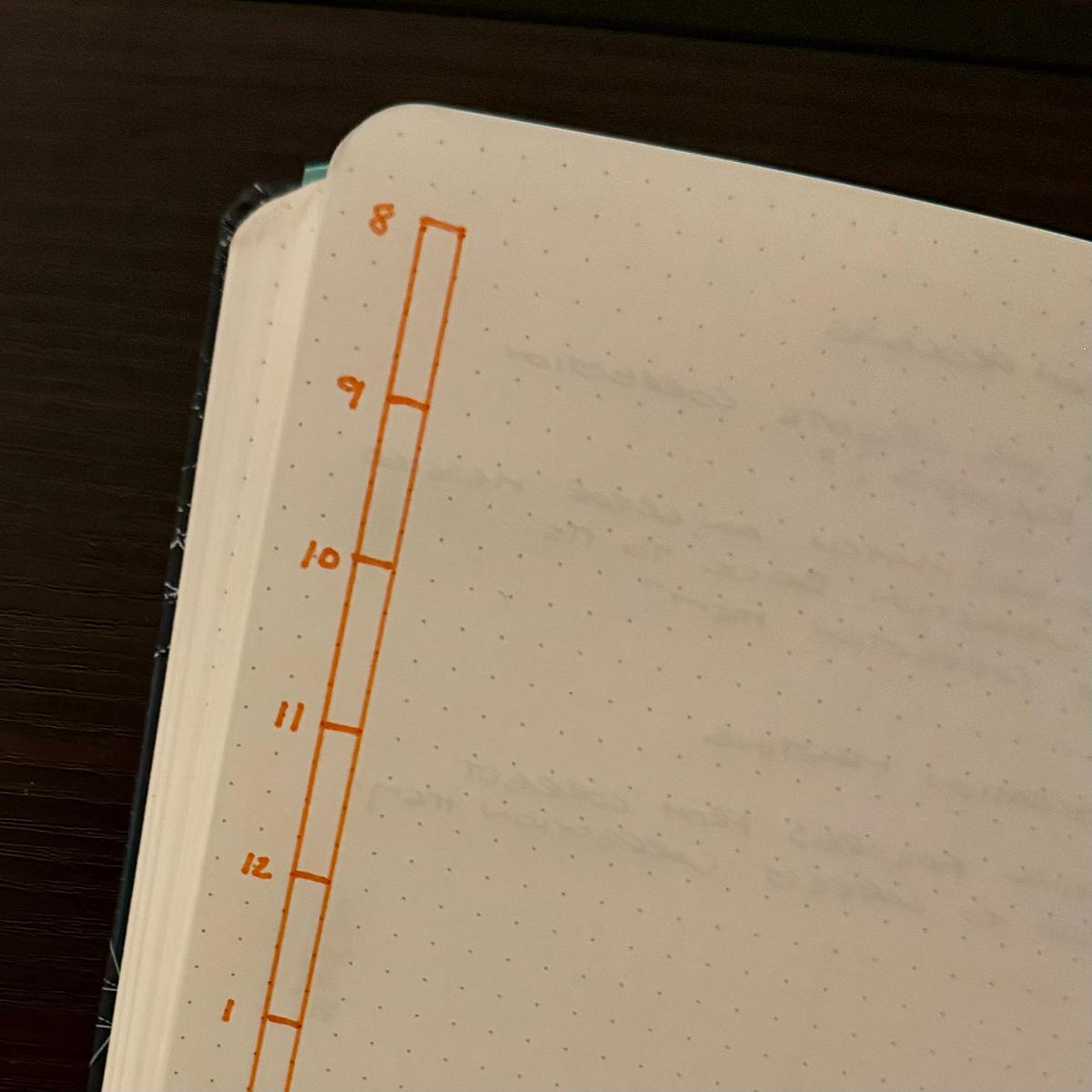
Nothing fancy, just a bar representing my day, split into 15-minute segments going from my usual hours of 8 to 5. If I am starting earlier in the day, it can go from 7 to 4 instead.
My daily plan bar is always on the left-hand side of the left-hand page of my notebook. The rest of the two-page spread is for notes and anything else that comes up that day.
It’s been a good change moving to the daily plan bar. Scoping out my day is much easier, and adding last-minute meetings and changes is easy.
In the future, I may reduce the bar to just eight hours and use the extra space for a single goal for the day.
Jen and I finished season 3 of The Diplomat last night. Seasons 1 and 2 were great, but it definitely tailed off for us in season 3.
Slow Horses season ending was fantastic. Looking forward to seasons 6 & 7.
Between The Morning Show, Slow Horses, Highest 2 Lowest and The Savant, Apple TV has our television viewing sorted for the next few months.
📷 day 6 - contrast

Watched the first episode of season 2 of The Last Of Us. Absolutely loved it.
A recent trend in my RSS feeds and newsletters is that March is a month for preparing and planning and is the start of a seasonal way of implementing those plans.
Seth Godin recently blogged about March being the strategy month.
But March? Around the world, March can be a chance to get down to the work we committed to do.
Invest 31 days into outlining, discussing and fleshing out the strategy you want to bring to your career or your project. It doesn’t matter how fast you’re going if you’re headed in the wrong direction.
Mike Vardy also wrote in his newsletter that if you feel left behind, don’t worry.
If you’ve been feeling behind, let me be clear: you’re not behind—you’re right on time. This is your moment to decide—what do you want this year to really be about?
Finally, Austin Kleon also discussed living seasonally in his newsletter. Now is the time to plant those ideas for the year ahead. Austin Kleon’s newsletter got me thinking about how March is the month for starting a new one—not with resolutions, but with plans.
New Year’s resolutions used to be a thing for me, but I never saw them through. I would get a few weeks in every year, and my resolutions would fall by the wayside. After a time, I gave up on the notion that January would be the start of something new.
The problem with resolutions is that they are decisions that are attempted at the change of a day, and they are made when most of us are getting over the last of the holidays. It can be challenging to make adjustments and see decisions through. You need more time to prepare and see those decisions through.
March is traditionally a time for planting in the garden. Just last weekend, we started planting our tomato and chilli seeds. Next weekend, we’ll look to start planting flowers and herbs. I also have some plans to put a permanent greenhouse in the garden instead of the plastic ones I have been using.
Next weekend, I will start building a base for the greenhouse to sit on, and hopefully, by April, I’ll have a more permanent place for growing through the summer.
While our plans for the garden will take time, they will yield results with time and care throughout the summer and into the autumn.
I’ve got other plans for this year outside of the garden. These plans will take time, but using the year’s seasons is a better way of planning for the year ahead. I will use the next few months to get some plans in place, both for in and outside the garden.
It was a disappointing end to the season for my Packers, but I’m hopeful that we’ll come back better next year. Still, there’s enough playoff football to keep me entertained over the next few weeks. 🏈
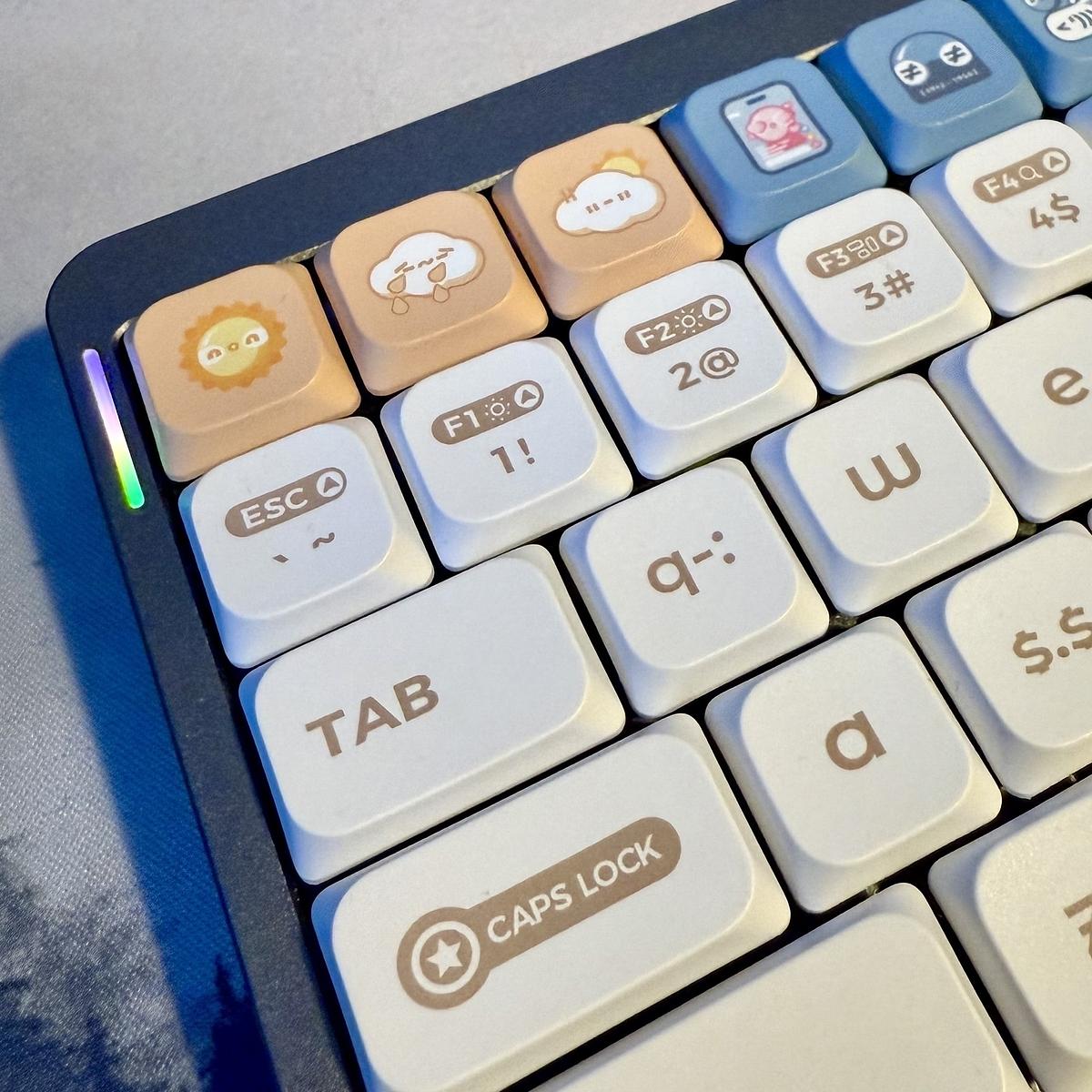
Replaced the key caps on my Nuphy with the Numoji set I got for Christmas. Quite a fun set!
Living the high life with a turkey and cranberry sandwich, coffee, fur-lined crocs and some Netflix.
After chatting with a colleague at work about a little development project he’s been working on, I now find myself messing about with ThreeJS and TypeScript. I managed to get the ThreeJS demo code working to show a spinning cube. It’s a start. The next step is to get it working in TypeScript.
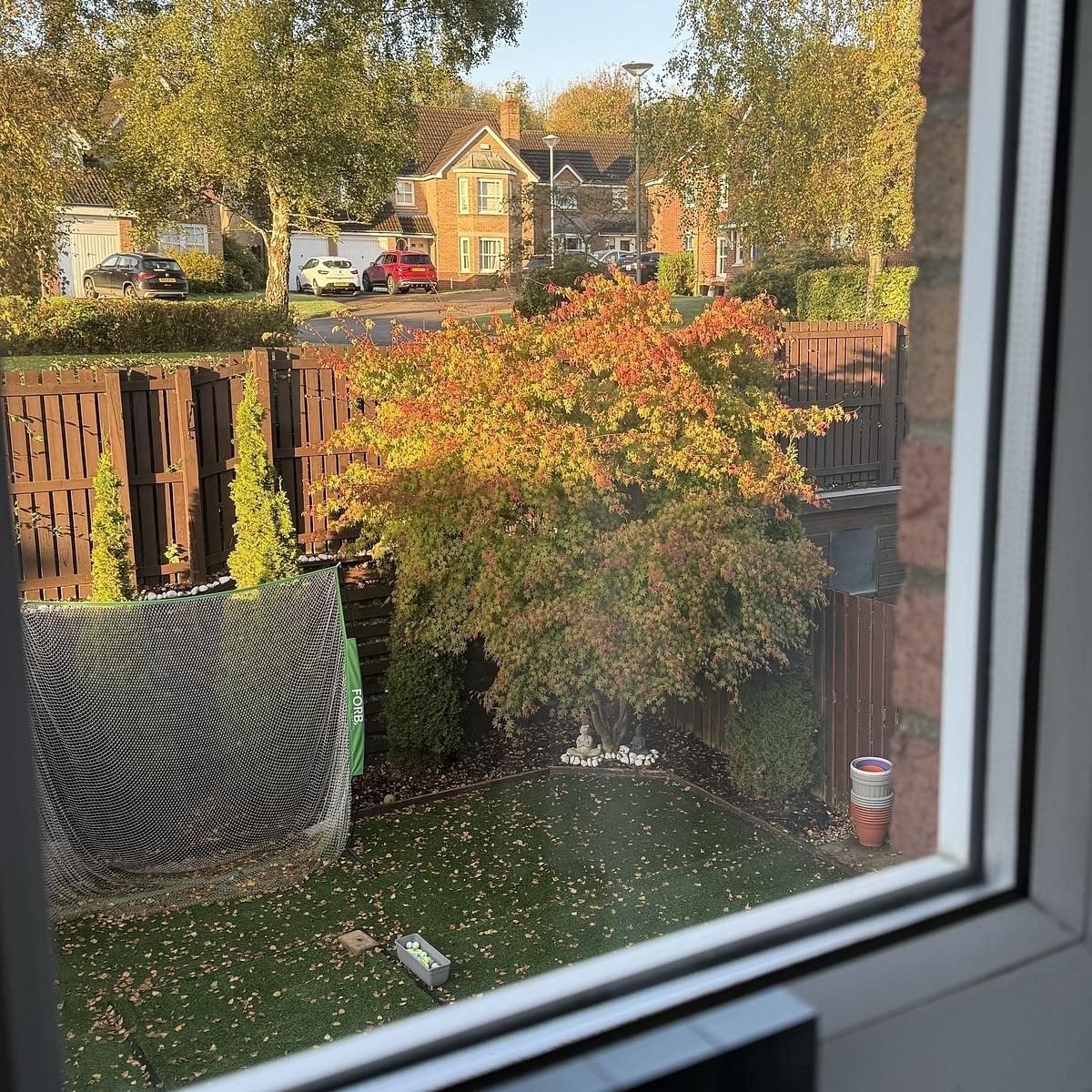
Good views for the next couple of weeks as the leaves change colours.
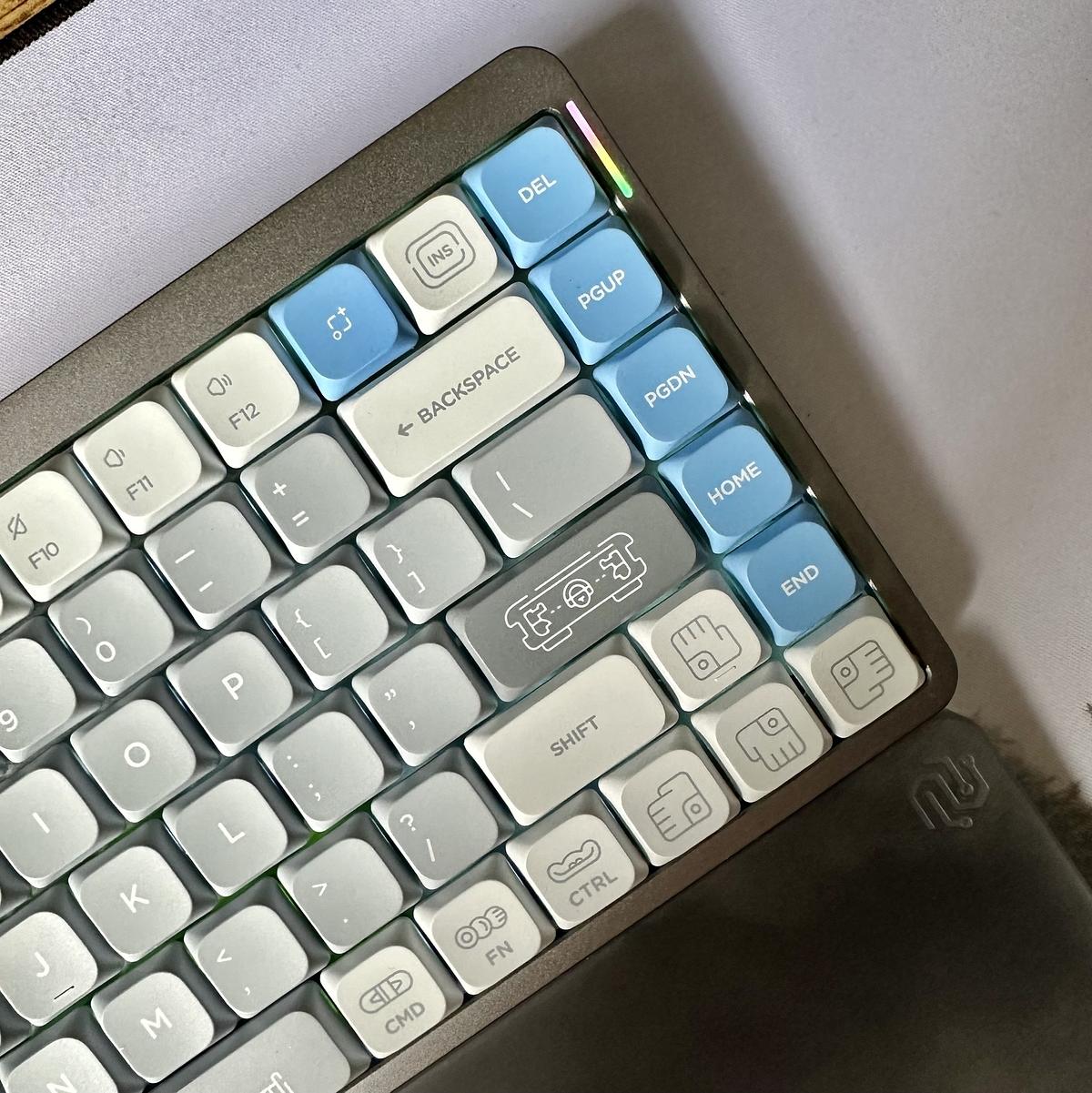
I switched out the default keycaps on my Nuphy Air75 for the Maya Imprint keycaps I ordered with the keyboard. Love this keyboard!
Went to the Beyond Van Gogh show at the SEC in Glasgow tonight.
A truly immersive experience with Van Gogh’s art displayed on all four walls.
We must have sat there for about an hour watching a few iterations of the show.


The Airshow integration with Feedbin might just be the nudge I need to move from Overcast to Airshow. There’s nothing wrong with either app, but the ability to listen to podcasts in my feed reader might just be the game changer.
I’ve been giving Airshow a spin over the last couple of days, and I quite like it. I haven’t signed up for the remote sync yet, but I think I will, as it will sync up with my Feedbin account.
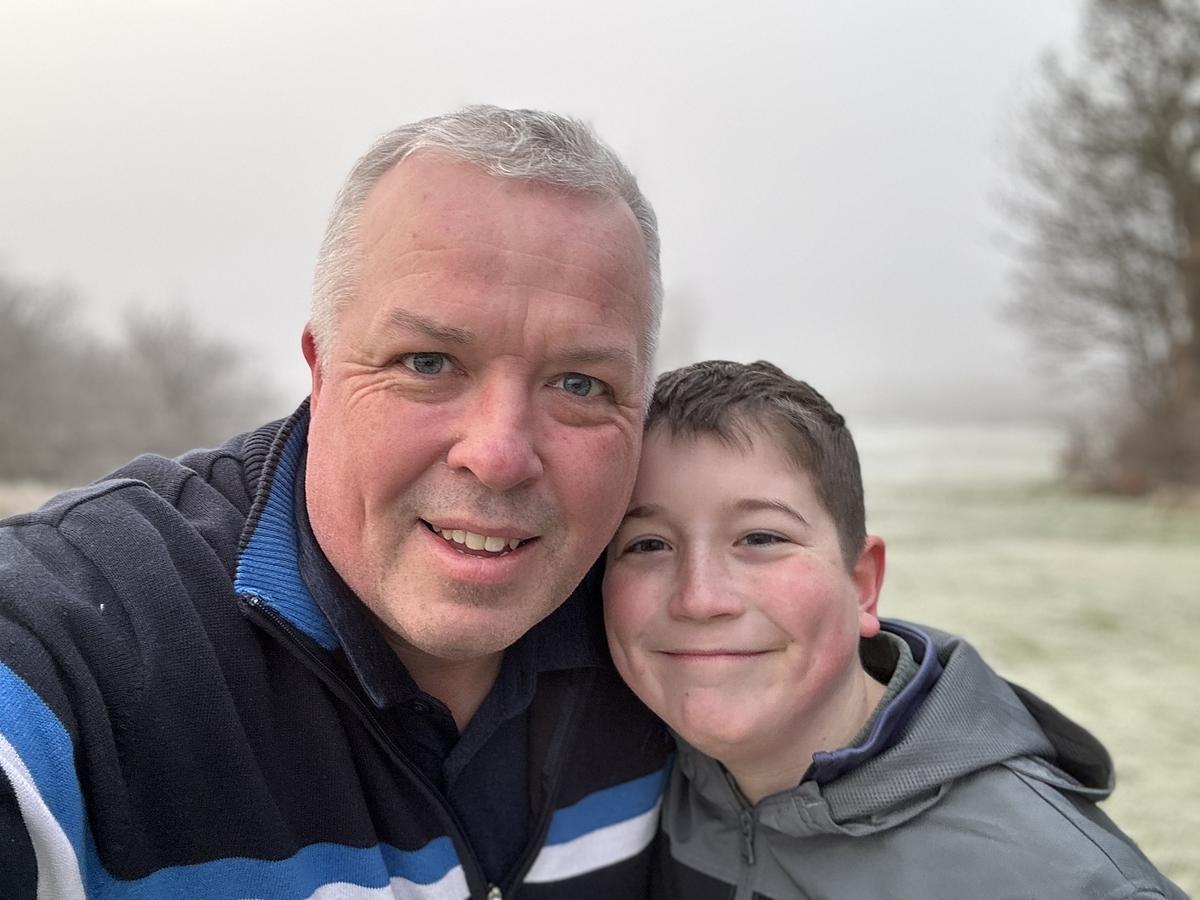
Great afternoon of golf with the wee guy. Already working on some changes to his grip and swing and getting ready for the start of the season. He’ll be taking money off his brother soon!


Watched the first two episodes of Slow Horses season 3. Hooked once again on this great show!
I think I would like to see more options available when composing posts in Micro.blog. As a default I would like the ability to always show the categories and the cross-posting options. Most of the time I’ll cross-post everything everywhere, but not always.
“The Bear” has been renewed for a third season.
Love the show, the cast and the story. Can’t wait to see where it goes with season 3.
Great to see Mike Rohde’s Packers game sketchnotes are back. I hope that when the Packers win the Super Bowl this year 😉, Mike does a wall chart comprising of all his game sketchnotes for the whole season. I’d gladly pay for that.
Just finished season 2 of The Bear. A fantastic show with a great cast.
Hope it’s renewed for a third season.
Wally Bock shares an ideal model for present-day Christmas in a time when, there’s a demand and push for us to spend and consume beyond our means.
What I’ve always liked about the story is the way Dickens portrayed that dinner. Dickens had been poor and he didn’t romanticize the poverty.
Instead, he showed a family enjoying each other and the day. There would be time for work and old man Scrooge soon enough. They knew that Tiny Tim would probably die soon. But there was still joy and refreshment to be had.
It’s not a bad model for us today. For a day, surely, we can set aside our smartphones and turn away from the worries, maybe even turn off the news. For a day, we can enjoy some time away from stress and bathe in the joy of being with people we love and who love us.
And yes, my Christmas tradition of reading A Christmas Carol continues this year.
I finished watching the first season of Amazon’s Rings of Power this afternoon. I enjoyed it, but I did find it a tad slow.
My “must watch” for 2023.
It’s great to finally see a trailer for The Last of Us, which features all the characters and locations from the game.
I must admit, I had goosebumps when it came to the clip of the skyscrapers in Boston.
Also, the clickers look fantastic and a bit different from the usual post-apocalyptic worlds we’ve seen in other films and television shows.
Essential viewing.
I watched the final episode of Star Wars: Obi-Wan Kenobi last night and I have to say it was a great ending to a fantastic series.
I had so many questions about how this series would pan out. If Obi-Wan and Leia meet, why doesn’t she remember? Surely Obi-Wan and Darth Vader can’t have an epic lightsaber battle? These questions and the many more I had were thankfully answered in a number of different ways, but didn’t lead to a major plot hole between this a A New Hop. Obi-Wan’s final episode was a great finish to the series and for one scene in particular, it’s definitely worth the wait.
Ewan McGregor reprising his role as Obi-Wan was always going to be a good choice, but it was Vivien Lyra Blair who played Leia who really stole the show for me. Moses Ingram who played Inquisitor Reva was also great, a more complicated character than you might first assume.
Will there be more from Kenobi? I don’t know. I would be quite happy if they left the show as it finished. There is one story that I would like to see more of, but I don’t want to give the ending away, so you’ll just need to watch it.
And about that missing Star Destroyer in the final episode. Maybe on the other side of the planet?
Thoroughly enjoyed Hustle on Netflix tonight. Superb movie and something a bit different.
My favourite game of all time has been polished up for the PS5 and will also soon be released on the PC as well. This might just fill in the gap before the HBO series begins.
Digital Minimalism and Deep Work author Cal Newport, highlights a new paper shows that taking a prolonged and full break is good for you.
The researchers further found that they could obtain smaller, but still significant improvements in depression and anxiety by having users simply reduce the time they spend on Twitter and TikTok. The biggest effects, however, came from full abstention.
— Taking a Break from Social Media Makes you Happier and Less Anxious
This is something that I need to do more often. The endless scrolling is a terrible habit of mine. When this happens, I sometimes start to sense that feeling of negativeness creeping in as I am scrolling. At this point I just put my phone down and find something else to do. Maybe I should just delete the Twitter app from my phone?
I’m on board with Kurt on this one. Money spent on books and music is never wasted. Although I do admit that it’s been a while since I actually purchased music outside of a streaming service.
As Super Bowl halftime shows go, that is up there as one of my favourites.
I’ve been looking at my GitHub profile over the last couple of days. It seems like a graveyard of half-finished or throwaway projects that do not show my best work.
While I’m not in the freelance market and not looking for any roles soon, I would like my GitHub profile to reflect some of my better work. There are a few things I am going to do from now on to achieve this.
I have a backlog of projects that I’ve used for exploring different parts of Ruby, Rails and JavaScript. These primarily reside on my laptop and be shared for others to use with a bit of a polish. These projects are not, by any means, world-changing ideas. They are just projects that I used to try something out.
What I plan to do, is publish one project/application a month on my GitHub account. I will provide some instructions on running the application and any updates that I may do on it in the future.
I also have several other repositories on GitHub that are quite frankly just sitting there doing nothing, and they’re not worth much, so I’ll delete these from my account. There’s not much sense in having on my account if they’re not doing anything.
This month I’ll be wrapping up and publishing a ruby script that generates an image for your Twitter lists. I’ve been trying to get my head around the Twitter API over the last week and the different authentication methods needed to access other endpoints. After working this out on Wednesday night, I’m now making good progress with this script. I may try this out as a web application later in the year. I’m not sure yet.
That’s the plan anyway for my GitHub profile.
It’s world Sketchnote day today! A chance for the sketchnoting community to celebrate this under-appreciated form of note-taking.
I first encountered sketchnoting through Mike Rohde’s sketchnotes. I found that sketchnotes provided a way of organising visual notes more linearly.
Before I started using sketchnotes, though, I used mind maps. I’ve been a user of mind maps for almost three decades now. When I was studying for my exams in high school, my uncle introduced me to mind mapping. I used them extensively while studying. I can still remember the epic four-page mind maps I created for each topic.
Mind maps, like sketchnotes, are visual. However, unlike sketchnotes, they are organised radially with a central topic in the middle and sub-topics emitting out like spokes on a bike.
One minor gripe with mind mapping is that it is always difficult to gauge how much space you need for the final mind map. Sub-topics can grow out from their designated areas on the page, and despite having some idea of how much space you need, I always found that I ran out of room.
With sketchnotes, though, it allows you to be more linear with arranging your notes. Although sketchnotes on a topic might cover a couple of pages or more, they are linear, making for little wasted space and is easier to read.
I still use mind maps on the odd occasion for outlining or doing a brain dump, but for taking notes, I use sketchnotes. I also keep a log of the events of the day using sketchnotes. I call this my minilog. I keep it in a series of Field Notes notebooks.
After a long spell of not sketchnoting, I’m happy to say that over the last few months, I back to using it daily again and enjoying it over the previous few months.
You can use any notebook and pen combination for sketchnoting, but after a few trials with different notebooks and pens, I found the following selections good for my sketchnotes.
I also have two Sketchnote Ideabooks, but I haven’t taken these out of the wrapper yet. I want to use them, but I just haven’t got around to them yet.
If you want to get started on sketchnoting, check out Mike Rohde’s sketchnote page. It has lots of free material to get you started. If you need some inspiration, there are also many examples of other people’s sketchnotes on Twitter.
Over the weekend, I started reviewing my Feedbin account to reduce the number of unread items I see daily. Recently, I’ve noticed that I check my Feedbin account less regularly. I used to go through it a handful of times a day, now not so much. It’s not that there isn’t anything interesting there to read. There always is. I think it’s because I am scanning more of the headlines and just starring what I find interesting.
I’m also concerned by the number of high volume feeds that I subscribe to — Hacker News, Lobsters and Dev.to to mention a few. Also, I have been trying out using Feedbin to read some Twitter content. Neither of these plans is working out for me.
While perfectly manageable to use in Feedbin, the high volume feeds are becoming less and less of a required scan through daily. In the last couple of weeks, I’ve moved the Hacker News and Lobster feeds to my daily newsletter that I created using Mailbrew. Scanning the last few recent items is easier to read than continually checking through the day.
As for Twitter, I think I’ll stop reading it through Feedbin. Again, Feedbin does a great job of making Twitter work, and the ability to subscribe to individual accounts and lists is excellent. It’s perfectly usable. In my case, though, I think I would instead check Twitter myself a couple of times a day. I don’t need to see everything from the Twitter accounts and lists that I have added to Feedbin, so this week, I’ll remove these sources from my Feedbin account.
It seems an age since I have discovered many new websites and added them to Feedbin. The last time I said anything to my Feedbin account, it was a series of .NET development blogs that I thought would be useful for work. Aside from that, there’s hasn’t been much else.
Please let me know if anyone has any recommendations for interesting websites that I can subscribe to, then please let me know.
Another year, another chance to start over again. How many of us have pledged to make a change in 2022? More to the point, how many of us will fail in these New Year resolutions? Probably most of us.
When it comes to new year resolution’s, we often fail to meet these resolutions within the first few weeks. I’ve lost track of the number of times I have been unable to follow through with my resolutions past the end of January. I don’t think I can remember a year when I followed through with a New Year resolution. It just never happened for me.
A few years ago, I decided that making a New Year resolution wasn’t for me. I noticed a couple of things about making new year resolutions over these last few years.
My resolution wasn’t focused enough
For me, making a new year resolution usually entailed a single statement for the year. For example, many of us would like to lose weight. What does that involve, though?
It involves eating healthier and doing more exercise. Eating healthier means changing what we cook, which means planning meals ahead of time. In turn means buying the right ingredients for these meals, which might mean budgeting the right amount of money for the month for these ingredients. That’s a lot to unpack in itself, and that’s only the diet part of my resolution. We haven’t even touched on the exercise part.
My New Year resolution was too broad. It wasn’t focused enough.
I didn’t prepare enough
We find ourselves starting the New Year by telling ourselves that we would like to change ourselves in a big way for the new year. However, that change won’t happen overnight. We’re all creatures of habits, but we’re probably more creatures of bad habits than good habits. We don’t adapt quickly; it takes time to change. And it’s for that reason; I always failed in my New Year resolutions.
December for me usually involves indulging a bit more than I should. We indulge a bit more in things like food and drink. We might also spend a bit more time on the couch in front of the television. Justifying this action as it’s a holiday and a break from work.
However, the problem is that switching from these traits in December to new ones in January isn’t easy to do. I frequently struggled with it, so my new year resolutions failed.
I needed more time to prepare for my new year resolution, and that was hard to do as the holiday season drew to its climactic end.
It’s just not for me
For me, making a New Year resolution is a practice that invariably led to defeat and made me question why I even bothered to start them in the first place. After wondering why I failed it often, I could see why it never worked for me.
If you are making a New Year resolution, I wish you all the success in 2022.
Jason Fried recounts a tale showing that time and attention are unrelated.
What I don’t have – and what I can’t squeeze in – is more attention. Attention is a far more limited resource than time. So what I should say is “I don’t have the attention”. I may have 8 hours a day for work, but I probably have 4 hours a day for attention.
With Apple’s iOS 14 update, there are two features that I am using now to tidy up my home screen. Widgets and the App Library.
Widgets are tiles of different size that can show you a snapshot of an app. This give’s you the benefit of being able to preview information from that app and also tap on the widget to open the app which is much better than having to open the app and then find that information that you need. The only downside to this is that apps with widgets are minimal at the moment, but I’m sure over the next few weeks, there will be plenty of App Store updates for these apps to include more widgets.
The App Library is a feature that I actually read about a few weeks ago and then forgot about when I finished uploading my iPhone. The App Library contains all the apps that you install and puts them in folders based on usage, installation date and also by their category. You can access it by scrolling to the right of the home screen. The benefit of this is that you can now remove an app from your home screen without deleting the app itself. Nice!
In time I think I will see more widgets on my home screen to replace their app icons. These apps I’ll also delete and let them live on in the App Library. I’ll only use widgets for the apps that I use daily with a few other widgets for things like weather and photos.
Between the two of these features, I think I will also have more pages on my home screen to separate how I use my phone. At the moment I’m thinking about screens for daily, photos, work and then downtime.
It will mean less clutter on my home screen and will hopefully mean that I don’t check my phone as often, which is a bad habit of mine at the moment.
Our Japanese maple in the back garden is starting to change colour. A change of seasons is upon us. #mbaug

Nicholas Bate’s Tools of Excellence for a Brave New World series continues with The Master List.
I’ve been enjoying watching Picard on Amazon Prime for the last couple of nights. Just a few episodes in, but really enjoying it.
I’m sold on Hey email.
In the last six days that I have been using it, I’ve been getting my head around its features and workflows that make Hey different from most other email services.
The screener is a nice feature. When you receive an email from someone from the first time, Hey asks you if you want to continue to receive email from that person. Instead of you trying to determine if you have received an email from someone, Hey lets you know. Nice touch!
What I like best about Hey though is that it doesn’t look or act like a typical email client. There are some similarities sure, but instead of going down the same route as every other email client and using the same view for each collection of email, Hey goes a step further to make different groups of email more comfortable to read. The Paper Trail allows to scan recently received receipts, but The Feed page shows recently received newsletters and also makes them easy to browse through much like you might scroll through RSS feeds.
One advantage I’ve found from signing up to Hey is that I can stop using an email address tied to my domain name. Sure, it’s nice to own your domain name as well as use it for your email address, but I often wondered if tying these two together was a bit of a hindrance. Over the years my email address has been used for all manner of accounts and is probably on quite a few mailing lists that I would rather it wasn’t on.
In signing up for a Hey email address, it felt like I had a clean slate to start over with again. When Hey adds the ability to use custom domains, I might not transfer over my domain right away. I think I’ll keep going with Hey’s email address for as long as I can.
I’m going to pull the trigger on the subscription tomorrow at some point. Sure, it’s early days for Hey, and there are lots of things that are missing, but for a product in its first few weeks of launch, it’s got more than enough new features to make me switch over.
I’ve been trying to build a series of themes using the Tailwind CSS framework. Creating the different components of each theme is simple to do, but bring these components together has been more challenging. My design eye for these things isn’t great.
Pleasantly surprised.
That’s exactly how I would sum up my own personal review of the Apple Watch. I’ve been on the fence for a long time regarding the Apple Watch. Last weekend though, I bought a series 5 and I have been pleasantly surprised by the device and what it can do. According the Cult of Mac, I’m not the only one.
I often listen to podcasts when I’m cooking, cleaning, etc. Being able to skip forward in a show, or pause it, from my Apple Watch without having to stop what I’m doing and walk over to my phone is very convenient.
The fitness tracking is by far the best aspect of it for me though. Getting in enough exercise and movement through the day is important, which I why I’m already won over by the three rings feature of the Activity app.
Nicholas Bate’s skills, tools and knowledge series continues. One for the notebook fans.
Don’t cheat on the quality of your (paper) notebook. It records your greatest work.
— The Skills, Tools & Knowledge You’ll Need for 2020, 101, 61-70
Well, Christmas Day is almost over in the Lang household. My parents have just left for the night, and I have to say they loved their Christmas lunch and the evening’s entertainment.
It’s not over, so I can still send season greetings to my little blog’s readers.
So, Merry Christmas to you all, and I wish you all a great day.

Curtis McHale offers an important reality check when it comes to emulating the routines of the successful.
It’s important to remember that many of these famous people are entirely divorced from anything resembling the reality of the rest of us. At one point before they were successful they didn’t have this routine and had to rush through the laundry at 5 am so they had clean pants in the morning. Yoga and cryotherapy weren’t even a thing they knew about and wouldn’t have cared about if they had heard of it.
— The morning routines we idolize are often from people divorced from reality
My morning routine isn’t anything to write home about at the moment. Wake up at 5:30 am, spend a few minutes doing some stretches to loosen my back, shower and get ready. Have a quick breakfast and then head out the door to work.
It’s not the ideal morning routine that I would like to have, but I’m prepared to take the hit in the short term.
I am catching up on some podcasts this morning.
This Rework episode with Dave Teare from 1Password is worth a listen. Especially if you are a 1Password customer.
Nicholas Bate starts another essential series of posts, life reminders
Frightening figures for golf in the UK as the number of registered players fall. I’m still optimistic for the future of golf in the UK though.
It’s a great sport that teaches etiquette, focus and sportsmanship. It’s also great for improving your health and socialising.
Adam Keys has some words on the challenges of blogging.
The hardest part is showing up, every day, writing. The hardest part is writing! The second hardest thing is hitting the publish button on a regular basis, not necessarily every day.
I find the act of writing pretty straight-forward to do. Crack open a notebook or a text editor and after a few stumbling blocks I’ll get going.
The big challenge for me is hitting that publish button.
You might not have noticed, but my blogging activity has picked up since the start of the month. I’m using November to build up a wee habit of blogging daily. Every day, I’ll post a short post and a longer post. It’s working well so far.
A nice reminder from John Gruber about new Apple products and the fine art of shipping that product.
I wasn’t a fine of the first Apple Watch. The idea of a smartwatch that doesn’t just show you the time felt wrong. Over the years though, Apple has been chipping away at it. A few iterations later and I’m starting to like the idea of owning an Apple Watch.
And then they did what Apple does: iterate, iterate, iterate. They started knocking down Apple Watch’s glaring flaws one by one. Battery life improved significantly. They identified what Apple Watch is meant for: health and fitness tracking, and notifications. They added optional cellular networking, so your watch could remain utterly useful while out of the range of your iPhone.
The always-on display didn’t seem like a big feature at the time, but having persisted with a Fitbit for a few years, I can appreciate that gesture to see the screen. It just wasn’t always possible.
I’m hinting to Jennifer for an Apple Watch Series 5 for my Christmas now. We’ll just need to wait and see if she takes the hint.
Tis the season for notebooks! Just backed @rohdesign’s Sketchnote Ideabook on Kickstarter.
Ordered the bundle of three so my youngest can get one.
I can’t wait for this.
I remember watching this as a kid. Everything about it was amazing. And judging by the trailer, it looks like it will retain the sense of magicalness when it lands on Netflix on the 30th of August.
Despite only being a few chapters from the end of Cixin Liu’s The Wandering Earth, I decided to give up on finishing the book. The first few chapters were quite good, but my interest gradually waned through the middle chapters.
With my track record of books read this year being very poor, I’ve decided to read a book from an author who’s books I have always thoroughly enjoyed. Raymond E. Feist’s King of Ashes is the first in a series and hopefully, I’ll get to the end of this book and the rest of the series.
My sales strategy was simple and I thought rather brilliant. I drove all over the Pacific Northwest, to various track meets. Between races, I’d chat up the coaches, the runners, the fans and show them my wears. The response was always the same. I couldn’t write orders fast enough.
I love reading about how successful companies started. It’s a shame that we’re moving away from this level of dedication and motivation with many startups looking to VC funding instead.
I watched the final episode of Chernobyl last night. It’s without a doubt, one of the most beautiful and powerful dramas to have hit the small screen. The final episode last night concluded the series nicely. A must watch.
Feedbin was down again this morning, but thankfully it’s back up and running now. This is the first time that I remember Feedbin having a prolonged service outage ever since I started using it when it was first launched.
The thing about service outages though, is that despite their interruption to your day, they can be an indicator of how effective the service provider is at dealing with it. For a service like Feedbin, it shouldn’t cause too much of an impact on a person’s day. It’s a consumer product, but what if you are a service provider for other businesses and organisations?
I remember Gitlab’s database outage a couple of years ago. They had a severe disruption to their service, but they dealt with it in the best way possible. By being transparent with the world and letting everyone know what went wrong, what they’re doing to fix it and finally a retrospective of what they have learnt from it.
Basecamp also had a severe outage not that long ago. Again, they handled it in the same way Gitlab did. By being transparent and learning from the disruption so that it doesn’t happen again. If you really want a deep dive in Basecamp’s service interruption they did a whole podcast episode on it.
Platform interruptions are mostly just a nuisance. As a consumer of both free and paid for platforms, I know that these outages are not that important and eventually, the platform in question will be up and running again. But for the service provider, they’re a great indicator of how good they are at getting back on their feet, and more importantly, how informed they’ll keep everyone during the process.
So even if a service provider does have a significant outage, it’s how they handle it that will be a factor on whether I sign up for it or not.
Just watched the last episode of The Big Bang Theory. That’s how you end a TV series.
Right, made it through this morning’s RSS feeds without seeing any spoilers from last night’s final episode of Game of Thrones. Just need to make it through to tonight when the rest of the UK are watching it.
Another great episode from the Rework podcast this morning. This episode features Aja Hammerly, a developer advocate at Google. Aja talks about the drawbacks of tech interviews and how they can be improved.
As with these other platforms, the idea behind the iOS app is to let you enjoy your PS4 titles without having to sit in front of your TV (so you can let your family watch a show, and pick up where you left off on your phone). Your game will be streamed to your mobile device, and use on-screen overlay buttons to control the action. Unfortunately, unlike with Android, you can’t pair a Dualshock 4 controller to your iPhone or iPad for use with this app.
— You can finally run PS4 games on your iPhone or iPad with Remote Play
I’m on the fence with this one. While the idea comes from good intentions, not hogging the television for your gaming, it leads me to think how often I’ll need to chase my oldest off his iPad and iPhone. That’s only when he has a iPad or iPhone that can support the remote play though, as I think his devices are too old for this.
I normally relay gaming news and updates to my oldest, but I think I’ll let this one slip under the radar for as long as I can.
A light installation that shows the future sea levels in a Scottish coastal town. A powerful image of what the future could look like.
via swissmiss
A few thoughts from Michael Wade on crisis management.
You’ll need a “deep bench” to handle a major crisis because the first team will soon be exhausted.
Reminds me of the recent Rework podcast episode that I listened to that covered Basecamp’s significant product outage and how they handled the situation.
These glacier pools in Iceland are the result of retreating glaciers. The photographs themselves are amazing but they signify the increasing problem of climate change.
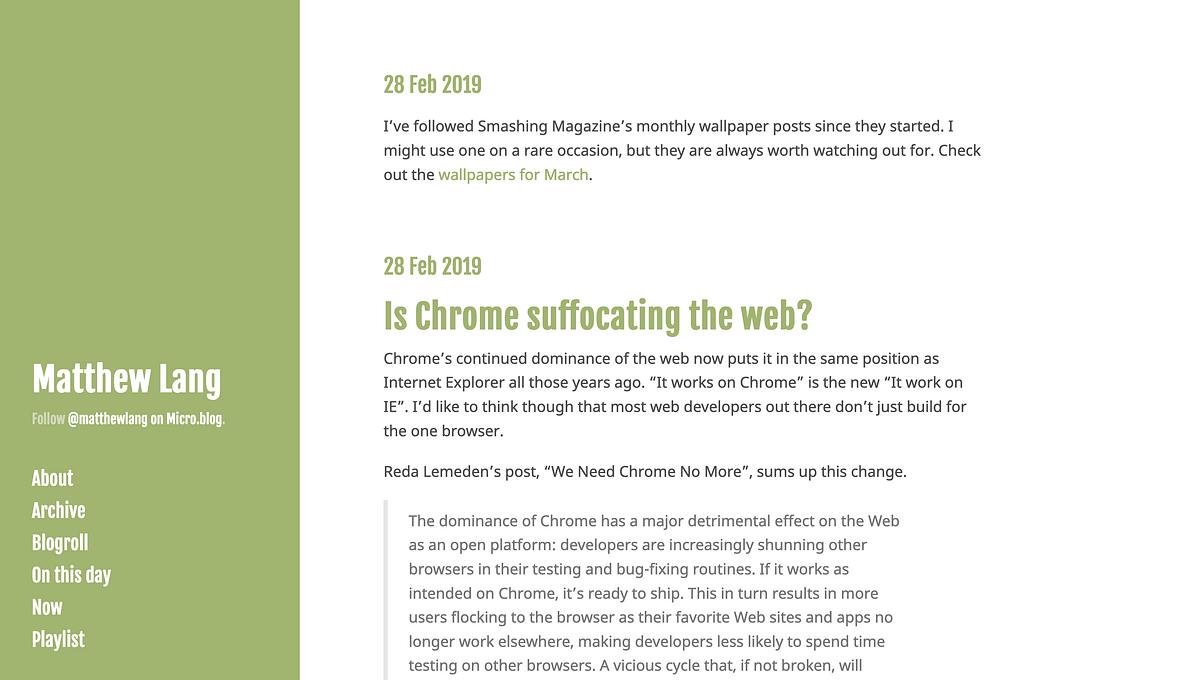
A change of seasons means a change of colour for my blog. I’ve been doing this since I started using the Hyde theme on Micro.blog. Just a small way in which I can refresh the look of my blog without too much fuss.
It would be “one permanent, comprehensive home where anyone in Britain can get all of our library content - both the ITV and BBC library - in one place and they can watch it anytime, anywhere,” Dame Carolyn told Today.
An attempt by the two big broadcasters in the UK to build a streaming service to rival Netflix seems like a lost cause to me. Streaming services are global, so any attempt to compete with the likes of Netflix and even YouTube is a going to be a massive task for the new streaming service.
In our home, we’re not big watchers of either of these channels. For us, other streaming services and cable channels replaced the BBC and ITV a long time ago. This isn’t representative of the UK as a whole, but I’m sure that there are plenty of other households like this.
I think the BritBox might just be too little, too late.
Brilliant at the basics. The essential everyday list by Nicholas Bate.
I had no idea about the “Firefall” that occurs at El Capitan at this time of year.
“Firefall” occurs when the setting sun reflects off of Horsetail Falls at a certain angle, making the waterfall emit a fiery orange glow. It is highly dependent on environmental factors: If the skies are cloudy, that orange light will not hit the east side of El Capitan—the vertical rock formation where the falls are located— and the phenomenon won’t occur.
— Viral photos show Yosemite’s “firefall” phenomenon glowing in California
The pictures of this are just amazing.
The debate about the use of Javascript in the web industry and the role of the front-end developer continues after Chris Coyier’s post, The Great Divide and now a follow-up from Rachel Andrews.
There is something remarkable about the fact that, with everything we have created in the past 20 years or so, I can still take a complete beginner and teach them to build a simple webpage with HTML and CSS, in a day. We don’t need to talk about tools or frameworks, learn how to make a pull request or drag vast amounts of code onto our computer via npm to make that start. We just need a text editor and a few hours. This is how we make things show up on a webpage.
— HTML, CSS and our vanishing industry entry points by Rachel Andrews
Rachel’s post reminds us though that while Javascript frameworks might be all the rage at the moment, we’re neglecting the foundations of the web, HTML and CSS. And how they can still be used to educate those new to the process of creating websites.
Maybe as an industry, we should still be focusing on these fundamentals. Not just for those new to the industry, but for everyone in the industry.
Just finished watching Bird Box on Netflix. Fantastic to watch but closing the blinds now. 😱
So it is official. No more Daredevil seasons on Netflix.
“We are tremendously proud of the show’s last and final season and although it’s painful for the fans, we feel it best to close this chapter on a high note,” the company said in a statement. “We’re thankful to showrunner Erik Oleson, the show’s writers, stellar crew and incredible cast including Charlie Cox as Daredevil himself, and we’re grateful to the fans who have supported the show over the years.
— Netflix cancels Daredevil after three seasons by The Verge
I like to think that this is a good thing.
Daredevil has been my favourite of the Defender’s series on Netflix. I just like the characters and story that has been told in each of the seasons. Like any good story, it should come to a close. Yes, Daredevil could go on and on, but I think it would fall into the same problem that so many long-running series have at the moment and that’s fatigue.
You just can keep putting out season after season and expect to maintain a high degree of storytelling. The Walking Dead has suffered from this in the past. Episodes were strung out to tell part of a bigger story. There have been quite a few episodes over the last few seasons where I’ve wondered what the point of that episode is.
Sure we’ll no longer see new episodes of Daredevil on Netflix, but I like the fact that as a story it has a beginning, middle and end. It’s something I would like to see more of in television series instead of continually dragging them on.
That was probably one of the best Walking Dead episodes ever. Not thee best, but definitely up there. 📺
Jonathon Snook has been sharing a few thoughts on imposter syndrome and what he’s doing to overcome it.
It seems that every once in a while I go through this same phase of self-doubt, but it’s never been as bad as it was a couple of months ago. Giving up on freelancing and returning to a full-time job required a series of significant changes that added to this phase.
I was no longer working for myself. I would be working for an employer and therefore also working with and for other people. When you’re freelancing, there’s an element of being a lone wolf. It’s not entirely isolating, but you don’t need to worry so much about other people. You deliver what the client wants. Working for an employer is different. You have to align yourself with the companies goals and those that you are working with.
Working from home for some years means that I was fortunate enough to find my own routine that worked for me. From the comfort of my house, I could play the music I wanted, take breaks when I wanted, plan my day how I wanted. Working for an employer means being in the office at certain times, aligning your work day with others, making yourself available when others require your time.
Adding to these were some routine changes at home and facing the possibility of a frequent commute. The whole experience led me to question whether I could do the job I was applying for. Not only that, but I was examining the worth of some side-projects I was working on as well as a career change that I am considering for the future. It’s was similar to Jonathon’s stage where at the point of execution, you freeze up.
Every time I get to the point of execution on anything, I start to freeze up. I hit a wall every time I want to put myself out there.
— Uneasy by Jonathon Snook
After a few months in full-time work, however, I’m starting to find that I can do the job although given it’s a new role, there are a few weeks of finding your feet.
Not only that, but I’m also reading more, writing more, coding more outside of work. I’m doing these things as they help me build myself back up out of a period of self-doubt. I’m now at the point where I am finding myself enjoying side-projects and returning to a stage where I can see myself executing again.
The Simplest of Productivity Boosters, a new series by Nicholas Bate.
Can’t wait to get the mini-book for this one.
So WhatsApp is going to starting showing ads in the Status feature. How long before they do the same thing to Stories on Instagram?
I’m halfway through Marvel’s Daredevil on Netflix. Definitely my favourite of the four defender series.
Back to school for those at work.
Great tips from Nicholas Bate.
Great to hear that The Clone Wars is coming back.
Mini standards by Nicholas Bate.
Because it always starts with the little things.
The Expanse is coming to Amazon Prime!
Great timing. I just cancelled my Prime subscription a few months ago.
I’m increasingly wary of podcasts where the end of episode “picks” by the hosts and guests are the products and services of fellow hosts of the very same podcast. If that’s the extent of the picks for that episode, then I start to wonder where the value is in listening.
This morning, the European Space Agency unveiled a new, highly detailed sky map of the Milky Way Galaxy that showcases the brightness and positions of nearly 1.7 billion stars. It’s the most comprehensive catalog of stars to date, and it includes precise details about many of the stars’ distances, movements, and colors as well. With the map’s release, astronomers are hoping to use this information to learn more about the structure of our galactic home and how it first formed billions of years ago.
— New galactic map shows the positions and brightness of 1.7 billion stars by The Verge
The numbers are just mind boggling, precise positions of over 1 billion stars.
The 360 degrees view of what the Gaia spacecraft mapped is worth clicking through for.
The Expanse is back for season 3. I loved reading this series, but the television series does a great job of telling the story as well. 📺
Micro.blog has added another great way of creating content, a micro-casting app.
Micro.blog now supports hosting short-form podcasts, also known as microcasts, with a companion iPhone app called Wavelength for recording, editing, and publishing episodes.
I don’t know that I’ll ever start my own podcast. To have the option to create microcasts from a single app and have the platform to host it is a great feature for Micro.blog.
Micro.blog is growing and now with apps for photo-stories and microcasts, the platform is offering a one stop shop for those who want to consolidate a few different services into one.
The automated delivery of daily writing prompts from my PenMuse website is stable enough now that I want to consider expanding on it.
I’d like to start cross-posting now from PenMuse’s Micro.blog account to a PenMuse Twitter account.
Cross-posting from Micro.blog to Twitter is the most straightforward and easy way of doing it. It’s nothing more than another way for people to get a daily writing prompt.
The drawback to this is that I’m not exactly the greatest Twitter fan although I do think it’s the lesser evil of the social media platforms.
While I am moving away from Twitter, it doesn’t seem right to set up an account there when I won’t be really using.
The benefit though is that I’m not doing this for myself, I’m doing it for others. Others who don’t use RSS feeds, Micro.blog or visit websites that often. Maybe they just want to use Twitter.
Each morning the newest writing prompt is published through the site’s main RSS and JSON feeds. I’d like to add another feed that publishes a random feed for the afternoon.
There is one problem with this though. Some of the writing prompts in the collection are seasonal, so I would need to exclude these off until at some point they could be considered based on the time of year.
PenMuse is just a playground app. It’s place where I can experiment with a few coding ideas and techniques and see them working in a product environment. I also don’t spend more than a couple of hours a week on such a app.
To do this the playground app has a few constraints on it.
These constraints take out of my hands decisions that would stop me using PenMuse what it is for. A place to experiment with some Rails code.
These two new features aren’t going to give me any problems coding wise, but it’s going to put PenMuse in more places.
Also these features are still small enough that I can do them within the confines of a couple of hours a week.
Nicholas Bate’s tools of excellence series continues.
Sometimes an idea is bubbling. A plan, a product, a solution, a breakthrough. You need somewhere to articulate and develop that seed of an idea. That’s when you grab the back of an envelope from the small stack on the corner of your desk.
One thing I’ve been doing over the last couple of years is switching colours on my blogs and social media profiles according to the seasons.
Technically it’s spring in the UK although with the weather it certainly doesn’t look like it. Never mind, I’m still switching to green to mark the start of spring.

BBC Studios is adapting Terry Pratchett’s iconic Discworld books for a six-part TV series
I enjoyed the adaptations that were on Sky a few years ago. I’m looking forward to seeing what the BBC do with Terry Pratchett’s Discworld books.
A common observation around the slow uptake of RSS readers is that RSS is still something that people don’t understand.
RSS readers often rely on the user to add the feeds that they want, but unless users know where to look then users may be turned off by an RSS reader. A blank page with no suggested or recommended feeds in it isn’t going to demonstrate what an RSS reader can do.
I’ve noticed that podcasting apps like Overcast and Pocketcasts include discovery sections that show you podcasts that you can subscribe too. They provide recommended and categories sections that people can click and find out more information about that podcast. If they like it they can subscribe.

Perhaps it’s not only about adding subscribe buttons to our sites but also making RSS readers more user friendly by adding RSS discovery so that people can find the content they want.
_If my memory serves me right, Feedly does include such a discovery feature, so thumbs up to them! _
Micro.blog has been getting some great updates over the last couple of weeks and I’m looking forward to seeing more improvements to come. In using Micro.blog to migrate some content from another blog, I’ve been compiling a list of features I would like to see added.
One thing that puts me off post to Micro.blog more frequently is that I have my account linked to Twitter so that it syndicates my posts to Twitter. Lately though I’ve felt that I don’t want everything to be published to Twitter, but at the same time I don’t want to turn off the cross-posting to Twitter as every dollar helps keep Micro.blog going.
In the interests of being able to comfortably post more often though, I’ve disabled cross-posting to my Twitter account. If I want something to show on Twitter, I’ll post it there myself.
All this though leads to one thing I would love to see in Micro.blog and that’s the ability to opt-out (or in) to cross-posting with each post that I write. This is perhaps the biggest feature request of the three as it involves changes on the web client and the two native clients.
A couple of weeks I decided to import over 1700 posts from my Ghost blog to Micro.blog. The import went fine and after seeing the posts on my blog I was quite happy for everything to sit there. The only problem though is that the archive is difficult to navigate with such a large volume of posts. Most people might not have this amount of posts, but it would be nice to have a search feature on the posts page in the web client to allow people to find specific posts that they want to update.
Micro.blog allows two types of posts. Short posts that are 280 characters or less and longer posts that can have an optional title.
It would be great if these types of posts could be separated in the generated micro-blog site with class names in the CSS for each type of post. These same class names could be used in the custom CSS section of Micro.blog to to override the styling of posts depending on their length.
Maybe these things are already being considered and maybe they’re not. I know Manton is always chiming in on his timeline and is very active on Micro.blog’s Slack channels as well. So this is me asking. So how about it @manton?
I think the Frontlines series might be a good read while I wait for the last two books in the The Expanse series.
I wasn’t aware of Monzo’s VC funding. However, I’m still closing my account now that their pre-paid card is shutting down.
One of the significant problems with social media is that everything has a number against it. Followers, likes, retweets, hearts, comments and many more. Quantity is everything on social media, and yet there are so many people on social media creating content that many of us would like but we never get to see them thanks to timelines that are re-ordered for our so-called benefit.
When Manton Reece opened up Micro.blog last year to the public, I couldn’t find the number of followers that people had. Even one year on, Micro.blog still doesn’t use counts for followers and likes.
Manton explains:
It mirrors a philosophy we have with Micro.blog to launch without follower counts or public likes. Follower counts are not very useful for a new platform. They add anxiety and unavoidably lead to value judgements when considering whether to follow someone, instead of letting the quality of someone’s writing and photos speak for itself.
— Don’t worry about the numbers by Manton Reece
I love this approach. Less focus on the numbers and more emphasis on the content.
Recently, I removed all the analytics tracking from my blogs. A crazy move? Maybe, but I would like to think that my time is better served creating more content rather than worrying about how many people are reading it.
I would still like to see what people are reading and what the trending posts are on my blogs. I’m not interested in the numbers though, just what people are reading. And that’s got me wondering about an idea.
A numberless analytics dashboard.
Rather than serving up a dashboard of page views and visitors with numbers everywhere, this would serve up the titles of the posts that people are currently reading. Much in the same way that the trending widget does on Twitter. It would also show the most popular posts for the past month and year.
Terrible idea? It might be, but it's probably not the worst idea in the world and may be worth exploring.
Stay tuned for updates on this.
For the last couple of years I've been writing every day through a practice called morning pages. It involves writing three pages of anything. Now, I know I'm not a writer. Not even close, but I use this practice to not just write anything, but to draft blog posts, collect thoughts and write up ideas. My morning pages became a time to write before I started doing any programming work.
The problem with this practice though is that very few of this writing will ever see the light of day. The original idea of writing your morning pages isn't to publish what you write. With a full day of work ahead though, I needed sometime in the day to some writing and I figured that using these three pages would be the best time to do this. As I finished each set of pages though, I would usually choose not publish anything from those pages. Not exactly a productive habit and so I decided I need to change my morning pages practice.
For a start I'm returning to publishing a blog post every day. I did this a few years back on this blog. I published every weekday and left the weekend's free. The topics varied from day to day but I'm aiming to keep posts grouped around a theme each week.
To keep my posts consistent and in a good size for reading, I'm aiming to publish in the region of 500 words a day. Some days might be less, some days might be more. There's no strict rule to post length other than it needs to be around the 500 words in length.
Posts will be structured around a theme or topic each week. Now the posts themselves won't form a particular series or even follow on from one another, but what they will have in common is that they will all relate to a single topic. Doing this allows me to plan posts ahead and structure what I need to write about everyday.
This little habit is called my morning stories. A chance to spend some time writing and get myself into a better habit of not just writing, but publishing what I write as well.
Another week closer to Christmas, another week of school and club activities for the boys.
We started off on Monday with the primary school nativity. Drew as always took it all in his stride and put in a very casual but confident performance as a shepherd. Monday night was the final RGU coaching session for 2017. Just a fun night for the boys really as they tried out different types of shots.
It looks like the season is over for the Packers tonight. It was a big ask for Rogers to come back and take the Packers to a victory over the Panthers, and for a while it looked like it was possible. Sadly though, it just didn’t go in the Packers favour. Just need to wait for next season now and enjoy the remainder of the season and the playoffs.
The highlight of the week though was seeing The Last Jedi on Friday night. A great follow-up to The Force Awakens.
Tom Critchlow is re-discovering the glory days of blogging. The tags, the blogrolls and much more. The simpleness of it all.
There’s something about the humble hyperlink that gets subsumed by hyperfeeds. The archive. The curation of tags and categories. Blog series.
— A few notes on blogging and independent feeds by Tom Critchlow
This is why I’m doting on Micro.blog so much. It’s blogging and syndication made simple. And RSS is much easier to follow than any hyperfeed.
A few months ago I started a GitLab account out of curiosity. I wanted to see if there was anything that GitLab offered that GitHub didn’t.
In the last two weeks though, I’ve been moving my repositories back over to GitHub from GitLab.
There’s nothing wrong with GitLab, it’s an excellent source code management platform, and it has many great features. However, GitLab just didn’t make the grade that GitHub has set when it comes to source code management and hosting.
Heroku’s pipeline integration is an excellent feature for managing the deployment process, but the only dependency for this to work is that you need to use GitHub for your source code management.
GitLab does offer their continuous integration tool, but it’s highly dependent on some different configurations and settings, all of which I don’t have the inclination to read up about or even research. To be honest, I would love to use GitLab’s tools, but the problem with them is that they require too much fussing.
GitHub, on the other hand, does one thing well and that’s host your source code for you. Sure you can also do pull requests, code reviews and many other great things but this is all nice to have besides being able to have one place to manage and host your source code.
I have to say that GitLab’s issue management tools are very much on par with GitHub but where GitHub excels is their project, milestone and issue integration with pull requests. I find GitLab’s way of handling pull requests complex. I tried using them for a few months, but the whole process just didn’t feel as straightforward as GitHub’s.
Maybe it’s a familiarity with GitHub that stopped me from getting on with GitLab’s issue management tools. I’ve been using GitHub with some clients, and I have to say that managing their pull requests is a simple process.
There’s no doubt that GitHub has the more prominent community and despite attempts by others to create communities elsewhere it just isn’t possible to do so. It’s a bit like building another Twitter. There has been plenty of attempts, but nothing compare’s to Twitter when it comes to micro-blogging.
It would be nice if all GitHub, GitLab and Bitbucket could integrate with each other seeing as they all support using Git, but then what would be the incentive to pick one?
I’ve been hesitant about the number of businesses and organisations the use GitHub for their source code management, but as long as GitHub continues to support them and the rest of the GitHub community with great features and integration with others tools, then I don’t see a problem in sticking with GitHub.
There’s no doubt that GitHub is a much bigger and better-suited source code management tool for me. I’ve used Bitbucket in the past, but even it can’t compare to the ease with which I can use GitHub. It’s time to hang up my projects on the GitHub website and start creating more projects there for people to see.
That doesn't mean though that GitHub has all the features that I need. I would like to see a few more options and features on GitHub though.
A repository template for labels and project columns would be a good thing. I’ve managed to replicate the labels I used for my Trello boards in GitHub issues as labels.
Another thing I would like to see is the assignment of labels to issues as I move them across project columns.
I would like to see the addition of an avatar for repositories. GitLab is on to a winner with their avatars for repositories.
I would also love to see greater management of repositories. Being able to group repositories into folders would make my job a lot easier and would also let me create a showcase folder where I could highlight all my best work.
Between GitHub, GitLab and Bitbucket there’s plenty of options for developers of all types for their source code management and hosting. For me though, GitHub ticks all the rights boxes.
Nice. You can now click the labels on a Trello card and it will show the text for the labels on all cards.
Finally, bobble hat season is here! #ynot #ynotmade
Great first episode of the new season of The Walking Dead. Good pace and build up to the next episode.
Reviews of it online I think we’re a bit unfair. I seen a few reviews saying it was too slow. I think people forget their watching a single episode of a television series. There still more to come.
Great first lesson of the off-season for Ethan with Andy, our club professional. Plenty to work on for next year!

Star Trek Discovery episode #3 was a lot better last night. Going to stick with it.
This is the most restraint I’ve had to show in my life.
This tub contains the awesome trio of nuts, peanut butter and chocolate. I don’t know how they’ve lasted 24 hours in this house.

Just watched the first two episodes of Star Trek Discovery. I think it could get better. I’ll watch the rest of the series as it comes out.
If you see me bashing away at text editor then you'll know that I'm a die hard Solarized fan. In the last few weeks though I've been using the Dracula colour scheme as well just for a little change.
Colour schemes for text editors and other software tools are a personal choice. There are benefits to the carefully thought out schemes like Solarized where you get a balanced set of colours that works in most conditions. That works for me. For other people though, they might just use a set of colours because they like the colours in the scheme. Everyone is different and has their owns reasons for what they like working with.
Over the weekend I read about a new colour scheme called Monokai Pro, which is based on the popular Monokai colours and it's availability as a colour scheme for Sublime Text 3. I installed the package and spent some time with it over the weekend. What's interesting about this colour scheme is that while the package is freely available for Sublime Text 3 to evaluate, it does require a license to use. The license is 10 euros to buy.
I debated with paying the license fee for what is essentially a list of colours, but when you look beyond that you see that the Monokai Pro colour scheme has a lot more to it than a colour scheme for your code.

The colour scheme changes the interface of Sublime Text as well and there are a number of settings that allow you to customise how different parts of the Sublime Text user-interface look. A very professional finish.
In the end I decided that it was worth the money to buy a license for the package and bought one on Monday.
The most interesting part of this though is not the colour scheme itself but what it is. Yes it's a package for Sublime Text that people can install, yes it's a list of colours that you can change your interface too but other than that it's also a product, a micro-product if you like. And it's not the first product that I have seen that is marketed towards text editors like Sublime Text 3. A few years back I bought a license for the GitGutter package for Sublime Text and I've been using it ever since.
Just goes to show that products come in all shapes and sizes and shouldn't be discounted because of their feature-set or size when compared with similar "free offerings".
Disney now seems to be the creative equivalent of the Trump presidency.
MBP hardware boosts are tempting but I’ll wait on news of new iMacs before I decide on what path to take with my next hardware purchase. thenextweb.com/apple/201…
Did that thing where you write a series of related words that results in something of value. Will publish today. #amwriting
Enjoyed the first episode of Jamestown. I can see me watching the rest of the series. It also fills the gap until Game of Thrones.
This week I finally got my invite to Micro.blog.
A few months ago Manton Reece wrote about a project he was working on to bring together micro-blogging using the format of RSS. He started a Kickstarter around it which went successfully. This week, I'm finally getting round to getting my account set up and following a few people.
The idea is simple. You can host your own micro-blog on Micro.blog or you can import an RSS feed from somewhere else so that it becomes your timeline. Rather than fencing people into the product, you can bring your own RSS feed and use that for your timeline. Neat idea.
At first the service looks pretty basic. Your own timeline is a simple list of recent posts from the people you are following. There's options to reply, delete and favourite to posts on your timeline. So far so good.

While your timeline is a minimal affair in the styling department, your own feed can be tarted up with one of six designs that can pick from in your account preferences. There's also the option to add some CSS styling of your own.
There's also an app for the iPhone as well as the ability to post to it from the MarsEdit text editor should that be your preference.
Let's not forget this is a bootstrapped product that began life on Kickstarter. I'm certainly not going to compare it in anyway to Twitter or Facebook, but compared the to launch of App.net it feels slower. It's early days though and it's live which more than can be said of what others have promised when it comes to challenging the establishment.
I considered streaming a tagged feed from this blog as my main feed for Micro.blog but there were was one problem with this. The Ghost theme's feed isn't customisable, so there's no way for me to omit these posts from my main feed. The reason I wanted to omit them is that I might be posting three or more times a day and I didn't want to change the frequency of my blog's posting for this.
So instead I think I might just post from the Micro.blog site and then map my timeline to a sub-domain of this site.
So where does that leave other social media outlets that I am a part of?
Well from here on in I'll be largely using IFTTT to posting to Twitter. It will largely be an automated feed from my blog, my Micro.blog posts, Instagram and any other platforms that I use. Twitter has it's uses and I'm not ready to bow out from it yet, but the for the foreseeable future it will be a "write only" environment for me.
After being burned by App.net, I'm aware that Micro.blog is still in the early days of its service life so I'm not going to invest too much time on it. A couple of posts a day should be sufficient.
I'm keen to see how this service grows over the next few months. I'm not expecting drastic changes overnight, but a gradual roll out of new features between now and the end of the year shouldn't be out of the question.
You can find me on Micro.blog here.
Back to work this morning and Rogue One is now available to watch on Apple TV. Nice timing Matthew.
Being of a certain age, I can’t understand the comparison of Medium Series being a thinking man’s Snapchat story. Is it like a tweetstorm?
This weekend was something of a bust. It's that time of year when kids of a certain age turn from innocent little chaps and madams to plague carrying monsters. Little Drew started us off with a case of the lurgy last week and it's ran rife through the house. There's still a couple of us fighting on into this week. Hopefully by next weekend we'll all be back to full health.
On a more positive note this weekend saw the return of what for me is the greatest show on Earth. The Super Bowl. I get that not everyone likes it, but there's no denying it was a great game to watch.
I had no intentions of staying up to watch the game though having already started my lurgy phase and the fact that I was working the next day, so I recorded the game in the hopes of watching it the next day.
I already knew the score before watching the game, some media blackouts you just can't get through unless you unplug your wireless router but I needed that for work.
It certainly wasn't a disappointing game. The Falcons routed the Patriots in the first half but the momentum of the Falcons started to die in the second half. Despite the rocky start in the third quarter the Patriots stepped up and proved that there were more than capable of matching the Falcons in their first-half.
With the game tied, the Super Bowl went into overtime for the first time. The Patriots opted to receive the punt, made the drive to the red-zone and scored the touchdown. Game over.
It's hardly seems fair to decide a game like this, maybe they should play the whole overtime quarter regardless of the number of possessions each time has and decide it on points.
Anyway, that's the Patriots and the Brady/Belichick combo with their fifth Super Bowl win. So the countdown begins to the next season.

Me and Ethan are Packer fans but Jennifer and Drew like the Patriots and no-one was as happy as Drew was when he discovered that his team had won the Super Bowl.
It's that time of year where people are starting to tail off on their new year resolutions. Let's face it, for most of us new year resolutions are nothing more than pipe dream. I don't do new year resolutions but what I do believe in are habits.
Habits are easier to build than new year resolutions and once they're part of your routine, you'll find that don't need to spend as much time building that habit again if you break it. This also makes your goals (or resolutions) much more achievable.
Ethan's golf has been progressing nicely over the past year. He's comfortable with his new clubs, he's familiar with his local course and he's getting to know more and more people through different levels of coaching and playing. His handicap didn't fall much last year, but he's adamant that this year it will come down and he's set himself the target of being at a handicap of 20 or less by the end of this year.
Rather than getting him to focus on the long term goal of reducing his handicap though I started him on something more manageable.
Building the habit of practicing every day for 20 minutes.
It doesn't matter what part of his game he practices on, it could be his swing, chipping, putting or playing out on the course.
He started off well. He needed reminders to practice in the first week, but he managed to get there. After a couple of weeks, his calendar now looks like this:

16 days of daily practice and all without a break in the chain.
I don't need to remind him to practice anymore. He just does it. He takes a look at his calendar and puts in the practice so that he can keep put the next 'X' in and keep the chain going.
The habit is now part of his daily routine but Ethan is still a long way away from that goal. Once the golf season starts in earnest he should see better scores on his scored cards and start to see that handicap fall.
Last night’s episode of #twd was another long drawn out affair. Is this how it is now? Start big, trudge along and then finish big?
I’ll let it slide for this half of the series. I hope it picks up after the holidays when it comes back on.
Parents with young kids on long haul flights rejoice!
In all seriousness though, it's about time Netflix added this feature. It's surprising how many places still lack a decent signal or even wifi.
Rogue One tickets booked. Plumped for the Saturday morning showing. Can’t wait!
I'm glad to see that the much hyped part of the retail year, Black Friday, is falling out of favour with buyers.
But there’s something else happening. In this moment of profound innovation on the back of e-commerce and technology, new and old brands are working hard to gain our business. In doing so, they have created a virtual “series” of “Black Fridays” throughout the season. These are cause-driven moments or limited-edition collections that add value in a way more relevant to today’s informed consumer; it’s not about false discounts.
— Black Friday isn’t dead. It’s just irrelevant. by Recode
I've always shunned purchasing anything during this time and in particular any product that is highlighted as a "bargain" during this event.
Can't wait until it's completely gone.
The pilot is coming folks. I can't wait.
For over a year now I've been writing my morning pages by hand. At first the exercise was all about moving away from the growing stack of digital tools I was using. It was becoming tedious continually sitting at a screen so I started handwriting my morning pages.
The exercise itself forced me to slow down a bit more and practice my handwriting. It's been going well and I've got a stack of full notebooks to show for it.
I use a Hobonichi Techo planner for logging a few things through the day and scheduling important meetings and work. It means I'm writing a lot more than I did in the past, and the time I'm spending on writing is growing. If I had no client work on then it wouldn't be a problem, but I'm doing client work most days.
Whether my morning pages are handwritten or typed, I'm know that I'm still getting the value out of my morning pages, but the time taken to type my morning pages is much shorter than handwriting them. To that end I'm typing my morning pages again on 750words.com.
I started this morning with a weekly review and will be using it just like I did with my handwritten morning pages, focusing on a particular topic for each day and just writing.
I love using pen and paper where I can. It's portable and flexible. There comes a point though when the digital alternative has clearer benefits and it's definitely the case here.
I don't know about you but the Execupundit drive-time show trumps them all.
Brilliant. Just brilliant.
The most obvious change is the redesigned keyboard. Removing the Touchbar creates room for a row of physical function buttons and, in a nice touch, an escape key. This isn't a perfect solution: the function buttons map to a confusing series of actions that can send windows flying around the screen with an errant keystroke, and the new physical off switch is too close to the backspace key. But it is certainly a huge step forward, and it will be interesting to see how software developers take advantage of this clever new feature.
— Benjamin Button Reviews The New MacBook Pro by Maciej Cegłowski
Netflix's fourth superhero series will air in March 2017.
I started watching Luke Cage last night, but Daredevil is still my favourite.
Working on Friday right down the to wire again and then a quick turn around to get ready to go out for dinner and celebrate my Dad's birthday. Caffe Royale was tonight's choice and it didn't disappoint. Italian theme restaurant with a great selection of food. Highly recommended.
We've been looking at purchasing a "nearly new" second car for quite some time, but nothing has shown up that matches our price point. A car showed up on the web through the week, but no pictures meant we had to go down to the showroom to get a closer look. Glad we did. Found ourselves a great little runaround car within our price point. Later on, went to church with Ethan and then headed home for dinner and few hours in front of the television catching up with the golf.

The weather on Sundays has been terrible over the last few weeks. Ethan did have a medal scheduled for Sunday but he's been loaded with the cold. He wasn't up for a full round so I took him out for nine holes just to get out the house for a while. He's playing well with his new Ping clubs and I'm sure by the start of the season next year he'll be ready to slash his handicap down.
Rounded up the weekend by finishing my sketchnotes for the Ryder Cup and then watching the final matches come in. Europe didn't play their best and the USA did. You can't argue with a simple point like that, but hats off to each of the European players for a good effort. It's not always going to work out on the day and it didn't for some of the European players but that's just the way golf is.
Over the last few weeks I've been looking at themes for Wordpress and Ghost.
Now it's easy to say that Wordpress has a clear advantage over Ghost. It's a CMS that's used by millions of people all over the world. Wordpress has been around since the early days of the Internet and it's still the goto CMS for many people and rightly so. It's extensible, stable and has thousands of themes available for it.
The Wordpress marketplace for themes is huge. There are thousands of themes available for all different types of sites. From minimal themes for bloggers to highly customisable themes for organisation sites. There's something for everyone.
Ghost is still relatively new when compared to Wordpress and while it is more specifically a blogging platform as opposed to a CMS like Wordpress, it's still gathering a steady number of fans.
The Ghost marketplace for themes isn't so big but that doesn't mean there should be a shortage of themes.
There are a number of themes available but there's two problems I see with most of the themes available for Ghost:
Image heavy themes - It seems that most themes for Ghost see having images as a neccessity in their theme. While looking for a theme for my own blog I found it difficult to find a theme that didn't feature a full width banner and images for every post. Their themes probably do allow imageless posts but they never show that in their previews.
Out of date themes - Ghost is on version 0.11 but many of themes available are falling behind in terms of compatibility.
It seems there's a gap in the market for Ghost themes that don't need images everywhere and stay compatible with the latest versions of Ghost.
The number of people using Ghost isn't in the same realms as Wordpress but I do find it much easier to use as a blogging platform. Ghost as a product is generating revenue and with an open source option available, there's definitely a growing number of people using it.
With the right marketing a designer/developer could do well with a number of themes that focus on minimal blogging rather than images.
I've been asking that question myself for the last few weeks. I've been searching for a way to kickstart my own blogging habits again. I often wondered if it was worth the hassle.
I did a quick search for any other people asking the same question. I found a couple of posts that had two great reasons for why people blog.
Kati Stage's response on Medium is reminder that we're not all on Facebook. Despite the popularity of Facebook, there are still people searching for content outside of Facebook.
I see blogging as a way to get more reach. Still today, there are plenty of people who don’t have Facebook. Hard to believe, I know. However, I was one of them just 3 years ago. April 2013 I created my very first Facebook account at the age of 32.
— Is Blogging Dead? Isn’t social media enough? by Kati Stage
Next is the response of Michelle Lyndon-Dykes posting on her site The Barefaced Chic:
We all started blogging for our own, specific reasons. Whether it be to make a living, for fun or simply because we have an absolute need to write. So write we do, and the written word never dies.
— Blogging is Dead, Long Live Blogging by Michelle Lyndon-Dykes
These two posts were a nice reminder of why I blog and it is mostly for two reasons.
I want to write and I want to write more often. Writing code is one thing, but being able to string a series of words into readable sentences is difficult. Saying that I do enjoy it. And enjoying it is half the battle.
Working on my own means that I don't have appraisals or a team manager monitoring my performance. It's through these rituals that others advance their career.
If I want to advance my career I have to attract new clients. I know this blog isn't tailored to web development but I do try to write about topics around my career. What I'm working on, how I'm doing it and what the results are. It's not all gold and I struggle as much as the next person with it, but I still try to write about it all the same.
You see to reach new clients I have to bring them in with something. That's what I hope to do with my writing.
So to answer the original question, blogging isn't dead. It's still a force to be reckoned with. And I hope it stays that way for a long time.
NB's Productivity series continues ...
Among competing tasks the one with the highest long-term pay-off should be selected.
— Productivity 12 by Nicholas Bate
And on the topic of Netflix:
Star Trek fans around the world clamoring for CBS' new take on the universe have an unexpected party to thank for the show's international availability: Netflix. The streaming giant announced today that it's obtained the international rights to the new Star Trek in 188 countries (excluding the US and Canada), a deal that'll see new episodes premiering on Netflix less than 24 hours after they make their domestic debut on CBS All Access, the network's own paid streaming platform
— Netflix will stream CBS' new Star Trek series all around the world by The Verge
An interesting point about technology companies and how even just a small price change can have a negative impact on customer numbers.
Hastings blames the media, sort of. He says reports about the price hike Netflix is instituting this year, which raises the price of its most popular plan by a dollar a month, confused people and got them to stop paying even before their actual price hike kicked in.
— Netflix blew its Q2 subscriber numbers, and blamed it on press about its price hike by Recode
As a regular viewer on Netflix, I'm happy with the current service and even the price hike. The more money that Netflix can get behind it, the more quality programming they can create.
I have one gripe though. Having sorted out my in-laws Netflix account while on holiday in Canada, I did notice that in Canada you get a much better selection of content than we do in the UK.
I don't know if the same selection of content applies to both Canada and the US but I would love to see a better selection of movies and programmes here in the UK as part of the upcoming price hike.
This has been something of a let down this season of Game of Thrones. There has been some great moments but largely the episodes have plodded on.
Arya’s storyline in "No One" is pretty well proof positive of that. It deflates like a punctured balloon, setting up a big confrontation between Arya and the Waif, then completely failing to follow through.
— Game of Thrones' bungled Arya plot explains why George R.R. Martin’s taking so long to finish the books by Todd VanDerWerff for Vox
Now that we know the basics of a Trello board we can start to dig deeper into the other parts of the board that can help us.
Teams are a way of organising boards so that they can belong to different groups of people. Teams are helpful for larger organisations so that boards can belong to different departments. The benefit is clear for large organisations but what about individuals like freelancers? Can they benefit from using teams? Of course they can.
When I first started using Trello I lumped all my boards into a single collection. Boards for reading lists, client work, development work and home projects. I needed to organise these boards in a better way so I set up two teams. One for my freelance work and one for personal. Using these teams, I have my boards assigned to the right team and it makes finding boards a lot easier.
Trello’s labels are a way of categorising cards. Labels consist of an editable name and a colour. When you add a label to a card a small block of that label’s colour appears on the front of the card. Opening the back of the card will show the labels and their names.
Due to the number of boards I am working with at any given time, I find the labels on the front of the cards not informative. To help I use this Safari extension that adds the label names to the front of the card as well. There’s also CSS you can add to your browser through a CSS style extension like Stylebot or Stylish.
Creating cards in Trello is straight forward. What if you need to create cards for your board without being in Trello?
Each Trello board comes with it's own unique email address. When you send an email to this address it adds a card to the list specified and in the desired position. In the menu of reach board you'll find the Email-to-board settings.

Select the the list you want to append cards to. Then you can select whether you want the cards to appear at the top or bottom of the list. The formatting of the email is simple. The subject becomes the title of the card and the body becomes the description of the card.
During initial meetings with clients, I will use this feature to send cards to the board for that client. Emailing cards to the board saves me having to write up the cards later. Using email also means that once the card is away, I can keep focused on talking with the customer.
These are just some of the ways in which you can get more from your Trello boards.
A question prompted by Nicholas Bate in his Jagged Thoughts for Jagged Times series.
In the New World of Work the relentless quest to get us to communicate and communicate now, most forcefully illustrated with the increasing provision and use of so-called productivity tools such as instant messanging means there is no time to think.
And therefore there is little of worth to communicate.
I've highlighted that last section as it's got me thinking again about the value of Twitter.
I'm finding it difficult to warrant my time spent on Twitter. I rarely do anything on Twitter these days. My biggest gripe is that to gain any kind of audience you need to take part more. Which in turn means tweeting on a more frequent basis. Yet I don't like just throwing anything out there unless it has some thought to it. I could tweet more often but is it worth it? Am I just adding more noise?
I'll be honest. I'm fed up seeing this mob justice on the Internet.
But now we are reaching the next — and scary — phase of these kinds of stories, in which an internet mob demands that someone pay for the death. Specifically, people are asking for punishment of the parents of the 4-year-old boy who was able to crawl into Harambe's enclosure. They argue that the gorilla's death is really the parents' fault, because the parents didn't pay attention to their kid, and the zoo only had to kill the gorilla once the child snuck in and was put in danger.
— The freakout over Harambe the gorilla shows the dangers of internet mob justice by German Lopez (Vox)
A lot of people use social media as their means of keeping up with news, topics and communities. I’ve always struggled with this aspect of social media, as the number of accounts I end up having to follow results in a constantly updating timeline that often just makes me turn away. It’s too much.
It’s just an observation on my part, but I think more and more people are looking elsewhere for their fix of valuable content. Social media is a firehose of data and digesting it at a sustainable pace is close to impossible unless you keep a tight reign on how many people you are following. Thankfully there are other means of finding valuable content.
The humble email is still the most reliable and manageable form of content that you can get. Which is why newsletters are probably more popular than ever. Subscribe to the topics that interest you and digest them in your own time. It’s that simple.
Newsletters are more valuable than social media in this respect because they are curated so that you can read the entire thing in a few minutes and get all the relevant information.
You also know when it will arrive. Newsletters are delivered on a regular interval and that consistency means that you always know when you’ll get the next edition of that newsletter.
Social media networks might not be keen on including RSS feeds in their own websites or even for individual users, but the RSS is still as popular as ever.
Although Google retired their Reader app, there’s now an abundance of RSS reader apps available and almost all websites include an RSS feed to subscribe too.
This openness on the web means that you can pick and choose the content that you want to follow, including the most valuable of content.
A newcomer to the digital world but certainly not to the old paper-based world of publishing is magazine subscriptions. I’m surprised that these are now offered on an increasing number of sites, but when you think about it, they’re a great way of digesting your topic of choice.
I’ve got a subscription going at the moment with [99U] and I must say I have enjoyed having the magazine sent out to my home so that I can enjoy it in a more offline environment.
Podcasts have also risen in popularity over the few years. The audio version the blog offers a much more personal experience when you listen to the host and possible guests discussing a particular topic.
I like to listen to podcasts while I’m coding. I probably shouldn’t, as I do notice that I miss half the things mentioned on the podcast, but it’s the only way that I can listen to them on a regular interval.
If I was being honest then I would say that this is my least preferred way of digesting content from the web. I like podcast shows that keep their episodes short, but many of the shows I listen to a close to an hour in length. Even with the speed boost on Overcast, it can still take a fair amount of time.
Social media is a great tool and it does have value but relying on it as the means of consuming information will have you checking that timeline more often than you need to. For the content that matters you should consider exploring some of the options above. They're easier to manage and you'll know exactly what you'll be getting rather than the mixed bag of emotions, rants and knee-jerk reactions that social media provides.
Well done Scott Hanselman on reaching double-digits with his technology podcast, Hanselminutes.
If you want to tip the daily balance from shallow work to deep work, my buddy Curtis in British Columbia recommends Cal Newport's book, Deep Work.
In Deep Work, Cal Newport wants to convince us to step away from the ever-increasing series of distractions — those latest and greatest things that pull away our focus and keep us from doing deep work. Newport doesn’t just stop in telling us that distraction is harming us, but goes on to give us four rules to achieve a state of deep work with more regularity so that we can truly produce work that’s industry leading (without working evenings and weekends).
— Accomplish more of worth and suffer from less distraction: Deep Work by Cal Newport by Curtis McHale
Going by Curtis' review (and the fact I highly value his recommendations), I'm definitely adding this book to my reading list.
John Gruber's early notes on the beginning of Markdown.

Just another idea in a notebook.
via The Cramped
A fantastic write up of your average day being tracked.
A couple of weeks ago I went to the local shopping centre looking for a thermometer. After entering one store upon leaving without buying anything a tracker was assigned to me. I didn’t think much of it at first, but he followed me dutifully around the shopping centre, took careful note of how I walked. Whenever I visited a store he made a note in his little black book (he kept calling it my profile, and he didn’t want to show me what was in it so I assume it was actually his, rather than mine). Each of those stores of course assigned trackers to me as well and soon enough I was followed by my own personal veritable posse of non-descript guys with little black books making notes.
— Trackers by Jacques Mattheij
Oh yeah, it's going to be good.
LinkedIn. The social network for the workplace.
I have something of a lax attitude towards it. I don't share much on it and I rarely search for connections on it. I've even closed my account there, and then a couple of years later I setup my account again. Since then its use for me has gradually tapered off to the point where I'm once again considering deleting my account again.
As a freelancer though I wonder if I'm committing career suicide. I've looked at a number of other web development freelancers in the UK market and they don't always have a LinkedIn profile. They certainly have their own website under their own name or a company name and usually a Twitter account too, but they don't always have a LinkedIn profile. I can only speculate on the reasons for this, but I'd like to think they're great in their field and don't need to use LinkedIn. There could be other reasons though.
So I have a LinkedIn account at the moment but is it essential to have?
Before I decide on whether I should remove it or not I want to talk about why I'm not convinced that LinkedIn is right for me.
I'm not getting any content value from it. Based on the people I follow, few of them post to LinkedIn on a frequent basis. Only a small number of people in my network share content on a frequent basis at LinkedIn but it's the same content I can find elsewhere.
Part of this problem is that I see LinkedIn as a secondary social network. I see Twitter, Facebook and Google Plus and a few others as being primary social networks. They are the first sources I would go to find content. I don't see LinkedIn as being in the same league as these.
This also puts it in the stack of networks that I would question sharing content too. As a secondary social network, I don't share anything there. I already have outlets where people can read my content and conversely where I can read the content of others through Twitter, email and RSS.
So if there's no content on LinkedIn, then I see little need for me to share anything myself.
I'm not getting the right leads from it. I often get offers of work for the wrong jobs.
For a number of years I worked as a Dynamics NAV developer. They're a rare breed and are hard to find but even harder to find as being available for hire.
In the last five years I have done about six months of work with Dynamics NAV. So it's fair to say that I'm fairly rusty on the platform and probably out of touch with it. Yet I still get messages in LinkedIn to connect with recruitment consultants to see if I have any interest in Dynamics NAV jobs.
This isn't LinkedIn's fault directly, but the platform they have built has now become a marketplace for recruitment consultants to find people that almost match their client's needs. Often a keyword match will suffice, but based on my recent experience and job title on LinkedIn, I wouldn't imagine that a freelance web developer would be interested in Dynamics NAV work again.
I'm not a fan of the LinkedIn user interface. It is a busy and complicated website. There's calls to action everywhere you look. Completing your profile, sharing content, connecting with others. It sounds a lot like any other social network, except for LinkedIn their aim is for you to connect with others and build your network. This doesn't translate too well in terms of their user interface and rather than putting the focus on expanding your network they now have calls to action for other features such as sharing content and replying to or actioning content others have posted.
I usually log into LinkedIn on a fortnightly basis. I do a five minute check on messages and invitations and then I'm done. I'm everything that LinkedIn doesn't want in a user. And for that reason I limit my time in using it.
So we've looked at concerns I have with LinkedIn but it does have it's benefits.
Seeing recommendations from others is a great way for clients to see your value. It could be easily done on your own branded site by asking clients for recommendations though.
Then there's the skills and endorsements. Now I admit that this is only a mouse click that others do for you. It shouldn't be any kind of benchmark to measure a freelancer's skill set against, but at a quick glance it can be useful to see who has recommended you for what. However the real value in a freelancer is seeing that knowledge first hand and that's why I think it's more important to see a freelancer writing about their experience in their field rather than just relying on this skills and endorsements feature from LinkedIn.
Finally, it is useful to have a network of people that you have worked with and more importantly to have that network separate from other social media accounts you might have. Mixing business and pleasure rarely pays off so it's nice to have a separate network in the form of LinkedIn.
I don't use LinkedIn for searching for initial contacts for two reasons.
I find the invitations process to be too impersonal. Yes I have connections with others I have worked with but this is always with people that I have met in person or exchanged more than my fair share of phone calls or emails with. I don't like the idea of blindly getting invitations to connect on LinkedIn so I don't use them myself unless the person in question is someone I've met or someone I've chatted with on a frequent basis.
LinkedIn isn't where I post content so I wouldn't refer potential customers to there to begin with. Instead I would refer potential customers to websites I have worked on and to my own website.
For these two reasons I skip using LinkedIn to find clients. I favour direct contact with people using details from their website. Sure it might be a more manual process than searching for clients on LinkedIn and then inviting each one to connect, but tailoring each phone call and email to each potential clients shows a bit more effort to get to know that potential client.
So I've filled you in about my opinions on LinkedIn, but if I'm not using LinkedIn, then how do I network? How do I market myself? How do I reach people?
Glad you asked.
When it comes to my freelance business I don't measure it in terms of the number of connections I have, I measure it by how much work I have planned in the next six months. If the schedule is full, the business is doing well, if not then I need to find more business. It's simple. There are a number of other reasons as well, but for the overall view of the business it's easy for me to assess my position by how much work I have planned in the near future.
If I was going to close my LinkedIn account then I would need to find suitable replacements for each of the features that LinkedIn has. I already have a number of these setup .
Right, let's get the obvious one out of the way. You need a website for your profile and marketable content.
That's easy. Get yourself a domain and a blog.
For a long time I has a single blog under my own name, but it was difficult to separate personal and work posts. So at the end of last year I decided to start trading under the name of DigitalBothy. I have a site for it now and a number of posts there that features the type of work I do. It's early days for it and I wish I did this from the start but better late than never.
I have plans to make an about and contact page there so that I can easily separate leads from other messages to this site. I do get the odd question about programming and other topics on my personal website and I'm glad to help out and reply when I can but for freelance work I like to have a separate website for this.
Last year I got more referrals and work through the contact form on my own personal website than I did through LinkedIn. My LinkedIn profile might have helped but the fact that most leads came through my own website is hard to ignore.
I need to manage my contacts. I don't use the term network here as networking is the action of contacting people. As a freelancer I need to do more than just contact people.
I use phone, email, RSS and social networks to keep abreast of potential clients and industry news. I use phone calls and emails to find out about the position of clients and potential clients and whether they would be in need of my services. I also use email, RSS and social networks to monitor potential clients to see if there are opportunities potentially available or if their situation changes e.g. any recent investments or changes in company direction.
I use Highrise to manage contact with my clients and leads. It's a relatively new addition to my list of freelancing tools, but I have had a CRM in one form or another but the decision to move to Highrise is because it has a number of features that I benefit from.
I keep all client notes, emails and documents in a feature that Highrise calls a "case". I have one for each client. Keeping everything together makes it easier to search for client details, deliverables in an email or a deadline that a client has mentioned.
Highrise also has great integration with email which means that I can redirect client emails to Highrise by just including the dropbox email for each client. I also use Mail to redirect incoming email from clients to Highrise as well.
This is where LinkedIn falls short for me as a tool for my freelance business. LinkedIn has the tools to create and grow your network but that's where it ends. I could use LinkedIn's own tools to message clients, but LinkedIn isn't a true CRM or an easily accessible platform to find my content.
With my own tools I can start building my profile, marketing myself with content and make connections with clients and leads to help keep my freelance business ticking over. And it's working well for me.
Probably not. It offers little to me in terms of value other than being a network tool, but networking involves more than just clicking buttons. True networking is face to face meetings, phone calls, emails and going to events. Sure it's nice to sit behind a desk and search for potential clients on LinkedIn but the true value comes from searching for those potential clients out in the field and tailoring your introduction to each of them. It comes from marketing your valuable skills in the best way possible and with case studies to back it up.
Still I can't help but think that closing my LinkedIn account is wrong to do, but only because it has become commonplace to have one. For many it is necessary to have one, but LinkedIn's value to me is questionable.
I'm still on the fence about closing my LinkedIn account, but in the meantime I will be tailoring it towards what I do now as a freelancer and relying on it less in the future.
Catching up on Super Bowl highlights. Well done the @Broncos. If it’s Peyton’s last season, it has ended in the best way possible.
We've all seen them. People showing off their GoPro footage of a mountain bike run down the alps, snowboarding down the Rockies or even those crazy people that enjoy free climbing tall structures.
For me though, this is the best use yet of a GoPro.
It seems Twitter is turning off ads for it's highest engaging users. Matt Gemmell has doubts about the move.
I’d pay for Twitter if I could. It has real value for me, both socially and as a promotional tool. This latest move only increases my uncertainty about its future.
— Tiered social media by Matt Gemmell
I agree with Matt.
What Twitter seem to be forgetting is that it's the masses of users that make up the following numbers for all these highest engaging users. What's their reward?
It's been 4 days since our Amazon Fire 7 tablet arrived in the post. The idea behind buying the tablet was as a short term replacement for Ethan's iPad which has really become temperamental. It's three years old now and despite the good condition in which it is kept, we are looking to replace it soon. I also wanted to try out the Fire as a writing tool so that I could take my writing on the road and get away from the desk for a couple of hours a day.

The suggestion of the Amazon Fire tablet was by a friend of mine who bought one for his son. I looked at reviews of the tablet online and it appeared to be able to do everything that I wanted it to do. After a few days with it though, there are a few observations I've made that would make me question buying one of these again.
First the benefits. You can't argue with a £50 tablet. Really you can't. Looking at the price and who sells it, you would immediately think this is the right tablet for me. Well the tablet itself is sturdy enough. Obviously not as thin as a new iPad, but the added thickness was a slight reassurance the kids will be able to get a good grip of it and be less likely to drop it.
It has a non-HD display but the kids won't really know the difference between that and the HD display and to be honest I'm not that fussed not the difference either. The display was good enough especially for such a cheap tablet. Lastly the Fire is able to expand it's storage capacity with the the use of a micro SD card. So we're covered for storage.
The tablet is fast and responsive enough that I couldn't call it sluggish. There are a number of apps included in the tablet but none of these are on my requirements list with the exception of the Amazon Prime app and a few other apps I can download from the app store.
Now the drawbacks. If you're hoping to do some work on the Amazon Fire tablet then I suggest you make sure that the apps you need to use are available on Amazon's app store. Not having had an Amazon tablet before I wasn't too sure what apps would be available to use. I did see the Trello app listed but that was all. There are no apps for Todoist, 1Password or Instapaper. Not that this is a reflection on the company that make these apps. The Amazon store is not as prolific as the Apple Store or Google Play, and so it means that the apps available on Amazon are limited. I had hoped that the tablet would serve as a writing tool. With a browser, Trello, Todoist, and a nice markdown editor, I thought I would have a portable writing tool that would allow me to move away from my desk. Not so. There just isn't enough applications that would allow me to do this effectively using the Amazon Fire. The inclusion of a web browser on the device means that I can access things like Todoist, Trello and Draft but for such a device I would prefer to use a native app.
For me the Amazon Fire is more in the consumer target group than the creative target group. With Netflix, Spotify and of course Amazon Prime video available on the device, I see it now as nothing more than a portable entertainment center, which is a shame really as the tablet itself is quite neat and could really do well with those on a tighter budget or looking for something smaller than an iPad to carry about.
So a few days with the Amazon Fire and I'm less than impressed with it. The tablet itself is nice and compact but the availability of apps on the Amazon app store means that if you're looking to do anything more than entertainment with this then I would suggest you keep you're money for an iPad Mini 2 or an equally sized Android tablet. Both of these will have a greater range of apps to use on them, thereby increasing their usage over the Fire's restricted consumer use.
Chris Gonzales has a review of the Kids version of the Amazon Fire 7 tablet at Tools & Toys.
Kurt's family business is ticking over nicely as the winter break comes to an end.
My wife and I joke that we operate a small business. There is the storage unit business for unused furniture, old college books, out-of-season clothing, and odd items to be collected from the attic, garage or basement at some to-be-named time in the future. There is the consulting business for reluctant “clients” who ask for advice and help just past the right time to ask. The 1:00 a.m. call from Lexington - “Derby ate a battery; what do I?” The Saturday far-away-from-home comment “the truck sounds really funny,” or the “I know” reply to “you have a tail light out” on a Saturday away from home.
— The Fleet is Out by Kurt Harden
I didn't realise it until I was a parent, but you never stop being a parent. Even when the kids have grown up and left the nest, you'll always be a parent.
Our kids are still young, but I'm now curious as to what kind of "client" calls I'm going to get in the wee hours of the morning.
World Sketchnote Day is coming!
If you're new to sketchnotes then this is a great way to start the year. Immersing yourself in the sketchnotes of others and learning by example.
via The Cramped
I love these. Reminds me of the Slaine series from 2000AD.

“These close-up images, showing the diversity of terrain on Pluto, demonstrate the power of our robotic planetary explorers to return intriguing data to scientists back here on planet Earth,” said John Grunsfeld, former astronaut and associate administrator for NASA’s Science Mission Directorate. “New Horizons thrilled us during the July flyby with the first close images of Pluto, and as the spacecraft transmits the treasure trove of images in its onboard memory back to us, we continue to be amazed by what we see."
— New Horizons Returns First of the Best Images of Pluto by NASA
Another great new series from NB.
Evolution of the Bicycle from Visual Artwork on Vimeo.
A wonderful video showing the different designs of the bicycle over a period of 300 years.
via Kottke
This blog has been gradually winding down in activity for the last few weeks. You've probably noticed. It's been hard to watch as I used to be a frequent poster. Daily blog posts, links and other trivial things that might interest you the reader.
Truth of the matter is that client work has all but consumed my week. I've got two projects on at the moment and I'm splitting my time between them in fortnightly periods. The work is good and it looks like it will carry through to the new year which I've no complaints over.
The problem has been dividing my time so that I'm not always hunkered over my desk. My desk is where you'll find me through the day, usually wrestling with some code, but sitting there outside of my client hours makes it difficult to 'switch off'. Lately though, once the client work is finished you'll usually find me playing with the kids until bedtime and then its television for an hour or two before the exhaustion kicks in.
A couple of years ago I had a good routine going. Writing in the morning, 3 periods of client work throughout the day, as well as time to work on new languages and frameworks and working on side-projects. I was getting things done. Not just that, but I was also getting out on the bike and keeping the weight off. Last time I was out on the bike was a few weeks ago with Ethan. I haven't been out on the bike since.
Last night I took a look at the heat map on my Timepage app for December. Aside from the usual calendar functions, it shows your calendar as a heat map where you're busy and not so busy. Almost nothing showed up. There's a day where Ethan has golf coaching and a day for the Star Wars showing. Apart from that there was nothing. It seems I have lost sight of one of the fundamentals of any productivity system. Schedule it.
Client work has become such a big part of my day that I no longer plan for anything else getting done. Without the planning of the day most stuff falls through the cracks. It's usually the little things like writing and side-projects. They've suffered the most.
Out of sight, out of mind. If you don't see something often enough you tend to forget about it. Like my calendar. I didn't plan for anything and therefore didn't see the need to look at my calendar. Everyday was turning into the same work getting done so why bother scheduling anything?
I've just proven to myself that there's nothing gained from an empty calendar. Time to change that.
The Cap movies are my favourites in the MCU and the series looks to get even better with Civil War out next year.
Black Friday does not mean shopping; it means we watch the first Christmas movies of the year - Die Hard, followed immediately by Die Hard II - and start with the sounds of the Christmas season. This schedule will provide four solid weeks of Christmas music - plenty of time to become tired of the stuff.
— Exactly when... by Cultural Offering
What a fantastic Christmas tradition! Starting the Christmas holiday season with a real Christmas movie.
There are too many easy choices.
I've noticed that retail stores and their vast volume of products seem to be on the rise. Every shopping trip turns into a "who buys all this?" while looking at the mountains of stock available. This isn't just about the products we can easily buy though. It seems now that we're even spoiled for choice in the experiences that we can have in life.
On Sunday I read a story about a silent fireworks display that was intended for babies and toddlers. After the show was finished parents complained that the fireworks were too loud. Hardly surprising given that fireworks by nature are loud.
The bugbear for me isn't the flawed logic of silent fireworks show, it's the availability of choice. We tend to do these things simply because we have the choice too. I'm sure most of us would consider taking our youngest children to a fireworks display but is there any benefit other than the fact that you can?
We're spoiled for choice and the element of resistance in that choice is being eroded away. Just because the decision to do something is easy, it doesn't mean that we should.
So I gave the first few episodes of Sons of Anarchy a go. Good programme but I can’t see me watching every episode.
of Kara Benz.
I'm still intrigued by the Bullet Journal and it's place in my toolset. Especially when you see examples of it being used the way Kara Benz uses it.
Two words that fill me with dread. About me.
I don't mind writing about a lot of things, but one topic I find difficult to write about is myself. In the past I've written about decisions, tools and experiences but the one topic I rarely write about is writing about myself in order to sell myself. Yes, the dreaded about me page.
I've managed so far to do well with my self-employed freelance career but things stagnated a bit over the summer. In order to keep the business ticking over, I've started treating my freelance business as a separate entity to my own personal website. I've relaunched my DigitalBothy blog and I'm in the process of writing a number of technical posts to showcase my expertise. A platform for people to see what I can do. I'm also writing a new about me page for the blog to sell myself as a freelance developer.
Technical writing isn't a problem. I've found my voice (or tone) for that style of writing. An idea, an outline, a draft, a number of edits, a final proof and I'm usually fairly happen with what I have written. When it comes to writing my about me page though, that's where it becomes tricky. Writing my about me page or even a resume is not something that comes as a naturally as the technical writing.
As a person I'm quiet. I've always been that way. And it comes through when I'm writing my about me page. I tend to overlook and downplay the achievements in my career. I can't afford to be that person. I'm hoping that these few paragraphs can prompt me to be a bit more vocal when it comes to selling myself.
I'm off to grab a coffee and have another stab at the about me page. Thanks for reading.
Kurt Harden has some simple but effective advice for your career.
Show up - Showing up plays a stunningly important role in success. Think of it this way: If you aren’t there, how will you take advantage of the opportunities? Showing up means being there mentally and physically. Being ready when the time comes. As the great James Brown said, “If you stay ready, you ain’t gotta get ready.” Show up.
— Show up. Show up early. Show up often. by Kurt Harden
Inspired by this post by Leo Babauta, I've started to compile a list of articles that I frequently return to for inspiration and motivation.
A little reminder that we all need breathing space to reconnect.
One of my favourite words has always been ‘desultory’ as coupled with the idea of pottering about and doing things for pleasure. My aim is to allow some breathing space every day by cultivating some or all of these activities every day:
- Reading for pleasure. Mindfully, as if each book were to be discussed with a fellow-reader or a book group
- Listening to music
- Write something (by hand) for pleasure. Perhaps notes or thoughts on a book, one of those rare letters to a friend or an outline for a blog post (as I’m writing this by hand now)
- Take walks, but with a purpose, even if only to see things in familiar locations.
- Play with and listen to family members.
- Regularly enjoy a small glass of something, but slowly and with pleasure.
Matt's 15 minute guide to consulting is required reading for anyone who wants to consult or like me, needs a refresher of what consulting should be.
Being a consultant is about diplomacy. It’s about being a fact-finder for the client’s issues, and an interpreter for their wishes and business goals, and a translator between the domain of a difficulty, and the necessary steps to solve it. It’s also always about being an ambassador for the real stakeholders, which are usually the customers.
The nudge needed to get those things off the list.
That list of things is a wish list, a someday-maybe list, but it is not a task list until you commit a time for those things getting done. Those are things you hope to do — not things you are going to do. Know how I know you are not “going” to do them? Going is an action verb. It means you are in the act of committing a forward movement. Anything staying motionless on a list is not forward movement. Putting a time on something to be done in the future, then moving towards that time, means going to do something. And you are not going to do any of those things unless you do.
I'm glad to see that after Susan Cain's TED talk there is more of an acceptance of introverted individuals.
I’ve always thought it was kind of strange, my desire to be alone, but as the years went by as I learned more and encountered people even more introverted than I am, I began to realize that it’s not all that strange, and that there is great benefit in this time.
Stef had a near-death experience before his eyes were opened. Don't let that be you.
I won’t couch this as some kind of structured process. I decided on a very simple rule. Roughly, every day I’d have created something, and being one of those people who’s okay at lots of things but not amazing at anything I’d go for variety. There’s a simple measure – when you go to sleep at night, ask yourself what you’ve made that day.
A nice reminder of why I do what I do.
You bet your livelihood, and sometimes that of your family, on your ability to get things done. You talk to strangers, believe that people you’ve never met will send you real money, and abuse substances (namely sugar and caffeine). These are things we teach our kids to never do, but you’ve somehow turned them into an art that generates results.
Eric's post is a reminder that although your startup is important, there are other priorities in life that come first.
On a regular basis, leave the laptop on your desk and take your kids out for ice cream, or go for a walk around the neighborhood. Life is short, and you don't get these years back. Be flexible.
I've long been of fan of NB's blog. His life tips are essential weekly reading.
No piece of technology can yet be as creative as your brain at its best. Look after it.
The risk is definitely worth taking when it's a new idea for a book or a product.
You want to make something that impresses your mom, that makes your ex-girlfriends regret dumping you. Something your father shows off to his colleagues. Something that makes your wife blush with pride.
Habits have to be one of the hardest things to keep going, but I'm finding that Leo's 36 habit lessons are a great place to start for building a new habit.
I can't wait to get through these. The great thing about these episodes is that they're all fairly short. Easy to watch while you're having a coffee break!
I've got something of a fascination with writing. It's not that I want to become a writer, although the idea is rather tempting, I'm just curious about the process that writers go through from an idea or concept through to the final published article or book.
The fascination with writing started in secondary school. For an assignment we had to submit a short story on anything we wanted. I wrote about my first experience with a death in the family that happened just a few years before I started secondary school. After submitting the story I didn't think anything else of it until the day we got our assignments back. There were a few red pen marks where I had bad grammar or spelling mistakes but other than that I received a "very good" on my assignment. After class the teacher asked me to stay back for a minute. He congratulated me on the honesty of my story and the re-telling of the moment in my life.
A couple of years later and during the build up to my exams we had to submit a short story. At the time I read a lot of science fiction and fantasy books, so I decided to try and pull the two genres together into a single story. Unfortunately it sounded too much like a series of books that was already out, but I decided to run with it any and see what I could do. I received a favourable grade for my story but I was marked down for my short story being unoriginal.
It was few years from then until I started a mind mapping blog called MindMapSwitch. It was my first attempt at writing and while the blog was a moderate success, it did get me more hooked on writing. It was during this time that I bought Stephen King's On Writing book as well as a few ebooks on writing.
Today, I'm still writing as often as I can, but the idea of being a writer is something that seems so far away. A number of people I follow on Twitter have made the jump to being full-time writers or are on their way. They're publishing as often as they can and they are clearly happy with the change to being a full-time writer.
Despite writing on my blog now for over two years, I still don't identify myself as a writer. I do write yes but it's more on a hobby basis. I write for myself when I can and that's it. I have ideas for books that I would one day like to write but the prospect of even putting out a short book on a particular topic seems so out of my reach. For now I'm fine with having an interest in writing. As long as I'm on the fringe of writing, it will be something I'll always appreciate.
I was watching Ethan this morning as he was playing with a friend on the Playstation. A session of Plants vs Zombies: Garden Warfare was in full play and the boys we're chatting about new video games, golf, going back to school as well as planning their next zombie assault. It got me thinking how different things are for kids today when it comes to media and whether that change is causing kids to mentally age faster.
The biggest difference I see is the prescence of media now. Everywhere we go, we have instant access to the latest news and headlines, trending topics and sometimes things that are just too horrifying to believe have happened.
I remember being the same age as Ethan and growing up in Canada. We had a record player, tape deck and a television. That was the extent of our media devices in the house. Most days my parents would get their fill of news from newspapers that they bought on a daily basis, but I never read those. I don't remember ever watching the news on television but I always watched cartoons like Spiderman and shows like Knightrider and the ice hockey was always on at night. I just don't remember the news at all.
Compare this with Ethan who has his own iPhone and a Playstation. He gets his fill of news from the BBC Newsround website which is news for younger kids. It's good because it explains what's happening in the world without complicating the story. They report most of the events that are in the news and explain why it's happening. We tend not to watch the news on television unless it's something serious but that's thankfully not happened for a while. If we are watching and Ethan sees it, we explain as best we can why it's happening.
As for exposing him to other media, we certainly draw the line on movies and games. Me and Jen use our own judgement when it comes to these but games like Call of Duty and Grand Theft Auto are out until he's older. The same goes for movies. There's ratings on them for a reason.
Most of us have probably played some kind of war based game as kids but when we did we drew on our knowledge from television and movies that we had seen. When we were kids and running about shooting each other we used our experiences from movies to feed our imagination. That has changed and the advancement of technology means that movies and games now have a better sense of realism. Whether it ages your kids mentally though is difficult to measure but I always like to err on the side of caution.
Controlling and curating the media that our kids consume doesn't mean they won't grow up fast, after all I'm sure he's getting an education in the school playground. It just means we're slowing down the rate at which they grow mentally and that's not a bad thing. There's plenty of time to experience what the world has to offer but as a kid you get more from using your own imagination. And I rather see that for as long as I can before they experience the reality of the world.
Still wondering though how I can gift movies to my father-in-law in Canada for his Apple TV.
... with Nicholas Bate's In Three series.
Pet Peeves: Web sites for desktop software that don’t show screenshots on their landing pages.
Seriously, stop reacting.
Stop checking Twitter, Facebook, email and anything else that's driven by notifications. In fact just turn off all notifications. Turn them off on your computer, phone and tablet. Notifications are the great reactive intruder that ruins your focus. With notifications turned off, you'll stop reacting to the outside forces that will destroy your focus.
Stop putting the work aside that should be doing for the work you need to do. Yes there are things we need to do, but we should be smart enough to identify the work we need to do and schedule it in for the appropriate time in the future. It then becomes work we should be doing at the right time. Continually reacting to work that needs to be done shows a lack of planning. Plan ahead to eliminate reactive work.
Stop reacting aimlessly to changes in your life. Aim for a point in the distant future and work towards it. The world will do it's best to try and push you off track. Changes in family, career, finances and health can be negotiated with a slight detour but you can still arrive at the place that you initially aimed for.
Stop reacting. It can be done.
It's certainly not impossible.
You may wonder how we get our kids to eat kale and clams, and here is the answer: we make them (we're warm but firm), and we don't offer choices. Psychologists will tell you that kids respond to consistency and confidence. While I can't say I'm great at this when it comes to bedtime, I never waver at the table. People don't want to hear this because we live in the Age of Coddling but I strongly believe that kids need and actually crave guidance and direction, especially when they're young. And since I also believe that we should eat the same meals as our kids—showing unity and companionship—I don't want to eat boring food, so they're not getting boring food.
— Parenting, Lunchmaking, and Hoping Your Kids Will Love Food by Food52 - Amanda Hesser
Our oldest son is more of a challenge in this respect but he's getting there with the different meals we make. Our youngest couldn't be happier though. He loves trying new foods, especially when he opts to just use his fingers!
via Kottke
Apparently Netflix thinks I might like to watch “Beverly Hills Chihuahua”. I don’t think so Netflix.
147 seasons without a title win. That's a long time. It could end this year though if the Cleveland Cavaliers win the NBA finals.
This is amazing. As you ride the elevator to the top of 1 World Trade Centre, you can watch an animated time-lapse of the New York skyline starting from the 1500s to the present.
via SwissMiss
... is an undoubtably great new series from NB.
Before the Internet, the best way to make a group of people heard was to have those people sign a petition. Under a common goal, a group of people would sign a petition and have it sent to a person in authority or government. This person is most likely seen as the one person with the power to exercise the changes requested in the petition. It doesn't always work, but when enough people make their views heard in the form of a petition, it is hard to ignore.
Today the Internet provides an easily accessible global platform that makes being heard even easier. Services like 38 Degrees and Change.org aim to make the process of petitioning even easier by allowing people to sign up to petitions regardless of their location in the world. My view of such services when they first appeared was that they would be a great benefit. People could make their views clearer and more people could get behind petitions from the comfort of their own home. Overtime though, I've become less enthusiastic about petition services.
While petition services have been used to highlight and push for change in a number of topics that affect society they also have been used for questionable aims.
Over the years of petition services being available there have been a number of petitions started that you have to wonder what significance they have and their importance.
Asking Death to bring back Terry Pratchett? I would love to be reading new books from Terry but we all know that no amount of petitioning is going to make this change happen.
Demanding the BBC re-instate Jeremy Clarkson? After a number of run ins with the BBC it seems that Jeremy's luck has run out. I would love to see Jeremy back on Top Gear but I'm pretty sure that a petition is not going to make him a Top Gear presenter again.
Petitions like these may have started out as harmless fun, but the problem with them is the misplaced importance put on them. While Clarkson's petition to be re-instated has reached just over the one million mark, another petition calling for people to be automatically registered into the organ donor list has only attracted just over sixty thousand signatures. What's more important?
Petition services make signing a petition easy. Fill in the form on the page and you're done. That's it. You never have to see that petition again or even have to follow up to it to see what happens. So, is signing these petitions an empty gesture or do they genuinely make a difference?
I've signed petitions like these in the past, but not even thirty seconds after signing the form am I doing something else and I quickly forget I even signed it. That's not to say though that the petition hasn't made a difference. In time petitions have brought about change and made a difference. The question is, if you didn't sign the petition would it still have made a difference? Also, is there weight behind the number of signatures that a petition contains?
Maybe signing a petition should involve more than just signing the petition and sharing your support on social networks, but what else is there to do? Fund the petition with money from your own pocket? Attend a rally in support of the petition. These are definitely options, but for most people signing the petition, just signing it is all they want to do.
The big drawback to petition services is that they are digital tools and therefore suffer from the same single fault that all digital tools and services suffer from. They are a distraction.
When I walk through the centre of town there are usually people hanging about with clipboards asking for a few minutes of your time. Be honest, when faced with people with clipboards, do you usually skirt past them or reply quickly, "You don't have the time."?
I usually do one or the other and I'm guessing I'm not alone based on the number of people I see stopping to chat. While most of the time I probably could spare a few minutes, there are times when I am trying to be somewhere at a specific time. So no time for distractions.
The same can be said for petition services. When you sign up for one petition, you could end up being put on the mailing list for other petitions or you could sign up to be notified about what happens to petitions after you have signed them. For a couple of weeks there it seemed I was getting an email every other day from these petition services. I started unsubscribing from the various petitions I had signed as well as unsubscribing from the petition services themselves.
What started as a tool for bringing about change simply became another digital distraction. It had lost it's value for me.
Petition services are a great tool for bringing about change, but I think more needs to be done for a petition than simply signing it. Physical presence is a great show of support, so attending a rally may make more of an impression than a simple signature would. The defeats the purpose of digital petitions though.
I also think that petitions could benefit from a scale of importance or relevance for petitions. While most petitions fall under the category of politics or society, a further breakdown of petitions based on their topic and their importance could allow people to follow a more select group of petitions.
That was one helluva season finale to the The Walking Dead.
Left unchecked, you could easily waste away your time online. Posting, bookmarking, pinning, reading, uploading, downloading, torrenting and streaming. We've entered into an era of the Internet where there's growing demand for you to be connected to anything and everything. If it's not managed properly you could easily get sucked into an almost endless zombie state of clicking, scrolling and swiping. It's something that I've grown more aware of over the years, but with kids in the house, you suddenly become more aware of how much time you spend being connected. I don't want my kids to remember their parents as "those two with their heads creaking into their phones".
With this in mind, I've started being a little bit more selective of how I manage my time being connected. This doesn't necessarily mean that I only class the time I'm on the Internet, this can include any form contact with my laptop and smartphone. Cutting back on the this time is the key, but how do we do this?
In the last couple of weeks I've made a few changes to the apps I'm using and how I use them, and I've found that there's two key places where you can improve severing that attachment to technology. Automation and filtering.
Automation is the ability to take a number of manual steps and make them run on their own without any human intervention. Sounds a bit daunting to start with, but there are in fact a number of great services that can make detaching from technology easier.
I've used IFTTT for the last couple of years to automate a few things between different services I use. I wouldn't call myself a power user, but it's easy to set up recipes means that you can schedule all manner of action between the different channels you might use.
I've only just started using Zapier in the last couple of weeks. IFTTT is great but I've heard good reviews about Zapier as well. My first impressions of it are good, and while they don't cover all the same channels that IFTTT does, they do have a vast catalog of services that you can hook into.
Using tools like this can handle the mundane tasks for you, like backing up your photographs to Dropbox or builing lists on Twitter for an event you're attending. Each step might only take a few seconds to do, but given that you'll probably end up repeating these steps time and time again, it's worth looking at tools like IFTTT and Zapier to handle them for you.
Filtering is where we want to pick out the signals from the noise. What's the important stuff? It's something I haven't used much in the past, but I've finding it to be more and more useful to limit my time online.
Perhaps the first place you might have came across filtering is on a number of Twitter clients. Tweetbot and Echofon allow you to mute keywords in your stream. This comes in handy when you don't want to see tweets about a particular topic. I recently muted keywords for the Apple Watch event a couple of weeks ago and recently also blocked tweets from the SXSW event. Both topics weren not in my interests and so to stop my timeline being polluted with links to these I muted them in Echofon.
The last place I've seen filtering avaialble but haven't used yet is in the RSS reader application, Feedbin. For each of the RSS feeds you have, Feedbin gives you the option to mute a feed. I haven't used this yet but knowing this feature is here means that I'm abit more open to subscribing to other RSS feeds. I can mute feeds that are perhaps covering a specific topic over a number of days or weeks and if it's something I'm not interested in, I can mute for that period of time.
This is just a couple of ways in which I manage the daily onslaught of information. I would be interested to hear of other suggestions that you use to manage and reduce your time being connected to the digital world.
Game of Thrones and The Walking Dead are the only things on the television I'll sit down to watch. Glad to hear there's more zombies on the way.
HT to Kurt.
I would love to have a wall calendar that would give me an at a glance view of what's coming up the next few months. Here's the problem though, my office is just a small corner of a larger sitting room we call "the den". I already have nice pictures on the wall and therefore I would rather not try and squeeze in a wall calendar when I only need to see it when I'm working. So what are the alternatives?
One idea I had was to use a whiteboard to put my chosen wall calendar on and bring it out only when I'm working. The only issue I have with is that the only space where I could put this is behind me and therefore it wouldn't be within my sight. This is only a minor issue though. It would still be within easy reach to keep updated.
A printable calendar might be an option but then I think the main problem I'll have with this is size. The biggest I can print to is A4 and even printing a calendar across two pages is going to be still too small. Also spreading the calendar across separate pages loses it continuity.
In searching for printable calendars though, I did discover a great calendar by David Seah. Although it isn't suitable for my needs, I think there might be a few of you who might find it useful.
Right, I know what you're thinking. This is probably the last place you would want to view a full year calendar. Well, yes and no. Ideally I would like to have something away from my desktop, but I'm pretty limited in choices there so why not explore the possibility of a desktop calendar? My monitor is big enough that I wouldn't need to squint my eyes to see the details and I run most of my day to day applications full-screen anyway, so why
not?
I've tried running Calendar full screen using the year view but this isn't what I'm looking for. The months are spaced out with white space between them and I already have various calendars populating this. I would rather just see a blank calendar that doesn't show me my day to day appointments.
I also tried creating a wall calendar using Trello, but with it only showing seven lists on my screen, it's hard to see the whole year at a glance. This was a long shot to be honest. I knew this might not work but still I gave it a try.
Next I turned to the Internet yet despite the vast volumes of free tools and resources on the web, I couldn't find a tool or open source library that can do this for me or even come near it.
My next step is to spin up a web page and run it full screen but given my commitments at the moment, it's probably the last thing I need to be doing. I'll keeping hunting for a solution in the meantime.
Marco Arment on what could be Google's biggest challenge yet.
Shallow social-shareable listicles and clickbait headlines have always been plentiful on the web, but it does seem clear that they’re getting much worse and more dominant recently.
Google is making the problem worse, but they’re not the root problem. In fact, the real problem is a pretty big problem for Google, too:
Everyone’s spending increasingly more consumption time dicking around in apps and snacking on bite-sized social content instead of browsing websites and searching Google.
— Google and blogs: "Shit" by Marco Arment
Does this explain why Google are going to show tweets in their search results?
Just over a year ago I noticed that working from home eradicated my need for two separate messenger style bags. In the past I've used a North Face bag for commuting to work on the bike and a Fossil bag for shorter journeys off the bike. The North Face bag is great for the bike but it is bulky, even when it's empty. My Fossil bag was over five years old at the time and was starting to show signs of wear and tear. I needed a single replacement for both.
I needed something that could take the volume I needed for errands on the bike but also be comfortable enough to sling on my back if I was visiting a client or working away from home and needed something to carry my MacBook and a few other things.
This time last year I took delivery of a new YNOT Gulper roll top backpack. I had my eye on the bag for a few weeks, but when I found out that it was on sale, I took the opportunity to buy it. Over the last year it's been my go to bag for biking and day trips for when I'm working away from home.

The roll-top style of opening means that the bag can effectively expand to carry a few more extra items or can roll back down for minimal loads. Two deep side pockets offer spacious storage for things like lights, locks and a tool bag and there's a front pocket for smaller items.
Over the last year this bag has proved itself time and time again. It's main use is as my go to bag for when I'm not working from home. I use it to carry my MacBook, a notebook, a smaller bag with a mouse, cables, and a few pens. I don't have a Swoop compatible laptop sleeve to clip my MacBook in but my own laptop sleeve offers enough protection.
It's secondary use is for running errands on the bike. I've taken to using my bike rather than taking the car, especially when the weather is good. The roll-top feature of this bag helps when I've got a lot to carry. In a matter of seconds I can expand the volume of the bag. I did initially have a concern about how much weight the back will take and while I have done a number of runs with the bag full loaded, it's thankfully still in one piece.
The Gulper has been rock-solid in its use as a bag for both on and off the bike and it's massive volume makes carrying even the biggest loads easy. With more biking planned for this year, it will be put through its paces again.
Podcasts and screencasts can eat up a lot of time. I've started to see a swing towards listening to podcasts and watching screencasts and less time spent putting what I get from them into practice.
For the last year I've been a healthy listener of a variety of podcasts. They are centered around software development, programming and freelancing. Every week I listen to about five or six different episodes on these topics. While they're entertaining to listen to, I'm starting to see that I'm not getting as much value from them. Sure there's sometimes a glimmer of programming language knowledge that you didn't know about, but is it worth putting in a good half hour of your time for that one little morsel of knowledge?
Then there's the screencasts. I had a few of these going last year, again on the topic of software development. Screencasts definitely need more of your time as you can't watch them when you're out on the bike or in the car, they need you to both listen and watch. In terms of getting time to watch these, I simply didn't have the time available. And then every few weeks I would simply declare screencast redundancy and remove them from my list to watch.
Since removing these from my list of intakes I'm seeing more of a move towards reading online, books and RSS feeds. They can be more easily consumed on the go and using smaller blocks of time. This in turn has allowed me to spend a bit more time learning those things that I only listened to in podcasts or watched in screencasts.
Learning isn't simply about consuming as much information about the topic that you're interested in, you need time to apply what you have consumed and seeing if you can in fact you use it correctly. I hope to be doing that a lot more this year and re-address the balance of learning.
This is just a quick hat tip to The Last of Us on the PS4. I've been playing this game for the last few weeks and after playing a series of disappointing games like Destiny and Call of Duty: Advanced Warfare, it's great to see gaming being taken in a different direction. The game itself was brilliant, but not only that it was backed by a great story, believeable characters and a game that didn't rely on an arsenal of weaponry.
Highly recommended.
I haven't been reading the Dr Dobb's site for a while but back in my days as a .NET developer, it was a regular place to visit. Still, it's a shame to see there won't be any new content after the end of the year.
No amount of analysis and explanation can mask the deep, personal sadness I feel at writing about this decision. Like many of you, I grew up reading Dr. Dobb's. For me, as I suspect it was for many of you, Dr. Dobb's Journal was the lifeline to a thorough understanding of programming. I recall that when the magazine appeared in my mailbox, all other activity for the day came to a sudden stop and the remaining hours were spent blissfully poring over article after article, soaking in the information. I learned C from Allen Holub's C Chest column, operating systems from the 18-part series on 386BSD, video programming from Michael Abrash's Black Book, and data compression from Mark Nelson. And so on — each month brought new, enabling insights and explanations of often arcane topics.
— Farewell, Dr. Dobb's by Dr Dobb's
So I finished the Call of Duty: Advanced Warfare single-player campaign last night after just three sittings. I was really disappointed with the length of the game. I seemed to be finishing levels in a matter of minutes and then moving onto the next.
I know these games are popular due to their multiplayer element, but I simply don't have the time or patience for that. I like the single-player element of games. Story, plot and characters make them interesting to follow and get more involved with. Let's face it, the multiplayer element of the games doesn't really change with each new game in the series.
Maybe there's a new market for games that strictly focus on the single-player element rather than the multiplayer element?
Or maybe I should simply give up on the Call of Duty series now.
Ensuring that your productivity system is correct is important if you want keep the actions flowing through it. Like deciding if a project is in fact a context.
Many of you have been reading my post on using projects in Todoist. Up to now I've always used projects in Todoist as lists. They're just placeholders for actions. What I'm starting to see now though is that some of my projects might in fact be better used as contexts.
This week I listened to Mike Vardy's Productivityist podcast and caught up with two episodes focusing on context and their application in productivity systems. It made me look more closely at my own projects in Todoist. I singled out two projects that I think are better suited to being contexts, reading and writing.
My reading project is just a list of chapters from the books I'm reading on a daily basis. Breaking books into chapters means that I can schedule different books in for different days. Reading isn't a project, it's a label to describe a particular action. My writing project is essentially a list of ideas for the blog, but writing isn't a project. Writing describes the action. Clearly something is amiss here.
A context can be defined as the circumstances that surround a particular event. In the case of David Allen's GTD framework, a context is a label that you put on your actions so that you know two things:
When I look at my projects I see them differently now. In the case of reading and writing, they're not projects, they are in fact contexts. They are used to describe the circumstances in which I can finish their associated actions. I read a chapter of a book first thing in the morning as it's when I'm most receptive. Writing tends to happen in the morning as well. I'm just more swithched on during this time. So not only do these contexts describe the action but also when I schedule them in the day as well.
I can't recommend enough that you continually review your productivity workflow. Finding that point where everything falls into place isn't going to happen overnight or even come boxed up and ready to go in a system like GTD. It takes time to see what works for you and what doesn't. After taking out the reading and writing projects from Todoist, I'm starting to see a change in how I view projects in Todoist. I'm still digesting Erlend Hamberg's 15 minute guide to GTD and there's a few more changes that I'm going to try with projects in Todoist, but that folks is for another day.
It's been a while since I reviewed my bookmarklets and since Carl T. Holscher was doing his, I thought I would list mine.
Bookmarklets are a good way of manipulating the pages on your web browser without installing add-ons. Unless you're familiar with JavaScript though, you will have to contend yourself with finding bookmarklets that others have made. With a bit practice though you could start writing your own.
Are killer apps a thing of the past?
I remember a few years back when Twitter was young and great, Facebook was viewed with more positive eyes than it is today and the mobile app stores were just starting out. Good times. It was also about this time that I heard the phrase killer app. For the uninitiated a killer app was often seen as an indispensible app that would help push the sales of the platform the app was run on. Simply put, people would buy the hardware needed to run the app in question. Back then, it seemed that every month there was a new app or service that would be tagged as the next killer app.
Fast forward to today and it's not something I've heard often in the technology press. It's still used to describe some apps but not as much. I still follow the same technology sites I did a few years ago, so what's different?
The world has changed. There's less of a technology barrier now than there's ever been and that due to the small device that you're probably reading this on. Over the last few years mobile apps and services have reduced, or in some cases removed, the complicated steps that would be required to carry out a specific task or action. Along with this simplification comes a growing market of companies and indie developers who all us to use their app. And the demand for apps shows no sign of slowing down. I was browsing through the productivity category of the App Store and there are hundreds of apps in this category. There are just so many choices.
Another factor in this is that the mobile market is not tied to one particular platform. In the past when mobile hardware platforms were getting past their first couple of release iterations, it was certainly clear that alot of people preferred the Apple platform and there were many apps that persuaded people to buy Apple's hardware. Today though the market is more evenly divided. Apple and Google have their share along with others like Blackberry and Microsoft. I would be hard pressed to pick an app that certainly fits the name of killer app and that's due to the fact that many apps are available on not just a single platform.
Which leads me to think that perhaps we're past the stage of killer apps. With such a huge market for applications, there are dozens of apps that let you achieve the same result through different methods. Maybe now we're not looking for killer apps, perhaps we're looking for game changing apps. Not just new ways of doing things, but whole new markets of the mobile apps.
Wearable technology is still fairly new and with Apple's new smartwatch due for release soon, there will be many tech pundits looking for the next killer app for wearable technology. Whether this becomes a market in mobile apps or a completely new market remains to be seen. Given the recent release of similar products by other technology firms though, I don't think there will ever be a killer app for wearable tech.
Is the killer app dead? I would say yes for the foreseeable future but it certainly won't stop business and developers using the title to promote their apps. I think it will take a whole new field of technology before we see true killer apps again. Apple Lense anyone?
At last!
Looks like JJ kept the lens flare to a minimum.
Nicholas Bate's Wrong Question series continues with How do I get more time?
Read on and subscribe for answers to this and more of life's mysteries.
Continuing my series on reading Redmine, we'll take a look at commenting.
Next to tool choice, comments is another topic that can cause heated debates amongst developers. As a rule, I rarely comment my own code. I just don't see the need to comment it. I try to be as expressive as possible in the code I write and although it usually is more verbose than other developers who I have worked beside, I know that by expressing my code, it becomes easier to read and understand.
Having worked on a number of different code bases for clients I've started to look at commenting in a different light. In the past I would rarely comment but now that I am working on code bases for different clients, it can be advantageous to comment your code. When I started reading the Redmine code I noticed a similar use of comments in the Redmine code to what I had in mind for commenting on my client's code. Here's what I found out.
Having not worked on any major open source applications (yes I should rectify this), I was surprised to see the open source license located on each file within the Redmine source. Yes, within each file. Every model, controller, helper and almost all Ruby source files that I could see included a copy of the GNU General Public License (version 2).
My only critique against this is that if the license was to change then it could be something of a task to update the license on each file within the application, however in order to ensure that the license for Redmine is fully understood, then it does make sense to include the license in each source file.
The reason I have included this is that I do view the license as a sort of comment. It's not code but it's also not expressing the intent of the code in the typical way that a comment does. It does describe how the source code can be used so could be viewed as a comment.
One thing that stood out from the source code was the use of comments on controller methods. This makes senses in the cases I seen, as some controller methods didn't follow the traditional RESTful verbs and some required an explanation of the intent of the method. It was good to see that a single or double line comment was frequently used to explain the controller's intent.
# Loads the default configuration</h1>
# (roles, trackers, statuses, workflow, enumerations)
def default_configuration
  # ...
end
This is good from a documentation point of view as it means that other developers working on the same method will immediately see what this method does. Most controller methods were fairly straight forward to read but there were a number that required just a single line to explain the method further.
Putting aside the argument of where the business logic in a Rails application should reside, let's just assume that in Redmine's case it is in the correct place, mostly within the ActiveRecord models. I say most as there is also a fair degree of code spread out into controller, helpers and in the lib folder too.
So if most of the business logic for Redmine resides within the ActiveRecord classes then where's the documentation for each method? It was something I found unusual given that the controllers were documented well. From scanning the models it was clear that only about half the model methods were commented. It should be mentioned that there were a number of methods that didn't require comments, but then there were a few places where a comment might have been advantageous.
The Redmine source itself is a typical Rails applications without any architectural surprises. It shouldn't surprise most developers familiar with Rails that it is indeed straight-forward to follow. Given my history with commenting in Rails applications, I was surprised to see such a wide use of commenting within Redmine but without using RDoc.
It has given me food for thought on commenting on the Rails applications that I working on at the moment including my own. I've always just viewed my code as code the I alone will read but that may not be the case. If someone else was to read it, what would they think? That's an exercise for another day, but this look at commenting with Redmine has shown some good examples of where commenting can be an advantage.
I watched DHH's keynote from RailsConf 2014 and it re-iterated a few things for me but what stood out was the similarities between writers and programmers.
There's been a lot of talk in the Rails community about architectures, design patterns and testing recently. DHH touched on this in his keynote but one thing I wanted to mention here was the idea of drafts.
When it comes to writing code, your first attempt is never your last. Unless you have all the knowledge and time under the sun to get it right first time, there's always going to be scope to improve that code you just wrote.
I tell my clients when I think that a section of code could be improved by re-writing it. I'll pick the smaller sections of code to re-write as they offer the greater awards for the smallest investment in time. This suits my clients as they usually want features over improved code, but if I can improve the code base in anyway, then I'll aim for those bits of code that can be improved with just a small amount of time.
The same goes for writing. Your first draft is never your final piece. It might just flow from your pen but reading it back it might not sound as good as you first thought. Unfortunately re-writing my blog posts is something that I don't usually do. I'm just so busy at the moment that the most I can do is a first draft, a read through to correct mistakes, a quick couple of improvements and then publish it. It's hardly the process that I should be working towards.
Rather than worrying about the re-writing of these blog posts though, I'm looking at larger bits of writing that I have done. I have a first draft of my grass roots productivity series that I have compiled together for an e-book. I should make some time to go through this and re-write it. It's been a while since I looked at it and perhaps the unfamiliarity of it might reveal the places where I could improve it.
I know now though that regardless of whether it's source code for an application or words for a book, the first draft should never be your final attempt. Maybe there is more in common between writers and programmers than I first thought.
Todoist has been my choice of task management app for almost a year now. In that time I've learned a thing or two about it. Here are ten tips to help you get the most from it.
It worth noting that most of these tips can only be used with a premium subscription to Todoist. At just $29 (US) per year for a subscription to Todoist Premium, that's less than the cost of a cup of coffee a month. Bargain if you ask me.
While you might like to be organized by amassing a collection of tasks in a number of different projects, you probably won't be able to work on all these projects at the same time. Not a problem. Simply create your project with its tasks and then archive it to work on it later. Archiving the project keeps it out of active tasks but also keeps it out of your focus.
The archive command can be found in the menu that appears when you hover over a project with your mouse and click the ellipsis on the right hand side of the highlighted section. At the bottom of the menu that appears you'll find the archive command.
Sometimes we would like to reference something online in a task. It might be support material for the task or a product relating to the task. How nice would it be to include that URL in your task? Well you can! Todoist uses the following syntax to include URLs in a task:
[matthewlang.co.uk](http://matthewlang.co.uk) (Must hire this guy!)
This will create a nice clickable link in your task and will also hide that nasty long URL.
Bonus tip: As well has hyperlinks you can also include bold or italic text in your task!
Todoist is available on lots of different devices and platforms. If you have a desktop, laptop, tablet or smartphone then there's a Todoist client made for it. What if you're using a public computer to check your email and you'd rather not sign in to Todoist on it?
Tasks can easily be added to your projects and inbox by emailing the task to Todoist. For each inbox and project, there is a seperate email address that allows you to email tasks in. Simply send an email to the correct address that can be found in the tools section of the inbox or project, and use the subject as the name of your task. Hit send an it will be added to your list of tasks on Todoist.
To find out the email address for your inbox and projects, click on the tasks actions icon at the top right hand side of the list. On this menu you'll find the Email tasks to this project command where it will show you the email address you should send your tasks too.
Reminders are great for when we do things at a set time or date, but what if you're running late? Instead of setting a reminder for a time or date, why not set a reminder for the general area that a task or project relates to?
Got a meeting with a client downtown at your favourite coffee place?. Set a reminder when you arrive at this location to get the coffees in before your client arrives. A nice way to start the meeting on a positive note!
Location based reminders can be found when you edit a task and hit the reminders icon. Simply flip the reminder from a date and time to a location and you'll be able to the reminder for a location.
Deleted a project by accident that contained a list of tasks you entered the day before? Don't worry. Todoist's premium plan backups up your entire to do list every day. Just download the latest backup of your list from Todoist and re-import that project to save yourself the time of creating it all over again.
Backups can be found in the settings section of Todoist under the Backups tab. A list of recent backups is always kept here.
Labels in Todoist are a great way to group tasks, but Todoist only offer so many colours to choose from. What if you run out of colours? Easy, group similar labels by a single colour so that not only do they give you more choice of colours, each label has a contextual colour that is easy to recognise.
At the end of every month I invoice a single client for the work I did for the month. I've been doing this for over a year. Recently though I got fed up re-creating the same task in Todoist. Using Todoist's ability to create recurring tasks, you can have the same task repeat at times that you need. No more re-creating the same task over and over again!
Starting a new project can involve setting the same tasks up as previous projects. Why bother creating the same tasks though? Templates are plain text files that contain tasks that you can import into a project as a template.
Templates can be created from existing projects or by creating them yourself in a plain text file.
Using the keyboard is a great time saver when you know the right keys to press. It's the reason why us developers are the most productive people on the planet. Right, that's not 100% true, but pressing keys can still be quicker than figeting with a mouse.
When you view your Karma score there's a link to viewing all the completed tasks you have done. When you click this you can analyse how many tasks you have completed over a period of time for a project or label. This is great to use for reviewing your progress on a project.
There we have it. Ten tips for Todoist. Now go forth and be productive!
Last week we looked at labels in Todoist and how they provide context to your tasks. This week we're going to look at how I use Todoist's filter feature.
Before we talk about filters, let's just recap how we can already group tasks in Todoist. The first is by assigning tasks to a project. This is ideal for tasks we know that belong in a specific place. The second is by using labels which are more of a form of tagging in Todoist. You can label tasks across different projects thereby bringing similar tasks together.
Filters in Todoist are similar to labels but they can bring together more tasks depending on your filter. A filter in Todoist is a search term that matches tasks and can then be saved for future use. The benefit here is that filters allow you to bring similar tasks together rather than focusing on tasks from a single project or label. Combining dates, labels and some boolean logic allows us to filter for specific tasks and labels to give us a list of tasks that are suitable to our location and environment.
Here's a few ideas for filters that I am using at the moment:
Filter: "(@Low & @5mins) !@Errands"
I use this all tasks labelled with these and complete when I'm stuck for something to do.
Filter: "@Errands | (@Email & @Low)"
I sometimes opt for public transport when I need to head into town to run some errands. It's good, as it gives me a chance to walk to the bus stop and get some air, but also there's 10 minutes on the bus where I can carry out some email tasks before getting into town to do some errands. This filter is great for those tasks when you're out and about.
Filter: "14days & @writing"
I've started scheduling blog posts into specific days so that I'm keeping my writing varied. Rather than using a calendar though I find it easier to put due dates against the tasks in my writing list and then tag them with @writing. Combining this with the 14 days term and I can get a list of blog posts I've got scheduled for the next two weeks. If there's any gaps I can pull an idea in and schedule it with a date.
Filters are one feature that set Todoist apart from other to do list applications. Using filters you can build custom lists that are more than just a single project or label. You can build lists that can be done in certain locations or at specific parts of the day, thereby making yourself a little bit more productive. It's worth noting that filters using a boolean operator is only included in Todoist's premium subscription.
That's it then for Todoist. This is the final post in this series. I hope you've enjoyed reading it as much as I have writing it. If you've any questions about Todoist then I suggest you check out their help and support sites which are full of help and advice.
It's one of the first big technologies to emerge from the early days of the Internet, it's still a preferred form of chatting online for many people and yet I've never used it. I'm taking about Internet Relay Chat or IRC for short. I wouldn't expect many people to have used it with the abundance of free chat apps that are now available for mobile devices, but what I think is unusual about me is that I've been using the Internet for over 20 years, well before the age of mobile devices and apps and to this day I've never used IRC.
The first time I heard about IRC was during a tutorial class at univeristy. We were supposed to be learning about using multimedia to put together an interactive article but with the teaching assistant only able to focus on one quarter of the room at a time, many students were in fact using the time to chat with friends on IRC. When one of my class mates showed me what it was I was intrigued but it quickly slipped my mind and for a few years I never looked at it again.
In the early years of my career I then discovered that many of the programming languages and topics I was interested in at the time had matching channels where like minded developers could meet to help each other out. Even then though I didn't see the point in using it. What might have been a major road block for me was that I wasn't an active computer user outside of work. Work was work and it started at 9am and finished at 5pm. Since then I'm glad to say that my attitude to my career has changed and I've taken it a bit more seriously and invested in reading and learning programming languages in my spare time. Still to this day though I've not used IRC.
A few years ago when the Ruby on Rails framework was in its early years, there might have been an active channel or two for developers to chat about the framework and help each other out but social networks are gradually replacing old technologies like IRC. It won't be long before just the die hards are left using IRC. I've no doubt that it is a good way of communicating online, I just think that people that know about IRC look for something a bit more shiny in terms of a user interface while many new users to the Internet immediately turn to social networks rathen than the protocols that existed in the early days of the Internet.
Even though I've never used IRC, I think it's a shame that a key technology such as IRC is overlooked and frequently never considered as an option when looking for places to chat with like minded people. IRC numbers might be dwindling but I am going to download an IRC client and open up a few channels to see what all the fuss is about. With just one dedicated social network under my belt, I think I can afford sometime exploring other ways of chatting online. Besides, I might actually get to like it. I know I usually hold off when it comes to adopting new technologies and apps but I think 20 years is too long a time to wait to see if something takes off. IRC is still here so why not give it a try?
There's been a lot of talk over the last couple of years that RSS is dead and it certainly didn't look good when Google closed their RSS reading service, Google Reader. Since the news that it was closing though there has been a number of new RSS services that aim to fill the gap. Having tried a couple I evetually choose Feedbin. It looked promising from the start and I'm glad to see that today it has grown into an amazing application and makes managing and reading your RSS feeds easy.
Over the course of the last year or two, Feedbin has added a number of great features to the service. I thought I would round up some of my favourite features that I use daily to manage my RSS feeds.
One of the problems I had with Google Reader was that it was difficult to see when a feed was last updated and how active it was. Overtime people lose interest in keeping their site updated so eventually feeds start to stagnate. It was hard to see this in Google Reader. Unless you were aware of the decline in posts, which is easy if you only follow so many accounts, there wasn't a way to check your feeds to see which were active and in-active.
Feedbin solves this problem on the feeds page of your account. Not only can you search and unsubscribe from feeds, you can also sort them according to when they were last updated and also how active the feed is. This makes it easy to spot the sites that are slowing down in posting and might be worth unsubscribing from.

Google Reader had a great set of keyboard shortcuts. I even created a mind map for the shortcuts to help me memorise them. They were essential in allowing me to quickly scan through all my feeds and mark those that were worth reading later on in the day. You'll be glad to hear then that Feedbin also has a great collection of keyboard shortcuts at your disposal. With these you can navigate around your feeds, search, action articles and even share them to your own connected services such as App.net and Twitter.
If you're not a software developer then you might be more familiar with using the mouse when it comes to navigating your applications. For applications such as Feedbin, I say give the keyboard a try. While you might hit a few stumbling blocks at the start, trying to remember what key does what, keep at it. Using the keyboard is a much faster way of interacting with the computer and the keyboard shortcuts for Feedbin are minimal. There are only 20 sets of shortcuts to remember with most of them being a single key, but even learning just a quarter of these will make such a difference. And the best part, just press '?' on your keyboard while using Feedbin and it will display all the shortcuts you need.
One of my early gripes with Google Reader was the lack of automation. Some feeds I subscribed too always needed a specific action or used for logging purposes. For these feeds I wanted them starred or marked as read as soon as they came in. In Google Reader this wasn't possible, but it can be in Feedbin.
Feedbin has a section in the setting page called Actions. Here you can define actions that meet one or multiple feeds. The two actions available are starring an article or marking an article as read. There might be more in the future but for now these make automating the management of your feeds a lot easier. Why would you do this though?

Some feeds are always interesting. I subscribe to the Caesura Letters newsletter through an RSS feed. I star the article every day so that I can find it at lunchtime for further reading. It's one less action to do on a daily basis but it still saves a bit of time.
Searching your RSS feeds is a routine thing for me. Maybe I'm looking for a specific set of articles or articles that feature a specific keyword. What happens though when you want to do that search over and over again? Well you save it!
Feedbin has a great feature called saved searches that lets you save the searches you carry out over your feeds. These appear in your sidebar with the search icon beside them so that you can differentiate them from the rest of your feeds. One saved search I have is my 'Recently Mentioned' search.

I follow a number of blogs that are part of an relaxed circle of bloggers. We link to each other's posts for other people to see. It's not a traffic building thing, we just link the stuff we find interesting from each other on our blogs. I was getting mentioned a few times when I thought about having a search for this. With my saved search now, I can see when I was last mentioned. You might call it an ego thing, but I prefer to think of it as a validation tool to see what people find interesting. It helps to find out what people link to on my blog and whether I should publish similar content.
Feedbin also has an API that allows other apps to connect to Feedbin. While Feedbin excels as a great application on the big screen of a desktop, laptop and tablet, I find the mobile interface not that easy to use for scanning feeds. My app of choice for checking my feeds on my iPhone is the wonderful Unread by Jared Sinclair. With simple gestures for quickly scanning and actioning articles, it is by far the best app I have found yet that connects to my Feedbin account.
Feedbin is a great RSS reader and I use it daily, often multiple times a day. The best part of Feedbin though is the automation. The actions and sharing to your favourite services are the best time savers for me. With feeds handled automatically in the background and one key press to share to other services like Instapaper, I can breeze through hundreds of articles on a daily basis.
For most of my career I've worked on a number of applications, systems, websites and other software projects. The majority of this software has been business critical software. When working on software like this, you have to keep in mind that you're delivering value with the software and in turn the business. This might be a retailer, a service provider or some other business. While it's easy to see the value you are providing, sometimes it's hard to see the value that this company provides to others.
In the last couple of weeks though I've been working on a project for a client that has some real rewards and benefits. It's a website that provides speech therapy exercises to kids. Parents login for their kids who in turn carry out a series of exercises assigned by their therapist. Once done, the kids fill out a little assessment form and their done. It's clear to see that this will have some real long term benefits for those that will use the website.
Another reason I can see the benefits in this is that my nephew who is turning three this year, has had trouble in the past with his speech. Due to problems with his hearing, his speech didn't come as it does with other kids his age. He ended up becoming more and more fustrated as a result of having difficulties in communicating with his family. After the problem with his hearing was identified and resolved, he was referred to a speech therapist and we've started to see real progress in his speech. It's amazing to watch the results.
With my nephew in mind, it's a real pleasure to work on software that will be used to benefits others. It's such rewarding work.
Not surprising that George RR Martin writes his Song of Ice & Fire books on a disconnected DOS machine. With that amount of plot lines, character deaths and surprises he can't afford distractions. It does raise another question though, how many assumptions does your computer make about what you do?
I watched the clip of George RR Martin on Conan admitting that he used an old DOS PC that isn't connected to the internet to write his series of books, A Song of Ice & Fire. Martin and Conan have a laugh about it on the clip, but Martin makes a good point about the computers of today. They do so much for you, but are they doing too much?
When I was a software developer working with Microsoft's .NET framework, I wrote all of my applications in a programming environment that did some of the work for you. It's called a integrated development environment or IDE for short. What sets an IDE apart from a regular text editor like Sublime Text or Vim, is that the IDE is more than just a text editor. It's an environment tailored towards a specific set of languages or frameworks. It has features and shortcuts built-in that are there to help you write software applications.
One of the reasons that Microsoft's Visual Studio environment is used by so many developers working with Microsoft's .NET framework is that it does some of the work for you. When you create a file for your project, it will include a template of a class or module with boilerplate code included, or if you're building a website it will include a basic layout on a new HTML file. It does lots of little things like this because it's been built to assist the programmer as much as it can.
Having worked with IDE's like Visual Studio for a number of years it's easy to the see benefits in the amount of code you can write in a typical work day. I wasn't happy with this though. Too many of the small decisions were being taken out of my hands and assumptions were made by Visual Studio that I would need everything that it generated for me. Over time I gradullay tailored the templates and snippets that Visual Studio included by default so that Visual Studio wasn't making as many big assumptions about what I need. Not everyone does this though.
This is what Martin makes a point of when he is writing. He doesn't want an opinionated machine that makes suggestions for him, he wants a machine that just does as it's told. In this case if he makes a spelling mistake it won't suggest the right spelling to him, if he writes a new word that the computer can't find in a dictionary it won't suggest an alternative word that it thinks the writer was supposed to type. It takes the words that Martin types in and that's it. That's probably all that a lot of writers want. A chance to write without distractions and suggestions and other changes that the computer thinks we need.
I use a text editor with a few plugins that automate work for me as a programmer. As a rule I use packages and libraries that only make a minimal number of assumptions about what I need when I am writing code. Yes, I have snippets to create new classes, modules and methods, but they don't assume I need anything more than the declaration of the object in question. I want to make the decision about the structure of a new class or a new method when I'm writing my code. If the computer does it and it's wrong, I end up having to make a correction and then continue with work.
It's good to see that Martin is proof that the latest devices or apps are not what you need to make an idea a reality. Focusing on computer speed, productivity tools and other factors may not make you work any faster than if you had older equipment and tools. It's about using those tools correctly and removing distractions and barriers that make you productive. Every day I face my laptop and get notifications of new emails, app updates, test updates, and all manner of alerts telling me to shift my focus from what I am doing. I should turn these off or at least par them back to only the necessary alerts that I need to do my job.
Computers, tablets, phones and even washing machines, dish washers other home appliances are all made to make assumptions about what we want. These aren't always the right assumptions and we often find ourselves making daily micro adjustments to get the desired result. By ensuring that the devices and apps we use make minimal assumptions about what we do, it allows us to do things our way. And doing things our own way is better than adhering having to constantly fine tune the ways of others to get what we want.
Social networks are everywhere. Some are aimed at specific individuals and markets while others just want to be the biggest network on the planet. Visit any website for an individual and you're more than likely to see a string of icons where that person can be found on different social networks. You can see one at the top of this page right now. Take a peek. I'll wait.
Did you see it? A conservative list compared to many other network lists on the web. The reason my list is small is that these are the main networks I use on a daily basis. App.net for conversation, Github for coding, LinkedIn for my career and lastly the most over-looked social network of them all, the RSS feed to my blog. Where's the rest you might ask? Well they're not there for good reason. I simply don't use anything else. At all.
I'm happy with the networks I use and take part in and anything more than this would invade my spare time. I just don't have time for anything else. I know plenty of people that use these networks in the right way and it works for them. They might be multi-disciplined professionals and use Github, Dribble and Flickr for their work. They have multiple talents and need more than one network to share their work. A good reason then to on multiple social networks.
For others though I suspect there's more to having a massive list of social networks against their name. For others I think joining multiple networks is nothing more than a ego boost. I could be wrong but I've heard enough conversations about social networking to realise that there are people out there who see a long list of social networks to their name as nothing more than just an ego check.
People that want to be seen using the latest network, regardless of what the site or service does, are using that service for the wrong reasons. Joining networks due to popularity might be considered okay if you want to gain value from that particular network if you're a business owner or product owner and you can see a market in that network. Seeing a social network as the next big thing people will be talking about and joining it right away is not going to make you any more liked or respected. It's certainly not going to make your life anymore fulfilling.
It's sad to see people join so many different social networks just because they can. They're not a professional indicator and they're certainly not a masure of success. They're a time sink if you're not careful in managing your time on them.
I'd much rather see a carefully curated list of social networks against a person's name or profile. A list of networks that person takes part in and shares their creativity in those networks. A curated list of networks is an indicator that the person has taken the time to weed out those networks that are surplus to their needs and they've recognized the networks that benefit them.
That's the person who's site I like to read or follow. The person that would much rather focus on putting a short story together, publish some code or even show their sketchnotes for a talk they have attended. Their focus is on what they create, not putting their name on every social network they can join.
I'm four editions into my App.net newsletter and it has definitely been an eye-opener into running a regular publication. Don't get me wrong, I'm enjoying the process of putting together each newsletter and finding content to include, but there is a few areas where I could improve the newsletter and the process of putting it together.
This is a new section which only appeared in the third edition. The idea is that I monitor the new accounts being created on App.net and poll for a few days before the newsletter goes out. I filter for possible spam accounts and only include accounts that have been marked as 'human'.
On the weekend before the newsletter goes out I can then analyse the most active accounts for that week and pick out some recommendations for the subscribers of the newsletter.
There's so many parts of this process that can be improved:
I'm still undecided about this one, but another idea for App.net members was a service that reads back through your timeline for a given time period and weights conversations based on the number of replies, stars and reposts it gets. On a daily basis, subscribers would then get an email showing the most active conversations over that given time period.
I want to include this in the Netterpress newsletter, but on a per user basis it makes more sense to run it as a separate service. The idea could still be used in the newsletter, but instead of reading back on a specific user's timeline, it could poll the trending conversations feed and use that to search for active conversations.
I've already talked about automation earlier, but where I also want to automate the newsletter is the finding of new content. It's a manual job right now. I have included hashtags in the first two editions of the newsletter that people can use to tag their posts if it contains news that could be included in the newsletter, but the response to this has been limited.
So far the newsletter has shown me that putting a newsletter together involves a lot of work. It has been hard work balancing this with freelance work, but with more subscribers I could start blocking off more time during the day to getting an automated news discovery and publication process put together. It's still early days for the newsletter though, and I'm only halfway through the trial run.
Must catch up with The Clone Wars series before this comes on.
Last week I hurt my back while lifting my youngest son. Five days on and the pain is still there. This latest episode of back pain and many more before it are now putting ideas in my head that it might be time for a standing desk or even a desk that can switch between standing and sitting. There's still a few obstacles though to this.
I know there's been a lot of talk in the developer community about the benefits of a standing desk but like many of the new ideas that come from the software community, I take each one with a pinch of salt. It's not that I think sitting all day is fine and healthy, it's not, it's just that I've just yet to see a link to the medical research done to back up this claim that standing is definitely healthier for you than sitting.
The last thing I want to do is move from a sitting desk to a standing desk and then run into even more problems with my back. As humans, we're all unique. What works for some people may not work for others. I'm quite a big guy in terms of height and weight. Would I really benefit from switching to a standing desk or would I be causing myself even more pain?
The other problem is that I do enjoy sitting. It's not because I'm lazy or over-weight, I just enjoy sitting. Programming, writing or even sketching, I enjoy it more when I am sitting. My work space is setup to compliment my sitting position and everything around me is within easy reach. I could change all this with a standing desk, but then I would need to change a number of things like my monitor, my keyboard and mouse space, and basically everything else on my desk. This isn't just a switch from one keyboard to another, this is a big change in the way that I work.
At the moment I am fairly productive through the day but that's because I get up and take frequent breaks, I eat a balanced diet through the day and of course I opt to drink water through the day rather than soda. These don't take away the back pain, but it keeps me healthy and stops my energy levels dipping in the afternoon. While I try to keep as healthy as possible, would having a standing desk really benefit me in the ways that so many other standing developers have seen?
I'm not convinced that I would switch to a permanent standing desk, but having the ability to switch between the two would be something I would be interested in. I'm still thinking on this for the moment and I don't see me making any drastic changes over the next year. Perhaps I might try standing for a couple of hours a day and work solely on my MacBook so that I don't need to move too much about on my desk.
Before I consider a standing desk seriously, there's also the issue of finding the right chair to sit in. Before all the frenzy around standing desks happened, people were quite happy to sit while working. The Herman Miller Aeron proved to be a very popular choice of chair for many developers, but I couldn't justify spending that amount of money on a chair when I first started working from home. I'm currently using a chair purchased from IKEA. It provides me with a comfortable place to sit during the day but it definitely lacks in any adjustability I need to do to change my sitting position through the day.
Maybe a better chair is all I need for the moment?
Social networks are a funny thing. They allow people who are shy or uncomfortable in crowds to be as vocal as they like. I often wonder though if this is less common than people might think. I assume that there are many others like me who use the internet hundreds of times a day. Announcing their arrivals at locations, updating their status on an hourly basis and posting their lives to the world as if they are the star in their own reality TV show.
I definitely don't do this.
My social networking habits have rarely changed in the last few years. I keep to myself mostly, engage with others when I want to and only contribute when I'm sure that I am correct in what I am saying. It's a reflection of who I am when I am around people. A quiet listener. I don't say much unless I'm confident in what I am going to say.
One of the problems I have is that initial reach out to someone, whether that person is physically in the room, or another avatar in the world of social networking. Reaching out online is easier, but I still hesitate a bit when I'm making that initial introduction. I always thought that when social networks started with Facebook and Twitter, I would be more engaged with people than I am at a conference or meet up. Turns out I was wrong and the reason is that if that person is in the room or on the other side of the world, I always will be hesitant in making that first introduction. It's just who I am.
And that's enough for me as an individual. I use my voice online when I have to or want to. Mostly when I want to. If I have to say something, I usually think about what I am going to say first before committing to clicking the button that publishes your inner thoughts for the world to see. In that case, most of the time I'll scrap the idea of posting what I have to say and let it slide.
Does your online personality reflect who you truly are as a person?
I need answers. Not right now, but definitely later on.
I've an idea in my head to turn my Grass Roots Productivity series into a book. This involves what many in the trade refer to as 'writing'. Therein lies my first problem.
Where do I begin?
For my only attempt at NaNoWriMo I just wrote a short introduction to a story. Each subsequent day I wrote more and more. No planning, no outline, no overall story to start from. Needless to say I struggled some days and faired better on others.
Is an outline really necessary though? I don't know. I've never written an actual book before. Some people say just write, others say outline first.
I suppose at the end of the day what I have as a first draft is not going to be the finished article and it will need to be read, edited and reviewed a number of times before I publish it. I'm not looking for a the winning recipe to writing a prize winning novel. I'm looking for practical advice to starting a book.
I've got too many questions and no answers. Bugger it, I'll draft an outline and start writing from there. I need to start somewhere.
One aspect of freelancing that I didn't expect to be much of an issue was that of justifying buying new equipment. I already had a pretty nice setup when I started. A MacBook, an external monitor and a working keyboard and mouse. That was all I needed to get started. I didn't worry about replacing the equipment over time, it just never crossed my mind.
Then last year the MacBook started to grind down with the amount of use it was getting on a daily basis. Tests ran slow, there was little free disk space left and at the back of my mind was the thought that the MacBook was already about five years old. What if it just died on me?
So I headed down to the local Apple store and done a check over the specs of the MacBook Pros and found myself a suitable specced Pro at a good price. I had only just received payment of my first invoice and already I was spending some of it. In my head though I knew I was justified in buying a Pro. My little black MacBook was not consistently handling the amount of work I did on a daily basis. Beach balling was a common daily occurrence, so a new laptop made sense.
In the last couple of weeks though my Apple keyboard of four years has started to show signs of wearing down. Certain keys sometimes need a double press to respond. I've tried shooting compressed air in at these keys but they're still sometimes unresponsive. Time for a new keyboard.
I was simply going to replace the keyboard I had for another one of the same model. The Apple keyboard is nice but I sometimes find the compactness of it just a bit on the small side. It was time to look elsewhere and one keyboard that did catch my eye was the Logitech K811. A similar profile to my keyboard, illuminated keys and it let's you switch between three different bluetooth devices.
The only problem was the price. At just under £90 it is easily the most expensive keyboard I have considered buying. It seems a lot of money, but then I remember thinking that about my Apple keyboard which was also more expensive than a standard keyboard.
What I keep forgetting is that a keyboard is one of the tools I use on a daily basis. I use it for the whole of the working day and if I'm to consider keyboards in a higher price point then I think I am justified in spending that little bit more to get a comfortable keyboard that let's me work fluently through the day.
I would love nothing more to splash out on a new massive screen, an array of new hard drives, a new router and lots of other goodies, but these are really nice to haves. The essentials that I need such as a laptop, monitor, keyboard and mouse are the essential tools that make my working day a lot easier. It's these tools that I should consider spending a bit more of my budget on should I need too.
I would love to show one of my teachers this.
"You're a plodder. You will never amount to anything", he would say to me.
One thing that I will need to focus on this year is increasing my client rosta for my freelancing business. With just a handful of clients at the moment, I definitely have enough work to keep me going for the foreseeable future, but what happens when the work for those clients dries up? At the moment I have enough savings to see me through a few months of absolutely zero work, but that's not the fallback plan I had in mind.
Before I actually find clients though, I need to determine what value I can offer these clients, and that's where I need to start work. Approaching clients is one thing, but unless I can sell something of value then I am definitely not going to appeal to anyone.
Looking back at the last year of work, it's clear that my strengths now lie in the following stack for web development:
Selling this as a value though could be done with testimonials from my current customers, as well as showcasing some of the web sites that I have worked on over the last year.
The other option for displaying my value on this topic would be to write a book on one aspect of my development stack. I am leaning towards Heroku as a favoured choice having seen very little books in the past on Heroku. However Heroku is such a well documented service, would I be simply duplicating the docs that Heroku have? I would need to provide something more than the basic docs. Tips and strategies on getting more from Heroku while being able to keep costs down would be a good place to begin.
As for the my specialised field, I've been building web applications in the healthcare sector for the last 12 months. It's a sector I'm very experienced in having previously worked in the NHS and also having worked for a software provider whose main customer was the NHS.
For a product idea, I am currently building a CMS targeted at GP surgeries in the UK. The proving ground for this product is going to be the GP surgery where my wife is the practice manager. While building the CMS for this practice, I'll be able to get invaluable feedback from my wife who will be the administrator for the site.
Having this knowledge of the health sector would allow me to focus my attention on chasing clients similar to this. While many developers might have the technical skills that match mine, I will be the more valuable option for having the knowledge of the sector to help these clients.
I'm definitely not setting this in stone as the only two options for the year, but it's a start. I'm putting an emphasis on these two forms of value, as I am trying to attract clients that are looking for either of these forms of value, but it would be ideal if they needed both.
Just a few books I read towards the end of the 2013. I've still got some on my list but a few I've started and given up on.
My blog archive goes as far back as 2009. A single post on a suggestion for Google Reader is all I can show for that year. In 2010, I wrote two posts, then in 2011 I wrote some more. My early blog posts might have lacked content and aim, but it was a start. It's crossed my mind today that many of these posts are no longer relevant or readable and therefore could be deleted.
Should I delete any posts just because I thought they were inferior?
Absolutely not.
My blog archive is my digital timeline, it's not a complete history, but I'm getting more and more consistent with my posts and I'm frequently writing from a reflective angle. My archive is me through the years. A scrapbook of my thoughts on various topics. I might not have liked what I wrote in the past but I leave it there as a reminder. When I compare what I am writing about today with what I wrote about in the past, it lets me see I am getting better at putting my thoughts into words.
I've read quite a few articles about teaching kids how to program and write code. There's the argument that the world has embraced technology to such an extent that it's hard not to have your life touched by technology in some way. Some advocates of teaching kids to program say that it should be part of the school curriculum from a very early age.
I agree with teaching kids about technology and how to control it, but I believe this should only start at a point where reading and writing have been mastered. The point where kids can read basic instructions and write about their experiences.
I think my oldest son is at that point. So next year, I'm going to start teaching him how to write code. It won't just be about writing code though, I aim to educate him about basic terminal commands, show him how computers work and how their used all over the world in different ways.
I'll be blogging about it along the way, maybe one post a month, with a guide to what he has been working on. It should be fun, and it will be nice to get to spend time with him as well.
I've read lots of articles about being productive, but what I have yet to see is actual results. Measured results of a person's work and how they arrived at the fact that this method makes you more productive. I'm guilty of this as well with my Grass Roots Productivity series. There was no results to backup my how this made me work better.
So where's the evidence to support all these productivity recommendations then?
Well there isn't any really. I've yet to read about a technique or method that will make you work more effectively and efficiently with evidence to support it. The thing about being productive is that it's down to you as an individual. It's all about trial and error. What works for you personally isn't what will work for others and vice versa.
Once you find something that works, you'll know.
One tool that I have yet to fully embrace in my day to day work is a text expander. Back in my days as a .NET developer, AutoHotKey was my preferred choice of text expander but since moving to the Mac, I haven't invested too much time in searching for a text expander tool. Now though I'm starting to find that it would be of benefit to me if I was able to automate a few keystrokes here and there.
My email is the first place I would start. For a while now I've been unproductive when it comes to emails. Sometimes I find myself sending the same email a few times a week to different clients. Rather than searching for the previous email and copying and pasting the body I would like to store the body of the email in a text expander and just have it show in the email when I type in the snippet code. Another place I would like to automate things is legal documents for clients. I could store the template of a contract in a snippet.
There lots of other places as well I could be using a text expander like inserting the header of my blog posts, code snippets for my programming and of course the humble email signature. I know that all these examples could be solved by other means but each case requires a different way of setting it up and retrieving it. Having shortcut keys on hand to do this would be so much easier to implement and remember. Also, all my snippets would be in one place.
I started today with a trial of TextExpander for my MacBook. The reason I picked this is that it's name keeps coming up when I'm browsing the preferences of the apps I'm using. I'm going to be using it over the next few weeks. We'll see how I get on.
When I started freelancing I used email to store lots of things my clients would send me. I would get emails with logins, scripts, web addresses and other important information. Where did I put it? In a folder of course in my email. There in lies the problem though. Email is for sending and receiving information. It's where it excels. Where it doesn't excel is in the storage and organisation of data.
Rather than be burdened with a tons of different folders I opted to have a folder for each of my clients. However, some clients generate a substantially greater amount of email than others do. With one particular client I get a handful of emails from them on a weekly basis. Over the last nine months I have accrued hundreds of emails from them, but finding some of the information has become difficult to do.
Email just wasn't designed for storing and organising data. Yes emails can be indexed and searched using a number of different search parameters now, but it only searches on the information the email already has. Also not all email clients and services allow you to tag emails with any information you want. Then there's the email itself. How do we edit it? By forwarding it to ourselves with some notes on it? Nice idea, but that in turn generates even more email. That's really not what we want.
Today I spent over an hour clambering through a series of folders looking for important information so I can transfer it to Evernote. Armed with Evernote's system I was quickly able to organise all the information from emails and tag them accordingly. Now when I need that information, I can not only search for it by the content of that information, but I can also search using the tags I have assigned to each one.
Tools have their uses. Email excels at sending and receiving information, but it's an inferior contender to applications like Evernote. Do yourself a favour and start using the right tool for the job.
How many people have you encountered in life that have really left a lasting impression on you for most of your life? I know of one that immediately springs to mind. My Grandfather, or Papa as we was affectionately known to all his grandchildren and great grandchildren.
When I was about nine years old my family returned back home to Scotland after living in Canada for four years. We lived with my grandparents for a few weeks before we had our own house. It was during this time that I encountered the first computer I had ever seen, a ZX81. It was the strangest contraption I had seen. My Papa showed me how to load games on it and type in basic instructions.
While this was my first encounter with a computer it wasn't my first introduction to programming. A little later on my Papa bought an Atari 800XL. During one of my many visits to my grandparents house, I watched my Papa typing furiously into his computer. I moved round to look at the screen and seen lines and lines of text with each line prefixed by a number.
Always inquisitive about stuff, I asked what it was and he told me he was typing in the instructions for a game into the computer or a program as he called it. Once all the instructions were typed in, you could run the game. He showed me the game once it was complete and explain what the different parts of the code do.
To start programming in your 50's is quite a feat, especially given the lack of programming resources and aids that were available at the time, but he was such a clever man and was always looking for something to dabble in.
Since those days of watching my Papa writing code on his Atari, I've always had a computer at some point in my life. From a couple of Spectrums I made the jump to a PC in the 90's. Through a number of different PC's I've ended up where I am today typing this on a MacBook Pro. What started out as a little hobby through my childhood has turned into a career that I thoroughly enjoy doing.
This morning my Papa, my first programming mentor, passed away.
It wasn't expected, but he was very old and suffered from a number of health issues including dementia and macular degeneration. Whether it's expected or not, it's always hard news to digest.
One memory that will always stick with me though is the hours he spent showing me what you can do with a few lines of code and computer. From those first days of writing programs in BASIC, it has shaped me into what I do today, a person who not only earns a living from writing code but also thoroughly enjoys doing it.
Quite a lasting impression I think you'll agree.
I decided to lump these together in one post rather than drag them out into seperate posts. I'll also try and keep the reviews short and light. Watch out for more as I get more books read.
These are books three and four in the Aubrey/Maturin series. I couldn't possibly summarise the plots of these two books in a few short sentences, but they were both terrific reads. Like the first two books in the series there is great attention to detail in not only the characters and the plot, but also on the naval aspect of the stories. If you like your books short and fast paced these might not be for you, but I do love the way Patrick O'Brian has written these. They do require a fair amount of time to get through, but they're definitely worth the time.
I am fairly new to freelancing as are many others I would imagine. Most of us might have taken the plunge to freelancing without a thought to planning your finances. I did this a few years ago and the result was a disaster. I was completely burnt out and I didn't even make that much money from it. Fast forward to now and despite a rocky start, I'm getting there and that's thanks to this book.
In the book Curtis explains what's needed to make that initial jump, setting the right payment terms, project goals and reviews and more. This book won't tell you everything you need to know, I've yet to read a book that does, but this is a great starting point for those either looking to freelance or are currently freelancing but want to take it to a more professional level.
I hope that Curtis writes more books on freelancing in the future. He definitely has the right experience to draw from and he's proof that setting the groundwork can make your freelancing career really prosper.
When I decided to freelance at the start of the year, I was unsure about how many clients I should have and how often I should be advertising myself as being available. What I didn't know was that there are in fact long term opportunities out there for freelancers. It's sort of the happy balance between working for yourself and full time job security. This was a form of freelancing I hadn't read about before but was really interested in.
Eric's book however has been a great guide through the possibilities of long term contracts. Thanks to this book, I now see them as being the premium service in my freelancing career. If you're looking to start freelancing and want the security of long term contract work then I would recommend that you get this book. It's a different way of working than short term contracts and thankfully Eric has all the advice you'll need.
Next on the list are War of the Roses: Stormbird, Frictionless Freelancing, You Only Better and Crafting Rails 4 Applications. I'll be hoping to report on these at the start of next year.
... from Adam Keys that you should reserve a place for work only.
The big idea from that article, burning a hole in my head, is that we should step away from our desks when we’re not working (for me, telling computers to do things). Thinking can happen on a walk, standing outside, or in the shower. Socializing can happen from the couch or mobile device. Procrastinating by reading, surfing, social networking, etc. can happen anywhere.
— Quit your desk by Adam Keys
This has to be the goal of the season.
via kotte.org
A couple of days ago I wrote about what I perceived as a problem on App.net. Finding actual interesting people on App.net through recommendations. Over the next couple of days my timeline on App.net has exploded with people talking about this topic.
I was concerned about finding interesting people in App.net given that there appears to be a high number of bot and feed accounts recommended to you in the Recommended Friends section of the App.net Passport and on Alpha. I just want to find interesting people, not bots or feed accounts.
Having had a conversation with App.net's founder, Dalton Caldwell (@dalton), over the course of Tuesday and Wednesday on App.net, it is clear that this isn't so much a problem with App.net but a problem with all social networks.
I checked out the "People You May Know" block on my LinkedIn page. Initially it only showed me three people, but none of the people in that list were people I knew, worked with or even worked in the same company as them. It was only until I expanded the results further that I started to see people that I had recognised or work with previously. However, the results still showed that the majority of people there weren't people that I actually knew.
I remember the same widget also displayed on Twitter when I had an account there. Quite often, you could see that the people that Twitter recommended to you was based on your bio, your tweets and probably other information that Twitter graph internally. It wasn't completely accurate and often you wonder get a recommendation to which you would respond, why? Why is that person being recommended to me?
It's quite simple. Machines are not good at making relational decisions. My new friend on App.net, @novia, pretty much summed it up for me.
@matthewlang long ago my answer to a question about why computers can’t figure out simple things like this: computers suck at relational reasoning: Even if we create contextual awareness, it would take years of training & they’ll still make errors.
— App.net by @noviad https://alpha.app.net/noivad/post/12500139 App.net %}
So if machines suck at recommending other people for you to follow on any social network based on your own preferences, then how do you find the type of people that you want to follow?
The answer is simple.
Engage, take part, chat, converse, interact.
Be part of the social network rather than just a bystander.
Looking back at my Twitter days it took me a good couple of years to get my list of friends down to a list of mixed interests that suited me. Based on tweets, interests and location, I managed to get a nice timeline of like minded, interesting people to follow. I did this by tweeting to people, searching for hashtags in profiles and finding users or lived in my part of the world.
The same can be said for App.net, but there's a bonus with App.net. Conversations are indeed richer there, and that's where you find interesting people. By taking part. By contributing your ideas, opinions and thoughts to conversations. In order to find interesting people you have to seek them out. You have to intrude (in a nice way) in conversations and take part. It's through this action that I found a few more interesting people to follow last night.
Looking back, I'm actually glad that there isn't an all singing all dancing recommendation tool for people on App.net, because it would take the fun out of finding people on the service and connecting with others. I still think that there should search facilities for people on the service and that perhaps the recommendation feature in the App.net Passport have a filter that allows you to only see recommended people, but that would be all that others would need.
Thanks to Dalton and everyone that contributed to this post through their many conversations on App.net.
With Journalong still fresh in my head I thought I would list a few of the features that I am planning to add to Journalong over the next three months. Development on Journalong has been slow over the last year and for that I apologise. It's no way to keep a product or service going and more importantly, making it useful for you. So if you're a user of Journalong, here's a few new goodies that you might like to see introduced to Journalong.
This has been sitting in my list of planned features for months now. The reason for this is that I always said that I wouldn't display a substantial portion of journal entries through the interface. The reason for this was simply down to privacy. The idea was to allow the user to click on the month they wished to view in the sidebar and just display it, or display the current month's journal after you write a journal entry.
However, I have in the past thought this would be a particularly nice feature to have, especially when your journal can be easily converted to HTML to support formatting, links and images.
This feature will be optional and you will have to turn on the appropriate setting for this when it is released. If you don't fancy having your journal being displayed through Journalong, then leave the setting off. I would much rather customers opted in on their own accord than having them to opt out something they don't want or need.
This just came to me last month. It's only a minor thing, but I envisioned a list of the last 12 months of journal entries, grouped by month, showing the number of journal entries per month in the sidebar.
In order to do this Journalong will scan your journal for the number of entries. Again, your journal is your and yours alone. I won't be scanning or retaining any information from your journal while doing this.
Draft is awesome, I love writing in Draft. All my blog posts start off in Draft. It has become my go to place to start all my writing. Why not journal from here too then?
I'll be honest, I'm no designer. The user interface to Journalong is simply what I have been able to do on my own with the help of a CSS framework and some JavaScript. I've tried to make it as pleasing an interface to use for people writing to their journals, but others might want to journal from other places.
These other places that I hope to include will start with Draft. The plan is to use Draft's WebHook URL setting so that you can write your journal entries in Draft and automatically save them to your journal.
I'm in my mid-thirties now. 36 years living on this blue marble in space.
In that time I've had bits of knowledge passed to me by my wife, my kids, my grandparents, my parents, my extended family, my friends, the schools and universities I have attended, the newspapers, magazines and books I have read, the films, television shows and screencasts I have watched, the countless blog posts I have read on the web, my carefully curated daily reading list, the podcasts I have listened to and even the places I have visited around the world.
I have and continue to learn new things almost every day. And that's a good thing, because where would the fun be in life if everyday wasn't a school day.
Yesterday I told you about the second part to my grass roots productivity approach which is to sort your master list. Today we're going to look at the last part of the series and probably the most important one, working through your list. All the preparation in the world counts for nothing unless we're actually going to work through our list.
I've tried in the past to pick off items from the top of the list at the start of the day, but it often leads to confusion and the wrong things getting done. I've learned now that scheduling actions into my calendar ahead of time is a better way to get things done and more importantly get that item off my master list.
I was prompted to do this after reading 18 Minutes by Peter Bregman. In the book Peter mentions the importance of using a calendar to schedule the items on your list:
If you really want to get something done, decide when and where you are going to do it.
— 18 Minutes by Peter Bregman http://www.amazon.co.uk/gp/product/0446583405/ref=as_li_ss_tl?ie=UTF8&camp=1634&creative=19450&creativeASIN=0446583405&linkCode=as2&tag=mattlang-21 18 Minutes %}
How many times have you picked three things off your list to do during the day and reached the end of the day and not one of those things gets done? That used to happen to me all the time, until I started scheduling my items in my calendar and removing them from my master list. After they were removed from my list, I found it easier to complete the actions in my calendar.
Scheduling items in your calendar also means you are working to your strengths, the times when you are most productive. We all have different times in the day when we are most productive. I'm more productive in the morning, so I usually schedule difficult tasks in the morning and leave the mundane jobs to the afternoon.
That's it for my grass root productivity series. Being productive doesn't mean you need to have any kind of complicated system, multiple applications and countless reminders. The simplest thing you can do is work through a single prioritised list at the times that suit you the best. That's all there is to it.
What I have outlined over the last three days is what is working best for me right now and don't see any benefit to changing it. I'm not saying this is the best system to use, but it is the simplest thing you can do that will work. There's lots of other workflows out there that others will advocate. You just need to find what works best for you.
I must have read hundreds of articles on productivity, getting things done, todo lists and of course I've used my fair share of apps that are supposed to help you work better and more productively. None of the apps really stuck with me and the techniques I tried to follow were frequently more complicated than I needed. About a year ago I decided to give up the ghost on trying different techniques and just do what makes me happy.
So what is productivity? Various books and systems would have you believe that by cutting corners you can get more done. Cutting corners makes you go faster, but is that true productivity?
Here's my definition of productivity:
Productivity: The practice and understanding of completing projects and tasks for yourself in the way that works best for you.
I think many people misunderstand productivity. Typically productivity has the definition of working efficiently. I imagine this as someone completing as many actions as possible in a single day. However, completing as many actions as possible in a single day doesn't mean you understand what you have just done. And that for me is the real trick in moving a project forward. Understanding clearly what has been done in the past so that we can move a project forward in the right direction in the future.
This week I am going to run a series of posts on the grass roots of productivity. The absolute basics, nothing more. There's no complicated workflow or specific apps needed to using my method. In fact it's not really a method, or even mine, it's just the simplest thing that works for me and may work for you too.
It simply requires a list management tool of your own choice and the will to work. Yes, you need to tell yourself you want to work. How many times have you heard that mentioned in productivity articles? I haven't seen it mentioned too many times.
The series starts tomorrow and runs until Friday.
I hope you enjoy it.
In the past I've tried to read two books every month. One fiction, one non-fiction. In the last couple of years though I have rarely been able to do this. Ultimately, I don't have that much free time to read, so instead I'm reducing my expectations and setting myself a goal of just one book a month. Here's my proposed reading list for the next six months:
It's been six months since I started working as a freelance web developer. In this time I worked harder than I've ever previously worked. And that's a great thing. I'm actually enjoying the work that I do. This wasn't always the case. As a seasoned cubicle worker and a developer in a number of small companies, adjusting to working independently was difficult, but the transition has been worth it. A couple of things have really stood out for me in the last six months.
Now that I am using Ruby and Rails on a full-time basis, I've never enjoyed programming so much. Most of my time is spent working on traditional Rails applications. I practice behaviour driven development using Cucumber and RSpec for these applications. In the past I've had limited exposure to Cucumber and RSpec, but the last six months have really seen me gain the experience I needed to cement my knowledge on these tools.
With this new found love for coding, I'm also much more invested in staying as a freelance web developer for as long as possible. To do this, I've been re-reading books like The Passionate Programmer and other books aimed at the Ruby programming language.
Working from home does require discipline, but there's also the added bonus of being more flexible. I still do a typical day from nine to five, but I've found that without a commute to do I can use that time for other things.
One added bonus is that I can walk my oldest son to school or in the better weather cycle to school with him. It's only a minor thing, but starting the day with a walk (or cycle) to clear your head is better than having to make a daily commute to a remote office.
I'll be making another freelance update in six months (hopefully) with a view to discussing my finances, goals for the next 12 months and looking at side income. Here's to another six months!
I get asked this quite a lot. "Why do you do it?" people ask. Here's just a few reasons why I blog.
My blog is my own. My little space of the internet. Okay, so I don't own the hosting server that my blog runs on, but the text, images, links and videos are all carefully crafted or curated by myself to form a timeline of my thoughts, likes and dislikes. And I own that little timeline. I don't need to ask permission from a third party to get that timeline back. It's sitting on my MacBook Pro at home as a series of little Markdown files, that when passed through a program, form the lovely little timeline that is my blog.
My blog isn't just for me though, it's for you. It's for everyone if they're interested. To reach a wider audience though, it helps if you have a network of other bloggers to rely on. This is something that I was late to realize when I started blogging. The power of a network. I wouldn't say I was part of a formal network like Svbtl or Medium but I do have a circle of fellow bloggers who link to my blog frequently.
Every once in a while a fellow blogger in my network will like my post and link to it from their blog. In return I too will link to blogs of those in my network. There isn't a "tit for tat" rule though. This is simply sharing content that we like and recommend. Over the last couple of years I've built up a nice network of fellow bloggers who not only have interesting blogs to read, but also find my own content interesting.
Take a look at any social networking tool and you'll find restrictions that limit the content that you can publish. Post length, media type and reach are all restrictions that will prevent your post from reaching the world. No fear of that with a blog.
For me though the main attraction to blogging is the practice of writing. I love writing and using my blog as a way to practice writing is time well invested in my eyes.
Sitting down to write a novel is a serious long-term commitment, but a blog allows you to work using a smaller commitments. You can write something about 500 words in length, then edit it until you're happy with it and publish it for the world to see. My blog gives me this chance to practice my writing.
So that's why I blog. What's your reasons for blogging and what motivates you?
It's hard say when I first started reading Nicholas' blog and how I found it, but it's been required daily reading for me for at least the last five years.
Over that time Nicholas has produced hundreds of blogs that centre around real life personal development and productivity. I say real life because there are thousands of blog posts and dozens of systems that claim to have the golden key to "getting things done". Only Bate's blog has a realistic view of productivity and it's place in life. Nicholas' posts range from lists and series to drawings and photos.
Not only is Nicholas' blog a great source of content for those who are on the path of personal development and improvement, but he also has a great catalogue of mini-books on topics that have featured in his blog. Personal favourites of mine are his Instant MBA and Be Bold 101 books. Not only are these books easy to digest and read but they're quite small and therefore easy to carry about.
If you're in the market for a life coach, don't bother. Save yourself the hassle of someone prodding you to do the right thing and read Nicholas Bate's blog every day for a better career and life.
... or is it more than that?
Think about all the things you could communicate with a simple page like this. If you're a businessperson, you could sell something. If you're a teacher, you could teach something. If you're an artist, you could show something you've made. And if your words are good, people will read them.
— Just a Web Page by Justin Jackson
Last week I mentioned that I was bored with the fantasy genre for reading. It's not very often I decide to read something out with this genre, but after having put down a number of fantasy books before finishing them over the last few months, I decided that enough was enough.
The first book to read out side this genre was Max Brook's World War Z. I enjoyed watching the first series of The Walking Dead, but I've not been in a hurry to watch any of the series that followed. I did enjoy it, but for me it wasn't a must watch show. Which was why I was apprehensive about reading World War Z. It's a genre that I haven't really wanted to read, but with the movie coming out this year, I decided that I wanted to read the book before watching the film.
I loved it. I really loved it. Telling the story from different eye witness perspectives was a great way to write the book. You get to see so many different reactions to the oncoming threat and how people deal with it. It also shows the ugly side of humanity when it comes to a world disaster. Too many books and films use the idea that humanity would be united in such a scenario, but this book shows a more realistic human responses when faced with such a disaster.
A great read, highly recommended.
Coming up with new blog post ideas can be difficult if you're the kind of person who likes to post on a regular basis. I'm trying to write a blog post every weekday but I'll admit there are days where I am just not getting any spark to write about something. Not wanting to have another miserable blogging month like May where I missed a number of days, I wanted to start writing my blog posts ahead of their scheduled date they will be published.
I needed to generate a slew of ideas for blog posts and I needed it fast. Enter the mighty mind map.

Right so let's get something out the way first. My mind map might not look like a typical mind map, but space was limited in my notebook and rather than squeezing something unreadable in, I opted to list the final collection of blog posts in the bottom middle section of the mind map.
Okay, so you want to mind map ideas for blog posts. Why not just get started then? Well, mind maps work well when you have related ideas. That's the benefit of a mind map. It can let you generate related ideas and keep these ideas together.
Rather than simply adding blog post ideas to your mind map, take a minute to think about the categories on your blog. Can you generate more ideas for these categories? If not, then think about generating ideas for a series of related blog posts. A series has the benefit of having similar formats, with just the content being slightly different from one post to the next. It might sound like a cheat but keeping your posts short means that they'll havea better chance of being read.
So on your mind map, draw an image in the center for the central topic of your mind map, if you're not the artistic kind then simply the words "Blog Posts" will do.
Basic ordering ideas are the first level of branches that we add to our mind map. In our case each basic ordering idea branch is a blog post series or a category from our blog. Now for each basic ordering idea, simply add a branch for each related idea you can come up with for your blog.
My mind map has basic ordering ideas for the following series or categories:
Lastly I wanted a list of blog post ideas that were unrelated to any of the above series. With very little space left on my mind map, I decided to simply list the blog post ideas at the bottom. Mind map purists will be screaming at their screens at the moment, saying that this isn't a true mind map. Does it matter? As long as it works for you.
I set myself a time limit of 10 minutes to do this and managed to generate 30 blog post ideas. Don't worry if you can't generate this number of blog post ideas. With practice you'll be able to quickly generate more ideas with mind maps.
Now we have a list of ideas, what next? That's down to you. Add them to your to do list, start outlining them or even mind map each blog post idea!
I have my own method. In order to reduce the element of resistance (I'm lazy), I'm going to create draft files for each of these ideas in my blog. That way I can get started on writing them straight away and as each one is completed I can schedule it in for a specific date.
Your mileage might vary with a mind map. Some people get them, others don't. I've long been a fan of mind mapping so it is easier for me, however don't give up on it before you have tried it!
I've been reading fantasy books for over 20 years now. I was first exposed to the genre through a friend at school who gave me the Dragonlance Chronicles to read. It was hefty book but I was immediately hooked. Since then I've read hundreds of books in the genre enjoying each and every one.
Over the years I've favoured authors like J. R. R. Tolkien, Terry Pratchett, Raymond E. Feist, David Gemmell, George R. R. Martin, J. K. Rowling and David Eddings. There have been a few authors who I have only read one or two books from, but I tend to favour books from the authors I just mentioned.
In the last year though I've become less and less patient with the books I have been reading. I've abandoned four books in the last year because they didn't hold my attention. Books that I am reading are becoming predictable or simply just don't grab me when I am reading them. Now I'm finding it especially difficult to find a new book to read from the fantasy genre because I don't want the next book turning out to be another turkey.
I haven't been reading books from the fantasy genre exclusively, I have been reading other books in the last few years including the Master and Commander series, Conn Iggulden's Emperor and Conqueror series and a few other military history based works of fiction.
I'd even consider the zombie genre if it means I'll find more books to enjoy. Perhaps it's time for a switch.
In my ideal day I would have one very important thing to do and that's it. Nothing else. I haven't had an ideal day for a while though due to the simple fact that they rarely happen in the real world.
At the moment I am trying to currently balance two projects for one client. They're similar projects with similar scope and similar terminology. Already today I have wasted 30 minutes looking at the wrong code base due to my brain not registering the task switch that happened 30 minutes ago.
I'm toying with the idea of a visual reminder on my desk to remind me what project I should be working on. Or maybe even a bigger zsh prompt is required so that it shows me the current branch in huge writing.
One thing is for certain. I need to make a bigger deal about switching contexts so that I don't lose anymore time like today.
Amazing account of the moving of these spy planes from the Lockheed plant to Area 51.
Dorsey Kammerer was appointed to head up the activity to build and use the transportation carriage system. An early-on step was to equip a pickup truck with a set of extension poles sized to the width, height of the main transport carriage trailer. An initial plan was to drive the best estimate route of travel, noting the obstacles to easy movement of the carriage boxes. Several photos show this arrangement and its use along the roads.
— Transporting the A-12 by Roadrunners Internationale
What do I need to anticipate?
What do I need to do better?
What do I need to do differently?
Read the rest of NB's great series, jagged thoughts for jagged times.
It’s a sad fact of life, but there’s many workers out there simply dotting the i’s and the crossing the t’s when it comes to their jobs. They start at nine, do what’s required of them, and then make a bee-line for the door at the end of the day. I'll be the first to say that even I have been guilty if this behaviour. Yes, you are doing your job, but surely there’s more to your job than doing the minimum necessary?
It’s not always the worker’s fault though, many jobs out there just don’t ask or want people to be creative. They look for the basic skills needed for the job and nothing else. Many employers just want the job done and nothing more. Is that enough?
James Martin, a British chef and TV personality had a show that recently ran on TV, where he was trying to improve the kitchen and meals service of a number of NHS hospitals in England and Wales. In one show, he improved the costs of one kitchen by reducing the amount of waste food generated. Rather than just making enough meals so that everyone had a choice, James suggested that the kitchen staff take orders for each ward and make enough food to fulfil the orders.
From one day’s service, the kitchen had reduced it’s waste and also it’s costs. That cost projected over a year ran into a saving of tens of thousands of pounds. As anyone who knows about the current state of the NHS and it’s financial problems, ideas like this are exactly what’s needed to improve the NHS to allow to run effectively and also pay for itself.
When the kitchen and meals manager was shown the savings, she did nothing more than just smile. Why does it take a celebrity chef to come in and implement such a simple idea that saves thousands of pounds for the hospital? Where’s the innovation from inside the NHS? Do employee’s even have the time to be creative during their jobs?
In a previous job, I wanted to compile a newsletter for customers notifying them of news and events in the world of ERP software. I pitched the idea to my boss at the time, who wanted the same thing done. I suggested putting together a first draft of the newsletter together and sending it to him before sending it to customers. I was asked by my boss if I could do the newsletter in my own time. So I have an idea, but I must do in my time?
I don’t know if my employer at the time was aware of this fact but I have my own things to do in my time. Working on ideas that benefit my employer in my time is not own. And here in lies another problem. Employers need to allow their employees to be innovative and creative on company time.
I’m not suggesting that every company should follow Google’s example of allowing their employees to be creative. What I am suggesting is that employers allow their stuff to set aside some time to develop ideas and be more creative.
Being a game changer at work means doing more than simply doing the absolute minimum necessary to get through the day. Being a game changer means thinking about the work you and continually reviewing your work to look for more effective of ways of doing things. Not only does that require that as a worker you be more productive, but as an employer you need to allow your employees to be creative and develop idea during company time.
So what are you waiting for, how can you change your game today?
Another thought from episode 95 of the Ruby Rogues podcast had me thinking about just exactly what I do as a programmer. Yes, most of my time is probably spent writing code, but there’s one big aspect of being a programmer that is often over looked. Problem solving.
Most programmers write code that will end up solving a problem. Whether it’s a small web product or a large ERP platform, the code that we write as programmers usually has a single aim. To solve a problem. Solving problems doesn’t start with code though.
First you must understand the problem you are facing. You must be familiar with the domain language of the problem and understand why the problem is occuring. I like to visualise the problem I am facing. Sketching out the problem in a mind map or even as a flow chart for is always a first step to understanding the problem. With a visual aid of the problem you might recognise solutions that you have previously implemented or even gaps in the problem that require further knowledge.
With the problem now understood, you then set about providing possible solutions to the problem. One solution isn’t enough though. It’s highly unlikely that the first solution you think of will always be the best fit for the problem. I always like to try and come up with at least three solutions to a problem if I can. If I am stuck for solutions then it I like to implement the easiest solution to the problem that will work. Okay it might not be the best solution, but it is a solution. In time, a better solution will present itself, but I think it’s best to at least start with some kind of solution.
Problem solving is just one part of a programmer’s day, but it is an important one.
Episode 95 of the Ruby Rogues podcast got me thinking about my previous roles as a developer and how I interacted with my team.
It’s interesting that of all the roles I have had in the last 10 years, I can only count one of them as being a true eye opener in terms of team interaction. My role in an recent team, although short, was the most positive experience I have had.
At the start of each day the team would gather for a daily stand-up where we would go over yesterday’s progress and do a quick overview of what’s in store for today. There was some chat at the start about the latest designs on Qwertree and football results from the previous night. Just enough of an ice breaker for everyone to get comfortable and then commence the stand-up meeting.
At the end of it, everyone knew what they were doing for the day and what everyone else in the team was doing. There was no negative comments on anyone’s part, and if anyone one member of the team had a problem, the rest of the team tried to provide quick suggestions as solutions.
Positive team interaction didn’t stop there.
During the day, we would frequently pair up with another developer to work on a task until it was complete. During this time a high amount of interaction took place between the different pairs on the team for that day. Sharing ideas for problems, learning from one another's coding styles and of course the odd jibe at your preferred text editor.
Team interaction was always high during this time. It was great to see developers sit down together, regardless of level of experience, and move the development team’s project forward by quickly completely the task they were assigned at the start of the day.
I only worked with this team for a short period of time, but it was the most positive example I have seen of a team enforcing positive team interaction. Those readers who are aware of agile practices will immediately see that the team I am praising is in fact a team that uses agile practices.
The amazing thing is that they aren’t doing anything that isn’t achievable by many other teams who have poor interaction and communication amongst their members. All it takes is a change of attitude.
I’ve been blogging on and off for the last few years, but more recently I’ve been publishing something just about every day. Whether it’s a little bit of writing or a nicely built fixie, I’m publishing something every day. When I started blogging, I was fanatical about categories. I categorised everything. Everything had it’ place. Now though, not so much.
My tumblelog has a number of categories in it, but these are because the posts I make here are themed. On certain days of the week, I’ll post something in a particular context, Fixie Fridays for example. Categories work for this example because it’s part of an ongoing series of posts.
Since the start of the year I have published a little bit of writing every week day. All of these posts have been filed under the same category, Personal. As the writing varies from day to day I find it hard to file it under a specific category. From tomorrow I am just going to stop categorising my writing. Why pigeon hole something when it won’t fit? It’s one of those small decisions that I can do without.
A few years ago I ran a blog called MindMapSwitch. It ran for a couple of years before I had to give it up due to time constraints with work. It did have a small following of readers during its time, so even when I stopped writing for it, I decided to leave the website up for others to read.Last year though I was saddened to read that the service that MindMapSwitch was hosted on, Posterous, was shutting down for good. I knew then I had to move MindMapSwitch somewhere else but I wasn't too sure where. As MindMapSwitch wasn't on my priority list I decided to leave it for the moment.
Then last week, I received an email from Posterous that the service would shut down at the end in April and all accounts would be deleted. In order to keep the MindMapSwitch content I downloaded a backup of the content of the blog and deleted my account on Posterous until I decided what to do with the content.Today though I was pleased to receive an email from a university professor in Venezuela who has been using the MindMapSwitch content to teach the benefits of mind mapping to his students.
Unfortunately for him, I had deleted the blog, but I was more than happy to oblige him with a copy the backup I had. It's in a friendly format that can be easily distributed to his students.When I first started writing on MindMapSwitch, I never thought for a second that my words would reach that far round the world. I knew that I would be able to build up a number of loyal readers who were interested in mind mapping, but never did I think that it would be used a teaching aid for others to help them in their studies. It just goes to show that your words can reach far.
I watched Miguel Indurain as a kid. He is a legend in cycling. When I first started watching cycling, Indurain was already on three Tour wins with a fourth on it's way. I watched him take his next Tour title and I was hooked on the sport.
We didn't see the likes of another Indurain until Lance Armstrong came on the scene. After chalking up a succession of Tour wins, there was just no stopping him. There was an aura about him. He just looked like he belonged there. Now today, his credibility as a sportsman is in tatters, but Lance Armstrong isn't the only guilty party to disgrace the sport. His is obviously the most widely covered and most damaging to the sport due to the number of Tour wins he achieved in his career, but there are others.The last 15 years of cycling have seen an increase in the frequency of doping scandals that have been reported. Year after year, riders are accused of doping and what's surprising to me is that riders are still testing positive for banned substances. Enough is enough.
For me the sport has been dogged by too many years of scandals which in turn have led to rumours of corruption higher up in the sport. My love of road cycling is definitely over. As a Brit I should have been over the moon to see Bradley Wiggins on the top of the podium in the Tour last year, but I barely paid much attention to it.
Maybe in a few years, if the sport has really tidied up its image then I'll watch again. However, it's no more road cycling for me.
One of Patrick Rhone's latest posts is his list of tools for daily learning. Patrick's list is a great place to start for daily learning and I'm glad to see that there's a couple of tools there that I use myself. I've never considered them as learning tools but that's what they are really. Tools for discovering new things and learning.
My take on it is to always be learning. Never stop learning.
My first exposure to computer programming came when I was about ten when my Granpa bought an Atari 800XL. Right from the moment he got it, he immersed himself in programming books and magazines. As a kid you wouldn't give it any thought, but now when I think back I think it was amazing that given my Granpa's age, he was still learning on a daily basis.
This way of thinking that you should always be learning is something I've tried to do for the last few years, but along the way I usually forget things. I've learned the hard way that I need to keep a journal for such things so that I can review it at a later date.
My daily learning comes in the form of technical things like programming languages, web frameworks and other web development related topics. I've also read up on topics like decision making, writing and of course I'm reading through the Aubrey-Maturin series, which his made me much more knowledgeable of 19th century naval warfare.
The benefits of daily learning are just that. Daily learning. Being that bit more wiser on a daily basis. I'll never stop reading, writing, learning and discovering new things. Having a blog to write about my learning experiences when I'm in my seventies? I hope so.
I read an article today where the author outlined her opinion on using the right tool for the job. Actually it was more like an advertisement for the authors book, but that isn't the problem.
The problem with the article is that the author immediately made assumptions about the person she was meeting with. Just because the person showed up with a pen and notebook, the author made an assumption that this person was using the wrong tool for the meeting.
Here's the thing. Everyone has their own choice that works for them.
Whether it's the latest tablet on the market, a netbook or your own choice of pen and paper, the tools that work for you the best are the ones that you have tried after eliminating countless others.
Let's look at text editors. A text editor is what programmers use on a daily basis. Working with code means that programmers need shortcuts to frequently used code templates, viewing files side by side and other key features.
I've chopped and changed over the last couple of years but I have always went back to the one that I work with best. Yet I know other programmers that have opted to use other text editors. Do I criticise these programmers for their choice?
No. It's what works for them.
I know better than tell someone that they're using the wrong tool for the job.
Absolutely fantastic animation. I would love to see this expanded further into a series.
via DBSW
Every year we miss the seasons moving from Summer to Fall in Canada and the changing colours in the trees.
On the wishlist today, to put back the summer vacation in exchange for a couple of weeks away in September/October next year.
After seeing this posted on various blogs I'm subscribed to, I decided to list my five favourite books of all time.
I tend to stick to the fantasy genre for most of my books, but I have been branching out into some more historical areas in recent years. Conn Igguldenn's Conqueror and Emperor series are both highly recommended and at the moment I have started reading through the Aubrey-Marturin series by Patrick O'Brien as recommended by Michael Wade.Instead of nominating 5 others to participate, I'm just going to leave an open invitation to you all to join in. Come on, get those 5 favourite books of yours listed.
... the Aubrey-Maturin series as recommended by
Michael Wade. I loved the movie, so reading the series of books is really a no-brainer.
Do What You Want is a quick, satisfying read.
It is about how to arm yourself and show value in a commoditized world.
Pick it up.
You won't be disappointed.
— Never be a commodity by Cultural Offering
Kurt Harden wraps up Nicholas Bate's book nicely.
I've been really enjoying the Game of Thrones TV series. It's been playing well to the books. Looking forward to the next series.
via Deviant Art
The UK handmade bicycle show is a chance for the indy bike makers and designers to show off their creations.
Singletrack magazine was there to find out what was new in the world of UK bike design.
I'm a huge fan of Markdown, yet it has been hard to show your preferred markup language or Markdown compatible services in a visual way other than a text link to something like John Gruber's Markdown page.
Hopefully now we'll start to see Dustin's proposed symbol for Markdown being used to indicate Markdown compatible services.
Last year I did a favourite four of 2010. I listed my favourite blog, book, tweeter and podcast. This year I am trimming it down to just my favourite blog and book.
The reason I am skipping the favourite tweeter is that I am no longer gaining much value from Twitter like I did the last year. I'm starting to see that some people are posting stuff more to do with their personal life than what they're up to with work and projects. Yeah it's nice to hear that someone has just met the love of their life, or seen their kid take their first steps, or something else along those lines, but in 2010, I was spoiled with people who were tweeting some really good stuff. In 2011 this didn't happen so much. I'm as just as guilty as the next person of this.
The flip side of this is that I have started to see more of a benefit in reading blogs again. There was a lot of talk of social networks becoming the blogs of this decade but I don't see it happening. While I'm still subscribed to just over 200 blogs and feeds, I'm managing it easily on a day to day basis.
I used to listen to podcasts alot. However since moving to a new job, I haven't much time to tune into the podcasts that I used to listen to. Maybe this year I'll get back into catching my favourite podcasts again.
Nicholas Bate has done it again. Last year his blog was my daily recommended reading. This year, I stand by his blog again as being recommended daily reading. His
Instant MBA book and series was a great read and his current series on strategies for success is brilliant.
I'm looking forward to seeing what Nicholas will produce this year. His blog just keeps getting better and better.
Patrick Rhone's book, "Keeping It Straight" was my favourite book of the year. It might not be everyone's cup of tea, but the different sections of the book and the way in which it was written was brilliant. I found it to be quite similar to Stephen King's book "On Writing".
You can find a more detailed review of it here.
There we go, my favourite blog and book from 2011. What's yours?
During November I took part in the annual National Novel Writing Month, or NaNoWriMo as it's more commonly known. The aim is simple, write a complete work of fiction in 30 days and your work should be at least fifty thousand words in length. Sounds easy doesn't it? Well I found out the hard way that writing isn't just about putting pen to paper, or finger to keyboard in my case.This is just a few observations I made during my month of novel writing.
Sounds simple advice doesn't it? Well I didn't plan ahead at all. In fact I didn't know what I was going to be writing about until a week before I started. A few things kind of got in the way and I just finished those up a few days before NaNoWriMo started.Planning ahead for something like this is important though, so make sure you give yourself a couple of weeks to mould an idea for a story. Whether it's an outline of your novel or just a list of events that will take place in your story, it helps to have something you can refer to during your writing.
Fifty thousand words in a month is a big ask, especially when there are other aspects of your life that need your attention. Family and work are two of the biggest things that you will need to balance during your time writing your novel.If the only time you can get to write is during the evening, then pick a time when you'll be least distracted. Writing with a five year old running about isn't going to benefit your focus at all. I usually waited until our son was in bed so that I could get a good couple of hours writing at night.I aimed for seventeen hundred words a day, but that isn't always possible. During the week I gave myself one night where I didn't have to meet my target number of words, but I always made up for it during the rest of the week. This was good as it gave me a little break from the routine of the week's writing.
As for the weekend, I always found that writing first thing in the morning was the best time. I set my alarm for 6am, got a coffee and started writing. Before anyone in the house had woken up and the rest of my crazy day began, I usually completed at least two thousand words. Doing this on the both days of the weekend meant I could keep the weekend nights free.Finally there's work. If you can get to your work half an hour early or an hour early, then do so. A quiet office is the perfect place to get just a few hundred words down, and even a couple of lunch hours a week can also be a good time to do some writing. I managed a few lunch breaks where I completed a few hundred words. It's didn't seem a lot at the time, but it did help.
The last bit of advice I would give is to just keep writing. Currently my novel has plot holes in it, both big and small. Okay, it's not perfect but that's why I am doing a rewrite of my novel later on. You'll get to your rewrite in good time, but during your first pass at your novel, just keep writing.Plot holes, character inconsistencies and sudden changes of themes are things you might come across and you'll be tempted to chuck the whole thing in at some point just because something in your novel doesn't make sense. Don't throw it away, just keep going. Keep writing and let your novel take care of itself.Once the month is complete, you'll have plenty of time in the next year to pace yourself and do a couple of rewrites and fix these problems in your novel. For this month though, it was all about setting the foundations of the story. It was all about just getting a story down on paper and taking part in NaNoWriMo was a great way to do it.
As for motivation, I continually turned to a couple of places that prompted me to write a novel in the first place and kept me on the right path.The first is Nicholas Bate's blog. It's not a specific blog on writing, but Nicholas has plenty of great tips on writing. It's not what you would call a how-to blog in the typical sense of the word, it's more about taking the first small steps in writing. I highly recommend you check out his writing category as it has some of the best advice and tips for getting started.
My second source of motivation was a present from my wife. After toying about writing for a few months, my wife bought me Stephen King's book, On Writing. It's a book of two parts.The first part is Stephen King's autobiography. I thought a career in writing would be a fairly straight forward and easy career, but after reading Stephen's account, I will never think that again. This month has shown me that there's a lot more to writing than I first thought.The second part is practical advice on writing from Stephen. I found this part to contain some really good writing tips. I've been able to already apply some of these to my writing, but I think I'll probably have to re-visit this book before I attempt any rewrites of my novel.
I'm used to writing blog posts, but that's the extent of my writing ever since I left school. Until I started blogging I didn't write anything, so taking part in NaNoWriMo was going to be a bit of a challenge. In the end though, I managed to succeed and on the last day of writing, I wrote my last two thousand words to finish my novel.A minor win in the grand scheme of things some might say, but for me it was a big win. I love a good story, and every week I have an idea for something different. Despite all these ideas though, I never set aside the time to turn them into something.Taking part in NaNoWriMo was daunting at first but it has shown me that I am capable of writing something. It might be good, it might be bad, but it's my first novel that I have written. NaNoWriMo was a great experience and one I hope to repeat in a couple of years.
You know those end of year award ceremonies where organisations award people with prestigious titles? Well I thought it would be fun to list my favourites from 2010. They might not be prestigious titles, but they do make an impact on both my home life and my work life. I thought I would select one from each of the four different mediums that I consumed on a daily basis last year.
I first subscribed to Nicholas Bate's blog a few years ago and since then it's been a consistent part of daily reading ritual. His posts focus on productivity and business, with most following a list format or a simple link to an important article. His Brill@BasicsOfBiz series was a highlight for me last year and there were many more great posts throughout the year. For this year, Nicholas has already kicked off the New Year with the start of a new series of posts on 2011 as the year of transformation.Nicholas also has a great list of mini-books for sale that cover topics from his blog such as personal success, sales techniques and performance.
If you're interested in one blog to keep you right on the topics of business and productivity then I highly recommend you make Nicholas Bate's blog part of your daily reading list.
When I follow people on Twitter I tend to prefer to follow people that not only tweet about a topic I'm interested in, but also tweet about personal topics and people important to them. If someone simply tweets about the topic they're interested in, then I quickly lose interest in what they're saying.For 2010,
Patrick Rhone had to be my favourite tweeter of the year. Not only did he use Twitter to link up to great content on his Minimal Mac blog, his own
website and his tumblelog and other places, but he also posted a steady stream of individual tweets that got me thinking about how I work.
Along with tweets on the subject of working, writing and creativity, Patrick also tweets about his day to day to life, family, side projects, hobbies and other things. His timeline is a great mix of subjects and ideas and one that I'm going to continue to follow in 2011.
Last year I spent most of my spare time building a Rails application for a local business. It's was never a project that could allow me to make a move to freelancing full-time so I worked on it when I could afford the time. Usually during a couple of quiet nights during the week and sometimes at weekends. Investing time in a project this way meant that I had to use my time wisely to explore new features and options in Rails.
This is where Railscasts came in.Railscasts is a weekly screencast by Ryan Bates that features tip and tricks on working with Ruby on Rails. Quite often I wanted to use a specific feature of Rails, but rather than reading the Rails documentation first and then figuring out what I needed I used the Railscasts archive of screencasts to find the relevant information to get me started. Quite often the relevant Railscast provided me with all the information I needed to get started, and there has only been a few times where I have needed to explore the Rails documentation further to get exactly what I wanted when implementing a feature or refactoring an application.
I'm really looking forward to seeing what Ryan Bates has planned for Railscasts this year and I'm looking forward to eventually porting my Rails application to the lastest version of Rails with the help of Ryan's Railscasts!
As an ERP developer working to a single programming language, my career isn't exactly varied. Probably the most varied part of my job is the different customers that we have and having to adapt to each different business domain. Therefore trying to stay on top of my career can be a tad difficult. There isn't much scope for introducing other languages into my day to day job and therefore I've found it difficult to keep up with the programming languages that I am really interested in.
Then came along Chad Fowler's book, The Passionate Programmer. This book re-invigurated my career as a software developer. Now rather than focusing on the little tips and techniques that programmers are talking about on a day to day basis, I've my eye on the longer term goal than I'm willing to invest in rather than simply using job hopping as a solution. I'm still working through a plan I put together as a result of reading this book a couple of times and I'm looking forward to seeing what kind of results I get in the year ahead.
So there you have it, my favourite blog, tweeter, podcast and book from 2010. Now that you've heard mine, do you have a favourite 4 from 2010?


