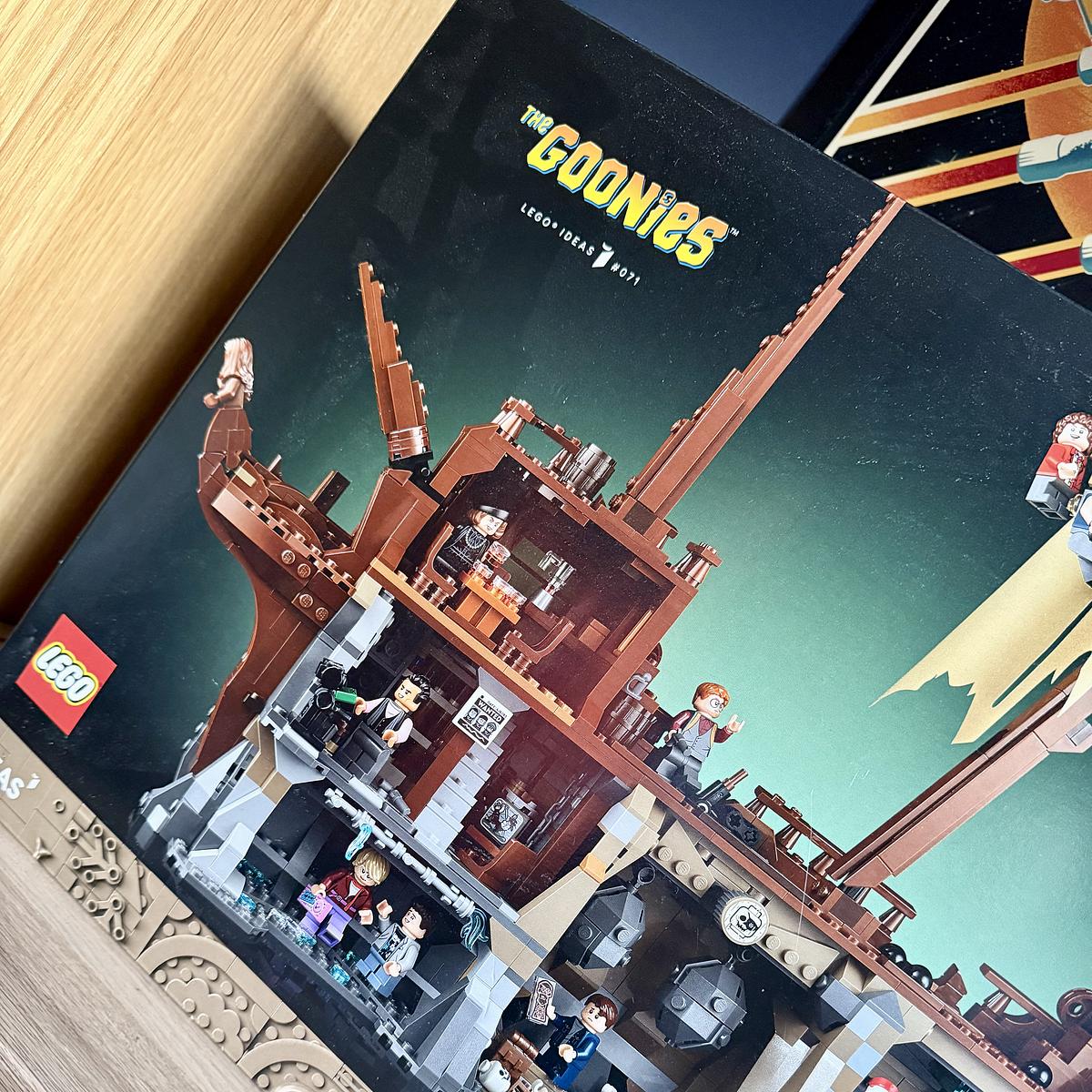
I think Drew and I are going to make a start on The Goonies set tonight. He’s been itching to get started on it. I think I’ve made him wait long enough.

Family guy and web developer
I think Drew and I are going to make a start on The Goonies set tonight. He’s been itching to get started on it. I think I’ve made him wait long enough.
As much as I love using Hatchbox to manage the hosting of my Rails apps, I have an itch to look into Kamal again.
Just uploaded my own bookmarking app, Cairn. Uses an HN-like algorithm to age links from the board over time, but adds weights to different tags, so that combinations of tags for each bookmark produce different scores and should show the more important tags at the top. Will write more on this later.
I’m glad to see that a more affordable MacBook is now available.
Apple today unveiled MacBook Neo, an all-new laptop that delivers the magic of the Mac at a breakthrough price, making it even more accessible to millions of people around the world.
As a relatively late adopter of AI tools, well, amongst software developers anyway, I am slowly coming round to the benefits of AI. Like most people, I started with the big-name AI tool, ChatGPT, but it didn’t take me long to discover Anthropic and their Claude and Claude Code tools.
Over the last six months, I’ve been a heavy user of Claude Code. It definitely provides serious productivity gains. Here are a few examples of where I have used Claude Code in the past few weeks.
The accelerated pace of development is probably the first thing software developers notice when using AI tools like Claude Code. You can build features and even applications at such a rapid pace, which is good, but it’s also been a red flag for me since I started using these tools.
With increased production rates, I am concerned about retaining the knowledge of what I am building. Will I know enough about the code base to support it in the future? When my code breaks, how will I know how to fix it?
I am exploring a few ways of ensuring that I know the code that I am shipping, including:
There are other ways I can improve my retention of the codebase, and yes, AI tools can help with that. However, as good as the AI tools are, there still needs to be human understanding of the codebase to make the right decisions about future changes, and that begins with understanding the code and ensuring I retain enough knowledge about it.
The first dash of colour in the garden this year. A welcome sight.

We finished watching Schitt’s Creek over the weekend. Yes, we’re a bit late to this one, but we tend not to watch many things as soon as they’re released. It was great fun to watch.
Tonight we started watching Shrinking on Apple TV. Good so far!
After a few years of being on the Micro.blog platform, it’s time to host my own blog again. I’ve thoroughly enjoyed hosting my blog on Micro.blog, but I want to have more control over what my blog does for me.
Having my blog on Jekyll wasn’t enough, though. I needed to be able to blog from my phone if needed. So, over the last couple of days, I have been building a Rails app that helps me to do what Micro.blog offers. I’ve tried to do this in the past and failed miserably, but this time I’ve added enough knowledge to know what I need.
The Rails application handles two important steps that I need to continue blogging about when I have my phone.
The first is the uploading and hosting of images. I previously included all images in the blog itself when I last ran my blog using Jekyll. As expected, it led to some seriously long build times for Jekyll.
The new application allows me to upload and serve all the images for my blog. Each image is saved in different sizes, and I’m using an LLM to generate alt text as it’s uploaded.
This allows me to manage uploads separately from the blog itself and keeps the blog’s build time fast.
The second is creating posts on the go. I previously did this using GitHub’s web interface, pasting the post directly into my repo. Not exactly straightforward, and it worked to an extent, but it became more of a chore than anything else.
The new application allows me to compose posts on a much friendlier web page. I can save the post as a draft and come back to it later. When it is ready to publish, it commits the post directly to my blog’s repository on SourceHut, where I have a build script to deploy the code to my server after each commit.
Yes, features are missing from my setup, like cross-posting, bookmarks, and bookshelves, and over time, I might replace them with my own take on these features. For the moment, though, I’m quite happy knowing that my blog is back to being something I have full control over, and I have more of a say in how it’s built and displayed.
And yes, this means I have parked the three-column theme I was building for Micro.blog. I doubt I will finish it. Apologies if you have been looking forward to it.
I will still be keeping my blog pointed at the Micro.blog community and I wish nothing but success for the platform. It’s a great community, and I hope it continues to grow.
I’m slightly divided on who to support in the curling tonight. The all-Scottish GBR team or the Canada team? Either way, it’s going to be a great final for the gold medal.
A great morning of golf with my youngest today.