Matthew Lang avatar

Matthew Lang

Family guy and web developer

Technology

Software, hardware, and the technology I use day to day.

It might be time to buy another batch of AirTags. There’s nothing in the feature updates that screams game-changer, but they’re convenient to have. Our oldest bagged a couple from our first batch for going to the States. I could do with a couple more, especially one for my laptop bag.

Moving over to FastMail

After a few months using Proton, I decided it wasn’t for me. I found it cumbersome to use, and despite its excellent reputation for respecting users’ privacy, I missed a few features since moving from Hey.

This evening, I completed a switch over to FastMail. I managed to migrate all my email from both Proton and Hey, and FastMail has the features that I am looking for to mimic what I had in Hey.

As great as SourceHut is, I wish there were an easier way of creating labels for ticket tracking. Importing a CSV seems like the most trivial way I could think of. If you were importing labels as a CSV, I imagine you would also want to export them as a CSV as well.

Annoying that one of SourceHut’s Pages’ limitations is their strict CSP header, which means that everything for your website needs to be self-hosted. That rules out using Tinylytics tracking for my portfolio site. I can always host it elsewhere, but I can live without the analytics for the moment.

I’m prepared to give Mozilla the benefit of the doubt and see what the next three years bring to Firefox. Yes, they are planning to evolve Firefox into an AI browser, but I’m okay with waiting and seeing how this pans out before I start looking for another browser.

Where I am with AI tools

When it comes to AI, I found myself late to becoming a regular user of it. Hesitance has always been one of my traits, and when ChatGPT became a daily buzzword in my RSS feeds, I wondered if I should start exploring its use. I put it off for a few months, and eventually, I found myself with a ChatGPT account. The initial hype surrounding these tools has definitely fizzled out for me, and now I find myself still divided on whether they are helpful or not.

As a software engineer, I find AI tools really helpful. I’m pretty familiar with the various coding tools available from Anthropic, Microsoft, and OpenAI, and I use at least two of these tools daily; in fact, we’re encouraged to utilise these tools. I use them to explain code that I am unfamiliar with, diagnose issues and help with complex problems that my current skill set does not cover.

Outside of my day job as a senior software engineer, though, using AI becomes more of a crutch than a benefit. I have used AI tools outside of my career for several trivial tasks. But over time, I have found myself falling away from these tools and only reaching for them when I absolutely need them. There’s definitely a downside to these tools when you start to depend on them for everything, and it’s for this reason that I try to limit my time with them.

I think it boils down to that old adage, “everything in moderation”. And yes, this even applies to AI for me.

The Discovery page on the Bear blogging platform is a great way to discover new and popular content. I would love to see a similar feature on Micro.blog.

I’m not big on measuring posts by likes or whatever you want to call it, but it is one of the few ways to measure popular content.

I setup a Slack account just so I had a place to ping some web hooks too. I don’t need the whole chat and channels thing, but Slack is great for integrating stuff like this.

Wondering now if I should just roll my own version of this. Just a channel that receives web hooks that I need.

A couple of lessons learned from my recent email move

My move back to using my own domain as my primary email address has been relatively smooth, with just a few hiccups along the way. It has highlighted a few things that I should remember if I ever consider changing email addresses again (which I hope never happens again).

Email on your own domain is flexible

When I signed up for Hey’s email service five years ago, it meant moving away from using my domain for my email address. At the time, I had slight reservations about using hey.com as my email address, but I figured it was just an email address, and I had changed it before.

One problem is that with this type of email address, I am tied to Hey’s email service, and if I want to switch, I need to change my email address. This isn’t a problem if you use a domain name you own for your email, though. If, after a while, you don’t like the email provider you are using, you can switch to someone else while still retaining the same email address. And yes, Hey does support email for custom domains now, but that wasn’t available when Hey was launched.

Using your own domain for your email address ensures the longevity of your email address but also allows you to move between email providers.

You can’t change your email account everywhere

The last couple of weeks have seen me reviewing my password manager and conducting a spot check on all my accounts to ensure that I have migrated all of them to use the new email address.

Unfortunately, not every service allows you to change the email address associated with it. There are two scenarios I have found where this is the case.

Services that don’t let you change your email address

Some services just don’t allow you to change your email address at all. You need to delete the existing account and create a new one. This might be an issue if the service is one you have used long-term and has numerous purchases associated with it.

I have one account with a service that has several e-books purchased against it, but I haven’t been able to update my account to change my email address. Additionally, despite contacting the service’s support team, they haven’t responded promptly to allow me to change my email address. I’ll download the e-books I have purchased in the past and then create another account for any future purchases. Fortunately, these books are technical and mostly outdated, so the loss is not significant.

Services that use single sign-on

Some services don’t have a fully functional single sign-on experience, where your email address associated with your authenticating service may change. I’ve noticed this with several services. I have changed the email address on the authentication service I use to log in, e.g., Apple, but the end service I am using doesn’t recognise that it’s the same account, just with a different email. From a user experience flow point of view, this seems like a red flag.

Having experienced this, I think I might avoid single sign-on logins and instead use email or usernames wherever possible.

Not that I’ll need to, though, because I am not about to change my email address. Right?

The downside and upside to moving from Hey to Proton Mail

I’ve encountered several issues since trying to migrate from Hey to Proton Mail, but the process has been mostly painless. I’m still updating all my accounts, but I’m almost done.

A couple of things emerged from this migration that others might find interesting.

  1. Hey doesn’t support IMAP, and Proton Mail doesn’t support importing email using MBOX, so I’m not sure if I’ll be able to move all my emails from Hey to Proton Mail. Fastmail supports importing email using MBOX, so if moving your email across is a requirement, you may want to consider this option.
  2. Hey doesn’t currently allow you to send plain text email. It might not be a deal breaker in this modern internet age, but there are still people who prefer this option, and I recently encountered this issue when I started using Sourcehut. Sourcehut’s mailing lists are easier to use with plain text, so I was glad to find out that Proton Mail allows me to do this, enabling me to start using Sourcehut’s lists feature.

It will be another couple of weeks before I am fully migrated over and using Proton Mail daily.

Following the creation of a FastMail account last week, I set up a ProtonMail account today for my new personal email address. Once everything is transferred, I’ll close my Hey account.

A painless email migration to Fastmail

Today, I moved the email for a domain I own from Hey to Fastmail. Lots of factors have been niggling me to do this for the past few months, but the main factor has been cost. I just don’t need to pay that price for an email address associated with a domain.

After a couple of hours, the DNS changes finally propagated through, and the email is now fully switched over. An hour after that, I had transferred the emails from Hey to Fastmail, set up the calendars, and configured the email setup in a similar fashion to Hey, as I quite liked the idea of the Paper Trail and Feed areas for emails.

There are a few things I would like to see in Fastmail, such as a bit more spacing in the user interface. However, for now, I am quite happy with the reduced cost and the fact that the email just works without requiring me to relearn a new user interface.

I still use Hey for my personal email. I’m not quite ready to move this over to Fastmail yet, but I haven’t ruled it out.

I’m pretty happy not really knowing what Apple released yesterday. What products and information I need to know will eventually trickle down to me. It always does.

Tried Todoist again over the last few days. Still can’t get my head round why projects in Todoist don’t have start and end dates.

Just discovered that Firefox’s profiles editor now lets you use your own images instead of their range of icons.

A brief set of headphones

I’ve been a bit of a die-hard Anker fan for the last few years. I’ve spent my fair share on chargers from them over the previous few years, and I can’t fault them one bit. The earliest ones we bought are still working and are used to power the LEDs for a few of our Lego Star Wars dioramas.

The same goes for their headphones. I got a pair of Anker Soundcore Life 2 headphones for my 40th birthday. It was only this summer that I finally had to retire them. I replaced the ear pads for them only once during the entire time I owned them. I couldn’t fault them. The long battery life, quick charging, and noise-cancelling feature were beneficial for my daily influx of calls and meetings at work.

With my headphones on the blip during the summer, I started borrowing my youngest’s headphones, Anker Q20i headphones, but I knew the day would come when I would need to get a set for myself.

Last week I purchased a pair of Sony WH-CH520 headphones. All the usual stuff. Bluetooth, multi-device function and over-the-ear style. I can’t wear an in-ear set like AirPods all day. It’s too uncomfortable.

Sound quality is good, and they’re easy to connect to different devices. The multi-device function was a bit finicky and required installing the app, but once set up, it was easy to switch between devices. I have noticed the audio stutters upon initial connection and for a few minutes after it.

I have reservations about the physical side of the headphones. They are very light and don’t feel as solid as my Soundcore headphones or even the Q20i headphones. Also, the ear pads are a lot smaller than Anker’s ear pads, which means they sit on my ears as opposed to over my ears like the Anker ones do. After a couple of hours of use, they are very uncomfortable to wear.

I’ve got mixed impressions about the headphones, so I have decided to return them. The stuttering audio is the main issue with the uncomfortable feeling when wearing them being the other. Yes, the Sony headphones were at the cheaper side of the scale and I do believe you get what you pay for, but the Anker headphones are on a similar price and I do find them more comfortable and the audio has always been faultless.

Just need to wait for the refund and then re-order the Anker ones, so for the moment, I’ll still be borrowing my youngest’s headphones.

I’m seriously considering getting a cheap laptop to give Omarchy a try.

I can’t see myself using anything else other than an iPhone as a smartphone. However, I’m open to seeking an alternative to the MacBook as my main web development laptop.

Back to school with AI?

In a couple of weeks, it’s the start of another school year here in Scotland. Another to-do list comes with the usual items for this time of year. School uniform, school bag, topping up the meals account and many other things. I’ve added another potential item to the list.

AI subscription.

ChatGPT, Claude, Gemini and the many other AI subscription services became popular at an ideal time for my oldest. He was in his final year of school. He was curious about how it could be used to aid his homework and studies. I showed him how I use it for my own coding and learning, and its benefits.

He used it to his benefit in his first year of college and finished with good grades in his coursework. I also reinforced to him that it shouldn’t be used to do the work for him. Research, yes; learning, yes, but final essays and coursework should be his work and his work alone. He’s now off to college in the US in a couple of weeks, and I think he’ll use it well to help his studies.

My youngest is going into his second year of high school, and now I am wondering if I should be onboarding him to AI tools to help his studies. In his first year of high school, he didn’t get much homework, and trying to ensure he was on the right level for his age was difficult. My thought process behind introducing him to AI tools at this age is to show him how to use these tools correctly and not just use them as copy-and-paste tools.

AI tools are here to stay, and my hope is that by onboarding him to these tools early, he uses them correctly and enhances his learning. I’m also hoping that he finds another use for them beyond schoolwork. He’s pretty creative and has a good imagination. It’s a quality that his teachers commented on in primary school, but in high school, he’s yet to find an outlet for this. It might be that introducing him to these AI tools now would not only help his schoolwork but also provide him with access to other topics he might want to learn about.

The more I think about it, the more I am convinced that introducing him now to these tools is the right move, and in doing so, would ensure that he’s comfortable with AI tools and how to use them appropriately.

A particularly tough email written tonight. One of those times where you need to write something, but you’d rather not. This had to be done though.

Apologies for being vague, but just had to get this off my chest.

I just used the workflow feature in Hey for the first time. I’m not sure if it’s the right thing I need to monitor this collection of emails, but I will run with it over the next few days to see if it works.

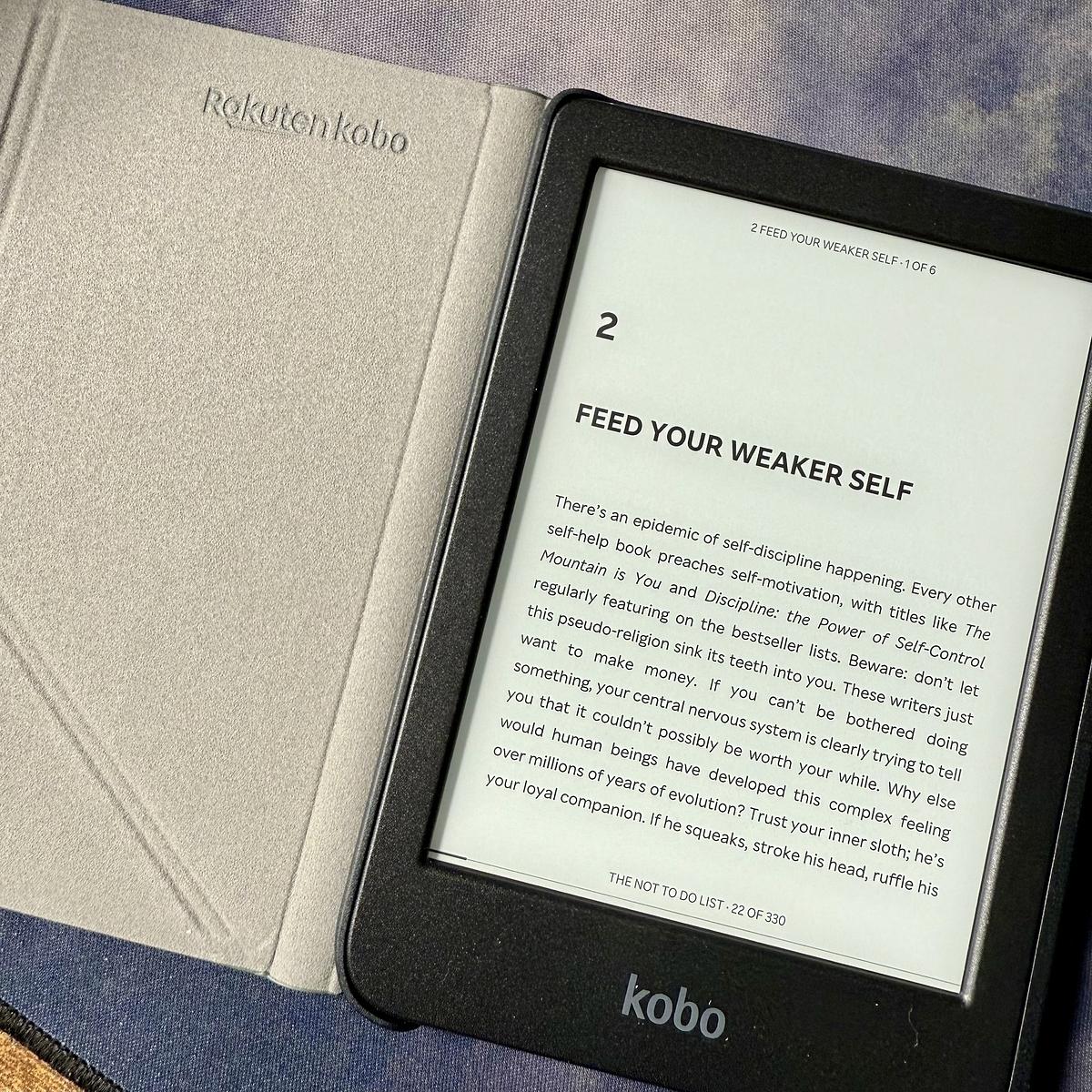
Father’s Day is just around the corner here but I managed to convince the family to let me have my gift early, a Kobo Clara BW e-reader. I’ve been wanting one of these for a while.

An open Kobo e-reader displays a page titled "Feed Your Weaker Self" beside its case.

I’ve been using the Claude 3.7 Sonnet LLM within Zed and the results have been pretty good. Claude is a lot more verbose than my previous experience with Copilot and a few times has recognised issues around my code that I didn’t see initially.

Juggling some apps again

I’ve been juggling several app changes over the past few weeks.

Gone are the GitHub and Copilot accounts and subscriptions I used to build a product. I’ve replaced them with a GitLab account on the free tier. The GitLab free tier offers quite a lot compared to GitHub, but there are downsides, like no security alerts. However, I can manage for the moment. I’m still not sold on the GitLab Duo subscription, but I’ve covered that with the following subscription change.

I upgraded my ChatGPT account to the Plus plan over the last month, and I think I will keep it for the immediate future. It’s not quite as integrated as Copilot when it comes to assisting with coding, but it works well for diagnosing issues in my code when needed. I also use it more when searching the web for something specific. I still use DuckDuckGo for general searches that I can filter by the most relevant results, but I use ChatGPT for more targeted searches.

Finally, after a few months with Ulysses, I’m just not using it how I thought I would, so I downloaded Bear again and started moving some of my notes over to that to start using it again. Bear feels less formal than Ulysses, which is why I don’t think Ulysses is sticking for me.

We’ll see how the change goes over the next few weeks.

With all the recent activity and updates to browsers and search engines such as Brave and Kagi, I’m still happy and content with DuckDuckGo and Firefox. They continue to work well for me and do what I need them to do.

Building my own technology radar with SVG

When I was freelancing, one of the things I did regularly was read the ThoughtWorks Technology Radar. It’s a snapshot of the different technologies that ThoughtWorks is considering and using. As a freelancer, I found it a good read as it provided a glimpse of what was happening in the web development industry. Once I started working full-time again, I stopped reading it and didn’t revisit it for a few years.

My current role is senior software engineer, but I am working towards the next role up from this one. This involves expanding my role in several ways, including learning and adopting new technologies and processes. One way I thought I could do this was to set up my own technology radar. ThoughtWorks does offer a means to run your own technology radar, but I wanted my own technology radar to be more straightforward.

Armed with my new knowledge of using SVG over the last couple of years, I decided to start building a technology radar of my own.

My technology radar comprises two layers of quadrants, the smaller quadrants on top of the bigger ones, to achieve the effect of having an outer trial quadrant and an inner adopt quadrant. I used the path element to do this.

<path d="M 10 45 A 40 40 0 0 1 45 10 L 45 25 A 30 30 0 0 0 25 45 Z" fill="#e3f2fd" stroke="#2196f3" stroke-width="0.5"/>
<path d="M 20 45 A 25 25 0 0 1 45 20 L 45 45 Z" fill="#e8f5e9" stroke="#4caf50" stroke-width="0.5"/>

The tokens representing the different individual items are simply circles and text elements nested under a group tag so that I can group all the items together.

<g transform="translate(40, 35)">
  <title>TDD</title>
  <circle cx="0" cy="0" r="2" fill="#4caf50"/>
  <text font-weight="bold" x="0" y="0.5" font-size="1.5" text-anchor="middle" fill="#fff" font-family="Arial, sans-serif">2</text>
</g>

I added a title tag to each token to achieve a hover effect with a text description of the token.

Finally, I added labels to the middle of the quadrant to indicate the two sections and each corner to indicate the type of technologies grouped in that quadrant.

I haven’t figured out how to programmatically group tokens in each quadrant with code, so for the moment, I am using SVG Viewer to place tokens in each quadrant by hand.

I have published a GitHub Gist of the technology radar with blank tokens filled in for one of the quadrants. Feel free to fork this technology radar for your own needs.

You can find my own technology radar here. I’ll be updating it as the year progresses.

I am giving up on Instagram as a place to share photos and will now just share photos to my blog and Glass. On a post-by-post basis, I will also consider sharing photos to BlueSky and Mastodon.

Instagram is now nothing like it started. It feels more like a growth platform for businesses now.

Giving Ghostty a spin

A couple of months ago, I started to give Hyper, the terminal emulator a spin. Fed up with iTerm2, I wanted to try out a couple of other terminal emulators. Hyper was the only one that I thought I could really use, so I decided to use it as my go-to terminal emulator, but the trial didn’t pan out, so I switched back to my default one.

Just before Christmas, though, I read that Ghostty has reached 1.0. Intrigued, I downloaded the terminal emulator and got a minimal configuration setup.

So far, I really like what I see. It’s still short of iTerm2 regarding features and customisation, but Ghostty is noticeably fast. I don’t have any benchmarks to verify this, but the speed is noticeable. While I don’t know that it’s quicker than iTerm2, it is fast enough for me to use daily. But best of all, Ghostty is free and open source.

This could pan out to be my new default terminal emulator.

Did earlier versions of the Unread app for macOS and iOS allow users to change the font? I’m sure I remember earlier versions of this app being able to do this, but I don’t see the setting anywhere.

No Wi-Fi, no problem

It’s day 2 of no Wi-Fi in the house after a complication occurred yesterday when a new fibre line was being installed. In the meantime, I’m using my mobile phone data to connect to work, and the big yin is using his mobile phone data to finish his college work.

Don’t get me wrong—last night was great. With no Wi-Fi, everyone had to resort to alternative forms of entertainment, but it was a rather relaxing night. A few things were a nuisance to overcome, but at the end of the day, that’s what they were. A nuisance.

I’d be pretty happy to have more days like yesterday.

I got up early this morning, and instead of starting out with some writing of the Ruby code, I opened my notes app and started writing a blog post for today. Nothing major, just an observation for tomorrow. It’s queued up and ready to be published later today. Feels good.

Congrats to the Pixelmator team on joining Apple! I’ve been using Pixelmator for years and have nothing but praise for its simplicity and design.

While this is excellent news for Pixelmator, I wonder how long Apple will allow Pixelmator to exist as it is.

I can’t decide whether Astropad’s Bookcase is a beneficial device or not. Yes, I’d like to read more, but not necessarily from my phone. That’s why I read from my Kindle. If you limit your device count to just the essentials, e.g., no Kindle, the Bookcase would be a good buy.

I am starting to get in the habit of copying and pasting the responses that ChatGPT gives me into my Bear Notes and then adding any changes I want to make there. Trawling through the ChatGPT history is a bit of a pain, but then it’s not really supposed for long-term storage, I suppose.

My favourite feature of iOS 18 is the changes to the home screen. Dark mode icons and the ability to place apps freely on the screen are welcome additions.

I’m pre-ordering two new iPhone 16s today and giving my old iPhone 14 Pro to my youngest. This is my first time pre-ordering an iPhone.

The new Reeder app probably isn't for me

Sadly, Reeder no longer supports other RSS feed clients like Feedbin and Feedly.

Why doesn’t this version of Reeder support third-party sync services?

With the new Reeder, tracking what you’ve read is based on your scroll position rather than traditional read/unread states. This design makes integration with most third-party sync services non-trivial, so support for these services is not currently planned.

Reeder Help

This change away from unread/read states on posts is probably my biggest concern with the new Reeder app. Scroll positions have been used in similar applications to determine how much you read. From my memory, I didn’t use this feature in the applications that implemented it. I was happy to start scrolling from the latest posts and scan back as far as I wanted. It’s early days, though, and I haven’t even added any significant number of feeds to Reeder to see how effective this will work.

That is the beauty of unread/read states, though. Minimal thinking is required to determine what’s left to read. I know from a glance what I need to catch up on. Scroll positions require me to scroll to catch up to the point where there’s nothing left in my timeline to see. I would much rather click through collections of feeds and see precisely what’s left to read.

For now, though, I’ll keep Reeder Classic on my iPhone, but I can see myself using Feedbin’s iOS app instead of Reeder Classic over time. I imagine there will come a time when Reeder Classic won’t be supported. When that time comes, I would prefer to use an alternative to Reeder Classic daily rather than be forced to make the change away from it.

I’m unsure how I feel about the AI Chatbot feature in the latest Firefox release. Granted, it’s part of Firefox Labs, an optional experimental feature, but I still don’t see a real need for it.

We upgraded our youngest’s old 7th-generation iPad to a new 10th-generation iPad. I reset the old one, which I now use for reading and surfing. Usually, we re-cycle devices down the way to the boys, but our youngest needed a new one for high school. Happy to take the old one!

I’m always hesitant about using AI tools while coding, but I have found one good use for AI while coding: naming things. I’m terrible at naming things.

This week, though, I’ve been using Copilot to see if I can improve on the names of the objects and methods I have. I’ve had good results so far.

Procreate is taking a stand on AI

Procreate’s stand on AI​ should be applauded.

We’re here for the humans. We’re not chasing a technology that is a moral threat to our greatest jewel: human creativity. In this technological rush, this might make us an exception or seem at risk of being left behind. But we see this road less travelled as the more exciting and fruitful one for our community.​ ​

​I’m glad to see that companies like Procreate still recognise the danger of AI in their products. AI has it’s uses, but it doesn’t need to be everywhere. ​

Defaulting to Firefox as my browser again. I have noticed there’s better integration with the 1Password extension than there was in Safari. I always found 1Password’s extension inconsistent in Safari, and it usually took a while to appear and populate any form.

MacRumors has an in-depth guide to the new home and lock screen changes coming to iOS 18. Placing icons anywhere on the home screen is probably the one change I’m looking forward to seeing. I can’t say I’ll use the hidden app feature that much, but I can see a use for the ability to lock an app.

If there’s one timeline I love scrolling through, it’s Elk, the Mastodon web client. A timeline focused on the centre of the screen with additional options to change its appearance and navigation. I love the Zen Mode toggle as well. Perfect for quickly zoning out the rest of the UI. ❤️

After a few minutes of keeping a log in Obsidian for my work day, I’ve decided to switch back to bullet journaling. I find it a lot easier to keep a bullet journal updated. Also, it’s a welcome break from the screen for my eyes.

Still waiting to be added to the rollout of Hey’s new calendar app. It will be nice to have my email and calendar side by side.

I’ve read differing opinions on the Clicks for iPhone keyboard. I’m divided on the device. I can’t see it lasting long, given that iPhone sizes and shapes usually change. As a user of the Google G1 smartphone, though, I like the idea of a physical keyboard.

Have we reached peak saturation point with these annual reviews from different products and services yet on how we used them?

My music player, app launcher and bank have each notified me about my review of the year on their service.

Docker Desktop is killing my Mac today. Multiple updates/restarts have failed and two re-installs of it are not working either. Going for a clean uninstall and install next.

Can anyone recommend some resources on getting setup with Obsidian? I’m thinking plugins, themes and organising it. It will primarily be a place for me to organise some notes and perhaps some writing.

Stacking projects is a nice new feature in Basecamp. You can stack projects together much like you would bits of paper. They then expand out when you click the stack. Nice!

Upgrading my Air to Sonoma. Not having paid much attention to the Sonoma changes outlined a few weeks ago, I have no idea what will change!

Hush - A new content-blocking extension for Safari on iOS and Mac.

Unlike some blockers, Hush has absolutely no access to your browser habits or passwords. Nor does it track behavior or collect crash reports - nothing leaves your device.

I’ve been giving the Bear notes app another try during the last few weeks. I’m not finding it has the same traction that I used to have with it. Also, the much-touted web interface seems to have fallen off the radar.

I moved a few podcasts from Overcast to Spotify as I don’t listen to them regularly. Seeing them amongst the regular podcasts I listen to is off-putting. Spotify is now for casual podcasts that I don’t care too much if I miss.

Sticking with tried and tested

Over the weekend, I decided to give Readwise’s Reader application a spin. After seeing several tweets about the product, I thought it might be a way to combine my Instapaper and Feedbin subscriptions. After exploring the product over the weekend, I’ve decided to stick with Instapaper and Feedbin.

There’s nothing majorly wrong with Reader. It’s a fine read-it-later product and has many great features. It’s still in beta, though, but there’s nothing there that would stop others from seeing the value in it.

My main gripe with Reader is that it tries to do this and several other things, all in the same product. Saving articles for later is known, but it also allows you to subscribe to feeds and newsletters, send emails to Reader and upload PDFs and EPUBs. That’s a heck of a feature set, and while it can do all these things, I already have these features covered elsewhere.

My Kindle and Books apps handle any books that I might be reading. Instapaper is my go-to read-it-later service. Feedbin is what I use to subscribe to Youtube channels, RSS feeds, email newsletters and Twitter lists. Finally, between Hey and Basecamp, I have places for keeping emails.

The main difference I found is that while Reader does all these things, I am happier with the products I already use. That might be harsh comparing established products to Reader when it is still in beta. I did find Reader tricky to navigate through, and it just didn’t flow for me in the same way that Feedbin or Instapaper does. I’ve no doubt that Reader will improve over time, though I’m content with the setup I have now.

I’m curious about hosting my own Mastodon instance. More so to see what’s involved in running it and how it integrates with other instances.

I’m not convinced that the departure of Twitter users to Mastodon will be permanent. We’ve been here before. I can’t remember the reason why. After a few weeks, though, everyone flocked back to Twitter. Most people will want to remain on Twitter as it’s easier.

I cancelled my Setapp subscription today. I’m only using a handful of apps from this, and I know it would be cheaper for me to use alternatives.

Spent most of the afternoon finalising some changes for my Rails app for posting to my Jekyll blog. It needs a few more tweaks before I open source the application, but it now allows me to log in on multiple devices, which means you might see more of my posts soon.

I am trying out something new this morning. I built a small Rails app that streamlines the posting process to my blog. It automates most of the process and only requires the post content itself. If it’s working, you should see this post!

New MacBook time

After nine years with my MacBook Pro, it’s time to upgrade. I’ve been using the same MacBook Pro since 2013, and it’s been a great machine. However, it’s time to upgrade.

Over the last year, I’ve noticed an evident degradation in my MacBook Pro performance. It can usually only handle a handful of apps open at any time. I tend to have Firefox, VS Code, iTerm and Docker available anytime. Anything else I can open at the same time is usually a bonus. If I have to open a few more apps, I’ll shut down all my development apps to allow more apps to open.

I’ve been researching the new MacBooks over the last few months, and I’m pretty sure the new MacBook Air is the right fit for me. The Pro would be a good fit if I needed a dedicated machine I used most of the day. Still, as I already have a reliable work laptop, I just need a light development machine to use at night and at weekends.

I’ve only owned two MacBooks over the last 15 years, which is pretty good. I wonder how long my new MacBookAir will last me?

Enjoying web development once more

Tonight, I’ve been building HTML templates with Tailwind to integrate them into a CMS of sorts using Rails. Is it a product? No, it’s just me hacking about on a wee Rails app and trying to brush up my skills once more. The last time I genuinely enjoyed doing this was a good couple of years ago.

So what prompted this change?

Well, the main reason is that I’m enjoying my job now. It’s full-time, but I’m also fully remote, so cutting out the commute has been a big win. There’s something to be said about working from home. It definitely suits me better than being in an office. I don’t mind being in an office environment, but the distractions can put your focus off a bit, depending on where you work. Working from home means, I can get my head down and get on with the work.

I’m using Ruby on Rails again. It’s not the most recent version, but I’ll take working with any version of Rails over working with just about anything else at the moment.

While working remotely, I am in a close-knit team that regularly checks with each other throughout the day. Although being remote has its benefits, you do need some contact with others throughout the day. Although Slack isn’t the ideal medium for this as it is pretty distracting, being able to meet and discuss with your team members regularly throughout the day breaks up the day nicely.

As a result, I’m finding myself reaching for the laptop more at night and hacking on Rails or Laravel apps. Now, if you don’t mind, I need to finish this little bit of code before turning in for the night.

First thoughts on iOS 16

It’s been 24 hours since I installed iOS 16. The update process took quite some time to complete on my iPhone 12, but it still took longer on my wife’s iPhone XR. That aside, the update process was straightforward.

Being able to edit a message and undo the sending of a message is new to the Messages app. Undo the sending of a message? I don’t think I’ve ever had to undo the sending of a message; however, I don’t live in my messages app. Many other iPhone users have sent a message they wished they could un-send.

Being able to edit a message, though, that’s a nice feature. Most of the messages I can see myself editing will result from typos. Even with the auto-correct, I still manage to make some typos when sending messages.

Aside from all the other features new to iOS 16, the most significant change is what you first see on your iPhone when you pick it up. The Lock Screen.

There are several new features here that I’ve enjoyed messing about with. You can now create more than one Lock Screen and Home Screen pairing and switch between these throughout the day. I’ve got several screens set up now, but I’ve yet to examine how changing your focus affects these screens. However, using the different focuses is something I plan on doing to try and curb the number of times I reach for my phone throughout the day. The widgets on Lock Screens are also a nice touch, and hopefully, we’ll see more of these added in the future.

Overall the iOS 16 update is pretty good so far.

Got the iOS 16 install going for my iPhone. I’m not as enthusiastic as I was in the past about these big iOS releases, but it helps to stay up to date.

Migrating Bear notes to Ulysses

This weekend I’m hoping to move all my Bear notes into Ulysses. My Bear renewal for the Pro subscription is at the end of September and while I find the app useful, I’m finding that I don’t use it as much as I used to. I’m also starting to consolidate some other files that I have into Ulysses. It’s becoming my go-to app for writing and note taking.

Most of the notes I have already moved across, but there’s a few that I need to do some more work on to tidy up the formatting that was lost in the migration. Hopefully by the end of the weekend, most of this migration will be complete.

How I used localStorage to implement a daily checklist

One thing I have wanted to do for a long-time is to have a single checklist for the day that I can check items off for and then reset it for the next day. It doesn’t sound too difficult to do, but it never works entirely the way I would like it to in the various task manager apps I have used.

Many task manager apps re-create the tasks as they are crossed off the list. Now, that sounds fine for a single task, but when you have a bunch of tasks that you want to do daily, it can start to look slightly chaotic depending on the app. You may end up with tasks not completed from the day before, tasks completed for today, and some already completed for tomorrow.

I would like my list of tasks to stay completed for the day but not re-create the tasks for the following day. When the next day does come around, I would simply like to reset the checklist to start over again. I suppose the behaviour here is not to re-create the tasks but reset the list into a state so that it can be used again.

I created a page on my website that I can visit that contains a list of tasks with checkbox input elements that, when checked, are saved in the browser’s localStorage. There’s also a button there that, when clicked, resets all checkbox input elements back to unchecked. This allows me to start the list all over again.

After a couple of passes, I finally have it working now.

Why I'm passing on renewing my Tweetbot subscription

It’s coming up for a year since I started my Tweetbot subscription, and now that it’s up for renewal, I’ve decided to pass on renewing it for the next 12 months.

Over the last year, I’ve been gradually finding myself using Twitter’s web interface a lot and their iOS app on my iPhone. The Twitter client has come under fire a lot over the years, but I find both their web interface and iOS app very easy on the eye, and they don’t present too much information at once. Also, now that I can change Twitter to see the latest tweets from my timeline, I no longer need a third-party app to do this for me.

I’ve also been using Tweetdeck on the odd occasion as another option. If I’m looking to follow my timeline and a couple of lists at the one time, I’ll use this. I have enabled the beta preview, which adds many new features.

While Twitter can be a time-sink, I’m gradually getting it to a place where I only check-in a few times during the day on my browser and use the app on my phone for a few minutes at night. I’ve also limited how long I can use Twitter every day, which lets me ration my time on it.

I use Twitter lists to break down who I am following into categories. Most of my lists are emailed to me using Mailbrew a few times a week. I do this so that I catch the highlights from each list every few days, and then I don’t need to check on that list until the next email. Mailbrew allows me to catch up on Twitter content within the safe confines of my email and has effectively become my offline client for Twitter.

Lastly, Twitter handles many things better for me than third-party apps like Tweetbot. I can bookmark tweets and see threads better as two minor examples, and there are probably more. For me, though, it means that another app subscription is perhaps something that I can do without.

I'm finally on the mechanical keyboard train

I’m typing this on my new Keychron K6 keyboard. It is a Christmas present from my wife, and I love using it.

This morning I decided to try and pair it up with my work laptop, a Windows laptop. It paired up beautifully. It even allows you to switch to a Windows/Android mode to make the key mappings better for those modifier keys on either side of the space bar. Now I can sit the one keyboard on my desk and switch my two laptops when I need to.

I have been looking at mechanical keyboards for a few years now, and while I have always considered getting one, I always put it off as I wasn’t sure what keyboard to get, what switches to select and what features would be supported. In the run-up to Christmas, though, my wife suggested that I make the jump and get one and call it a Christmas present from her. I did. And now, having used the keyboard every day for the last few weeks, there’s a thought running through my head.

I should have done this years ago.

How many times have you muttered those words? You realise that there’s a better way for you going forward, and you regret not doing it in the past.

You can end up quickly kicking yourself when you realise this. You end up looking back, wondering what would things be like now if you did that one thing years ago.

A change of your keyboard seems trivial, but it can happen with any change you make. You are cutting out caffeine at night, going for a walk every day, or reading a book at night instead of watching television. 

There’s another way of looking at this, though.

What if you never made the change to begin with, and you just kept plodding on, having never made the change?

At least now, having made the change, I know that I’ve made a change for the better. And it’s better to have made that change than never at all.

I remembered Draft, the writing app I used years ago. Checked it out today, and it’s still there! The web is truly an under-appreciated and brilliant platform.

Intrigued by DuckDuckGo’s announcement that they are building their own web browser for the desktop.

After a brief flutter with Brave and Safari, I’m back to using Firefox again. I don’t think it’s a great browser, but it makes my web experience easier to do.

I’m intrigued by Cal Newport’s Analog January Challenge.

I could certainly stay off the Twitter native app and website for the month, but I have a couple of Mailbrew newsletters that aggregate some Twitter lists for me. I wonder if these would still be allowed?

I created up a Rails 7 app last night using the esbuild and Tailwind options. This is definitely a step in the right direction for Rails. Modern tooling for a stable framework. Love it!

Build paths first

Michael Wade explains the sidewalk rule and why we should build paths first.
Keeping things simple and action-oriented is difficult and yet if that orientation is not present from the start, it may be too late. Territory may already have been seized and boundaries drawn.

The Sidewalk Rule 
In a recent project, I took the advice of another team when setting up a new project and categorising the work involved based on a template this team used. In doing so, I complicated the project before it even began. I should have built paths first before building sidewalks.

Amazed by GitHub Copilot

I must admit, I am blown away by GitHub's latest technical preview, Copilot, despite not having access to it yet. It's almost like having Stack Overflow, your favourite snippets collection, and a pair programming buddy rolled into one.

There are some concerns being voiced about how this will impact the value of a developer's role.

While GitHub's Copilot will in time automate a fair amount of time in a developer's typical day, it can't account for the complexity involved in solving real-world problems using code. While the snippets generated by Copilot look to solve simple tasks, it's piecing these tasks together by the developer that counts. A developer's role is not just to write code but to understand the code being written. GitHub's Copilot looks to do both by providing generic suggestions that the developer can change to solve the problem they face. 

Given that my brain is not quite as sharp as it once was, I welcome any tool or product that helps me write and understand better code. GitHub's Copilot will definitely help me do both. While it won't make me a 10x developer in the future, it will definitely make me understand and be more proficient with more programming languages. 
 

Apple back in court in the UK

On top of the court case against Epic, Apple is now facing another court case, this time in the UK. Apple is accused of over-charging people for the apps in their App Store.
The tech company has been accused of deliberately shutting out the competition in the store and forcing people to use its own payment processing system, generating “excessive” profits for itself in the process.

The claim, which is being brought on behalf of potentially millions of Apple users in the UK, has been filed in the competition appeal tribunal and calls for Apple to repay UK customers it says have been overcharged because of the company’s practices, with damages of up to £1.5bn being sought.

It says as many as 19.6 million UK users could be eligible for compensation.

Apple accused of breaking UK competition law by overcharging for apps
As an Apple user of some years now, it's only recently that I've seen the argument against the use of a single App Store that is controlled by Apple.

Is it safer? Undoubtedly. Sometimes though, it might be too safe given the fickle approval process that apps must go through when developers submit new or updated apps to the App Store. Also the 

What would happen though if developers could submit to stores other than Apple's own App Store? Maybe they could even run their own stores. I would definitely think twice before buying an app through an alternative store though.

It's been a code and coffee morning

I'm trying to build a bit more flexibility into a Rails application by adding the ability to have multiple widgets on the one page.

From a presentation perspective, the problem looks easy. Any number of widgets for a page can be modelled to be presented as a complete web page. It doesn't matter how the data is put together, e.g. flat files, canned models, hard-coded HTML.

What complicates the problem is how the user creates and manipulates these widgets to their needs. I've seen enough back-end interfaces for various products to know it can be done. The Mailbrew interface, which has similar functionality, is how I want this feature to work.

Instead of sitting at the text editor and blindly coding my way out of this, I've been using my iPad to sketch out a few ideas of how widgets of different shapes will relate to the page, and how a page will assemble these widgets. The problem is starting to unravel now.

Might be time for another coffee.

Tweetbot 6 is here

Tweetbot 6 is here with support for cards and polls, and a new subscription model of $0.99 per month or $5.99 per year. You don't need to take out the subscription model, but it does limit what you can do. 

The trade-off here is that you can take the subscription out for the app and get a chronological timeline with a few added features or use Twitter's own app, which brings with it its own benefits and drawbacks.

After spending more time than I care to admit on Twitter's own client, I've plumped for the annual subscription for Tweetbot 6. Over time I hope that we'll get to see more features added to Tweetbot. 
Spent a couple of hours tonight swapping in a TailwindUI component into a Rails app of mine. I can see me swapping more of the TailwindUI components to replace my own over the next few weeks.

The last double shot from Mike

Sad to see that Mike Gunderloy is bowing out from software development and the Internet. He was one of the first Ruby developers that I followed on Twitter and through there I subscribed to his blog, A Fresh Cup, where he posted his Double Shot posts.

Looking back, I’m also not super-happy with how the industry has evolved. There was a time when I could believe and hope that software was making the world a better place. Looking around, I’m not so sure any more. Money and power have seized pretty much everything related to software, and the rising tide of surveillance, manipulation, and generally rapacious behavior appears to be getting worse all the time. It’s become harder and harder to find any industry niche that I feel comfortable in working any longer. My sincere blessings to those of you who are still fighting the good fight, but as I said, I’m tired.

End of the road

I can understand his reasons for bowing out from the world of software development. I’ve been feeling the itch to leave as well, but I still think I have a few years left before I completely think about trying something else for a career.

What did I miss from last night’s Apple event?

As far as I can tell, a new iPhone, a new mini HomePod and a new feature in iOS called Intercom. I’m quite happy to just catch up the morning after now with these events now.

My patience for software development over the last couple of years has grown to the point where I would love to throw in the towel with it. A defeatist attitude perhaps, but it’s a feeling that I’ve been unable to shake off in the last few months.

I just setup a Windows laptop for the first time in over 15 years. Saying no to ads and declining to take up third party offers like Dropbox isn’t how I remeber my last setup. If this is the way that Microsoft is going, you can count me out.

Widgets and App Library oh my!

With Apple’s iOS 14 update, there are two features that I am using now to tidy up my home screen. Widgets and the App Library.

Widgets are tiles of different size that can show you a snapshot of an app. This give’s you the benefit of being able to preview information from that app and also tap on the widget to open the app which is much better than having to open the app and then find that information that you need. The only downside to this is that apps with widgets are minimal at the moment, but I’m sure over the next few weeks, there will be plenty of App Store updates for these apps to include more widgets.

The App Library is a feature that I actually read about a few weeks ago and then forgot about when I finished uploading my iPhone. The App Library contains all the apps that you install and puts them in folders based on usage, installation date and also by their category. You can access it by scrolling to the right of the home screen. The benefit of this is that you can now remove an app from your home screen without deleting the app itself. Nice!

In time I think I will see more widgets on my home screen to replace their app icons. These apps I’ll also delete and let them live on in the App Library. I’ll only use widgets for the apps that I use daily with a few other widgets for things like weather and photos.

Between the two of these features, I think I will also have more pages on my home screen to separate how I use my phone. At the moment I’m thinking about screens for daily, photos, work and then downtime.

It will mean less clutter on my home screen and will hopefully mean that I don’t check my phone as often, which is a bad habit of mine at the moment.

Of course the tech companies passed on the new digital services tax to consumers

Oh look. The big tech companies are now all just passing on the new digital services tax straight to their customers. Who could have predicted that? All in a sarcastic tone of course.

Many small businesses and entrepreneurs will have received an email the other day from Google which informed them that from the 1st November 2020 Google will be passing the UK’s new 2% digital services tax straight onto their customers.

They are even adding a line item on their invoices for DST (Digital Services Tax) alongside VAT.

That means they are joining the likes of Amazon and others who are simply passing this tax straight onto small and medium businesses and consumers in the UK. Exactly what every online business owner knew they would do.

UK scores an own goal with its Digital Services Tax

Two things I’m taking from this.

  1. The UK goverment are fools if they thought that the big tech companies weren’t going to do this. It’s decisions like this that make me wonder if I should change my vote. I didn’t vote for an independent Scotland the first time, but I’m considering it now.
  2. I’m of the mind that the big tech companies exist now only to serve themselves. And yes, I’m including Apple in this one. The big tech companies face no competition and can call the shots in most countries. Of course they’ll just pass a tax onto their customers. With the amounts of money they are commanding, they can afford to do so.

Instagram's sole aim is to keep you in the app

Looks like I removed the Instagram app from my phone at the right time.

As if Instagram weren’t addictive enough already, the company is adding a new feature that’s intended to keep you scrolling through your feed even longer. Starting today, Instagram will load ‘Suggested Posts‘ at the end of your feed, once you’re all caught up with updates from friends and other accounts you follow.

Instagram’s new ‘Suggested Posts’ feature will keep you scrolling forever

Like Facebook, Instagram is doing everything to keep your eyes on the app. Suggested users, copying features from other trending apps like TikTok and now suggested posts. These features aren’t designed to help the users, they’re designed to keep you attached to your timeline.

Without an open API though, the options to viewing your timeline on Instagram are restricted. It’s not the kind of platform that I want to be a part of.

Made the switch from Apple Music to Spotify today. So much easier to move about in the app and there’s the addition of the web player as well.

Hello Hey!

I’m sold on Hey email.

In the last six days that I have been using it, I’ve been getting my head around its features and workflows that make Hey different from most other email services.

The screener is a nice feature. When you receive an email from someone from the first time, Hey asks you if you want to continue to receive email from that person. Instead of you trying to determine if you have received an email from someone, Hey lets you know. Nice touch!

What I like best about Hey though is that it doesn’t look or act like a typical email client. There are some similarities sure, but instead of going down the same route as every other email client and using the same view for each collection of email, Hey goes a step further to make different groups of email more comfortable to read. The Paper Trail allows to scan recently received receipts, but The Feed page shows recently received newsletters and also makes them easy to browse through much like you might scroll through RSS feeds.

One advantage I’ve found from signing up to Hey is that I can stop using an email address tied to my domain name. Sure, it’s nice to own your domain name as well as use it for your email address, but I often wondered if tying these two together was a bit of a hindrance. Over the years my email address has been used for all manner of accounts and is probably on quite a few mailing lists that I would rather it wasn’t on.

In signing up for a Hey email address, it felt like I had a clean slate to start over with again. When Hey adds the ability to use custom domains, I might not transfer over my domain right away. I think I’ll keep going with Hey’s email address for as long as I can.

I’m going to pull the trigger on the subscription tomorrow at some point. Sure, it’s early days for Hey, and there are lots of things that are missing, but for a product in its first few weeks of launch, it’s got more than enough new features to make me switch over.

The over due pull request

I have a pull request that’s been sitting in Github for about two weeks now. It’s for a Rails app and the pull request includes some breaking changes. I’ve done my best to limit these breaking changes but there are some parts of the application that I need to update after the deploy.

I haven’t scheduled this into my day as I know it’s going to take a chunk out of my day so I’ve just let it lie there for the last two weeks.

I can’t put it off any longer. I’ve scheduled it in for this afternoon. I just need to get it done.

The Twitter timeline is just completely unusable. Tweets are injected into your timeline by different signals and it makes it too confusing to follow. Trying to rectify this by using Nighthawk for iOS to keep my timeline simple and using Feedbin to follow lists.

A brand new editor is coming to the Bear app and it is available now if you want early access to it. Tables would be a welcome addition to my notes, but I think I’d rather wait for the official release though. I’d rather not risk screwing up my notes.

The good and bad of Apple acquiring Dark Sky

It was announced yesterday that Apple has acquired the weather app Dark Sky. As part of the acquisition, the iOS app will continue to function as it is. In contrast, the Android app will no longer be available for download. Like many others, I use the Dark Sky app daily. The API service that provides forecast and historical data for other apps and services will continue to function until the end of 2021.

Like so many other people, Dark Sky was one of those apps that have been on my phone for years. In my opinion, there was no contender. Now though, it looks like we’ll hopefully get a revamped iOS weather app with many of the features of Dark Sky in it. I hope. This is still the early days of the acquisition. Like so many software takeovers in the past, I’m sceptical of what lies ahead for both parties.

The bad news.

It’s another excellent service swallowed up by big tech. The Dark Sky team finished their update on this by saying they are looking forward to building great products. When a smaller independent company gets bought over by big tech though, there’s usually no light at the end of the tunnel.

With no app available for download, Android users not only need to find an alternative to Dark Sky, but also a weather app that doesn’t use the Dark Sky API. The Dark Sky API has been seen for a long time as the best and most accessible API for weather information. With the API closing down, developers will need to find an alternative.

I’ve been using the Dark Sky API for a product of my own. I’ll now need to spend some time finding an alternative to the Dark Sky API and make the necessary changes for my product. I have the time to do this, but it’s time that I would have earmarked for other prioritised work. I’ll need to re-jig things in the meantime.

The good news.

There is good news about this. Apple will finally get a better weather app. I’ve not been a fan of the weather app for a few years, and when Apple allowed their core apps to be deleted, it was one of the first ones to go from my home screens.

With Dark Sky closing their doors, there is space in the market now for an alternative to Dark Sky. A developer-friendly forecasting API that also provides alerts for changing weather conditions. I’m not saying that it will be easy to do, but there will be many app developers looking for such an alternative. It could be an opportunity.

Is Apple going to do the same for weather data as they did for maps? Apple’s MapKit JS service is a good alternative to Google’s own map service. It would be nice to see a WeatherKit service for both native and web applications. Like maps, weather information can be included in all manner of apps. Having a reliable source of weather information would likely attract more developers to building apps for the iOS platform.

It’s always good to have an alternative

At the end of the day, Apple’s acquisition of Dark Sky should be a cautious reminder. No matter how excellent the service is, there’s always a chance that it can be pulled. The best way to plan for such disruptions is to have at least one other alternative in place.

With another service already earmarked, you can make the switch from one service to the other easily. This doesn’t just go for the apps you use, it goes for your personal data as well. It’s also should be considered if a service is fundamental to your business.

Pleasantly surprised by the Apple Watch

Pleasantly surprised.

That’s exactly how I would sum up my own personal review of the Apple Watch. I’ve been on the fence for a long time regarding the Apple Watch. Last weekend though, I bought a series 5 and I have been pleasantly surprised by the device and what it can do. According the Cult of Mac, I’m not the only one.

I often listen to podcasts when I’m cooking, cleaning, etc. Being able to skip forward in a show, or pause it, from my Apple Watch without having to stop what I’m doing and walk over to my phone is very convenient.

I thought Apple Watch was pointless but now I love it

The fitness tracking is by far the best aspect of it for me though. Getting in enough exercise and movement through the day is important, which I why I’m already won over by the three rings feature of the Activity app.

It’s great to see Feedbin have added an automatic option that will automatically switch between light and dark. What is really great though, is the per device settings. Finally I can use different settings on my iPhone that won’t change the settings on the desktop.

Looking more into app subscriptions and Fantastical alternatives

There was much debate this week about Fantastical’s move to a subscription app and subscriptions in general. Now, I’m not against developer’s adding subscriptions to their apps, they have to make a living somehow from the software that they produce.

My concern with Fantastical is the price. I find the subscription price quite high in terms of how much I use the app and what Fantastical are offering in their premium subscription.

Is Fantastical worth it?

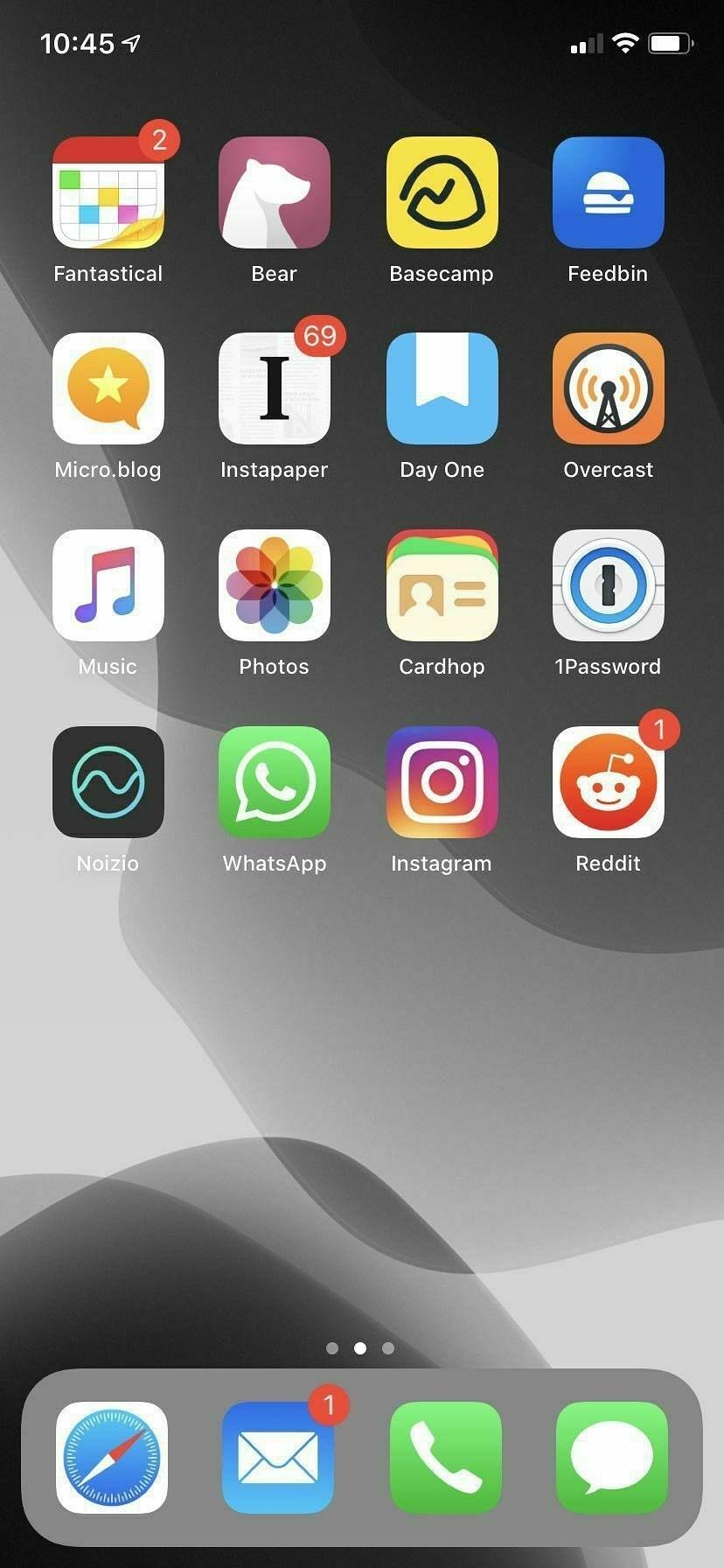
Just as a comparison, I decided to look at the apps on my home screen and their subscription amounts. In total, I have 12 apps on my first home screen. Given these are the apps that I use daily, then it’s apparent that I do place a lot of value on these I have subscriptions for apps on other screens, but these are used less regularly.

Here are the apps that I pay an annual subscription for that are on this first home screen:

  • Micro.blog ($50)
  • 1Password (~$60)
  • Todoist ($35.99)
  • Bear ($14.99)
  • Day One ($31.99)
  • Feedbin ($24.99)
  • Instapaper ($29.99)

Now taking these annual subscriptions into account, there is one that I can’t do without and that’s 1Password. Being able to save my logins securely and across multiple devices is such a time-saver. I’m not saying that price isn’t an issue on this one, but this app is essential.

The rest of the apps that I pay annual subscriptions for aren’t essential, but I do use them daily and usually on multiple devices. There, I do find them valuable. At the top end of the scale in terms of price are Micro.blog, Todoist, Day One, Instapaper and Feedbin. At the bottom end of the scale is Bear.

If I were to pay for Fantastical’s pricing, it would put it at the top end of the subscriptions that I have. It’s not going to break the bank, but I do find it a bit steep. And that’s why I’m not 100% convinced that Fantastical’s new subscription app is for me. Despite using Fantastical most days to manage my schedule, I would not consider it to be worth its subscription price.

It isn’t straightforward to compare apps and their usefulness as there are used differently by everyone. For example, I use Bear and Feedbin daily, and I find them both very useful, but over the year the price difference in the annual subscription is $10. It doesn’t sound like a lot, but when you consider that you might have other app subscriptions, they can quickly rack up. So while I accept that it’s hard to compare apps and their subscriptions, I still think that the price for the Fantastical subscription is quite high.

The Fantastical alternatives

Right, so we’ve established that I find the Fantastical price a bit high, so what are the alternatives?

As for alternatives, I tried Apple’s own Calendar app this week and found it sadly lacking in features. I didn’t expect a whole lot from the app as I know it’s free, but it doesn’t appear to have been updated very often.

There are other calendar apps on the App Store, but some that I have seen are free and have ads in them. You then have to pay to remove the ads. This style of pricing isn’t necessarily a bad thing in a calendar app or any app for that matter, but I’m personally not a fan of this style of pricing. I would instead prefer developers to charge a price for their apps or be free with an option to unlock features with a reasonably-priced subscription. For me, ads have no places in apps, so anything that has ads is out.

I also gave Calendars 5 a try from the app store. Sticking to the pricing argument I made earlier, I bought the app for full-price, which is $6.99. It does everything that a calendar app should do. Natural language input, different views and light and dark themes are all there. You can sync your iCloud calendars across multiple devices, and there’s an iPad version of the app too. I didn’t install this though, as I find that having a calendar app on my phone and my desktop is enough for me.

I’m also giving Timepage a run again, but the lack of calendar views does limit it a bit, and there is no equivalent app for macOS. There are however a number of things going for it that I do like. It includes weather forecasts for events, travel times and a daily briefing notification to see what’s coming up for the day. It’s also very customisable and includes several options to adjust the app including themes, font size calendar and timeline. It’s also significantly cheaper than Fantastical at just $11.99.

Making a decision

Having tried these apps out this week, I’m going to ditch Calendars 5. It’s okay as a scheduling app. However, I do like the extra effort that has gone into the user interfaces of both Fantastical and Timepage.

I’m still torn between Timepage and Fantastical though. Fantastical’s calendar group syncing is a feature I would like to have, but it’s not essential. To be able to have calendar groups sync between phones would be great, but it’s not a deal-breaker and certainly not worth the price of the app subscription as it stands at the moment. It’s more of a nice to have.

I haven’t deleted Fantastical from my phone yet. I can still use it without the annual subscription, but I know I’m going to get frustrated with the number of features that are locked out. It’s at this point where I will either cave and go for the subscription or I will delete the app. Fantastical hasn’t been too aggressive in reminding me to upgrade. Still, it feels like over time I might be nagged into upgrading.

There’s also the question of changing my subscription. If I take the Timepage subscription now, I could still change my mind and then use Fantastical. However, it will always feel like I wasted some money on a subscription that I’m not going to use. Sure, I bought the Calendars 5 app, I’m prepared to do that to find the right app to use. What I don’t want to do though is take a subscription for an app that I won’t fully use.

I can see me sticking with Fantastical in the short term. It will be interesting to see if Flexibits make any changes in the short-term based on user feedback of the jump from 2.0 to 3.0. Still, I suspect that they will leave the app subscription price as is. Most users will come round to paying the subscription. For me, though, it’s still too high a price to pay at the moment.

A simple upgrade has turned into a multi-app deep dig of calendar apps over the last few days as I tinker with Fantastical 3.0, Timepage and Calendars 5. I think I might rule out Calendars 5. It doesn’t offer the same benefits that Timepage has. Which just leaves me two apps now.

Personal DuckDuckGo traffic idea

I was looking at the DuckDuckGo traffic for the last few years. The stats are pretty impressive. A seven-fold increase in queries over the previous five years and this month’s number of queries is already more than last January. It looks like it’s going to be another year on year increase for queries.

It’s got me wondering about my usage of DuckDuckGo.

DuckDuckGo has been my search engine of choice for many years now, and as a result, I’m pretty familiar with a number of the bang methods that are available to help with your searches.

Now, I know DuckDuckGo is a privacy-first search engine. It’s why I use it in the first place. Saying that I’d still be interested to know how many searches I do over the year and how often I use the different bang methods. I don’t want the actual search terms tracked, just the number of times I search and how often I use each of the bang methods.

If DuckDuckGo did this, it would raise a few concerns about where they are going with tracking. This functionality might be best done in a browser extension so that it’s purely an opt-in feature.

Not everyone will agree with me about tracking your search usage, but I still think it would be quite interesting nonetheless.

I didn’t realise how amazing and creepy the autosuggestion is on the iOS keyboard. It managed to suggest most of my usual message for a WhatsApp group message.

Is gaming helping destroy the environment?

With the help of Claire Barlow from the University of Cambridge and John Durrell, a specialist in superconductor engineering, The Verge’s Lewis Gordon goes through the components and materials that go into the Playstation 4 and go over their impact on the environment.

They start with the console’s top lid, which is made from acrylonitrile butadiene styrene (ABS). This is, in fact, virgin plastic and isn’t made from already recycled plastic. From the lid alone, there is a huge cost in terms of the amount of carbon dioxide that is produced from only manufacturing the lid of the console alone.

Let’s hypothesize that the 511 grams of ABS spread throughout the machine are actually virgin plastic. How might it have been produced? This is where things get trippy. Like almost every form of plastic on the planet, ABS is made from petrochemicals that are derived from petroleum, the fossil fuel we commonly refer to as crude oil. The substance materialized over millions of years as fossilized organisms like zooplankton and algae were covered by stagnant water and further layers of these dead animals and plants. Try to imagine not only how slow that process is (geologists call this “deep time”) but also the near-instantaneous speed at which the oil was extracted from the earth. Now consider its carbon residue just sitting in the atmosphere, slowly helping make the planet hotter. As I stared at the plastic, these head-spinning thoughts flashed through my mind.

The environmental impact of a PlayStation 4

Materials such as gold and tin are used on the circuit board of the console. While only a small amount of of these materials are used, the mining process means that vast amounts of water are needed to mine the gold as well as the use of chemicals to make the gold easier to mine. If you think your console only contains a small amount of these materials, then consider the fact that Sony has sold over 100 millions units of the PS4 since it’s launch. Now you start to realize just how much goes into mining the gold for these consoles.

Low-cost thinking extends to the limited use of more expensive metals. Occasional pieces of gold materialize on the main circuit board where various components are held in place by a tin-based solder. When it comes to the open pit and hard rock mining, the extraction methods responsible for some of the world’s gold (as well as the copper and neodymium found in the machine), there’s the actual blowing up of the earth. But enormous quantities of water are also required for mineral processing, dust suppression, slurry pipelines (to transport minerals in remote areas), and, last but by no means least, employees’ needs. Another extraction process called cyanide leaching sprays the toxic chemical over mined ore to dissolve the gold, thereby making it easier to extract. This comes with its own ecological and health risks if the cyanide leaks into the local area. Each method is grim for the environment where metals are often scattered diffusely throughout the rock.

The environmental impact of a PlayStation 4

Finally, there’s the lithium-ion battery in the console’s controllers. It too has a damaging impact on the environment.

The PlayStation 4’s 8.9 billion kilogram carbon footprint leaves out other environmental impacts like pollutants that don’t end up in our carbon-soaked atmosphere. Take the controller’s lithium-ion battery, the same kind of chargeable technology powering electric cars. Lithium is produced by drilling holes into salt flats — usually found in massive crater-like lakes — and pumping brine to the surface. The important bit, lithium carbonate, is subsequently extracted through a chemical process. In recent years, pollution from the extraction process has led to the death of animals and crops, severely impacting local communities in countries like Argentina and China. The lithium that makes our controllers wireless is just another material that scars not only the landscape but the lives of those who call it home.

The environmental impact of a PlayStation 4

This piece by Lewis Gordon really hits home the cost of technology on the environment. The manufacturing impact of technology devices isn’t going to change overnight. With such a huge market, I wonder if it would take pressure from consumers to make any kind of difference. I certainly would consider other environmentally friendly options if they become available.

As for running costs, we have two PS4s at home. I play for a few hours a week, and my eldest son probably plays for longer, but my wife and I encourage him to take breaks. We have a smart meter at home where we can monitor just how much energy we are using, and we always try to reduce our demand for energy, but it’s not easy. Especially during the darker months of the year where we don’t really go out that often.

Can we ever get to a point where we can balance the demands for technology so that they don’t impact on the environment?

I’ve started using Todoist again.

Bullet journaling on its own doesn’t cut it and Things is limited by the fact that it’s only available on Apple devices. I’ve only been using Todoist for a few days but it’s like I never stopped using it.

NYT subscription

I’ve been toying with the idea of taking a New York Times subscription. I find myself on their website quite a lot, so I thought it would be worth removing the limit on the number of free articles that I can read.

At £10 per month though, I’m not sure it’s something that I really need. There’s also the annual subscription that I can find through their iOS app but not on the website. If I take this, then I find myself taking a bigger initial hit of £99, but I end up saving over the 12 months.

I think what’s putting me off is the fact that the monthly subscription is double digits. It’s £10. I usually don’t hesitate are subscribing to services under the £10 mark as they are only a few quid for the first few months and then I can decide if it’s worth the cost.

The New York Times subscription though starts above that single-digit level. And that’s got me thinking that I would rather not have it at all, instead of giving it a try for a few months.

I get why subscriptions are great for journalists and news sites. I’d rather pay a subscription for a high-quality source of news and be able to read it while not being hit with adverts everywhere, but I find both the monthly and annual options just a little bit too high.

Apple subscription bundles

An Apple bundle might start with news, TV, and music, but Apple could also chuck in iCloud data and maybe even a credit card deal supported by the Apple Card. Hell, given the existence of the iPhone Upgrade Program, which charges customers a monthly fee to upgrade their phone every year, a future Apple super-bundle-plus might even include hardware on tap. — Apple could bundle news, TV, and music into one subscription as soon as 2020

I would love to see Apple bundling more of their products into single subscriptions. We’ve got an iCloud subscription and a Apple Music subscription for the family. If Apple could throw in News and TV+, I would definitely sign up for it.

I don’t know why I took so long to do it, but I’ve just activated the ActivityPub API on my Micro.blog account. I’m now free to follow and be followed by Mastodon accounts.

Being able to follow others across different communities is such a great option to have!

I’m resurrecting PenMuse, or something like it

A while back, I started a little Rails app that would generate random writing prompts. After a few months, I decided to kill it. To be honest, I’m not entirely sure why I killed it. I just remember one day deciding that it wasn’t gaining any traction, so I decided to pull the plug on it. Now though I’m not so sure that killing it was such a good idea.

If I was making the application all over again, then there are a few things that I would do differently.

I would open-source it

The main reason I would be open-sourcing the application is so that I can provide a working Rails application on my Github profile. That old chestnut about your Github being your profile isn’t something that I put a lot of stock into. Still, it would be helpful if I have something on there that is working, live and provides a small sample of my work.

I would enforce some constraints

The last time I did PenMuse it ran away from me. I got hung up about too many things about the application that I ended up overthinking what should be a simple application. This time I would keep it simple.

There won’t be an admin section for it, and I would simply connect directly to the database to add new prompts. I would keep the application as minimal as possible, to begin with. One model, one controller, one page. At least I’ll do it this way, to start with.

I would track interest in it

I’m not a big fan of using analytics, but that was back in the day when Google Analytics was the only real option. Now though, there are plenty of great options out there, and a few are even GDPR friendly.

One such analytics service that I have been wanting to try is Fathom. I have earmarked for another application, but I thought PenMuse would be a good starting point to get myself familiar with Fathom.

So there we have it. PenMuse is back! Although not right now, I still need to build it! And it’s not going to have the same name, but more on that later.

The diminishing MacBook Pro battery performance

Ever since I upgraded my macOS to Catalina, I’ve noticed that MacBook Pro’s battery isn’t lasting as long as it used to. In fact in the couple of days that followed the Catalina upgrade, I found that the laptop had simply ran out of battery while it was in the sleep state. What I can’t work out though is whether this issue has been made worse by the macOS upgrade or not.

I’m not using my MacBook Pro as often as I used to do, but one of the problems I have is that when I am using it, it’s plugged into the adapter and sits like that for a few hours at a time. The laptop has already had a battery change and I know that it’s bad for the battery to have it plugged into the adapter all the time, but having it unplugged just leaves me with a couple of hours of battery.

It’s time like this I wonder if I should go back to a desktop.

Quiet house

Using this afternoon’s quiet house to do a few things.

One of them is working out why I have now two of every app after upgrading macOS to Catalina. All my apps are accessible from Alfred in two directories now. I can find the same app in /Applications and /System/Volumes/Data/Applications.

After today’s news that Google has bought Fitbit, I’ve decided to delete my Fitbit account. This wasn’t a knee-jerk decision based on Google’s ever-increasing grasp of the world’s data, though.

For a few months, my Fitbit Alta hasn’t seen the light of day due to abysmal battery performance. I was lucky if I could get it to last 24 hours. I have been looking at a replacement Fitbit for a few months, but nothing really stood out as being a worthy replacement. Today’s news that Fitbit have being acquired by Google was just the last nudge I needed towards looking elsewhere.

I’ve been curious about an Apple Watch for some time, but I haven’t quite found the need to buy one. I must admit, I do prefer the idea of just having a watch, but there’s something about the Apple Watch now that has started to grow on me.

One last thing. It seems that no matter what size of company you are, there’s always going to be a more prominent company that will eventually buy you out. It puts me off thinking that I can get behind a company who has an innovative new product. It’s a good chance that eventually they will end up being swallowed up by someone else.

Clearing the home screen

Spurred by this post on digital minimalism, I’ve decided to do a little clearing of the decks on my iPhone.

Gone are some Twitter clients, a few news apps and a 2FA app.

I’ve replaced the Twitter clients with the web interface on Safari, and I’m glad to see that I can now log into multiple Twitter accounts. I’m still not a big fan of Twitter, but accessing it on Safari is handy.

The news apps were never really used, and I can also read the news on Safari.

I’ve been meaning to move to 1Password’s two-factor authentication for accounts for some time, but I’ve been simply putting it off.

The home screen is starting to look a little more sane again.

I wish there was an option in iOS to see folders of apps in a two by two grid as an initial default over the three by three grid. It would be easier to see apps on the screen, and would let people make more focused app folders.

Apple iterations

A nice reminder from John Gruber about new Apple products and the fine art of shipping that product.

I wasn’t a fine of the first Apple Watch. The idea of a smartwatch that doesn’t just show you the time felt wrong. Over the years though, Apple has been chipping away at it. A few iterations later and I’m starting to like the idea of owning an Apple Watch.

And then they did what Apple does: iterate, iterate, iterate. They started knocking down Apple Watch’s glaring flaws one by one. Battery life improved significantly. They identified what Apple Watch is meant for: health and fitness tracking, and notifications. They added optional cellular networking, so your watch could remain utterly useful while out of the range of your iPhone.

Apple Watch Series 5

The always-on display didn’t seem like a big feature at the time, but having persisted with a Fitbit for a few years, I can appreciate that gesture to see the screen. It just wasn’t always possible.

I’m hinting to Jennifer for an Apple Watch Series 5 for my Christmas now. We’ll just need to wait and see if she takes the hint.

Nothing new today that would make me want to buy an Apple Watch. An always-on display isn’t a deal breaker, but I am consdering it.

Still, the new iPad might be a good future purchase for the boys.

Curious about potential Apple Watch releases today.

My Fitbit died a few weeks ago and I’m now wondering if an Apple Watch might be more my thing.

I’ve pushed back on getting an Apple Watch for sometime, but I’ve been slowing coming round to the idea of a smartwatch.

I’ve started using Bear to write up features for a product.

Instead of going straight a user story and coding, I’m spending a bit more time writing about the feature, and it’s risks and benefits.

It’s working well so far.

The email shake down

I loved this post from the Signal vs Noise blog about trading off tracking people through email for content.

Not everything needs to be tracked. Not everything needs to pay off. It’s perfectly fine to do things because it’s fun, feels good, is interesting, tickles your brain, or just helps someone out.

— [Let’s stop shaking people down for their email addresses] (https://m.signalvnoise.com/lets-stop-shaking-people-down-for-their-email-addresses)

Tried Todoist yesterday for about five minutes and then deleted my account. The reason? I don’t want a task manager app that is available everywhere.

I’m happy to keep using Things even though it doesn’t have a web client. Sometimes restricted availability can be a good thing.

Paid version of Firefox

I’ve seen a lot arguments for and against Mozilla’s paid version of Firefox. I wouldn’t be adverse to paying for a service that values my privacy and in turn helps an organisation try to keep the web open, fair and secure.

I do have some reservations about a paid version of Firefox. Privacy shouldn’t be something you need to pay for, but I am hoping that this paid version is very affordable so that it’s accessible for as many people as possible.

Fan-made version of Star Wars scene 38

Also, I wonder if we’ll get a new version of A New Hope with this included as an option?

“We were inspired by the Vader scene in Rogue One,” Christopher Clements from FixitinPost says in an email to Fast Company. “We felt like the fury and power from that hallway scene should be present in the Vader/Kenobi duel that happens very closely in the Star Wars timeline. It was essential to update the emotion of the scene given the history we are now aware of between these two. Telling the story of these two was our main goal when setting out to create Scene 38.”

This fan-made, nerd-approved edit of an iconic Star Wars scene took 2.5 years to make

I’ve been trying to solve a problem for a software product that’s been at the back of my mind for the last few weeks. This morning I sat down with a coffee, tried a few things out and eventually worked out the solution. Feels good when you overcome a hurdle like this.

Essential career advice for software developers

Scott Hanselman nails it with his advice for a young university student attending the Microsoft BUILD conference.

For the young person I spoke to, yes .NET Core may be a little different from .NET Framework, and they might both be different from Ruby or JavaScript, but strings are strings, loops are loops, memory is memory, disk I/O is what it is, and we all share the same networks. Processes and threads, ports, TCP/IP, and DNS - understanding the basic building blocks are important.

Systems Thinking as important as ever for new coders

It’s all just building blocks. Whatever the language or framework is, the building blocks are still the same. Great advice for those just starting their careers in software development, but also a reminder for the older or more experienced software developers who are struggling with the ever changing landscape of programming.

The death of lootboxes in gaming?

American government officials have finally taken their shot at video game lootboxes. Specifically, Senator Josh Hawley of Missouri announced his intention to introduce the “The Protecting Children from Abusive Games Act” to the US Senate.

This is the culmination of slow-burning anti-lootbox sentiment that’s bubbled up from the gaming community over the course of the last year-and-a-half. Ever since games like Battlefront II and Middle Earth: Shadow of War took lootboxes and in-game purchases from just “occasionally-overpriced bling” to “pay-to-win garbage,” those who regulate fair trade have begun to sit up and take notice.

American senator pleads for children’s protection in anti-lootbox bill

Pay to win games on games consoles received a massive backlash from gamers and I think that games developers have taken notice of this.

Overwatch gets it right, with its loot boxes that can only reward you with cosmetic changes. I hope games like Overwatch can get to keep their lootbox system.

Pay to win games on mobile devices is an entirely different beast though. Games on mobile devices frequently use pay-to-win tactics through in-app purchases as a way of making money on free games. It’s these games that I hope to get targeted through this bill.

There’s one other consideration as well. Games are sold with ratings on them which indicates the age with which the content of the game is aimed at. If you decide that your kids are okay to play games that have a much higher age rating on them, then, in my eyes, you are also responsible for ensuring that your kids know the do’s and don’ts of that games lootbox system.

Fastmail’s aliases are a great way of protecting your main email address.

I had to contact a website to remove a business incorrectly listed under my home address.

The site was riddled with ads so I used an alias to protect my email address.

Apparently, Apple is now under demand to deliver a foldable iPhone. Nevermind a foldable iPhone, how about delivering something like those handhelds that are used in The Expanse instead?

You can now play your PS4 games on your iOS devices

As with these other platforms, the idea behind the iOS app is to let you enjoy your PS4 titles without having to sit in front of your TV (so you can let your family watch a show, and pick up where you left off on your phone). Your game will be streamed to your mobile device, and use on-screen overlay buttons to control the action. Unfortunately, unlike with Android, you can’t pair a Dualshock 4 controller to your iPhone or iPad for use with this app.

You can finally run PS4 games on your iPhone or iPad with Remote Play

I’m on the fence with this one. While the idea comes from good intentions, not hogging the television for your gaming, it leads me to think how often I’ll need to chase my oldest off his iPad and iPhone. That’s only when he has a iPad or iPhone that can support the remote play though, as I think his devices are too old for this.

I normally relay gaming news and updates to my oldest, but I think I’ll let this one slip under the radar for as long as I can.

Just blitzed through my unread feeds in Feedbin in a matter of minutes using the keyboard shortcuts. I forgot these existed! And yes I used the Vim arrow keys, ‘h’,’j’,’k’ and ‘l’. You can use traditional arrow keys asd well.

Is Chrome suffocating the web?

Chrome’s continued dominance of the web now puts it in the same position as Internet Explorer all those years ago. “It works on Chrome” is the new “It work on IE”. I’d like to think though that most web developers out there don’t just build for the one browser.

Reda Lemeden’s post, “We Need Chrome No More”, sums up this change.

The dominance of Chrome has a major detrimental effect on the Web as an open platform: developers are increasingly shunning other browsers in their testing and bug-fixing routines. If it works as intended on Chrome, it’s ready to ship. This in turn results in more users flocking to the browser as their favorite Web sites and apps no longer work elsewhere, making developers less likely to spend time testing on other browsers. A vicious cycle that, if not broken, will result in most other browsers disappearing in the oblivion of irrelevance. And that’s exactly how you suffocate the open Web.

We need Chrome no more

While I can see Reda’s point, I don’t think that the developer’s building for the one browser is as big a problem. I’ll be honest, it’s been a while since I visited a website that only worked in Chrome.

For me, the problem isn’t so much that Chrome is the most popular browser, it’s the organisation behind the browser and how they integrate features into that browser that support how they use data and ads to make profits.

Switching to another browser is one answer to this problem, but perhaps there’s also another answer.

For Google to change as an organisation.

That sounds like a pipedream, and even looking back at that sentence, it just seems ridiculous. I’ll leave it though because even the most ridiculous of ideas can still happen.

We're slowly cooking

Whether you believe the fable about boiling frogs or not, it looks like we’re becoming a world of slowly boiled frogs.

Researchers, led by Frances Moore, professor of environmental science and policy at University of California-Davis, analyzed 2 billion tweets published between March 2014 and November 2016, to determine when people turn to Twitter to talk about the weather. Unsurprisingly, they found that there are far more weather-related tweets during unusual conditions, such as an exceptionally hot day in March or one in September that’s far colder than normal. But, they found that there was significantly less Twitter chatter when historically unusual weather conditions repeated within a few years. If a country experiences exceptionally cold weather for more than five years in a row, these conditions were no longer considered remarkable. And, overall, people’s perceptions of normal weather are based on by experiences from the past two to eight years.

Humans are “boiling frogs,” slowly getting used to climate-change temperatures

Will we recognise the danger and do something about it, or will we accept our changing environment while we being slowly cooked?

Just realised that my bookmarking web app Commonmarks shares the same name as CommonMark, the strongly defined Markdown format. Time for another name change me thinks. I’m open to suggestions. 😉

Dark to light

After years of using Solarized Dark as my preferred colour theme for coding, I’m starting to find that I’m now preferring a lighter themes for when I’m writing code. Solarized Light for Sublime Text and Bluloco Light for VS Code.

Solarized Dark is still my preferred color theme for the terminal though.

After a couple of weeks using Stoop, I’ve decided to remove the app from my phone.

The app itself is a novel idea for those who want to read their newsletters outside of their day to day email, but there were a few gripes I had with this app.

The design of the app itself didn’t work for me. The carousel-style of newsletters at the top and the list of newsletters at the bottom wasted a lot of space in the user interface. I would have prefered just a list of newsletters that I could scroll through.

The thought of having an app for newsletters only available on a mobile device was too restrictive. If there’s one activity I don’t mind doing on multiple devices, it’s reading. At least with my newsletters delivered to my inbox or to Feedbin’s newsletter address, I could catch up with newsletters regardless of what device I was near.

Stoop is a nice idea, and might work for those who simply can’t afford to be without their mobile device, but I don’t want to be tied to my iPhone for the sake of a few newsletters.

Stoop for newsletters

Recently, I’ve been scaling back on the number of newsletters that I subscribe to. Some are due to a lack of interest in the newsletter topic and some I just don’t read anymore.

Of the newsletters that I am sticking with though, I subscribe to them through Feedbin’s secret email address. Lately, though it feels like I’m merely scanning over my newsletters instead of reading them. I’ll star them to read later on, but most of the time I never do.

Stoop is an app for iOS and Android that allows you to subscribe to newsletters and manage what you have and haven’t read. I think this might just be the right tool for the job when it comes to newsletters. It leaves me to scan my RSS feeds as usual without missing anything, but it also keeps me away from my email. Sure it’s another app on my phone, but it’s for reading. So, that’s not really a bad thing.

Still loving Musish

After a week of using the open source Apple Music web player Musish, I’m still a fan.

The familiar look and feel to the native Apple Music apps as well as having the benefit of access to all my Apple Music data through a web interface means I can still listen to music while I’m working.

It also means I can conserve the battery on my iPhone and I don’t need to rely on a good network signal if I need to stream any of the albums I want to listen to.

Plugging the web development knowledge gaps

Dan Abromov’s Things I don’t know as of 2018, is a refreshing take on the knowledge gaps of software developers. Even though Dan is the creator and maintainer of a widely used package used with React, his list of knowledge gaps in web development is quite an eye-opener. And he made them public too!

I’ve worked alongside a lot of great developers, and I’ve been amazed at both their spread of knowledge on web development but also their gaps. I rarely pay attention to the knowledge gaps though. It’s easy to be amazed at the breadth of one person’s knowledge and not focus on a person’s knowledge gaps. Perhaps they just didn’t get round to that gap, and focusing on their knowledge gaps feels wrong, but should that be the case?

As I’m approaching 20 years working in software development, I’m starting to know the excellent job descriptions from the bad ones. Merely listing a long list of tech experience that you would like in a candidate is a poor way of getting the right one. In my view, the best candidate can come in and use their soft skills to learn and get up to speed in a few months regardless of their experience. I think it comes down to the fact that more organisations want their candidates to hit the ground running from day one. No training or onboarding, just another cog in the big development machine.

Given the number of languages, frameworks and other techs in web development, it’s a near impossible task to keep up with everything, but I’m taking two things away from Dan’s post.

  1. There’s no harm in not being up to speed with everything that a full stack web developer should do. Sure, I can deploy an app using Cloud66, Heroku and Dokku, but I can’t say the same for Docker and Kubernetes. I can deploy web applications, but only on the technology that I have chosen to learn.
  2. I’m considering changing my job description to be more specific. Sure I can be a jack of all trades, and know a bit of everything in the web development stack, but I’m sure I would be better off describing myself as a backend web developer instead and focusing on the technologies around that.

With these points in mind, I’m renewing my focus on Ruby on Rails as well as adding to this the knowledge that I need for the gaps around it.

It’s good to know though that I am not alone in not understanding a few topics that have been popular in the last couple of years.

Trying to keep pace with most of the topics in the web development world is a task in itself, but there’s enough work to keep me marketable as a backend web developer even if I do focus on a single core skill.

I’m clearing the desk, sorting out notebooks, reviewing app subscriptions, getting a list of books to read and considering what to focus on for 2019. I’ve been all over the place the last few years, time for some deep focusing.

Trying to escape the Google monopoly on the web

I read today that Microsoft is reportedly throwing in the towel with their EdgeHTML browser engine and starting work on a new browser based on the Chromium engine.

My immediate thought was down-heartened. Another Google-backed browser to reinforce the popularity of Google’s own Chrome browser, but the problem may actually be worse than that (depending on your point of view of course).

Andre Alves Garzia explains more in his post:

We already lost the mobile world for a duopoly of Apple and Google, now we’re losing the desktop most used application, the Web Browser, to a monopoly from Google again, how much control do you want that company to have over the future of the Web? All this not counting the many Electron based apps we use in our daily lives such as VS Code, Atom, Slack, etc, which are all Chrome engine again.

While we Blink, we lose the Web by Andre Alves Garzia

Even though I’m against any one company having too much control over any part of the technology stack, I’m supporting the use of Google, by using some tools that include the Chrome engine. I use VS Code daily as a web developer and of course the company I work for uses Slack as a communication tool between teams. Is there any getting away from the Chrome engine? Perhaps not at work, but I can make a concise decision to use other applications when I’m not at work.

I’ve been using Firefox and Safari as my preferred browsers for the last few years. In fact, I haven’t looked at Chrome since I decided to go Google-free a few years ago. As for the Chrome-based tools, I don’t use Slack outside of work, but I do use VS Code as my preferred text editor.

Perhaps it’s time to look at Vim again?

Chasing the tried and tested career

During my last few months of job hunting, I was received numerous enquiries from recruiters for positions in startups and recently formed organisations.

Instead of flat-out declining these offers, I would research the organisation first and then make a decision based on their industry, growth and their suggested work culture. I say suggested as you can never tell with a company what they will be like to work for until you start working for them. Based on these findings I found that I always declined to move forward with the application.

The thing about startups is that they are organisations with no track history. They’re young and new, and while that might be an attraction for others, it’s not something that I am looking for in my future career.

I’m looking for to work in an organisation that is tried and tested. They have experience in their sector and they have a steady platform from which to grow from. And it’s not just in an software development that I am looking for this, but further forward into my career as well.

I’m looking into a different career path that while is new to me isn’t a new type of job in itself. This role has been around for decades but is something that I am interested to move into. Time will tell if I can make the move to this new role, but at least I know that it’s something that will be around for years to come.

Two weeks straight using Visual Studio Code and I have to say, I am definitely won over this time. Performance has been consistent and the extensions available are much better than other communities. Built-in terminal is quite nifty too!

I just pasted some text into Grammarly’s app and it couldn’t find a thing wrong with it. Not a damn thing.

Nightmare. I’m having to lift my lightning cable connection in order to get a charge into my iPhone now.

Have I lost my tech touch?

It’s been a frustrating couple of days getting my laptop into some kind of order. I can’t get the following things to work:

  • Connect the new Tower v3 app to my GitLab or GitHub accounts
  • Connect my Fastmail account to Spark
  • Sign in to Micro.blog desktop client

The list was longer yesterday but I managed to resolve a bunch of issues with a single action. These remaining items have been vexing me since.

The Micro.blog issue is out of my hands and has been reported, but the Tower and Spark issues are things I expect to just work, but I can’t explain why they don’t.

It begs the question, have I lost my tech touch?

Update: Turns out I had a keychain issue that required me to reboot my laptop to get everything working again. Thanks to @manton and Tower support for pointing me in the right direction. 👍

I’ve been trialling Things on my iPhone and iPad for the last few weeks. This morning though, I deleted the app from both devices.

It is a great task manager and it does do lots of things (sorry 🤭) really well, I just can’t get on board with a dedicated task manager app anymore.

I’ve been bullet journalling now for well over a year and I find it a much more effective way of managing my day to day work.

Also I tend to write a lot of software, so I’ve been sticking with task management tools that tie in with my software development process. This means using issue tracking on GitLab or GitHub and using Trello for bigger client projects.

I think it’s fair to say that I’m well and truly done with task management apps.

WhenWorks

WhenWorks is a new appoinments app that allows you to define when people can book appointments with you.

Setup is a breeze. Just install the app on your iPhone to create your free WhenWorks account, and you’ll immediately have a web page where guests can book appointments with you online.

WhenWorks

Love the fact that it simplifies what was a somewhat tricky process to begin with. Scheduling meetings an appointments can be a pain.

WhenWorks is available from the app store.

I’ve been using Lire for a couple of days now. A great RSS reader and one that really makes a difference if you have a large collection of RSS feeds. I particularly like the Discover section of the app that splits up low and high volume feeds.

I’ve started compiling lists of bookmarks that I use almost daily. By putting them in Bear, I’m hoping to have them more readily available than trying to find them in Pocket. Also, Bear allows me to add a bit of context to each bookmark.

I remember a similar app for iOS that did something similar to Edit. As good as Bear and Ulysses are, sometimes you just need a place to write without the bells and whistles.

Apple’s upcoming privacy changes for Safari are a welcome change for the Internet. With GDPR and changes like this, I think we’ll start to see a better web experience for all.

Also did I see yesterday that Safari will finally get favicons in tabs?

The never-ending cycle of trying out apps and what I am doing about it

Everytime I try a new app or service out, it feels like I’m simply putting something else on my radar that I need to check.

A couple of weeks ago I installed an app to remind me to keep moving through the day and keep my water intake going. I deleted it this moring in favour of simply adding a few events to my calendar with reminders. Stupidly simple I know, so why didn’t I think of doing this first before wasting my time with another app?

There’s a flurry of apps that focus on one thing and do that thing really well, but the problem with this is that I end up needing an handful of apps each geared towards their own way of meeting my requirements. These single responsibility apps might be good at what they do, but they suck at everything else.

I’ve got a core set of apps that I use daily. These apps can be adapted to handle most of the things that these single responsbility apps do. They might not do them as well or with less eye-candy, but the result is often still the same.

My core apps at the moment are the following:

  • Bear - For notes and capturing
  • Fantastical - For time management and reminders
  • Pocket - For long-term bookmarking and reading list
  • Trello - Project management for client work

I should learn to use my core apps for everything I do now and adapt them to what I need them to in the future before installing another app to try out.

I’m pretty much all in with Firefox these days as my main browser. I’m using it for both browsing and work and I’m also using it on my iPad and iPhone.

Speed isn’t the major driver behind this decision. I just prefer the extensibility of Firefox as well as it’s test pilot betas.

Migrating Day One to Bear

This week I’ve started migrating my Day One entries to Bear. I initially wanted to omit all the tags for my Day One entries on the import, but I decided to leave them in. The reason for this is that although Bear uses these tags and will populate the sidebar with them, it will be much easier for me to migrate entries for each tag into Bear correctly.

I’m using a top-level tag of #journal for all my entries. Within this top-level tag, there will be some nested tags.

  • Entries are tagged with the month and year. All tags in June of 2017 will have the tag #journal/2017/06.
  • Special moments get their tag of #journal/moments.
  • Other tags will be used as #journal/drew and #journal/ethan.

With all the extra Day One tags now listed in my sidebar, I’ve now started the task of migrating these entries to use my new tagging system for my journal entries. I’m taking it a couple of tags at a time, and I’m already roughly a quarter of the way to migrating all these entries over.

It looks like a particular way of tagging these entries, but in the long run, it will be much easier to find everything as well as exporting a month or even a year of entries to another format so that I reproduce them in a better form.

I'm ditching Day One

For the last few years, I’ve been using Day One as a digital journal. However, over the previous few months, I’ve been using it less and less. To the point really where I want to stop using it altogether.

Too much meta

The thing about Day One is that while it is a great journaling app, I’ve noticed that I am becoming more and more distracted with the meta-data for each post. Weather, tags, location, starred. It’s all just a little bit too much.

All I want to do write an entry, attach a picture or two and then move on. Day One does let you do this but it’s the meta-data that I find to be too distracting.

The alternatives

Bear is a great note-taking app. I love it.

I use it for many different things, but the one thing that I would like to do is use it more as a digital journal.

I’ve tried to do this before however, I ended up importing all of Day One’s tags when I did this, so I ended up with more tags than I needed. This time I hope to opt out of importing the tags (or try and remove them before the import) and then start from there.

Sunlit is also on the cards as a digital journal, but I would use this for day trips, weekends away and holidays. I’ll be honest and say that I haven’t tried this yet with Sunlit so it might not meet my expectations.

We’ll see over the next few weeks as I gradually move my journal entries out from Day One.

I wouldn’t mind seeing more split view options in MacOS. I know there’s apps that can do this, but seeing more than two apps in split view baked right into MacOS would be nice.

I’ve been moving a few newsletters so that they’re sent to Feedbin. Amazed by the amount of newsletters that don’t allow you to just update your details.

Unsubscribing, finding the landing page and then subscribing again is quite a chore for a few newsletters.

My First MailChimp Campaign

A few weeks ago I had an idea. A newsletter that would provide help and guidance for a particular type of organisation in using the Internet and social media to promote and connect with their target audience.

To make this happen, I decided to use MailChimp to handle the sending out of the newsletter. I’m already a subscriber to several newsletters that use MailChimp, so if it’s good enough for them, then it’s good enough for me.

I was able to put together a template for my campaigns over a couple of hours. One thing that I had to do some digging around for though was how to send welcome emails out to new subscribers. I eventually found this and was able to have that email setup in about half an hour.

The final task was to update the landing page with the correct form attributes so that email addresses are sent to MailChimp directly. Again, straightforward.

I spent a couple of hours over the holidays putting together a landing page where people can sign up; I just needed the MailChimp form to complete this. The first pass is pretty much on par with every other landing page I’ve seen for such newsletters, so I’m happy with the results. It will be tweaked over time though to encourage sign-ups.

I already spent a couple of hours last week writing the first campaign. After a further few passes at it and some feedback from Jen, I had an initial campaign ready to send out.

I spent about 30 minutes testing the two emails that get sent out. I spent a bit more time on the first campaign, tweaking parts of the email design and ensuring that I had all the correct information in the right place.

MailChimp allows you to preview email and include live merge tags in your preview so that you can see what your subscribers see, but the real test is in sending out a test email. A test email allows you to look at all parts of the email as the subscriber should see it. Great for checking that everything is in place and that it reads fine.

The next part of this little project is to send out a few invites to organisations that would benefit from this newsletter and invite them to subscribe. With the first campaign sent out, I have an example of the content available through the newsletter for organisations to see.

I’m not expecting a massive rise in sign-ups over January, but I’ve got a goal in mind, so I’m aiming for that.

I was surprised by how quickly I was able to get a mailing list up and running on MailChimp. Previous attempts using MailChimp have always resulted in me turning away from it. This time though, I kept it simple, so I just got the absolute essentials in place. A welcome email and a first campaign.

Over the next few weeks, I'll be spending a bit more time digging into MailChimp and seeing else it can help with in maintaining an email list.

Staying on Track

When it comes to planning the day with bullet journaling, there’s one aspect of it that frequently throws me. Knowing when a block of work should finish, and a new block of work should start.

I’ve been using plan bars (both daily and weekly) to plan out my day. When it comes to working through the day though, I usually find myself losing track of time and working through a block of the day that I had reserved for a particular task.

The first and obvious solution here is to use a calendar with reminders to let me know when I have to switch tasks, but if I’m using a calendar app then what is the point in using the bullet journal?

Also setting up a calendar like this requires a lot of clicking and typing, which I’m not keen on doing.

The best idea that I’ve come up with this for this problem is to split the day into blocks and have recurring alarms set for the start of each block. This alert will give me the nudge I need to look up and switch tasks if I need to. Most days the blocks will start and end at the same time, but there will be days where blocks will change from the usual times during the day. The Reminders app on macOS comes to mind, but I'm wondering if there's something even more straightforward than that that I could use.

If anyone else has any other ideas for staying on track through the day with bullet journaling, then I would love to hear them.

Benefiting from the Constraints of Pen and Paper to Tame Tasks

In the last 18 months, I’ve moved from using a task manager application to using pen and notebook and a technique called bullet journaling. The transition to this method hasn’t been without its challenges, but there’s one thing that it provides that I don’t get with any task manager application that I've used. And that is constraints.

Task management applications like to sell lots of benefits like being able to go with me wherever I go, work wherever I am and manage anything I throw at it. That last advantage is quite interesting because it’s here that I find that task management applications work quite well for me for a while, but I usually end up over-committing with a crazy list of tasks sometimes running into hundreds.

Thanks to improvements in technology, we have these little portable devices in our pockets that can potentially hold thousands (perhaps even millions) of tasks. These same devices also make it simple to add more tasks with the ability to type, speak or automate the process of creating new tasks. There are very few constraints in creating new tasks other than perhaps losing the wi-fi signal or running out of battery. These are not big constraints given that the world is more connected than ever and we have portable chargers to keep our devices topped up.

I keep all my tasks together at the back of my notebook. Written by hand and double-spaced. Sounds labourious right? Bear with me.

With each new task added, I often find myself questioning the value of the task and whether it is even worth writing down. I also look at the number of tasks I have decided if I need to focus on those first before adding anything else.

When it comes to moving tasks from one page to another, again I question the value of the task and whether it is worth moving.

My master list of tasks is usually about three pages long. Take into account that the notebook is smaller than A4 and my writing is double-spaced, that’s not a lot of tasks to do. The constraints of time to write a task and the effort in maintaining it when using paper mean that my complete list of tasks is manageable.

You can enforce these constraints on your favourite task management application, but I’ve often found that this is difficult to do given how easy to use these types of applications are.

Now, I’m not saying that bullet journaling is the silver bullet solution to all productivity hacks; it isn’t. However, the constraints of notebooks are why I find that bullet journaling works so well. It allows me to manage a smaller and more focused list of tasks and that in turns stops me from over-committing.

I'm Starting a Newsletter Again, With a Difference​

With a rising interest in newsletters, I started one last year. I tried to publish one long-form post a month as well as a collection of links at the end.

I intended to keep this newsletter going through the year, but after a few months, I decided that a newsletter of this kind wouldn’t be of any additional value that my blog couldn’t already provide.

Now I’m also blogging on a daily basis, so there’s no need for such a newsletter, and most likely I’ll never publish a newsletter of this kind again.

The newsletter experiment did not succeed in the way I thought it would, but although I closed the newsletter down, I learned something valuable from the newsletter.

Newsletters themselves are great, but the real value of a newsletter is the niche the newsletter caters to. This niche could be an interest, a topic, a market or anything like that.

This year I’m starting a small side project to build a newsletter aimed at a specific type of organisation who are looking to make more effective use of their digital presence and other tools to help those organisations.

I’m sending out a few invites to sign up for some local organisations that meet this criterion. I’ll then run the newsletter for a few months, collecting feedback on the first few editions. If the feedback is positive, I’ll keep going. If it's terrible, I’ll adjust the content to either suit the feedback or close the newsletter down.

I’ve already got a landing page up and running and I just need to dig into how to send a welcome email to each new sign up. Once done, I’ll be ready to accept sign-ups as they come. I’m not going to market this though until I decide that it has any lasting value as a product.

There are a few added benefits from this experiment.

I get some hands-on experience with running a newsletter using MailChimp. TinyLetter was an ideal service for my previous newsletter, but for this newsletter, I need a few more features like more options for formatting emails and their content.

I can spend a bit of time researching and writing content for the newsletter. I’m budgeting a fixed number of hours a month for this, and in that time I need to have the material ready to send and handle any replies or feedback. A test of time management and improving my writing.

The final benefit is that this is a testbed to a more significant opportunity. I’m using the newsletter to gauge the interest in a range of services that could help a particular market. This newsletter will be the on-ramp to that range of products and services and will determine if there’s any value in them.

I think I’ve found a niche market with this newsletter but only time will tell. I do believe that this will have a better chance of success than my previous attempt at a newsletter, but the only indication of this is whether organisations that sign up for this and find it useful.

No Resolutions, Just Good Habits

I'm not making any resolutions for the year ahead.

In my experience, it's a self-defeating exercise that always ends up with me not seeing it through to the end of the year.

If you're thinking along the same lines, then what's the alternative to making improvements without failing?

Have you ever noticed how bad habits stick like watching television, sitting on the couch, and mindlessly thumbing through timelines on social media? These are not good habits to get into, but the thing about them is that they're easy to do. They just don't require any thought whatsoever.

What if we could just as quickly get into good habits rather than bad habits?

Well, this is what worked for me when I first started building good habits.

I started with just one habit.

I started getting into the habit of writing every day. To help remind myself to write, I set the alarm on my phone to give me the nudge to start writing. When my phone went off, I would then start writing. That's all I did for a whole month. A habit built up every day. And it worked. It's still working. I'm writing this, aren't I?

The following month I added another alarm on my phone to do something else the next month and kept it going through the year. By the end of the year, I had built up some good habits that helped me through the day.

The problem many people face with new year resolutions is that they try to do too much at once. It's like trying to lift weights at the gym. You just can't bench press 100kg unless you've trained your body to get into the habit of being able to bench press 100kg. To achieve such a weight, you need to start with a smaller load and then gradually build up to the target weight.

Habits are the same.

You start small (ideally with one) and then build them up.

Tracking your habits is a great way to build them up. I've tried some habit tracking apps over the last year, but the one that works for me is Productive. It was the first habit tracking app that I tried, and nothing else I've tried has been as easy to use.

The good thing about tracking apps is that they give you a sense of success when you've reached a significant milestone like completing the habit for a week or even a month. Productive and other habit tracking apps have reminders built in as well, so it keeps all your habit building needs in the one place.

So, forget the new year resolutions and set yourself a short-term habit to achieve for the next few days. Once you've completed a few days with it, extend the practice for a few more days and keep at it. In no time you'll find that you've been able to get into your intended habit daily and by the end of a period of a few weeks it will become more of something that you just do.

Too many writing apps?

I’ve got three apps on my MacBook that I’m starting to use on a more frequent basis.

Ulyssess remains my favourite for writing blog posts, Bear is great for capturing notes and acting as a personal sratchpad and finally there’s iA Writer. It fits the gap in between the two. I use it mainly for composing emails and updates for clients.

Three different writing apps might be a bit much, but I’ve found a use for each of them and it works well for me. I probably won’t find much use for the iA Writer 5 update for iOS but never say never.

Hyper terminal emulator, good but not great

A week running Hyper as my terminal has been mostly without incident, but I’ll be switching back to Terminal.

Hyper is a good replacement for Terminal or iTerm but it’s not a great replacement and doesn’t bring anything extra that I didn’t already have.

Also, I would rather rely on scripts and dot files for my terminal configuration rather than relying on Hyper’s plugins.

The value of silence

There’s value to be had in silence you know.

Late at night. A quiet office. No phone calls. No interruptions. The work can be broken down into small tasks and each task approached with an attention that respects its value. The big picture can be pushed into the distance and scrutinized later. This is the time for craftsmanship.

The Quiet Times by Michael Wade

Curtis McHale offers some advice for those looking to get more from their mobile devices when it comes to deep work.

One of the final big ways to stop your phone from wasting your time is to not have it near you unless you need it. When I’m at home, I don’t need my phone because my family is downstairs. If there is something I need to deal with they’ll call up to me.

Setting up iOS for Focused Work bby Curtis McHale

For a long time, I’ve been a user of Path. A social media network for those who want a level a level of privacy. It was another Twitter or Instagram but only for those that wanted to keep their timeline limited only to a few people.

In a time when everyone was sharing everything and anything, it was great to see a product that changed it’s approach to sharing.

I was happy for a few years there. Sharing moments with the family and knowing that anything I shared there would be private.

As other social media networks started to move on with new features, it felt like Path was falling behind.

To make themselves relevant again, Path split their app into two different apps. One for sharing to your timeline and another for messaging. The messaging feature was simple, but the decision to share the messaging to a separate app just looked crazy. At the time I already had many other messaging apps. I didn’t need another.

Thankfully, they’ve since merged the two apps again.

Then Path decided they needed a little extra money. So they decided to launch a subscription tier that would include a bunch of stickers on your account so that you could, you know, put stickers on your posts and comments on Path. It’s not the kind of feature that I would want to pay money for, but that’s what they were offering.

As time marched on, I slowly reduced my posting frequency to Path and instead opted for an Instagram account. Despite my preconceptions about it, I’m happier posting stuff on Instagram than I ever did on Path. The whole experience is spot on for me, and there are very few elements of the social media network that I don’t like. I even use it for messaging with Jennifer and family in Canada.

Having not posted to Path in some time I revisited the app a few weeks ago and discovered some changes.

First, you can now share stories on Path, much like Instagram and Snapchat.

Secondly, you can now share your Path moments publicly and even follow other people, even if you don’t know them. There is still a level of privacy with Path, but it appears to have been eaten up by the need for Path to be a competitor with Instagram.

With Path changed so much in the last few months, I’ve entirely stopped posting to it and now post to Instagram which in turn, posts to my micro-blog.

My problem with Path isn’t that they’ve started charging for a premium tier, it's a fact their now another Instagram clone and sharing many of the same features that Instagram has. I don’t need another Instagram but nor do I need Path these days. I’m happy to share moments on Instagram, and that’s it.

I never thought I would see the day where I would be dissing on Path, but their recent changes have been features that I will never use.

The last nail in the coffin for me and Path though is that you can’t export your content from Path in any form. I emailed Path’s support team about this. They answered that I should disable my account. Not what I was hoping for, by my request for an export facility has been passed onto the Path team, but I’m not holding my breath for it to appear anytime soon.

My web development setup for the iPad Pro

While it was my intention to write about my web development workflow on my iPad Pro at a later date, one of my readers got in touch asking about how I use the iPad Pro in this capacity. Rather than hold off I thought it would be a good time to elaborate a bit on my workflow when using the iPad Pro for web development. What follows is still under review and isn’t my first attempt at using an iPad Pro for web development.

My first iteration on using the iPad Pro involved the Blink app and setting up a remote development environment on a DigitalOcean server. This took a while to setup but even then I found that using Vim as my text editor on a touch device didn’t work for me. So it was back to the drawing board and what follows is a second pass at putting together a web development environment for the iPad Pro. It certainly isn't final but it’s working for me now.

Another point to consider is that this web development environment is tailored towards Ruby on Rails development. A similar setup will work for other languages and frameworks providing you can run your development environment locally in iOS or on a platform like Heroku or Engine Yard.

Remote services

I'm using a number of remote services not because I need too just to be able to work on an iPad Pro, but because they're already part of my workflow on the desktop and I can use them on the iPad Pro as well.

Github

I’m using Github for source code management for a number of reasons like client familiarity, Heroku integration and a few other reasons. The main reason I'm using Github though is that it's tried and tested. You can't argue with that.

I've tried a number of source code management services like Gitlab and Bitbucket. While there are benefits and drawbacks to each service, Github is my preferred source code management service.

Heroku

Heroku has been my go to hosting platform for Rails applications for a long time now. I’ve tried other platforms and while they might be good fits for particular clients with specific needs I’ve found that Heroku has everything that I need for hosting most Rails applications.

I’ve already mentioned that github is good for Heroku in that it’s baked into the pipeline service that Heroku offers. Automated deploys are a great thing and using this in conjunction with Heroku’s CI tool is one less thing for me to configure.

Client side apps

With our remote services in place it's time to focus on the client side apps. Apps that focus on developer productivity have largely revolved around other things that developers do like project management, issue tracking and documentation but there are more text editor apps becoming available on iOS and I’m confident that there will be even more apps like this overtime.

Working Copy

I’m using Working Copy as my local Git client. I’ve been using this for a few months now. It's easy to setup and it works well in iOS 11 with split view and the drag and drop functionality. Working Copy also integrates well with GitHub, Bitbucket and Gitlab. So I’m not tied to using one particular Git source code hosting service.

Text Editors

And now the essential bit of kit for any developers toolbox, the text editor. I’m running two text editors at the moment with the hope of selecting just one of these when I’ve given each of them a thorough test.

Textastic

I’ve used Textastic in the past but only as a means to edit text files remotely. Using it now as a text editor means that it needs to tie in with Git, have the essential settings I need for editing source code and perhaps the most important feature of all, a nice colour scheme!

Textastic-and-Working-Copy-together

So far I’m pleased with its feature set and there’s been little in the way of blocks when it comes to workflow. Once I had Working Copy setup to track my Github repos, I was able to drag a branch into Textastic and start working. Changes to files are marked in Working Copy so that you can commit your changes as you normally would.

Textastic doesn't have all the preferences of a desktop text editor like Sublime Text but the essentials are there. Editor themes, font selection and size, and tab size and type. There's also find and replace and symbol listing which is handy for larger source code files.

Textastic is working well for me but the one thing that I would like to see a easier management of the files I'm working with. A command pallete like Sublime Text would be a nice addition.

GoCoEdit

GoCoEdit is a new addition to the test. While Textastic I have history with, GoCoEdit is fairly new and I’m still finding my feet with it. It shares many of the same features as Textastic though, so it's easy to get started.

GoCoEdit-and-Working-Copy-together

Like Textastic, you can drag and drop a repository from Working Copy into the app to get started working. Changes to files are marked in Working Copy for you to commit.

Editor themes, font selection and size and tab size and type are supported as well. There's also find and replace functionality as well. I've also found that in GoCoEdit there is a command pallete with limited functionality. You can manipulate text, find and replace text and save a file using this but there's not much else you can do with it.

I must admit, I do prefer working with GoCoEdit over Textastic. Saying that though there isn't much between them and both are more than capable of being all-day text editors if you find you have to work on your iPad Pro for the full day.

There are many things missing from these editors that would be taken for granted in a desktop text editor like Sublime Text but apps like this are still relatively limited in what they can do on a iPad. The most essential features are there though.

Adapting

If there’s one thing I’ve learned from all this is that if you’re going to use an iPad Pro for web development or any other form of work then expect to adapt to a new range of apps. Sure you’re preferred apps might be available on iOS but the interface does require you to adapt to the new environment.

Thankfully iOS is getting there with better features like the split view and drag and drop. Features that we’ve taken for granted in desktop operating systems for years but are only starting to see in operating systems like iOS.

My web development workflow has required some changes for the iPad Pro but it’s nothing drastic and a bit of learning on a new device isn’t a bad thing.

Thanks to Curtis McHale for reaching out to ask about this and giving me that much needed nudge to write.

Had that moment in a software project yesterday when you realise you should have named something with ‘x’ instead of ‘y’. #epicrefactoring

Took a day off yesterday for some recovery, but it also gave me the chance to upgrade MacOS to High Sierra. No problems so far!

The combination of Working Copy and Textastic on iOS 11 now allows me to do more web development work from my iPad Pro. Still hoping though that there will be more apps available that will make the process more streamline.

Just when I’m starting to like using Safari’s Shared Links feature, Apple goes and removes it. Shame, I liked having it in the sidebar as a view of links from my Twitter timeline.

Learned my lesson today from buying cheap hardware. Bought a Bluetooth keyboard as a short term replacement for my Logitech K811. I thought it would do me at least six months. Only got a couple of weeks out of it.

Ordered an Apple keyboard this morning as another replacement. I should have just done this to begin with.

Now that I’m using the iPad Pro as my main development machine a couple of days a week I’m starting to miss the features that I see everyday in macOS. Today’s request is for pinned tabs in Safari for iOS.

Trello’s new native app is just another Electron app, but I’ll still take it instead of having another browser tab to look for.

Started composing a support email to @manton about the custom CSS changes for my micro-blog site as it was taking a while. I was just about to hit send and then I noticed the changes finally went through. Disaster avoided!

Electron does take some flak for being a performance hog but the appeal of being able to deliver the same app experience to multiple platforms is too big to ignore.

I’ve been tempted to upgrade the iPad Pro to the public beta release of iOS 11 but with the official release being just around the corner (hopefully), I’ll just wait.

Hello TextExpander ... again

A while back, I read with disgruntlement about the change that Smile were introducing to their TextExpander product. It was the introduction of a cloud syncing change to their product which required a monthly subscription.

I wasn't too keen on the idea. The reason I wasn't too chuffed with the idea is that I only ever used TextExpander on my MacBook Pro and nowhere else. I decided to look for an alternative. I switched to aText and never looked back. Until now.

Last week I purchased an iPad Pro. I've spent the first couple of days getting the various apps I needed setup. Then I started working on getting together a usable development environment so that I could do everything on my iPad Pro that I can do on my MacBook Pro. Aside from some of the terminal hackery that I can do on my MacBook, I can do just about everything else on my iPad including web development work for clients.

With my new tablet of choice I started doing administration work last week. An invoice was outstanding so I started the process of gathering the work I did for the week and writing the invoice and email for the client. Invoice done, I moved to the email. After a couple of attempts at trying to generate my email template I then realised that I wasn't using my Macbook Pro which is why the auto-expanding snippet I use for this particular email didn't work. It was time to re-assess the auto-expanding snippet tool of choice.

So what's a familiar auto-expanding tool that let's me use a single library of snippets across multiple devices? Well, TextExpander of course!

Is the subscription price for this worth it now?

I think so.

The content creation device

Jack Baty has been using his new iPad in anger this week. The results are good!

I’ve been using the iPad exclusively while at home for more than a week and I have been continually surprised by how much I enjoy it. I’ve been emailing, managing projects, editing photos, drawing, tweeting, and generally carrying on like it’s actually normal doing stuff on an iPad other than reading social media sites and playing games. Who knew?

Surprise! The iPad is a Content Creation Device

I picked up an iPad Pro at the weekend that I'm currently using side by side with my MacBook Pro. The iPad Pro isn't intended to be my main development machine but it will be my portable development tool of choice. First impressions are good and Jack's blog has been a great read with his recent move to using an iPad.

Erasing the past

Kurt Harden is concerned about the erasing of American history.

The first is that it strikes me as an effort to erase history. That never goes well. And I write as an Ohioan with absolutely no sympathy for the the Confederates memorialized in bronze, copper, or stone. The statues represent our past and they offer different reminders to different people.

Erasing history by Kurt Harden

I agree with Kurt on this one.

By removing these statues, the American people are removing part of their history. Yes, these statues represent a side of America that many would like to forget but it's in these statues and the history they represent that we see the progress that has been made.

Time to kill the personal website?

Rachel Kaser over at The Next Web certainly thinks so.

Like it or not, social media provides an easy-to-use template that lets anyone make their personal information available — and most of those sites are a hell of a lot easier to use than even the mildest website creation software.

It’s time to kill the personal website by Rachel Kaser for The Next Web

I can certainly see Rachel's point. With all the progress we've made on the web, the days of self-publishing means that you don't need to be tied to a domain or a way of publishing your thoughts online. Social media and blogging platforms make publishing online easy.

Where I disagree though is that while these social media platforms are easy to use, they require an investment of effort in order to be effective. In order to stand out you need to be publishing consistently and that requires investing time and effort in that platform. I'm just not prepared to make that investment in order to build my name when I can use a personal website.

Having my own website means that I'm only investing in the content at my own website and then optionally using social media to get my content out further. I not only control the content but I also having a simpler delivery method for people. I have a place where people can follow me without the pressures of social media timelines. You can visit my website or subscribe to my RSS feed. It might be less convenient than following me on social media, but when you consider that you can read my website in a less crowded environment, away from the timeline, then I think having a personal website is essential if you want people to actually read what you're publishing.

So following the footsteps of TextExpander and Day One, the writing app Ulysses is now moving towards a subscription service.

I've wrote in the past about subscription services. I get why people and companies are doing it. Subscriptions provide a more stable revenue stream and allow consistent development of the product.

If I was a keen writer and I used Ulysses on a daily basis then I imagine that I would take out the Ulysses subscription. For just under $5 a month I'm getting a great writing tool that I can use on all my devices.

$5 isn't a lot of money, but when you're working on the Internet on a daily basis, it won't be the only subscription service you'll have. You'll have other subscriptions for other products and services that you use and these all add up. With all these subscriptions, they can quickly mount up.

I used TextExpander for a few years until they announced that they would be moving to a subscription plan for their users. Many seen as it as a good move for TextExpander to support the business and I agree with that. What I don't agree with though is the pricing. Paid monthly, TextExpander is only 83 cents cheaper than Ulysses. Two vastly different products, but very similar in pricing. Are they priced right? Who knows. All I know is that I refuse to pay a monthly subscription service for a product that I only use on a single device.

I'll be interested to hear what Curtis has to say on this. I know he's been a long time user of Ulysses but we emailed each other recently and he did say he was cutting back on subscriptions. Will he cut back on this? I'd like to say he'll stump out for the subscription, but I'm not entirely convinced.

Lastly I also just remembered that Ulysses is available on SetApp. It will be interesting to see if Ulysses remains on Setapp as it only costs $9.99 per month and for that you get access to an increasing number of apps for OS X as well as Ulysses.


Update 2017-08-10: It looks like SetApp user's don't need to worry as Ulysses will be unlocked on your other iOS devices if you have already picked Ulysses using SetApp. Good to know!

In addition to those “big” arguments from above, there are bunch of smaller advantages, too. One example: if you use Ulysses via the Setapp subscription, we will now automatically unlock the iOS app as well. And the way we modeled and priced our subscription plans, now much closer resembles the value each plan provides, than a “pay once” model ever could.

Why we’re switching Ulysses to Subscription by Max Seelemann

Open source Medium

Dave Winer ponders on the possibility of an open source version of the popular blogging platform Medium.

What if Medium had been designed from the start to be the Mother Node of a network of clones. The basic software would be available for installing on your own server, but if you want, there's a place you can put your document today, now, quickly, where everyone will be able to read it, now and for the foreseeable future.

What if Medium were open source by Dave Winder

This is the kind of thing that I can get behind. I like Medium's approach to easy publishing but I dislike the fact that everything is on their network.

Slack: Necessary evil?

I've been using Slack for a few years now. I use it more for work than anything else. I am part of a number of different client teams and it's through these that we do most of the day to day communication. I have to be honest it has become something of a necessary evil to have, but it is an easy way to stay in contact with clients. For clients that have only a handful of employees then I recommend that we just stay in touch with phone calls, emails and of course whatever project management tool that works best for the client.

Benjamin Pollack's post about his issues with Slack are good points and with more people turning to apps like Slack, it's worth remembering that Slack isn't a great tool and should only be used if there is a genuine need for it other than, "Hey I need this right now!".

Perhaps the greatest argument against using Slack isn't the filtering of communications or the notifications.

It's the version of Markdown that Slack uses for it's messages. It's just not Markdown.

5. Its version of Markdown is just broken

I’m going to use up an entire heading purely to say that making *foo* be bold and _foo_ be italic is covered in Leviticus 64:128 and explicitly punishable by stoning until death.

Why I Hate Slack and You Should Too by Benjamin Pollack

What grieves me more is that there isn't a week goes by where I don't end up sending a message formatted incorrectly because Slack has it's own version of Markdown.

Slack isn't a necessary evil but teams should consider Benjamin's points before deciding if Slack is worth using.

Give me email and a phone any day of the week.

Can’t complain about the new look on Twitter’s iOS app, but would still like to improvements elsewhere on Twitter.

A spreadsheet will do

Over the weekend I closed my Highrise account.

In case your not familiar with the name, Highrise is a CRM product for small businesses. It started life as part of the 37signals range of products, but has since branched out onto it's own.

The initial pull to using a CRM tool like Highrise is that I wanted to a tool that allowed me to store important emails from clients as well as track projects and work I was chasing with prospective clients. Highrise has great email integration that allows you to forward emails from clients to Highrise and it will store them for you. It also allows you to track deals which in my case represented prospective work with clients and creating proposals to win work.

I should mention that while Highrise is a great product, my decision to cancel my account with it isn't anything to do with the performance and features of Highrise. It is a great product and under the right circumstances it is worth looking at if you need a CRM for your small business.

My main reason for moving away from Highrise was more to do with how I wasn't using it to it's full potential.

In the time that I've had to use Highrise, I've used the deals section rarely. It's nothing to do with Highrise, it's just that in the time that I have been freelancing, most correspondence takes place over email and I've rarely had to pitch for work. Most prospective clients like to discuss the work that they would like me to do and discuss my background and experience. After a few emails, most of these prospective clients then decide to exchange contracts to begin the work. I've rarely had to pitch for work and so the deals feature of Highrise has been left untouched.

The email integration with Highrise on the other hand though was used on a daily basis. Client emails went straight to Highrise as well as my replies to them. Although I used this feature daily, there were only a handful of different clients to deal with at anyone time so while the archiving of these emails in Highrise was nice to have, most of the emails involved discussions before work began. My email provider already offers a large amount of space to store emails and they're filed away in a folder. I was starting to wonder if I needed Highrise to manage the storage of emails.

Finally there was the managing of contacts. Yes I do have all my clients contact details, but I rarely have to refer to them. I speak with clients daily when working with them, I use email to send weekly updates and invoices and for all other daily correspondence with clients I recommend Slack. All my clients details are saved on the appropriate devices I need to have them on and aside from that there's no other special requirement to managing this data.

It was starting to look like I didn't need Highrise at all.

After deliberating for a few days I finally decided to export all my data from Highrise and delete my account. Without a CRM though I needed something else. All my client details are already stored in my address book but I needed something else that acted as a more detailed version of their details and allowed me to find and filter contacts based on information I have recorded against each of them.

The answer lay in a document type that I rarely use. The spreadsheet.

After getting the contact columns in the spreadsheet in the right order, I imported the contact details in and started adding the necessary changes I need so that I could filter those contacts.

Right, so the spreadsheet doesn't have all the bells and whistles of Highrise, but for the moment it will do. I've got all my contacts in one place. I can filter them based on the next date with which I need to contact them for a catch up and there's enough flexibility in Numbers in that I can add more information if I need for each client.

If my client base was to increase over the next 12 months and work started to change on a monthly basis then I would definitely consider Highrise again. It is a great product, but I couldn't justify it's use as a simple address book and email archive.

For the moment though, the spreadsheet is enough for me.

Coffee & Code

The blogroll has been chirping about coffee shops. First it was Future Lawyer:

First, some of us refuse to pay 3 to 5 dollars for a cup of coffee, so we don't spend a lot of time in Starbucks. But, we do have lunch at Panera Bread, and we don't use the public WiFi there either. At least, we don't use it without first tunneling through a VPN.

Why Lawyers Should Never Use Starbucks WiFi by Future Lawyer

Then Cultural Offering.

I freely admit that I dislike Starbucks. On the few of occasions I have been in the chain - airports, a meeting or two, and when an employee needed to throw up (seemed the perfect spot) - I found myself wanting to tell the students to try the library and the adults to try a tie and a home office.

The shoes bother me the most by Cultural Offering

Then Execupundit.

I like Starbucks. It is a convenient and comfortable meeting spot. I ignore the computer users who are tapping away at, no doubt, the next War and Peace. The Americano is a nice watered-down version of their strong coffee. When ordering I still use small, medium, and large rather than their menu lingo. That immediately signals "out of touch" to the staff and thus is desirable.

The Starbucks Experience: In But Not Of by Execupundit

I'm fortunate enough to have a coffee shop in town that isn't Starbucks, has plenty of seating and has some damn good coffee for those mornings when I need it to make the code flow.

And yes I also say small, medium or large.

New iMacs on the way

Great to hear that new iMacs are on the way.

Regarding iMacs, Schiller also said that new iMacs are in the works, slated for release some time this year (no specifics other than “this year”), including “configurations of iMac specifically with the pro customer in mind and acknowledging that our most popular desktop with pros is an iMac.”

The Mac Pro Lives by John Gruber

I've been looking to replace my MacBook Pro for a while now. I do most of my work at home and it's rare that I do serious development during a client visit. While the MacBook Pro made sense at the start of my freelance career, I think an iMac would be better for myself.

The question of what to do on client visits though remains. Should I still keep the MacBook Pro for client visits? Unless I'm called on to write code during that visit (I never am) then I think it's safe to say that I can relegate the MacBook Pro to another younger member of the family who can use it for school work more effectively than I would use it as a second development machine.

I'm still debating the purchase of an iPad Pro to act as a portable device. I would use this more for admin, marketing and writing and planning tasks. Anything that isn't writing code essentially.

I'll get the desktop hardware sorted first before I go down this road though.

Holding off on an iMac purchase to see if any new models come out soon. What’s the chances of Apple releasing a curved iMac?

Replacing Evernote with Bear

Bear uses a simple three-paned design. The largest column is devoted to your current note. A smaller column to the left contains your notes in reverse-chronological order, topped by a search bar. The left-most column contains notes that you’ve pinned, as well as any tags you’ve created to organize your notes — #recipes, for example. I spent years trying to sort my notes into notebooks in Evernote, only to learn that what I really needed was a faster search box.

Why I finally replaced Evernote with Bear by The Verge

I've been a user of Bear for a few months now. Previously I used Simplenote but I found it lacking in a few features. Bear has these features along with a much more pleasant interface.

Pro devices in the wild

At the start of this week I was visiting a client for a catch up and a chance to go over a project I'm working on with them. It was great to hear from the client that they're exceptionally happy with the progress, but that's not what this post is about.

During my visit I couldn't help but notice the two Surface Pros in my client's office. It was the first time that I have seen these devices out in the wild.

After quizzing my clients about them for half an hour and a quick demo it was fair to say that the Surface Pro have not only been really well designed but also specced well. Each of the devices were being used for the usual office tasks but they were also used as development environments and in each case plugged into a dual-monitor setup. As a portable device it's light years ahead of the iPad and in my eyes better than the iPad Pro.

As an Apple fan I've been disappointed with the distinction between the iOS operating system and macOS. While iOS was made to drive portable devices, it is certainly not the ideal environment to be doing any kind of software development. Apple have been expanding their mobile products to be bigger and faster and now we have the iPad Pro as the ultimate touch device that Apple offers. The problem is that the device still uses iOS.

When you're limited to the apps that you can install and the amount of access you have to a device I think it's hard to justify the label of "Pro" on the iPad. When I first heard about the upcoming release of the iPad Pro I assumed that a touch version of macOS would be offered. Sadly that wasn't the case.

When I look at the Surface Pro I see a portable device that can replace a desktop and a laptop but is also really effective when you're on the go.

Will it replace my MacBook Pro?

Not in the near future. I still love working in macOS and it's where I've invested my time to get a range of apps and tools that work well for me. I'm not about to give that up in a hurry.

It's fair to say though that I've now been put off from purchasing an iPad Pro. I don't see the benefit. If I can't run a terminal client and a text editor to write code then it hardly qualifies as a "Pro" device.

Be nice if @tinyletter could allow new subscribers to select previous newsletters to be sent to their email address from the archive page.

For a long time I've wrestled with a number of different terminal apps and tools in the hope of improving my productivity at the command line. Initially I used iTerm2, a terminal emulator for macOS, as my preferred terminal app. Then I also started using tmux, a terminal multiplexer, on top of that. Then came along Vim, the open source text editor, and I started using that as well.

This was the first time in a long time that I had started using all three again. The benefit of using this combination of tools is that I could run both my command line and text editor within a single app and very rarely have to switch away from it.

One huge pain point I couldn't get round though was the simple act of copying and pasting text between Vim and other apps. Despite a number of attempts to get it working I've decided to call it a day on this trio of tools.

  • Vim is a great text editor, but to be honest I'm faster coding with Sublime Text or even Atom for that fact. Yes, I use the mouse and yes I want to have features and plugins that don't require me to mess about with command line.
  • tmux is great for managing different command line sessions within a single terminal emulator but I don't think it's a necessity. Lately I've been doing away with split panes and using multiple tabs.
  • Which brings me to iTerm2. As great an application as it is, there's nothing that it offers that I can't get from Apple's own terminal emulator, Terminal.

So I stopped using Vim, tmux and iTerm2 and fell back to using Terminal and Sublime Text.

I've went full circle from starting with the basics, adding more tools to the stack, before reducing the tools I need for the terminal right down to the absolute basics. One app for the terminal and one app for editing source code.

I can see the case for using tools like tmux and Vim. Maybe you spend most of your day in a terminal as a system administrator and you're faster with Vim. Maybe you need to manage multiple servers on a daily basis so splitting panes in tmux suits your line of work. I get it. I understand why these tools exist and why you would use them.

Sometimes though scaling back is just as much a benefit.

iPod to the rescue

A story of one man and his music.

Tonight I discovered that my music library has gone missing. I maintain a massive library on my computer - 46,680 song, not that I am counting (yes, I have a backup but restoring the backup creates an incredible amount of work for me).

I still have my iPod by Kurt Harden

Kurt: Bite the bullet and restore the backup. Yes it will be hard work but you'll have your beloved music back.

Good blogs

I'm bookmarking this as an essential. I'm surprised I haven't read this post before by Merlin Mann, but then it was a long time ago.

Essential advice for bloggers.

Good blogs reflect focused obsessions. People start real blogs because they think about something a lot. Maybe even five things. But, their brain so overflows with curiosity about a family of topics that they can't stop reading and writing about it. They make and consume smart forebrain porn. So: where do this person's obsessions take them?

What Makes for a Good Blog by Merlin Mann

Hat tip to Patrick Rhone for this.

Timepage 2.0 Update

My favourite calendar app, Timepage, has just been released with a number of particularly nice features.

Theme colours

The themes preferences screen gets an overhaul that allows better manipulation of the theme as well as new colours and the ability to use light or dark text for your theme.

Advanced Repeating Events

Events can now be repeated with greater granularity. One example of this is you can set an event to repeat on a particular day and week of the month and repeat it a number of times.

Better Notes

Notes now support URLs, flight numbers, email addresses and phone numbers.

There's a also a number of other features and improvements like synchronisation between devices, text size and calendar colours.

What sets Timepage apart from other calendar apps for me is the user-interface. It's not like your typical calendar app. Almost all calendar apps start from a month view and work down to a daily view.

Timepage is different in that it starts with a view the upcoming days and allows you to switch to a heat map of the month or a view of your day.

The iPhone and iPad applications both share the same look and feel but with the extra screen space on the iPad you get a split screen view of the upcoming days and what's happening today.

There's also nice integration with Dark Sky for weather updates on both the iPhone and iPad versions.

All I need now is a version of this app for my macOS and the set of Timepage apps will be complete.

Otterbox Chargers and Headphones

My favourite mobile phone case company Otterbox are now expanding their product line to include chargers and headphones.

I'm pretty much tied to my Apple EarPods (not the wireless ones, they look ridiculous) as they serve my needs. I also have a reliable Anker charger that I use when I'm out and about.

I'm intrigued by the products that Otterbox are now offering but it will take a few good solid reviews to make me part with my cash.

Lately my email has been getting the better of me. Despite numerous attempt are curbing email, I still get quite a number of emails each day. Even if I skip my email for day, I know the following day will take twice as long to curb. The thing about email though is that it's still one of the easiest way of communicating.

Might be time for something better than Apple's Mail app which I've been using on my iPhone and MacBook Pro for years now. Might be time for Spark.

I've been carrying a pocket notebook with me everywhere I go for the last few years but it hasn't been until this year that I really started to use it on a daily basis.

The idea is simple. You keep a pocket notebook on you to capture ideas, thoughts and anything else that you'll need to remember at a later date.

No matter what profession you find yourself in, the most essential function of the pocket notebook is to provide a place to capture the ideas that spring to mind throughout the day.

The Manly Tradition of the Pocket Notebook by The Art of Manliness

You might think it's a little over the top but how many times have you tried to remember something that came to you a few hours before but you couldn't? Unless you already have a place for these then I imagine that for most of you it's quite a lot.

It used to happen to me all the time. I started using email to capture moments like this in Todoist, but that was the wrong place to capture them.

Instead I took the advice of Patrick Rhone and started using a notebook to capture all these little loose ends that come to me through the day.

It's been a decision I haven't regretted and become such an engrained habit in my day that my notebook goes with me everywhere.

At the moment I'm still working through a couple of pocket Moleskine notebooks, but I'll be using the Field Notes notebooks when my first subscription arrives in a few weeks.

I keep my notebook in a Nock Hightower with a few index cards if I need to hand some information out. It also has space for a couple of pens and I also keep my headphones in here as well. Seems as good a place as any and it means all I need to lift if I'm going out is my keys, wallet, phone and Nock. I rarely go anywhere without all four.

A pocket notebook might get you stares and a few questions about it, but for capturing those bits of info you might need to remember later on, it can't be beat.

Moving To An Analog Task Management System

A few weeks ago I decided to take the plunge and stop using Todoist as my task manager. As you know I'm a big fan of Todoist and it wasn't easy making that decision. My frustrations came from the fact that I needed something more intentional than another app on my phone, another task list in the ether of the Internet. I need something that requires a bit more work to manage than just bashing in a few words with my keyboard or frantically clicking my mouse.

CJ Chilvers' post about ditching your to do list had been on my mind for a few days before making the decision to stop using Todoist.

I've slowly become a convert to the idea that we need to concentrate on our calendars a whole lot more to achieve what we want in work and life. If you want it done, it must be scheduled. If it's not scheduled, it's just another item on your wishlist that will never be completed.

Kill Your To Do List by CJ Chilvers

Investing time in the task manager isn't the priority, it's investing the time in the calendar that makes the difference.

So, do I need Todoist? Well, I've been without it for over a month now and I'm still working, still busy and still making an income. Clearly working from your calendar is a good thing.

However, that leaves me without some form of tracking and managing tasks. I wanted something that didn't have me sitting on my phone first thing in the morning, something that required a bit more effort to use and finally something that I could just pick up and start using regardless of where I am.

I've been using pocket notebooks to capture stuff through the day like notes, messages, tasks, ideas, books to read and so on. Being able to stop, write, and then carry on working gives me a little break from the screen through the day but it also got me thinking about using more notebooks to manage my tasks.

I might have killed my to do list on Todoist, but I still needed some form of task management. And that's what this week's posts are about. So tune in tomorrow for the first post on the humble pocket notebook.

First Todoist and now Any.do are adding AI to their task managers. Is it really that hard to manage a set of tasks?

AI For Your Todo List

Todoist has just anounced a new feature to their task management platform, Smart Schedule.

Smart Schedule uses predictive modeling to help you easily plan out your tasks for the day and week to come. It learns your personal productive habits, and takes into account patterns across all Todoist users, to predict the best possible due dates for your tasks.

That means those 50+ overdue tasks you have hanging around can be quickly rescheduled en masse, while new and unscheduled tasks can be easily assigned to the best due dates. In this way, Smart Schedule makes it much easier to stay on top of your to-do list and roll with the punches when your day doesn’t go as planned.

Introducing Smart Schedule, a more intelligent way to plan your day

I stopped using Todoist a number of weeks ago due to the fact that I was just going through the motions of ticking off boxes. It got to the stage where I was micro-managing myself.

This is an interesting move in the market of task managers and no doubt there will be a few other task managers following down this road.

Tempted to separate personal and work emails. I would still use a single inbox but just apply filters for each type of email.

Apple vs Microsoft: A Win for Both

Many might see the recent annoucements by Micrsoft and Apple as a win for Micrsoft and who can argue.

The company are finally interesting again and not just from a consumer perspective but from a technical and creative perspective. The flagship product of the Windows operating system is now having to share the spotlight with Microsoft's new line of hardware products. And while it's great to see Microsoft getting that innovative edge again I don't see it as a win only for Microsoft.

Their Surface products and open sourced software are now opening another front on the war between the tech giants. For too long it's been a two-horse race between Apple and Google.

Apple's line of hardware is different from Google's and that's where I find it hard to compare the two. Apple's traditional line of computers, tablets and phones are certainly different from the Chromebook and Chromecast dongles that Google sell.

Microsoft are now creating a name for themselves as a serious contender for those looking to make a new hardware purchase. And with the hardware purchase, the software purchases will pretty much follow suit. It's a model that Apple has run for years. Build great hardware and boost sales with software and service purchases. It's now Microsoft's turn to take a stab at it.

Microsoft have turned heads with their new products, but not just from a consumer angle but from a corporate angle. I wouldn't be against the idea of a few people at Cupertino who weren't quietly surprised by the new Surface Studio. Hell, they might even like it.

And that's the win for Apple. They have a new competitor on the horizon. A new front to battle on. A new chance to innovate again.

Share Your OPML?

Dave Winer may be kick-starting an old service. Share Your OPML.

In 2006 I had a web service called Share Your OPML. It was fun. It was a way to see what other people were subscribed to, for news and podcasts. But we hit scaling walls, and the project fell into disuse, and eventually I took it down.

Now we know how to scale much better than we did then, and the community is growing more slowly. So I thought it would be interesting to try it again and see what happens.

So here's the question -- if I put up a web app that asked for your OPML would you upload it?

Would you share your OPML, again? by Dave Winer

I'd love to see this happen.

I've been rebooting a few habits and processes over the last few weeks and one emerging trend from all this is that I'm going back to basics.

Instead of putting my tasks in Todoist, I'm capturing them in a pocket notebook. I don't need a another task manager app. I can capture the task in my notebook just fine.

Instead of using a 3rd party calendar app on macOS I'm using Calendar. I don't need another calendar app. I can outline my day in the macOS Calendar app just fine.

Instead of writing everything in Ulysses, I'm writing this post straight into the Ghost editor. I don't need another editor to write it in. I can write it in the Ghost editor just fine.

When you see the tools that are available to you, it can be easy to make yourself jump through hoops to justify the use of these surplus tools. All we're doing though is adding extra layers to get one thing done. When you remove those layers, it can be surprisingly simple to do just that one thing. And that's just fine.

Zombie email

To get yourself into the groove of batching, try blocking out two to three daily email check-in times on your calendar, perhaps 30 minutes a piece. If at all possible, schedule an additional 45-90 minutes for creative work before you check your email for the first time. Then, when you do turn your attention to your inbox, no matter what you find there—what fires you have to put out, what unwanted questions you have to respond to—you’ve already gotten some good work done that day.

Don’t Let Email Zombies Eat Up Your Day by 99U

I've been using Quitter as well to automatically close my email client after a period of time. Out of sight, out of mind and all that.

Got a Mac Mini from late 2014 with 2.6 i5 and 8GB. It is ridiculously slow to start up. Never been able to fix it.

Saying Goodbye to Evernote

Ian Dick writes about his farewell to Evernote.

This year though a couple of things changed. Firstly Evernote tweaked there prices so I’d be paying more going forward. Secondly, Apple Notes improved and also offered a way to import Evernote content as did Microsofts Onenote. There also seemed to be a lot of grumbles in the many podcasts I listen to about what Evernote had become and how viable was it’s future.

So Long Evernote

Evernote's proprietary format has been a reason why I don't Evernote. It's easy to get stuff in but hard to get it back out. I tried Apple Notes for a while but it's Simplenote that gets my award for best notes app.

The notes app Vesper has closed down. I wasn't a user of Vesper but I did give it a try just over a year ago.

I'm never happy to see a product close down that the people behind it have invested in and love using, but there's a lesson here that many people ignore.

You need revenue.

John Gruber's analysis of what went wrong is simple and a lesson for anyone thinking that pricing a product is just a matter of slapping a price on it.

What went wrong was very simple. We never made enough money. Why we didn’t make enough money, what we should have done differently to make more money — those are complex questions (which I’ll tackle below). But what actually sunk Vesper was not complicated. Even as a relatively popular app at a relatively high price (for iOS), revenue was never high enough.

Vesper, Adieu by John Gruber

Sad to see Vesper go, but hat tip to John for providing such a detailed breakdown of what went wrong and what the Vesper team should have done to generate revenue for the app. This is required reading for anyone getting in the apps game with an idea of their own.

Dropping Todoist for a while

For a while, there has been a nagging question in the back of my mind: Am I really getting the full use out of my to-do list? Two people have made me question this in the last couple of weeks.

The first was by Patrick Rhone after re-reading a post from a while back:

You see, when the things you hope to do are on some long wish list of things you hope to do, they are telling you a lie. They are telling you that you that every single thing on there is of equal importance.

Better Things by Patrick Rhone

The second was CJ Chilvers on the idea of killing your to-do list:

I’ve slowly become a convert to the idea that we need to concentrate on our calendars a whole lot more to achieve what we want in work and life. If you want it done, it must be scheduled. If it’s not scheduled, it’s just another item on your wishlist that will never be completed.

Kill Your To-do List by CJ Chilvers

I work from my calendar throughout the day for high-level things like client work and more significant projects. I use Trello and schedule cards, which I’m working on in my calendar for this. For low-level stuff like errands and such, I use Todoist. Lately, though, I’ve found that Todoist has been holding nothing more than smaller tasks, which has led me to question my value in using it.

So, I’ll stick with Trello for more significant projects and schedule work for the next few weeks into my calendar. With Todoist dropping, I’m going to look for an alternative. It might be Trello, a pocket notebook, or an index card. I haven’t decided yet.

My Desktop Development Tools - 2016 Edition

Desktop apps are my main tools when it comes to web development. A browser, a terminal and an editor. That’s the absolute minimum applications that I would need to do a days work but there are a few more desktop apps that I also use to help get a good days work done.

iTerm2

My terminal of choice hasn’t changed but what has changed is that I’m now back to using iTerm built-in pane management rather than using tmux. Most days I tend to just have two terminals open side-by-side and that’s all I need. Tmux is a great option if you need more control over your terminals AND you run an editor like Vim but for me it was overkill.

Sublime Text 3

The last time I wrote a post like this Vim was my goto editor for coding. Despite sticking with it for over a year and I eventually switched back to using Sublime Text. I also had a brief spell as well with Atom but I prefer using Sublime Text. It’s what I’m most comfortable with.

Safari

I also switched browsers and moved back to using Safari for browsing and as my preferred browser for building and testing Rails applications. Open source it isn’t, but it’s a solid browser and the ability to sync tabs between different devices is a feature I use frequently. I still use Firefox but more as a secondary browser.

Dash

Not an essential tool but something I’ve come to rely on heavily over the last year. Dash is a document browser and code snippet manager. I don’t use the code snipper manager but the ability to lookup the docs for the different frameworks and programming languages I use makes my day a lot easier. It also negates the need to do frequent searches online.

1Password

Probably my most valuable piece of software. Secure, easy to use and makes handling your passwords a lot easier. I'm also using 1Password for families to allow my wife and son to handle their own passwords. So far it's working well.

Slack

Last year I was a big HipChat user, but the pull to Slack and it's growing set of features was difficult to ignore. Starting with a couple of clients, I gradually made the migration across and now use Slack exclusively as my online meeting point with clients.

Cut-off

Turning my ideas into reality is what I want the most out of life. So that’s what gives me the deepest happiness.

Then I realized that all the best, happiest, and most productive times in my life, were when I was completely cut-off.

Disconnect by Derek Sivers

New Star Trek Television Series

And on the topic of Netflix:

Star Trek fans around the world clamoring for CBS' new take on the universe have an unexpected party to thank for the show's international availability: Netflix. The streaming giant announced today that it's obtained the international rights to the new Star Trek in 188 countries (excluding the US and Canada), a deal that'll see new episodes premiering on Netflix less than 24 hours after they make their domestic debut on CBS All Access, the network's own paid streaming platform

Netflix will stream CBS' new Star Trek series all around the world by The Verge

For a long time I’ve been looking for a notes application for myself. The criteria for such an application are simple:

  • It must be available on at least my laptop and phone
  • It should support Markdown
  • It should support plain text files

I’ve tried a few different notes applications in the past and a few wiki based solutions as well. The problem with most of the wiki based solutions is that they need a web server to run on which means a few bucks in hosting. Not a major problem but I’d prefer to not use a homegrown solution if it means needing a web server to run on.

I’ve also tried desktop based solutions like nvAlt but the lack of being able to view notes on my phone is a deal breaker so that didn’t meet my needs.

Finally I tried Apple’s own Notes app which recently received a minor upgrade and a number of useful features. The benefits of such an app are clear. Synchronised notes through iCloud, available on multiple devices and there’s little chance of Apple doing away with such an app. Drawbacks? I couldn’t think of any other than the lack of Markdown support but that’s me being picky if I’m being honest.

For a while I used Apple’s Notes app without fault but I missed the use of Markdown. Almost everything I write is in Markdown and not having the ability to take a note and copy and paste some if it’s contents to another Markdown supported application started to nag me.

It was back to the drawing board then. I looked online and after a few searches I came across Simplenote. To be honest I dismissed Simplenote in the past but for the life of me I can’t remember why.

I started by installing the Simplenote app on my phone and migrating a few of my notes over from Notes and Trello. I did have to do a few edits on the notes from the Notes app but the notes from Trello was a straight copy and paste.

Simplenote does support Markdown in it’s desktop based apps for Windows and Linux and also for the web client, but there’s no support (that I can see) on the OSX app and the iPhone app. It’s not a big problem though, as I suspect that this feature is coming soon for these platforms. I can wait.

Aside from the Markdown support in Simplenote there’s a number of other benefits that make keeping notes here easy.

Simplenote allows you to add tags to notes. This makes organising your notes much easier. Tags appear at the bottom of the note you can also filter your notes using these tags.

You can also pin notes so that they appear at the top of your notes list. This doesn’t make much of a difference in the apps that use larger screens, but on the iPhone app it makes navigating to these notes a lot easier. I have a number of notes that I use on a daily basis so it’s nice to be able to get to them quickly.

Finally there’s the ability to publish notes. It’s a feature I’ve been looking for in a number of wikis and note applications ever since I closed my Backpack account a number of years ago. Backpack was a great product and I regret closing my account there. It’s always been the best notes based application that I have used. The ability to publish pages from Backpack was a feature that I used so that I could bookmark a number of notes and have them readily available in my web browser. It’s nice to see a similar feature in Simplenote.

It’s early days with Simplenote but one thing that’s clear is that I like the minimal user interface and the small feature set. It does the job of keeping my notes accessible and in the one place and it does this job well. And that’s all I can ask for.

The EU referendum debate has been nothing short of a fear factory in the last few weeks. Politicians have highlighting doom and gloom scenarios for both sides of the debate. There is a side of the debate I haven't heard until now and that's the side of the experts.

If you're still on the fence about the vote then I suggest you take time out your day for a quick education. In his brief talk Professor Michael Dougan covers all the facts and figures of the EU and the UK. Well worth your time.

I'll be voting to remain in the EU on Thursday. I believe as a nation we're in a better position being part of the EU.

Hat tip to Ian Dick for posting this and bringing it to my attention.

Say Hi to Daring

Back when my blog was running on Jekyll, I found solace in the amazing Hyde theme by Mark Otto. Simple, flexible and with a strong focus on the content of your blog.

Due to limitations with Jekyll I switched to Ghost a few months ago. So far everything is going great. The only problem is that many of the themes for Ghost focus on banner sized header and post images.

I ran with the Casper theme from Ghost for a few months. I like the typographical elements of the theme but I dislike the massive banner images for it. I needed a change.

Using Mark Otto's Poole base theme for Jekyll as a starting point, I started building a theme for my blog. The one constraint to the theme I wanted is that it shouldn't use any banner images for any part of the theme.

A few hours later and I have the beginning of a new theme for Ghost.

It's been a while since I flexed my creative cogs. Even though this was just a few hours work, it's still a great feeling being able to ship something. Even if it is just aa theme for my own blog.

The Daring theme for Ghost is available on Github.

Are You Curious?

I love this view on how people are split when it comes to technology.

We can make lists about how "there's two kinds of people in the world" and split them up into techie and non-techie, or computer literate or non-computer literate...but I'm thinking it's simpler. There's the curious and the not-curious.

Is technology killing curiosity? by Scott Hanselman

I've tried a number of times to get Ethan interested in programming as I thought he would be curious about how his favourite console games are made. So far he's definitely in the non-curious group. Maybe it will come in time.

Why I Stopped Using TextExpander

Text replacement utilities like TextExpander can make a big difference in the amount of time you spend typing. From email signatures to emails for clients, I used TextExpander for all of sorts of things. TextExpander's licence meant that I was only paying a minimum amount for the desktop tool, but it's where I used it the most.

When I first heard about TextExpander's price change to a subscription model I was hesitant to make any fast reactions. Over the days that followed though I was increasingly convinced that the new pricing model was not for me.

I don't have any problems paying for the software I use. If it has value and is reasonably priced then I'll keep paying. Regardless of whether it's a monthly subscription or intermediate upgrades. It's the only way that you can support the makers of the software that you find valuable.

A big change to the TextExpander app was that your snippets are sent to TextExpander servers so that they could be pushed to your other devices with TextExpander on it. I didn’t find the need to use that particular feature so I started to think that maybe TextExpander wasn’t a good fit for me anymore.

TextExpander's change to a subscription model might be okay for others, but for me it was a step in the wrong direction. I understand that they have a business to run and that relies on a steady revenue but what was wrong with more frequent releases of their desktop app? I would gladly have paid for a single license for the cost of a year as long as it came with frequent updates.

At the end of the day I just didn’t find the value in paying for the features of a software product that I would rarely use.

What Next for Apple?

Fellow Scot Ian Dick highlights some areas of technology where Apple are falling behind.

Apple also seems to be out of the AR/VR loop. It’s computer hardware can’t drive an Oculus although on the mobile side it could easily launch AR support as the hardware in the iPhone is extremely capable.

Placing Bets by Ian Dick

I can't help but wonder though if things like VR are at the stage where Apple or any other company should be worrying about it.

Why I Stopped Using Zapier

Zapier is an automation tool that integrated with hundreds of products and services on the Internet. It makes integrating tools together simple and also has multiple step workflows.

The problem with Zapier is that while all this automation is handy for repetitive workflows, I started to question the need for such automation and whether I truly needed it.

Let's take FormKeep as an example. I use FormKeep as a way of allowing people to contact me regardless of the blog platform I am using. I have a contact form on this blog and one on my web development blog. If I receive a contact form submission from someone, FormKeep will send me an email to let me know.

Using Zapier I could do the following with the submission:

  1. Send the clients details to my CRM
  2. Create a task to review the client's request
  3. Create a task to reply back to them within two days

I would do all this anyway, so is there any need for me to automate these steps? Probably not.

Also not all form submissions I get are potential clients looking for me to work with them. Some submissions are general questions about Ruby on Rails, some are offers of full-time work and some are questions about previous topics I have written about. So automating this can result in a false positive and mean that I have to remove tasks from my task manager and contact details from my CRM.

The false positive of automation means that it only works if the intended result of the automation is always going to be the same. If there's a shadow of a doubt that there could be a wrong end result then automation isn't a good fit.

Automation isn't all bad and I still need an automation tool so I have created an account at IFTTT as it offers the simple automation I need but without the cost. I'm not worried if IFTTT disappear over night as it's a form of automation that I can happily live without but I use it just because it helps.

I've been scaling back on a few tools that I use regularly and it's made working a lot easier and removed the need for automation. Zapier is great for multi-step workflows that will always deliver the intended result, but for me it's become a tool I can do without.

Finding Value in Instagram

I have an up and down experience in finding value in using social networks. Twitter is definitely not my goto place these days and App.net is now a distant memory due to it's lack of participation. It was these two networks that I always thought I would spend my time on when online. What has surprised me in the last year though is that I'm regularly turning to Instagram as my preferred social network.

I always thought of Instagram as just a photo sharing app. I can already share photos on Twitter so why would I bother doing the same thing on Instagram?

Here’s the thing though. Instagram is just a photo sharing app. It allows you to share photos simply and easily. The biggest change I’ve seen in the time I’ve used Instagram is probably it’s user-interface overhaul a couple of weeks ago and yes I do love their new icon. Since joining I’ve yet to see any major change in the way Instagram works as an app. And that’s because it doesn’t need to. It works well without needing to continually change.

Since coming back to Twitter, it hasn't been everything I thought it would be. I have a public account there and I like sharing photos there but I don’t like to share everything. I'm also on Path but that's a private app and is mainly for keeping in touch with the family. Instagram fits the gap in-between the two. My account is private and I keep followers down to a minimum.

In this case Instagram is well worth investing some time in because it doesn’t demand too much of my time. I can drop in when I want to and because the timeline is visual, it’s easier to scroll through without getting sidetracked. It has value for me because I can easily keep up with friends and family across the world and it offers a simple way to share online.

Being a valuable social network isn't always about having the most features. It can be about having a minimum list of features, but making the most of these features and Instagram certainly ticks that box.

It's funny, you never see "realist" as a required skill in ay job posting.

We need order and flexibility, boldness and humility, caring and detachment, curiosity and wisdom, farsightedness and the ability to see what is lurking within inches. We need the courageous and the discreet, team-players and mavericks, conformists and dissenters; all rolled into one.

by Michael Wade

Managed to switch my email address to a new one with a different domain and still receive the email for the old one. @FastmailFM is great!

I have a particularly bad habit of opening apps, leaving them to run and then wondering why I have so many apps open. I only ever need these apps open for a minutes at a time.

This morning I installed Marco Arment's Quitter app to help alleviate the issue of apps being left open. On my Quitter list is Twitter, Mail and Slack.

We'll see how it goes.

Project Infinite, announced at Dropbox’s Open London event wants to give you the best of both worlds. The idea is fairly simple: you can view all your Dropbox files right from your PC, but your computer will only download files as it needs them.

Dropbox's new "Project Infinite" will make you stop crying about your puny SSD by The Next Web

For a while there I was wondering if Dropbox would do anything to update their service. This would be a great benefit as I don't need to have my whole Dropbox synced to my MacBook all the time. Just what I need, when I need it.

Also started using Sidekiq for processing background jobs like emails. Another tool added to the web dev toolbox.

TextExpander Subscription Change - Too Little Too Late?

Smile have adjusted the pricing of the new TextExpander subscription service.

We will apply a lifetime discount of 50% off the Life Hacker pricing to customers of any past version of TextExpander. That amounts to just US $20 per year. In our initial rollout, we offered the discount for the first year only, and that was a mistake. We value our long-term customers, and it’s important for us to demonstrate that in our actions. Thanks for bearing with us as we sorted this out.

TextExpander Adjustments

I like the new pricing for current owners of any previous version of TextExpander. $20 per year is a more affordable amount. As well as this Smile have said they will continue to maintain versions of TextExpander 5 as well as 6. I'm skeptical about how long this will last though. With that in mind, I don't think I can rely on an app that may or may not be around in the future.

I switched to aText a few days ago and I don't see myself switching back to TextExpander anytime soon. aText is working well enough for me and the reduced cost for what is a minor utility app has prompted me to start cutting back on other subscription services that I use.

If in the future though, I see a genuine need to use TextExpander over what I have at the time, then I'll know where to find it.

It's been a quiet here. I've got the week off and I'm enjoying some time away from the computer. It's been good so far.

Alternatives to TextExpander?

I love using TextExpander. I use it everyday for all manner of things. It's not completely invaluable but it's certainly very helpful. Their recent change to a subscription model hasn't went down well with many users of their software including myself.

I use TextExpander almost daily, but I also use Todoist on a daily basis. My Todoist premium subscription is $22 per year. Very cheap for all the little extras I enjoy from Todoist and I don't grudge Todoist the money.

I love paying for the software that I use but I simply can't justify the $5 per month (or the $40 per year) that Smile Software are looking for to sync snippets that I use on a single device. I'd like to be wrong, but I think that Smile have just priced their product out of the market.

I may continue to use TextExpander without upgrading but I think in time I'll end up moving to something else.

Update:

Since reading more about the TextExpander 6 launch, a number of people have pointed out security concerns with a key logging app that syncs all your snippets to Smile's servers without being encrypted. Another valid argument against upgrading to TextExpander 6 then.

Can’t say I’m a fan of the new @textexpander subscription. I like paying for software I use regularly, but $50 per year! No upgrade for me.

Too Late for Twitter?

I love this idea of paying a subscription fee for using Twitter, but I fear that it might be too late for Twitter.

Before you scream at me to tell me I’m a dope for suggesting this to Twitter, let me give you this tease: Like anything in this world, in the most efficient economies, you get what you pay for. There’s a bright side in paying and that’s a better user experience. It’s why there are so many apps in the Apple Store that have a regular version, which you get for free, and a Pro version, which you pay for.

My $4.5 Billion Gift To Twitter by Darren Rovell

I've not been a fan of the whole Twitter experience since signing up again and I'm getting little in value from it. This is largely because the people I follow (who were regular tweeters in the past) are no longer that active. There are some benefits, but most days I never check my timeline and instead steer towards a couple of curated lists I have.

The Pitfall of Free Services

There's little doubt that the world wants free online services. Darren Rovell's poll on Twitter might not be completely unbiased as it was conducted on Twitter, but the results of the poll are clear. People want free stuff.

When it comes to online services and apps, I tend to favour those that come with subscription plans or a one-off cost for a license. Why? Well, because I want to support the team behind the software and the money they get from me helps towards keeping that service alive and running.

The pitfall of a free service though is that once you've dug that pit and put a sign up saying it's "It's free!", everyone wants to jump in. It then becomes hard to get those people back out and into paying for the service.

There are exceptions to this rule, such as companies that offered the right incentives to get customers to pay or services that rely on ads to subsidise the free service. These are the exceptions though and success in their service doesn't means that others using the same method will be successful as well.

Traditional businesses (retail e.g.) never give anything away for free. You always pay for something. It's simple numbers. If you want something you have to pay for it. More and more online services are realising this and bootstrapping their service from the beginning. It's good to see. I just wish more of the services that I love to use online would have stayed clear of the "It's free" pitfall from the beginning.

With current trends towards front end frameworks and micro-services, it's refreshing to see advice that goes against these trends in software development. Applies to more than just software development as well you know.

When starting an application your goal should be to ship a MVP (minimum viable product) as fast as reasonably possible while still maintaining quality. To help make that successful you need to be minimal. Evaluate if you really need to start with a front-end framework or if you can get by with static HTML and JavaScript where needed. Build a monolith instead of starting with microservices to avoid the unnecessary overhead that affects development, infrastructure, and team productivity. In every situation you encounter, ask yourself if what you’re trying to do is really necessary.

Start Simple by Thoughtbot

More Raspberry Pi Goodies

The recent release of the Raspberry Pi 3 and now Western Digital's new dedicated PiDrive makes the argument for buying a couple of Pi 3s even more compelling.

The 314GB drive, which will normally cost $45.81 but is currently available for $31.42, is a 7mm-high drive based on the basic Western Digital Blue drives that still ship in many budget and mid-end laptops and PCs. The difference is the interface, which has been changed from SATA to USB and is designed to connect to the Pi directly without drastically increasing the footprint of the device. WD says it has customized the drive in order to "reduce the electrical power load of the hard drive on Raspberry Pi while still maintaining sufficient performance to deliver maximum USB data transfer rate." It's also a cheaper solution than the 1TB PiDrive kit the company already sells for $79.99.

Western Digital makes a $46, 314GB hard drive just for the Raspberry Pi by arstechnica

Ulysses for iPhone

Ulysses is now out for the iPhone. Having used it on my MacBook for a couple of weeks, I might still be swayed by the shininess of a new tool, although it is one of the best writing tools I've used.

I'm still on the fence about using my phone for writing though, but if it writing on your iPhone is your thing, it may be worth checking out.

I call Ulysses a writing environment, though not really a publishing environment (more on that in a bit), because you're surrounded with a rich set of writing tools. Put another way, it's one of the very few apps that feels relatively complete. That doesn't mean it isn't finished or there's nothing left to fix or add. It's more that Ulysses leaves me with the fewest questions, frustrations, and frictions of any writing app I've used.

Review: Ulysses 2.5 for iPad and, now, iPhone by MacStories

Just discovered the Mac gamma setting on my Dell monitor. Only had the monitor for a year. #rtfm next time Matthew!

Apple Wins Major Court Victory

Apple received a boost in its fight against the FBI after a judge ruled in Apple's favour.

Judge Orenstein applied previous legal decisions interpreting the AWA and concluded that the law does not “justif[y] imposing on Apple the obligation to assist the government’s investigation against its will.” In a formulation extremely favorable to Apple, the judge wrote that the key question raised by the government’s request is whether the AWA allows a court “to compel Apple — a private party with no alleged involvement in Feng’s criminal activity — to perform work for the government against its will.”

Apple Wins Major Court Victory Against FBI in a Case Similar to San Bernardino by The Intercept

While I do think it's important for technology companies to help government agencies, especially in the case of providing evidence, there has to be a line drawn in the level of powers that an agency can invoke.

I’m a user and fan of the private social networking app Path. I love the constraints on their product. You can’t post from the web, just your phone.

It’s also private for you and your family and friends. I like that. We don’t always need to tell the world everything. I’m as guilty of anyone as this. I share links, photos and videos on Twitter like everyone else, but I do question the real value that comes from just throwing out content for the world to see, whether it takes the form of a link, an image or even a tweet.

I would love to see another service like Twitter, but one that focuses on privacy and constraints. Private timelines that are accessible only by the people involved in that timeline, Enough space in each post for a couple of hundred words. And maybe even limiting the posting frequency to a couple of posts a day, maybe even one. Sounds like a blog, sounds like a private RSS feed, it even sounds like an email newsletter subscription. Sounds like a lot of things.

One thing it isn’t is public. The other is that it isn't adding to the noise levels. Maybe we need something like that.

The Essential Eight Returns

A couple of years ago I took the decision to limit my home screen to eight apps. The goal was to limit my the apps I use on a daily basis to just the essential ones.

With eight apps on my home screen I wouldn't be spending time looking for those apps I rarely use or being distracted by other apps. I would unlock my phone, do what I need to do and then put it down.

It started well but over time, the number of apps on the home screen gradually grew and grew until I had two screens filled with apps.

Since the start of the year I've been trying to get the number of apps on my home screen back down to just eight apps. Last weekend I finally got down to my target number. Here's the list of apps I have now on my home screen:

  1. Timepage
  2. Todoist
  3. Path
  4. Overcast
  5. Day One
  6. Twitter
  7. Instapaper
  8. Instagram

I stick to Apple's own offerings for communication using Messages, Phone, Mail and Safari. I've tried different apps to do each of these, but Apple's own apps are proven apps that meet all my needs. These sit on the menu bar at the bottom of the screen.

Technology is great, but it can start becoming a hindrance if it isn't kept under control. For me, eight apps is enough.

Shawn Blancs iPhone Apps and Workflows

I love reading posts like this. Discovering how different people tweak the home screens on their smartphones gives you a small indicator to how that person acts and thinks.

Another interesting point is Shawn's decision to use the iPhone 6+.

Another thing with the iPhone 6s Plus is that it somehow managed to take over the spot my iPad used to hold. It was such a sly move I never saw it coming. But somehow, over the course of a few months, I just stopped using my iPad for reading and note taking.

Apps and Workflows: iPhone (6s Plus) Edition by Shawn Blanc

I'm toying with replacing my current iPhone 6 but the decision to go small with the new iPhone 5SE out in March or go big with an iPhone 6+ still eludes me.

Sure it’s easy to distinguish them in the picture but try looking at them on at the top of your browser before you’ve had a coffee.

Mail is Proven

This week I had something of an issue involving my email and a feature in my CRM that I wanted to use. Here's the gist of the problem.

For each client email I receive I want to send a copy of it to my CRM so that it's easier to find in my CRM rather than filtering through my email for it.

Sounds easy right?

Prior to starting to use this feature I had started using Airmail for my email. It's a lovely app to use and has many great features. There was nothing there that I had to use, I just wanted to give it a try. No harm in that. When it came to forwarding my emails to my CRM I had two problems.

  1. I couldn't find the ability in Airmail to automatically forward emails to my CRM. Not a big problem, but manually forwarding email takes time.
  2. My CRM didn't recognise the emails that I was forwarding.

The first problem I could live with for a while, but the fact that my CRM didn't recognise my emails wasn't a problem with the CRM (although they are working on a fix to resolve it), it was a problem with the way Airmail formats an email when you forward it.

Now to resolve this I did contact the my CRM's support people and the knew of the problem right away and they offered a number of solutions if I wanted to keep on using Airmail. It involved a bit more cut and paste than I wanted to do though.

Just as an experiment though I forwarded the same email from Apple's own email client, Mail, and guess what? It worked. It just worked. No copy and pasting or changing preferences. It just worked.

Right so if that works what are the chances of being able to automatically forward an email from Mail to my CRM when it hits my inbox. Guess what? It does!

The thing to remember is that I've used Mail for the last three years. I only switched to Airmail out of curiosity. I've switched back to Mail and despite paying a small amount for Airmail, I might go back and use it again if it's updated so that I can use it to forward emails to my CRM. It's a nice email client, and others might have better success with it than me, but not that I see that Mail does everything I need I've switched back.

I only started writing about this little change in tools after reading Patrick Rhone's article on proven tools.

When it comes to the things I use, especially those I rely on every day, I want to use only things that have been prove as much as possible. Proven to work. Proven to last. Proven over time and use.

Proven by Patrick Rhone

Go on read it, it's worth your time.

And the next time you decide to switch away from something that's been proven to work for you. Take a few minutes and think if it's worth the time doing.

Special thanks to the support staff of Highrise (the CRM in question), who answered my support query in the stupid hours of the morning in the US. Excellent service and excellent support. Thanks Highrise!

A few weeks ago I wrote about how I was still using Feedbin as my goto RSS Reader. Well it seems that's not the only product I'm still using after three years.

Gauges is my choice of analytics tool since moving away from Google. It might not be as feature rich as Google Analytics has but it definitely suits my needs and is probably a better fit for most people that want to measure traffic on their sites.

Why the move to Gauges?

When I wanted to go Google-free I tried to find feasible alternatives to all the Google products I was using. At the time I needed an analytics tool to replace Google Analytics. To be honest I only used it for the pageview count for my blog. I had no interest in using the search, e-commerce or other advanced features. I just wanted to track page views and visitors. One service that caught my eye was Github's Gauges service.

What has changed since moving?

I've been using Gauges ever since that day. Gauges itself has changed hands and is now owned by Expected Behaviour, but the service itself still remains fault-less and reliable. I don't think Gauges received any updates during its time owned by Github but since changing hands, the service has received a steady stream of improvements. The latest being the mobile and tablet support. The is a stand out feature for me. I like having apps on my phone but for things that I check on a less than frequent basis when I'm away from my desk I'd rather use the browser.

Another plus for me is the Gauges API. When I used Jekyll for blogging, I used a script and Gauges API to pull the top content for the month and add it to my blog during the generation process. The API is easy to use and well documented. Even though Gauges has a limited set of data for views and visitors across different time periods in their web client, you can quickly get the API to return the data you need.

I'm also using a Slack bot that can fetch the stats for my websites. I had been using the Gauges daily summary email for this but I've been trying to curb the amount of email I get on a daily basis and instead I'm funnelling content like this through a private Slack channel. I just put the Gauges bot command in and the bot returns the views and visitors for each of my sites for today or yesterday. Handy for when I want a basic overview of the past day's activity.

Would I recommend Gauges? Definitely.

Not only do I get all the essentials like page views, visitors and referring links but there's also development tools that allow you to analyse what percentage of browsers using your site support different features.

Sure Gauges doesn't have all the bells and whistles that Google Analytics has, but for me Gauges has just the right amount of feature for tracking visitors to my websites without making it too difficult. Right now I'm running four websites with Gauges, two blogs and two products, and it more than covers all my needs.

Remember the off switch?

Thankfully, I have another option available to me that other might not even consider. One that might be helpful to others as well. One that may help the battery last throughout the day or, at least, longer than it otherwise has been without the battery case… Use the iPhone less. Less "checking in" on Twitter. Less taking photos. Less using it to write. If the battery does die, prematurely, before I’m able to connect it to a power source, learning to be comfortable with that. Let it die.

When the Battery Dies by Patrick Rhone

Having used the iPhone 6 for almost a year I do crave a smaller phone. It's simply too big and with the big screen comes a bigger screen for distractions. I'm also considering Apple new smaller iPhone when it's released.

Review - The Amazon Fire 7 Tablet

It's been 4 days since our Amazon Fire 7 tablet arrived in the post. The idea behind buying the tablet was as a short term replacement for Ethan's iPad which has really become temperamental. It's three years old now and despite the good condition in which it is kept, we are looking to replace it soon. I also wanted to try out the Fire as a writing tool so that I could take my writing on the road and get away from the desk for a couple of hours a day.

Amazon Fire 7

The suggestion of the Amazon Fire tablet was by a friend of mine who bought one for his son. I looked at reviews of the tablet online and it appeared to be able to do everything that I wanted it to do. After a few days with it though, there are a few observations I've made that would make me question buying one of these again.

First the benefits. You can't argue with a £50 tablet. Really you can't. Looking at the price and who sells it, you would immediately think this is the right tablet for me. Well the tablet itself is sturdy enough. Obviously not as thin as a new iPad, but the added thickness was a slight reassurance the kids will be able to get a good grip of it and be less likely to drop it.

It has a non-HD display but the kids won't really know the difference between that and the HD display and to be honest I'm not that fussed not the difference either. The display was good enough especially for such a cheap tablet. Lastly the Fire is able to expand it's storage capacity with the the use of a micro SD card. So we're covered for storage.

The tablet is fast and responsive enough that I couldn't call it sluggish. There are a number of apps included in the tablet but none of these are on my requirements list with the exception of the Amazon Prime app and a few other apps I can download from the app store.

Now the drawbacks. If you're hoping to do some work on the Amazon Fire tablet then I suggest you make sure that the apps you need to use are available on Amazon's app store. Not having had an Amazon tablet before I wasn't too sure what apps would be available to use. I did see the Trello app listed but that was all. There are no apps for Todoist, 1Password or Instapaper. Not that this is a reflection on the company that make these apps. The Amazon store is not as prolific as the Apple Store or Google Play, and so it means that the apps available on Amazon are limited. I had hoped that the tablet would serve as a writing tool. With a browser, Trello, Todoist, and a nice markdown editor, I thought I would have a portable writing tool that would allow me to move away from my desk. Not so. There just isn't enough applications that would allow me to do this effectively using the Amazon Fire. The inclusion of a web browser on the device means that I can access things like Todoist, Trello and Draft but for such a device I would prefer to use a native app.

For me the Amazon Fire is more in the consumer target group than the creative target group. With Netflix, Spotify and of course Amazon Prime video available on the device, I see it now as nothing more than a portable entertainment center, which is a shame really as the tablet itself is quite neat and could really do well with those on a tighter budget or looking for something smaller than an iPad to carry about.

So a few days with the Amazon Fire and I'm less than impressed with it. The tablet itself is nice and compact but the availability of apps on the Amazon app store means that if you're looking to do anything more than entertainment with this then I would suggest you keep you're money for an iPad Mini 2 or an equally sized Android tablet. Both of these will have a greater range of apps to use on them, thereby increasing their usage over the Fire's restricted consumer use.

Chris Gonzales has a review of the Kids version of the Amazon Fire 7 tablet at Tools & Toys.

Fairly new to the whole Android thing, so any recommendations for a Markdown editor on Android that links to Dropbox?

How to Find a Great Task Manager

Finding a great task manager can be a daunting affair. Aside from the fact there are so many of them, there's only so much time that you can dedicate to trying them out. You'll never pick the right one first time, so how do you find a good matching task manager?

After three years of using Todoist I know that it works for me. A week ago I dabbled with Wunderlist out of curiosity, but I couldn't adjust to the different interface that Wunderlist offered. It's nothing to do with Wunderlist itself, it's a great task manager but it just didn't work for me. That's the key thing to look for when assessing task managers. Find the right one that works for you. Here's how to do it.

Ask yourself what's the three critical features that you need from your task manager. It might be portability, it might be integration with other services, it might even be important to you to use a hand-written notes. Whatever is important to you then add it to a list.

This is important because if you're blindly testing task managers without knowing what works best for you, then you're going to find it hard to find one that works for you.

I chose Todoist because it has three features that I think are essential to how I work.

  1. Todoist has great email integration. The inbox and each project includes their own email address so that I can quickly capture tasks on the go and while I work.
  2. Todoist has a minimal user-interface. This is important to me because it lets me focus on reviewing tasks, picking the next one and moving on. Todoist's user-interface is simple and offers little in the way of distractions.
  3. Todoist is easy to use. Click, drag, type. The hallmarks of any desktop or web based application, but Todoist makes it easy to move tasks, edit tasks and find tasks.

If Todoist was to close down overnight and I had to pick a new task manager then I would look for a new task manager that matched at least two of these requirements. Three would be a better match, but it's not essential that the task manager you pick meets all three requirements.

By identifying the features that are essential to me, I've been able to find a task manager that doesn't distract and gets the job done. Your requirements might be different though so that's what you need to look for. Find your own essential requirements and you'll find it easier to find a task manager that works for you.

A Canvas Made of Pixels

Clay Bavor's large scale digital canvas is a fantastic use of technology.

Photograph of the digital canvas in a home

Even the frame is made to make it indistinguishable from other framed canvases in the room.

Next I turned to the frame material. I wanted something that looked totally unlike anything you’ve seen around a computer monitor or television – a sort of “anti black plastic”. And that led me to a handmade, gilded wood frame, with a classic profile and a good amount of patina.

A Canvas Made of Pixels by Clay Bavor

Making the screen blend in with it's environment and adjusting to that environment is how technology should be used.

Has Web Development Gone To Shit?

There was me thinking I was absolutely bonkers for not falling head over heels in love with the current trend towards towards JS web frameworks.

The web (specifically the Javascript/Node community) has created some of the most complicated, convoluted, over engineered tools ever conceived.

The Sad State of Web Development by Drew Hamlett

I do like Drew's advice for web applications that have one or two pages with a complex user-interface.

So my advice is to use Rails Django, Play Framework, or Phoenix to develop most of the app, because they help you with most of the boilerplate stuff, and bring in the flavor of the month on a page that needs it. So when the next flavor of the month comes out you’re entire app is not knee deep in the last flavor of the month. You can just re write that one page.

The Sad State of Web Development by Drew Hamlett

Old ...

... but certainly not busted. Marco Arment takes a look at why the 2012 non-Retina MacBook Pro is still a sought after purchase.

Despite the low-resolution screen, slow hard drives, very little RAM, and CPUs that were middling even in 2012, it’s an open secret among Apple employees that the “101” still sells surprisingly well — to a nearly tragic degree, given its age and mediocrity.

Why the 2012 non-Retina MacBook Pro still sells by Marco Arment

Amazing that even after 3 years, this is still available to buy.

I'll admit I do love getting fresh new hardware, but the recent shift to hardware that prevents consumers from upgrading on their own is annoying. Yes, the new MacBooks are crazy thin, but I'd definitely trade for a thicker MacBook so that I can upgrade the memory and hard disk on my own.

The Website Obesity Crisis

Maciej Cegłowski, the creator of Pinboard, highlights the growing obesity of the web and what can be done to improve it.

Let’s preserve the web as the hypertext medium it is, the only thing of its kind in the world, and not turn it into another medium for consumption, like we have so many examples of already.

Let’s commit to the idea that as computers get faster, and as networks get faster, the web should also get faster.

The Website Obesity Crisis by Maciej Cegłowski

Having read this I've just checked this site and I'm glad to say that the index page and a few of the longer form posts are definitely smaller than a major work of Russian literature.

Remember blogrolls? So do I. They were a great way of finding other blogs to follow. Here's a selection of blogs that I'm currently reading.

Annie Mueller

Annie is a freelance writer with a deep knowledge of productivty, personal growth and writing. After a brief hiatus from the Internet, Annie is back with a new website and great new content.

Belle Beth Cooper

Belle's love of her notebooks isn't the only reason I'm reading her blog. Her monthly reviews and consistent blogging makes her blog a joy to read.

Curtis McHale

Currently based in British Columbia, Canada, Curtis writes openly about the trials and tribulations of freelancing, writing and products he’s working on as well as family life and of course cycling. Just the right mix of categories I would say that almost mirror my interests.

Kurt Harden

I first started following Kurt’s blog, Cultural Offering, on the recommendation of Nicholas Bate a few years ago. What I love about Kurt’s blog is that his is more of a journal than anything else. Political stories, current affairs, sports, family life and of course the occasional shots of what’s being cooked on the grill. A true slice of life on the American side of the pond.

Michael Wade

I’m always envious of bloggers like Michael who continually turn out not only excellent posts, but posts that make you question yourself and your work. Michael’s posts take the form of random thoughts, quotes, links to other blogs, link posts and topical news.

Nicholas Bate

It’s hard say when I first started reading Nicholas’ blog and how I found it, but it’s been required daily reading for me for at least the last five years.

Patrick Rhone

Writer, curator, Mac fan, thinker, family man and blog hero. Did I miss anything? It’s hard to put Patrick into one box when his blog lets you know that he isn’t just good at one thing. He’s great at many things.

Last Updated December 2017.

Seen the new Moments feature on the Twitter’s website and iOS app. Not that taken with it. Does it work based on location?

Kill, Commit or Transform Your Writing

I'll be honest. I'm probably not the ideal person to be giving advice on writing but here's a little bit of advice for those aspiring bloggers and writers who frequently question their own writing much like I do.

Last week I had an idea for a technical article. Over the course of the next few days I outlined the article, wrote a couple of drafts, edited it and then read the final draft back to myself. I hated it. It lacked purpose and it didn't offer enough value to the programmers who would be reading it. In the past I would have simply trashed the article and moved onto something else but is there another way?

In her book "Manage Your Project Portfolio", Johanna Rothman has great advice about evaluating software projects and deciding what action to take with projects.

Once you’ve decided you should do this project, you have a limited number of decisions to make. You can commit to a project, kill a project, or transform a project to increase its chances of success.

This could be equally applied to writing.

I've already mentioned that in the past I would trash any articles that didn't meet the grade. Everything else was published. What about transforming that article into something else though? Could we salvage something from it?

I decided to transform the article rather than killing it. It took a couple of hours but in the end up I had a different style of article on a related topic to my original article. I was happy enough with the final result and its now added to the growing pile of technical articles to be published next year.

When it comes to writing it doesn't need to be publish or trash. If something doesn't meet the grade then consider transforming it into something else. It's definitely worth considering rather than throwing away what could be a potentially great piece of writing.

Goodbye Carousel and Mailbox

Dropbox has decided to call it a day on their photo management app Carousel and the email client Mailbox.

Building new products is about learning as much as it’s about making. It’s also about tough choices. Over the past few months, we’ve increased our team’s focus on collaboration and simplifying the way people work together. In light of that, we’ve made the difficult decision to shut down Carousel and Mailbox.

Saying goodbye to Carousel and Mailbox by Dropbox

To be honest this isn't going to have any impact on me. I didn't use either of these services, but what's interesting is that we're losing another good email client to a tech giant. I didn't use Mailbox myself but it's clear from the many messages and comments that lots of people used and they rated it very highly.

I remember using Sparrow for a few months as my email client before they were acquired by Google. I loved using it but upon the news that it was being acquired I quickly switched back to using my previous email client.

It's unfortunate that great software applications are acquired and then disbanded or boxed away inside the tech giants. I can't comment on the companies and individuals that are acquired in this way though. I would find it hard to say no to any sizeable amount of money for a software product that I owned.

Obviously as someone who hasn’t used Mailbox I might be wrong but Mail app isn’t the worse email client out there. Not by a long shot.

Am I missing something? Dropbox closes down Mailbox. Tweets from people that they have no great email client now. Mail app not good enough?

A while a go I wrote about my move to Feedbin from Feedly and my reasons for the move. At the time I was still getting used to something other than Google's great RSS reader. Feedly in itself was fine but it didn't have the staying power I wanted. I had to login back in on different devices and there wasn't much in the way of new features. So I moved to Feedbin and over two years later I'm still using it. Here's why.

Features, Features, Features

Feedbin is under continual development and every few of months there's a new feature released or small improvements made to the user-interface. It might seem like a lot of time in between releases, but from the start Feedbin already did everything that was essential. You could subscribe to RSS feeds and read them when you wanted too. Everything that has followed has been "nice to haves" and each one of them makes the experience of using Feedbin even better.

A Great Web Interface

From the start the Feedbin web interface was good. Overtime it's been gradually tweaked and made better. Add to the mix a customisable interface with settings for fonts, text size and themes and you have a web interface that negates the need for any desktop RSS reader. Just use it in your browser.

Also the keyboard shortcuts allow you to move about your feeds without having to reach for the mouse. Even sharing articles to your favourite services like Instapaper and Pinboard is easy because you assign keyboard shortcuts to each of your share locations.

The Notifier App

Finally there's the notifier app. Now maybe I'm alone in this but RSS feeds are a great way of monitoring and tracking services. Funneling these notifications into a single device means that you can stay on top of essential services for clients. As a freelance web developer I have clients that need to know when their websites are likely to face downtime.

To do this I keep a track of the different service they use by subscribing to their status page's RSS feed. In the Feedbin notifier app I can then get notifications of these updates as and when they happen. If a client is likely to see downtime on their website I can give them a heads up on it and we can arrange suitable changes for them if needed.

Feedbin is still one of my essential tools as a web developer, both for consuming content and for keeping up to date with any urgent news. I highly recommend Feedbin if you're in the market for a versatile RSS reader.

Image of the surface of Pluto

“These close-up images, showing the diversity of terrain on Pluto, demonstrate the power of our robotic planetary explorers to return intriguing data to scientists back here on planet Earth,” said John Grunsfeld, former astronaut and associate administrator for NASA’s Science Mission Directorate. “New Horizons thrilled us during the July flyby with the first close images of Pluto, and as the spacecraft transmits the treasure trove of images in its onboard memory back to us, we continue to be amazed by what we see."

New Horizons Returns First of the Best Images of Pluto by NASA

Can I get some recommendations for an iPad Mini 4 case please?

No keyboard cases, just a case that lets me stand the iPad on its side.

I need a new analogy for software as a service for a client. Maybe airplanes. Would you fly on an airplane that was fixed with duct tape?

Suddenly, everything was dark, and I realized that I was in bed and it was time to face another day in my fledgling business where I had way too much to do and way too many people expecting me to deliver work.

What you need to build your ideal week by Curtis McHale

My week feels a lot like this at the moment. 16 hour days with no room for anything but the occasional refuelling session and a few minutes with the kids before they go to bed. Hardly the life I had in mind when I started freelancing. Things need to start changing.

Catching up with some podcasts on @OvercastFM this morning. Great to so many of the features in the iOS app also in the web app.

Read a few articles about people being able to switch to iPad Pro from their current laptop. Think it might be a while before I can do that.

I’m using an MBP just now but I reckon I could move down to a new MacBook. iPad Pro as a main dev machine might be a stretch though.

Spoiled for Choice

There are too many easy choices.

I've noticed that retail stores and their vast volume of products seem to be on the rise. Every shopping trip turns into a "who buys all this?" while looking at the mountains of stock available. This isn't just about the products we can easily buy though. It seems now that we're even spoiled for choice in the experiences that we can have in life.

On Sunday I read a story about a silent fireworks display that was intended for babies and toddlers. After the show was finished parents complained that the fireworks were too loud. Hardly surprising given that fireworks by nature are loud.

The bugbear for me isn't the flawed logic of silent fireworks show, it's the availability of choice. We tend to do these things simply because we have the choice too. I'm sure most of us would consider taking our youngest children to a fireworks display but is there any benefit other than the fact that you can?

We're spoiled for choice and the element of resistance in that choice is being eroded away. Just because the decision to do something is easy, it doesn't mean that we should.

Four reasons in fact. Here's an excerpt from the first reason, validate your expertise:

Someone once said to me that most of the value created in the new economy is through writing. I’m not sure that I entirely believe this but I believe the sentiment that in a knowledge-based business the outcomes of writing are product and value.

Four Reasons to Write by Win Without Pitching

I've quietly relaunched my software development blog and plan on writing a couple of articles a month. I'm doing it not only because I like writing but to also test my knowledge and experience with my others in the software development industry.

Steven Pressfield offers a top tip for making a lasting impression.

Say thank you

As in, on a card.

No cold, white, computer paper.

In your own handwriting.

With a pen that isn’t running out of ink.

Sharpies are nice. I like thin and medium tipped.

It’s a good way to connect. They’ll remember you.

The Most Important Tool In Your Arsenal by Steven Pressfield

I started the El Capitan upgrade process last night by kick starting the download before I went to bed. Woke up 15 minutes early this morning to start the installation. Took Ethan to school, did my morning pages with a coffee and then started client work on my upgraded MacBook.

Upgrade problems? None. Well played Apple.

PS Love the pinned tabs in Safari.

Time for a new Langster?

Next year it will be 10 years since I purchased my Specialized Langster bike. It's still running well and is a solid bike. Like any bike fan though, I do crave that chance to purchase something new. Will 2016 be the year to purchase a new Langster? It's looking that way.

Winning Isn't Everything

In a shock turnaround, Marco Arment has pulled his ad blocking app, Peace, from the App Store. Later on Apple also started refunding everyone who bought it on the App Store.

Achieving this much success with Peace just doesn’t feel good, which I didn’t anticipate, but probably should have. Ad blockers come with an important asterisk: while they do benefit a ton of people in major ways, they also hurt some, including many who don’t deserve the hit.

Just Doesn't Feel Good by Marco Arment

I admire Marco's decision to step back from the ad blocking market. I wonder how many others could turn their back on a successful app?

A New Age of Internet

Arment has expressed his hope that blocking bad ads will lead to publishers being forced to adopt “better monetisation methods”, from selling adverts directly (and so cutting out the data-collecting middlemen) to collecting direct payments from readers. To that effect, Peace offers the ability to “whitelist” sites easily from the share menu in Safari, if a user wants to support a specific publisher.

Adblockers shoot up iOS 9 app charts on day one by The Guardian

I've got a couple of adblockers installed on my iPhone, No more dodgy data hoarding ads for me. This is definitely the mark of a new age of Internet folks!

iA Writer 3

I love how iA have opened up with their iA Writer 3 release:

If you came here to read about ground-breaking new features, we have to apologize: iA Writer has not become bigger. It has become lighter, smarter, more refined.

iA Writer 3
by iA

That's how you sell software.

Just wondering. With all the focus on iOS 9 being able to block ads, will Apple’s policy change on ad-supported iOS apps change?

Tech news of the day. Twitter app is going lighter and Instagram is allowing portrait and landscape photos.

How to Ship Great Software

Pearls of wisdom from JavaScript laureate, Thomas Fuchs.

Don't follow the hype

Use what works for you. If you’re productive in PHP, by all means, use PHP. Of course, sometimes technologies come along that actually measurably increase productivity or have other huge advantages, but it can’t be overstated how few and far between those are — perhaps one or two happen in a decade.

How to actually ship software that actually works
by Thomas Fuchs

Time or Attention?

Loved this. So many times I'll say I don't have the time but it's not actually true. I do have the time, just not the attention.

But really, as I thought about it, I realized I had the time. Every day is the same 24 hour cycle. Every workday around 8 hours. Surely I could have found even 20 minutes a day to work with him. But it wasn’t that. It wasn’t that I couldn’t find the time. I couldn’t find the attention.

My mind fills up with a few key projects and that’s it. I’m absorbed by those. That’s where my attention is. Had I made 20 minutes here and there for him, I’m be physically present in that moment, but mentally I’d be elsewhere. And that’s not fair to either of us.

Time and attention aren’t the same thing. They aren’t even related.

The difference between time and attention by Jason Fried

Is Ruby on Rails Still Relevant?

It’s a question that I’m seeing on an increasing basis as I venture through the Internet. I’ve seen it appear on a few forum sites and it has appeared in a couple of newsletters that I subscribe to.

Before we answer the question, let’s take a brief look at the history of Rails. 10 years ago the first version of Ruby on Rails dropped. It caused a stir due to the ease with which web applications could be made. In that time it’s moved on through four major versions, had hundreds of releases and has been the collective work of hundreds of software developers who have devoted their free time to making Ruby on Rails what it is today.

Since then there’s been a search for the next killer web framework that will replace Ruby on Rails. 10 years on I’d say we’re still waiting. No other web framework has had the impact that Ruby on Rails has.

So is Ruby on Rails still relevant?

Definitely yes. While a lot of developers have adopted and then moved onto other languages and frameworks, there is still a large amount of developers that specialise in Ruby on Rails. The market for Ruby on Rails developers for full-time and contract work is still healthy. There’s also still a large amount of companies and organisations that need Ruby on Rails developers to maintain web applications and there’s still a demand for these developers with Greenfield projects as well.

It’s not as highly a sought after as it was maybe five years ago, but it’s still a relevant technology as well as a mature technology. It’s been tried and tested by many developers and it’s benefits for building web applications is well known now. Given that companies would rather not risk building an application in a new and unfamiliar technology, Ruby on Rails is now seen as a mature web framework that has grown up over the years.

Ruby on Rails will be relevant for at least the next five years and possibly the next ten years. From there, who knows. As long as it is a low-risk technology for clients, I’ll keep recommending Rails for projects that it is a good fit for.

The Apple Music family plan is worth it for the musical education my boys are getting. Access to hundreds of great albums and tracks. 🎸🎵🎤

Free Can Be Good

If you know me and you read my blog on a regular basis you’ll know that I’m an advocate for paying for the software you use. It’s simple, support the software that supports you. Lately though I felt that I was paying for software that I rarely got any use from. As I checked my recent outgoings I noticed that there were a number of software services I was using where I couldn’t justify the monthly fee for using them.

For the last three months I’ve been using OnePageCRM for managing leads and deals. It’s a nice and simple CRM for small businesses and it does a fine job of managing leads and contacts but I was using it just once a week. It cost me £8 per month to use but when you multiply this by four or five similar services, I was looking at £40 in software that wasn't necessary.

OnePageCRM didn’t fit the bill but I still needed something that will let me manage my contacts and deals but on a free plan. Then when the time comes for more functionality and there’s room in the budget, I’ll be able to scale up to a paid plan.

In the past I gave Highrise a short spin, but at the time I couldn’t justify the $29 for the Solo plan. It was simply too much money for what I needed but I didn’t give the free plan a look.

After a quick import of contacts from OnePageCRM I’m now up and running on Highrise’s free plan. Okay, I’m not paying for it now but in time I’m hoping that with a busier schedule and more clients, I’ll be able to spring for the solo plan and it will continue to help keep my business ticking over.

Paying for the software you use is good to do, but when you your own needs are for a service that gives functionality on an ‘as and when’ basis then free plans are an ideal way to make sure that you get the functionality you need while also ensuring that you can upgrade to a paid plan in the future.

I’ve been holding onto a few ideas for software products. There’s two in particular that I would like to start building but actually starting them is the problem. I keep looking at these ideas in from the point of a finished product. What I end up visualising is a finished and polished product that has seen at least a year of development. When I do this it ends up putting me off even writing that first line of code and what I’m simply left with is an idea.

The book Rework puts it nicely:

Until you actually start making something, your brilliant idea is just that, an idea. And everyone’s got one of those.

Rework

Ideas are nice, but so is coffee, donuts and other forms of instant gratification. They’re within easy reach and quickly consumed. Ideas require time, in fact they can take a considerable length of time and that's the part that puts me off.

Despite the many advances in software development frameworks, there’s only so much of an application that can be generated automatically, the real work lies in the taking the idea and making it into something that’s more than an idea. It doesn’t need to be a finished product, it can be a well executed feature of the product that provides some value. Once that’s built, it’s time to move onto delivering the next set of value and so on. It's about breaking the idea down into manageable features that can be shipped on a regular schedule.

Right, I’ve put it off long enough. Time for a coffee and a few hours in front of my text editor. Let’s see where we can take these ideas.

Hello Atom!

About a year ago I made the jump to Vim. Having finally mastered enough of the keystrokes to muster through a single coding session, I made it my default text editor for programming. In the last couple of months though I've been using Atom for most of my programming. The reason for the move? Just for a change. Atom does have a number of niceties that encouraged the switch.

Good Looking

Vim is simple and productive but let's be honest, it's not exactly an eye-opener as development tools go. Sure you can cut and splice code like a keyboard armed ninja, but its look begins to get a little dull when you're using the same development environment for most days of the week.

Atom, like Sublime Text is it's own application and doesn't run within your terminal. The plus side to this is that it isn't restricted in the way the user-interface can give feedback to me through elements like auto-complete suggestions and notifications.

Atom is easier on the eye and maybe that's a cop-out reason for making a change in your development tools, but my eyes start to strain staring at a two-pane terminal session for most of the day. Maybe it's an age thing, but coding with Atom is much easier on the eyes than writing code within my terminal app.

Keyboard Friendly

Atom, just like every other development tool on the planet has a list of keyboard shortcuts that eliminate the need for a mouse. Not only that but there are some keyboard shortcuts from Vim that I can take with me to Atom. Also, like Sublime Text it includes a command palette to allow you to lookup and select the right command for the job.

Atom is keyboard friendly but more importantly for me, it's familiar in that most of the keyboard shortcuts I use are either from Vim or similar to shortcuts that I previously used in Sublime Text.

Switching to Atom wasn't prompted by it being a more productive editor, its growing community of packages or the fact that it's made by Github. The reason for the switch was just for a change. Sure I'm just as productive with Atom as I was with Vim or Sublime Text but sometimes you just need a change of tools to keep things interesting. A simple change like this can stir things up for the next few months or even years. At least until they perfect a text editor in the browser.

First time I’ve had to contact Apple support for a purchase in the iTunes store. Prompt reply within 48 hours and full refund issued.

Had a mini test ride on a Specialized Fatboy today. I’m pretty sure my next bike will be a fat tyre bike. So comfortable!

One study found that taking notes on a computer leads us to transcribe lectures or talks verbatim, which doesn't help us understand the material as well. This happened even when study participants were asked to avoid verbatim note taking—€”they couldn't help it. Even worse, the participants who took verbatim notes on their computers worsened their test scores by studying their notes later.

How to Take Effective Notes by Zapier

Right Intention, Wrong Store

It happens to me more times than I care to admit. I take my iPhone out of my pocket, fully intending to do something — look up an address or take down a note to capture a thought — and suddenly I find myself minutes later deep into checking my Twitter stream or Facebook feed. And the alarming thing is that I’m not even entirely sure how I got there. The choice to check social media was a semi-conscious one born of habit. It even takes me a few seconds to remember the purpose I took my iPhone out for. It’s more than a bit embarrassing.

Right Intention by Patrick Rhone

Patrick's analogy of liking his use of Twitter to a mall is spot on. All too often it feels like I'm visiting the wrong parts of Twitter. Time for a change.

Just added Moleskine's new calendar app, Timepage, to my iPhone. I'll be road testing this for a couple of months as a replacement for Fantastical 2.

Still the greatest feature in Firefox. Opening web sites in the sidebar. Especially when the web site scales down to fit the narrow space.

It’s been a long time since I’ve had the Twitter app on my iPhone. Very impressed with it so far.

First time searching for Twitter in the App Store. Gone are the multitude of good client apps and replaced by “follow boosting” apps.

Alternatives to Google

Not only can you be Google free, but the alternatives are just as good in terms of functionality.

I suspect the ease of switching away from Google depends primarily on whether you use Gmail. I never have — it solves problems I don’t have, and I greatly prefer native IMAP email apps — so Google has never had deep integration with my data or a significant presence on my iPhone.

I didn’t set out to aggressively quit Google-everything, but once I changed my browsers’ default search engine to DuckDuckGo, that has mostly happened. The most surprising part was how easy it was for Google to mostly fall out of my life, how quickly it happened, and how little I missed it.

Why not Google?
by Marco Arment

Is the Web Defeated?

I hope not.

Technically, it’s simple. The web cannot emulate native perfectly, and it never will. Native apps talk directly to the operating system, while web apps talk to the browser, which talks to the OS. Thus there’s an extra layer web apps have to pass, and that makes them slightly slower and coarser than native apps. This problem is unsolvable.

Web vs Native: Let's Concede Defeat by Peter-Paul Koch

It's not all bad though. Peter-Paul does go on to say how web apps can still compete against native apps.

Building a Universe

No Man's Sky has high expectations. With a game universe composing of billions of planets, it is set to change the world of gaming. I for one can't wait for its release.

The universe is being built in an old two-story building, in the town of Guildford, half an hour by train from London. About a dozen people are working on it. They sit at computer terminals in three rows on the building’s first floor and, primarily by manipulating lines of code, they make mathematical rules that will determine the age and arrangement of virtual stars, the clustering of asteroid belts and moons and planets, the physics of gravity, the arc of orbits, the density and composition of atmospheres—rain, clear skies, overcast. Planets in the universe will be the size of real planets, and they will be separated from one another by light-years of digital space. A small fraction of them will support complex life.

World Without End
by The New Yorker

Are You an Early Adopter?

I'm generally not, but that's okay.

If we didn’t have any early adopters ironing out the kinks, there’d never be a now-safe choice for the late majority. And if everyone always jumped on the latest thing on day one, society would waste needless cycles churning through the broken glass of beta software.

The Stories We Tell Ourselves by Signal vs Noise

I now know that I bring scale to the products that I wait for.

It's the end of an era as Patrick Rhone calls it a day on his Minimal Mac blog.

This is the final post on Minimal Mac. This project contains what I believe in when it comes to a mindful and intentional approach to technology. After nearly 2,500 posts, I have nothing more to add to what has already been said. As I wrote in my book enough, saying no is actually saying yes to other things. It’s time to say “no” to this project so that I can say “yes” to others (or, in some cases, fully commit to agreements already made).

The End by Minimal Mac

It's been an amazing journey following this blog over the years and always a pleasure to read.

Focusing on Writing Code

I wrote this on Friday's post:

Building and marketing products isn’t for me. I prefer to be neck deep in code rather than marketing tools.

I've been thinking about it a lot over the weekend.

The pursuit to build something that people will want to use and buy is what many people want. To take an idea, build it, and turn it into a successful product. Everytime I see an app (usually based on a simple idea) rocket to the top of the App Store charts I wonder, "Why didn't I think of that?".

The thing is though, this usually isn't the first idea for that person. It might be their tenth or even twentieth attempt at making a successful product. Yes, it might be their first attempt, but I don't think there's ever been a single attempt at a product that's went on to sell millions. There's always been a few failed attempts before that one successful product happens.

Rather than continually change the idea of Journalong into something that works I simply let it trudge along based on it's same initial idea. If I was really serious about making Journalong into something better I might have changed how it recorded entries, or changed it's target market to a more focused group, or even open sourced it after the first three months of inactivity. It's taken me a couple of years to finally admit defeat.

A continually pivoting product isn't something I have a whole lot of time for. lame excuse you might say. I would disagree. The ongoing testing and validating of a product until it starts to gain the traction of paying clients isn't what I want to do. I want to write software, but I also want to be paid for writing that software. I'm exploring a few options such as open sourcing a few ideas to see what happens, but for the moment I'll be keeping the focus on writing code rather than building products.

Programmers Need a Plan B

Given I'm a couple of years from this milestone, it's a worrying prospect to think that my chances of being hired will continue to decline.

The unfortunate truth is that unlike other forms of discrimination that are more arbitrary and capricious, age discrimination can often be a result of objective and sound business justifications. I’m not trying to justify it as an acceptable practice, but just trying to describe the pickle it puts the manager in trying to make a sound business decision without compromising the ethical and legal obligations of the company.

Programmers: Before You Turn 40, Get a Plan B by John Fuex

I suppose though I'm already working towards a plan B with my freelancing career, but is that enough?

Nice, Not Yet Essential

A quick summary from different reviews of the Apple Watch.

The Apple Watch is the best smartwatch on the market, the reviewers agree. And it does some interesting things. But it’s not essential.

This is different than smartphones, which became addictive at first use and were obvious, must-own devices. It sounds like the watch still needs some work before it’s great.

The Apple Watch reviews are in, and they’re uncharacteristically meh across the board by Quartz

Ever since the first official news that Apple were going to be releasing a watch, I've been skeptical of it's initial success due to the fact there wasn't a single feature of it that made me want to buy it.

My take on it is that I don't want another touch enabled screen to distract me, I've already got one.

If I had to buy something for my wrist that fell in this category of technology, I would have to say that something like a Fitbit, or even Microsoft's Band would be something more up my street. Mostly for the health tracking benefits.

It's still early days though for the Apple Watch and given Apple's history of products it's fair to say that a more streamlined Apple Watch is probably already being planned.

I've been running Tether on both my Macbook Pro and iPhone for a week now. Install it on both and when you walk away it locks your Macbook. Walk back and it unlocks it. Brilliant!

The Prodigal User Returns

I have burned through a number of different tool choices over the last two years. In an effort to find the best tools that fit how I work, I've tried a number of different alternatives. Source code hosting, web app hosting, productivity, bookmarking, social networking and content curation to name a few categories.

For the most part the tools I have tried haven't worked out for me when I compare them to the tools that I was initially using. In most cases I've come full circle.

Take bookmarking for example. I've went from using Pinboard, going through a number of home grown solutions, to using Pocket and then eventually coming back to Pinboard. I've started wondering why I even stopped using Pinboard in the first place. So why did I stop using Pinboard?

I'll be honest, I can't put my finger on it exactly but I know there's an aspect of my personality where I like things to change every now and again. It's a behaviour that I've known since I was a kid. When I get too familiar or settled with something, I start looking for alternatives.

This is okay for the curious ones but in the last couple of years I've tried so many different tools that I'm starting to wonder if it was worth all the hassle, effort and money.

Probably not, but I have learned that if something works, then there's little reason to change it for something else.

Why I Paid for Fantastical 2

During the week I found out that Flexibits were releasing a major upgrade to their OS X calender app, Fantastical. When Fantastical first came out, I bought a copy from the App Store and since then I've used it on a daily basis. I can't remember how much I paid for it, but it was money well spent. For close to two years, I got an excellent calendar app that sat in my menu bar and did the job it was intended to do. It came with a number of minor upgrades to the application over the time that I used it. Not bad value for money.

Today I opened the App Store, found Fantastical 2, bought it and installed it. No hesitation, no pondering if the application is in fact worth the purchase or even deciding whether Flexibits deserve my hard-earned cash for the new version of Fantastical (they do btw).

I don't mind paying for major upgrades to software that I use. Not only am I supporting the future of the software product that I am using by ensuring money goes back into the company that produced it, but I'm also supporting the developers who make the software. For developers, writing code is a way of making an income to support themselves and in some cases also supporting their families. Some developers work for clients, some provide consulting services, but for indie developers and small software houses like Flexibits, they work on a business model that requires income from people buying their software. Nothing wrong with that. It's how many businesses work.

Here's the problem though. Some people expect the software they buy to be supported for life. That's a ridiculous idea and here's why.

Software doesn't last for ever.

Changing operating systems and technology as well changes in the way we work means that software will always change. It's just the way things are, and it's not restricted to the world of technology and software either. Lots of products we buy can last for years, but they'll rarely last us a lifetime. Software isn't any different. When I buy a software product, I'll expect a couple of years worth of updates before having to buy the next version up of the product. It just makes sense.

When apps first appeared on the App Store as different versions, there was an initial push back against the idea. People were complaining about having to buy the app again that they had already forked out a few dollars for in the past. I'm glad to see though that there's less resistance to the idea of new major versions of software and apps coming with a price tag.

If the app you use makes a positive difference to your day, then why wouldn't you fork out the money for a new major version of it? If the developer of the app is releasing a new major version every year then I might see the point against paying for that app, but most app developers are giving their apps a couple of years at least before releasing a completely new version of their app.

Software doesn't last for ever, but with the support of you as a paying customer, it can keep going for as long as the developer has the financial support they need to keep working on it. That's a small price to pay for an app that makes a big difference to your day.

Didn’t even hesitate this morning to purchase Fantastical 2. For an app I use every day, it’s worth paying the upgrade price.

Sounds harsh, but when you get emails every other day, they become just another “mail for the bin”.

I understand the motives behind such platforms and their push for positive change, but I’m at the stage where I simply bin their emails.

Wondering if I really need such a device as a folding keyboard. The MS offering is nice but the pocket sized TextBlade wins on portability.

A Big Problem for Google

Marco Arment on what could be Google's biggest challenge yet.

Shallow social-shareable listicles and clickbait headlines have always been plentiful on the web, but it does seem clear that they’re getting much worse and more dominant recently.

Google is making the problem worse, but they’re not the root problem. In fact, the real problem is a pretty big problem for Google, too:

Everyone’s spending increasingly more consumption time dicking around in apps and snacking on bite-sized social content instead of browsing websites and searching Google.

Google and blogs: "Shit" by Marco Arment

Does this explain why Google are going to show tweets in their search results?

Hosted Service or Custom Solution?

In the early days of the Internet, hosting your own website was reserved for those in the know, but over time it's become easy for anyone to build and host a website. With it though, comes that initial question. Do you use a hosted service or roll your own solution?

Over the years I tried lots of different hosted services. When I first started blogging a few years ago, I jumped from Tumblr to Posterous to Github Pages and then finally settled on Octopress. In recent weeks I've once again been assessing if Octopress is sufficient for my needs. It's got me thinking about the decision to use a hosted service like Wordpress or to use my own version of Octopress that has served me well over the last year.

The Hosted Service

The benefits of using a hosted service are immediately clear. Sign up and your done. As soon as that form is submitted you're ready to go. It's hard not to argue with this instant benefit. For most people this is the only way. Maybe they're not willing to delve into servers and software or perhaps it's a time issue.

For a smaller group of people though, they have the knowledge to roll their own solution, so what makes them chose a service?

I choose services based on a number of factors but mostly it's the benefit I can get from being able to use them on a day to day basis.

Services like Todoist and Trello take the pain out of my task and project management by allowing me to move between devices without having to synchronise data between them. There's a number of other minor benefits but the big benefits is accessibility.

I don't run my own servers as I know it would take up too much of my time to learn how to configure these correctly and ensure they are secure and running smoothly so I look towards services like Cloud 66 and Heroku to ensure my clients sites run without any major impact.

These are just a couple of examples of how hosted services are beneficial but there are drawbacks.

One of the big issues I have with hosted services is my ability to get my data in and out of that service. It's probably the one single feature of any hosted service that ultimately makea me sign up or not. As a hosted service I respect that my data must be located elsewhere for that service to be effective, but I must be able to import my data and extract it in a simple way. This is still a issue with some services, but it is getting better. Sadly though, the services themselves decide on the format of the data and with so many out there, getting them to all agree on the one format is never going to happen.

The Custom Solution

The benefit of a custom solution is just that. It's your own solution.

Hosted services offer a product or service pre-boxed and used by hundreds of people, but they can only be made to fit your needs to a certain point. What usually happens then is you have a service that fits your needs most of the time, just not all of the time.

This is where custom solutions excel. They are solutions tailored specificically to your own requirements. The drawback though is that such solutions need maintanance, and in my experience, a little more effort to ensure they run smoothly.

So what about my blog then? Well as nice as a hosted service would be, I do prefer to have that element of control over how it looks and what it does. Yes, I might have to jump through a few more hoops to publish content, but it gives me more control in that process. I think I'll be staying with the custom solution for the moment.

Hello Pocket, Goodbye Instapaper

A couple of weeks ago I moved my Instapaper account over to Pocket. The reason for the move was that I wanted better organisation of the articles that I had read and that meant more than just being able to file what I had read into folders. Don't get me wrong, Instapaper is great for taking content and making it easy to read, but after that you can only file what you have read into folders. Instapaper does offer a full-text search facility in their premium plan but I found that I needed something in between folders and searching.

Pocket caught my eye when it first came out as a re-brand of Read It Later. I did trial it for a few days but it duplicated what I already had in both Instapaper and Pinboard. Since then I've moved on from Pinboard and I handle my bookmarking needs with a collection of Markdown files. What I needed was better organisation of what I had read. Searching amongst hundreds of articles is okay for unique keywords but I have a lot of articles on web development and some of them are difficult to find.

Pocket offers more than just the ability to queue up articles to read. Tags allow you to organise what you have read and there's full-text search also. Lastly Pocket stores a copy of the article for you should the original go missing. Those last two features are in Pocket's premium plan, but at just $45 for the whole year, I would say that it is worth it.

The only problem I have is that when I imported my Instapaper articles into Pocket, I had over 3,500 articles. That's a lot of articles to tag and I will eventually get round to tagging everything that I keep. It's not all bad though. During the import Pocket tags articles with their original folder name in Instapaper, so I have some form of organisation to start with. Also, it gives me a chance to check my archive and remove articles that are irrelevant. Lastly, Pocket offer clients for OSX, iOS and Android and there is also the web client which anyone can use regardless of your preferred platform.

Instapaper is a great service for those that want to read and archive their content and I would still recommend them. If though you want a little more organisation to what you've read, then I think Pocket might be a better fit.

It's close to a couple of months now since I stopped being an active user on App.net. The only time I'm posting updates now is when I want to reply to any mentions I get about my blog posts and shared links. That's as active as my timeline gets these days. I'm still getting notifications of people unfollowing me as they realise that I'm not that active there anymore. In the past that might have been a big deal but not anymore. I'm just not spending as much time on social networks anymore.

App.net isn't the only social network I've chosen to distance myself from. I got fed up with the Twitter service over a year ago and decided to stop tweeting. At the time I was questioning the value I was getting from Twitter and whether I could afford the time to participate as often as I could.

The problem I have with any social network is the incessant checking of your timeline that becomes an hourly ritual. With every spare few minutes I had I was checking timelines, replying to people, favouriting posts, posting pictures and everything else that social networks bring.

Being active on any social network and getting work done requires discipline. I just don't have that discipline and rather than fight a continual battle against getting stuff done, I've opted to simply stand by and observe. I still have my App.net and Twitter accounts that I share links to, but that's all they are for.

I guess being a software developer I already spend enough time with my head buried in technology and being online during the day that when it comes to outside of the work day, I prefer to distance myself a bit from things like social media.

It hasn't been all bad though. In the last few weeks I've managed to read a lot more, both online and offline. I spend more time with the kids and I've even had time to build an idea for a daily email service. It's still under wraps, but progress on it is going well.

If I don't "socialise online", then where am I getting my daily dose of interaction? Well, I share content daily on my blog, writing for it as often as I can and have even become part of a small circle of bloggers that frequently refer to each other with links. You know who you are gents!

So being a distant observer of social media has its benefits. I might not have my finger on the pulse of what's trending, but I'll happily trade that to get the time do other things.

Why Are Flashbangs Still in the Hands of US Police?

In the past year I've read a number of different accounts of police using these harmful devices for raids. It boggles the mind that something so dangerous is availble to US police forces as well as being frequently mis-used.

The U.S. Court of Appeals for the 7th Circuit wrote in 2000 that “police cannot automatically throw bombs into drug dealers’ houses, even if the bomb goes by the euphemism ‘flash-bang device.’” In practice, however, there are few checks on officers who want to use them. Once a police department registers its inventory with the Bureau of Alcohol, Tobacco, Firearms and Explosives, it is accountable only to itself for how it uses the stockpile. ProPublica’s review of flashbang injuries found no criminal convictions against police officers who injured citizens with the devices.

Perhaps the most horrifying case of harm by these explosive devices though was the case of Bou Bou Phonesavanh.

Bou Bou was sleeping in a portable playpen at the foot of his parents’ bed when the Habersham County Special Response Team broke down the door to the room and threw a flashbang. The grenade landed on a pillow next to Bou Bou’s face. The blast blew a hole in his chest, severed his nose, and tore apart his lips and mouth.

Hotter Than Lava by ProPublica

Perhaps the biggest problem though is the attitude that a militarized police force is necessary and keeps people safe. I don't see a problem with police officers carrying firearms in the US, they have done for years, but there is a problem with how much equipment is at their disposal and the lack of constraints in which they are allowed to use it.

Weapons like this belong in the hands of specialist armed forces only, not law enforcers.

Paying For Software Is Smart

Paying for tools is a smart choice. If programs like Keynote and Mail.app were actually profit centers for Apple, I would imagine that we'd have far better support, fewer long-term bugs and and most of all, a vibrant, ongoing effort to make them better.

Five Thoughts on Software by Seth Godin

I completely agree with this, after seeing Google eventually take down Reader, I've always swayed towards paying for tools and services when I can. They're more likely to be still running in the long term, offer greater support and they are updated more frequently to ensure their customers are still getting value.

There are exceptions to this though, but this is a rare exception only made possible by exceptional companies.

To TDD Or Not To TDD

Skipping the TDD cycle isn't always a bad thing to do. After all, sometimes you just want to write code.

Over the holidays I had some free time. An idea has been in my head for most of the year, but I never got round to scheduling anytime to work on it. I decided now was the chance to throw something together to see if this idea was worth exploring. To change things up a bit I decided to not follow my usual practice of TDD. Some might call that laziness and that might have been a minor factor, after all it was the holidays and this was just me trying something out, but the major factor in skipping TDD was that I had the knowledge to build the application quickly. Over the course of a couple of days I put together the first attempt at implementing this idea.

Aside from a couple of typos and minor bugs, the application is working fine and doing its job. The bugs were just oversights made by myself during those two days and they were easy to fix once found. I'm not surprised by the this as it is a simple application comprising of some basic CRUD operations and a single Rake task. Once everything was looking good, I deployed the application so that I could see it running for a few days. After a week it was clear that all was in working order. I've shared the idea with a couple of people who have so far been positive about it.

Now being a good developer I mostly write tests before I write code. It's the TDD way. This time though I skipped the tests in favour of getting something basic up and running. I had the knowledge and I ran with it. It was supposed to be just a prototype after all.

In the past I've stuck with using TDD when building even the smallest of products. At that point in my career however I was a less experienced developer. I was still figuring things out. The tests made sure that everything was working as I stumbled through different parts of the product. Now though, I have the knowledge and confidence to throw small web applications together without writing tests to in order to explore simple ideas for web applications.

Is it still a prototype then now that it has been shipped and is being used daily? Yes and no. The line between prototype and product is definitely blurred here. I would have to say that until the code itself was backed by a test suite, it's still just a prototype, an idea. So why not trash the code I have at the moment and start again from scratch using TDD?

I could, but I already know what code I need to write. Do I really want to scrap the whole thing knowing that I'm just going to write similar code again? In an ideal world I would probably do this but I knew it would be a while before I got free time like this again. The next obvious step then would be to add tests to the prototype and gradually refactor this code into something more stable. Something ready for the masses.

TDD is still a great practice to follow when writing software, but I think there's a time and a place for it. When writing software as part of your job, for a client, or as a contribution to an open source project, then yes, TDD should be used in these cases, especially if they are expected of you. However, when you are exploring code, ideas and simply playing around then I think it's down to yourself to decide. And if you decided not to TDD, don't sweat it.

TDD might be advantageous when learning a new language or framework but when you have the knowledge to build something quickly then why not. If it's worth pursuing further then start writing tests for the code that you have before things start to get more complicated.

I Should Write More

I was on a roll there for a while, but it's been difficult to get that consistentcy back again. I am working on it, it's just the hovering over the publish button that has frequently held me back.

Software engineers should write because it promotes many of the same skills required in programming. A core skill in both disciplines is an ability to think clearly. The best software engineers are great writers because their prose is as logical and elegant as their code.
Software engineers should write by Shubhro Saha

My iPhone 6 Setup

For a long time now I've kept my iPhone setup largely the same. Just two rows of apps on the home screen with other apps on the following screens. I've had it this way for over a year now, but recently I've changed this setup.

More Screen, More Apps

With a larger screen on my iPhone 6, I've started adding more apps to the home screen. I started adding a third row of apps. Then a week later I added another row of apps. The following week after that I added another row.

Screenshot of my home screen

There was two reasons I kept just eight apps on my screen in the past.

  1. I like using photos of my family on my phone and so keeping the number of apps to eight means I have more screen to use a nice photo.
  2. I kept the number of apps down to the ones I used on a daily basis. At the time I also had an iPad, so I didn't need as many apps on my phone.

Things have changed though. I no longer use an iPad. The iPhone 6 screen is big enough to do most tasks I throw at it with the sole exception being programming. This means I do use my phone alot more. The tade-off of using my phone alot more rather than using two seperate devices is well worth it.

Also, I just set a nice picture of the family on the lock screen and reserve the wallpaper on the home screen for a different image from Unsplash. These two changes mean that I am free to use more apps on my home screen.

No More Folders

Another change to my previous setup is the abolishment of folders to group apps. In the past I used a verb based grouping for apps to keep related tasks together. It was fine for a while but I found that even by using the verb based folders, I wasn't gaining anything other than keeping the screen organised. I was also allowing myself to hoard apps. Even the apps that I used infrequently I kept on my phone in a folder. I didn't have a need for these apps, I simply kept them there, "just in case".

Now I simply keep a couple of subsequent screens with apps on them. My second home screen is largely apps I've installed for use every other day like banking, health tracking, server management and games for the kids (and me!).The third home screen is all Apple's own apps that I don't use often or at all. It's still annoying that you can't delete apps like Notes, Voice Memos and Tips, but with them being on the last screen I rarely see them.

One Last Thing

One last change that I have been making in terms of app usage is I've started to use web based services instead of apps which is why I have a Feedbin icon on my home screen. Previously I've used Reeder and Unread for scanning through my RSS feeds, but Feedbin has such a great user-interface for the phone that it makes more sense to use Feedbin with it's sharing feature available on my iPhone rather than adding another app layer between myself and the Feedbin service. This doesn't work for all services, but where a web based client has been designed with a phone in mind, it can be just as easy to use the web based client rather than an app to connect to your service in question.

That just about covers my iPhone setup. Tools have definitely changed since the last time I wrote about this. I might delve into these apps more in the future and my reasons for choosing them but for the foreseeable future this is what I'm sticking with.

A Recipe for Killer Apps?

While I do believe that killer apps have had their day for the foreseeable future, I can't deny that the unbundling technique can be used to create some great apps.

Ed Rex reckons there are three reasons why unbundling works. Couldn't agree more with his reason for simplicity.

When your app only needs to do one thing, it can do it really well. You can have big, clear buttons for the things people use it for — because there’s no need to clutter up the screen with all those other options you’ve got rid of. This makes your app unbelievably easy to use — and that’s what smartphone users want.

The Formula For Creating The Next Killer App by Ed Rex

Read on for the full recipe.

Having owned a Spectrum as a kid, I would love to have one of these little beauties. I think I would be simply caving into nostalgia though if I did. Still, it would be nice to see this project succeed.

The Sinclair Spectrum Vega is as simple to use as any of the popular games consoles, but far less expensive. It plugs into a TV, so no computer monitor is necessary, and comes complete with around 1,000 games built-in. The Vega has sufficient memory to allow the user to download the many additional games we will be making available from time to time free of charge.

Sinclair ZX Spectrum Vega by Indiegogo

Shared Tools, Shared Responsibility

When it comes to working with clients, there's a shared responsibility to ensure that both parties are using the right tools to work together.

For the last few weeks I've become increasingly uncomfortable in how I work with a client. In the past we've used a particular collaboration tool to manage projects and communicate through, but in the last few weeks this tool has been abandoned in favour for development requests through a chat room. At first it was minor requests like tweaks to the UI and changes to the messages that were displayed to the user when a form was incorrect. Steadily though it's increased to bigger changes and feature requests. Instant Messaging Driven Development if you wanted to put a label on it.

After explaining an issue in the code with the client I took the chance to talk to them about the increasing use of the chat room for requests rather than the collaboration tool that we originally used. I explained my worries about the trend towards this and the drawbacks that the client will inherit as a result of the continued use of the chat room for sending requests for software changes.

The issue was heard loud and clear from the client and for the next hour of the call we discussed plans to move back to the collaboration tool as well as guidelines for using the tool and what we can do to reinforce its place as the go to point for projects. It was a successful discussion.

When you and your client agree on a particular tool to use for collaborating on projects, then it is important that you stick to this. These tools are initially picked for a reason and that's because both you and the client are happy to use the tool and it will serve both your needs. When either side of this arrangement doesn't use the tool then that's where things can go wrong.

Collaboration tools such as Trello, Basecamp and other tools are there to ease the burden of remote parties working together. Parties can share information, assign tasks, check overall progress and much more. Other tools for communicating like IM, phone, text and email are best at communicating but they're a bad choice as collaboration tools.

Who's to blame? Well, in this case both myself and the client. On one hand the client should be adhereing to the agreement of using the collaboration tool. On the other hand, I could have mentioned this to the client sooner rather than let it continue for the few weeks that it did. I admit I was hesistant about bringing this issue to the client, but they were understanding about my concerns and promised to start using the collaboration tool again.

The next time a client deviates from the collaboration tool we've chosen, I'll politely remind them of our preferred place for such things. And yes, I would expect them to do the same to me.

Broadcasting to Twitter Again

I'm going to give Twitter another go but this time just as a broadcasting tool.

In the past I've been against using Twitter. For me it became too much noise and watching my stream day in and out was becoming difficult to manage. I could have scaled back the number of people I followed but after choosing to stop using Twitter, it was clear I wasn't missing out on much.

The people who I like to follow already keep their own sites and blogs updated on a regular schedule. I already follow these people using RSS feeds from their sites and blogs. It doesn't make much sense to 'subscribe' again to these people through a different medium.

And yet, I do think there is a use for Twitter. Ever since I read a post about the use of Twitter as a broadcast medium (sorry, can't find the link!), I've wondered if that's how I should be using Twitter?

So far a month, I'm going to activate my Twitter account again and point my site's RSS feed to Twitter. I've set myself a number of limits though.

  • My Twitter account will be a broadcast only account. No tweets, favourites or reposts will come from me personally. The only tweets I will be making will be fed from my RSS feed.
  • I won't be interacting with others on Twitter. If a tweet receives a reply in the form of constructive criticism then I'll endeavour to contact that person through email.
  • My account will remain private. Strange I know, but I want to get a handle on the number of people that follow me. In the past I've had to continually block unwanted followers on Twitter. I've no idea what their engineers have done, if anything, to clamp down on spam accounts. The best way I see to get control is to accept each follow request as they come in. With my account only posting links from my blog, I don't expect to see many follow requests and the bulk of them that request to follow me should be genuine enough.

We'll see how it goes.

In the pursuit of workflow zen, I've been simplifying things a bit. It's been a positive change so far.

Data is everywhere. We create and consume vast quantities of data everyday without giving a second thought to how much. Emails, tweets, posts, pictures, videos, messages and audio are just a few examples of the data that we interact with on a daily basis. And there's no shortage of software to manage your data either. For each type or format of data you have, there could be hundreds of different options available to you to manage that data. Apps, web applications, scripts, services, products.

Not only are there tools that mostly persist and manipulate your data, there's a new type of service available that pushes your data to other services based on triggers. Services like Zapier and IFTTT have the means to collect and distribute your data to other places depending on the triggers and services you specify. It can become mind boggling and complicated.

It was last year when I realised that I was pushing more data around different services than I needed. I started making some changes:

  • I stopped using a dedicated bookmarking service and instead opted to routinely drop a list of formatted markdown links into my blog.
  • I stopped using Evernote and instead starting using text files to manage lists and collections. Evernote is a great tool for keeping all your data together but I found it difficult to keep my data organised. The idea of notebooks and groups is good but I just couldn't make it work. This isn't a complaint against Evernote, it's a great tool, it's just not for me.
  • I started using plain text files for a lot of things. Check-lists, ideas, outlines and anything else that I needed to keep a note of.

After doing this I noticed a change. The number of places I need to check to find something was greatly reduced. I had a collection of files in my Dropbox that I used on a daily basis. Then there was my task manager, my reading list and a few boards on Trello. I didn't have to search anywhere else beyond that. Then the number of tools I needed started to fall as well. I started uninstalling apps from my MacBook and cancelling some subscriptions.

It's been a refreshing change. Gone are all the connected services and triggers I used and instead I have a low maintenance set of tools that I can use easily. I can find the data I need for easily and most importantly I do less moving about of data.

I usually don't install games on my iPhone, but after hearing about Battleheart Legacy I just had to give it a go.

Battleheart Legacy screenshot

Having played D&D as a kid, I immediately loved this game. Character classes, attributes and a world to venture in to gain experience points. And best of all, no in-app purchases!

Available on the App Store.

Microsoft products have waned with me over the years, but their new product, Band, definitely got my attention today. Also glad to see that they have apps available on all major app platforms.

Photograph: Microsoft Band

Techniques like brainstorming try to sell a way of generating ideas in a short space of time, but is there a better way?

Out of the blue you have an idea for something. A product, a book, a service, something. What do you do with it? The obvious answer here is to write it down. Anywhere. Whatever comes to hand, get that idea down. Give it an hour or two and you might simply forget it even existed.

Great. Now what?

The next step for many is to re-visit this idea at some point in the future and decide whether to act on it or not. The down side to this is that while the idea might have sounded great on its own, it is only one idea. One single good thought.

If the idea is so good then you might be thinking that it would be a challenge to improve upon it. What's better than a single idea though? How about two, three or even seven ideas that support this one single idea?

The problem is that while we might want to set aside a 30 minute session to brain storm more ideas to support this new idea of ours, the new ideas we want might not simply be there. You can't force yourself to come up with new ideas. You might be able to expand on an idea but limiting yourself to a time period will only leave you with a couple of new ideas.

If you're the patient type then how about trying a different approach?

Let your ideas incubate.

I've wrote before about incubating mind maps in the past. Rather than starting and finishing a mind map in a single session, I would re-visit my mind map on a weekly basis to give myself time to allow the central topic of the mind map to sink in. The benefits to this is that you allow yourself time to think about the central topic of the mindmap thereby allowing associations to that central topic to develop over time.

The same can be said for new ideas.

By allowing an idea to incubate over time, it gives us a chance to think about the idea. Thoughts and ideas often come at the most inconvienent of times. When you're walking the kids to school, when you're out on a bike ride, when you're anywhere other than on your computer to execute the idea.

This is a good thing though. Being away from your desk or your workplace means that you don't act on a sudden impulse to test the idea. Just make a note of it and then carry on with your day.

At the end of the day, make a more permanent note of your idea so that it can be easily found later along with any other ideas that you have had that support this idea.

Give it a couple of months and you should start to see that single idea develop into something more. And this is the benefit to incubating your ideas. An incubation period of two months can yield more positive results than a single brainstorming session could. It's not for everyone though, but I'm more of a believer that slow and steady wins the race.

Decision Making with Spikes

Big decisions are often fraught with risk. Sometimes though the only way to make the right decision though is to test the options first.

For the last few months I've been working on a CMS application for a client that has been steadily growing in size. We both agree that there will come a time where we will need to make some decisions about the design of the application so that it remains easy enough to maintain and develop but also scales up with the client's expected growth for the next few years.

It's something we've both been putting off for some time now, but with more projects and clients appearing in the client's pipeline, we've decided that now is the right time to start making these decisions.

The problem has always been though that if we make the wrong decision we end up too far down a path that we don't want to be. Backtracking might not be an option and working towards a different solution is something that we don't want to end up doing either.

The answer to this dilemma has been surprising simple. For each technical decision we have to make, we have a number of options that we can consider. Rather than analysing and committing to the most attractive option (in theory anyway), we have decided to take a day and implement that option in a single day to see where we get to. If by the end of the day, we're still happy that we've made the right decision, then we continue on with this option. If we're starting to have doubts, we abandon the option and try something else.

Software developers will recognise this concept as a spike. This is the idea that you carry out enough work to recognise the risks and knowledge that are associated with change in design or functionality. The spike gives the developer the chance to find out the risk and complexity involved in such a change. With the information, developers can provide better estimates for these changes or completely rule out a change.

The spike is a great way to ensure that you limit risk from a decision without committing to that decision. It will involve some time to determine if the option you are spiking is worth pursuing, there's no getting around it. However it is better to invest some time in pursuing the right decision rather than blindly committing to the wrong decision is it not?

My Sublime Text Setup for Markdown Writing

As promised to one of my App.net followers, here's a quick run down of the setup I use for writing in Markdown.

I stopped using Sublime Text as my preferred code editor a couple of months ago, but there's something that I still use it for every day and that's for writing my blog. As a result I've removed a lot of packages from Sublime Text and managed to whittle it down to just the essentials. Here's a run down of everything I use for writing in Markdown with Sublime Text.

Theme and Colour Scheme

After a number of years of trying different themes on Sublime Text, I've now resorted back to the excellent Soda theme. It's stable and easy on the eye. There are a number of great themes out there but in my experience, they're not as solid as Soda.

As for the colour scheme I'm sticking with Solarized but instead of using the dark variation for coding, I use the light variation. It's makes a nice context switch trigger when I'm moving from code to writing.

Packages

I don't use a lot of packages for writing in Markdown, but there are a few that definitely help.

  • MarkdownEditing - A Markdown plugin for Sublime Text that provides good syntax highlighting and editing features.
  • Origami - The default pane layouts and keyboards shortcuts can be infuriating. Origami solves by letting you splits panes easily.
  • WordCount - Nice way of seeing your word count. Always handy if you like keeping an eye on that sort of thing.
  • Marked App Menu - Opens Marked and Marked 2 from the document that you are working on.

External Tools

A special mention goes to Brett Terpstra's fantastic Marked app which is great for previewing and reviewing your Markdown documents. Simply open your Markdown document in Marked and watch it update your Markdown document in a theme of your choosing while you type. Not only that, but Marked also has a ton of features that allow you to review your writing. If you're a Mac owner, I strongly suggest you check this out.

Keep It Light!

My setup for Markdown writing is rather light, but it's supposed to be light. When I am writing I'm not thinking about keyboard shortcuts I could use to type faster or neat plugins to use. Most of the packages I use are there because I can just install them and that's it. There's little configuration or maintenance to do and that's the way it should be.

I've been writing for so long with Markdown that the mark up is becoming automatic as I type so I don't need to worry too much about using shortcut keys for things. I just keep typing, peppering my words with little bits of mark up as I go.

What is my Target Market?

Continuing with the book, Book Yourself Solid, I've identified what my ideal client is, but what's my target market?

18 months ago if you asked me who my target market is then I would have to answer, "I haven't a clue". Fast forward to today and the answer is still pretty much the same. The reason for this is that I have two types of clients. My major clients are clients I work with in what I see as my target market, the healthcare sector, they're organisations and businesses that require deliver software for the NHS, GP's and other healthcare organisations in the UK. The minor clients are clients I do work for on a rare occasion. I might have provided a website or application for them and they never require much work to either fix or upgrade what they have. They usually require a single week's work every six months or so.

I'll be honest, I still don't know for definite what my target market should be. I'm still getting a feel for the kind of work I want to do and whether there's a long term future for me in that market. Ideally I would like to do consulting work for healthcare software providers or even straight to the healthcare businesses themselves, providing myself as a development consultant and resource, but I don't want to do this forever. There's two options I see ahead.

The first is looking into another target market. I have a few in mind but nothing concrete. The reason I am exploring other options is that while I have firm background in healthcare I also have some experience in other sectors. One area of work I did that was interesting was risk management solutions. I certainly wouldn't be adverse to working in this market again.

The second is building a revenue stream from a number of products that will provide a steady income over the next few years. It has to be years as anything short lived like a book or a screencast is only going to generate so much revenue over a short time frame. If I went down this road I would need to continue releasing books or screencasts every six months and I'm not sure that this plan is for me. Something more long term like a software product or service would definitely be something worth looking at however, getting the right product is a challenge to begin with.

I know what my target market should be and maybe that's enough for me to be going on with for the next few years. There's no rules to say I have to stay with that market. If it doesn't work out then I can always change.

Exploring Alternative User Interfaces for Journalong

I'm exploring alternative user interfaces to the standard web form for Journalong. In the quest for something simple, there's an obvious answer.

The simplest user interface is no user interface was a common theme in web design about a year ago. It's misleading right away because without any user interface how are we supposed to interact with our product? There's a problem with this statement because there's always a user interface, it can just take many forms. In building Journalong I've tried to keep to a simple user interface but what would be even simpler than this is a user interface that already exists elsewhere.

One of the most popular user interfaces has to be email. Lots of products and services provide interaction through email and it can be effective. All devices provide some form of email client and it's easy to regardless of your experience with technology. When using to interact with other products and services you just need to know what information goes where in your email. With just a subject and a body this can be easy to remember.

This simpler interface is something I'm keen to explore using Journalong. Being able to write journal entries should be easy for anyone to do but the web user interface for it is something I find distracting. I've built a few forms around different ideas but nothing so far has offered the simplest method of using an alternative user interface like email.

Maybe I'm wrong and the best user interface to use isn't email. There's only way to find out and that's trying it out for a few weeks with some users. The option to use a form will still be available, but I'm keen to see how people will choose between using email or the form. Either way, I'm off to brew some coffee and crack open my text editor. I've got some code to write.

Effective communication isn't about how your message gets to your audience, it's about the message itself.

I rely on an business to keep me up to date with events and updates happening within that business. I pay this business for services that I use on a monthly basis. I'd rather not name and shame them as that doesn't benefit anyone, so if you don't mind I'll leave them as anonymous. They have a website that supports both an email newsletter and a RSS feed. They also have accounts with both Twitter and Facebook. You would think that with all these outlets there would be a steady stream of information being sent out. Well, there isn't. I don't have the exact reason why this business isn't using these more frequently, but what I do know is that they're ignoring a chance to communicate effectively with their customers and potential customers.

Effective communication means communicating clearly and frequently. It's such a simple rule to follow but is ignored in a lot of cases.

Be Clear

Effective communication means communicating clearly. It's not hard to do. Don't use 50 words when 25 will do, avoid technical jargon and business speak and outline summaries using lists. These are just some of the things you can do for long form communication. For shorter forms of communication it can be more difficult. Twitter only allows 140 characters in each tweet, so even if it something quick you want to say, you need to be sure that what you want to say can be conveyed using this limit. It just takes time, but keeping it simple is the first step, and if you follow this then you're already winning.

Be Frequent

When communicating, being frequent with your messages is the best way to keep your audience up to date and informed. It's not rocket science. Agile software methodologies promote frequent communication between customers and programmers. The reason this is encouraged is because when we programmers keep our customers in the loop, we are keeping them involved and they can see what's happening from day to day. This limits the chances of the programmers going in the wrong direction building an application that the customer doesn't want or need.

The same goes for communicating. When we communicate frequently we keep our recipients informed and up to date. If we maintain this we foster interest from our audience and then we can expect a decent return of interest and participation from this audience when events or meetings are announced.

The Mistake

A common mistake for many businesses today is that they have more than one outlet for their outgoing messages and therefore think they already are communicating effectively. Unless you frequently use these different outlets though, you're not going to reach anyone. Having a website with an email based newsletter that is sent out regularly can be just as effective as a website that has multiple social network accounts. In order to be effective we just need to ensure that we are communicating clearly and frequently.

All the social networks under the sun aren't going to get your message across to your audience unless you're clear about your message and those messages get sent out on a regular basis.

This business in question might not be aware of it, but they're already lagging behind other competing businesses in the area who are doing a much better job of keeping their customers involved and up to date. As a paying customer my loyalty is waning. I just want to be kept up informed. Is that too much to ask?

Three Months With Linode

My blog has been hosted with Heroku for sometime. My requirements for my blog were not complicated. It's a simple static site that is generated locally on my computer and then pushed to the server. My performance needs aren't complicated as well but one thing that irked me on Heroku was the extra cost in going from one dyno to two dynos. A dyno is a computing unit they use to allow applications to scale from their free single dyno to hundreds should you require them. At just over $35US per month for two dynos, I felt that I just wasn't getting value for money. Heroku does do a lot of the lifting for you when it comes to deploying and hosting but how much of it is necessary for what is a simple static site? After hearing good things about Linode I decided to make plans to move my blog away from Heroku.

At first I was slightly daunted by the fact that I would be setting up the server myself. I've never been a fan of system administration. If there's easier ways of setting things up I'll always opt for them but if i was going to move my blog I had to give the sysadmin part of it a chance. I spent a day setting up the server with Ubuntu 14.04 LTS and getting all the necessary dependencies installed. Thanks to some similar steps for a previous version of Ubuntu I was able to get the site up and running by the end of the day.

My blog runs on the Linode 2048 plan which is $20US per month. This isn't the cheapest plan available but it does give me a fair size of memory for my site. I am able to downgrade the server to the new Linode 1024 plan, but I'm happy with my plan for the moment. The server is probably capable of hosting a few more other sites if needed but I don't see that being necessary anytime soon although it is good to have the option there.

To this day I haven't had to do much to the server. I've setup notifications when certain thresholds are reached in terms of size and there's backups of the server taken on a daily basis. You know, just in case. It just runs. And that's the beauty of services like Linode. Yes you could argue that Heroku just runs as well but the setup I have with Linode is just as simple as it was with Heroku. I still keep my blog in a Git repository on BitBucket just as a backup but all that's needs to be done to update my site is run a Rake task. It probably could be simpler if I installed Dropbox on the server and let it continually update each hour through synchronisation, but I prefer to have a little bit of control when it comes to publishing, so the Rake task suits me fine.

After three months I couldn't be happier with Linode's service. Having a hosting solution that just works, requires little maintenance and is relatively cheap are all good benefits. I might even start hosting some Rails applications on them soon!

Chad Fowler's book, The Passionate Programmer has a chapter entitled 'Mind Reader'. In it Chad talks about a colleague who was always turning in work ahead of it being asked for.

That's where Rao's magic trick came in. He didn't talk much in those conversations, but he was anything but disengaged. He was listening carefully. And, giving away his secret as no magician would, he later told me the trick was that he was only doing the things that I had already said I wanted. I had just said them in ways that were subtle enough that even I didn't realize I had said them.

I think we both agree on the fact this is no trick. It's better than that. It's someone listening intently, capturing ideas and suggestions no matter how small they are.

Based on experience this is a task in itself. I've been in many a meeting where suggestions have been banded about, but never followed up. Then months later when the team did get some time to implement these ideas, they were almost forgotten and so needed another meeting just to remind everyone about them. Despite this happening several times, there was little motivation from the team to record each of these ideas, let alone try these ideas out on their own.

The other day I refactored a bit of code that was duplicated across the code base a number of times. It was one of those little jobs that had been mentioned in the past by the client but never written down on the board as something we would like to have. As I was already working on changes in a nearby section of the code, I decided to refactor out the duplication. It took me just over a half hour to do. Happy that it was working correctly, I pushed my changes up for testing and moved onto the next card. The client might not spot it right away, but it's there. A small improvement to the code that just took me an extra half hour to do. A duplication removed that means that any changes to those parts of the code can now be done in one place rather than four.

My problem isn't that I don't listen, it's that I don't capture enough during those meetings and what I don't capture I end up forgetting. I don't record the small things in favour of the big picture and while many might see that as a good thing, the small things give us small wins that contribute to the bigger picture.

From now on I'm going to make a point of capturing more details during my meetings with the clients and keep a list of minor changes that have been recognized but not formally requested. As long as these changes are small, tested and don't impact the code base in a negative way then I say it's fair game to be implemented.

Productivity is About Processes

Dazzled by the lights of new task management app? Before switching, make sure you're switching for the right reasons. Productivity isn't about the apps.

Read any productivity book and you'll find a common observation among them. Rarely is a specific tool mentioned that makes that specific productivity method work better.

I spent a good couple of years hopping from app to app in search of a task management app that met my requirements. It wasn't a wasted journey, I did get to try out a number of different apps but I didn't have a productivity method in mind that I would use with the app. I was simply trying some apps out. I was going about this the wrong way, you see it should be the other way around. Productivity is about processes not tools. The tools we use should compliment our preferred productivity method.

Look at any productivity method and it's about the processes and workflows involved. Capturing, reviewing, planning and executing are the most common processes involved in most methods. I use all four of these processes in my own method which centers around a single list of actions. I then use projects and tags to group actions, filters to review and a calendar for scheduling those actions.

The processes I use means that I could use just about any task management app, but it's in the details where you can find great task management apps. Here's a list of requirements that I finally settled on.

  • I need to be able to capture anywhere.
  • I need to group related actions into projects.
  • I need to group actions by tags.
  • I need to see different views of my list.
  • I need my list available to me wherever I go.

Looking at these requirements I can think of a number of task management apps that could meet all these requirements. After reviewing a number of apps that I've tried in the past I found a couple that worked for me. I choose TaskPaper as it gave me the ability to keep my master list in one location in raw text. After a few months though my list became difficult to manage. I started looking for a replacement.

One task management application that I hadn't tried up to this point was Todoist. I started moving my master list over to Todoist. That was eight months ago. Today I'm still using Todoist. It meets all my requirements and also provides a number of other features that I didn't look for before in a task management app.

With a crowded marketplace of task management apps it can be easy to be dazzled by the new kid on the block, but productivity isn't about those apps. It's about the processes. If you're on the market for a new task management app or you're simply looking for a change, make sure you are looking for an app that fits your processes.

Every week it seems there's another new service or product online that aims to solve the problem of information overload. Why can't we solve this problem on our own?

Toastio announced their new service today. It touts itself as Twitter for email. It limits the length of emails you receive to 350 words. Anything longer than is bounced back to the sender asking them to send a shorter message. I don't see any benefit in this, but I could be wrong.

One problem I immediately see with this is that it's another inbox that I need to manage. I don't want another inbox. I have enough of them already. Everyday we interact with different inboxes that feed us with streams of information that we view at intervals. Some of us spend hours in these inboxes while the more efficient among us might just check these inboxes once or twice a day spending just a few minutes of our precious time.

There is a couple of solutions to this problem.

1. The All-In-One Inbox

If you're still wanting to get all the relevant information you need then the all-in-one inbox is the solution. A smart inbox that pulls content from any publishing stream and orders everything in order of interest. It regularly updates and orders the stream each day, determining what type of content it should display based on your current location and status.

Sounds like a rather far fetched idea doesn't it? Well it is. There's two problems with this idea. The first is that building a single inbox that handles a variety of data from different sources is a big challenge. The second is that not all data sources are easy to subscribe to for updates. I think it's fair to say that the all-in-one inbox isn't something that we are going to see anytime soon.

2. Limit Yourself

Don't despair, the second solution is within easier reach. Limit yourself. Limit the number of inboxes you have, limit the amount of data coming into those inboxes and then limit how often you check those inboxes. Do this regularly enough and you'll spend less time in your inbox and more time working, creating or doing whatever it is that you do.

There's one thing about Toastio that I do like. The 350 word limit on emails. I've seen this in a number of different forms over the years but perhaps the one I remember the most is five.sentenc.es. The idea here is that your adhere to a five sentence limit on your outgoing email. While this isn't feasible for all your outgoing email, the idea of limiting the length of an email is one that we can all do with.

Why don't we do it though?

Well, aside from the fact that most people would give up on it faster than a New Year resolution, it would force people to re-think the email they're sending. For some people that's just too much like hard work. Rather than pausing for a moment to think about what to write, they would rather put their every thought and opinion in a email spanning 500 words when only 150 would have done it. So even asking people to write less and think more isn't going to make your inbox go down. No reasons why you can't make it your own persoal limit when sending emails though.

And that's the last thing about limiting yourself. Limit your outgoing data. Limit your email length, limit your social network time, limit your time aimlessly surfing the net. Limiting yourself in this way gives you more time to get stuff done. The important stuff.

Moving Swiftly on

With the release of the new Swift language for Mac developers, I am now interested in trying out app development for iOS and OS X. With thousands of apps out there though, is there room for new apps?

The App Store is five years old this year. Since it started its life as a platform for the distribution of apps to iOS devices, we've seen a few big hits in terms of well executed apps over the years. I don't think there is one true killer app that has made the App Store what it is, but over time there has definitely been a number of niche apps that have been popular with a particular group of people.

People talk about the simple ideas that took the App Store by storm like Angry Birds, Flight Control and others. Yes, they seem simple ideas, but there is still a fair amount of work involved in building and shipping an app. I'm not expecting to publish a game changing app right away, but I do want to start building my experience in the world of app development.

At the start of the week Apple unveiled a new programming language for developers who want to build apps for iOS devices or Macs. It's called Swift. As someone who has made a number of false starts on iOS development over the last couple of years, I welcome the new language. In the past I have looked at Objective-C which was the only true language to use to build iOS apps. When I seen its syntax I was always turned off by it. With time I could learn about the language, but just as I was starting out I always ended up trashing the idea. With the new Swift programming language though I think I'm ready now to start building apps for iOS and the Mac.

Now the tricky part. An idea. Are there any good ideas for apps left? I've been pondering on this for a couple of days now and it's led me to a number of sources for ideas for new apps.

Make something easier

There are many apps out there that simply try to make something easier to do. I haven't came across many that I thought did this well, but there are thousands that started out this way. The problem with starting an app from this view is that it's only easier from your angle. Yes, there will be others that will share the same view, but will there be enough people who share your view to warrant building the easier app?

Make a better shop window

The Internet is a vast source of information and services. Everyday new services are added for people to use and many of them start with basic web sites to get going. When Twitter started, a developer in the UK seen an opportunity to make interacting with Twitter easier for people. The Twitter user interface was a single timeline that everyone followed, but seeing your messages or mentions meant changing screens. TweetDeck was born and it became an instant success with it's better interface to using Twitter.

Making a better shop window to a particular service is hard work and is probably out of my reach in terms of skills. It means designing something better, and while I might be able to put together well crafted web page, the thought of trying to create a better interface for a particular service sounds like a rather daunting task.

It would also need to be a service that I use on a frequent basis, but seeing as most of the services I use already have good to excellent apps that let me interact with them, then the challenge to make a better interface is that much harder.

Scratch an itch

Perhaps the easiest source of making an app comes from scratching your own itch. If making thousands of dollars isn't your end goal when making an app, then this is where to start. Building an app that serves a purpose for yourself and gives you the experience to build better apps in the future.

An iOS/OS X client for Journalong is something I've had in mind for a year now, but there's always been obstacles in the way. Now with a growing interest in Swift, I might just have the motivation to start building something.

I'm never going to produce the next killer app, but perhaps shipping something that serves my own purpose first is enough of a step on the road to building more apps in the future.

I keep just eight apps on the home screen of my iPhone. They're the essential eight, the eight apps I use on a daily basis. I keep it down to eight apps so that when I open my phone and go to my home screen, it's easier to find the apps that matter. Having just the eight apps I need on my home screen means I'm not spending time looking for my app or even being distracted by other apps. I unlock my phone, open the first screen (if it's not already on that), read, write, schedule or manage using one of my apps on this screen and then put my phone down. Your own selection of apps might vary according to what you need but here's my eight:

  1. Todoist - Todo manager
  2. Fantastical 2 - Scheduler & calendar management
  3. Unread - RSS reader
  4. Riposte - App.net client
  5. Kindle - Long form reading app
  6. Instapaper - Short form reading app
  7. Editorial - Long form writing app
  8. Pop - Short form writing app

And here's how they look on screen:

Essential Eight Screenshot

The first four apps are probably typical on many phones. Task management, scheduling, an RSS reader and a social network client. In each case of reading and writing I have two apps for the different reading and writing that I do.

I use the Kindle app mainly for reading on the go. Maybe catchup on a chapter from the book I'm reading if I find myself with a few minutes to kill. The Instapaper app is also there for reading. Anything like a blog post or online article that I've saved to read later.

The same goes for the writing apps. I use one for working on blog posts and other documents while I use Pop mainly as a scratchpad for ideas or something I just want to jot down.

These are the eight apps that I use on a daily basis. There are apps on the other screens I have but these aren't apps I use daily. The second screen is apps that I use mostly day to day. These include apps like Sunlit, Path and Day One while there are also apps relating to my career, such as HipChat, Linode, Cloud66 and Trello. The screen that follows on from this is Apple's own apps that I use from time to time and lastly there's another screen with apps that I never use. You might think that's a lot of screens but to be honest I rarely visit the third screen and the second screen maybe gets opened once a day for something specific.

I also employ a fixed number of apps for my homescreen. If I want to bring another app in, I have to remove one to make space for it. I have rarely had to do this since I started using this format. I have made a number of app changes on this screen over time, but that's to reflect apps that were not working for me and needed to be replaced. Perhaps the most frequently changed app on this screen is the long form writing app. Previously I have tried Drafts, Plaintext, Plaintext 2 and Byword. Having tried a number of these apps and finding shortcomings in all of them, I'm glad that Editorial was finally released for the iPhone.

I've experimented with just four apps as well as having twelve apps on the screen, but having eight is for the right amount of apps I need in front of me at any given time.

For those interested in the Menu Bar at the bottom of the iPhone's screen, I stick to Apple's own offerings for communicating. These are Messages, Phone, Mail and Safari. I've tried different apps on this section of the screen as well but it's hard to beat Apple's own apps for doing these things.

I've tried in the past to get the number of apps down on my phone, but it gets more difficult when you find you start doing more things on the go. Clearing out my home screen means that I have at least one screen on my phone, more importantly the first one, that doesn't give me too many choices in the apps that I can use. Other apps are just a swipe away but I'm too lazy to even do that half the time. Limiting yourself and the choices you can make is a great way to stay focused.

For most of my career I've worked on a number of applications, systems, websites and other software projects. The majority of this software has been business critical software. When working on software like this, you have to keep in mind that you're delivering value with the software and in turn the business. This might be a retailer, a service provider or some other business. While it's easy to see the value you are providing, sometimes it's hard to see the value that this company provides to others.

In the last couple of weeks though I've been working on a project for a client that has some real rewards and benefits. It's a website that provides speech therapy exercises to kids. Parents login for their kids who in turn carry out a series of exercises assigned by their therapist. Once done, the kids fill out a little assessment form and their done. It's clear to see that this will have some real long term benefits for those that will use the website.

Another reason I can see the benefits in this is that my nephew who is turning three this year, has had trouble in the past with his speech. Due to problems with his hearing, his speech didn't come as it does with other kids his age. He ended up becoming more and more fustrated as a result of having difficulties in communicating with his family. After the problem with his hearing was identified and resolved, he was referred to a speech therapist and we've started to see real progress in his speech. It's amazing to watch the results.

With my nephew in mind, it's a real pleasure to work on software that will be used to benefits others. It's such rewarding work.

A New DuckDuckGo

Sicne I started using DuckDuckGo as my primary search engine last year, I've had to content myself with what was an aging look and feel to their search results. While Google and Yahoo were charging ahead with redesigned search result listings, DuckDuckGo was falling behind. Thankfully though DuckDuckGo recently upgraded their search page.

The new user interface itself is a welcome upgrade to the old one interface. With tabs for images, videos and products, searches become much more useful depending on your search term and the search listings themselves are easy to scan. There is also a section with more details about your search term if it's a person, company, product or brand name.

Not only does the new user interface work well on desktops and laptops, but it's mobile friendly as well. I've frequently use it now on my iPhone rather than the suggested search engines that Apple includes. Without jailbreaking my phone though, there's no way to make DuckDuckGo your default search engine on the iPhone. I'm hoping that this will be an option in the future.

The next step I hope is that DuckDuckGo updates their iOS app with ability to do searches there and pass the results into Safari. There might be restrictions on this, but it's what I would like to see.

I'm glad to see that DuckDuckGo are keeping their search engine modern and relevant. It might just be a change of look to the search engine, but sometimes that's all that is needed.

I had that 'new bike itch' again, but despite the advances in lighter materials and better suspension, I'm still a hardtail die hard at heart.

I went out on my first mountain bike ride in a few months this week. It was great fun, I'm hoping to get out a lot more often now that I have more time and family life has settled down again. Our youngest is finally sleeping a lot better thanks to his new inhalers, my freelance career is steady and my bike came out the shop with a few much needed upgrades a few months ago. My bike is an On-One Inbred steel hardtail with mid-travel suspenion at the front. Steel has been a favourite of mine since I got my first mountain bike as a kid, a Kona Fire Mountain. I love the feel you get on the trail as you're riding. I have tried a couple of aluminium frames in the past but you can feel the harshness of these frames as you're riding. Every bump on the trails is transferred through the frame to you. When it gets bumpy you can feel it.

I've also tried a couple of 'hardcore hardtails' for more aggressive riding in the last few years. These bikes are great for downhilling, jumps, and bigger drops than your typical mountain bike could handle. Those days are long past me though. Hefting such weight about on the trail can take it's toll. I'm reaching my late thirties now and I don't have the stamina I had when I was younger, so when I want to get out and ride, I just want to ride. Which is why I eventually settled on the bike I did, a plain hardtail trail bike.

After talking to a friend about his new full-suspension bike, I got that 'new bike itch' again. So last night at 2am while our youngest was demolishing a bottle of milk, I started browsing for full-suspension bikes on my iPhone.

Having never owned a full-suspension bike, I've nothing to compare a hardtail to in terms of riding, but for the purist like me I think that they're more suited to more extreme trails. They have their advantages when setup correctly, even with the extra weight they carry (which is becoming less and less of an issue), they allow for faster lines absorbing all those bumps and roots in the trails that other bikes may opt to avoid. I'm not going to get into a debate with the rest of the mountain biking community over hardtails versus full-suspension, for me I do prefer a well built hardtail.

After 30 minutes of browsing the many online bike stores, one thing was clear to me. Full-suspension bikes are more expensive than their hardtail counterparts, but even aiming at the £1000 point there are few full-suspension bikes that would win me over. I'll admit it would be hard to get a decent full-suspension bike at this price point, going higher would definitely open up more options, but I couldn't realistically pay anymore than £2000 for a mountain bike. If I had a budget of £1500 I would definitely buy a hardtail every time. The simplicity of the setup is what sells it for me. A bike that you can simply ride anywhere. Yes it might not handle the more extreme trails in the Alps, or even the black routes at the trails centres across Scotland, but it will handle the 90% of my riding needs. Also at this point you can push the boat out to getting yourself a better than average bike in terms of components.

The new bike itch is still there largely in part to the changing sizes in wheels that bikes are available in. I think the 650B size will eventually become the more popular wheel size in general with a minority number of bikes coming in the 29" size.

I'm not ready to buy anything just yet, but when the time comes, I will definitely be looking towards the hardtail market again for a new bike. It's a proven design that has lasted for decades and hopefully will last for many more to come.

Tolerance is something that many of us were able to exercise before the Internet, now though it seems that tolerance has been cast aside and replaced with knee jerk reactions.

It's amazing how much lower our tolerance levels are as citizens of the Internet. As soon as something is wrong, the stage is set for an outpouring of protest. It could be thousands, hundreds or even one person reacting to an incident that otherwise would be considered harmless. With the option to broadcast our opinions though, we have become a generation of Internet users who are quick to scorn those who we consider to have done us wrong. I've already read a couple of these type of posts this morning and it's just gone past 11am.

Take for example the post I read this morning. A person complaining they are getting spammed from the service that they pay for. There's lots of ways to interpret this. Is it spam? Did they sign up to their 'marketing' list?

The person's response was to stop using the service and encourage others to follow. Have we become so intolerant that we're happy to jump from one service to another just because we got a marketing email from a company whose product we use? Okay, I agree the email may in fact be classed as spam and unwanted, but is it so bad that we should stop using the service altogether?

I've faced a number of situations in the last few months where I questioned the actions of a service provider I use.

The first case was Github's initial handling of a delicate situation involving one of their CEO's and a now ex-employee (they eventually followed up with a better response). Rather than going into the whole story, I just thought Github initially handled the situation wrongly. I wasn't happy with the way it was going. I wanted to take some action. Did I stop using Github? No. I did however downgrade my account and it continues to run on their free account.

Could I stop using Github altogether? No I can't and the reason why is that a number of my clients use Github so I still need to be able collaborate with them on Github and that means keeping my account. From an incident that I wasn't happy with, I was able to take some action without causing disruption to my workflow and clients. Since then I've found a nice alternative to Github called BitBucket. Sure BitBucket might do something bad in the future but I haven't completely discounted Github.

The second case was the appointment of Condoleezza Rice as a new member of the board for Dropbox. Now I've been a happy customer of Dropbox for a number of years now and yes I questioned the appointment but I just simply couldn't afford the time to spend looking for alternative cloud storage service that done everything I need it to. Also I like using Dropbox. I like using it alot. Am I really going give myself disruption by moving to another cloud storage provider?

Tolerating the decision in the long term with an eye to reviewing it in the future was the best solution I had. Compared to the first case, this isn't such a bad incident. Sure the new board member has a background in American politics that many might question, but it's not like Dropbox are just handing the keys over to someone else.

In both cases I questioned the actions of the service. Yes, the first reaction of many in each case is to stop using the service entirely, but then what happens when a similar action happens down the line with another service provider? Do I stop using them and move onto the next available service I can get? Hardly ideal given that I would eventually run out of adequate service providers to use and I would eventually end up with a tools and apps that at best meet half my needs. That's not what I want.

It’s amazing what prompts people to stop using a service or app. Even the smallest amount of inconvenience now seems to make people want to switch to something else. In the Internet world this is an initially easy thing to do, but in the real world it's not so simple.

There's a supermarket chain in the UK that has become something of a superpower in the amount of land it owns. This supermarket chain bought land in the centre of our town with plans to put a store there, however it has since put the plans on hold and now there's an eyesore of derelict land sitting unused in the centre of town. Hardly a benefit to the town. I choose to largely not shop at this chain now, but it's not always ideal. If I need something urgent then I wouldn't be against using the chain to purchase the goods that I need. Most of the time though I choose to shop elsewhere.

Back to the digital landscape that is the Internet though, and while you could move from one app to another there comes a point where you look back and think that the service you got from a provider wasn't so bad. When it comes to supermarkets, I choose to shop elsewhere when I can but it's not always ideal. Could you honestly say that you will stop using a specific service forever? I don't think I could.

If your level of tolerance is so low that you're prepared to switch from one service to another then eventually you're going to run out of options and have to consider one of those services that you couldn't tolerate in the past. Rather than letting knee jerk reactions guide your decisions why not be more tolerable of the mistakes that services make. They're run by humans therefore they're prone to the same mistakes that everyone makes. You just have to decide if that mistake has consequences that affect you or others. So what, they took a feature away or they had some downtime. Big deal, as long they are not harming yourself or others then where's the problem?

Are you a team player?

Carl Holscher is.

We all have strengths and interests. I have been the Mac Guy. But I need the Excel Guy and the Photoshop Woman to be successful. We all have our strengths. And when our knowledge falls short we use the teams’ knowledge.

Team by Carl Holscher

Breaking Habits for the Best

Even the best kept habits require a break. Regardless of how well you think it's working for you as a habit, it's only when you step back from it, breaking the habit, that you can see the true impact and value of it.

If you're like me, you'll have tried to introduce hundreds of habits in an effort to improve your health, your career, your finances or even your relationships with people. For me some of them have truly stuck over the years. Keeping a journal is one of them and something I do on an almost daily basis. Whether it's a family event, work or even a thought, it gets written down and saved for a future review or reflection. It took me a number of months to get this habit down on a daily basis and while I can see the benefit of it, I've never taken a break from it.

Last week though I decided to drop the journal tools for a few days and just enjoy the time off I had with the family. It was a real eye opener. In that time I realized that although keeping a journal is a good thing for posterity and also for remembering where I was with some work, I was missing something.

Looking back at my journal entries over the years and months, there has been a subtle trend in my journal entries. In the past I would journal once a day with a review of the day, now though I'm logging journal entries multiple times a day. Whenever I complete a bit of work, whenever I have the inkling of an idea, or even when a link catches my eye but I want don't want to just read it later, I want to read it from a particular angle. Every day I'm working I'm writing multiple journal entries as I'm working. When the weekend rolls around, the context of my journal switches and I focus on one entry for the weekend if I did something with the family that was fun.

Before I didn't recognize the pattern of my journal activities and how I was switching between work and family journals. Having stepped back from the habit of keeping multiple journals, I can see that the shift in change is better for me. When I read the last month's worth of entries I found it so much easier to read the frequent updates per day rather than the single monolithic update done on a daily basis.

I also realized something else. I put too much emphasis on writing a journal entry every day when it wasn't necessary. Having not kept a journal for the best part of a week, I can see that it's okay to miss a few days here and there. It's taken a break in my habits to see the true value I'm getting from keeping a journal.

Sometimes we end up switching to automatic-pilot when we habituate processes that we think will make us better people. Truth is though, we need time away, a holiday from these habits so that we can properly evaluate and review their value. Only when we can do this can we see how that habit is truly working for us.

Software Isn't for Life

Software is a form of product that will deteriorate and expire with time. With this in mind, how easy would it be for you to switch software from your preferred tools set to a new one?

I try and not be too dependent on the software that I use on a daily basis. I do have a favourite set of tools that I use but I'm always conscious of the fact that whatever I'm using might not be around tomorrow.

Take for instance my to do list. I've been using Todoist for some time now. What would happen if Todoist stopped trading next month? Or even next week? Barring a natural disaster, I'm pretty confident that most services, including Todoist, will allow a small window of time for you to transfer your data across to another application of your choice before that company closes down.

The good thing about software as a product is that there's plenty of it. We're spoiled for choice when it comes to software and with the now common place app stores from various technology companies, there's an app store for most major hardware platforms.

What happens though when software becomes a dependency?

I've heard many people say that their preferred software product for a particular task is 'X' and that they just couldn't do their job without it. Perhaps that's true if you're in a specialist job working on the next wave of new technology and innovation, but for most of us this just shouldn't be the case. We should not be dependent on just one particular brand of software to get the job done. If you're so dependent on one particular software product then I'd say that you're narrowing your choices down too much.

The text editor is my daily tool for writing and cutting code. My preferred text editor is Sublime Text, but for any reason that Sublime Text was to stop being supported or even cease to exist, then what's my options?

We'll I've played with Vim enough over the years to make the jump to that, and there's a number of other text editors that I could pick up like Chocolat that would do the job just fine. Yes, I may have invested a considerable amount of time getting to know the shortcuts keys of Sublime Text but if I had to then I would comfortable picking up something else. We should always have options to fall back on for the selected tools that we use on a daily basis. In most cases this second set of software might be products we've tried in the past or something that we previously have experience with.

Investing time and effort into a particular software product is fine if it's something that you will use on a daily basis for about 8 hours a day, but anything else is simply a product or tool that could be replaced with alternatives already on the market or a custom made option if needed. Software isn't for life, it's simply a temporary means to an end until we find something better that works for us. With this in mind, are you to dependent on the software you use?

The Limits of Automation

The other day I experienced the limits of what automation can deliver and realized that not all tasks are best done in an automated fashion. Some tasks need that manual touch to get done properly.

At the start of the I got back on the writing bandwagon and published another of my muddled thoughts a couple of days ago. Being a lazy guy, I have App.net's Broadcast setup that takes my daily posts from the RSS feed and publishes them to App.net and to my email subscribers. One of the reasons I done this is that I would ordinarily forget to do it.

This morning I had the realization that I might just be missing an opportunity here. Automating this sharing process from blog to you the reader is all well and good, but what if at an earlier point I could let you decide whether you want to read this post or not?

A couple of weeks ago I started adding a summary to the beginning of each post. In it I try and condense the gist of the post into a couple of lines. If it's not for you, you can move on, if you're interested then you keep on reading.

There was another couple of places though where I could be doing this, and that's in the original broadcast message and the post to my timeline on App.net. I turned off the automatic posting and sharing of my blog and instead opted to use the intro to the blog post as a brief description on the broadcast. The post which was originally sent to my timeline, doesn't include the intro and it uses a shortened URL which I don't want. So as well as using the intro on the new broadcast, I'll rewrite the intro as a condensed version for posting to my timeline on App.net. I'll do both of these tasks myself rather than relying on the automation tools to do it for me.

Automation is great for when it's mundane tasks that can be repeated over and over without interruption, but when we want to tailor that task each time it happens, we need to step in and do the work ourselves. It's not a bad thing either. Now I get the chance to tweak the broadcast and post in the hopes that I can encourage you to keep reading as well as reaching out to more people.

To Kill a Project

Stopping a project isn't easy to do, especially when that project is based on an idea that seemed to be within your grasp. Sometimes though it's the best thing to do, but to ensure it's dead we need to kill the project.

I had an idea a few months ago for a service for users of App.net. It was a service that curated the most interesting or popular posts from your timeline when you weren't there to check it. For the most part this could be when you're in bed or at work. So if you wanted to see the best posts from your timeline in terms of highest replies or stars, it would filter out the best posts for you and email them to you in a summary on a daily basis.

I've spoke to a couple of people on App.net about the idea and they were favourable of the idea. After months of incubating the idea though I want to abandon the idea. I never wrote any code for it, registered any domains or even tested the idea. The idea might be a success, but given that the number of users on App.net isn't as much as Twitter, I'm making an educated guess that it won't be profitable as a service. I want it off my radar for good. It's too distracting having it sitting in my master list thinking I might do it one day.

I'm killing the project then. I'm not abandoning it, deleting it or putting it off. I'm killing it. Permanently.

With this action comes a sense of relief. No longer will it sit on my radar demanding another few minutes of contemplation. I can get rid of it permanently.

I've only done this a few times in the past and each time it was necessary to simply kill the project. For as long as it remains in a list or in your head, you'll always spend a bit of time thinking that you'll get round to it.

The first time I did this was when I killed my mind mapping blog, MindMapSwitch. I had gave up writing about mind mapping but I left the blog itself up in the hopes that one day I might go back and write about it. I didn't. In fact for about two years it just sat there as another dead blog on the internet. A couple of years ago I decided that the blog had to go. No longer would I need to the account to keep it running. I wouldn't be writing on that blog ever again. So I took it down. Gone was all the work that I put into it, but despite that, I felt great about the decision. Another little project that has been sitting on my radar is now gone forever. I don't need to worry about it, spend time on it or even get it started. It's gone for good.

That's why it necessary to kill a project. There's no sense in having a project or an idea sitting there on the shelf gathering dust. Yes, one day you might get round to it, but chances are you won't. Better to kill the project and move on then have it pecking away at your conscience. Once you've killed that project you'll feel a weight off your shoulders and you'll have rid yourself of a commitment.

Complicated software looks like hard work, but does that make simple software easier. I would say no. In fact I think it's harder to produce simpler software than complicated software.

At the weekend I got into a conversation with my Dad about complicated software. My Dad is a draughtsman. He puts together the drawings for piping installations such as refineries and oil rigs. He uses software on a daily basis for his piping designs, but it wasn't always done this way. When he started in his career nearly 40 years ago there wasn't a computer to be found near the desk of any draughtsman. Everything was done with pen and paper. Simple tools by today's new tool of choice, CAD software.

Over the last couple of decades the mouse has replaced the pencil as the draughtsman's main tool for work. In this time the market for CAD software has boomed and with it come some of the most complex software I have ever heard of. My Dad has made the gradual change to CAD over the years through a number of training programmes and plenty of on the job experience. His biggest bug bear though is the software. In his opinion it is too complicated.

For over a decade now I've heard many complaints against software being too complicated. Complicated software isn't the root of the problem though. Software starts with people and what those people want. These are the initial requirements of software, what we expect it to do. Given enough time, and no constraints, any software product can go from simple and easy to use to bloated and complicated. In the past it was thought that a software product rich in features was the way to sell it. What happens over time though is that the product continually grows and grows as it caters to more and more requests until it becomes just too big and complicated to use. Those original features that made the software a hit have become bogged down by other quick hit features that only cater to a small subset of users.

We software developers are a bit older and wiser now though and we've learned a lot from those first days of commercial software. The main thing I think many software developers have learned is that it is okay to say no to a request. This is perhaps the hardest thing to do, we want our software to be used by many, but that doesn't mean catering to every request. Saying no to nine features, but yes to one is our way of saying that we care about the software we produce. If a feature doesn't fall within the general mantra of the software then we should say no to it. Yes, we might gain a few more users, but in turn we could end up annoying half of our existing users.

The thought of complicated software has made me re-assess the projects that I am working on and how they can be simplified for the people that use them on a daily basis. It's also made me question requests from clients for changes to their products. I could simply take the money and add the new feature, but by questioning that feature I could be opening a new discussion with the client to find the exact source of the problem and deliver a solution that will simplify the software instead of complicating it.

The Marketing Alternative to Social Networks

Marketing your product online has one bad rule. It's not a rule so much as a practice. Whether it's good or bad, I'll leave down to you to decide. Here it is.

In order to market your product effectively online, you at least need a presence on each of the major social networks.

I'm talking social network accounts here. Google+, Facebook and Twitter. Without a doubt the most popular networks out there, and if you want to market your product you need an account for each of these networks so that you have an outlet for your product. I'm aware that you don't need to be sitting on these accounts on a daily basis to monitor it, but it does require some maintenance. And that's my problem. Why do you need to have an account in these networks just to market your goods? Is there an alternative?

There is and it's probably been staring you in the face since you sat down at your desk this morning with your coffee.

It's email.

Long forgotten as the first popular form of sharing content, email has been increasingly replaced by social network forms of communications. It is one of the last remaining forms of open communication that just works. You can send a message to anyone providing you know their email address. It doesn't matter which email service you use, which client you use or even if it's self-hosted. Email just works and it cuts across the borders of social networks easily. Straight to the people that matter. The people who buy and could potentially buy your product.

You might be able to reach more people by managing a separate account on each network, but do you have time for that? I sure as hell don't.

Lately I've seen a resurgence in the use of email by others to market their products and services. Newsletters are an increasingly great way to market your product to others. Letting people know of changes and offers in your product keeps your customers up to date. A call to action at the end of the email is also a great way to encourage potential customers to check out your product or even buy your product.

The best thing about it though is that it's already there.
Waiting to be used. Marketing your product starts with an email to the right person. Sometimes that's all that's needed to start selling your product.

Remembering the Start Page

Remember having a start page? I do.

Everytime I would open my browser, I would be faced with a billboard of widgets that funnelled in data from different sources and displayed them all on the one screen. It was beautiful. Before RSS readers took off, the start page was the go to place for all your news.

I remember my first start page, the Google Personalised Homepage. It was great. All my important feeds on the one screen. Everything I wanted to read for the day in one place. Gradually this evolved over time into iGoogle and with it came changeable backgrounds, widgets created by Google and thousands of widgets created by others. It went to a tabbed page so that you could setup multiple tabs on your homepage. Now you could categorise widgets and cram more data into your home page and you wouldn't need to scroll down to view those widgets, you just clicked on a different part of the screen (yes, I'm failing to see the convenience in this too).

Along came time based backgrounds. These were backgrounds that would change over the course of the day. Now you didn't need to see the same thing in your background all through the day, it would change as the day went on. You could only see this if the you didn't have a screen crammed full of widgets.

I even tried Netvibes for a brief spell and while it as fun to try something different, I went back to using iGoogle after not using it for a week. It was just too familiar and easy to use. Also I had invested time in getting the start page setup exactly as I wanted it.

All good things come to an end though and sadly last year, Google pulled the plug on iGoogle. Online trends have moved on from start pages. Most people now open social media clients as their first port of call for the day or maybe they go straight to their favourite news site to catch up. Only the insane try and start the day by opening their inbox.

Only a few services remain now that offer the start page experience, but I don't see the benefit in using them now. There's too much data out there for me to consume, certainly too much to fit on iGoogle regardless of how many tabs you have on the page.

Feedbin is my new start page now with a greater focus on curated content rather than just letting any old thing in. It has multiple feeds in it like my start page had, but it's better at letting me choose what I want to read and that's more important now.

Social media is killing social media

In the quest to find news users for people to follow in my Netterpress newsletter, I started putting together a few scripts that would poll new accounts created on App.net and update them over the course of the week. I only filtered for accounts categorized as 'human'. I figured that this would limit some of the spam accounts I would get. At the end of the week I would sort the accounts by the number of posts made for each account and then starting hand checking each account from the top of the list looking for interesting users to include in the Netterpress newsletter.

A sound idea in theory, but when it came to checking the accounts, I was disappointed to find that most of the active accounts at the top of my list were in fact spam accounts or valid accounts entirely powered by automated feed tools. There only a handful of actual human accounts in the fifty most active accounts that I looked at last night.

I've never previously done this on other social networks like Twitter or Facebook, but given my experience on Twitter in the past it's hard to be surprised by this.

Social media is it's own worst enemy in my eyes. The very tools that make it easy for us to post from one location to different networks are the very same tools that are used to automate the posting of irrelevant and unsolicited content.

The barrier to many social networks is nothing. All the networks I have heard of are free. Even App.net has a free tier for anyone to join. It's that free entry that makes it so appealing for many, but to others they see an opportunity to post irrelevant content.

In App.net's case, there is a growing number of feed accounts appearing on the platform. While that's okay for feeds that deliver valuable content, there's no getting away from the fact that people will setup accounts to deliver unwanted content, regardless of the social network you use. It doesn't matter what social network you are a member of, there will always be spam accounts trying to dilute the pool of valued content.

I'll be checking through the data over the weekend in preparation for the next Tuesday's newsletter. Hopefully I'll be able to pull together a list of some new users to recommend to others for the next edition of Netterpress.

Quality and Time

I take pride in the work that I do as a web developer. I always try and deliver the best possible work that I can. If you're a developer of any kind whether it's systems, mobile, web or any other type of developer, one of your aims each day should be to deliver the best possible work you can. When we do this we take the time we need within our estimate to deliver the highest quality of code we can afford to.

Quality and time go hand in hand in this case and it doesn't just apply to programming. It applies to everything that we do. If you want to do something right, take the time to do it well.

I come up against this on almost a daily basis with my oldest son. He rushes his homework and then asks me to check it for him. Untidy writing and stupid mistakes in his arithmetic are just two hallmark traits of his rush to finish his homework. At this point I rub out all his homework, even the stuff he got right, and ask him to do again. Before he begins his homework again I tell him that rushed homework is bad homework. If he wants to get it right in the future first time, then he needs to take the time to do it properly. As with all kids he doesn't remember this advice from one day to the next and so he needs to be reminded of it daily. He's getting better and it's good to get him in into the habit of taking his time with his homework now before he starts high school.

A simply example of applying the right amount of quality and time to our work but it's amazing how often I have come up against this in a professional working environment.

I've been in this position a few times where you are expected to deliver a specific piece of work within an allotted time. The time you're given isn't adequate for the amount of work needing done. In the past I would have cut corners. I would have written code without writing tests for it, tested it through the happy path and delivered it for it's intended audience. Bear in mind that while I do this, my line manager at the time is aware of the short cuts taken and is okay with the end result. It's reminiscent of the 'live to fight another day' mantra.

I don't want to fight another day though, and a couple of years ago I remember spending weeks just putting out fire after fire. It was an unpleasant experience made worse by the fact that there was just no room for spending time to deliver quality work. At the time, the company had too much work and little resources to handle everything. So corners were cut and everyone suffered. It's not a nice experience and it's a difficult to recover from this.

I'm more aware now of the need for both quality and time when it comes to delivering your best work. I write tests for my code where I can, I take the time to refactor my code, I test it in a staging environment to check it is working as expected.

When it comes to your work, regardless of the what you do, don't forget that time can have an effect on the quality of your work. It's not a perfect world though and we don't always get the time that we need. We've all been faced with the dilemma of delivering work within a tight amount of time, but rather than letting that be the norm, let that be the exception.

Apps - Free Isn't Free Anymore

Well on the app stores at least.

It's been bugging me for a while now, but you may have noticed the number of games on Apple's App Store that are free. There's quite a lot of them actually, but some of them are not in fact free despite their price.

There's a growing trend now of games that are utilising the In-App Purchases (or IAPs from here on in) ability in apps to subsidise the fact that the game is free to install. It's a freemium model really. Give the game away and then charge for extras. I first noticed it on the game Kindgom Rush, but this game can easily be completed without the need to purchase any of the additional characters that the game offers.

In other games though, the list of IAPs is there as an assist to players to finish a level or the game. Candy Crush Saga and Bad Piggies are two such examples of games in the App Store that employ this model. The purchases are enough to make think they're a one off, but I suspect that this is not the case with many people. Considering that King's (creators of Candy Crush Saga) monthly revenue was allegedly once reported to be half a million dollars a day, it's easy to see how those little purchases can add up given how popular the game is.

Here's the problem I have with IAPs.

I have two sons, a one year old who is too young to talk, never mind understand the value of money, and one seven year old, whose life revolves around technology.

I limit my oldest to the number of games he can have on his iPad and the amount of time he spends playing them. Nothing wrong with that. What's troubling though is the amount of times he has asked for IAPs for games from me. I'll let him make IAPs for the games he really likes but not on a frequent basis. Also, all his IAPs come out his own pocket money. It seems that a growing number of games are adopting an IAP purchase to unlock new features or get new addons. To an adult it's easy to say no. To a kid it's not so easy.

Like all trends though, today's hot new game is always going to end up the next day's old news. Which means that the money you can spend on IAPs for games, can be wasted if that game is no longer played with. It's not a major problem in our house now, as our oldest is extremely limited to the IAPs he can make. How annoying would it be though to spend so much money on a game for it to be deleted and never played again?

Mobile game developers have no obligation to only producing one-cost games, but it would be nice to see some of these game developers move away from the IAP model.

I grew up in an era where the computer game was a one off cost. You paid for the game and then you played it as often as you like. Console games are getting more and more expensive, but they are getting better and better, and most games offer hours of entertainment for that one off cost. It's an investment, but one that I think works very well, especially when you have kids that love gaming.

Thankfully companies producing games for the Microsoft and Sony games consoles are still following this model for the next generation of console games, but how long before we start seeing even these games adopting an IAP model?

I'm not sure that will happen to the level it's happening in mobile gaming, but I know one thing. I'm more wary now of those 'free' games that are topping the charts and proving to be hits with the kids. Even though they're listed as free, I know that for most of them, they're not really free.

Budgeting Your Apps & Subscriptions

As part of my smarter budgeting theme for the year, one area I'll be looking to budget better for is the amount of money I spend on apps and services on the Internet.

It's no secret that I like to pay for the services I use. It just makes sense to support the products that you love to use. That's what keeps them in business. We all have preferences for the tools we use and how we work, but I thought I would share some of my thoughts on keeping your apps and subscriptions in check.

Keep A Budget

Common sense really, but things can get out of hand if you keep on subscribing to multiple services or subscriptions on the Internet. Set yourself a monthly budget and make sure you keep within that budget.

App stores and easier ways of paying online make instant purchases too easy to do now. You can quickly spend $20 or more in a few minutes on apps and services. Review your budget each month and be ruthless with making cuts to your monthly subscriptions.

Ensure you're leave yourself a little room in your budget for experimenting with apps. You can't trial an app before buying it, so leaving yourself a little room for trialling a couple of apps a month.

Find Value

I pay for things that give me value. The same goes for apps and subscriptions as well. I subscribe to a number of email newsletters, but they all offer some form of value. It's easy to subscribe to a newsletter thinking that it's $5 per month, but are you getting value from spending that money each month?

I think it's hard to quantify value, but the way I see it is that if I use that app or service on a daily basis then I'm getting value from it.

Don't Double Up On One Device

Having multiple apps on one device that do the same thing is a waste of money and time. At one point I had three apps on my iPhone for writing. Each was used for a different form of writing, but I've learned now that I can use one app more effectively for all my writing on my iPhone.

Doubling up on apps means that you also need to spend more time learning how to use those apps. Why spend the time learning about two apps when you can really master the one app.

Apps Can Vary Across Different Devices

So I mentioned there that I had three apps on one device, but what if you have a phone and tablet? Well in this case, you can use the same app for both devices if you can. If the app can work for you well enough on both devices then use it.

However, with devices having different form factors, it makes sense to use different apps that play to the strengths of each device. Yes you'll end up with multiple apps that do the same thing, but the money spent is justified in getting a tool that makes the interaction you need easier.

These are just some of my thoughts on the budgeting of apps and subscriptions. They're basically the guidelines I use to keep myself from throwing away money each month and drowning myself in unnecessary apps and subscriptions. I hope they can help you too.

Capturing. It's an action that I repeat every day. Although I don't have exact figures for it, I probably manage about fifty captures a day depending on the context of the capture. Bookmarks, snippets, thoughts, images, posts, code and more. They're all captured into various places and then reviewed, read or actioned on at a later date. Here's a few examples of the things I'm capturing during the day.

Thoughts and ideas

I'm now getting into the habit of journaling about four times a day. Through the day I'll capture ideas, thoughts and challenges that I've faced. I might come across an idea for a small application or I'll make a note about a bit of work that needs to be automated. It like a private social feed back to myself. At the end of the day is my review of the day. I do this every day.

Web pages

Web pages get captured in three places at the moment. The first place is Evernote. Anything that's interesting on App.net is starred. I have a recipe on IFTTT that reads my favourited posts from my timeline there and posts them to my Evernote account.

The second place is the Safari Reading List. I moved for this from Instapaper a few weeks ago. This tends to be for posts that I've found interesting in Feedbin and would like to look at later on.

The third and last place is my private bookmarking application. A couple of months back, I decided to roll my own bookmarking application. It's far from complete but it serves it's purpose for the moment.

Actions

Actions are still a work in progress. Previously I would capture all actions in TaskPaper and then during my weekly review, assign them to a list. For reasons I mentioned in another post, I decided to switch to Todoist for all my list management needs. Anything that requires actioning is added here to the inbox list so that I can assign it to a project or folder during my weekly review.

Emails

This wouldn't be a capture post unless I wrote about my inbox. I tend to keep my inbox fairly clutter free. I carefully vet email subscriptions on a monthly basis and I use a lot of rules that shuffle emails about to various folders. I don't think of my email as multiple inboxes, I tend to view as just one. I have the keyboard navigation pretty much memorised so that I can switch from one folder to another and read and organise emails as I need too.

Most of the emails I do receive are either deleted or filed away on folders, but for a small percentage of them though I forward them onto Evernote. After losing a few important emails a couple of months ago, I've decided to invest in Evernote as a place for important information that I can't afford to lose.

Still too many inboxes

One thing that has become clear from these captures that I do the most is that I still have too many inboxes to maintain. All in I'm sitting at five inboxes at the moment. That's still too many for me.

In a perfect world I would have one inbox that is connected to all the other products and services that I use and lets me move and organise items according to their context, but that's an idea for another day.

At the moment, I think the best I can do is identify a place where I capture the most items and make it integrate with other inboxes with some kind of automated workflow. I can do this easily enough with the tools I have on my MacBook Pro possibly using scripts, but the challenge will be making this work on my iPhone or iPad.

Column space is a prize piece of real estate in a newspaper. In a medium that is restricted by physical size and print run, editors need to select the stories that will interest readers and will of course sell more newspapers.

Unfortunately the same can't be said for a newspaper's modern incarnation, the website for the newspaper. Pages are cheap to put together and publish. News stories ranging from the headline news of the day that affects the whole world to celebrity spats on social media. It seems as if there is no check in place to say whether a story is worthy of being published. All too often, even the most ridiculous of stories get published.

I'm writing this because people that comment on whether a story is worth the column space on a newspaper's website tend to forget or not know that website pages are cheap when compared to the printed word on a dead tree.

Newspapers are restricted to a set number of pages and for a limited time. There's also the printing costs and shipping costs in getting all these newspapers around the country. Even the smallest of stories have to justify their worthiness to be printed in the final edition of the newspaper for the following day.

Now look at a news website. Technology today can now scale websites to millions of visitors a month on platforms that are readily available to many. A typical news website will be continually updated throughout the day. Every hour sees the addition of more news stories and existing ones being updated with new information if they are still relevant.

Even news with the smallest confirmed information is published with breaking news on a story being published so that so that news website can say, "Yeah, we're investigating this story too".

As more details on these stories come through, they are quickly expanded into more details pieces with links to other related stories and sometimes even interactive maps or graphs are added. There is simply no limit to the column space that a news website has. It's is always growing as along as it is relevant.

Then there's the column space on the front page of a newspaper. Reserved only for the big stories of the day, it was once the coveted part of the newspaper where many journalists want to see their story being published.

The news website is a little less precious though about what makes front page news or in this case, home page news. The home page has become a carousel of stories that are always in a state of change. Developing stories are pushed to the top portion of the page, with other stories eventually tailing off to the bottom. Where newspapers in the past only published a handful of stories on their front page, news sites can easily accommodate over 50 different stories on their home page.

There's no rule now in saying what makes the cut for published news. The idea of column space is dead. News now moves at such a frantic pace that news sites change every minute depending on what's happening around the world. News websites just want to be seen to be reporting the news that happening now rather than reporting the news that is relevant or important.

What if there was a news website that respected the fixed number of pages they had available and only reported on the news that mattered? What if it remained static for 24 hours and only updated once a day? Would you read it?

That's the problem though, no one wants a news website like that. The majority of us expect the news to be updated on a minute by minute basis and within easy reach on any one of the computers or devices they happen to be near at the time.

Column space was once treasured, but sadly it has been replaced by the rule that a story can be published if that story is relevant or might bring more visitors to that newspaper's website. It's that last part that irks me, as it appears to be the guiding factor on many published news stories that are just not relevant with what's happening in the world today.

I'll sign off now, as I'm running out of my column space of 750 words.

Resistance is a natural response when you're faced with a big challenge or project. It can be all too easy to simply shrug off the challenge and look elsewhere for something else to do. I have to admit, there have been a few days over the course of this year I did exactly that. Looking back, my reasons for resisting to step up to the challenge were varied.

Decisions

We make hundreds of decisions everyday, but when a decision is part of a long term commitment, it can be difficult to sometimes make that decision. What if I make the wrong choice? Can I change my mind at a later date?

The details of decisions cost me a lot of time this year. The decisions I was making were not huge decisions, they were simply decisions that would have a small effect on the outcome of a project.

I should have shrugged of the resistance to not making a decision and just committed to a choice, an outcome. If I made a mistake then it's just time lost in finding the right decision. We can't make good decisions all the time.

Confidence

Or should I put it as lack of confidence? Despite having worked on many software development projects over the years, my confidence isn't 100% when faced with a challenge or a problem.

As a kid I would rarely put my hand up to answer a question in class for fear of getting it wrong and looking stupid. It's weird because a couple of weeks ago at my oldest son's parents night at school, the teacher told me that my son lacked confidence in answering questions in class. Bit of a family trait then.

Anyway, regardless of the size of the challenge or problem, I started to see that the way to build confidence when faced with a challenge is to do it a little bit at a time. Just a few small wins can do wonders for your confidence, and as long as you're making significant progress, any bumps on the road will only knock your confidence slightly, which is easier to recover from.

Small steps

And that leads me onto steps, or small steps in this case. When faced with a challenge, it can be easy to view it as one challenge, one step, one action if you will.

One giant step can make most people think twice before committing to a challenge. However, breaking this giant step down into smaller steps can make it look more manageable than the action of one massive step. As I said previously about confidence, taking something and breaking it down into the smallest bits you can manage can make that giant step look much more easier to accomplish.

I resisted for so long on a couple of projects this year due to the above factors, but having worked through one of these projects, I was surprised to see that I could make it work. Overcoming those factors that contribute to resistance can all of a sudden make that death-march project look more appealing and doable.

For programmers, there's two tools that they will use everyday. A terminal and a text editor. For writers it might be a text editor and a knowledge management tool like Evernote. What I'm trying to say is that for everyone there's a number of tools that you will use everyday. What about those tools in the background, the ones that you will use everyday, but do the little tasks in the background?

Here's a complete list of the background tools that I use daily:

  • 1Password - The best password manager out there and also means that I don't need to remember my passwords anymore.
  • Alfred 2 - Application launcher and automator. Used daily, Alfred is my first point of interaction to all my applications and their actions. New blog posts, searching, programming docs, colour codes and more are all taken care of by Alfred.
  • Anvil - As a Rails developer, it's great to be able to manage applications I'm running locally. I use POW to get my development applications running locally, but Anvil provides a nice interface on top of this from the menu bar.
  • Broom - Disk space manager. Great for identifying large files and folders.
  • Divvy - When it comes to my desktop setup, I'm very set in my ways. I have my laptop screen split into two panes. Small area apps like Kiwi, occupy the left pane, about 30% of the screen in terms of width, and other apps sit on the right pane. I've had it set up this way for months. Using Divvy makes this super easy as I have keyboard shortcuts for putting windows in these panes as well as 50/50 splits and using the full screen.
  • Fantastical - Fantastical is my gateway to my calendar. Using a shortcut key, I can add meetings and appointments to my calendar on any day without having to reach for the mouse.
  • f.lux - Keeps my screen easy to read depending on the time of day and my location. Great for early morning coding.
  • PopClip - I'm a bit of a newcomer when it comes to PopClip, but having that popup when you copy and paste stuff is such a timesaver. When you select text PopClip appears with a number of actions depending on the application you are using. I've only added a couple of custom actions so far, but it's already proving to be very useful.
  • RSS Notifier - I already use Feedbin for my RSS subscriptions, but RSS Notifier takes a special set of RSS feeds that are related to my job. I use it to get get updates on hosting platforms, service levels and outages. Having this run with notifications means that I can see if any of my clients will have any technical problems with the hosting of their sites and applications.

That's it. All the tools that I view as background tools that support my day to day working. These apps are always lurking in the background doing something to help make my day easier. Apps like this usually have a single purpose that they do really well. They might have other features as well, but as long as they do their primary function well, I'll keep using them.

My Daily Reading List

One habit I've managed to sustain this year is my daily reading list. It grew out of the fact there I have subscribed to some good quality content in the past and I was trying to set aside time at the end of the week to read it. Due to the volume of posts I was eventually left with at the end of the week, I decided a couple of years ago to start making a habit of starting my day with reading.

It started with a collection of blogs that I read first thing every morning.

Now these guys might not post every single day, but every day there is at least a handful of posts from some of them. What's important here is that no two blogs are the same. They're distinctly different and that's what makes reading them every day so easy to do. There's diversity and the posts that I read are all on diffent topics.

The last thing on my daily reading list is James Shelley's Caesura Letters newsletter. Every week day you receive an email with a post on a specific topic. You won't find any techno-babble here or gimmicky productivity tips. James Shelley's newsletter is a daily call to action to make you continually think and and re-focus yourself. The Caesura Letters is deep reading but it's a great way to start the day.

The thing about the daily reading list is that it's more of a learning tool than anything else. The items on my daily reading list are there for a reason. They're a source of knowledge. Not every post has a treasure of information in it, but the amount of posts I save for myself are an indicator of how useful they are to me.

Patrick Rhone has some other suggestions for daily learning tools if you're interested.

The App.net Newsletter: An Update

It's been a couple of weeks now since I first presented the idea of a newsletter for App.net. A lot has happened in the last couple of weeks, so here's a recap.

Initial feedback was good

Based on poll taken by a number of App.net members, there was very positive feedback on the idea of a newsletter. A number of ideas and suggestions were sent to myself regarding content for the newsletter. A second poll asking if user's would like to see personalised content wasn't as popular.

Using the App.net API

Another thing that came out of this was the possibility of using App.net so that users could authorise their accounts so that we use the user's email address to send them the newsletter. Once this was done I had another idea to personalise the newsletter based on posts from each user's timeline. I would read the user's timeline for the week and include highlighted posts from the past week in the newsletter. There were two problems with this.

The first is that the App.net API does not include a user's email address in their profile when you ask for it. Understandable really given that this email could be used in other ways by an application that has access to the API.

Secondly the original idea was for a newsletter. At the time I hadn't considered a personalised newsletter until a few days later. Now that I've had a chance to access the API, reading user's timelines for highlighted posts is a major task that would require more time than I currently have available.

The idea of building a full application to support personalised content for the newsletter is a large undertaking and one that I wouldn't be prepared to undertake unless I had a number of sign ups already interested in this. Based on the light feedback I had it simply wasn't enough to warrant my time at the moment.

So what's the plan with the newsletter then?

Well, the plan is to still provide a premium newsletter for App.net members who can sign up with any email address they choose. I am not going to be using the App.net API in anyway for the newsletter, as I'm still essentially testing the validity of this idea. Yes people voted on it and said it was a good idea, but when it comes to getting paid subscriptions will people still be so positive about it?

In order fully test this idea, I will be moving ahead with publishing a newsletter for the App.net community but it will be limited to a number of editions in order to test whether the idea has enough subscribers to carry forward.

I've still got a number of questions about sign ups, cost of the newsletter and hopefully the possibility of making the newsletter free until the number of sign ups has reached a set limit.

This week I'll be announcing the account that will act as a contact point for the newsletter and where people can submit ideas or content for the newsletter. I'll also hopefully be releasing the sign up page for the newsletter next week. A couple of weeks after this I'll be releasing the first edition of the newsletter.

Use the Right Tool for the Job

When I started freelancing I used email to store lots of things my clients would send me. I would get emails with logins, scripts, web addresses and other important information. Where did I put it? In a folder of course in my email. There in lies the problem though. Email is for sending and receiving information. It's where it excels. Where it doesn't excel is in the storage and organisation of data.

Rather than be burdened with a tons of different folders I opted to have a folder for each of my clients. However, some clients generate a substantially greater amount of email than others do. With one particular client I get a handful of emails from them on a weekly basis. Over the last nine months I have accrued hundreds of emails from them, but finding some of the information has become difficult to do.

Email just wasn't designed for storing and organising data. Yes emails can be indexed and searched using a number of different search parameters now, but it only searches on the information the email already has. Also not all email clients and services allow you to tag emails with any information you want. Then there's the email itself. How do we edit it? By forwarding it to ourselves with some notes on it? Nice idea, but that in turn generates even more email. That's really not what we want.

Today I spent over an hour clambering through a series of folders looking for important information so I can transfer it to Evernote. Armed with Evernote's system I was quickly able to organise all the information from emails and tag them accordingly. Now when I need that information, I can not only search for it by the content of that information, but I can also search using the tags I have assigned to each one.

Tools have their uses. Email excels at sending and receiving information, but it's an inferior contender to applications like Evernote. Do yourself a favour and start using the right tool for the job.

Back to Sketchnoting

A while back I talked about looking to get back to mind mapping again but in the last few months I've found it quite a struggle to get back into it. I just don't feel comfortable with it anymore. It just doesn't flow as much as I thought it would. In fact I've found it quite cumbersome.

The ideal mind map radiates from a central topic and breaks out into branches that represent related topics. These branches break down further and further until you've got to the topic you need. The problem is that mind maps only radiate from the center. By the time I've added a number of top level topics I've already ran out of space on my paper and no, mind mapping software is not the answer. I'm strictly a pen and paper person when it comes to that initial capture.

So I've decided to jump back to scketchnoting again. I looked at this a while back, but I didn't give it enough of a chance. Now that I'm armed with the Mike Rhode's book on sketchnoting, blank notebooks, blank index cards and a pen, I'm ready to give sketchnoting a fair try again.

The thing that I like about sketchnoting is that it's more freeform than mind mapping. While mind mapping is restricted to a radial layout, sketchnoting can take many different forms of layouts. You fill your page in a way that makes it easy to read. I'll be sketchnoting various things like book notes, quotes and other things just to get the practice in.

A few weeks ago I mentioned that I would be rewriting the Journalong application complete with a new front end that would be more simplistic. I was hoping to do away with the current look of the journal entry page by trying to re-design it. After a few of getting nowhere I've decided to throw in the towel in on the facelift to Journalong. It's given me too many things to think about regarding the user interface. Basically, I'm over complicating a simple thing.

I'm hoping in the next couple of weeks to push the rewritten version of Journalong to Heroku without the facelift. There will be no change to the functionality of the site, there will however be one immediate change that will be visible on the site.

I'm going to do away with the blog for the website. As a replacement for communicating with Journalong users I'm going to create a newsletter. Not only will it be used for notifying users of updates to Journalong but there will be tips and stories from users of Journalong.

The problem with the blog. It's almost impossible to determine which of your customers are reading your blog. Other than subscribing to Feedburner, or a similar service, there's no way to determine how many people are actively subscribed to your blog and interested in using Journalong.

With a newsletter I'll have more of an idea about who's interested in Journalong. I can monitor the number of people who are subscribed and determine how many are actually Journalong customers and how many aren't.

Once this is done, I'll be working on a number of new features that will make Journalong even easier to use. I hope you can all bear with me for the next few weeks. Good things are coming, I promise.

Trello: A Restrospective

For the last two weeks I've been using Trello instead of Taskpaper for managing projects like Journalong. It's really an experiment to see if I can get more things done with a visual system. Previously I was using lists in Taskpaper. It worked to an extent but anything that was at the bottom of list would frequently be forgotten.

So what is Trello?

Trello is a generic organisation and collaboration tool. Yes it sounds like a vague description, but Trello isn't tied to any one particular workflow. Basically Trello is a simple workflow and list manager.

A Trello board consists of several lists like so:

An example of a Trello board

You create cards that you move through the lists from left to right. The lists themselves can be called anything you want and can be modelled after any iterative workflow that you can think of.

A list on Trello

The cards are used to represent individual items of work. It could be a task, a feature for a product, an article you want to write or even part of your wild scheme to take over the world.

A card in Trello

The cards themselves contain a title and a description but can also contain a set of tasks, attachments and even comments from yourself and other users collaborating on the same board.

How I'm using Trello

I'm using Trello in two ways at the moment.

Primarily I am using it to get my finger out on moving some development projects along. Journalong was first to get the Trello treatment and work on it as picked up again since I started using it. I use it mainly to mimick the Kanban way of software development as you can see from the board below:

My Journalong Trello board

As well as using Trello as a way of managing software projects, I'm also using Trello to manage my blog. In particular, my weekday posts to the blog and the writing process involved for each post.

My writing Trello board

I have a backlog of ideas that I want to write about. It ranges from software development to personal reflective pieces. At the weekend I pick five ideas from the backlog for the coming week and assign each of them a day of the week. Then I stick them in the drafts column and start writing each one.

As they are completed they get moved on to editing and then they are ready to be published. While the Journalong board is fine, I might change the process for my blog posts. I don't want to get too bogged down in different steps for each post. I tend to write, edit and queues posts for my blog in the one sitting.

Great device support

What makes Trello great however is the support they have for different devices. It's one of the few applications that I have installed on by my iPad and iPhone. Initially I was hesitant of how Trello was going to be implemented in iOS. However since using it for the last few weeks, It's steadily becoming a favourite in my day to day apps category.

Trello on iOS

The iPhone UI is particularly nice as it lets you zoom in on a list within a board so that you can see all the cards for that list. Everything that you have available in the web UI is available here as well. Checklists, labels, attachment and comments are all there.

It's free!

One thing that you thought I may have skipped over is that Trello is a free for anyone to use. I had reservations about this until it was pointed out to me that the makers of Trello, Fog Creek Software, wanted Trello to be a free product from the start.

There is a business plan that allows organisations to use Google Apps for authentication and to get all their users across without any pain. There is also paid plan called Trello Gold that adds a number of nice touches like changeable board backgrounds and bigger file uploads. The free version of Trello is ideal for most people.

A great visual tool

I've enjoyed using Trello over the last few weeks and I've decided to stick with it for managing projects and my writing. Whether I'll use it for other things like sales leads, invoicing or anything else I can think of will be decided as and when I think I need something beyond a basic list to manage them.

I love the visual side of using a board. You get a clearer picture of where everything is and it means that you instantly know what you should be picking up next. Coming from a background of using mind mapping for a few years, I love systems that use visualisation to convey a message or intent. The nice thing about this tool is that it's visual, portable and adaptable to just about any process that you can think of. It isn't the silver bullet to everything, but if you're having problems getting projects organized and trying to determine where the bottlenecks are then Trello just might be worth checking out.

This post contains a referral link for Trello for which I receive a free month of their paid plan, Trello Gold, for each sign up. If you don't want to use the referral code, you can use this link to checkout Trello for yourself.

You don't get anything for free in life, and that is definitely true for hosting platforms. In exchange for often what is perceived as a great free hosting offer is in fact a very limited service.

Take Heroku's free plan. It can handle a fair amount of traffic but it comes with a very limited database and if your website suddenly attracts a flood of new traffic then you are pretty much screwed. Heroku's free plan is good for early days of development, but it's definitely not a good starting point for your actual product.

A common complaint I hear from those with product ideas is the cost of funding their startup. In particular, web hosting. I've seen too many examples of products trying to run on inadequate hosting plans, often free or very cheap hosting, that fits the budget of the startup in limiting costs, buts increases the risk of the product's site failing to respond should it suddenly find itself on the receiving end of a rush of traffic to the site.

Being a lean startup doesn't mean you should limit your hosting budget so that you only go for free hosting services. You should at least be aiming for a being able to deal with the odd rush of traffic here and there from blog posts and marketing that link to your product. Marketing campaigns through emails and social networks can generate a lot of traffic to your product. With the sudden rush of traffic is your product's hosting platform going to cope? An unresponsive product means lost customers which in turn means potentially lost revenue. Nobody likes to lose money like that.

I'm not saying there isn't a place for free or very cheap hosting. Heroku's free plan is ideal for small static websites and good for test and staging environments for web applications. However for your products, that you want to generate you money, you need to spend a bit of money on a well provisioned hosting platform. This is a professional product you're selling after all, so why not invest some money in ensuring that others see a stable well hosted product rather than a product that times out with even the smallest surge of visitors?

There's plenty of choices out there and they range from bare Linux servers that you require you to set them up to managed hosting like Heroku. The choice is down to the amount of technical know how you have and how far your prepared to roll your sleeves up.

Being lean doesn't mean being cheap, it means providing a stable product that can scale with a growing number of sign ups and customers. That doesn't happen on free or cheap hosting plans, so spend the extra money on your product's hosting to get a stable platform that will be a step to ensuring that you at least get customers signing up.

What's Your Notifications Strategy?

At any one time there are usually three devices sitting on my desk. A laptop, a phone and a tablet. They all have different apps running on them but some of the apps they use are for the same service. So for App.net I have an app running on my laptop, but a different app running on my phone and tablet.

Here's the problem. I haven't really paid too much attention to configuring notifications for each of the apps so sometimes I end up getting multiple notifications going off on the different devices for the same event. For example, in App.net when I get a new follower, I get an email notification in my phone as well as a notification from Felix, and also a notification on Felix on my tablet. Just little bit overkill if you ask me.

So here's my question to all of you. What's your strategy for dealing with notifications on multiple devices?

I sit in front of my laptop for most of the day, so ideally most of my notifications should come through there, but then what notifications should I enable for my phone? Are there any type of apps that you recommend I should completely silence?

If you've got any thoughts on this then please reply back to my original post on App.net or drop me an email here. I'd be really interested to hear your views on this.

Am I Doing This TDD Thing Right?

I've been building web applications in Ruby, on a full-time basis, for a couple of years now. During this time I've been exposed to a number of different testing strategies and approaches. Test-Unit, MiniTest, RSpec, Cucumber, Steak and many more. I've used many of these test frameworks to some extent, but despite the many choices I have in this area, I'm still befuddled by the right tools to building a web application in Ruby using test driven or behaviour driven development. The Rails framework has shipped with Test-Unit for years but the most popular testing framework is probably RSpec.

In order to quell my confusion, I thought I would expand on the three approaches that I have used most often in my time using Ruby.

1. The True Agile Approach

Perceived by some as the holy grail of testing, and in some cases with an equally preachy opinion, is the true agile approach. Being part of an agile team with a customer on hand to flesh out user stories, daily stand ups, retrospectives. Just about everything that embraces an agile approach to building software.

In this approach, test driven development and behaviour driven development tools reign supreme. If your approach is TDD, you'll most likely be using RSpec or Test::Unit for testing all aspects of your web application. If your approach is BDD, then it's Cucumber all the way. This is pretty much a no brainer really. With so many hands available for development, it makes sense to always write tests first.

2. The Solo Developer Approach

The true agile approach is fine when you're part of a team, especially when that team advocates pair programming and you have a customer on hand to flesh out user stories. What if you're a developer with your own product or service though? You understand the business domain enough to eschew the behaviour driven development approach but you still want to test your product?

I had this problem with the early iterations of Journalong. I understand the business domain, so is it really necessary to use a BDD approach? Can I simply just switch to a TDD approach with Test::Unit or MiniTest?

I'm still on the fence about this.

3. The Side Project Approach

This is simple, and I embrace this approach 100%. No testing framework or just enough tests to handle the complicated stuff. Hacking on your own ideas is a good time to really explore the frameworks and languages you are doing. Getting these setup correctly with all the proper test frameworks can be a chore though. If it's just an initial idea or throwaway solution you're working on then why bother investing the time in writing tests?

I want to be a good developer and develop solutions that are thoroughly tested but when was the last time you just hacked on a bit of software to try something out? If I know enough of the framework and language to get by then I don't bother writing tests. It might take me an hour to come up with something or half a day, but if that's all it takes then why bother getting all the correct bits in place to test it.

There's definitely a time and place for testing strategies in development, where you're part of a team building a product or building a revenue generating product or service on your own, testing strategies can give us the confidence we need to ship code on a frequent basis.

For my own ideas though I would rather roll my sleeves up and get into the parts of the code I know or even try new things with a part of the language or framework I haven't used. Kind of like code exploring, filling in the blank edges of the map if you like.

Curtis McHale has invited his readers to write about their blogging history, so here's mine.

My initial dip into blogging was about 5 years ago with the then rising star of blogging platforms, Posterous. I started a blog with the great intention of posting at least once a week. What I was going to write about I was unsure which in turn led me to actually posting to my blog very infrequently. A bit of a false start then.

MindMapSwitch

With no fixed topic in mind and a checkered past of a software career with no expert knowledge in any one programming language or framework, I looked back at the other skills and experience I earned from my career. One particular topic jumped out at me. Mind mapping. This was the moment when my mind mapping blog, MindMapSwitch, was born.

I ran the blog on Posterous and kept the blog going with frequent updates in the region of once a week. After 18 months of posts I got to the point where I simply couldn't write anymore about MindMapSwitch. Rather than struggle on with finding new content on a limited topic with a limited audience, I decided to cease writing anymore posts for MindMapSwitch. The blog itself was eventually removed from the Internet with the shutdown of Posterous but I do have a back up of MindMapSwitch's posts.

From that point I moved on to focusing my attention on my own two blogs. I kept a blog for short essay style posts and I kept another blog for link posts. Both were initially hosted on Posterous, but I did move the blogs to Octopress for a short time and then onto Squarespace for a while.

Back to Octopress

At the start of this year I decided to bring the two blogs together and migrate back to using Octopress again. The pull to writing in Markdown and having more control over my blog was what I actually wanted rather than trying to dissect the templating language of another blogging host.

Faced with the start of a career working independently, I wanted my blog to the first thing people would see when they searched for me. At the same time I committed to writing an article every week day. Since doing this I've been steadily churning out content that been increasing my audience on a monthly basis.

Time for the stats

I used Google Analytics for over four years for my blogs, but since deleting my Google account, I've had to move to a different service for collecting my web traffic stats. I settled with Github's Gauges service in April this year. Although I've lost the stats from my Google account, it hasn't been until this year that my traffic stats have started to get really interesting.

Since April I've managed to increase my visitors and page views each month and last month I broke the 1000 page views milestone in a month. I'm also using my stats to spot patterns in popular content that I should consider writing more about. Popular content over the last few months have included articles on productivity, text editors and using Octopress, but by far my most popular post is about switching to Feedbin.

Where to from here?

So where do I go from here? My posting schedule of short essay style posts on the weekdays is working well for me, so I'm not going to change that anytime soon. I also usually post short link posts on a Monday and Friday which I will continue to do. I've got plans to include popular content pages for my blog and also write more technical posts around programming and software development.

I suppose the key thing is that I have found something that works. I'm happy with my posting schedule, my content and my choice of blogging tools.

I'm just another person trying to carve out a niche on the Internet really with their blog. As long as I'm gaining more and more interested readers, I'll keep posting.

Getting to Know Projects in Sublime Text

When I started using Sublime Text 2, I didn't use Sublime's projects feature. This year though, I've started to really get to know my preferred text editor and since then I now save all my code as a project in Sublime. It really does have some great advantages and with a little time it can make working in Sublime a better experience for you.

Sublime's projects are typical of projects in other text editors and IDE's. You open the folder that contains your source code with Sublime and then you can save that source code as a project.

When you save your code as a project you end up with two files. The first is the project file which contains references to folders for your project, project based settings and build commands for your project. The second file is the workspace. This is simply a file that tracks what layout you're currently using and what files you have open in each pane. Using the workspace file means that you can switch to another project, do some work and then switchback to your original project knowing that the layout and files you had open will be restored back to the state you left them in. Handy.

Opening Projects

Let's start with opening projects. You can open a project from the command line by using the project switch from Sublime's executable.

>> subl --project deathstar.sublime-project

Nice, but a tad too much to type. Rather than keying this out when I need to open Sublime, I prefer to alias the opening of a project file into a command that I can remember.

>> sds

Typing these three letters into my terminal to open a project is much easier than trying to remember where the project is and the correct switch for opening a project in Sublime. Now that we have our project open we can start tweaking the project file itself to make suit our needs.

There are three sections to the project file:

  1. Folders - You can define a single location for your project or multiple folders that make up a project. This also include filters on files and folders you might want to apply to each folder in this section.
  2. Settings - The settings in the editor can be changed on a project basis. If a particular language for your project requires different settings, e.g. tab size, you can define these here and the changes will take affect when you open the project.
  3. Build Systems - I tend not to use this, but you can keep a number of different terminal commands here that you can tell Sublime to execute without having to switch to the terminal.

Using Folders

Let's take a look at the most important section which is folders. Although this section is only small it can make a big difference to the way you work with your project and with Sublime.

The project file is just JSON and is fairly easy to follow even if you don't have that much experience with JSON.

{
  "folders":
  [
    {
      "path": "/Users/darthvader/code/deathstar-reactor"
    }
  ]
}

The path setting points to the folder that contains the files for your project. Most of the time you might just have one instance of this in your project file, but Sublime does allow you to have more than one folder in your project file.

{
  "folders":
  [
    {
      "path": "/Users/darthvader/code/deathstar-reactor"
    },
    {
      "path": "/Users/darthvader/code/deathstar-superlaser"
    }
  ]
}

I've been using multiple folders for a couple of projects now. I'm rewriting an application just now that uses multiple folders. For that project I included the old source code and the new source code in the same project so that I can refer back to the old code to lookup any old code.

Which leads us nicely onto names. Having multiple folders in your project can be confusing, especially when projects might have similar folder names or even the same name. To get round this, you can also define a name for each path in your project that will appear in the sidebar. This makes navigating code in your sidebar much easier.

{
  "folders":
  [
    {
      "name": "DeathStar - New & Improved Reactor",
      "path": "/Users/darthvader/code/deathstar-reactor"
    },
    {
      "name": "DeathStar - Superlaser x10",
      "path": "/Users/darthvader/code/deathstar-superlaser"
    }
  ]
}

Perhaps the most useful feature of the projects file though is the ability to exclude files and folders from your project. You are not going to need to see all the files and folders in Sublime when you are coding, so these filters are a great for excluding logs, temp files and other automatically generated files that are not typically needed in Sublime.

Excluding files can be done like this:

{
  "folders":
  [
    {
      "name": "DeathStar - New & Improved Reactor",
      "path": "/Users/darthvader/code/deathstar-reactor",
      "file_exclude_patterns": [
        "*.log",
        "*.pid",
        "*.tmp"
      ]
    }
  ]
}

And excluding folders can be done like this:

{
  "folders":
  [
    {
      "name": "DeathStar - New & Improved Reactor",
      "path": "/Users/darthvader/code/deathstar-reactor",
      "folder_exclude_patterns": [
        "tmp",
        "log",
        "solr"
      ]
    }
  ]
}

Switching Projects

Now that we have our project file setup we can get on with using it.

Because I now have a projects file for each project I work on in Sublime, I find it much easier now to simply switch to the project I need to work on, do the work, and then switch to another project. Switching between projects is as easy as Cmd+Ctrl+P if you're working on a Mac or Ctrl+Alt+P if you're working in Windows or Linux. This brings up a list of projects that Sublime nows about and lets you switch projects without leaving the application or returning to the terminal.

The benefit of this is that I only have one window open for Sublime and I can stay focused on the code that I am writing for that particular project. Having multiple projects open is distracting to me and puts me off my work.

I'm not currently using the settings or build systems for a project, but I am looking into running tests from within Sublime and adding these to my project files as build systems.

Getting to know how your tools work and making them work better for you is the key to getting the most out of them. Investing a bit of time in organising your code with Sublime's project files make organsing and working with even multiple folder projects a breeze.

How to Find People on App.net

A couple of days ago I wrote about what I perceived as a problem on App.net. Finding actual interesting people on App.net through recommendations. Over the next couple of days my timeline on App.net has exploded with people talking about this topic.

I was concerned about finding interesting people in App.net given that there appears to be a high number of bot and feed accounts recommended to you in the Recommended Friends section of the App.net Passport and on Alpha. I just want to find interesting people, not bots or feed accounts.

Having had a conversation with App.net's founder, Dalton Caldwell (@dalton), over the course of Tuesday and Wednesday on App.net, it is clear that this isn't so much a problem with App.net but a problem with all social networks.

I checked out the "People You May Know" block on my LinkedIn page. Initially it only showed me three people, but none of the people in that list were people I knew, worked with or even worked in the same company as them. It was only until I expanded the results further that I started to see people that I had recognised or work with previously. However, the results still showed that the majority of people there weren't people that I actually knew.

I remember the same widget also displayed on Twitter when I had an account there. Quite often, you could see that the people that Twitter recommended to you was based on your bio, your tweets and probably other information that Twitter graph internally. It wasn't completely accurate and often you wonder get a recommendation to which you would respond, why? Why is that person being recommended to me?

It's quite simple. Machines are not good at making relational decisions. My new friend on App.net, @novia, pretty much summed it up for me.

@matthewlang long ago my answer to a question about why computers can’t figure out simple things like this: computers suck at relational reasoning: Even if we create contextual awareness, it would take years of training & they’ll still make errors.
App.net by @noviad https://alpha.app.net/noivad/post/12500139 App.net %}

So if machines suck at recommending other people for you to follow on any social network based on your own preferences, then how do you find the type of people that you want to follow?

The answer is simple.

Engage, take part, chat, converse, interact.

Be part of the social network rather than just a bystander.

Looking back at my Twitter days it took me a good couple of years to get my list of friends down to a list of mixed interests that suited me. Based on tweets, interests and location, I managed to get a nice timeline of like minded, interesting people to follow. I did this by tweeting to people, searching for hashtags in profiles and finding users or lived in my part of the world.

The same can be said for App.net, but there's a bonus with App.net. Conversations are indeed richer there, and that's where you find interesting people. By taking part. By contributing your ideas, opinions and thoughts to conversations. In order to find interesting people you have to seek them out. You have to intrude (in a nice way) in conversations and take part. It's through this action that I found a few more interesting people to follow last night.

Looking back, I'm actually glad that there isn't an all singing all dancing recommendation tool for people on App.net, because it would take the fun out of finding people on the service and connecting with others. I still think that there should search facilities for people on the service and that perhaps the recommendation feature in the App.net Passport have a filter that allows you to only see recommended people, but that would be all that others would need.

Thanks to Dalton and everyone that contributed to this post through their many conversations on App.net.

What Is LinkedIn For?

Yesterday I read a blog post about a LinkedIn user who was unhappy with the service and had opted to delete his account. I've been here before as well.

Back in my previous job as an ERP developer, I wasn't actively using my LinkedIn account and the only emails and connections I got were from recruiting agencies.

Why am I on this network and what is it for? I simply couldn't get my head around the right way to use LinkedIn. I spoke to a few people about it and all of the said you must be on LinkedIn, even if it's just to have your details there and you never use it again.

Rather than going with the advice of many I spoke to, I deleted my LinkedIn account.

A couple of years rolled by and I changed jobs twice. It wasn't until the end of last year that I re-created my LinkedIn profile due to the fact that I had been paid off. I wanted to broaden my scope for a job so wide that I was willing to go back on LinkedIn and have my profile searchable by everyone there.

Now that I am grudgingly back on LinkedIn, I'm back to where I was previously, what is LinkedIn for? I understand that as a network, LinkedIn does require some time to be spent on it updating your profile, making new connections, sharing interesting links, taking part in LinkedIn's groups, but I tend to forget about doing this and it's only when I receive a notification that I end up spending five minutes or so reviewing my profile, maybe adding a skill to my profile that I have picked up in the last couple of months.

Faced with the prospect of deleting my LinkedIn account again or just sucking it up and trying to invest some time in my LinkedIn profile, I've decided to opt for the latter. I should be using LinkedIn to market myself as a freelance Rails developer, but how do I go about doing this? Here's one idea I had:

Sharing Rails How To Guides - In order to attract clients to my profile, I should write a number of "how to" guides on using Rails and share these on LinkedIn. These won't be small blog posts, but in fact detailed guides to some aspect of implementing a generic feature in a Rails application that will demonstrate my knowledge of Rails and what I can offer in terms of knowledge as a developer.

I'm still slightly perplexed by LinkedIn as a network and what I can do to make better use of it. Perhaps you have some idea on using LinkedIn effectively? If so, contact me with your thoughts on using LinkedIn. I'd like to get more out of LinkedIn rather than it just sitting there not doing very much.

Blog Heroes #6 - James Shelley

I first discovered James Shelley through Patrick Rhone's Twitter account just a couple of years ago. Having checked out James' blog, I was intrigued. I subscribed and I have remained a faithful subscriber since.

James doesn't blog very often, but when he does it's worth waiting for. The quality of his writing is one of the best amongst my RSS subscriptions. In a world of fast paced, quick hit updates, it's refreshing to see James put so much thought and effort into his writing.

James is also the author of the fantastic Caesura Letters, a daily email subscription that will feed your brain with fresh thoughts and ideas.

Thinker and writer. Two words but two words that describe James Shelley and his blog perfectly. If you cherish quality over quantity, then this is definitely the blog for you.

Scheduling Time for Products

When I first started working independently at the start of the year, I had grand visions of being able to dictate my own time and allow myself more time to write, work on my own ideas and follow them through to products. It was also a chance for me to explore other skills like iOS programming and web design. Just as we're passing into the last quarter of the year though, I'm shocked to see how little actual time I have spent doing this.

Aside from a three week vacation between July and August, I have taken very little time off away from client work. It wasn't that I couldn't, it just never occurred to me actually schedule some time in for myself and tell my clients that I won't be available for a few days.

I guess I initially panicked at the start of the year and thought that money in the bank was the goal, so I simply worked as much as I could in terms of client work to get some money put by. I am now in a much better financial position now, but I still need to top it up slightly to get to my goal of having four months basic salary there to live on should I find myself in a position where I am not working.

I may have mentioned this before on the blog, but I want this post to be the call to action I need to schedule some time for myself. Once I've scheduled some time, I'll write about my plans for this time and see what can I fit in during this time.

The Small Things Matter

Last week I talked about why I was bored of the hype surrounding the release of Apple's two new iPhone models. I said that the debate surrounding Apple making progress was really a waste of time.

Then there’s the analysis and opinions of millions of people on whether this is Apple at their best or not. A million pointless questions being asked and everyone has their own answer. Not that it matters of course, because Apple will do what Apple want to do regardless of the views and opinions of others.

Bored of the Hype

I then went on to write about my thoughts on a picking my next gaming console later in the week. So how can I say that the debate around Apple is pointless and then proceed to write about my first world problem of picking a games console?

Well aside from the fact that I just wanted to write about the similarities with the consoles, I had a decision to make and writing about it seemed to be the best way for me to clarify what I was looking for in my next games console. The thing about this is that the decision I am making matters to me as an individual. It's a small thing yes, but it matters to me.

The small things do matter and they warrant some of your time. Whether it's five minutes or an hour. We can't spend all our time focused and debating on the big issues of the world, we still have our own lives to get on with. So give yourself some time off from the big stuff to think about the small things that matter to you.

Why Paying For App Upgrades Is Good

The excellent RSS reader client, Reeder received a welcome upgrade this week in the form of the new Reeder 2 app. A new app and a new price. Yes folks, if you paid for Reeder and expected a lifetime of free upgrades then think again. Reeder 2 is a separate app and if you want the pleasure of using it, it will cost you. And that's not a bad thing.

Apps Are Cheap

Let's face it, we've sometimes spent more money on a coffee and a bite to eat than we do on apps. We don't argue over paying a few dollars for a bite to eat to keep us going, but why do some of us complain when an app is priced in the same region? Are you seriously going to quibble over $5 for an app that you are going to use practically every day when you've just dropped the same price on a coffee and a bagel?

I've 9 non-Apple apps on my home screen that I use every day. Two of them are free and the rest are bought apps. I wouldn't hesitate to pay for new app versions of these every year. That could be in the region of $60 per year, but I have subscriptions to single services that are more than the combined total of $60 so right away an upgrade at $5 per year is still better value than many SaaS subscriptions.

Also updates to apps where a new version is released are usually in the space of 18 to 24 months, so even forking out $5 every couple of years isn't going to break the bank.

Support The Developer

Many of these apps are not made by massive software companies but by independent developers working from home or small offices. The apps they write aren't hobbies or projects, they're part of the developer's business model and their income.

No business can sustain itself on free updates. There's simply nothing there to support the future of the developer and the app you use on a daily basis if they provide free updates for an app for life.

These developers make apps so that they can generate income to support themselves and for some of them, their families too. It isn't just a sideline, it's much needed income for them. It's a living.

You Get Value

App updates like this are a good thing as you the customer gets more value. New versions of apps give the developer a chance to start with a clean slate and build a better version of their previous app.

Obviously these new features take time, but they also can't be built on the developer's time without some kind of return. Safe in the knowledge that the developer has a revenue stream from the existing app, they can then focus on spending their time exploring ways of making future versions of their apps better.

So there we go. Paying for your app upgrades is worth it. It's cheap and you're ensuring that the app you gain value from will be around for a long time.

I welcome developers that push new versions of their apps and charge for them. It gives them a chance to take a good thing and make it better. Yes, it might cost a few dollars a year for it, but I see it as money well spent.

Choosing My Next Games Console

The console war has begun for the next generation of gamers, but choosing between either of these consoles as my next gaming platform has still left me mostly undecided. In a games shop, I even asked one of the staff what they thought of the specs and which one they would buy. His answer, "buy both", is hardly the best answer you're looking for when you're an occasional gamer.

Currently I have an Xbox 360 with a handful of games. I don't play very often and I certainly don't have the time to co-ordinate myself enough to play online against friends and family, but I do like sitting for a couple of hours each weekend and working my way through a few games.

The first consideration is my oldest son. He likes playing a few games on the Xbox 360 including his favourite game, Minecraft. Most of the games he does play are usually available on both consoles and there will be a version of Minecraft available for the PS4. However, what other titles are there on the PlayStation that are suitable for him to play? Mostly the same titles that he's played on the Xbox previously, so I'm not concerned about availability of suitable games for him.

There's very little between the two consoles in terms of specifications, but having had previous experience with the Kinect, I would have to say that I wasn't completely enamored with it. There just hasn't been enough games for it since its release. Yes, there's all the usual fitness and dance games but that's not the games I play.

If I had to choose between the two, I would choose the PlayStation 4. Simply out of curiosity really, nothing else. I've had a an Xbox for a couple of years now, might be time to try the other camp. Still I've got a few months to think it over before I commit to a purchase.

A Thank You to All Open Source Developers

Right now all over the world, open source software is being used by millions of people. Most of these people probably don't even know it, but the services they use on a daily basis are more than likely being powered by open source software in some form. Since it's birth in the early eighties, open source software has become more and more prominent and should now be considered a mainstream topic that hopefully even non-programmers know about.

I've used open source software in my most of my career as a programmer, but it hasn't been until the last five years where open source software has comprised of the majority of tools in my tool belt. From software languages and frameworks to the tools and libraries that I used on a daily basis, open source software has given me a career that I feel very positive about and enjoy working in.

So to all the open source developers who give up their precious time to build software for others to use and enjoy, I just want to say thank you.

Your selfless acts of contributing your time and effort to the world of code for free is reflected in all the greatness that open source software has achieved.

Blog Heroes #5 - Patrick Rhone

Patrick Rhone. Writer, curator, Mac fan, thinker, family man and blog hero. Did I miss anything? It's hard to put Patrick into one box when his blog lets you know that he isn't just good at one thing. He's great at many things.

Patrick's blog first came to my attention when I first started using Twitter. I was simply looking for other people to follow who were interesting. His recommendation came up and I have followed his blog ever since.

Patrick's blog has a mixed bag of topics. Personal thoughts, productivity insights, technology usage and of course writing. The thing about Patrick is that despite his love of technology and its advantages, he still writes about tools like pens, notebooks and index cards and how he uses them. I see it as the perfect balance between man and machine. His blog is a reminder that there's more to getting things done than just buying the next killer app.

Patrick's blog has been daily reading for me for over five years and will continue to be so in the future.

The Sticker Business Model

Path, the social network that limits you to just 150 people, just pushed a new update to their app that offers a premium model with complete access to their shop. At the moment their shop comprises of only stickers for use in messages with your family and friends and filters for the pictures you send. The option to upgrade to premium gives you access to all these items in the Path shop for an annual cost of $14.99.

While I applaude Path's decision to finally offer a premium model, it's not the premium model that I envisioned. I don't want stickers, filters or anything like that. I'm looking for the ability to share my posts to other networks like App.net and to others by email. I also want to export the data in my Path so that I have complete access to all the moments I have accrued since I started using Path. There's a lot of good memories in there.

These are the features I would pay for, not stickers and filters. I'm all for supporting the products and services I use, but the product must offer something in terms of real value to me besides it's core functionality. Full access to a sticker book and some Instagram-style filters isn't going to make me upgrade to their premium model.

Perhaps those extra features I described will be available in the future but the for the moment, I'll be staying away from the sticker premium model that Path are offering.

Reviewing and adjusting your workflow is good practice as a freelancer if you want to minimise the time you spend on admin duties. Even the smallest changes can make a big difference.

Take my time sheet for example. The actual inputting of entries into my time sheet can take me a few minutes to do at a time. Doing this multiple times a day can lead to lost time. Sometimes I even just take a notes of what I have worked on through the day and then take 10 minutes at the end of the day to fill in my time sheet.

I started looking for an alternative method of inputting into my time sheet last week. I needed a timer that I could start and stop and record the entry in my time sheet quickly. I tried a number of apps, but I eventually found a suitable app that sits in the background and works with FreeAgent.

Slips is a menu bar app that allows you to quickly record entries for your time sheet in FreeAgent (my preferred invoicing tool). Now when I say quickly I do mean quickly. I find it much easier and quicker now to update my time sheet from this app than finding my way through my browser and it's many open tabs. Of course there's the added benefit of me not getting sidetracked by something open in my browser.

Micro changes such as this might only get me back a few minutes a day but adding those minutes up over the year and could be a significant amount of time that I am getting back.

My iPad Setup

I wrote last week about finding purpose for my iPad, a tool that I feel was underused. Over the weekend I managed to sort out the various apps that I needed and re-arranged my screens so that the apps I use on a day to day basis are on my home screen and other apps are just a slide away.

In a departure from my iPhone, I have foregone the use of folders for grouping applications. I did this for two reasons. There's more screen space on the iPad and I don't need to use as many apps as I do on my iPhone.

Another change I made that is different from my iPhone setup is the number of apps on my home screen. I almost filled the screen with apps. Om my phone I just use the top two rows for apps on my home screen, but I don't mind having so many apps on my iPad's home screen,so I just fill the screen with the apps I need and pick a pleasing wallpaper.

One of the key decisions in picking apps for my iPad was whether to use the same apps on my iPhone for my iPad. The devices run on the same platform, but the bigger screen on the iPad means that I can afford to pick apps that offer more in terms of functionality, even if it does come at the cost of some screen estate. So I ditched PlainText for Editorial and of course there is no Reeder support on the iPad yet, so I have opted to use Mr Reader to read my RSS feeds.

My iPad Home Screen

So there we have it, my iPad setup. Simpler than I thought it was going to be, but it did require a different approach if I wanted to get the most from using it. And if you're questioning whether it will work for me or not, I'm writing this on my iPad in a cafe. That's got to count as a good start.

Giving Draft Another Chance

I'm writing this blog post on the web application, Draft. It's been a while since I used it. I stopped using it a while back in favour of Byword, but the problem with Byword is that it just isn't sticking as an app that I like using. Functionally it works like a dream, but there's something about it that I don't like.

So I'm giving Draft another go and already I'm enjoying using it. Yes it does do a few things extra than Byword, but that's not why I am using it again. Is it the preference for a web application over a native application? I don't know, it could be.

All I know is that if you're not happy with the tools you have then you should find the tools that do make you happy while you work.

New Additions to the Reading List

Some additions to my current reading list involve a couple of new e-books that I have purchased recently.

  • Brandiing by Adii Pienaar - Bought out of the curiosity of knowing if this book could help me on a couple of side projects but also if there's was a way of better branding myself.
  • The Freelancer's Guide to Long-Term Contracts by Eric Davis - I'm still light on clients as a freelancer but I am busy. With the clients that I do have, I want to build more of long-term relationship with them rather than just walk on to the next client/project. I hope this book will help with this.

That's the problem with e-books. They're so damn easy to buy!

DuckDuckGo: A Retrospective

Since I went Google free, I’ve been using DuckDuckGo as my primary search engine. It wasn’t really the accumulation of your search history that made me move to DuckDuckGo. I just wanted to try something different.

That said, one of the key things that makes DuckDuckGo different from Google is that your search isn’t tracked. When you search on DuckDuckGo, you remain anonymous. I’m not too concerned about Google archiving my search history; I just wanted to reduce my Google search footprint and see less advertising on my search results.

I have noticed that the search results differ vastly from Google’s regarding the number of results. Google simply offers more results than DuckDuckGo. It is simple numbers. Google has been around longer and has had time to build the most popular search engine. However, I can find what I am looking for on DuckDuckGo most of the time. Where the results haven’t been successful on DuckDuckGo, I can append the !g operator on my search to tell it that I want to search Google. I don’t use this often now, but having it is nice.

A benefit of DuckDuckGo is that the search results can be ad-free. None at all. I love this. Search results that are just search results and nothing more.

You need to change this in the settings, but seeing a search engine give you this choice is refreshing. For a while, it seemed that Google was hell-bent on pushing as many ads down your throat as possible on a single page.

DuckDuckGo does offer a few extras to help with other tasks besides searching. Aside from the typical math calculations you can enter, you can also do the following:

  • Expand shortened URLs with the expand command followed by the URL you wish to expand, e.g. expand [bit.ly/a](http://bit.ly/a), which will show you the expanded URL on a search results page.
  • Search other sites for things, e.g. on rails will search the Hacker News website for stories and comments containing ‘rails’.
  • Generate a password for an account. For example, ` password 15 strong` will generate a strong password of 15 characters.

DuckDuckGo also provides operators that you can use in your searches. It simply means that you can search through other sites right from DuckDuckGo. I use it often for searches on Amazon using !a and Wikipedia using !w. Couple these with searching DuckDuckGo from Alfred, and I have a fast and easy way of searching DuckDuckGo and other sites.

Since I started using DuckDuckGo, I’ve been impressed with its results and capabilities as a search engine. Every day, I learn new shortcuts and ways of searching. That means less mouse clicks for me and less time spent tracking down the search box on other websites. It’s flexible and fast and well worth checking out if you’re looking for an alternative to not just Google but also Yahoo and Bing.

I had a stab at taking a panaromic shot with my iPhone at the falls. Turned out better than I expected.

The Fragmenting Mountain Bike

My first bike. A Kona Fire Mountain. I think it was the 1995 edition of the bike. Gold P2 forks with a dark green frame, cantilever brakes and of course a quill style stem. Those were the days. When mountain biking was still young. When bikes were all built to similar sizes and specs. It was like this for years.

Then innovation trickled through the industry in small, slow waves. Quill stems were gradually replaced with the new headsets. Cantilever brakes were slowly replaced by V-brakes and then after that disc brakes became the standard way of scrubbing down your speed on the trails. Rigid forks were replaced with suspension forks to allow for more comfort for the rider.

One component remained constant through all these innovative changes though. The 26" wheel. Since the first mountain bikes sold to the public, up until now, 26" wheels have been the standard wheel size for mountain bikes and its many disciplines. Cross country racing, downhill racing, trail riding, 4X, trials and street riding. Different disciplines and different types of riding, but they all used the same wheel size.

Then it started. The fragmentation as I like to call it. It started with a new bigger wheel size. The 29" wheel. The arguments for a bigger wheel were good. A bigger wheel would roll better over obstacles, the contact point where the wheel meets the ground is greater so there is more traction and you lose momentum slower than you would with a smaller wheel.

The downside? It's too big for your current frame and therefore you need a new frame and a new fork.

Then the 27.5" wheel came along. The old standard wheel size is too small and the 29" wheel is too big. Let's make a wheel that fits exactly in between they said. The benefits of a bigger wheel than the old standard 26" but without the much added weight of a 29".

Now, I'm not sure on the facts of this, but I have heard of riders who have in fact managed to fit 27.5" wheels onto a mountain bike frame with just a marginal change in the geometry of the frame, but if you're going to ride 27.5" wheels then I would at least think that I would only ride them on a frame that is designed to take them.

Wheels sizes are now forcing bike companies to assess what wheels they will pair with the bikes in their range. Already we're seeing bike companies with different wheel sizes in their range. You don't get the option of simply picking your preferred bike and wheel size. Certain models in the range will be tied to one of the three 'standard' wheel sizes.

And that's where I think it's sad for the mountain bike industry. Gone are the days where you can gradually over time upgrade your bike with better components as you know your bike is designed with sizes that almost every other bike uses.

Once you buy a bike that's designed for that one wheel size, you're basically stuck with the size for that particular bike. There will still be plenty of choice in components such as suspension forks, tyres and rims for those opting for one of the new wheel sizes, but nothing like the choice we had before.

I'm all for innovation and change. I'm a programmer for crying out loud. Most of my job is dealing with change and moving applications forward to use new platforms and software, but part of me wants to see a standard wheel size back for mountain bikes. I don't care what size it is, just a size that I know is going to allow me to upgrade my bike for longer.

Still though, part of me wants the 'one size fits all' wheel for mountain bikes.

The Blog Post Calendar

Keeping up with posts on a daily basis is becoming a little more work than I anticipated. Previously I would try to write a couple of blogs every couple of days and then maybe a couple at the weekend.

In the last two months though this plan have suffered. Scheduling time in during the day is quite difficult with the the day starting early with a school run and then I need to hit client work as soon as I get back home. At the end of the day it is time to get the kids their dinner, have a play with them and then get them ready for bath and bed. By the time that's done and everything is ready for the next day, it's nearly 9pm and the thought of sitting at the computer is just not that appealing.

I need a plan of sorts. Simply picking off ideas for writing every couple of days is becoming difficult. I have enough ideas, I just need a plan to get them written.

Here's what I'm thinking. I should schedule what I am going to publish in my calendar and then work towards writing the articles that are due to published in the coming week.

One benefit of this is that deciding what to write about is taken out of my hands at an early date. I'm planning on scheduling blog posts at least a month ahead. The second benefit is that I can start writing posts even if they are not due to be published for a week or two.

I'm tired of deciding what to write about not the actual writing itself. So I need to schedule ahead and take that decision out my hands at an early stage. Time will tell if this idea for a publishing calendar pays off or not.

Feedbin: A Review

Feedbin

With Google Reader going soon, people have been looking for a replacement RSS Reader. Fortunately for me I decided look for an alternative a few weeks ago when I wanted to go Google free. I looked at a number of different options for an alternative RSS reader at the time, but Feedbin really stood out for me.

It's a paid product. Not free. That's important for me because I want to use the product in the long term. Supporting this product by paying money to use it is just common sense. Free products can come and go but investing your money in a product provides some sense of insurance that it will be around longer. This is by no means a guarantee that Feedbin will be around forever. An annual Feedbin subscription is just $20 per year.

As an RSS reader, Feedbin does everything you expect a reader to do. You can subscribe to feeds using the textbox at the top of the screen. Underneath this are three panes. The far left is your list of feeds or folders of feeds if you like to be organised.

The feeds and folders pane

The next pane is the items in that RSS feed or folder. You can navigate these easily with the mouse or with keyboard shortcuts.

The items pane

Finally the far right pane is the current item you are viewing or the reading pane.

The reading pane

Keyboard shortcuts can be used to move about between feeds, folders and items. From what I remember most of the shortcuts are similar to Google Reader so those migrating from Google Reader should be able to pick up the new shortcuts quite fast. As an ex-Reader user, I find it easy to navigate about Feedbin.

Feedbin also has support for sharing to an extensive range of services. You can share items to many services like Instapaper, Pocket and Evernote. This is done through the use of URLs that many services provide. Feedbin provides tokens that can be used within these URLs so that you can include the entry title, url and feed name within the URL to the service you wish to share to. I love this feature as it simple to customize what you're sharing. Some people may not like that it's not truly integrated with other services and instead relies on just URLs to share to other services, but given the number of services Feedbin can share to, I can wait for better integration.

Finally there's iOS support. The Reeder app is the best way to view your Feedbin feeds on your iPhone. Unfortunately at the moment there is no Reeder support for Feedbin on the iPad or OSX, however Reeder development will resume at the start of July and hopefully we'll see more Reeder support coming.

It's an interesting time for RSS readers. Many people are turning to Feedly as a replacement for Google Reader, but I just didn't like the Feedly interface or the it's iOS applications. In the time that I have used Feedbin I've had no reason to complain about the service. Aside from the unread counts being a little out on some feeds Feedbin really is a great little RSS reader. I'm looking forward to seeing what the future holds for Feedbin.

Update: Shortly after this review was written, Feedbin was moved to much faster servers. Performance of Feedbin on the previous hardware wasn't much of an issue for me but I did read about others complaining of speed and response time. On the new setup though Feedbin is definitely faster than it was previously.

Logging a TIL a day

Every day is a school day. I love that phrase.

As a programmer and daily resident of the Internet, it really does apply to me. Not a day goes by where I don't learn something new. It might be a new method in the Ruby language, or a new trick in Rails. It might even be just learning that your favourite App.net client for the iPhone does allow you to save drafts. Really, I just discovered this last week.

The thing is though, I'm usually working at such a pace where I learn something, use it and then forget about it. No more.

You only learn from the things you write down. If you don't, trying to remember it with the million other thoughts that go through your head that day just makes it impossible. So with that in mind I am aiming to log a today I learned (or TIL) a day.

Mostly this will be programming stuff, but it should feed the my blog for potential development and programming posts. I might even post a summary of the week here if it becomes more than just programming stuff.

Don't neglect your product

It's come to my attention that I have neglected Journalong in the last few months. I had big plans for Journalong but in the last few weeks I've simply neglected working on it. I should be able to work on Journalong on my own time, but finding that time has been difficult over the past few months. That's no excuse though, but that's really another story.

I only realized how much I had neglected it when an email from the on-line writing service, Draft, arrived with a bundle of new features for users. Reading through the features I realized that I had let Journalong slide for too long.

No matter what size of product or service you run, letting it fall to the wayside for even a few weeks is bad. If you want it to be a success then you need to be gradually improving your product just one bit at a time.

Even if it's only a couple of hours a week, it better to make improvements and ship them rather than waiting for a day where you can do a whole ton of work in one go. That day might not come for a few weeks or months. What if it does come and you end up doing something else? Don't neglect your product.

Life as a freelance developer isn't always plain sailing. I can deal with the bulk of my day to day activities including requirements gathering, designing and implementing features with code, testing and of course deployments. It's what I am paid to do by clients.

The one thing I have trouble with is rush jobs to meet a deadline. As a developer I would ideally like to write tests for all my code, re-factor it and get it to a place where I feel comfortable shipping it. In the real world though that doesn't always happen. Sometimes it's only hours you get to either rush some code changes through. A depressing experience for any developer who takes pride in their work.

In scenarios like this I like to remember that although the code I am shipping in not tested or re-factored to my preferred standard, I can always pick up the code the next day after the deadline has passed. Before I pick up any other tasks tomorrow, I'll ensure that the sub-standard code I previously shipped is correctly tested and re-factored appropriately.

Tonight I took the final step in making the move away from Google. After much deliberation I made the move to migrate my Google Apps email account to FastMail. It was certainly less painful than I thought it would be and took the best part of an hour to get all three email accounts over to FastMail.

As for the other services from Google, I've found suitable replacements for many of their services over the last few weeks.

  • Switched to Pages and Numbers from Google Docs - I don't have that many documents to manage and I don't need them when I am on the move, so setup will be sufficient.
  • Switched to Feedbin from Google Reader - Feedbin is still young but it's growing and it's supported by the Reeder app for the iPhone. A no-brainer decision there.
  • Switched to Gauges from Google Analytics - Github's analytics service is ideal for my needs at the moment. It's dashboard provides all the information that I need at a glance and of course it has a greap API that's easy to use.

There are of course other Google services that I never really took too like Google+, Chat, Picasa, and their Drive service. I already use alternatives for these that I find to be much better so I never really got round to using these.

So why move from Google?

It was the all your eggs in basket argument. Google aren't going to go away anytime soon, but simply having all my information in one place was nerving. I wanted more control over my data, so I elected to find alternatives that would do just that.

I'm happy with the choice that I made in Google free. It's not for everyone, but having more control and investing more into products and apps that provide a better service certainly does give a better feeling than handing all my information over to one provider.

Building products that use email

At the moment I'm working on an application for a decision making tool for groups that uses email to track people's responses to a question that forms the basis of the decision. Basically this application sends an email to all the people you want feedback from regarding a decision. In the email are the responses they are allowed to reply back with. They click the appropriate response and it's done. With me so far? Good.

Collaboration tools like this in teams are okay because everyone knows one another and the team work together for the greater good of delivering a great product or service. In a team you expect to get emails from other team members that want your input on a decision.

What happens though when you receive an email asking for your input on a decision, when you know that person but not as well as you know your family or friends? Another way to look at it is this:

How would you feel about giving feedback on the decisions of others you know in only a professional manner?

This is where I am having trouble with this idea. On one hand I know that teams are always going to respond to one another's questions, but say we have a decision making tool for the masses that anyone can use. You want feedback from a group of people that you know on a professional level who opinions you might value, especially when it comes to getting feedback on a key decision, but your worried that they won't participate in your decision.

If these people who opinions you value, mark your request for feedback as spam, are they really people you want feedback from or are they simply too busy to provide feedback?

This has been a stumbling block for me for a while and it's led to two different strategies to allow people to be included in decisions.

First Strategy: No Restrictions, Include Everyone

This was the initial idea for the product. The decision maker can include anyone they want feedback from on a decision. Whether it's a member of their team, someone from a particular social network they interact with, or just someone who opinion the decision maker values.

Emails are sent out to everyone requesting feedback on the decision. The main benefit to this is that you can include anyone in on a decision easily and quickly. However there are a number of drawbacks:

  • What if the email is marked as spam? - It doesn't do well for your product to be perceived an another form of clutter in the inbox.
  • Should the user have the option of blacklisting themselves from all future emails from my product? - To combat the possibility of the emails from my product being marked as spam, users could have the option of automatically blacklisting themselves out from all future emails. This gives a greater form of control but it does limit the decision maker in who they ask for feedback.
  • Should the user have the option of blacklisting themselves from this decision only? - A spin on the previous option, but again it does limit who the decision maker can ask for feedback from.

Second Strategy: Verify Respondents First

This is a more controlled form of getting feedback from the right people. You are pre-approving people to be included in your decisions, so you should be able to build a reliable network of people who you can ask for their feedback on any number of decisions. There are drawbacks to this though:

  • You just can't include anyone in a decision - Initially I wanted a platform where people can ask others for their feedback on anything.
  • More barriers to getting feedback - Even if a person does want to help we require extra steps to include them on your decision. After one click to verify who they are, they might just get bored and not bother taking part in the decision.

Test Group Will Provide Feedback

Thankfully, I have a test group who are keen to use this service to help them make decisions with regards to small investments as a group. I'll be providing a simple implementation of this application for them to use for a while as a group.

As an added test, I will ask the test group to use the application to create decisions that are not related to investments. I want to see if there is a difference in the number of responses depending on the topic of the decision. I expect investment decisions to generate more responses because that is what the application is for.

I still haven't decided whether to go ahead with this product in the long term, but sharing this here did give me a moment to weigh up the two options.

A day away

I'm in between work at the moment. It's an odd place for me to be. I've worked in the full-time job market for over 10 years. If I wasn't working, I was on holiday or I was made redundant and I was looking for another job. This freelancing lark is different though and with some time in between gigs and I want to use the time I have wisely.

With a few days free in between gigs I had two choices today:

  1. Work on products
  2. Get some chores done

I opted for the chores.

It was a lovely day here in Scotland so I thought it would be a good idea to simply step away from the computer and let my head rest while getting a few things sorted around the house and the garden.

We're not all fortunate to have a day away from out desks like this, but I'm so glad I'm in the position where I can do this and not worry about the implications on my income by taking a day away.

Goodbye Feedly, Hello Feedbin

Feedly has been my choice of RSS reader for about 2 years now. Initially I was won over by a service that provided a better user experience but still allowed me to continue to use Google Reader as my main RSS reader.

Feedly was a great application but lately I've become a little bit weary of it. One particular problem I have is the number of times I need to log back in. I've got Feedly running on my Macbook, iPad and iPhone. About once a week I would need to log back in on either the iPad or the iPhone. Logging in each week can be a bit of a pain. Especially as it's linked to my Google account.

It was time to look for something else.

After some searching I found the RSS reading service Feedbin. It's a subscription service with a web client that also works with the Reeder app for the iPhone.

At just $2 per month or $20 for the year, it's relatively cheap, but as a paid service it at least has more of a fighting chance of being around in the long term.

I've taken the $20 for the year offer as I want to try Feedbin for the long term. With the use of Reeder I have a supporting app for my iPhone that can let me use my Feedbin account. It will be interesting to see how Feedbin pans out as my main RSS reader over the next year.

Keeping a schedule

Last week I started work on an idea for application. Just a small prototype of the idea really. No tests, no fancy user-interface, just the bare bones of the idea. In typical agile fashion I wrote out some of the basic features that I needed for the prototype as user stories on index cards and then set to work. Then a call from a client came in and before I know it, it’s two days later and I’ve not started work on the prototype.

My problem is that I’m starting client work as it comes in and my own projects are getting done in really small pieces. I am not keeping a daily schedule.

Truth is I haven’t kept a schedule of my work for at least a couple of years now. Not since I worked at a consultancy where you could plan your day most days. There was days where you would have interruptions to your schedule, but as it was customer support calls, you had determine if the customer’s support issue was that important that it had to be resolved there and then. With interruptions like this mounting on daily basis, I abandoned my calendar of work and just did work ad-hoc.

Now though I am more in control of my own time and schedule. I am my own company and I need to schedule work to ensure that client work gets done most days, but I also allow for some time to work on ideas and products.

Scheduling your work in a calendar is a commitment to getting that work done. I have the benefit of having a laptop with an external monitor so I use my laptop as my secondary screen. On here I have my calendar and I leave it open while I am working as a reminder to stay focused on the task I have set myself.

I’m using Apple’s Calendar application and the iCloud service to synchronize my calendar to my phone. This makes it easy for me to schedule stuff in my calendar when I am away from my desk. I use the brilliant Fantastical app to manage my calendar from my phone. It has a great agenda view for upcoming appointments and it has a very easy appointment entry system that means you don’t need to fill in four different fields to make an appointment. It’s smart enough to know that “10am Meeting with client” should be scheduled for 10am.

Scheduling your day and your week is a great way to making a commitment to getting things done. It’s more structured than a to do list, but provides a way of breaking your day down into chunks so that you’re not working on the same thing for hours or days at a time.

The cull continues

Ever since the news that Google was sunsetting it's Reader service, I've been looking at alternatives for the Google services I'm already using. I've started using Path as a replacement for Google Chat, and I'm using Apache OpenOffice instead of Google Drive. I'm not against Google as a service provider, but depending one company for a number of services is not a good move.

Two areas where I haven't found alternatives though is email and calendar. The calendar functionality I'm not too bothered about as there are plenty of options for scheduling apps and services.

The big decision I need to make is whether to move my email from Google to anything else. Gmail remains one of Google's key products that continues to work well. I'm looking at a couple of services for email, but the switch and migration of data will be a key consideration.

For the moment the cull of Google services will continue.

I want to sign up with email

We've all been there. You're given a link to a new great product that is going to do wonders for your productivity but when you are done installing it you get a sign up screen that let's you sign up with only two different options.

  1. Facebook
  2. Twitter

If you're lucky (or not so lucky), you get a third option of Google+. Where's the option to use your email address though?

Opinionated sign ups like this have always been a problem for me. I don't have a Facebook account and I barely participate on Twitter these days, to the point where I am even thinking of deleting my Twitter account. So if I don't have an account for either of these social networks (and yes there are people like this) then what's left for me to do?

It's easy. Give some other product a try that will let me sign up with my email address.

The only time where I will use a product that requires such a sign up is where it allows me to participate on the social network or platform I choose to use.

I've signed up for many products over the years using Twitter, Dropbox and Google. Each time the product was tied to the preferred login that I choose in a way that required a specific login. Journalong uses Dropbox to post journal entries to your Dropbox, Feedly uses Google to sync your Google Reader across, you get the idea. These are specialist products and services that depend on a specific social network or platform.

I will not however sign up with my social network for a product whose only connection to it is to read the list of people I follow on that network and from other networks.

Where a product isn't tied to one social network but offers the choice, I'll always use my email address. If the product wants to connect to my social networks after I have signed up then fine, I'll connect them separately. It means that I can disconnect those social networks at a later date without having to completely stop using the product.

There's a time and place for opinionated sign ups like this but for generic products we should always be given the option of using email.

Letting go

I struggled with developing features for Journalong over the last six months. Always at the back of my mind was that I needed Journalong to be profitable. It was this thinking the blocked all development on Journalong. Ideas were put to the side until I could get more paid subscribers using the product.

In time I realized that Journalong as a product was never going to happen. So I let go.

Over the weekend I stripped out all the paid subscriptions from Journalong and it is now a free product for everyone. As soon as I shipped the changes I felt a huge weight off my shoulders. Now with no pressure to build a customer base I can get back to developing a few more features for Journalong over the next few months.

A little idea for monitoring RSS feeds

The loss of Google Reader as an RSS reader is a great shame but one thing that I am definitely going to miss is the trends page of Google Reader. This page provided data on what you've been reading and when you were reading it. Not only that but you could see what blogs you are following are active and which are not.

I use the last feature as a way of unsubscribing from blogs that are no longer active. Every month I look back to see which blogs were not active over the last three months and unsubscribe from them.

So now that Google Reader is being killed off, what do I do about the tracking of the blogs that I follow?

Due to the lack of products that I could find that do this, I thought about rolling my own RSS watch list so that I could see which blogs were not active over a given time period.

The idea is simple. You upload your OPML file of your RSS feeds and the watch list will monitor your feeds on a daily basis always checking to see when content on each blog feed was last posted. Alerts are emailed to you when a feed stops posting after a number of days that you specify.

A simple idea and one that I hope that I can build in the next few weeks.

The long path

Test-driven development (TDD) is often seen as the long way to developing software. The misconception perceived by many is that writing tests and code is going take longer than simply writing code. While this statement is in fact true, many don't take into account the what's happens further down the development process.

Developers that practice TDD are continually writing tests to ensure that all parts of the software work. This practice reduces the chances of bugs appearing in the code in a later date. Developers that don't practice TDD are writing code that is usually handed to another team for testing. Chances of the code containing bugs at this point are quite high, and so a game of ping pong ensues with the code moving between the developers and the testers until it is working. This can ultimately take longer than the time it took a developer to produce the same code using TDD.

Selling TDD to clients is difficult because they don't see the benefit of this practice. Clients want their product and the want it now. Writing tests takes too long. It puts the developer in a difficult position. Do you take the gig and hope to squeeze in the tests as your developing and hope the client doesn't notice? Or do you take the gig and forgot about the tests knowing that future work will come back to you in the form of bugs that the client has discovered? Of course the last alternative is to not take the gig at all.

The long path that clients see when they are told about TDD isn't as long they think it is. In fact it is actually worth their while to spend the time investing in tests that ensures their code for their product or service continues to work in the future. Following the path of not writing tests might look like the short path to start with but there's no guarantee that it will stay that way.

Be a game changer

It’s a sad fact of life, but there’s many workers out there simply dotting the i’s and the crossing the t’s when it comes to their jobs. They start at nine, do what’s required of them, and then make a bee-line for the door at the end of the day. I'll be the first to say that even I have been guilty if this behaviour. Yes, you are doing your job, but surely there’s more to your job than doing the minimum necessary?

It’s not always the worker’s fault though, many jobs out there just don’t ask or want people to be creative. They look for the basic skills needed for the job and nothing else. Many employers just want the job done and nothing more. Is that enough?

NHS meals idea

James Martin, a British chef and TV personality had a show that recently ran on TV, where he was trying to improve the kitchen and meals service of a number of NHS hospitals in England and Wales. In one show, he improved the costs of one kitchen by reducing the amount of waste food generated. Rather than just making enough meals so that everyone had a choice, James suggested that the kitchen staff take orders for each ward and make enough food to fulfil the orders.

From one day’s service, the kitchen had reduced it’s waste and also it’s costs. That cost projected over a year ran into a saving of tens of thousands of pounds. As anyone who knows about the current state of the NHS and it’s financial problems, ideas like this are exactly what’s needed to improve the NHS to allow to run effectively and also pay for itself.

When the kitchen and meals manager was shown the savings, she did nothing more than just smile. Why does it take a celebrity chef to come in and implement such a simple idea that saves thousands of pounds for the hospital? Where’s the innovation from inside the NHS? Do employee’s even have the time to be creative during their jobs?

Be innovative on company time

In a previous job, I wanted to compile a newsletter for customers notifying them of news and events in the world of ERP software. I pitched the idea to my boss at the time, who wanted the same thing done. I suggested putting together a first draft of the newsletter together and sending it to him before sending it to customers. I was asked by my boss if I could do the newsletter in my own time. So I have an idea, but I must do in my time?

I don’t know if my employer at the time was aware of this fact but I have my own things to do in my time. Working on ideas that benefit my employer in my time is not own. And here in lies another problem. Employers need to allow their employees to be innovative and creative on company time.

I’m not suggesting that every company should follow Google’s example of allowing their employees to be creative. What I am suggesting is that employers allow their stuff to set aside some time to develop ideas and be more creative.

Being a game changer at work means doing more than simply doing the absolute minimum necessary to get through the day. Being a game changer means thinking about the work you and continually reviewing your work to look for more effective of ways of doing things. Not only does that require that as a worker you be more productive, but as an employer you need to allow your employees to be creative and develop idea during company time.

So what are you waiting for, how can you change your game today?

The monthly services bill

This morning I was curious about the amout of money I was spending every month on subscriptions for products and services on the internet. It turns out that I don’t spend huge amounts of money on products and services. Here’s where my money is going on a monthly basis:

All in they come to just under £30 per month. The amount I am paying out each month is less than I thought, which means I have a few slots left for additional products and services. I’m already looking at taking out subscriptions to Treehouse to improve my iOS development skils, Instacast to sync my podcasts between devices and a Railscasts pro subscription.

What apps, services and products are you subscribed to on a monthly basis, and is there anything you are considering taking a subscription out on in the future?

Wishlist Wednesday - Less choice

I'm in the market for a new iPhone case. There are hundreds to choose from. I mean hundreds. There's too many to decide from. Competition is nice in business but as a consumer, sometimes I want less of a choice. Less choice means I can make a decision faster.

Comfortable tools

Software developers love their text editors. Those developers that invest a significant amount of time in one particular text editor are able to wield it with the proficiency a level 20 warrior. They’ll slice and dice the code with the mininal number of gestures needed. They have all the commands they need memorised right down to the last keystroke combination. Text editors are the primary weapon of software developers and so they need to know how to this tool with great effect if they want to make their day a productive one.

I chose Sublime Text 2 as my main text editor a couple of years ago. I just find it easy to work with. I know the commands that I need, I spent a fair amount of time getting the right plugins and setting them up so that they work well for me and of course I’ve tried hundreds of themes before getting the one that just feels right. So if I’m so happy with my chosen text editor, why the hell do I keep wanting to try another tool?The other tool I am referring to is Vim. It’s a text editor that is used by thousands of people and is over 20 years old. Every year, I ask myself, “Did I give Vim enough of a chance?”

I’ve tried Vim a few times as a replacement for Sublime but every time I try it, I find something that I don’t like and go back to Sublime. Fast forward a few months and I do the same thing again. For the last three years, I think I’ve tried Vim about five times. I’m not talking about a couple of days, I’m talking about a full on month of use. However, at the end of each month I simply switch back to Sublime. Is it a comfort thing? It might be.

Vim is a great text editor but I just don’t feel that comfortable using it.​

Are you automating?

Automation. The programmer’s best friend. Programmers automate as much as they can. Setting up a new computer, building servers and testing software are just some of the areas where we like to automate things. We hate typing in four commands where one will do. Automation saves so much time.

Not everyone is a programmer though. So how can you automate your interactions with your computer so that you’re not doing as many manual tasks?

Check your application settings

Lots of applications and services now integrate with other applications and settings. Instapaper for example allows me to save the articles that I like to my Pinboard account. After I set this up in the Instapaper settings page, I can then like an article and it will be saved to Pinboard for me. This is just a small example of the automation you can achieve. Baked in settings to applications is great but what if you want more automation?

Checkout IFTTT

IFTTT is a service that allows you to create recipes for the different services that you use. It will then run these recipes when they are triggered. Each recipe contains a trigger and an action. When the trigger is fired the respective action is carried out.

An example of this in action is the
monthly redux blog post that I put out at the start of each month. It is a list of the previous month’s blog posts on my blog. Rather than writing this by hand though, I can let IFTTT do the work for me.

When my recipe detects a new item on my blog’s RSS feed, it then writes the title of the blog post and a link to it to a text file in my Dropbox account.

At the end of the month I cut the contents of this file and paste it into my blog’s content editor and use it as the content for my new monthly redux blog post.

In order for IFTTT to work effectively, it needs to have access to the services that you use. You may not be comfortable doing this, but I find that it’s a great way to automate tasks that I would normally do by hand in the past.

Being able to defer manual tasks to services that automate them for you saves you time. Not only that, it lets you get on with more important tasks. This week watch out for manual tasks that you could be automating. Even if you can save a few minutes off your day, it’s going to add up over the year. And that’s time not wasted.

Talk to your client

One of the greatest challenges I’ve had in my career as a software developer is that of expectations. Twenty years ago when the waterfall methodology ruled, you developed in isolation for months on end, passed it to a test team and then onto the client. After months of work, it was common to get the final product passed back to you. The reason was that the client’s expectations were not the same as yours. Months of work wasted.Now though, we have agile methodologies that allow us to work closely with the client and work in much smaller chunks, delivering code weekly or even daily for the client. At this fast pace it’s easy to meet the client’s expectations as we are only working in smaller periods and only delivering smaller sections of the final product for the client.

I’ve been working this way for a couple of clients over January and February and it’s been really successful but the reason isn’t just the continual delivery of features and fixes for the client, the main reason is that I am always in communication with my client. I chat to my clients daily, often more than once a day when working with them.Foggy details are a sure fire way to miss the clients expectations, which leads to wasted time for both you and your client. You can’t assume to know what your client will want, but you can make an educated guess. However, what you should be doing is talking to your client and clarifying any details you are not sure about.

If I have a question or I’m not sure, I ask the client to clarify their expectations on what I am hoping to deliver for them. I hate to be wrong and I hate to be wasting my clients time by not meeting their expectations.​

Persistence pays off

Being a software developer means that I spend a lot of time debugging code for problems. Sometimes it's obvious where the problem is but not all bugs are that easy to find. It would be nice if we could quickly identify the problem, but the real world isn't like that. Most days debugging code requires at least a couple of hours of tracking down the problem but sometimes you find yourself spending the bulk of the day finding the problem. These days can end up being very long when you're debugging for hours on end.

Problem solving takes time and patience. Fortunately for me my client understands this and left me to my devices today. I spent the majority of today debugging some code and then once the problem had been found, the code to fix it took about a hour to put in place.For days like this, it pays to be persistent.

The reach of your words

A few years ago I ran a blog called MindMapSwitch. It ran for a couple of years before I had to give it up due to time constraints with work. It did have a small following of readers during its time, so even when I stopped writing for it, I decided to leave the website up for others to read.Last year though I was saddened to read that the service that MindMapSwitch was hosted on, Posterous, was shutting down for good. I knew then I had to move MindMapSwitch somewhere else but I wasn't too sure where. As MindMapSwitch wasn't on my priority list I decided to leave it for the moment.

Then last week, I received an email from Posterous that the service would shut down at the end in April and all accounts would be deleted. In order to keep the MindMapSwitch content I downloaded a backup of the content of the blog and deleted my account on Posterous until I decided what to do with the content.Today though I was pleased to receive an email from a university professor in Venezuela who has been using the MindMapSwitch content to teach the benefits of mind mapping to his students.

Unfortunately for him, I had deleted the blog, but I was more than happy to oblige him with a copy the backup I had. It's in a friendly format that can be easily distributed to his students.When I first started writing on MindMapSwitch, I never thought for a second that my words would reach that far round the world. I knew that I would be able to build up a number of loyal readers who were interested in mind mapping, but never did I think that it would be used a teaching aid for others to help them in their studies. It just goes to show that your words can reach far.

As a web developer I tend to focus on the back end of the implementation of web sites and applications. It's what I do and what I am good at, however I'm not shy to put together a basic front end design for a website if I have to. However that's where my skills start to dwindle. I understand all the concepts of front end design and I know enough best practices to get by but I lack the confidence and knowledge to really put out a professional design.

There's always the argument for professionals as to whether they should generalise or specialise. I would like to specialise in a couple of web frameworks that use my favourite programming language, however the web and the technology that is used by it and on it is increasing daily. Which is why I want to generalise on these fringe technologies.

I'm starting to consider expanding my skills by signing up to Treehouse for some online learning in web design, building iOS applications and Wordpress.

As a web developer you should be familiar with the building blocks that make up a web page and how it can be styled but this can only get you so far. I've worked on this basic knowledge for a long time now, but now I want to take my work to a higher level of quality which is why I'm looking towards learning more about web design.

Mobile applications are everywhere. There's simply no getting away from them. Most online services and products have a mobile application to connect to their service, and while I prefer the idea of using websites on my smartphone, there is a place where native applications definitely excel. As a first learning exercise I am going to start building an iOS application for my Journalong product this year. Journalong works well on my iPhone but I want less in the interface of Journalong when it's used on the go. I just want to write and save it to my journal. It will be a good initial project to start on with Jouralong.Finally there's Wordpress. Like or not, Wordpress is still the king of blogging platforms. It's been a success story on the Internet form the early years and today there is such a vibrant community of Wordpress designers and developers that have formed as a result of the success of the open source blogging platform. Why am I interested in Wordpress? Curiosity really. I want to know how difficult it is to pick up Wordpress from a developers point of view and implement a small website with it.

I would like to say that the current range of content management systems offered in the Rails community are better, but the truth is that Wordpress is so much easier to work. If a client approached me and asked what blogging platform would I recommend then I would have to say Wordpress.

At the end of the day taking care of your career is something that everyone needs to do. If I can improve my career with a few new skills then why not. After all, it should improve my appeal to clients as a web developer with a more rounded set of knowledge on not just web development but also the technology that makes use of the web.

Decisions, decisions, decisions

As a software developer I'm used to making hundreds, well probably thousands of decisions a day. Deciding on variables, class names and how I implement features is just part of the many decisions I make as a software developer on a daily basis. They're all small decisions, but they add up at the end up of the day when a section of code is tested and completed. These are just micro decisions. Really small decisions that I can afford to get wrong as they are easily rectifiable in a really short period of time.As you move up through the scale though, you see that the decisions that you make become less and less frequent as their impact becomes greater and greater.

Right at the top of my tree is a decision to emigrate that will affect me and my family for a time period that can be measured in years. It's a decision that's been on my mind for the last few years, but with every passing year that the decision isn't made, the decision to emigrate becomes harder and harder. Get it right and everything will fall into place as expected. Get it wrong, well I don't really want to dwell on what would happen if we decided to emigrate and it didn't work out.

If only the decision to emigrate was as easy as one of those thousands of decisions I make on daily basis.

For a long time now I've worked on my trusty black MacBook. Bought back in 2008, it has served me well for the last four years. Now though it's starting to get a bit slow and my need for a more modern computer to develop on is growing on a daily basis.

I abandoned the idea of ever having a desktop computer again about ten years. I had an extremely ugly desktop PC with an equally ugly monitor. I never wanted to see anything like it again, and my next purchase was a laptop to replace it. However ten years in technology is a long time, and I'm starting to consider a desktop again as my main development machine.

Working from home means that I need some that is powerful enough for day to day development, but if I was ever needed to work on site I need the flexibility of being mobile. I was considering going just for a powerful laptop and using that at home and on location, but wielding such a machine about might be a bit cumbersome. I would prefer to carry a smaller laptop about with me if and when I needed it.

Technology decisions such as this are never easy and everyone has their own preferences. In an ideal world I would have a powerful laptop that was lightweight and easy to carry about, but even today such a machine doesn't exist unless you are prepared to go all out on the latest MacBook Air with every upgrade possible. For the price of that I could get a decent desktop and laptop for just a little more. The best of both worlds.

I'm still on the fence about my decision and I won't be making it in a hurry, well just as long as my little black MacBook will keep going.

Microsoft: A shadow of its former self

I was a fan of Microsoft when I first started out in my career. It was everywhere. Jobs local to me were all about Microsoft technology and stacks. So I started working with Microsoft's development tools and languages more out of it being so popular than by personal choice. In those days Microsoft was a key player in technology.

Looking at Microsoft now and it's hard to believe that it's the same company that was set to take over the world.Yes they have the same set of development tools and updates languages for developers, and the market for developers using these languages is still strong. However there's other areas where they appear to be losing out.

The PC is dying. The Windows driven one that is. Tablets are the new home computer, and while Microsoft have released their own tablet, the Surface, they do have a mountain to climb in terms of opposition. Apple and Amazon both have had tablets out well before Microsoft and they both have their own apps market place to sell from. Apple's iPad is extremely popular and I've started to notice that more and more people are jumping on board with Amazon's Kindle tablets.

The PC might still be a success in the office, but I think time will reveal a new success in the workplace. As tablets become more powerful and better apps and services are written, I think they maybe the new success story in the workplace. As I said though, time will tell on that one.The other area Microsoft are fighting is open source software, which is now a serious consideration for business. It maybe wasn't so much 20 years ago, but now you can comfortably run your own e-commerce site with a suite of support applications to run the business without paying a single penny in licensing costs for the software or the operating systems it runs on.

Open source software has become so popular that there are even open source ERP systems that can help you run and manage your business. Having previously worked for a Microsoft partner, I know the licensing costs involved in such systems and they can easily run into tens of thousands for even an ERP backed e-commerce site.Microsoft was a great company back in the day, but today it seems that there isn't much to get excited about from it. Not only that, they are playing a game of catchup in other markets like tablets, software and of course the cloud.

I'm not writing off Microsoft and I know they have successes in other areas but looking at them now and you can't help but wonder where it all went wrong.

The next idea: DecisionMail

Journalong is up and running and I'm happy with it, but there's another itch building. Another itch to build something else and DecisionMail is it's name. The product bug has bitten me, but this time around it's slightly different. I'm not building a product as a revenue stream, I'm more interested in how the product is used and people's perceptions of using software in the decision making process.

So what is the new idea?

DecisionMail is simply a way of getting feedback on a decision through the use of email. You write the question that you want your colleagues to give you feedback on, list those people who you want feedback on the decision from, and then DecisionMail will email that question along with a link, to each of the people you want feedback from on the question.

Your colleagues receive the email and simply click their response to the question. From your select group of people you should then have a clear idea what the group's decision is.

One of my key concerns is that the email from DecisionMail to someone who has been asked for feedback on a decision will either be automatically dropped in a spam folder or will be completely missed in the inbox. I'm aware that the inbox is becoming a horrible place for people. Some people get hundreds of new email every day. I don't know how they manage it, but if this person was involved in a decision, then how can you be sure that that person will respond?

I'm not building this product to solve a particular problem, but I'm instead building this to delve more into using software as a decision making tool. I've already built a number of decision support systems for clients, but I wanted to build something simpler that involved the minimum number of steps to get feedback on a decision. Email is too complicated already for gathering feedback, which is why the email from a DecisionMail account holder, will only require the respondent to click the answer to the question that they agree with the most.

I initially perceived this as a product for virtual teams who have members across different countries, but the anyone could use it to make decisions.

The next few weeks are about getting the basics up and running. Watch this space!

Journalong pricing and value

It's been over a year now since Journalong was launched and since it's launch, the total number of customers is still less than triple figures. Okay, so I wasn't expecting to be the next Dropbox of the journalling world in terms of success, but hitting my milestone of a hundred customers would be nice.

I still believe there is a place for a product like Journalong in the world, but I'm definitely not attracting increasing numbers of customers with the current pricing model. What got me thinking about this was the recent product announcements from 37signals for their Basecamp Personal and Breeze products which are priced as one off purchases. Sure, these are products that will hang off Basecamp, but the idea of a one off price for software is something that is done in the native mobile apps area. Lots of apps are priced as a one-off purchase rather than as a subscription. Journalong has been priced as a subscription service from the start but is it priced right?

While $10 a year sounds cheap as chips to some people, others look at as expensive. I fork out about $50 (US) per month on software subscriptions and I use everyone of them daily. Some are a couple of dollars a month, while one almost hits the $20 mark. So, I'm used to seeing value that software can provide and pay for it.

Which brings me to my next question. Does Journalong provide value? For me, most definitely yes. For others? Maybe not. Journalong definitely delivers value in my eyes, but I also need to determine if that value is worth the current subscription price.

Pricing and value are two of the most important areas in a successful product. Without getting the price and value right for your product, you're going to be left with a product that no-one is going to pay for and use.

So if you've created an account for a trial of Journalong in the last year but didn't fancy it, then expect an email from myself in the next few weeks. I'm looking to get more feedback on Journalong as a product and whether it is delivering value.

Productivity apps don't work for me

I'm not the first person to realise this, but productivity apps don't work for me. I've tried countless apps and services but none of them seem to work for me. The recurring problem I have is that all of them require me to be online or have a digital device in my hand. I like my iPhone, but using a task manager app on my phone usually ends up becoming a chore that I could do without.

My latest experiment was using Wunderlist to track some projects I've been working on. I setup the necessary lists I needed and started working with them. However after a few weeks of using it I ended up with lists of stuff that I haven't looked at for a fortnight.

Maybe it's just me, but tools like Evernote, Things, Omnifocus, and Wunderlist and other apps that aim to make you more productive, inevitably become dumping grounds for ideas, todos and other stuff that I end up never reviewing or actioning.

So what works for me then?

Pen and paper seems to be the choice that I keep coming back too. It's simple, effective and cheap, but not in terms of price. In terms of focus. I never get distracted by the latest features of pen and paper. There aren't any. I just open, write and close.

There's a place for productivity apps in my workflow and that's when you are collaborating with others as part of a team. Seeing what tasks are yours and sharing information in a group of people working on a project together is essential to making progress. I've no arguments with using productivity apps in this context. Especially when that team isn't in the same physcial office as is the case with so many people who take advantage of telecommuting to their job.

However, for personal projects and products I'm working on and day to day stuff that life throws at you, I'll stick with the lo-fi option of pen and paper. It works for me and that's what matters.

We need more simple products

The fixed gear bike. Two wheels. One gear. Brakes, optional. Simple really. And that's the reason why the fixed gear bike is loved by many cyclists. It's a simple bike. Amongst it's carbon fibre, multi-geared brethren, it looks out of place, but it has a special place in the hearts of many cyclists. It's a bike with a single function, it just lets you ride.

Now take a look at Pop, the text editor for iOS from Minimal Tools. A single page text editor that offers no settings, no file management facilities, no synchronising with Dropbox. In fact there aren't any features about it. All you can do is write something with it and then copy what you have written to the clipboard. Why the hell would you want to buy this app then when all editors for iOS do this?

Well Pop does one thing that no other editor I have does. It doesn't distract me. It doesn't have anything to distract me with. It just lets me write.

We need more products like Pop and fixed gear bikes. Simple things that do one thing really well. Simple products let you do what you really want to do without any distractions.

Making time for product building

It's been a busy couple of weeks freelancing. However there is one thing that I didn't factor into working this way and that was making time for building my own products.

Working on your own is demanding. You're aiming to deliver the best work you can within a set allotted time for your client as well as keeping an eye out for more opportunities in the future. I've only just seen the tip of the iceberg with freelancing. I'm sure there's a lot more things I need to be doing.

By the time I've put in a days work I'm mentally exhausted. The prospect of sitting at the computer for another hour at night now doesn't seem so appealing.

Now that I'm more flexible though in the hours that I can do, I need to start thinking about etching out some time during the week to build and market my own products. Cutting back to four days a week would allow me that chance. As well as working on products it would give me a chance to do some writing as well.

I like the flexibility that freelancing offers but I need to make sure that I am giving myself enough time to work on projects if my own.

The other problem is that I'm still stuck in the typical work week mode. I still feel like I have a job. Granted I'm way more happier working this way, but I should be working out how many days I should be doing a month to earn enough for living and putting some aside for when there are droughts in the work load.

This doesn't necessarily mean doing five days a week, but the balance should be in the favour of paid work until my products can earn enough to swing the balance in their favour.

In the meantime it's back to work.

Where estimates can go wrong (and how to fix it)

Estimating. It's a word that can strike fear into people who are new to the realms of programming, project management, freelancing and other careers. The daunting prospect of estimating the length of time at which you will be able to complete a set piece of work.

I have over ten years experience in the realm of software development and sometimes I still get it wrong. I've seen developers get their estimates wrong by a couple of weeks and project managers miss their target deadline by months. So why are estimates so hard then?

The first reason is that the estimate is based on a bigger block of work, rather than multiple smaller ones. Estimating a project from just an outline of the project is a rookie mistake. When you estimate on a large single block of work, you are basically playing a guessing game. In fact your estimate is always going to be wrong when you do this.

Instead, break your big block of work down into smaller blocks of work. The more granular you get, the easier the estimate is going to be. It won't always be correct, but your estimate will be more accurate.The second reason is information. We are limited by our little brains in how much information we can retain when estimating on a project.

When it came to estimating on projects for ERP software customers, I had to remember that different customers had different workflows in their systems. No two systems were the same. I had to factor in that a customer will have specific workflows in their system that I need to either work around or work with. This job was made a lot easier by the fact that I used notes that I kept on each customer's system so that I was ready to make better estimates in the future.

Now I know this might not be easy to do for a new project where you have little information, but carrying any information that is relevant from one project to the next is going to make estimating on blocks of work a lot easier.

Estimating isn't a black art, it's simply something that requires you take the time to break blocks of work down into smaller chunks and if you can, have the right information at hand to make better estimates on those blocks of work.

The holy grail of mobile computing

A single device that can be used on the go as well as having the same functionality as a desktop computer when you dock it!

The Ubuntu phone marks a significant milestone that nobody else in the mobile business has managed to nail yet. It runs the same codebase as the rest of the Ubuntu family, meaning it can be docked and used as a real computer or synchronized with a slab and turned into a tablet.

Convergence is key by Owened

This year's theme: Independence

This year's theme was all set to be something else, but due to the fact I am currently trying to make it as a freelance web developer, I thought a change in the theme for the year would help my identify my goal for the year. So this year's theme is independence, but it's not just career independence. Let me fill you in.

My way of defining career independence is to be an independent developer. Simple. I want to ultimately pick and choose the work that I want to do in the future. I want to be independent of another company's goals and objectives and work towards my goals.

This is going to be a long term goal, that will require me putting in a lot of hours at the start. I'll be building products, open source applications and libraries and doing a lot of writing.The flip side of this is that I will be hopefully more financially independent. No-one can argue that times are hard for many of us, but I don't want to simply get by month to month working my ass off and doing a dreadful commute to play office politics.

I want to build products that solve problems and generate revenue.With a suite of products on the market, I'm hoping that at least one of these can generate enough revenue that will allow me to be more flexible in the work I do day to day.

It's a dream that many want, but very few take up. I've decided to simply put this out there. Then in a year's time, you can email me and say, "So Matthew, how did the whole independence thing go?". I know what I want the reply to be, but there's a lot of work ahead to get the right reply in place.

Let's see what 2013 brings for being independent.

It's time to get back into mind mapping again

As part of a toolset reboot for the year I've decided to give mind mapping another go. Mind mapping isn't new to me, I first learned about it about 20 years ago. Some of you who know me might even remember my mind mapping blog from a few years ago.

I used mind mapping until about 3 years ago. At that point I wasn't using it as extensively as I did in the past. I was exploring the use sketch notes in place of mind maps as well. I eventually gave up on mind mapping and retired my blog. I think I had simply become bored with the use of mind maps.

With a new career direction ahead of me and loads of little ideas for products in my head, I'll be using mind mapping to explore these product ideas further before I build prototypes for them. Sometimes an idea sounds great in your head, but when it comes to executing the idea, it falls to pieces. I'll be using mind mapping to test the feasibility of these ideas on paper first and then turn them into prototypes later.

The one rule I have is that my mind maps will be created with the trusty pen and paper. There will be no mind mapping software used at all.

I've always been hesitant to use mind mapping software in the past. Mind mapping used to be nothing but pen and paper. There was no mind mapping software 20 years ago. Yes computers were becoming more mainstream, but mind mapping offered a chance to explore your thoughts and ideas away from the computer.

To me, mind mapping software constrains you in the way that mind maps are made. Pen and paper has no constraints, your mind map can take any shape that you wish.

Yup, it's time to get back into mind mapping again.

Dealing with redundancy

It's been four weeks now since I was made redundant. In that time I've had a chance to reflect on this horrible position that many of us go through. It's not my first redundancy either and probably won't be my last, but there's a number of things I would like to share that may help others get through a similar experience.

Being made redundant from a job is a painful experience to go through, but I think that level of pain relates to the size of the company you are being let go from.

Take for instance my job at a large payroll software and services provider at the start of my career. They were a large company at the time of my redundancy. My role was working on a payroll and personnel product. After nine months though, my development manager moved on to somewhere else and the product was shelved. Fast forward a few months and the company was bought over. I was deemed surplus to requirements by the new parent company and was made redundant.

When I found out I was being made redundant I acted calmly after hearing the news. I realised that even though my line manger was giving me the bad news it wasn't his fault and there was nothing personal about it.When you work in a large company, chances are you are just another cog in the machine. There are multiple levels of management from the decision makers at the top to those at the bottom and it's usually very rare that these two levels will mix on a daily basis.

From the way I see it, It was a decision made by others who either didn't know me or knew very little of me. It wasn't personal, and that's an important perspective to take on it. Lots of people feel anger when they are made redunandant, but at the end of the day it's sometimes just about the numbers.

Now my last two redundancies have been made at smaller companies. In each case there were less than ten employees in each company and each time I was made redundant I was more than just annoyed at the news of being let go. I had spent two and five years at each of the respective companies.

With small companies you end up knowing everyone on really good terms, well I do anyway, and you get to know everyone a lot better than you would have at a large company. In this case it can become boiling pot of emotions you feel when you are told by a colleague that you know really well that you are being let go.

In this case you need to handle things a bit differently. Redundancy in a small company is difficult to deal with.In both cases my redundancy came out of nowhere. I had assumed in each case that the company was performing well to that point. Experience has taught me though that in a small company, day to day duties can hide underlying problems the company is having.

In my first redundancy the company was entertaining prospective buyers for a number of months before myself and others were made redundant. It was kept from staff until the announcement that the company was being bought over. the company buy over was announced on the Friday and I was made redundant on the Monday. Pretty fast moving. I completely resented the company owner and the development manager for not at least giving the staff a heads up on the activity of the company. Looking back I wasted a lot of time in a negative place rather than focusing on moving myself onto another position. I did eventually find a new job, but I've always thought I was pushed into the job move rather than moving on for better reasons.

In my second redundancy I found myself in a better frame of mind after hearing the bad news.After being told that the company was going through financial problems and I was being let go, I simply gathered my things, said my goodbyes and left. Stepping out the office I was surprised by the swiftness of it starting as another day in a small company to not having a job. I learned from the past that dwelling on the negative and blaming others wasn't going to get me anywhere. I simply picked myself up and moved on.

The experience of being made redundant from a small company has taught me to expect bad news at the drop of a hat. Working with a small company with people you know well doesn't necessarily mean that you will be told of any pending bad news on the horizon. And if there is a bad news for the company then you are probably better off being somewhere else.

Also in a small company, you should accept the redundancy for what it is and move on. Regardless of what you think about the company or it's remaining staff, it's not going to have any positive input on your prospects for a new job. Accept the redundancy and move on.

A redundancy from a large company has been easier to manage from my experience. It's largely a decision based on numbers. You get the bad news and then move on. It's no-one's fault.

My last piece of advice is to pay attention to the company you are working for regardless of its size. Watch out for news alerts on the company and pay attention to shifts in company size and locations.

When external office locations are shut down, services or products are removed or other departments are closed down, look towards your own department and question it's viability within the company. Does your department still align with the companies overall objectives?Yes you might just be a line worker and not privvy to what's going on in the board room, but you can observe how the company is performing. With that knowledge, a redundancy will then at least be expected and not a complete surprise.

Redundancy is sadly a part of the career world that many of us will face, but it doesn't mean that it needs to be a largely negative affair. When you get the bad news, close the door on it and move on. I did and I feel a whole lot better for it.

Stop sending 'important' emails

Ever get an email marked as important and then proceeded to wonder why it is so important?

I get them every now and again at work, but what amazes me is that people still send email and mark it as important. Do you really think that little red flag you put on it will automatically kick me into state of tunnel vision, where I stop until the issue in the email is resolved? Be honest, how many times have you received an important email asking you to complete a task and deferred the work to later rather than doing it now. It's not your fault. You know the task is important, but how important is it really? I think we can all agree that most of the time, it's not that important.

Email doesn't convey how important a task is because there is no tone in an email to indicate this. Also, we've lived with email so long now that we question every important email that comes into our inbox. How important is it really?If something is so important why waste the time on an email that may or may not get actioned? That little red flag called 'important' doesn't have any magical powers you know.

If you're about to send an email with a task that you think is important, then stop.

Discard the email and find the phone number of the person you wanted to send that important email to.Phone this person, discuss the task at hand. Provide that person with the all the necessary information that they need to complete the task.

Not only are you conveying how important the task is but you can also clarify any details that you might be asked about it.Next time you're mouse hovers over the important flag, decide whether the task is so important that it warrants a phone call. Most of the time it won't be that important, but when it is important, you'll be glad you conveyed the importance of the task yourself rather than relying on a dumb machine to do it for you.

The Myth of Success ...

... with Caesura Letters.

Let us expose the conspiracy: success is an illusion. To be sure, the human experience is full of tantalizing tokens, symbols and rituals to represent this highly-sought status. But every diploma, certification, award, medal, pay-grade promotion and recognition is simply another construct of this brilliant mythology: ‘success’ is nothing but a humanly crafted religion that teaches us how to revere one another.

The Myth of Success by Caesura Letters

Caesura Letters is the one bit of email I look forward to reading every day. Make it yours also.

Hacker debate

Nothing like an Apple product launch to get a hacker debate going. Me, I can take it or leave it. I've grown increasingly immune to these product launches over the years. And I'm glad I have. I've come to realise that it's not the tools (computers, netbooks, tablets etc.) that are the most interesting thing here, but the end product that you have made with those tools. That's a much more interesting story.

Invent the right thing

This doesn’t mean new problems shouldn’t be tackled and new techonologies should not be invented. It applies mostly to reinventing wheels. That is, a project starts with level 1, not level 3 or 4. Apply a technology and improve it before you push the edge. In fact, you must push the limits of an extant technology before level 4 is the right answer. No skipping allowed.

The Real Adam Invent The Right Thing by Adam Keys

A solution to a problem or level one according to Adam's post. That's how it all starts and that's how Journalong started. I needed a way to keep a journal in my Dropbox without needing a fancy app or special editor to write the journal entry.

I suppose you could say we're at level two at the moment based on Adam's levels. It integrates with Dropbox and uses it as a storage facility for your journal. As for level three, I don't think I'm at the stage where I can call Journalong a better journal than say Day One, but it's different. It's minimal. And that's what I wanted when I initially scratched the itch for a plain text journal.

Maybe one day, I'll take Journalong to level three, but for the moment it works and that's enough for now.

Firefighting. I've been doing this for most of the last three weeks. It's the onslaught of unforeseen tasks and issues that take you away from the work you had planned to do. It's the ad-hoc requests and "emergency" problems that try to rob you of a productive day.There's nothing less motivating than firefighting most of your time at work and gradually seeing those deadlines slip again and again and again. Thing is, too much firefighting can be averted in most scenarios. Here's a few tips which I found quite good. It's mostly common sense, but I sometimes lack this human trait!

  • Identify the source of your firefighting - First of all make sure you know where all your firefighting issues are coming from. The most important step. More likely it's a single person or organisation than a random number of people or organisations.
  • Filter all incoming fires - Make sure to route all firefighting issues to the right person. As a developer, I'm often mistaken as the "go to guy" for a particular project or software. In reality, these issues should first go to someone else first, before they come to me.
  • Schedule time for firefighting issues - Once the issues have come in, block off some time later on in the day or week for dealing with these issues. It should be a maximum of two hours per day. Spending too much time on firefighting issues is counter-productive and a real motivation killer. Believe me, I've been there.
  • Think about a long term solution - Firefighting should be a short term phase. You shouldn't allow this to be come part of your daily work. When resolving issues of this natrue, ask yourself "could this happen again?". If the issue probably will, then think about a long term solution that will stop the issue continually coming back to you.

Most firefighting work is work that we can put off for a later part of the day or week.​ Don't let your day go to pot with putting out fires.

Good to see developers having success with Linux

So, far its been good; most apps I use are web apps. I spend 70% of my time in a terminal, and 30% of my time in a web browser. Honestly its the perfect computer for me right now. So, I’m waving goodbye to the ecosystem Mr. Jobs built, and moving to the world of linux full time.

Thanks Mr Jobs, but it seems I can use my Linux laptop now by Hyper Geometric

It's hard not to argue that Apple products are great. I particularly like my iPad and tomorrow I'll pick up my new iPhone. As for my main development machine at home though, I've started looking at using Ubuntu on an old PC. So far, I've only installed the minimum development tools I'll need. I'll be able to give a more fuller review on using Linux. Stay tuned!

One for the engineers

I’m blogging today because computer nerds know how to make software, they tend to get exploited by people who don’t, and it is ruining America for everyone. Our economy is completely dependent on computers at this point, and I am astonished that so many of our “leaders” still haven’t figured out how to use Microsoft Outlook.

How many times have you come across managers who claim to be great at what they do, but lack even the most basic skills with a computer? Unfortunately I've come across this scenario more times than I would like. In today's world you need to learn work with more than people.

The Programmer and the MBA by GusBook

For me, web apps still rule

Like most people I've spent my fair share of money on apps for the iPad, but recently I've found that I'm just not using them that often. The problem is that while I like the apps themselves and chose them for their functionality and their ease of use, the freqeuncy with which I use them just isn't right. When was the last time I wrote anything with iA Writer? I can't remember.With web apps though, I'm finding that they are more accessible to me during the day at work and at night when I am at home.

I looked at a number of apps for keeping a journal before I ended up writing Journalong, and the same goes for writing. I managed to write a whole book with 750words.com. The only reason I didn't use it every day after NaNoWriMo was the fact that the pressure to write 750 words became a bit too much. My journal is for every day thoughts, but typerighter is for taking those thoughts and fleshing out something more fuller and richer.

Web apps like Typerighter and Journalong also work well on my mobile devices. I don't want separate apps for each device I have.Don't get me wrong, native apps have their places where they don't require a web interface. However if a service has a web interface with no need for a native app then I will use that service as it's web interface is easily accessible from the number of different of platforms and devices I use on a daily basis.UPDATE: Since publishing this, I've deleted my Typerighter account in favour of writing using Sublime Text 2. Typerighter is a great product if you need a minimal writing interface, but I've started using ST2 for writing as it's easier to pick up my drafts which are kept in Dropbox.​ Maybe I'll go back to Typerighter when they let you connect to your Dropbox.

The habit manifesto

Buster Benson outlines what habit decisions are and provides some tips integrating these habits into your life. Here's an excerpt from the practice tracking tip:

If you’re not someone who naturally tracks everything you do in life, think about breaking off a separate habit decision statement for the habit of tracking. Practice tracking something other than a behavior that’s important to you. Experiment with tracking in a journal, and on a calendar in your kitchen, and with an app on your phone, and see which ones feel natural and enjoyable to you.

Habit Manifesto by Buster Benson

The background to Journalong

Over the weekend I put the finishing touches to my first product, Journalong. I thought it would be a good idea to go over what led me to building it.My decision to journal was originally started by a little nudge from Patrick Rhone.

His idea is to keep a personal log of accomplishments is a great tip, especially if like me, you're constantly critiquing yourself for even the smallest decisions.I kicked open a text file on my Dropbox and put the first entry. Then I wanted to record something else, "I'll just stick it in here as well" I thought. Finally after a few lines later, I looked at what I had written. A journal of sorts. Well, the start of one at least.I kept the journal in my Dropbox and then started writing to the file over the next couple of weeks. Ideas, thoughts, completed projects all got dumped in here. Then a couple of weeks later, I wanted to write to my journal but I didn't have it set up on my phone. After a few minutes of pain, I finally managed to get Dropbox on my phone and then update my journal.

With Dropbox installed on my phone, I thought it should be easy to update my Dropbox when I want. Not so, because while the Dropbox app does a great job of syncing files across devices, the default editor on my phone wasn't ideal for appending an entry to my journal.Then the thought landed. Being able to update my journal from anywhere, without having to install Dropbox on my phone. Now that's something I would like to be able to do.That weekend I started jotting ideas down for a journalling application that is hosted on your Dropbox account. What I wanted was simple. An interface that allows me to post to my journal without having to sync my Dropbox journal on the devices that I post to my journal.

On the Sunday night I had what was a very rough sketch of the main interface to the application I wanted to build. Over the next few days, I started hacking together a very rough outline of the application to prove that it could work. All I needed to do was pull the current journal file I am writing to from Dropbox, append my journal entry to it and then upload it back to Dropbox. With the help of the Dropbox SDK, I managed to put together a small prototype using Sinatra that proved it could work. Sure it was rough, but it was a start.

Over the next few weeks I started building a more refined version of my journalling application that revolved around the idea of having one screen to update your journal. It had to be simple, non-distracting and quick. And that's how Journalong was born. I wonder if anyone else would use it? So I started building Journalong out to be an application that anyone can use.So what's in the future for Journalong? Who knows, it's only a small product but it's opened my eyes to building more products in the future. Already, I'm thinking of something along the lines of an application that aids in the process of decision making.Anyway that's the background story to Journalong. It's a small application, but a big step for me in the world of building products.

Introducing an idea: Journalong

So a few weeks ago I needed a quick way to write down an idea to my journal located on my Dropbox folder. I only had my phone with me at the time, so I emailed myself the note in the hope that I would remember to write it to my journal when I got home. I failed big time and remembered the idea 2 weeks later.

Determined to find a better solution to write to my journal, I built a web application that let's you write entries to a journal on your Dropbox account. It's called Journalong.

There's no need to have Dropbox installed on the computer or device you are writing the journal entry on. You just need to authorise Journalong to have access to a single folder on your Dropbox account. This is where your journal will reside.

Journalong will then handle the formatting of the entry, write it to your journal and even create a new journal file for each month when needed.

I've been journalling since the start of the year, and I find that it is a great dumping ground for thoughts, ideas and other stuff. Based on the feedback I get, I hope to that there will be enough initial interest to release it in the next few weeks.

I believe there is a place for this is the world of technology. I think there is a need for a Software Tailor. For instance, you have a text editor that works well but could use just a few changes to make it work perfectly for you. You take it to the Software Tailor and they do that for you. Or perhaps you go to one to build the perfect task management app to fit your specific working style. In my mind, many who program are crafts people and I think there is a growing opportunity and need for such a service by people with these skills.

Bespoke by Patrick Rhone

Patrick Rhone's latest post on software tailoring got me thinking. Software is used by millions across the world, yet I wonder how many people are aware that some of the software they use can be tailored to their specific needs?Yes there are freelance developers out there who specialise in building plugins, extensions or custom versions of software applications, but that's the problem. These developers specialise in one application or product. They won't even think about touching anything else.Sounds to me there might be room for a number of developers who are jack of all trade developers who are prepared to dig into just about any code that is given to them and make the necessary changes.

Just a thought, that's all.

Nicholas Bate On Fatigue

But the brain-the mind-is not a muscle. It needs distinct periods of rest, of reflection, of relaxation to be at it best. If not-like a solider in combat who has simply seen too much- it switches off in order to be able to cope. And then the deeper problems occur.

On Fatigue by Nicholas Bate

That's my goal sorted for 2012 then. It's something that I frequently do. Always putting things that need thinking in front of getting on the bike or taking my son to the park. No more putting this off. I'm going to start limiting my time on the computer so that I can actually do other things to keep myself healthy.

Thinking that these 'patent trolls' are a bloody nuisance

The Kindle Fire is on trial for a number of different patent violations including one for having icons lead to an action on the screen, for instance opening an application. Others include patents from Palm for the ability to run more than one calendar at a time.

via venturebeat.com

Seriously, having an icon lead to an action on the screen has been around for decades. Patent trolls in the true sense of the word.

I May Have Underestimated Building a Product

Over the last few weeks, I've been fleshing out an idea for a product. To test the idea though, I emailed a trusted colleague who has recently launched their own product and has much valued experience in launching a product. I explained the idea behind the product.

The email I got back from my colleague was very detailed and also made me aware of things that I hadn't considered. in a nutshell, they were:

  • Importance of market research
  • Identifying your target market
  • Non-importance of a product name
  • Importance of describing the product in a sentence

Armed with this new information I'm putting my text editor down and putting on my marketing hat. It's time to determine who I'm selling to and what they really want from such a product.

Why commuting with a fixie is better than you you think

Over 4 years ago I decided to eschew the typical geared bikes of the time and bought myself a Specialized Langster. Initially this bike was to be used for short 2 hour rides, but in time it came to be my preferred bike of choice for commuting and short rides.

While my bike was setup as singlespeed when I bought it, I always had a niggling thought at the back of my mind to flip the backwheel so that I could try it as a fixed wheel bike. One day my neighbour talked me into flipping the back wheel. It’s been nearly a year now since I done this and I haven’t looked back since.

One gear

With no gears to worry about you avoid the nightmare of trying to maintain a smooth set of gears on your bike. This is easy to do in the summer, but for the rest of the year, the elements can take their toll on your bike.

Last winter in the UK, we seen a massive increase in the use of grit on the roads to help clear the snow. While it was great to clear the snow, the grit remained lying at the side of the road. Combine this grit and salt with rain and your going to be spending a lot more time cleaning your gears just to ensure they keep working smoothly. No such problem with a fixed wheel, a simple rub down to remove excess water from your chain and a quick spray of lube and a wipe to remove the excess lube and your bike is set for the next commute.

Minimal braking

After moving to a fixed wheel bike, the next thing I did was remove my back brake. With a fixed wheel, I can use my legs to push back, slowing myself down without touching the rear brake lever. I use the front brake in conjuction with my legs to trim my speed at the moment, but I haven’t quite mastered the ability to completely lock the back wheel yet. Hopefully it should come with a little bit of practice.

Economical

The economy hasn’t been great recently and people are looking for more ways of cutting back on expenses. A fixed wheel bike is not only cheap to buy but also cheap to maintain.

Ever seen a cyclist just zip through the traffic leaving stuck in the grid lock of the morning rush hour? Yeah, that guys going to make it into his work long time before you get there and he probably won’t have spent as much on fuel as you did for your car!

Commuting on this bike has been and will continue to be great thanks to its low maintenance. This bike will last for years to come. Let’s hope I stay fit enough to keep commuting!