Matthew Lang avatar

Matthew Lang

Family guy and web developer

Books

Reading notes, recommendations, and thoughts on books I've read.

A change to my blog

After a few years of being on the Micro.blog platform, it’s time to host my own blog again. I’ve thoroughly enjoyed hosting my blog on Micro.blog, but I want to have more control over what my blog does for me.

Having my blog on Jekyll wasn’t enough, though. I needed to be able to blog from my phone if needed. So, over the last couple of days, I have been building a Rails app that helps me to do what Micro.blog offers. I’ve tried to do this in the past and failed miserably, but this time I’ve added enough knowledge to know what I need.

The Rails application handles two important steps that I need to continue blogging about when I have my phone.

Uploading and hosting images

The first is the uploading and hosting of images. I previously included all images in the blog itself when I last ran my blog using Jekyll. As expected, it led to some seriously long build times for Jekyll.

The new application allows me to upload and serve all the images for my blog. Each image is saved in different sizes, and I’m using an LLM to generate alt text as it’s uploaded.

This allows me to manage uploads separately from the blog itself and keeps the blog’s build time fast.

Posting on the go

The second is creating posts on the go. I previously did this using GitHub’s web interface, pasting the post directly into my repo. Not exactly straightforward, and it worked to an extent, but it became more of a chore than anything else.

The new application allows me to compose posts on a much friendlier web page. I can save the post as a draft and come back to it later. When it is ready to publish, it commits the post directly to my blog’s repository on SourceHut, where I have a build script to deploy the code to my server after each commit.

What I’ll miss

Yes, features are missing from my setup, like cross-posting, bookmarks, and bookshelves, and over time, I might replace them with my own take on these features. For the moment, though, I’m quite happy knowing that my blog is back to being something I have full control over, and I have more of a say in how it’s built and displayed.

And yes, this means I have parked the three-column theme I was building for Micro.blog. I doubt I will finish it. Apologies if you have been looking forward to it.

I will still be keeping my blog pointed at the Micro.blog community and I wish nothing but success for the platform. It’s a great community, and I hope it continues to grow.

My MacBook Air had been running really slowly over the past couple of weeks. Opened up the Activity Monitor to find almost 100 zellij orphaned processes still running in the background. Don’t know how this has happened, but will need to ensure that I close my zellij sessions properly in the future.

I finished reading The Mercy of Gods by James S. A. Corey. Not quite what I was expecting from the authors of The Expanse novels. Certainly a unique story, but it wasn’t much of a page turner for me. 📚

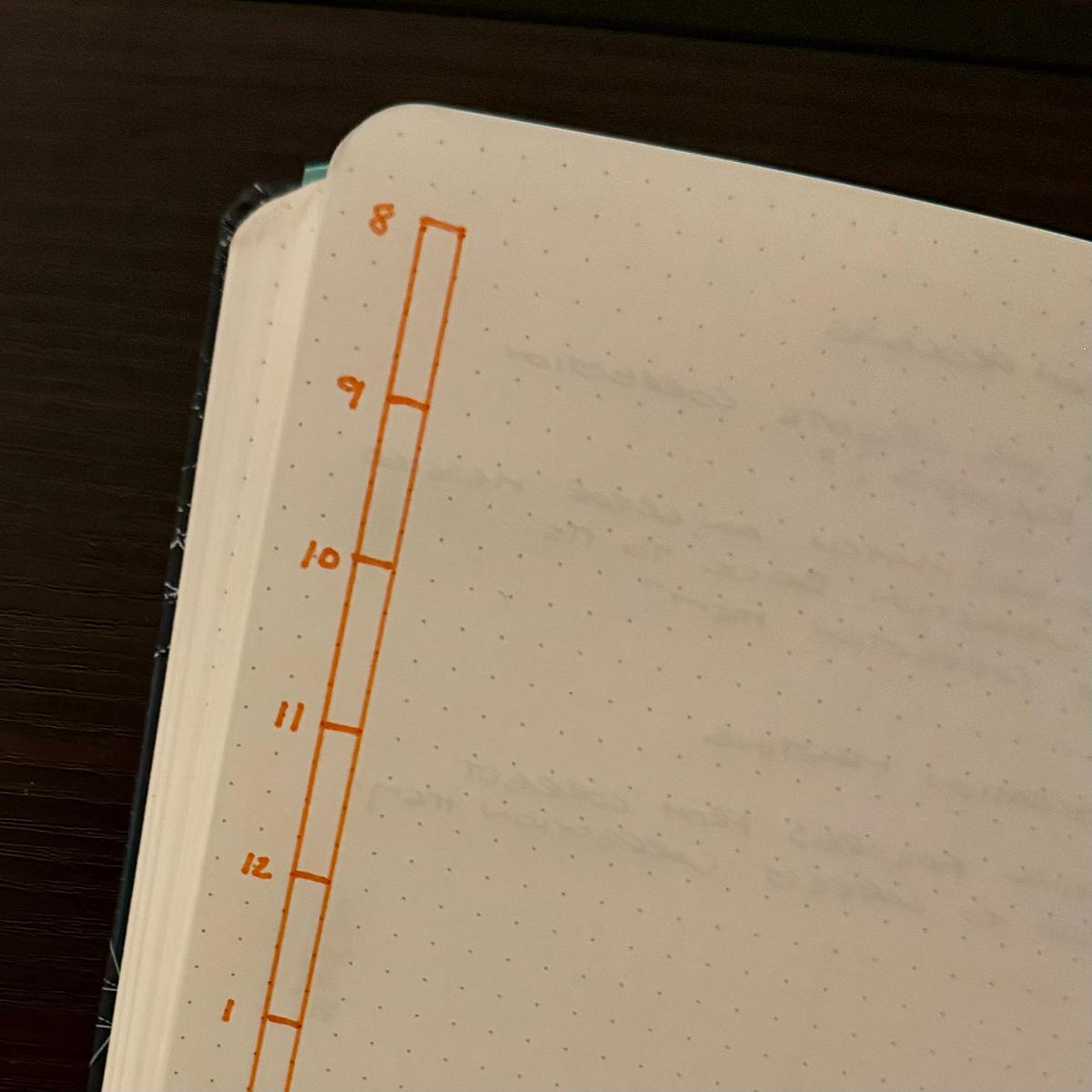
Using the daily plan bar again

For the last few weeks, I’ve been using Mike Rohde’s daily plan bar for my work notebook.

Initially, I started using a weekly plan bar over a year ago. Still, in the last few weeks, I’ve needed to tie my notes to that same day, so I’ve started using the daily plan bar again.

Auto-generated description: A dotted notebook shows a vertical timeline numbered from 8 to 1 on the left side in orange ink.

Nothing fancy, just a bar representing my day, split into 15-minute segments going from my usual hours of 8 to 5. If I am starting earlier in the day, it can go from 7 to 4 instead.

My daily plan bar is always on the left-hand side of the left-hand page of my notebook. The rest of the two-page spread is for notes and anything else that comes up that day.

It’s been a good change moving to the daily plan bar. Scoping out my day is much easier, and adding last-minute meetings and changes is easy.

In the future, I may reduce the bar to just eight hours and use the extra space for a single goal for the day.

A couple of lessons learned from my recent email move

My move back to using my own domain as my primary email address has been relatively smooth, with just a few hiccups along the way. It has highlighted a few things that I should remember if I ever consider changing email addresses again (which I hope never happens again).

Email on your own domain is flexible

When I signed up for Hey’s email service five years ago, it meant moving away from using my domain for my email address. At the time, I had slight reservations about using hey.com as my email address, but I figured it was just an email address, and I had changed it before.

One problem is that with this type of email address, I am tied to Hey’s email service, and if I want to switch, I need to change my email address. This isn’t a problem if you use a domain name you own for your email, though. If, after a while, you don’t like the email provider you are using, you can switch to someone else while still retaining the same email address. And yes, Hey does support email for custom domains now, but that wasn’t available when Hey was launched.

Using your own domain for your email address ensures the longevity of your email address but also allows you to move between email providers.

You can’t change your email account everywhere

The last couple of weeks have seen me reviewing my password manager and conducting a spot check on all my accounts to ensure that I have migrated all of them to use the new email address.

Unfortunately, not every service allows you to change the email address associated with it. There are two scenarios I have found where this is the case.

Services that don’t let you change your email address

Some services just don’t allow you to change your email address at all. You need to delete the existing account and create a new one. This might be an issue if the service is one you have used long-term and has numerous purchases associated with it.

I have one account with a service that has several e-books purchased against it, but I haven’t been able to update my account to change my email address. Additionally, despite contacting the service’s support team, they haven’t responded promptly to allow me to change my email address. I’ll download the e-books I have purchased in the past and then create another account for any future purchases. Fortunately, these books are technical and mostly outdated, so the loss is not significant.

Services that use single sign-on

Some services don’t have a fully functional single sign-on experience, where your email address associated with your authenticating service may change. I’ve noticed this with several services. I have changed the email address on the authentication service I use to log in, e.g., Apple, but the end service I am using doesn’t recognise that it’s the same account, just with a different email. From a user experience flow point of view, this seems like a red flag.

Having experienced this, I think I might avoid single sign-on logins and instead use email or usernames wherever possible.

Not that I’ll need to, though, because I am not about to change my email address. Right?

Can any plugin authors here on Micro.blog tell me how you get an image/logo to appear next to your plugin in the plugins directory? I still haven’t managed to figure out how to do this for my Bothy theme.

Another one taking part in Small Web July

To try to get back into regular blogging again, I have decided to take up this invitation to Small Web July.

Here are my guidelines for the month:

  • Write at least one blog post a day - This can be anything from quoting another post, sharing some thoughts or anything else really. The one thing I want to do, though, is to move beyond just sharing the bare minimum. Far too many of my posts are short enough not to need titles on Micro.blog, and I want to start moving away from short posts to longer posts.
  • Engage a bit more on Micro.blog - I noticed that my volume of replies to people and from people is relatively low. I used to reply to posts a lot in the past, but for some reason, I find myself rarely engaging with other people on Micro.blog.
  • Spend more time reading - My reading habit is returning, but not as quickly as I would like. Some fiction books I’ve recently bought are not grabbing my attention. On a whim, I picked up Andy Weir’s book, Hail Mary, for my Kobo. I loved reading The Martian, so I’m sure this will be something I will enjoy reading.

That’s it for the month. I could have added more things to do, but with schools off here in Scotland, I tend to find that between now and mid-August is a time for setting aside any primary goals and just enjoying the boys being about the house and sitting in the back garden when possible.

I noticed that Annie Mueller is participating as well.

Is anyone else taking part?

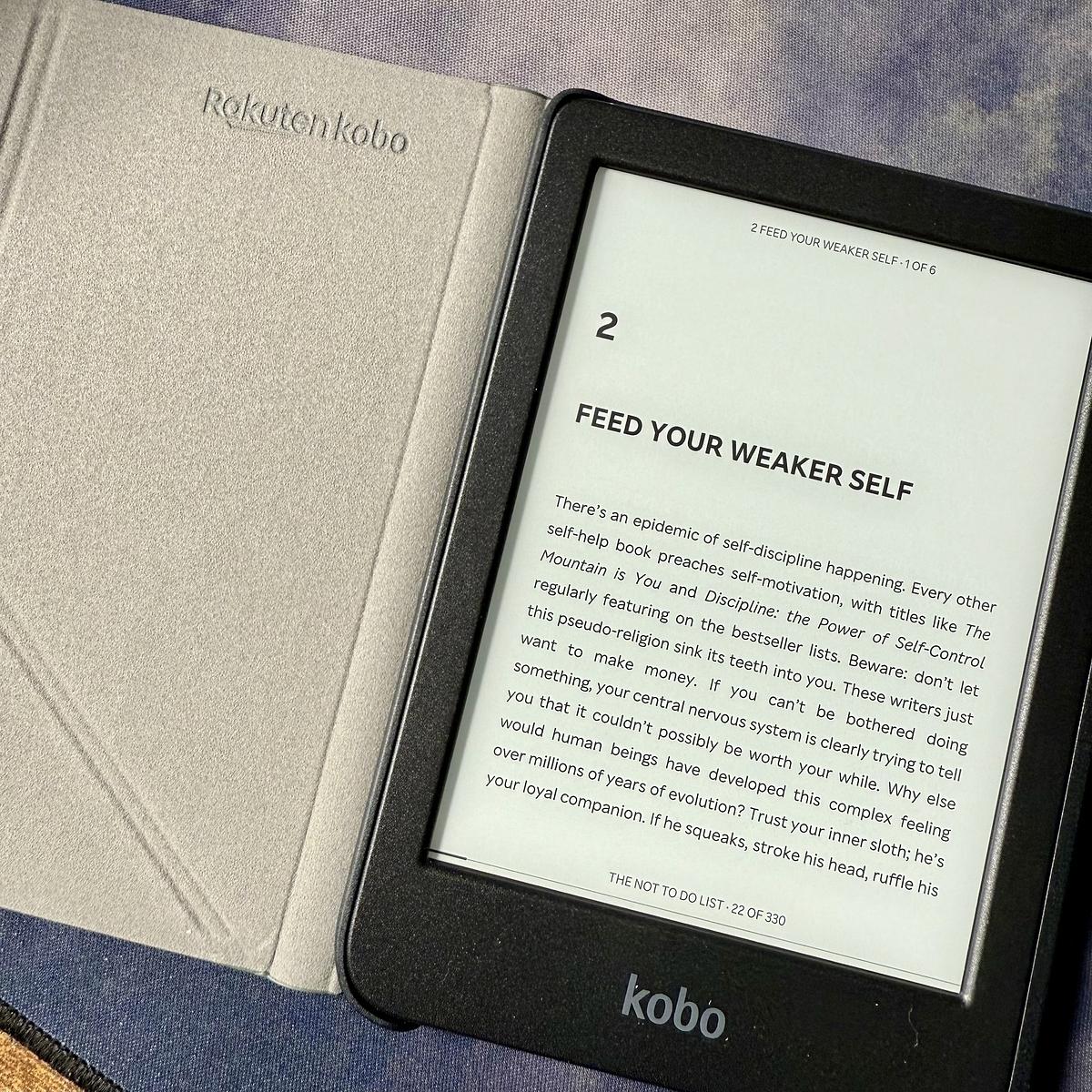
Father’s Day is just around the corner here but I managed to convince the family to let me have my gift early, a Kobo Clara BW e-reader. I’ve been wanting one of these for a while.

An open Kobo e-reader displays a page titled "Feed Your Weaker Self" beside its case.

That’s the 2nd time in a matter of weeks I’ve used a YAML file as a data source instead of going to straight to creating a table in the database.

The YAML file bridges that gap nicely of not needing the database quite yet, but we do need to store some structured data.

I spent the better part of a day preparing a section of the garden for the new greenhouse. Now, I’m reaping the benefits of a hard day’s work by chilling on the couch with a rum, watching golf, and doing some Rails coding on my MacBook.

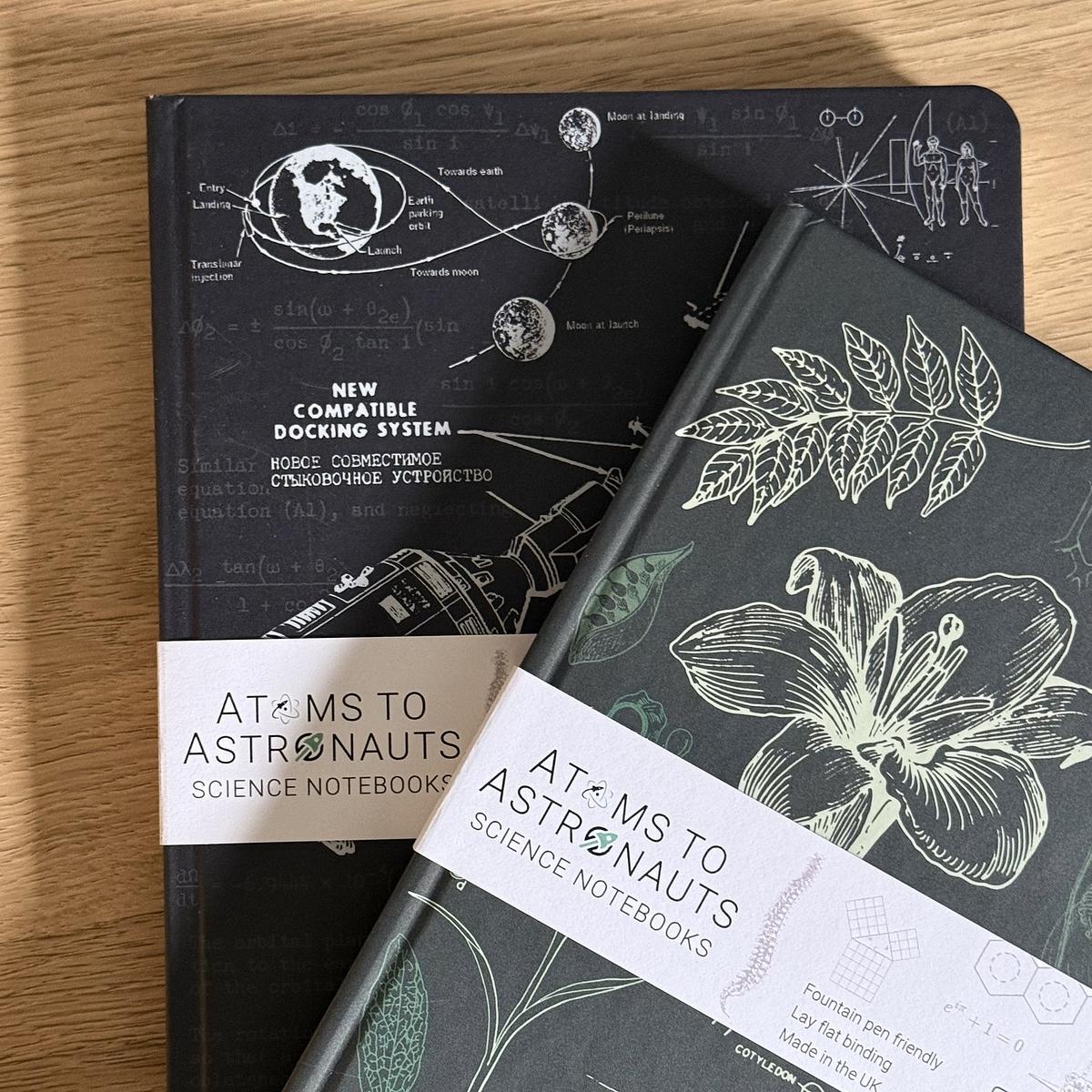
Picked up a couple more of these notebooks from Atoms to Astronauts.

Good quality paper and the covers are superb. Picked up the astronomy and geology notebooks this time.

They’re catching on in the Lang household as my youngest asked for a couple as well.

Two science-themed notebooks, one featuring a geological design and the other with planetary orbits, are titled "Atoms to Astronauts Science Notebooks."

I finished reading Dust, the last of the Silo series by Hugh Howey.

I thoroughly enjoyed the books. It’s also good to finally have finished a series of books, as it’s been a while since I’ve done that.

First Paragraph - Dust

Dust rained in the halls of Mechanical; it shivered free from the violence of the digging. Wires overhead swung gently in their harnesses. Pipes rattled. And from the generator room, staccato bangs filled the air, bounced off the walls, and brought to mind a time when unbalanced machines spun dangerously.

‐ Dust by Hugh Howey

I’m loving this series of books.

First Paragraph - 12 Rules for Life

If you are like most people, you don’t often think about lobsters—unless you’re eating one. However, these interesting and delicious crustaceans are very much worth considering. Their nervous systems are comparatively simple, with large, easily observable neurons, the magic cells of the brain. Because of this, scientists have been able to map the neural circuitry of lobsters very accurately. This has helped us understand the structure and function of the brain and behaviour of more complex animals, including human beings. Lobsters have more in common with you than you might think (particularly when you are feeling crabby—ha ha).

— 12 Rules for Life by Jordan B. Peterson

First non-fiction book of the year. Just reading a chapter a month.

I love that Bookshop.org still supports local bookstores with their new ebook sales. However, why can you only read these ebooks with the Bookshop.org Ebooks app? I would have liked the option to read my purchased ebooks in other ebook readers. Still, I’ll be checking it out.

I finished reading Shift by Hugh Howey. It’s not the way I thought the series was going to go. Still, I thoroughly enjoyed it. 📚

I finished reading Wool by Hugh Howey last night. The first book finished for this year’s reading goal and the first time in a while that I’d finished a book in just under a week.

It is not a million miles from the television series but a bit faster-paced. 📚

First Paragraph - Wool

The children were playing while Holston climbed to his death; he could hear them squealing as only happy children do. While they thundered about frantically above, Holston took his time, each step methodical and ponderous, as he wound his way around and around the spiral staircase, old boots ringing out on metal treads.

— Wool by Hugh Howey

My track record of reading books has been woeful over the last few years. I thought I would try something different this year. I’ll be posting the first paragraph of each book I’m starting, and I’m using Micro.blog’s Epilogue app to track what I’m reading through the year.

I enjoyed the first season of Apple TV’s Silo, and I’ve just started watching the second season. It seemed like a good fit to start reading something I was familiar with.

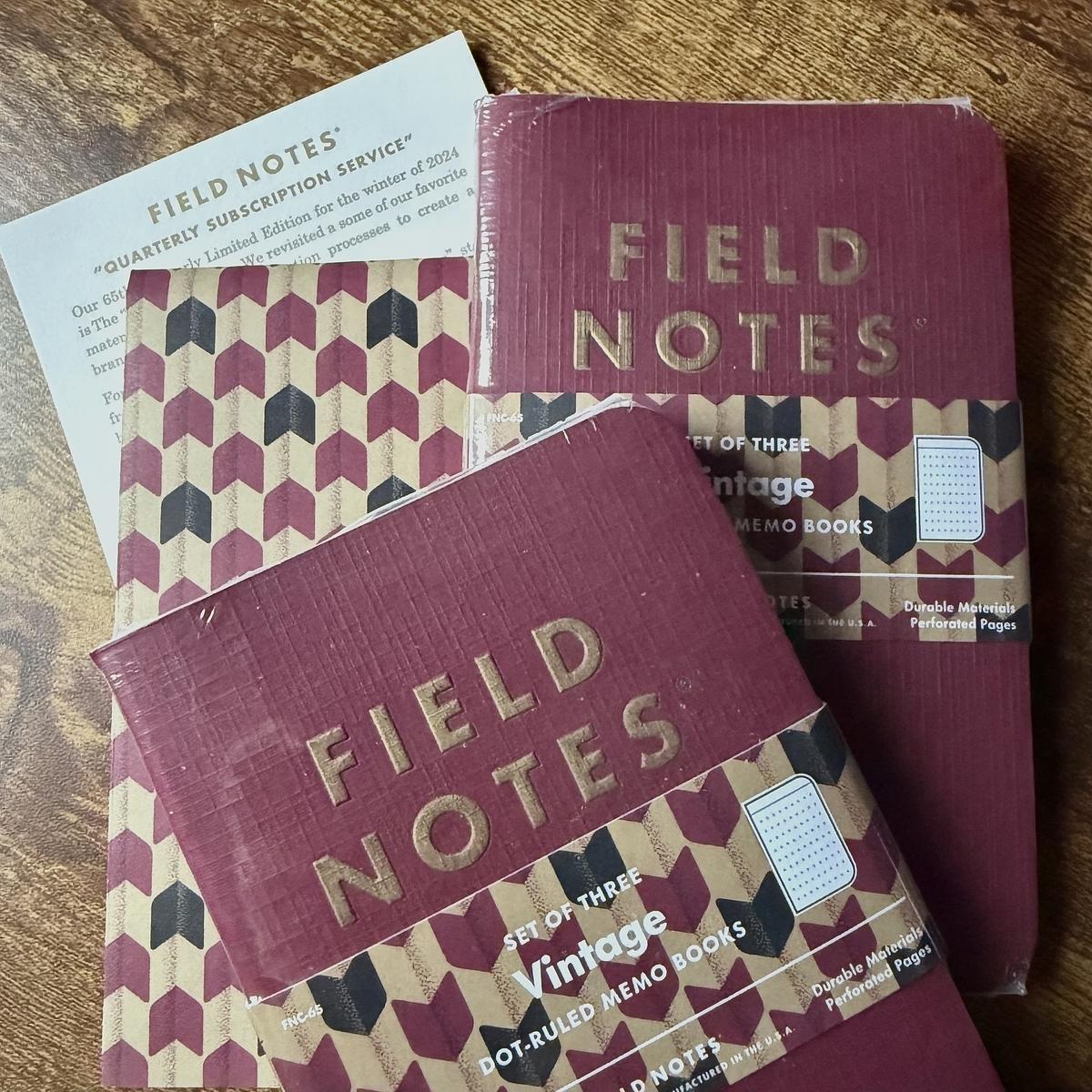
My quarterly Field Notes subscription arrived today. This “Vintage” edition is rather regal, with a deep red cover and gold ink.

As always, my wife quickly nabbed the Field Notes pen for herself. She keeps a little stash of them for work. 🙂

Several Field Notes memo books featuring vintage designs are placed on a wooden surface.

Trying out TickTick

For the last weeks, I’ve been back to using bullet journaling. It works well, especially for my day job, for which I use a separate notebook. For everything else outside of work, though, it’s been working okay, but I feel I still need something digital-based for long-running projects.

Keeping a long list of tasks in a notebook is fine if you have one or two long-running projects, but I have a couple of web applications to keep track of and a growing project that now requires multiple lists.

I’ve tried almost every known task manager, and none of them has worked. Every task manager is different, so they usually don’t work out for me for various reasons. One task manager I haven’t tried though is TickTick.

First impressions are good. Tasks can be put into lists and even folders. They can also be tagged so that they can be filtered. A couple of extras I didn’t expect to see are the baked-in Pomodoro timer, an excellent addition to a task manager, and the ability to track habits.

It’s still early days, but it’s clear to me now that I need a digital task manager to keep track of these long-running projects. We’ll see how TickTick works out in the long term.

Skipping next year's Techo

I’m almost entirely sure that I won’t be buying a Techo for next year.

This year’s Techo is mainly blank. Despite many attempts at using it daily, it’s mostly just been gathering dust on my desk, with only a dozen pages filled in at best. Last year’s Techo was also the same, largely blank. In fact, I remember binning last year’s Techo around November time after believing there was no point in holding onto a largely blank planner for the year.

This is just one of a few things I used to do but don’t anymore. Reading and sketching were two things I did almost daily a couple of years ago. I haven’t finished a book in a long time or sketched for nearly a year.

I would like to say it’s frustrating, and I would love to kickstart doing these things again. However, I look back at how long it’s been not doing them and decide it’s probably not worth starting if I’m just going to stop again.

Hats off to 37signals for making their latest Once product, Writebook, 100% free—well, at least for the initial version of the product. Sadly, there are no other export formats, such as PDF or ePub, but having the ability to publish books on the web is a good start.

Working from the garden this afternoon was somewhat more productive than I thought. Fresh air, a single screen, and only enough space on the table for my laptop, mug, and notebook. I think I’ll be doing this more often!

My MacBook Air’s battery life is starting to wane when it’s unplugged for most of the day. I didn’t think I would notice it this quickly. It is over a year old now, but I really thought the performance of the battery would have been better for longer than this.

Terry Pratchett’s “A Stroke of the Pen: The Lost Stories”, is a hilarious read so far. Also a good book to kick start my reading for 2024. Starting the year with a couple of shorter books just to get going.

Once again I find myself scrambling about in my web history looking for a link that I read a few weeks ago but didn’t bookmark. 🤦‍♂️

Crawling back to X?

David Heinemeier Hansson recently posted about X’s appeal.

Everything that happens, everyone who matters, is on X first. Even the most rabid Musk haters come crawling back to this platform when it counts.

DHH, X

I’m afraid I have to disagree with this.

X was the place I checked first when something happened. It’s definitely the last place I check now. A news website like The Guardian might be where I start if there’s some breaking news story. If it’s tech-related, I’ll go to Hacker News and then possibly The Verge for more information on the story.

As for the “everyone who matters” part, I see X now as nothing more than a platform for technical people. Yip, many friendly people are on there, and they are still posting interesting stuff. Still, the general vibe to me is that it’s an excellent place for those in tech but not much else. For me, it’s become an echo chamber.

So, are others still crawling back to X?

Not for me. I might check my X timeline once a day and bookmark a few things to read later, but that’s the extent of my interaction on X. It’s not the source of good content that it was a few years back. It’s definitely not the platform that counts for everyone.

Code and coffee session working on my new website this morning was something of a success. Added new jobs to import starred Github repos and liked Instapaper articles to my bookmarks collection. I also added my Micro.blog posts to the homepage.

I wish people would return to self-hosted websites, aka blogs. The fact that everyone seems to be publishing their content in newsletters is driving me bananas. I want to stumble upon your content when I am strolling through my favorite bookmarked gardens. Not in my inbox.

— Tina Roth Eisenberg on Threads

Amen. Bonus points for websites that also provide an RSS feed.

The trailer for season 3 of Slow Horses has dropped.

Between this and For All Mankind, my winter television viewing is sorted. Also, it might be time to start reading the Slow Horses books.

Minilog 15 complete. Using a two-page spread for the weekends condenses how many pages I need for a month. This month’s almost fitted in a single notebook.

Setting up my oldest son with my old MacBook Pro today. It’s ideal for him for his studies and I hope it helps him get better grades in his prelims and highers this year.

The migration to my new MacBook Air is almost complete. I liked the opportunity to start from a clean slate, so most of the process involved copying files across. I thought iCloud would have helped in this respect, but it was not always functioning on my old Pro.

Patrick Rhone’s plan for measuring his days in the future is definitely something I can get on board with.

One day, I hope not to measure my days in minutes or hours, but in miles walked and pages read.

Patrick Rhone

And on that note I finished a book this morning and just finished an hour walk with Jennifer through the trees where we live. A great day so far by any measure.

Wally Bock shares an ideal model for present-day Christmas in a time when, there’s a demand and push for us to spend and consume beyond our means.

What I’ve always liked about the story is the way Dickens portrayed that dinner. Dickens had been poor and he didn’t romanticize the poverty.

Instead, he showed a family enjoying each other and the day. There would be time for work and old man Scrooge soon enough. They knew that Tiny Tim would probably die soon. But there was still joy and refreshment to be had.

It’s not a bad model for us today. For a day, surely, we can set aside our smartphones and turn away from the worries, maybe even turn off the news. For a day, we can enjoy some time away from stress and bathe in the joy of being with people we love and who love us.

A Cratchit Kind of Christmas

And yes, my Christmas tradition of reading A Christmas Carol continues this year.

Sticking with tried and tested

Over the weekend, I decided to give Readwise’s Reader application a spin. After seeing several tweets about the product, I thought it might be a way to combine my Instapaper and Feedbin subscriptions. After exploring the product over the weekend, I’ve decided to stick with Instapaper and Feedbin.

There’s nothing majorly wrong with Reader. It’s a fine read-it-later product and has many great features. It’s still in beta, though, but there’s nothing there that would stop others from seeing the value in it.

My main gripe with Reader is that it tries to do this and several other things, all in the same product. Saving articles for later is known, but it also allows you to subscribe to feeds and newsletters, send emails to Reader and upload PDFs and EPUBs. That’s a heck of a feature set, and while it can do all these things, I already have these features covered elsewhere.

My Kindle and Books apps handle any books that I might be reading. Instapaper is my go-to read-it-later service. Feedbin is what I use to subscribe to Youtube channels, RSS feeds, email newsletters and Twitter lists. Finally, between Hey and Basecamp, I have places for keeping emails.

The main difference I found is that while Reader does all these things, I am happier with the products I already use. That might be harsh comparing established products to Reader when it is still in beta. I did find Reader tricky to navigate through, and it just didn’t flow for me in the same way that Feedbin or Instapaper does. I’ve no doubt that Reader will improve over time, though I’m content with the setup I have now.

I started another minilog yesterday.

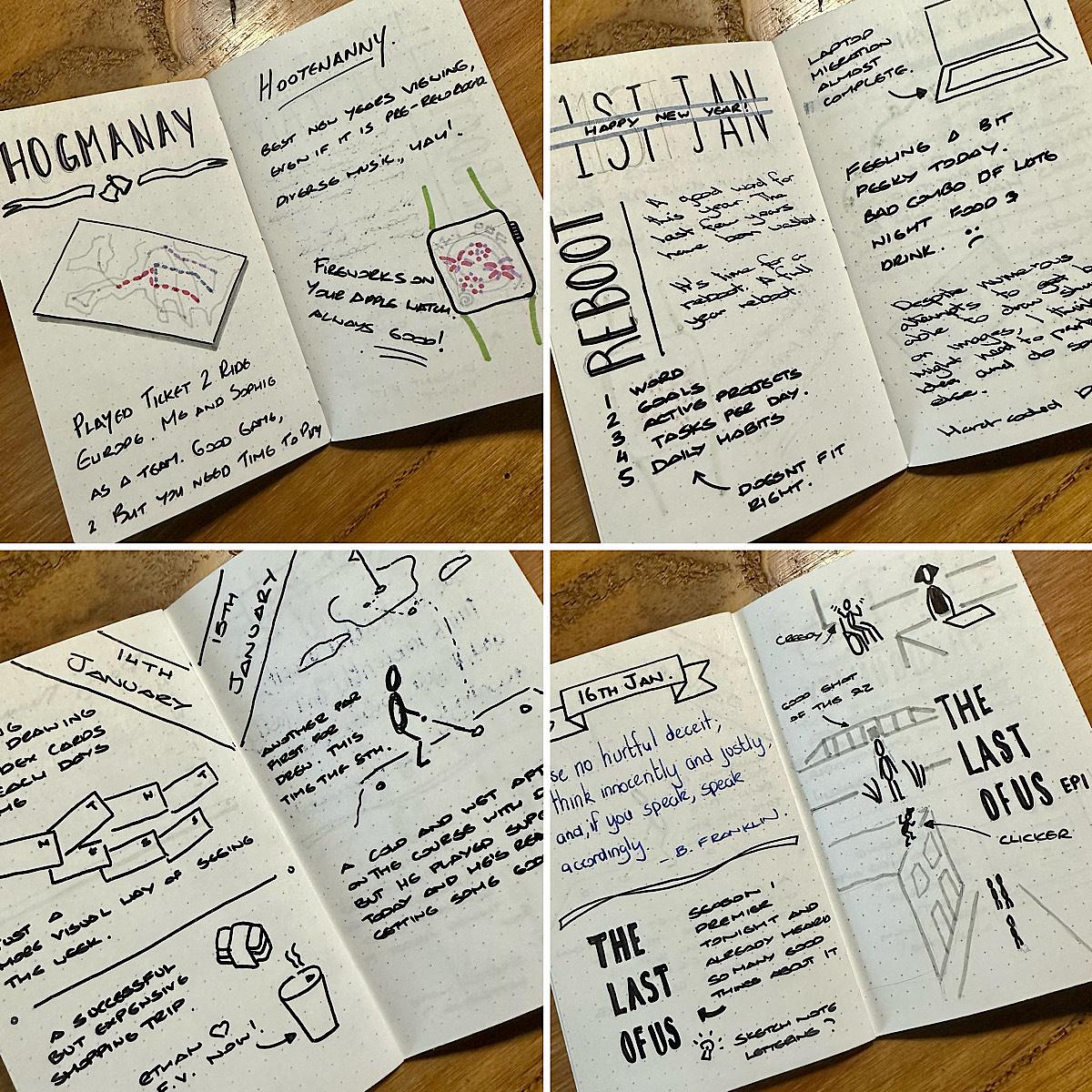
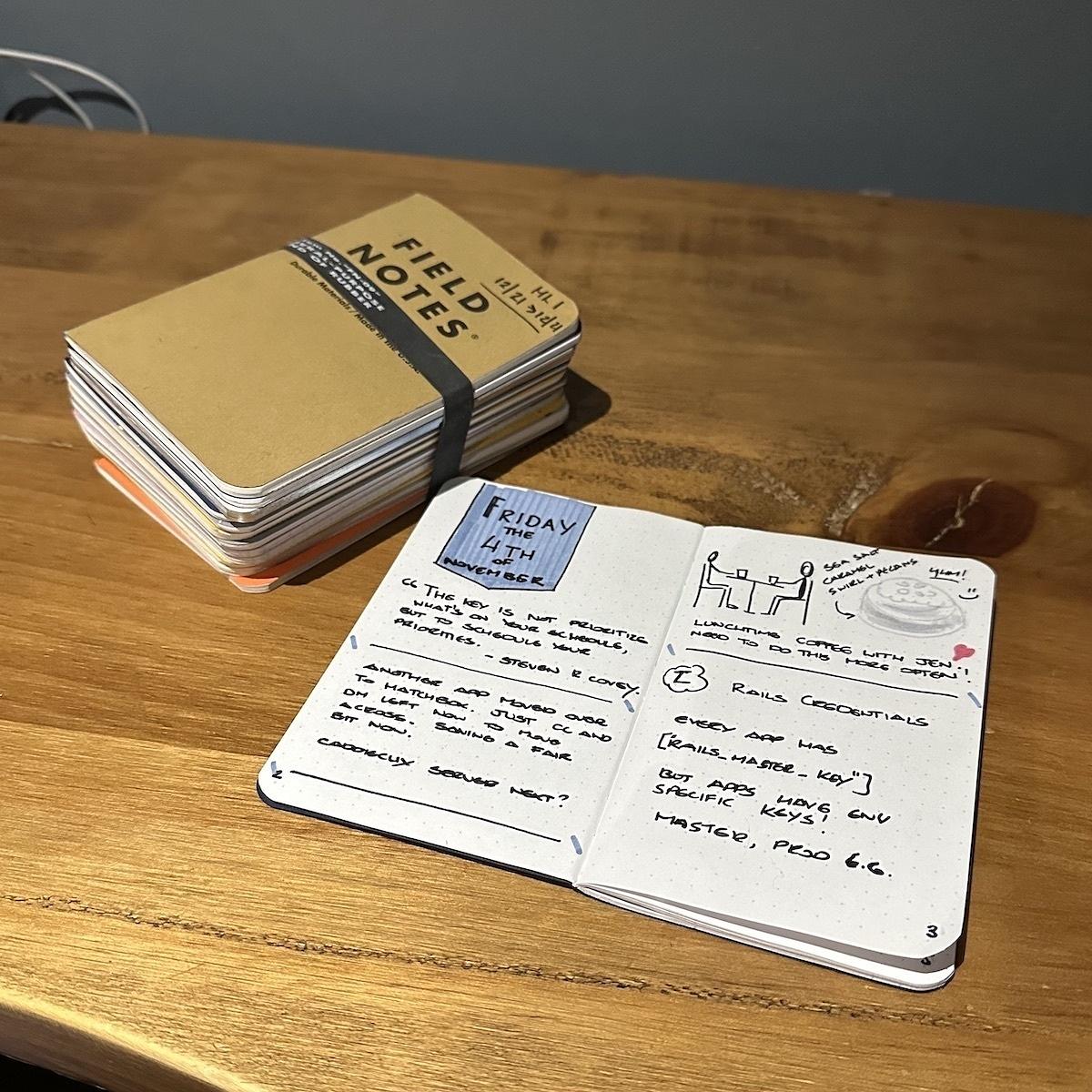
That’s 12 notebooks mostly completed over the last year. I say mostly completed, as there’s a couple of notebooks in there that I didn’t finish. It’s been a good daily exercise over the last year and I’m going to continue it through to next year. Also, it gives me something to do with my Field Notes subscription!

I’ll also start sharing a few pages from them again as they are completed.

New MacBook time

After nine years with my MacBook Pro, it’s time to upgrade. I’ve been using the same MacBook Pro since 2013, and it’s been a great machine. However, it’s time to upgrade.

Over the last year, I’ve noticed an evident degradation in my MacBook Pro performance. It can usually only handle a handful of apps open at any time. I tend to have Firefox, VS Code, iTerm and Docker available anytime. Anything else I can open at the same time is usually a bonus. If I have to open a few more apps, I’ll shut down all my development apps to allow more apps to open.

I’ve been researching the new MacBooks over the last few months, and I’m pretty sure the new MacBook Air is the right fit for me. The Pro would be a good fit if I needed a dedicated machine I used most of the day. Still, as I already have a reliable work laptop, I just need a light development machine to use at night and at weekends.

I’ve only owned two MacBooks over the last 15 years, which is pretty good. I wonder how long my new MacBookAir will last me?

I’ve been curious about the PHP framework Laravel over the last few weeks. I’ve just been reading the docs and watching a few screencasts. Just dipping my toe in at the moment.

Finding the path again

Over the last couple of months, I’ve started to make some progress on many of the habits that I fell away from a few years ago. I’m reading again, I’m working on more side projects, and I’m starting to find myself blogging more again. Feels good that I have found my path again. I hope that it continues.

Lots to like from Apple’s WWDC event, but the MacBook Air definitely caught my eye. Might just be my next laptop to replace my ageing MacBook Pro.

A study shows that full absenteeism from social media is good for you.

Digital Minimalism and Deep Work author Cal Newport, highlights a new paper shows that taking a prolonged and full break is good for you.

The researchers further found that they could obtain smaller, but still significant improvements in depression and anxiety by having users simply reduce the time they spend on Twitter and TikTok. The biggest effects, however, came from full abstention.

Taking a Break from Social Media Makes you Happier and Less Anxious

This is something that I need to do more often. The endless scrolling is a terrible habit of mine. When this happens, I sometimes start to sense that feeling of negativeness creeping in as I am scrolling. At this point I just put my phone down and find something else to do. Maybe I should just delete the Twitter app from my phone?

How I am using different tools and themes to seperate my work from my home.

It’s always good to use good tools for the job. In my case, I’m back to using a Macbook Pro and macOS as my development machine and operating system. It’s also great that I am working with Ruby and Rails once again.

The downside to using the tools is that they are the same tools I use to write web applications in my spare time. I enjoy hacking on ideas for web applications and using them for my own use, but I’ve noticed that the lines have started to blur when I use other tools.

Take for instance, source code management. I’m now using the same source code management tool for both work and my own projects. With source code management being a big part of my workday, I don’t enjoy using it the same way now for my own projects.

If I’m to continue enjoying hacking on my code after then, I want it to be an enjoyable experience. While I have no complaints about my job, it’s not a part of the day I want reminded of when it’s the evening or the weekend. I’ve been exploring different options for source code management over the last couple of weeks. I have decided to try out Gitlab for this over the next few months. It’s free, has similar processes to my current source code management tool, and integrates well with the hosting company I use for my web apps.

I’m also looking into other ways of using different tools or using the same tools differently. iTerm and Visual Studio Code are two tools that I use both at work and at home but finding alternatives to these is tricky when I use these tools really well. So instead of changing these tools to something else, I’m just changing how these tools look.

For iTerm, I have different looking terminals for work and home. It’s not much of a change, but the look definitely changes the dynamic of being at work and being at home.

I’ve also done the same with Visual Studio Code. I’m not going to look for a new text editor when I already use this quite proficiently. Instead, I am using the toggle extension in Visual Studio Code to change the theme and font settings for when I am at work and when I am home. A simple keyboard shortcut is now all it takes for me to change my interface from work to home.

Setting these boundaries between these contexts is essential as it creates a space for both. While I use many of the same tools, I do like to feel that I am in the correct mindset at the right time. That means using the appropriate tools for each and being able to distinguish between each. If the same tool has to be used for both, then a simple change of how that tool looks is all it takes for me to determine which context I am in.

Trying to tame my inbox once again

I have followed several high-volume technology RSS feeds for so long that I can’t even remember when it started. Maybe in the Google Reader era? I don’t know.

It feels that catching up with these feeds through Feedbin is becoming more of a chore than I would like lately. It’s now come to the point where I barely read these feeds anymore and simply mark them all as read. I don’t want to still read, but perhaps just not as an RSS subscription.

I have re-located these feeds this week in my daily newsletter on Mailbrew. The latest newsletter just dropped into my inbox. I have to say it’s a much better reading experience just having a limit on the posts from these feeds. Although I’m only getting the last few posts for each feed, I find it easier to scan through my newsletter and pick out the links I want to read later. This may be a permanent change.

I’ve started getting into the habit of reading source code again. It’s been too long since I have done this, and actually did wonders for my confidence. When the code you write isn’t that far from other people’s code, you know you are on the right track.

Why I'm passing on renewing my Tweetbot subscription

It’s coming up for a year since I started my Tweetbot subscription, and now that it’s up for renewal, I’ve decided to pass on renewing it for the next 12 months.

Over the last year, I’ve been gradually finding myself using Twitter’s web interface a lot and their iOS app on my iPhone. The Twitter client has come under fire a lot over the years, but I find both their web interface and iOS app very easy on the eye, and they don’t present too much information at once. Also, now that I can change Twitter to see the latest tweets from my timeline, I no longer need a third-party app to do this for me.

I’ve also been using Tweetdeck on the odd occasion as another option. If I’m looking to follow my timeline and a couple of lists at the one time, I’ll use this. I have enabled the beta preview, which adds many new features.

While Twitter can be a time-sink, I’m gradually getting it to a place where I only check-in a few times during the day on my browser and use the app on my phone for a few minutes at night. I’ve also limited how long I can use Twitter every day, which lets me ration my time on it.

I use Twitter lists to break down who I am following into categories. Most of my lists are emailed to me using Mailbrew a few times a week. I do this so that I catch the highlights from each list every few days, and then I don’t need to check on that list until the next email. Mailbrew allows me to catch up on Twitter content within the safe confines of my email and has effectively become my offline client for Twitter.

Lastly, Twitter handles many things better for me than third-party apps like Tweetbot. I can bookmark tweets and see threads better as two minor examples, and there are probably more. For me, though, it means that another app subscription is perhaps something that I can do without.

Progress update for my side-projects

At the start of the year, I chose “build” as my word for the year. The single word strategy is the idea that you choose a word that will direct what you do for the year. Having not done this for a couple of years I wanted to go back to doing this so that I could at least focus on something for the year.

It’s mid-way through January and now seems as good as any to review what I’ve been building over the last two weeks and what I will be building in the near future.

My Twitter List Banner Maker (a mouthful I know) is now public on my GitHub profile. It’s far from complete but it’s working and with a few tweaks here and there can be used by others for their own lists. While building this I did learn a couple of things. Mainly, authentication with the new Twitter API, and also I improved my knowledge of RMagick by learning how to merge images together to change how they look.

In the background, there’s also a number of other things I’ve been building up.

  • I am continuing to post to my blog during the weekdays to build an audience up again. I’m not looking to build an audience of thousands, just more people that like what I am writing.
  • I am building a single document that will act as my playbook if you like for the day. A template for the day if you like. It’s been working well for me but it still needs some refining.

Looking ahead, over the next few weeks I am going to start building an application using the Blitz.js framework. A fellow developer from Glasgow put me onto this framework a week ago and I’m intrigued by the comparison to Rails but also that it’s a JavaScript framework and that’s one language that I am keen to build up my knowledge of in 2022.

The application won’t be too complex, a single-page application with a form that does validation and uses an external resource to look up information based on the data provided by the form. It was the simplest idea I could think of at the time and could be done within the next few weeks.

I’ll also continue to tweak the Twitter List Banner Maker so that it formats avatar images into a layout that is determined by the number of members on the list.

That’s enough for this month’s update. The next one will drop in mid-February.

It's been long overdue, but I am reading again

I’m reading again. And it’s been long overdue. I can’t remember the last time I finished a book that I hadn’t read before. It’s been that long.

There are lots of pitiful excuses I could make for not reading. There are two significant reasons why I stopped reading.

The first reason was that I spent far too much time elsewhere. And that time elsewhere was usually on screens like television, games console, phone. The rotating screen exercise throughout the day was relentless. I traded one screen for the other throughout the day until right up until I went to sleep.

The second reason is not as significant, but it impacted my reading. I had a run of books that I didn’t finish. Most of these books were fiction, and I didn’t finish them because I lost interest in them.

Now, up to this point, I mostly read science fiction and fantasy books. On the odd occasion, I would read something else, but this genre was the one that I enjoyed the most. However, a pattern started to emerge between every handful of books I began to read. I would lose interest in it. After a couple of attempts to finish each book, I gave in. Eventually, I gave up reading altogether.

Thankfully, now things are starting to look up. I’m almost three-quarters of the way through my first book for 2022. I’ve also started another book that I hope to finish by the end of the month.

I do want to read more books this year. I have a stack of physical books on my desk that I need to get through and a reading list written down. I hope that’s all the planning I need for this year to start reading again.

If you are curious about the book I am currently reading. It is Seveneves by Neal Stephenson. The story itself is about preserving the human race following an apocalyptic event on Earth. I am thoroughly enjoying it.

I'm finally on the mechanical keyboard train

I’m typing this on my new Keychron K6 keyboard. It is a Christmas present from my wife, and I love using it.

This morning I decided to try and pair it up with my work laptop, a Windows laptop. It paired up beautifully. It even allows you to switch to a Windows/Android mode to make the key mappings better for those modifier keys on either side of the space bar. Now I can sit the one keyboard on my desk and switch my two laptops when I need to.

I have been looking at mechanical keyboards for a few years now, and while I have always considered getting one, I always put it off as I wasn’t sure what keyboard to get, what switches to select and what features would be supported. In the run-up to Christmas, though, my wife suggested that I make the jump and get one and call it a Christmas present from her. I did. And now, having used the keyboard every day for the last few weeks, there’s a thought running through my head.

I should have done this years ago.

How many times have you muttered those words? You realise that there’s a better way for you going forward, and you regret not doing it in the past.

You can end up quickly kicking yourself when you realise this. You end up looking back, wondering what would things be like now if you did that one thing years ago.

A change of your keyboard seems trivial, but it can happen with any change you make. You are cutting out caffeine at night, going for a walk every day, or reading a book at night instead of watching television. 

There’s another way of looking at this, though.

What if you never made the change to begin with, and you just kept plodding on, having never made the change?

At least now, having made the change, I know that I’ve made a change for the better. And it’s better to have made that change than never at all.

Get sketchnoting!

It’s world Sketchnote day today! A chance for the sketchnoting community to celebrate this under-appreciated form of note-taking.

I first encountered sketchnoting through Mike Rohde’s sketchnotes. I found that sketchnotes provided a way of organising visual notes more linearly.

Before I started using sketchnotes, though, I used mind maps. I’ve been a user of mind maps for almost three decades now. When I was studying for my exams in high school, my uncle introduced me to mind mapping. I used them extensively while studying. I can still remember the epic four-page mind maps I created for each topic.

Mind maps, like sketchnotes, are visual. However, unlike sketchnotes, they are organised radially with a central topic in the middle and sub-topics emitting out like spokes on a bike.

One minor gripe with mind mapping is that it is always difficult to gauge how much space you need for the final mind map. Sub-topics can grow out from their designated areas on the page, and despite having some idea of how much space you need, I always found that I ran out of room.

With sketchnotes, though, it allows you to be more linear with arranging your notes. Although sketchnotes on a topic might cover a couple of pages or more, they are linear, making for little wasted space and is easier to read.

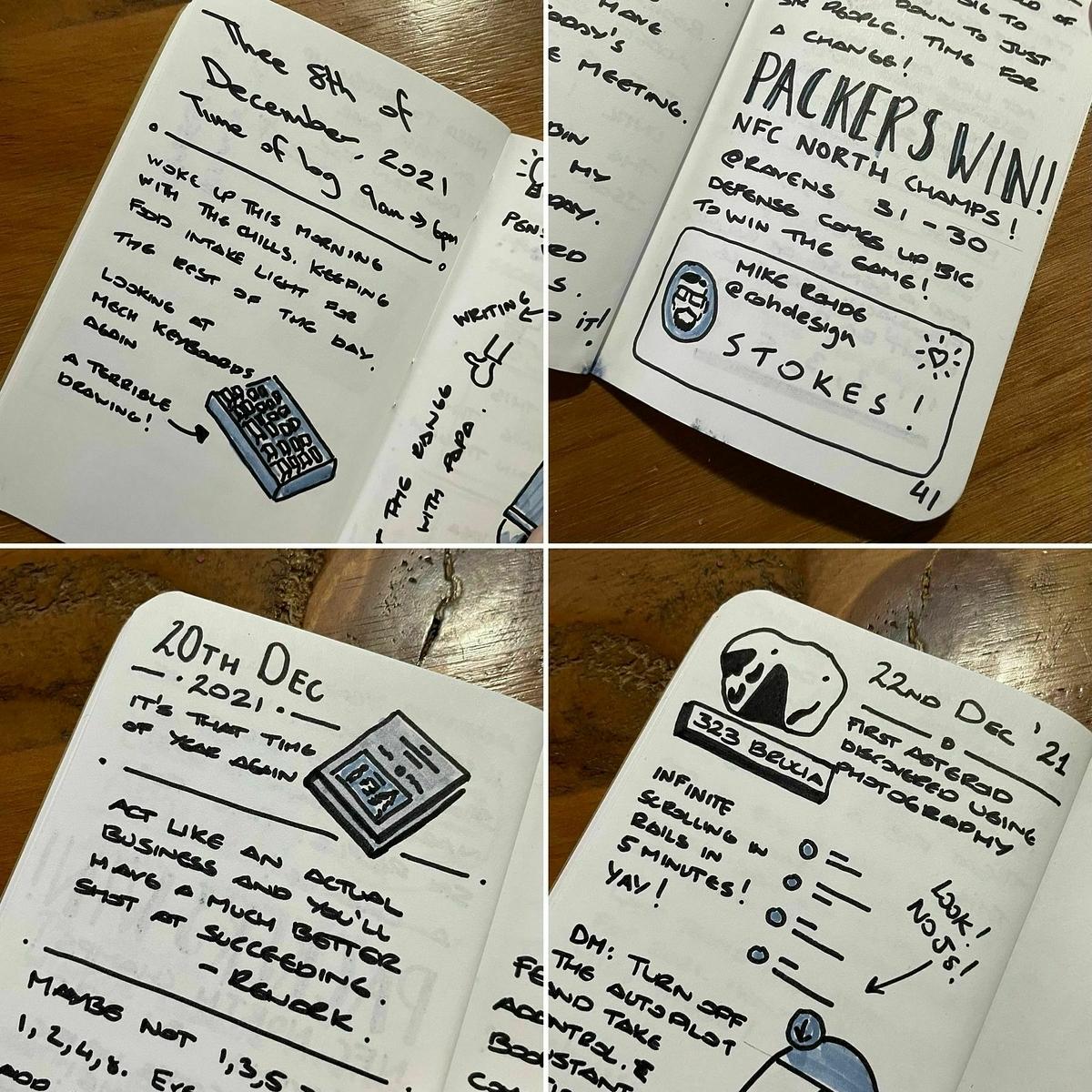
I still use mind maps on the odd occasion for outlining or doing a brain dump, but for taking notes, I use sketchnotes. I also keep a log of the events of the day using sketchnotes. I call this my minilog. I keep it in a series of Field Notes notebooks.

After a long spell of not sketchnoting, I’m happy to say that over the last few months, I back to using it daily again and enjoying it over the previous few months.

You can use any notebook and pen combination for sketchnoting, but after a few trials with different notebooks and pens, I found the following selections good for my sketchnotes.

I also have two Sketchnote Ideabooks, but I haven’t taken these out of the wrapper yet. I want to use them, but I just haven’t got around to them yet.

If you want to get started on sketchnoting, check out Mike Rohde’s sketchnote page. It has lots of free material to get you started. If you need some inspiration, there are also many examples of other people’s sketchnotes on Twitter.

Trimming down some feeds in my Feedbin account

Over the weekend, I started reviewing my Feedbin account to reduce the number of unread items I see daily. Recently, I’ve noticed that I check my Feedbin account less regularly. I used to go through it a handful of times a day, now not so much. It’s not that there isn’t anything interesting there to read. There always is. I think it’s because I am scanning more of the headlines and just starring what I find interesting.

I’m also concerned by the number of high volume feeds that I subscribe to — Hacker News, Lobsters and Dev.to to mention a few. Also, I have been trying out using Feedbin to read some Twitter content. Neither of these plans is working out for me.

While perfectly manageable to use in Feedbin, the high volume feeds are becoming less and less of a required scan through daily. In the last couple of weeks, I’ve moved the Hacker News and Lobster feeds to my daily newsletter that I created using Mailbrew. Scanning the last few recent items is easier to read than continually checking through the day.

As for Twitter, I think I’ll stop reading it through Feedbin. Again, Feedbin does a great job of making Twitter work, and the ability to subscribe to individual accounts and lists is excellent. It’s perfectly usable. In my case, though, I think I would instead check Twitter myself a couple of times a day. I don’t need to see everything from the Twitter accounts and lists that I have added to Feedbin, so this week, I’ll remove these sources from my Feedbin account.

It seems an age since I have discovered many new websites and added them to Feedbin. The last time I said anything to my Feedbin account, it was a series of .NET development blogs that I thought would be useful for work. Aside from that, there’s hasn’t been much else.

Please let me know if anyone has any recommendations for interesting websites that I can subscribe to, then please let me know.

There's no good time to start other than now

In the last few years, I have realised that there’s no best time to start a new habit. The critical thing to remember is that anytime is the best time to create a new routine.

I started keeping a small notebook and filled it with sketch notes of things that happened during the day. I started doing this at the start of December. The plan was to get to the end of the week without missing a day. I managed that quickly enough. The next goal was to get to the end of the notebook without missing a day. I managed that a few days before Christmas. I kept going, and today I hit the halfway point of my second notebook doing this.

Now, I don’t doubt I wouldn’t have managed the same exercise had I started on the first of January, but starting on the first of December allowed me a bit of time to get used to the habit and build it up during a time when I knew I would have many distractions. Had I started this exercise on the first of January, I would have had to contend with the kids being off school, taking the decorations down for Christmas and getting the kids ready to go back to school. Chances are, I would have missed one day. 

The point to this is that there’s no point in waiting for the right time to start a new habit. Why wait until New Year when you can start something in December? Why wait until Monday when you can start something on Friday?

There’s no single best to start a new habit. Anytime is the best time to start.

A gradual change

I wrote yesterday about how my New Year resolutions never work and why that is the case. One reason is the amount of time I set aside to prepare for my New Year resolution. You can’t just change from one day to the next, maybe some of you can, but for most of us, we need a bit of time to adjust.

Making broad sweeping changes on the 1st of January seldom works as many of us are still in some form of recovery mode. Expecting to make a successful change from the 1st of January onwards is a challenge that I frequently fail. Instead of one sudden change in direction, would it not be better if we gradually changed our direction?

We’re starting to move out of the dark winter months in the northern hemisphere. This move is slow, but it’s enough to allow us to plan for what I view as the best time of year to implement change, around March.

Instead of making a New Year resolution, I tend to view the next few weeks as a proving ground for change. Sure, I want to make a change in the New Year. Still, I know that I can’t make the switch overnight, which is why over the next few weeks, I’ll explore a few things that I want to do different and see which changes are feasible to make and sustain.

During this time, I’ll outline some goals for the current year and break down what’s involved in achieving those goals. It might take a small change, or it might take a more considerable change. Whatever is involved, I’ll use the next few weeks to see what I need to do to achieve those goals. This might come in the form of changes to my day, what tools I use, reading, writing. Anything really to make these goals and changes clear. I can gradually implement these changes over the next few weeks to see what works and what doesn’t.

When we finally get to March, I’ll know what changes will work and what doesn’t, and I’ll stick with the working modifications for the remainder of the year to meet my goals.

I’ll also have recovered enough from the festive period that I’ll be back in a routine at home and work. I will be able to make better decisions on what is right for me. Being in a pattern make implementing changes more straightforward, as they are easier to schedule. I don’t know about you, but trying to make these changes on the 1st of January is a whirlwind. 

This gradual change is slow, but it’s more effective than the sudden change of direction that a New Year resolution offers. By giving myself time to recover and adjust, I can see better what will work for me for the rest of the year.

I was going to post a link to a bit of Facebook news but I’ve decided against it. They’ve been given enough air time on the webs. Who needs to digest even more of it? Definitely not me and I suspect, not a lot of you microbloggers.

So, I’ll just say, have a good day everyone!

Ordered a couple of books from Derek Sivers this morning. I’ve opted for the hardbacks for durability. Nice to have the digital versions included in the price of the physical copies as well.

Let me get this right. Twitter's Blue subscription costs $3 per month, and for that, I still have to see ads in my timeline? Undoing tweets and organising my Twitter bookmarks hardly seems worth it.

I'm not impressed.

Reminiscing of days with Sublime Text

Over the weekend, I decided to re-install Sublime Text to see If there have been any substantial updates to it. I haven't used it in a few years now since moving to VS Code.

The text editor remains snappy and fast as I navigated through a large codebase and made a few changes. Sublime Text was never a slouch when it comes to performance. It was always fast for me, even on larger codebases.

Intrigued, I turned to Sublime Text's package control to see if there were packages there for Ruby and Rails and general web development. While I don't really need these, there are nice to have in the text editor. What I found was quite disappointing.

Most of the packages that I have used in the past on Sublime Text have not seen much in terms of updates, with a few packages listed as missing. Clearly, VS Code has impacted the number of actively maintained packages as developers migrated from Sublime Text to VS Code when it first hit the scenes.

Although I'm pretty much baked into the VS Code ecosystem thanks to its huge library of extensions, I wouldn't be against going back to Sublime Text. Maybe one day I will. For the moment, I'll leave it on my Macbook and see what I get from it as a wee change to VS Code.

Don't forget that text is everything

Graydon Hoare suggests we always bet on text.
Text is the most socially useful communication technology. It works well in 1:1, 1:N, and M:N modes. It can be indexed and searched efficiently, even by hand. It can be translated. It can be produced and consumed at variable speeds. It is asynchronous. It can be compared, diffed, clustered, corrected, summarized and filtered algorithmically. It permits multiparty editing. It permits branching conversations, lurking, annotation, quoting, reviewing, summarizing, structured responses, exegesis, even fan fic. The breadth, scale and depth of ways people use text is unmatched by anything. There is no equivalent in any other communication technology for the social, communicative, cognitive and reflective complexity of a library full of books or an internet full of postings. Nothing else comes close.

Always bet on text
I wholeheartedly agree. You can keep video clips, online meetings, voice memos and all the stuff. Text is the ultimate form of communication.

In a change from my regular Leuchttrum notebooks that I use, I wanted to try something different. Last week I ordered a Dingbats Wildlife notebook.

It’s a bit bigger than the Leuchttrum notebook which I don’t mind. It also includes a single bookmark as opposed to the Leuchttrum’s three. Hardly a deal-breaker as I can add my own bookmarks.

Aside from being eco-friendly, the notebooks come in many colours. 

First paragraph: Troy

Troy. The most marvellous kingdom in all the world. The Jewel of the Aegean. Glittering Ilium, the city that rose and fell not once but twice. Gatekeeper of traffic in and out of the barbarous east. Kingdom of gold and horses. Fierce nurse of prophets, princes, heroes, warriors and poets. Under the protection of ARES, ARTERMIS, APOLLO and APHRODITE she stood for years as the paragon of all that can be achieved in the arts of war and peace, trade and treaty, love and art, statecraft, piety and civil harmony. When she fell, a hole opened in the human world that may neve be filled, save in memory. Poets must sing the story over and over again, passing it from generation to generation, lest in losing Troy we lost a part of ourselves.

— Troy by Stephen Fry

Pulled the trigger on a license for Tailwind UI. I've already been using the free components, but weighing up the cost of the license for what you get back in terms of components is worth it in my book.

Looks like I’ve missed the release of Edition 2 of the bullet journal notebook. I hope they get more in soon. Almost at the end of my current notebook.

Ultimatum for WhatsApp users

Another classy move from the Facebook family.
WhatsApp, the Facebook-owned messenger that claims to have privacy coded into its DNA, is giving its 2 billion plus users an ultimatum: agree to share their personal data with the social network or delete their accounts.

WhatsApp gives users an ultimatum: Share data with Facebook or stop using the app
I use WhatsApp for chatting with family and friends as well as a means of communicating with a few groups at the golf club. I haven't agreed to the terms yet (and I don't want to), but I suspect that I will need to before the 8th of February when the new privacy policy will kick in.

Facebook has really backed everyone into a corner with this one, but I suspect that amongst the millions of users, there won't be much of a revolt against this. There are other options to WhatsApp like Signal, but for most people, they just can't see beyond Facebook Messenger or WhatsApp.

A new blog, of sorts

In the last few months, I've been fairly quiet on the blog front. Just like everything else that went wrong in 2020, I could blame it on the global pandemic, but that's not why I stopped blogging.

I started blogging on Micro.blog while it was in the Kickstarter phase. I liked the idea of not only having a new blogging platform, but one that focused back on RSS feeds. Now though, I feel like I have outgrown Micro.blog. It's has a nice collection of features and themes, but I'm looking for more from my blog. I want it to do more than just display posts and pages. I'd like it to handle long-form articles that fall outside of the chronological order of the blog, handle bookmarks, and track other places where I am active on the web.

To get started, I decided to start moving some content over from my Micro.blog so that it's now hosted here on my main domain. I've been putting everything together using my own blogging engine, which does just enough to display posts in chronological order, supports an RSS feed, and has an admin section to manage posts.

I've still got a lot to do in terms of development, but the main thing I'm taking from this is that I am working with Ruby on Rails again. It's been a long time since I worked with Rails in a full-time capacity, and I do miss it. Rolling my own blog engine gives me the chance to get myself familiar with Ruby on Rails and try out a few different ideas.

Ordered the Shape Up book from Basecamp. Sure I could read the book for free on the website, but having my own copy means I can put my own notes on it as I read.

Reading Twitter lists in Feedbin has been largely a painful process. With some lists containing 50+ accounts, it becomes more of a chore than anything else to get through them. Might be time to extract just the key accounts to follow individually or scale the lists back a bit.

Greyhound, a great watch

Just finished watching Greyhound on Apple TV+.

A great watch and goes straight into the action. Tom Hanks is brilliant as always and Stephen Graham is also great as the Greyhound’s executive officer.

I also think I’ve found myself a book to add to the reading list. The Good Shepherd by C. S. Forester, the book on which the movie is based.

Instagram's sole aim is to keep you in the app

Looks like I removed the Instagram app from my phone at the right time.

As if Instagram weren’t addictive enough already, the company is adding a new feature that’s intended to keep you scrolling through your feed even longer. Starting today, Instagram will load ‘Suggested Posts‘ at the end of your feed, once you’re all caught up with updates from friends and other accounts you follow.

Instagram’s new ‘Suggested Posts’ feature will keep you scrolling forever

Like Facebook, Instagram is doing everything to keep your eyes on the app. Suggested users, copying features from other trending apps like TikTok and now suggested posts. These features aren’t designed to help the users, they’re designed to keep you attached to your timeline.

Without an open API though, the options to viewing your timeline on Instagram are restricted. It’s not the kind of platform that I want to be a part of.

Bringing back blogs

I hate to play down the benefits of blogging, but I think the author here has a point. There used to be so many blogging platforms. Google even had a filter on their search engine for blogs. Now though, it feels like there are fewer blogs out there.

But they would be the one thing I’d bring back to the internet if I could bring one thing back. They’re the thing I miss the most and the most often. They were the most valuable thing on here, besides freer availability of news, free although low quality video content on YouTube, and I guess some kinds of social media. But blogs are something you can sit down and read and get really into to the point you forget where you even are, and think about how you want to try those things maybe in your life, or just enjoy their writing, and you can read deeper into them into past blog posts, and tune back in later and see what they’ve posted since the last things you read about them.

If I could bring one thing back to the internet it would be blogs

I think this is a bit ironic me pointing this out. I’ve definitely not been blogging as much as I have in the past. I’ve been struggling with blogging frequently again for the last two years, but the want to publish just isn’t there as much as it has been in the past.

After a lapse of reading, I’m back on track and finished Six of Crows by Leigh Bardugo tonight. A good story and something a bit different from your usual fantasy books. 📚

I’m wondering why I’m gravitating away from one genre of books to another?

I haven’t enjoyed a fantasy book for a while, but I am enjoying science fiction more now than I have in the past. 📚

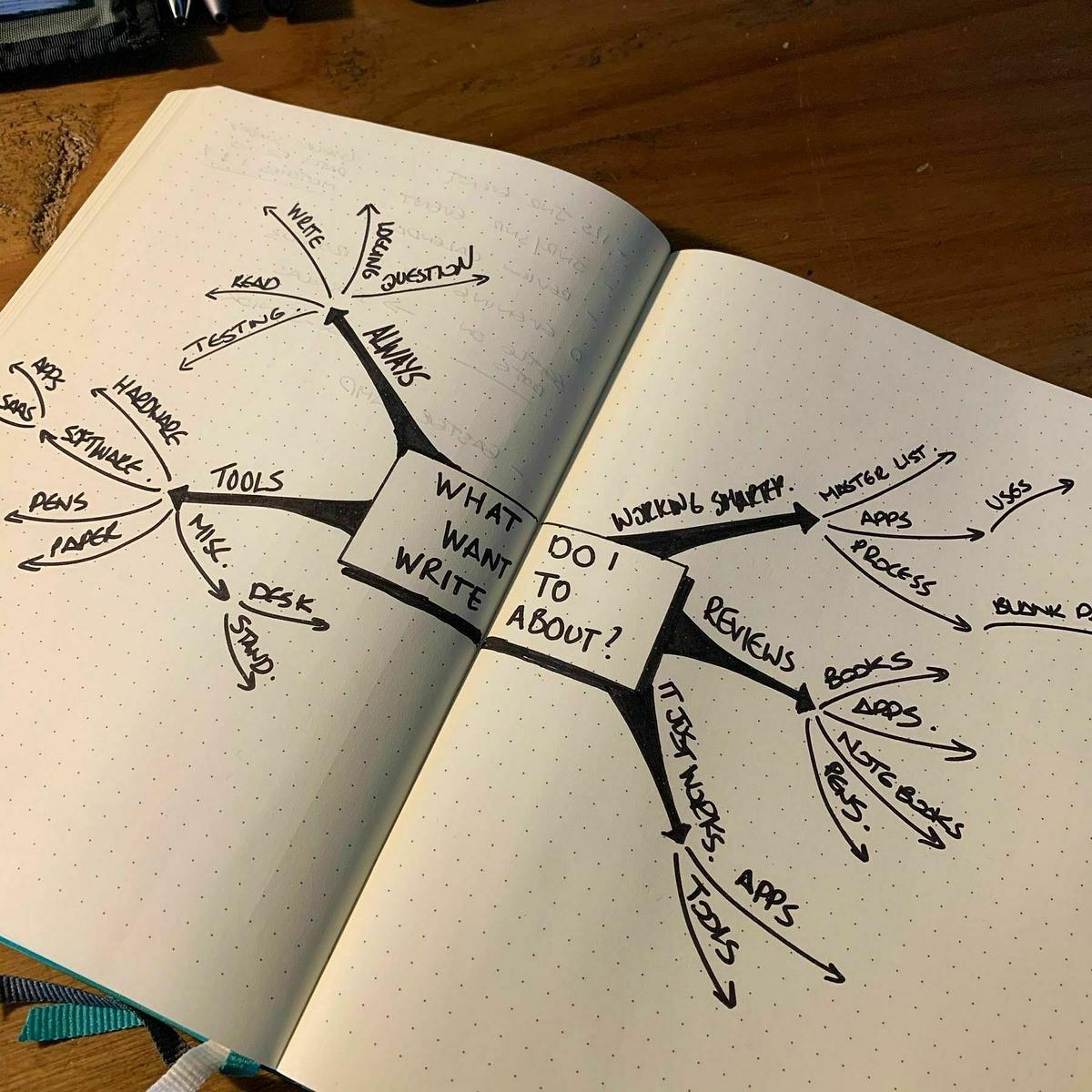
Mind mapping again

It’s been a while since I last did any mind mapping—a few years, in fact. I’ve probably doodled a few smaller mind maps in that time, but this is the first time that I have done anything more than a doodle.

The two-page spread of my notebook works quite well for it, and the paper is thick enough to cope with most of my markers, so there’s little chance of it bleeding through.

I can see myself doing more of this in the months ahead.

I’m halfway through James Clear’s Atomic Habits now. So many great examples in this book. I’ve found chapter 17 on tracking habits to be particularly helpful.

Another Christmas, another reading of A Christmas Carol done. I love reading this book at anytime of year, but it should be read in the run up to Christmas.

You are most welcome Nicholas

A thank you note from fellow blogger, Nicholas Bate.

I forget how I came across Nicholas Bate’s blog. I discovered him, and a few other great blogs, while I was a heavy user of Google Reader.

Today, I’m still a daily reader of his blog and a select number of other blogs that I find are essential to my daily reading.

I’ve been a bit quiet this year in terms of blogging, but it’s starting to pick up again. Without the daily posts from Nicholas, Michael, Kurt and Curtis, I’m sure I would have packed in blogging years ago. So, thank you guys for your time.

It’s these fine blogs and many more that keep me writing and ultimately posting to the Internet. Long may it continue.

Action versus motion

Standing on the platform waiting for the train this morning l, I opened up my Kindle app and started reading through another chapter of James Clear’s Atomic Habits.

In the chapter that I was reading James clarifies the difference in behaviour that leads to habits. There’s motion which is a behaviour that doesn’t yield a result and an action that does produce a result.

Outlining a handful of articles I want to write is motion but writing a single piece is an action. Actions are steps towards a defined outcome. Not only did I find this insightful for building habits but also how I categorise tasks.

Much of the coding work I am doing just now can be put in the action category. I implement a feature or a bug fix, and I deploy it. Deploying the change is the result of the action.

Then there’s the marketing work that I am preparing. I say preparing because that is all I seem to be doing right now, preparing. This is motion. While I am planning out something, I’m not getting any closer to the desired outcome.

The difference between the two is clear now, and it sheds new light on what I need to do to move forward.

Pretty productive morning already.

Read a chapter from my book using the Kindle app and pushed a code change up to a Rails application using Textastic and Working Copy.

All from my iPhone.

The book reading continues this month with Conn Iggulden’s Shiang: Empire of Salt (book 2) and Jame Clear’s Atomic Habits. I’ll also read A Christmas Carol just before Christmas, like I always do.

Messaging apps ... which one?

An interesting look at choosing the right messaging app.

I use iMessage as my default messaging app, closesly followed by WhatsApp. From time to time I use Instagram’s built-in messaging as well, but that’s a rare occurence and always reserved for one-liners from friends and family.

Ideally I’d like to be using Signal as my default messaging app, but getting others on board with it is a problem. Most people I know are not aware of the privacy implications of most messaging apps they are using, so they just use what everyone else is using. The big problem here is that many of these now fall under the control of Facebook.

The diminishing MacBook Pro battery performance

Ever since I upgraded my macOS to Catalina, I’ve noticed that MacBook Pro’s battery isn’t lasting as long as it used to. In fact in the couple of days that followed the Catalina upgrade, I found that the laptop had simply ran out of battery while it was in the sleep state. What I can’t work out though is whether this issue has been made worse by the macOS upgrade or not.

I’m not using my MacBook Pro as often as I used to do, but one of the problems I have is that when I am using it, it’s plugged into the adapter and sits like that for a few hours at a time. The laptop has already had a battery change and I know that it’s bad for the battery to have it plugged into the adapter all the time, but having it unplugged just leaves me with a couple of hours of battery.

It’s time like this I wonder if I should go back to a desktop.

Building the reading list again

Last week I finished my first book in a long time. It felt good to get to the last page and actually enjoy the book for a change.

For a long time, I have struggled with books to read. As books have piled up, the want to read them hasn’t been there. And in some cases, when I do read them, I don’t end up enjoying the book and give up on it.

Here are a few more books that I am hoping to read over the next few months:

  • Shiang: Empire of Salt by C. F. Iggulden
  • The Falcon of Sparta by Conn Iggulden
  • The Book of Dust volume I by Phillip Pullman
  • Spitfire by John Nichol
  • Super Thinking by Gabriel Weinberg and Lauren McCann
  • Digital Minimalism by Cal Newport

The blogging challenge

Adam Keys has some words on the challenges of blogging.

The hardest part is showing up, every day, writing. The hardest part is writing! The second hardest thing is hitting the publish button on a regular basis, not necessarily every day.

Blogging, like writing, is challenging

I find the act of writing pretty straight-forward to do. Crack open a notebook or a text editor and after a few stumbling blocks I’ll get going.

The big challenge for me is hitting that publish button.

You might not have noticed, but my blogging activity has picked up since the start of the month. I’m using November to build up a wee habit of blogging daily. Every day, I’ll post a short post and a longer post. It’s working well so far.

Rebooting ... again

It seems that every once in a while I need to do a personal reboot. A chance to start over again with a few things and correct the mistakes I’ve made in the past.

Over the next couple of weeks, I’m hoping to start over on a few projects and try to build up some good habits again.

This morning started well with some early morning exercises, making a list of tasks for the day and reading a new book on the train to work.

I’ve got a half-hour set aside tonight for a spot of coding and writing as well.

A good start.

Rebooting my reading list with a trusted author

Despite only being a few chapters from the end of Cixin Liu’s The Wandering Earth, I decided to give up on finishing the book. The first few chapters were quite good, but my interest gradually waned through the middle chapters.

With my track record of books read this year being very poor, I’ve decided to read a book from an author who’s books I have always thoroughly enjoyed. Raymond E. Feist’s King of Ashes is the first in a series and hopefully, I’ll get to the end of this book and the rest of the series.

Bullet journaling again

I’m bullet journaling again.

To be honest, I didn’t really stop. I’ve kept a light bullet journal in a pocket notebook for the last few months. It’s hard to break a habit.

During this time, I also tried using a digital task manager, but it turned out to be a failed experiment. I just can’t keep a to-do list in an app anymore. It feels too constrained, and it usually feels like there’s a workflow to each type of app—a way it wants you to do things.

I just don’t get that with bullet journaling. The basic ideas are there, but I put my own little spin on them. It feels unique to me, and that’s maybe why I enjoy it so much.

As with each bulletin journal, I like to make it my own with a few stickers of stuff I like. I have a Micro.blog sticker, obviously, a Ruby sticker, and a couple of nods to The Last of Us and Stranger Things.

I’m still missing a golf-related sticker, though.

The beginning of Nike: A simple sales strategy

My sales strategy was simple and I thought rather brilliant. I drove all over the Pacific Northwest, to various track meets. Between races, I’d chat up the coaches, the runners, the fans and show them my wears. The response was always the same. I couldn’t write orders fast enough.

How Nike sold its first 50,000 shoes

I love reading about how successful companies started. It’s a shame that we’re moving away from this level of dedication and motivation with many startups looking to VC funding instead.

Part-time career?

Personally, I do think working fewer hours makes me more productive. But that’s not why I do it. The real reason is that I have other things I’d rather do. An hour that I don’t spend working (and I work hard, believe me, and like what I do), is an hour sitting on the couch with my kids, reading a science-fiction novel and pausing intermittently to chat about their video games or YouTube favourites. It’s an hour cooking a meal, going for a walk or doing volunteer work. It’s when I can act as one node in the lively neighbourhood web of parents, grandparents and afterschool programmes for kids, organising hangouts and snacks. It’s also when I pay bills, run errands, execute minor home repairs, and hire others to tackle major ones – so neither I nor my husband have to do that stuff on weekends.

Part-time work is humane and should be respected and encouraged

Just imagine what you could so with a few hours extra a week. Home cooked meals, helping the kids with homework before dinner, time to enjoy more of the daylight through the darker months, the chance to fit more in during the evening. Deifnitely something I would like to see happen, for all these reasons and more.

Community websites and Facebook

This week we almost missed another school notice about an “own clothes day” for Drew. The reason why? The notice was put on the school’s Facebook page and nowhere else.

The school does have their own website, Twitter account and even an app for your smartphone. They rarely update them all with the same information at the same time, but Facebook is the preferred outlet for the school to communicate with parents.

Schools aren’t alone in this.

Being involved in the junior section at our local golf club, I’m always looking for updates from other clubs for junior events that our junior section can play in. The problem is that clubs have websites, but rarely update their website and instead choose a preferred social media platform (most likely Facebook), and then just share it there.

Community organisations like schools frequently miss the point of having a website and how they should use social media to maximise reach to all parents.

Miraz Jordan sums it up nicely.

Make your website your home. Put all your information on your own website, first and foremost. Put notices on Facebook and include the address to find that information on your own website. Now people have a choice: if they enjoy using Facebook then they’ll see your post (probably / possibly) and can visit your website if they choose. Those who aren’t on Facebook can freely access the information from your website.

If you wish, use other services, such as Twitter, the same way.

Why not move a community group’s website to FB?

Struggling to do the usual reading and writing that I use to do on a daily basis. I finished Andy Weir’s Artmeis last night. It took me a month to read it. Who takes a month to read a relatively light book?

It's Earth Day today, so go find a cave

However, if you haven’t yet made plans and wish to take a stand, there is one activity that you can do alone at home that will help you and the planet. It ensures that ever-so-briefly you are not contributing to climate change, and are doing what you can to save endangered species. Don’t drive or fly. Don’t buy anything. Do no laundry. Turn off the lights. Avoid going online. Depending on where on Earth you are, shut down the air-conditioning or heaters (unless you’ve got solar panels!).

The best thing you can do on Earth Day is sit perfectly still

I appreciate that doing nothing can help climate change, but I’m reading this article on the day of Earth Day and if sharing it means I can get a few more people to increase their time offline, then it’s worth that little burst of me being online today.

Search arrives in Markcase

Last night I shipped the ability to search your bookmarks in Markcase. With over 1800 bookmarks in my collection, finding anything was beginning to get a bit frustrating.

The search query will match any term in a bookmark’s title, description or URL and will only search through your own bookmarks.

I want to be able to search over URLs as well, but the results for your search may yield more results than you would like depending on the term. URLs can be quite lengthy and therefore can be included in the search results when you might not expect them to be there. For now, I am going to leave searching over URLs in. I haven’t used it enough to see whether it will be useful in the long term or not.

The next step is the importing and exporting of bookmarks. I’ve put this off long enough, but it’s the next best feature to implement to entice a few more subscribers to the service.

Once importing and exporting is in place, then it’s on to billing. I’ve always said that Markcase will be a paid service, but for just now I’m happy to let people use it for free. I’m hoping to have billing in place by the summer which will then let me focus on performance and usability improvements for a few months.

We need more illustrated books

Maybe it’s the books that I buy, but I don’t see many books with illustrations in them. In books the illustration is a visual indication of where the story is but in the case of older books, I would say the illustration is much more of a labour of love.

These illustrations for “The Tempest” by Arthur Rackham are a great example of this.

I only know of Arthur Rackham as it was his illustrations that were included in my edition of “A Christmas Carol”. There is something about his illustrations that set them apart from other illustrated books.

I would love to see more illustrated books in stores.

Related bookmarks for Markcase

I’ve been making quiet and steady progress with Markcase over the last couple of weeks. Just minor changes here and there.

One of the bigger changes is the addition of individual pages for each bookmark so that you can see related bookmarks. These are accessible by clicking on the bookmark’s timestamp.

At the moment it only returns a handful of bookmarks from the same domain, but I am going to add more sections to this page to include related bookmarks by tag and date.

Last of the painting done in the den this morning. Just need to get a few bookcases from Ikea for the room and we’ll be done.

Side-projects are taking a back seat for the next few days so that I can get the den re-painted and spruced up abit. Looking forward to getting a place for some of my books as well.

The kettle is on, notebooks are out and I’m about to kick off a weekly planning session.

I’m already having to change the plans for today. Ethan’s golf coaching has been cancelled and there’s no way it looks like we’ll get out for a few holes either today thanks to the rain.

Say hello to Markcase

I’ve been working on a little side-project for the last few weeks, and now I’m ready to reveal it in a soft opening kind of way. Say hi to my bookmarking app, Markcase.

I’ve been an ardent user of bookmarking apps right from the early days of Delicious. Since then I’ve been back and forward to Pinboard a few times and tried Pocket a couple of times. They’re all excellent apps for bookmarking, and they all have their pros and cons.

Delicious is now under the control of Pinboard, and Pinboard itself has been very quiet on the development front. It does what it promises, but after I struggled for a few weeks with bundle issues, I decided to close my account.

I like Pocket for its visual appearance, and it negates the need for a read-it-later service as well, but the last time I tried it, I found it challenging to organise all 1800 of my bookmarks.

I decided to roll my own bookmarking app. After a few weeks, I had a single-user version of Markcase up and running. A few weeks on and now I have Markcase running as a multi-user service. It’s still very early days for it, but I’m definitely keen to take it forward. There’s still lots of work to do, but it’s ready to go as a service for saving bookmarks and organising them.

It’s still in a state of beta though, but I would be interested in hearing from anyone who wants to give it a try. While in this beta phase, accounts will be given out as free, but once we leave the beta stage, accounts will be charged an annual fee for using Markcase. If you don’t feel like using Markcase beyond this point, then you can delete your account.

At the moment, you can log in, change some of your account details, save bookmarks with tags, organise them with tag bundles and use a private RSS feed for your bookmarks. I expect to add many features over the coming months including importing and exporting of bookmarks and integration with other apps and services.

As for native applications, Markcase is a web app first. It will work on mobile devices, without having to install an app. I will be providing an API in the future for those who want to build their own native app for Markcase, but it’s not something that I will be interested in doing for at least a year, maybe longer.

If you’re interested in taking Markcase for a spin, then please reply to this post on Micro.blog or email me at matthew [at] matthewlang [dot] net. I’ll be setting up account requests as and when they come in. It might not be right away as this step is manual at the moment. I will be adding a sign-up page after the beta has finished.

Markcase was previously called Commonmarks, but that was far too similar to Markdown specification of a same name. A name change was definitely needed.

For those looking to learn web development, then I would highly recommend Thoughtbot’s Upcase site as a place to begin. And just for some added value, Thoughtbot are also making all their e-books free as well.

First beta user setup on my bookmarking app, Markcase. I still have a list of bugs and features I want to deliver sooner than later, but I expect to start looking for more beta testers towards the weekend.

Code and coffee combo this morning. Working on some changes to my bookmarking app to allow for a multi-account deploy. Almost there with it. Also there’s been another name change. Last one I promise!

I'll keep building for the web

When it comes to building ideas for applications, I will always choose the web first. It’s what I can I do best and it is where I can ship those ideas more efficiently. I can go from that first line of code to a shippable idea in hours. After that, I can just iterate on that idea when I want to.

There’s another benefit to building for the web though. You have access to a bigger market.

At a startup, engineering resources are scarce. It’s expensive to spread your engineering expertise across different platforms, so it’s better to focus on one in the beginning. Building for the web means that users on mobile, desktop, Chromebooks (which have become the most popular EDU hardware in the US), and any other internet-connected device can use your service, whereas a native app is specific to iOS or Android.

Considering App vs. Website? It’s 2019: Build a Website.

I’ve toyed with learning Apple’s programming language, Swift. My goal is to learn how to build iOS apps. It’s not that I have some Candy Crush busting idea that will net me millions, it’s just something I would like to learn.

Even if I had the knowledge to build a native app in the same time that it would take build a web app, I think I would still go with making a web app. Native apps serve their purpose, but I think we’re seeing more viable alternatives through web apps.

Just realised that my bookmarking web app Commonmarks shares the same name as CommonMark, the strongly defined Markdown format. Time for another name change me thinks. I’m open to suggestions. 😉

After a couple of weeks using Stoop, I’ve decided to remove the app from my phone.

The app itself is a novel idea for those who want to read their newsletters outside of their day to day email, but there were a few gripes I had with this app.

The design of the app itself didn’t work for me. The carousel-style of newsletters at the top and the list of newsletters at the bottom wasted a lot of space in the user interface. I would have prefered just a list of newsletters that I could scroll through.

The thought of having an app for newsletters only available on a mobile device was too restrictive. If there’s one activity I don’t mind doing on multiple devices, it’s reading. At least with my newsletters delivered to my inbox or to Feedbin’s newsletter address, I could catch up with newsletters regardless of what device I was near.

Stoop is a nice idea, and might work for those who simply can’t afford to be without their mobile device, but I don’t want to be tied to my iPhone for the sake of a few newsletters.

Commonmarks now deployable to Heroku

Over the last couple of days, I put the finishing touches to the Commonmarks application so that others can deploy it easily to Heroku. The reason I went down this route is that self-hosting Commonmarks is a something I want people to be able to do, but I’m not at the stage yet where Commonmarks can be quickly deployed to any SAAS platform or even your own server. Going down the Heroku route was a short term solution.

If you take a look at the top of the README file on the Commonmarks Github repository you’ll see a Deploy To Heroku button that you can use to deploy. You’ll need a Heroku account to do this. The add-ons needed for the application to run are free including the dynos required to run the application. I’ve been running Commonmarks on a free dyno for over a month now without any problem.

This brings me to the next step. I’m now working on Commonmarks as a hosted bookmarking product that anyone can sign up for if they don’t want to run their own version of Commonmarks. I appreciate there are people on both sides of the fences, but there are probably more people who want to go with the hosted option than the self-hosted option. I’m not looking to have this running for another couple of weeks, and I’ll be initially opening up with a small beta to get feedback.

Updates will follow.

Commonmarks update

Just a little Commonmarks update for those interested. I’m working on the password reset over the next few days. By then I should have a working single-account version that people can deploy with a Heroku button.

After that I am going to then focus on a multi-account option for those who don’t want to host it themselves. The timeline for this is a couple of weeks, but I will have a limited set of invites for those interested. I’ll make the announcement on Micro.blog first.

With my day job taking me down the JavaScript route on a daily basis, it’s good to break out the text editor at night and write some Ruby code for Commonmarks. It might just be a simple Ruby on Rails bookmarking app but hopefully in time I can build a few more interesting features for it.

Stoop for newsletters

Recently, I’ve been scaling back on the number of newsletters that I subscribe to. Some are due to a lack of interest in the newsletter topic and some I just don’t read anymore.

Of the newsletters that I am sticking with though, I subscribe to them through Feedbin’s secret email address. Lately, though it feels like I’m merely scanning over my newsletters instead of reading them. I’ll star them to read later on, but most of the time I never do.

Stoop is an app for iOS and Android that allows you to subscribe to newsletters and manage what you have and haven’t read. I think this might just be the right tool for the job when it comes to newsletters. It leaves me to scan my RSS feeds as usual without missing anything, but it also keeps me away from my email. Sure it’s another app on my phone, but it’s for reading. So, that’s not really a bad thing.

More screen time for kids?

According to philosophy professor Jordan Shapiro, parents should embrace the technology that their kids are using and not worry so much about the time they are spending on it.

“Your job as a parent is not to stop unfamiliar tools from disrupting your nostalgic image of the ideal childhood, nor to preserve the impeccable tidiness of the Victorian era’s home/work split. Instead, it’s to prepare your kids to live in an ethical, meaningful and fulfilled life in an ever-changing world,” he writes. To do this, he argues, families and schools must embrace technology, including gaming, to prepare kids for an uncertain but determinedly digital future.

A philosophy professor argues kids should use more technology, not less by Jenny Anderson for Quartz

As a tech-loving parent of two boys I know full well the impact of technology on our family. We do have a few ground rules when it comes to technology. No devices at the dinner table, no devices during movie nights and at least one night a week spent reading instead of gaming. Sure there are times when even I think that the boys have spent too much time on their games consoles and so we’ll huckle them off, and we’ll do something else.

Mostly it’s all about balance in our house, but I definitely lean towards allowing them to spend a bit more time on their games consoles. I remember spending whole weekends playing my games consoles and computers as a kid, so I’m in the camp that video games are not a bad thing. We also have more creative and educational games available. Minecraft anyone?

Maybe I’m a bit more forgiving in this respect because my oldest and I have started gaming together online recently. It certainly helps in the competitive matches in Overwatch to have a player you know to communicate with. We just need to get Drew to practice a bit more, and we’ll have a solid trio to play as online!

Considering Commonmarks as a SAAS product

Over the last few days there has been some interest in my bookmarking web app that I’ve been working on.

Why another bookmarking solution though?

I used Pinboard and Pocket for a while, but I was never comfortable with either of them. Pinboard hasn’t seen much change in the last two years and Pocket is more akin to Instapaper (which I already use) than it is to Pinboard. I also wanted to work on something that I could pin to my GitHub repo as an example of work.

Features are light at the moment, with just the ability to add, edit and delete bookmarks as well as the ability to group tags into bundles. A basic web application, but it works. I’m using it on a subdomain of my own site .

I’ve had replies from people who are interested in a hosted solution rather than having to roll their own. I initially pushed back against the idea of starting a SAAS product. There’s a lot to do to make this happen as the open source version is for a single account only. There’s also all the other parts of a SAAS product to consider such as billing and privacy now that GDPR is a requirement. Also, my first attempt at a SAAS product is still ticking over but hardly a success in terms of revenue.

However, with growing interest, I am going to entertain the idea of making Commonmarks into a SAAS product. I won’t be abandoning the open source version, but the way ahead might lie in using the same model as Feedbin. They are an RSS reader service, but the source code is open source. I’m wondering if this would work for Commonmarks as a product as well?

There is a lot of other things to consider as well for this such as hosting, pricing and support. I won’t be entirely excluding the idea though until I can at least gauge some interest in the product.

The next step looks like it might be to set up a page to allow people to register their interest.

I am hoping to add RSS feeds to Commonmarks today so that I can hook up my bookmarks to Micro.blog. The plan is to have a public feed that the owner can control as well as a private feed that the owner can use themselves.

Say hi to Commonmarks

My own bookmarking app is up and running.

It’s nothing fancy in terms of how bookmarking apps usually work, but I wanted this to look and act more like a blog than a collection of bookmarks. I opted for paginating results on the right with a sidebar on the left. In time the sidebar will include more filtering options.

I’ve had a couple of stabs at my own bookmarking apps over the years, but this one feels more right than wrong. The code is still rough around the edges, but I’m happy to open source it now on Github.

And the name? Well, think of it as a commonplace book for your bookmarks.

Update: Commonmarks has been renamed to Markcase and is still under active development. I’m hoping to open it up for registrations in spring 2020. Source code is available on Github.

I’m clearing the desk, sorting out notebooks, reviewing app subscriptions, getting a list of books to read and considering what to focus on for 2019. I’ve been all over the place the last few years, time for some deep focusing.

Got my own bookmarking app up and running on Heroku last night using Rails. It’s a simple affair with just the ability to add and edit bookmarks and navigate bookmarks by tags. I’ll be looking to open source it on Github over the holidays, once I’ve tidied up a few things.

Daredevil to cancel after three seasons as all good stories must come to a close

So it is official. No more Daredevil seasons on Netflix.

“We are tremendously proud of the show’s last and final season and although it’s painful for the fans, we feel it best to close this chapter on a high note,” the company said in a statement. “We’re thankful to showrunner Erik Oleson, the show’s writers, stellar crew and incredible cast including Charlie Cox as Daredevil himself, and we’re grateful to the fans who have supported the show over the years.

Netflix cancels Daredevil after three seasons by The Verge

I like to think that this is a good thing.

Daredevil has been my favourite of the Defender’s series on Netflix. I just like the characters and story that has been told in each of the seasons. Like any good story, it should come to a close. Yes, Daredevil could go on and on, but I think it would fall into the same problem that so many long-running series have at the moment and that’s fatigue.

You just can keep putting out season after season and expect to maintain a high degree of storytelling. The Walking Dead has suffered from this in the past. Episodes were strung out to tell part of a bigger story. There have been quite a few episodes over the last few seasons where I’ve wondered what the point of that episode is.

Sure we’ll no longer see new episodes of Daredevil on Netflix, but I like the fact that as a story it has a beginning, middle and end. It’s something I would like to see more of in television series instead of continually dragging them on.

Building back out from self-doubt

Jonathon Snook has been sharing a few thoughts on imposter syndrome and what he’s doing to overcome it.

It seems that every once in a while I go through this same phase of self-doubt, but it’s never been as bad as it was a couple of months ago. Giving up on freelancing and returning to a full-time job required a series of significant changes that added to this phase.

I was no longer working for myself. I would be working for an employer and therefore also working with and for other people. When you’re freelancing, there’s an element of being a lone wolf. It’s not entirely isolating, but you don’t need to worry so much about other people. You deliver what the client wants. Working for an employer is different. You have to align yourself with the companies goals and those that you are working with.

Working from home for some years means that I was fortunate enough to find my own routine that worked for me. From the comfort of my house, I could play the music I wanted, take breaks when I wanted, plan my day how I wanted. Working for an employer means being in the office at certain times, aligning your work day with others, making yourself available when others require your time.

Adding to these were some routine changes at home and facing the possibility of a frequent commute. The whole experience led me to question whether I could do the job I was applying for. Not only that, but I was examining the worth of some side-projects I was working on as well as a career change that I am considering for the future. It’s was similar to Jonathon’s stage where at the point of execution, you freeze up.

Every time I get to the point of execution on anything, I start to freeze up. I hit a wall every time I want to put myself out there.

Uneasy by Jonathon Snook

After a few months in full-time work, however, I’m starting to find that I can do the job although given it’s a new role, there are a few weeks of finding your feet.

Not only that, but I’m also reading more, writing more, coding more outside of work. I’m doing these things as they help me build myself back up out of a period of self-doubt. I’m now at the point where I am finding myself enjoying side-projects and returning to a stage where I can see myself executing again.

Just write the damn code

One of my big downfalls, when I start work on something, is wondering if I am going in the right direction with it technically.

Web development is always changing. It is getting better though. Javascript frameworks are starting to settle down, and fall in line with the regular releases of non-Javascript frameworks like Ruby on Rails and Django.

For the last few weeks, I’ve been reading about Javascript frameworks like Vue and React and what they can offer for web applications. I’ll be honest and say that I’m still not sold on the idea of creating single-page applications with these frameworks, but I can see where they become a benefit for complex web pages.

Then there are things like CSS frameworks, deployment options, containers and a whole ream of other things to consider for the right stack for the application. It’s then that I find myself in a state of “decision limbo”.

Ideally, I would use Rails and a CSS framework and start from there, however, I’m always questioning what should be considered as an alternative.

While reading Nick Janetakis’ article on growing into microservices, I happened across this little nugget of wisdom.

You get better by writing a lot of code with absolute and total intent to replace almost everything you write with better code once you start experiencing real problems first hand.

Microservices Are Something You Grow Into, Not Begin With by Nick Janetakis

I needn’t worry about the implications of my technical decisions until I come across some real technical problems. When I do come across those problems, I should only look at the options available to me then.

In other words, just write damn code Matthew.

On a final note, Nick Janetakis’ article is an excellent guide to those starting new development projects and looking to use microservices. In a nutshell, don’t.

Weighing up single-page applications

With a new full-time role, I’m in the process of getting my head around some of the technology choices I’ll be working with and the benefits and drawbacks of each option.

One of those choices is building single-page applications (SPA) with a JavaScript framework for the front-end. I can see why this choice was made, but I’m now weighing up whether it is worth considering for my own projects. With that in mind, I’ve been doing a lot of reading about single-page applications.

I liked Jim Newbury’s article on single-page applications and his point about understanding what you are building.

We ask “What framework should we use for this whole app?” for new products up front, when we don’t even understand what we’re building yet. It’s far less wasteful to ask “What technical approach best supports this user need?” on a case-by-case basis as we learn more about those user needs during incremental product design and development.

Create your own dysfunctional single-page app in five easy steps by Jim Newbury

Sure your team might be well versed in building single-page applications, but it’s not the best fit for all types of applications. It’s all about finding the right tool for the job.

Ruby on Rails is a good starting point for most of the projects that I work on, but I know it’s not a good fit for other types of projects. For other projects I know I would need to use another set of development tools.

I understand the benefits of using single-page applications, but it’s not a style of application that will yield immediate benefits in my own, smaller projects. I’ll stick with the tried and tested multiple-page application monoliths for now.

The predictable Apple product update

Is it just me or has the Apple product update become something of a formality now when it comes to the tech sites that report on it?

Apple unvelied a number of updated products yesterday. The tech sites, as always, responded with a range of predictable posts. Insert an Apple product for x where you can.

  • What a maxed out x will cost you
  • Why the x blows away its predecessors
  • Which x should you buy
  • What Apple didn’t announce

Despite rising prices of Apple products and now steady release cycles of products, the tech sites are always favourable to Apple when they do a product update or launch.

Don’t get me wrong, I like using Apple products and I will continue to buy them as they are dependable and last. However, I’m still using a MacBook Pro from 2013 and my iPhone 5S continues to just work. I don’t see me replacing my MBP until at least next year.

As for my iPhone though, I am considering an upgrade to an XR. I’m not a huge fan of the 5S camera and I don’t use a seperate camera, so an upgraded phone serves a dual-purpose. A bigger screen and a better camera.

Maybe can Apple can do no wrong, but it would be nice if the tech sites didn’t just roll over when it comes to an Apple event.

Another notebook recommendation from one of my blog buddies. This time, it’s Michael Wade recommending the Dingbat journals.

I must resist ordering one now. Although, I will definitely consider one of these when my current bullet journal runs out.

Back to Feedbin and the web

For the last few weeks, I’ve been using the lire app on iOS for reading through my RSS subscriptions.

There’s a number of great little features in lire, but the pull to a different RSS client didn’t last long. In the last few days, I’ve deleted the app and started using Feedbin again on iOS. As a client, Feedbin has everything I need and it doesn’t need to have space on my home screen in order to access it. Just a bookmark in my browser is enough to find it.

In the last couple of days I also noticed an article that was doing the rounds about the state of RSS apps on the macOS platform. Before I was using the lire app, I was still using Feedbin in my browser to read my RSS subscriptions when working through the day. A pinned tab in the browser is enough for my needs.

There’s only two cases where I’ll use a native app.

  1. When the app’s core functionality isn’t available on the web like a text editor or source code control.
  2. When I prefer to use a native app over a web based app for cases like email and chat.

Native apps do offer a number of great benefits over web based apps, but in most cases I prefer the flexibility of web based apps. Easy to access for users on multiple platforms and easy for the app’s developers to maintain.

So it’s back to using Feedbin on the web again, but more importantly back to using another web app again.

Vivo getting one up on Apple?

Vivo also achieved another technological feat. Unlike Apple, it managed to incorporate a fingerprint scanner into the screen itself. The reader sits directly below the glass, and you can can just rest your finger on the front of the phone near the bottom to unlock it, with no need for a dedicated home button or fingerprint reader anywhere else on the device that would have reduced display size.

A new smartphone found a novel way to make the entire front of the phone one giant screen

Sure, a slide-out camera is nice, but I’m pretty sure we’ll see both the camera and the fingerprint scanner sitting behind the display in the near future. Just a question of who’ll get there first.

WhenWorks

WhenWorks is a new appoinments app that allows you to define when people can book appointments with you.

Setup is a breeze. Just install the app on your iPhone to create your free WhenWorks account, and you’ll immediately have a web page where guests can book appointments with you online.

WhenWorks

Love the fact that it simplifies what was a somewhat tricky process to begin with. Scheduling meetings an appointments can be a pain.

WhenWorks is available from the app store.

I’ve started compiling lists of bookmarks that I use almost daily. By putting them in Bear, I’m hoping to have them more readily available than trying to find them in Pocket. Also, Bear allows me to add a bit of context to each bookmark.

Apple’s upcoming privacy changes for Safari are a welcome change for the Internet. With GDPR and changes like this, I think we’ll start to see a better web experience for all.

Also did I see yesterday that Safari will finally get favicons in tabs?

Microsoft to acquire GitHub?

My first impressions of this are nervousness.

I always liked that GitHub were a separate business from Google, Facebook, Apple and Microsoft.

I'm all in with Micro.blog

I think I’m getting to that stage now where I am all in with Micro.blog.

I’ve been bouncing between platforms over the last few years. Posterous, Square, Jekyll and Ghost. I’ve had issues with them all. Some have a lack of or bad native clients to post from. Others suffer from bad integration with social media platforms. And finally some have hosting issues or just too high hosting costs.

Then Micro.blog came along and made things easier. It’s easy to create an account there, it’s easy to run a blog, it’s easy to share posts with Twitter and Facebook. It’s easy.

The one thing that really sets Micro.blog apart from the restof the blogging solutions I have tried though is the ability to have both a blogging platform and a social media platform rolled into one. I can write short social posts or longer titled posts, and in both cases, I can get replies back to those posts from fellow Micro.bloggers.

It’s taken a while for to get to this stage, but the reality is that I don’t want to maintain multiple blogs for myself. I want to simply write to my blog and Micro.blog allows me to do that.

The never-ending cycle of trying out apps and what I am doing about it

Everytime I try a new app or service out, it feels like I’m simply putting something else on my radar that I need to check.

A couple of weeks ago I installed an app to remind me to keep moving through the day and keep my water intake going. I deleted it this moring in favour of simply adding a few events to my calendar with reminders. Stupidly simple I know, so why didn’t I think of doing this first before wasting my time with another app?

There’s a flurry of apps that focus on one thing and do that thing really well, but the problem with this is that I end up needing an handful of apps each geared towards their own way of meeting my requirements. These single responsibility apps might be good at what they do, but they suck at everything else.

I’ve got a core set of apps that I use daily. These apps can be adapted to handle most of the things that these single responsbility apps do. They might not do them as well or with less eye-candy, but the result is often still the same.

My core apps at the moment are the following:

  • Bear - For notes and capturing
  • Fantastical - For time management and reminders
  • Pocket - For long-term bookmarking and reading list
  • Trello - Project management for client work

I should learn to use my core apps for everything I do now and adapt them to what I need them to in the future before installing another app to try out.

I wonder if all those people that said, “I want to build the next Facebook” are still behind that aim.

A few observations on the Apple education announcement

I missed the Apple education themed announcement yesterday. The time difference means that I’m always in the middle of something else when these things are announced.

A few observations.

A cheaper iPad?

Judging from the reviews on various tech sites though, it seems people were expecting a much cheaper iPad to be released. Something that competes with Google and Chrome OS.

Well they released a cheaper iPad, at least here in the UK they did, however I’m sure it’s not what the tech sites and consumers were hoping for.

It’s not the first time that Apple haven’t met expectations. In fact, they rarely meet perceived expectations, especially when it comes to price.

I’m always amazed at how well Apple does with a range of products that are always priced much higher than their competitors.

I think the day that Apple drops their prices to that of their competitors is the day that Apple is in real trouble.

Schoolwork app

The biggest benefit I seen from yesterday was Apple’s Schoolwork app. A step in the right direction when it comes to digitising education.

However, given the time it takes for school’s to adapt to new digital practices, I don’t see my oldest son, who starts high school this year, being able to take advantage of this for at least a couple of years.

Space gray accessories

One thing that caught my eye was the new space gray accessories that are now available. Sure it doesn’t go with the silver MacBookPro but the black and gray accessories do look nice. I’m not saying I’ll be buying them anytime soon, but if I’m in the market for a replacement keyboard or mouse then I may give them a look.

I wonder if a space gray iMac is on the cards?

The audience's algorithm

A post over at The Guardian highlights a great idea that I would love to see implemented by any social media platform.

I like Derakhshan’s idea of obliging Facebook and others to open up a marketplace of algorithms: if you don’t like the current social media preference for popularity (retweets) and novelty (“latest”), you should be free to choose a different algorithm that acts on different values.

The people owned the web, tech giants stole it. This is how we take it back

A Ruby on Rails ERP book?

I’ve been re-reading this post on how to build an ERP sytem from scratch.

I’ll be honest and say that a 250 word post on the topic doesn’t even begin to scratch the surface. Such a topic is worthy of at least 5,000 words in order for the reader to actually takeaway something of substance about building their own ERP system from nothing.

Off the top of my head there’s the following:

  • Methodology - Do you go with agile or a big upfront design? You might think I would advocate an agile approach but there are benefits and drawbacks to both.
  • Architecture - How should the application be laid out? A brief outline of the system can save months of moving code about later on down the line.
  • Application and database hosting - Should we host the application ourselves or use IAAS or PAAS? Self-hosting is big cost but IAAS and PAAS mean you have to sacrifice some control of the application.
  • Performance - How do we scale such an application from a handful of customers to hundreds of customers? Performance is critical in an ERP application. Handling vast amounts of data between transactions mean you have to ensure that users aren’t kept waiting.
  • Error handling - How do we handle errors to allow support staff to diagnose bugs efficiently? It’s not enough to report the errors, support staff of the system need tools to replicate and report errors.
  • Code libraries - Should we use external code libraries or write our own? I’ve learned the hard way that some features are better implemented without an external code dependency.
  • User-interface - Do we use a pre-built theme for the application or build our own? A pre-built theme will add the final polish but there will be constraints in what you can do with it.

This is just an outline but I think even just one of these items is a post in itself. Looking at this list, there could be at least 10,000 words here across seven different posts.

I may outline more of these over the course of the next few weeks.

I think I have gathered enough knowledge on this topic to put at least a few posts together.

I used to work for a company that specialised in installation and configuration of Microsoft’s own ERP software, Dynamics NAV and I’m currently working with a client to build a cash management and stock control system.

With this experience I think there’s definitely more to say on the topic of ERP systems and modern technology stacks, especially when it comes to how they can be built with Ruby on Rails.

At the moment I’m just thinking out loud about this but my micro-blog seemed like a good place to put this down / out.

📚 Almost halfway through King of Thorns by Mark Lawrence before I decided to give up on it. First book I’ve given up on this year.

What's in a number?

I’ve been moving over some lists and accounts over to Feedbin. The significant advantage of this is that I don’t need to open Twitter and scroll through my timeline.

It’s the same way in all social media platforms. You’re trying to find that point in the timeline where you left off previously, and you can’t determine what you have already seen. Throw in the different ways in which posts are promoted or injected in your timeline, and it makes for a very confusing experience.

Yesterday I opened up Feedbin at the end of the day and noticed that one of the lists that I have on Twitter had over 50 unread posts on it. Unusual for that particular list, but there was an event on, and so the activity was a bit higher than usual. Rather than pour through each post, I decided to flag the whole list as read.

I weighed up that the amount of posts that were unread wasn’t worth my time to scroll through, even on Feedbin. So I just marked them as all as read.

Seeing the number of unread posts in Feedbin allows me to quickly decided if a list, tag or feed is worth reading. If it’s too high, I can just mark everything as read.

The number of unread items on Feedbin is a small thing, but it’s a great indicator of what I’ve missed. I wish more services and social media platforms would use signs like this rather than trying to sort out your unread items for you magically.

Crux technology

My wife is thinking of setting up a Facebook account so that she can book in for a fitness class she likes and keep up to date with the kid’s school information.

Crazy, right?

Yes, Facebook will be the single way that my wife will be able to register for the fitness class in the future and yes Facebook is the only channel that the school regularly updates despite having a website and two native apps.

Frustrating? Definitely.

There’s a section of people that still see Facebook as the “default service of the Internet”. Facebook is probably easy to set up but other than that the only perceived benefit it has for these organisations is the numbers. They think most people are on Facebook, so they use Facebook.

Facebook is a crux technology and not a good one at that. The Internet has many tools for organisations to communicate and engage with audiences. So, why do so many organisations turn to Facebook?

I don’t know the exact reason why. It could be that organisations find it easy to use and they think that everyone else is using it. It’s true that most people are using Facebook, but it’s not everyone that’s using it.

It’s not Facebook that’s the problem, it’s the view that Facebook is the only way of communicating with audiences. 

How do you change that when the majority of people see Facebook as the only way of using the Internet?

Using Stimulus in PenMuse

It’s been a while since I dabbled in a bit of JavaScript. It’s not that I don’t like programming in JavaScript, it is growing on me, it’s just I’ve never found a real use case for it in a web application. The thing about JavaScript though is that there are so many great frameworks available that mean you often don’t have to write any of the curly bracket stuff.

Vue.js has been on my radar for a while but what has really grabbed my interest has been the release of Stimulus.

For a lot of web applications I work on, I don’t want to re-write a whole view for a particular framework, I just want to enhance a part of that view. Both the above mentioned frameworks do this, but I decided to try and use Stimulus with a web application of my own just for fun.

The copy to clipboard is a nice example to start from in the Stimulus handbook and so I started with this basic example by adding a copy to clipboard button when displaying a writing prompt in PenMuse. Not only was it good to broaden my reach beyond the Rails code that I am used to writing, I also got to experiment with WebPacker as well.

The final results are good and there was a few hiccups along the way in trying to copy the prompt from an input element that didn’t interfere with the user interface.

I did at one point create an input elemement on the fly to copy the prompt from when the button was pressed, but it jerked the screen up and down on tablet devices as it was copying the prompt. Horrible.

I decided to settle on using an input group so that you can partially see the prompt being copied. It’s not ideal, but it’s working and it doesn’t mess with the screen in anyway on different devices.

I’ve still got some adjustments to make for smaller devices like stacking the buttons on the home page so that they appear as a column but that will come later in the week.

Reading Twitter with Feedbin

This is a great move for Feedbin. Rather than following a single collection of accounts, I can now subscribe to a core collection of users, lists and perhaps even some individual accounts.

You can start adding Twitter content to Feedbin the same way you would subscribe to a feed. Feedbin will recognize any Twitter URL that contains tweets. It also supports shortcuts for subscribing directly to twitter @usernames as well as #hashtags.

Feedbin is the Best Way to Read Twitter

Best of all though is that I can read these tweets alongside my existing RSS subscriptions.

Making the Most of Feedbin's New Twitter Integration

Today Feedbin announced a new feature to their RSS reader which allows you to subscribe to Twitter users, searches, lists and hashtags.

I've been looking at this for the last couple of hours to find a way that will allow me to continue to use Twitter, but without mhaving to check on my timeline as often. Here's just a few ways that I see me using Feedbin's new Twitter subscription options.

Vanity Searches

A few months ago I removed analytics tracking from my blog. It was a decision based on the fact that I'm not interested in the numbers anymore. I don't want to see how many people viewed my blog in the last 24 hours, and I don't want to see how many visitors I've had in the previous week. These numbers don't drive why I blog. It's the content that drives why I blog. It's about getting links back to my blog from other bloggers.

To do this, I have a saved search in Feedbin that only includes blog posts that contain my name. Sure it doesn't have the accuracy of analytics tracking, but through the blogs that I follow and the times that my name appears in this search, it's a great indicator of what other bloggers like on my blog.

Feedbin's new Twitter integration will allow me to broaden my reach so that I can use searches on Twitter to include tweets that either includes my Twitter handle or my domain name.

Better Reading of Lists

Twitter's lists have always been difficult to use. I'm not a big fan of reading Twitter on my mobile and changing between lists on other apps is not great either. Feedbin's new Twitter integration will make digesting lists a lot easier.

I have some accounts on Twitter I follow, but I would like to bundle into lists. I've tried in the past to do this, but I frequently forget to check these lists. Separating these accounts into lists makes my timeline much easier to follow.

With these new lists to follow through Feedbin, it is a lot easier to follow and scan through.

RSS to the Rescue

Right, so Twitter dropped RSS a long time ago, and since then it's been difficult to follow people through anything other than Twitter on the web or through one of the many Twitter clients that are available. So it's not RSS to the rescue but Feedbin to the rescue by providing a genuinely different way of consuming Twitter.

The next few weeks will see the accounts I follow tail off to perhaps around fifty or so accounts, but I'll continue to use Twitter for sharing content from this blog and my micro-blog as well as responding to replies on Twitter.

Benefiting from the Constraints of Pen and Paper to Tame Tasks

In the last 18 months, I’ve moved from using a task manager application to using pen and notebook and a technique called bullet journaling. The transition to this method hasn’t been without its challenges, but there’s one thing that it provides that I don’t get with any task manager application that I've used. And that is constraints.

Task management applications like to sell lots of benefits like being able to go with me wherever I go, work wherever I am and manage anything I throw at it. That last advantage is quite interesting because it’s here that I find that task management applications work quite well for me for a while, but I usually end up over-committing with a crazy list of tasks sometimes running into hundreds.

Thanks to improvements in technology, we have these little portable devices in our pockets that can potentially hold thousands (perhaps even millions) of tasks. These same devices also make it simple to add more tasks with the ability to type, speak or automate the process of creating new tasks. There are very few constraints in creating new tasks other than perhaps losing the wi-fi signal or running out of battery. These are not big constraints given that the world is more connected than ever and we have portable chargers to keep our devices topped up.

I keep all my tasks together at the back of my notebook. Written by hand and double-spaced. Sounds labourious right? Bear with me.

With each new task added, I often find myself questioning the value of the task and whether it is even worth writing down. I also look at the number of tasks I have decided if I need to focus on those first before adding anything else.

When it comes to moving tasks from one page to another, again I question the value of the task and whether it is worth moving.

My master list of tasks is usually about three pages long. Take into account that the notebook is smaller than A4 and my writing is double-spaced, that’s not a lot of tasks to do. The constraints of time to write a task and the effort in maintaining it when using paper mean that my complete list of tasks is manageable.

You can enforce these constraints on your favourite task management application, but I’ve often found that this is difficult to do given how easy to use these types of applications are.

Now, I’m not saying that bullet journaling is the silver bullet solution to all productivity hacks; it isn’t. However, the constraints of notebooks are why I find that bullet journaling works so well. It allows me to manage a smaller and more focused list of tasks and that in turns stops me from over-committing.

One of the significant problems with social media is that everything has a number against it. Followers, likes, retweets, hearts, comments and many more. Quantity is everything on social media, and yet there are so many people on social media creating content that many of us would like but we never get to see them thanks to timelines that are re-ordered for our so-called benefit.

When Manton Reece opened up Micro.blog last year to the public, I couldn’t find the number of followers that people had. Even one year on, Micro.blog still doesn’t use counts for followers and likes.

Manton explains:

It mirrors a philosophy we have with Micro.blog to launch without follower counts or public likes. Follower counts are not very useful for a new platform. They add anxiety and unavoidably lead to value judgements when considering whether to follow someone, instead of letting the quality of someone’s writing and photos speak for itself.

Don’t worry about the numbers by Manton Reece

I love this approach. Less focus on the numbers and more emphasis on the content.

Recently, I removed all the analytics tracking from my blogs. A crazy move? Maybe, but I would like to think that my time is better served creating more content rather than worrying about how many people are reading it.

I would still like to see what people are reading and what the trending posts are on my blogs. I’m not interested in the numbers though, just what people are reading. And that’s got me wondering about an idea.

A numberless analytics dashboard.

Rather than serving up a dashboard of page views and visitors with numbers everywhere, this would serve up the titles of the posts that people are currently reading. Much in the same way that the trending widget does on Twitter. It would also show the most popular posts for the past month and year.

Terrible idea? It might be, but it's probably not the worst idea in the world and may be worth exploring.

Stay tuned for updates on this.

For the last couple of years I've been writing every day through a practice called morning pages. It involves writing three pages of anything. Now, I know I'm not a writer. Not even close, but I use this practice to not just write anything, but to draft blog posts, collect thoughts and write up ideas. My morning pages became a time to write before I started doing any programming work.

The problem with this practice though is that very few of this writing will ever see the light of day. The original idea of writing your morning pages isn't to publish what you write. With a full day of work ahead though, I needed sometime in the day to some writing and I figured that using these three pages would be the best time to do this. As I finished each set of pages though, I would usually choose not publish anything from those pages. Not exactly a productive habit and so I decided I need to change my morning pages practice.

For a start I'm returning to publishing a blog post every day. I did this a few years back on this blog. I published every weekday and left the weekend's free. The topics varied from day to day but I'm aiming to keep posts grouped around a theme each week.

To keep my posts consistent and in a good size for reading, I'm aiming to publish in the region of 500 words a day. Some days might be less, some days might be more. There's no strict rule to post length other than it needs to be around the 500 words in length.

Posts will be structured around a theme or topic each week. Now the posts themselves won't form a particular series or even follow on from one another, but what they will have in common is that they will all relate to a single topic. Doing this allows me to plan posts ahead and structure what I need to write about everyday.

This little habit is called my morning stories. A chance to spend some time writing and get myself into a better habit of not just writing, but publishing what I write as well.

First, Twitter’s ads play on the fact people don’t know what Twitter is for and now Facebook admits that it can be bad for you.

Maybe we’ll see some real positive change from them both in 2018. Twitter’s already ahead in that respect, but I doubt Facebook will change.

Hard a-larboard!

Posting this here in the hopes that Michael Wade sees this and doesn’t need to break his Twitter fast for it.

For the Aubrey Maturin lovers , I do hear whispers indeed that a second voyage is perhaps potentially pre-proposed a possibility . So O’Brian affectionate’s and aficionados , let @20thcenturyfox know of your pleasure .

Russell Crowe

I would love to see a second Master & Commander film. The first movie is great and the Aubrey/Maturin books by Patrick O’Brian are fantastic reads.

The Facebook Pages Organisation

This morning I got a text message from my kids' primary school. It was a reminder that this week was book week for the kids. Good stuff, I thought. I wonder where I can find more information on this? Reading on the message rounded off with 'check out the Facebook page for more info’.

Well, I did check out the Facebook page, but I couldn’t see anything. I don’t have a Facebook account (anymore), so I don’t even know if it’s a private post and only intended for those that follow the school’s Facebook page.

The school does have its own website, but it is rarely updated and close to being unreadable as it’s running on a stock Wordpress theme with a few slightly choice changes.

Did I find the information in book week?

I didn’t. I gave up. However, the lack of content isn't the issue here. The problem is the school's reliance on a single platform for communicating with parents. The school is just one of many organisations and businesses that choose to be more active on a Facebook Page than any other websites and social media accounts they might own.

The sad truth of the Internet today is that for many, it begins and ends with Facebook. There’s nothing else on the Internet that matters. If you don’t have a Facebook account, it doesn’t matter. It’s an appeal to the masses, and with most parents having a Facebook account the school has chosen to focus on updating its Facebook page.

The problem of the school using Facebook isn’t the problem though, it’s how they are using Facebook that’s the problem.

When an organisation chooses a single place to publish content they make it difficult for others to find that information. So how can organisations rectify this?

The answer is quite simple.

  1. Update their website frequently with relevant content.
  2. Share the content of the website to social media platforms.

That’s it. Sounds easy right? Well for the school it might not be so easy.

Schools are busy. Education of the kids come first and rightly so. If the teaching staff are working with the kids, then who’s going to ensure that the website is updated?

The headmistress? Office staff? The janitor? Classroom assistants?

All these people have other duties as well, not to mention the fact that they might not have the confidence to update the website. We know that the school can update the Facebook page when it needs too, but Facebook has teams of engineers and designers who have made publishing content one of the most natural things to do on the web.

When it comes to CMS like Wordpress however, it’s a whole different matter, and that may be the reason why websites, like the school’s website, are rarely updated.

When I look at other school websites in the area, my kid's school website isn’t alone.

Schools are a hive of activity. Not a week goes by when there isn’t something on for pupils and parents to get involved in. With all this action you would think that the school websites would frequently be updated.

Sadly not.

Facebook Pages is an easy way for many organisations and businesses to publish content, but like the school, they could be missing out the very people that want that information.

Whether you’re a school, business, a sporting club or any other organisation has a group of people following you, you’re content should start it’s publishing cycle on your own website. That’s the centre of your web presence, and as long as you invest in an excellent hosting platform and use a hosted solution or manage to keep the website up to date and in working order on your own, then you’re always going to have that space for people to turn to.

When you want to tell the world about something, put it up on your website and then share it to your social media accounts for others to see.

If you don’t like the idea of sharing to social media platforms, then start a digital newsletter that people can subscribe too. This is something that I would like to see the school implement as we’re still getting bulletins printed on paper and jammed into the kid’s school bags.

A weekly newsletter of the following week’s activities would be a great way of letting parents know what is happening at the school. And of course who doesn’t have email?

My kid's school isn’t alone in their dependency on a single social media platform. Many other organisations like it choose to focus their time and effort on a Facebook page and end up siloing their content away from others.

Don’t be a Facebook Page organisation. Invest in your own website and let that be the starting point where people come to look for updates.

Better blogging

I love this manifesto for blogging. Lots of good points to use. Also, why wasn’t I already subscribed to Hugh’s blog?

All content must be on your own platform. You must own your own domain, and it must have a monopoly on your best work. Other people’s platforms like Facebook or Twitter can only link to the content, they mustn’t duplicate it. In other words, if people want to hear from you, first they have to come to YOUR house.

The Dogme 17 Manifesto: a guide to better blogging by Hugh McLeod

Too many writing apps?

I’ve got three apps on my MacBook that I’m starting to use on a more frequent basis.

Ulyssess remains my favourite for writing blog posts, Bear is great for capturing notes and acting as a personal sratchpad and finally there’s iA Writer. It fits the gap in between the two. I use it mainly for composing emails and updates for clients.

Three different writing apps might be a bit much, but I’ve found a use for each of them and it works well for me. I probably won’t find much use for the iA Writer 5 update for iOS but never say never.

A bleak future for the web?

The Trinet (Amazon, Facebook, Google) is a depressing prospect for the future of the web.

The War for Net Neutrality in the USA won a battle in 2014, but in 2017 we are seeing a second battle which is more likely to be lost. Internet Service Providers (ISPs) are probably soon going to dictate what traffic can or cannot arrive at people’s end devices. GOOG-FB-AMZN traffic would be the most common, due to their popularity among internet users. Because of this market demand, ISPs will likely provide cheap plans with access to GOOG-FB-AMZN, while offering more expensive plans with full internet access.

The web begain dying in 2014, here’s how by André Staltz

There’s still one thing that the web has in it’s favour. People are still willing to make it the best open platform it can be.

Google might have shut down their RSS reader but there’s been a number of replacements sprung up that people are willing to pay for like Feedbin.

Facebook might have the social internet sewn up just now, but people are continually challenging that with alternatives like Mastodon and Micro.blog.

Amazon might have the shopping internet market share, but how long can they continue that success? Retail is a never-ending cycle of new companies and stores trying to sell products. Can Amazon remain on top?

I’m optimistic that the web can still be and open platform for all. It comes from educating people about the sacrifices they’re making in using the Trinet’s applications and services and what the trade-off is. I suspect most people are not too bothered though, but there are people who are willing to support and work towards an open web.

Features I would love to see in Safari iOS

I've been using an iPad Pro as a web development device for a few months now. Overall I've been surprised at the ability of the device to handle this type of work. Apps like Working Copy, Textastic and GoCoEdit have certainly helped as has the split view on iOS and more recently the ability to drag and drop between apps.

One drawback amongst all this though is the browser I use. Safari has been my browser of choice for iOS for a long time. I've had brief dealings with Google Chrome and Firefox, but they've never lasted in terms of use. I keep coming back to Safari.

As browser's go, there's little to fault about Safari on all the devices it supports. It works well on my iPhone and the smaller iPads I've used over the years. With the iPad Pro though, it feels that Safari is short-changing me.

Pinned tabs

Right okay. Pinned tabs aren't on everybody's list of priority features for a browser but I've been using them for so long on other browsers it seems that they've been around forever. That's not true in the case of Safari for macOS though. Pinned tabs have only been around for a couple of years with Safari which seems like a very short amount of time given that they have been available in other browsers for years.

So why pinned tabs on Safari for iOS?

Well, largely it's an organisational thing. There's a number of tabs that I keep open through the day and pinning these tabs in the browser allows me to quickly jump to them through the day.

Given the screen space on the iPad Pro models and even on the iPad Mini models, I'm surprised that the pinning of tabs hasn't already been done.

Web inspector

I was surprised to find that the Web Inspector on Safari for iOS is only available when you connect your iPad to another Apple computer.

Screenshot of Safari Web Inspecter preferences

Now while a web inspector is probably a big ask on a device that probably wasn't intended to be a web development device, I think it's a fair request. People are turning to the iPad Pro and looking for a device that replaces their laptop or even their desktop. The inability to run the Web Inspector without connecting the iPad Pro to a MacBook or iMac doesn't exactly

However, while you might not be able to use the Web Inspector for Safari iOS without connecting to another Mac, there is an app called Web Tools that replicates this need feature rather nicely.

Support for pinned extensions

I toyed with the idea of calling these starred extensions but pinned extensions might be a better idea, but first I have to explain what this is.

At the top right of the Safari app on the iPad is the share button. This button allows you to share the current URL with a number of other apps on your iPad or iPhone. I use it a number of times every day, mostly for sharing links to my Instapaper, Pinboard and Bear apps. I also use it quite a lot for opening 1Password. The share button on the iPad Pro is a quick and convenient way for me to share a link. It's also one more press on the screen than I care to do.

If you take a look at the Safari interface on my iPad Pro, you'll notice that there is some whitespace on either side of the address bar. What if this space could be utilised in a better way rather than just leaving it blank. What if (and only if your screen size can support it) you could pin a couple of your favourite share extensions to the Safari toolbar?

By pinning your share extensions to either the left or right of the address bar, you're putting your share extensions in a more convenient place.

There are obvious restrictions to this like screen size and even the orientation of the device which governs how much space you have, but surely the developers at Apple could make this happen?

The expectations of a Pro device

When you name your device as 'Pro' there is a certain level of expectation of it. I must admit I eye-rolled when I first heard that the new iPad would be called an iPad Pro, but as I heard more about it and watched the first couple of iterations of the device, I could see where Apple was going with this.

To support this new family of devices I think that there needs to another level up of apps that are targeted at the Pro line of devices only or at least variations of the apps that support Pro features.

These apps might be specialised and target a specific market of people, but given that the iPad Pro is already being seen as a viable option to a laptop and even a desktop, I think it's important for Apple to offer that extra bit of functionality that users may look for in an app.

These features that I'm looking for in Safari for iOS might not be a priority for the Safari team or even on the list of new features for Safari, but I'm sure that if Apple is looking to push the iPad Pro device to more professionals then there should be some distinction between the normal apps for iOS and those for Pro devices.

​Where I don’t publish

Last week I linked to Manton Reece’s dedication to staying the course for Micro.blog and the potential of blog-focused technologies when it comes to going up against the likes of Facebook.

There’s simply too many places to publish to these days and unless you have it automated or other people doing it for you (chance would be a fine thing), it can become overwhelming trying to post everywhere.

Here’s a few places where I don’t publish and why.

LinkedIn

I’ve have a chequered past with LinkedIn in much the same way as I have had with Twitter. It’s one of those things that is necessary to have but not always an enjoyable experience.

LinkedIn is a social network for the work-place but in truth it’s more akin to a hunting ground for recruitment agencies keen to place anyone they deem to be suitable for one of their roles. Okay, that might be slightly biased by my experience of LinkedIn but it’s the experience that I have had and I’m sure many others have to.

I’m sure it’s a great place for building your career’s network but I’ve yet to see the value in LinkedIn as instead of an introduction in person, through a phone call or even by email.

Anyway, the reason that I don’t post to LinkedIn or promote my content there is because I don’t have the time to read what other people are posting there. So if I don’t have the time to read what others are posting then why would others read what I am posting?

My usual routine with LinkedIn is that I log in, check my messages, check the notifications and then log back out again. I don’t read my timeline, look for others to connect with or anything else that LinkedIn has to offer.

It’s just not the place where I want to publish to. I could but I’m of the opinion that there’s many more people who use LinkedIn in the same way as I do and therefore it’s not the ideal place to share content.

Google+

This one’s easy. I don’t have a Google account.

There’s another reason though. I can’t remember the last time that I clicked a link that took me to a Google+ account or post. In fact I couldn’t even tell you what Google+ looks like as an interface. Is it even still a Google product?

When a social network like this doesn’t even trigger a visual representation of what it looks like then it’s clear that it’s no longer worth publishing to.

Facebook

Want to hear a secret?

I had a Facebook account for a few months there. Shocking I know. Mr “I don’t have a Facebook account” finally succumbed. Well, for a few months anyway.

I used it so that Ethan could get news and updates from his club’s junior section through their Facebook group. Now though my account has been de-activated and Ethan has his own account and manages this for himself while adhering to a few house rules on using Facebook.

The reason that I don’t share on Facebook is that I see Facebook as a time sink that I don’t want to cater to. Yes I’ve had an for few months but it came with a few restrictions. I didn’t hand over my phone number, I used a different email address for it and I didn’t install it on my phone, I put it on an iPad where it doesn’t ask for your phone number.

Once the usual email address and phone number goes in then the floodgates open. Notifications for friend suggestions, friend requests and who knows what else. I can do without that kind of hassle.

Medium

I’ve added Medium to the list of places that I don’t share content to as it has become something similar to Facebook. While Facebook is the place for sharing updates with family and friends, Medium has become the place to share your writing.

I’ve toyed with publishing content to Medium a few times, but while I have my own web site that I write for, I don’t see the point in having a separate channel on another network for something that I already do on my own.


What it boils down to though for me is time and energy. Where can I share content without spending too much time and energy sharing that content?

I share my thoughts and other junk here on the blog because I can control it and I also own the domain.

It’s also easy to manage the performance of what I post. I use Gauges to track traffic to the blog and it gives two metrics that are all I need. Page views and visitors.

Micro.blog and Twitter are two other places where I like to share content as it’s easy to share the content to them and I can automate the posting between the two.

Stay the course

I'm still grappling with Micro.blog but what's reassuring is Manton dedication to staying the course for the platform with an eye to the long term.

I plan to stay the course. I’m inspired by the work of the IndieWeb, which was founded 6 years ago and is still gaining momentum today. I hope that the solar eclipse photos posted to indie microblogs today will last through the next North American eclipse 7 years from now, and longer.

Flip the Iceberg by Manton Reece

Manton also includes a link to an article on AltPlatform that suggests blog-focused platforms could eventually become bigger than any of the existing social networks.

Open source tools like WordPress, 1999.io and Mastodon.social are creating many small networks of publishers, and popular tools like Twitter and Micro.blog could peer with them. If all of the social networks outside of Facebook interoperated at some level, they might eventually “flip the iceberg” and become the dominant form of social networking.

How Twitter, Micro.blog & Mastodon could team up to compete with Facebook by AltPlatform

With so many different outlets and tools out there it can become difficult to decide on where to focus your energy.

I'll cover my reasons for not publishing on the different social networks later on in the week.

Hello TextExpander ... again

A while back, I read with disgruntlement about the change that Smile were introducing to their TextExpander product. It was the introduction of a cloud syncing change to their product which required a monthly subscription.

I wasn't too keen on the idea. The reason I wasn't too chuffed with the idea is that I only ever used TextExpander on my MacBook Pro and nowhere else. I decided to look for an alternative. I switched to aText and never looked back. Until now.

Last week I purchased an iPad Pro. I've spent the first couple of days getting the various apps I needed setup. Then I started working on getting together a usable development environment so that I could do everything on my iPad Pro that I can do on my MacBook Pro. Aside from some of the terminal hackery that I can do on my MacBook, I can do just about everything else on my iPad including web development work for clients.

With my new tablet of choice I started doing administration work last week. An invoice was outstanding so I started the process of gathering the work I did for the week and writing the invoice and email for the client. Invoice done, I moved to the email. After a couple of attempts at trying to generate my email template I then realised that I wasn't using my Macbook Pro which is why the auto-expanding snippet I use for this particular email didn't work. It was time to re-assess the auto-expanding snippet tool of choice.

So what's a familiar auto-expanding tool that let's me use a single library of snippets across multiple devices? Well, TextExpander of course!

Is the subscription price for this worth it now?

I think so.

The content creation device

Jack Baty has been using his new iPad in anger this week. The results are good!

I’ve been using the iPad exclusively while at home for more than a week and I have been continually surprised by how much I enjoy it. I’ve been emailing, managing projects, editing photos, drawing, tweeting, and generally carrying on like it’s actually normal doing stuff on an iPad other than reading social media sites and playing games. Who knew?

Surprise! The iPad is a Content Creation Device

I picked up an iPad Pro at the weekend that I'm currently using side by side with my MacBook Pro. The iPad Pro isn't intended to be my main development machine but it will be my portable development tool of choice. First impressions are good and Jack's blog has been a great read with his recent move to using an iPad.

Deep book researching advice

Cal Newport divulges his technique for researching books.

The key to my system is the pencil mark in the page corner. This allows me later to quickly leaf through a book and immediately identify the small but crucial subset of pages that contain passages that relate to whatever project I happen to be working on.

How I Read When Researching a Book by Cal Newport

Such a simple thing to do and yet I wonder why I haven't read of this before. I often fold down the corner of pages, but simply putting a line in the top of the page I can quickly thumb through a book without having to worry about folded corners of pages unfolding themselves and being missed.

Exploring alternatives to GitHub

I've been a user of GitHub for a long time now. Ever since I started my career in Ruby on Rails I've had a GitHub account.

I'm looking again at alternatives to GitHub mainly out of curiosity. There's been some improvements to GitHub over the last few years and new features are gradually coming out but there are other options out there.

I did move some private repos to BitBucket a few years ago, but due to the lack of any extra features I moved these repos back. BitBucket just didn't have anything of added value that would keep me using it.

I tried GitLab a few months ago but I didn't really give it a fair go. I spent a couple of weeks using but I didn't really dig into it too much. I created my account there again to give it a try. I've been using it now for a week and I've moved a number of private repos over from GitHub. The nice thing is that as well as my repo GitLab has moved over my issue list for each repo. Another thing I don't have to worry about moving it across.

It's still early days to make a final decision on this but I've been impressed with not only what GitLab does at the moment, but the pace in which they are releasing new features.

The best thing and worst thing about GitHub is its community size. A lot of developers use only GitHub for source code hosting and although some people might see this as a good thing, it's like saying that Facebook is the only social network platform out there. Yes, there are a lot of people using GitHub but there are alternatives to it and I'm always willing to explore the alternatives to any development tool that I use.

Once I've spent another few months using GitLab I'll probably have a final decision on where I'll be hosting the bulk of source code. I won't be closing down my GitHub account if I do decide to use GitLab for hosting my source code. I still need a GitHub account for client work, but that's all it will be used for.

Time to read

Just as it is important to set aside time to think, it is important to block out time for reading. If you believe that such time will be available later in the day, it is likely that you are mistaken.

Reading Time by Michael Wade

I'm slowly getting back into a lot of things in the last couple of weeks. Blogging, writing and even reading. Churning through a few books at the moment, but plans are in place to make reading a bigger habit of mine in the future.

A sobering read about the future of the planet and what climate change effects could result in in a hundred years time.

Heat is just one of a number of problems we face in the future.

Even if we meet the Paris goals of two degrees warming, cities like Karachi and Kolkata will become close to uninhabitable, annually encountering deadly heat waves like those that crippled them in 2015. At four degrees, the deadly European heat wave of 2003, which killed as many as 2,000 people a day, will be a normal summer. At six, according to an assessment focused only on effects within the U.S. from the National Oceanic and Atmospheric Administration, summer labor of any kind would become impossible in the lower Mississippi Valley, and everybody in the country east of the Rockies would be under more heat stress than anyone, anywhere, in the world today.

The Uninhabitable Earth by David Wallace-Wells

And the problem of pollution doesn't get any better

Then there are the more familiar forms of pollution. In 2013, melting Arctic ice remodeled Asian weather patterns, depriving industrial China of the natural ventilation systems it had come to depend on, which blanketed much of the country’s north in an unbreathable smog. Literally unbreathable. A metric called the Air Quality Index categorizes the risks and tops out at the 301-to-500 range, warning of “serious aggravation of heart or lung disease and premature mortality in persons with cardiopulmonary disease and the elderly” and, for all others, “serious risk of respiratory effects”; at that level, “everyone should avoid all outdoor exertion.”

The Uninhabitable Earth by David Wallace-Wells

And finally there's the problem of the rising oceans.

Barring a radical reduction of emissions, we will see at least four feet of sea-level rise and possibly ten by the end of the century. A third of the world’s major cities are on the coast, not to mention its power plants, ports, navy bases, farmlands, fisheries, river deltas, marshlands, and rice-paddy empires, and even those above ten feet will flood much more easily, and much more regularly, if the water gets that high. At least 600 million people live within ten meters of sea level today.

The Uninhabitable Earth by David Wallace-Wells

I've read about the recent attempts by scientists to create devices that trap and process carbon dioxide emissions but everything so far as been on a smaller scale. Reading this article on the NY mag website, I immediatley thought of the Aliens movie and the massive terraforming plant that features in that movie. Nevermind terraforming other planets, perhaps we'll have to terraform our own planet first in order to survive.

Subscription pricing for Day One

Day One's change to subscription pricing model is taking some flak but I think it's a good move for them and ensures that it will be around for a long time to come.

Subscription pricing isn't new to apps, but it's on the rise and this is largely in part because upgrade prices alone for apps are not sustainable.

A great example of app pricing in my book is the Todoist app. While the Todoist app itself is free, they also have a premium subscription which really adds value what you get from using Todoist. It's subscription models like this that are the way forward. Paying for the software you use on a regular basis. In a lot of cases the pricing is very reasonable and I certainly wouldn't argue over paying between $20 and $50 per year for software that I value and use on a daily basis.

David Sparks rounds up the changing landscape of app pricing nicely.

The traditional model for productivity apps was the upgrade price, where developers released a new version every year or so and everyone paid a reduced fee upgrade price. I know the App Store has made improvements over the last few years but, having zero inside knowledge, I can’t help but feel we will never see upgrade pricing in the App Store. In the meantime expect more quality apps to go to the subscription model and, if they are apps you love (or even like), I’d encourage you to support them through the transition.

Productivity Apps and Subscription Pricing by David Sparks

Deep vs shallow

It seems that a lot of the things I'm reading online point towards long-form blogging again.

Gregory Brown sums up the change nicely in way I didn't think of.

Instead, I thought about how it might be nice to have a couple hundred blog posts rather than thousands of tweets. How it might be nice to build a few dozen deep relationships with people who read my stuff here, rather than hundreds of shallow relationships in 140 character bursts.

Bye Twitter, Hello Blogging! by Gregory Brown

Deep relationships through blogging. I've already met a number of great people through my blog. It's about time I started writing here again to keep those ties going.

The latest Field Notes

Time for another quarterly delivery of Field Notes memo books. This time it's the Campfire edition.

There are three memo books in a set but the boys were quick to snag the "Night" covers of this set and lucky for them there was two of them. This is why in the picture above I'm only left with the "Dusk" and "Dawn" covers!

When I subscribed to Field Notes I wasn't really banking on the fact that my sons would be using them as much as they are are. Ethan is using the memo books for his golf and Drew is using them for drawing. I may have to bump up the order number next year!

Fall like a thunderbolt

I have never read The Art of War, but I've seen this quote enough times mentioned elsewhere (other books, games and of course the Internet) to know that it comes from Sun Tzu's book on military strategy and tactics.

Let your plans be dark and impenetrable as night, and when you move, fall like a thunderbolt.

— Sun Tzu, The Art of War

I recently spotted this quote during a gaming session on Call of Duty: Modern Warfare Remastered. In between scenes a quote from history appears on the screen.

It got me thinking about the trend towards crowdfunding for products and how transparency is often thought of as a good thing when it comes to building products.

With the recent surge of crowdfunding, you might think that you have to have an idea to tell the world first before it can be successful. It's not always been this way though.

Before Kickstarter, before crowdfunding, before the Internet successful products were built without customers knowing too much about the products until after there were launched.

I wonder if in the light of all this crowdfunding that it's time to consider working on products in a new way? Building the product under the cover of darkness, without the world knowing. Then when it's ready, deliver it to the world. Letting it fall like a thunderbolt.

We live in an age where everything we do is shareable and only a click of way from others knowing what we're doing. It not only applies to what we do in our own time, but also what we do when we're working and that include what we work on.

In some cases it's a good idea to get crowdfunding for a product. You can test the market and get the financial backing before the big push.

Perhaps we might want to consider the opposite as well. If we spent our time working on something without anyone knowing about it, could we capitalise on it and thereby surprise people's expectations?

iPad Pro for software development?

Apple's App Store Guidelines now allow executable code in educational apps and developer tools.

Might not be a deal breaker for many, but I've longed to replace my raging MacBook Pro with a combo of an iMac and an iPad Pro. With the recent updates to the iMac line I can finally purchase one with updated specs, but the news at WWDC didn't make me think that I was going to see better development tools on an iPad Pro anytime soon.

The new guidelines in the App Store though mean that better software development tools for the iPad might be just around the corner.

Small solutions to big problems

It's often the case with me that I look for a big solution to what I perceive to be big problems rather than the small solution.

The client upgrade

Take for example an upgrade I'm doing for a client. There's a number of steps that I always take when it comes to upgrading web applications for clients, but in this case the steps didn't go as planned.

For a few hours I was banging my head against a wall because of an obscure error. Stepping back I decided to go through the application in more detail. After just a few minutes I finally found the problem and made the change to ensure the upgrade process was working. The error itself was a bit of a red herring, but the obscurity of it had me thinking that I had to do something more to get move forward with the upgrade.

The change to get the upgrade was to update an obsolete library to the latest version and then the client's application was working again. I've updated my notes for further upgrades I do for clients so that the same thing doesn't happen again.

The same thing happened with Ethan last week.

The golf swing

Last week, Ethan had an playing lesson with the club pro, Andy. For a couple of weeks now, Ethan's game has been slipping. It was frustrating to watch as I don't know what to look for in his swing when things go wrong other that what he has learned in the past from his coaching. Heading out to the first tee, Ethan got setup, did the usual pre-shot routine and then Andy chipped in with a little nugget of wisdom, "Stand back further".

The change was instantaneous. The drive went right up the middle of the fairway. Through the lesson the recurring theme in Ethan's swing was that he stood too close to the ball and needed to go back a few inches in order to get the ball going in the direction that he wanted. Whether it was a driver off the tee, a hybrid or iron from the fairway or even a wedge leading up to the green, Andy's advice was always the same, stand back further from the ball.

The small (and effective) solutions

Ethan's focus now is to start including a small check in his pre-shot routine that ensures he's the right distance from the ball. Checking the distance between his belt buckle and the end of his club and making sure he can fit a hand span between them is enough to ensure that he's the right distance from the ball.

In both cases the problem was significant, and yet the solution to each problem was the smallest change imaginable. I wouldn't have thought for one second that an out of date library could have had such an effect on upgrading a web application. I also wouldn't have thought that such a small change in Ethan's swing would have such an effect on the resulting shot.

What this has taught me though is that the smaller solutions should be the ones that we look towards first. Using tried and tested approaches and notes on previous upgrades, I've managed to stream line the upgrade process for a clients web application so that in most cases it takes days rather than weeks. Eliminating the small problems ensures that I'm always working towards a functioning upgrade.

It doesn't always work this way though. Every client upgrade is different and there are exceptions to the rule, although there shouldn't be that many. Most of my clients have similar technology environments when it comes to their web applications so upgrades should fall into the timeline of taking a few days, a week at most. Any number of issues can stall an upgrade and due the technicalities of it, it's not always the case that a simple solution can move it forward.

Keep notes on those solutions

It also doesn't hurt to document your experiences. They're all different but from the notes that I have built I have a process in place that eliminates most the of the problems I encounter when it comes to upgrading client's web applications.

As for Ethan's golf swing, he's determined to use the time over the summer to practice more. Ethan has a full summer of lessons, competitions and medals to play for so that he can keep working towards lowering his handicap. To do that he'll need to remember the small fixes that can have such a positive effect on his swing and resulting shot. He's keeping a notebook of his yardage and his lessons so that he has something to go back to and review.

Rebooting the morning routine

The morning routine of reading, writing and planning is nothing more than a distant memory these days. I once used to start the day with some writing, some articles from my reading list and a last check that everything was in it's place for the day.

These days I'm sitting down at my desk with a coffee, opening Slack and Trello and picking up the next card of work for the client. Before I know it, it's 5pm and the troops are walking in the door hankering for their door.

It's time reboot the morning routine and get back a sense a of order in the morning.

A spreadsheet will do

Over the weekend I closed my Highrise account.

In case your not familiar with the name, Highrise is a CRM product for small businesses. It started life as part of the 37signals range of products, but has since branched out onto it's own.

The initial pull to using a CRM tool like Highrise is that I wanted to a tool that allowed me to store important emails from clients as well as track projects and work I was chasing with prospective clients. Highrise has great email integration that allows you to forward emails from clients to Highrise and it will store them for you. It also allows you to track deals which in my case represented prospective work with clients and creating proposals to win work.

I should mention that while Highrise is a great product, my decision to cancel my account with it isn't anything to do with the performance and features of Highrise. It is a great product and under the right circumstances it is worth looking at if you need a CRM for your small business.

My main reason for moving away from Highrise was more to do with how I wasn't using it to it's full potential.

In the time that I've had to use Highrise, I've used the deals section rarely. It's nothing to do with Highrise, it's just that in the time that I have been freelancing, most correspondence takes place over email and I've rarely had to pitch for work. Most prospective clients like to discuss the work that they would like me to do and discuss my background and experience. After a few emails, most of these prospective clients then decide to exchange contracts to begin the work. I've rarely had to pitch for work and so the deals feature of Highrise has been left untouched.

The email integration with Highrise on the other hand though was used on a daily basis. Client emails went straight to Highrise as well as my replies to them. Although I used this feature daily, there were only a handful of different clients to deal with at anyone time so while the archiving of these emails in Highrise was nice to have, most of the emails involved discussions before work began. My email provider already offers a large amount of space to store emails and they're filed away in a folder. I was starting to wonder if I needed Highrise to manage the storage of emails.

Finally there was the managing of contacts. Yes I do have all my clients contact details, but I rarely have to refer to them. I speak with clients daily when working with them, I use email to send weekly updates and invoices and for all other daily correspondence with clients I recommend Slack. All my clients details are saved on the appropriate devices I need to have them on and aside from that there's no other special requirement to managing this data.

It was starting to look like I didn't need Highrise at all.

After deliberating for a few days I finally decided to export all my data from Highrise and delete my account. Without a CRM though I needed something else. All my client details are already stored in my address book but I needed something else that acted as a more detailed version of their details and allowed me to find and filter contacts based on information I have recorded against each of them.

The answer lay in a document type that I rarely use. The spreadsheet.

After getting the contact columns in the spreadsheet in the right order, I imported the contact details in and started adding the necessary changes I need so that I could filter those contacts.

Right, so the spreadsheet doesn't have all the bells and whistles of Highrise, but for the moment it will do. I've got all my contacts in one place. I can filter them based on the next date with which I need to contact them for a catch up and there's enough flexibility in Numbers in that I can add more information if I need for each client.

If my client base was to increase over the next 12 months and work started to change on a monthly basis then I would definitely consider Highrise again. It is a great product, but I couldn't justify it's use as a simple address book and email archive.

For the moment though, the spreadsheet is enough for me.

What to look for in a blog

It's come to my attention that I am hardly the good faring blogging citizen I was a couple of years ago. This is going to change this week with a set of single topics. Today's is what to look for in a blog.
When it comes to looking for other blogs to follow, it can be a bit hit and miss of subscribing to that blog is going to be worth it or not. There are a number of things that you can do though that can increase the success rate of the blogs that you subscribe to or regularly read.

A generalist or a specialist

Blogs tend to fall into one of two types when in comes to content. There’s the specialist who focuses on a single topic and there’s the generalist who post regularly but across a wide range of topics.

The specialists have the inside knowledge on the topic that I like to read about. I like reading blogs of this type as the topics often align with what is going to be of benefit to me.

Take the blog of Curtis McHale from British Columbia.

I have read this blog for a few years now and his blog has been a continual benefit to myself as I traverse the world of freelancing. Curtis McHale's blog is about being a business owner and everything that it entails. This is his specialty but the his field of knowledge on this isn't restricted to what happens during office hours, it also includes the other 18 or so hours of the day when he's not working for clients. This includes balancing family life with running a business, the books you should read as a business owner and the tools and services that can help you as a business owner.

A generalists blogs focuses on a greater range of topics. I find that most blogs I follow of this kind are people’s own personal blogs. They post what interests them.

That’s definitely the case of the blog of Kurt Harden from Ohio.

Here you find a blog that covers not just one topic but links, quotes, and many pictures of what's on the grill that evening. I like this type of scrapbook though and it's worth having a few blogs like this to follow. The reason being is that while Kurt's blog doesn't focus on a particular topic, it does include content that is relevant and interesting. And that's a good thing. I've never met Kurt, but I've read his blog for so long that I've come to understand what makes him tick.

Whether you’re looking for a generalist or a specialist is down to you. If you’re looking to learn about a particular topic then I suggest you look for specialist blogs. For anything else a generalist blog is just fine.

Consistent posting

A consistently published blog is a great blog. It doesn't need to be daily. It doesn't need to be a number posts a day or even a single post a day. As long as that person keeps a schedule going that doesn't involve weeks without a post then it's a blog worth reading.

The single exception to this rule is when the person behind the blog announces a period of time in which they'll be unavailable. Patrick Rhone's blog is essential reading for me, but in March of this year Patrick announced that he would be stepping back from his blog to focus on a project of his own.

We can’t always post regularly and there are times where we need to step back for a bit and they say so on their blog. This is the exception to posting consistently. It's not because you're being lazy, it's because you have something more important to do and that's a good thing. I know that when Patrick comes back he'll have garnered enough new insights for his blog for another year at least.

An RSS feed

An RSS feed is the easiest way to follow a particular blog. Using an RSS reader like Feedbin or Minimal Reader you’ll be able to follow all the blogs you're interested in. Some of you might be thinking that with a blog an RSS feed might be a given these days. Sadly that isn't so. I've noticed a number of websites that have blogs on them but lack an RSS feed to subscribe too.

In this case I would skip over subscribing to a "blog" like this. They've made a decision to not include an RSS feed so that they have more traffic to their blog or they just have a bad CMS that lacks an RSS feed. Regardless of the content that the blog includes I would skip over blogs like this.

Looking for blogs to follow can be a bit of a hit and a miss but if you know the type of blog you want to follow, they're a consistent blogger and they have an RSS feed to subscribe to then you should be onto a winner.

You can even follow this one if you're not already doing so!

Hello Micro.blog

This week I finally got my invite to Micro.blog.

A few months ago Manton Reece wrote about a project he was working on to bring together micro-blogging using the format of RSS. He started a Kickstarter around it which went successfully. This week, I'm finally getting round to getting my account set up and following a few people.

The idea is simple. You can host your own micro-blog on Micro.blog or you can import an RSS feed from somewhere else so that it becomes your timeline. Rather than fencing people into the product, you can bring your own RSS feed and use that for your timeline. Neat idea.

First Impressions

At first the service looks pretty basic. Your own timeline is a simple list of recent posts from the people you are following. There's options to reply, delete and favourite to posts on your timeline. So far so good.

While your timeline is a minimal affair in the styling department, your own feed can be tarted up with one of six designs that can pick from in your account preferences. There's also the option to add some CSS styling of your own.

There's also an app for the iPhone as well as the ability to post to it from the MarsEdit text editor should that be your preference.

Let's not forget this is a bootstrapped product that began life on Kickstarter. I'm certainly not going to compare it in anyway to Twitter or Facebook, but compared the to launch of App.net it feels slower. It's early days though and it's live which more than can be said of what others have promised when it comes to challenging the establishment.

Using Micro.blog

I considered streaming a tagged feed from this blog as my main feed for Micro.blog but there were was one problem with this. The Ghost theme's feed isn't customisable, so there's no way for me to omit these posts from my main feed. The reason I wanted to omit them is that I might be posting three or more times a day and I didn't want to change the frequency of my blog's posting for this.

So instead I think I might just post from the Micro.blog site and then map my timeline to a sub-domain of this site.

So where does that leave other social media outlets that I am a part of?

Well from here on in I'll be largely using IFTTT to posting to Twitter. It will largely be an automated feed from my blog, my Micro.blog posts, Instagram and any other platforms that I use. Twitter has it's uses and I'm not ready to bow out from it yet, but the for the foreseeable future it will be a "write only" environment for me.

After being burned by App.net, I'm aware that Micro.blog is still in the early days of its service life so I'm not going to invest too much time on it. A couple of posts a day should be sufficient.

I'm keen to see how this service grows over the next few months. I'm not expecting drastic changes overnight, but a gradual roll out of new features between now and the end of the year shouldn't be out of the question.

You can find me on Micro.blog here.

Instagram business accounts require a Facebook page. Bizarre requirement. That’s the price of being owned by Facebook I guess.

New iMacs on the way

Great to hear that new iMacs are on the way.

Regarding iMacs, Schiller also said that new iMacs are in the works, slated for release some time this year (no specifics other than “this year”), including “configurations of iMac specifically with the pro customer in mind and acknowledging that our most popular desktop with pros is an iMac.”

The Mac Pro Lives by John Gruber

I've been looking to replace my MacBook Pro for a while now. I do most of my work at home and it's rare that I do serious development during a client visit. While the MacBook Pro made sense at the start of my freelance career, I think an iMac would be better for myself.

The question of what to do on client visits though remains. Should I still keep the MacBook Pro for client visits? Unless I'm called on to write code during that visit (I never am) then I think it's safe to say that I can relegate the MacBook Pro to another younger member of the family who can use it for school work more effectively than I would use it as a second development machine.

I'm still debating the purchase of an iPad Pro to act as a portable device. I would use this more for admin, marketing and writing and planning tasks. Anything that isn't writing code essentially.

I'll get the desktop hardware sorted first before I go down this road though.

The Deep Productivity Seminar

Yesterday I attended the Nicholas Bate's Deep Productivity seminar in Oxford. It was a great chance to meet a fellow and much respected blogger and at the same use the course to gather up all the important bits about productivity.

The venue of the seminar was in the Magdalen College School. It was unlike any school I've ever visited and is also the oldest school that I've ever been in. If you like Harry Potter you will love this place.

I arrived a bit early being just around the corner for accommodation. I got speaking to Nicholas and a few other attendees to the seminar and then the hard work began at 9am.

The seminar was extremely valuable and it was a good opportunity to re-visit some strategies to help stay focused and productive. I also walked away with a number of books from Nicholas that have been added to the top of the reading list.

So what did I get from this seminar then?

Well, the whole point of this wasn't to learn something new. I'm a big fan of Nicholas Bate's blog and his material so I was already familiar with a number of strategies, but where I previously got this information over a long period of time, the seminar provided the opportunity to consolidate all of this information into a single form that I could digest more easily and refresh my brain.

It was also a great opportunity to meet Nicholas and other attendees.

All in it was a great investment of my time and I hope that it can yield some great results in the weeks, months and years to come.

Thank you Nicholas for putting on a superb event and it was great to finally meet you good sir!

For the attendees, I've managed to go my first 24 hours without bread as my first actionable item. Started yesterday during the seminar (thanks for the nudge NB) and made it to this morning by having cereal and a smoothie rather than toast. Yay!

Bravery in brevity

CJ Chilvers looks at the importance of being small and why avoiding the need to grow can be a good thing.

I've written before about my love of small books, but these past few days I've re-discovered a love of small blogs, small newsletters, and small products in general. Small could mean brief. There's bravery in brevity. Small could also mean minimal, a first step towards something larger.

The Importance of Being Small by CJ Chilvers

Patrick is nonline

Patrick is now nonline for at least the next year.

As of March 4, 2017 I’ve stopped all online publishing. This includes my websites and social media accounts. No blog posts, no tweets, no status updates. I’m nonline. I expect this to last at least a year. In that time, I’ll be writing. My goal for that writing is to become a book.

On Sabbatical by Patrick Rhone

I'm glad Patrick is still going to be running his newsletter during this sabbatical. A little opportunity to see how the writing is going and what else he's been doing.

Replacing Evernote with Bear

Bear uses a simple three-paned design. The largest column is devoted to your current note. A smaller column to the left contains your notes in reverse-chronological order, topped by a search bar. The left-most column contains notes that you’ve pinned, as well as any tags you’ve created to organize your notes — #recipes, for example. I spent years trying to sort my notes into notebooks in Evernote, only to learn that what I really needed was a faster search box.

Why I finally replaced Evernote with Bear by The Verge

I've been a user of Bear for a few months now. Previously I used Simplenote but I found it lacking in a few features. Bear has these features along with a much more pleasant interface.

Pro devices in the wild

At the start of this week I was visiting a client for a catch up and a chance to go over a project I'm working on with them. It was great to hear from the client that they're exceptionally happy with the progress, but that's not what this post is about.

During my visit I couldn't help but notice the two Surface Pros in my client's office. It was the first time that I have seen these devices out in the wild.

After quizzing my clients about them for half an hour and a quick demo it was fair to say that the Surface Pro have not only been really well designed but also specced well. Each of the devices were being used for the usual office tasks but they were also used as development environments and in each case plugged into a dual-monitor setup. As a portable device it's light years ahead of the iPad and in my eyes better than the iPad Pro.

As an Apple fan I've been disappointed with the distinction between the iOS operating system and macOS. While iOS was made to drive portable devices, it is certainly not the ideal environment to be doing any kind of software development. Apple have been expanding their mobile products to be bigger and faster and now we have the iPad Pro as the ultimate touch device that Apple offers. The problem is that the device still uses iOS.

When you're limited to the apps that you can install and the amount of access you have to a device I think it's hard to justify the label of "Pro" on the iPad. When I first heard about the upcoming release of the iPad Pro I assumed that a touch version of macOS would be offered. Sadly that wasn't the case.

When I look at the Surface Pro I see a portable device that can replace a desktop and a laptop but is also really effective when you're on the go.

Will it replace my MacBook Pro?

Not in the near future. I still love working in macOS and it's where I've invested my time to get a range of apps and tools that work well for me. I'm not about to give that up in a hurry.

It's fair to say though that I've now been put off from purchasing an iPad Pro. I don't see the benefit. If I can't run a terminal client and a text editor to write code then it hardly qualifies as a "Pro" device.

Giving up and adding

at Cultural Offering.

While I am giving something up for Lent, I am also adding something. I am going to add more books. I am going to add longer articles, listen to entire albums. I am going to add more of the long form element back into my life.

Lent and amusement by Kurt Harden

It's always good to give something up for Lent, but it's even better to also add something that makes your day better.

Capturing the wild ...

... with Patrick Rhone.

I’ve recently re-adopted something I learned in a high school creative writing class. I’ve been keeping a Field Notes notebook in my back pocket and capturing stray interesting thoughts that pop into my head and things I overhear from others (conversations, movies, reading, etc.) There’s no specific reason or purpose for these random snippets, for now. Just listening, observing, waiting, and writing down anything that catches my attention.

Capturing the Wild Snippet by Patrick Rhone

Good blogs

I'm bookmarking this as an essential. I'm surprised I haven't read this post before by Merlin Mann, but then it was a long time ago.

Essential advice for bloggers.

Good blogs reflect focused obsessions. People start real blogs because they think about something a lot. Maybe even five things. But, their brain so overflows with curiosity about a family of topics that they can't stop reading and writing about it. They make and consume smart forebrain porn. So: where do this person's obsessions take them?

What Makes for a Good Blog by Merlin Mann

Hat tip to Patrick Rhone for this.

The profound effect of Deep Work

Cal Newport's book Deep Work has been circling the blogs I follow for the past year. I finally took the time to read over the summer. It's such an enriching book (I'm still reviewing my notes for it) and in an age of social media distraction I would say it is a must read.

Don't just take my word for it though. Read the words of Julian Summerhayes who has a rightly so put together a worthy post to reflect the content of the book.

Campfire chat

I know, from reading my friend Kurt Harden’s blog, that we may not see completely eye-to-eye politically. But, a fact of which I’m absolutely certain of is that we could sit down around a campfire with two fingers of whiskey and a decent cigar each and come around to more that we agreed on than disagreed.

Campfire Diplomacy by Patrick Rhone

What a great idea. I just wish I lived a little closer for this little pow-wow.

The future adds a zero

Except that messages now travel 50 times faster than they used to, sent to us by 100 times as many people as we grew up expecting. Except that we're spending ten times as much time with a device, and one-tenth as much time reading a book.

Here it comes. The future adds a zero.

Times 10 by Seth Godin

Paper Is Not Broken

Patrick Rhone imparts some much needed opinions on the argument that paper is broken.

But I’m here to tell you that paper is not broken. I refuse to accept that premise because it can’t be proven. In fact, the opposite is far more likely. I don’t have to back it up, charge it’s battery, change it’s format to be opened by something else once the app maker goes out of business, or let it co-exist on a device with a hundred other things competing for my time and attention. It’s a technology that’s a couple of thousand years old and has worked reliably, virtually unchanged, in that time. It’s better than any digital solution in fundamental ways. Not the least of which is the fact that it has been proven to last for a thousand or more years given the right care.

Paper is not broken by Patrick Rhone

Another argument against digital devices is the fact that many digital devices like this pride themselves on being thin but then provide inferior ways of organising pages within this thin device. They might offer search facilities which usually takes longer than I can find a page in my own notebooks.

Notebooks on the other hand have depth and visibility. Although closed I can see at a glance all the pages in my notebooks. If marked right I know right away where everything is without even opening it.

The Last Of Us Part 2 Trailer

Finally some real news about The Last of Us sequel. As you might know from reading this blog I'm a huge fan of the first part of this game. The gameplay, the story and the characters were all such a refreshing change. I'm playing through the first part of the game again and I'm almost done. Might have to give it another walk through before the release of part two when it comes.

Lately my email has been getting the better of me. Despite numerous attempt are curbing email, I still get quite a number of emails each day. Even if I skip my email for day, I know the following day will take twice as long to curb. The thing about email though is that it's still one of the easiest way of communicating.

Might be time for something better than Apple's Mail app which I've been using on my iPhone and MacBook Pro for years now. Might be time for Spark.

The MacBook Pro - Great for Hackers

It struck me odd how so many people took to the Internet announcing their disgust that the new MacBook Pro isn't made for developers. One particular blog post stood out amongst the rest as just being laughable. The glaring fact is that no-one had used it yet and were basing their opinions on a suggested outcome.

Glad to see that Adam Geitgey reserved his opinions until after he used it.

I’m not here to change your mind about the MacBook Pro. Yes, it’s probably too expensive and more RAM is better than less RAM. But everyone posting complaints without actually using a MBP for a few weeks is missing out on all the clever things you can do because it is built on USB-C. Over the past week or two with a new MacBook Pro (15in, 2.9ghz, TouchBar), I’ve been constantly surprised with how USB-C makes new things possible. It’s a kind of a hacker’s dream.

The new MacBook Pro is kind of great for hackers by Adam Geitgey

Why Notebooks Work For Me

This week I've highlighted the three notebooks I am using to replace my task manager app.

The reason that I find that notebooks work so well is because while notebooks are more versatile, they also need input and I don't mean of the mouse and keyboard kind.

Digital task managers have a number of features that allow you to take shortcuts. I took these shortcuts as a way of avoiding planning and reviewing my next block of work. I simply let my task manager do it for me using features like lists and tags.

I can't take shortcuts with a notebook. I can't quickly filter out a subset of tasks. I can't move a group of tasks in a few seconds. Given time I could do these but just not quickly. And that's the reason I find that notebooks work so well.

Managing your tasks using notebooks means that you need to spend more time planning, reviewing and making decisions about what's important.

They need that little bit of extra work. Work that I think is worth putting in.

So far, everything is going well. The only significant change was the introduction of the bullet journal, but I've already have plenty of use through my other notebooks to make the switch to the bullet journal easy.

To find out more follow Patrick Rhone and Belle Beth Cooper who are real notebook aficionados. Both update their blogs on a regular basis and feature posts around notebooks and how to use them. Patrick also has a website called The Cramped that you might revolves around analog writing.

When it comes to getting things done the focus is always on what needs done and when you can do it. Without these two you would end up with the wrong task getting done at the wrong time. You'll eventually find yourself just getting nowhere fast.

These two task variables are important but just as important is the time you spend looking at the progress you have made. In order to do that you need look past more than just the tasks you done.

I look to the tasks that fall into two categories:

  1. The difficult tasks that presented problems but were eventually done.
  2. The tasks that I enjoyed doing and that made a significant impact.

It's these groups of tasks that make up the bulk of my final notebook in the process, the logging notebook. When it comes to looking back what you've done, you need to filter out the important tasks so that you know you are making progress. This is what I use the logging notebook for.

I'm using a Hobonichi Techo planner as my logging notebook. Persuaded by Patrick Rhone and Mike Rohde I bought one at the end of last year.

The notebook itself is fairly small and the paper although thin, is of superb quality. This makes it ideal for a broad range of writing instruments. I mostly use a Lamy Safari for this notebook, although I have done a few sketches with other pens.

Rather than using it as a planner, I record the big wins for the day and the tasks that I finished that made a real difference. Those "Yay me!" moments when it's more than just another task done, it's a significant amount of progress made.

The year is drawing to a close and I'm glad to say that the Hobonichi Techno planner has been a great investment as I use it daily. Next year's is already sitting on my desk waiting to log the next set of wins .

You can use any notebook as your logging book. The most important thing is to log the wins. It adds a much clearer view of the progress you've made and also has the benefit of providing a much needed boost when you feel you have been slacking.

Bullet journalling has been around for a few years now, but it's only now that I've decided to start a bullet journal of my own. The bullet journal is the idea of Ryder Carroll. He wanted something easy to use and over a period of time, he tweaked what we now know as the bullet journal.

The bullet journal isn't the notebook itself, it's the conventions used in the notebook that make it a bullet journal. There are a number of different pages to a bullet journal:

  • Future log - A two-page spread listing what you need to do over the next six months.
  • Monthly log - A single page listing the month ahead and what you planned for each day.
  • Daily log - A page with tasks and notes listed for each day.
  • Collection - A single page comprising of a number of related tasks.
  • Index - A number of pages with references to any future logs, monthly logs, collections and any other page you need to remember.

I'm using it in much the same way as the method on the website with the exception of the bullets. I've been using Patrick Rhone's DashPlus system for few years now for my notebooks for capturing and so I'm sticking with that.

I keep a list of recurring tasks that I must do each week and month. Every week I have admin work to do, invoices to review and marketing tasks to get done. I keep these tasks under two pages. The first is weekly and the second is monthly. Any recurring tasks get listed here and then migrated to the month log or daily log when I need too.

It's fairly easy to pick up and that's one of the reasons why I like it so much. Even the simplest task manager apps on the market have a degree of complexity about them. With the bullet journal everything is there to see. Nothing to hide.

The immediate benefit is that you're away from the screen for periods at a time through the day. Modern technology is great and makes us more productive, but there comes a point where even modern technology becomes counterproductive and we end up needing something to reinforce what's important to do next.

For me the big benefit is the need to spend more time reviewing and planning my tasks in the journal rather than simply seeing what my to do list has scheduled in place for me to do that day. Now that I spend more time planning my day and week I'm more aware of what I'm doing and the time I'm spending on each task.

I've been carrying a pocket notebook with me everywhere I go for the last few years but it hasn't been until this year that I really started to use it on a daily basis.

The idea is simple. You keep a pocket notebook on you to capture ideas, thoughts and anything else that you'll need to remember at a later date.

No matter what profession you find yourself in, the most essential function of the pocket notebook is to provide a place to capture the ideas that spring to mind throughout the day.

The Manly Tradition of the Pocket Notebook by The Art of Manliness

You might think it's a little over the top but how many times have you tried to remember something that came to you a few hours before but you couldn't? Unless you already have a place for these then I imagine that for most of you it's quite a lot.

It used to happen to me all the time. I started using email to capture moments like this in Todoist, but that was the wrong place to capture them.

Instead I took the advice of Patrick Rhone and started using a notebook to capture all these little loose ends that come to me through the day.

It's been a decision I haven't regretted and become such an engrained habit in my day that my notebook goes with me everywhere.

At the moment I'm still working through a couple of pocket Moleskine notebooks, but I'll be using the Field Notes notebooks when my first subscription arrives in a few weeks.

I keep my notebook in a Nock Hightower with a few index cards if I need to hand some information out. It also has space for a couple of pens and I also keep my headphones in here as well. Seems as good a place as any and it means all I need to lift if I'm going out is my keys, wallet, phone and Nock. I rarely go anywhere without all four.

A pocket notebook might get you stares and a few questions about it, but for capturing those bits of info you might need to remember later on, it can't be beat.

Moving To An Analog Task Management System

A few weeks ago I decided to take the plunge and stop using Todoist as my task manager. As you know I'm a big fan of Todoist and it wasn't easy making that decision. My frustrations came from the fact that I needed something more intentional than another app on my phone, another task list in the ether of the Internet. I need something that requires a bit more work to manage than just bashing in a few words with my keyboard or frantically clicking my mouse.

CJ Chilvers' post about ditching your to do list had been on my mind for a few days before making the decision to stop using Todoist.

I've slowly become a convert to the idea that we need to concentrate on our calendars a whole lot more to achieve what we want in work and life. If you want it done, it must be scheduled. If it's not scheduled, it's just another item on your wishlist that will never be completed.

Kill Your To Do List by CJ Chilvers

Investing time in the task manager isn't the priority, it's investing the time in the calendar that makes the difference.

So, do I need Todoist? Well, I've been without it for over a month now and I'm still working, still busy and still making an income. Clearly working from your calendar is a good thing.

However, that leaves me without some form of tracking and managing tasks. I wanted something that didn't have me sitting on my phone first thing in the morning, something that required a bit more effort to use and finally something that I could just pick up and start using regardless of where I am.

I've been using pocket notebooks to capture stuff through the day like notes, messages, tasks, ideas, books to read and so on. Being able to stop, write, and then carry on working gives me a little break from the screen through the day but it also got me thinking about using more notebooks to manage my tasks.

I might have killed my to do list on Todoist, but I still needed some form of task management. And that's what this week's posts are about. So tune in tomorrow for the first post on the humble pocket notebook.

Great to see the city officials in San Francisco and Seattle responding positively to the need for more bike lines.

When two cyclists were tragically killed in hit-and-run accidents this past summer, a group of anonymous urban activists known as the San Francisco Transformation Agency erected a set of protected bike lanes using traffic cones. Usually such guerrilla interventions are temporary. They raise awareness but ultimately get taken down by municipal authorities. But when the same group recently (and illegally) installed a set of soft-hit posts alongside Golden Gate Park, the city reacted by moving to make the change official.

Guerrilla Bike Lanes: San Francisco Makes Illicit Infrastructure Permanent by Kurt Kohlstedt

Digital Morning Pages Again

For over a year now I've been writing my morning pages by hand. At first the exercise was all about moving away from the growing stack of digital tools I was using. It was becoming tedious continually sitting at a screen so I started handwriting my morning pages.

The exercise itself forced me to slow down a bit more and practice my handwriting. It's been going well and I've got a stack of full notebooks to show for it.

I use a Hobonichi Techo planner for logging a few things through the day and scheduling important meetings and work. It means I'm writing a lot more than I did in the past, and the time I'm spending on writing is growing. If I had no client work on then it wouldn't be a problem, but I'm doing client work most days.

Whether my morning pages are handwritten or typed, I'm know that I'm still getting the value out of my morning pages, but the time taken to type my morning pages is much shorter than handwriting them. To that end I'm typing my morning pages again on 750words.com.

I started this morning with a weekly review and will be using it just like I did with my handwritten morning pages, focusing on a particular topic for each day and just writing.

I love using pen and paper where I can. It's portable and flexible. There comes a point though when the digital alternative has clearer benefits and it's definitely the case here.

Reading again

Nice prompt from NB to start reading again.

Read deep again. Read the original not the news article puffery. Read the classics. Read difficult stuff. Read Chaucer in the original and imagine a world without the sound bite. Spend days in a good library, pulling books from shelves and reading deep, deep, deeper. Read until synapses start to spark each other and you achieve simplicity the far side of complexity.

— [Read](Read deep again. Read the original not the news article puffery. Read the classics. Read difficult stuff. Read Chaucer in the original and imagine a world without the sound bite. Spend days in a good library, pulling books from shelves and reading deep, deep, deeper. Read until synapses start to spark each other and you achieve simplicity the far side of complexity. ) by Nicholas Bate

I have to admit, my reading progress has stalled in the last few months. Haven't picked up a new book in three months. Time to start reading again.

Benjamin Button Reviews the new MacBook Pro

Brilliant. Just brilliant.

The most obvious change is the redesigned keyboard. Removing the Touchbar creates room for a row of physical function buttons and, in a nice touch, an escape key. This isn't a perfect solution: the function buttons map to a confusing series of actions that can send windows flying around the screen with an errant keystroke, and the new physical off switch is too close to the backspace key. But it is certainly a huge step forward, and it will be interesting to see how software developers take advantage of this clever new feature.

Benjamin Button Reviews The New MacBook Pro by Maciej Cegłowski

The dust has finally settled from Apple's announcements. The world has returned to what it once was, but for a moment there it seemed that the drama was world-ending. Almost apocalyptic in nature. Only the release of an Apple product could have sparked such hype and drama.

So what was all the drama about then?

It was about Apple's new addition to the MacBook Pro, the Touch Bar. In case you don't know Apple have replaced the top row of keys on their keyboard with a touch bar. Kind of like a long and thin touch screen.

Looks good doesn't it? I thought so. And while I wasn't blown away from Apple's announcements I wondered how long it would be before I needed to replace my own MacBook Pro. Would the Touch Bar affect my decision to buy? That's a post for another day though. As a rule I don't buy brand new tech within a few months of it's release date. I do make exceptions, but not that often.

Anyway back to the point of this post. The Touch Bar and the lack of escape and function keys.

Most people will have looked at the new Touch Bar and thought, "Cool, I can see which emoji to use" or "My photo and video editing might become easier". Me, I just seen a new form of touch interface that may in time become useful. In fact, 1Password have already announced they'll be using the Touch Bar to enhance their password management product. Great stuff.

Not everyone was happy though. We developers are a fickle lot. If we're not jumping from one Javascript framework to the next we're arguing about which text editor is best. The world might be ending but by God we'll get our argument across as to why our text editor is the best before it happens.

And that was the start of the drama. The escape key is missing. Well not gone, just not always there. And that didn't go down well with a lot of people. Mostly people who are users of Vim and Emacs from what I could see. I say a lot of people, it's probably a small minority but on the Internet those that shout the loudest often get the stage for a longer than normal period of time. First it started with the tweets, then the blog posts followed. It was car crash television. You couldn't help but watch.

I honestly can't see what the problem is and here are two reasons why.

1. I rarely use the keyboard on my MacBook Pro

I have a laptop as it suits my needs to be mobile if I need to visit a client but that's not often. Most of the time my laptop sits on my Griffin Elevator Desktop Stand. I use a Logitech K811 keyboard and an Apple Magic Mouse for all my input needs. And yes my keyboard has an escape key. Here it is.

In fact I'm pretty sure that any developer who values their long time health will have a similar set up. If you're using a laptop all day to do your work then I would seriously question how comfortable that is.

2. I haven't used my text editor on the new MacBook Pro

When Apple were handing out the new MacBook Pro for field testing they must have missed my name on the list. Well, not really. They don't do that. In all honesty though I haven't used the new MacBook Pro with the new Touch Bar yet so I haven't the faintest idea how my preferred text editor will work with it. It might work straight out the box, it might not. I just don't know. And neither do the band of dis-gruntled developers who are doing the complaining. Ask any of them if they've used it yet. I doubt it.


The Internet has become the platform of choice to vent your anger, your frustration even your hate if you're that way inclined. Like a tabloid newspaper, the Internet loves drama and it thrives on it like a virus. It spreads quickly. Even the tiniest of arguments can blow up into a full on international shit storm. And with it comes the drama. People making assumptions that this company is doomed or that product is evil.

If I had a filter to block this shit I would. I would love too. I'm sure most of you would as well. But we can't. And it's getting worse. To the point where I'm considering scaling my back my time spent on social media. It's become counter-productive to use.

I can forgive the tech journalists for their sensational click grabbing headlines but even they didn't get all dramatic about Apple's announcements. They reported it, analysed it and made some conclusions. They might be right, they might be wrong, but they did their job. They provided some short form coverage of the announcement.

As for the rest of the Internet. Enough. Enough fucking drama. Unless you've used said product prior to it's release then save your attention grabbing, whining post until you have used the product.

Apple vs Microsoft: A Win for Both

Many might see the recent annoucements by Micrsoft and Apple as a win for Micrsoft and who can argue.

The company are finally interesting again and not just from a consumer perspective but from a technical and creative perspective. The flagship product of the Windows operating system is now having to share the spotlight with Microsoft's new line of hardware products. And while it's great to see Microsoft getting that innovative edge again I don't see it as a win only for Microsoft.

Their Surface products and open sourced software are now opening another front on the war between the tech giants. For too long it's been a two-horse race between Apple and Google.

Apple's line of hardware is different from Google's and that's where I find it hard to compare the two. Apple's traditional line of computers, tablets and phones are certainly different from the Chromebook and Chromecast dongles that Google sell.

Microsoft are now creating a name for themselves as a serious contender for those looking to make a new hardware purchase. And with the hardware purchase, the software purchases will pretty much follow suit. It's a model that Apple has run for years. Build great hardware and boost sales with software and service purchases. It's now Microsoft's turn to take a stab at it.

Microsoft have turned heads with their new products, but not just from a consumer angle but from a corporate angle. I wouldn't be against the idea of a few people at Cupertino who weren't quietly surprised by the new Surface Studio. Hell, they might even like it.

And that's the win for Apple. They have a new competitor on the horizon. A new front to battle on. A new chance to innovate again.

The last year has been a real struggle here on the blog. Inconsistent posting and a lack of direction is to blame. Or so I would think.

Over two years ago I was churning out a post a day on this blog and not just random stuff either. There was a general theme of topics around writing, technology, freelancing and a few other things. Not a day went by without hitting that publish button.

Today though it seems I've lost that daily nudge to just write.

When I was publishing daily I started to think that I needed to start scheduling posts ahead of schedule. It got me thinking about structuring my blog and managing it a bit better.

Truth is I simply made the blogging process even more complicated. It's taken me over a year to see this.

My blog is a marketing tool, but it's also my little private corner of the Internet. What should it be though?

As a personal site it should be nothing more than a scrapbook of links and posts entered around the topics that have my interest at the time.

No more scheduling of content, no more obsessing of schedules. If I want to create a site around a particular group of topics with more of a structure then I'll just create a new blog and structure my writing for that.

In the meantime though, I'm going to loose the reins of my blog and see where it takes me again. I'm just going to blog more.

Dictators beware!

Good to see technology being put to good use.

A Swiss journalist has created a Twitter bot that tracks dictators’ flights to and from Geneva, as part of a crowdsourced effort to shed light on potentially shady dealings. The bot, called GVA Dictator Alert, tracks planes registered to authoritarian governments and automatically posts their arrivals and departures to Twitter.

This Twitter bot is tracking dictators' flights in and out of Geneva by The Verge

Naughty dictators!

I've been rebooting a few habits and processes over the last few weeks and one emerging trend from all this is that I'm going back to basics.

Instead of putting my tasks in Todoist, I'm capturing them in a pocket notebook. I don't need a another task manager app. I can capture the task in my notebook just fine.

Instead of using a 3rd party calendar app on macOS I'm using Calendar. I don't need another calendar app. I can outline my day in the macOS Calendar app just fine.

Instead of writing everything in Ulysses, I'm writing this post straight into the Ghost editor. I don't need another editor to write it in. I can write it in the Ghost editor just fine.

When you see the tools that are available to you, it can be easy to make yourself jump through hoops to justify the use of these surplus tools. All we're doing though is adding extra layers to get one thing done. When you remove those layers, it can be surprisingly simple to do just that one thing. And that's just fine.

New Daring release

I released a new version of the Ghost theme I use for this blog last night.

In an effort to kickstart the blogging habit again, I looked at my blog and ways that I think it could be improved in terms of readability.

Improved readability

The previous version of Daring had a default font size that was far too small. Even on my MacBook Pro at 1280px wide the font size difficult to read. I've bumped the default size up to help.

I've also made the width of the content area slightly wider and reduced the padding of the content area. I'm trying to use as much width as I can without pushing the sidebar column and the content column too close together.

More themed elements

I've also included a number of themed elements for the blog. The bar at the top is nothing more than a bit of decoration on the page and there is additional styling for submit buttons you might have on a contact form.

This is just another step towards producing a quality Ghost theme for people that don't want to use huge banners and images for their blogs.


After a week of considering closing this blog and starting afresh elsewhere I've decided against this move. I'm trying to kick-start the blogging habit for October and so this week is a spell of light blogging to get me started. Expect more frequent writing here from now on!

Need help writing a book?

Wally Bock has you covered with your first six steps towards a published book.

Long before any writing starts, most authors spend a great deal of time preparing to write. At this point, they usually don’t have a specific idea about what they want to write, but they do have some ideas and a few hunches about what might work.

This is the stage where you do some research. You probably already have some good sources and you’ve probably spoken about the ideas you want to write about several times. Try to get some more information. Dig down. Don’t worry about being comprehensive. It’s almost certain that you’ll need more research once you start writing.

How the Book Gets Done by Wally Bock

Is blogging dead?

I've been asking that question myself for the last few weeks. I've been searching for a way to kickstart my own blogging habits again. I often wondered if it was worth the hassle.

I did a quick search for any other people asking the same question. I found a couple of posts that had two great reasons for why people blog.

Kati Stage's response on Medium is reminder that we're not all on Facebook. Despite the popularity of Facebook, there are still people searching for content outside of Facebook.

I see blogging as a way to get more reach. Still today, there are plenty of people who don’t have Facebook. Hard to believe, I know. However, I was one of them just 3 years ago. April 2013 I created my very first Facebook account at the age of 32.

Is Blogging Dead? Isn’t social media enough? by Kati Stage

Next is the response of Michelle Lyndon-Dykes posting on her site The Barefaced Chic:

We all started blogging for our own, specific reasons. Whether it be to make a living, for fun or simply because we have an absolute need to write. So write we do, and the written word never dies.

Blogging is Dead, Long Live Blogging by Michelle Lyndon-Dykes

These two posts were a nice reminder of why I blog and it is mostly for two reasons.

I want to write.

I want to write and I want to write more often. Writing code is one thing, but being able to string a series of words into readable sentences is difficult. Saying that I do enjoy it. And enjoying it is half the battle.

I want to reach.

Working on my own means that I don't have appraisals or a team manager monitoring my performance. It's through these rituals that others advance their career.

If I want to advance my career I have to attract new clients. I know this blog isn't tailored to web development but I do try to write about topics around my career. What I'm working on, how I'm doing it and what the results are. It's not all gold and I struggle as much as the next person with it, but I still try to write about it all the same.

You see to reach new clients I have to bring them in with something. That's what I hope to do with my writing.

So to answer the original question, blogging isn't dead. It's still a force to be reckoned with. And I hope it stays that way for a long time.

The notes app Vesper has closed down. I wasn't a user of Vesper but I did give it a try just over a year ago.

I'm never happy to see a product close down that the people behind it have invested in and love using, but there's a lesson here that many people ignore.

You need revenue.

John Gruber's analysis of what went wrong is simple and a lesson for anyone thinking that pricing a product is just a matter of slapping a price on it.

What went wrong was very simple. We never made enough money. Why we didn’t make enough money, what we should have done differently to make more money — those are complex questions (which I’ll tackle below). But what actually sunk Vesper was not complicated. Even as a relatively popular app at a relatively high price (for iOS), revenue was never high enough.

Vesper, Adieu by John Gruber

Sad to see Vesper go, but hat tip to John for providing such a detailed breakdown of what went wrong and what the Vesper team should have done to generate revenue for the app. This is required reading for anyone getting in the apps game with an idea of their own.

The oldest trick in the book?

Or is it just common sense?

During his 15 minutes with each executive, Lee explained his simple method for achieving peak productivity:

  1. At the end of each workday, write down the six most important things you need to accomplish tomorrow. Do not write down more than six tasks.
  2. Prioritize those six items in order of their true importance.
  3. When you arrive tomorrow, concentrate only on the first task. Work until the first task is finished before moving on to the second task.
  4. Approach the rest of your list in the same fashion. At the end of the day, move any unfinished items to a new list of six tasks for the following day.
  5. Repeat this process every working day.

The strategy sounded simple, but Schwab and his executive team at Bethlehem Steel gave it a try. After three months, Schwab was so delighted with the progress his company had made that he called Lee into his office and wrote him a check for $25,000.

This 100-Year-Old To-Do List Hack Still Works Like A Charm by Fast Company

My Web Development Tools - 2016 Edition

The world is going gaga for mobile apps. They are seen as the most accessible form of software and the market for them has moved at a considerable pace. The only problem with mobile applications is that only the bigger companies can usually afford to have their apps available on each of the different mobile platforms. This isn’t a problem for the web though.

For me the web is still the most accessible and reliable platform for applications there is. Using just a single interface (your browser) you can access millions of products and services. Here are a few I use every day to help with my web development work.

Github

Despite a flutter with BitBucket it’s hard to move away from Github. Their product is delivering features on a steady basis and just about every developer has a profile there. The Github community is growing and with more organisations making Github the home for their projects it has become the goto place for sharing code and projects.

Trello

For project management with clients, I like to use accessible and visual tools. Trello fits the bill in both respects. Their Kanban style boards are great for getting an over view of a project and the ability to include checklists, attachments and comments makes it a great collaboration platform for myself and my clients.

Heroku

In the last year I’ve reduced the number of SAAS platforms I’m using down to just Heroku. Gone is my Linode and Cloud66 accounts and replaced with Heroku. For my own projects it’s the ideal platform. I always recommend it to clients who are just starting out with a new project. I’ve moved a number of my own Rails applications to here and now use it exclusively for all my web app hosting needs.

Highrise

My CRM of choice. For a long time I got by on just using an address book, but in time I started to see the need for something more sophisticated than an address book. I needed a tool to record emails with clients, their details and important projects.

I use Highrise on a daily basis and find that it’s ability to send emails to Highrise means that I’m not only collecting my clients information there but also important emails communicating between myself and my clients.

Freeagent

Finally there’s FreeAgent. Still the best invoicing and time tracking solution for freelancers and although I’ve been using it for over three years now, I’m still learning more about it everyday. I’m not using it to it’s full potential at the moment but I am hoping to make better use of it as the year goes on.

My Hardware Development Tools - 2016 Edition

For this week I’m going to focus on the different development tools I use and why I chose them. Today we're going to look ay my hardware line up. It hasn’t changed since the last time I wrote about this in 2015.

MacBook Pro

I’m using the same MacBook Pro I bought in 2014. The only issue I’ve had in the last year is that I stupidly left it plugged in all the time. Over time the battery gradually degraded in performance and got to the point where I was only getting an hour or two out of it. An appointment at the Genius Bar and was able to get a replacement battery for my MacBook. Now my battery performance is back to a level where I can safely work away from my desk for longer.

The MacBook itself is still fast and responsive. The screen is probably the feature I like the most about it. The crystal-clear Retina screen is easy on the eye and makes reading articles and code easier with no blurring of pixels.

Dell U2414H Monitor

My Dell monitor is still clear and crisp and is my main screen for the day when I’m working. It’s not as clear as the Retina screen on my MacBook but it’s close enough that I can use it all day for coding.

Logitech K811

I love this keyboard. With it’s backlit keys and ability to switch to multiple devices I’m happy to keep this going for the foreseeable future.

If you’re thinking of buying one or are having problems with battery life then I suggest you turn off the backlit keys during the hours of the day where you can see the keys using natural light. I used to have the backlit keys on all day, and it drains the battery on the keyboard quickly.

I don’t see this version of the keyboard on the British Logitech website but it is still available on Amazon. There’s a new model, the K870 that has rounded keys. Not sure if it’s any better than the K811 but the multiple device support is there with a docking bay for your phone and tablet. Not sure I'm sold on the rounded keys though.

Mighty Mouse

Finally there’s the Mighty Mouse. I’ve persevered with this for over two years now and the problem of frequently disconnecting from my MacBook is still there. If anyone has any recommendations for alternatives to the Mighty Mouse then I would love to hear from you.

Seagate Backup Drive

I’m still using this Seagate drive for Time Machine backups. I haven’t had to do a restore from it for sometime so I think it might be due for replacement. I’m not sure on the lifespan of hard drives but I would like to move to something a little less bulky and faster. Perhaps an SSD drive would be a nice addition to my backup process.

Anymore Changes?

My hardware selection doesn’t get changed that often. I know developers that change their equipment on a yearly basis but if it works, why change it? I did consider the move to a MacBook Air in the past but the MacBook models have changed again and I don’t see me making the move to a MacBook or MacBook Air. It might be another year or two before I consider changing my laptop again for another MacBook Pro, but until that day I'm happy with what I have.

Facebook Blogging?

Blogging on Facebook. A chance for the masses to have more of a say online or just another way to keep people in the walled garden of Zuckerberg?

I want to bring blogging to Facebook. I think it's the only way we can get back on track, by giving the sources great tools to communicate with people who are thirsty for ideas and information. But we can't do it without linking, styles, titles and links to rich media. We can't boot up a culture of free thinking inside a silo without these basic features of the web. We need to be able to get our ideas into this space so they can engage with the people here and connect with ideas that live outside of Facebook.

I still want to bring blogging to Facebook by Dave Winer

I might have been set against this in the past, but Dave's arguments for blogging on Facebook make sense. It's another way for people to connect.

Is Your Product Easy to Duplicate?

For many software developers, rolling your own version of a product is a tempting thing to do. You might want to add your own feature to the product or you might think that having more control over your data is important.

I recently questioned the value of FormKeep, a product that I was using. FormKeep allows you to create forms for any website and persist the information from the form without the need for your own database.

This isn’t a problem for a CMS like Wordpress as it already uses a database for persisting data. In the last few years though static websites have become popular. The simple action of generating the website for each change makes them ideal for people that have websites that require little maintenance. There is one drawback though. With the website being static, it can’t process information and store it anywhere. Static websites are a collection of files served by a web server with no backend database. So how do you add a form to your website?

For a while there’s been a number of products that allow you to embed a contact form in any page on your website, but the problem with this is that the embedded form is typically different in terms of style to the rest of your website and it can look out of place.

FormKeep does away with this drawback by providing just the endpoint that a form will submit too. The obvious benefit is that your form will still share the same look and feel as the rest of your website. Given the popularity of static websites, FormKeep definitely fills a need.

The trouble with FormKeep though is that while I do have a number of contact forms on different websites, there was always a niggle at the back of my mind that I was paying significantly more for a product that I could build on my own.

I’ve tried this in the past with a number of products and it doesn’t always work out. I created my own bookmarking site that included many of the feature that Pinboard offers, but there was still a number of features that I didn’t build. For the money though, it’s hard to argue with Pinboard’s pricing. $11 per year for hosting your bookmarks with a further $25 per year to keep copies of the original URL for each bookmark in your account. I could blow through twice that in a year for similar hosting on Heroku. Eventually I learned my lesson and gave up. I re-opened my Pinboard account the following day.

Building my own FormKeep was simpler than building my own Pinboard though. All I needed was an endpoint that accepted form parameters and saved them to a database. I set aside a few hours one day and quickly had my own version of FormKeep up and running. It’s running on Heroku at a cost of $7 per month. Compare that to FormKeep’s $29 per month and already there’s a significant saving. I might not have the clean UI that FormKeep has but the UI I have works for me.

In this case rolling my own solution worked to my advantage. I still have the same functionality that I had in the past with FormKeep and I’ve made a significant reduction in my expenses for the year now with my own solution now requiring just $7 per month.

Rolling your own solution doesn’t always work. Products might have years of features behind them that you just can’t replicate with a few hours of work. Sure you could have the most important feature up and running but what else needs to be added before you can safely say that your own solution will fit all your needs?

In the case of FormKeep it’s still a fairly small product and can be duplicated. And that’s where I think products need to be wary.

I was a long time user of FormKeep and in that time it’s feature set didn’t change much. Don’t get me wrong though, FormKeep definitely is valuable to people that don’t have the knowledge to run their own endpoint for capturing forms. For a user like myself though, FormKeep doesn’t offer anything that can’t be duplicated in a few hours of coding and that’s something you should consider if your building your own product.

If your product has a small feature-set that can be easily duplicated in a few hours then is it providing value?

For a long time I’ve been looking for a notes application for myself. The criteria for such an application are simple:

  • It must be available on at least my laptop and phone
  • It should support Markdown
  • It should support plain text files

I’ve tried a few different notes applications in the past and a few wiki based solutions as well. The problem with most of the wiki based solutions is that they need a web server to run on which means a few bucks in hosting. Not a major problem but I’d prefer to not use a homegrown solution if it means needing a web server to run on.

I’ve also tried desktop based solutions like nvAlt but the lack of being able to view notes on my phone is a deal breaker so that didn’t meet my needs.

Finally I tried Apple’s own Notes app which recently received a minor upgrade and a number of useful features. The benefits of such an app are clear. Synchronised notes through iCloud, available on multiple devices and there’s little chance of Apple doing away with such an app. Drawbacks? I couldn’t think of any other than the lack of Markdown support but that’s me being picky if I’m being honest.

For a while I used Apple’s Notes app without fault but I missed the use of Markdown. Almost everything I write is in Markdown and not having the ability to take a note and copy and paste some if it’s contents to another Markdown supported application started to nag me.

It was back to the drawing board then. I looked online and after a few searches I came across Simplenote. To be honest I dismissed Simplenote in the past but for the life of me I can’t remember why.

I started by installing the Simplenote app on my phone and migrating a few of my notes over from Notes and Trello. I did have to do a few edits on the notes from the Notes app but the notes from Trello was a straight copy and paste.

Simplenote does support Markdown in it’s desktop based apps for Windows and Linux and also for the web client, but there’s no support (that I can see) on the OSX app and the iPhone app. It’s not a big problem though, as I suspect that this feature is coming soon for these platforms. I can wait.

Aside from the Markdown support in Simplenote there’s a number of other benefits that make keeping notes here easy.

Simplenote allows you to add tags to notes. This makes organising your notes much easier. Tags appear at the bottom of the note you can also filter your notes using these tags.

You can also pin notes so that they appear at the top of your notes list. This doesn’t make much of a difference in the apps that use larger screens, but on the iPhone app it makes navigating to these notes a lot easier. I have a number of notes that I use on a daily basis so it’s nice to be able to get to them quickly.

Finally there’s the ability to publish notes. It’s a feature I’ve been looking for in a number of wikis and note applications ever since I closed my Backpack account a number of years ago. Backpack was a great product and I regret closing my account there. It’s always been the best notes based application that I have used. The ability to publish pages from Backpack was a feature that I used so that I could bookmark a number of notes and have them readily available in my web browser. It’s nice to see a similar feature in Simplenote.

It’s early days with Simplenote but one thing that’s clear is that I like the minimal user interface and the small feature set. It does the job of keeping my notes accessible and in the one place and it does this job well. And that’s all I can ask for.

All the Same

Today, right now, anyone with a $300 laptop can use the very same tools as the people at the top of just about any industry.

The very same software by Seth Godin

I wonder though how many of those at the top have stayed away from modern technology?

Writers are a great example of this. While many of us might be falling over the latest apps and technology for writing, how many writers have produced their best work on older technology? There are many great stories of authors using old typerighters, old disconnected computers and even pen and paper.

The Weekend Report #2

Friday. Wrapped up client work and finished up packing for the holiday.

Saturday was a long day travelling with the family. It was the first time I decided to eschew technology for the flight. No laptops, iPads or even a Kindle. All I had was Cal Newton's Deep Work book and the job of entertaining our two boys for a while. For a device-free flight it was quite quick. Touched down in Toronto mid-afternoon and had some ribs for dinner at my in-laws house which is our base for the next couple of weeks.

The day after the flight is always the recovery day. The boys were up early as predicted so we had a hobbit style breakfast comprising of an early breakfast at 5am and a normal breakfast at 9am.

For the second time I joined my brother-in-law and his friends for five-a-side football. I've still got a good touch, but I definitely don't have as much energy as I used too.

Ethan playing at Rockchapel Golf Course

Me, Ethan and my father-in-law headed to a nearby nine hole golf course for a quick game of golf today. Ethan destroyed myself and his Granpa with accurate green shots and some great putting. After a few errands on the way home, I cooked up some fajitas for the family and then headed to the park with the boys.

Pretty much a damn good weekend.

When Television Overtakes Books

This has been something of a let down this season of Game of Thrones. There has been some great moments but largely the episodes have plodded on.

Arya’s storyline in "No One" is pretty well proof positive of that. It deflates like a punctured balloon, setting up a big confrontation between Arya and the Waif, then completely failing to follow through.

Game of Thrones' bungled Arya plot explains why George R.R. Martin’s taking so long to finish the books by Todd VanDerWerff for Vox

The Death of Text?

Facebook is touting video as the next big thing for their platform. However, Tim Carmody points to a number of benefits of the written word.

Text is surprisingly resilient. It's cheap, it's flexible, it's discreet. Human brains process it absurdly well considering there's nothing really built-in for it. Plenty of people can deal with text better than they can spoken language, whether as a matter of preference or necessity. And it's endlessly computable -- you can search it, code it. You can use text to make it do other things.

Facebook is wrong, text is deathless by Tim Carmody for Kottke.org

Digging Deeper Into Trello

Now that we know the basics of a Trello board we can start to dig deeper into the other parts of the board that can help us.

Teams

Teams are a way of organising boards so that they can belong to different groups of people. Teams are helpful for larger organisations so that boards can belong to different departments. The benefit is clear for large organisations but what about individuals like freelancers? Can they benefit from using teams? Of course they can.

When I first started using Trello I lumped all my boards into a single collection. Boards for reading lists, client work, development work and home projects. I needed to organise these boards in a better way so I set up two teams. One for my freelance work and one for personal. Using these teams, I have my boards assigned to the right team and it makes finding boards a lot easier.

Labels

Trello’s labels are a way of categorising cards. Labels consist of an editable name and a colour. When you add a label to a card a small block of that label’s colour appears on the front of the card. Opening the back of the card will show the labels and their names.

Due to the number of boards I am working with at any given time, I find the labels on the front of the cards not informative. To help I use this Safari extension that adds the label names to the front of the card as well. There’s also CSS you can add to your browser through a CSS style extension like Stylebot or Stylish.

Cards by Email

Creating cards in Trello is straight forward. What if you need to create cards for your board without being in Trello?

Each Trello board comes with it's own unique email address. When you send an email to this address it adds a card to the list specified and in the desired position. In the menu of reach board you'll find the Email-to-board settings.

Select the the list you want to append cards to. Then you can select whether you want the cards to appear at the top or bottom of the list. The formatting of the email is simple. The subject becomes the title of the card and the body becomes the description of the card.

During initial meetings with clients, I will use this feature to send cards to the board for that client. Emailing cards to the board saves me having to write up the cards later. Using email also means that once the card is away, I can keep focused on talking with the customer.


These are just some of the ways in which you can get more from your Trello boards.

Grass Roots Productivity - Do the Work

This is it. The last part of the Grass Roots Productivity process. Doing the work. Unfortunately there’s no quick fixes or hacks to this one. You either do the work or you don’t.

It doesn’t need to be as black and white as that though. There are things you can do to help you have a productive day. I always come back to Peter Bregman’s book, 18 minutes. He has a simple rule for getting something done.

If you really want to get something done, decide when and where you are going to do it.

18 minutes by Peter Bregman

When you decide where and when you’re going to do something you add structure to your day. This structure leads to a plan day for the day is more manageable. If you’re like me then the location will rarely change for most of your work. Time though is one thing that's a big impact on our day. So decide when you want to do a task so that you can split your day into more manageable chunks.

I’ve tried in the past to pick off items from the top of the list at the start of the day. This is the wrong thing to do. It often leads to confusion and the wrong things getting done at the wrong time. I’ve learned now that scheduling actions into my calendar ahead of time is a better way to get things done.

Doing the work is all about self discipline and honesty.

Discipline yourself so that you do the work set before you. Schedule in your calendar the tasks that matter. For every one task that needs to be done, there's four other that could be done. Never mind the other four and focus on the one.

And when it comes to reviewing your progress, be honest with yourself. If you could have done better then aim to improve your work and your progress on the next block of work.

This is the step where many people falter when it comes to using a process, but only you can make it work. So do yourself a favour and do the work.

Grass Roots Productivty - Always Be Capturing

Everyone has their own preferred system for getting things done. Whether it's GTD, maintaining chains, the pomodoro technique or some other method there’s something out there for everyone.

Having tried just about every technique possible and a few hybrids of I’ve come to rely on four basic actions that help me get things done. I've come to call this Grass Roots Productivity.

The first step in this system is ensuring you know what you want to get done. This starts with the process of capturing.

Most productivity systems have the idea of an inbox. A place to collect the stuff you want to do. Without this inbox you would be as well just plucking stuff to do out of thin air. Capturing is an essential habit to get into because without it, there's second step to getting stuff done.

The capture process is something I go through numerous times a day. Links, actions, documents, text and other bits of data. Each of these types of data have their own respective inbox. On the digital side there is Pinboard, Instapaper, Todoist and a few other places. On the analog side I've got a notebook and a planner. While the digital inboxes have very focused types of data being captured, the notebook and planner act as loose fitting items that don't quite fit anywhere else.

The way I do this is to have easy access to each of those inboxes. For the digital inboxes I have either email addresses or keyboard shortcuts setup to quickly save to the respective inbox.

For the analog inboxes, I simply leave my notebook and planner left open on my desk, ready to record whatever I need to. I use the notebook for capturing items on the go. The benefit of this is that it's a simple action of recording the task and moving on. No distraction by other apps or notifications or any other distraction that digital devices are famous for.

Capturing is an essential but often overlooked step in any productivity system. Without capturing we don't have any sensible place to start and we always need a place to start.

Last of my files moved out of my Dropbox account. Now only used when working with clients and for IFTTT and @pragprog ebook delivery.

Playing with Firefox and Test Pilot

I have been a Safari user for a while now. Safari’s built-in sharing on OS X and iOS and the ability to store tabs in iCloud means I could easily move between my phone and my latop. Aside from this, there isn’t much else that would make me choose another web browser. As long as I have the right addons for my browser then I’m happy with Safari.

Mozilla recently announced a new way of testing new features in Firefox without having to run the bleeding edge version of Firefox. Their Test Pilot program allows you to run new features in your stable version of Firefox. Not one to shy from trying something new, I decided to start using Firefox again and turn on all the experiments in the Test Pilot program.

So far the biggest impact has been the Tab Center. This moves the tabs from the top of the browser to the left. It’s running for a few days now and I’m still getting used to the column of icons in my browser down the left hand side. Naturally my reaction is to always move my mouse to the top of the screen but with the icons on the left it’s usually a case of “Doh! There they are!”.

So rather than using the mouse I’ve started using the shortcut keys for switching tabs. I do find it alot easier to switch tabs using the “cmd + number” shortcut for my pinned tabs and anything further down I end up just using “ctrl + tab” to open the right tab.

Also with Firefox now available on iOS, I can now share my tabs and bookmarks on my iPhone using Firefox Sync. It’s early days for this as well, as I’ve been using Safari for about three years on my iPhone.

I’ll give it a month and see if I’m still happy with the setup in June.

Daniel's decision to delete the majority of his social media accounts is a reminder that social media isn't a necessity in life. You can live without it you know!

Last year, returning from one of my Blurb missions, I landed at John Wayne Airport in Orange County California. We were fortunate and actually landed eight minutes early. The only issue was we didn’t have a gate. The pilot came on and said “The good news is that we are early, but we are going to have to wait eight minutes for a place to park.” The woman next to me, based on her clothing and briefcase, was who I would label as a midlevel executive, business traveler. During our delay she turned on her phone, punched in the code and checked her Facebook page twenty-four times in eight minutes. Again, I don’t use “addiction” lightly.

Why I Deleted My Social Media Accounts by Daniel Milnor

The Feed is Dying

The feed is dying. The reverse-chronological social media feed — the way you’ve read Instagram, Twitter, Facebook, and blogs (which is to say, the internet) at various points over the last decade, updates organized according to the time they were posted, refreshed at the top of the screen — no longer really makes sense. The unfiltered informational cascade that defined the internet of the 2010s is going the way of the front-page-style web portal: It’s an outdated way of processing online information. The way we consume social media is being transformed and tinkered with as Silicon Valley tries to wring as much engagement, attention, and money out of it as possible. The feed is dying, and we feel shocked by its death — but we shouldn’t.

The Feed is Dying by Select All

RSS is the winner in all this. A chronological feed that you have complete control over.

It's sad to see so social media feeds switching to curated feeds that promote content we might be interested in.

I can't help but wonder though that if all these social media feeds were a paid for subscription service to begin with, would we even need customised social feeds?

The Benefit of Writing When Blogging

When Ethan was at golf coaching before Christmas, he asked the professional how many balls he would need to hit to get his swing perfect or as close too. His reply straight to the point, “10,000”. Given the chance I have no doubt that Ethan would have started that night trying to rack up as many swings at the ball as he could.

If you practice something long enough you’ll eventually be good at it. Great? May be. Good? Most likely. It doesn’t matter if you’ve already got prior knowledge or your new to something. Spend enough time at it and you'll get better.

The same goes for writing.

When I first started blogging I looked for something to write about that people would like to read but that’s a rookie mistake. If you want to find something to write about then write something that you will want to read as an individual. Write the web you want to read.

Yes, we’re borrowing slightly from Austin Kleon’s “Write the book you want to read”, but the goal in each case is the same.

I also don’t write straight into my blog anymore. I did this for a year, but there came a point where I was just going through the motions. I was filling up the space for the day and when I read back what I was writing, I didn’t like what I seen.

Instead I write far away from any digital interface that will allow me to easily publish. I write in notebooks, plain text files, and in some cases, even on an index card. Write anywhere that doesn’t have a big “Publish” button at the side of it. It will give you a chance to read, review and edit your writing.

I’m certainly not an expert on whether my writing has improved using a scale of measure but I would like to think that after this amount of time writing on this blog, I have improved my writing in some respects.

Project Infinite, announced at Dropbox’s Open London event wants to give you the best of both worlds. The idea is fairly simple: you can view all your Dropbox files right from your PC, but your computer will only download files as it needs them.

Dropbox's new "Project Infinite" will make you stop crying about your puny SSD by The Next Web

For a while there I was wondering if Dropbox would do anything to update their service. This would be a great benefit as I don't need to have my whole Dropbox synced to my MacBook all the time. Just what I need, when I need it.

It Can't Be Rushed

The project is vaguely on your mind. You sip coffee and read a book. You scan the news but with faint attention because you are still sorting out the project. As much as you might like to do so, the process can't be rushed.

Nothing But Thinking by Michael Wade

I'm coming off the back of a frantic couple of months of client work and looking forward to a little bit more time spent like this.

Stephen Fry's post makes for a good argument in getting off the grid.

Jacking out of the matrix would cast one as a hero of the kind of dystopian film that proved popular in the 70s, Logan’s Run, Zardoz, Soylent Green, Fahrenheit 451 … on the run from The Corporation, with the foot soldiers of The System hard on your heels. We really are starting to live in that kind of movie, mutatis mutandis, so surely it’s time to join the Rebels, the Outliers, the Others who live beyond the Wall and read forbidden books, sing forbidden songs and think forbidden thoughts in defiance of The One.

Off the grid by Stephen Fry

I would love to delete my digital footprint (with the exception of this blog of course), but what does that achieve for myself? My career is the Internet.

Stephen of course is not just a conventional celebrity, he's more than that. I can understand why he would like to remove himself from the digital world, but it's not really an option for me.

A freelance web developer without a Twitter account?

How absurd.

Not content with the millions of Kindles out there, Amazon have introduced another Kindle to the family. This time it's the Oasis. A very different Kindle to previous models and with a new longer battery.

One of the Kindle's signature features has always been its marathon battery life—up to six weeks in the case of the Voyage, assuming that you read on average for a half hour a day. I always assumed that such endurance was sacrosanct, but with the Kindle Oasis, Amazon has messed with its recipe in a new way. The device is so small and thin that it packs a rather dinky battery, which Amazon says provides up to two weeks of power, again based on an average of 30 minutes of reading a day. But every Oasis comes with a posh leather case with a much beefier built-in battery. The case snaps on magnetically—its battery sits next to the hump on the e-reader, and fills in the surrounding area—turning the whole package into an e-reader that can run for up to two months, a new Kindle record.

Amazon's Kindle Oasis: The Highest-End High-End Kindle So Far by Fast Company

The extended battery life, new look and what I would consider to be minor features aren't enough for me to upgrade. I'm happy with my Paperwhite.

Business Advice by Derek Sivers

Derek Siver's latest post is the best business advice anyone needs before they start.

First you find real people whose problem you can solve. You listen deeply to find their dream scenario. You make sure they're happy to pay you enough.

Don't announce anything. Don't choose a name. Don't make a website. Don't build a system. You need to be free to completely change or ditch your idea.

Then you get your first paying customer. Provide a one-on-one personal service.

Then you get another paying customer. Prove a real demand.

Then, as late as possible, you officially start your business.

Don’t start a business until people are asking you to by Derek Sivers

For a moment there I thought I was reading the blog of Nicholas Bate. Similar styles of writing. Straight to the point.

Book Recommendation from Curtis

If you want to tip the daily balance from shallow work to deep work, my buddy Curtis in British Columbia recommends Cal Newport's book, Deep Work.

In Deep Work, Cal Newport wants to convince us to step away from the ever-increasing series of distractions — those latest and greatest things that pull away our focus and keep us from doing deep work. Newport doesn’t just stop in telling us that distraction is harming us, but goes on to give us four rules to achieve a state of deep work with more regularity so that we can truly produce work that’s industry leading (without working evenings and weekends).

Accomplish more of worth and suffer from less distraction: Deep Work by Cal Newport by Curtis McHale

Going by Curtis' review (and the fact I highly value his recommendations), I'm definitely adding this book to my reading list.

Alternatives to TextExpander?

I love using TextExpander. I use it everyday for all manner of things. It's not completely invaluable but it's certainly very helpful. Their recent change to a subscription model hasn't went down well with many users of their software including myself.

I use TextExpander almost daily, but I also use Todoist on a daily basis. My Todoist premium subscription is $22 per year. Very cheap for all the little extras I enjoy from Todoist and I don't grudge Todoist the money.

I love paying for the software that I use but I simply can't justify the $5 per month (or the $40 per year) that Smile Software are looking for to sync snippets that I use on a single device. I'd like to be wrong, but I think that Smile have just priced their product out of the market.

I may continue to use TextExpander without upgrading but I think in time I'll end up moving to something else.

Update:

Since reading more about the TextExpander 6 launch, a number of people have pointed out security concerns with a key logging app that syncs all your snippets to Smile's servers without being encrypted. Another valid argument against upgrading to TextExpander 6 then.

Finally. A week off. Glad that I put the MacBook in for its battery replacement this week. No temptation to do any work while it’s away.

A tablet that runs Ubuntu is now available for pre-order.

I've toyed with the idea of adding a tablet to my list of development tools for when I'm out and about, but the lack of a terminal app and web development tools for iOS means that the iPad isn't an option for me.

I've also considered a Chromebook, but the inability to completely remove the ChromeOS has put me off it.

I'm definitely curious from a developer's perspective about this new Ubuntu tablet. It could fill the niche of a portable web development tool.

For six months now I've been writing my morning pages every weekday morning. The idea of morning pages is to write three pages of longhand writing every day. Weekends are precious in our house, so until the boys are more independent in the morning I chose to just write during the week.

So far I've been mostly consistent. There has been the odd weekly break every month, and there's some days I've been too rushed to do it. I have written morning pages on more days than not over the past six months though, so I think that's quiet an accomplishment.

The tools of the exercise are a pen and notebook.

Right now I'm using a Lamy Safari fountain pen and Volant Moleskine notebooks. The Lamy is great for this exercise as I find it comfortable to hold. I choose the Volant notebooks as I wanted a notebook that would last me more than a month but still be comfortable to write in. It does the job well.

Today marks the start of the fourth notebook. I'll be reviewing my writing over the last few months to see what's fit for publishing. It's not all gold, but there's the odd gem in there, and that's exactly the whole point of this exercise for me. To get some writing in and find the stuff that's worth telling the world about.

A fantastic write up of your average day being tracked.

A couple of weeks ago I went to the local shopping centre looking for a thermometer. After entering one store upon leaving without buying anything a tracker was assigned to me. I didn’t think much of it at first, but he followed me dutifully around the shopping centre, took careful note of how I walked. Whenever I visited a store he made a note in his little black book (he kept calling it my profile, and he didn’t want to show me what was in it so I assume it was actually his, rather than mine). Each of those stores of course assigned trackers to me as well and soon enough I was followed by my own personal veritable posse of non-descript guys with little black books making notes.

Trackers by Jacques Mattheij

The Concentration of Power in Journalism

A great post about how the concentration of power in journalism now lies with technology providers and social media platforms.

Social media and platform companies took over what publishers couldn’t have built even if they wanted to. Now the news is filtered through algorithms and platforms which are opaque and unpredictable. The news business is embracing this trend, and digital native entrants like BuzzFeed, Vox and Fusion have built their presence on the premise that they are working within this system, not against it.

Facebook is eating the world by Columbia Journalism Review

Reviewed: On Writing Well

I finally finished William Zinsser's On Writing Well last night.

Cover of On Writing Well

I've been making slow progress through it due to the fact I read it last thing at night and only managed a few pages at a time.

I've been chewing through a number of books on writing ever since I read Stephen King's book, On Writing. Educating myself on writing is just as important as my continual learning of software development, which is why I spend the time I do reading books like this.

I didn't take as many notes as I probably should have done, but I've queued the book up again on my reading list so that I do take notes on it the second time around. The main reason I enjoyed the book is that it doesn't focus on non-fiction writing.

I was glad to see there was even a section on writing about science and technology including this gem of advice:

Describing how a process works is valuable for two reasons. It forces you to make sure you know how it works. Then it forces you to take the reader through the same sequence of ideas and deductions that made the process clear to you.

On Writing Well by William Zinsser

I recommend this book for anyone interested in improving their writing regardless of the form it takes. This book won't make you a successful published author but it will make look at your writing in a more critical way and that's not a bad thing if you want to improve.

Ulysses for iPhone

Ulysses is now out for the iPhone. Having used it on my MacBook for a couple of weeks, I might still be swayed by the shininess of a new tool, although it is one of the best writing tools I've used.

I'm still on the fence about using my phone for writing though, but if it writing on your iPhone is your thing, it may be worth checking out.

I call Ulysses a writing environment, though not really a publishing environment (more on that in a bit), because you're surrounded with a rich set of writing tools. Put another way, it's one of the very few apps that feels relatively complete. That doesn't mean it isn't finished or there's nothing left to fix or add. It's more that Ulysses leaves me with the fewest questions, frustrations, and frictions of any writing app I've used.

Review: Ulysses 2.5 for iPad and, now, iPhone by MacStories

I like the idea of the Freewrite, but I would never buy one. It creates a sense of being a distraction free writing tool, but you could still check your phone, which is probably with you 99% of the time anyway.

There is a simpler solution.

It doesn't require you to carry a clunky box or even a dedicated bag. It doesn't depend on any electrical power supply. It's completely disconnected from the Internet and it doesn't require you to press any buttons.

Ladies and gentlemen, I give you the pen and notebook.

The Ongoing Art of Handwriting

It will never die. I write now more than I ever did. The growing collection of notebooks and pens on my desk is proof of that.

Despite those who say it’s dying. That it’s obsolete. That, more and more, machines will take over the tasks we use handwriting for. That schools will teach it less and less. Despite all of the obstacles and the naysayers, writing by hand will live on long after you and I are gone.

How do I know?

Our children. Mine and yours. All of us who write by hand and advocate its importance and advantages. We who have children will write by hand in front of those children. Through such actions they will learn from us that writing by hand is something one does. We will teach them to do the same.

Handwriting will not die... by Patrick Rhone at The Cramped

On Writing Well - Technical Writing

While reading On Writing Well last night, I was glad to have found the section on technical writing.

Describing how a process works is valuable for two reasons. It forces you to make sure you know how it works. Then it forces you to take the reader through the same sequence of ideas and deductions that made the process clear to you.

On Writing Well by William Zinsser

I've been reading George Leonard's book, Mastery after seeing it recommended by fellow blogger Nicholas Bate. The book has been a real eye-opener in terms of the difference between what I perceived mastery to be and what mastery is.

I like this highlight from the book explains what mastery is:

The people we know as masters don't devote themselves to their skill just to get better at it. The truth is, they love to practice — and because of this they do get better at it.

Take my own career for example, the web developer. I've tried so many times in the past to pick up different languages and experiment with other frameworks, but each time I've rarely got passed the basic steps of a simple application. It's all well and good learning something new, but have I gained the level of knowledge and experience that I should have as a web developer before moving onto mastering other languages and frameworks?

I'll be honest, no. In no area of the stack of tools and technology that a typical web developer uses have I amassed a level of familiarity and knowledge that a master of web developer would have. Am I knowledgable and confident with these tools? Yes, but there's still places where I can improve.

So I'm changing focus. Gone are the plans to try out different languages and frameworks and in are the day to day practicing of the tools that I need to make a living. A relational database (PostgreSQL), a dynamic language (Ruby), a web framework (Ruby on Rails), and there's JavaScript, HTML and CSS. Not only that but there are also skills that I use daily like agile practices and writing that need work. I don't need to master all of these but I am going to focus on a handful over the rest of the year.

I love writing software, but rather than focusing on practicing other languages and frameworks as possibilities for future work, I should focus on practicing with the development tools I enjoy using now. Ruby on Rails has been around for ten years, who's to say it won't be around for another ten years.

And thanks for the book recommendation NB!

Shawn Blancs iPhone Apps and Workflows

I love reading posts like this. Discovering how different people tweak the home screens on their smartphones gives you a small indicator to how that person acts and thinks.

Another interesting point is Shawn's decision to use the iPhone 6+.

Another thing with the iPhone 6s Plus is that it somehow managed to take over the spot my iPad used to hold. It was such a sly move I never saw it coming. But somehow, over the course of a few months, I just stopped using my iPad for reading and note taking.

Apps and Workflows: iPhone (6s Plus) Edition by Shawn Blanc

I'm toying with replacing my current iPhone 6 but the decision to go small with the new iPhone 5SE out in March or go big with an iPhone 6+ still eludes me.

Do I Need LinkedIn as a Freelancer?

LinkedIn. The social network for the workplace.

I have something of a lax attitude towards it. I don't share much on it and I rarely search for connections on it. I've even closed my account there, and then a couple of years later I setup my account again. Since then its use for me has gradually tapered off to the point where I'm once again considering deleting my account again.

As a freelancer though I wonder if I'm committing career suicide. I've looked at a number of other web development freelancers in the UK market and they don't always have a LinkedIn profile. They certainly have their own website under their own name or a company name and usually a Twitter account too, but they don't always have a LinkedIn profile. I can only speculate on the reasons for this, but I'd like to think they're great in their field and don't need to use LinkedIn. There could be other reasons though.

So I have a LinkedIn account at the moment but is it essential to have?

Before I decide on whether I should remove it or not I want to talk about why I'm not convinced that LinkedIn is right for me.

No Content Value

I'm not getting any content value from it. Based on the people I follow, few of them post to LinkedIn on a frequent basis. Only a small number of people in my network share content on a frequent basis at LinkedIn but it's the same content I can find elsewhere.

Part of this problem is that I see LinkedIn as a secondary social network. I see Twitter, Facebook and Google Plus and a few others as being primary social networks. They are the first sources I would go to find content. I don't see LinkedIn as being in the same league as these.

This also puts it in the stack of networks that I would question sharing content too. As a secondary social network, I don't share anything there. I already have outlets where people can read my content and conversely where I can read the content of others through Twitter, email and RSS.

So if there's no content on LinkedIn, then I see little need for me to share anything myself.

False Leads

I'm not getting the right leads from it. I often get offers of work for the wrong jobs.

For a number of years I worked as a Dynamics NAV developer. They're a rare breed and are hard to find but even harder to find as being available for hire.

In the last five years I have done about six months of work with Dynamics NAV. So it's fair to say that I'm fairly rusty on the platform and probably out of touch with it. Yet I still get messages in LinkedIn to connect with recruitment consultants to see if I have any interest in Dynamics NAV jobs.

This isn't LinkedIn's fault directly, but the platform they have built has now become a marketplace for recruitment consultants to find people that almost match their client's needs. Often a keyword match will suffice, but based on my recent experience and job title on LinkedIn, I wouldn't imagine that a freelance web developer would be interested in Dynamics NAV work again.

Too Complicated

I'm not a fan of the LinkedIn user interface. It is a busy and complicated website. There's calls to action everywhere you look. Completing your profile, sharing content, connecting with others. It sounds a lot like any other social network, except for LinkedIn their aim is for you to connect with others and build your network. This doesn't translate too well in terms of their user interface and rather than putting the focus on expanding your network they now have calls to action for other features such as sharing content and replying to or actioning content others have posted.

I usually log into LinkedIn on a fortnightly basis. I do a five minute check on messages and invitations and then I'm done. I'm everything that LinkedIn doesn't want in a user. And for that reason I limit my time in using it.

There Are Benefits

So we've looked at concerns I have with LinkedIn but it does have it's benefits.

Seeing recommendations from others is a great way for clients to see your value. It could be easily done on your own branded site by asking clients for recommendations though.

Then there's the skills and endorsements. Now I admit that this is only a mouse click that others do for you. It shouldn't be any kind of benchmark to measure a freelancer's skill set against, but at a quick glance it can be useful to see who has recommended you for what. However the real value in a freelancer is seeing that knowledge first hand and that's why I think it's more important to see a freelancer writing about their experience in their field rather than just relying on this skills and endorsements feature from LinkedIn.

Finally, it is useful to have a network of people that you have worked with and more importantly to have that network separate from other social media accounts you might have. Mixing business and pleasure rarely pays off so it's nice to have a separate network in the form of LinkedIn.

So why not use LinkedIn then?

I don't use LinkedIn for searching for initial contacts for two reasons.

  1. I find the invitations process to be too impersonal. Yes I have connections with others I have worked with but this is always with people that I have met in person or exchanged more than my fair share of phone calls or emails with. I don't like the idea of blindly getting invitations to connect on LinkedIn so I don't use them myself unless the person in question is someone I've met or someone I've chatted with on a frequent basis.

  2. LinkedIn isn't where I post content so I wouldn't refer potential customers to there to begin with. Instead I would refer potential customers to websites I have worked on and to my own website.

For these two reasons I skip using LinkedIn to find clients. I favour direct contact with people using details from their website. Sure it might be a more manual process than searching for clients on LinkedIn and then inviting each one to connect, but tailoring each phone call and email to each potential clients shows a bit more effort to get to know that potential client.

What's the replacement to LinkedIn then?

So I've filled you in about my opinions on LinkedIn, but if I'm not using LinkedIn, then how do I network? How do I market myself? How do I reach people?

Glad you asked.

When it comes to my freelance business I don't measure it in terms of the number of connections I have, I measure it by how much work I have planned in the next six months. If the schedule is full, the business is doing well, if not then I need to find more business. It's simple. There are a number of other reasons as well, but for the overall view of the business it's easy for me to assess my position by how much work I have planned in the near future.

If I was going to close my LinkedIn account then I would need to find suitable replacements for each of the features that LinkedIn has. I already have a number of these setup .

Profile and Content

Right, let's get the obvious one out of the way. You need a website for your profile and marketable content.

That's easy. Get yourself a domain and a blog.

For a long time I has a single blog under my own name, but it was difficult to separate personal and work posts. So at the end of last year I decided to start trading under the name of DigitalBothy. I have a site for it now and a number of posts there that features the type of work I do. It's early days for it and I wish I did this from the start but better late than never.

I have plans to make an about and contact page there so that I can easily separate leads from other messages to this site. I do get the odd question about programming and other topics on my personal website and I'm glad to help out and reply when I can but for freelance work I like to have a separate website for this.

Last year I got more referrals and work through the contact form on my own personal website than I did through LinkedIn. My LinkedIn profile might have helped but the fact that most leads came through my own website is hard to ignore.

Contacts

I need to manage my contacts. I don't use the term network here as networking is the action of contacting people. As a freelancer I need to do more than just contact people.

I use phone, email, RSS and social networks to keep abreast of potential clients and industry news. I use phone calls and emails to find out about the position of clients and potential clients and whether they would be in need of my services. I also use email, RSS and social networks to monitor potential clients to see if there are opportunities potentially available or if their situation changes e.g. any recent investments or changes in company direction.

I use Highrise to manage contact with my clients and leads. It's a relatively new addition to my list of freelancing tools, but I have had a CRM in one form or another but the decision to move to Highrise is because it has a number of features that I benefit from.

I keep all client notes, emails and documents in a feature that Highrise calls a "case". I have one for each client. Keeping everything together makes it easier to search for client details, deliverables in an email or a deadline that a client has mentioned.

Highrise also has great integration with email which means that I can redirect client emails to Highrise by just including the dropbox email for each client. I also use Mail to redirect incoming email from clients to Highrise as well.

This is where LinkedIn falls short for me as a tool for my freelance business. LinkedIn has the tools to create and grow your network but that's where it ends. I could use LinkedIn's own tools to message clients, but LinkedIn isn't a true CRM or an easily accessible platform to find my content.

With my own tools I can start building my profile, marketing myself with content and make connections with clients and leads to help keep my freelance business ticking over. And it's working well for me.

So do I need LinkedIn as a freelancer?

Probably not. It offers little to me in terms of value other than being a network tool, but networking involves more than just clicking buttons. True networking is face to face meetings, phone calls, emails and going to events. Sure it's nice to sit behind a desk and search for potential clients on LinkedIn but the true value comes from searching for those potential clients out in the field and tailoring your introduction to each of them. It comes from marketing your valuable skills in the best way possible and with case studies to back it up.

Still I can't help but think that closing my LinkedIn account is wrong to do, but only because it has become commonplace to have one. For many it is necessary to have one, but LinkedIn's value to me is questionable.

I'm still on the fence about closing my LinkedIn account, but in the meantime I will be tailoring it towards what I do now as a freelancer and relying on it less in the future.


Mail is Proven

This week I had something of an issue involving my email and a feature in my CRM that I wanted to use. Here's the gist of the problem.

For each client email I receive I want to send a copy of it to my CRM so that it's easier to find in my CRM rather than filtering through my email for it.

Sounds easy right?

Prior to starting to use this feature I had started using Airmail for my email. It's a lovely app to use and has many great features. There was nothing there that I had to use, I just wanted to give it a try. No harm in that. When it came to forwarding my emails to my CRM I had two problems.

  1. I couldn't find the ability in Airmail to automatically forward emails to my CRM. Not a big problem, but manually forwarding email takes time.
  2. My CRM didn't recognise the emails that I was forwarding.

The first problem I could live with for a while, but the fact that my CRM didn't recognise my emails wasn't a problem with the CRM (although they are working on a fix to resolve it), it was a problem with the way Airmail formats an email when you forward it.

Now to resolve this I did contact the my CRM's support people and the knew of the problem right away and they offered a number of solutions if I wanted to keep on using Airmail. It involved a bit more cut and paste than I wanted to do though.

Just as an experiment though I forwarded the same email from Apple's own email client, Mail, and guess what? It worked. It just worked. No copy and pasting or changing preferences. It just worked.

Right so if that works what are the chances of being able to automatically forward an email from Mail to my CRM when it hits my inbox. Guess what? It does!

The thing to remember is that I've used Mail for the last three years. I only switched to Airmail out of curiosity. I've switched back to Mail and despite paying a small amount for Airmail, I might go back and use it again if it's updated so that I can use it to forward emails to my CRM. It's a nice email client, and others might have better success with it than me, but not that I see that Mail does everything I need I've switched back.

I only started writing about this little change in tools after reading Patrick Rhone's article on proven tools.

When it comes to the things I use, especially those I rely on every day, I want to use only things that have been prove as much as possible. Proven to work. Proven to last. Proven over time and use.

Proven by Patrick Rhone

Go on read it, it's worth your time.

And the next time you decide to switch away from something that's been proven to work for you. Take a few minutes and think if it's worth the time doing.

Special thanks to the support staff of Highrise (the CRM in question), who answered my support query in the stupid hours of the morning in the US. Excellent service and excellent support. Thanks Highrise!

Facebook at Work

I'll be surprised if this is as big a thing as Facebook.

I can thing of a few things off the bat that I would take issue with:

  • Does the app silence notifications when I'm not supposed to be working?
  • Does it do something better than any other business communication platform?
  • If the company I worked for did use it, do I get a company phone to install it on?

At DigitalBothy the choice of communication is primarily the phone, then email and finally Slack.

Facebook at Work? No thanks.

Declined another LinkedIn request from a Dynamics NAV recruiter. When are they going to start reading your profile before connecting?

Thought I would publish my reading list to the world. Definitely helpful to have a Trello board for this. It's not even February and I've already read three books. Bookmark for new additions as the year progresses.

Ana Reinert of The Well-Appointed Desk does an extensive comparison of three of Moleskine's notebooks.

First and foremost, Moleskine notebooks are available in a multitude of sizes, configurations and form factors. The overall aesthetics are streamlined and understated. While you might not love them, its hard to truly dislike them. If anything, they are plain. And they are ubiquitous. You can buy them almost anywhere: the airport, the bookstore, the coffeeshop or your favorite boutique.

Reconsidering Moleskine by The Well-Appointed Desk

Notebook and writing fans will love this.

Four Essentials for a Winning Proposal

Curtis McHale continues his look into winning proposals with a look at four essentials for any proposal.

Real business owners who want to take their business to the next level aren’t interested in airy-fairy notions of how your work will help their company. They want tangible, concrete evidence by which they can measure the success of a project.

Defining Deliverables, Outcomes, Metrics and Values by Curtis McHale

Still the best blog for freelancers in my book. It's an essential every day read for me.

Kurt's family business is ticking over nicely as the winter break comes to an end.

My wife and I joke that we operate a small business. There is the storage unit business for unused furniture, old college books, out-of-season clothing, and odd items to be collected from the attic, garage or basement at some to-be-named time in the future. There is the consulting business for reluctant “clients” who ask for advice and help just past the right time to ask. The 1:00 a.m. call from Lexington - “Derby ate a battery; what do I?” The Saturday far-away-from-home comment “the truck sounds really funny,” or the “I know” reply to “you have a tail light out” on a Saturday away from home.

The Fleet is Out by Kurt Harden

I didn't realise it until I was a parent, but you never stop being a parent. Even when the kids have grown up and left the nest, you'll always be a parent.

Our kids are still young, but I'm now curious as to what kind of "client" calls I'm going to get in the wee hours of the morning.

Old ...

... but certainly not busted. Marco Arment takes a look at why the 2012 non-Retina MacBook Pro is still a sought after purchase.

Despite the low-resolution screen, slow hard drives, very little RAM, and CPUs that were middling even in 2012, it’s an open secret among Apple employees that the “101” still sells surprisingly well — to a nearly tragic degree, given its age and mediocrity.

Why the 2012 non-Retina MacBook Pro still sells by Marco Arment

Amazing that even after 3 years, this is still available to buy.

I'll admit I do love getting fresh new hardware, but the recent shift to hardware that prevents consumers from upgrading on their own is annoying. Yes, the new MacBooks are crazy thin, but I'd definitely trade for a thicker MacBook so that I can upgrade the memory and hard disk on my own.

Remember blogrolls? So do I. They were a great way of finding other blogs to follow. Here's a selection of blogs that I'm currently reading.

Annie Mueller

Annie is a freelance writer with a deep knowledge of productivty, personal growth and writing. After a brief hiatus from the Internet, Annie is back with a new website and great new content.

Belle Beth Cooper

Belle's love of her notebooks isn't the only reason I'm reading her blog. Her monthly reviews and consistent blogging makes her blog a joy to read.

Curtis McHale

Currently based in British Columbia, Canada, Curtis writes openly about the trials and tribulations of freelancing, writing and products he’s working on as well as family life and of course cycling. Just the right mix of categories I would say that almost mirror my interests.

Kurt Harden

I first started following Kurt’s blog, Cultural Offering, on the recommendation of Nicholas Bate a few years ago. What I love about Kurt’s blog is that his is more of a journal than anything else. Political stories, current affairs, sports, family life and of course the occasional shots of what’s being cooked on the grill. A true slice of life on the American side of the pond.

Michael Wade

I’m always envious of bloggers like Michael who continually turn out not only excellent posts, but posts that make you question yourself and your work. Michael’s posts take the form of random thoughts, quotes, links to other blogs, link posts and topical news.

Nicholas Bate

It’s hard say when I first started reading Nicholas’ blog and how I found it, but it’s been required daily reading for me for at least the last five years.

Patrick Rhone

Writer, curator, Mac fan, thinker, family man and blog hero. Did I miss anything? It’s hard to put Patrick into one box when his blog lets you know that he isn’t just good at one thing. He’s great at many things.

Last Updated December 2017.

Tonight marks the start of one of my Christmas traditions. The annual reading of A Christmas Carol.

Marley was dead: to begin with. There is no doubt whatever about that. The register of his burial was signed by the clergyman, the clerk, the undertaker, and the chief mourner. Scrooge signed it. And Scrooge's name was good upon 'Change, for anything he chose to put his hand to. Old Marley was as dead as a door-nail.

— A Christmas Carol

I received my first copy of the book 30 years ago. I've missed a few readings of it over the years but I haven't missed a reading of it in the last 15 years. The story, the language, the characters, everything about it is fantastic.

Kill, Commit or Transform Your Writing

I'll be honest. I'm probably not the ideal person to be giving advice on writing but here's a little bit of advice for those aspiring bloggers and writers who frequently question their own writing much like I do.

Last week I had an idea for a technical article. Over the course of the next few days I outlined the article, wrote a couple of drafts, edited it and then read the final draft back to myself. I hated it. It lacked purpose and it didn't offer enough value to the programmers who would be reading it. In the past I would have simply trashed the article and moved onto something else but is there another way?

In her book "Manage Your Project Portfolio", Johanna Rothman has great advice about evaluating software projects and deciding what action to take with projects.

Once you’ve decided you should do this project, you have a limited number of decisions to make. You can commit to a project, kill a project, or transform a project to increase its chances of success.

This could be equally applied to writing.

I've already mentioned that in the past I would trash any articles that didn't meet the grade. Everything else was published. What about transforming that article into something else though? Could we salvage something from it?

I decided to transform the article rather than killing it. It took a couple of hours but in the end up I had a different style of article on a related topic to my original article. I was happy enough with the final result and its now added to the growing pile of technical articles to be published next year.

When it comes to writing it doesn't need to be publish or trash. If something doesn't meet the grade then consider transforming it into something else. It's definitely worth considering rather than throwing away what could be a potentially great piece of writing.

Culling the Email Subscriptions

I've been a fan of email subscriptions for a long time. The direct delivery to your inbox might not be everyone's idea of digital heaven but for the content that matters the most, it's the best way of receiving it. I used to use RSS for everything but even RSS has its limits. I've got a large number of feeds in my list which makes it hard to filter out the great content you want to read every day from the good content that you will get to at a later time.

And while email subscriptions are nice (when managed with rules in your inbox), there comes a point where you just end up getting too much email. That my friends was today.

I flicked through my newsletters folder in my email client and was astonished to find a number of high quality subscriptions still lying there unread. Were they simply not worth reading? No, I subscribed to these for a reason. Some I even pay for, but when you don't get round to reading them then what's the point?

Everything in moderation. That's the famous quote right? While I don't stick with it for a lot of things (you can never spend too much time on a bike!), it does make sense when it comes to managing your digital inboxes and my newsletter inbox was running over.

So if you're reading this and I've unsubscribed from your list today, don't be offended. The quality of the email subscriptions I removed myself from today are high but when these gems of content end up just lying unread in my inbox then I'm afraid there is little point in still continuing to subscribe to them. In the unsubscribe comments I did leave as nice a reason as possible indicating my reason for unsubscribing though. That has to count for something.

I’m using an MBP just now but I reckon I could move down to a new MacBook. iPad Pro as a main dev machine might be a stretch though.

The Dreaded About Me Page

Two words that fill me with dread. About me.

I don't mind writing about a lot of things, but one topic I find difficult to write about is myself. In the past I've written about decisions, tools and experiences but the one topic I rarely write about is writing about myself in order to sell myself. Yes, the dreaded about me page.

I've managed so far to do well with my self-employed freelance career but things stagnated a bit over the summer. In order to keep the business ticking over, I've started treating my freelance business as a separate entity to my own personal website. I've relaunched my DigitalBothy blog and I'm in the process of writing a number of technical posts to showcase my expertise. A platform for people to see what I can do. I'm also writing a new about me page for the blog to sell myself as a freelance developer.

Technical writing isn't a problem. I've found my voice (or tone) for that style of writing. An idea, an outline, a draft, a number of edits, a final proof and I'm usually fairly happen with what I have written. When it comes to writing my about me page though, that's where it becomes tricky. Writing my about me page or even a resume is not something that comes as a naturally as the technical writing.

As a person I'm quiet. I've always been that way. And it comes through when I'm writing my about me page. I tend to overlook and downplay the achievements in my career. I can't afford to be that person. I'm hoping that these few paragraphs can prompt me to be a bit more vocal when it comes to selling myself.

I'm off to grab a coffee and have another stab at the about me page. Thanks for reading.

Inspired by this post by Leo Babauta, I've started to compile a list of articles that I frequently return to for inspiration and motivation.

Breathing Space by Steve Hodgson

A little reminder that we all need breathing space to reconnect.

One of my favourite words has always been ‘desultory’ as coupled with the idea of pottering about and doing things for pleasure. My aim is to allow some breathing space every day by cultivating some or all of these activities every day:

  • Reading for pleasure. Mindfully, as if each book were to be discussed with a fellow-reader or a book group
  • Listening to music
  • Write something (by hand) for pleasure. Perhaps notes or thoughts on a book, one of those rare letters to a friend or an outline for a blog post (as I’m writing this by hand now)
  • Take walks, but with a purpose, even if only to see things in familiar locations.
  • Play with and listen to family members.
  • Regularly enjoy a small glass of something, but slowly and with pleasure.

Consulting by Matt Gemmell

Matt's 15 minute guide to consulting is required reading for anyone who wants to consult or like me, needs a refresher of what consulting should be.

Being a consultant is about diplomacy. It’s about being a fact-finder for the client’s issues, and an interpreter for their wishes and business goals, and a translator between the domain of a difficulty, and the necessary steps to solve it. It’s also always about being an ambassador for the real stakeholders, which are usually the customers.


A Time for Things by Patrick Rhone

The nudge needed to get those things off the list.

That list of things is a wish list, a someday-maybe list, but it is not a task list until you commit a time for those things getting done. Those are things you hope to do — not things you are going to do. Know how I know you are not “going” to do them? Going is an action verb. It means you are in the act of committing a forward movement. Anything staying motionless on a list is not forward movement. Putting a time on something to be done in the future, then moving towards that time, means going to do something. And you are not going to do any of those things unless you do.


Being Introverted by D. Keith Robinson

I'm glad to see that after Susan Cain's TED talk there is more of an acceptance of introverted individuals.

I’ve always thought it was kind of strange, my desire to be alone, but as the years went by as I learned more and encountered people even more introverted than I am, I began to realize that it’s not all that strange, and that there is great benefit in this time.


Create Something Every Day by Stef Lewandowski

Stef had a near-death experience before his eyes were opened. Don't let that be you.

I won’t couch this as some kind of structured process. I decided on a very simple rule. Roughly, every day I’d have created something, and being one of those people who’s okay at lots of things but not amazing at anything I’d go for variety. There’s a simple measure – when you go to sleep at night, ask yourself what you’ve made that day.


Dear Freelancer by Aaron Mahnke

A nice reminder of why I do what I do.

You bet your livelihood, and sometimes that of your family, on your ability to get things done. You talk to strangers, believe that people you’ve never met will send you real money, and abuse substances (namely sugar and caffeine). These are things we teach our kids to never do, but you’ve somehow turned them into an art that generates results.


How To Do A Startup On The Side And Not Lose Your Family by Eric Farkas

Eric's post is a reminder that although your startup is important, there are other priorities in life that come first.

On a regular basis, leave the laptop on your desk and take your kids out for ice cream, or go for a walk around the neighborhood. Life is short, and you don't get these years back. Be flexible.


Life Tips 101 by Nicholas Bate

I've long been of fan of NB's blog. His life tips are essential weekly reading.

No piece of technology can yet be as creative as your brain at its best. Look after it.


Take the risk. It's enough. by David Lewis

The risk is definitely worth taking when it's a new idea for a book or a product.

You want to make something that impresses your mom, that makes your ex-girlfriends regret dumping you. Something your father shows off to his colleagues. Something that makes your wife blush with pride.


36 Lessons on Habits by Leo Babauta

Habits have to be one of the hardest things to keep going, but I'm finding that Leo's 36 habit lessons are a great place to start for building a new habit.

Is paper making a comeback or did it simply refuse to budge from the digital invaders?

When reports came out last month about declining ebook sales, many reasons were offered up, from higher pricing to the resurgence of bookstores to more efficient distribution of paper books to increased competition from TV's continued renaissance, Facebook, Snapchat, and an embarrassment of #longread riches. What I didn't hear a whole lot about was how the experience of reading ebooks and paper books compared, particularly in regard to the Kindle's frustrating reading experience not living up to its promise. What if people are reading fewer ebooks because the user experience of ebook reading isn't great?

On the declining ebook reading experience by Kottke

Whatever the reasons, ebooks will never be able to fully replicate the experience of reading a book.

I started the El Capitan upgrade process last night by kick starting the download before I went to bed. Woke up 15 minutes early this morning to start the installation. Took Ethan to school, did my morning pages with a coffee and then started client work on my upgraded MacBook.

Upgrade problems? None. Well played Apple.

PS Love the pinned tabs in Safari.

Yesterday I reached something of a milestone. I filled the Volant Moleskine notebook that I was using for my morning pages. 94 pages of writing. It feels like I’ve finished a warm up to NaNoWriMo. I didn’t write every single day and I didn’t always write 750 words, but on most days I did fill my quota. The notebook itself contains roughly 24 days of writing. Not bad.

When I started this I set myself a couple of guidelines.

  • I only write during the week.
  • I aim for 750 words a day which is roughly four pages worth of writing in the Volant notebook.

Writing during the week is easier than writing at the weekend. At the weekend the kids aren’t at school or nursery and so the mornings become a great chance to kick back and make something decent for breakfast or it’s a dash to get them out the door. Clearly not a great time to write. Now you might also suggest that I get up early on the weekends before these little monsters wake up but to be honest I rather sleep for an extra hour. The time of the writing is working well so it stays the same.

750 words a day is easy. Especially when you’re typing. Hell, I could probably manage 1500 words a day if I was typing, but I’m trying to distance from myself from technology for this exercise. I spend enough time glued to the my laptop that I don’t need to be sitting at it writing for half an hour before putting in an eight hour day in front of it. So I decided to do it the old fashioned way. Pen and paper.

I picked the Volant Moleskine notebooks mainly because they were thick enough to hold a good number of days writing without being too big to write with. I have another notebook that’s 250 pages thick that I started writing with a few months ago. It became rather uncomfortable to write with due to the number of pages in it. At 96 pages thick the Volant notebooks are ideal. I’ve been using a number of different pens for this. I don’t think I’ll ever stick with just the one.

With this notebook then I’ve been able to write about four pages of writing. The length isn’t a huge problem, but I usually start this after doing the school run and before my client work begins which gives me a 30 minute window. Typing 750 words in half an hour is easy. Writing them? Not so much.

So the question I asked myself is this.

Do I want to keep up writing four pages a day at a slightly rushed speed or would I rather write two or three pages at a more manageable pace?

I’ve decided to decrease the number of pages I’m writing to three. Writing four pages is fine when the morning is your own and you can devote a whole hour to this, but I’m using my morning pages to outline and draft pieces. I’m not too worried about fitting a single draft into one day, but I would rather take the time to draft a single piece of writing over a couple of days. Rushing this exercises feels counterproductive to what I want to achieve. Scaling it back to a number of pages that I can manage at a comfortable pace is the better choice because I’ll have the chance to write.

I’m glad to have made it to this milestone and looking back through my notebook there’s a few things in there that may feature in future pieces. Let’s hope the second notebook yields even more writing to use.

I participate when directly engaged. I try to make sure that what I’m posting is of a positive nature. I try to only post things that I believe are worth the time of those who might be reading it. I rarely engage in debate or argument— and when I do my intention is to try to learn from an opposing view, not to rebuke it. And, more than anything else, I try to be helpful in any way I see that I can be.

Right Effort by Patrick Rhone

Read Patrick's full post. Worth remembering next time you want to binge post on your preferred social media outlet.

A quick story about Steven Pressfield and the power of saying no.

After an incredibly difficult year of wrestling with those inner demons and avoiding all temptations, he did it. He finished his first book. It wasn’t a success, but it didn’t matter. He had finally beat The Resistance. He went on to write many successful novels.

Saying No to Everything Else
by Derek Sivers

My Opinion on Medium is Changing

Ever since Medium opened its doors to the world it has attracted fans and critics. People that use it rave about its simplicity. Critics of the publishing platform (including myself) have voiced their opinions on why Medium is not for them. Its magazine format, “one for all” style and lack of custom domains was why it didn’t make everyone a fan. After its release, my opinion of Medium was that it wasn’t my idea of a good publishing platform.

Over the last few months though, Medium has in fact become a good source of content for me. Falling just behind my curated list of RSS feeds and my Twitter stream, Medium’s daily newsletter offers a daily list of curated stories from its users. I don’t see Medium taking the top spot any time soon but being a source of good content makes it hard to ignore. These stories are then added to my reading list. The lucky ones get quoted on my blog. I’m not a big enough sample set to say this is a sign of Medium’s impact on the world, but I’m surely not the only person who thinks that the Medium platform is a good source of content?

So what made Medium the next big thing in blogging?

Traditionally blogs were the primary means of publishing content. You could go down two roads.

The first was by using a hosted service such as Tumblr, Wordpress or Blogger. Through a simple sign up process, anyone could have their own little space on the Internet.

The second is to host your own blog. Thankfully things have gotten a little easier over the years to do this but it can still be a challenge if you’re not confident with the tools and services needed to make it happen. It’s not rocket science but it’s still a hurdle that many are willing to walk away from in favour of something a little easier to manage.

Over the years the hosted services have grown and matured, some have closed down, others have started up in the quest to be the hot spot for publishing content for the masses. No service has captured this idea like Medium has. Its basic process of writing and publishing makes it simple to put your stories out there for the world to read. The minimal floating toolbar for changing styles, the lack of distracting settings and the ease with which you can add supporting content like images to your story makes Medium an attractive choice for those looking for a hosted service. And that’s why it has taken off in the way it has. Its simplicity has captured many and offered the path of least resistance to publishing a story.

The benefits of Medium are clear but what about the drawbacks? Sure its look and feel is the same for all of its users and the choice of adding your own custom domain isn’t available for all. It will come soon though. These drawbacks are minimal if I’m being honest. When I look at Medium now I see that I’m nit picking at the platform which has become the killer app for publishing.

Which brings me onto my last point. Even though I’m not a user of Medium for publishing content, should I be that critical of it when it does allow people to share their content more easily than most other platforms? No, I shouldn’t. Any product or service that allows people to connect and share their experiences in a easy to do fashion should never be dismissed. It’s just not for everyone, but for most it is the ideal tool to use.

I used to be critical of Medium but my view on their service has changed over the last couple of months. Medium isn’t for me but I would recommend it for others that weren’t comfortable with hosting their own blog. Sure it has its drawbacks but so does every other publishing tool on the Internet including my own preference of Jekyll and Heroku. The reason I’m sticking with it for the moment is that it works for me.

Will I switch to Medium? Maybe. I don’t know. Probably not, but I am curious about using it for a short term period to see what it can offer, I just haven’t found that particular reason to use it yet.

Every now and again the conventional way of doing things is challenged with something a little bit different. Medium done that when they started and they’re still here today, daring people to change how they publish. Many have changed and even people like Jason Fried are giving it a try. Is this the end of the Signals vs. Noise blog? Probably not but the fact that the owners and employees of Basecamp are giving it a try is a testament to what Medium offers.

A bloody good publishing platform for the masses.

Drowning in Digital

I regularly go through the feeling of drowning in digital. I like being online and everything that comes with it, but when you’re working with software and development tools all day, the last thing I want to see at the end of my work day is a tablet, my phone or even my television.

This week I’ve spent a fair bit of time looking at my various digital outlets and wondering if they are in fact worth the effort to maintain. Here’s my list so far:

App.net is definitely going. I’ve no interest in keeping an account alive for the sake of having the name of the handle I would prefer. If someone else grabs it, fine. I’m not going to lose any sleep over it.

I have a love/hate thing going with Twitter. I love being able to have one presence on the social network scene. I’m not on Google+ or Facebook, so having an account on Twitter isn’t a bad thing. I hate what Twitter is though. It’s a distracting and destructive time consumer if it isn’t managed properly and lately it seems to be hoarding all my time. The worst part is I’m not tweeting that often to warrant spending the amount of time I do on it. There’s also the problem of activity. The people that I follow just aren’t as active as they used to be. Maybe that’s a good thing, but sometimes it feels like there’s nothing going on in the timeline. Am I missing the point of Twitter?

Finally, the blog. I had my finger over my mouse for a few seconds ready to trash the whole thing. Years of posts and stuff gone a in a few seconds. I didn’t though as you can see as it’s still here. I like my blog, I like the outlet it gives but lately it’s become a burden and it shouldn’t be. I’m faced with two choices for this. The first choice is I keep going with this blog and change my posting routine to be less intensive. One blog post a week is enough with a weekly link post to round up things. The second choice is to start a new blog elsewhere. I’ve got a couple of other domains at hand that I could start from. This site would stay up and running for the foreseeable future, but at some point it would be put out to pasture.

Decisions, decisions.

The Richness of Slow

There I was doing my morning pages on the subject of selecting tools to work fast when we want to be working slower with a clearer purpose. Next thing I know I'm reading Curtis' post on the same topic. Enjoy the wise words of Curtis.

Why default to fast when slow and involved has so much richness?

Why Do We Default To Fast?
by Curtis McHale

Morning Pages Should Be Like Skimming Stones

The morning pages habit trundles on with my Moleskine Volant notebook filling up by the day. Some days it's easy to get started while other days it seems like a struggle. It shouldn't be like this.

Every year we visit Jennifer's family just outside of Toronto. The holiday usually revolves around shopping for the girls and golf for the boys, but on those days where we want to spend the time together as a group we sometimes head down to the lake. It's a great spot for a picnic and a walk, it lets the kids explore and of course there's that love of skimming stones. You spend a couple of seconds looking for a good stone and you throw. There's no concern about the quality of the throw, a few throws is all that's needed to get better. Also you know that once it's thrown that stone is gone forever. Well at least until it's washed back up back onto the shore again.

Your morning pages should be like this. Just writing, seeing where it takes you and never worrying about that writing coming back. It's an exercise to clear your mind and nothing more. Also it doesn't matter about the content of your morning pages. It's all for you. No-one else. Once it's written it can disappear from the eye of the public forever. Just like your little stone skimming across the water and disappearing, your morning pages can hide forever.

This morning I was stuck for something to write about, so I just started writing. Half a page in and it started to get easier. The next time I start my morning pages it won't be so hard to get started. I just need to remember it's just like skimming stones.

Russian Family Cut Off For 40 Years

The amazing story of a family living deep in Siberia without contact with the world for 40 years.

It was a clearing, 6,000 feet up a mountainside, wedged between the pine and larch and scored with what looked like long, dark furrows. The baffled helicopter crew made several passes before reluctantly concluding that this was evidence of human habitation—a garden that, from the size and shape of the clearing, must have been there for a long time.

It was an astounding discovery. The mountain was more than 150 miles from the nearest settlement, in a spot that had never been explored. The Soviet authorities had no records of anyone living in the district.

For 40 Years, This Russian Family Was Cut Off From All Human Contact, Unaware of World War II
by Smithsonian

Everyone Needs a Personal Website

I couldn't agree with Matthew on this topic more.

Having a personal website is something most people my age don’t do. However, most millennials have a web presence via social networks like Instagram, Facebook and Twitter. Having a web presence is very important, and is almost a requirement in this digital world. Using social media for your web presence works wonderfully, but you don’t own and control your content. At any time your social media account could be deleted, and then your long time web presence is gone.

Everyone Needs a Personal Website
by Matthew Dilulio

Black Notebooks No More

Moleskine. Black.

Two words that many people might associate with each other and with good reason too. When Moleskine notebooks started becoming popular a few years ago, black was the only colour available. I've owned a number of them over the years, but a couple of years ago my wife bought me a burgundy coloured Moleskine that was released to tie in with the release of the first The Hobbit movie. Instead of a plain black cover, it's burgundy with embossed detailing from the original maps that Tolkien created for The Hobbit book. I didn't give the colour change much thought although I did like having something a little bit different.

Having finally finished this notebook and in need of a few more notebooks to fill the gap I went straight to Amazon to order up a couple of Moleskine notebooks in black. Then I remembered Matt Gemmell's piece on colours that I read the previous day.

Black is boring. Dark grey is boring. Even white is boring now, after a brief few years of distinction.

Colours by Matt Gemmell

Matt is right. Black is boring. So I clicked through to see what other options there were and decided on a couple of packs of Moleskine Volant notebooks. One emerald set and one blue set. They arrived over the weekend and have been assigned their seperate roles. As you can also see they are definitely not black and definitely not boring either.

My New Collection of Notebooks

These will be definitely more interesting over time as I fill these notebooks and order others in different colours.

I’ve just checked the order on a batch of Pentel pens and refill cartridges I bought from Amazon. It was around sixty days ago. Since receiving these pens from Amazon I’ve tried to build a habit of writing my morning pages on weekdays. Rather than typing like a demon possessed, I’ve used pen and paper for this task. To be honest I’ve skipped a few days, but I’ve fulfilled my daily quota on most of the days.

Yesterday was a bit of a milestone. I ran out of ink. That one pen lasted about sixty days in total. What I was left with was an empty ink cartridge. I’m not sure how many pages I’ve written in my notebooks in total as my morning pages are spread out across two different notebooks and there’s stuff between each set of morning pages. Might be time to dedicate a notebook to this.

Checking back on my writing I’ve looked through what I’ve achieved and been impressed by the amount of words that I’ve written. Most of it will never see the light of the Internet but there’s a few ideas in there for posts and writing projects. Hell, there’s even a few ideas for novels in there.

I’ve popped in a refill cartridge ready to start the process all over again. Around sixty days from now I expect to burn through another cartridge. If I haven’t, then I’ll know I’ve missed out on more than a fair share of writing days.

Measure the Right Things

This brings back nightmares of timesheets being used to measure performance. It's a poor way of measuring any employees performance regardless of what they do.

What do you use to measure employee performance? For many years I worked in places where time was what I was paid for and so work time was what was measured.

This became a problem when I’d see other people spending the day on Facebook and still getting paid. They produced nothing, but production wasn’t measured, time in seat was. So by that standard, those employees were doing what was required.

Measure the Right Things
by Curtis McHale

I’ve been holding onto a few ideas for software products. There’s two in particular that I would like to start building but actually starting them is the problem. I keep looking at these ideas in from the point of a finished product. What I end up visualising is a finished and polished product that has seen at least a year of development. When I do this it ends up putting me off even writing that first line of code and what I’m simply left with is an idea.

The book Rework puts it nicely:

Until you actually start making something, your brilliant idea is just that, an idea. And everyone’s got one of those.

Rework

Ideas are nice, but so is coffee, donuts and other forms of instant gratification. They’re within easy reach and quickly consumed. Ideas require time, in fact they can take a considerable length of time and that's the part that puts me off.

Despite the many advances in software development frameworks, there’s only so much of an application that can be generated automatically, the real work lies in the taking the idea and making it into something that’s more than an idea. It doesn’t need to be a finished product, it can be a well executed feature of the product that provides some value. Once that’s built, it’s time to move onto delivering the next set of value and so on. It's about breaking the idea down into manageable features that can be shipped on a regular schedule.

Right, I’ve put it off long enough. Time for a coffee and a few hours in front of my text editor. Let’s see where we can take these ideas.

Life or Death on the Roll of the Dice

This brought back a few memories.

Despite their unique preferences and stylistic tendencies, all of the module authors I spoke with agree that there’s a difference between being a good Dungeon Master and writing a great adventure. A Dungeon Master should be concerned with creating a seamless and engaging narrative for their players. An adventure writer, on the other hand, needs to produce modules that will motivate those DMs, capturing their imaginations while leaving them room to embellish, adjust, and alter as desired.

Total Party Kill - The Architects of Dungeons & Dragons by Wills Plummer

I had a short spell (groan) as a DM but I didn't have a full grasp of the rules at the time. Enjoyed my time as a player though.

How I Use My Notebooks

Jenny Mason shares a her notebook preferences and their uses.

My pocket notebooks are filled with all sorts of useful information that I need on hand for the present. Nothing work related goes in here, this is purely a notebook for me. I have weekly personal to do lists with all things that I want to accomplish that week. I have order information scrawled on random pages, blog post ideas, trip ideas, travel itineraries and lists of things I need. I have lists of books I want to read, notes of things I want to research or look into and on a rare occasion there are doodles.

How I Use My Notebooks by Jenny Mason

via The Cramped

I've got something of a fascination with writing. It's not that I want to become a writer, although the idea is rather tempting, I'm just curious about the process that writers go through from an idea or concept through to the final published article or book.

The fascination with writing started in secondary school. For an assignment we had to submit a short story on anything we wanted. I wrote about my first experience with a death in the family that happened just a few years before I started secondary school. After submitting the story I didn't think anything else of it until the day we got our assignments back. There were a few red pen marks where I had bad grammar or spelling mistakes but other than that I received a "very good" on my assignment. After class the teacher asked me to stay back for a minute. He congratulated me on the honesty of my story and the re-telling of the moment in my life.

A couple of years later and during the build up to my exams we had to submit a short story. At the time I read a lot of science fiction and fantasy books, so I decided to try and pull the two genres together into a single story. Unfortunately it sounded too much like a series of books that was already out, but I decided to run with it any and see what I could do. I received a favourable grade for my story but I was marked down for my short story being unoriginal.

It was few years from then until I started a mind mapping blog called MindMapSwitch. It was my first attempt at writing and while the blog was a moderate success, it did get me more hooked on writing. It was during this time that I bought Stephen King's On Writing book as well as a few ebooks on writing.

Today, I'm still writing as often as I can, but the idea of being a writer is something that seems so far away. A number of people I follow on Twitter have made the jump to being full-time writers or are on their way. They're publishing as often as they can and they are clearly happy with the change to being a full-time writer.

Despite writing on my blog now for over two years, I still don't identify myself as a writer. I do write yes but it's more on a hobby basis. I write for myself when I can and that's it. I have ideas for books that I would one day like to write but the prospect of even putting out a short book on a particular topic seems so out of my reach. For now I'm fine with having an interest in writing. As long as I'm on the fringe of writing, it will be something I'll always appreciate.

Repeating the Basics

A tweet by Brian P. Hogan sums up brilliantly what I've been doing in the last two weeks to stay sharp.

Whether you’re playing scales, shooting free-throws, or writing a web page, repeating the basics keeps you ready to perform.

Twitter by Brian P. Hogan
I've started using this practice in the last two weeks to help me stay sharp both mentally and physcially.

Mental Practice

In the last couple of weeks I've started learning Python. To do this effectively I needed a list of problems and solutions in Ruby that I could compare with Python. I didn't have anything so I started building Ruby implementations of basic data structures like lists, queues and stacks.

The solutions themselves are not complicated but that practice of writing simple classes and tests is something I've been doing almost every day for the last two weeks. What I'm hoping to do is to have a repository of code examples that are easy enough to do in thirty minutes, but can be used a starting point for other programming languages.

So far, I've been implementing similar data structures in Python and so far I've found the learning process to be much easier than if I had simply just started reading a book in Python.

Physical Practice

They say you never forget how to ride a bike, what they do forget to tell you though is that your body usually forgets rather quickly how much effort is needed to ride a bike.

Over the last twenty years I've had gaps in my riding that has sometimes amounted to months. Technically, I'm good on the bike. Shifting weight between the wheels, getting the right gear in place for tricky climbs and maintaining balance on the bike for when things almost grind to a complete halt. These little tips and tricks have been amassed over years of riding bikes. They never leave you. What does leave you though is the rest time that your body needs in between intervals of high intensity cycling.

To combat this physical forgetfulness, I've started doing intervals at my local trails to help get my recovery time down. The basics of bike riding are often seen as having the technical chops to guide the bike fast through obstacles on the trail, but you need more than this to keep the momentum of the ride going. The intervals help by reducing the rest time your body needs through periods of high and low intensity riding. After a couple of interval sessions I'm already starting to see improvements.

Repeating the basics can be applied to any profession or activity. Taking the basics of the activity and practicing them regularly help ensure you never go rusty or get out of shape. It's a small investment in time and effort to stay sharp but it's an investment I'm willing to make for the benefits in the long term.

Amazing piece about the changes in the Internet since the glory days of blogging.

The centralization of information also worries me because it makes it easier for things to disappear. After my arrest, my hosting service closed my account, because I wasn’t able to pay its monthly fee. But at least I had a backup of all my posts in a database on my own web server. (Most blogging platforms used to enable you to transfer your posts and archives to your own web space, whereas now most platforms don’t let you so.) Even if I didn’t, the Internet archive might keep a copy. But what if my account on Facebook or Twitter is shut down for any reason?

The Web We Have to Save by Hossein Derakhshan

Where's the Value In Writing?

For the last two weeks I've been writing my morning pages. The fact that I have managed to keep this going for two weeks is a good sign and I'm glad to be doing it again. The content of the writing itself isn't important, well not at the beginning anyway.

What eventually happens though is that I do find something to write about after those first few paragraphs. The writing then becomes more focused and I start to see where my morning pages are going. It doesn't always become something of value, most of the time it's just a stream of thoughts on the page but every now again there's an idea or thought there than can be the basis for a blog post or an article.

In doing this I've started to realise something

When we make something easy, we reduce its value.

Writing a word is easy. Anyone can do it, but the value of the word is almost worthless. Without context or surrounding words to form a sentence, the word is nothing but a word. It's worthless.

Writing a sentence is just as easy for most of us. Even writing a paragraph should be easy for most of us. And that's when we start to see a glimmer of value. That's when your writing can become something of value. Beyond this where do we go?

Writing a letter, a blog post, a long form article or even a book. As the number of words needed to fulfil each form of writing is passed, the next form of writing becomes harder and harder to do. At the same time though, the value of that piece of writing increases.

Writing enough words to make a book. That's real value. Assuming your writing is coherent and is of a high enough quality for someone to take the time out to read it. That's real value, but it's also difficult to do and that's the trick with writing.

If you want your writing to be valuable then it needs to be more than a word, a sentence or even a paragraph. Shorter forms of writing should be difficult to do but not out with your grasp. Anything longer than this will definitely be difficult to do but still possible.

Writing is difficult to do, but that's what is going to make your writing stand out from the writing of everyone else (or even their lack of writing). You've taken the difficult road to writing something of value.

When we talk about tools that make us productive, we often refer to products and services that automate things for us. They do the leg work for a specific task while we move on with something else. While this is a nice idea in theory, too often than not, we find ourselves swept up by emails, messages, phone calls, social networks and other digital interruptions rather than moving on with that other task.

The best tools aren't just tools that automate work for us (although they do help), they also let us do with the work without interruptions. These tools don't rely on network connections, the Internet or any other digital highway to work. They just work, with or without an Internet connection. A few examples of tools spring to mind. For me tools like, Byword, Marked 2, Vim and Sublime Text are great tools for working offline, but being able to work offline aren't the biggest selling feature.

As a software engineer I do a lot of reading of manuals, technical and programmming books. I also read a lot of programming language and framework documentation through the day. My memory isn't as sharp as it used to be, so I might refer to the docs for a programming language or framework when I'm writing code. Most of these docs are available online. I'm not always online though. Which is why I love using Dash. It's a document browser that allows to the documentation of various programming languages and frameworks offline. So whether I'm online or not, I can always be sure to get access to the documentation I need when I'm working.

There's a huge number of apps now that try to keep us in a state of being permanently connected to the Internet, but it comes at a cost. Being online means being connected, being connected means being distracted and being distracted is how we fail do the work we intended to do. When it comes to being productive, look for tools that work offline. Turn off your wi-fi and get working. It's surprising how much work you get done.

Right Intention, Wrong Store

It happens to me more times than I care to admit. I take my iPhone out of my pocket, fully intending to do something — look up an address or take down a note to capture a thought — and suddenly I find myself minutes later deep into checking my Twitter stream or Facebook feed. And the alarming thing is that I’m not even entirely sure how I got there. The choice to check social media was a semi-conscious one born of habit. It even takes me a few seconds to remember the purpose I took my iPhone out for. It’s more than a bit embarrassing.

Right Intention by Patrick Rhone

Patrick's analogy of liking his use of Twitter to a mall is spot on. All too often it feels like I'm visiting the wrong parts of Twitter. Time for a change.

I recently read Kurt Harden's list of products he hasn't regretted owning. I decided to carry on this theme with my own list off products that I have no regrets of owning.

Amazon Kindle - I bought Amazon's Kindle 3G model when it first came out. I've read lots of books on it. Due to a technical fault with though I've had to replace it with a Kindle Paperwhite. No keyboard on the Paperwhite but the touch screen makes up for it.

Apple iPhone - I was relatively late to the iPhone party. My first iPhone was the iPhone 5. Two iPhones later and I still love the flexbility that the iPhone offers. Mobile phone, music player, camera and reading device. All the essentials covered in a slimline device that fits in my pocket.

Moleskine Notebooks - Like Kurt, I'm another huge fan of these wonderful notebooks. I've got three on my desk I use everyday and a pocket notebook I carry everywhere. Despite the increase in different brands in the market now, Moleskine is still my goto choice for notebooks. Expensive yes, but the initial cost is worth it in terms of the life expectancy of these notebooks.

Nock Hightower - What did I do before I purchased my Nock Hightower? I carried a notebook and pen with me everywhere but I frequently lost pens and ended up with very distressed notebooks that had curled up corners. Now though they get a slimline sleeve that I also use to carry a spare USB fob and my headphones.

Specialized Langster - Back in the day, I wanted a singlespeed bike with the option for a fixed wheel. My 2006 Specialized Langster has since been my trusty steed. I managed a year of running it as a singlespeed before I flipped it to a fixed wheel. It's been through a number of different updates over the years. Different forks, bars and gear ratios, but the minimal nature of a bike makes it the one reliable bike that I can use in all conditions.

Fossil watches - I've bought three Fossil watches over the years. The first one I bought in Canada about 10 years ago. It's sadly missing a couple of screws in the back. I've replaced it in the last couple of years with two more Fossil watches. No, they're not smartwatches but they look good and they're robust enough to suffer a few knocks.

YNOT Gulper - Straight from the streets of Toronto, this backpack is everything I need for a robust backpack that works on and off the bike. Massive amounts of room, weather proof for the Scottish rain and extremely durable.

I could go on with list of books, music, films, clothing items and other products but for me these are the essentials of this list.

ADN doesn't have enough people. Twitter is too short. Facebook is too big. I don't have a Google account. So why am I not posting shorter posts here for your perusal?

I'm going with Jason Rehmus and I'm going to start posting smaller posts here. Read them or ignore them. It's up to you.

The Pocket Notebook - A Game Changer

The Simple Dollar cover everything you need to know about using a pocket notebook.

It’s really hard to believe, but I have to say that one of the most – and possibly the most – profound changes I’ve made in my life over the last several years was the simple decision to start carrying a pocket notebook and a pen with me wherever I go. Unless I’ve made a mental miscue when swapping out a finished notebook or something, I do not leave the house without my pocket notebook resting in my hip pocket or my shirt pocket, with a trusty pen right there beside it for jotting notes.

How to Use a Simple Pocket Notebook to Change Your Life by The Simple Dollar

If you don't have one, get one. Keep it on you at all times. It's more of an asset than you think.

Seriously, stop reacting.

Stop checking Twitter, Facebook, email and anything else that's driven by notifications. In fact just turn off all notifications. Turn them off on your computer, phone and tablet. Notifications are the great reactive intruder that ruins your focus. With notifications turned off, you'll stop reacting to the outside forces that will destroy your focus.

Stop putting the work aside that should be doing for the work you need to do. Yes there are things we need to do, but we should be smart enough to identify the work we need to do and schedule it in for the appropriate time in the future. It then becomes work we should be doing at the right time. Continually reacting to work that needs to be done shows a lack of planning. Plan ahead to eliminate reactive work.

Stop reacting aimlessly to changes in your life. Aim for a point in the distant future and work towards it. The world will do it's best to try and push you off track. Changes in family, career, finances and health can be negotiated with a slight detour but you can still arrive at the place that you initially aimed for.

Stop reacting. It can be done.

Ever since I took delivery of my Nock Hightower a few weeks ago, my notebook has been with me every where I go. Even when I'm at home it sits on my desk just behind my keyboard, always within reach.

Yesterday and today I took advantage of some downtime and sketchnoted a few blog posts I was reading in the morning.

Creating Great Content

Taken from The Next Web - "How to create consistently great content"

Sketchnote of creating great content

Writing for Your Clients

Taken from Curtis McHale - "Are you writing for your ideal client?"

Sketchnote of writing for your clients

Strategic IT Agility

Taken from Thoughtworks - "Reworking IT for Digital Success"

Sketchnote of strategic IT agility

Each of these posts had value to them. Sure, I liked them on Instapaper after reading them which in turn added them to my Pinboard, but the chances of me revisiting these bookmarks in the next few days is slim. However, with the sketchnotes in my notebook, they are more accessible for review. Going to stick with this over the next few weeks.

My Favourite Feature in Firefox

I think it's fair to say that I've finally settled on a browser that I enjoy using. For well over a year now, Firefox has been my browser of choice. Over the years I've used Internet Explorer (long story), Safari, Chrome and even Opera for a while. In between those I've used Firefox as well. Ditching all Google tools meant that I wanted something that had good development tools, an extensive library of add ons and a few other features that I just like as an individual. Firefox fitted the bill and I've been using it for two years straight now.

Firefox has added a number of great features of the years. Cross-platform support, continually improving security and even pinned tabs. They're all great features, but the single best feature I love about Firefox is this.

Opening tabs in the sidebar.

Expecting something else? Okay, it's not the ground breaking feature that everyone might rave about, but it's a feature that I like the most and here's why.

Ever since I seen split views in Vim, iTerm 2 and Tmux, I've seen the benefits of having multiple views open at once. Being able to switch at a glance from one file to another is a major productivity win. You can work on the part of the application that matters while having other parts of the application that you need to know in other views. You can even have your command line open in one view and your code in the other.

In Firefox a similar view can be achieved using Firefox's open in sidebar property in your bookmarks. What happens is that a second browser window will open to the left of your main window.

I spend most of my day on the web. Feedbin, Trello, Todoist and GitHub are where I spend most of my time. Siwtching between these tabs can be a pain if you require two of them open at once. Using the sidebar in Firefox though means that I can have one site open in the sidebar for taking notes or collecting information as well as allowing me to still focus on the immediate task at hand in my browser.

An understated feature of Firefox, but one that makes a productive difference to my day.

My Alternatives to Google

Ever since going Google free, I've tried a number of different services to cover my needs. In this post I'll highlight seven alternatives to Google's own products.

Search Engine - DuckDuckGo

It's been two years now since I stopped using Google for searching needs and started using DuckDuckGo. Overtime I used DuckDuckGo's bang methods to redirect search queries to Google if DuckDuckGo didn't have what I was looking for, but overtime I've had to do that less and less. I'm not sure if DuckDuckGo's search results are improving or my searching needs have lessened over time. Either way, I'll be sticking with DuckDuckGo for the foreseeable future.

Email - FastMail

This is another service that I started using two years ago and I continue to use today. FastMail's email service isn't free for those with a moderate sized email archive, but paying for a service helps ensure that it stays around for a long time. Gmail is free, but with an email client that integrated a whole bunch of other Google services, it started to feel less like an email client and more like a communication centre. Gmail's spam filtering was also once the best spam filter in the field, but I'm glad to say that FastMail's own spam filtering is great and I've no complaints.

Cloud Storage - Dropbox

I never used Google's own cloud storage product, Google Drive. I've been a user of Dropbox since it first came out. What I like the most about Dropbox though isn't its pricing, or it's synchronisation across devices. I like the fact it isn't part of something bigger. I think if Google or Microsoft were to buy Dropbox then I would have to look at another cloud storage solution. I don't like the idea of having all my Internet eggs in the one company basket.

Document Management - Pages, Numbers & Keynote

Desktop apps can be just as efficient as cloud solutions like Google Docs. In fact maybe even more. I use Pages, Numbers & Keynote for all my document needs. I usually have my MacBook with me most days when I am working so using these native apps is a no brainer. If I needed remote access to my documents to edit them I would maybe consider using something else, but for my needs this is sufficient.

Analytics - Gauges

I was a long term user of Google Analytics for various websites over the years, but after a while I simply got overwhelmed by all the metrics and stats that Google provided. My needs were simple. I wanted to see how much activity my website was getting in terms of clicks and people. At the time Gaug.es was a product of GitHub, but the service has changed hands. It's still the same service that GitHub made and nothing has changed much over the time since the handover. Gauges isn't the only alternative though, there are a number of alternatives that serve different needs.

Blogging - Heroku & Jekyll

Who says you need to replace one service with another. What about combining products? My blog has been through lots of different iterations but since 2013 I've been using Octopress which is just a nice layer over Jekyll. Recently I switched to just using Jekyll. I didn't need the extra layer of functionality that Octopress provided.

With my blog catered for I needed a host as well for it. Given my website is static, I could use Amazon's S3 storage, but I wanted to be able to extend my site with Sinatra if needed. In the past I've used Linode to host my blog, but with Heroku's recent pricing change towards cheaper dynos, I'm now hosting my blog there. It also means that when I commit my changes to GitHub, my blog is automatically deployed to Heroku.

Rolling your own blog isn't difficult to do but for those that want a simpler way to publish, there's a number of good alternatives.

Calendar - iCloud & Fantastical

Lastly it's the turn of the calendar. I used Google's calendar service a lot. Probably second in line in terms of daily use to Gmail. I use Apple's Calendar app to keep my calendar synced between my laptop and my phone, but I also use Fantastical to manage my calendar on a day to day basis.

Going Googe free is a big move if you have heavily invested your time and needs in Google's own line or products and tools. I was fortunate in that I used mostly Gmail and Google Calendar and they required minimal effort to move across. Two years later, I'm still happy with my own chosen stack of apps that are outside of Google's borders.

The Learning Benefit of a Side Project

As I move towards building up my GitHub profile with examples of work, I realised something about my side projects. They provided the perfect place to try new things and familiarise myself with new programming languages and frameworks.

Most web developers have probably at one time or another had a side project running alongside their day job. It could be an open source web application, a framework, a library or even a product or service that provides an extra bit of income. Regardless of what it is, having a side project is one of those things that web developers usually end up doing. It's almost like a rite of passage.

Most developers are working on large applications in their day jobs. Some are more fortunate than others on the choice of technology they're working with, but there will always be developers that are not using emerging technologies or languages at their day job. It just isn't always feasible to do.

So what's a developer to do?

Well, like most developers I usually turn to a book to pick up something new. I might read five or six development books in a year. Most of the time I won't go beyond reading the book to exercise the knowledge that I've picked up. When I do though, I usually put together little scripts or programs to get familiar with the language that I've just read about. Beyond that I rarely do anything else.

The best place to exercise your new found knowledge thought is on a side project. When I hit on an idea for a side project, I'll write a little spike for idea in Sinatra or Rails and see if it's worth having around. If it is, I'll keep it and use it for my own purposes. Rarely has anything made it past this point though.

With what I have been using on a daily basis though, I'm starting to tidy these bits of code up and put them on GitHub profile. I have one little side project called ClipPress that I run on a free Heroku instance. It's just a single form that I can fill in a few details and it will create a post in my Jekyll blog on Dropbox. It then syncs back down to my MacBook where I can fix up the post and publish it.

A number of Javascript libraries like Ember, React and Backbone have recently caught my eye. In the past I haven't gone beyond the basic demos with these, but having a side project like ClipPress means that I have a working environment to try out new things. I can plug in different JavaScript frameworks to see how they work. I can write the ClipPress application in a different language or framework just to see how they compare.

The benefit of a side project is that you have a working base to build upon. Building applications from scratch can be tedious work, and making something new for the sake of learning something else means that we might not see the end result in action. With a side project though you can build on the code base you have to see the results in a working environment.

Side projects are often cited as a way of generating extra revenue and they can be that if someone is willing to pay for it, but for most of us we just want to hack something together that removes a manual step we've had to do in the past. These side projects are a great place to try something new and learn from it.

I cleaned out my RSS feeds over the weekend. The following feeds have been removed for different reasons:

I've also found a few blogs that have been added to my feeds list:

  • Engine Yard Blog - I don't have anything deployed to Engine Yard, but they're always producing good content from a developers perspective.
  • Iand.net - Ian Dick is a fellow dev from Scotland with a blog that has a good mix of content.
  • Scribbling.net - I have always been a fan of Gina Trapani's work. Even though she's not part of the Lifehacker team anymore, it's good to see she's still writing
  • The Art of Manliness - There we were, me and the boys trying to entertain ourselves when we hit upon the idea of making paper airplanes. Took it to the next level though and made some paper airplanes using the designs from this blog. What more reason would I need to subscribe?

Re-reading

I have old favorites I return to again and again. Stories like Watership Down, The Wind and the Willows, Winnie-the-Pooh, and Washington Irving’s Sketch Book are wonderful re-reads. I’ve read many of Jim Harrison’s works over and over; the same with books by William F. Buckley, Jr., Paul Johnson, Charles Murray, Ray Bradbury, Stephen King, and H.L. Mencken. I recently added Elmore Leonard to my re-read stable.

Reading and re-reading by Kurt Harden

I have been re-reading a few books from my programming stack. I haven't re-read any fiction for a while though. Might be time correct that.

A brilliant post about the increasing world of digital distractions.

Still, I am an optimist. Most nights last year, I got into bed with a book — paper or e — and started. Reading. Read. Ing. One word after the next. A sentence. Two sentences.

Maybe three.

And then … I needed just a little something else. Something to tide me over. Something to scratch that little itch at the back of my mind— just a quick look at email on my iPhone; to write, and erase, a response to a funny Tweet from William Gibson; to find, and follow, a link to a good, really good, article in the New Yorker, or, better, the New York Review of Books (which I might even read most of, if it is that good). Email again, just to be sure.

Why can't we read anymore by Hugh McGuire

Remember that the decision to reduce your increasing inbox of digital goodies is down to you. It can be done, it just requires a bit of action and some discipline.

Might start calling my smartphone a dumbphone. It certainly makes me more dumb than smart.

It's the end of an era as Patrick Rhone calls it a day on his Minimal Mac blog.

This is the final post on Minimal Mac. This project contains what I believe in when it comes to a mindful and intentional approach to technology. After nearly 2,500 posts, I have nothing more to add to what has already been said. As I wrote in my book enough, saying no is actually saying yes to other things. It’s time to say “no” to this project so that I can say “yes” to others (or, in some cases, fully commit to agreements already made).

The End by Minimal Mac

It's been an amazing journey following this blog over the years and always a pleasure to read.

Giving up 2/3 of the way through Peter V. Brett’s The Daylight War. Feel like I’ve been reading it for weeks. Time to move on.

Curtis McHale knows his limits when it comes to keeping up with the ever changing world of web technology.

It would be super easy for me to longingly dwell on the times when I could devote an entire weekend to learning something new. Really all that would do is make my time with my kids less enjoyable.

Maybe I’d even start resenting them for ruining my perfect weekends of yesteryear.

That’s lame. Instead I just let weekends be what they are and embrace the constrained environment. Because I can no longer dig into new things all weekend or work weekends I have to be more efficient with my time during the week.

How I Keep Up With Web Technology by Curtis McHale

Faced with the chance of hacking away on my MacBook all weekend or spending time with my family, the latter would win each time. I'm past that stage of my career now where I'm always on the lookout for the next big thing in web technology. I know what's on the horizon in terms of technology, and for me that's enough.

Moleskine are adapting to the digital world around them, but the big plus from this article is that despite the prevalence of technology, Moleskine's little black books are still their top seller.

The number of Moleskine paper products, including variations on the notebooks, has ballooned to about 500. But the top sellers are still the blank black notebooks in the original pocket size and a larger version.

Moleskine Notebooks Adapt to the Digital World by New York Times

via The Cramped

The Problem with Petition Services

Before the Internet, the best way to make a group of people heard was to have those people sign a petition. Under a common goal, a group of people would sign a petition and have it sent to a person in authority or government. This person is most likely seen as the one person with the power to exercise the changes requested in the petition. It doesn't always work, but when enough people make their views heard in the form of a petition, it is hard to ignore.

Today the Internet provides an easily accessible global platform that makes being heard even easier. Services like 38 Degrees and Change.org aim to make the process of petitioning even easier by allowing people to sign up to petitions regardless of their location in the world. My view of such services when they first appeared was that they would be a great benefit. People could make their views clearer and more people could get behind petitions from the comfort of their own home. Overtime though, I've become less enthusiastic about petition services.

Misplaced Importance on Petitions

While petition services have been used to highlight and push for change in a number of topics that affect society they also have been used for questionable aims.

Over the years of petition services being available there have been a number of petitions started that you have to wonder what significance they have and their importance.

Asking Death to bring back Terry Pratchett? I would love to be reading new books from Terry but we all know that no amount of petitioning is going to make this change happen.

Demanding the BBC re-instate Jeremy Clarkson? After a number of run ins with the BBC it seems that Jeremy's luck has run out. I would love to see Jeremy back on Top Gear but I'm pretty sure that a petition is not going to make him a Top Gear presenter again.

Petitions like these may have started out as harmless fun, but the problem with them is the misplaced importance put on them. While Clarkson's petition to be re-instated has reached just over the one million mark, another petition calling for people to be automatically registered into the organ donor list has only attracted just over sixty thousand signatures. What's more important?

The Empty Gesture

Petition services make signing a petition easy. Fill in the form on the page and you're done. That's it. You never have to see that petition again or even have to follow up to it to see what happens. So, is signing these petitions an empty gesture or do they genuinely make a difference?

I've signed petitions like these in the past, but not even thirty seconds after signing the form am I doing something else and I quickly forget I even signed it. That's not to say though that the petition hasn't made a difference. In time petitions have brought about change and made a difference. The question is, if you didn't sign the petition would it still have made a difference? Also, is there weight behind the number of signatures that a petition contains?

Maybe signing a petition should involve more than just signing the petition and sharing your support on social networks, but what else is there to do? Fund the petition with money from your own pocket? Attend a rally in support of the petition. These are definitely options, but for most people signing the petition, just signing it is all they want to do.

Another Digital Distraction

The big drawback to petition services is that they are digital tools and therefore suffer from the same single fault that all digital tools and services suffer from. They are a distraction.

When I walk through the centre of town there are usually people hanging about with clipboards asking for a few minutes of your time. Be honest, when faced with people with clipboards, do you usually skirt past them or reply quickly, "You don't have the time."?

I usually do one or the other and I'm guessing I'm not alone based on the number of people I see stopping to chat. While most of the time I probably could spare a few minutes, there are times when I am trying to be somewhere at a specific time. So no time for distractions.

The same can be said for petition services. When you sign up for one petition, you could end up being put on the mailing list for other petitions or you could sign up to be notified about what happens to petitions after you have signed them. For a couple of weeks there it seemed I was getting an email every other day from these petition services. I started unsubscribing from the various petitions I had signed as well as unsubscribing from the petition services themselves.

What started as a tool for bringing about change simply became another digital distraction. It had lost it's value for me.

Petition Still Require Action

Petition services are a great tool for bringing about change, but I think more needs to be done for a petition than simply signing it. Physical presence is a great show of support, so attending a rally may make more of an impression than a simple signature would. The defeats the purpose of digital petitions though.

I also think that petitions could benefit from a scale of importance or relevance for petitions. While most petitions fall under the category of politics or society, a further breakdown of petitions based on their topic and their importance could allow people to follow a more select group of petitions.

I've been running Tether on both my Macbook Pro and iPhone for a week now. Install it on both and when you walk away it locks your Macbook. Walk back and it unlocks it. Brilliant!

The Prodigal User Returns

I have burned through a number of different tool choices over the last two years. In an effort to find the best tools that fit how I work, I've tried a number of different alternatives. Source code hosting, web app hosting, productivity, bookmarking, social networking and content curation to name a few categories.

For the most part the tools I have tried haven't worked out for me when I compare them to the tools that I was initially using. In most cases I've come full circle.

Take bookmarking for example. I've went from using Pinboard, going through a number of home grown solutions, to using Pocket and then eventually coming back to Pinboard. I've started wondering why I even stopped using Pinboard in the first place. So why did I stop using Pinboard?

I'll be honest, I can't put my finger on it exactly but I know there's an aspect of my personality where I like things to change every now and again. It's a behaviour that I've known since I was a kid. When I get too familiar or settled with something, I start looking for alternatives.

This is okay for the curious ones but in the last couple of years I've tried so many different tools that I'm starting to wonder if it was worth all the hassle, effort and money.

Probably not, but I have learned that if something works, then there's little reason to change it for something else.

Managing Your Time Online with Automation and Filters

Left unchecked, you could easily waste away your time online. Posting, bookmarking, pinning, reading, uploading, downloading, torrenting and streaming. We've entered into an era of the Internet where there's growing demand for you to be connected to anything and everything. If it's not managed properly you could easily get sucked into an almost endless zombie state of clicking, scrolling and swiping. It's something that I've grown more aware of over the years, but with kids in the house, you suddenly become more aware of how much time you spend being connected. I don't want my kids to remember their parents as "those two with their heads creaking into their phones".

With this in mind, I've started being a little bit more selective of how I manage my time being connected. This doesn't necessarily mean that I only class the time I'm on the Internet, this can include any form contact with my laptop and smartphone. Cutting back on the this time is the key, but how do we do this?

In the last couple of weeks I've made a few changes to the apps I'm using and how I use them, and I've found that there's two key places where you can improve severing that attachment to technology. Automation and filtering.

Automation

Automation is the ability to take a number of manual steps and make them run on their own without any human intervention. Sounds a bit daunting to start with, but there are in fact a number of great services that can make detaching from technology easier.

I've used IFTTT for the last couple of years to automate a few things between different services I use. I wouldn't call myself a power user, but it's easy to set up recipes means that you can schedule all manner of action between the different channels you might use.

I've only just started using Zapier in the last couple of weeks. IFTTT is great but I've heard good reviews about Zapier as well. My first impressions of it are good, and while they don't cover all the same channels that IFTTT does, they do have a vast catalog of services that you can hook into.

Using tools like this can handle the mundane tasks for you, like backing up your photographs to Dropbox or builing lists on Twitter for an event you're attending. Each step might only take a few seconds to do, but given that you'll probably end up repeating these steps time and time again, it's worth looking at tools like IFTTT and Zapier to handle them for you.

Filtering

Filtering is where we want to pick out the signals from the noise. What's the important stuff? It's something I haven't used much in the past, but I've finding it to be more and more useful to limit my time online.

Perhaps the first place you might have came across filtering is on a number of Twitter clients. Tweetbot and Echofon allow you to mute keywords in your stream. This comes in handy when you don't want to see tweets about a particular topic. I recently muted keywords for the Apple Watch event a couple of weeks ago and recently also blocked tweets from the SXSW event. Both topics weren not in my interests and so to stop my timeline being polluted with links to these I muted them in Echofon.

The last place I've seen filtering avaialble but haven't used yet is in the RSS reader application, Feedbin. For each of the RSS feeds you have, Feedbin gives you the option to mute a feed. I haven't used this yet but knowing this feature is here means that I'm abit more open to subscribing to other RSS feeds. I can mute feeds that are perhaps covering a specific topic over a number of days or weeks and if it's something I'm not interested in, I can mute for that period of time.

This is just a couple of ways in which I manage the daily onslaught of information. I would be interested to hear of other suggestions that you use to manage and reduce your time being connected to the digital world.

I spent Sunday down at Barassie Links with Ethan and the rest of the Elderslie Juniors Newton Shield team. Just one of the Elderslie team won their match, but they kept their heads up and done their best.

Ethan might have got beat in his match, but he did finish in spectacular fashion.

Special thanks to the organisers from both golf clubs and to each of the teams for a great day.

Medium Adds Custom Domains

Medium's recent announcement that they will start allowing people to use their own domain names for their Medium blogs will be welcome to many, but is it enough to make me switch to using Medium for my blog?

Medium has attracted it's fair share of critics over the last couple of years including myself. A blogging platform where all the content is listed under the one domain. A constraint maybe, but this might be overlooked by the fact that the actual content of the posts on Medium can stand up on their own when the quality of writing resonates with a particular audience.

Despite my gripes with Medium as a blogging platform, I have read and bookmarked a number of well written posts on Medium. I've no problem with the content that people produce, it's more Medium's one size fits all approach to listing all posts under one domain and wrapped in one look.

I have owned my own domain name for almost ten years now. Along with a design, while not exclusively unique to my blog but definitely more unique than Medium's design, I can't see how I could switch to using to Medium as a replacement for my blog. Being able to switch to your own domain is great, but that alone isn't enough for me. Personalising your blog with a look that sets it apart from others is why I continue to enjoy using Octopress. I'm free to adapt and change my blog to whatever I see fit.

At the end of the day I can't say that Medium is a bad choice of publishing platform. It's not my idea of a good publishing platform but my needs and requirements are different from others. It is a good sign though that Medium is moving ahead with plans to allow users to host content on their own domains.

XKCD and Pratchett

I spent my teens and many years after reading through the Discworld books and now I'm passing them onto my oldest to read. It was too soon for such a remarkable author.

via XKCD

Second failed attempt at reading Book Yourself Solid. Going to keep it back for a time when I’m not booked solid.

My Wall Calendar Problem

I would love to have a wall calendar that would give me an at a glance view of what's coming up the next few months. Here's the problem though, my office is just a small corner of a larger sitting room we call "the den". I already have nice pictures on the wall and therefore I would rather not try and squeeze in a wall calendar when I only need to see it when I'm working. So what are the alternatives?

Whiteboard + Wall Calendar

One idea I had was to use a whiteboard to put my chosen wall calendar on and bring it out only when I'm working. The only issue I have with is that the only space where I could put this is behind me and therefore it wouldn't be within my sight. This is only a minor issue though. It would still be within easy reach to keep updated.

Printable Calendars

A printable calendar might be an option but then I think the main problem I'll have with this is size. The biggest I can print to is A4 and even printing a calendar across two pages is going to be still too small. Also spreading the calendar across separate pages loses it continuity.

In searching for printable calendars though, I did discover a great calendar by David Seah. Although it isn't suitable for my needs, I think there might be a few of you who might find it useful.

Desktop Wall Calendar

Right, I know what you're thinking. This is probably the last place you would want to view a full year calendar. Well, yes and no. Ideally I would like to have something away from my desktop, but I'm pretty limited in choices there so why not explore the possibility of a desktop calendar? My monitor is big enough that I wouldn't need to squint my eyes to see the details and I run most of my day to day applications full-screen anyway, so why
not?

I've tried running Calendar full screen using the year view but this isn't what I'm looking for. The months are spaced out with white space between them and I already have various calendars populating this. I would rather just see a blank calendar that doesn't show me my day to day appointments.

I also tried creating a wall calendar using Trello, but with it only showing seven lists on my screen, it's hard to see the whole year at a glance. This was a long shot to be honest. I knew this might not work but still I gave it a try.

Next I turned to the Internet yet despite the vast volumes of free tools and resources on the web, I couldn't find a tool or open source library that can do this for me or even come near it.

My next step is to spin up a web page and run it full screen but given my commitments at the moment, it's probably the last thing I need to be doing. I'll keeping hunting for a solution in the meantime.

What is The Rails Way?

It's a question I've been asking myself as I switch between different Rails applications for different clients. In my early days of working with Rails, I had a preferred selection of gems that I liked to use and that I stuck with for many Rails applications. After a few upgrade issues on a couple of applications I started to pay more attention to how I build applications with Rails. I questioned the gems that I was using and my testing practices. As I've gained more experience I've started to see that working closely to the Rails framework when building applications has some benefits that I previously overlooked.

What you're about to read isn't a silver bullet approach to building Rails applications. This is simply a guide to what I've find works for me.

Application Architecture

In the past most applications I worked on followed the old favourite of "fat model, skinny controller". Most applications tightly followed the MVC pattern and very few classes or objects were located outside of these three folders of the application. It does work, otherwise Rails wouldn't be as popular as it is, but following the MVC pattern did present one problem. Models became huge wells of code as they tried to contain the bulk of the application's code. Now I try to follow some best practices when coding but I don't strictly adhere to them, but you have to admit that a model with a 1000+ lines of code could probably be trimmed down a bit.

Since reading and watching a number of different ways in organising your Rails application, I've started to see the argument for extracting business logic into individual classes. You might be thinking of service objects or Hexagonal Rails when I say this. It's the same idea. I've started to keep classes that contain business logic in the app folder, alongside the rest of the application's objects. The reason for this is that I see the business logic as being part of the application, not a seperate layer or component of the application. I'm using Rails for my application, so I want to keep the business logic close to the rest of the application.

Gem Dependencies

Gems sure are handy. Just add to the Gemfile, install and your application has access to new functionality when it needs it. While adding gems is the easy way to add functionality to your application, you then have a dependency on that gem to stay maintained.

Before you even begin adding the gem to your Gemfile, ask yourself if it is truly necessary for your application?

In the past I would happily add a gem that I thought I needed, but now I take a different stance on it. If a gem provides just a small bit of functionality to the application, I take the time to spike a similar or better solution for the application on my own. The reason for this is that sometimes a gem won't do everything you need it too. If it can provide everything you need then great, but if it only provide most of your needs, could you add the complete functionality that you need by yourself?

Building this functionality on your own isn't always the best way to go, but if your application has specific requirements, then I say it's definitely worth looking at. Rolling your own solution to your application's requirements means that your solution could be a better fit for your application than anything else that's out there. It also means that with your own solution, you are responsible for keeping it maintained. Lastly, it keeps your Gemfile lean and the dependencies for your Rails application lean. I don't suggest you do this for everything, just the gems that you might question over their suitability for your application.

Testing

In the past I was a keen advocate of Cucumber and RSpec. That has changed over the last year. I'm finding that the testing tools that Rails provides are more than adequate for new Rails projects and sometimes better suited for smaller Rails projects.

Out of the box Rails provides Minitest through Ruby to write your tests and fixtures to organise the data you want to test against. Minitest is flexible in that you can write tests or specs depending on your preference, so I don't have any issues there. Minitest in a new Rails application is straightforward and it doesn't require any changes to your application's setup to get it working. Why even bother changing?

The real benefit I've seen though is in doing testing the Rails way is by using fixtures. They do require some initial effort to put together, but they're always there for subsequent tests runs and soon you'll start re-using fixtures for different tests and rarely have to touch them.

Rails is a database backed web application framework. Now I've seen the arguments for isolating the database from your tests, but for a framework that persists its data to the database, I think it's overkill to start stubbing out calls to the database and canning data using factories. This is why I like using fixtures. It's real data you're working with. A complete working set of test data.

Finally, an argument against using fixtures in the past was that tests took too long to run. I have to say that this is not a concern now. I have worked on a number of Rails projects using Minitest and fixtures and while their test and assertion counts run into the hundreds, I've yet to see a test suite take longer than 30 seconds. And even if your test suite is on the large side, it shouldn't be a major concern as you should have your tests automated to run as you edit your code by using something like Guard or Spork.

So What is The Rails Way?

Since I've made a few changes in how I build Rails applications, I'm definitely a more productive developer and I'm able to build new features with minimal fuss. The Rails way for me is working with the tools that Rails provides and building an application as close to the application's own models, controllers and views as you can. Simple patterns and designs are available to reduce complexity but aren't always necessary. I don't suggest you immediately think about re-writing your whole application to fit around these three suggestions, but bear them in mind for any future Rails projects that you have.

Perfect time to be reading this again.

Even if nobody reads them, you should write them. It's become pretty clear to me that blogging is a source of both innovation and clarity. I have many of my best ideas and insights while blogging. Struggling to express things that you're thinking or feeling helps you understand them better.

You Should Write Blogs by Steve Yegge

I can't say that I've read a book over 100 times, perhaps the closest to that count is A Christmas Carol which I've read over 20 times.

Centireading reveals a pleasure peculiar to text lurking underneath story and language and even understanding. Part of the attraction of centireading is that it provides the physical activity of reading without the mental acuity usually required.

Centireading force: why reading a book 100 times is a great idea by The Guardian (Stephen Marche)

3 Reasons for Sharing Content

I've been keeping this site going for a few years now, and while my main form of sharing content is through the RSS feed for this site, I do also share content through Buffer. It's ability to schedule posts for the networks I'm on is what made me sign up. I also use a separate domain for all my shortened links for each post and it starts to look a little more branded.

Why do we share our content in this way though? I can't speak for the mass collective of netizens, but here's why I share links through Buffer.

1. To Be Seen

People share their content in this way as a marketing tool, they want to be seen. And so do I. Being self-employed means that I need to keep my name out there.

While my recently published content doesn't strongly tie in with my freelance career, I do like to think that what I publish is valuable to others and may lead to new clients and contacts.

2. To Suit The Reader

Not everyone uses RSS to subscribe to content. For many, social networks are their first point of call when it comes to finding new content. This is the main reason why I share my content in this way. RSS is often seen as a more techie solution for subscribing to content which is why some people prefer to get their news from their preferred social network.

3. To Pay It Forward

Some things are just too good to keep to yourself and that's why I'm starting to share more links on Buffer. For the content that I find valuable and worth reading, I'm going to start sharing on Buffer. They might not make my blog in the form of a link post, but sharing these links in other places means that the original authors of the content get noticed.

That's the main reasons why I share the content that I do. Largely it's about having an active presence on the Internet and letting potential new clients and contacts know that, "I'm here!".

This is a personal site though and unsuitable for the kind of content that would get me noticed by new clients. For that I need a separate site with more focused content on Rails, Ruby and other web development topics. This is in the pipeline and I'm hoping to have something up and running by the summer.

Hello Pocket, Goodbye Instapaper

A couple of weeks ago I moved my Instapaper account over to Pocket. The reason for the move was that I wanted better organisation of the articles that I had read and that meant more than just being able to file what I had read into folders. Don't get me wrong, Instapaper is great for taking content and making it easy to read, but after that you can only file what you have read into folders. Instapaper does offer a full-text search facility in their premium plan but I found that I needed something in between folders and searching.

Pocket caught my eye when it first came out as a re-brand of Read It Later. I did trial it for a few days but it duplicated what I already had in both Instapaper and Pinboard. Since then I've moved on from Pinboard and I handle my bookmarking needs with a collection of Markdown files. What I needed was better organisation of what I had read. Searching amongst hundreds of articles is okay for unique keywords but I have a lot of articles on web development and some of them are difficult to find.

Pocket offers more than just the ability to queue up articles to read. Tags allow you to organise what you have read and there's full-text search also. Lastly Pocket stores a copy of the article for you should the original go missing. Those last two features are in Pocket's premium plan, but at just $45 for the whole year, I would say that it is worth it.

The only problem I have is that when I imported my Instapaper articles into Pocket, I had over 3,500 articles. That's a lot of articles to tag and I will eventually get round to tagging everything that I keep. It's not all bad though. During the import Pocket tags articles with their original folder name in Instapaper, so I have some form of organisation to start with. Also, it gives me a chance to check my archive and remove articles that are irrelevant. Lastly, Pocket offer clients for OSX, iOS and Android and there is also the web client which anyone can use regardless of your preferred platform.

Instapaper is a great service for those that want to read and archive their content and I would still recommend them. If though you want a little more organisation to what you've read, then I think Pocket might be a better fit.

One Year On With My YNOT Gulper

Just over a year ago I noticed that working from home eradicated my need for two separate messenger style bags. In the past I've used a North Face bag for commuting to work on the bike and a Fossil bag for shorter journeys off the bike. The North Face bag is great for the bike but it is bulky, even when it's empty. My Fossil bag was over five years old at the time and was starting to show signs of wear and tear. I needed a single replacement for both.

I needed something that could take the volume I needed for errands on the bike but also be comfortable enough to sling on my back if I was visiting a client or working away from home and needed something to carry my MacBook and a few other things.

This time last year I took delivery of a new YNOT Gulper roll top backpack. I had my eye on the bag for a few weeks, but when I found out that it was on sale, I took the opportunity to buy it. Over the last year it's been my go to bag for biking and day trips for when I'm working away from home.

My YNOT Gulper backpack

The roll-top style of opening means that the bag can effectively expand to carry a few more extra items or can roll back down for minimal loads. Two deep side pockets offer spacious storage for things like lights, locks and a tool bag and there's a front pocket for smaller items.

Over the last year this bag has proved itself time and time again. It's main use is as my go to bag for when I'm not working from home. I use it to carry my MacBook, a notebook, a smaller bag with a mouse, cables, and a few pens. I don't have a Swoop compatible laptop sleeve to clip my MacBook in but my own laptop sleeve offers enough protection.

It's secondary use is for running errands on the bike. I've taken to using my bike rather than taking the car, especially when the weather is good. The roll-top feature of this bag helps when I've got a lot to carry. In a matter of seconds I can expand the volume of the bag. I did initially have a concern about how much weight the back will take and while I have done a number of runs with the bag full loaded, it's thankfully still in one piece.

The Gulper has been rock-solid in its use as a bag for both on and off the bike and it's massive volume makes carrying even the biggest loads easy. With more biking planned for this year, it will be put through its paces again.

Less Listening, More Learning

Podcasts and screencasts can eat up a lot of time. I've started to see a swing towards listening to podcasts and watching screencasts and less time spent putting what I get from them into practice.

For the last year I've been a healthy listener of a variety of podcasts. They are centered around software development, programming and freelancing. Every week I listen to about five or six different episodes on these topics. While they're entertaining to listen to, I'm starting to see that I'm not getting as much value from them. Sure there's sometimes a glimmer of programming language knowledge that you didn't know about, but is it worth putting in a good half hour of your time for that one little morsel of knowledge?

Then there's the screencasts. I had a few of these going last year, again on the topic of software development. Screencasts definitely need more of your time as you can't watch them when you're out on the bike or in the car, they need you to both listen and watch. In terms of getting time to watch these, I simply didn't have the time available. And then every few weeks I would simply declare screencast redundancy and remove them from my list to watch.

Since removing these from my list of intakes I'm seeing more of a move towards reading online, books and RSS feeds. They can be more easily consumed on the go and using smaller blocks of time. This in turn has allowed me to spend a bit more time learning those things that I only listened to in podcasts or watched in screencasts.

Learning isn't simply about consuming as much information about the topic that you're interested in, you need time to apply what you have consumed and seeing if you can in fact you use it correctly. I hope to be doing that a lot more this year and re-address the balance of learning.

Learning with Rust

I'm always reading about other topics in software development. Over the last few years I've read about web design, JavaScript, Ruby, agile methodologies and practices, Go and even Objective-C. Reading books on these topics has provided some insight into their respective topics but with the exception of Ruby and agile methodologies I haven't been able to take what I've read and use it in a practical exercise.

A couple of years ago I read about the Go language from Google. So I started reading a couple of books about it. Since then I haven't written more than one hundred lines of code in Go. Was that time spent reading about Go a waste? I think so.

More recently the Rust language has peaked my interest but I haven't started reading about it yet. I've been asking myself if there's something I can work towards using Rust that will let me learn the language. Using Rust in a practical use hasn't been something I've been able to come up with until a couple of days ago. There I was reading Hacker News over the weekend when I seen an article about writing a shell in C. Well, why not write it in Rust?

Building a shell in Rust should give me the chance to explore and learn the language but also give me the chance to try out something other than web development. I've been working with Ruby on Rails for over four years now and while I enjoy the work, I have been looking at a systems programming language to learn. We'll see how it goes.

Writing is a Habit

I've noticed a lull in my posting frequency here. Towards the end of last year, my posting frequency shrank to just one or two posts a week.

Despite attempts to re-ignite the spark, I haven't been able to return back to that time when I was posting more frequently.

It's only in the last couple of weeks that I have noticed the source of the problem. It lies in the fact that I define each post I am writing as a single task.

Writing Isn't a Task

I've learned this the hard way. Since collecting all my writing ideas in Todoist, I've struggled with writing on a regular basis.

In Todoist I collected ideas as tasks and worked on them when I could. The writing process isn't simple case of hitting a word count and being done. It is for the first draft of anything you write but self-publication involves a continual loop of writing, reading and reviewing. It only ends when we feel that what we have written is ready to be published.

Instead of using Todoist, I'm going back to using Trello to mange my content funnel for the blog. From a list of ideas, I'm hoping to be able to gradually move cards across my board until they're ready for the blog. Writing is a process, not a task.

Writing Takes Time

Another hard lesson learned. In the past I would outline posts and write them on the day of publication. That might be okay if you have a couple of hours a day to review what you have written, but I don't have that time. I'm lucky to get an hour a day set side for this. So I need to use this time in a better way.

Rather than writing one post a day, I'm going to start writing parts of different posts each day. I might work on one or two posts, review another post and ready another post for publishing, but in no way should I be writing, reviewing and publishing in the one day. If I want to get the most from my writing then I need to give ideas and drafts more time to incubate.

Whether you're writing, reading, reviewing, editing or publishing, it's all starts with a simple habit of getting those words down on the page.

I'm hoping that by the end of the month, I'll be back to at least four posts a week. Let's see what happens.

The De-cluttered Desk

I had been putting it off for weeks, probably months in fact. My desk was slowly becoming a paper-based version of Smaug's hoard of gold . It was time for a de-clutter.

We don't have a huge house but it's big enough for us. My workspace is located in the back of sitting room where my sons tend to congregate in the evening and at the weekend. I've got a desk, bigger than probably most people have in their homes but with it being my workspace for the whole day it needs to have space to allow me to be comfortable.

Over the weekend I started organising the top of my desk and moving things about to give myself more room. It took a few iterations but I'm seeing a benefit of the change now as I write this. I have more space on my desk almost all cables are out of sight. Having got this sorted I turned towards the tower of books, magazines, papers and other dead-wood that was accumulating under my desk.

I was glad to see that I managed to get rid of a few programming books that were aimed at more of a novice level. I've kept some of these books for years, but having not read one of them in the last year, it was definitely time for them to go. Never a bad thing to throw away the books you have learned from and moved on. Old magazines for healthcare and programming were consigned to the recycle box with a vow to keep only the last month's magazine.

Lastly it was the turn off the paper. With reams of paper cluttering under my desk, it was time to keep the stuff that needed to be processed and shred the rest.

The de-cluttered desk is now ready for some productive work. It's amazing the difference that an exercise like this does for your motivation.

My Development Tools - 2015 Edition

I forgot to do this last year. It completely went out of my head.

Hardware

Not much has changed since I last wrote about this.

  • MacBook Pro - I'm still using the same MacBook Pro I wrote about over a year ago. It has served me well in that time, but in hindsight I think I might have been better off with a MacBook Air. The retina is nice, but I do find the Pro rather bulky when I compare it to my Dad's Air. With all the hype of a new 12" MacBook Air circulating about, I am keen to see what new products have in line for the MacBook range.
  • Mighty Mouse - It's a great mouse but one annoying thing about it is that it frequently disconnects itself and has to be re-connected. A minor annoyance.
  • Logitech K811 - Last year I made the switch to the Logitech K811 keyboard. With a Mac Mini on the desk for the family and my MBP for work, switching between these two using the keyboard is simple.
  • Dell UltraSharp U2414H Monitor - Treated myself to a new Dell monitor at the end of last year. The thing I love about is the thin bevel around the edge and the screen is crisp and clear. Also it's adjustable in terms of height and angle. If I just had a bit more room on my desk, I would definitely stretch to having two of these sitting side by side.
  • External Hard Drive - I'm still using a Seagate external drive for Time Machine backups but I am considering a bigger external NAS for this.
Hardware nice to haves

As I mentioned above, the only change I would make at the moment is to replace my Pro with an Air, but with so many rumours flying around about changes to the MacBook line up, I prepared to wait a few months to see what emerges. Other than that, all my hardware is reliable and working well.

Software

This is the software that I use every day. These are the essential applications I need to work. If I had nothing else in terms of software, then these applications would be all I would need.

  • Mail - I still haven't found the need to switch to anything else. It handles all my email needs and it's baked into OSX as well.
  • Firefox - No complaints with Firefox and probably now the longest I have went without switching browsers. For a while it was almost a yearly thing. Chrome to Firefox to Safari to Chrome ... you get the idea. The tab groups is a particularly nice feature as I frequently have different tabs open for different clients and projects.
  • Todoist - Another type of tool that I used to do a lot of switching on. I must have tried over 20 different task apps in my time, but Todoist is the one I'm most comfortable with and it's baked into my workflow now. Can't recommend this product enough, especially their premium subscription.
  • iTerm2 - Still my preferred terminal emulator although I no longer use the pane splitting feature of it and defer to tmux for managing my panes.
  • Vim - I did it, I finally made the jump to Vim and I have stuck with it. Despite a few minor annoyances that could be fixed in the config, I am definitely more productive as a programmer in Vim.
  • Dropbox - I re-assessed Dropbox my need for Dropbox a while back wondering if iCloud might better suit me, but having my a seperate service handle syncing my essential files made more sense than relying on iCloud.
  • Facetime - Facetime, in particular the audio only calls, has become my main way of chatting to clients. I only defer to Skype now when I need to have a group conversation.
  • HipChat - It's probably not a good thing to be able to have clients get in touch with you at any moment of the day, but HipChat has become valuable as a portal where I can check-in with clients during the day. Also most of my work is done on Heroku, and I have a number of deployment hooks in place that feed back to client's rooms on HipChat. This way they get to see when code is deployed and ready to be tested as well as seeing notifications from commits I'm making on Github and Bitbucket.
  • 1Password - Probably my most valuable piece of software. Secure, easy to use and does make handling your passwords a lot easier. Also found their iOS app to be useful as well.

While I do use the following software every day, these are more like nice to haves rather than essential. Still, they make me more productive every day, so I'm glad I have them.

  • Alfred - Despite Apple's changes to Spotlight in Mavericks I'm still sticking with Alfred as my preferred application launcher.
  • Fantastical - Scheduling and calender management made easy. I also use this on my iPhone as well.
  • RSS Notifier - I still use this as a mini RSS reader for service updates from the likes of Dropbox, Cloud66, Heroku, Linode and other tech services.
  • Divvy - Great little application for managing your windows. Shortcut keys for common layout patterns have been commited to memory for a long time so it makes setting up different apps on my screen easy to do.
  • CleanMyMac 2 - Broom was great for identifying huge files and folders on my MBP but this goes one further and routinely cleans out junk and reclaims a great amount of wasted space. Usually run once a month now just to keep my MBP in good shape.

The Web

A web developer's playground. Just a small selection of the many services and products that I use online.

  • DuckDuckGo - Still my preferred search engine and I'm also finding that I use the Google bang operator a lot less.
  • Github - My preferred source code management tool for client work only.
  • Bitbucket - A solid source code management tool for my private repos. It's a shame that so many people are automatically are drawn to Github. Bitbucket works well, but it does lack a number of features that Github has.
  • Heroku - I mostly work with Heroku when I am working with clients. I no longer use it for my own projects and products though.
  • Linode (Referral link) - This blogs runs on a small Linode server. Yes it is costing me money each month, but Heroku's scale of pricing from one dyno to two dynos is simply too expensive.
  • Cloud 66 - Despite many attempts at getting a bare server up and running with all the software I would need for a Rails application, I always found the maintenance and deployment of servers too much of a pain. Cloud 66 have an interesting solution in that they analyse your application and configure a server of your choice with all the correct components you need. Deployments can be done from the command line or the Cloud 66 website. So far I have two production applications running on Cloud 66. I'm happy with the setup so far.
  • LinkedIn - Jury is still out on it's usefulness. I get the odd request now and again, but most leads have come directly from email.
  • FreeAgent (Referral link) - Still the best invoicing and time tracking solution for people like myself. Works flawlessly and the FreeAgent team do a great job of keeping you notified with tips and suggestions through their Monday Motivator email.
  • Instapaper - Still the best 'read it later' service there is. Left it for a few months but quickly returned after realising how great it is.
  • Feedbin - My preferred RSS reader and still delivering new features. I am pleased to say that Feedbin is still going strong.
  • Gauges - I haven't reviewed this recently but I'll probably still stick with it. Which reminds me, I have another service in the pipeline that could be using this.

Backups

I haven't had any major backup disasters in the last year, but that doesn't mean I can stop backing up my data.

  • Time Machine - I had a minor run in with Time Machine a while back trying to get some files from a folder that had synced to iCloud. I stick with it for the moment but I'm wondering if I should look at alternatives.
  • Backblaze - I started using this at the recommendation of Curtis McHale. Good to know that if the worst happens I can get a copy of my data sent to my home asap.

So that's the tools round up for this year. I might do a progress report in the summer with any changes that happened since then. Glad to see that small paid services such as Instapaper and Feedbin are still going strong. Also good to see that I'm not constantly switching tools like I have done in the past. I seem to be reaching a state of 'tools zen' where I know what works for me and what doesn't.

The Developer's Sketchbook

I've been thinking for a couple of week now about learning Rust, but something that's been bugging me has been what to build with it. Rather than focusing on what to build first, I should really be focusing on learning Rust first.

This sketchbook of implemented ideas isn’t a paper book, but a collection of small programs. It could be as simple as a folder full of Python scripts or Erlang modules. It’s not about being right or wrong; many ideas won’t work out, and you’ll learn from them. It’s about exploring your interests on a smaller scale. It’s about playing with code. It’s about having fun. And you might just become an expert in the process.

A Developer's Sketchbook for the Twenty-First Century by James Hague

Goodbye Dr Dobb's

I haven't been reading the Dr Dobb's site for a while but back in my days as a .NET developer, it was a regular place to visit. Still, it's a shame to see there won't be any new content after the end of the year.

No amount of analysis and explanation can mask the deep, personal sadness I feel at writing about this decision. Like many of you, I grew up reading Dr. Dobb's. For me, as I suspect it was for many of you, Dr. Dobb's Journal was the lifeline to a thorough understanding of programming. I recall that when the magazine appeared in my mailbox, all other activity for the day came to a sudden stop and the remaining hours were spent blissfully poring over article after article, soaking in the information. I learned C from Allen Holub's C Chest column, operating systems from the 18-part series on 386BSD, video programming from Michael Abrash's Black Book, and data compression from Mark Nelson. And so on — each month brought new, enabling insights and explanations of often arcane topics.

Farewell, Dr. Dobb's by Dr Dobb's

A little self promotion. My latest book, This Could Help, is now officially available on all platforms. It’s a collection of essays and asides, all of which could potentially help you in some way. Each one is purposely written to land hard and make an impact that matters.

This Could Help — Now Everywhere by Patrick Rhone

Patrick's latest book will help many people. Not too late to buy as a stocking filler!

Project or Context?

Ensuring that your productivity system is correct is important if you want keep the actions flowing through it. Like deciding if a project is in fact a context.

Many of you have been reading my post on using projects in Todoist. Up to now I've always used projects in Todoist as lists. They're just placeholders for actions. What I'm starting to see now though is that some of my projects might in fact be better used as contexts.

This week I listened to Mike Vardy's Productivityist podcast and caught up with two episodes focusing on context and their application in productivity systems. It made me look more closely at my own projects in Todoist. I singled out two projects that I think are better suited to being contexts, reading and writing.

My reading project is just a list of chapters from the books I'm reading on a daily basis. Breaking books into chapters means that I can schedule different books in for different days. Reading isn't a project, it's a label to describe a particular action. My writing project is essentially a list of ideas for the blog, but writing isn't a project. Writing describes the action. Clearly something is amiss here.

A context can be defined as the circumstances that surround a particular event. In the case of David Allen's GTD framework, a context is a label that you put on your actions so that you know two things:

  1. What you need to get that action done
  2. When that action can be done

When I look at my projects I see them differently now. In the case of reading and writing, they're not projects, they are in fact contexts. They are used to describe the circumstances in which I can finish their associated actions. I read a chapter of a book first thing in the morning as it's when I'm most receptive. Writing tends to happen in the morning as well. I'm just more swithched on during this time. So not only do these contexts describe the action but also when I schedule them in the day as well.

I can't recommend enough that you continually review your productivity workflow. Finding that point where everything falls into place isn't going to happen overnight or even come boxed up and ready to go in a system like GTD. It takes time to see what works for you and what doesn't. After taking out the reading and writing projects from Todoist, I'm starting to see a change in how I view projects in Todoist. I'm still digesting Erlend Hamberg's 15 minute guide to GTD and there's a few more changes that I'm going to try with projects in Todoist, but that folks is for another day.

It's been a while since I reviewed my bookmarklets and since Carl T. Holscher was doing his, I thought I would list mine.

  • Markdown Blockquote (bookmarklet) - A recent addition to my bookmarklets collection is the markdown pull quote grabber. I've recently taken a leaf out of John Gruber's blog and started including quotes from posts that I am linking too. This was quite a convoluted task in the past. Grabbing the link and quote, pasting it in and adding the author and title. Using this bookmarklet though makes the process much more easier. In the near future I plan to modify this so that it renders a blockquote in the format that I use for my blog. Special thanks goes to @malanowski who is the author of this.
  • Markdown Page (bookmarklet) - I frequently copy whole pages as reference material. Mostly articles on web development and programming. As I prefer to use Markdown documents, I needed something that converted a whole page to Markdown. This bookmarklet does exactly that.
  • Markdown Link (bookmarklet) - I'm grabbing links all the time from Firefox and just about everytime I reach for this bookmarklet. I simply need to click this bookmarklet and I get a markdown version of the link to paste into my document.
  • Subscribe with Feedbin (bookmarklet) - I use Feedbin as my preferred RSS reader. In a world of streaming posts and updates on all the social networks, I'm glad there's still a way of subscribing to a site's content without having to succumb to just being another follower. This bookmarklet lets me subscribe quickly to any site that contains a valid RSS feed.
  • Save to Instapaper (bookmarklet) - Finally there's Instapaper's bookmarklet for saving articles to your reading list. I use Instapaper on a daily basis for queing up what I want to read later on. Click to the page you want to save, click the bookmarklet, job done.

Bookmarklets are a good way of manipulating the pages on your web browser without installing add-ons. Unless you're familiar with JavaScript though, you will have to contend yourself with finding bookmarklets that others have made. With a bit practice though you could start writing your own.

The Demise of Killer Apps?

Are killer apps a thing of the past?

I remember a few years back when Twitter was young and great, Facebook was viewed with more positive eyes than it is today and the mobile app stores were just starting out. Good times. It was also about this time that I heard the phrase killer app. For the uninitiated a killer app was often seen as an indispensible app that would help push the sales of the platform the app was run on. Simply put, people would buy the hardware needed to run the app in question. Back then, it seemed that every month there was a new app or service that would be tagged as the next killer app.

Fast forward to today and it's not something I've heard often in the technology press. It's still used to describe some apps but not as much. I still follow the same technology sites I did a few years ago, so what's different?

The world has changed. There's less of a technology barrier now than there's ever been and that due to the small device that you're probably reading this on. Over the last few years mobile apps and services have reduced, or in some cases removed, the complicated steps that would be required to carry out a specific task or action. Along with this simplification comes a growing market of companies and indie developers who all us to use their app. And the demand for apps shows no sign of slowing down. I was browsing through the productivity category of the App Store and there are hundreds of apps in this category. There are just so many choices.

Another factor in this is that the mobile market is not tied to one particular platform. In the past when mobile hardware platforms were getting past their first couple of release iterations, it was certainly clear that alot of people preferred the Apple platform and there were many apps that persuaded people to buy Apple's hardware. Today though the market is more evenly divided. Apple and Google have their share along with others like Blackberry and Microsoft. I would be hard pressed to pick an app that certainly fits the name of killer app and that's due to the fact that many apps are available on not just a single platform.

Which leads me to think that perhaps we're past the stage of killer apps. With such a huge market for applications, there are dozens of apps that let you achieve the same result through different methods. Maybe now we're not looking for killer apps, perhaps we're looking for game changing apps. Not just new ways of doing things, but whole new markets of the mobile apps.

Wearable technology is still fairly new and with Apple's new smartwatch due for release soon, there will be many tech pundits looking for the next killer app for wearable technology. Whether this becomes a market in mobile apps or a completely new market remains to be seen. Given the recent release of similar products by other technology firms though, I don't think there will ever be a killer app for wearable tech.

Is the killer app dead? I would say yes for the foreseeable future but it certainly won't stop business and developers using the title to promote their apps. I think it will take a whole new field of technology before we see true killer apps again. Apple Lense anyone?

GTD in 15 minutes

I read David Allen's GTD book a few years ago. It seemed a lot to take in and while I did try it, it just didn't stick for me. Fast forward to today and I've read Erlend Hamberg's pragmatic take on GTD. Everything you need in one single post. Tempted to implement this in Todoist.

Business Tools are the Exception to Simplifying

Despite my efforts to simplify my tools, there are some that I just need to keep using. They're just too important.

Yesterday I wrote about simplifying the tools I use in an effort to minimize the amount of data that I push around. I was all of sudden concious of having data spread across different services and the number of tools I was using to do this. Some things though require specialist software, like your accounting and invoicing aspect of your business. You can't simplify book-keeping and accounting without it having an impact on your business and career. Which is why the business critical software is the exception to simplifying the data and tools I use.

For a number of years I worked as an ERP developer for a company that provided development and consultancy services on a Microsoft ERP solution for small to medium size businesses. This one solution could meet most of the software requirements for your business. It has modules for accounting, inventory, customers, invoicing, purchasing and much more. That all encompassing ability run multiple aspects of a single business came at a cost though. It is a fairly complicated solution to run and maintain correctly. When used correctly though it becomes a critical part of the business.

My needs aren't so great that I need a solution like this, but I still need software to help me run my business. I require help with invoicing, accounting, time-tracking and expenses. Tracking all of these on my own just wouldn't make any sense. I have customers to invoice, projects to track, taxes to pay and more. I could do this on my own with a number of spreadsheets, an address book and some software cobbled together by myself, but that would require time to implement and it's not a valuable use of my time.

I use FreeAgent for all the requirements I just mentioned. It works, it's affordable and it doesn't require a steep learning curve to use. It does require some time to find out how to use effectively as a business tool, but that's why it's so great. I can use the parts of FreeAgent that I need to begin with and then gradually start looking into other features it offers to help me run my business. It then becomes a business critical tool. I need it to run my business. It's not complicated to use, but then it's not also so simple that I can switch over to something else if I wanted too.

Business critical tools are the exception to the rule when it came to cutting back on the tools I use. The trade off between using something simpler would have a negative impact on my time. I would end up spending more time managing my business data than I would delivering value to clients. It's not wise to cut corners when it comes to business critical tools.

In the pursuit of workflow zen, I've been simplifying things a bit. It's been a positive change so far.

Data is everywhere. We create and consume vast quantities of data everyday without giving a second thought to how much. Emails, tweets, posts, pictures, videos, messages and audio are just a few examples of the data that we interact with on a daily basis. And there's no shortage of software to manage your data either. For each type or format of data you have, there could be hundreds of different options available to you to manage that data. Apps, web applications, scripts, services, products.

Not only are there tools that mostly persist and manipulate your data, there's a new type of service available that pushes your data to other services based on triggers. Services like Zapier and IFTTT have the means to collect and distribute your data to other places depending on the triggers and services you specify. It can become mind boggling and complicated.

It was last year when I realised that I was pushing more data around different services than I needed. I started making some changes:

  • I stopped using a dedicated bookmarking service and instead opted to routinely drop a list of formatted markdown links into my blog.
  • I stopped using Evernote and instead starting using text files to manage lists and collections. Evernote is a great tool for keeping all your data together but I found it difficult to keep my data organised. The idea of notebooks and groups is good but I just couldn't make it work. This isn't a complaint against Evernote, it's a great tool, it's just not for me.
  • I started using plain text files for a lot of things. Check-lists, ideas, outlines and anything else that I needed to keep a note of.

After doing this I noticed a change. The number of places I need to check to find something was greatly reduced. I had a collection of files in my Dropbox that I used on a daily basis. Then there was my task manager, my reading list and a few boards on Trello. I didn't have to search anywhere else beyond that. Then the number of tools I needed started to fall as well. I started uninstalling apps from my MacBook and cancelling some subscriptions.

It's been a refreshing change. Gone are all the connected services and triggers I used and instead I have a low maintenance set of tools that I can use easily. I can find the data I need for easily and most importantly I do less moving about of data.

You sip coffee and make your list. At a nearby table someone is writing The Great American Novel but you are simply identifying your projects and actions. The list grows every time you pause for a sip. What is surprising is how items which once dominated your attention now require a reminder.

Your List by Michael Wade

A little reminder from Michael Wade that lists are a great place to start.

Reading Redmine: Comments

Continuing my series on reading Redmine, we'll take a look at commenting.

Next to tool choice, comments is another topic that can cause heated debates amongst developers. As a rule, I rarely comment my own code. I just don't see the need to comment it. I try to be as expressive as possible in the code I write and although it usually is more verbose than other developers who I have worked beside, I know that by expressing my code, it becomes easier to read and understand.

Having worked on a number of different code bases for clients I've started to look at commenting in a different light. In the past I would rarely comment but now that I am working on code bases for different clients, it can be advantageous to comment your code. When I started reading the Redmine code I noticed a similar use of comments in the Redmine code to what I had in mind for commenting on my client's code. Here's what I found out.

Open Source License Everywhere

Having not worked on any major open source applications (yes I should rectify this), I was surprised to see the open source license located on each file within the Redmine source. Yes, within each file. Every model, controller, helper and almost all Ruby source files that I could see included a copy of the GNU General Public License (version 2).

My only critique against this is that if the license was to change then it could be something of a task to update the license on each file within the application, however in order to ensure that the license for Redmine is fully understood, then it does make sense to include the license in each source file.

The reason I have included this is that I do view the license as a sort of comment. It's not code but it's also not expressing the intent of the code in the typical way that a comment does. It does describe how the source code can be used so could be viewed as a comment.

Comments on Controller Methods

One thing that stood out from the source code was the use of comments on controller methods. This makes senses in the cases I seen, as some controller methods didn't follow the traditional RESTful verbs and some required an explanation of the intent of the method. It was good to see that a single or double line comment was frequently used to explain the controller's intent.

# Loads the default configuration</h1>
# (roles, trackers, statuses, workflow, enumerations)
def default_configuration
  # ...
end

This is good from a documentation point of view as it means that other developers working on the same method will immediately see what this method does. Most controller methods were fairly straight forward to read but there were a number that required just a single line to explain the method further.

Comments on Model Methods

Putting aside the argument of where the business logic in a Rails application should reside, let's just assume that in Redmine's case it is in the correct place, mostly within the ActiveRecord models. I say most as there is also a fair degree of code spread out into controller, helpers and in the lib folder too.

So if most of the business logic for Redmine resides within the ActiveRecord classes then where's the documentation for each method? It was something I found unusual given that the controllers were documented well. From scanning the models it was clear that only about half the model methods were commented. It should be mentioned that there were a number of methods that didn't require comments, but then there were a few places where a comment might have been advantageous.

To Comment or Not?

The Redmine source itself is a typical Rails applications without any architectural surprises. It shouldn't surprise most developers familiar with Rails that it is indeed straight-forward to follow. Given my history with commenting in Rails applications, I was surprised to see such a wide use of commenting within Redmine but without using RDoc.

It has given me food for thought on commenting on the Rails applications that I working on at the moment including my own. I've always just viewed my code as code the I alone will read but that may not be the case. If someone else was to read it, what would they think? That's an exercise for another day, but this look at commenting with Redmine has shown some good examples of where commenting can be an advantage.

Desktop decisions

Apple's choice to remove the ability to upgrade the internals of their products has me asking decisions about my own preferred hardware setup for work purposes.

Our house is light when it comes to computing power. We have a handful of devices between the family and there's a games console there for when I feel the need to be humiliated at Madden by my oldest son. As for actual computers though, with the keyboards, mice and monitors, we have a single laptop in the house. Mine.

My MacBook Pro has been my workstation for over a year now. Solidly built and still just as fast as the day that I bought it. It's also the laptop the family use to sync their photos and music to external disks for long term storage. I've been careful about seperating content between work and family. I've got a couple of external hard disks for storing pictures and music as well as a third external hard disk for Time Machine backups. Anything work related stays on the laptop, while videos, movies, pictures and music are all located on external disks.

The setup we have is fine for our needs for the moment, but ideally I would like to have seperate computers for work and family. Keeping the two seperate would mean that if one was to go, then it wouldn't be a major impact on me working. If my MBP was to pack in tomorrow then the home computer could serve for work purposes until I was back up and running with the hardware that I needed for work again.

After hearing the news of the updated Mac Minis in Apple's product line up, I was excited. These little boxes of technological joy have been on my radar for a while. While the lovely iMac has been on the wishlist for a while, the cost of it is out of our budget for what would be a computer that would be used intermittently. The Mac Mini was the next sensible choice then. With a monitor already on my desk, it makes much more sense to just buy a computer than can plug into it and allow me to use my own keyboard and mouse.

However, joy quickly turned to dismay when I found out that as a consumer, I won't be able to open up the Mac Mini and upgrade the parts that I need in the future. Like it's MacBook and iMac cousins, the Mac Mini has it's memory soldered onto the motherboard which makes upgrading in the future impossible. If you want something more powerful, you need to buy another Mac Mini with the specs you need. Hardly ideal given that in order to make these Mac Minis viable as long term computing products, the upgrades on the Apple website are higher than the market prices for similar upgrades you could do to a more open computer.

It's sad to see that Apple's products are going against this with memory now being soldered on to each of their product's motherboards. It's got me thinking again about how much do I want to invest in computing hardware in the home as I am clearly becoming more and more dependent on Apple's products. As a technology platform for ordinary consumers, Apple's products are hard to beat. They work well and the software that they provide for OSX and iOS is easy to use. I don't think for everyday use I would switch to another platform such as Google or Microsoft. It just works, it always has.

The geek in me though has me looking at Linux barebones boxes and alternatives to traditional desktops such as these miniature Linux desktops as a replacement for my laptop. I definitely want something longer lasting but also upgradeable. I'm just not sure at the moment what that setup will be. Ideally a desktop running some Linux distribution as well as a small form laptop such as a Chromebook, without the Chrome OS, could serve me for my mobile needs which at the moment are rare. That could change though.

A few decisions to make here, but I think the first is whether I could use Linux as my work environment on a daily basis. I should probably decide on that first before making any decisions regarding my desktop hardware.

Techniques like brainstorming try to sell a way of generating ideas in a short space of time, but is there a better way?

Out of the blue you have an idea for something. A product, a book, a service, something. What do you do with it? The obvious answer here is to write it down. Anywhere. Whatever comes to hand, get that idea down. Give it an hour or two and you might simply forget it even existed.

Great. Now what?

The next step for many is to re-visit this idea at some point in the future and decide whether to act on it or not. The down side to this is that while the idea might have sounded great on its own, it is only one idea. One single good thought.

If the idea is so good then you might be thinking that it would be a challenge to improve upon it. What's better than a single idea though? How about two, three or even seven ideas that support this one single idea?

The problem is that while we might want to set aside a 30 minute session to brain storm more ideas to support this new idea of ours, the new ideas we want might not simply be there. You can't force yourself to come up with new ideas. You might be able to expand on an idea but limiting yourself to a time period will only leave you with a couple of new ideas.

If you're the patient type then how about trying a different approach?

Let your ideas incubate.

I've wrote before about incubating mind maps in the past. Rather than starting and finishing a mind map in a single session, I would re-visit my mind map on a weekly basis to give myself time to allow the central topic of the mind map to sink in. The benefits to this is that you allow yourself time to think about the central topic of the mindmap thereby allowing associations to that central topic to develop over time.

The same can be said for new ideas.

By allowing an idea to incubate over time, it gives us a chance to think about the idea. Thoughts and ideas often come at the most inconvienent of times. When you're walking the kids to school, when you're out on a bike ride, when you're anywhere other than on your computer to execute the idea.

This is a good thing though. Being away from your desk or your workplace means that you don't act on a sudden impulse to test the idea. Just make a note of it and then carry on with your day.

At the end of the day, make a more permanent note of your idea so that it can be easily found later along with any other ideas that you have had that support this idea.

Give it a couple of months and you should start to see that single idea develop into something more. And this is the benefit to incubating your ideas. An incubation period of two months can yield more positive results than a single brainstorming session could. It's not for everyone though, but I'm more of a believer that slow and steady wins the race.

Reading Redmine: Multiple Assertions Per Test

In an effort to brush up my development skills I've been reading the Redmine source code this week. I've been curious to find out about examples of Rails applications that use Minitest.

Ever since I suggested a move away from RSpec for projects with my clients, I've been curious about real world examples of using Test::Unit/Minitest to test a Rails application. It was clear from a search of Rails applications on Github that RSpec was the preferred choice for many applications. However, after reading an email newsletter from developer Eric Davis, the RedMine project sprung to mind so I decided to check it out. Sure enough, it was the sort of application I was looking for. A mature code base using Minitest as the test framework. A few interesting points stood out which I'll cover over the next few weeks, but for today I'll talk about Redmine's multiple assertions per test.

I was always led to believe that tests ahould only contain one assertion per test. It was ingrained into me from reading countless books on TDD and hundreds of blog posts on the topic. The thing is I never questioned why this was so. It was clear from seeing the RSpec syntax why it was a benefit.

before do
  get :index
end

it "must respond with a success code" do
  assert_response :success
end

it "must render the index view" do
  assert_template :index
end

it "must assign the users journal" do
  assert_not_nil assigns(:journal)
end

If your test (or 'spec' in this case) has one assertion and it fails then you know exactly what went wrong. Multiple assertions in a single test have always been frowned upon.

When I started using MiniTest as the test framework for a couple of Rails applications of my own, I started to write multiple asserts per test.

def test_index
  get :index

  assert_response :success
  assert_template 'index'
  assert_not_nil assigns(:journal)
end

It was discomforting to do but only from the view point that I had believed for so long that multiple assertions per test was wrong. However when I read the Redmine source code I was pleased to see that not only was the application not using the RSpec, it was also using multiple assertions in a single test. After an hour of reading through other tests in the code base I could see why it was done. The layout of the tests in Redmine are flat. Often there's just a single setup and teardown method and a list of tests. It makes it much easier to read.

RSpec has a number of advantages in that tests can be nested in different contexts and within each context you can define a before block to setup anything needed for the tests that follow. This can result in heavily indented code and with the practice of one assertion per test it can lead to a lot of tests relying on a number of different setup methods higher up in the test file. This can be difficult to read if a test file has a number of contexts within it.

It's re-assuring to see that while many developers might point out the benefits or reasons why we do one assertion per test, it's not a rule that is set in stone. You can include more than one assertion in a test, as long as it's a reasonable number of assertions.

Is it worth writing seperate tests for each of these or is it better to simply bundle them into a single test?

I'll leave that for you to decide. There's no right or wrong answer in my eyes. If I was still using RSpec I probably would still write one assertion per test out of habit, but having a flat layout using Minitest does make it easier to read and having multiple assertions isn't going to make it any harder for me to test my code and debug any problems.

Book Reviews #4

It's been a while since I last posted about the books I have been reading so here's what I've managed to finish in the last couple of months.

Hannibal Series: Enemy of Rome, Fields of Blood & Clouds of War by Ben Kane

I do enjoy books based on this era and while there are many books in this genre, there are only a handful of authors who get it right. Ben Kane is one of them and his series set against the Second Punic War is great to read and grand in scale. Great characters, story and action and a little glimpse into a point in history that some might not know too much about.

Ready Player One by Ernest Cline

Set in the near future when fossil fuels have ran dry and the divide between rich and poor has grown, many people are escaping a harsh world into a virtual universe. If you grew up in the eighties you'll love this book. The story uses many of the popular videos games, table top games, movies and people who were popular with kids in the eighties. I loved it.

Blood Song: Book 1 of Raven's Shadow by Anthony Ryan

Fantasy books have been a bit hit and miss with me lately. To be honest I had almost given up on the genre. After a run of non-starters though I finally found something worth reading. Abandoned by his father at a military school, Vaelin Al Sorna has to pass a training programme that will test his limits. Then he must use his skills for the benefit of the Faith. A dark story, but it was really entertaining. Can't want to move onto the next book.

The Red Line: The Gripping Story of the RAF's Bloodiest Raid by John Nicol

After reading Anthony Beevor's book, The Second World War, my interest in the subject has been renewed with some interest. A chance spotting of a Lancaster bomber flying overhead on holiday was the nudge I needed to read this book about the RAF's raid on Nuremberg in 1944. Amazing stories of the crews who flew on this mission and amazing accounts of those who survived. Highly recommended.

The App.net Daily Post Experiment

For the month of September I committed to posting a 256 character post to my App.net account every day. It turned out to be more beneficial than being a simple daily nudge.

The Experiment

It was initially an idea by Matt McCabe (@mttmccb) on App.net who was committing to posting a 256 characters post with the hash tag #adn256month included in the post somewhere. It sounded like an interesting challenge, and so I also joined in for the month of September.

I set myself a couple of guidelines at the start of the month for this. A rules of engagement sort of idea.

I didn't include a task in my to-do list for this or even set a reminder. It was the one thing each day that I had to remember to do. I like to think of it as a little mental exercise for the day. Settings reminders and scheduling appointments is great for the really important things, but for little tasks like this, I wanted the responsibility to remember to fall on me.

I limited myself by excluding any tools that would automate any part of the process. Most days I opened Kiwi on my MacBook and composed a post for a few minutes, editing it down to what I needed and then posted it. At the start of the month I did manage to write three posts ahead of their intended days but I stopped doing this as it meant on those days I didn't have too much to do and that seemed to go against the whole reason why I wanted to do this. I wanted to build up a daily habit using only me. No apps, tools, or other medium to remind me or to pull posts from.

My Findings

The month went well. I only missed a single day out of the whole month. I was surprised by this as I thought I would miss at least one a week, and not having an iPhone for the last two weeks I thought I was going to miss even more days. As it turns out I was able to keep the habit going missing just a single day.

The posts themselves started out as mainly random snippets for the first week and then for the remaining three weeks I themed the weekday posts to follow a specific topic. Weeks two and three were about productivity and week four was about Rails development. The weekend posts were usually kept light hearted and not too serious.

The posts also turned out to be great for expanding on ideas for essay posts I have considered but haven't drafted anything for. The chance to write something small on an idea kept me focused on the core idea for the post and also let me test how each post was received by my followers. A favourite or a repost signified that a post might be worth expanding on.

What Next?

The experiment has finished but the idea of the daily post of 256 characters lives on. I've committed to posting a single snippet of 256 characters to App.net on a daily basis using the hash tag #team256.

It's simply too good an exercise not to do on a daily basis. My only concern is that the audience for it is rather small at the moment. I have just over a 100 followers on App.net but I suppose it's better to start somewhere.

How to Build a Popular Content Section for Octopress using Gauges

In this post I'm going to try and briefly describe how I built the popular content section working on my Octopress blog using data from Gauges.

I'm using Gauges as the traffic and analytics service for my blog. I have done for over a year now. It's simple and very easy to use which is why I like it so much. One of the great things about it though is that it also provides an API for people who want to do more with the data that they have accumulated. One feature I wanted to include on my blog has been a link to what most people have been reading in the last few days. I thought that this would be extremely easy to add given that Gauges already has all the data that I need for it.

The Leaderboard

What we essentially want to build is a leaderboard comprising of the most popular articles sorted by the number of page views they have with the most popular article at the top. With this analogy in mind I just needed to populate the leaderboard with page titles, URLs and views for popular articles from my Gauges data.

In adding this feature to my Octopress blog, I started thinking about how I would interact with this feature. That was easy. A Rake task. Adding this as a Rake task means that I can add this to another Rake task that could pull in the popular content during the generate stage. For now though I run it as a separate Rake task on its own as I might generate the site a couple of times before publishing it.

Here's how I envisioned this popular content section to run:

PopularContent.top_content(3)

So, all we're doing here is passing in the number of days that we want to look back on but there's a number of things that need to happen here:

  1. We need to connect to the Gauges API.
  2. We need to ask for the content stats we need.
  3. We need to calculate the most popular article over the time period that we pass in.
  4. We need to return the most popular article as an object with a title and a URL.

Get Connected

When we initialise this object we need to do two things:

  1. Connect to the Gauges API
  2. Create our leaderboard

This is done quite easily. When we initialise the TopContent class we pass in our Gauges ID and API key so that we can connect to our own data. In order to make this process even easier, we're going to use the Gauges gem rather than working directly with the Gauges API.

Once this is done we create a blank array that will serve as our leaderboard for compiling the top viewed articles over the last few days.

def initialize(gauges_id, api_key, days = 3)
  @gauges_id = gauges_id
  @api_key = api_key
  @client = Gauges.new(token: api_key)
  @leaderboard = []
end

Building the Leaderboard

Gauges doesn't group popular content data. Instead it serves the data you need on a date basis. So we need to ask for each date that falls in the date range we specified:

def build_popular_posts(days)
  end_date = Date.today
  start_date = end_date - days

  while start_date <= end_date do
    content = @client.content(@gauges_id, date: start_date)
    content["content"].each { |c| update_leaderboard(c["title"], c["views"], c["url"]) if valid_content_page?(c) }
    start_date  = 1
  end

  @leaderboard = @leaderboard.sort! { |x,y| y[:views] <=> x[:views] }
end

There's a lot going on here, so let's take it one step at a time. First of all we initialize some variables for our start and end date using the number of days variable that pass in.

end_date = Date.today
start_date = end_date - days

Next, we iterate over these dates beginning with the start date.

while start_date <= end_date do
  # ...
end

For each date we're going to pull the data we need from Gauges. This is a list of top content for the date we are on.

content = @client.content(@gauges_id, date: start_date)

Next we update our leaderboard by iterating over the content that has been viewed for the current date.

content["content"].each { |c| update_leaderboard(c["title"], c["views"], c["url"]) if valid_content_page?(c) }

This is the point where we start accumulating page views for each page. The update_leaderboard method takes the page title, URL and number of views and uses them to create or update an existing entry on the leaderboard.

def update_leaderboard(title, views, url)
  position = @leaderboard.index { |a| a[:title] == title }
  if position
    @leaderboard[position][:views]  = views
  else
    @leaderboard << { title: title, views: views, url: url }
  end
end

Finally we sort the leaderboard according with the highest number of page views at the top.

@leaderboard = @leaderboard.sort! { |x,y| y[:views] <=> x[:views] }

Display the Results

Once this is done, it's a simple matter of writing the popular content to a config file using the Rake task so that we can use it in the generating of our Octopress blog. Accessing these from an html file is straight forward enough if you're familiar with working with Octopress layouts. I have the following code located in my post layout just after the post section:

<div class="related">
  <h2>Popular Posts</h2>
  <ul class="related-posts">
    <li>
      <h3><a href="{{ site.popular_post_first_url }}">{{ site.popular_post_first_title }}</a></h3>
    </li>
    <li>
      <h3><a href="{{ site.popular_post_second_url }}">{{ site.popular_post_second_title }}</a></h3>
    </li>
    <li>
      <h3><a href="{{ site.popular_post_third_url }}">{{ site.popular_post_third_title }}</a></h3>
    </li>
  </ul>
</div>

That's it really.

If you look at the code, you'll see a few other methods that are used to filter out data. I intentionally filter out the home page views and other pages that I don't want to include in the list. This is done just by checking page titles or paths.

I've been running this code on my blog for quite a while now. Previously it only returned a single page URL and title, but I wanted to include a list of posts so I added methods to pull the second and third most popular posts.

The code itself is quite straight forward to read and follow. It might not use all the latest Ruby idioms and tricks that many Ruby developers know and love but for me it's straight forward code that works.

The fully listed code to accompany this post can be found on Github.

Death of the Watch?

Apple's addition of a smart watch to their product line is a sign that smart watches are definitely here for a while but is it too early to be calling time on watches?

A few people have mentioned that smart watches will kill the watch. I think it's a little too early to be making that statement.

The smart watch is still new in terms of technology. We've had attempts at smart watches in the past, some good, some bad, and there will be a few more iterations on what makes a good smart watch. That is until companies all meet at that point where they all agree sub-consciously agree on the design template for a smart watch. There will be a few more years yet before we get to that stage where we know that the smart watch will just work for us.

Then there's the technology aspect of the smart watch. It does so much more than a regular watch does, but do you want it to do that? Despite the fact I've had smart phones for over five years now and they've all been able to tell me the time, I still wear a watch. I like wearing a watch. It means I can keep my phone in my pocket when I need to know what time it is. If I didn't wear a watch I would probably have my head buried in phone everywhere I went. As soon I would check the time on it, I would leave it out and read it until I got bored. Thankfully I don't do this thanks to single purpose of the watch. It just tells the time.

I also don't want another device in my house that requires charging on a daily basis. I wouldn't say my house is brimming with technology but we have our fair share of gadgets in the house. A couple of smart phones, a tablet, a laptop, a Kindle, a games console and a couple of televisions. Maybe slightly less than most people but it's something I've tried to keep a cap on. The Kindle is great as it only requires charging every two or three months and only needs an hour to be fully charged. Adding a smart watch to this mix is not something that appeals to my environmental side. I'd rather have a watch that required a single small battery every couple of years than having to charge my smart watch on a frequent basis.

We've seen these statements before about technology phasing out tried and tested ways of doing things in the past.

Remember when Amazon launched the Kindle? Lots of people made predictions that books would be phased out in favour the new digital books. As convenient as a Kindle is though, sometimes a book is definitely better. It requires no power to read the book, it's just as portable and there's that great feeling of scribbling notes in the sidelines. Thankfully today there are still a healthy number of book stores around and they're filled with books. The death of the book? Not yet, which makes me wonder if making statements about the death of the watch is just technology fans getting ahead of themselves.

The smart watch does herald a change in the way we can carry technology about with us. We have another small window to look at when we're out and about seeing the world, meeting people and making experiences. That can still be done with or without a smart watch. For me, I'll be casting my eye towards the traditional mechanical watches for my next timepiece purchase. They're less intrusive, more reliable and cheaper to run over time and besides, I can do everything I need with my smart phone, right?

The Compromise of Free Services

Free services are the most popular way to attract users, but what are you compromising on for this to happen?

The word 'free' is still a popular way for many online services to gain the users they need in order to start becoming more than just another blip on the Internet radar. With that enticing offer of being free, most people sign up, use the service and then decide if they want to keep using it or not. The pull of being free can be a powerful thing and like so many things people like it when they get something for free.

In the beginning users of the service are happy. They can't believe their luck that this service is free and they can use it on a daily basis. They love the new service and sing its praises to their friends who in turn sign up as well. It is free after all. The trend continues and if the service is a hit it can eventually scale to becoming the next big thing.

After a few years, the service owners wants to start making some money, but they don't want to charge their loyal users for the privilage of using their service. That would be a terrible idea. Instead the service owners decide to change some things about the way the service works. Maybe they limit the API, change a well liked feature to what the service owners think is better (for them anyway) or even just start throwing some ads in. That last one always works right?

Alas the loyal users of the service start to feel like they have been cheated and throw their arms up in the air in objection to the new changes the service are implementing. Just because they have been loyal to the service since its early days, it's wrongly assumed that the service owners are going to listen to their users. Sadly they don't. And then an amazing thing happens. Despite the drawbacks to using the service with the new changes they don't approve of, the users decide to keep using the service. It's not about free anymore though, it's about the people your connected to using this service. How will you ever connect to these people without this service?

Clearly I'm taking a few examples from social networks like Twitter and Facebook, but the rules apply to any service that starts out being free and refuses to entertain the idea of a paid account or subscription. The rule is that in order to gain the user base you need to become a smash hit, you need to make your service free for everyone. You need to make it instantly attractive for people to use and that starts with giving it away for free.

It's a plan that has been played out with many services now and while there have been successful exceptions to this (well done Trello), many free services stick to being free and then try to generate revenue by using brand advertising and promotion or selling data as a product to others.

It's at this point where the idea of a free account is nothing more than a compromise. In exchange for using the service in question, you must be prepared to accept the changes to the service and continue using it as best as you can. You might not like the changes that the service are implementing but the decision to continue using it or leave the service is down to you. You're the user after all.

This is the cost of many free services now. If they don't require something back from you in return now, chances are they will in the future. It's just a matter of deciding how much you're willing to compromise on to continue using the service.

The First Draft Isn't Final

I watched DHH's keynote from RailsConf 2014 and it re-iterated a few things for me but what stood out was the similarities between writers and programmers.

There's been a lot of talk in the Rails community about architectures, design patterns and testing recently. DHH touched on this in his keynote but one thing I wanted to mention here was the idea of drafts.

When it comes to writing code, your first attempt is never your last. Unless you have all the knowledge and time under the sun to get it right first time, there's always going to be scope to improve that code you just wrote.

I tell my clients when I think that a section of code could be improved by re-writing it. I'll pick the smaller sections of code to re-write as they offer the greater awards for the smallest investment in time. This suits my clients as they usually want features over improved code, but if I can improve the code base in anyway, then I'll aim for those bits of code that can be improved with just a small amount of time.

The same goes for writing. Your first draft is never your final piece. It might just flow from your pen but reading it back it might not sound as good as you first thought. Unfortunately re-writing my blog posts is something that I don't usually do. I'm just so busy at the moment that the most I can do is a first draft, a read through to correct mistakes, a quick couple of improvements and then publish it. It's hardly the process that I should be working towards.

Rather than worrying about the re-writing of these blog posts though, I'm looking at larger bits of writing that I have done. I have a first draft of my grass roots productivity series that I have compiled together for an e-book. I should make some time to go through this and re-write it. It's been a while since I looked at it and perhaps the unfamiliarity of it might reveal the places where I could improve it.

I know now though that regardless of whether it's source code for an application or words for a book, the first draft should never be your final attempt. Maybe there is more in common between writers and programmers than I first thought.

The Daily Reading Ritual

It's taken me a long time to find a habitual way of reading books that works for me. I call it the daily reading ritual.

When I first started my career in programming there was one titbit of advice that I had seen repeated over and over again.

Read a programming book every month.

I don't know how many of you have read a programming book, but for those that don't know they can be difficult to read. The trouble with programming books is that they are better used as reference books. Lookup material for when you're stuck.

I tried the one book a month goal and I failed miserably. For the next few years I kept on trying but no matter what book it was I would either give up on it or still be reading it at the end of the month.

So how do you digest a programming book without it becoming a monotonous chore?

What I've found that works really well for me is that I take five non-fiction books (programming or otherwise) that I want to read and I read a chapter of each book on a specific weekday. At the moment Monday is a freelance and marketing book, Tuesday is a sketch noting book an so on. What this gives you is variety. Every day is different. It's breaks the monotony barrier.

What about fiction books though?

Fiction books are easy to read because you usually have no idea what's going to happen and it's the authors job to send you to a place that's not your usual environment. It's a form of escapism.

I don't set a time limit for these as it takes the enjoyment away from the book. Instead I try and read these books as often as I can. It's usually at night when the kids are sleeping.

Since starting this ritual I've found it much easier to make progress on the books I've wanted to read. Not only that but I've also managed to set aside a few minutes in the morning for the non-fiction books and then at night I can plough through whatever fiction book I'm reading.

What is my Target Market?

Continuing with the book, Book Yourself Solid, I've identified what my ideal client is, but what's my target market?

18 months ago if you asked me who my target market is then I would have to answer, "I haven't a clue". Fast forward to today and the answer is still pretty much the same. The reason for this is that I have two types of clients. My major clients are clients I work with in what I see as my target market, the healthcare sector, they're organisations and businesses that require deliver software for the NHS, GP's and other healthcare organisations in the UK. The minor clients are clients I do work for on a rare occasion. I might have provided a website or application for them and they never require much work to either fix or upgrade what they have. They usually require a single week's work every six months or so.

I'll be honest, I still don't know for definite what my target market should be. I'm still getting a feel for the kind of work I want to do and whether there's a long term future for me in that market. Ideally I would like to do consulting work for healthcare software providers or even straight to the healthcare businesses themselves, providing myself as a development consultant and resource, but I don't want to do this forever. There's two options I see ahead.

The first is looking into another target market. I have a few in mind but nothing concrete. The reason I am exploring other options is that while I have firm background in healthcare I also have some experience in other sectors. One area of work I did that was interesting was risk management solutions. I certainly wouldn't be adverse to working in this market again.

The second is building a revenue stream from a number of products that will provide a steady income over the next few years. It has to be years as anything short lived like a book or a screencast is only going to generate so much revenue over a short time frame. If I went down this road I would need to continue releasing books or screencasts every six months and I'm not sure that this plan is for me. Something more long term like a software product or service would definitely be something worth looking at however, getting the right product is a challenge to begin with.

I know what my target market should be and maybe that's enough for me to be going on with for the next few years. There's no rules to say I have to stay with that market. If it doesn't work out then I can always change.

With anything we create we take a risk of getting a bad review of comment. Dealing with this is just about facing a simple truth. There's no pleasing everyone.

If you're in the industry of creating content, products or services for people then chances are you've been faced with the dread that is a negative review. As creators we want to our little ideas grow and flourish and eventually make the world a better place for people. It doesn't always happen that way and along the road to success you will encounter bad reviews and negative comments.

If you're under the illusion that there's no way you could have created something that anyone is going to think ill of then you're wrong. With the billions of people on the planet now being more connected than ever before, we've created a soap box where anyone can join in. Unfortunately that means that anyone can share their views and opinions on anything, including your little bud of creation.

I recently had the unfortunate experience of reading about some negative comments about Journalong. I only happened to stumble on them after doing some research for other online markdown journals. The author of the comments was entitled to share his views on Journalong and unfortunately for me, he found Journalong not to his liking.

It was hard to read the comments. My little journaling application has been a side project for two years now, and while it hasn't been a success financially, it has been an experience for me and I'll continue working on it for as long as I keep journaling with it. Journalong hasn't been high on the priority list for the last few months due to freelancing being a priority, but I know that it is far from perfect and there are definitely places where it could be improved. It's a labour of love and it will continue to be.

Comments like this can be a confidence knock and it was for a few hours. That is until I realised that pleasing everyone wasn't the goal of my creation. It was to create something for me to use. It was something that I wanted to use. I don't have paying customers or a market to please and I think that's why I let the comments slide. If Journalong was a product that generated revenue then yes, I would have paid more attention to the comments and perhaps even scheduled in immediate development time to rectify those issues.

With anything that we create, we take a risk of creating something that not everyone is going to find favourable. Even if we have tested the idea with a select group of people, it's still nothing compared to the number of people that will see our idea across the world when it comes to releasing it into the wild. There's definitely no pleasing everyone.

How I Use Filters in Todoist

Last week we looked at labels in Todoist and how they provide context to your tasks. This week we're going to look at how I use Todoist's filter feature.

Before we talk about filters, let's just recap how we can already group tasks in Todoist. The first is by assigning tasks to a project. This is ideal for tasks we know that belong in a specific place. The second is by using labels which are more of a form of tagging in Todoist. You can label tasks across different projects thereby bringing similar tasks together.

Filters in Todoist are similar to labels but they can bring together more tasks depending on your filter. A filter in Todoist is a search term that matches tasks and can then be saved for future use. The benefit here is that filters allow you to bring similar tasks together rather than focusing on tasks from a single project or label. Combining dates, labels and some boolean logic allows us to filter for specific tasks and labels to give us a list of tasks that are suitable to our location and environment.

Here's a few ideas for filters that I am using at the moment:

Low Hanging Fruit

Filter: "(@Low & @5mins) !@Errands"

I use this all tasks labelled with these and complete when I'm stuck for something to do.

Errands & Emails

Filter: "@Errands | (@Email & @Low)"

I sometimes opt for public transport when I need to head into town to run some errands. It's good, as it gives me a chance to walk to the bus stop and get some air, but also there's 10 minutes on the bus where I can carry out some email tasks before getting into town to do some errands. This filter is great for those tasks when you're out and about.

Upcoming Posts

Filter: "14days & @writing"

I've started scheduling blog posts into specific days so that I'm keeping my writing varied. Rather than using a calendar though I find it easier to put due dates against the tasks in my writing list and then tag them with @writing. Combining this with the 14 days term and I can get a list of blog posts I've got scheduled for the next two weeks. If there's any gaps I can pull an idea in and schedule it with a date.

Filters are one feature that set Todoist apart from other to do list applications. Using filters you can build custom lists that are more than just a single project or label. You can build lists that can be done in certain locations or at specific parts of the day, thereby making yourself a little bit more productive. It's worth noting that filters using a boolean operator is only included in Todoist's premium subscription.

That's it then for Todoist. This is the final post in this series. I hope you've enjoyed reading it as much as I have writing it. If you've any questions about Todoist then I suggest you check out their help and support sites which are full of help and advice.

Do you vet your clients for suitablility before working with them? Maybe you should for happier freelance career.

I've started reading Book Yourself Solid as part of my daily reading. It's time I started taking my career more seriously and invest some of my time in marketing and promoting myself. At first I didn't know where to start but seeing as Curtis McHale has mentioned this book so often and his career is flying then it must be a good indication of its impact.

The first section of the book is about laying down the foundations to build upon. The first chapter is about trimming your clients down to only the clients that you want to work with. While my client list is fine at the moment, there may come a point in the future where I have a client that isn't a good fit for me. Rather than letting myself be saddled with difficult or problematic clients in the future, I need to perfect my red velvet rope policy which is mentioned in the book. Your red velvet policy is a guideline to the ideal clients you want to work with. Before accepting any work from a new client I need to decide if they are the ideal client for me.

In Book Yourself Solid, Michael suggests you identify the types of clients that you don't want. In doing this you end up with a list of traits of clients you do want. This is my ideal client in the three simplest terms that I could think of. They don't cover all aspects of a great client but it's a start.

My ideal client has interesting projects to work on

During those first few meetings between yourself and a prospective client you should get as much details on the type of work you would be doing with the client. It's here that you can get a good sense of what projects they have. As a web developer it might be tempting to always take greenfield projects on but these don't necessarily mean that they are great projects to work on. In the early days of any greenfield project there can be technical issues with untested technology such as programming languages and frameworks, dependency issues with hardware and even implementation problems if you are expected to lead a team of developers who have never used this particular technology before.

In Chad Fowler's book, The Passionate Programmer he mentions the legacy technologist who is familiar with ageing frameworks and languages and is able to work with legacy projects without a problem. These people are essential as they can nurse projects through their final years before the software is upgraded or replaced. I know many developers who would quickly sidestep projects like this but having seen the importance of technology specialists in this field from my ERP days, it's not only work that is essential but also interesting.

Legacy have their problems but what's so interesting about them is the chances that are available to refactor them or gradually migrate them over to other applications. In my days as an ERP developer I not only maintained a number of legacy ERP systems I also has the chance to provide and support and knowledge on these legacy systems to clients. It was rewarding work helping out people with their problems and fine tuning the system so that the same problem couldn't be replicated in the future or at least improved slightly.

My ideal client communicates often

Having worked on a number of projects with different clients, one of the best pieces of advice that I have had is that you should communicate with your client often. For me it's every day. Not a day goes by where I don't ask a question, drop them an IM, an email or even schedule a phone call to discuss something about the project. I used to hesistate in the past about doing this on a daily basis, but now I see it as acceptable behaviour. If I'm continually communicating with the client to clarify requirements on the project then I'm doing both of us a big favour. We're making sure that both of us don't get the end of the project and then think, "That's not what we wanted.".

However, the same goes the other way. Just like I communicate with my client frequently, I expect the same from them. If they have a question they should drop me a message or an email. If they want me to sit on a meeting, then tell me the date and time. If they want me to discuss further options then they should ask me too. I'm not a mind reader but I do try and pre-empt what the client wants. For the rest of the time I expect the client to ask questions when they need to, send me updates to the project and anything else that keeps me in the loop.

My ideal client pays on time

An obvious one for many freelancers but it's one of the key points in ensuring you enjoy your career. I've wrestled with this in the past and I've had clients that have paid on time and clients that have paid late. It's can be frustrating.

Lately though, more clients have come round to paying invoices on time. It's such a boost to your confidence and productivity knowing that your work is valued and that you will be paid for it when you expect it.

I haven't got to the stage where I have parted ways with a client over late invoices but it is something at the back of my mind that I do think about. I'm happy to report though that my client list all pay on time.

These are just three basic guidelines to the kind of clients that I want to work with. Ideally I would like to narrow this further by a specific market, but that's for another day.

How I Use Labels In Todoist

I've already mentioned how I use projects in Todoist. Well this time it's the turn of the humble label.

The label. This is Todoist's context tag that can be applied to any task if you need to organise them by more than just their priority. Let's get something clear before we start. Colour coded labels are a premium feature in Todoist. If you're using the free plan on Todoist, you can still use the labels suggested below but not the label colours.

Having decided that tagging tasks with labels would give me more flexibility I started tagging everything in my list with labels. It quickly turned into a nightmare with inconsistent labels, labels with typos and even obscure labels that didn't end up making sense to have. I needed a strategy, so I took the advice of Mike Vardy and started using labels in a more structured manner.

Looking at the range of colours available I started to setup label groups by colour. First off I created six labels for my six personal compass points giving each compass point its own colour. This is the basic categorisation of labels regardless of where they are in Todoist. Almost all tasks get labelled with a compass point.

Next I took the groups that Mike Vardy suggested. Using the colours for these labels I grouped them under time, event, person, location and energy. What I eventually ended up with was a wide range of labels for different contexts as well as having a couple of free colours left over that allowed me to have labels that could be used for general purposes.

Labels are also useful with Todoist's email feature. As well as emailing tasks to your inbox, you can append labels in the subject or the body of the email and they will be added to your task when Todoist receives it.

So what's the point of labelling everything then?

Well, aside from the fact that it provides some meta-information on the task, it also allows you to search for related tasks. Do you want some low hanging fruit to pick in the morning? Search for the @5mins and @low labels. Kids birthday coming up and you remember taking a note of their preference for a Minecraft book. Search for @birthdays and your kids owns tag using their initials.

You can search for individual tags, combination of tags, tags in a project, tags due on a specific day. There are lots of possibilites to using this and Todoist keeps a nice count of how many times each label has been used so that you can weed out the ones that are unused or break down a label if it's being overused.

All this now means that I can quickly filter and sort my master list according to labels that provide context. This leads on to next week's post about filters. Be sure to check back for this and see how you can utilise labels to group tasks together using filters.

Effective communication isn't about how your message gets to your audience, it's about the message itself.

I rely on an business to keep me up to date with events and updates happening within that business. I pay this business for services that I use on a monthly basis. I'd rather not name and shame them as that doesn't benefit anyone, so if you don't mind I'll leave them as anonymous. They have a website that supports both an email newsletter and a RSS feed. They also have accounts with both Twitter and Facebook. You would think that with all these outlets there would be a steady stream of information being sent out. Well, there isn't. I don't have the exact reason why this business isn't using these more frequently, but what I do know is that they're ignoring a chance to communicate effectively with their customers and potential customers.

Effective communication means communicating clearly and frequently. It's such a simple rule to follow but is ignored in a lot of cases.

Be Clear

Effective communication means communicating clearly. It's not hard to do. Don't use 50 words when 25 will do, avoid technical jargon and business speak and outline summaries using lists. These are just some of the things you can do for long form communication. For shorter forms of communication it can be more difficult. Twitter only allows 140 characters in each tweet, so even if it something quick you want to say, you need to be sure that what you want to say can be conveyed using this limit. It just takes time, but keeping it simple is the first step, and if you follow this then you're already winning.

Be Frequent

When communicating, being frequent with your messages is the best way to keep your audience up to date and informed. It's not rocket science. Agile software methodologies promote frequent communication between customers and programmers. The reason this is encouraged is because when we programmers keep our customers in the loop, we are keeping them involved and they can see what's happening from day to day. This limits the chances of the programmers going in the wrong direction building an application that the customer doesn't want or need.

The same goes for communicating. When we communicate frequently we keep our recipients informed and up to date. If we maintain this we foster interest from our audience and then we can expect a decent return of interest and participation from this audience when events or meetings are announced.

The Mistake

A common mistake for many businesses today is that they have more than one outlet for their outgoing messages and therefore think they already are communicating effectively. Unless you frequently use these different outlets though, you're not going to reach anyone. Having a website with an email based newsletter that is sent out regularly can be just as effective as a website that has multiple social network accounts. In order to be effective we just need to ensure that we are communicating clearly and frequently.

All the social networks under the sun aren't going to get your message across to your audience unless you're clear about your message and those messages get sent out on a regular basis.

This business in question might not be aware of it, but they're already lagging behind other competing businesses in the area who are doing a much better job of keeping their customers involved and up to date. As a paying customer my loyalty is waning. I just want to be kept up informed. Is that too much to ask?

In what must be my longest period of habitual change, I'm still in the process of rebooting. It is changing me for the better though. Here's a few changes that have come out of this period of rebooting.

  1. I've cemented a habit of reading a chapter from a non-fiction book every weekday. By reading from a variety of books I keep things from getting stale.
  2. I'm capturing everything in Todoist, and I mean everything. I'm using it to keep a track of errands, notes and even urls to check out.
  3. I've made the jump to a new text editor and I'm learning new shortcuts about it everyday. It's taken me a few tries to make a successful transition but this I worked through the days of frustration and now I'm working quite well versed with the comamnds that I need to use daily.

I've got a few changes coming over the next few weeks that are more career orientated, but I'll report on these when the reboot process for these is complete. There's still room for improvement which is why the reboot process is still ongoing. Remember, Rome wasn't built in a day.

How I Use Projects in Todoist

Inspired by Mike Vardy's series on using Todoist, I thought I would share how I use Todoist and the benefits I get from using it. In this post we're going to look at the projects feature of Todoist.

Todoist's projects are a fairly standard feature. It's a place where you can bring together related tasks. However that's where the similarity to projects ends. Where you might be expecting a start date and an end date for the project, there aren't fields for this in Todoist. A project is just the name and the colour that you've chosen to assign to it.

Keeping this simple means that projects can be used in different ways. I try not to think of them as projects and instead think of them as lists. Lists can expire, be completed or be allowed to run on forever. The idea of a list triggers a more flexible collection of tasks than a project, which is why I always think of projects in Todoist as lists. I have a number of projects that behave more like lists then projects:

  • Reading - All books that I plan on reading in the future. Fiction, programming and career and some others as well.
  • Writing - A list of writing ideas for my website. It starts with scheduled ideas planned for the near future and graudally moves down to ideas that I might one day use.
    Home - I have a list for everything related to family life. Golf coaching, birthday parties, shool activies, days out. They all go here.
  • Sharpen The Saw - Recently I started capturing things I didn't know about the tools I was using. Everyday I pick one of these off and find out more about it. It's a quick way of learning more about the tools I'm using.

Todoist has a feature where you can indent projects under one another. I try to avoid doing this. In the past I did indent a number of projects but quickly I ended up with three level deep projects and it made getting a top down view of my list more difficult to read. I try to use the indentation of projects as a last resort and even then it's only a temporary measure until I can find a better place for a group of tasks.

I use Nicholas Bate's idea of a personal compass as a basic grouping for tasks. Six compass points that represent six aspects of my life. It's a fairly easy way to ensure that you can group things sensibly and that you're not allowing one part of your life to have an adverse affect on the others. Using this I give each compass point a colour. When a project is created it is assigned the colour of the compass it closely relates too. This makes tracking my progress on different compass points easy to do since I can only ever see six colours of my compass points in the productivity trend window of Todoist.

That's it for how I use projects in Todoist. Nothing should surprise anyone here as most people must use similar ideas. Projects in Todoists are simple but flexible and can be used to group your tasks accordingly. Next week I'll discuss labels in Todoists and their use.

Update - You might want to read my thoughts on deciding if a project is in fact a context.

Confession: I've never used IRC

It's one of the first big technologies to emerge from the early days of the Internet, it's still a preferred form of chatting online for many people and yet I've never used it. I'm taking about Internet Relay Chat or IRC for short. I wouldn't expect many people to have used it with the abundance of free chat apps that are now available for mobile devices, but what I think is unusual about me is that I've been using the Internet for over 20 years, well before the age of mobile devices and apps and to this day I've never used IRC.

The first time I heard about IRC was during a tutorial class at univeristy. We were supposed to be learning about using multimedia to put together an interactive article but with the teaching assistant only able to focus on one quarter of the room at a time, many students were in fact using the time to chat with friends on IRC. When one of my class mates showed me what it was I was intrigued but it quickly slipped my mind and for a few years I never looked at it again.

In the early years of my career I then discovered that many of the programming languages and topics I was interested in at the time had matching channels where like minded developers could meet to help each other out. Even then though I didn't see the point in using it. What might have been a major road block for me was that I wasn't an active computer user outside of work. Work was work and it started at 9am and finished at 5pm. Since then I'm glad to say that my attitude to my career has changed and I've taken it a bit more seriously and invested in reading and learning programming languages in my spare time. Still to this day though I've not used IRC.

A few years ago when the Ruby on Rails framework was in its early years, there might have been an active channel or two for developers to chat about the framework and help each other out but social networks are gradually replacing old technologies like IRC. It won't be long before just the die hards are left using IRC. I've no doubt that it is a good way of communicating online, I just think that people that know about IRC look for something a bit more shiny in terms of a user interface while many new users to the Internet immediately turn to social networks rathen than the protocols that existed in the early days of the Internet.

Even though I've never used IRC, I think it's a shame that a key technology such as IRC is overlooked and frequently never considered as an option when looking for places to chat with like minded people. IRC numbers might be dwindling but I am going to download an IRC client and open up a few channels to see what all the fuss is about. With just one dedicated social network under my belt, I think I can afford sometime exploring other ways of chatting online. Besides, I might actually get to like it. I know I usually hold off when it comes to adopting new technologies and apps but I think 20 years is too long a time to wait to see if something takes off. IRC is still here so why not give it a try?

Chad Fowler's book, The Passionate Programmer has a chapter entitled 'Mind Reader'. In it Chad talks about a colleague who was always turning in work ahead of it being asked for.

That's where Rao's magic trick came in. He didn't talk much in those conversations, but he was anything but disengaged. He was listening carefully. And, giving away his secret as no magician would, he later told me the trick was that he was only doing the things that I had already said I wanted. I had just said them in ways that were subtle enough that even I didn't realize I had said them.

I think we both agree on the fact this is no trick. It's better than that. It's someone listening intently, capturing ideas and suggestions no matter how small they are.

Based on experience this is a task in itself. I've been in many a meeting where suggestions have been banded about, but never followed up. Then months later when the team did get some time to implement these ideas, they were almost forgotten and so needed another meeting just to remind everyone about them. Despite this happening several times, there was little motivation from the team to record each of these ideas, let alone try these ideas out on their own.

The other day I refactored a bit of code that was duplicated across the code base a number of times. It was one of those little jobs that had been mentioned in the past by the client but never written down on the board as something we would like to have. As I was already working on changes in a nearby section of the code, I decided to refactor out the duplication. It took me just over a half hour to do. Happy that it was working correctly, I pushed my changes up for testing and moved onto the next card. The client might not spot it right away, but it's there. A small improvement to the code that just took me an extra half hour to do. A duplication removed that means that any changes to those parts of the code can now be done in one place rather than four.

My problem isn't that I don't listen, it's that I don't capture enough during those meetings and what I don't capture I end up forgetting. I don't record the small things in favour of the big picture and while many might see that as a good thing, the small things give us small wins that contribute to the bigger picture.

From now on I'm going to make a point of capturing more details during my meetings with the clients and keep a list of minor changes that have been recognized but not formally requested. As long as these changes are small, tested and don't impact the code base in a negative way then I say it's fair game to be implemented.

Getting the Most from Feedbin

There's been a lot of talk over the last couple of years that RSS is dead and it certainly didn't look good when Google closed their RSS reading service, Google Reader. Since the news that it was closing though there has been a number of new RSS services that aim to fill the gap. Having tried a couple I evetually choose Feedbin. It looked promising from the start and I'm glad to see that today it has grown into an amazing application and makes managing and reading your RSS feeds easy.

Over the course of the last year or two, Feedbin has added a number of great features to the service. I thought I would round up some of my favourite features that I use daily to manage my RSS feeds.

Time To Unsubscribe?

One of the problems I had with Google Reader was that it was difficult to see when a feed was last updated and how active it was. Overtime people lose interest in keeping their site updated so eventually feeds start to stagnate. It was hard to see this in Google Reader. Unless you were aware of the decline in posts, which is easy if you only follow so many accounts, there wasn't a way to check your feeds to see which were active and in-active.

Feedbin solves this problem on the feeds page of your account. Not only can you search and unsubscribe from feeds, you can also sort them according to when they were last updated and also how active the feed is. This makes it easy to spot the sites that are slowing down in posting and might be worth unsubscribing from.

Showing the feed activity on Feedbin

Take A Shortcut

Google Reader had a great set of keyboard shortcuts. I even created a mind map for the shortcuts to help me memorise them. They were essential in allowing me to quickly scan through all my feeds and mark those that were worth reading later on in the day. You'll be glad to hear then that Feedbin also has a great collection of keyboard shortcuts at your disposal. With these you can navigate around your feeds, search, action articles and even share them to your own connected services such as App.net and Twitter.

If you're not a software developer then you might be more familiar with using the mouse when it comes to navigating your applications. For applications such as Feedbin, I say give the keyboard a try. While you might hit a few stumbling blocks at the start, trying to remember what key does what, keep at it. Using the keyboard is a much faster way of interacting with the computer and the keyboard shortcuts for Feedbin are minimal. There are only 20 sets of shortcuts to remember with most of them being a single key, but even learning just a quarter of these will make such a difference. And the best part, just press '?' on your keyboard while using Feedbin and it will display all the shortcuts you need.

Action!

One of my early gripes with Google Reader was the lack of automation. Some feeds I subscribed too always needed a specific action or used for logging purposes. For these feeds I wanted them starred or marked as read as soon as they came in. In Google Reader this wasn't possible, but it can be in Feedbin.

Feedbin has a section in the setting page called Actions. Here you can define actions that meet one or multiple feeds. The two actions available are starring an article or marking an article as read. There might be more in the future but for now these make automating the management of your feeds a lot easier. Why would you do this though?

Showing the actions for Feedbin

Some feeds are always interesting. I subscribe to the Caesura Letters newsletter through an RSS feed. I star the article every day so that I can find it at lunchtime for further reading. It's one less action to do on a daily basis but it still saves a bit of time.

Save Time, Save That Search

Searching your RSS feeds is a routine thing for me. Maybe I'm looking for a specific set of articles or articles that feature a specific keyword. What happens though when you want to do that search over and over again? Well you save it!

Feedbin has a great feature called saved searches that lets you save the searches you carry out over your feeds. These appear in your sidebar with the search icon beside them so that you can differentiate them from the rest of your feeds. One saved search I have is my 'Recently Mentioned' search.

Showing my saved search from Feedbin

I follow a number of blogs that are part of an relaxed circle of bloggers. We link to each other's posts for other people to see. It's not a traffic building thing, we just link the stuff we find interesting from each other on our blogs. I was getting mentioned a few times when I thought about having a search for this. With my saved search now, I can see when I was last mentioned. You might call it an ego thing, but I prefer to think of it as a validation tool to see what people find interesting. It helps to find out what people link to on my blog and whether I should publish similar content.

Use Your Favourite Reading App

Feedbin also has an API that allows other apps to connect to Feedbin. While Feedbin excels as a great application on the big screen of a desktop, laptop and tablet, I find the mobile interface not that easy to use for scanning feeds. My app of choice for checking my feeds on my iPhone is the wonderful Unread by Jared Sinclair. With simple gestures for quickly scanning and actioning articles, it is by far the best app I have found yet that connects to my Feedbin account.

Feedbin is a great RSS reader and I use it daily, often multiple times a day. The best part of Feedbin though is the automation. The actions and sharing to your favourite services are the best time savers for me. With feeds handled automatically in the background and one key press to share to other services like Instapaper, I can breeze through hundreds of articles on a daily basis.

Twitter and Facebook are huge in terms of the number of users they have, but is this always a good thing?

Not a week goes by where I'm reminded of the popularity of social networks. Whenever there's a global event happening, you can be sure that there will be lots of updates about it. Not only that but when you turn on the television now every company and brand has a related Facebook page or a Twitter account. Twitter and Facebook are everywhere. It seems that everyone is on one or the other. Well okay, not quite everyone but it's safe to say that most are.

Last night was the opening night of the Commonwealth Games in Glasgow. Aside from the first part of the opening ceremony with the giant dancing Tunnocks teacakes, it went fairly well. Like most big events I wondered if anyone was talking about it on App.net. I fired open my App.net client to check. No one had mentioned it. Not one post. Up until the first hour I don't think there was a single post about it. I breathed a sigh relief.

Why the relief? Well there was no negative comments, bitching or snide remarks. You didn't have to cut through the negativity. In this case you didn't have to cut through anything at all. It was refreshing to not have to filter through people's views, posts, pictures and other stuff.

And that's what I love about App.net. It's a small community of people. Okay it might not have the millions of users that other social networks has but if the people in your timeline are not sharing in the same event as yourself then it's okay. They might just be doing something else that matters to them. It's a nice reminder that despite what happening around your part of the world, there's other things happening around the rest of the world too.

If App.net continues to gain users at a slower rate than other networks then that's okay. As long as it remains profitable and continues to serve it's users I'll keep on calling it my little part of the social internet.

Productivity is About Processes

Dazzled by the lights of new task management app? Before switching, make sure you're switching for the right reasons. Productivity isn't about the apps.

Read any productivity book and you'll find a common observation among them. Rarely is a specific tool mentioned that makes that specific productivity method work better.

I spent a good couple of years hopping from app to app in search of a task management app that met my requirements. It wasn't a wasted journey, I did get to try out a number of different apps but I didn't have a productivity method in mind that I would use with the app. I was simply trying some apps out. I was going about this the wrong way, you see it should be the other way around. Productivity is about processes not tools. The tools we use should compliment our preferred productivity method.

Look at any productivity method and it's about the processes and workflows involved. Capturing, reviewing, planning and executing are the most common processes involved in most methods. I use all four of these processes in my own method which centers around a single list of actions. I then use projects and tags to group actions, filters to review and a calendar for scheduling those actions.

The processes I use means that I could use just about any task management app, but it's in the details where you can find great task management apps. Here's a list of requirements that I finally settled on.

  • I need to be able to capture anywhere.
  • I need to group related actions into projects.
  • I need to group actions by tags.
  • I need to see different views of my list.
  • I need my list available to me wherever I go.

Looking at these requirements I can think of a number of task management apps that could meet all these requirements. After reviewing a number of apps that I've tried in the past I found a couple that worked for me. I choose TaskPaper as it gave me the ability to keep my master list in one location in raw text. After a few months though my list became difficult to manage. I started looking for a replacement.

One task management application that I hadn't tried up to this point was Todoist. I started moving my master list over to Todoist. That was eight months ago. Today I'm still using Todoist. It meets all my requirements and also provides a number of other features that I didn't look for before in a task management app.

With a crowded marketplace of task management apps it can be easy to be dazzled by the new kid on the block, but productivity isn't about those apps. It's about the processes. If you're on the market for a new task management app or you're simply looking for a change, make sure you are looking for an app that fits your processes.

Yesterday I wrote about coasting along. Good for when you're driving and taking in the good views, but when you're coasting for everything you do, you're just ticking the boxes. Today marks the first day of a reboot to purge this nasty habit.

If only everything was as easy to fix as a reboot. Got problems with your computer? Reboot and try again. It's amazing how often this works. I'm not technical support person, but the amount of times I've given technical support to family and it was simply a matter of rebooting their PC is astounding. It's not this easy for everything though.

Rebooting yourself takes a bit more thought, a bit more time. Let's face it, we're complicated entities. Our brains have the accrued knowledge and memories of a whole lifetime. We have habits, whether good or bad, engrained in us. How we approach problems and solve them is different for others. This rebooting lark then is going to take some time then. I'm not expecting a change overnight, but I am expecting to see good results as each day comes. I'm not trying to achieve everything on day one, just making sure that for each day, I've made a positive change to how I work and what I do.

This is the first day of the reboot. So where do I begin? Well, this morning I decided to ditch the MacBook and went out for a cycle. I haven't done this as much as I would like to, as I like to use the Friday to catch up on a few things. Those things can wait though. This morning I just wanted to clear my head and start again. I put on my bike gear, grabbed the bike, walked my oldest son to school and then headed out.

The west of Scotland is having a period of sunny weather so it could not be a better time to head out. As it was the morning, the heat hadn't reached it peak and the trails were great. Dry hardpacked roads mixed with some dry grassy paths further up. The descent back down was even better.

The bike ride was good. It gives me a chance to clear my head which is something I wasn't doing often enough. Using the Friday morning for a bike ride, even if it's just 90 minutes is a good use of time. Everyone knows that exercise is important but what's also important is the chance to leave a few things behind. The feeds, the timelines, the inboxes, the emails, the messages, the tasks. They can wait. They'll still be there when we get back. The difference now is that with a clear head I might be in a better frame of mind to take a few of these on. And that's a good starting point I think for the rebooting process to begin.

It's a horrible thing to admit, but I've been coasting since the start of the year. While I've had the chance to just get on with work, it's not good for my long term goals.

I started the year with the best intentions. I wanted to do so much this year, but six months on and I've nothing to show for my intentions. There's lots of reasons why my plans fell apart over the last six months. Loss of interest and motivation, doing just enough and simply punching in and out of my work day. It might keep my stress levels down by simply doing the work that I need to do, but in the long term this isn't going to keep me getting paid as a software developer in the future.

Coasting along isn't going to pay the bills in the future. Rather than simply doing the work, I need to keep learning on the job, writing about those experiences and re-using them in the future to deliver value in my work.
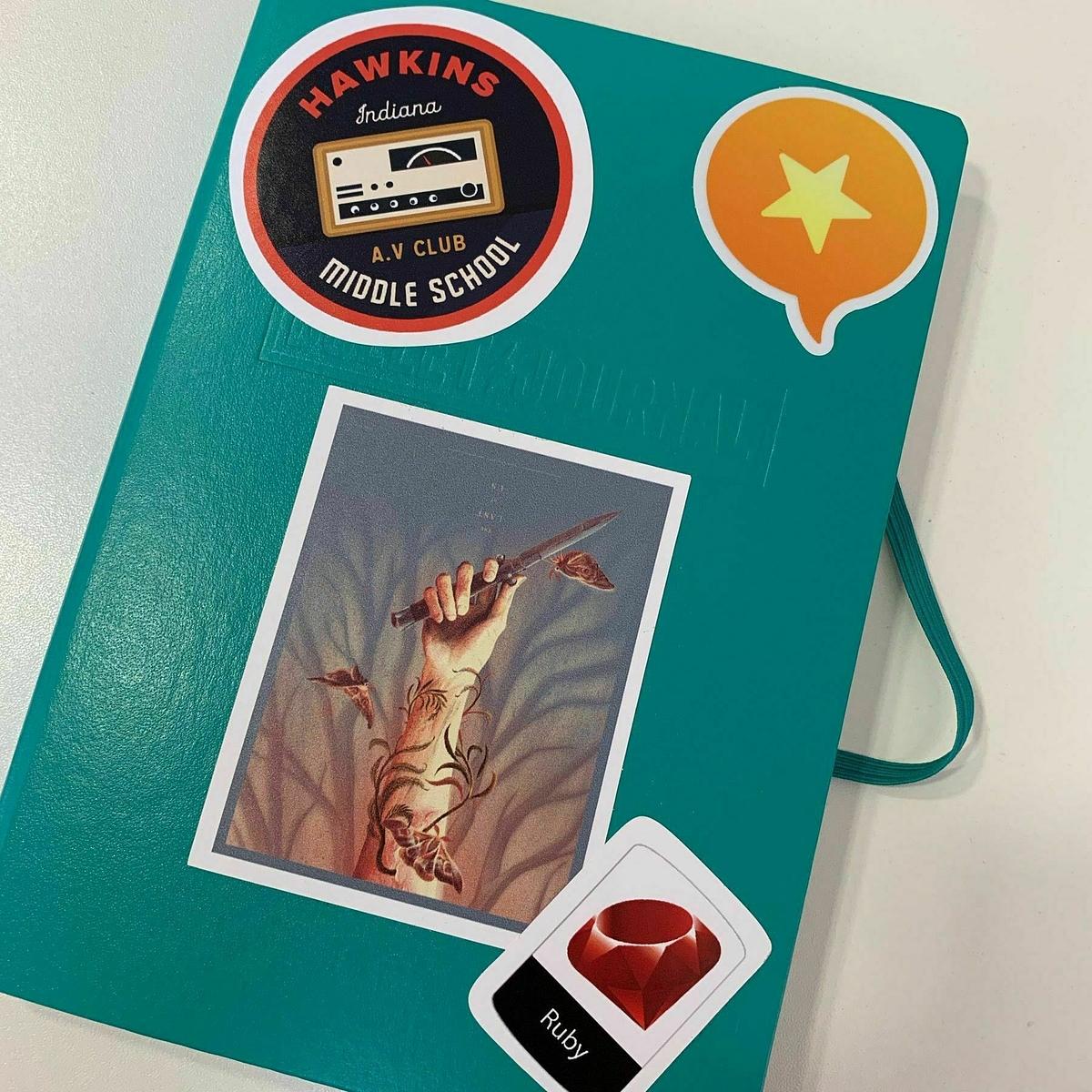
Costing along isn't going to build a successful freelance business with great clients. I have a handful of clients now that keep me busy, but I need to keep those clients by continually delivering good service and value.

Coasting along isn't going to make me spend more time reading and writing. Yes, I'm reading alot, but on the flip side my writing has tailed off in the last six months. Writing is not only something I enjoy but a possible revenue stream in the future if I decide to publish.

Coasting along is bad thing to do. You end up cheating yourself of new learning experiences, opportunities, a good career and more importantly, the life that you want. Coasting is a short term fix if things get hectic but in the long term it's not going to get you back on track. Eventually you're going to end up in the wilderness wondering what the hell happened.

For me it's time to get back on track.

Last night I took my oldest son to his coaching at the golf club. He had a great time. Chatting with his new friend, hitting some balls on the practice ground and getting some tips from the club's new professional. I sat and watched him from the clubhouse, just making sure that he was keeping his focus for most of the session. At the end I met him on the practice ground, grabbed his bag and shoes and we headed home to catch the opening game of the World Cup. The conversation in the car comprised of who was playing in the football, the plans for a golf compeition on Sunday and the many epic shots that my son said he hit. A good night.

This week hasn't always been this good though. I now understand why my parents frequently referred to themselves as being 'broken down record players'. I finally get it. It's just taken me to having a kid of my own to understand. Every day this week, my son has got himself into trouble for the stupidest of things. It's been a frustrating week. It's at the stage where you continually repeat yourself. My son does listen. I know he does, but in between him thinking about golf, football, food, gaming and getting outside, there's only a small window of opportunity for the message to get through. I feel like I'm on repeat. I shouldn't be too hard on him though. I was reminded yesterday thay I'm fortunate that I see him every day.

Last night I read about the sad news of Eric Meyer's daughter, Rebecca. For those that don't know Eric, he's a noted expert in HTML and CSS. Eric is a respected member of the web community and many developers and designers are familiar with his work and contributions since the early days of the Internet.

Eric's daughter passed away last week after a long fight against cancer. Yesterday was her funeral service. Eric has been writing about Rebecca's progress on his blog. Reading his 'Never' post was especially difficult and put things into perspective. They are beautiful words for tragic circumstances. That's the only way I can describe it. If you've got a few minutes I suggest you go and read it.

I started to think about my own kids. Their future is a mix of maybes, possibilities, and definites. A lot can happen, more to the point a lot will happen. For the many times that they get into trouble, do the wrong thing or play up, they're still healthy kids and they have the rest of their lives ahead of them. As parents with kids or even as guardians to the kids in your life, we might not appreciate seeing these them grow up and the experiences they will go through.

That's all been taken from Rebecca's family. The chance to see her grow and all the experiences that she would have gone through in her life. I sincerely hope that the Meyer's find some peace in the future. I can't begin to imagine what they are going through but it's something that no parent should experience. We take it for granted that our time will come before our kids, but that's not alway the case though. Next time I get frustrated about repeating myself to them, I should remember that they're still there in front of me, even if they are continually getting into trouble.
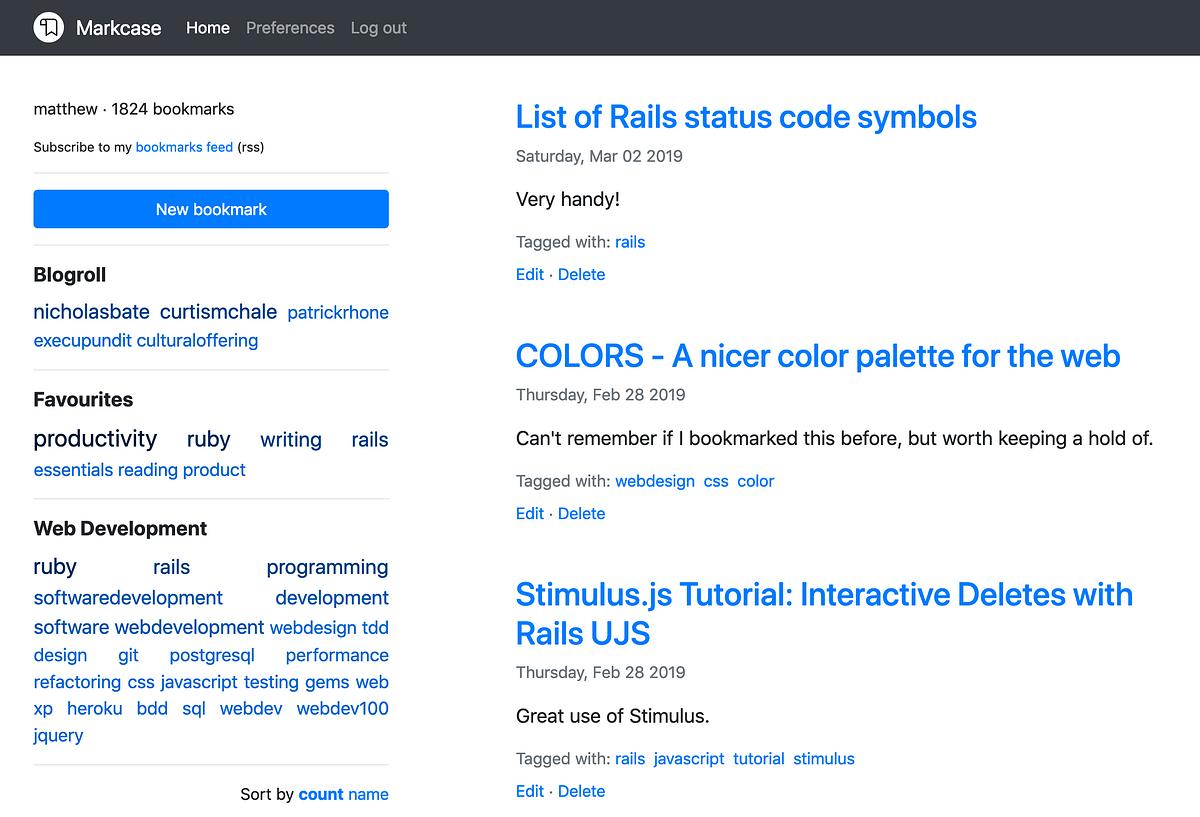
Time to think

I finally got round to reading this over the weekend. Matt makes a fine case for using tools that force you to think before you act.

There’s a ritualistic quality to these objects, but that’s not why I love them. I use them to slow myself down. To introduce just enough friction that I’m compelled to pause. We don’t pause enough anymore. We don’t give ourselves time to think.

Thinking slowly by Matt Gemmell

I keep just eight apps on the home screen of my iPhone. They're the essential eight, the eight apps I use on a daily basis. I keep it down to eight apps so that when I open my phone and go to my home screen, it's easier to find the apps that matter. Having just the eight apps I need on my home screen means I'm not spending time looking for my app or even being distracted by other apps. I unlock my phone, open the first screen (if it's not already on that), read, write, schedule or manage using one of my apps on this screen and then put my phone down. Your own selection of apps might vary according to what you need but here's my eight:

  1. Todoist - Todo manager
  2. Fantastical 2 - Scheduler & calendar management
  3. Unread - RSS reader
  4. Riposte - App.net client
  5. Kindle - Long form reading app
  6. Instapaper - Short form reading app
  7. Editorial - Long form writing app
  8. Pop - Short form writing app

And here's how they look on screen:

Essential Eight Screenshot

The first four apps are probably typical on many phones. Task management, scheduling, an RSS reader and a social network client. In each case of reading and writing I have two apps for the different reading and writing that I do.

I use the Kindle app mainly for reading on the go. Maybe catchup on a chapter from the book I'm reading if I find myself with a few minutes to kill. The Instapaper app is also there for reading. Anything like a blog post or online article that I've saved to read later.

The same goes for the writing apps. I use one for working on blog posts and other documents while I use Pop mainly as a scratchpad for ideas or something I just want to jot down.

These are the eight apps that I use on a daily basis. There are apps on the other screens I have but these aren't apps I use daily. The second screen is apps that I use mostly day to day. These include apps like Sunlit, Path and Day One while there are also apps relating to my career, such as HipChat, Linode, Cloud66 and Trello. The screen that follows on from this is Apple's own apps that I use from time to time and lastly there's another screen with apps that I never use. You might think that's a lot of screens but to be honest I rarely visit the third screen and the second screen maybe gets opened once a day for something specific.

I also employ a fixed number of apps for my homescreen. If I want to bring another app in, I have to remove one to make space for it. I have rarely had to do this since I started using this format. I have made a number of app changes on this screen over time, but that's to reflect apps that were not working for me and needed to be replaced. Perhaps the most frequently changed app on this screen is the long form writing app. Previously I have tried Drafts, Plaintext, Plaintext 2 and Byword. Having tried a number of these apps and finding shortcomings in all of them, I'm glad that Editorial was finally released for the iPhone.

I've experimented with just four apps as well as having twelve apps on the screen, but having eight is for the right amount of apps I need in front of me at any given time.

For those interested in the Menu Bar at the bottom of the iPhone's screen, I stick to Apple's own offerings for communicating. These are Messages, Phone, Mail and Safari. I've tried different apps on this section of the screen as well but it's hard to beat Apple's own apps for doing these things.

I've tried in the past to get the number of apps down on my phone, but it gets more difficult when you find you start doing more things on the go. Clearing out my home screen means that I have at least one screen on my phone, more importantly the first one, that doesn't give me too many choices in the apps that I can use. Other apps are just a swipe away but I'm too lazy to even do that half the time. Limiting yourself and the choices you can make is a great way to stay focused.

Not surprising that George RR Martin writes his Song of Ice & Fire books on a disconnected DOS machine. With that amount of plot lines, character deaths and surprises he can't afford distractions. It does raise another question though, how many assumptions does your computer make about what you do?

I watched the clip of George RR Martin on Conan admitting that he used an old DOS PC that isn't connected to the internet to write his series of books, A Song of Ice & Fire. Martin and Conan have a laugh about it on the clip, but Martin makes a good point about the computers of today. They do so much for you, but are they doing too much?

When I was a software developer working with Microsoft's .NET framework, I wrote all of my applications in a programming environment that did some of the work for you. It's called a integrated development environment or IDE for short. What sets an IDE apart from a regular text editor like Sublime Text or Vim, is that the IDE is more than just a text editor. It's an environment tailored towards a specific set of languages or frameworks. It has features and shortcuts built-in that are there to help you write software applications.

One of the reasons that Microsoft's Visual Studio environment is used by so many developers working with Microsoft's .NET framework is that it does some of the work for you. When you create a file for your project, it will include a template of a class or module with boilerplate code included, or if you're building a website it will include a basic layout on a new HTML file. It does lots of little things like this because it's been built to assist the programmer as much as it can.

Having worked with IDE's like Visual Studio for a number of years it's easy to the see benefits in the amount of code you can write in a typical work day. I wasn't happy with this though. Too many of the small decisions were being taken out of my hands and assumptions were made by Visual Studio that I would need everything that it generated for me. Over time I gradullay tailored the templates and snippets that Visual Studio included by default so that Visual Studio wasn't making as many big assumptions about what I need. Not everyone does this though.

This is what Martin makes a point of when he is writing. He doesn't want an opinionated machine that makes suggestions for him, he wants a machine that just does as it's told. In this case if he makes a spelling mistake it won't suggest the right spelling to him, if he writes a new word that the computer can't find in a dictionary it won't suggest an alternative word that it thinks the writer was supposed to type. It takes the words that Martin types in and that's it. That's probably all that a lot of writers want. A chance to write without distractions and suggestions and other changes that the computer thinks we need.

I use a text editor with a few plugins that automate work for me as a programmer. As a rule I use packages and libraries that only make a minimal number of assumptions about what I need when I am writing code. Yes, I have snippets to create new classes, modules and methods, but they don't assume I need anything more than the declaration of the object in question. I want to make the decision about the structure of a new class or a new method when I'm writing my code. If the computer does it and it's wrong, I end up having to make a correction and then continue with work.

It's good to see that Martin is proof that the latest devices or apps are not what you need to make an idea a reality. Focusing on computer speed, productivity tools and other factors may not make you work any faster than if you had older equipment and tools. It's about using those tools correctly and removing distractions and barriers that make you productive. Every day I face my laptop and get notifications of new emails, app updates, test updates, and all manner of alerts telling me to shift my focus from what I am doing. I should turn these off or at least par them back to only the necessary alerts that I need to do my job.

Computers, tablets, phones and even washing machines, dish washers other home appliances are all made to make assumptions about what we want. These aren't always the right assumptions and we often find ourselves making daily micro adjustments to get the desired result. By ensuring that the devices and apps we use make minimal assumptions about what we do, it allows us to do things our way. And doing things our own way is better than adhering having to constantly fine tune the ways of others to get what we want.

Graham Obree and Chris Boardman have both had their Hour Record times re-instated into the record books thanks to simpler regulations that determine the equipment cyclists can use to break the hour record.

Paper writing tips from ...

... Kurt Harden.

Here's the first:

  1. Grab them by the … whatever will get their attention. Memo? Invert that triangle. “Start at the last page” as a client recently told me. “Our new product line is selling very well, with penetration in existing clients of 30% after the first year. But the _____ line is failing…” A paper? Get the most interesting quotation you can find, and place it right before the start of your paper. It’s okay, the person reading your paper wants to enjoy themselves. You will be rewarded for making the experience interesting.

So you have to write a report/paper/memo by Cultural Offering

I'm glad I came back to using Instapaper when I did. They've just introduced a new UI and now you can also highlight sections from what you're reading.

Assumptions about the Internet based services we use lead to the fact that only the more popular ones are catered to when it comes to subsequent tools being built.

Assumptions on the Internet are everywhere. It's in the networks that we can share articles to, the growing number of companies using Facebook as their sole Internet presence and in the ways that we can connect services together.

For someone like me it's pain in the backside.

There's a campaign at the moment to stop the development of greenbelt land in our town. The local council want to sell the land to developers to build a thousand more homes for our town. Trying to coordinate with other campaigners on this issue has proved difficult. The only point of contact I can find are on Facebook and even there they don't give an email address to contact them. The assumption here is that everyone has a Facebook account but that's just not the case.

Then there's the services that require you to register using an existing social network account without providing users with a chance to register with their email address. Assuming that we're all on once social network or another is a bad assumption to make and in the end it's only going to lose you potential users and money.

I make an assumption on this website with the sharing links at the bottom of each article. You can share to App.net or Twitter. I choose these because at the time I did have accounts on both, but now I only have an App.net account. Am I going to reduce the sharing options to just App.net? Definitely not, as I see that these are two of the quickest ways of sharing links now.

When compared to the assumptions that bigger companies and organisations have made about social network choice and prescence then my site doesn't seem so important, so I guess then that my assumptions are not too damaging to others. More of an inconvience really, but there are other ways of sharing my website.

Not everyone is connected in a way that we can be accessed on any of the more popular social networks. Some of us even choose to stay away from these in favour of reaching people directly through email or publishing updates to an RSS feed. The good thing about these is that they're the most open formats avaialble for the sharing and consumption of data. No one controls email or RSS feeds, they're free for everyone to use.

I'm more selective about the services and tools I use. I try to use services that provide open endpoints such as RSS so that I can connect services together. They don't depend soley on specific social networks and give me more of a choice. Choice is good, assumptions are bad.

Sticking with App.net

Many readers here will know of my support of the social platform, App.net, and how it has become a worthy alternative to other social platforms. It's a place where I hang out daily, watching conversations happening, taking part in them on the odd occasion and using the 256 character length posts to bash out my thoughts, opinions and ideas through out the day.

I wasn't particularly surprised by the news yesterday that the App.net team is having to scale back its number of employees and rely on contractors to maintain and support the App.net platform. The App.net team have been quiet of late and there hasn't been a visible enough uptake of new members for me to see that App.net platform is growing. It's not all bad news though, Dalton and Bryan have said they will continue running App.net indefinitely.

I've heard so many arguments that App.net doesn't have the user base to sustain growth and given the recent announcement from Dalton, it's hard to argue against this. The thing is though, it's still making enough money to sustain the platform, but this for me is the worrying part.

App.net started as a platform that required payment before you could create an account here. $36 per year is the cost. It's not much for many people, and there's even the option of paying monthly. It was this pay wall that guaranteed that there would be some sense of mediation of users coming onto the platform. If you were serious about joining you paid up. Dalton's recent post reads that hosting is covered by the renewal of paid accounts, but how much of the hosting costs are being used to support free accounts on the platform?

I want App.net to survive and continue to grow, but the free tier account has always been a sticking point. Accounts that don't contribute to the sustainability of the platform and their continued use of other features such as Broadcast means that they're using up part of the hosting of this platform while giving nothing in return.

I could be wrong about this and I don't have the numbers to prove my argument, but I would like to see the platform reducing the features that are on offer to free accounts and continue to add more value to paid and developer accounts. If these accounts are the ones that will sustain App.net in the future, then surely they must be the primary focus rather than building features for all in the hopes that some free tier accounts upgrade?

It's not all bad though, the App.net team have open sourced the Alpha client for the platform. It's from this point on that I hope that contributions made by the community will drive this social platform back into a more healthier state of sustainability and growth.

I love the community behind App.net. My timeline is a much more pleasant place for reading than any single day that I had when I was on Twitter. Interesting conversations and shared links provide a much better environment than being the one account in millions on Twitter.

I'll continue to post on App.net until the lights go out, which I hope is years away from now.

The Limits of Automation

The other day I experienced the limits of what automation can deliver and realized that not all tasks are best done in an automated fashion. Some tasks need that manual touch to get done properly.

At the start of the I got back on the writing bandwagon and published another of my muddled thoughts a couple of days ago. Being a lazy guy, I have App.net's Broadcast setup that takes my daily posts from the RSS feed and publishes them to App.net and to my email subscribers. One of the reasons I done this is that I would ordinarily forget to do it.

This morning I had the realization that I might just be missing an opportunity here. Automating this sharing process from blog to you the reader is all well and good, but what if at an earlier point I could let you decide whether you want to read this post or not?

A couple of weeks ago I started adding a summary to the beginning of each post. In it I try and condense the gist of the post into a couple of lines. If it's not for you, you can move on, if you're interested then you keep on reading.

There was another couple of places though where I could be doing this, and that's in the original broadcast message and the post to my timeline on App.net. I turned off the automatic posting and sharing of my blog and instead opted to use the intro to the blog post as a brief description on the broadcast. The post which was originally sent to my timeline, doesn't include the intro and it uses a shortened URL which I don't want. So as well as using the intro on the new broadcast, I'll rewrite the intro as a condensed version for posting to my timeline on App.net. I'll do both of these tasks myself rather than relying on the automation tools to do it for me.

Automation is great for when it's mundane tasks that can be repeated over and over without interruption, but when we want to tailor that task each time it happens, we need to step in and do the work ourselves. It's not a bad thing either. Now I get the chance to tweak the broadcast and post in the hopes that I can encourage you to keep reading as well as reaching out to more people.

Plain and Simple Bookmarking

I seem to have a love/hate relationship with bookmark managers. I like using them yet I find faults in each one and end up disliking them. Can I find plain and simple bookmarking service that let's me just search?

Bookmarking services. I've used a fair number of those in my time. Remember Delicious? Those were good days. I do and since then I've tried a number of different services including Google Bookmarks, Pinboard, and I even tried to roll my own bookmarking service a couple of times. Each time I tried something new though it felt like it was just over the top.

I never wanted to manage a collection of separate bookmarks, I just wanted a somewhere I could store them and find them. How they got there wasn't the problem, it was how I found them that mattered. Lots of bookmarking services tagging as a way of grouping your bookmarks, but do we need to tag our bookmarks if they can already be found with a good search facility?

You might have noticed a new addition to the blog in the last few weeks. At the top of the page beside the main navigation links there is a search box that you can use to search my blog. This isn't a feature of the blogging software I use, this is an external service called Searchpath. It indexes the content of your static site and gives you a plugin for your site that let's you search on your site's content. I've been using this for a couple of months now and the results of the searches have been good. Anytime I've needed to find something, I can using the simple JavaScript widget that sits at the too of my site.

After a couple of weeks of using this I wondered if it could also index other pages. Pages of bookmarks perhaps?

So last week I finally got my collection of bookmarks out of a database and converted them to markdown files grouped by the month they were created in. From here I then set up a page on my site that listed each months worth if bookmarks. You can find this new archive here.

How I add to this collection is simple. In my toolbar I have a couple of bookmarklets. One coverts the URL to the page to a markdown link and the other converts the entire page to markdown. I use the link bookmarklet to get the link for the page I want to bookmark and copy it to the clipboard.

I keep the this months file open on my desktop using the wonderful Marked application. If I need to add a bookmark, I simply press the edit shortcut key in Marked and my markdown file appears in my editor. Once I have my bookmark file open I simply append the new bookmark to the bottom, add any notes and save it.

The last part is the indexing of these bookmarks. Searchpath looks for links in site and follows them through to find pages to index. I'm interested to see how this change to my bookmarking routine works out. It's taken me to now to realise that I don't need things like tags, favourite bookmarks or even grouping bookmarks by a collection. I just need a place that allows me to search through them when I want to.

Logitech K811: A Review

It's been a month now since I started using the Logitech K811 keyboard. The reason I made the switch was that my old Apple keyboard was getting rather old. Five years is a long time for a keyboard, in fact it's probably the longest time I've ever owned a keyboard. As a result the keys on the keyboard were sticking and one of the keys needed a fair amount of beating before it would register the key press. I needed a new keyboard.

Two things the new keyboard had to do. Be OS X compatible and wireless. Anything else after that is a bonus. After looking at a number of different keyboards I filtered this down to a number of keyboards from Logitech. In the past I had a Logitech keyboard when I worked as an ERP developer. This was a great keyboard, so I started to look at the rest of Logitech's range. The K811 stood out for a number of reasons.

My Logitech K811

The keyboard itself is light and while it doesn't exactly match the build quality of my Apple keyboard, it has been sturdy enough for every day use. The top of the keyboard has a plastic backing while the rest of the keyboard has a nice aluminium finish. It's a shame the aluminium finish doesn't extend to the whole of the keyboard. There is also a greater degree of flex in the K811, but then that it would take a great amount of pressure to snap the keyboard this way.consists of an has a small profile. The K811 is thin and doesn't have as steep an angle as the Apple keyboard. Looks wise it's definitely up there with my old keyboard.

The keyboard can be charged using a USB cable. This is good but in the last month I've had to charge the keyboard three times. This maybe partly because I've left the keyboard on when I leave my desk. If I turned it off when I wasn't using it then it would probably extend the life of the battery between charges. I'm not going to worry too much over this though as it does mean that I don't need to replace the batteries for it.

Another nice feature of the K811 is that you switch between multiple devices at the touch of a button. With my iPad almost unusable (long story), I haven't used this feature although when it comes to getting a new iPad, it's good to know that I'll be able to switch between my iPad and my MacBook if I need to.

The last thing that I like about the keyboard is the backlit keys. My hours of work can vary from day to day and during these dark winter nights it's been good to know that my keyboard is easier to see when I'm working late with just my desk light on.

The only real gripe I have with the K811 is that the connection to my MacBook cuts out about once a day. I've searched the support forums on Logictech for a resolution to this but I've yet to find one. The connection does come back after a few seconds, so I'm not going mark this as a big drawback to the keyboard.

Other than that the K811 has been a great keyboard to use so far and is definitely a worthy replacement to my old Apple keyboard. It's more expensive than an Apple keyboard and maybe not worthy of the price difference but I was happy to fork out the money to get something that would work for me on a daily basis and offer a little bit more than other keyboards do.

On a day to day basis I'm providing a service to my clients based on the programming languages I use. In time though these programming languages will fall out of favour with clients and I'll no longer be attractive as a freelance service. What can I do to change this?

My one year old son Drew is trouble. I thought my oldest son who is now seven was trouble, but he's nothing compared to the mayhem that is his younger brother. Drew loves exploring round the house, hiding in corners and inevitably getting himself into trouble. If there's something he wants within his reach, he'll try and get it. Now I could move everything that he shouldn't be touching out of his reach but that just isn't possible in our house. We still have to live. So for the moment, we'll put up with Drew's antics until he is older to recognise right and wrong.

Watching him running around the house and raiding cupboards, drawers, my desk and anywhere else he can reach is nothing more than him exploring his environment. It's healthy for him to do this. He's a growing toddler. I wouldn't expect anything less from him.

As I watch though I realise he's doing something. In each case he'll try and grab something he wants. When we tell him no, he runs off and tries to find something else. When we say he can have what he is trying to grab, his faces lights up as he's found some new artefact that he hasn't seen before. It's exploring on a micro scale. It's his way of testing the boundaries. He doesn't know what is right and wrong and so he tries in his own way to see what he can and can't get. It's a hit and miss method for him.

As a freelancer I have a small number of services that I offer based on the trend of safe technology that is available in software development. I work with Ruby for a number of reasons. It's become a popular language with many markets and their's plenty of work out there for those looking for it. In a career where the technology landscape changes on a yearly basis , should I be banking on this safe language for the future?

Ruby was the last language that I invested anytime in. Back when I first read about it during my .NET days I was in fact reading about this new framework called Ruby on Rails. I think I first read about Rails in 2005 but it would be another three years before I decided to start learning about the Rails framework and in turn the Ruby language. Since then I've rarely invested any time in learning a new programming language other than the fringe languages and frameworks that are part of the Ruby and Rails communities.

The reason I haven't done this since then is that I don't want to waste time investing in a programming language that doesn't start to become mainstream. Why be afraid of investing some time in a new programming language though? The technology world changes on such a fast pace that it's impossible to predict when that next killer language will appear.

Just like my son though I need to start testing my own boundaries and explore the programming language world around me. It will be a hit and miss experiment for sure. Over time though, I should have invested enough time to familiarise my self with a number of different languages. It's at this point I can then decide if any of these languages are right for me to consider as an extra service that I can offer to clients.

It's been far too long a time not exploring another programming languages. It's definitely time to test my boundaries and see what is happening out there. Sticking to a safe programming language is easy to do, but there will come a point in time where I will need to pick up a new programming language out of necessity rather than choice. It's at this point where I would like to have the experience of already picking up new programming languages and reducing the friction in learning it.

When I first started blogging I thought I could simply keep on writing and the ideas would come. For a while they did and I would keep future ideas on a backlog so that I could return to them another day. Now though it seems that those ideas are not coming as fast as they did in the past. It took me a while to realise what the problem was.

My problem was that I set myself the goal of publishing more often than I could write. Yes I could publish small posts that required little effort but is that what I want to do? Minimum effort? I won't learn anything from just simply firing out a barrage of poorly written blog posts.

What I want to do is improve my writing. That means spending more time writing, editing and proof reading. I want to review my writing a few times to ensure that I am completely happy with it. This takes time, not a lot of time but definitely more than the time it takes me to write a small blog post.

Writing takes time. Good writing I mean. The kind of writing where you write a draft more than once. You sweat over the little things like word choice and grammar. You spend time on each paragraph, sentence or even word.

Writing does take time, but the rewards of better writing far out weigh that of those hasty blog posts that I used to write. It's taken me a while to learn this but it's came at a good time. I'm hoping that this is a time where I can improve on my writing over the next few months.

We'll just need to wait and see.

Three pounds got me a tea and hot roll this morning from my local cafe. A pot of tea which should give me three decent cups of tea and a toasted flatbread with sausage. A little bit upmarket when you consider this is a cafe in the West of Scotland but also good value when you consider that it's not your usual greasy spoon morning roll with a slice of cheap meat thrown in. Good value I think you would agree. I get enough fuel to see me through to lunchtime and enough tea to keep me working for at least two hours.

What about value on the Internet though? What determines value in the products and services that we buy but are nothing more than bytes that exist in the Internet?

Five dollars is a common price point for many products and services. Evernote offers extra bandwidth for synchronising data for this amount, Github offers a private repository for the same amount and you can follow more people on App.net for, yes you guessed it, five dollars. It's a common price for many services but the variety of value differs from product to product.

There is a trend on the Internet when it comes to services and value. The older the service, the more value you get. It's not true in every case, but it's certainly applicable to many.

Take Evernote for example. Back when I first took an Evernote subscription the added value I got from it was mainly their offline notebooks and extra bandwidth for synchronising my data contained in Evernote. Now though, Evernote offers collaboration, extra security, presentation and even other premium features from their other apps. Good value if you use these on a monthly basis.

Let's look at App.net now. Out of the box a free account gives you great value including the ability to use their Passport application and follow up to 40 people. On top of that you get 500MB of storage on their platform. For an extra five dollars a month you can follow as many people as you like and also get an extra 500MB of storage taking you to 1GB. Right okay, not the range of extra value that Evernote offers but it is value. App.net is young though and in time they may offer more to its paying customers to encourage free customers to upgrade.

The trouble with comparing these services and more is that there's usually only a handful of great services in each market. Comparing services from different markets isn't going to work. It's not fair to say that Evernote offers more value than App.net but in terms of a basic feature count, yes it offers more, but it depends on person to person what features they use.

For many of us that use the Internet on a daily basis though, we live in a time where five dollars is nothing. It's a fancy coffee or even breakfast. I don't think five dollars to me is a lot of money to pay for a serivce online for a month. Even the most basic service is worth paying for.

If it provides value to you as a consumer then why not?

What's the minimum you would pay for extra features and value from a service?

Also does that price change depending on the important of the service you are using. Would a service critical to your business warrant a larger minimum price so that it continues to support your business?

No More Netterpress For Me

Yesterday I decided to pull the plug on the Netterpress newsletter. Saying no to your own ideas is difficult to do. You want it to grow. You want it to succeed. It doesn't always end up this way though. The journey to a successful product is hard work and needs a significant amount of effort. After working on Netterpress for over a month it was clear that it wasn't something that was worth doing given the amount of money that was coming in from initial subscribers. This wasn't the only problem though.

A Small Community

App.net is still a small community when compared to other well known social networks but it shouldn't be pushed aside for its size though. There's still a fair amount of daily interaction that goes on here and it is growing on a daily basis. It can't be compared to the millions of users that other networks can and that restricts the number of potential customers that a premium newsletter like Netterpress can have.

I was buoyant about the newsletter when I first wrote about the idea, but when I unveiled the sign up page and price, the take up for it was low. The number of interested subscribers just wasn't there. With a bigger network, there may have been more of an interest, but App.net being a small community means that there just isn't enough people there interested in the newsletter.

Sourcing News & Content

I had a plan at the start which involved finding content to put in the newsletter from a number of sources. The first was to follow a number of developer accounts for apps on App.net and a few other accounts that would give me news on app updates and changes to App.net.

The problem with this is anyone else on App.net can follow these accounts and get the same news for free. I was counting on the fact that I would do the leg work in correlating the news and updates from a number of different accounts and present them in one easy to read list.

Another plan I had for finding content was the use of hashtags that people could include in their posts if they want a post with a link to feature in a newsletter. Unfortunately this idea wasn't conveyed as well as I could have and was never used in the entire time that Netterpress ran.

The last strategy I used for finding content was the use of saved searches in the Felix app on my iPad. I setup a number of saved searches within the app and checked them on a daily basis. Some content for the newsletter came through this way but it wasn't the flood of newsletter content that I was hoping for.

Most of the content for the newsletter came from spending a few minutes each day searching links in my own timeline and the timeline for the Netterpress account. It was time consuming and certainly wasn't an efficient method.

Content Curation

One thing I took away from the experience of running the newsletter was that it is a time consuming task. I now have new found respect for those people that curate content for the benefit of others, whether they run a newsletter, a blog or even a magazine. Publishing a periodical for others to read is hard work and it needs a lot of time and thought.

You can get so far by automating the curation process but it still needs a final check to confirm that the final content is okay for the newsletter. Although I didn't get the entire process automated, the curation process for one part of the newsletter was almost fully automated but it did need a last check before publishing the newsletter.

It's Not The End

The newsletter itself is not dead however. Shortly after announcing the retirement of the newsletter, I received an email from another App.net member who wishes takeover the newsletter and publish it on a more irregular schedule for free. I'm in the process of migrating over the assets of Netterpres including the account the subscribers that have allowed their email address to be given to the new owner.

It's good that the newsletter will in fact live on, but it wasn't a viable product during it's first run. This might change with a new owner and perhaps making it free for a while will get enough subscribers so that one day it could eventually pay for itself in some way.

I'm done with this idea though. It's time to sit back for a few days and catch up on reading, writing and code. Another idea will come along soon and when it does, I will start the process of evaluating it as a product all over again.

The Marketing Alternative to Social Networks

Marketing your product online has one bad rule. It's not a rule so much as a practice. Whether it's good or bad, I'll leave down to you to decide. Here it is.

In order to market your product effectively online, you at least need a presence on each of the major social networks.

I'm talking social network accounts here. Google+, Facebook and Twitter. Without a doubt the most popular networks out there, and if you want to market your product you need an account for each of these networks so that you have an outlet for your product. I'm aware that you don't need to be sitting on these accounts on a daily basis to monitor it, but it does require some maintenance. And that's my problem. Why do you need to have an account in these networks just to market your goods? Is there an alternative?

There is and it's probably been staring you in the face since you sat down at your desk this morning with your coffee.

It's email.

Long forgotten as the first popular form of sharing content, email has been increasingly replaced by social network forms of communications. It is one of the last remaining forms of open communication that just works. You can send a message to anyone providing you know their email address. It doesn't matter which email service you use, which client you use or even if it's self-hosted. Email just works and it cuts across the borders of social networks easily. Straight to the people that matter. The people who buy and could potentially buy your product.

You might be able to reach more people by managing a separate account on each network, but do you have time for that? I sure as hell don't.

Lately I've seen a resurgence in the use of email by others to market their products and services. Newsletters are an increasingly great way to market your product to others. Letting people know of changes and offers in your product keeps your customers up to date. A call to action at the end of the email is also a great way to encourage potential customers to check out your product or even buy your product.

The best thing about it though is that it's already there.
Waiting to be used. Marketing your product starts with an email to the right person. Sometimes that's all that's needed to start selling your product.

Switching to Annual Subscriptions

Yesterday I got a hold of my credit card statement. This is the statement for the credit card that I use for my freelance business. Web services, hosting, e-books and subscriptions all go on it. It's not wildy extravagant. Last month I spent just under £100 on products and services for my freelance business. I can definitely cut back on a couple of services I subscribe to and choose lower pricing plans, but there's another area where I can make savings.

Each month I pay a small amount to subscribe to a number of different services. For most of these services I'm happy to pay the monthly amount. It's always under £10 with the exception of one. Not a lot of money, but over the course of the year those add up.

Where I'm not saving money is paying the monthly subscription amount for these services rather than the annual amount. Most online products and services offer an annual discount that means you pay less for that service over the year. You do however have to pay for the annual service up front.

As I'm trying to keep a reign on my spending, I would love to switch to paying a once annual amount for these services, but with there being a handful that I can do this with, I'd rather not do it all in the one month. It would just cost too much money in the one month.

The alternative then is to stagger annual service subscriptions. Starting in April, I'm going to switch one service a month over to an annual subscription in order to save a bit more money. I'm already using these services on a monthly basis and have done for the last two years. I'm a regular payer and will continue to do so, so why not subscribe for a year and save myself some more money?

Making annual payments for products and services will increase my monthly spending for my business at first, but over the rest of the year, I'll see my monthly spending do down. There's a couple of trade-offs with this plan.

The first is that I'll be tied into that service for a longer period of time, but it's a trade-off I can live with. I've used the services I'm committing to for a few years now and I don't see me wanting to change in the next year at least.

The second is that my monthly spending projection will be hard to track given that some months will have larger one off payments. It's not a major inconvenience but I have been so used to maintaining a monthly amount that has been consistent for the last year.

Switching to annual plans for services is a difficult choice. I suggest that you only consider those services that are critical to your business and also offer a discount over paying monthly. You might only save yourself a small amount on one service, but across a handful of services you could be saving yourself a lot more. Definitely something worth thinking about.

Netterpress - A Retrospective

I'm four editions into my App.net newsletter and it has definitely been an eye-opener into running a regular publication. Don't get me wrong, I'm enjoying the process of putting together each newsletter and finding content to include, but there is a few areas where I could improve the newsletter and the process of putting it together.

Better user recommendations

This is a new section which only appeared in the third edition. The idea is that I monitor the new accounts being created on App.net and poll for a few days before the newsletter goes out. I filter for possible spam accounts and only include accounts that have been marked as 'human'.

On the weekend before the newsletter goes out I can then analyse the most active accounts for that week and pick out some recommendations for the subscribers of the newsletter.

There's so many parts of this process that can be improved:

  1. Discount feed accounts - A lot of 'human' accounts are using tools like Twitterfeed to automate posting to their account. These are not the type of accounts I want to recommend.
  2. Filter for users that don't have a bio - There's not much use in recommending somebody if they don't have their bio filled in telling people about themselves.
  3. Automate the user polling script - I manually kick off a couple of scripts to poll the App.net API. Ideally this should take care of itself and just run on an interval. Nothing to stop me doing that on my laptop, but I should probably schedule it to start during the day when I know my MBP won't be in hibernation.
  4. Scripting the users list - I put together the list of recommended users in the format of Markdown (like the rest of the newsletter), although there shouldn't be anything to stop me grabbing my list of recommended users and exporting it as a snippet of Markdown that can be included in the newsletter.

Conversation recommendations

I'm still undecided about this one, but another idea for App.net members was a service that reads back through your timeline for a given time period and weights conversations based on the number of replies, stars and reposts it gets. On a daily basis, subscribers would then get an email showing the most active conversations over that given time period.

I want to include this in the Netterpress newsletter, but on a per user basis it makes more sense to run it as a separate service. The idea could still be used in the newsletter, but instead of reading back on a specific user's timeline, it could poll the trending conversations feed and use that to search for active conversations.

More automation

I've already talked about automation earlier, but where I also want to automate the newsletter is the finding of new content. It's a manual job right now. I have included hashtags in the first two editions of the newsletter that people can use to tag their posts if it contains news that could be included in the newsletter, but the response to this has been limited.

Going well

So far the newsletter has shown me that putting a newsletter together involves a lot of work. It has been hard work balancing this with freelance work, but with more subscribers I could start blocking off more time during the day to getting an automated news discovery and publication process put together. It's still early days for the newsletter though, and I'm only halfway through the trial run.

Considering a Standing Desk

Last week I hurt my back while lifting my youngest son. Five days on and the pain is still there. This latest episode of back pain and many more before it are now putting ideas in my head that it might be time for a standing desk or even a desk that can switch between standing and sitting. There's still a few obstacles though to this.

Is it really beneficial?

I know there's been a lot of talk in the developer community about the benefits of a standing desk but like many of the new ideas that come from the software community, I take each one with a pinch of salt. It's not that I think sitting all day is fine and healthy, it's not, it's just that I've just yet to see a link to the medical research done to back up this claim that standing is definitely healthier for you than sitting.

The last thing I want to do is move from a sitting desk to a standing desk and then run into even more problems with my back. As humans, we're all unique. What works for some people may not work for others. I'm quite a big guy in terms of height and weight. Would I really benefit from switching to a standing desk or would I be causing myself even more pain?

I enjoy sitting

The other problem is that I do enjoy sitting. It's not because I'm lazy or over-weight, I just enjoy sitting. Programming, writing or even sketching, I enjoy it more when I am sitting. My work space is setup to compliment my sitting position and everything around me is within easy reach. I could change all this with a standing desk, but then I would need to change a number of things like my monitor, my keyboard and mouse space, and basically everything else on my desk. This isn't just a switch from one keyboard to another, this is a big change in the way that I work.

I'm already productive

At the moment I am fairly productive through the day but that's because I get up and take frequent breaks, I eat a balanced diet through the day and of course I opt to drink water through the day rather than soda. These don't take away the back pain, but it keeps me healthy and stops my energy levels dipping in the afternoon. While I try to keep as healthy as possible, would having a standing desk really benefit me in the ways that so many other standing developers have seen?

I'm not convinced that I would switch to a permanent standing desk, but having the ability to switch between the two would be something I would be interested in. I'm still thinking on this for the moment and I don't see me making any drastic changes over the next year. Perhaps I might try standing for a couple of hours a day and work solely on my MacBook so that I don't need to move too much about on my desk.

Before I consider a standing desk seriously, there's also the issue of finding the right chair to sit in. Before all the frenzy around standing desks happened, people were quite happy to sit while working. The Herman Miller Aeron proved to be a very popular choice of chair for many developers, but I couldn't justify spending that amount of money on a chair when I first started working from home. I'm currently using a chair purchased from IKEA. It provides me with a comfortable place to sit during the day but it definitely lacks in any adjustability I need to do to change my sitting position through the day.

Maybe a better chair is all I need for the moment?

Things To Do With A Bad Back

All this week I had the pleasure of taking my youngest to nursery in the morning. It's been great dropping him off and seeing his place of learning. It wasn't without incident though. On Wednesday morning my back twinged while lifting the little guy so that he could press the buzzer at the nursery door. The last two days have been very uncomfortable.

After a painful day yesterday, I had to lie down. A couple of pain killers later and I'm lying on my bed wondering what to do next. I picked up my phone and started writing. 500 words, 1000 words, 1500 words. The milestones were just flowing past. When I started feeling tired I had written 2500 words. Not a bad start to a book.

It took me to being flat on my back before I started writing, and once it started it just kept going. I've probably made dozens of spelling and grammar mistakes, but that's what the first draft is for. It's not about details, it's just about writing. Getting the idea on paper using words. I've made that first step in getting something down and I'll be continuing with it now over the weekend.

Who Are You?

Social networks are a funny thing. They allow people who are shy or uncomfortable in crowds to be as vocal as they like. I often wonder though if this is less common than people might think. I assume that there are many others like me who use the internet hundreds of times a day. Announcing their arrivals at locations, updating their status on an hourly basis and posting their lives to the world as if they are the star in their own reality TV show.

I definitely don't do this.

My social networking habits have rarely changed in the last few years. I keep to myself mostly, engage with others when I want to and only contribute when I'm sure that I am correct in what I am saying. It's a reflection of who I am when I am around people. A quiet listener. I don't say much unless I'm confident in what I am going to say.

One of the problems I have is that initial reach out to someone, whether that person is physically in the room, or another avatar in the world of social networking. Reaching out online is easier, but I still hesitate a bit when I'm making that initial introduction. I always thought that when social networks started with Facebook and Twitter, I would be more engaged with people than I am at a conference or meet up. Turns out I was wrong and the reason is that if that person is in the room or on the other side of the world, I always will be hesitant in making that first introduction. It's just who I am.

And that's enough for me as an individual. I use my voice online when I have to or want to. Mostly when I want to. If I have to say something, I usually think about what I am going to say first before committing to clicking the button that publishes your inner thoughts for the world to see. In that case, most of the time I'll scrap the idea of posting what I have to say and let it slide.

Does your online personality reflect who you truly are as a person?

How to Keep a Programming Journal

Keeping a journal is great for anyone looking to record their thoughts and experiences but I have also been keeping a programming journal for some months now and I have found it to be a great resource to help me through the day.

I got the idea for a programming journal from my late Granpa. During his retirement years he spent a lot of time learning to code. He kept a number of notebooks where he would scribble notes or code from what he did that day. Sometimes he would even write the code in the notebook in his armchair before taking to his PC the next day to try it out. Sadly these notebooks were thrown out before I could get a hold of them, but I still remember watching him scribble away in his big armchair.

For my journal I've opted to use a plain text file written in Markdown. Pen and paper would be okay for daily reviews, but copying snippets of code and urls is just much easier to do on your computer rather than transferring it to paper.

Choose a journal tool

First we need to choose a journal. Use a tool you're familiar with like Evernote, a plain text file or even pen and paper. Use whatever works best for you.

The reason I would encourage you to use a tool that you're already familiar with is that it will help you make a habit of this. If you want to try something new then feel free to but I think using a tool you're already familiar with makes it much easier to make this a daily habit.

What to journal?

There's several things that I like to keep in my programming journal. The first is the date. It acts as a reference and let's me review my past week or month in terms of work. I would say this is an essential element to your journal. Anything else that follows is optional but I find that a good mix of the following means I don't miss anything.

1. Snippets

There are snippet managers that let you save snippets of code for future use but the one thing I find lacking with these tools is the context in which why I would want to re-use code. Storing the snippet in a journal means that I can provide a background to how I discovered the snippet and any benefits or drawbacks there are to using it.

2. Articles

Bookmarking these in your favourite bookmarking application is good for a reference point, but what did you learn from reading the article. Is this information going to be easy to find in your bookmarks again when you need to find it? Maybe, but I find that storing the programming articles that I read in my journal means that it's easier to find them again.

3. Problems

Sometimes the best way to think through problems is to write about them. I've faced a number of difficult problems in code in my experience. Each time I've faced such a problem I write about it. I ask myself a few questions about the code and what needs to be done in order to maintain the code or write a new feature for it. Writing through such problems can often expose a chain of thought that might not have been immediately clear when you first faced the problem.

Such writing like this goes in the journal along with a summary indicating whether writing through the problem was successful or not.

4. Reviews

How many of you as programmers review your day? Did you record that big win you did today in refactoring that monster class into six separate service classes that are now fully tested and don't break the single responsibility principle?

If not why not?

I'm not the most confident of people so when I'm staring at some code that's holding me back, I find it useful to review my previous wins just to tell myself that yes I can overcome this problem. Sometimes just a review of what we did in the past is enough to get us in the right frame of mind to overcoming programming problems.

Do it daily

Perhaps the most important thing to remember about keeping a journal is to make sure that you fill it in daily. Don't worry about holidays or weekends where you're not working or programming. Missing days is fine.

I find that the easiest way to remember is that if I wrote any code that day, I record a journal entry on it. It doesn't need to be an epic monologue to describe the two line change you made to an open source project. Keep your journal entry relative in size to the amount of code you wrote that day.

In the past I would have articles bookmarked in one place, notes on code saved in a commit and snippets stored in a snippet manager. That's a lot of information spread out. Having it in one place makes it easy for me to review past experiences, search for snippets of code and find articles I have read. At the end of the week, I can pick out anything that requires a follow up.

It's working well for me as a learning and review aide and thanks to my Granpa for the idea!

One Gesture, Multiple Actions

I've been using Unread on my iPhone since it's launch and it is a joy to use. I star the articles I want to remember so that I have a list of them in my Feedbin account, then I share the article to my reading list. Simple right.

My only niggle is that I have to do these as two separate actions. Why can't they be combined?

Far be it from me to dictate the features of an application written in a language I have no knowledge of, but if these steps are coded into the app, then why do I have to do them individually? Surely there must be a way of allowing me to combine the actions I want to take when I star an article?

This isn't a dig at Unread or it's developer but what I'd like to see more of in applications is automation. One gesture or action to star an article and share it to the places I want to.

The argument against this would be that some people might just select every network and blog they're connected to and share it everywhere which is silly, so maybe limit the number of actions that can be combined to three maybe?

With a growing number of social networks, bookmarking sites and other blogs, it can take some people a number of gestures to share an article to the places that they want to. Why can't we combine these into one?

Plain Text Data Please

Being a fan of plain text files means that I am particularly picky about the services and tools that I sign up for. A service could have all the killer features that I need but if it can be made simpler by some scripting and text file, then I'll opt for that instead.

It all about data access. If I can access my data that your service stores and export it to something else, without too much fuss might I add, then I'm already going to like your service.

Todoist are an example of a good service in my eyes. I have their app on my iPhone and MacBook and I use it daily. It's a great service for managing your to do lists. The export facility though is a winner for me though. It does backups of all your to do lists on a regular basis for you. These backups can be downloaded (or exported if you want) to your computer. When you open them, the backup consists of a text file for each list with all your to dos listed in simple plain text.

At the other side, there are two types of services you need to watch for if access to plain text data is your key concern.

1. Services that don't allow access to your data.

These services are thankfully becoming less frequent now thanks to the fact that of those services that don't allow access to your data, there are some where you can at least access it through an API. Although this is only of benefit to developers, it does mean that with a little scripting you can grab your data and save it to a format that makes it easier for you to use.

The last time I checked, Path still doesn't allow access to your data in any kind of format and their API isn't published either which makes getting your data out and onto another network or journaling app much more of a manual process.

2. Services that allow access to your data but in a format other than plain text.

When I say a service uses something other than plain text, what I mean is that the format that they export to might be readable by any text editor but could be in a less friendly format like XML.

This is definitely down to personal choice and experience, but I am more comfortable working with JSON files than I am with a format like XML.

I use Evernote a lot now. Mostly for my freelancing work. When I exported some notes I created as part of my evaluation of it, I found that the notes were exported to a format of XML. Not user friendly at all if you don't have any experience with programming and you want to take these notes to another package.

Thankfully though Evernote does export to HTML which is far easier to read and while the HTML can't be imported back into Evernote should you need to, HTML is easier for reading your notes into another service.

This is the best of example I have of a service that exported to an unfriendly format. The reason why I still stuck with Evernote was that I can export the notes to HTML which is easier for me to script than XML.

Plain Text Please

If a service exported to anything more complicated than flat file with XML based markup then I wouldn't use that service. It's just a matter of having my data accessible in a format that doesn't inconvenience me.

Data access is a key criteria for me when assessing services that I want to use. My data should be accessible and ideally in a format that doesn't need a programmer to make sense of. Plain text formats win in this aspect due to their instant readability. Everything else is just a hindrance in my eyes.

Write from the Beginning

I need answers. Not right now, but definitely later on.

I've an idea in my head to turn my Grass Roots Productivity series into a book. This involves what many in the trade refer to as 'writing'. Therein lies my first problem.

Where do I begin?

For my only attempt at NaNoWriMo I just wrote a short introduction to a story. Each subsequent day I wrote more and more. No planning, no outline, no overall story to start from. Needless to say I struggled some days and faired better on others.

Is an outline really necessary though? I don't know. I've never written an actual book before. Some people say just write, others say outline first.

I suppose at the end of the day what I have as a first draft is not going to be the finished article and it will need to be read, edited and reviewed a number of times before I publish it. I'm not looking for a the winning recipe to writing a prize winning novel. I'm looking for practical advice to starting a book.

  • Do I outline the book?
  • Do I just write to see where it takes me?
  • Do I build on my existing blog posts?

I've got too many questions and no answers. Bugger it, I'll draft an outline and start writing from there. I need to start somewhere.

One aspect of freelancing that I didn't expect to be much of an issue was that of justifying buying new equipment. I already had a pretty nice setup when I started. A MacBook, an external monitor and a working keyboard and mouse. That was all I needed to get started. I didn't worry about replacing the equipment over time, it just never crossed my mind.

Then last year the MacBook started to grind down with the amount of use it was getting on a daily basis. Tests ran slow, there was little free disk space left and at the back of my mind was the thought that the MacBook was already about five years old. What if it just died on me?

So I headed down to the local Apple store and done a check over the specs of the MacBook Pros and found myself a suitable specced Pro at a good price. I had only just received payment of my first invoice and already I was spending some of it. In my head though I knew I was justified in buying a Pro. My little black MacBook was not consistently handling the amount of work I did on a daily basis. Beach balling was a common daily occurrence, so a new laptop made sense.

In the last couple of weeks though my Apple keyboard of four years has started to show signs of wearing down. Certain keys sometimes need a double press to respond. I've tried shooting compressed air in at these keys but they're still sometimes unresponsive. Time for a new keyboard.

I was simply going to replace the keyboard I had for another one of the same model. The Apple keyboard is nice but I sometimes find the compactness of it just a bit on the small side. It was time to look elsewhere and one keyboard that did catch my eye was the Logitech K811. A similar profile to my keyboard, illuminated keys and it let's you switch between three different bluetooth devices.

The only problem was the price. At just under £90 it is easily the most expensive keyboard I have considered buying. It seems a lot of money, but then I remember thinking that about my Apple keyboard which was also more expensive than a standard keyboard.

What I keep forgetting is that a keyboard is one of the tools I use on a daily basis. I use it for the whole of the working day and if I'm to consider keyboards in a higher price point then I think I am justified in spending that little bit more to get a comfortable keyboard that let's me work fluently through the day.

I would love nothing more to splash out on a new massive screen, an array of new hard drives, a new router and lots of other goodies, but these are really nice to haves. The essentials that I need such as a laptop, monitor, keyboard and mouse are the essential tools that make my working day a lot easier. It's these tools that I should consider spending a bit more of my budget on should I need too.

Social media is killing social media

In the quest to find news users for people to follow in my Netterpress newsletter, I started putting together a few scripts that would poll new accounts created on App.net and update them over the course of the week. I only filtered for accounts categorized as 'human'. I figured that this would limit some of the spam accounts I would get. At the end of the week I would sort the accounts by the number of posts made for each account and then starting hand checking each account from the top of the list looking for interesting users to include in the Netterpress newsletter.

A sound idea in theory, but when it came to checking the accounts, I was disappointed to find that most of the active accounts at the top of my list were in fact spam accounts or valid accounts entirely powered by automated feed tools. There only a handful of actual human accounts in the fifty most active accounts that I looked at last night.

I've never previously done this on other social networks like Twitter or Facebook, but given my experience on Twitter in the past it's hard to be surprised by this.

Social media is it's own worst enemy in my eyes. The very tools that make it easy for us to post from one location to different networks are the very same tools that are used to automate the posting of irrelevant and unsolicited content.

The barrier to many social networks is nothing. All the networks I have heard of are free. Even App.net has a free tier for anyone to join. It's that free entry that makes it so appealing for many, but to others they see an opportunity to post irrelevant content.

In App.net's case, there is a growing number of feed accounts appearing on the platform. While that's okay for feeds that deliver valuable content, there's no getting away from the fact that people will setup accounts to deliver unwanted content, regardless of the social network you use. It doesn't matter what social network you are a member of, there will always be spam accounts trying to dilute the pool of valued content.

I'll be checking through the data over the weekend in preparation for the next Tuesday's newsletter. Hopefully I'll be able to pull together a list of some new users to recommend to others for the next edition of Netterpress.

Marked 2 - An Essential Markdown Viewer

Markdown. It's become so engrained in my workflow that I barely think about the syntax now. This post is being written in Markdown, as does most other things I write. To support this markup I need tools that are not just Markdown compatible, but champions of Markdown. Marked 2 is one such tool.

Marked 2 is an OS X markdown viewer. If it sounds like Marked 2 only does one thing, you're wrong. There's more to this app than simply viewing a file.

Many Markdown viewers and editors give just the basics of viewing Markdown. The markup formatted as HTML with your choice of theme to make it all pretty to look at it. Marked 2 does this too, but it also does so much more.

More Statistics

We've all the seen the word count feature on lots of editors. In fact I would say that almost all editors have this feature included in them. Marked 2 includes a word count for your document, but it also other statistics:

  • Character count
  • Paragraph count
  • Sentence count
  • Reading time
  • Average words per sentence
  • Average syllables per work
  • Reading ease

That's not all of them as well, there's more, but you get the idea. The great thing about the statistics is that on Marked 2 you can leave this pane on the app open and it will update the statistics as you type.

Probably not a good idea to be continually looking at this as you type, but periodically I like to see how much progress I've made and whether my editing has improved my document.

Excellent Keyword Analysis

You can highlight repeated keywords from your writing, which will highlight those keywords in pink. Once you have done this you can also click those keywords to darken the rest of the document so that you can see only the keyword you clicked and where it is repeated in your document.

During this view you can also zoom out from your document and get an overall view of your document with those keywords still highlighted.

I've been using this to replace poor choices of words and replace them with better choices. The keyword analysis can also be customised so that you can include words that you want to avoid when writing.

Lots of Preferences

My blog is a static website that is regenerated each time I deploy it. However before I publish a post, I use Marked 2 to preview my post to check everything is where it should be and that it reads well enough.

Octopress posts are markdown files themselves, but they contain a section of YAML at the start that contains details like the title of the post, the published date and any categories I want the post to be assigned to. Marked 2 has a preference for striping YAML from your document before it converts it for you so that you can view the content of your post without the messy distraction of YAML.

There are tons of other peferences as well covering window behaviour, choice of Markdown library, style settings and even settings to adjust how the document will print.

Use Your Favourite Editor

I'm a Sublime Text user for both writing code and blog posts. I've tried a few other editors, but with shortcut keys that I have memorised, it's hard to use anything else but Sublime Text. Marked 2 is great in that if I am viewing a file, it has a shortcut key that you can change to switch to your preferred text editor, where it will open up your document, ready for you to edit it.

On the flip side there is also a plugin for Sublime Text that will preview your document in Marked 2.

Easy Publishing

Marked 2 also supports a number of file types that you can export too. These are the most common document formats like PDF, DOC and ODT. As nice as Markdown is to write with, sending a Markdown document to someone who isn't familiar with the markup might struggle a bit. So it's nice to have the choice to export your document to a more friendly file type for everyone.

I've yet to try this myself but Marked 2 also includes support for the Leanpub publishing platform. lets you publish your document to Leanpub. This is great as it makes the journey to self-publication that little bit easier.

A Power Tool

Marked 2 isn't just a Markdown viewer, it's a Markdown viewer on steroids. A power tool. This is why I have Marked 2 running all day long on my second screen.

I've been continually tweaking the preferences as I go along to get the right environment for me to write in. It also doubles up as a document viewer for some lookup documents that I use on a daily basis.

Marked 2 offers so much more than just being a viewer and for me it's been money well spent on a product that gets used on a daily basis.

One thing that I will need to focus on this year is increasing my client rosta for my freelancing business. With just a handful of clients at the moment, I definitely have enough work to keep me going for the foreseeable future, but what happens when the work for those clients dries up? At the moment I have enough savings to see me through a few months of absolutely zero work, but that's not the fallback plan I had in mind.

Before I actually find clients though, I need to determine what value I can offer these clients, and that's where I need to start work. Approaching clients is one thing, but unless I can sell something of value then I am definitely not going to appeal to anyone.

Technical Value

Looking back at the last year of work, it's clear that my strengths now lie in the following stack for web development:

  1. Heroku for application hosting.
  2. Ruby on Rails as my chosen web development framework.
  3. Cucumber and RSpec as a testing stack I'm well versed in but I would actually prefer to be digging more into MiniTest, the test library that is now included in Ruby.

Selling this as a value though could be done with testimonials from my current customers, as well as showcasing some of the web sites that I have worked on over the last year.

The other option for displaying my value on this topic would be to write a book on one aspect of my development stack. I am leaning towards Heroku as a favoured choice having seen very little books in the past on Heroku. However Heroku is such a well documented service, would I be simply duplicating the docs that Heroku have? I would need to provide something more than the basic docs. Tips and strategies on getting more from Heroku while being able to keep costs down would be a good place to begin.

Knowledge Value

As for the my specialised field, I've been building web applications in the healthcare sector for the last 12 months. It's a sector I'm very experienced in having previously worked in the NHS and also having worked for a software provider whose main customer was the NHS.

For a product idea, I am currently building a CMS targeted at GP surgeries in the UK. The proving ground for this product is going to be the GP surgery where my wife is the practice manager. While building the CMS for this practice, I'll be able to get invaluable feedback from my wife who will be the administrator for the site.

Having this knowledge of the health sector would allow me to focus my attention on chasing clients similar to this. While many developers might have the technical skills that match mine, I will be the more valuable option for having the knowledge of the sector to help these clients.

I'm definitely not setting this in stone as the only two options for the year, but it's a start. I'm putting an emphasis on these two forms of value, as I am trying to attract clients that are looking for either of these forms of value, but it would be ideal if they needed both.

Time for a Reboot

Alan Francis wrote a really great article at the start of December about how he wanted to get back to his Extreme Programming roots and start programming deliberately. If it's too much for some of you then here's a non-programmer translation.

Programming by coincidence is where programmers make assumptions on the code that they are writing. These assumptions lead to code that isn't completely tested and could lead to problems in the application the code was written for. It's like acting on automatic pilot.

I looked back at the last year of programming I did. I opened the project I had been working on for the most of last year and did a code review on it. In general the code was okay, there were tests to cover the core requirements, and I had refactored when I could, gradually trying to improve the code with each iteration. However there was still gaping holes in the code that I should have investigated further. These parts of the code are tested but they are not tested extensively for edge cases, and that's where the bugs can happen.

When I was first introduced to agile methodologies in software development, I read the Extreme Programming website and another book, The Pragmatic Programmer. Both were excellent sources of information and let me taking my first steps in the agile world. Since then I've tried to improve my agile skills with every project I do.

After reviewing the code of the project in question, I couldn't see evidence of an improvement from my time working on the codebase. I seen lots of features that I implemented, but not much else in terms of improvements in the making the code better. When I thought back, I was aware of the features I was implementing but I didn't take the time to really think through the features and their impact on the code. It hasn't cost me any late nights in terms of application crashes, but it's not a road I want to go down.

So this year I'm focusing on a little bit of a reboot for my software development skills. Out goes the new programming languages, the new project ideas and the rest of the programming books I promised myself to read. Back in comes a collection of programming books that I haven't read in over 10 years, but books that I know will get me back on the right path again.

The good habits and practices of great programmers haven't changed much over the years and they probably won't for the next few years. Programming languages and frameworks will come and go, but the ideals and skills that many programmers pursue are still the same as they were 10 years ago. Sometimes it just needs a little time to remember them and go over them again.

Book Reviews #2

Just a few books I read towards the end of the 2013. I've still got some on my list but a few I've started and given up on.

  • The Broken Blade by Kelly McCullough - First book in a series about a washed out assassin and his shadowy companion. Very unique for a fantasy book in that it's more like detective noir. A great read and definitely not like anything I've ever read in the fantasy genre.
  • War of the Roses - Stormbird by Conn Iggulden - This is the first book by Conn Iggulden in a series that will cover the people and events during the War of the Roses. Mostly factually correct, but again the story is great to read just like Conn's Emperor and Conqueror series.
  • You, Only Better by Nicholas Bate - I've read the book a handful of times now, just because it's easy and quick to read, and each time I take a couple of extra notes from it. If you're looking for a book to reboot yourself this year, then get this one. No nonsense and easy to digest.
  • Crafting Rails 4 Applications by Jose Valim - I was expecting more of a reference book when I first heard of this but I was surprise when I read it to find it was more of a recipe book. Once I started to actually read it though, the recipes are simply there to explain techniques that you can use in your own Rails 4 applications. A must for Rails developers.
  • The NOW Year by Mike Vardy - A very short ebook, but a great reminder of tools and techniques you can use to make working with your calendar a lot easier.

I'm done with bookmarking apps

Last year I dropped Pinboard as a bookmarking manager and instead rolled my own bookmarking application. Initially it worked well for me as all bookmarking apps have done, I was able to save bookmarks quickly and easily and move on. But there was still one problem, my bookmarks are in a seperate box from the rest of my day to day data, e.g. my journal and notebooks. It's been a problem with each bookmarking application I have used. How do consolidate them with the rest of my data?

Most of the bookmarks I have fall into one of two categories:

  1. Long term value - Something that I will need to reference on a daily basis until I have it engrained into my workflow, so I will save it and frequently look it up until I have it engrained in my head or workflow.
  2. Short term interest - A post or article on a new programming method, technology or framework. I will read the post and possibly take notes, but chances are I won't re-visit unless I am absolutely need to.

The second category comprises of the bulk of my current bookmarks. I've saved hundreds of bookmarks that I have rarely re-visited since I first saved them. So what's the point in even having them? Just in case? It's a waste to simply save them and not return to them. Why even save them at all?

In the last two weeks though, I've started a new strategy that involves three buckets for saving bookmarks.

The first bucket is a static page on my website. It's simply a collection of programming and development articles that I have found useful after I have read them. I'll also include a quote of the article and my own thoughts with it if needed. These type of articles tend to expire after a period of time just because programming languages are always changing, so I don't need to search back too far on them if needed.

The second bucket is a collection of files I am collecting together on different topics with really useful resources on them. Let's call them cheatsheets. I'm building these as pages on my website as well so that I can access on the go. Each page is a particular topic and listed on it are just a small collection of links. I'm trying to keep each one down to a maximum number of links but I haven't got to the stage where any of them are too big.

The last bucket is my journal. Anything else I find interesting gets saved in my Journalong journal. This process is made easier due to the fact that I can compose journal entries from Alfred and have them open in the Journalong new entry page so that I can just double check the entry and hit the submit button to save it. I am hoping to make this even easier to do in the future but it works for the moment.

This works a lot better for me as I have three files open on my desktop at all times.

  1. This month's current journal file from Journalong
  2. My programming and development notes file
  3. A cheatsheet relating to the type of work I'm currently doing whether it admin work, a weekly review, programming or writing

As all of these files are markdown files, I use the Marked 2 app to preview them as nicely formatted HTML pages that make them much easier to read and interact with.

In the last week I've really noticed a change in how I think about the bookmarks that I save to these buckets. It has given me a chance to assess each bookmark now. Where as before I might have saved all the interesting stuff I found in my reading list and made an empty promise to look at them later, now I critique each page I read to see if it fits in one of the three buckets I mentioned above. If it doesn't fit in a bucket, I can discard it.

Now that I have specific places for bookmarks I want to keep, I don't need to bother about apps on my phone and iPad and bookmarklets or extensions for saving them. The biggest benefit though is that I'm done maintaining a database of bookmarks. Databases work well for lots of things, but I found it an increasing pain having a database of bookmarks that I never re-visited.

I'm done with bookmarking applications now.

This year's theme: Smarter Budgeting

I mentioned in a previous post about this year's theme being smarter budgeting. After a sort of successful year in 2013, I asked myself where I could improve and one area was very clear to me, budgeting.

Many of you might be thinking that this is something to do with just finances. It isn't. This budgeting for money and time.

When it came to my freelance work, my own projects and family time, I spent far too much time working on things and not making any real progress.

Let's take my new App.net newsletter for example. The idea for Netterpress started in October, however it's taken until now to get the first edition of it released. All in I've probably spent way more time on this project than necessary. Spending extra time on something isn't the only problem though.

Last year I didn't go out on my mountain bike at all. Shocking. I love mountain biking, I really do. Last year though I didn't even give myself the time to go for a quick ride at the weekend or even a night ride during the long summer nights. What a waste.

Last year's theme of being independent isn't quite complete, but I'm getting there. After focusing on this year for a year, I'm now at a point where it's part of my end game to be independent. To help this along though I need to budget my money and time so that I am getting things done and working towards independence.

I've already started allocating myself a fixed number of hours each week for client work and products, as well as blocking off the weekend from all work and using the weekend for reading, cycling and family time. It will be interesting to see how this pans out over the year.

Capturing. It's an action that I repeat every day. Although I don't have exact figures for it, I probably manage about fifty captures a day depending on the context of the capture. Bookmarks, snippets, thoughts, images, posts, code and more. They're all captured into various places and then reviewed, read or actioned on at a later date. Here's a few examples of the things I'm capturing during the day.

Thoughts and ideas

I'm now getting into the habit of journaling about four times a day. Through the day I'll capture ideas, thoughts and challenges that I've faced. I might come across an idea for a small application or I'll make a note about a bit of work that needs to be automated. It like a private social feed back to myself. At the end of the day is my review of the day. I do this every day.

Web pages

Web pages get captured in three places at the moment. The first place is Evernote. Anything that's interesting on App.net is starred. I have a recipe on IFTTT that reads my favourited posts from my timeline there and posts them to my Evernote account.

The second place is the Safari Reading List. I moved for this from Instapaper a few weeks ago. This tends to be for posts that I've found interesting in Feedbin and would like to look at later on.

The third and last place is my private bookmarking application. A couple of months back, I decided to roll my own bookmarking application. It's far from complete but it serves it's purpose for the moment.

Actions

Actions are still a work in progress. Previously I would capture all actions in TaskPaper and then during my weekly review, assign them to a list. For reasons I mentioned in another post, I decided to switch to Todoist for all my list management needs. Anything that requires actioning is added here to the inbox list so that I can assign it to a project or folder during my weekly review.

Emails

This wouldn't be a capture post unless I wrote about my inbox. I tend to keep my inbox fairly clutter free. I carefully vet email subscriptions on a monthly basis and I use a lot of rules that shuffle emails about to various folders. I don't think of my email as multiple inboxes, I tend to view as just one. I have the keyboard navigation pretty much memorised so that I can switch from one folder to another and read and organise emails as I need too.

Most of the emails I do receive are either deleted or filed away on folders, but for a small percentage of them though I forward them onto Evernote. After losing a few important emails a couple of months ago, I've decided to invest in Evernote as a place for important information that I can't afford to lose.

Still too many inboxes

One thing that has become clear from these captures that I do the most is that I still have too many inboxes to maintain. All in I'm sitting at five inboxes at the moment. That's still too many for me.

In a perfect world I would have one inbox that is connected to all the other products and services that I use and lets me move and organise items according to their context, but that's an idea for another day.

At the moment, I think the best I can do is identify a place where I capture the most items and make it integrate with other inboxes with some kind of automated workflow. I can do this easily enough with the tools I have on my MacBook Pro possibly using scripts, but the challenge will be making this work on my iPhone or iPad.

My blog archive goes as far back as 2009. A single post on a suggestion for Google Reader is all I can show for that year. In 2010, I wrote two posts, then in 2011 I wrote some more. My early blog posts might have lacked content and aim, but it was a start. It's crossed my mind today that many of these posts are no longer relevant or readable and therefore could be deleted.

Should I delete any posts just because I thought they were inferior?

Absolutely not.

My blog archive is my digital timeline, it's not a complete history, but I'm getting more and more consistent with my posts and I'm frequently writing from a reflective angle. My archive is me through the years. A scrapbook of my thoughts on various topics. I might not have liked what I wrote in the past but I leave it there as a reminder. When I compare what I am writing about today with what I wrote about in the past, it lets me see I am getting better at putting my thoughts into words.

I've read quite a few articles about teaching kids how to program and write code. There's the argument that the world has embraced technology to such an extent that it's hard not to have your life touched by technology in some way. Some advocates of teaching kids to program say that it should be part of the school curriculum from a very early age.

I agree with teaching kids about technology and how to control it, but I believe this should only start at a point where reading and writing have been mastered. The point where kids can read basic instructions and write about their experiences.

I think my oldest son is at that point. So next year, I'm going to start teaching him how to write code. It won't just be about writing code though, I aim to educate him about basic terminal commands, show him how computers work and how their used all over the world in different ways.

I'll be blogging about it along the way, maybe one post a month, with a guide to what he has been working on. It should be fun, and it will be nice to get to spend time with him as well.

Next Year's Motto

It's the start of January and I'm already giving my motto for next year some thought. It's simply a theme that you keep true to for the next year of your life. It's a simple core goal to stick to for a year. I only started this when I was 35 so my mottos list is short for the moment.

I got the idea from Buster Benson, who does his mottos from his birthday, but I prefer the idea of starting it at the start of the year. My birthday is in February anyway, so it's not too far off.

Last year's motto was Be Independent:

My way of defining career independence is to be an independent developer. Simple. I want to ultimately pick and choose the work that I want to do in the future. I want to be independent of another company’s goals and objectives and work towards my goals.
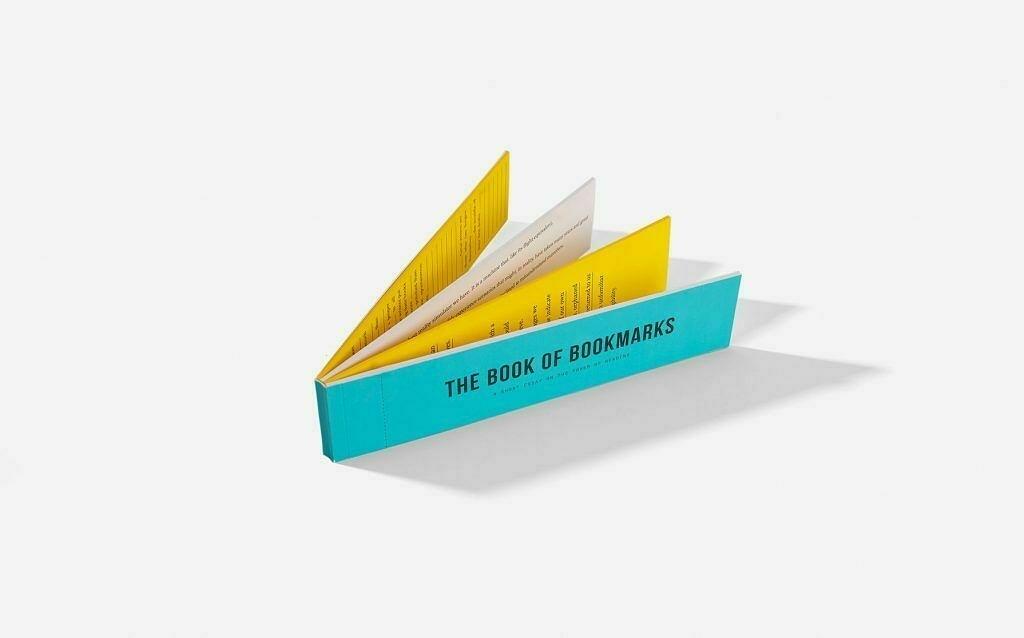
It didn't go completely to plan on all aspects of being independent, but the key success from this was that I am steadily becoming financially independent. With my freelance work, I'm forced to consider budgets carefully, look for ways of being more productive with my time and of course accumulating a safety cushion should I get stuck for work. This mostly went well apart from building products to supplement my income.

So what about next year then? Well, one thing from this year was definitely clear. I budgeted my time poorly when it came to side projects and products. A list of ideas is still sitting on the sideline. I worked a lot this year, but I didn't take anytime to develop anything for myself.

So with this in mind, I'm thinking of setting the motto for next year as Smarter Budgeting.

This isn't just a time thing for completing products. I want to budget time for not just products, but also cycling, reading and of course spending time with my family. I just got my mountain bike back from our local bike shop and I'm itching to get back out on the trails, especially in the winter when the braes at the back of my house get a slight dusting of snow.

Over the next couple of weeks, some thought will be given to how I work towards this motto and some daily changes that will need to be made.

Trying out TextExpander

One tool that I have yet to fully embrace in my day to day work is a text expander. Back in my days as a .NET developer, AutoHotKey was my preferred choice of text expander but since moving to the Mac, I haven't invested too much time in searching for a text expander tool. Now though I'm starting to find that it would be of benefit to me if I was able to automate a few keystrokes here and there.

My email is the first place I would start. For a while now I've been unproductive when it comes to emails. Sometimes I find myself sending the same email a few times a week to different clients. Rather than searching for the previous email and copying and pasting the body I would like to store the body of the email in a text expander and just have it show in the email when I type in the snippet code. Another place I would like to automate things is legal documents for clients. I could store the template of a contract in a snippet.

There lots of other places as well I could be using a text expander like inserting the header of my blog posts, code snippets for my programming and of course the humble email signature. I know that all these examples could be solved by other means but each case requires a different way of setting it up and retrieving it. Having shortcut keys on hand to do this would be so much easier to implement and remember. Also, all my snippets would be in one place.

I started today with a trial of TextExpander for my MacBook. The reason I picked this is that it's name keeps coming up when I'm browsing the preferences of the apps I'm using. I'm going to be using it over the next few weeks. We'll see how I get on.

Limiting Your Social Networks

Many of you will know through my posts that I'm a big App.net fan. It's my goto place when I want to drop in on conversations, strike up news ones with others and also just as a place to post what I am doing. It's also the one public social network that I participate in.

I've never been interested in creating a Facebook account as I simply seeing as being too much of an overhead to maintain. I also deleted my Twitter account this year. It was coincidental that the timing of this action happened at the same time as Twitter were enforcing new rules on the use of their API. I just felt that I wasn't getting anything back from Twitter in terms of value.

Since switching to a single public social network, I've noticed a number of positive things that have occurred as a result of my limiting action.

No more drowning in micro-information

The first thing I immediately noticed was that I was no longer constantly checking my Twitter timeline. Looking back I wonder now why I even had an account there in the first place. It's a social network for micro-updates that only offers limited information in each post. I did find it interesting hearing what other people were working on, but Twitter's post limit of 140 characters seriously limits the amount of context you can put on a post.

Less apps and services to use

With just one social network to my name, I have less apps on all my devices. It's a minor thing but having less apps on my devices means less time updating them, searching for new ones and of course less time checking them. I also work with a 'one in, one out rule'. As much as possible I will try and keep the number of products and services I use down to a minimum. That means that more often than not, I will replace older apps with new apps rather than running two at the same time.

Less of a digital footprint

I like keeping a small digital footprint. Nothing to do with trying to stay under the radar in terms of the government spying on you, but more to do with my own data and it's safety. As soon as I stop using a product or service I try and delete the account I had with that product or service. I do this because I don't want my login details lying around on another companies database when it doesn't need to.

It's not for everyone

Limiting yourself isn't for everyone, but it was amazing to see how little I depended on Twitter after just a couple of weeks of deleting my account. I used to think of social networks as places to find more information on topics, but the truth is that I find everything I need in the form of blogs, newsletters and podcasts.

I now see social networks as more of a place for conversation. Fortunately App.net does this aspect of interaction very well and I'm happy to remain a paying subscriber to it.

My Seven Essential Daily Tools

I'm always reviewing the tools I'm using on a daily basis, and last week I wondered what tools I was using that I used the most on a daily basis. This wasn't compiled from a list of measured interactions with all my tools, but simply an informed guess at the tools that I use daily.

Safari

The web browser. Every web developers main application for running and testing their applications. For me as well though, it's a window to the Internet. Having previously ditched Chrome, I used Firefox for about six months. As web browsers go I couldn't complain about it's speed, features and developer tools.

I tried Safari for a week just as an experiment about a month ago and found that there was nothing in Safari I couldn't do in Firefox. Since then it's been Safari all the way.

One good thing to come out of it was that I also dropped my Instapaper account in favour of Safari's built in reading list that also syncs to my iPhone. Not only am I always looking for new services to use and try, I also like to keep the number of applications and services I'm using down to a minimum. By using Safari I was able to delete Firefox and also my Instapaper account.

Mail

Apple's Mail client isn't everyone's cup of tea, but the way I see it is that if it does everything for me that I need it to do then why not? It supports multiple accounts, interacts with my contacts list and works well with FastMail.

Trello

Project management tools are a rare thing for web developers that practice agile methods like stand ups. Agile methodologies like Extreme Programming and Kanban will rely on index cards and boards as the main point of interaction for a team with a project. Until Trello was launched, applications that tried to replicate this in code didn't always get it right.

Working on my own means that communicating with others on the project remotely is more important than practices such as stand ups. Every day I enjoy using Trello for the needs of my clients and for the needs of my own projects. It's flexible layout means that it can be tailored to lots of different workflows.

Evernote

I've only been using Evernote for a week now but it has become a growing part of my day to day work flow. With a tool like this I now have a place that I can put information that I might need at a later date. I've found so many uses for it in the last few days.

First there's interaction. There's just so many ways of interacting with Evernote such as the web clipper, by email and of course there are a number of other apps in the Evernote marketplace that make getting information you have from one app to Evernote easy.

Then there's accessibility. With apps for the desktop, phone and tablet, I can access my Evernote stuff from anywhere. My iPad has now become more of a day to day writing tool again thanks to the access I have to Evernote on it.

Evernote fills the gap of a knowledge management tool for me nicely now. All the information I need is now in one place and easy to access and search.

iTerm 2

iTerm2 is my terminal of choice. Having used it for a few years now, I'm familiar with most of the keyboard shortcuts and it just works.

Sublime Text

Sublime Text has worked well for me over the last few years. I'm still discovering some of the keyboard shortcuts and I'm have to admit that I am not using all of it's features on a day to day basis, but for writing code it serves me well.

Notebook

A list of daily tools wouldn't be complete without a notebook or two. I have two on the go at the moment.

The first notebook was initially used for tracking client work, but this has evolved into a task journal for all my work using the dash plus system. Where as Trello is used for mostly tracking progress on projects, my task journal is for tasks that come from features in Trello, ad-hoc client tasks or tasks from my own master list.

The second notebook is mostly for the initial capture of ideas, thoughts, posts and sketches. I use it maybe once or twice a week, but it's always sitting on my desk within easy reach. When I'm tired of sitting at my desk, I'll move to a more comfortable chair and review my capture notebook or simply do some writing straight into it.

As brilliant as technology is, sometimes you can think better with just pen and paper.

Settling for Defaults

One thing that's clear from my list is that if there's a default tool on my MacBook that is adequate for the job then I will use it. I dislike having my MacBook cluttered with different tools and applications that serve the same purpose.

The one exception here is my choice of terminal. Apple's default application Terminal still doesn't allow vertical split panes whereas iTerm2 does. A small feature, but given that I always have two panes open side by side, it makes sense to use iTerm2 over Terminal.

Skipping the Support Apps

A few of might be wondering about apps such as Alfred, PopClip or even Fantastical. Well, while I use these as well on a daily basis, I tend to view them as support applications to my seven above. They're still bloody useful tools to have but sitting in the background there's always open and frequently support the seven tools that I have listed above.

There we have it, my seven essential daily tools. I put forth the question to you now. What's your seven essential daily tools and how do they make you work better?

My Daily Reading List

One habit I've managed to sustain this year is my daily reading list. It grew out of the fact there I have subscribed to some good quality content in the past and I was trying to set aside time at the end of the week to read it. Due to the volume of posts I was eventually left with at the end of the week, I decided a couple of years ago to start making a habit of starting my day with reading.

It started with a collection of blogs that I read first thing every morning.

Now these guys might not post every single day, but every day there is at least a handful of posts from some of them. What's important here is that no two blogs are the same. They're distinctly different and that's what makes reading them every day so easy to do. There's diversity and the posts that I read are all on diffent topics.

The last thing on my daily reading list is James Shelley's Caesura Letters newsletter. Every week day you receive an email with a post on a specific topic. You won't find any techno-babble here or gimmicky productivity tips. James Shelley's newsletter is a daily call to action to make you continually think and and re-focus yourself. The Caesura Letters is deep reading but it's a great way to start the day.

The thing about the daily reading list is that it's more of a learning tool than anything else. The items on my daily reading list are there for a reason. They're a source of knowledge. Not every post has a treasure of information in it, but the amount of posts I save for myself are an indicator of how useful they are to me.

Patrick Rhone has some other suggestions for daily learning tools if you're interested.

The App.net Newsletter: An Update

It's been a couple of weeks now since I first presented the idea of a newsletter for App.net. A lot has happened in the last couple of weeks, so here's a recap.

Initial feedback was good

Based on poll taken by a number of App.net members, there was very positive feedback on the idea of a newsletter. A number of ideas and suggestions were sent to myself regarding content for the newsletter. A second poll asking if user's would like to see personalised content wasn't as popular.

Using the App.net API

Another thing that came out of this was the possibility of using App.net so that users could authorise their accounts so that we use the user's email address to send them the newsletter. Once this was done I had another idea to personalise the newsletter based on posts from each user's timeline. I would read the user's timeline for the week and include highlighted posts from the past week in the newsletter. There were two problems with this.

The first is that the App.net API does not include a user's email address in their profile when you ask for it. Understandable really given that this email could be used in other ways by an application that has access to the API.

Secondly the original idea was for a newsletter. At the time I hadn't considered a personalised newsletter until a few days later. Now that I've had a chance to access the API, reading user's timelines for highlighted posts is a major task that would require more time than I currently have available.

The idea of building a full application to support personalised content for the newsletter is a large undertaking and one that I wouldn't be prepared to undertake unless I had a number of sign ups already interested in this. Based on the light feedback I had it simply wasn't enough to warrant my time at the moment.

So what's the plan with the newsletter then?

Well, the plan is to still provide a premium newsletter for App.net members who can sign up with any email address they choose. I am not going to be using the App.net API in anyway for the newsletter, as I'm still essentially testing the validity of this idea. Yes people voted on it and said it was a good idea, but when it comes to getting paid subscriptions will people still be so positive about it?

In order fully test this idea, I will be moving ahead with publishing a newsletter for the App.net community but it will be limited to a number of editions in order to test whether the idea has enough subscribers to carry forward.

I've still got a number of questions about sign ups, cost of the newsletter and hopefully the possibility of making the newsletter free until the number of sign ups has reached a set limit.

This week I'll be announcing the account that will act as a contact point for the newsletter and where people can submit ideas or content for the newsletter. I'll also hopefully be releasing the sign up page for the newsletter next week. A couple of weeks after this I'll be releasing the first edition of the newsletter.

How many people have you encountered in life that have really left a lasting impression on you for most of your life? I know of one that immediately springs to mind. My Grandfather, or Papa as we was affectionately known to all his grandchildren and great grandchildren.

When I was about nine years old my family returned back home to Scotland after living in Canada for four years. We lived with my grandparents for a few weeks before we had our own house. It was during this time that I encountered the first computer I had ever seen, a ZX81. It was the strangest contraption I had seen. My Papa showed me how to load games on it and type in basic instructions.

While this was my first encounter with a computer it wasn't my first introduction to programming. A little later on my Papa bought an Atari 800XL. During one of my many visits to my grandparents house, I watched my Papa typing furiously into his computer. I moved round to look at the screen and seen lines and lines of text with each line prefixed by a number.

Always inquisitive about stuff, I asked what it was and he told me he was typing in the instructions for a game into the computer or a program as he called it. Once all the instructions were typed in, you could run the game. He showed me the game once it was complete and explain what the different parts of the code do.

To start programming in your 50's is quite a feat, especially given the lack of programming resources and aids that were available at the time, but he was such a clever man and was always looking for something to dabble in.

Since those days of watching my Papa writing code on his Atari, I've always had a computer at some point in my life. From a couple of Spectrums I made the jump to a PC in the 90's. Through a number of different PC's I've ended up where I am today typing this on a MacBook Pro. What started out as a little hobby through my childhood has turned into a career that I thoroughly enjoy doing.

This morning my Papa, my first programming mentor, passed away.

It wasn't expected, but he was very old and suffered from a number of health issues including dementia and macular degeneration. Whether it's expected or not, it's always hard news to digest.

One memory that will always stick with me though is the hours he spent showing me what you can do with a few lines of code and computer. From those first days of writing programs in BASIC, it has shaped me into what I do today, a person who not only earns a living from writing code but also thoroughly enjoys doing it.

Quite a lasting impression I think you'll agree.

Habits That Didn't Stick

I've tried to start a number of new habits over the last few months, some of them have stuck, some of them haven't. Here's the ones that didn't stick.

  1. Reading 2 books a month - Not really an unrealistic habit but perhaps should have been changed to 'read at least two books a month'. I've scrapped this in favour of just having a list of books that I can work through when I can. Some books take longer than others, so why timeframe it? It detracts from the enjoyment that a book brings. Try this instead - Just make sure you have a couple of fiction books beside your bed and keep reading them. When you finish one, replace it.
  2. Logging something I learned everyday - I did keep a separate Journalong file for this but some days you just haven't learned anything significantly new. Instead I just log these as they happen. No sense in making a daily habit of it.
  3. Mind mapping - I really wanted to start mind mapping again but the truth is I see little benefit in it now. I think mind mapping has its uses but it's just not on my radar now of things I want to keep doing. Yes I realise that as a past mind mapping blogger this is probably considered blasphemy but opinions change.

The thing is when you set out to start a new habit, it doesn't always work. If you really want it to work, you'll set aside the time to do it and keep on doing it. It will eventually stick.

If it doesn't, then just let it go. When a habit doesn't stick, it's not defeat. It's just your way of saying, I don't need this.

Back to Sketchnoting

A while back I talked about looking to get back to mind mapping again but in the last few months I've found it quite a struggle to get back into it. I just don't feel comfortable with it anymore. It just doesn't flow as much as I thought it would. In fact I've found it quite cumbersome.

The ideal mind map radiates from a central topic and breaks out into branches that represent related topics. These branches break down further and further until you've got to the topic you need. The problem is that mind maps only radiate from the center. By the time I've added a number of top level topics I've already ran out of space on my paper and no, mind mapping software is not the answer. I'm strictly a pen and paper person when it comes to that initial capture.

So I've decided to jump back to scketchnoting again. I looked at this a while back, but I didn't give it enough of a chance. Now that I'm armed with the Mike Rhode's book on sketchnoting, blank notebooks, blank index cards and a pen, I'm ready to give sketchnoting a fair try again.

The thing that I like about sketchnoting is that it's more freeform than mind mapping. While mind mapping is restricted to a radial layout, sketchnoting can take many different forms of layouts. You fill your page in a way that makes it easy to read. I'll be sketchnoting various things like book notes, quotes and other things just to get the practice in.

Book Reviews #1

I decided to lump these together in one post rather than drag them out into seperate posts. I'll also try and keep the reviews short and light. Watch out for more as I get more books read.

HMS Surprise & The Mauritius Command by Patrick O'Brian

These are books three and four in the Aubrey/Maturin series. I couldn't possibly summarise the plots of these two books in a few short sentences, but they were both terrific reads. Like the first two books in the series there is great attention to detail in not only the characters and the plot, but also on the naval aspect of the stories. If you like your books short and fast paced these might not be for you, but I do love the way Patrick O'Brian has written these. They do require a fair amount of time to get through, but they're definitely worth the time.

Don't be an idiot: Learn how to run a viable freelancing business by Curtis McHale

I am fairly new to freelancing as are many others I would imagine. Most of us might have taken the plunge to freelancing without a thought to planning your finances. I did this a few years ago and the result was a disaster. I was completely burnt out and I didn't even make that much money from it. Fast forward to now and despite a rocky start, I'm getting there and that's thanks to this book.

In the book Curtis explains what's needed to make that initial jump, setting the right payment terms, project goals and reviews and more. This book won't tell you everything you need to know, I've yet to read a book that does, but this is a great starting point for those either looking to freelance or are currently freelancing but want to take it to a more professional level.

I hope that Curtis writes more books on freelancing in the future. He definitely has the right experience to draw from and he's proof that setting the groundwork can make your freelancing career really prosper.

The Freelancer’s Guide to Long-Term Contracts by Eric Davis

When I decided to freelance at the start of the year, I was unsure about how many clients I should have and how often I should be advertising myself as being available. What I didn't know was that there are in fact long term opportunities out there for freelancers. It's sort of the happy balance between working for yourself and full time job security. This was a form of freelancing I hadn't read about before but was really interested in.

Eric's book however has been a great guide through the possibilities of long term contracts. Thanks to this book, I now see them as being the premium service in my freelancing career. If you're looking to start freelancing and want the security of long term contract work then I would recommend that you get this book. It's a different way of working than short term contracts and thankfully Eric has all the advice you'll need.

Next on the list are War of the Roses: Stormbird, Frictionless Freelancing, You Only Better and Crafting Rails 4 Applications. I'll be hoping to report on these at the start of next year.

Idea: An App.net Newsletter

Last night I posted to App.net an idea for a premium newsletter that aggregates and reports on activities and news happening within the App.net community. The response I got back from people was very positive. A lot of people expressed interest in the newsletter.

Why a newsletter?

It's a question I asked myself a few times while writing this blog post. App.net members can already find out this information on App.net itself, the only problem is that they might not know the correct hashtag or account to follow to get that information. The newsletter is not just a way of letting you know what's happening on App.net but also as a way of bringing App.net members together.

I'm trying to foster a better way of brining people together on App.net.
Since signing up for App.net I've enjoyed being here and I want to continue enjoying that experience. That's why I thought about introducing a newsletter for App.net members. A unified way of getting up to date information in one place. You can still use your own methods if you prefer, e.g. searching for the right hashtag for the book club or finding out when the next writers challenge is. The newsletter isn't compulsory, it's optional. It's your decision how you want to interact with App.net.

Why premium?

When I say premium, I mean a newsletter you pay for. Why would you pay for it? Well why wouldn't you? It takes time to collate, write and edit newsletters and while most free newsletters rely on ads, I don't think that ads are what people want to see in the newsletter, although I haven't validated this yet.

App.net started out as a premium service that indicated right from the start, no ads. I was hoping that the newsletter would follow the same path.

On the other hand I can appreciate those that wouldn't pay for such a newsletter and would want to receive it for free. If you're not paying for an App.net account then why would you pay for an App.net newsletter? Also we're trying to foster participation in this community and many people have free accounts. Why would they want to pay for information that they can get that information through other means?

Then there is those who are already paid members. Do they really want to pay for a monthly subscription on top of their membership? To bo honest, I would. The newsletter would have to deliver value though.

I've been thinking about this and while I can see the benefit of a free newsletter for one and all, I see little reward for those that could be contributing to the newsletter. That fluffy feeling you get from doing something for free for someone can only get you so far. What if the newsletter takes off and demands more of my time?

I started a poll last night (thanks @abraham), to get feedback on whether people would sign up for a premium newsletter on what's happening in App.net. For me the number of responses are too small to definitely say that yes most people would be interested in a paid newsletter. At 9am (GMT) this morning the responses were as follows:

  • 61% (11 votes) of respondents indicated that they would be interested in a premium newsletter.
  • 33% (6 votes) would be interested in a newsletter if it was free.
  • 6% (1 vote) said they wouldn't be interested in a newsletter at all.

Clearly there is demand for a newsletter, but a premium one? I'm not sure on that yet.

What's in it then?

Here's the good part. I've been able to get a lot of great feedback from people with very interesting ideas for content for the newsletter. Here's some of the suggestions so far:

  • App.net meet ups across the world - Really just a list of where App.net members are meeting in the next couple of weeks. Usually I hear of these things through App.net itself, but having these delivered to your inbox is a better way of finding out when they are happening.
  • Community calendar of events and activities happening on the network - Really what I think we have in mind here is dates for events like #thememonday, #wedc as well as book clubs or movie nights that are happening across App.net.
  • New apps and services - Got a new app that you want everyone to know about? Then why not spread the word through the newsletter. We'll also let you know when apps and services get important updates as well.
  • New interesting users - I'm not talking about celebs. I'm talking about writers, photographers, thought leaders, musicians. If anyone important joins App.net we can let you know through the newsletter.
  • Tips and suggestions - Did you know that Alpha supports the Markdown syntax for embedding links in your post? Not a lot of people know that, but wouldn't it be great to see tips like this and getting more from App.net with other titbits like this.
  • Featured photo - Every week a photo taken by an App.net user will be featured in the header of the newsletter with a link to credit that user.
  • Member profiles - Every week we could feature a user in the newsletter and do a small Q&A session with them. This could include the ADN staff as well if people wanted this. The point to this is that everyone in the community is important so featuring users in the newsletters would be great to foster connections between people.

What's the next step?

Providing I get enough positive feedback from App.net members then I think a simple first edition of the newsletter is required. Something for everyone to enjoy. What I also need is actual content as well and a structure for that content that will make up the newsletter. I've created a patter room for the ADN newsletter as well as an account on App.net for the newsletter.

Little reminder ...

... from Adam Keys that you should reserve a place for work only.

The big idea from that article, burning a hole in my head, is that we should step away from our desks when we’re not working (for me, telling computers to do things). Thinking can happen on a walk, standing outside, or in the shower. Socializing can happen from the couch or mobile device. Procrastinating by reading, surfing, social networking, etc. can happen anywhere.

Quit your desk by Adam Keys

A few weeks ago I mentioned that I would be rewriting the Journalong application complete with a new front end that would be more simplistic. I was hoping to do away with the current look of the journal entry page by trying to re-design it. After a few of getting nowhere I've decided to throw in the towel in on the facelift to Journalong. It's given me too many things to think about regarding the user interface. Basically, I'm over complicating a simple thing.

I'm hoping in the next couple of weeks to push the rewritten version of Journalong to Heroku without the facelift. There will be no change to the functionality of the site, there will however be one immediate change that will be visible on the site.

I'm going to do away with the blog for the website. As a replacement for communicating with Journalong users I'm going to create a newsletter. Not only will it be used for notifying users of updates to Journalong but there will be tips and stories from users of Journalong.

The problem with the blog. It's almost impossible to determine which of your customers are reading your blog. Other than subscribing to Feedburner, or a similar service, there's no way to determine how many people are actively subscribed to your blog and interested in using Journalong.

With a newsletter I'll have more of an idea about who's interested in Journalong. I can monitor the number of people who are subscribed and determine how many are actually Journalong customers and how many aren't.

Once this is done, I'll be working on a number of new features that will make Journalong even easier to use. I hope you can all bear with me for the next few weeks. Good things are coming, I promise.

My Pyramid of Products and Services

Eric Davis' book on long term contracts, recommends making long term contracts the top tier of your services pyramid. "What's a service pyramid?", I hear you say. Well, basically your pyramid comprises of three tiers of products and services. Your affordable products and services for the masses are on the bottom tier, products and services for specific markets go in the middle tier with your premium service at the top tier. It got me thinking about the tiers in my pyramid of services and products. Do I have services and products in each one?

The Top Tier

Currently the only premium service I offer in the top tier is myself as a Ruby on Rails developer. This fits in with Eric's idea that only your long term contracts should reside in here and that's currently what I have in the top tier. I have a couple of long term contracts for providing myself as a development resource to teams using Ruby on Rails.

The Middle Tier

There's nothing in my middle tier, but that's okay. My top tier provides me with nearly all of my income at the moment, but I shouldn't leave this tier empty for too long. As a freelancer I can't be dependent on any one stream of income. Each product or service should be generating some income for me, but at least for the moment I have a good premium service that I can depend on until I get other products and services in place.

The Bottom Tier

At the moment, the only product or service that I have in my bottom tier is Journalong, my free journaling service for Dropbox. I don't have any other products or services here. There's definitely room for another product in here. Something simple and easy to manage. As for services I'm not too sure. I don't currently provide any short term affordable services that others would want. Well at least I haven't been asked.

There's definitely room here for more products and services.

What Next?

What I have taken away from this exercise is that I need to start thinking about other products and services in the middle and bottom tiers of my pyramid. The gaping hole in the middle of my pyramid requires a product or service or even both. It shouldn't cost more than any micro products and services in the bottom tier but should still be cheaper than my rate as a freelance developer.

As for the bottom tier, I am putting more time into Journalong with the goal of turning it around into a profitable micro-product. I've got a few ideas for other products and services in this bottom tier, but I need to be selective about those. There's only room for so much that I can do, and cramming too much into the bottom tier can take my focus away from the middle and top tiers. I will need to keep prioritising things over the next few months if I'm to have something in each tier of my pyramid.

What's My End Game?

During one of my capture sessions from my inbox, I came across this question in Eric Davis' newsletter from his book on long term contracting:

What's your end game?

It resonated with one of Stephen Covey's seven habits of highly effective people:

Begin with the end in mind

The idea is that in order to know what you want to do, you must first decide what your destination is going to be.

It got me thinking about what direction I am taking my freelancing business in and where I am going to end up. I certainly want to continue to be self-employed for the foreseeable future, but what exactly will I be doing in the future? More freelance work for clients? Consulting? Selling products? I'm not too sure.

I have had work experience with health organisations in the UK including some work in risk management for those organisations. I have prototyped a number of risk and decision management solutions in the past that did interest me. Could I apply this knowledge to building similar products now? Possibly.

Although maybe my destination lies more closer to home. Maybe I'll end up doing something outwith the world of web applications. One thing's for certain. If I'm to progress as self-employed for as long as I can, I need to work out what my end game is for my freelancing business.

The Best and Worst of Freelancing

When I first started freelancing, I thought I had the perfect job. Setting my own hours, working from home and no tiresome commute. These positives are what many people want from freelancing but there's a downside as well.

The downside

Working alone is hard for a number of reasons, but the main reason is that you are in fact alone. You're no longer part of a team, you're on your own trying to build a career with the resources you have available to you. It's not as dire as it sounds, but there's lots of little things you miss when you're working on your own.

The office banter is gone. I worked in a great team of developers a couple of years ago and I do miss the chatting before the stand up and pairing with other devs through the day. You can be the most connected person on Twitter, but it's no replacement for a face to face chat with people.

Then there's the resource part. Everything is on you, and I mean everything. No only do you have to deliver great work, but you also must communicate clearly with your clients, keep your skills up to date, market yourself and about a thousand other tasks that keeps your business running.

The upside

So you're working alone with big responsibilities on your shoulders, but there's an upside to working this way as well.

Having a balanced work life that doesn't eat into my time with my family is why I enjoy working from home so much. Not only do I no longer commute to and from work, but my hours are also dictated by the client work that I do. It's very rare now I work at night now. I fit all my client work in during the day, which leaves me time at night to do work on my own projects, get some reading done but best of all I actually get to spend time with my family.

The other big positive for me is I get work the way I want to work. I get to choose the hours I want to do. Having the flexibility to fit more in my day means that the weekend is left free for more important things like taking the kids to the park or getting myself out on the bike.

I also get to choose the the tools I want to use. It's very liberating to have this choice and not be confined to working with one tool or framework and be restricted by the equipment you can use. I've had my fair share of programming jobs in the past that wouldn't have been my first choice, but now I'm actually in a role where I'm enjoying what I am doing.

The verdict

I prefer this independent way of working. The positives really do outweigh the negatives for me. It's definitely not as easy or straight forward as I first thought it was going to be, but it is providing me with more opportunities to carve myself the career that I want.

Removing the Digital Deadwood

Programmers have always got old code lying around. Forgotten applications, libraries, ideas and other files and folders. Remnants of days perhaps when ideas were rife and ambitions were high. I have those days as well. I have an idea for something, I mock up a quick test with some code and then most of the time decide that it's not simply worth my time investing in it further. What remains behind is a filing system littered with dead folders and files.

Today I started cleaning up those dead end projects.

I deleted old applications that I'm not hosting anymore, deleted ideas for applications and products that I know are not going to work and also deleted a few repositories from Github account. I cleared out a few forked repositories that I had high ambitions of working on but haven't contributed to them.

From there I then started to remove a few applications from my MacBook Pro. I only deleted a few applications, but better to remove them than to have them sitting idly doing nothing. More deadwood gone.

Then I moved onto the online tools and services I subscribe to and removed a couple of them also. A few more dollars back in my pocket each month and that great feeling of removing yourself from a service or subscription that might distract you with an email each week, but you quickly delete it.

Just like clearing your desk or work environment of deadwood files, folders and other junk on your desk, it's also important to remove the digital deadwood as well. Start with your laptop or tablet and remove the applications you don't use, the old folders and files that are no longer relevant. Once your immediate work environment is clear, move on to your work environment in the cloud and trim those services that you don't use anymore.

Keeping a clean digital environment is just as important as keeping your physical work environment clear. You might just end up saving yourself some money or even getting some space back on your laptop. Even better, you might just have rid yourself of a few unwanted notifications each month.

Say Hello to Linkalong

I mentioned previously that I was interested in building a replacement bookmarking application for my bookmark collection on Pinboard. I wanted something a little more than just lists of bookmarks, I wanted more information when viewing an individual bookmark. Here's some things I wanted to see:

  • What else have I bookmarked from this site?
  • What else have I bookmarked with similar tags?
  • What did I bookmark before and after this?

In the last few weeks, I've been putting together my own private bookmarking application. So far I have enough functionality that I can use it on a day to day basis and it also includes some end points so that I can integrate it with other apps and services. So without further ado, here's a sneak peak of the sections that make up a bookmark page in my private bookmarking application, Linkalong.

Big title

There's no getting away from the title. It's big and bold. Lately I have been building web sites and applications with bigger text in them. A lot of websites have very small text which I am finding increasingly difficult to read. For this bookmarking application I wanted a big and bold title.

Markdown based notes


I love writing notes in Markdown. Even if my notes in my notebook sometimes have the Markdown markup in them. Crazy, right? Markdown's markup is just second nature now when I am writing. It makes sense then for the notes for my bookmarks to be written in Markdown and rendered as HTML.

Bookmarks from the same site

When I used Pinboard, I had tags for bookmarks from the same site. It allowed me to view all bookmarks from the same site. Although it would be easy to do with tags in my own application, I wanted to list bookmarks from the same site without having to tag all relevant bookmarks with the same tag.

Bookmarks with the same tags

Just like seeing bookmarks from the same site, I wanted to see bookmarks with similar tags.

Nearby bookmarks

Finally I wanted to see the bookmarks that I saved before and after this one. So at the bottom of the page I added links to those respective bookmarks.

Building Linkalong has been fun and it's definitely by no means finished. It's served two purposes for me. It's my replacement for Pinboard and it is a place where I can try out new things with an application that I use everyday. If you're looking for the whole page, you can view a screenshot of that here.

Thanks to Patrick Rhone for his initial indirect nudge to building this.

Switching to Trello for Project Management

I'm halfway through Curtis McHale's book on turning your freelance career into a viable business and one thing that has become clear through reading it is my lack of progress on products and projects. Given that I only use a single list for everything, sometimes projects and ideas get skipped at the bottom of the list. It's the out of sight, out of mind thing. If I'm not reminded of something on a regular basis, I usually forget about it.

In order to make better progress, I'm going to start using Trello for managing projects and future products. I'll still stick a high level task on my master list relating to the project, but all the details for it will reside in Trello.

The reason I picked Trello for this was my familiarity with Kanban boards and some experience I picked up working in an agile team a couple of years ago. Basically the idea of Trello is that you move cards (or tasks) across the board from left to right until the card is complete. In my case my this will be features, bugs, marketing and admin tasks.

Cards move through the following lanes that are typical of Kanban boards:

  • Backlog - All cards start here. Cards are prioritised on a weekly basis with the next card to be done located at the top.
  • Analysis - We do some background work on the card. What does it involve?
  • Development - Let's implement this thing with some nice tests and code.
  • Testing - We test it out in a secure environment.
  • Deployed - Once it's tested and ready, we ship the code for the rest of the world.

Moving cards across the board is a great way to see progress being made, and also with work-in-progress limits, I can stay focused on one or two tasks at a time.

Also I'm currently using Trello with a couple of clients for project management, so the switch from their projects to my own when things are quiet is easy to do and I'll already be familiar with the Trello environment. Seamlessly moving from client work to my own work is important. I don't want to have to adjust too much to a different workflow.

My grass roots approach to work still stands with just a master list for capturing everything and scheduling actions in my calendar. I'll capture a high level description of the project in my master list and defer the details down to cards on the Trello board. Any work I do will be blocked off in my calendar as just "Project X Work" and then when it comes to actually doing that work, I can pick up where I left off on the Trello board. When time runs out, I can leave a note on the card where I left off and move on without losing my place.

It all sounds well and good in theory, but putting it into practice over the next few weeks might not yield the positive results I'm hoping for. Still, I've got to give a try though, right?

Blog Heroes #7 - Steven Pressfield

If I'm being honest, I can't exactly remember how I stumbled across Steven's blog. It was a few years ago at least. Anyway, ever since I subscribed to Steven's blog, it's been a treasure of writing tips, practices and great books by Steven.

The first book I read of Steven's was Do the Work. I also read a second book by Steven, Turning Pro. When I first read these books I didn't appreciate their value, but over the last year, I've returned to them more and more found them to be extremely valuable. As for Steven's other books, I have them on a list to read for next year.

Steven's blog is essential for anyone who wants to write. Steven tells it like it is and doesn't sugar coat any of the writing process. It's a hard journey for those involved but he isn't shy in saying that it is a rewarding journey with a great prize at the end for those that are willing to put in the work.

Another great blog to follow if writing is your thing.

Last week I found myself once again buried under a pile of work and projects that I wanted to do. Faced with another week of not making any progress I decided to step away from the blog for a week and focus on resolving some of these commitments. Here's what happened:

Client work

My only source of income at the moment, so it's easily the priority here. I need to continue with my client work. It gives me more and more experience with clients and Rails and is the foundation of my career at the moment. I'm hoping to build on this foundation with additional income revenues next year.

Journalong re-write

Most developers object to re-writes of systems and rightly so, it can be a costly process in terms of time and cost. In this case though I wanted the to do the re-write regardless of the cost, I wanted to start building on a product with a development framework that lets me implement new features fast and easily.

Sinatra is a great little framework for building web applications and I enjoyed building Journalong with it, but I wanted something more familiar. Since most of my client work is using Ruby on Rails, that's where most of my knowledge is. In order to make maintenance of Journalong easier in the long run, I've opted to take the hit now and re-write it as a Rails application.

The re-write is almost complete and I'm at the last stages of development. With other projects shelved or completed last week, I'm now free to work on this for the rest of the month and finish it.

Private bookmarking application

When Rails 4 came out I was keen to create a small application that would give me the chance to try out Rails 4 and give me a code base that I can use to experiment with the new features and idioms. It needed to be something private and simple to get me started. Intrigued by a screenshot of a fellow App.net user's private bookmarking application, I started to build my own bookmarking application using Rails 4.

This is was a the one thing that I wanted to actually work on last week and by Wednesday I had something up and running that would work. For the rest of the week, I added a couple of features that would let me bookmark by different means from applications like Instapaper and Feedbin. With these complete at the weekend I now have a Rails 4 application that I can play with but also gain value from.

Trialing DigitalOcean

A couple of weeks ago I wrote about considering alternatives to Heroku. I did look about for alternative hosting providers for my blog and settled on trying out DigitalOcean.

The truth is though that the DigitalOcean box was left running for almost two weeks before I got round to doing anything with it. Moving my blog wasn't going to make me any better off in terms of income or knowledge. In the end I've decided that Heroku is enough for my hosting needs for the moment and I've killed the idea of moving my blog.

New product prototypes

I had plans to build two products this year, but I'm shelving this until next year. I underestimated how much work I would have this year as a freelancer. While I am welcome to be kept busy with client work, it does come at a cost. I only have so much time for other projects and products. I've shelved these for the moment and may re-visit them in 2014.

I learned a lot from last week. Priorities are important when dealing with different projects. Moving my blog, trying out a different PaaS is okay when you have the time, but it's just not that important to me right now. With the decks cleared, I'm looking forward to finishing off the Journalong re-write in the next couple of weeks and shipping it.

Late to the Party

While the rest of the family were getting ready this morning, I sat at the edge of my bed and checked out the two websites I quickly look at every morning. The BBC News website and the Hacker News website. After quickly scanning today's headlines I moved on to the Hacker News website. I noticed a submission for Alfred 2 workflows. Mental note made, I must check that out later on.

Once the house was empty, I grabbed a coffee and looked at the Alfred 2 workflows. All good stuff and should help me on a day to day basis, but then I noticed a workflow for something called Dash. Another tab opened and there it was, an offline documentation manager for various languages and frameworks that web developers use. All the documentation I need to do my job without having to go near the browser and I can even work offline if needed, safe in the knowledge that most of the docs I need are accessible.

I could have done with knowing about this months ago. Late to the party again.

It's okay though, because that's what learning and experience is all about. Picking up the tools and knowledge as we go along. Sure we can get a head start by reading someone's tool list and start using all their recommendations but I've yet to read one of these lists where the person has all the tools that I need to use as a web developer. No one person has all the answers.

Okay so you're late to the party with an application or service that would have made your job easier in the past, but the past is gone. Ahead lies the future and with it plenty of chances for you to use that new tool to make your job easier.

You might be late to the party, but it least you made it.

What's Your Swing Like?

I've seen some whacky swings at the driving range, but most of the time the swing has the desired affect. The ball hits the intended target. Steven Pressfield is definitely onto something here.

The concept of the Authentic Swing is that each of us is endowed from birth with our own gift, our own style, our own unique talent and point of view. Our job is to find it and bring it forth.

Furky swings Authentic Swing, shoots 59 by Steven Pressfield %}

Steven's new book looks to be another addition to the list.

Blog Heroes #6 - James Shelley

I first discovered James Shelley through Patrick Rhone's Twitter account just a couple of years ago. Having checked out James' blog, I was intrigued. I subscribed and I have remained a faithful subscriber since.

James doesn't blog very often, but when he does it's worth waiting for. The quality of his writing is one of the best amongst my RSS subscriptions. In a world of fast paced, quick hit updates, it's refreshing to see James put so much thought and effort into his writing.

James is also the author of the fantastic Caesura Letters, a daily email subscription that will feed your brain with fresh thoughts and ideas.

Thinker and writer. Two words but two words that describe James Shelley and his blog perfectly. If you cherish quality over quantity, then this is definitely the blog for you.

Dear Retailers: Customers Vote With Their Feet

A couple of weeks ago me, Jen and the kids headed to our nearest big electrical store, Currys at Braehead Shopping Centre. We were going to look at televisions for the new room we have called 'the den'. It's only a small room, it was previously a garage, so we only required a small television for it. Nothing like those enormous 50" panels you see, just a 32" would cut it.

We arrived at the store and found the televisions department. Mega expensive massive televisions at the front and at the back in the dark are the small and relatively cheap televisions. As we were only looking for a 32", we made a beeline for the back of the department.

We had a price bracket and within that bracket we had narrowed it down to a handful of television sets. Having found the television that we wanted, I tried to grab the attention of one of the store staff. Short of knocking one of them over the head with a set of speakers, I couldn't get assistance from any of the staff in this department.

While doing this I did see the television we were looking for in stock. However I did want to just check a couple of things with the staff before we purchased it. Having no success at all in trying to pin down a member of staff, we decided to cut our losses and left the store, without purchasing the television we liked.

Having stood there for close to 20 minutes, it was clear where the staff's attention was. The big purchases, the big televisions. As we left we passed two groups of staff that had suddenly congregated either side of the front row of big televisions in the department. If someone stopped to inspect one, they would be in an excellent position to help the customer and in turn, attempt to get a big sale. Beyond that row, you were doomed for assistance. It was like tiered customer service. Those that spend more get more service.

Once we got home, I purchased the same television online from another retailer for the same price. I could have bought the television online from Currys, but given the lack of assistance I got from staff, why should they get a sale from me?

Most big retailers have online stores that give you online purchasing of their goods, but when you make a big purchase like this, sometimes a trip to the physical store does help you to see what it is you're actually buying. It's at this point, that the staff should be helpful no matter what price bracket you're buying in.

Even in a world where buying online is an option, some customers will still venture to the stores to check out goods in person before committing to a sale in the store or at the online store of that retailer. During this time, retailers should ensure that customers are served well if they want an in-store sale. However with service like this, it can put off customers not just for that one purchase but for many purchases after that.

There are a couple of appliances in the house that are nearing their time for replacement. Will I be venturing back to Currys to replace these appliances? Highly unlikely.

If customers don't like a store's service, they'll go elsewhere, and not just for that one purchase but many more after that. It's the oldest lesson in the book for retailers but has an added twist for the age of online retailers, customers vote with their feet, both physical and digital.

Considering an Alternative to Heroku

I've hosted my blog on Heroku for a while now. I also have a number of other apps including Journalong that are also hosted on Heroku. I love the simplicity of deploying apps with a single command and for all the backend maintenance to be taken care of for me.

The extra maintenance comes at a cost though. Unless you're running a really small site or web application, Heroku can quickly get expensive. Extra resources are metered and charged for as well as the number of different addons that you can use with Heroku.

As a result, I've started to consider alternative hosting services for this blog and my private bookmarking application. I don't just want more control over my hosting, I want more space and resources made available to me without having to pay extra for it. Yes, Heroku does provide great addons but these can quickly tally up, especially if you need more database space and services like email or logging.

I did this morning have it narrowed down to either using Linode or Digital Ocean, but the low $5 per month tier from Digital Ocean is very tempting for just running my blog and my bookmarking application. I have spun up a droplet in Digital Ocean for my blog and I'm in the process of moving it over to see what it's like.

I'll report back my findings in a few weeks once I've let the blog settle down and I've had a chance to really explore using Digital Ocean for hosting.

UPDATE: I've since killed the idea of moving my blog to DigitalOcean. I just don't have the time at the moment.

My Sublime Text 3 Setup

The text editor. The programmer's most important tool and the center of an ongoing debate that will occupy programmers for years.

I'm not going to debate on the best editor as that would be stupid. Everyone has their own preferences and needs. Vim does offer some nice advantages for those familiar with all the necessary keystrokes, but for my needs I just want a nice, extensible text editor that I am comfortable with. I chose Sublime Text 2 a couple of years ago and more recently I have started using Sublime Text 3 for my day to day coding needs.

The Essentials

Okay they're not really essentials, but if you can't even look at your text editor then you're already hitting your first hurdle. Not only does Sublime Text allow you to change the colour scheme and fonts for the different languages you code in, but it also allows you to change the theme of the editor. A nice touch I think you'll agree.

Theme

I settled on the Flatland theme a few months ago. Its non-gradient look might be a bit bare for some, but I do like this theme. It's very dark and I prefer the dark background in my sidebar and tabs.

It also allows you to customise the height of the folders and files in your sidebar. By default Sublime does have a fair margin around these, but Flatland allows you to specify a smaller size, so that you can fit more into your sidebar.

Colour Scheme

Long before I started using Sublime Text 2, I was already using the Solarized colour scheme. I've stuck with it ever since and even use it as the colour scheme for my terminal. I prefer the dark version as the light version does have too much of a stark contrast with the Flatland theme.

Font

I've tried lots of fonts for programming with, but I find that Monaco, a font shipped with OS X, is best suited to my needs. It looks nice on my MacBook Pro and on my external monitor with just a small difference between the two screens.

Installed Packages

I do have a fair number of packages installed for specific things like Cucumber, RSpec, Rails and other language and framework specific needs so I'm going to list those packages that are independent of language and therefore get used on a frequent basis.

AllAutoComplete

Sublime Text 2 just came with autocomplete listings for the file you had currently open, so this plugin is a welcome addition as it includes all currently open files for your autocomplete listing.

SublimeGit

This package is a great package with plenty of integration with Git. It's also the first paid package that I have used with Sublime Text 3. As I use Git all the time, this plugin been worth every penny.

GitGutter

GitGutter allows you to see which lines have been inserted, deleted and modified. It's basically a diff for your editor. Little symbols appear in your editors margin to signify where code has been changed. At a glance it's nice to see where I have modified a single file.

Origami

You can't use Vim and not be impressed with being able to split panes with just a few keystrokes. It was one of the few things I have managed to remember from my many sojourns to the land of Vim. Sublime Text does have the same ability to split panes, but the keystrokes for this are difficult to remember.

Origami makes splitting panes much easier by providing easier to remember keystrokes for manipulating and navigating through panes as well as having the same commands available in the command palette.

MarkdownEditing

I handle a lot of files in Markdown. It's the default markup for the majority of files that I create and use. Brett Terpstra's MarkdownEditing package provides some sensible defaults for editing Markdown files. It also provides some handy keyboard shortcuts for manipulating Markdown files such as inserting headings, pasting links and adding footnotes.

CTags

Although Sublime Text has built in support for finding symbols in the current file, having ctags support just makes navigating between methods a lot easier. Rather than switching to a file and searching for the symbol, I can simply use ctags to pull up all symbols for the project navigate straight to the method I need.

So there we go, a quick run down of my Sublime Text 3 setup. If you're looking for preferences files then I must do an update of these on Github, but I'll provide a link here when that's done in the next couple of days, so be sure to check back.

Blog Heroes #5 - Patrick Rhone

Patrick Rhone. Writer, curator, Mac fan, thinker, family man and blog hero. Did I miss anything? It's hard to put Patrick into one box when his blog lets you know that he isn't just good at one thing. He's great at many things.

Patrick's blog first came to my attention when I first started using Twitter. I was simply looking for other people to follow who were interesting. His recommendation came up and I have followed his blog ever since.

Patrick's blog has a mixed bag of topics. Personal thoughts, productivity insights, technology usage and of course writing. The thing about Patrick is that despite his love of technology and its advantages, he still writes about tools like pens, notebooks and index cards and how he uses them. I see it as the perfect balance between man and machine. His blog is a reminder that there's more to getting things done than just buying the next killer app.

Patrick's blog has been daily reading for me for over five years and will continue to be so in the future.

The Sticker Business Model

Path, the social network that limits you to just 150 people, just pushed a new update to their app that offers a premium model with complete access to their shop. At the moment their shop comprises of only stickers for use in messages with your family and friends and filters for the pictures you send. The option to upgrade to premium gives you access to all these items in the Path shop for an annual cost of $14.99.

While I applaude Path's decision to finally offer a premium model, it's not the premium model that I envisioned. I don't want stickers, filters or anything like that. I'm looking for the ability to share my posts to other networks like App.net and to others by email. I also want to export the data in my Path so that I have complete access to all the moments I have accrued since I started using Path. There's a lot of good memories in there.

These are the features I would pay for, not stickers and filters. I'm all for supporting the products and services I use, but the product must offer something in terms of real value to me besides it's core functionality. Full access to a sticker book and some Instagram-style filters isn't going to make me upgrade to their premium model.

Perhaps those extra features I described will be available in the future but the for the moment, I'll be staying away from the sticker premium model that Path are offering.

Finding Purpose for my iPad

A while ago I wrote about my iPhone setup. I wanted to follow it up with a post on my iPad setup, but so far I've yet to find purpose for my iPad. I do most of my work at my desk on a laptop and I use my phone when I am out and about. So where does my iPad fit in?

What I initially wanted to do was to only have apps on my iPad that allow me to write. I mostly use it for reading and writing, but I haven't had much of a chance to do either of these in the last month.

Now I think that I want my iPad to do everything that I can do on my laptop. I'd much rather be working on my iPad than my laptop if was away from the house. Some tasks are a lot easier to do than others though. Reading and writing are easy to do on the iPad, but tasks like programming are not so straight forward.

Over the weekend I'll be tackling this and making sure that I can do most of what I want do from my iPad by installing any apps that I need. I'll let you know how I get on next week.

Filtering the Signals from the Noise

I mentioned yesterday that the web can be a great platform for communicating and change, but is often misused. I gave an example of such a misuse, a petition that lacked worthy content. Not worthy of your time, which to you is precious. And that's another problem with the web. There's so much of it. How do we filter the signals, the content that you should be consuming, from the noise, the content that isn't worth even looking at?

Searching the web can yield some real finds like topical blogs, forums and e-books. This takes time though, and once we find an interesting source of content, we then need to spend some time validating the content. In my experience I have found that the best content is the content that is referred to you others. Two examples of this are content that is referred to you from others in your network and content from curated newsletters.

From Your Network

Over time I've built up this network of bloggers around me who put great content on their blogs. Michael Wade, Kurt Harden, Curtis McHale andNicholas Bate to name a few. I've been reading their blogs for a long time now, and when I see something interesting on their blogs that I would like to share, I link to it from my own blog.

It also works the other way. When any of these bloggers find something interesting on my blog they pass it on to their readers. This network of blogs is a great source of vetted content that I can be assured will interest me. Building a network like this can take time, but it's worth it in the end.

From Newsletters

I subscribe to a number of newsletters. Some for programming, some for writing and there's plenty of others. Email newsletters were once the crowning glory of the internet but then RSS came along. People found it easier to manage a feed reader than their burgeoning inbox. However newsletters have recently made a comeback.

The great thing about newsletters are that they are curated by someone else. Thought and time has been put into ensuring that the newsletter contains relevant content for its subscribers. And it's for this reason that I subscribe to a fair few newsletters. I don't want to invest time in searching for content when someone else can provide it for me.

These are two of the main ways in which I filter the best content for myself. There are others ways, but these two methods I find yield the best content for me.

Be a Good Netizen

The internet is an amazing platform for the world to communicate and innovate on. It can provide volumes of information at our finger tips, allow us to communicate with others on the far side of the world and if you're brave enough, it even allows you to publish your own creations such as books, music and more.

And yet, it is continually misused the world over. Where most people see it as an open communication tool, some see it as a surveillance system. Where most people see it as an e-commerce tool, others see it as a tool for defrauding and cheating. Where most people see it as a tool for change, others see it as a tool for control.

Unless you have been living under a rock for the last few days, you'll know that Ben Affleck was chosen to play Batman in the next Batman/Superman movie. It's been met with mixed opinions, but the decision to cast Ben Affleck has prompted a petition on Change.org to have Ben Affleck removed as Batman. It hardly seems a worthy use of the tools that the internet provides.

I've signed a number of petitions on Change.org that I have identified as being of benefit to individuals or whole populations. In each case, the petitions that I have signed would be of worthy benefit to others if action was to be taken as a result of the petition.

I refuse to sign a petition that calls for a casting choice for a movie to be removed. It simply doesn't rank as important enough a topic for me to get upset or passionate about it. And it shouldn't even have got as far having a petition on Change.org.

I'm not saying that the internet can't be used for debate and entertainment. I frequent a lot of websites on a daily basis where discussions take place over the best programming languages, the best text editor and other topics. Yes these are discussions that aren't a priority, but the debate is entertaining.

What I find wrong is when perfectly good tools for helping people are mis-used.

All around the world there people that require your help. As an individual you may feel powerless to do anything on your own but by taking the right positive action, you could be another cog in the wheel that will eventually turn and provide people with the beneficial changes they really need.

So with that in mind, why not be a good responsible netizen and use your web tools wisely. Used correctly, they can bring good to others.

Almost Additions to the Reading List

Just a few more e-books that I am considering purchasing or they're not released yet.

  • Everyday Rails Testing with RSpec - I'm a big fan of MiniTest but I can't simply stick to one testing framework when clients come to me with a codebase using RSpec. The two testing frameworks are quite similar in syntax but they do have their differences so it would be good if I was more faimiliar with RSpec.
  • Mastering Modern Payments Using Stripe with Rails - I've used PayPal in the past for taking payments, but it is footery to work with. I've heard nothing but good things about Stripe since they took off in US. Now that they're in the UK, now would be a good time to learn more about using Stripe with Rails.
  • Learn to Run a Viable Business - Last but definitely not least is the book that I will be purchasing as soon as it comes out on the 27th. Curtis McHale, a blog hero of mine and a very knowledgable chap when it comes to freelancing, is putting together a book with advice to help make sure you are in fact running a viable business as a freelancer.

New Additions to the Reading List

Some additions to my current reading list involve a couple of new e-books that I have purchased recently.

  • Brandiing by Adii Pienaar - Bought out of the curiosity of knowing if this book could help me on a couple of side projects but also if there's was a way of better branding myself.
  • The Freelancer's Guide to Long-Term Contracts by Eric Davis - I'm still light on clients as a freelancer but I am busy. With the clients that I do have, I want to build more of long-term relationship with them rather than just walk on to the next client/project. I hope this book will help with this.

That's the problem with e-books. They're so damn easy to buy!

Blog Heroes #4 - Curtis McHale

When I first started considering the idea of freelancing a couple of years ago, I started to subscribe to a number of blogs of already established freelancers. It was during this time that I discovered Curtis McHale and his excellent blog.

Currently based in British Columbia, Canada, Curtis writes openly about the trials and tribulations of freelancing, writing and products he's working on as well as family life and of course cycling. Just the right mix of categories I would say that almost mirror my interests.

His blog has become a valuable tool in my freelancing career. When I struggled at the start, Curtis provided some great advice for me during that first month and continues to do so today through his blog. I've even signed up for his new book on running a viable freelance business.

It's great to have someone like Curtis there, writing about his freelance career. He's proof that while freelancing is hard work, it's also very rewarding work if done correctly. And that's why I'll continue to read his blog on a daily basis.

I'm in my mid-thirties now. 36 years living on this blue marble in space.

In that time I've had bits of knowledge passed to me by my wife, my kids, my grandparents, my parents, my extended family, my friends, the schools and universities I have attended, the newspapers, magazines and books I have read, the films, television shows and screencasts I have watched, the countless blog posts I have read on the web, my carefully curated daily reading list, the podcasts I have listened to and even the places I have visited around the world.

I have and continue to learn new things almost every day. And that's a good thing, because where would the fun be in life if everyday wasn't a school day.

My Ideal Bookmarking Application

I've been using Pinboard for sometime now for managing my bookmarks. I can't complain about the service. As bookmarking services go, it's the best out there. However, the other day I seen a screenshot of a private bookmarking service that someone else was using. This person will remain anonymous as they're trying to keep their own bookmarking application low key.

What I loved about the screenshot of their application though was the wealth of information available to you when you viewed a single bookmark from the collection. It contained list of bookmarks with similar tags as well as text from the link itself.

It got me thinking about Pinboard and what contextual information is offered when you are viewing a single bookmark.

A single bookmark on Pinboard

Not a lot really. This isn't a complaint against Pinboard, it's a great service and one that I recommend, but it got me wondering about the type of information I would like to see relating to a particular bookmark on the same page.

Here's some things I managed to think of:

  • What did I bookmark before and after this?
  • What bookmarks do I have that are from this site?
  • What bookmarks do I have that have one or more matching tags?

I wondered if I should be rolling my own bookmarking application. I'm a developer, and it sure wouldn't be a wasted project to do. I'm always on the look out for something to keep me practicing towards being a skilled developer.

I then wondered if there was anything else I would like my bookmarking application to do. Besides offering more information on a single bookmark, I would like to save notes, but I would like these notes to be written in Markdown and then rendered in nice HTML markup. I have a ton of notes written in Markdown that I have on my MacBook, but I would like them to be viewable on the web by only me.

I suppose my ideal is bookmarking application is more than just for bookmarking. It would be for notes, clips, images and notes. Evernote I hear some of you cry! Yes, I could do all this in Evernote, but that's not the point of this. It's about my ideal bookmarking application, and it doesn't exist ... yet.

On my recent trip to Toronto to visit my in-laws, I noticed something on the flight as we flew over the Atlantic Ocean and into Eastern Canada. Almost no-one was looking out the window. As I got up from my seat to stretch my legs for a walk down the aisle, I looked about the rows of passengers on the flight. Each row contained at least two people with tablets or laptops in their hands with the majority of people left tuned into the on-board movie.

I know that not everyone is blessed with window seats, but the majority of people within the vicinity of a window were not even looking out of the window. During a couple of trips to the back of the aircraft over the course of the flight I noticed that very few people took the opportunity to look out the window. A missed opportunity in my book.

There are some parts of flying that I don't enjoy like queues, security checks and of course the waiting to board, but the one part that I do enjoy is the views from the aircraft. It's a rare opportunity to see the world from the highest point most of us can get to. Only a select number of people around the world manage to make it to higher altitudes like some military pilots, astronauts and of course Felix Baumgartner.

I remember flying to Las Vegas from Toronto a number of years ago and seeing the changing landscape of the American Midwest below us. Having only really flown trans-atlantic flights before, the new landscape was amazing to see. It was startling to see the change from urban sprawl to grassy pastures and then onto mountains and desert.

Flying is also one of the few remaining places where many of us can disconnect from the digital world. I know that some airlines are offering wifi on their flights, but given the choice I would rather fly without wifi. Free from email, social networks and other distractions online, flying is a great opportunity to reflect, catch up on some reading or simply appreciate the view.

For a lot of people air travel doesn't have the same wow factor that it had in the past. Perhaps they've flown so many times, they've simply become acustom to not looking out the window as they have seen it all before. Maybe they're simply not interested in the world below.

With the increased availability of technology on flights perhaps it's time to consider a windowless airplane. Very few people look out of the window these days anyway. I hope it never comes to that, as I do enjoy the view looking down from the skies.

Grass Roots Productivity Part 3: Work Through Your List

Yesterday I told you about the second part to my grass roots productivity approach which is to sort your master list. Today we're going to look at the last part of the series and probably the most important one, working through your list. All the preparation in the world counts for nothing unless we're actually going to work through our list.

I've tried in the past to pick off items from the top of the list at the start of the day, but it often leads to confusion and the wrong things getting done. I've learned now that scheduling actions into my calendar ahead of time is a better way to get things done and more importantly get that item off my master list.

I was prompted to do this after reading 18 Minutes by Peter Bregman. In the book Peter mentions the importance of using a calendar to schedule the items on your list:

If you really want to get something done, decide when and where you are going to do it.
18 Minutes by Peter Bregman http://www.amazon.co.uk/gp/product/0446583405/ref=as_li_ss_tl?ie=UTF8&camp=1634&creative=19450&creativeASIN=0446583405&linkCode=as2&tag=mattlang-21 18 Minutes %}

How many times have you picked three things off your list to do during the day and reached the end of the day and not one of those things gets done? That used to happen to me all the time, until I started scheduling my items in my calendar and removing them from my master list. After they were removed from my list, I found it easier to complete the actions in my calendar.

Scheduling items in your calendar also means you are working to your strengths, the times when you are most productive. We all have different times in the day when we are most productive. I'm more productive in the morning, so I usually schedule difficult tasks in the morning and leave the mundane jobs to the afternoon.

That's it for my grass root productivity series. Being productive doesn't mean you need to have any kind of complicated system, multiple applications and countless reminders. The simplest thing you can do is work through a single prioritised list at the times that suit you the best. That's all there is to it.

What I have outlined over the last three days is what is working best for me right now and don't see any benefit to changing it. I'm not saying this is the best system to use, but it is the simplest thing you can do that will work. There's lots of other workflows out there that others will advocate. You just need to find what works best for you.

Grass Roots Productivity Part 2: Prioritise Your Master List

Yesterday I introduced you to the first step to getting productive, keeping a master list of everything you want to do and must do. So what's next? Just pick off the stuff we want to do? No. We need order. We can't do everything at once, but we also want to move towards what we want to do while at the same time checking of those mundane tasks we need to do. We need to prioritise.

Take your list and sort it. It's as simple as that. Put the stuff you want to do sooner at the top and the stuff that can wait at the bottom. Simple right? No numbering systems or sort labels here. Just the order of the list itself. Granted this is easier if your list is managed with something like TaskPaper, but I think that even doing this with pen and paper isn't going to be too long an exercise. Also, with pen and paper it gives you a chance to think about each item on your list. Is it important? Can it wait?

Prioritising your list is one of the simplest things you can do to get your list in an order that makes it easy to tackle. Cherry picking items from your master list will lead to you only doing the easy things or things you want to do. Doing this will mean that you'll never get round to writing that novel or building the next big app that will take the world by storm. Prioritising your list gives you an order in which to tackle your list. You're putting the items that matter or need to be done at the top of your list.

I usually review my master list on a weekly basis. Usually this involves just moving the items that have been recently added to their appropriate space in the list. My priorities are long term, so the order of my list doesn't change drastically from week to week. What I do see though is items gradually moving up the list which shows that I am moving forward with my projects and tasks and there's nothing lying stale at the bottom of the list for too long.

Don't forget to mix the list so that it's not all the things you want to do at the top. Working towards a dream holiday or breaking the top 10 best selling books can't be your only focus. There's still stuff to do on a day to day basis. Bills need to be paid, kids need to be taken to their extra curricular activities and such. So make sure your list is evenly mixed with those things you want to do and things you must do. Keeping this balance is important to working through your master list.

Grass Roots Productivity Part 1: Keep a Master List

Being productive means keeping track of everything you want to do. This is the first step in being productive. We do this by keeping a master list. This is where you list everything you want to do. And I mean everything. The master list isn't a to do list. To do lists are started with the best of intentions and then neglected. Just the mention of a "to do" list makes me not want to do anything on it. The master list is different. It's filled with things you must do and the things you want to do1. Think carefully about these two types of actions for a minute. They're very different.

Yes, you must book the car in for a service, you must pay that bills before the end of the week and of course there's hundreds of other things you must do. What about the things you want do? Write a novel, produce a movie, backpack across Asia. How many of these things do you have on your list? If you don't have any then why not? These are still things you want to do. If you don't list them, how are you ever going to start on the path to actually doing them?

Here's a selection of actions from my master list:

  • Pay tax bill for the year
  • Learn to play the guitar
  • Submit academy membership for the golf club
  • Take a family holiday in Vancouver
  • Take a family holiday in Las Vegas and The Grand Canyon
  • Write and publish a novel

Do you see any mundane chores here? Yes there's two, but there should be more to your master list than the things you must do. It should also have the things you want to do. I know the stuff that needs to be done on a day to day basis so I dump it on my master list so I don't forget, but I also dump the things I want to do. Otherwise I'll never get round to doing the things I want to do. Your master list is a reminder of everything you want to do.

So my advice to you is to list everything you want to do and must do in one place, your master list. You don't need a fancy app to do it in either. Pick up a notebook and pen and start writing your master list. Go offline for a bit and think about the things you must do and the things you want to do. The things you really want to do. You'll be amazed by how many things you want to do that get added to the list if you don't think of the list as a todo list.

  1. I can't claim the idea of master list. Credit for the master list goes to Nicholas Bate, where I first read about it.

I must have read hundreds of articles on productivity, getting things done, todo lists and of course I've used my fair share of apps that are supposed to help you work better and more productively. None of the apps really stuck with me and the techniques I tried to follow were frequently more complicated than I needed. About a year ago I decided to give up the ghost on trying different techniques and just do what makes me happy.

So what is productivity? Various books and systems would have you believe that by cutting corners you can get more done. Cutting corners makes you go faster, but is that true productivity?

Here's my definition of productivity:

Productivity: The practice and understanding of completing projects and tasks for yourself in the way that works best for you.

I think many people misunderstand productivity. Typically productivity has the definition of working efficiently. I imagine this as someone completing as many actions as possible in a single day. However, completing as many actions as possible in a single day doesn't mean you understand what you have just done. And that for me is the real trick in moving a project forward. Understanding clearly what has been done in the past so that we can move a project forward in the right direction in the future.

This week I am going to run a series of posts on the grass roots of productivity. The absolute basics, nothing more. There's no complicated workflow or specific apps needed to using my method. In fact it's not really a method, or even mine, it's just the simplest thing that works for me and may work for you too.

It simply requires a list management tool of your own choice and the will to work. Yes, you need to tell yourself you want to work. How many times have you heard that mentioned in productivity articles? I haven't seen it mentioned too many times.

The series starts tomorrow and runs until Friday.

  1. Keep a Master List
  2. Prioritise Your Master List
  3. Work Through Your List

I hope you enjoy it.

A Reminder About Your Notes

Patrick Rhone reminds us that our notes are always there for us.

I have found that the longer my used notebooks sit on a shelf, the more valuable they become to me. That I often do not — can not — recognize the full worth of a thought, idea, or conversation I have captured until it has gone long forgotten on a shelf or in past pages. Only when I stumble upon it with eyes anew does the true importance shine through.

The Shelf of Notes by Patrick Rhone

Make sure you review them at some point. They can make great reading.

Are you Stuck?

The problem might be closer than you think.

If you feel stuck in your job then make a plan to get out. The only thing in your life that makes you stuck is you. But I’ll admit that it’s way easier to say it’s your boss’ fault. That’s our natural tendency always, make it someone else’s fault.

Stuck by Curtis McHale

Read on for three book recommendations from Curtis to help with a change in your career path.

Reading List for the Rest of 2013

In the past I've tried to read two books every month. One fiction, one non-fiction. In the last couple of years though I have rarely been able to do this. Ultimately, I don't have that much free time to read, so instead I'm reducing my expectations and setting myself a goal of just one book a month. Here's my proposed reading list for the next six months:

  • Frictionless Freelancing - It's been a hectic six months and I'm glad I made the jump to freelancing, but there's still so much more that I need to learn about.
  • Pragmatic Thinking and Learning - I've had this on my list of books to read for years. Thought it was definitely time to purchase it.
  • Crafting Rails 4 Applications - Rails 4 has been released. No time like the present to get myself up to speed.
  • The Mauritius Command - I'm currently halfway through book 3 of the Aubrey/Maturin series and I'm really enjoying it. Can't wait to start this.
  • War of the Roses - Stormbird - Conn Igggulden's Emperor and Conqueror series are some of favourite books of all time. If the quality of them are anything to go by then Stormbird will be another cracking read.
  • The Second World War - Ever since I was kid, I have been fascinated by the Second World War. The planes, the tactics and the politics behind the countries involved. I've heard so many good reviews of this book I had to add it to my list.

My Development Tools - 2013 Edition

Here is this years list of tools that help me on a day to day basis in my role as a web developer. There are other tools I use throughout the day for social networking and other things, but I've purposefully left these off the list, as I don't deem them necessary in helping me do my job.

Hardware

My hardware selection is very minimalistic, at least I think it is. I've read about various setups from other developers that include multiple machines and usually more than two monitors. I stick with the view that I need only one machine and that I need it to powerful enough to build web applications but also portable enough that I can carry it with me.

  • MacBook Pro - I previously owned a black MacBook that I have used as my main development machine for over 4 years, but owing to it's lack of expandable memory and that it won't upgrade OS X to anything beyond Lion, I decided that I needed something new. At the start of the year I plumped for a new MacBook Pro and I've been amazed at the capabilities of it as my main development machine. Also the Retina display is rather purdy.
  • Mighty Mouse - Still trying to get my head round the gestures for this, but needless to say, it's a very comfortable mouse to use.
  • Apple Keyboard - I've had this keyboard for a number of years now but I'm starting to find it a tad small to use. It's the actual size of the keys I find too small.
  • Asus Monitor - Just a 24" external monitor. Nothing fancy.
  • External Hard Drive - At the moment I have a Seagate 250MB external hard drive. It's sole use is for my Time Machine backups.
Hardware nice to haves

These have been on the nice to haves list for a while but I think I'll consider at least one of these as a purchase before the end of the year.

  • A NAS - To help with the day to day grind I have a massive iTunes library that I code to, however it is taking a lot of space on MacBook. I would love to have extra storage at home that I connect to easily and just pick my music and photos from it.
  • A better keyboard - Not sure what I am looking for in terms of a keyboard, but one definite criteria I have is that it is slightly bigger than the standard wireless Apple keyboard.

Software

This is the software that I use every day. These are the essential applications I need to work. If I had nothing else in terms of software, then these applications would be all I would need.

  • Mail - Newsflash, well at least for me it is. Mail, the default email client with OS X, is actually a great email client. I previously used the Gmail web client for email but since going Google free, I've been surprised by how much I enjoy using Mail.
  • Firefox - An open source browser that is gradually making improvements in performance, but it's mostly because it's open source software that I like using Firefox.
  • iTerm2 - This is my preferred terminal emulator as it provides more functionality over the terminal emulator provided with OS X. One particular nice feature is the splitting of terminal windows into panes.
  • Sublime Text 3 - I've used Sublime Text 2 for a couple of years and I immediately jumped to the next release when it was available.
  • Dropbox - I keep everything in Dropbox. I probably don't need to. Over the last few weeks though it's fallen into my "Do I need this service?" category of thoughts. I'll be assessing Dropbox closely over the next few weeks.
  • Skype - Everyone has Skype so it makes sense to use it for calls with clients. Very handy as well for group calls.
  • 1Password - Who wants to remember all their passwords or write them down or make them the same for all your logins and sites? Not me, but I still can't believe it took me to this year to start using 1Password.

While I do use the following software every day, these are more like nice to haves rather than essential. Still, they make me more productive every day, so I'm glad I have them.

  • Alfred - A very nice replacement for the default Spotlight application launcher. Also I've started to see the power behind extending Alfred to do custom searches on things like my Pinboard bookmarks.
  • Fantastical - A little application that sits in my menu bar and allows me to update my calendar easily. The great thing about Fantastical is that I can quickly add meetings and deadlines to my work calendar.
  • RSS Notifier - I use Feedbin for following blogs, but for service updates from Amazon and Heroku, I use this application.
  • Divvy - Great little application for managing your windows. I have a few shortcut keys setup to resize my windows accordingly.
  • MultiMon - Divvy doesn't let me move windows from my MacBook to my external monitor which is where MultiMon comes in. Great little application.
  • Broom - Diskspace is a premium at the moment, so while I am reviewing different external storage options I have Broom to let me know when folders get too big.

The Web

A web developer's playground. Just a small selection of the many services and products that I use online.

  • DuckDuckGo - I'm still sticking with this as my preferred search engine. Yes it does lack the comprehensive results that Google has, but I'm finding that if I don't find anything on the first page of results with DuckDuckGo, then I do have ready to roll searches for StackOverflow.
  • Github - My preferred source code management tool. Nothing to fault here. Easy to manage repositories and plenty of collaboration tools for both private and public projects.
  • Heroku - I've worked with the Heroku platform for over three years now and I love its simplicity. Might be more pricier than other options but that's the trade off when you don't want the hassle of being a sys admin.
  • LinkedIn - I closed my LinkedIn account a couple of years ago only to find that I actually needed it at the start of the year to get myself marketed as a freelancer. Jury is still out on it's usefulness but I am trying to make more use of it on a daily basis.
  • FreeAgent (Referral link) - I've only been using FreeAgent for six months now but it's already paying for itself in terms of usefulness. Having your accounts in order as an independent contractor is a necessary evil, but the FreeAgent application does such a great of job making mananging my income simple.
  • Instapaper - Reading development articles is part of development life if you want to stay up to date on the ever changing Internet.
  • Pinboard - You never know when you are going to need that article on nested resources on Rails or that article on implementing 'Remember Me' functionality in Sinatra. Good job I keep a nice archive of the articles I read and find useful with Pinboard.
  • Feedbin - My new RSS reader of choice. Check out a more complete review by myself here.
  • Gauges - Another service that I picked in the move away from Google. Okay it doesn't have the number of different metrics that Google Analytics has, but it provides all the information I need in a simple and easy to read interface.

Backups

One backup is good, two is better. I've been lucky so far, but I think I need to beef up my backup strategy.

  • Time Machine - It would be sort of crazy not to use Time Machine if you own a Mac. Background backups without the fuss. Still, it shouldn't be your only form of backup.
  • Dropbox - Which brings me to Dropbox again. I keep backups of a few folders in Dropbox so that if the worse was to happen with my MacBook Pro, I could be at least up and running on another machine regardless of which operating system it is.

There was more to this list but I had to limit it to just my essential tools. If I included all the extensions, addons, plugins and other tools I used, this post would just be too long to read. I wanted to just give an overview of a typical set of tools that web developers use.

My iPhone Setup

I wanted to share my apps setup on my iPhone for two reasons. Firstly, I wanted to see if any one had similar setups on their devices and secondly, it's something worth writing about.

So how do I have my iPhone setup?

Right from the first day I got my iPhone I had my own specific setup in mind. The setup I'm describing is very similar to the setup I had on my previous Android phone. The first screen, the home screen, on my iPhone is limited to apps I use on a daily basis.

Home screen

For a long time now I've stuck to the same types of apps on my home screen with just a few changes to the actual apps in the last six months. Here's what's on my home screen just now.

  • Fantastical - I started using this a few months ago, was previously Google Calendar synced to Calendar app.
  • TaskPaper - I've tried Wunderlist, TodoList, Things and others. I keep coming back to TaskPaper due to it's easy to use UI and use of a flat text file for my lists.
  • Reeder - I started using within the last month, I was previously using Feedly synced to Google Reader.
  • Path - I've had this on my phone since day one.
  • Forecast - Started using this year.
  • Felix - Started using this year, I was previously using Wedge but Felix has really came on in the last six months.
  • Instapaper - I've had this on my phone since day one.
  • Pop - Started using this year at the recommendation of Patrick Rhone. It's really handy as just a scratchpad or dumping ground for thoughts and ideas.

These are the apps that I use every day. I purposely keep this screen limited to just eight apps as it leaves some screen space so that I can see my wallpaper if it's a nice photo.

On the second screen is the rest of the apps that I use but instead they are categorised into folders.

Folders screen

I initially had these folders grouped by the verb that describes the action of each app after reading about the idea on Gina Trapani's Smarterware blog, but grouping them by a verb was difficult for some of the apps. Instead I just a name them to something that makes sense to me.

  • Schedule - Scheduling and timekeeping tools.
  • Network - All my App.net apps. It's the only social network I actively take part in now.
  • Words - Writing and reading apps.
  • Bytes - Apps for services that I use online like Trello, Github and Pinboard.
  • Photos - Camera apps and photo albums.
  • Listen - iTunes, Instacast and other apps related to consuming visual and audio media.
  • Shop - Finance related apps.
  • Setup - Setup and connectivity apps.
  • Games - Handy when we're out and about and I need my oldest to sit at piece for a few minutes.
  • Travel - Hardly used.

I've tried in the past to limit myself to eight folders on this screen however it just wasn't possible. I have enabled most of the notifications on this screen as a reminder that I have things that need to be done or reviewed. I very rarely switch to this screen unless I have a notification for one of these apps. Bookstand is also sitting on this screen awaiting the release of iOS 7 when I can finally put it in a folder.

I've had this setup on my phone for some time now, and I'm very unlikely to change it. I'm quite selective with my apps and I tend to stick to one app for one type of function. The only exception to this is the number of writing tools I have on my phone. I've had PlainText and Pop installed for some time, but I have been trying out Drafts recently.

Blog Heroes #2 - Michael Wade

Michael Wade is a management consultant currently based in Arizona and has been blogging since 2005. I found Michael's blog, Execupundit, through Nicholas Bate's blog and ever since I subscribed, I've been hooked on Michael's views on management, the workplace and life.

I'm always envious of bloggers like Michael who continually turn out not only excellent posts, but posts that make you question yourself and your work. Michael's posts take the form of random thoughts, quotes, links to other blogs, link posts and topical news.

Michael's blog isn't just for those in the levels of manangement though, it's for everyone. Michael is one of my blogs for recommended daily reading.

Bookmarklets for Markdown Fans

Markdown has pretty much been my default markup language for the last few years. All my writing is done using Markdown as well as my journal, notes and other forms of textual data. Although using Markdown for writing is easy now that I know the syntax very well, I still need good tools around me to make the most of Markdown.

I live in my browser on an almost daily basis so I have started accumulating a number of bookmarklets that help me when it comes to using Markdown

Marky the Markdownifier

This is a bookmarklet that converts the current page you're viewing to Markdown. If you're like me and use Markdown for all your documents, then this is really handy. There's also a number of other bookmarklets from Markdownifier that provide different results.

Markdown Link Bookmarklet

Crafting Markdown links from urls is something I do a handful of times everyday. It makes senses then that I automate this little chore.

Jason Seney has a great little bookmarklet that once clicked, converts the current url and title to a Markdown link for you and pops it up in a modal box for you to copy it from.

Kiwi Bookmarklet

Although I use my browser for a lot of day to day work, I use a dedicated client called Kiwi for posting to App.net. The nice thing about Kiwi is that it now supports Markdown style links when you are writing your posts.

Much like the my previous bookmarklet, this one creates a Markdown link for a new App.net post in Kiwi. If you select any text on the page then it will also use that for your link.

This is by no means a finished list. There are probably lots of others addons and extensions and for browsers out there, but I like bookmarklets due to their flexible nature in being able to run on different browsers.

Freelance Update #1

It's been six months since I started working as a freelance web developer. In this time I worked harder than I've ever previously worked. And that's a great thing. I'm actually enjoying the work that I do. This wasn't always the case. As a seasoned cubicle worker and a developer in a number of small companies, adjusting to working independently was difficult, but the transition has been worth it. A couple of things have really stood out for me in the last six months.

I'm enjoying coding again

Now that I am using Ruby and Rails on a full-time basis, I've never enjoyed programming so much. Most of my time is spent working on traditional Rails applications. I practice behaviour driven development using Cucumber and RSpec for these applications. In the past I've had limited exposure to Cucumber and RSpec, but the last six months have really seen me gain the experience I needed to cement my knowledge on these tools.

With this new found love for coding, I'm also much more invested in staying as a freelance web developer for as long as possible. To do this, I've been re-reading books like The Passionate Programmer and other books aimed at the Ruby programming language.

I have flexibility

Working from home does require discipline, but there's also the added bonus of being more flexible. I still do a typical day from nine to five, but I've found that without a commute to do I can use that time for other things.

One added bonus is that I can walk my oldest son to school or in the better weather cycle to school with him. It's only a minor thing, but starting the day with a walk (or cycle) to clear your head is better than having to make a daily commute to a remote office.

I'll be making another freelance update in six months (hopefully) with a view to discussing my finances, goals for the next 12 months and looking at side income. Here's to another six months!

Feeding our Reading Habits - The Book

Alex Kessinger has compiled all his blog posts on the future of feed readers into one handy little book. The full document is here but there's also downloads in the form of a PDF and a Kindle book.

It's great that Alex has done this as feed readers really are an underappreciated tool. I'm actually glad to see that Google's Reader platform being turned off. It's opened the market for more feed readers that each have their own thing to offer.

Feedbin: A Review

Feedbin

With Google Reader going soon, people have been looking for a replacement RSS Reader. Fortunately for me I decided look for an alternative a few weeks ago when I wanted to go Google free. I looked at a number of different options for an alternative RSS reader at the time, but Feedbin really stood out for me.

It's a paid product. Not free. That's important for me because I want to use the product in the long term. Supporting this product by paying money to use it is just common sense. Free products can come and go but investing your money in a product provides some sense of insurance that it will be around longer. This is by no means a guarantee that Feedbin will be around forever. An annual Feedbin subscription is just $20 per year.

As an RSS reader, Feedbin does everything you expect a reader to do. You can subscribe to feeds using the textbox at the top of the screen. Underneath this are three panes. The far left is your list of feeds or folders of feeds if you like to be organised.

The feeds and folders pane

The next pane is the items in that RSS feed or folder. You can navigate these easily with the mouse or with keyboard shortcuts.

The items pane

Finally the far right pane is the current item you are viewing or the reading pane.

The reading pane

Keyboard shortcuts can be used to move about between feeds, folders and items. From what I remember most of the shortcuts are similar to Google Reader so those migrating from Google Reader should be able to pick up the new shortcuts quite fast. As an ex-Reader user, I find it easy to navigate about Feedbin.

Feedbin also has support for sharing to an extensive range of services. You can share items to many services like Instapaper, Pocket and Evernote. This is done through the use of URLs that many services provide. Feedbin provides tokens that can be used within these URLs so that you can include the entry title, url and feed name within the URL to the service you wish to share to. I love this feature as it simple to customize what you're sharing. Some people may not like that it's not truly integrated with other services and instead relies on just URLs to share to other services, but given the number of services Feedbin can share to, I can wait for better integration.

Finally there's iOS support. The Reeder app is the best way to view your Feedbin feeds on your iPhone. Unfortunately at the moment there is no Reeder support for Feedbin on the iPad or OSX, however Reeder development will resume at the start of July and hopefully we'll see more Reeder support coming.

It's an interesting time for RSS readers. Many people are turning to Feedly as a replacement for Google Reader, but I just didn't like the Feedly interface or the it's iOS applications. In the time that I have used Feedbin I've had no reason to complain about the service. Aside from the unread counts being a little out on some feeds Feedbin really is a great little RSS reader. I'm looking forward to seeing what the future holds for Feedbin.

Update: Shortly after this review was written, Feedbin was moved to much faster servers. Performance of Feedbin on the previous hardware wasn't much of an issue for me but I did read about others complaining of speed and response time. On the new setup though Feedbin is definitely faster than it was previously.

The Unread eBooks

While going through my Dropbox, I came across a number of programming ebooks that I have yet to start reading. Shocking I know. I mean, who buys books and then doesn't read them?

At the time I thought the book was a necessary purchase but after buying it, I simply forgot that it was there. Over the months it seems I have built up quite a collection of unread programming ebooks.

I never had this problem with a book. You buy it, you read it. You read it because the book takes up physical space in your surroundings and therefore you are continually reminded that the book is there to be read. Most of the time I would place my book beside my bed. It's the one time of the day where I can get a quiet half hour to read. Every night the book is there as a reminder that the book needs to be read.

Wat about ebooks though? They're there somewhere in your room, you just have to look for them. And that's my problem with them. Out of sight, out of mind. There's no reminder in my space that I have a book to read. I have a Kindle yes, but there is at least eight books on there that I haven't read, but by looking at my Kindle from across the room, I just can't know that there is eight books on it that I have yet to read.

So what's the answer? Being accountable for the books you read and publish your reading list for others to see? Perhaps. Maybe people can give you a poke when you haven't updated the reading list for a while?

It's worth a try. I'll do anything to try and get my money's worth from my unread programming books.

Why do you Blog?

I get asked this quite a lot. "Why do you do it?" people ask. Here's just a few reasons why I blog.

I Have Ownership

My blog is my own. My little space of the internet. Okay, so I don't own the hosting server that my blog runs on, but the text, images, links and videos are all carefully crafted or curated by myself to form a timeline of my thoughts, likes and dislikes. And I own that little timeline. I don't need to ask permission from a third party to get that timeline back. It's sitting on my MacBook Pro at home as a series of little Markdown files, that when passed through a program, form the lovely little timeline that is my blog.

A Network Tool

My blog isn't just for me though, it's for you. It's for everyone if they're interested. To reach a wider audience though, it helps if you have a network of other bloggers to rely on. This is something that I was late to realize when I started blogging. The power of a network. I wouldn't say I was part of a formal network like Svbtl or Medium but I do have a circle of fellow bloggers who link to my blog frequently.

Every once in a while a fellow blogger in my network will like my post and link to it from their blog. In return I too will link to blogs of those in my network. There isn't a "tit for tat" rule though. This is simply sharing content that we like and recommend. Over the last couple of years I've built up a nice network of fellow bloggers who not only have interesting blogs to read, but also find my own content interesting.

No Restriction

Take a look at any social networking tool and you'll find restrictions that limit the content that you can publish. Post length, media type and reach are all restrictions that will prevent your post from reaching the world. No fear of that with a blog.

  • Your content doesn't need to be finely worded so that it adhere's to the 140 character limit that's imposed on you.
  • Your content is easily accessible to the world. Nobody needs to sign up to read your content.
  • Depending on your choice of blogging platform, your content is free to move anywhere you want it to. No requesting of data from a third party just so that you can move your blog to another host.

Writing Practice

For me though the main attraction to blogging is the practice of writing. I love writing and using my blog as a way to practice writing is time well invested in my eyes.

Sitting down to write a novel is a serious long-term commitment, but a blog allows you to work using a smaller commitments. You can write something about 500 words in length, then edit it until you're happy with it and publish it for the world to see. My blog gives me this chance to practice my writing.

So that's why I blog. What's your reasons for blogging and what motivates you?

Taking the Time to Read

In this age of always on firehose content, it can be too easy to simply read something and forget to retain any meaning from what you have read and use it.

Maybe you just shared an article about the importance of open communication, but then disregarded comments from someone who tried to bring up a problem with you. Regardless of what it is, you’re wasting your time with all your reading if you don’t use it to drive action.

Do you really read? by Jason Evanish

I'll definitely be making more of a point in the future to review more of what I read online.

Blog Heroes #1 - Nicholas Bate

It's hard say when I first started reading Nicholas' blog and how I found it, but it's been required daily reading for me for at least the last five years.

Over that time Nicholas has produced hundreds of blogs that centre around real life personal development and productivity. I say real life because there are thousands of blog posts and dozens of systems that claim to have the golden key to "getting things done". Only Bate's blog has a realistic view of productivity and it's place in life. Nicholas' posts range from lists and series to drawings and photos.

Not only is Nicholas' blog a great source of content for those who are on the path of personal development and improvement, but he also has a great catalogue of mini-books on topics that have featured in his blog. Personal favourites of mine are his Instant MBA and Be Bold 101 books. Not only are these books easy to digest and read but they're quite small and therefore easy to carry about.

If you're in the market for a life coach, don't bother. Save yourself the hassle of someone prodding you to do the right thing and read Nicholas Bate's blog every day for a better career and life.

Breaking Out of a Reading Genre

Last week I mentioned that I was bored with the fantasy genre for reading. It's not very often I decide to read something out with this genre, but after having put down a number of fantasy books before finishing them over the last few months, I decided that enough was enough.

The first book to read out side this genre was Max Brook's World War Z. I enjoyed watching the first series of The Walking Dead, but I've not been in a hurry to watch any of the series that followed. I did enjoy it, but for me it wasn't a must watch show. Which was why I was apprehensive about reading World War Z. It's a genre that I haven't really wanted to read, but with the movie coming out this year, I decided that I wanted to read the book before watching the film.

I loved it. I really loved it. Telling the story from different eye witness perspectives was a great way to write the book. You get to see so many different reactions to the oncoming threat and how people deal with it. It also shows the ugly side of humanity when it comes to a world disaster. Too many books and films use the idea that humanity would be united in such a scenario, but this book shows a more realistic human responses when faced with such a disaster.

A great read, highly recommended.

Generate Blog Post Ideas With a Mind Map

Coming up with new blog post ideas can be difficult if you're the kind of person who likes to post on a regular basis. I'm trying to write a blog post every weekday but I'll admit there are days where I am just not getting any spark to write about something. Not wanting to have another miserable blogging month like May where I missed a number of days, I wanted to start writing my blog posts ahead of their scheduled date they will be published.

I needed to generate a slew of ideas for blog posts and I needed it fast. Enter the mighty mind map.

My Blog Ideas Mind Map

Right so let's get something out the way first. My mind map might not look like a typical mind map, but space was limited in my notebook and rather than squeezing something unreadable in, I opted to list the final collection of blog posts in the bottom middle section of the mind map.

Let's get started

Okay, so you want to mind map ideas for blog posts. Why not just get started then? Well, mind maps work well when you have related ideas. That's the benefit of a mind map. It can let you generate related ideas and keep these ideas together.

Rather than simply adding blog post ideas to your mind map, take a minute to think about the categories on your blog. Can you generate more ideas for these categories? If not, then think about generating ideas for a series of related blog posts. A series has the benefit of having similar formats, with just the content being slightly different from one post to the next. It might sound like a cheat but keeping your posts short means that they'll havea better chance of being read.

So on your mind map, draw an image in the center for the central topic of your mind map, if you're not the artistic kind then simply the words "Blog Posts" will do.

Basic ordering ideas are the first level of branches that we add to our mind map. In our case each basic ordering idea branch is a blog post series or a category from our blog. Now for each basic ordering idea, simply add a branch for each related idea you can come up with for your blog.

My mind map has basic ordering ideas for the following series or categories:

  1. Blogs you Must Read
  2. Building a Blog Dashboard in Octopress
  3. Review posts
  4. Bike posts

Lastly I wanted a list of blog post ideas that were unrelated to any of the above series. With very little space left on my mind map, I decided to simply list the blog post ideas at the bottom. Mind map purists will be screaming at their screens at the moment, saying that this isn't a true mind map. Does it matter? As long as it works for you.

I set myself a time limit of 10 minutes to do this and managed to generate 30 blog post ideas. Don't worry if you can't generate this number of blog post ideas. With practice you'll be able to quickly generate more ideas with mind maps.

Take action

Now we have a list of ideas, what next? That's down to you. Add them to your to do list, start outlining them or even mind map each blog post idea!

I have my own method. In order to reduce the element of resistance (I'm lazy), I'm going to create draft files for each of these ideas in my blog. That way I can get started on writing them straight away and as each one is completed I can schedule it in for a specific date.

Your mileage might vary with a mind map. Some people get them, others don't. I've long been a fan of mind mapping so it is easier for me, however don't give up on it before you have tried it!

Don't neglect your product

It's come to my attention that I have neglected Journalong in the last few months. I had big plans for Journalong but in the last few weeks I've simply neglected working on it. I should be able to work on Journalong on my own time, but finding that time has been difficult over the past few months. That's no excuse though, but that's really another story.

I only realized how much I had neglected it when an email from the on-line writing service, Draft, arrived with a bundle of new features for users. Reading through the features I realized that I had let Journalong slide for too long.

No matter what size of product or service you run, letting it fall to the wayside for even a few weeks is bad. If you want it to be a success then you need to be gradually improving your product just one bit at a time.

Even if it's only a couple of hours a week, it better to make improvements and ship them rather than waiting for a day where you can do a whole ton of work in one go. That day might not come for a few weeks or months. What if it does come and you end up doing something else? Don't neglect your product.

This afternoon I said goodbye to my Twitter handle, @matthewlang and deactivated my account there. It's been a move I've been thinking a lot about over the last few weeks. Since the start of the year my Twitter use has really declined. I just don't have the time for Twitter, and I was increasingly finding it to be more of a distraction than anything else.

In the last few weeks I've deleted my Google account and now another aspect of my on-line presence is gone. And it's no bad thing either. Having lots of networks and profiles attached to your name isn't a good thing in my book. Stretching yourself across multiple networks and services takes a lot of your time. That's time I just don't have.

There are of course accounts on networks and services I do have like LinkedIn and Github, but these are important to me and they don't require a lot of time.

I also have a personal website and blog that I post to on a daily basis. I find that writing for my blog gives me more to say on a topic than Twitter ever could. Given the choice between spending time on Twitter or writing for my blog, I'd much rather spend the time writing for my blog.

Time for a reading switch

I've been reading fantasy books for over 20 years now. I was first exposed to the genre through a friend at school who gave me the Dragonlance Chronicles to read. It was hefty book but I was immediately hooked. Since then I've read hundreds of books in the genre enjoying each and every one.

Over the years I've favoured authors like J. R. R. Tolkien, Terry Pratchett, Raymond E. Feist, David Gemmell, George R. R. Martin, J. K. Rowling and David Eddings. There have been a few authors who I have only read one or two books from, but I tend to favour books from the authors I just mentioned.

In the last year though I've become less and less patient with the books I have been reading. I've abandoned four books in the last year because they didn't hold my attention. Books that I am reading are becoming predictable or simply just don't grab me when I am reading them. Now I'm finding it especially difficult to find a new book to read from the fantasy genre because I don't want the next book turning out to be another turkey.

I haven't been reading books from the fantasy genre exclusively, I have been reading other books in the last few years including the Master and Commander series, Conn Iggulden's Emperor and Conqueror series and a few other military history based works of fiction.

I'd even consider the zombie genre if it means I'll find more books to enjoy. Perhaps it's time for a switch.

My tips for keeping a journal

Keeping a journal seems quite an easy task to do, but remembering to update it and keep it going can be something else. I've kept my journal going for 18 months now and these little tips are what have helped me journal for this long.

Set a reminder

Set a reminder for your to do your journal entries. Last thing at night before you read a book or an hour before you go to bed are ideal times. Any kids you have will be sleeping, so you'll get a few minutes of distraction free writing.

Setting this reminder will hopefully turn into a habit where you will pre-empt the reminder and journal every day without being prompted by a reminder. If you find yourself forgetting to journal, then simply set up your reminder again.

Journal just two or three sentences at a time

Keeping a journal doesn't mean you should be writing epic chapter length journal entries every night. Just two or three sentences are sufficient. If you want to write more then do so, but just a summary of the day is sufficient for those non-eventful days.

Keep your journal close

Whether it's pen and paper or journaling with your preferred app, keep your journal close for those times when you want to write something down. You never know when you're going to want to write something down.

Don't knock yourself for missing a day

Journaling every day can be difficult. Family life, career, holidays, work trips and other things can distract you from journaling for a day. If you miss a day then don't worry about it. It's only one day. Get back to writing a journal entry the following day and make sure your reminder is set for a few more days until you get back into the habit of writing a journal entry every day.

Starting a re-design

After reading Matt Gemmell's post on designing blogs for readers, I decided to assess my own blog for a re-design.

Here's the parts of my blog I'm not that happy with at the moment:

  • I used another template for my site that was similar to the default Octopress theme. They're fine themes to use but I've always wanted to design a theme that suits my requirements.

  • The side bar is a busy place. Perhaps too busy. While I do want to have extra information like links to other accounts and other information, I feel this information would be better suited at the bottom of the blog. This way the reader isn't distracted during the reading of my post.

  • The fonts used in the current theme make it difficult to differentiate headings from paragraphs. Easy to fix, but I don't want to put a band-aid on the current theme. I want to start from scratch.

With this information I've decided to put together a new layout for the site over the next few weeks. I'm putting a couple of products to the side for the moment. For the next few weeks I am really busy with client work, so I want a side project that doesn't demand too much of my time. This will fit the bill nicely.

A Day for Making Improvements

I’m a terrible person for saying I’ll do something, then I never do it. I’m not talking about the big important things like completing client work or picking up the kids. I’m talking about making improvements in my work flow. Adding little things here and there to save time. Well no more!

Here’s three things I did today to make my day a little easier.

Installed Instacast for Mac and Became an Instacast Member

Instacast is awesome. My buddy in British Columbia, Curtis, put me onto it at the start of the year and it’s been a great product for managing my podcast subscriptions. I think the best two features are the syncing between devices and the playback of podcasts at different speed. I’ve got my playback set at 1.5 times normal speed just to get through the podcasts that little bit quicker.

I have Instacast installed on my iPad but having that, a laptop and a monitor on my desk means I have little space for anything else. When I first read about Vemedio releasing an Instacast for Mac app, I removed the Instacast app from my iPad but didn't get round to installing the desktop app. I resolved this today.

It was about two months ago that I decided that I wanted to support the Instacast product by becoming a member. Today I took a senator membership with Instacast because I want to support a great product. Just $10 per year as well. Bargain.

Installed aText for Text Expansion

Back when I was a .NET developer I used a text expansion tool called AutoHotKey. I used it for everything. After moving to Ruby I didn't look for a replacement text expansion tool for my MacBook.

One of the things that I frequently run into problems with is using templates for Markdown files. I use a number of different tools depending on what I'm writing. Being able to generate the template for the file regardless of what tool I am using would be good.

I installed aText due to the recommendation on the Lifehacker website. This should definitely make writing posts for my Octopress blog easier as well as anything else I can think of.

Installed Broom for Disk Space Analysis

Space is a premium on my MacBook Pro at the moment. While I wait for funds to be released so that I can buy a NAS drive for the house, I have to keep and eye on how much space I use.

I installed Broom (Mac App Store) and straight away I was able to save myself over 20 GB in disk space.

I need to keep more of an eye on the tools that I use and should use to make my day easier.

Goodbye Feedly, Hello Feedbin

Feedly has been my choice of RSS reader for about 2 years now. Initially I was won over by a service that provided a better user experience but still allowed me to continue to use Google Reader as my main RSS reader.

Feedly was a great application but lately I've become a little bit weary of it. One particular problem I have is the number of times I need to log back in. I've got Feedly running on my Macbook, iPad and iPhone. About once a week I would need to log back in on either the iPad or the iPhone. Logging in each week can be a bit of a pain. Especially as it's linked to my Google account.

It was time to look for something else.

After some searching I found the RSS reading service Feedbin. It's a subscription service with a web client that also works with the Reeder app for the iPhone.

At just $2 per month or $20 for the year, it's relatively cheap, but as a paid service it at least has more of a fighting chance of being around in the long term.

I've taken the $20 for the year offer as I want to try Feedbin for the long term. With the use of Reeder I have a supporting app for my iPhone that can let me use my Feedbin account. It will be interesting to see how Feedbin pans out as my main RSS reader over the next year.

Breathing space

When I worked for an ERP consultancy, I would frequently no sooner get my backside at my desk in the morning before the phone would start to ring. Customers looking for support, developers asking for tests to be done and the managing director looking for that new feature for the high profile client of the week. Some days I would simply keep working right from the moment I got to my desk through to home time without a thought about working on the right things. Then I would realize that the day has completely passed by and I’m not even sure if I had done what I originally set out to do that day.

It was at this point that I started giving myself 5 minutes each day of breathing space. At the start of each day I would block out some time to get my day into order. Just a chance to ask myself a couple of questions:

  • Did I leave anything undone from the previous day?
  • Are there any high priority issues that I need to resolve today?

Once I got into the habit of doing this I started to see where my day was going and the progress (or lack of) that I was making. Updates for customers were taking too long, support calls were being left for too long and most days I wasn’t doing the work that I wanted to do.

Once I spotted these recurring issues, I started to clear them off my backlog of work one at a time. Each day I was making this list smaller and smaller. I was starting to see some real progress.

I do this little routine every day now. It’s just a few minutes of my time, but the benefits are worth it. I’ll sit down with my notebook and review the previous day’s work and pull forward any outstanding tasks to today. I’ll then check my master list on TaskPaper and include any work that is scheduled for today or the current week.

Now that I am freelancing and working from home, it’s important that I continually measure my progress and ensure that I am always making progress on projects and products but more importantly on client work. I need to deliver good results for my clients and ensure they are getting value for money.

Having this little moment of breathing space is a great way to start the day. It’s just a few minutes of time reflecting on what you need to get done today, but it is time well spent.

I want to sign up with email

We've all been there. You're given a link to a new great product that is going to do wonders for your productivity but when you are done installing it you get a sign up screen that let's you sign up with only two different options.

  1. Facebook
  2. Twitter

If you're lucky (or not so lucky), you get a third option of Google+. Where's the option to use your email address though?

Opinionated sign ups like this have always been a problem for me. I don't have a Facebook account and I barely participate on Twitter these days, to the point where I am even thinking of deleting my Twitter account. So if I don't have an account for either of these social networks (and yes there are people like this) then what's left for me to do?

It's easy. Give some other product a try that will let me sign up with my email address.

The only time where I will use a product that requires such a sign up is where it allows me to participate on the social network or platform I choose to use.

I've signed up for many products over the years using Twitter, Dropbox and Google. Each time the product was tied to the preferred login that I choose in a way that required a specific login. Journalong uses Dropbox to post journal entries to your Dropbox, Feedly uses Google to sync your Google Reader across, you get the idea. These are specialist products and services that depend on a specific social network or platform.

I will not however sign up with my social network for a product whose only connection to it is to read the list of people I follow on that network and from other networks.

Where a product isn't tied to one social network but offers the choice, I'll always use my email address. If the product wants to connect to my social networks after I have signed up then fine, I'll connect them separately. It means that I can disconnect those social networks at a later date without having to completely stop using the product.

There's a time and place for opinionated sign ups like this but for generic products we should always be given the option of using email.

Buying books again

Bought myself a couple of books this morning for some light reading. Not the digital kind mind, actual hold in your hand, dead tree books. It's been ages since I done this. For the last couple of years I've bought all my books on my Kindle, but my reading has decreased in the last few months as a result of this.

I put it down to technology wear. I just can't face burying my head in another screen again when it comes to reading at night. Amazon tout the Kindle as a close experience to reading an actual book, but you can never replicate the feeling of reading a book with anything other than an actual book.

I'm not going to completely stop using my Kindle. It's still great for my programming books for quickly looking up something and I've got a ton of books on my Kindle that I read again quite often. There's lots of other reasons why I'm buying books again but the main reason is just to spark my love of reading again.

RSS is not dead

While trawling through my RSS feeds looking for blogs to unsubscribe from, I came across Andrew Chen's blog post about his decision to completely remove the RSS feed from his site.

As of today, I’ve removed the links the RSS feeds on this blog, and ultimately will phase them out completely in favor of email.

RSS I quit you.. by Andrew Chen

Not a wise decision in my eyes and here's why.

Your inbox isn't an RSS reader

Using email to subscribe to web sites only works for a handful of blogs. You could comfortably subscribe to about five blogs and you would be able to manange reading a few emails a week from these blogs if they were not to frequent. Doing this for anything in the double digits number of blogs is a bad idea.

I don't want to flood my inbox with tons of emails from different blogs. Thats why I use RSS. That's why I use a RSS reader. I subscribe to the sites that I want to follow and then I can batch my reading of those sites to a time that suits me.

It's convenient and it works.

RSS isn't dead

Many people are starting to wonder if Google Feedburner will be next for the chop from Google but even if it was to be shut down, that's no indication to say that RSS is dying or dead. All it says is that Google isn't interested in dealing with a an RSS product.

RSS is alive and well everywhere. You can still find RSS feeds for millions of blogs and websites and Feedly are doing a great job of bringing over hundreds of people from Google Reader to their feed reading service. In the last few years there have a number of great RSS feed readers released on tablets and smartphones so that you read on the go.

Completely removing the RSS feed from your blog is a bad idea. After reading Andrew's post I found another website that I can unsubscribe from.

Sorry Andrew.

To specialise or not?

My career has been quite varied when you look at the different sectors I've worked in. NHS, risk management, payroll, retail and technology repair and recycle. I've worked in a number of other different sectors as an ERP developer as well but largely these were for small periods of time where you rarely get a chance find out a lot about the domain of the business.

Since I started freelancing at the start of the year, I've been working largely on public health and information websites for NHS related organisations. Not only do I get to work with my favourite development tools and languages every day but I also get to work in my favourite domain. Health.

I don't know what the attraction is to health but I find it an interesting domain to work in. Providing tools for health organisations to share information with their patients so that they can lead healthier lives is quite rewarding in my view. Over the last couple of moths I've even found myself reading NHS related publications to broaden my knowledge of the work I am doing at the moment. I've never done that for any job that I to have had.

It's got me thinking about whether its worth specialising in health contracts or should I stick to working in different domains to keep things fresh? Working in different domains sure would broaden my experience and there might be another sector that I would be interested in. However health is already such a varied domain that could provide some diversity.

I suppose the real question is this. Which one will allow a steady income of work for the near future?

Putting up a breakwater

It's been a while since I went through all the incoming data I receive and did some house keeping on them. Over the last few weeks I've been increasingly adding more and more waves of content that come to me. Anything related to freelancing invariably gets added, but I'm now at the stage where I've spread myself to thin. There's podcasts I haven't listened to in the couple of weeks, books sitting on my reading list that haven't been bought, and RSS feeds that I need to unsubscribe from.

It's time to put up a breakwater.

Books

One technical book. One non-technical book.

That's the rule I employed a few years ago, but in the last year it's been thrown out the window and I've only been reading one book every few months. Part of the reason for this is that I've simply been distracted by other things. Home life, career, finances, programming, gaming, movies and other things have meant that I just haven't read as much. This isn't about limiting what I'm reading, but having more time to read by limiting other distractions.

Podcasts

Since I started freelancing I've been subscribed to a number of podcasts that focus on this topic and on the Ruby programming language. Truth be told, I haven't listened to anything on this topic in the last month. It's merely due to the length of the podcasts themselves. At over an hour each, I find it too long to listen to these. I'll be unsubscribing to all podcasts with the exception of three. I haven't decided which three yet, but I need to put a limit in place here if I'm to get any use out of them.

RSS Feeds

I'm currently sitting at just over one hundred RSS feeds in Feedly. Quite a lot if you ask me. My aim is to get this down to 50. Maybe two or three RSS feeds for each topic and selection of my favourites to take it to 50. I could never completely stop using RSS feeds. I find it such a convenient way of reading good content from my favourite blogs.

Half the feeds I simply skip over these days as I've found that some blogs just aren't that active anymore.

Subscriptions

This is paid subscriptions to things such as Railscasts or Caesura Letters.

I've got a couple of subscriptions in here that I could do without for the moment. Cutting the subscriptions back that I don't need at the moment would give me back time to be doing other things.

One thing I have found though is that the email subscriptions I have can largely replace some of the blogs that I am following. Although this does mean more emails hitting my inbox, but my email is quite healthy these days with everything labeled and routed to the appropriate folder when it arrives in my inbox.

I want to make things

Rather than digesting, I need to be producing. Whether it's a service, product, application or some writing, I'd much rather be making things than reading about what others are doing. In the past I've been guilty of worrying too much about what others think and maybe distracted myself with a dig into what's in my RSS feeds that day. Maybe it's time to get over that and simply produce something that will intentionally make people think.

Not poking the box enough

I've just finished Seth Godin's book, Poke the Box and one thing has become abundantly clear. I'm not poking the box enough.

I've got a list of product ideas sitting on my desk and so far I've barely started three of them. In each case I've made the minimum number of steps to get each product idea started, but there needs to be more. There needs to be more poking.

Whether it's a prototype, a mock up or even beta version of the product, I need to get these product ideas out there. No excuses.

Google free. I hear those words a lot now. Ever since Google decided to close down the Google Reader service there's been a question I keep asking myself. What's next in the Google product list to be closed? And I don't think I'm alone. There's been a lot of discussion about how long term other Google services will be? One thing's for sure. Nothing lasts forever.

Rather than sitting waiting though, I've decided to look for alternatives to the products and services that I can. I'm not aiming to go completely Google free, but I am looking to reduce my dependency on the services and software that Google provides.

The Browser

It was a tough choice to make, but I decided to stop using Google Chrome. Yes it's fast and probably the alpha browser for many web developers, but given that I want to stop relying on Google services and products, I had to look elsewhere. Well not too far, after all Mozilla Firefox is a great alternative to Google Chrome. I was up and running within a few minutes with Firefox thanks to the ability to import all my bookmarks and browsing history from Chrome.

Analytics

Site tracking services such as Google Analytics have a bit more of a wide range of options than browsers do. In the end though I decided to use Github's Gauges service. It's simple and cheap. I don't need all the metrics that Google Analytics provides, just a general overview of traffic to my site. A couple of code changes to my own site and the Journalong site was all that was needed to start using Gauges.

Feedburner

Lastly there's Feedburner. Given that Google are no longer interested in providing a service that allows you to read RSS feeds, then I think that a service that publishes RSS feeds is going to be closed down in time as well. Already I have read of a couple of people on ADN who have stopped using their Feedburner accounts and are using the built-in RSS feed that their sites provide.

I haven't found an alternative service to Feedburner but I'm not sure that I actually want one. Subscription stats for my blog isn't something that I am interested in that much, but one thing I will miss about Google Reader is it's trends page. I just want to see how active a blog has been in the last 3 months so that I can decide if I want to unsubscribe from it. I'll be switching away from Feedburner soon.

These are the services that I have decided stop using with Google. What difference does it make? Not much, but I am happier not relying on one provider for all the products and services I use online.

A little idea for monitoring RSS feeds

The loss of Google Reader as an RSS reader is a great shame but one thing that I am definitely going to miss is the trends page of Google Reader. This page provided data on what you've been reading and when you were reading it. Not only that but you could see what blogs you are following are active and which are not.

I use the last feature as a way of unsubscribing from blogs that are no longer active. Every month I look back to see which blogs were not active over the last three months and unsubscribe from them.

So now that Google Reader is being killed off, what do I do about the tracking of the blogs that I follow?

Due to the lack of products that I could find that do this, I thought about rolling my own RSS watch list so that I could see which blogs were not active over a given time period.

The idea is simple. You upload your OPML file of your RSS feeds and the watch list will monitor your feeds on a daily basis always checking to see when content on each blog feed was last posted. Alerts are emailed to you when a feed stops posting after a number of days that you specify.

A simple idea and one that I hope that I can build in the next few weeks.

The return of mail

A few weeks ago I signed up to a project that involved receiving regular index cards through the post with ideas and suggestions for those ideas on them.

In the last few weeks I've spotted a few more opportunities where this idea could be used and I hope that more of these micro mail services pop up.

In a digital world it is all too easy to be overburden ourselves with content and networks. Twitter, Facebook, email, blogs, newsletters, podcasts and more. Where do we draw the line?

This why I'm loving the idea of getting mail again. A chance to stop relying on digital content and subscribe to some real hand crafted content. The kind of content that really makes you stop and think.

I really hope that more of the micro mail services take off.

Go to them

Cultural Offering takes it a step further with his advice about connecting:

Go to them. When you are not happy with a business experience, don't tweet your disdain, go to them and explain the problem. Then ask for a resolution. Not happy with your grade on that paper? Skip the snarky Facebook status and go to them.

Go to them by Cultural Offering

Tips on getting through your RSS feeds faster

Let me get this clear to start with. I only use my RSS reader to scan feeds from blogs that I am subscribed to. This post is just tips for getting through your RSS feeds without taking the time to read anything.

Group your feeds

Grouping your feeds is a great way to batch feeds for scanning. I group my feeds into a number of groups based on the general topics of each feed. I have groups for web development, tech businesses, bikes, picture blogs and online products and services I use.

Grouping feeds in this way means that when you scan the feeds, you're scanning a particular topic rather than scanning a list of feeds of completely different topics.

Scan the headlines

Don't read everything. Unless you're following between 10 and 20 blogs, you'll never be able to read everything in a short period of time. Instead scan the headlines of your feeds for interesting posts.

I used to read everything in my feeds in case I missed something, but reading everything takes a long time. Yes, scanning the headlines of your feeds might means you miss an interesting post, but you'll get through your feeds a lot faster.

Use a read it later service like Instapaper

RSS readers are great for categorising and scanning your feeds, but I like to use a separate service for reading. Many RSS readers let you favourite individual articles and send them to another service like
Instapaper so that you can read them at a later date.

Read it later services also let you collect articles for reading at a later date when it suits you. I tend to get through my feeds first thing in the morning. I favourite posts I want to read later. When I favourite my posts, they are sent to my Instapaper account so that I can read them later on. Many RSS readers have this feature built in and read it later services like Instapaper also have settings that let you import favourite posts from your RSS reader.

Keep a list of blogs to scan daily

I have a group of feeds that I want to scan on a daily basis. I scan this group every day first thing. It's a collection of blogs of varying topics, but they're blogs that I find highly valuable and therefore they're the blogs I scan every day.

Trim dead or rarely posted feeds

I don't subscribe to a feed that posts once a month or less frequently. I like content on at least a weekly basis from a feed. Every 2 or 3 months I check the feeds I am subscribed to determine if they're still delivering a steady stream of content.
Google Reader is great for this as it tracks the stats of each the feeds you have subscribed to. Staying on top of your feeds this way means that you can delete stale feeds and therefore have less headlines to scan.

RSS feeds and readers have fallen out of fashion with many on the Internet, but as long as people are still blogging, there will always be a place for RSS readers to consume these blogs.

The late adopter

I made a small purchase last week at the Apple store. A new MacBook Pro to replace my very old Macbook. with. It's only my second laptop in 5 years yet I know of developers that change their equipment yearly.

In fact all my technology purchases are extremely sporadic for a software developer. I haven't had a new laptop since 2008 and my first iPad was a third generation iPad. It has taken me until the iPhone 5 to own an actual iPhone. Needless to say I like to wait until technology pans out before I decide to make a purchase. I'm always late to the party.

Being late in adopting technology is no bad thing though. The first version of any new piece of technology is never the finished design. It's always the second generation version that is a more complete and feature rich product. The initial bugs and chinks have been ironed out and there's always some slight improvements elsewhere in the product.

Being a late adopter means that while I might not have the latest cutting edge equipment, I am banking on getting more value for my money with a second or even third generation product. Sometimes it pays to wait a bit.

Apps for staying in touch with family

Staying connected with family in the modern world is great. Thanks to the Internet, the only thing to stop you contacting family on a different continent is whether it's an inconvenient time. Just recently though I didn't realise how many different ways technology lets me stay in contact with family.

So there's the usual forms of communication like phone, email and video are the most common forms of keeping in touch with family but what else is there?

Apps from social networks offer a very easy way to stay in touch with family, providing their all on the same network of course.

In our family we use Path to stay in touch and share photos and updates. Path's benefit is that it's a private network. Only people that you allow to follow you get to see your updates. Path is so simple that even my parents are on Path as well. It took them a bit of persuading to sign up, but now they can see photos of all their grandchildren at the touch of a button. With my sister in Dublin and my sister-in-law in Toronto it's great having them both on Path so that we share pictures of the kids as they grow up.

At home myself and my wife Jen use an app called Avocado. Getting more smaller and private again, Avocado is a service for just two people. Not only does it let you message each other privately but it also provides a calendar and todo lists which are shared automatically with your other half.

Of course there's the big three of social networks: Google+, Twitter and Facebook. Of these three I'm only on Twitter but these days I mainly use it for just connecting with other developers and not for staying in touch with family.

There's probably many others apps and services you can use, but what's great about technology now is that there are so many more choices.

For a long time now I've worked on my trusty black MacBook. Bought back in 2008, it has served me well for the last four years. Now though it's starting to get a bit slow and my need for a more modern computer to develop on is growing on a daily basis.

I abandoned the idea of ever having a desktop computer again about ten years. I had an extremely ugly desktop PC with an equally ugly monitor. I never wanted to see anything like it again, and my next purchase was a laptop to replace it. However ten years in technology is a long time, and I'm starting to consider a desktop again as my main development machine.

Working from home means that I need some that is powerful enough for day to day development, but if I was ever needed to work on site I need the flexibility of being mobile. I was considering going just for a powerful laptop and using that at home and on location, but wielding such a machine about might be a bit cumbersome. I would prefer to carry a smaller laptop about with me if and when I needed it.

Technology decisions such as this are never easy and everyone has their own preferences. In an ideal world I would have a powerful laptop that was lightweight and easy to carry about, but even today such a machine doesn't exist unless you are prepared to go all out on the latest MacBook Air with every upgrade possible. For the price of that I could get a decent desktop and laptop for just a little more. The best of both worlds.

I'm still on the fence about my decision and I won't be making it in a hurry, well just as long as my little black MacBook will keep going.

Everything in moderation kids, including technology

Digital technology. The great invention of the late 20th century and now integrated into our daily lives on such a scale that many of us take it for granted. It's a very present in our home. We have the usual things like a laptop, a tablet, a games console, a reading tablet, smartphones and a number of other devices like televisions, digital picture frames and various MP3 players.

We also have two sons, our oldest is six years old and extremely well versed in the various digital devices around the house. While I applaud his ability to use all these devices un-supervised, for a while there I was worried about the frequency and time that he was using these devices. Every day started with a request to play this device or that device. I felt he was becoming too dependent on the devices for entertainment.I've read a number of articles in the past about the current generation of youngsters that have been brought up in an on-demand environment. If they want it, they can have it. And that is very true when it comes to digital devices. Very few things are out of reach with laptop or a tablet. I don't want this way of thinking for my kids. Technology is great, but it also has it's place.

Technology plays an important part in education and in the workplace. I'm not suggesting that technology is bad, but rather it's best used in moderation. While I like him playing Minecraft, I also like to see him play with his Lego. Drawing on the iPad is another activity he does, but I like to see what he can create with his own hands using crayons, pencils and paper.

Kid activities such as playing with toys, drawing, reading and getting him outside are things my wife and I are going to encourage this year with our oldest son. This isn't about restricting access to technology, instead it's about teaching him that technology has it's place and he shouldn't be too dependent on it.

Learning to appreciate technology and when to use it is an important subject to teach children. We shouldn't forget that there's a world for our kids to see with their own eyes rather than seeing it through a browser.

Mind mapping to outlining

I've been trying to get back into using mind mapping on a daily basis again. I've used it a couple of times this week already. So far so good.The problem I have is that the largest notebook that I am using is a tad on the small side (think half of A4 size) and therefore I can only fit two levels of branches in a single mind map.

And that's the recurring problem I have with mind mapping. You need a big workspace to mind map effectively and that means nothing smaller than A4, but I tend to favour smaller notebooks as a daily scratchpad and dumping ground.

Which brings me to outlining. It's fit perfectly with the small notebooks I have and it although it's more linear than mind mapping, I can still organise stuff in a hierarchy much like mind maps do.

Which is better to use though?

Matt Gemmell recently blogged about his array of writing tools. While my selection is somewhat smaller, I thought it was still worth writing about the tools that I use.

I keep a list of writing ideas in my notebook. During the weekend I pick out what I want to write about and do a quick outline of the article in my notebook.

Once I have an outline for some posts, I enter them into
Pop. This is a minimal text editor for iOS that lets you write and copy what you have written. That's it. No saving of files, sharing or syncing. It is everything that many apps dread to be: featureless. This is where Pop excels though. A minimal interface means that I can just open the app and get on with writing. I tend to use Pop when I'm out and about. For jotting ideas down or expanding on my initial outlines, it's hard to beat. You just open and write.

If I'm at home I tend to use
Plaintext on my iPad. It has a similar minimal user interface to Pop but also includes syncing to your Dropbox. At this point I liked to have a hard copy of my writing, so that I can have it available on my laptop.

Finally there's
Mou. I tend to do final edits and drafts with Mou as well as use it for composing emails and writing guides. Mou has some nice features like split views, word counts and of course it's a Markdown editor, so I can add headings, lists and hyperlinks easily.

I'm also looking at
Scrivener for longer forms of writing such as short stories and novels. I've already done Nanowrimo once and would love to do it again this year.

I initially tried to use web based writing tools for a while there, but the simplicity of native applications like the ones I have mentioned are hard to beat.

This was supposed to be this year's theme but I opted for being independent instead in light of my recent foray into the world of freelancing. I thought I would take a minute to outline what being present is, and why I was going to make it my theme for the year.

The world we live is increasingly dominated by technology and distractions. Ironically what you're reading right now is a distraction, but let's just say it's a good distraction.

Anyway, technology and distractions. Being a dad of two kids means that you are inevitably in the presence of other parents and their kids a lot of the time. One thing that I notice is the number of parents that are glued to their mobile phones when they are in the presence of their kids.

On one of our frequent trips to the driving range last year, I decided to treat my son to a round of crazy golf there. During our game, I noticed that the mum in the family in front of us was checking her phone every minute. She spent more time with the phone in her hand than her putter. The sad part was that while her kids were trying to impress her with their putting abilities, the mum was too pre-occupied with her phone to even notice. She wasn't being present with her kids.

Being present for me means your undivided attention. Since observing this I've become more aware of the time and attention I am giving to my family. I generally turn my phone off at night now after dinner. It's so that I can be present at home, mentally and physically, without any distractions putting me off. I don't want my kids to remember me as having my head buried in a phone all the time. I want them to remember all the times that I was present for them.

It doesn't always work out this way though, but I'm learning to schedule my freelancing work during the day and to limit my time using technology at night and at the weekend. Being present might not be this years theme for myself, but I'm more and more aware of it every time I go to check my phone or pick up the iPad for a quick surf.

Back on a regular reading schedule

The last couple of months have been a bit hectic in our house with an unscheduled job hunt for myself and the holidays were just coming up. With everything that was going on during this time, I stopped reading for a while. What's surprising about this is that I'm a pretty consistent reader, maybe making my way through a couple of books a month.

Things are settled down now so I've started getting back on track with my reading again. I picked up where I left off with Post Captain, and I'm digesting a couple of freelancing books this month. I'm sticking with one fiction book and one or two non-fiction books every month.

In the future I'm hoping to publish my progress through the books throughout the year, so watch out for posts on the blog and possibly reviews as well.

Always be learning

One of Patrick Rhone's latest posts is his list of tools for daily learning. Patrick's list is a great place to start for daily learning and I'm glad to see that there's a couple of tools there that I use myself. I've never considered them as learning tools but that's what they are really. Tools for discovering new things and learning.

My take on it is to always be learning. Never stop learning.

My first exposure to computer programming came when I was about ten when my Granpa bought an Atari 800XL. Right from the moment he got it, he immersed himself in programming books and magazines. As a kid you wouldn't give it any thought, but now when I think back I think it was amazing that given my Granpa's age, he was still learning on a daily basis.

This way of thinking that you should always be learning is something I've tried to do for the last few years, but along the way I usually forget things. I've learned the hard way that I need to keep a journal for such things so that I can review it at a later date.

My daily learning comes in the form of technical things like programming languages, web frameworks and other web development related topics. I've also read up on topics like decision making, writing and of course I'm reading through the Aubrey-Maturin series, which his made me much more knowledgeable of 19th century naval warfare.

The benefits of daily learning are just that. Daily learning. Being that bit more wiser on a daily basis. I'll never stop reading, writing, learning and discovering new things. Having a blog to write about my learning experiences when I'm in my seventies? I hope so.

Getting it wrong as a parent

Some of you might already know this from my tweets in the past but for those that don't here's the thing. My son has been playing golf since he was 1 year old. Yes you're reading that right. 1 year old.

In the last 5 years we've slowly encouraged the sport with him by taking him to the driving range, local golf courses and he's had some coaching from a couple of professionals in the past. He loves the game. He watches all the majors when they are on and cheers for his favourite golfers.

In order to develop this little talent further we decided to take our son to coaching a couple of years ago. The coaching was one to one with a professional. I would drop my son off and then observe from a distance while he hit some balls, played some games and then after half an hour I would collect him.

After a year it seemed like he wasn't making any more progress, but I decided to let it go on the basis that he is only a kid after all. The most worrying part though was that he wasn't really enjoying it anymore.Then one Saturday, during one of our frequent trips to the driving range, we just happened to see that the driving range were doing group lessons for kids. We asked our son if he wanted to go and he jumped at the chance.

He now gets coaching alongside other kids and since moving him to the group coaching, he has come on leaps and bounds. His progress in the last six months has been great. The best part of it is that he enjoys his golf again and wants to do better.

In hindsight the one to one coaching was the wrong choice for our son, but as a parent you want the best for your kids and to give them all the opportunities you can.

Rather than wanting the best for your kids, you should also remember to let them enjoy being a kid. I'm glad now that our son is enjoying his golf again but more importantly, he's enjoying it with other kids his age.

Don't criticise choice

I read an article today where the author outlined her opinion on using the right tool for the job. Actually it was more like an advertisement for the authors book, but that isn't the problem.

The problem with the article is that the author immediately made assumptions about the person she was meeting with. Just because the person showed up with a pen and notebook, the author made an assumption that this person was using the wrong tool for the meeting.

Here's the thing. Everyone has their own choice that works for them.

Whether it's the latest tablet on the market, a netbook or your own choice of pen and paper, the tools that work for you the best are the ones that you have tried after eliminating countless others.

Let's look at text editors. A text editor is what programmers use on a daily basis. Working with code means that programmers need shortcuts to frequently used code templates, viewing files side by side and other key features.

I've chopped and changed over the last couple of years but I have always went back to the one that I work with best. Yet I know other programmers that have opted to use other text editors. Do I criticise these programmers for their choice?

No. It's what works for them.

I know better than tell someone that they're using the wrong tool for the job.

Aggregation of media is not journaling

The other week I read about a popular journaling app for the iPhone that allows you to populate your journal by aggregating your posts from your various social networks. I was saddened to hear that this was being touted as a selling point for journaling software. Here's why I don't see it as a benefit.

When you aggregate posts and actions from various social networks, you're effectively just pulling the random stuff that you throw out to the world on a daily basis. Often it's a spur of the moment thought or opinion. How many times have you posted publicly you were going to do something but didn't see it through? I've lost track myself. Promises of using different programming languages and frameworks have all been broken because that post that I made publicly is a spur of the moment action. Aggregating media is not a form of journaling because it pollutes your journal with whimsical statements and promises that are often written on the spur of the moment.

Journaling is the act of writing down your thoughts in private. Whether it's a digital journal or pen and paper, journaling is the act of organising your thoughts and putting them down so that you can reflect on it now and later. It's a log of your thoughts, opinions and actions. Your successes and failures. Sometimes you'll like what you write, sometimes you won't. When you start noticing trends in your journal entries, then you can start to take action.Ten journal entries in the same month about your wish to write a book say more about your passion and willingness to do this than a one off tweet on Twitter. It's these trends in your journal entries that let you identify what you want to do rather than what you would like to do.

Your journal is your life in the words that you write to yourself, not to the world.

TDD with your MVP

Should you TDD your MVP?

This question came up on the Hacker News website a few days ago. Reading through the comments there was a very mixed response as what people preferred to do.

First let me describe a couple of things for readers of a non-programming persuasion. TDD (or test-driven development as its more commonly known) is a way of writing code. Essentially it boils down to writing a test for the code that we are about to write. This test fails until we implement the correct code to make it pass. The MVP mentioned here is a minimum viable product. This is the simplest implementation of a product that will deliver value.Got the acronyms sorted? Okay, let's crack on.

I have built a couple of MVP's with test-driven development. I have to say that using TDD to drive the product worked well for me. It gave me the confidence to ship the product once I knew it working. And that really for me is what an MVP is all about. Shipping the simplest thing that can work. We know it is working as we have the tests to prove it and from working code we can then be confident in shipping a product that provides value.

An MVP without tests is simply a throwaway application in my eyes. It's code that serves a short term purpose such as learning something new or proving a simple technique.Others might argue that this is exactly the point of a lean startup. To test an idea. However in order to test that idea for a product we need to have something that the product can offer the customer, and that needs to be value that the customer can see. Value that you can certify is working correctly.

Each to their own really, but I'll keep TDD'ing my MVPs in the meantime.

“How are you?” said one....

Great to see one of Arthur Rackham's illustrations in my Google Reader this morning. This is from A Christmas Carol by Charles Dickens. I've been reading this book every Christmas for years and this year I decided to start reading it to my six year old son. He's loving that the story has ghosts and spirits.

via Madame Scherzo

Simple tools

A week ago I finally got round to doing some little jobs around the house and one of them was taking a couple millimetres off the top of a door so that it would shut correctly. As it required only a small amount off the door, I opted against using a power tool.

When Jennifer's parents moved to Canada over a decade ago, her Dad left some tools for me that he didn't want to take with him. One of them was a plane that belonged to Jennifer's great-grandfather. For those that don't know, a plane consists of a block with a projecting steel blade. It is used to smooth wooden surfaces by gradually removing shavings away from the surface of the wood.

Intrigued as to whether it was still working I dug it out from the toolbox and started working on fixing the door. Surprisingly the blade of the plane was still sharp enough to take just enough wood off the top of the door for it to close properly again. This plane is at least 30 years old and still works. It got me thinking about the choice of tools that programmers have when it comes to working with code and how long these tools last.For some years now, the text editor has been my choice of tool when working with code. I used TextMate for Ruby coding for about four years before I switched to Sublime. Yes, the keyboard shortcuts might have changed, but essentially, these two are the same tool. Just plain old text editors.A text editor is such a simple tool to use and many of the more popular text editors have a history that goes back at least five years. Look at Notepad++, jEdit and others. They've all been around for years. Even at over 20 years old, Vim is undoubtedly the first choice of text editor for many programmers.

The other choice developers have is an integrated development environment or IDE for short. These are the power tools of the software development world. IDEs are development tools that are designed to aid developers by providing built-in shortcuts that increase programmer productivity, but where they fall short is that they are tied to the programming language or platform they were designed for.

Being tied to a few programming languages or a platform is very restricting. Inevitably IDE's get releases every couple of years to take advantage of the latest new features from the programming languages and frameworks they were designed for. Re-learning the ins and outs of these news tools every couple of years is the kind of time I'd rather not waste. These tools are too complicated in my book.

That's the beauty of simple tools like our plane, like our text editor. They last a long time. Just like the plane made fixing the door a simple task to do, the text editor makes working with code a simple task. You just have to know how that programming language works in order to make the best use of your chosen text editor.

There's a lot to be said for the simple tools we use.

Reading list for November

  • Post Captain by Patrick O'Brian - I'm continuing the series with the second book after thoroughly enjoying the first book, Master and Commander. Also I'm becoming well versed in 19th century naval terms. What more reason do you need to start reading these books!
  • Heroku Hackers Guide by Randall Degges - First of two technical books this month. At only 60 pages, I've already digested this in a single sitting, but each week I'm going to review how I use Heroku for my web applications and learn how to make better use of the platform. This week it's logging.
  • Sublime Productivity by Josh Earl - Second of the technical books this month. Again this book is light enough to be read in a single sitting, but I'm going to try and learn a new shortcut key every day to make it easier to work with Sublime Text 2.

The Myth of Success ...

... with Caesura Letters.

Let us expose the conspiracy: success is an illusion. To be sure, the human experience is full of tantalizing tokens, symbols and rituals to represent this highly-sought status. But every diploma, certification, award, medal, pay-grade promotion and recognition is simply another construct of this brilliant mythology: ‘success’ is nothing but a humanly crafted religion that teaches us how to revere one another.

The Myth of Success by Caesura Letters

Caesura Letters is the one bit of email I look forward to reading every day. Make it yours also.

The Best Upgrade Is You

Today's essential reading comes from Patrick Rhone.

I have come to believe that the best and most cost effective technology upgrade that one can make is to themselves. I’m not talking cyborg implants here. I’m speaking about knowledge. That is, increasing your skill, aptitude, and understanding when it comes to any device, application, or tool.

The Best Upgrade Is You by Patrick Rhone

Hacker debate

Nothing like an Apple product launch to get a hacker debate going. Me, I can take it or leave it. I've grown increasingly immune to these product launches over the years. And I'm glad I have. I've come to realise that it's not the tools (computers, netbooks, tablets etc.) that are the most interesting thing here, but the end product that you have made with those tools. That's a much more interesting story.

Marco Arment, the man behind Instapaper, has a new venture called The Magazine. It's a fortnightly magazine for people who love the internet and technology.

After reading the articles from the first edition with the free trial, I immediately subscribed. It's that good.

The best Kindle Paperwhite review I've read so far

I gushed over the new Kindle Paperwhite when it was released a few weeks ago, however after reading Scott Hanselman's review of it, I'm glad I've not been able to buy one yet.

It's fine. OK, it's "fine." But let's be serious for a second. Every technology site is gushing about this device. They're saying this is the e-reader to end all e-readers. It's glorious, it's perfect. Friends, it's not. And this is from a Kindle Fan.

Amazon Kindle Paperwhite 3G WiFi Review by Scott Hanselman

Read the rest of Scott's review if you're considering the Paperwhite. Scott goes into more details than many of the so-called technology sites.I can see me holding on to my Kindle Keyboard for as long as it's serving up my books. I too like the physical buttons for page turning and the keyboard does come in handy for taking notes on books (which I do a lot of). I don't know how I would get on with a button-less Kindle.

Stop using email for internal company communication

​I have a love hate relationship with email.I love having a medium that allows me to communicate effectively with others all over the world. Being able to send some thoughts to a family member in Canada, or thanking your mentor for that little motivational book they sent you in the post. Yip, it's hard to beat email as a form of communication.

Until of course you get to your desk at work at 9am on a Monday morning and the deluge of email in your inbox makes you regret that you didn't just phone in sick that day. Yes there are ways of dealing with your email on a daily basis that let you work smarter and more effectively by implementing filters and such, but that doesn't stop people sending email to you.You see, when you work in a team, department or in a small company, email is often that go to tool that let's one person tell everyone else about something. That's great, but when email becomes the standard form of communication for ideas, discussions and projects, that's when you're going to wish you never opened that your inbox again.

From my experience, I have found that email in the work place is an invasive form of communication that tries to grab your attention from the pressing, but productive work that you are doing. It aims to break your concentration. When you have processed that 'urgent' email, you then need to reset your focus and get back to what you were working before you were interrupted. Personally I can do without that kind of distraction.

So what's the solution? Well it's easy. Non-invasive forms of communication that let you see with others want you to see without distracting them from their work. Project and task management, customer relationship management, and intranets are all greats ways of communicating with others in your company without interrupting what they are working on. They let your team see the information they need to see and they can act upon that information in their own time.

And don't be under the impression that the digital world is the only place you can communicate.

The daily stand up is a great way of communicating with your team and shouldn't be thought as being for developers only. Anyone in a team, should consider the daily stand up where you want a status update from the previous day and to quickly plan what's going to happen today.

Kanban boards are another great trick I learned to use from my days working in an agile development team. An overview of the work in progress is a great way for everyone to see what's going on. It also increases verbal communication over work rather than team members continually pinging emails back and forward.

As a rule, email should be the last form of communication in any team, department or small company. There are so many other ways of communicating that are more productive and will also let your colleagues get their work done.

So next time you want to update the team on a project or want to discuss idea, find an alternative to the evil that is email.

One for the engineers

I’m blogging today because computer nerds know how to make software, they tend to get exploited by people who don’t, and it is ruining America for everyone. Our economy is completely dependent on computers at this point, and I am astonished that so many of our “leaders” still haven’t figured out how to use Microsoft Outlook.

How many times have you come across managers who claim to be great at what they do, but lack even the most basic skills with a computer? Unfortunately I've come across this scenario more times than I would like. In today's world you need to learn work with more than people.

The Programmer and the MBA by GusBook

Kids and their imagination

I initially drafted this in August 2011, during my stint on
750words.com. Since then it's been sitting in a file waiting to be published, until now.

I've just had to run back up the stairs and console our 4 year old son who was scared that the aliens and robots in space would come down from space and get him. Poor little guy. He's probably the biggest fan of Star Wars I know, and he watches and plays with his Star Wars stuff everyday. Since we moved him into the larger bedroom though, he's become a little restless at night and he frequently worries about things coming into his bedroom.I was a kid once, and I remember going through the same thing. E.T. the Extra-Terrestial had just come out at the cinema and I think it was my birthday. As a treat, my mum and dad took me to the movies to see it. At the time I had no idea what the movie was about and at the start you are faced with this creepy little creature being chased through a forest.Now when you've barely just started school and you're not very wise to the world and everything in it, the first thing that springs to you're mind when a bunch of guys are chasing something through a forest is that whatever they're chasing, that thing is dangerous and should be caught right away. Eventually the guys give up and the creature finds itself, looking down on the suburbs of a sprawling American city.

After that experience I had plenty of nightmares about the strange little alien getting chased through the forest (who wouldn't at that age), but nothing compared to the thoughts I had at the last house that we lived in before moving back to Scotland.We had a nice detached house with bedrooms upstairs. I always remember being similar to the Elliot's house in the movie. The similarities don't end there though. Across the road from our house was a spot of wasteland and next to that was the dual carriageway. After that was a hill with trees dotted all over it. I didn't know what was on the other side, but I didn't need to ask. My imagination was running riot.Every night my imagination told me that there was a stranded alien over that hill and it would be my house it would be curious about. I think the worse thing was that my bed was at the top of the room and when I lay in my bed, I would look down at the bottom of the room, where the window was. What did my window look onto? The tree covered hill across the road.Now at the time, I didn't know why my bedroom window was open. Apparently it was too hot at night, so my mum would leave the window and curtains open slightly to let some cool air in after the house was baking all day in the summer heat.Now you might laugh and mock, but when you're a kid, there's no bounds to your imagination. You don't know about the physical constraints around the world. In your eyes, anything can happen. The cardboard box that your parents new television gets delivered in becomes a space ship, the back garden becomes the venue for an epic battle with giant robots, the stairs become the biggest mountain in the world, and you must scale it all the way to the top. Too bad most of us lose that imagination as we get older.

I think it's great my son has such a vivid imagination, he creates anything out of whatever he has and he loves pretending and using his imagination. Looking back at my episode in Calgary with E.T., I realise how much of an imagination I had. I know I had seen the movie and I simply lifted that scenario to my own world, but it was my first experience of really using my imagination. Since that chapter in my life, I've been a frequent reader of sci-fi and fantasy books, and I've started writing my own short stories. All because I freaked out over an alien that I thought lived in the forest across the road from me.

When my son is a bit older and wiser, I'll remind him of how great his imagination was when he was little boy and the things that he used to make believe about and be scared of. He would do well to keep his imagination fed with a genre of his choice. I know he's going to be a great golfer when he's older, but there's no harm in having a backup career in case that falls through.

Sundays are for ...

... a long walk with the family, spending the time with your kids and their pastimes, a good book, preparing a large family dinner, catching up with friends over a coffee, a round of golf, a bike ride. Whatever your rest day is, make sure it is restful.

A gathering place

An impressive collection of books by Cultural Offering. Makes me wish I had a larger house for a collection of my own books. Unfortunately our pokey little house in the UK will only allow me to have a small collection of books next to my new office at home. Still, a small collection of my favourite books is better than none at all.

My 5 Favourite Books

After seeing this posted on various blogs I'm subscribed to, I decided to list my five favourite books of all time.

  • A Christmas Carol by Charles Dickens - I've been reading this book every Christmas for the last 25 years. A classic piece of writing that restores my faith in humanity every time.
  • Treasure Island by Robert Louis Stevenson - The first adventure book I ever read and is responsible for my love of fantasy and adventure books.
  • Lord of the Rings by J. R. R. Tolkien - Fantasy is my preferred genre for reading most of the time, and this trumps everything I have ever read in the genre so far. The amount of detail and work that went into the book is just astounding.
  • Alive: The Story of the Andes Survivors by Piers Paul Read - I never heard about the story of the crashed Uruguayan plane in the Andes until I was about 12. The story itself is a harrowing account of how far humans can be pushed to survive.
  • A Song of Ice and Fire by George R. R. Martin - Forget the HBO TV series that made this mainstream. The books in this series, still unfinished, are such a refreshing change from the usual books in the fantasy genre.So there you have it. I've nothing as deep as War and Peace here.

I tend to stick to the fantasy genre for most of my books, but I have been branching out into some more historical areas in recent years. Conn Igguldenn's Conqueror and Emperor series are both highly recommended and at the moment I have started reading through the Aubrey-Marturin series by Patrick O'Brien as recommended by Michael Wade.Instead of nominating 5 others to participate, I'm just going to leave an open invitation to you all to join in. Come on, get those 5 favourite books of yours listed.

For me, web apps still rule

Like most people I've spent my fair share of money on apps for the iPad, but recently I've found that I'm just not using them that often. The problem is that while I like the apps themselves and chose them for their functionality and their ease of use, the freqeuncy with which I use them just isn't right. When was the last time I wrote anything with iA Writer? I can't remember.With web apps though, I'm finding that they are more accessible to me during the day at work and at night when I am at home.

I looked at a number of apps for keeping a journal before I ended up writing Journalong, and the same goes for writing. I managed to write a whole book with 750words.com. The only reason I didn't use it every day after NaNoWriMo was the fact that the pressure to write 750 words became a bit too much. My journal is for every day thoughts, but typerighter is for taking those thoughts and fleshing out something more fuller and richer.

Web apps like Typerighter and Journalong also work well on my mobile devices. I don't want separate apps for each device I have.Don't get me wrong, native apps have their places where they don't require a web interface. However if a service has a web interface with no need for a native app then I will use that service as it's web interface is easily accessible from the number of different of platforms and devices I use on a daily basis.UPDATE: Since publishing this, I've deleted my Typerighter account in favour of writing using Sublime Text 2. Typerighter is a great product if you need a minimal writing interface, but I've started using ST2 for writing as it's easier to pick up my drafts which are kept in Dropbox.​ Maybe I'll go back to Typerighter when they let you connect to your Dropbox.

Habit holiday

Building habits and routines is a great way make sure you're staying on top of life but for all the structure that you have built, sometimes you just need to let it all slide. And that's exactly what I did last week. Took a holiday from the humdrum habit cycle.The last couple of weeks have seen some major upheaval (the good kind) in the Lang household.

Little baby Drew is a great little boy, but like all babies he needs constant feeding, changing and sleeping. Rather than fight a losing battle trying to work on Journalong, do some blogging and get stuff around the house. I let it all slide.It was just time to take a holiday from all my usual day to day habits. RSS reading, spot of writing, journaling and everything else. The great thing is my habits have become so ingrained in my daily task lists that I immediately returned to my usual schedule today. There was no procrastination in getting started or reminder needed to get back on track. I simply decided to start my habits again.If your habits are ground in to what you do then it's okay to take a break from them every now and again.​

Moving on ...

For a few months now I have been thinking about reducing my time spent on Twitter. When I first started using Twitter, I used it solely for the purpose of finding useful tips and links for Ruby on Rails and conversing with the rest of the Ruby community. Now though it seems that there's less and less interesting stuff being posted on Twitter and most people use it for day to day stuff. That's all well and good if that's what you use Twitter for, but I'm starting to find that it's not for me.

The flip side of this is that I need another avenue to post my thoughts and other nonsense, which is why I going to be publishing more and more things on my blog.

After reading Scott Hanselman's post on the subject, it's pretty much cemented my feelings on the matter and I'm going to limit my time on Twitter for the foreseeable future. I'm still going to auto-post links from my blog to my Twitter account and the odd post from Path but other than that there won't be much activity on my timeline.

So where can you contact me then? Email always works. You can get me at matthew [at] matthewlang.co.uk, and I'm also on Path as well if you're interested.

Book store vs Amazon

While browsing through the books at my local Waterstones store, I became aware of how easy it was to pick up books, rifle through them and decide whether to add them to my reading list or not. It's something I do every month. Flick through a few books at the bookstore, take notes of their titles and then purchase them on Amazon for my Kindle. I've never just bought a book on Amazon though.While the purchase of books on Amazon is simple enough, the actual browsing of books isn't the same as your average book store. At the book store I find that it's quicker to pick up a book, flick through it, read the synopsis and then decide whether you like it or not.

On Amazon it's fairly easy to decide on whether a book interests you or not as all the information is there on the book's product page. Finding that book on Amazon however isn't as easy as the bookstore method. You can't glance or scan the books on the Amazon website.

Finding a specific genre or category is easy enough but then you're met with a massive volume of books displayed in a white spaced grid with tiny images of the books cover.I'd much rather be able to scan the book spines in a horizontal page ordered by author. Just like the bookshelf at the bookstore. They have images of the book cover on the Amazon website, but why not the spine?

They've probably already done tonnes of research on this with teams of designers and marketing folks and disagree with my view. For me however, the browsing of books on Amazon just doesn't compare to the experience of visiting a bookstore.​

Being brutally honest with yourself

I love reading posts like this. It's that moment when people wake up and say, "Fuck it. I'm doing things better from now on".

Be brutally honest with your self. Write about it and tell the world. Then just think about the first time someone asks you "How's that whole 'make things and be awesome' thing going?".

What are you going to answer with? I know what I would want to answer with.

Facebook smartphone

I can't imagine why anyone in their right mind would want a phone that effectively ties you to one social network. Come to think of it, a phone based on a social network that uses notifications interrupting you every 5 minutes of the day can't be very smart.

Introducing an idea: Journalong

So a few weeks ago I needed a quick way to write down an idea to my journal located on my Dropbox folder. I only had my phone with me at the time, so I emailed myself the note in the hope that I would remember to write it to my journal when I got home. I failed big time and remembered the idea 2 weeks later.

Determined to find a better solution to write to my journal, I built a web application that let's you write entries to a journal on your Dropbox account. It's called Journalong.

There's no need to have Dropbox installed on the computer or device you are writing the journal entry on. You just need to authorise Journalong to have access to a single folder on your Dropbox account. This is where your journal will reside.

Journalong will then handle the formatting of the entry, write it to your journal and even create a new journal file for each month when needed.

I've been journalling since the start of the year, and I find that it is a great dumping ground for thoughts, ideas and other stuff. Based on the feedback I get, I hope to that there will be enough initial interest to release it in the next few weeks.

My favourites of 2011

Last year I did a favourite four of 2010. I listed my favourite blog, book, tweeter and podcast. This year I am trimming it down to just my favourite blog and book.

The reason I am skipping the favourite tweeter is that I am no longer gaining much value from Twitter like I did the last year. I'm starting to see that some people are posting stuff more to do with their personal life than what they're up to with work and projects. Yeah it's nice to hear that someone has just met the love of their life, or seen their kid take their first steps, or something else along those lines, but in 2010, I was spoiled with people who were tweeting some really good stuff. In 2011 this didn't happen so much. I'm as just as guilty as the next person of this.

The flip side of this is that I have started to see more of a benefit in reading blogs again. There was a lot of talk of social networks becoming the blogs of this decade but I don't see it happening. While I'm still subscribed to just over 200 blogs and feeds, I'm managing it easily on a day to day basis.

I used to listen to podcasts alot. However since moving to a new job, I haven't much time to tune into the podcasts that I used to listen to. Maybe this year I'll get back into catching my favourite podcasts again.

Favourite blog

Nicholas Bate has done it again. Last year his blog was my daily recommended reading. This year, I stand by his blog again as being recommended daily reading. His
Instant MBA book and series was a great read and his current series on strategies for success is brilliant.

I'm looking forward to seeing what Nicholas will produce this year. His blog just keeps getting better and better.

Favourite book

Patrick Rhone's book, "Keeping It Straight" was my favourite book of the year. It might not be everyone's cup of tea, but the different sections of the book and the way in which it was written was brilliant. I found it to be quite similar to Stephen King's book "On Writing".

You can find a more detailed review of it here.

There we go, my favourite blog and book from 2011. What's yours?

Fifty Easy Ways To Make Life Easier

At the end of the day, plan tomorrow.

Travel light. Regularly empty out the bags and wallet of the accumulated debris.

Write down their names. Nobody minds at all.

Look for the best.

Plan 'down' time as specifically as 'work'

via blog.strategicedge.co.uk

There are hundreds of books on self-help, productivity and organisation. You could spend a fortune on these or just use this list. Click through for the rest of Nicholas Bate's fantastic list for an easier life.

My first NaNoWriMo

During November I took part in the annual National Novel Writing Month, or NaNoWriMo as it's more commonly known. The aim is simple, write a complete work of fiction in 30 days and your work should be at least fifty thousand words in length. Sounds easy doesn't it? Well I found out the hard way that writing isn't just about putting pen to paper, or finger to keyboard in my case.This is just a few observations I made during my month of novel writing.

Plan ahead

Sounds simple advice doesn't it? Well I didn't plan ahead at all. In fact I didn't know what I was going to be writing about until a week before I started. A few things kind of got in the way and I just finished those up a few days before NaNoWriMo started.Planning ahead for something like this is important though, so make sure you give yourself a couple of weeks to mould an idea for a story. Whether it's an outline of your novel or just a list of events that will take place in your story, it helps to have something you can refer to during your writing.

It's a marathon, not a sprint

Fifty thousand words in a month is a big ask, especially when there are other aspects of your life that need your attention. Family and work are two of the biggest things that you will need to balance during your time writing your novel.If the only time you can get to write is during the evening, then pick a time when you'll be least distracted. Writing with a five year old running about isn't going to benefit your focus at all. I usually waited until our son was in bed so that I could get a good couple of hours writing at night.I aimed for seventeen hundred words a day, but that isn't always possible. During the week I gave myself one night where I didn't have to meet my target number of words, but I always made up for it during the rest of the week. This was good as it gave me a little break from the routine of the week's writing.

As for the weekend, I always found that writing first thing in the morning was the best time. I set my alarm for 6am, got a coffee and started writing. Before anyone in the house had woken up and the rest of my crazy day began, I usually completed at least two thousand words. Doing this on the both days of the weekend meant I could keep the weekend nights free.Finally there's work. If you can get to your work half an hour early or an hour early, then do so. A quiet office is the perfect place to get just a few hundred words down, and even a couple of lunch hours a week can also be a good time to do some writing. I managed a few lunch breaks where I completed a few hundred words. It's didn't seem a lot at the time, but it did help.

Keep writing

The last bit of advice I would give is to just keep writing. Currently my novel has plot holes in it, both big and small. Okay, it's not perfect but that's why I am doing a rewrite of my novel later on. You'll get to your rewrite in good time, but during your first pass at your novel, just keep writing.Plot holes, character inconsistencies and sudden changes of themes are things you might come across and you'll be tempted to chuck the whole thing in at some point just because something in your novel doesn't make sense. Don't throw it away, just keep going. Keep writing and let your novel take care of itself.Once the month is complete, you'll have plenty of time in the next year to pace yourself and do a couple of rewrites and fix these problems in your novel. For this month though, it was all about setting the foundations of the story. It was all about just getting a story down on paper and taking part in NaNoWriMo was a great way to do it.

Keep on being motivated

As for motivation, I continually turned to a couple of places that prompted me to write a novel in the first place and kept me on the right path.The first is Nicholas Bate's blog. It's not a specific blog on writing, but Nicholas has plenty of great tips on writing. It's not what you would call a how-to blog in the typical sense of the word, it's more about taking the first small steps in writing. I highly recommend you check out his writing category as it has some of the best advice and tips for getting started.

My second source of motivation was a present from my wife. After toying about writing for a few months, my wife bought me Stephen King's book, On Writing. It's a book of two parts.The first part is Stephen King's autobiography. I thought a career in writing would be a fairly straight forward and easy career, but after reading Stephen's account, I will never think that again. This month has shown me that there's a lot more to writing than I first thought.The second part is practical advice on writing from Stephen. I found this part to contain some really good writing tips. I've been able to already apply some of these to my writing, but I think I'll probably have to re-visit this book before I attempt any rewrites of my novel.

Achievement unlocked

I'm used to writing blog posts, but that's the extent of my writing ever since I left school. Until I started blogging I didn't write anything, so taking part in NaNoWriMo was going to be a bit of a challenge. In the end though, I managed to succeed and on the last day of writing, I wrote my last two thousand words to finish my novel.A minor win in the grand scheme of things some might say, but for me it was a big win. I love a good story, and every week I have an idea for something different. Despite all these ideas though, I never set aside the time to turn them into something.Taking part in NaNoWriMo was daunting at first but it has shown me that I am capable of writing something. It might be good, it might be bad, but it's my first novel that I have written. NaNoWriMo was a great experience and one I hope to repeat in a couple of years.

Some drafts flow while others need to be circled so all the weak spots can be tested. A few need to be neglected. Others deserve banishment.

Draft by Execupundit

I'm just coming to the end of NaNoWriMo, and it's fair to say that I can't write to a level that I would consider worthy of publishing, but I have persevered and I'm at the stage where I have only about 3000 words left to write with two days to go. I'll consider the novel a draft, but it definitely won't be banished.

Book Review - Keeping It Straight by Patrick Rhone

Patrick Rhone's book, Keeping It Straight, is an essay based book that contains all the necessary little insights into life that you need to keep yourself heading in the right direction. Split up into three sections entitled, "You", "Me", and "Everything Else", this book contains small essays that tell real life stories and the ideas and observations that Patrick has learned from them.Rather than getting bogged down in using the right tool or application for the job, Patrick focuses on the actual processes that have worked for him over the years and how you can also use them.

I know Patrick from his writing on his own website and his curated blogs such as Minimal Mac and The Random Post. I have followed his writing for a few years now and everytime I read one of articles, you learn something else that you can apply to your own life and make it better.I don't want to call this a self-help book. Instead you should think of Patrick's book as a guide to getting yourself back on track and working on the things that matter to you and making time to enjoy your life and family. Some might see it as a bit "touchy feely", but the best insights and lessons in life are learned from the real world life experiences of others. It's great that Patrick has compiled this collection of experiences together for the rest of the world to enjoy.

My favourite four of 2010

You know those end of year award ceremonies where organisations award people with prestigious titles? Well I thought it would be fun to list my favourites from 2010. They might not be prestigious titles, but they do make an impact on both my home life and my work life. I thought I would select one from each of the four different mediums that I consumed on a daily basis last year.

Best blog

I first subscribed to Nicholas Bate's blog a few years ago and since then it's been a consistent part of daily reading ritual. His posts focus on productivity and business, with most following a list format or a simple link to an important article. His Brill@BasicsOfBiz series was a highlight for me last year and there were many more great posts throughout the year. For this year, Nicholas has already kicked off the New Year with the start of a new series of posts on 2011 as the year of transformation.Nicholas also has a great list of mini-books for sale that cover topics from his blog such as personal success, sales techniques and performance.

If you're interested in one blog to keep you right on the topics of business and productivity then I highly recommend you make Nicholas Bate's blog part of your daily reading list.

Best tweeter

When I follow people on Twitter I tend to prefer to follow people that not only tweet about a topic I'm interested in, but also tweet about personal topics and people important to them. If someone simply tweets about the topic they're interested in, then I quickly lose interest in what they're saying.For 2010,
Patrick Rhone had to be my favourite tweeter of the year. Not only did he use Twitter to link up to great content on his Minimal Mac blog, his own
website and his tumblelog and other places, but he also posted a steady stream of individual tweets that got me thinking about how I work.

Along with tweets on the subject of working, writing and creativity, Patrick also tweets about his day to day to life, family, side projects, hobbies and other things. His timeline is a great mix of subjects and ideas and one that I'm going to continue to follow in 2011.

Best podcast/screencast

Last year I spent most of my spare time building a Rails application for a local business. It's was never a project that could allow me to make a move to freelancing full-time so I worked on it when I could afford the time. Usually during a couple of quiet nights during the week and sometimes at weekends. Investing time in a project this way meant that I had to use my time wisely to explore new features and options in Rails.

This is where Railscasts came in.Railscasts is a weekly screencast by Ryan Bates that features tip and tricks on working with Ruby on Rails. Quite often I wanted to use a specific feature of Rails, but rather than reading the Rails documentation first and then figuring out what I needed I used the Railscasts archive of screencasts to find the relevant information to get me started. Quite often the relevant Railscast provided me with all the information I needed to get started, and there has only been a few times where I have needed to explore the Rails documentation further to get exactly what I wanted when implementing a feature or refactoring an application.

I'm really looking forward to seeing what Ryan Bates has planned for Railscasts this year and I'm looking forward to eventually porting my Rails application to the lastest version of Rails with the help of Ryan's Railscasts!

Best book

As an ERP developer working to a single programming language, my career isn't exactly varied. Probably the most varied part of my job is the different customers that we have and having to adapt to each different business domain. Therefore trying to stay on top of my career can be a tad difficult. There isn't much scope for introducing other languages into my day to day job and therefore I've found it difficult to keep up with the programming languages that I am really interested in.

Then came along Chad Fowler's book, The Passionate Programmer. This book re-invigurated my career as a software developer. Now rather than focusing on the little tips and techniques that programmers are talking about on a day to day basis, I've my eye on the longer term goal than I'm willing to invest in rather than simply using job hopping as a solution. I'm still working through a plan I put together as a result of reading this book a couple of times and I'm looking forward to seeing what kind of results I get in the year ahead.

That's my 4, what's yours?

So there you have it, my favourite blog, tweeter, podcast and book from 2010. Now that you've heard mine, do you have a favourite 4 from 2010?

Two reasons why you should blog

I’m pretty chuffed with my blogging habits lately. I’ve covered different topics recently and I’m getting the odd comment here and there. I’m not too bothered about getting masses of people to subscribe to my blog, because that’s not what this about.

There’s 2 main reasons why I’m blogging.

1. It’s good practice for writing

I’m a massive book reader. I’ve been reading fantasy and sci-fi books since I was a kid. When I was in school I spent a fair bit of writing short stories. Then computers became mainstream and I got sucked into programming for the next 20 years.

A couple of years ago I decided I wanted to re-ignite my writing habits and so to give myself some practice, I started blogging about mind mapping. When I exhausted my knowledge of mind mapping, I turned to general blogging about anything and everything.

The whole point of this is that when you’re blogging, you’re writing. When you blog a lot, you write a lot and eventually, well hopefully, you’ll get better at it. I’m hoping that with all this blogging, I’ll become a better writer.

2. It’s out there for everyone to see

Writing for yourself is a great way to get ideas down on paper, but if you want the instant reviews and critique from people then where better than on a blog. Now your writing is out there for all the world to see and criticise.

Don’t be put down by negative feedback though, yes there will be people who criticise the small things, but in that feedback you’ll be able to filter for the negative positive criticisms. Negative, because someone may comment on your writing in a way that you don’t like but agree on, and positive if you can take the criticism and make your writing better.

What next then?

Get a blog and get writing. Simple as that. Dedicate 30 minutes a day to writing about something and publish it. Write about something you specialise in or you’re passionate about. That’s all it takes. Writing is such an over-looked skill these days, yet it plays an important part in many people’s day to day jobs. Everytime you write an email, you’re writing. Creating reports, specifications and documentation is all part of what I do as a developer. If I want to do my job well then it makes sense that I should spend some time writing.

Part of excelling in any career involves how you communicate using any form of medium, whether it’s written or verbal. If you’re a good writer then you can convey information in a clearer way that people can understand and people will notice this. Especially those people in the hiring and promotion positions.

So go on, get writing!