I’m glad to see that a more affordable MacBook is now available.
Apple today unveiled MacBook Neo, an all-new laptop that delivers the magic of the Mac at a breakthrough price, making it even more accessible to millions of people around the world.

Family guy and web developer
Apple hardware, software, and the ecosystem.
I’m glad to see that a more affordable MacBook is now available.
Apple today unveiled MacBook Neo, an all-new laptop that delivers the magic of the Mac at a breakthrough price, making it even more accessible to millions of people around the world.
It might be time to buy another batch of AirTags. There’s nothing in the feature updates that screams game-changer, but they’re convenient to have. Our oldest bagged a couple from our first batch for going to the States. I could do with a couple more, especially one for my laptop bag.
I’m glad I am not the only one who struggles with resizing windows in macOS Tahoe.
macOS Tahoe has been the only upgrade I’ve regretted. The scrollbars in the web browsers are a gripe of mine as well. They just seem to look weird when they hit the rounded corners of the browser’s window.
I am liking the update for iOS and macOS.
I’m pretty happy not really knowing what Apple released yesterday. What products and information I need to know will eventually trickle down to me. It always does.
Congrats to the Pixelmator team on joining Apple! I’ve been using Pixelmator for years and have nothing but praise for its simplicity and design.
While this is excellent news for Pixelmator, I wonder how long Apple will allow Pixelmator to exist as it is.
I’m using an old iPad I inherited as a secondary screen for my MacBook. I’m very impressed with the setup. I can see myself using this setup a lot.
My favourite feature of iOS 18 is the changes to the home screen. Dark mode icons and the ability to place apps freely on the screen are welcome additions.
I’m pre-ordering two new iPhone 16s today and giving my old iPhone 14 Pro to my youngest. This is my first time pre-ordering an iPhone.
We upgraded our youngest’s old 7th-generation iPad to a new 10th-generation iPad. I reset the old one, which I now use for reading and surfing. Usually, we re-cycle devices down the way to the boys, but our youngest needed a new one for high school. Happy to take the old one!
MacRumors has an in-depth guide to the new home and lock screen changes coming to iOS 18. Placing icons anywhere on the home screen is probably the one change I’m looking forward to seeing. I can’t say I’ll use the hidden app feature that much, but I can see a use for the ability to lock an app.
I put my Apple Watch on upside down this morning. Send more coffee.
My MacBook Air’s battery life is starting to wane when it’s unplugged for most of the day. I didn’t think I would notice it this quickly. It is over a year old now, but I really thought the performance of the battery would have been better for longer than this.
I feel like I am in the minority on the influence of the Apple Vision Pro. While the technology is certainly a game changer, I can’t help think that this new generation of devices will close us off from the world even more. Well at least until they reduce the device to a simple pair of glasses.
Upgrading my Air to Sonoma. Not having paid much attention to the Sonoma changes outlined a few weeks ago, I have no idea what will change!
Updated to iOS 17. Anyone know when the Journal app will be available?
Setting up my oldest son with my old MacBook Pro today. It’s ideal for him for his studies and I hope it helps him get better grades in his prelims and highers this year.
The migration to my new MacBook Air is almost complete. I liked the opportunity to start from a clean slate, so most of the process involved copying files across. I thought iCloud would have helped in this respect, but it was not always functioning on my old Pro.
My new Air arrived to replace my ageing Pro. Ten years is a long time to have a laptop. I definitely had my money’s worth from the Pro. Lots of setup to do over the next couple of days.
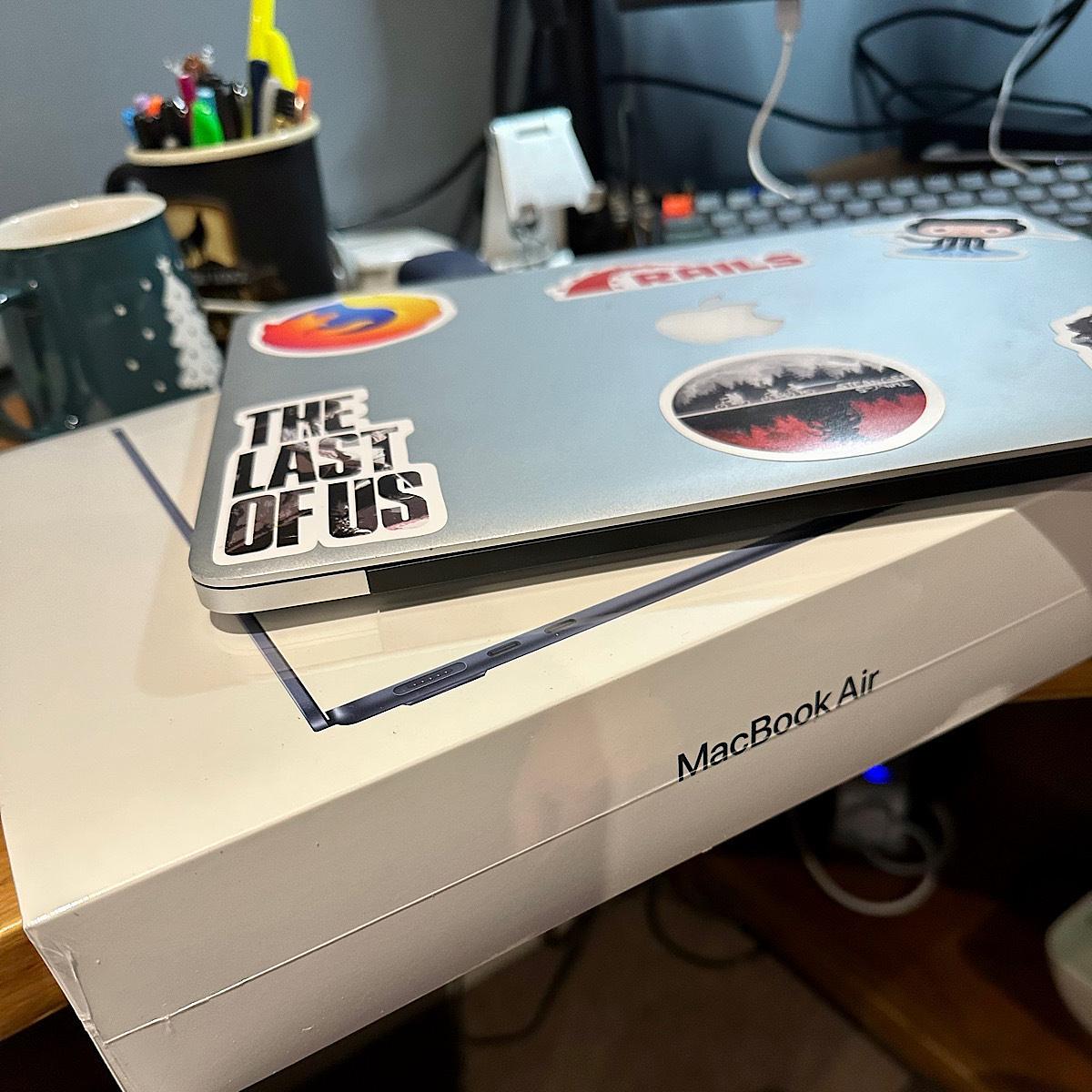
After nine years with my MacBook Pro, it’s time to upgrade. I’ve been using the same MacBook Pro since 2013, and it’s been a great machine. However, it’s time to upgrade.
Over the last year, I’ve noticed an evident degradation in my MacBook Pro performance. It can usually only handle a handful of apps open at any time. I tend to have Firefox, VS Code, iTerm and Docker available anytime. Anything else I can open at the same time is usually a bonus. If I have to open a few more apps, I’ll shut down all my development apps to allow more apps to open.
I’ve been researching the new MacBooks over the last few months, and I’m pretty sure the new MacBook Air is the right fit for me. The Pro would be a good fit if I needed a dedicated machine I used most of the day. Still, as I already have a reliable work laptop, I just need a light development machine to use at night and at weekends.
I’ve only owned two MacBooks over the last 15 years, which is pretty good. I wonder how long my new MacBookAir will last me?
It’s been 24 hours since I installed iOS 16. The update process took quite some time to complete on my iPhone 12, but it still took longer on my wife’s iPhone XR. That aside, the update process was straightforward.
Being able to edit a message and undo the sending of a message is new to the Messages app. Undo the sending of a message? I don’t think I’ve ever had to undo the sending of a message; however, I don’t live in my messages app. Many other iPhone users have sent a message they wished they could un-send.
Being able to edit a message, though, that’s a nice feature. Most of the messages I can see myself editing will result from typos. Even with the auto-correct, I still manage to make some typos when sending messages.
Aside from all the other features new to iOS 16, the most significant change is what you first see on your iPhone when you pick it up. The Lock Screen.
There are several new features here that I’ve enjoyed messing about with. You can now create more than one Lock Screen and Home Screen pairing and switch between these throughout the day. I’ve got several screens set up now, but I’ve yet to examine how changing your focus affects these screens. However, using the different focuses is something I plan on doing to try and curb the number of times I reach for my phone throughout the day. The widgets on Lock Screens are also a nice touch, and hopefully, we’ll see more of these added in the future.
Overall the iOS 16 update is pretty good so far.
Got the iOS 16 install going for my iPhone. I’m not as enthusiastic as I was in the past about these big iOS releases, but it helps to stay up to date.
Lots to like from Apple’s WWDC event, but the MacBook Air definitely caught my eye. Might just be my next laptop to replace my ageing MacBook Pro.
Every time Apple announces these Shot on the iPhone challenges, I’m always amazed that they have been taken on an iPhone. The macro challenge is no exception.
On top of the court case against Epic, Apple is now facing another court case, this time in the UK. Apple is accused of over-charging people for the apps in their App Store.
The tech company has been accused of deliberately shutting out the competition in the store and forcing people to use its own payment processing system, generating “excessive” profits for itself in the process.
The claim, which is being brought on behalf of potentially millions of Apple users in the UK, has been filed in the competition appeal tribunal and calls for Apple to repay UK customers it says have been overcharged because of the company’s practices, with damages of up to £1.5bn being sought.
It says as many as 19.6 million UK users could be eligible for compensation.
— Apple accused of breaking UK competition law by overcharging for apps
As an Apple user of some years now, it’s only recently that I’ve seen the argument against the use of a single App Store that is controlled by Apple.
Is it safer? Undoubtedly. Sometimes though, it might be too safe given the fickle approval process that apps must go through when developers submit new or updated apps to the App Store. Also the
What would happen though if developers could submit to stores other than Apple’s own App Store? Maybe they could even run their own stores. I would definitely think twice before buying an app through an alternative store though.
Got AirPods and macOS? Here’s an excellent recommendation from Curtis McHale.
What did I miss from last night’s Apple event?
As far as I can tell, a new iPhone, a new mini HomePod and a new feature in iOS called Intercom. I’m quite happy to just catch up the morning after now with these events now.
In an effort to address issues with Apple and their App Store, several companies have founded a non-profit organisation that hopes to address these issues.
As a developer I hope they put enough pressure on Apple to change their App Store policies for the better, but as The Verge puts it, I don’t see Apple backing down on this.
The Coalition for App Fairness is hoping to gain influence over Apple through a united developer front. But even if other developers flock to join, Apple still holds all the cards; while Spotify, Match, Basecamp, and the rest are protesting Apple’s rules, at the end of the day, they’re still putting their apps in the App Store and paying Apple’s fees. As long as that’s the case, short of legal intervention, it’s hard to see Apple acquiescing to any of these demands — no matter how many developers complain.
— Spotify, Epic, Tile, Match, and more are rallying developers against Apple’s App Store policies
With Apple’s iOS 14 update, there are two features that I am using now to tidy up my home screen. Widgets and the App Library.
Widgets are tiles of different size that can show you a snapshot of an app. This give’s you the benefit of being able to preview information from that app and also tap on the widget to open the app which is much better than having to open the app and then find that information that you need. The only downside to this is that apps with widgets are minimal at the moment, but I’m sure over the next few weeks, there will be plenty of App Store updates for these apps to include more widgets.
The App Library is a feature that I actually read about a few weeks ago and then forgot about when I finished uploading my iPhone. The App Library contains all the apps that you install and puts them in folders based on usage, installation date and also by their category. You can access it by scrolling to the right of the home screen. The benefit of this is that you can now remove an app from your home screen without deleting the app itself. Nice!
In time I think I will see more widgets on my home screen to replace their app icons. These apps I’ll also delete and let them live on in the App Library. I’ll only use widgets for the apps that I use daily with a few other widgets for things like weather and photos.
Between the two of these features, I think I will also have more pages on my home screen to separate how I use my phone. At the moment I’m thinking about screens for daily, photos, work and then downtime.
It will mean less clutter on my home screen and will hopefully mean that I don’t check my phone as often, which is a bad habit of mine at the moment.
Mobile version of XCode coming to iOS? I hope so.
It was announced yesterday that Apple has acquired the weather app Dark Sky. As part of the acquisition, the iOS app will continue to function as it is. In contrast, the Android app will no longer be available for download. Like many others, I use the Dark Sky app daily. The API service that provides forecast and historical data for other apps and services will continue to function until the end of 2021.
Like so many other people, Dark Sky was one of those apps that have been on my phone for years. In my opinion, there was no contender. Now though, it looks like we’ll hopefully get a revamped iOS weather app with many of the features of Dark Sky in it. I hope. This is still the early days of the acquisition. Like so many software takeovers in the past, I’m sceptical of what lies ahead for both parties.
It’s another excellent service swallowed up by big tech. The Dark Sky team finished their update on this by saying they are looking forward to building great products. When a smaller independent company gets bought over by big tech though, there’s usually no light at the end of the tunnel.
With no app available for download, Android users not only need to find an alternative to Dark Sky, but also a weather app that doesn’t use the Dark Sky API. The Dark Sky API has been seen for a long time as the best and most accessible API for weather information. With the API closing down, developers will need to find an alternative.
I’ve been using the Dark Sky API for a product of my own. I’ll now need to spend some time finding an alternative to the Dark Sky API and make the necessary changes for my product. I have the time to do this, but it’s time that I would have earmarked for other prioritised work. I’ll need to re-jig things in the meantime.
There is good news about this. Apple will finally get a better weather app. I’ve not been a fan of the weather app for a few years, and when Apple allowed their core apps to be deleted, it was one of the first ones to go from my home screens.
With Dark Sky closing their doors, there is space in the market now for an alternative to Dark Sky. A developer-friendly forecasting API that also provides alerts for changing weather conditions. I’m not saying that it will be easy to do, but there will be many app developers looking for such an alternative. It could be an opportunity.
Is Apple going to do the same for weather data as they did for maps? Apple’s MapKit JS service is a good alternative to Google’s own map service. It would be nice to see a WeatherKit service for both native and web applications. Like maps, weather information can be included in all manner of apps. Having a reliable source of weather information would likely attract more developers to building apps for the iOS platform.
At the end of the day, Apple’s acquisition of Dark Sky should be a cautious reminder. No matter how excellent the service is, there’s always a chance that it can be pulled. The best way to plan for such disruptions is to have at least one other alternative in place.
With another service already earmarked, you can make the switch from one service to the other easily. This doesn’t just go for the apps you use, it goes for your personal data as well. It’s also should be considered if a service is fundamental to your business.
I was skeptical of the value of the $299 price tag on the new Magic Keyboard but reading more about its features then it’s close to being justified for me.
Pleasantly surprised.
That’s exactly how I would sum up my own personal review of the Apple Watch. I’ve been on the fence for a long time regarding the Apple Watch. Last weekend though, I bought a series 5 and I have been pleasantly surprised by the device and what it can do. According the Cult of Mac, I’m not the only one.
I often listen to podcasts when I’m cooking, cleaning, etc. Being able to skip forward in a show, or pause it, from my Apple Watch without having to stop what I’m doing and walk over to my phone is very convenient.
The fitness tracking is by far the best aspect of it for me though. Getting in enough exercise and movement through the day is important, which I why I’m already won over by the three rings feature of the Activity app.
I didn’t realise how amazing and creepy the autosuggestion is on the iOS keyboard. It managed to suggest most of my usual message for a WhatsApp group message.
I wonder if this idea for an iPod app will make Kurt ditch his beloved iPod?
I suspect not.
An Apple bundle might start with news, TV, and music, but Apple could also chuck in iCloud data and maybe even a credit card deal supported by the Apple Card. Hell, given the existence of the iPhone Upgrade Program, which charges customers a monthly fee to upgrade their phone every year, a future Apple super-bundle-plus might even include hardware on tap. — Apple could bundle news, TV, and music into one subscription as soon as 2020
I would love to see Apple bundling more of their products into single subscriptions. We’ve got an iCloud subscription and a Apple Music subscription for the family. If Apple could throw in News and TV+, I would definitely sign up for it.
Ever since I upgraded my macOS to Catalina, I’ve noticed that MacBook Pro’s battery isn’t lasting as long as it used to. In fact in the couple of days that followed the Catalina upgrade, I found that the laptop had simply ran out of battery while it was in the sleep state. What I can’t work out though is whether this issue has been made worse by the macOS upgrade or not.
I’m not using my MacBook Pro as often as I used to do, but one of the problems I have is that when I am using it, it’s plugged into the adapter and sits like that for a few hours at a time. The laptop has already had a battery change and I know that it’s bad for the battery to have it plugged into the adapter all the time, but having it unplugged just leaves me with a couple of hours of battery.
It’s time like this I wonder if I should go back to a desktop.
Using this afternoon’s quiet house to do a few things.
One of them is working out why I have now two of every app after upgrading macOS to Catalina. All my apps are accessible from Alfred in two directories now. I can find the same app in /Applications and /System/Volumes/Data/Applications.
I wish there was an option in iOS to see folders of apps in a two by two grid as an initial default over the three by three grid. It would be easier to see apps on the screen, and would let people make more focused app folders.
A nice reminder from John Gruber about new Apple products and the fine art of shipping that product.
I wasn’t a fine of the first Apple Watch. The idea of a smartwatch that doesn’t just show you the time felt wrong. Over the years though, Apple has been chipping away at it. A few iterations later and I’m starting to like the idea of owning an Apple Watch.
And then they did what Apple does: iterate, iterate, iterate. They started knocking down Apple Watch’s glaring flaws one by one. Battery life improved significantly. They identified what Apple Watch is meant for: health and fitness tracking, and notifications. They added optional cellular networking, so your watch could remain utterly useful while out of the range of your iPhone.
The always-on display didn’t seem like a big feature at the time, but having persisted with a Fitbit for a few years, I can appreciate that gesture to see the screen. It just wasn’t always possible.
I’m hinting to Jennifer for an Apple Watch Series 5 for my Christmas now. We’ll just need to wait and see if she takes the hint.
Nothing new today that would make me want to buy an Apple Watch. An always-on display isn’t a deal breaker, but I am consdering it.
Still, the new iPad might be a good future purchase for the boys.
Curious about potential Apple Watch releases today.
My Fitbit died a few weeks ago and I’m now wondering if an Apple Watch might be more my thing.
I’ve pushed back on getting an Apple Watch for sometime, but I’ve been slowing coming round to the idea of a smartwatch.
Split-screen editing on the iPad? Wow. The iPad is fast becoming a serious alternative to a laptop.
Apparently, Apple is now under demand to deliver a foldable iPhone. Nevermind a foldable iPhone, how about delivering something like those handhelds that are used in The Expanse instead?
The MacStories team have compiled a collection of shortucts for Apple’s Shortcuts app. Well worth a peek if you want to save yourself a few taps a day.
After a week of using the open source Apple Music web player Musish, I’m still a fan.
The familiar look and feel to the native Apple Music apps as well as having the benefit of access to all my Apple Music data through a web interface means I can still listen to music while I’m working.
It also means I can conserve the battery on my iPhone and I don’t need to rely on a good network signal if I need to stream any of the albums I want to listen to.
Autographed ebooks? Matt Gemmell continues to push the limits of content creation with an iPad.
As always, Matt Gemmell provides a thorough and deep dive into his tech choices as an author. This time, it’s the new iPad Pro.
Reviewers say iPad Pro a serious challenger to laptops.
Well, until they add the capability to write and compile code locally, it will never be a true challenger to the laptop in my eyes.
Is it just me or has the Apple product update become something of a formality now when it comes to the tech sites that report on it?
Apple unvelied a number of updated products yesterday. The tech sites, as always, responded with a range of predictable posts. Insert an Apple product for x where you can.
Despite rising prices of Apple products and now steady release cycles of products, the tech sites are always favourable to Apple when they do a product update or launch.
Don’t get me wrong, I like using Apple products and I will continue to buy them as they are dependable and last. However, I’m still using a MacBook Pro from 2013 and my iPhone 5S continues to just work. I don’t see me replacing my MBP until at least next year.
As for my iPhone though, I am considering an upgrade to an XR. I’m not a huge fan of the 5S camera and I don’t use a seperate camera, so an upgraded phone serves a dual-purpose. A bigger screen and a better camera.
Maybe can Apple can do no wrong, but it would be nice if the tech sites didn’t just roll over when it comes to an Apple event.
Thanks to my buddy Curtis for letting me know about cleaning your iPhone’s charging port.
Solved my problem of my phone not charging.
Nightmare. I’m having to lift my lightning cable connection in order to get a charge into my iPhone now.
Apple’s upcoming privacy changes for Safari are a welcome change for the Internet. With GDPR and changes like this, I think we’ll start to see a better web experience for all.
Also did I see yesterday that Safari will finally get favicons in tabs?
I missed the Apple education themed announcement yesterday. The time difference means that I’m always in the middle of something else when these things are announced.
A few observations.
Judging from the reviews on various tech sites though, it seems people were expecting a much cheaper iPad to be released. Something that competes with Google and Chrome OS.
Well they released a cheaper iPad, at least here in the UK they did, however I’m sure it’s not what the tech sites and consumers were hoping for.
It’s not the first time that Apple haven’t met expectations. In fact, they rarely meet perceived expectations, especially when it comes to price.
I’m always amazed at how well Apple does with a range of products that are always priced much higher than their competitors.
I think the day that Apple drops their prices to that of their competitors is the day that Apple is in real trouble.
The biggest benefit I seen from yesterday was Apple’s Schoolwork app. A step in the right direction when it comes to digitising education.
However, given the time it takes for school’s to adapt to new digital practices, I don’t see my oldest son, who starts high school this year, being able to take advantage of this for at least a couple of years.
One thing that caught my eye was the new space gray accessories that are now available. Sure it doesn’t go with the silver MacBookPro but the black and gray accessories do look nice. I’m not saying I’ll be buying them anytime soon, but if I’m in the market for a replacement keyboard or mouse then I may give them a look.
I wonder if a space gray iMac is on the cards?
I wouldn’t mind seeing more split view options in MacOS. I know there’s apps that can do this, but seeing more than two apps in split view baked right into MacOS would be nice.
I’ve been considering an Apple Pencil for some time now. This Kaweco sleeve might just be the final nudge towards that purchase.
I’m going with HeadPods on this one.
Do you want want blank spaces on your iPhone home screen? Here’s how
Tried to use my iPhone SE as a mouse this morning for about a minute. Definitely time for a coffee.
While it was my intention to write about my web development workflow on my iPad Pro at a later date, one of my readers got in touch asking about how I use the iPad Pro in this capacity. Rather than hold off I thought it would be a good time to elaborate a bit on my workflow when using the iPad Pro for web development. What follows is still under review and isn’t my first attempt at using an iPad Pro for web development.
My first iteration on using the iPad Pro involved the Blink app and setting up a remote development environment on a DigitalOcean server. This took a while to setup but even then I found that using Vim as my text editor on a touch device didn’t work for me. So it was back to the drawing board and what follows is a second pass at putting together a web development environment for the iPad Pro. It certainly isn’t final but it’s working for me now.
Another point to consider is that this web development environment is tailored towards Ruby on Rails development. A similar setup will work for other languages and frameworks providing you can run your development environment locally in iOS or on a platform like Heroku or Engine Yard.
I’m using a number of remote services not because I need too just to be able to work on an iPad Pro, but because they’re already part of my workflow on the desktop and I can use them on the iPad Pro as well.
I’m using Github for source code management for a number of reasons like client familiarity, Heroku integration and a few other reasons. The main reason I’m using Github though is that it’s tried and tested. You can’t argue with that.
I’ve tried a number of source code management services like Gitlab and Bitbucket. While there are benefits and drawbacks to each service, Github is my preferred source code management service.
Heroku has been my go to hosting platform for Rails applications for a long time now. I’ve tried other platforms and while they might be good fits for particular clients with specific needs I’ve found that Heroku has everything that I need for hosting most Rails applications.
I’ve already mentioned that github is good for Heroku in that it’s baked into the pipeline service that Heroku offers. Automated deploys are a great thing and using this in conjunction with Heroku’s CI tool is one less thing for me to configure.
With our remote services in place it’s time to focus on the client side apps. Apps that focus on developer productivity have largely revolved around other things that developers do like project management, issue tracking and documentation but there are more text editor apps becoming available on iOS and I’m confident that there will be even more apps like this overtime.
I’m using Working Copy as my local Git client. I’ve been using this for a few months now. It’s easy to setup and it works well in iOS 11 with split view and the drag and drop functionality. Working Copy also integrates well with GitHub, Bitbucket and Gitlab. So I’m not tied to using one particular Git source code hosting service.
And now the essential bit of kit for any developers toolbox, the text editor. I’m running two text editors at the moment with the hope of selecting just one of these when I’ve given each of them a thorough test.
I’ve used Textastic in the past but only as a means to edit text files remotely. Using it now as a text editor means that it needs to tie in with Git, have the essential settings I need for editing source code and perhaps the most important feature of all, a nice colour scheme!

So far I’m pleased with its feature set and there’s been little in the way of blocks when it comes to workflow. Once I had Working Copy setup to track my Github repos, I was able to drag a branch into Textastic and start working. Changes to files are marked in Working Copy so that you can commit your changes as you normally would.
Textastic doesn’t have all the preferences of a desktop text editor like Sublime Text but the essentials are there. Editor themes, font selection and size, and tab size and type. There’s also find and replace and symbol listing which is handy for larger source code files.
Textastic is working well for me but the one thing that I would like to see a easier management of the files I’m working with. A command pallete like Sublime Text would be a nice addition.
GoCoEdit is a new addition to the test. While Textastic I have history with, GoCoEdit is fairly new and I’m still finding my feet with it. It shares many of the same features as Textastic though, so it’s easy to get started.

Like Textastic, you can drag and drop a repository from Working Copy into the app to get started working. Changes to files are marked in Working Copy for you to commit.
Editor themes, font selection and size and tab size and type are supported as well. There’s also find and replace functionality as well. I’ve also found that in GoCoEdit there is a command pallete with limited functionality. You can manipulate text, find and replace text and save a file using this but there’s not much else you can do with it.
I must admit, I do prefer working with GoCoEdit over Textastic. Saying that though there isn’t much between them and both are more than capable of being all-day text editors if you find you have to work on your iPad Pro for the full day.
There are many things missing from these editors that would be taken for granted in a desktop text editor like Sublime Text but apps like this are still relatively limited in what they can do on a iPad. The most essential features are there though.
If there’s one thing I’ve learned from all this is that if you’re going to use an iPad Pro for web development or any other form of work then expect to adapt to a new range of apps. Sure you’re preferred apps might be available on iOS but the interface does require you to adapt to the new environment.
Thankfully iOS is getting there with better features like the split view and drag and drop. Features that we’ve taken for granted in desktop operating systems for years but are only starting to see in operating systems like iOS.
My web development workflow has required some changes for the iPad Pro but it’s nothing drastic and a bit of learning on a new device isn’t a bad thing.
Thanks to Curtis McHale for reaching out to ask about this and giving me that much needed nudge to write.
I’ve been using an iPad Pro as a web development device for a few months now. Overall I’ve been surprised at the ability of the device to handle this type of work. Apps like Working Copy, Textastic and GoCoEdit have certainly helped as has the split view on iOS and more recently the ability to drag and drop between apps.
One drawback amongst all this though is the browser I use. Safari has been my browser of choice for iOS for a long time. I’ve had brief dealings with Google Chrome and Firefox, but they’ve never lasted in terms of use. I keep coming back to Safari.
As browser’s go, there’s little to fault about Safari on all the devices it supports. It works well on my iPhone and the smaller iPads I’ve used over the years. With the iPad Pro though, it feels that Safari is short-changing me.
Right okay. Pinned tabs aren’t on everybody’s list of priority features for a browser but I’ve been using them for so long on other browsers it seems that they’ve been around forever. That’s not true in the case of Safari for macOS though. Pinned tabs have only been around for a couple of years with Safari which seems like a very short amount of time given that they have been available in other browsers for years.
So why pinned tabs on Safari for iOS?
Well, largely it’s an organisational thing. There’s a number of tabs that I keep open through the day and pinning these tabs in the browser allows me to quickly jump to them through the day.
Given the screen space on the iPad Pro models and even on the iPad Mini models, I’m surprised that the pinning of tabs hasn’t already been done.
I was surprised to find that the Web Inspector on Safari for iOS is only available when you connect your iPad to another Apple computer.

Now while a web inspector is probably a big ask on a device that probably wasn’t intended to be a web development device, I think it’s a fair request. People are turning to the iPad Pro and looking for a device that replaces their laptop or even their desktop. The inability to run the Web Inspector without connecting the iPad Pro to a MacBook or iMac doesn’t exactly
However, while you might not be able to use the Web Inspector for Safari iOS without connecting to another Mac, there is an app called Web Tools that replicates this need feature rather nicely.
I toyed with the idea of calling these starred extensions but pinned extensions might be a better idea, but first I have to explain what this is.
At the top right of the Safari app on the iPad is the share button. This button allows you to share the current URL with a number of other apps on your iPad or iPhone. I use it a number of times every day, mostly for sharing links to my Instapaper, Pinboard and Bear apps. I also use it quite a lot for opening 1Password. The share button on the iPad Pro is a quick and convenient way for me to share a link. It’s also one more press on the screen than I care to do.
If you take a look at the Safari interface on my iPad Pro, you’ll notice that there is some whitespace on either side of the address bar. What if this space could be utilised in a better way rather than just leaving it blank. What if (and only if your screen size can support it) you could pin a couple of your favourite share extensions to the Safari toolbar?
By pinning your share extensions to either the left or right of the address bar, you’re putting your share extensions in a more convenient place.
There are obvious restrictions to this like screen size and even the orientation of the device which governs how much space you have, but surely the developers at Apple could make this happen?
When you name your device as ‘Pro’ there is a certain level of expectation of it. I must admit I eye-rolled when I first heard that the new iPad would be called an iPad Pro, but as I heard more about it and watched the first couple of iterations of the device, I could see where Apple was going with this.
To support this new family of devices I think that there needs to another level up of apps that are targeted at the Pro line of devices only or at least variations of the apps that support Pro features.
These apps might be specialised and target a specific market of people, but given that the iPad Pro is already being seen as a viable option to a laptop and even a desktop, I think it’s important for Apple to offer that extra bit of functionality that users may look for in an app.
These features that I’m looking for in Safari for iOS might not be a priority for the Safari team or even on the list of new features for Safari, but I’m sure that if Apple is looking to push the iPad Pro device to more professionals then there should be some distinction between the normal apps for iOS and those for Pro devices.
Took a day off yesterday for some recovery, but it also gave me the chance to upgrade MacOS to High Sierra. No problems so far!
The combination of Working Copy and Textastic on iOS 11 now allows me to do more web development work from my iPad Pro. Still hoping though that there will be more apps available that will make the process more streamline.
Is it just me or is the iPhone’s battery draining faster under iOS 11?
Just when I’m starting to like using Safari’s Shared Links feature, Apple goes and removes it. Shame, I liked having it in the sidebar as a view of links from my Twitter timeline.
Now that I’m using the iPad Pro as my main development machine a couple of days a week I’m starting to miss the features that I see everyday in macOS. Today’s request is for pinned tabs in Safari for iOS.
I’ve been tempted to upgrade the iPad Pro to the public beta release of iOS 11 but with the official release being just around the corner (hopefully), I’ll just wait.
Jack Baty has been using his new iPad in anger this week. The results are good!
I’ve been using the iPad exclusively while at home for more than a week and I have been continually surprised by how much I enjoy it. I’ve been emailing, managing projects, editing photos, drawing, tweeting, and generally carrying on like it’s actually normal doing stuff on an iPad other than reading social media sites and playing games. Who knew?
Surprise! The iPad is a Content Creation Device
I picked up an iPad Pro at the weekend that I’m currently using side by side with my MacBook Pro. The iPad Pro isn’t intended to be my main development machine but it will be my portable development tool of choice. First impressions are good and Jack’s blog has been a great read with his recent move to using an iPad.
Update: Some links in this post pointed to pages that no longer exist and have been removed.
Apple’s App Store Guidelines now allow executable code in educational apps and developer tools.
Might not be a deal breaker for many, but I’ve longed to replace my raging MacBook Pro with a combo of an iMac and an iPad Pro. With the recent updates to the iMac line I can finally purchase one with updated specs, but the news at WWDC didn’t make me think that I was going to see better development tools on an iPad Pro anytime soon.
The new guidelines in the App Store though mean that better software development tools for the iPad might be just around the corner.
iOS 11 looks great with the new Files app. Not enough changes though for me to use an iPad Pro for programming. Maybe iOS 12?
Apple’s Worldwide Developers Conference kicks off today.
I wouldn’t call myself a fan-boy but I definitely have a preference for Apple products. I am interested in seeing the release of a new iPad Pro. Sadly I don’t think there’s going to be any new iMacs released.
Expect an explosion of Apple related news and tweets later on today.
MBP hardware boosts are tempting but I’ll wait on news of new iMacs before I decide on what path to take with my next hardware purchase. thenextweb.com/apple/201…
Great to hear that new iMacs are on the way.
Regarding iMacs, Schiller also said that new iMacs are in the works, slated for release some time this year (no specifics other than “this year”), including “configurations of iMac specifically with the pro customer in mind and acknowledging that our most popular desktop with pros is an iMac.”
— The Mac Pro Lives by John Gruber
I’ve been looking to replace my MacBook Pro for a while now. I do most of my work at home and it’s rare that I do serious development during a client visit. While the MacBook Pro made sense at the start of my freelance career, I think an iMac would be better for myself.
The question of what to do on client visits though remains. Should I still keep the MacBook Pro for client visits? Unless I’m called on to write code during that visit (I never am) then I think it’s safe to say that I can relegate the MacBook Pro to another younger member of the family who can use it for school work more effectively than I would use it as a second development machine.
I’m still debating the purchase of an iPad Pro to act as a portable device. I would use this more for admin, marketing and writing and planning tasks. Anything that isn’t writing code essentially.
I’ll get the desktop hardware sorted first before I go down this road though.
Holding off on an iMac purchase to see if any new models come out soon. What’s the chances of Apple releasing a curved iMac?
At the start of this week I was visiting a client for a catch up and a chance to go over a project I’m working on with them. It was great to hear from the client that they’re exceptionally happy with the progress, but that’s not what this post is about.
During my visit I couldn’t help but notice the two Surface Pros in my client’s office. It was the first time that I have seen these devices out in the wild.
After quizzing my clients about them for half an hour and a quick demo it was fair to say that the Surface Pro have not only been really well designed but also specced well. Each of the devices were being used for the usual office tasks but they were also used as development environments and in each case plugged into a dual-monitor setup. As a portable device it’s light years ahead of the iPad and in my eyes better than the iPad Pro.
As an Apple fan I’ve been disappointed with the distinction between the iOS operating system and macOS. While iOS was made to drive portable devices, it is certainly not the ideal environment to be doing any kind of software development. Apple have been expanding their mobile products to be bigger and faster and now we have the iPad Pro as the ultimate touch device that Apple offers. The problem is that the device still uses iOS.
When you’re limited to the apps that you can install and the amount of access you have to a device I think it’s hard to justify the label of “Pro” on the iPad. When I first heard about the upcoming release of the iPad Pro I assumed that a touch version of macOS would be offered. Sadly that wasn’t the case.
When I look at the Surface Pro I see a portable device that can replace a desktop and a laptop but is also really effective when you’re on the go.
Will it replace my MacBook Pro?
Not in the near future. I still love working in macOS and it’s where I’ve invested my time to get a range of apps and tools that work well for me. I’m not about to give that up in a hurry.
It’s fair to say though that I’ve now been put off from purchasing an iPad Pro. I don’t see the benefit. If I can’t run a terminal client and a text editor to write code then it hardly qualifies as a “Pro” device.
Still rebooting my MBP to re-connect my bluetooth keyboard and mouse. It is 2017, right?
Bluetooth has given up on me again on MacOS.
When I first heard about Apple’s AirPods I thought they were a joke. Honestly. After all they’re EarPods with the wires lopped off. What happens if you lose one?
Well it seems that if you lose one you’ll be out of pocket $69.
I think I’ll stick with the EarPods.
It struck me odd how so many people took to the Internet announcing their disgust that the new MacBook Pro isn’t made for developers. One particular blog post stood out amongst the rest as just being laughable. The glaring fact is that no-one had used it yet and were basing their opinions on a suggested outcome.
Glad to see that Adam Geitgey reserved his opinions until after he used it.
I’m not here to change your mind about the MacBook Pro. Yes, it’s probably too expensive and more RAM is better than less RAM. But everyone posting complaints without actually using a MBP for a few weeks is missing out on all the clever things you can do because it is built on USB-C. Over the past week or two with a new MacBook Pro (15in, 2.9ghz, TouchBar), I’ve been constantly surprised with how USB-C makes new things possible. It’s a kind of a hacker’s dream.
— The new MacBook Pro is kind of great for hackers by Adam Geitgey
Brilliant. Just brilliant.
The most obvious change is the redesigned keyboard. Removing the Touchbar creates room for a row of physical function buttons and, in a nice touch, an escape key. This isn’t a perfect solution: the function buttons map to a confusing series of actions that can send windows flying around the screen with an errant keystroke, and the new physical off switch is too close to the backspace key. But it is certainly a huge step forward, and it will be interesting to see how software developers take advantage of this clever new feature.
— Benjamin Button Reviews The New MacBook Pro by Maciej Cegłowski
The dust has finally settled from Apple’s announcements. The world has returned to what it once was, but for a moment there it seemed that the drama was world-ending. Almost apocalyptic in nature. Only the release of an Apple product could have sparked such hype and drama.
So what was all the drama about then?
It was about Apple’s new addition to the MacBook Pro, the Touch Bar. In case you don’t know Apple have replaced the top row of keys on their keyboard with a touch bar. Kind of like a long and thin touch screen.

Looks good doesn’t it? I thought so. And while I wasn’t blown away from Apple’s announcements I wondered how long it would be before I needed to replace my own MacBook Pro. Would the Touch Bar affect my decision to buy? That’s a post for another day though. As a rule I don’t buy brand new tech within a few months of it’s release date. I do make exceptions, but not that often.
Anyway back to the point of this post. The Touch Bar and the lack of escape and function keys.
Most people will have looked at the new Touch Bar and thought, “Cool, I can see which emoji to use” or “My photo and video editing might become easier”. Me, I just seen a new form of touch interface that may in time become useful. In fact, 1Password have already announced they’ll be using the Touch Bar to enhance their password management product. Great stuff.
Not everyone was happy though. We developers are a fickle lot. If we’re not jumping from one Javascript framework to the next we’re arguing about which text editor is best. The world might be ending but by God we’ll get our argument across as to why our text editor is the best before it happens.
And that was the start of the drama. The escape key is missing. Well not gone, just not always there. And that didn’t go down well with a lot of people. Mostly people who are users of Vim and Emacs from what I could see. I say a lot of people, it’s probably a small minority but on the Internet those that shout the loudest often get the stage for a longer than normal period of time. First it started with the tweets, then the blog posts followed. It was car crash television. You couldn’t help but watch.
I honestly can’t see what the problem is and here are two reasons why.
1. I rarely use the keyboard on my MacBook Pro
I have a laptop as it suits my needs to be mobile if I need to visit a client but that’s not often. Most of the time my laptop sits on my Griffin Elevator Desktop Stand. I use a Logitech K811 keyboard and an Apple Magic Mouse for all my input needs. And yes my keyboard has an escape key. Here it is.

In fact I’m pretty sure that any developer who values their long time health will have a similar set up. If you’re using a laptop all day to do your work then I would seriously question how comfortable that is.
2. I haven’t used my text editor on the new MacBook Pro
When Apple were handing out the new MacBook Pro for field testing they must have missed my name on the list. Well, not really. They don’t do that. In all honesty though I haven’t used the new MacBook Pro with the new Touch Bar yet so I haven’t the faintest idea how my preferred text editor will work with it. It might work straight out the box, it might not. I just don’t know. And neither do the band of dis-gruntled developers who are doing the complaining. Ask any of them if they’ve used it yet. I doubt it.
The Internet has become the platform of choice to vent your anger, your frustration even your hate if you’re that way inclined. Like a tabloid newspaper, the Internet loves drama and it thrives on it like a virus. It spreads quickly. Even the tiniest of arguments can blow up into a full on international shit storm. And with it comes the drama. People making assumptions that this company is doomed or that product is evil.
If I had a filter to block this shit I would. I would love too. I’m sure most of you would as well. But we can’t. And it’s getting worse. To the point where I’m considering scaling my back my time spent on social media. It’s become counter-productive to use.
I can forgive the tech journalists for their sensational click grabbing headlines but even they didn’t get all dramatic about Apple’s announcements. They reported it, analysed it and made some conclusions. They might be right, they might be wrong, but they did their job. They provided some short form coverage of the announcement.
As for the rest of the Internet. Enough. Enough fucking drama. Unless you’ve used said product prior to it’s release then save your attention grabbing, whining post until you have used the product.
Update: Some links in this post pointed to pages that no longer exist and have been removed.
Many might see the recent annoucements by Micrsoft and Apple as a win for Micrsoft and who can argue.
The company are finally interesting again and not just from a consumer perspective but from a technical and creative perspective. The flagship product of the Windows operating system is now having to share the spotlight with Microsoft’s new line of hardware products. And while it’s great to see Microsoft getting that innovative edge again I don’t see it as a win only for Microsoft.
Their Surface products and open sourced software are now opening another front on the war between the tech giants. For too long it’s been a two-horse race between Apple and Google.
Apple’s line of hardware is different from Google’s and that’s where I find it hard to compare the two. Apple’s traditional line of computers, tablets and phones are certainly different from the Chromebook and Chromecast dongles that Google sell.
Microsoft are now creating a name for themselves as a serious contender for those looking to make a new hardware purchase. And with the hardware purchase, the software purchases will pretty much follow suit. It’s a model that Apple has run for years. Build great hardware and boost sales with software and service purchases. It’s now Microsoft’s turn to take a stab at it.
Microsoft have turned heads with their new products, but not just from a consumer angle but from a corporate angle. I wouldn’t be against the idea of a few people at Cupertino who weren’t quietly surprised by the new Surface Studio. Hell, they might even like it.
And that’s the win for Apple. They have a new competitor on the horizon. A new front to battle on. A new chance to innovate again.
Apple family sharing, iTunes app and Music app. A combination of apps and preferences that results in a complete nightmare.
Tabs everywhere in macOS. Will take some getting used too.
Where the hell are spaces in macOS?
Spaces found after noticing keyboard shortcut is different.
So you can delete most those iOS apps you never use like Stocks but for some reason you can’t delete Photo Booth from the iPad. Bizarre.
Restarted the Mail app to fix the font size issues. My only glitch from the iOS10 update.
I haven’t swiped to unlock on iOS10 yet.
and MacStories has a complete run down of the upgrade.
Got a Mac Mini from late 2014 with 2.6 i5 and 8GB. It is ridiculously slow to start up. Never been able to fix it.
Wanted: A folder in the iOS Photos app that deletes photos older than 30 days.
Fellow Scot Ian Dick highlights some areas of technology where Apple are falling behind.
Apple also seems to be out of the AR/VR loop. It’s computer hardware can’t drive an Oculus although on the mobile side it could easily launch AR support as the hardware in the iPhone is extremely capable.
— Placing Bets by Ian Dick
I can’t help but wonder though if things like VR are at the stage where Apple or any other company should be worrying about it.
Update: Some links in this post pointed to pages that no longer exist and have been removed.
Just discovered the Mac gamma setting on my Dell monitor. Only had the monitor for a year. #rtfm next time Matthew!
Apple received a boost in its fight against the FBI after a judge ruled in Apple’s favour.
Judge Orenstein applied previous legal decisions interpreting the AWA and concluded that the law does not “justif[y] imposing on Apple the obligation to assist the government’s investigation against its will.” In a formulation extremely favorable to Apple, the judge wrote that the key question raised by the government’s request is whether the AWA allows a court “to compel Apple — a private party with no alleged involvement in Feng’s criminal activity — to perform work for the government against its will.”
— Apple Wins Major Court Victory Against FBI in a Case Similar to San Bernardino by The Intercept
While I do think it’s important for technology companies to help government agencies, especially in the case of providing evidence, there has to be a line drawn in the level of powers that an agency can invoke.
I love reading posts like this. Discovering how different people tweak the home screens on their smartphones gives you a small indicator to how that person acts and thinks.
Another interesting point is Shawn’s decision to use the iPhone 6+.
Another thing with the iPhone 6s Plus is that it somehow managed to take over the spot my iPad used to hold. It was such a sly move I never saw it coming. But somehow, over the course of a few months, I just stopped using my iPad for reading and note taking.
— Apps and Workflows: iPhone (6s Plus) Edition by Shawn Blanc
I’m toying with replacing my current iPhone 6 but the decision to go small with the new iPhone 5SE out in March or go big with an iPhone 6+ still eludes me.
This week I had something of an issue involving my email and a feature in my CRM that I wanted to use. Here’s the gist of the problem.
For each client email I receive I want to send a copy of it to my CRM so that it’s easier to find in my CRM rather than filtering through my email for it.
Sounds easy right?
Prior to starting to use this feature I had started using Airmail for my email. It’s a lovely app to use and has many great features. There was nothing there that I had to use, I just wanted to give it a try. No harm in that. When it came to forwarding my emails to my CRM I had two problems.
The first problem I could live with for a while, but the fact that my CRM didn’t recognise my emails wasn’t a problem with the CRM (although they are working on a fix to resolve it), it was a problem with the way Airmail formats an email when you forward it.
Now to resolve this I did contact the my CRM’s support people and the knew of the problem right away and they offered a number of solutions if I wanted to keep on using Airmail. It involved a bit more cut and paste than I wanted to do though.
Just as an experiment though I forwarded the same email from Apple’s own email client, Mail, and guess what? It worked. It just worked. No copy and pasting or changing preferences. It just worked.
Right so if that works what are the chances of being able to automatically forward an email from Mail to my CRM when it hits my inbox. Guess what? It does!
The thing to remember is that I’ve used Mail for the last three years. I only switched to Airmail out of curiosity. I’ve switched back to Mail and despite paying a small amount for Airmail, I might go back and use it again if it’s updated so that I can use it to forward emails to my CRM. It’s a nice email client, and others might have better success with it than me, but not that I see that Mail does everything I need I’ve switched back.
I only started writing about this little change in tools after reading Patrick Rhone’s article on proven tools.
When it comes to the things I use, especially those I rely on every day, I want to use only things that have been prove as much as possible. Proven to work. Proven to last. Proven over time and use.
— Proven by Patrick Rhone
Go on read it, it’s worth your time.
And the next time you decide to switch away from something that’s been proven to work for you. Take a few minutes and think if it’s worth the time doing.
Special thanks to the support staff of Highrise (the CRM in question), who answered my support query in the stupid hours of the morning in the US. Excellent service and excellent support. Thanks Highrise!
Remember the off switch?
Thankfully, I have another option available to me that other might not even consider. One that might be helpful to others as well. One that may help the battery last throughout the day or, at least, longer than it otherwise has been without the battery case… Use the iPhone less. Less “checking in” on Twitter. Less taking photos. Less using it to write. If the battery does die, prematurely, before I’m able to connect it to a power source, learning to be comfortable with that. Let it die.
— When the Battery Dies by Patrick Rhone
Having used the iPhone 6 for almost a year I do crave a smaller phone. It’s simply too big and with the big screen comes a bigger screen for distractions. I’m also considering Apple new smaller iPhone when it’s released.
I still think the shortcut-key to send an email in Mail is weird. CMD+SHIFT+D where D is deliver?
Mighty mouse usually disconnects when I accidentally bump it from the side of my keyboard. More fragile than mighty I would say. #wiredftw
… but certainly not busted. Marco Arment takes a look at why the 2012 non-Retina MacBook Pro is still a sought after purchase.
Despite the low-resolution screen, slow hard drives, very little RAM, and CPUs that were middling even in 2012, it’s an open secret among Apple employees that the “101” still sells surprisingly well — to a nearly tragic degree, given its age and mediocrity.
— Why the 2012 non-Retina MacBook Pro still sells by Marco Arment
Amazing that even after 3 years, this is still available to buy.
I’ll admit I do love getting fresh new hardware, but the recent shift to hardware that prevents consumers from upgrading on their own is annoying. Yes, the new MacBooks are crazy thin, but I’d definitely trade for a thicker MacBook so that I can upgrade the memory and hard disk on my own.
I’ll happily pay for an OSX app that opens my apps full-size or with another app in a split pane. Make it happen someone!
Obviously as someone who hasn’t used Mailbox I might be wrong but Mail app isn’t the worse email client out there. Not by a long shot.
I know Mail app might not have all the bells and whistles that Mailbox has but it gets the job done.
Crazy iPhone battery case theory - it’s actually there to stop the iPhone bending in your pocket.
CleanMyMac’s non-responsive feature is now non-responsive. I would grab a screenshot but even that is non-responsive.
Can I get some recommendations for an iPad Mini 4 case please?
No keyboard cases, just a case that lets me stand the iPad on its side.
An app or process is sucking the life out my MBP. Rebooting about three times a day now. Grrr.
Another friendly customer experience from the staff at the Braehead Apple Store.
Read a few articles about people being able to switch to iPad Pro from their current laptop. Think it might be a while before I can do that.
I’m using an MBP just now but I reckon I could move down to a new MacBook. iPad Pro as a main dev machine might be a stretch though.
I still wonder if the ultimate goal of Apple is to bring iOS and OS X together somehow.
So you still can’t rename spaces in El Capitan then?
Pinned tabs in Safari. Finally!
Curious to know if any OS X users have ditched Alfred in favour of Spotlight since the Yosemite release.
I started the El Capitan upgrade process last night by kick starting the download before I went to bed. Woke up 15 minutes early this morning to start the installation. Took Ethan to school, did my morning pages with a coffee and then started client work on my upgraded MacBook.
Upgrade problems? None. Well played Apple.
PS Love the pinned tabs in Safari.
I should really use AirDrop more often. Such an understated feature of OS X and iOS.
I like the new AppleTV. Don’t think much of the iPad Pro but only because I can’t use it to replace my MacBook as my dev machine.
Just wondering. With all the focus on iOS 9 being able to block ads, will Apple’s policy change on ad-supported iOS apps change?
Not bad turnaround for a big company that handles thousands (probably millions) of transactions in a day.
First time I’ve had to contact Apple support for a purchase in the iTunes store. Prompt reply within 48 hours and full refund issued.
A quick summary from different reviews of the Apple Watch.
The Apple Watch is the best smartwatch on the market, the reviewers agree. And it does some interesting things. But it’s not essential.
This is different than smartphones, which became addictive at first use and were obvious, must-own devices. It sounds like the watch still needs some work before it’s great.
— The Apple Watch reviews are in, and they’re uncharacteristically meh across the board by Quartz
Ever since the first official news that Apple were going to be releasing a watch, I’ve been skeptical of it’s initial success due to the fact there wasn’t a single feature of it that made me want to buy it.
My take on it is that I don’t want another touch enabled screen to distract me, I’ve already got one.
If I had to buy something for my wrist that fell in this category of technology, I would have to say that something like a Fitbit, or even Microsoft’s Band would be something more up my street. Mostly for the health tracking benefits.
It’s still early days though for the Apple Watch and given Apple’s history of products it’s fair to say that a more streamlined Apple Watch is probably already being planned.
In other news, I messed about with an Apple Watch yesterday. I’m still not sold on it.
Last night, round about 5pm, I closed down my work apps, shut the lid on MacBook and left my iPhone at my desk. I checked my son was doing his homework right and proceeded to get the dinner started for the rest of the troops coming home. Not much different from most weekday nights really. Other people had different plans though.
Last night Apple announced more information for their Apple Watch and a new MacBook, as well as a few other things I guess. Don’t worry, this isn’t a post analysis of the event. It’s a few words about my increasing indifference to Apple media events.
I like my Apple products. They help me make a sustainable living, they make the daily grind easier, they make connecting with remote family easier and they can even go with me everywhere letting me capture those little moments in life that you always want to remember. I could buy alternatives to them, but the prospect of getting different platforms and apps talking to each other and working isn’t something I want to do. I just want my devices to connect and work so that I can get on with more important things. That’s all they need to do.
At no point last night did I feel the need to watch Apple’s event or even read the flood of nonsense tech journalism that followed it. I skimmed through my timeline on Twitter and I saw a couple of hundred tweets mentioning the Apple Watch and about maybe twenty or so tweets mentioning the new MacBook. So the Apple Watch is a given, but I’m not interested in that in the slightest. The new MacBook was interesting though, so I checked the specs on the Apple website. Job done. It probably took me a couple of minutes to do that. I refused to spend any more time digesting the why and how of Apple announcements or read any of the associated articles with the luring headlines by technology news sites that at the end of the day just want people to click through to their site for advertising.
The reason why I’m becoming so uninterested in the actual Apple media event is that anything remotely Apple related is over hyped to the point where you would think that Tim Cook was announcing world peace on the stage. Last night’s event announced information for a product that we already knew about and information on a new product as well as other minor announcements. If this was made by any other tech company it would have got a minimal amount of coverage at best, but because it’s Apple we get flurry of tech sites falling over themselves to be seen to be reporting on the event. Live blogging the event, doing a post event analysis and then making their final predictions on whether the product will be a success or notand usually whether it will make or break Apple. It’s too much and thats what puts me off them. Not necessarily the even itself, but the inflated media interest around it.
Next time Apple make an announcement, I’ll do the same. Leave all my gadgets at my desk and get on with the rest of the day, because even though I’ve bought into the Apple world of products, I can catch up with the changes in their product line-up on their website and in my own time.
Apple Watch … meh.
New MacBook … yay!
Is OS X running on an iPad going to be a thing then? I would love to see it happen.
Last week I talked about why I was bored of the hype surrounding the release of Apple’s two new iPhone models. I said that the debate surrounding Apple making progress was really a waste of time.
Then there’s the analysis and opinions of millions of people on whether this is Apple at their best or not. A million pointless questions being asked and everyone has their own answer. Not that it matters of course, because Apple will do what Apple want to do regardless of the views and opinions of others.
I then went on to write about my thoughts on a picking my next gaming console later in the week. So how can I say that the debate around Apple is pointless and then proceed to write about my first world problem of picking a games console?
Well aside from the fact that I just wanted to write about the similarities with the consoles, I had a decision to make and writing about it seemed to be the best way for me to clarify what I was looking for in my next games console. The thing about this is that the decision I am making matters to me as an individual. It’s a small thing yes, but it matters to me.
The small things do matter and they warrant some of your time. Whether it’s five minutes or an hour. We can’t spend all our time focused and debating on the big issues of the world, we still have our own lives to get on with. So give yourself some time off from the big stuff to think about the small things that matter to you.
Yet another big Apple announcement goes by and yet again we see just marginal improvements on the products that Apple have become famous for. Not that I was expecting anything grand or game changing, it’s just that the hype around these things by tech sites and magazines is reaching the scales of ridiculous.
It seems common place now for magazine sites like The Verge to live blog these events even though we know 90% of what’s coming. I wasn’t surprised by anything that was announced at the event. 64-bit processors in the new iPhone 5S … not surprised. Fingerprint security … thought it was coming. It comes in gold! We already knew that.
Then there’s the analysis and opinions of millions of people on whether this is Apple at their best or not. A million pointless questions being asked and everyone has their own answer. Not that it matters of course, because Apple will do what Apple want to do regardless of the views and opinions of others.
Debating on topics is fun, but I’m bored with the Apple debate now. Let them do what they do best, it’s clearly working for them. If you like their products then fine, buy them. If not, go find an alternative. The world doesn’t need a million different view points on a phone or a computer or anything materialistic like that.
There are more important things happening right now like state surveillance, war, chemical weapons and conflict. Maybe if these were debated with the same energy as the latest iPhone, we might actually make enough noise for those who should be listening to invoke change. It’s a long shot, but it’s worth a try.
I made a small purchase last week at the Apple store. A new MacBook Pro to replace my very old Macbook. with. It’s only my second laptop in 5 years yet I know of developers that change their equipment yearly.
In fact all my technology purchases are extremely sporadic for a software developer. I haven’t had a new laptop since 2008 and my first iPad was a third generation iPad. It has taken me until the iPhone 5 to own an actual iPhone. Needless to say I like to wait until technology pans out before I decide to make a purchase. I’m always late to the party.
Being late in adopting technology is no bad thing though. The first version of any new piece of technology is never the finished design. It’s always the second generation version that is a more complete and feature rich product. The initial bugs and chinks have been ironed out and there’s always some slight improvements elsewhere in the product.
Being a late adopter means that while I might not have the latest cutting edge equipment, I am banking on getting more value for my money with a second or even third generation product. Sometimes it pays to wait a bit.